oil FORD EXPLORER 2006 4.G User Guide
[x] Cancel search | Manufacturer: FORD, Model Year: 2006, Model line: EXPLORER, Model: FORD EXPLORER 2006 4.GPages: 328, PDF Size: 3.59 MB
Page 84 of 328
Blank display
Select this function from the INFO menu to turn the upper two lines of
the message center display OFF or ON.
Setup menu
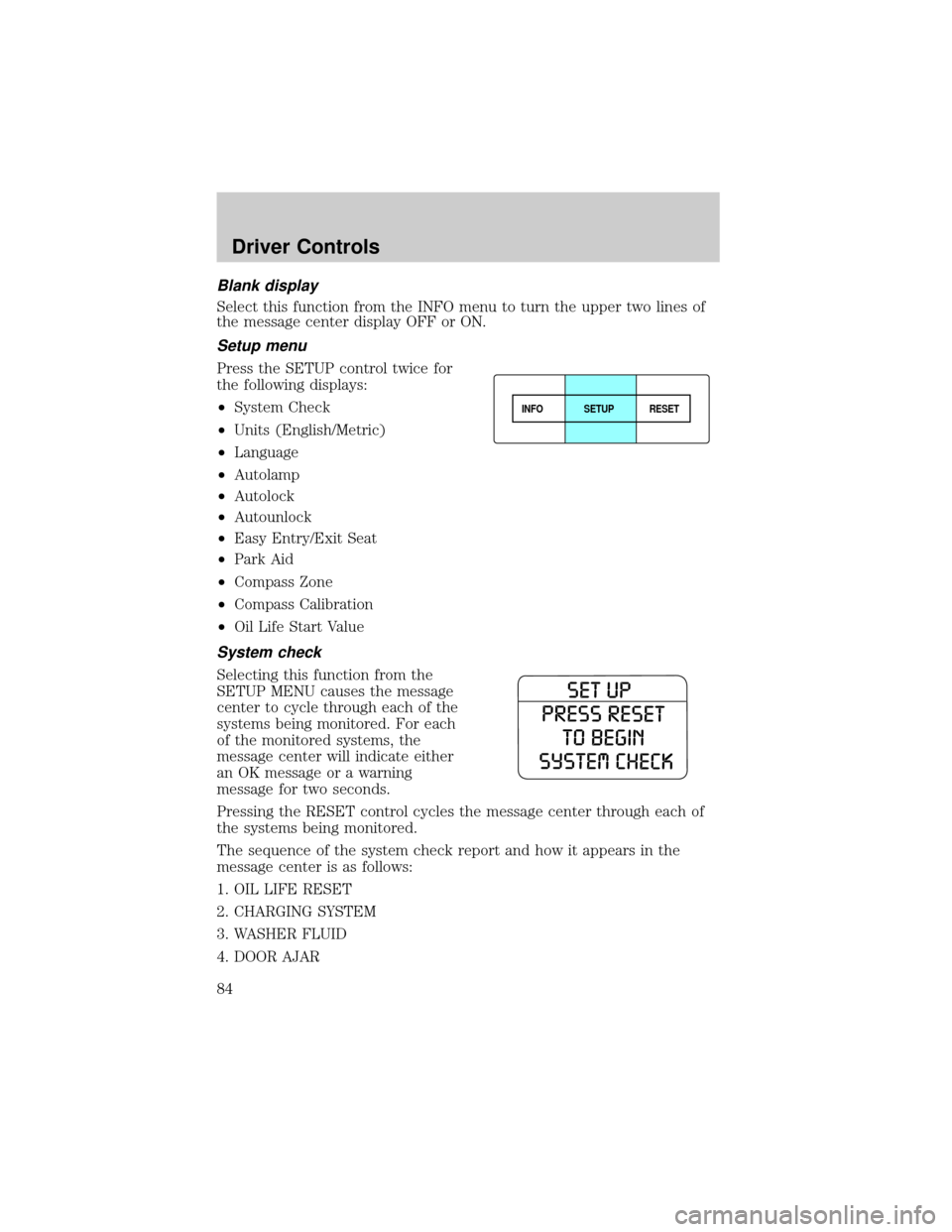
Press the SETUP control twice for
the following displays:
²System Check
²Units (English/Metric)
²Language
²Autolamp
²Autolock
²Autounlock
²Easy Entry/Exit Seat
²Park Aid
²Compass Zone
²Compass Calibration
²Oil Life Start Value
System check
Selecting this function from the
SETUP MENU causes the message
center to cycle through each of the
systems being monitored. For each
of the monitored systems, the
message center will indicate either
an OK message or a warning
message for two seconds.
Pressing the RESET control cycles the message center through each of
the systems being monitored.
The sequence of the system check report and how it appears in the
message center is as follows:
1. OIL LIFE RESET
2. CHARGING SYSTEM
3. WASHER FLUID
4. DOOR AJAR
INFOSETUP
RESET
Driver Controls
84
Page 85 of 328
![FORD EXPLORER 2006 4.G User Guide 5. EXTERIOR LAMP
6. BRAKE SYSTEM
7. PARK BRAKE
8. FUEL LEVEL
To reset the oil monitoring system to 100% after each oil change
[approximately 5,000 miles (8,000 km) or 180 days] perform the
following:](/img/11/4970/w960_4970-84.png "FORD EXPLORER 2006 4.G User Guide 5. EXTERIOR LAMP
6. BRAKE SYSTEM
7. PARK BRAKE
8. FUEL LEVEL
To reset the oil monitoring system to 100% after each oil change
[approximately 5,000 miles (8,000 km) or 180 days] perform the
following:")
5. EXTERIOR LAMP
6. BRAKE SYSTEM
7. PARK BRAKE
8. FUEL LEVEL
To reset the oil monitoring system to 100% after each oil change
[approximately 5,000 miles (8,000 km) or 180 days] perform the
following:
²From the SETUP MENU enter
SYSTEM CHECK to display
ªHOLD RESET IF NEW OILº.
²Press and hold the RESET
control for more than 2 seconds.
Oil life is set to 100% and ªOIL
CHANGE SET TO 100%º is
displayed.
Note:To change oil life 100% miles
value from 5,000 miles (8,000 km)
and 180 days to another value, refer
to theOil Life Start Valueselected from the SETUP MENU in this
section.
Units (English/Metric)
1. Select this function from the
SETUP MENU for the current units
to be displayed.
2. Press the RESET control to
change from English to Metric.
3. Press the RESET control for the
next SETUP MENU item or wait for
more than 4 seconds to return to
the INFO menu.
Driver Controls
85
Page 90 of 328
Compass calibration adjustment.
Perform compass calibration in an open area free from steel structures
and high voltage lines. For optimum calibration, turn off all electrical
accessories (heater/air conditioning, wipers, etc.) and make sure all
vehicle doors are shut.
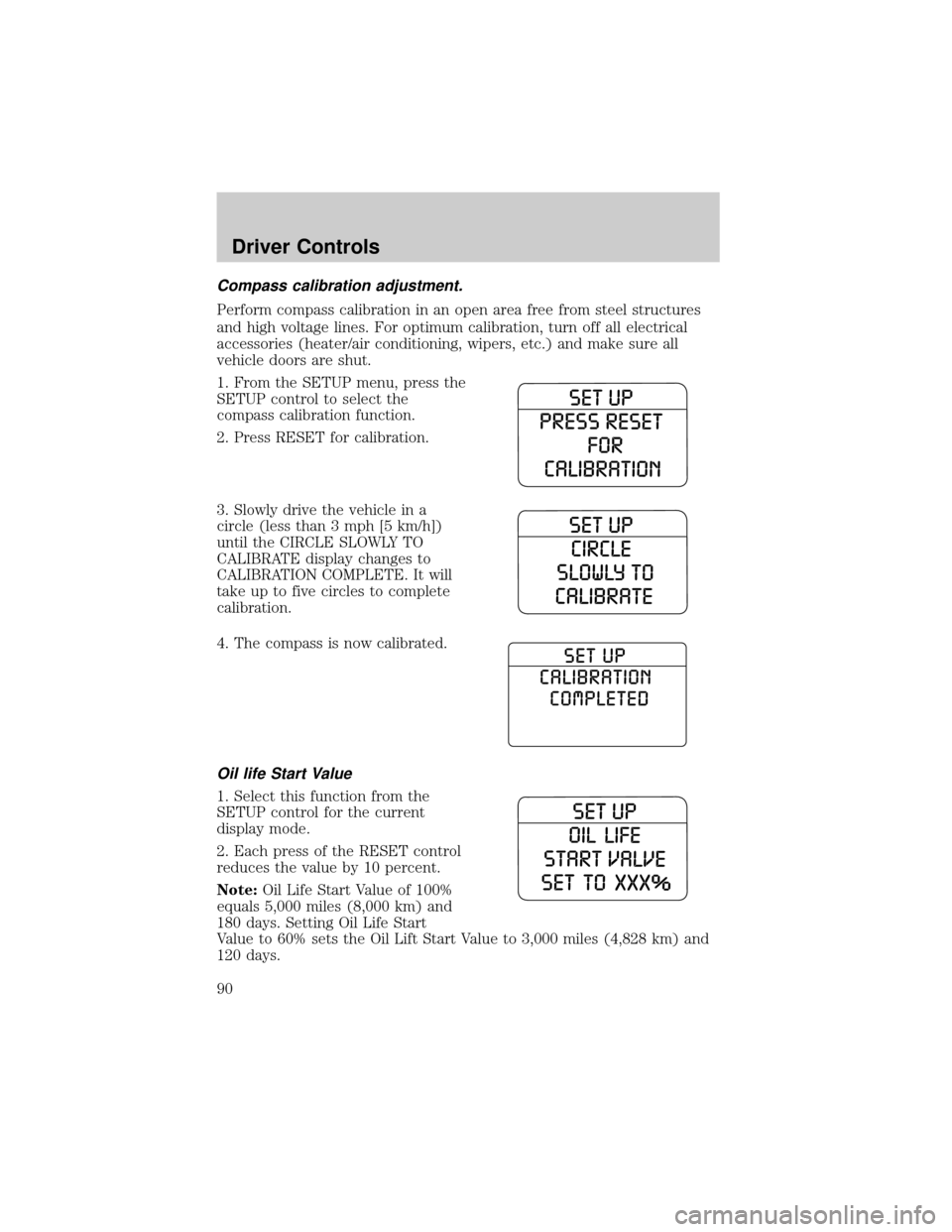
1. From the SETUP menu, press the
SETUP control to select the
compass calibration function.
2. Press RESET for calibration.
3. Slowly drive the vehicle in a
circle (less than 3 mph [5 km/h])
until the CIRCLE SLOWLY TO
CALIBRATE display changes to
CALIBRATION COMPLETE. It will
take up to five circles to complete
calibration.
4. The compass is now calibrated.
Oil life Start Value
1. Select this function from the
SETUP control for the current
display mode.
2. Each press of the RESET control
reduces the value by 10 percent.
Note:Oil Life Start Value of 100%
equals 5,000 miles (8,000 km) and
180 days. Setting Oil Life Start
Value to 60% sets the Oil Lift Start Value to 3,000 miles (4,828 km) and
120 days.
Driver Controls
90
Page 92 of 328
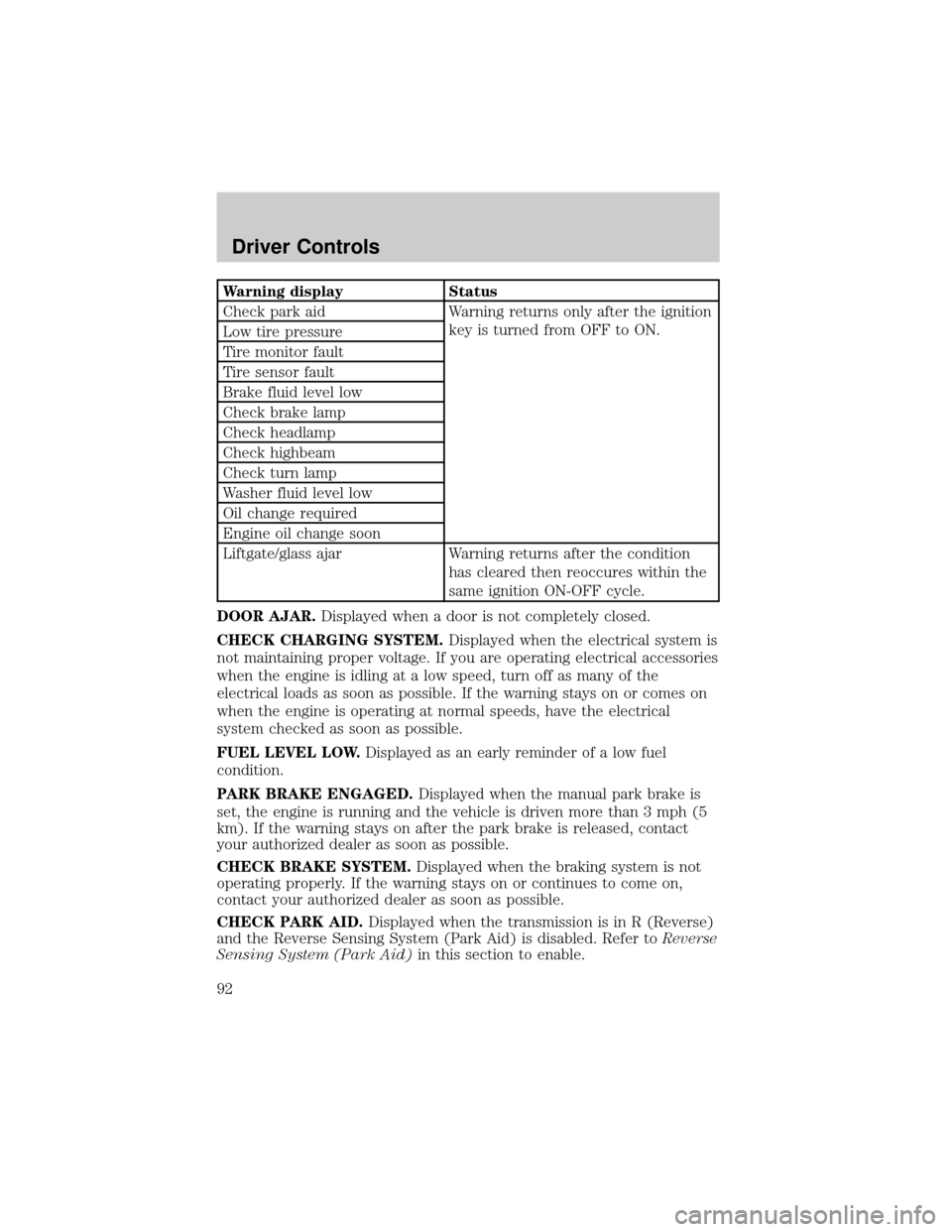
Warning display Status
Check park aid Warning returns only after the ignition
key is turned from OFF to ON.
Low tire pressure
Tire monitor fault
Tire sensor fault
Brake fluid level low
Check brake lamp
Check headlamp
Check highbeam
Check turn lamp
Washer fluid level low
Oil change required
Engine oil change soon
Liftgate/glass ajar Warning returns after the condition
has cleared then reoccures within the
same ignition ON-OFF cycle.
DOOR AJAR.Displayed when a door is not completely closed.
CHECK CHARGING SYSTEM.Displayed when the electrical system is
not maintaining proper voltage. If you are operating electrical accessories
when the engine is idling at a low speed, turn off as many of the
electrical loads as soon as possible. If the warning stays on or comes on
when the engine is operating at normal speeds, have the electrical
system checked as soon as possible.
FUEL LEVEL LOW.Displayed as an early reminder of a low fuel
condition.
PARK BRAKE ENGAGED.Displayed when the manual park brake is
set, the engine is running and the vehicle is driven more than 3 mph (5
km). If the warning stays on after the park brake is released, contact
your authorized dealer as soon as possible.
CHECK BRAKE SYSTEM.Displayed when the braking system is not
operating properly. If the warning stays on or continues to come on,
contact your authorized dealer as soon as possible.
CHECK PARK AID.Displayed when the transmission is in R (Reverse)
and the Reverse Sensing System (Park Aid) is disabled. Refer toReverse
Sensing System (Park Aid)in this section to enable.
Driver Controls
92
Page 93 of 328

LOW TIRE PRESSURE.Displayed when one or more tires on your
vehicle have low tire pressure. Refer toInspecting and Inflating Your
Tiresin theTires, Wheels and Loadingchapter.
TIRE MONITOR FAULT.Displayed when the Tire Pressure Monitoring
System is malfunctioning. If the warning stays on or continues to come
on, have the system inspected by your authorized dealer.
TIRE SENSOR FAULT.Displayed when a tire pressure sensor is
malfunctioning, or your spare tire is in use. For more information on how
the system operates under these conditions, refer toUnderstanding
Your Tire Pressure Monitoring Systemin theTires, Wheels and
Loadingchapter. If the warning stays on or continues to come on, have
the system inspected by your authorized dealer.
BRAKE FLUID LEVEL LOW.Indicates the brake fluid level is low and
the brake system should be inspected immediately. Refer toBrake fluid
reservoirin theMaintenance and Specificationschapter.
CHECK BRAKE LAMP.Displayed when the brake lamps are activated
and at least one bulb is burned out. Check the lamps as soon as possible
and have the burned out lamp replaced. Refer toReplacing headlamp
bulbsin theLightschapter.
CHECK HEADLAMP.Displayed when the headlamps are activated and
at least one bulb is burned out. Check the lamps as soon as possible and
have the burned out lamp replaced. Refer toReplacing headlamp bulbs
in theLightschapter.
CHECK HIGHBEAM LAMP.Displayed when the highbeam lamps are
activated and at least one bulb is burned out. Check the lamps as soon
as possible and have the burned out lamp replaced. Refer toReplacing
headlamp bulbsin theLightschapter.
CHECK TURN LAMP.Displayed when the turn lamps are activated and
at least one bulb is burned out. Check the lamps as soon as possible and
have the burned out lamp replaced. Refer toReplacing headlamp bulbs
in theLightschapter.
WASHER FLUID LEVEL LOW.Indicates the washer fluid reservoir is less
than one quarter full. Check the washer fluid level. Refer toWindshield
washer fluidin theMaintenance and Specificationschapter.
OIL CHANGE REQUIRED.Displayed when the engine oil life
remaining is 0%.
An oil change is required whenever indicated by the message center and
according to the recommended maintenance schedule. USE ONLY
RECOMMENDED ENGINE OILS.
Driver Controls
93
Page 94 of 328
ENGINE OIL CHANGE SOON.Displayed when the engine oil life
reaches 5% or less of the Oil Life Start Value.
LIFTGATE/GLASS AJAR.Displayed when the liftgate or the liftgate
glass is not completely closed.
POSITIVE RETENTION FLOOR MAT
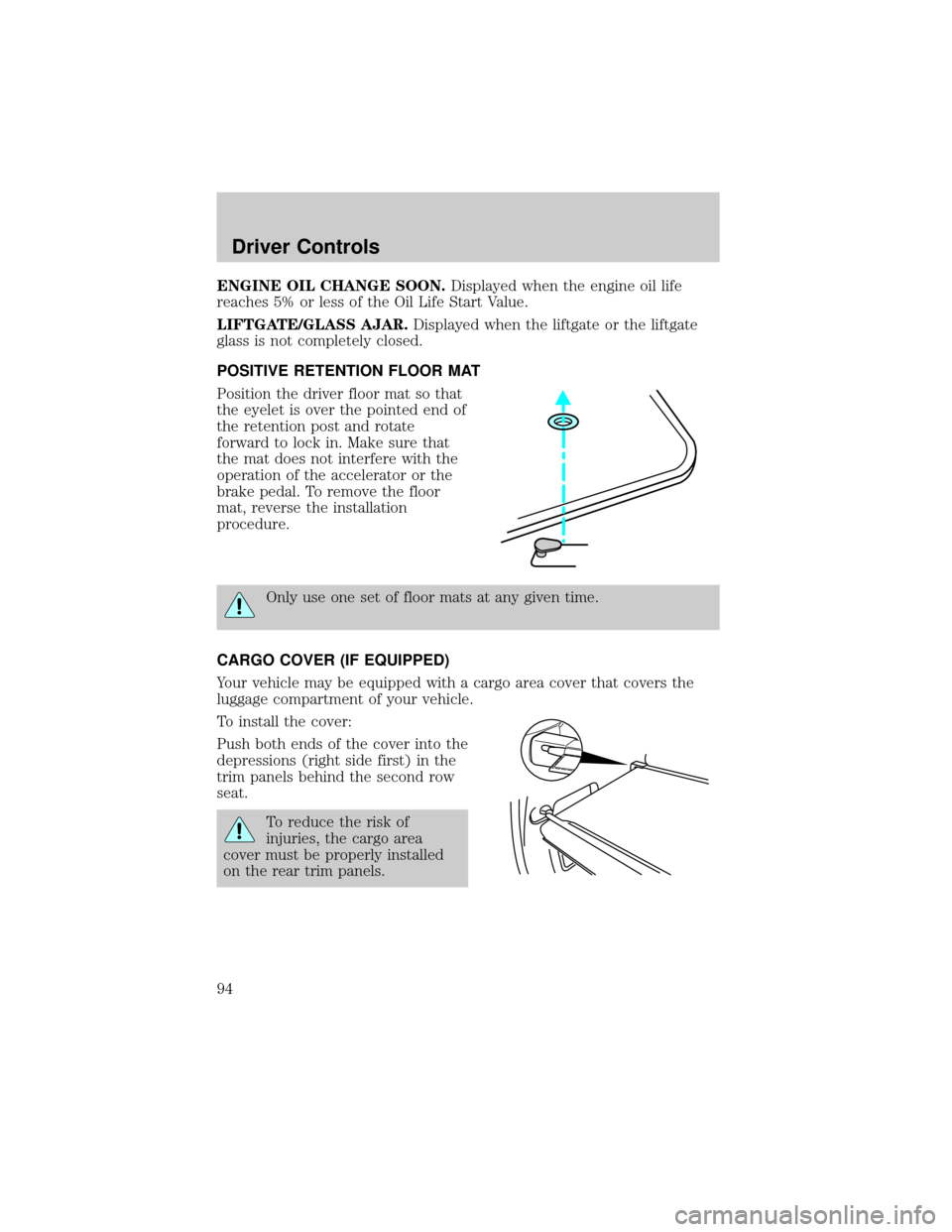
Position the driver floor mat so that
the eyelet is over the pointed end of
the retention post and rotate
forward to lock in. Make sure that
the mat does not interfere with the
operation of the accelerator or the
brake pedal. To remove the floor
mat, reverse the installation
procedure.
Only use one set of floor mats at any given time.
CARGO COVER (IF EQUIPPED)
Your vehicle may be equipped with a cargo area cover that covers the
luggage compartment of your vehicle.
To install the cover:
Push both ends of the cover into the
depressions (right side first) in the
trim panels behind the second row
seat.
To reduce the risk of
injuries, the cargo area
cover must be properly installed
on the rear trim panels.
Driver Controls
94
Page 141 of 328
assemblies not in use during a collision should also be inspected and
replaced if either damage or improper operation is noted.
Failure to inspect and if necessary replace the safety belt
assembly under the above conditions could result in severe
personal injuries in the event of a collision.
For proper care of soiled safety belts, refer toInteriorin theCleaning
chapter.
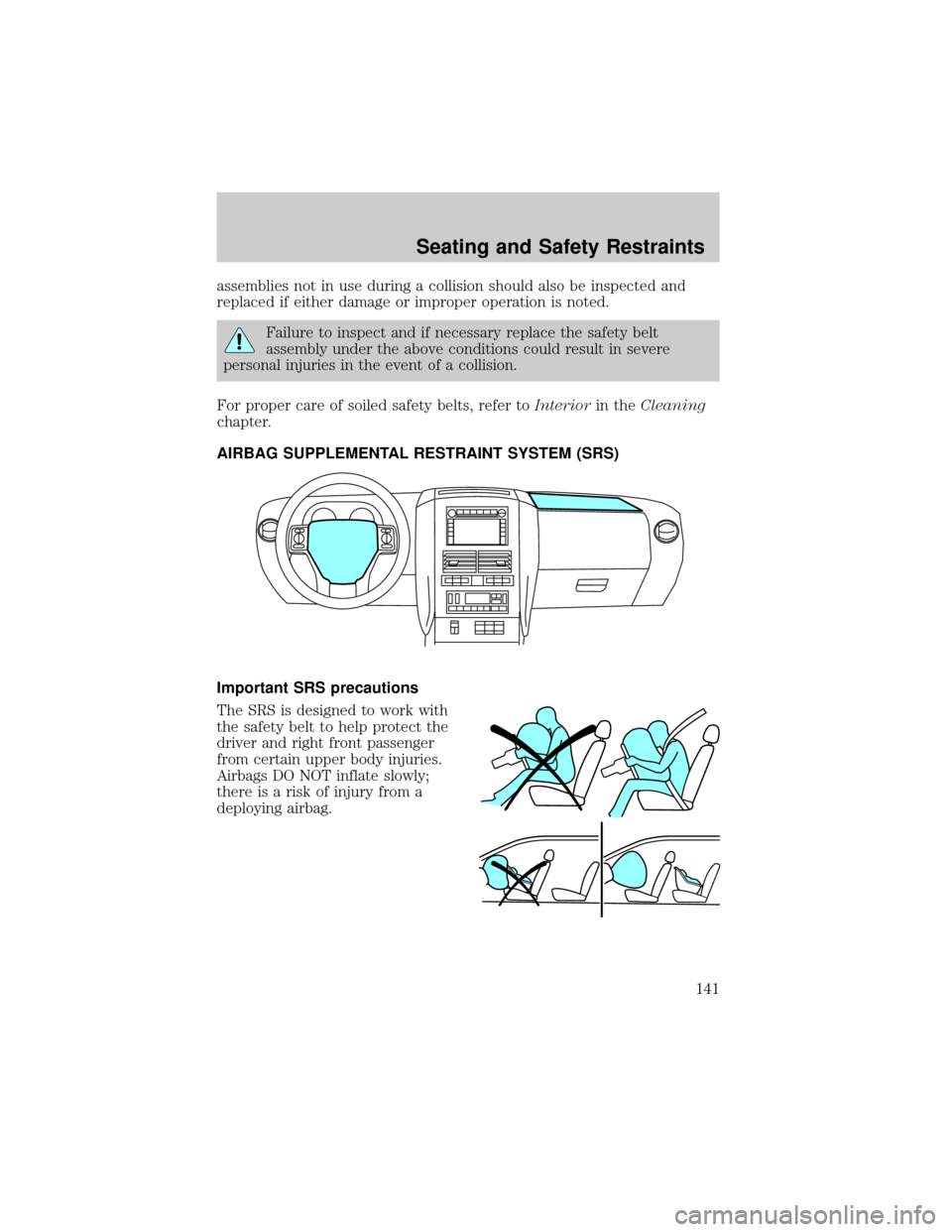
AIRBAG SUPPLEMENTAL RESTRAINT SYSTEM (SRS)
Important SRS precautions
The SRS is designed to work with
the safety belt to help protect the
driver and right front passenger
from certain upper body injuries.
Airbags DO NOT inflate slowly;
there is a risk of injury from a
deploying airbag.
Seating and Safety Restraints
141
Page 246 of 328
Fuse/Relay
LocationFuse Amp
RatingPower Distribution Box
Description
42 15A* Redundant brake switch, EVMV,
MAFS, HEGO, EVR, VCT1, VCT2,
CMCV, CMS
43 15A* Coil on plug (4.6L engine only),
Coil tower (4.0L engine only)
44 15A* Injectors
45A Ð Not used
45B Ð GCC fan relay
46A Ð Not used
46B Ð Not used
47 Ð Front wiper
48 Ð PCM relay
49 Ð Fuel pump
50A Ð Fog lamps
50B Ð AC clutch
51 Ð Not used
52 Ð A/C clutch (diode)
53 Ð Not used
54 Ð Trailer battery charger
55 Ð Starter
56 Ð Blower
* Mini Fuses ** Cartridge Fuses
CHANGING THE TIRES
If you get a flat tire while driving:
²do not brake heavily.
²gradually decrease the vehicle's speed.
²hold the steering wheel firmly.
²slowly move to a safe place on the side of the road.
Note:The tire pressure monitoring system (TPMS) indicator light will
illuminate when the spare is in use. To restore the full functionality of
the monitoring system, all road wheels equipped with tire pressure
monitoring sensors must be mounted on the vehicle.
Roadside Emergencies
246
Page 273 of 328
Do not use chemical solvents or strong detergents when cleaning
the steering wheel or instrument panel to avoid contamination of
the airbag system.
²Be certain to wash or wipe your hands clean if you have been in
contact with certain products such as insect repellent and suntan
lotion in order to avoid possible damage to the interior painted
surfaces.
INTERIOR TRIM
²Clean the interior trim areas with a damp cloth, then with a clean, dry
cloth.
²Do not use household or glass cleaners as these may damage the
finish.
INTERIOR
For fabric, carpets, cloth seats, safety belts and seats equipped with side
airbags:
²Remove dust and loose dirt with a vacuum cleaner.
²Remove light stains and soil with Motorcraft Professional Strength
Carpet & Upholstery Cleaner (ZC-54).
²If grease or tar is present on the material, spot-clean the area first
with Motorcraft Spot and Stain Remover (ZC-14).
²If a ring forms on the fabric after spot cleaning, clean the entire area
immediately (but do not oversaturate) or the ring will set.
²Do not use household cleaning products or glass cleaners, which can
stain and discolor the fabric and affect the flame retardant abilities of
the seat materials.
Do not use cleaning solvents, bleach or dye on the vehicle's
safety belts, as these actions may weaken the belt webbing.
Do not use chemical solvents or strong detergents when cleaning
the seat-mounted side airbag (if equipped). Such products could
contaminate the side airbag system and affect performance of the side
airbag in a collision.
Cleaning
273
Page 274 of 328

LEATHER SEATS (IF EQUIPPED)
Your leather seating surfaces have a clear, protective coating over the
leather.
²To clean, use a soft cloth with Motorcraft Deluxe Leather and Vinyl
Cleaner (ZC-11±A). Dry the area with a soft cloth.
²To help maintain its resiliency and color, use the Motorcraft Deluxe
Leather Care Kit (ZC-11±D), available from your authorized dealer.
²Do not use household cleaning products, alcohol solutions, solvents or
cleaners intended for rubber, vinyl and plastics, or oil/petroleum-based
leather conditioners. These products may cause premature wearing of
the clear, protective coating.
Note:In some instances, color or dye transfer can occur when wet
clothing comes in contact with leather upholstery. If this occurs, the
leather should be cleaned immediately to avoid permanent staining.
UNDERBODY
Flush the complete underside of your vehicle frequently. Keep body and
door drain holes free from packed dirt.
FORD AND LINCOLN MERCURY CAR CARE PRODUCTS
Your Ford or Lincoln Mercury authorized dealer has many quality
products available to clean your vehicle and protect its finishes. These
quality products have been specifically engineered to fulfill your
automotive needs; they are custom designed to complement the style
and appearance of your vehicle. Each product is made from high quality
materials that meet or exceed rigid specifications. For best results, use
the following products or products of equivalent quality:
Motorcraft Bug and Tar Remover (ZC-42)
Motorcraft Car Care Kit (ZC-26)
Motorcraft Car Wash (Canada only) (CXC-21)
Motorcraft Custom Bright Metal Cleaner (ZC-15)
Motorcraft Custom Clear Coat Polish (ZC±8±A)
Motorcraft Custom Vinyl Protectant (U.S. only) (ZC-40-A)
Motorcraft Dash and Vinyl Cleaner (ZC-38±A)
Motorcraft Deluxe Leather and Vinyl Cleaner (U.S. only) (ZC-11±A)
Motorcraft Detail Wash (ZC-3±A)
Motorcraft Dusting Cloth (ZC-24)
Cleaning
274