engine FORD EXPLORER 2010 4.G User Guide
[x] Cancel search | Manufacturer: FORD, Model Year: 2010, Model line: EXPLORER, Model: FORD EXPLORER 2010 4.GPages: 404, PDF Size: 3.22 MB
Page 18 of 404
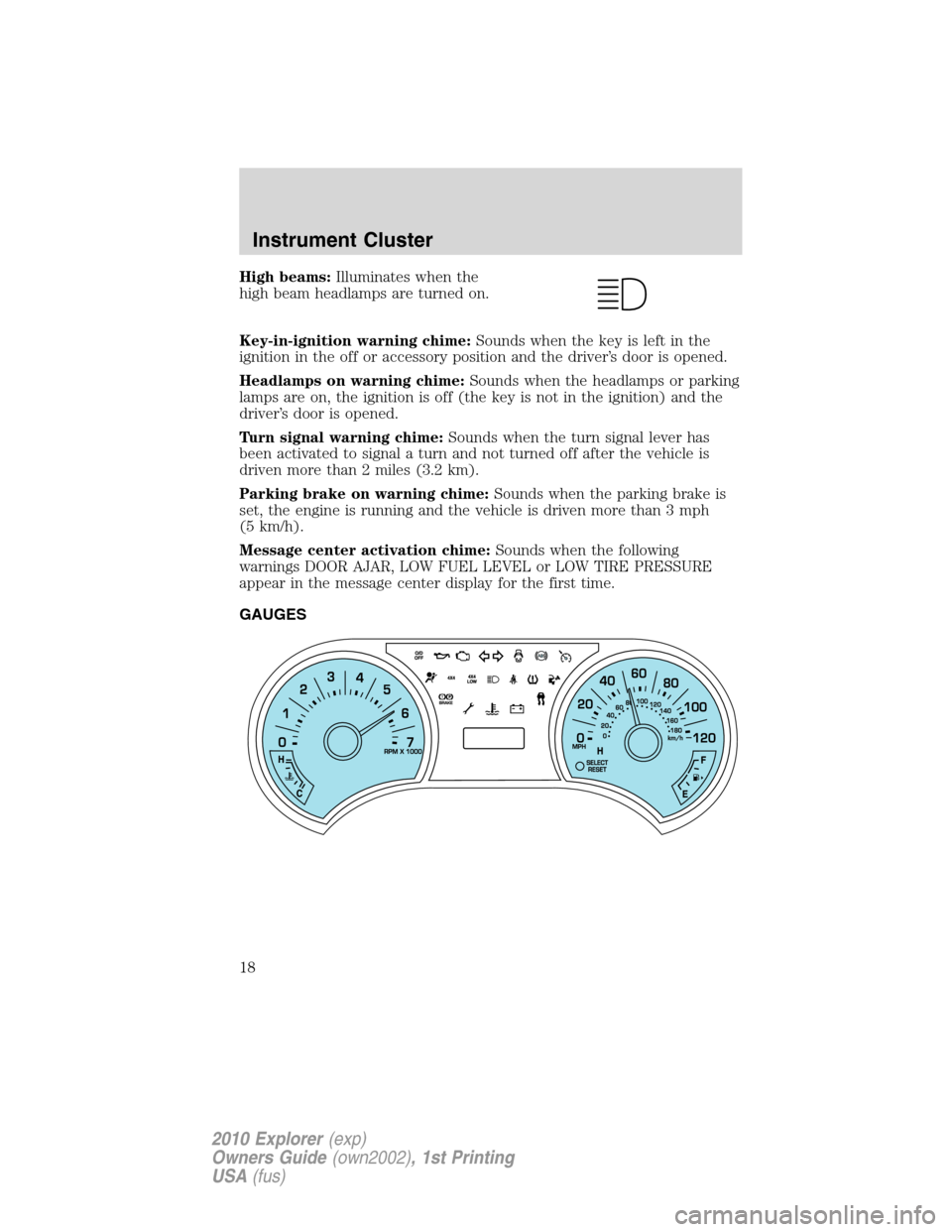
High beams:Illuminates when the
high beam headlamps are turned on.
Key-in-ignition warning chime:Sounds when the key is left in the
ignition in the off or accessory position and the driver’s door is opened.
Headlamps on warning chime:Sounds when the headlamps or parking
lamps are on, the ignition is off (the key is not in the ignition) and the
driver’s door is opened.
Turn signal warning chime:Sounds when the turn signal lever has
been activated to signal a turn and not turned off after the vehicle is
driven more than 2 miles (3.2 km).
Parking brake on warning chime:Sounds when the parking brake is
set, the engine is running and the vehicle is driven more than 3 mph
(5 km/h).
Message center activation chime:Sounds when the following
warnings DOOR AJAR, LOW FUEL LEVEL or LOW TIRE PRESSURE
appear in the message center display for the first time.
GAUGES
Instrument Cluster
18
2010 Explorer(exp)
Owners Guide(own2002), 1st Printing
USA(fus)
Page 19 of 404
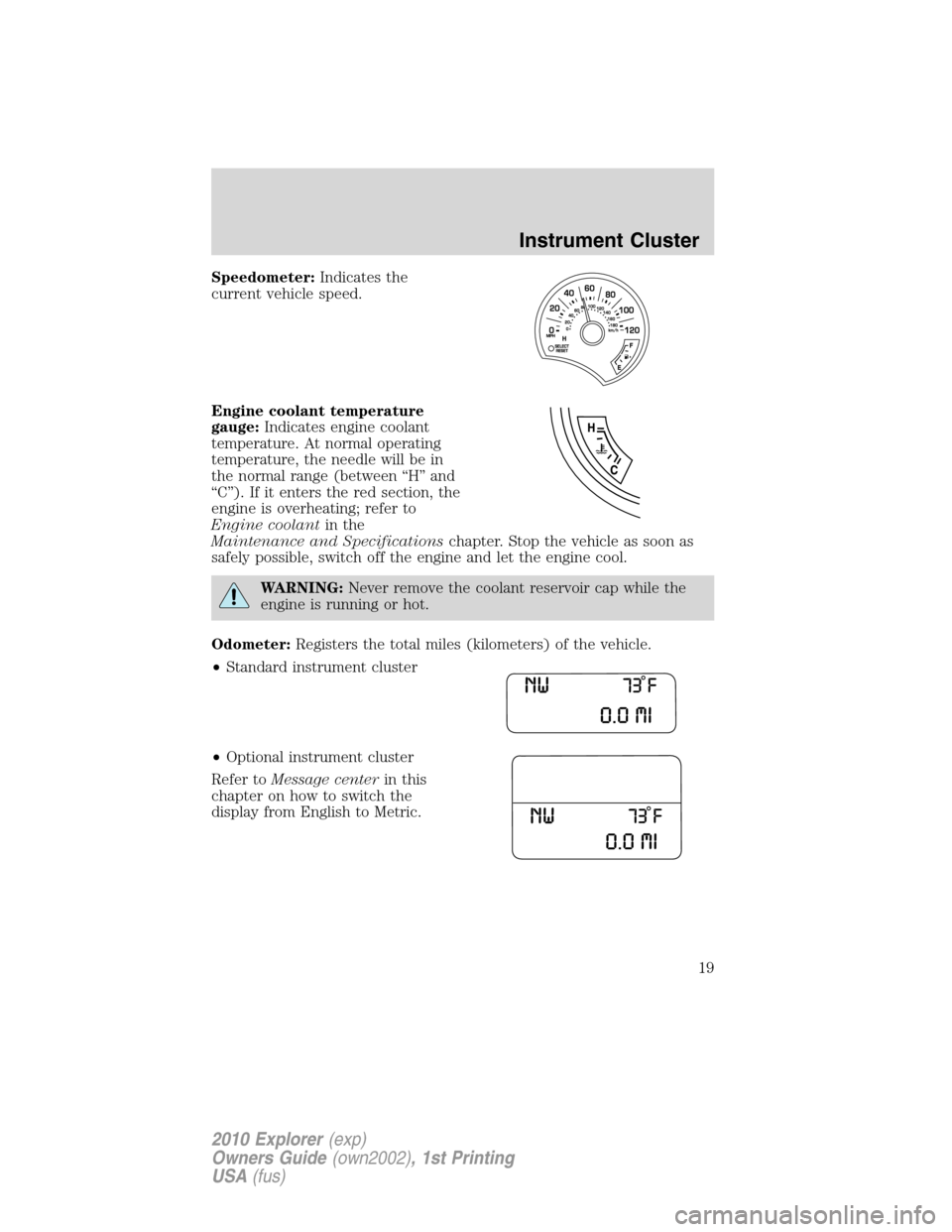
Speedometer:Indicates the
current vehicle speed.
Engine coolant temperature
gauge:Indicates engine coolant
temperature. At normal operating
temperature, the needle will be in
the normal range (between “H” and
“C”). If it enters the red section, the
engine is overheating; refer to
Engine coolantin the
Maintenance and Specificationschapter. Stop the vehicle as soon as
safely possible, switch off the engine and let the engine cool.
WARNING:Never remove the coolant reservoir cap while the
engine is running or hot.
Odometer:Registers the total miles (kilometers) of the vehicle.
•Standard instrument cluster
•Optional instrument cluster
Refer toMessage centerin this
chapter on how to switch the
display from English to Metric.
Instrument Cluster
19
2010 Explorer(exp)
Owners Guide(own2002), 1st Printing
USA(fus)
Page 20 of 404
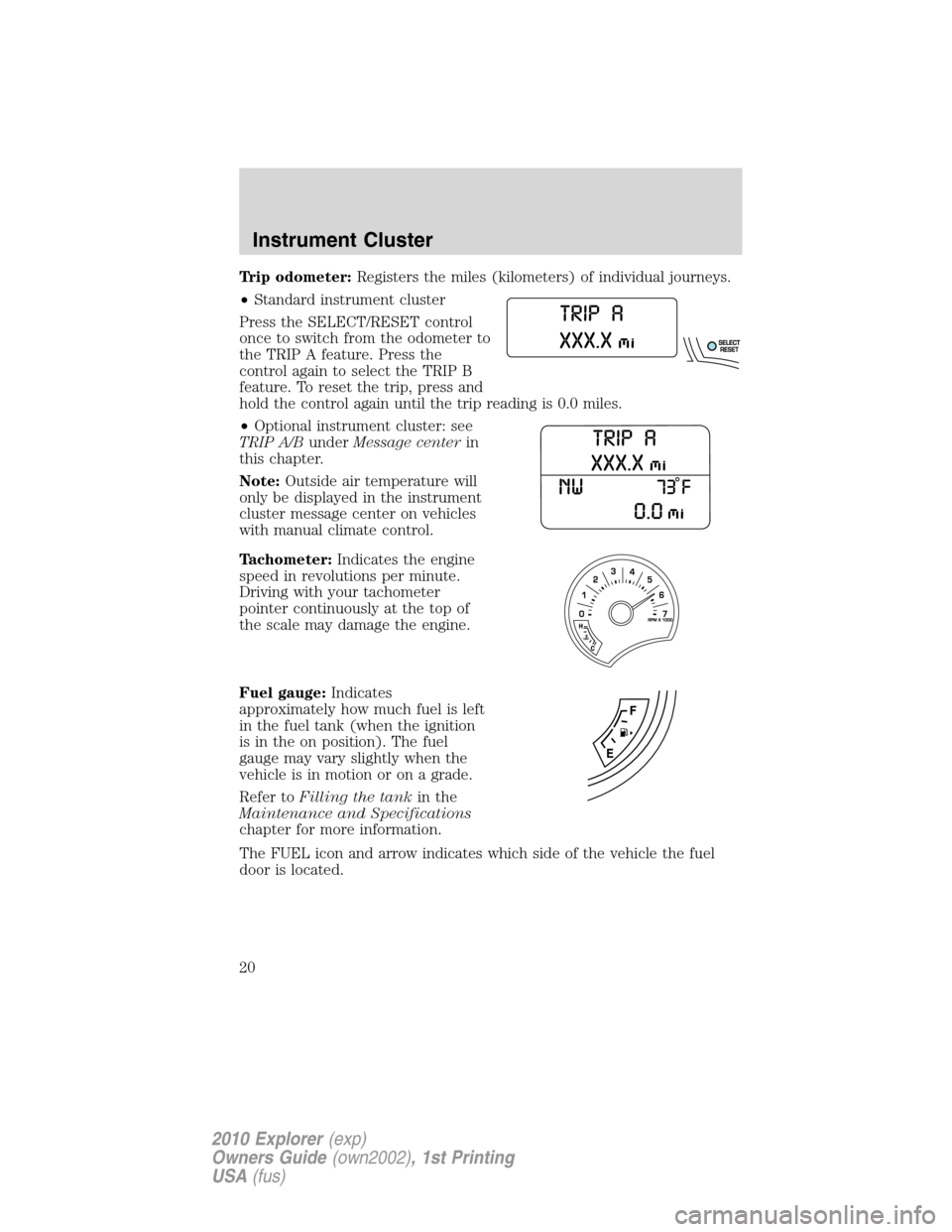
Trip odometer:Registers the miles (kilometers) of individual journeys.
•Standard instrument cluster
Press the SELECT/RESET control
once to switch from the odometer to
the TRIP A feature. Press the
control again to select the TRIP B
feature. To reset the trip, press and
hold the control again until the trip reading is 0.0 miles.
•Optional instrument cluster: see
TRIP A/BunderMessage centerin
this chapter.
Note:Outside air temperature will
only be displayed in the instrument
cluster message center on vehicles
with manual climate control.
Tachometer:Indicates the engine
speed in revolutions per minute.
Driving with your tachometer
pointer continuously at the top of
the scale may damage the engine.
Fuel gauge:Indicates
approximately how much fuel is left
in the fuel tank (when the ignition
is in the on position). The fuel
gauge may vary slightly when the
vehicle is in motion or on a grade.
Refer toFilling the tankin the
Maintenance and Specifications
chapter for more information.
The FUEL icon and arrow indicates which side of the vehicle the fuel
door is located.
Instrument Cluster
20
2010 Explorer(exp)
Owners Guide(own2002), 1st Printing
USA(fus)
Page 22 of 404
AVERAGE FUEL XX.X MPG / (L/100km)
Average fuel economy displays your average fuel economy in miles/gallon
or liters/100 km.
If you calculate your average fuel economy by dividing miles traveled by
gallons of fuel used (liters of fuel used by 100 kilometers traveled), your
figure may be different than displayed for the following reasons:
•Your vehicle was not perfectly level during fill-up
•Differences in the automatic shut-off points on the fuel pumps at
service stations
•Variations in top-off procedure from one fill-up to another
•Rounding of the displayed values to the nearest 0.1 gallon (liter)
1. Drive the vehicle at least 5 miles (8 km) with the speed control
system engaged to display a stabilized average.
2. Record the highway fuel economy for future reference.
It is important to press the SELECT/RESET stem (press and hold for
two seconds in order to reset the function) after setting the speed
control to get accurate highway fuel economy readings.
SETUP MENU HOLD RESET
When this appears, press and hold the SELECT/RESET stem to reach
the setup menu.
Briefly press the SELECT/RESET stem to scroll through the setup menu
items. If the SELECT/RESET stem is not pressed within four seconds,
the message center returns to the info menu.
•System Check
•AWD Lock (4.6L engine vehicles only)
•Units (English/Metric)
•Language
•Autolamp
•Autolock
•Autounlock
•Park Aid (if equipped)
•Trailer sway control
•Oil Life Reset and Start Value
•Compass display
Instrument Cluster
22
2010 Explorer(exp)
Owners Guide(own2002), 1st Printing
USA(fus)
Page 23 of 404
•Compass zone adjustment
•Compass calibration adjustment
SYSTEM CHECK HOLD RESET
Press and hold the SELECT/RESET stem to select system check when
this is displayed in the message center. The message center will cycle
through each of the systems being monitored. For each of the monitored
systems, the message center will indicate either an OK message or a
warning message for two seconds.
Pressing the SELECT/RESET stem cycles the message center through
each of the systems being monitored.
The sequence of the system check report and how it appears in the
message center is as follows:
1. OIL LIFE
2. CHARGING SYSTEM
3. WASHER FLUID
4. DOOR AJAR
5. EXTERIOR LAMP
6. BRAKE FLUID LEVEL
7. PARK BRAKE
8. MILES TO EMPTY
9. FUEL LEVEL LOW (will only display if 50 miles [80 km] or less to
empty)
AWD AUTO / LOCKED (4.6L engine vehicles only)
This displays the AWD locked function.
1. Press and hold the SELECT/RESET stem within four seconds to turn
the AWD system to the auto / locked mode.
2. Press the SELECT/RESET stem for the next setup menu item or wait
for more than four seconds to return to the info menu.
Note:When the AWD system is in the LOCKED mode, the 4X4 indicator
will be illuminated.
UNITS
Displays the current units English or Metric.
1. Press and hold the SELECT/RESET stem to change from English to
Metric.
Instrument Cluster
23
2010 Explorer(exp)
Owners Guide(own2002), 1st Printing
USA(fus)
Page 28 of 404
•Some messages can be acknowledged and reset by pressing the
SELECT/RESET stem. This allows you to use the full message center
functionality by clearing the message.
DOOR AJAR— Displayed when a door is not completely closed.
REMOVE OBJECTS NEAR PASS SEAT— Displayed when objects
are by the passenger seat. After the objects are moved away from the
seat, if the warning stays on or continues to come on, contact your
authorized dealer as soon as possible.
SERVICE RSC NOW— Displayed when the system is not operating
properly. If the warning stays on or continues to come on, contact your
authorized dealer as soon as possible.
CHECK FUEL FILL INLET— Displayed when the fuel fill inlet may
not be properly closed. Refer toEasy Fuel™ “no cap” fuel systemin
theMaintenance and Specificationschapter.
CHECK CHARGING SYSTEM— Displayed when the electrical system
is not maintaining proper voltage when the engine is running. If you are
operating electrical accessories when the engine is idling at a low speed,
turn off as many of the electrical loads as soon as possible. If the
warning stays on or comes on when the engine is operating at normal
speeds, contact your authorized dealer as soon as possible.
FUEL LEVEL LOW— Displayed as an early reminder of a low fuel
condition.
PARK BRAKE ENGAGED— Displayed when the parking brake is set,
the engine is running and the vehicle is driven more than 3 mph
(5 km/h). If the warning stays on after the parking brake is released,
contact your authorized dealer as soon as possible.
CHECK BRAKE SYSTEM— Displayed when the braking system is not
operating properly. If the warning stays on or continues to come on,
contact your authorized dealer as soon as possible.
CHECK PARK AID (if equipped)— Displayed when the transmission
is in R (Reverse) and the reverse sensing system (park aid) is disabled.
LOW TIRE PRESSURE— Displayed when one or more tires on your
vehicle have low tire pressure. Refer toInflating your tiresin theTires,
Wheels and Loadingchapter.
TIRE PRESSURE MONITOR FAULT— Displayed when the Tire
Pressure Monitoring System is malfunctioning. If the warning stays on or
continues to come on, contact your authorized dealer as soon as
possible.
Instrument Cluster
28
2010 Explorer(exp)
Owners Guide(own2002), 1st Printing
USA(fus)
Page 29 of 404
TIRE PRESSURE SENSOR FAULT— Displayed when a tire pressure
sensor is malfunctioning, or your spare tire is in use. For more
information on how the system operates under these conditions, refer to
Understanding your Tire Pressure Monitoring System (TPMS)in the
Tires, Wheels and Loadingchapter. If the warning stays on or
continues to come on, contact your authorized dealer as soon as
possible.
BRAKE FLUID LEVEL LOW— Indicates the brake fluid level is low
and the brake system should be inspected immediately. Refer toBrake
fluidin theMaintenance and Specificationschapter.
WASHER FLUID LEVEL LOW— Indicates the washer fluid reservoir
is less than one quarter full. Check the washer fluid level. Refer to
Windshield washer fluidin theMaintenance and Specifications
chapter.
OIL LIFE CHANGE SOON— Displayed when the engine oil life
remaining is 10% or less.
OIL CHANGE REQUIRED— Displayed when the oil life left reaches
0%.
LIFTGATE / GLASS AJAR— Displayed when the liftgate or the
liftgate glass is not completely closed.
TRAILER SWAY REDUCE SPEED— Displayed when your trailer
starts to sway when towing. Refer toTrailer sway controlin the
Drivingchapter for more information.
FOR 4X4 LOW STOP VEHICLE (if equipped)— Displayed when
4X4 LOW is selected while the vehicle is moving. For more information,
refer toUsing the Control Trac 4WD systemin theDrivingchapter.
FOR 4X4 LOW SHIFT TO N (if equipped)— Displayed when 4X4
LOW is selected and the vehicle is stopped. For more information, refer
toUsing the Control Trac 4WD systemin theDrivingchapter.
TO EXIT 4X4 LOW STOP VEHICLE (if equipped)— Displayed
when 2WD is selected while the vehicle is operating in 4X4 LOW. For
more information, refer toUsing the Control Trac 4WD systemin the
Drivingchapter.
TO EXIT 4X4 LOW SHIFT TO N (if equipped)— Displayed when
2WD is selected while the vehicle has been stopped in 4X4 LOW. For
more information, refer toUsing the Control Trac 4WD systemin the
Drivingchapter.
Instrument Cluster
29
2010 Explorer(exp)
Owners Guide(own2002), 1st Printing
USA(fus)
Page 35 of 404
Usually, when something affects the compass readings, the compass will
correct itself after a few days of operating your vehicle in normal
conditions. If the compass still appears to be inaccurate, a manual
calibration may be necessary. Refer toRESET FOR ZONE SETTING /
PRESS RESET FOR CALIBRATIONfollowing.
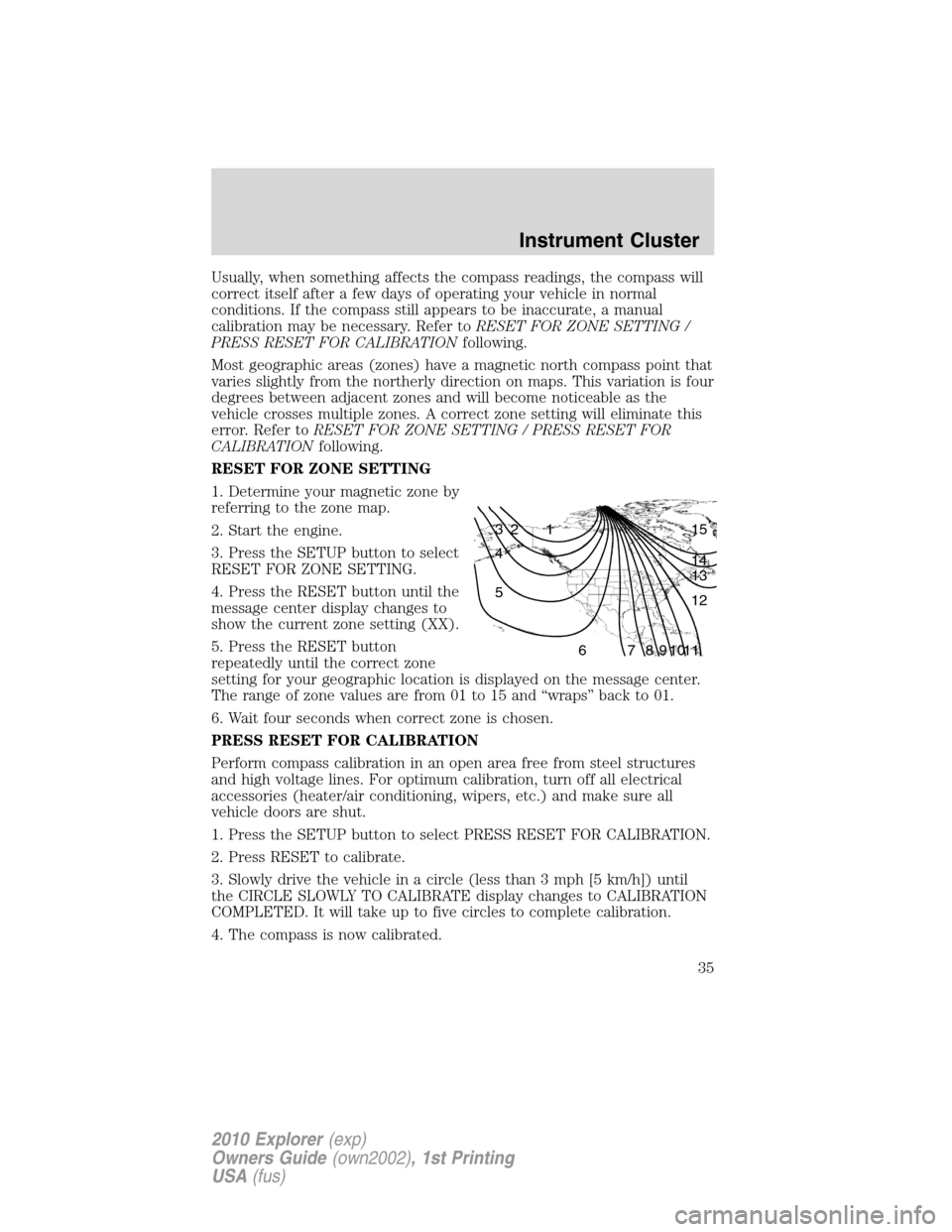
Most geographic areas (zones) have a magnetic north compass point that
varies slightly from the northerly direction on maps. This variation is four
degrees between adjacent zones and will become noticeable as the
vehicle crosses multiple zones. A correct zone setting will eliminate this
error. Refer toRESET FOR ZONE SETTING / PRESS RESET FOR
CALIBRATIONfollowing.
RESET FOR ZONE SETTING
1. Determine your magnetic zone by
referring to the zone map.
2. Start the engine.
3. Press the SETUP button to select
RESET FOR ZONE SETTING.
4. Press the RESET button until the
message center display changes to
show the current zone setting (XX).
5. Press the RESET button
repeatedly until the correct zone
setting for your geographic location is displayed on the message center.
The range of zone values are from 01 to 15 and “wraps” back to 01.
6. Wait four seconds when correct zone is chosen.
PRESS RESET FOR CALIBRATION
Perform compass calibration in an open area free from steel structures
and high voltage lines. For optimum calibration, turn off all electrical
accessories (heater/air conditioning, wipers, etc.) and make sure all
vehicle doors are shut.
1. Press the SETUP button to select PRESS RESET FOR CALIBRATION.
2. Press RESET to calibrate.
3. Slowly drive the vehicle in a circle (less than 3 mph [5 km/h]) until
the CIRCLE SLOWLY TO CALIBRATE display changes to CALIBRATION
COMPLETED. It will take up to five circles to complete calibration.
4. The compass is now calibrated.
1 2 3
4
5
6 7 8 9 101112 13 14 15
Instrument Cluster
35
2010 Explorer(exp)
Owners Guide(own2002), 1st Printing
USA(fus)
Page 37 of 404
REMOVE OBJECTS NEAR PASS SEAT— Displayed when objects
are by the passenger seat. After the objects are moved away from the
seat, if the warning stays on or continues to come on, contact your
authorized dealer as soon as possible.
SERVICE RSC NOW— Displayed when the system is not operating
properly. If the warning stays on or continues to come on, contact your
authorized dealer as soon as possible.
CHECK FUEL FILL INLET— Displayed when the fuel fill inlet may
not be properly closed. Refer toEasy Fuel™ “no cap” fuel systemin
theMaintenance and Specificationschapter.
CHECK CHARGING SYSTEM— Displayed when the electrical system
is not maintaining proper voltage when the engine is running. If you are
operating electrical accessories when the engine is idling at a low speed,
turn off as many of the electrical loads as soon as possible. If the
warning stays on or comes on when the engine is operating at normal
speeds, contact your authorized dealer as soon as possible.
FUEL LEVEL LOW— Displayed as an early reminder of a low fuel
condition.
PARK BRAKE ENGAGED— Displayed when the parking brake is set,
the engine is running and the vehicle is driven more than 3 mph
(5 km/h). If the warning stays on after the parking brake is released,
contact your authorized dealer as soon as possible.
CHECK BRAKE SYSTEM— Displayed when the braking system is not
operating properly. If the warning stays on or continues to come on,
contact your authorized dealer as soon as possible.
CHECK PARK AID (if equipped)— Displayed when the transmission
is in R (Reverse) and the reverse sensing system (park aid) is disabled.
LOW TIRE PRESSURE— Displayed when one or more tires on your
vehicle have low tire pressure. Refer toInflating your tiresin theTires,
Wheels and Loadingchapter.
TIRE PRESSURE MONITOR FAULT— Displayed when the Tire
Pressure Monitoring System is malfunctioning. If the warning stays on or
continues to come on, contact your authorized dealer as soon as
possible.
TIRE PRESSURE SENSOR FAULT— Displayed when a tire pressure
sensor is malfunctioning, or your spare tire is in use. For more
information on how the system operates under these conditions, refer to
Understanding your Tire Pressure Monitoring System (TPMS)in the
Tires, Wheels and Loadingchapter. If the warning stays on or
continues to come on, contact your authorized dealer as soon as
possible.
Instrument Cluster
37
2010 Explorer(exp)
Owners Guide(own2002), 1st Printing
USA(fus)
Page 38 of 404
BRAKE FLUID LEVEL LOW— Indicates the brake fluid level is low
and the brake system should be inspected immediately. Refer toBrake
fluidin theMaintenance and Specificationschapter.
WASHER FLUID LEVEL LOW— Indicates the washer fluid reservoir
is less than one quarter full. Check the washer fluid level. Refer to
Windshield washer fluidin theMaintenance and Specifications
chapter.
OIL LIFE CHANGE SOON— Displayed when the engine oil life
remaining is 10% or less.
OIL CHANGE REQUIRED— Displayed when the oil life left reaches
0%.
LIFTGATE / GLASS AJAR— Displayed when the liftgate or the
liftgate glass is not completely closed.
TRAILER SWAY REDUCE SPEED— Displayed when your trailer
starts to sway when towing. Refer toTrailer sway controlin the
Drivingchapter for more information.
FOR 4X4 LOW STOP VEHICLE (if equipped)— Displayed when
4X4 LOW is selected while the vehicle is moving. For more information,
refer toUsing the Control Trac 4WD systemin theDrivingchapter.
FOR 4X4 LOW SHIFT TO N (if equipped)— Displayed when 4X4
LOW is selected and the vehicle is stopped. For more information, refer
toUsing the Control Trac 4WD systemin theDrivingchapter.
TO EXIT 4X4 LOW STOP VEHICLE (if equipped)— Displayed
when 2WD is selected while the vehicle is operating in 4X4 LOW. For
more information, refer toUsing the Control Trac 4WD systemin the
Drivingchapter.
TO EXIT 4X4 LOW SHIFT TO N (if equipped)— Displayed when
2WD is selected while the vehicle has been stopped in 4X4 LOW. For
more information, refer toUsing the Control Trac 4WD systemin the
Drivingchapter.
Instrument Cluster
38
2010 Explorer(exp)
Owners Guide(own2002), 1st Printing
USA(fus)