check engine light FORD EXPLORER 2016 5.G User Guide
[x] Cancel search | Manufacturer: FORD, Model Year: 2016, Model line: EXPLORER, Model: FORD EXPLORER 2016 5.GPages: 541, PDF Size: 6.51 MB
Page 250 of 541
Safety Chains
Note:
Never attach safety chains to the
bumper.
Always connect the safety chains to the
hook retainers of your vehicle hitch.
To connect the trailer ’s safety chains, cross
them under the trailer tongue and allow
enough slack for turning tight corners. Do
not allow the chains to drag on the ground.
Trailer Brakes WARNING
Do not connect a trailer's hydraulic
brake system directly to your
vehicle's brake system. Your vehicle
may not have enough braking power and
your chances of having a collision greatly
increase. Electric brakes and manual, automatic or
surge-type trailer brakes are safe if you
install them properly and adjust them to
the manufacturer's specifications. The
trailer brakes must meet local and federal
regulations.
The rating for the tow vehicle's braking
system operation is at the gross vehicle
weight rating, not the gross combined
weight rating.
Separate functioning brake systems
are required for safe control of towed
vehicles and trailers weighing more
than 1500 pounds (680 kilograms)
when loaded. Trailer Lamps WARNING
Never connect any trailer lamp wiring
to the vehicle's tail lamp wiring; this
may damage the electrical system
resulting in fire. Contact your authorized
dealer as soon as possible for assistance
in proper trailer tow wiring installation.
Additional electrical equipment may be
required. Trailer lamps are required on most towed
vehicles. Make sure all running lights, brake
lights, turn signals and hazard lights are
working.
Before Towing a Trailer
Practice turning, stopping and backing up
to get the feel of your vehicle-trailer
combination before starting on a trip.
When turning, make wider turns so the
trailer wheels clear curbs and other
obstacles.
When Towing a Trailer
•
Do not drive faster than 70 mph (113
km/h) during the first 500 miles (800
kilometers).
• Do not make full-throttle starts.
• Check your hitch, electrical connections
and trailer wheel lug nuts thoroughly
after you have traveled 50 miles (80
kilometers).
• When stopped in congested or heavy
traffic during hot weather, place the
gearshift in position P to aid engine and
transmission cooling and to help A/C
performance.
• Turn off the speed control with heavy
loads or in hilly terrain. The speed
control may turn off automatically
when you are towing on long, steep
grades.
247
Explorer (TUB), enUSA, First Printing Towing
Page 256 of 541
•
Transmissions give their best fuel
economy when operated in the top
cruise gear and with steady pressure
on the gas pedal.
• Four-wheel-drive operation (if
equipped) is less fuel efficient than
two-wheel-drive operation.
• Close the windows for high-speed
driving.
DRIVING THROUGH WATER WARNING
Do not drive through flowing or deep
water as you may lose control of your
vehicle.
Note:
Driving through standing water can
cause vehicle damage.
Note: Engine damage can occur if water
enters the air filter.
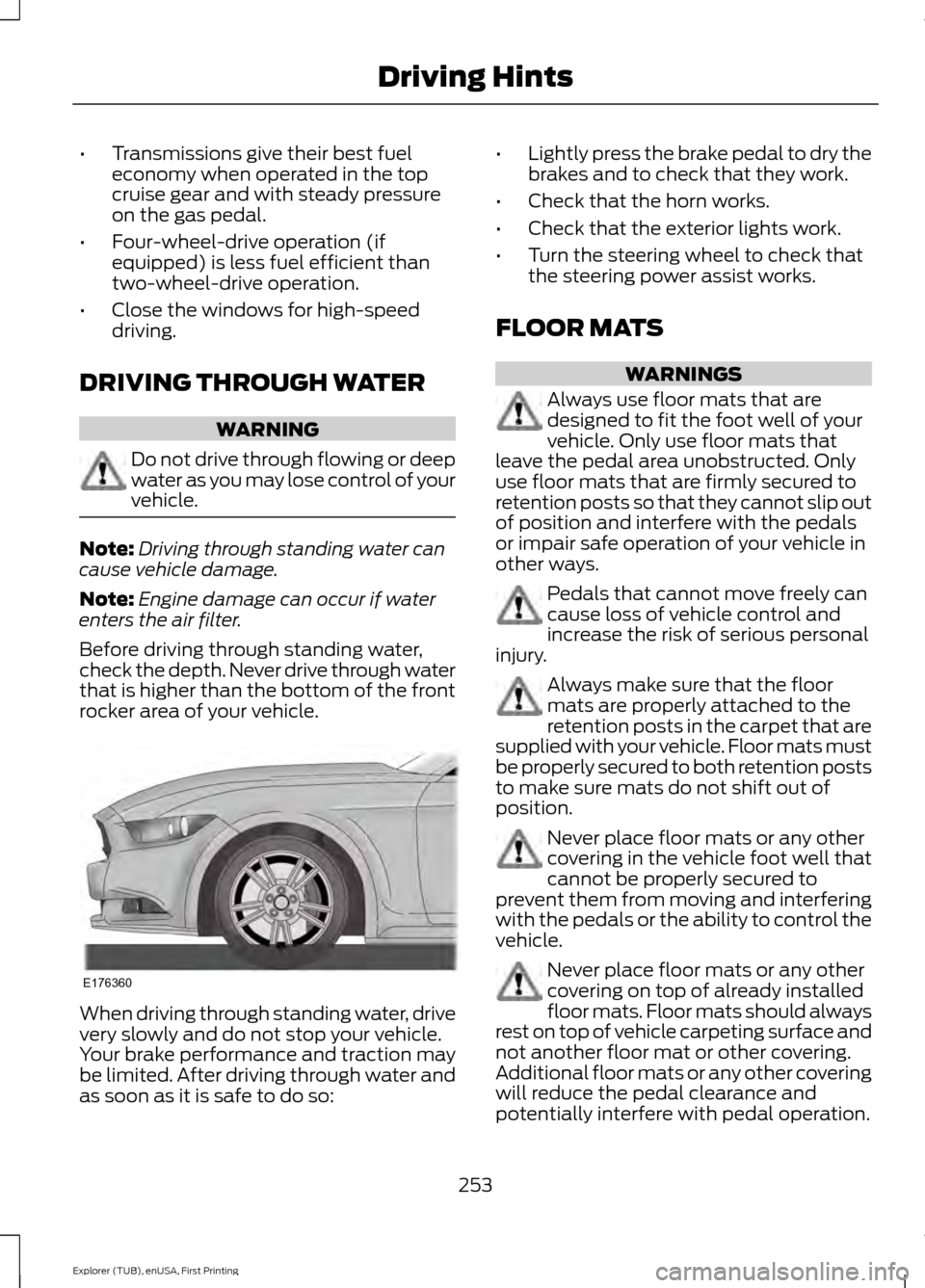
Before driving through standing water,
check the depth. Never drive through water
that is higher than the bottom of the front
rocker area of your vehicle. When driving through standing water, drive
very slowly and do not stop your vehicle.
Your brake performance and traction may
be limited. After driving through water and
as soon as it is safe to do so: •
Lightly press the brake pedal to dry the
brakes and to check that they work.
• Check that the horn works.
• Check that the exterior lights work.
• Turn the steering wheel to check that
the steering power assist works.
FLOOR MATS WARNINGS
Always use floor mats that are
designed to fit the foot well of your
vehicle. Only use floor mats that
leave the pedal area unobstructed. Only
use floor mats that are firmly secured to
retention posts so that they cannot slip out
of position and interfere with the pedals
or impair safe operation of your vehicle in
other ways. Pedals that cannot move freely can
cause loss of vehicle control and
increase the risk of serious personal
injury. Always make sure that the floor
mats are properly attached to the
retention posts in the carpet that are
supplied with your vehicle. Floor mats must
be properly secured to both retention posts
to make sure mats do not shift out of
position. Never place floor mats or any other
covering in the vehicle foot well that
cannot be properly secured to
prevent them from moving and interfering
with the pedals or the ability to control the
vehicle. Never place floor mats or any other
covering on top of already installed
floor mats. Floor mats should always
rest on top of vehicle carpeting surface and
not another floor mat or other covering.
Additional floor mats or any other covering
will reduce the pedal clearance and
potentially interfere with pedal operation.
253
Explorer (TUB), enUSA, First Printing Driving HintsE176360
Page 285 of 541
1. Remove the filler cap.
2. If the engine oil level is not within the
normal range, add engine oil that
meets Ford specifications. See
Capacities and Specifications (page
334).
3. Remove the engine oil filler cap and use a funnel to pour the engine oil into
the opening.
4. Wipe off any spilled oil.
5. Replace the filler cap. Turn it until you feel a strong resistance.
OIL CHANGE INDICATOR
RESET
Use the information display controls on
the steering wheel to reset the oil change
indicator.
From the main menu scroll to: Action and description
Message
Press the right arrow button,
then from this menu scroll
to the following message.
Settings
Press the right arrow button,
then from this menu scroll
to the following message.
Vehicle
Press the right arrow button,
then from this menu scroll
to the following message.
Oil Life
Press and hold the
OK
button until the instrument
cluster displays the
following message.
Hold OK to
Reset
Reset Successful
When the oil change indic-
ator resets the instrument
cluster displays 100%.
Remaining Life Action and description
Message
{00}%
If the instrument cluster
displays one of the following
messages, repeat the
process.
Not Reset
Reset Cancelled
ENGINE COOLANT CHECK WARNINGS
Do not add engine coolant when the
engine is hot. Steam and scalding
liquids released from a hot cooling
system can burn you badly. Also, spilling
coolant on hot engine parts can burn you. Do not put engine coolant in the
windshield washer fluid container. If
sprayed on the windshield, engine
coolant could make it difficult to see
through the windshield. To reduce the risk of personal injury,
make sure the engine is cool before
unscrewing the coolant pressure
relief cap. The cooling system is under
pressure. Steam and hot liquid can come
out forcefully when you loosen the cap
slightly. Do not add coolant further than the
MAX mark.
Checking the Engine Coolant
When the engine is cold, check the
concentration and level of the engine
coolant at the intervals listed in the
scheduled maintenance information.
See
Scheduled Maintenance (page 486).
282
Explorer (TUB), enUSA, First Printing Maintenance
Page 286 of 541
Note:
Make sure that the coolant level is
between the MIN and MAX marks on the
coolant reservoir.
Note: Coolant expands when it is hot. The
level may extend beyond the
MAX mark.
Note: If the level is at the MIN mark, below
the MIN mark, or empty, add coolant
immediately.
Maintain coolant concentration within
48% to 50%, which equates to a freeze
point between -30°F (-34°C) and -34°F
(-37°C).
Note: For best results, coolant
concentration should be tested with a
refractometer such as Robinair® Coolant
and Battery Refractometer 75240. We do
not recommend the use of hydrometers or
coolant test strips for measuring coolant
concentrations.
Note: Automotive fluids are not
interchangeable. Do not use engine coolant,
antifreeze or windshield washer fluid outside
of its specified function and vehicle location.
Adding Engine Coolant
Note: Do not use stop leak pellets, cooling
system sealants or additives as they can
cause damage to the engine cooling or
heating systems. Your warranty may not
cover these damages.
Note: During normal vehicle operation, the
coolant may change color from orange to
pink or light red. As long as the coolant is
clear and uncontaminated, this color change
does not indicate the coolant has degraded
nor does it require the coolant to be drained,
the system to be flushed, or the coolant to
be replaced. Do not mix different colors or types of
coolant in your vehicle. Mixing of engine
coolants may harm your engine
’s cooling
system. The use of an improper coolant
may harm engine and cooling system
components and may void the warranty.
Use prediluted engine coolant meeting the
Ford specification.
In case of emergency, you can add a large
amount of water without engine coolant
in order to reach a vehicle service location.
In this instance, qualified personnel:
1. Must drain the cooling system.
2. Chemically clean the cooling system with Motorcraft Premium Cooling
System Flush.
3. Refill with engine coolant as soon as possible.
Water alone, without engine coolant, can
cause engine damage from corrosion,
overheating or freezing.
Do not use the following as a coolant
substitute:
• Alcohol.
• Methanol.
• Brine.
• Any engine coolant mixed with alcohol
or methanol antifreeze or coolant.
Alcohol and other liquids can cause engine
damage from overheating or freezing.
Do not add extra inhibitors or additives to
the coolant. These can be harmful and
compromise the corrosion protection of
the engine coolant.
When adding coolant:
1. Unscrew the cap slowly. Any pressure will escape as you unscrew the cap.
2. Add prediluted engine coolant meeting
the Ford specification.
3. Check the coolant level in the coolant reservoir the next few times you drive
your vehicle.
283
Explorer (TUB), enUSA, First Printing Maintenance
Page 308 of 541
General
•
Store all vehicles in a dry, ventilated
place.
• Protect from sunlight, if possible.
• If vehicles are stored outside, they
require regular maintenance to protect
against rust and damage.
Body
• Wash your vehicle thoroughly to
remove dirt, grease, oil, tar or mud from
exterior surfaces, rear-wheel housing
and the underside of front fenders.
• Periodically wash your vehicle if it is
stored in exposed locations.
• Touch-up exposed or primed metal to
prevent rust.
• Cover chrome and stainless steel parts
with a thick coat of auto wax to prevent
discoloration. Re-wax as necessary
when you wash your vehicle.
• Lubricate all hood, door and luggage
compartment hinges and latches with
a light grade oil.
• Cover interior trim to prevent fading.
• Keep all rubber parts free from oil and
solvents.
Engine
• Change the engine oil and filter prior to
storage because used engine oil
contains contaminates which may
cause engine damage.
• Start the engine every 15 days for a
minimum of 15 minutes. Run at fast idle
with the climate controls set to defrost
until the engine reaches normal
operating temperature. •
With your foot on the brake, shift
through all the gears while the engine
is running.
• We recommend that you change the
engine oil before you use your vehicle
again.
Fuel system
• Fill the fuel tank with high-quality fuel
until the first automatic shutoff of the
fuel pump nozzle.
Cooling system
• Protect against freezing temperatures.
• When removing your vehicle from
storage, check coolant fluid level.
Confirm that there are no cooling
system leaks and that fluid is at the
recommended level.
Battery
• Check and recharge as necessary. Keep
connections clean.
• If storing your vehicle for more than 30
days without recharging the battery,
we recommend that you disconnect
the battery cables to maintain battery
charge for quick starting.
Note: It is necessary to reset memory
features if battery cables are disconnected.
Brakes
• Make sure the brakes and parking brake
release fully.
Tires
• Maintain recommended air pressure.
305
Explorer (TUB), enUSA, First Printing Vehicle Care
Page 491 of 541
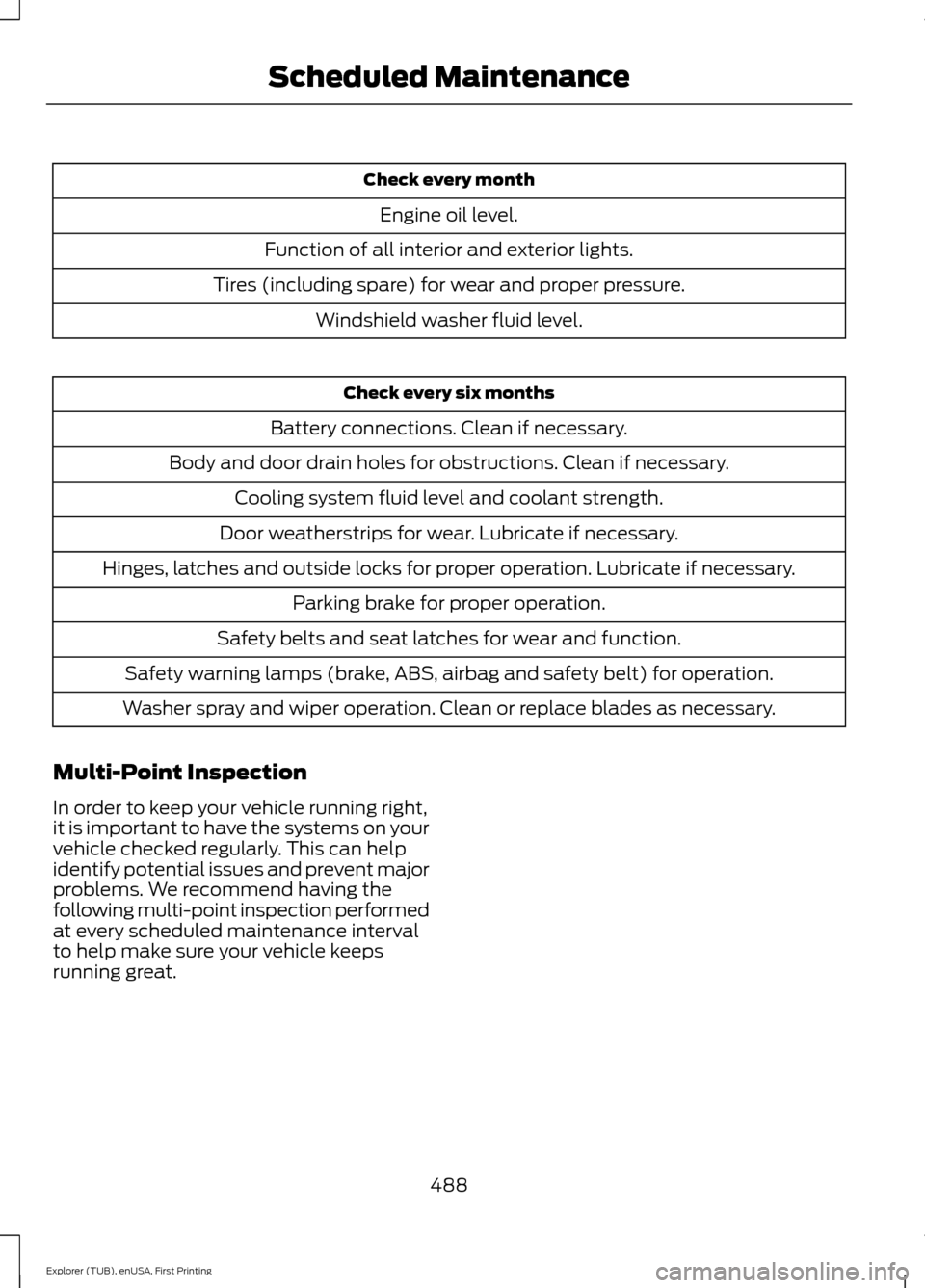
Check every month
Engine oil level.
Function of all interior and exterior lights.
Tires (including spare) for wear and proper pressure. Windshield washer fluid level. Check every six months
Battery connections. Clean if necessary.
Body and door drain holes for obstructions. Clean if necessary. Cooling system fluid level and coolant strength.
Door weatherstrips for wear. Lubricate if necessary.
Hinges, latches and outside locks for proper operation. Lubricate if necessary. Parking brake for proper operation.
Safety belts and seat latches for wear and function.
Safety warning lamps (brake, ABS, airbag and safety belt) for operation.
Washer spray and wiper operation. Clean or replace blades as necessary.
Multi-Point Inspection
In order to keep your vehicle running right,
it is important to have the systems on your
vehicle checked regularly. This can help
identify potential issues and prevent major
problems. We recommend having the
following multi-point inspection performed
at every scheduled maintenance interval
to help make sure your vehicle keeps
running great.
488
Explorer (TUB), enUSA, First Printing Scheduled Maintenance
Page 532 of 541
Cleaning the Interior...................................302
Cleaning the Windows and Wiper
Blades...........................................................302
Clearing All MyKeys.......................................56
Climate............................................................462 Climate Control Voice Commands.............465
Climate Control.............................................129
Climate Controlled Seats..........................155 Cooled Seats........................................................ 156
Coolant Check See: Engine Coolant Check............................ 282
Crash Sensors and Airbag Indicator.......46
Creating a MyKey
............................................55
Programming/Changing Configurable
Settings............................................................... 55
Cross Traffic Alert.........................................227 False Alerts........................................................... 229
Switching the System Off and On..............229
System Errors...................................................... 229
System Lights, Messages and Audible Alerts................................................................. 228
System Limitations........................................... 228
System Sensors.................................................. 228
Using the System............................................... 227
Cruise Control
..................................................74
Principle of Operation....................................... 213
Type 1........................................................................\
. 74
Type 2........................................................................\
74
Cruise control See: Using Cruise Control................................ 213
Customer Assistance................................260
D
Data Recording
..................................................9
Event Data Recording........................................... 9
Service Data Recording........................................ 9
Daytime Running Lamps
.............................82
Type 1 - Conventional
(Non-Configurable)....................................... 83
Type 2 - Configurable......................................... 83
Digital Radio
..................................................362
HD Radio Reception and Station
Troubleshooting............................................ 363
Direction Indicators
.......................................85
Driver Alert.....................................................220
PRINCIPLE OF OPERATION.......................... 220
USING DRIVER ALERT.................................... 220Driver and Passenger Airbags....................41
Children and Airbags............................................ 41
Proper Driver and Front Passenger Seating Adjustment......................................................... 41
Driving Aids
....................................................220
Driving Hints...................................................252
Driving Through Water...............................253
DRL See: Daytime Running Lamps......................... 82
E
Economical Driving
.....................................252
Emission Control System...........................177 On-Board Diagnostics (OBD-II).................... 178
Readiness for Inspection/Maintenance (I/M) Testing.................................................... 178
End User License Agreement
.................505
SYNC End User License Agreement
(EULA)............................................................. 505
Engine Block Heater....................................169 Using the Engine Block Heater...................... 170
Engine Coolant Check...............................282 Adding Engine Coolant.................................... 283
Checking the Engine Coolant........................ 282
Recycled Engine Coolant................................ 284
Severe Climates................................................. 284
What You Should Know About Fail-Safe Cooling............................................................. 284
Engine Immobilizer See: Passive Anti-Theft System..................... 70
Engine Oil Check...........................................281 Adding Engine Oil............................................... 281
Engine Oil Dipstick - 2.3L EcoBoost™..................................................281
Engine Oil Dipstick - 3.5L Duratec/3.5L Ecoboost™..................................................281
Engine Specifications - 2.3L EcoBoost™.................................................334
Drivebelt Routing............................................... 334
Engine Specifications - 3.5L Duratec.........................................................335
Drivebelt Routing............................................... 335
Engine Specifications - 3.5L Ecoboost™.................................................335
Drivebelt Routing............................................... 336
529
Explorer (TUB), enUSA, First Printing Index
Page 540 of 541
Using SYNC™ With Your Phone.............372
Accessing Features through the Phone
Menu................................................................... 377
Accessing Your Phone Settings................... 380
Bluetooth Devices.............................................. 381
Making Calls......................................................... 375
Pairing a Phone for the First Time...............372
Pairing Subsequent Phones........................... 373
Phone Options during an Active Call.........376
Phone Voice Commands................................ 374
Receiving Calls.................................................... 375
System Settings................................................. 382
Text Messaging................................................... 378
Using Terrain Response.............................195
Using Traction Control................................192
Switching the System Off............................... 192
System Indicator Lights and Messages.......................................................... 192
Using a Switch..................................................... 192
Using the Information Display Controls............................................................. 192
Using Voice Recognition...........................370 Initiating a Voice Session................................ 370
System Interaction and Feedback................371
Utilizing the Mediation/Arbitration Program (Canada Only)........................262
V
Vehicle Care
..................................................300
General Information........................................ 300
Vehicle Certification Label.......................340
Vehicle Identification Number
................339
Vehicle Storage............................................304
Battery................................................................... 305
Body....................................................................... 305
Brakes.................................................................... 305
Cooling system................................................... 305
Engine.................................................................... 305
Fuel system......................................................... 305
General.................................................................. 305
Miscellaneous.................................................... 306
Removing Vehicle From Storage.................306
Tires........................................................................\
305
Ventilation See: Climate Control......................................... 129
VIN See: Vehicle Identification Number............339 Voice Control
....................................................74
W
Warning Lamps and Indicators................96 Adaptive Cruise Control.................................... 96
Anti-Lock Braking System................................. 97
Automatic High Beam Control........................ 97
Battery...................................................................... 97
Blind Spot Monitor............................................... 97
Brake System......................................................... 97
Cruise Control........................................................ 97
Direction Indicator................................................ 97
Door Ajar.................................................................. 97
Engine Coolant Temperature........................... 97
Engine Oil................................................................ 98
Fasten Safety Belt............................................... 98
Front Airbag........................................................... 98
Front Fog Lamps.................................................. 98
Heads Up Display................................................ 98
High Beam.............................................................. 98
Hood Ajar................................................................ 98
Lane Keeping Aid................................................. 98
Liftgate Ajar............................................................ 98
Low Fuel Level...................................................... 98
Low Tire Pressure Warning.............................. 98
Low Washer Fluid................................................ 99
Parking Lamps...................................................... 99
Powertrain Fault................................................... 99
Service Engine Soon........................................... 99
Stability Control................................................... 99
Stability Control Off............................................ 99
Transmission Tow/Haul.................................... 99
Washer Fluid Check
....................................288
Washers See: Cleaning the Exterior............................. 300
See: Wipers and Washers.................................. 77
Waxing
..............................................................301
Wheel Nuts See: Changing a Road Wheel....................... 328
Wheels and Tires.........................................307 General Information......................................... 307
Technical Specifications................................. 332
Windows and Mirrors
....................................87
Windshield Washers.....................................78
Front Camera Washer........................................ 78
Windshield Wipers
.........................................77
Speed Dependent Wipers................................. 77
537
Explorer (TUB), enUSA, First Printing Index