display FORD EXPLORER 2023 Owners Manual
[x] Cancel search | Manufacturer: FORD, Model Year: 2023, Model line: EXPLORER, Model: FORD EXPLORER 2023Pages: 573, PDF Size: 16.1 MB
Page 258 of 573
DRIVER ALERT
PRINCIPLE OF OPERATION
WARNING: You are responsible forcontrolling your vehicle at all times. Thesystem is designed to be an aid and doesnot relieve you of your responsibility todrive with due care and attention. Failureto follow this instruction could result inthe loss of control of your vehicle,personal injury or death.
WARNING: The system may notfunction if the sensor is blocked.
WARNING: Take regular restbreaks if you feel tired. Do not wait forthe system to warn you.
WARNING: Certain driving stylesmay result in the system warning youeven if you are not feeling tired.
WARNING: In cold and severeweather conditions the system may notfunction. Rain, snow and spray can alllimit sensor performance.
WARNING: The system will notoperate if the sensor cannot track theroad lane markings.
WARNING: If damage occurs in theimmediate area surrounding the sensor,have your vehicle checked as soon aspossible.
WARNING: The system may notcorrectly operate if your vehicle is fittedwith a suspension kit not approved byus.
Note:Keep the windshield free fromobstructions. For example, bird droppings,insects and snow or ice.
Note:If the camera is blocked or if thewindshield is damaged, the system may notfunction.
Note:The system remembers the on or offsetting in the information display menuthrough ignition cycles.
Note:If enabled in the menu, the systemactivates at speeds above 40 mph(64 km/h). When below the activationspeed, the information display informs thedriver that the system is unavailable.
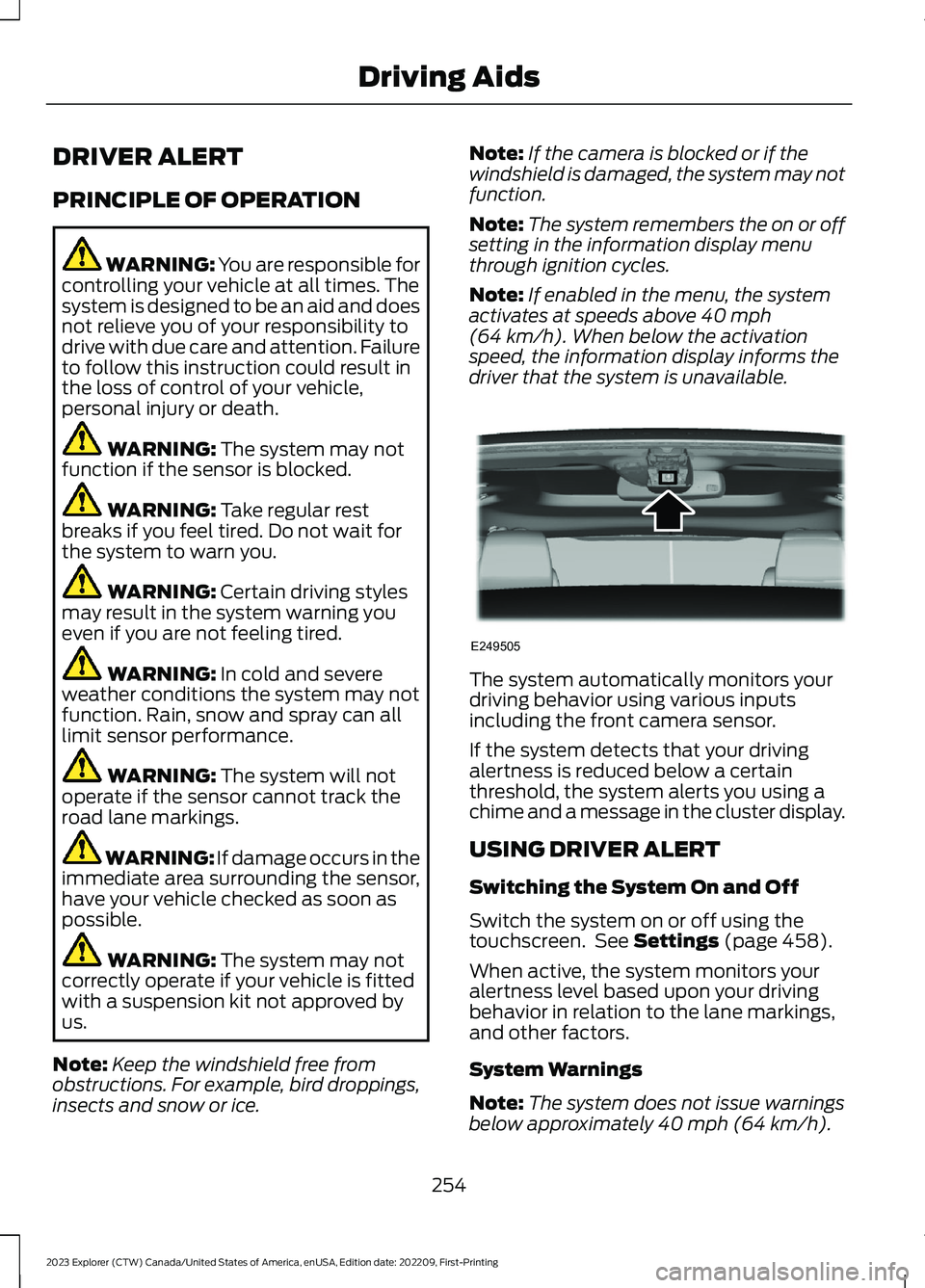
The system automatically monitors yourdriving behavior using various inputsincluding the front camera sensor.
If the system detects that your drivingalertness is reduced below a certainthreshold, the system alerts you using achime and a message in the cluster display.
USING DRIVER ALERT
Switching the System On and Off
Switch the system on or off using thetouchscreen. See Settings (page 458).
When active, the system monitors youralertness level based upon your drivingbehavior in relation to the lane markings,and other factors.
System Warnings
Note:The system does not issue warningsbelow approximately 40 mph (64 km/h).
254
2023 Explorer (CTW) Canada/United States of America, enUSA, Edition date: 202209, First-PrintingDriving AidsE249505
Page 259 of 573
Note:If you receive a warning you shouldconsider resting, even if the currentassessment is within the typical range.
The warning system has two stages. Atfirst, the system issues a temporarywarning that you need to take a rest. Thismessage only appears for a short time. Ifthe system detects further reduction indriving alertness, it may issue anotherwarning that remains in the informationdisplay for a longer time. You can press OKon the steering wheel control to clear thewarning.
Resetting the System
You can reset the system by either:
•Switching the ignition off and on.
•Stopping the vehicle and then openingand closing the driver’s door.
LANE KEEPING SYSTEM
WARNING: You are responsible forcontrolling your vehicle at all times. Thesystem is designed to be an aid and doesnot relieve you of your responsibility todrive with due care and attention. Failureto follow this instruction could result inthe loss of control of your vehicle,personal injury or death.
WARNING: Always drive with duecare and attention when using andoperating the controls and features onyour vehicle.
WARNING: In cold and severeweather conditions the system may notfunction. Rain, snow and spray can alllimit sensor performance.
WARNING: Large contrasts inoutside lighting can limit sensorperformance.
WARNING: The system will notoperate if the sensor cannot track theroad lane markings.
WARNING: The sensor mayincorrectly track lane markings as otherstructures or objects. This can result ina false or missed warning.
WARNING: The system may notoperate properly if the sensor is blocked.Keep the windshield free fromobstruction.
WARNING: If damage occurs in theimmediate area surrounding the sensor,have your vehicle checked as soon aspossible.
WARNING: The system may notcorrectly operate if your vehicle is fittedwith a suspension kit not approved byus.
Note:The system works above 40 mph(64 km/h).
Note:The system works as long as thecamera can detect one lane marking.
Note:When you select aid or alert and aidmode and the system detects no steeringactivity for a short period, the system alertsyou to put your hands on the steering wheel.The system may detect a light grip ortouch on the steering wheel as hands offdriving.
Note:The system may not function if thecamera is blocked, or if the windshield isdamaged or dirty.
255
2023 Explorer (CTW) Canada/United States of America, enUSA, Edition date: 202209, First-PrintingDriving Aids
Page 260 of 573
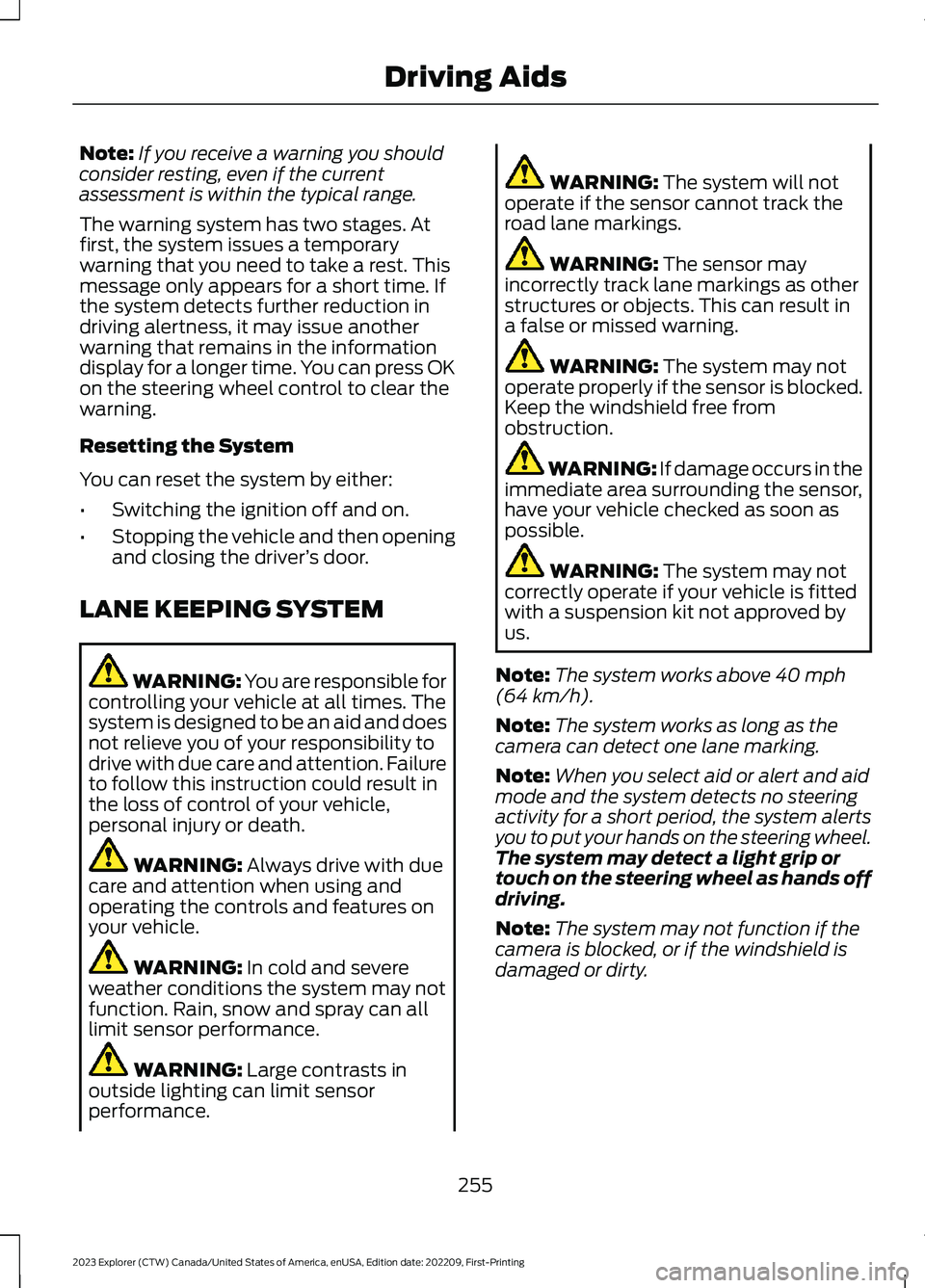
When you switch the system on and itdetects an unintentional drift out of yourlane is likely to occur, the system notifiesor assists you to stay in your lane throughthe steering system and informationdisplay. In Alert mode (if equipped), thesystem provides a warning by vibrating thesteering wheel. In Aid mode, the systemprovides steering assistance by gentlycounter steering your vehicle back into thelane.
When the system is functioning in thecombined Alert and Aid mode, the systemfirst provides steering assistance by gentlycounter steering your vehicle back into thelane, followed by a warning that vibratesthe steering wheel if the vehicle is still outof the lane markings.
Switching the System On and Off
Note:The system is turned onautomatically at each ignition cycle.
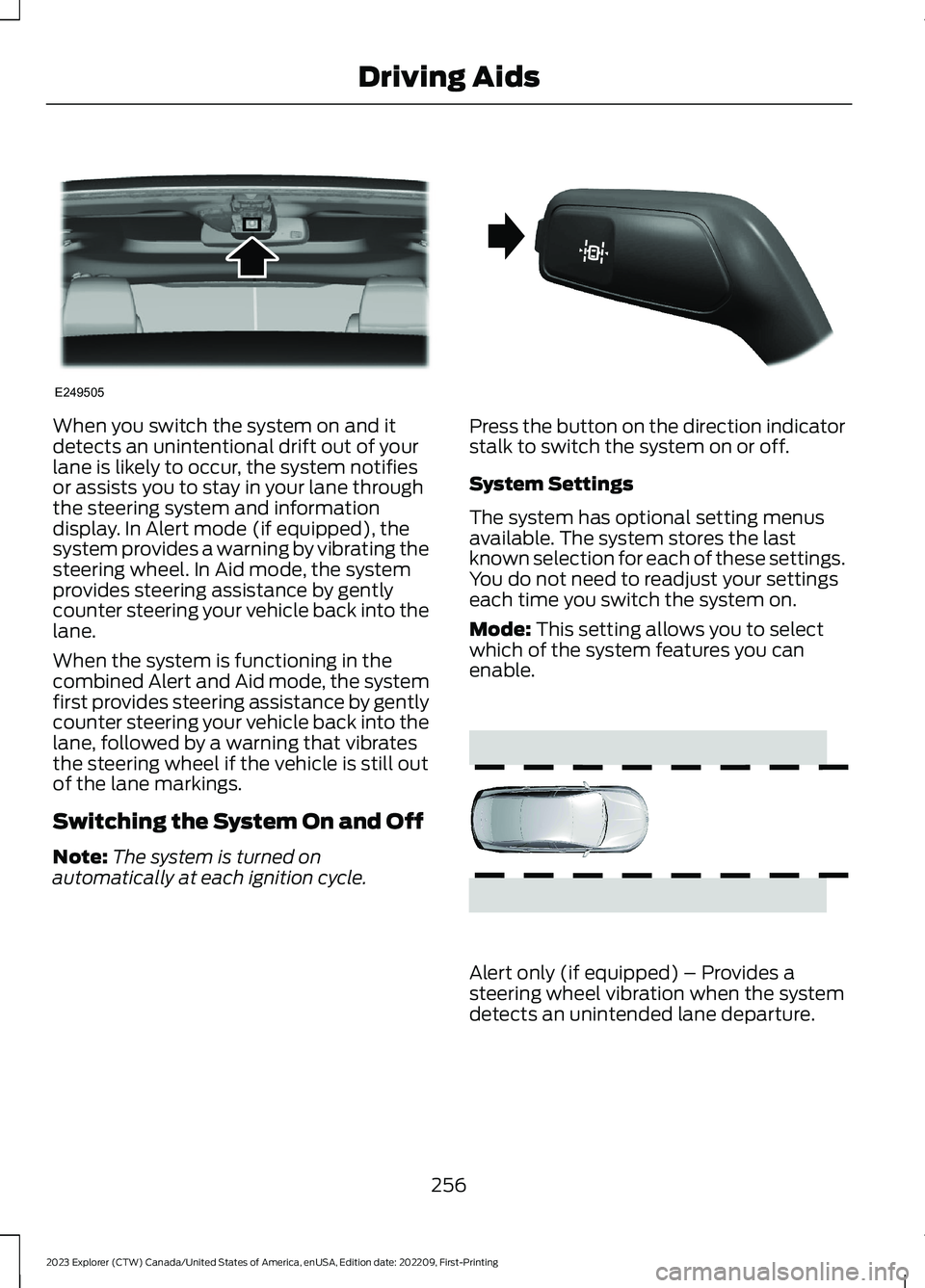
Press the button on the direction indicatorstalk to switch the system on or off.
System Settings
The system has optional setting menusavailable. The system stores the lastknown selection for each of these settings.You do not need to readjust your settingseach time you switch the system on.
Mode: This setting allows you to selectwhich of the system features you canenable.
Alert only (if equipped) – Provides asteering wheel vibration when the systemdetects an unintended lane departure.
256
2023 Explorer (CTW) Canada/United States of America, enUSA, Edition date: 202209, First-PrintingDriving AidsE249505 E288067 E165515
Page 261 of 573
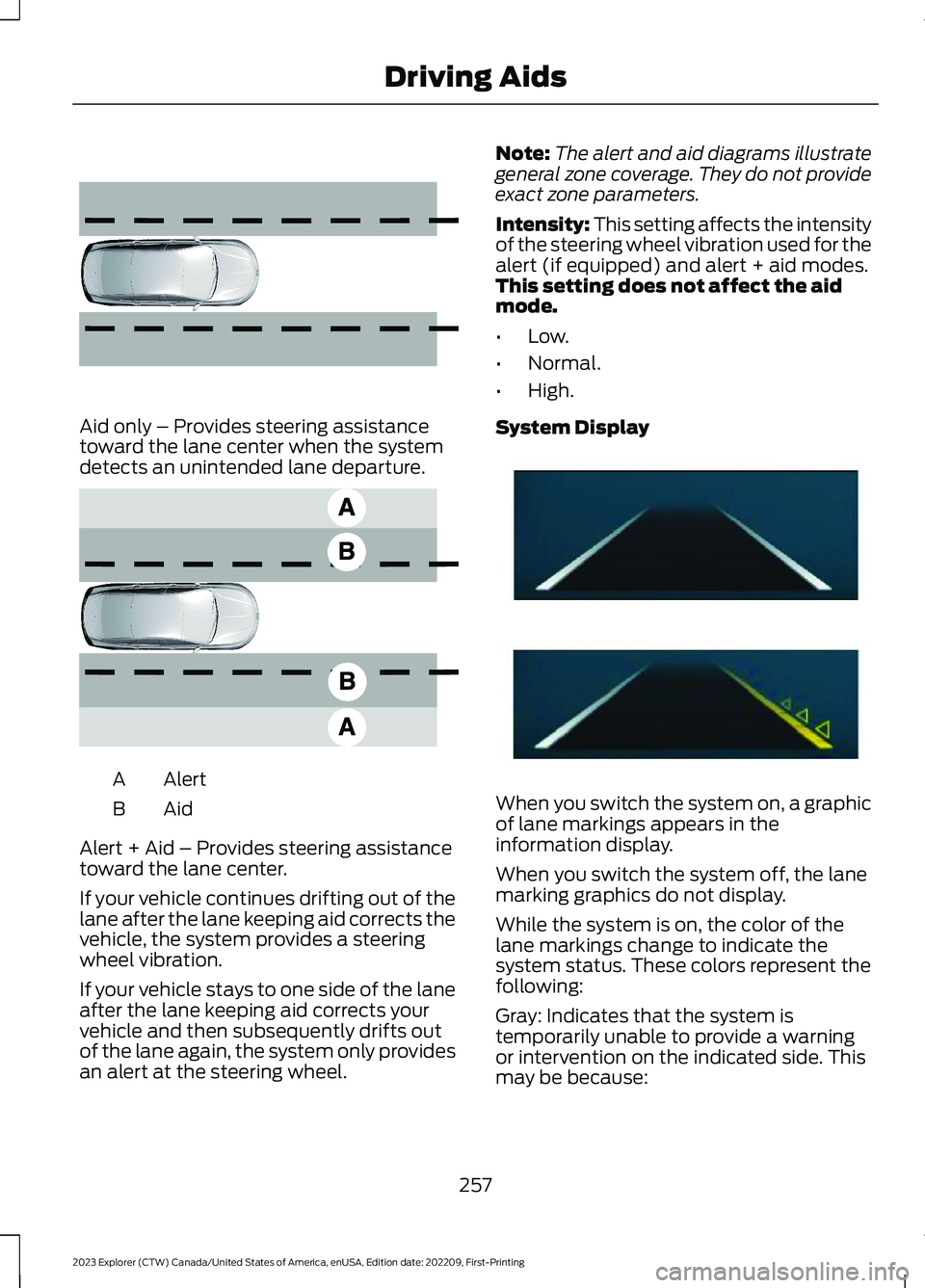
Aid only – Provides steering assistancetoward the lane center when the systemdetects an unintended lane departure.
AlertA
AidB
Alert + Aid – Provides steering assistancetoward the lane center.
If your vehicle continues drifting out of thelane after the lane keeping aid corrects thevehicle, the system provides a steeringwheel vibration.
If your vehicle stays to one side of the laneafter the lane keeping aid corrects yourvehicle and then subsequently drifts outof the lane again, the system only providesan alert at the steering wheel.
Note:The alert and aid diagrams illustrategeneral zone coverage. They do not provideexact zone parameters.
Intensity: This setting affects the intensityof the steering wheel vibration used for thealert (if equipped) and alert + aid modes.This setting does not affect the aidmode.
•Low.
•Normal.
•High.
System Display
When you switch the system on, a graphicof lane markings appears in theinformation display.
When you switch the system off, the lanemarking graphics do not display.
While the system is on, the color of thelane markings change to indicate thesystem status. These colors represent thefollowing:
Gray: Indicates that the system istemporarily unable to provide a warningor intervention on the indicated side. Thismay be because:
257
2023 Explorer (CTW) Canada/United States of America, enUSA, Edition date: 202209, First-PrintingDriving Aids E165516 E165517 E294544
Page 264 of 573
The design of the system is to detectvehicles that enter the blind spot zone. Thedetection area is on both sides of yourvehicle, extending rearward from theexterior mirrors to approximately 13 ft(4 m) beyond the rear bumper. Thedetection area extends to approximately59 ft (18 m) beyond the rear bumper whenthe vehicle speed is greater than 30 mph(48 km/h) to alert you of fasterapproaching vehicles.
Note:The system does not prevent contactwith other vehicles. It does not detectparked vehicles, pedestrians, animals orother infrastructures.
Using the Blind Spot InformationSystem
Vehicles with Automatic Transmission
The system turns on when all of thefollowing occur:
•You start your vehicle.
•You shift into drive (D).
•The vehicle speed is greater than6 mph (10 km/h).
Note:The system does not operate in park(P) or reverse (R).
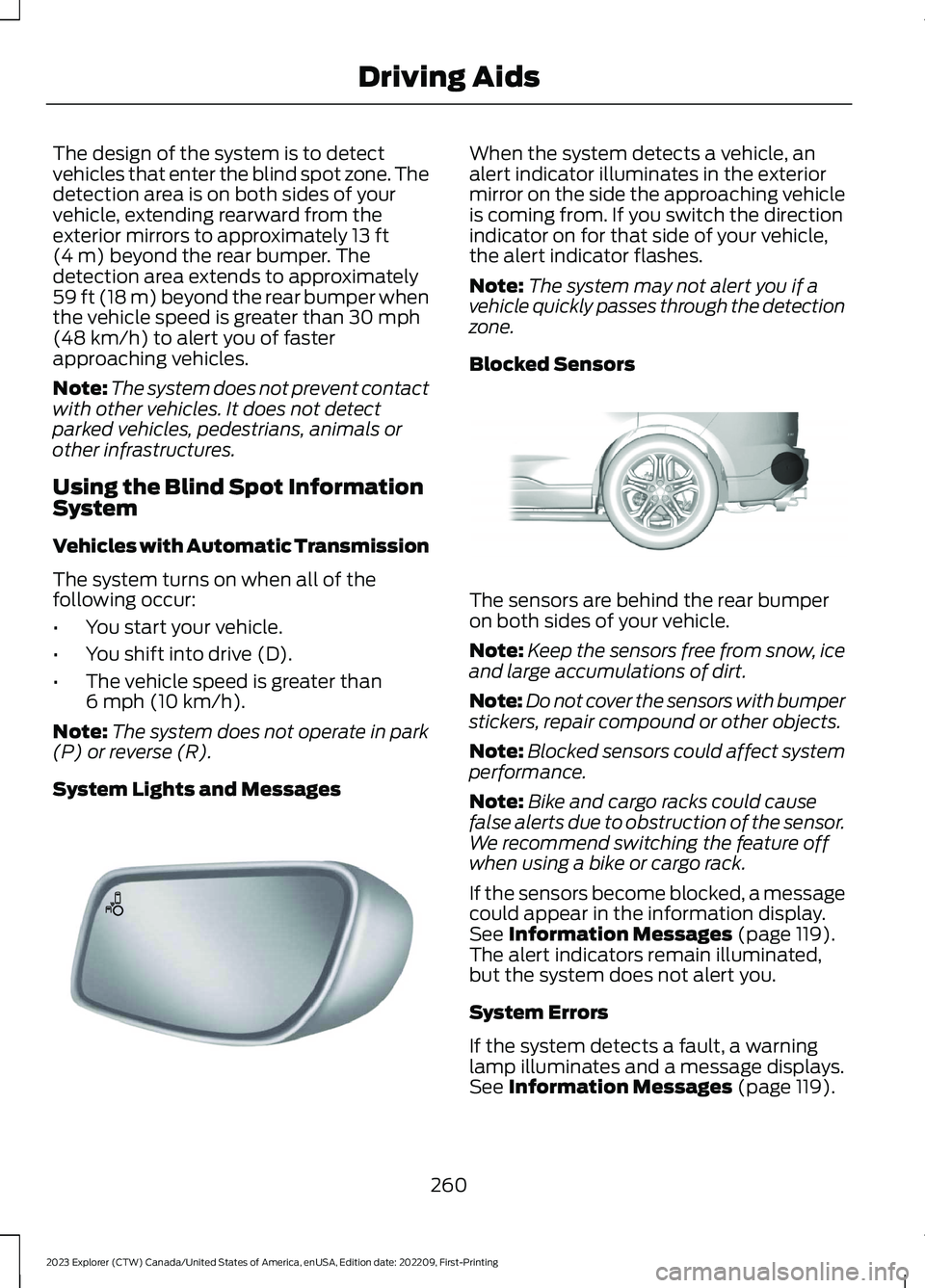
System Lights and Messages
When the system detects a vehicle, analert indicator illuminates in the exteriormirror on the side the approaching vehicleis coming from. If you switch the directionindicator on for that side of your vehicle,the alert indicator flashes.
Note:The system may not alert you if avehicle quickly passes through the detectionzone.
Blocked Sensors
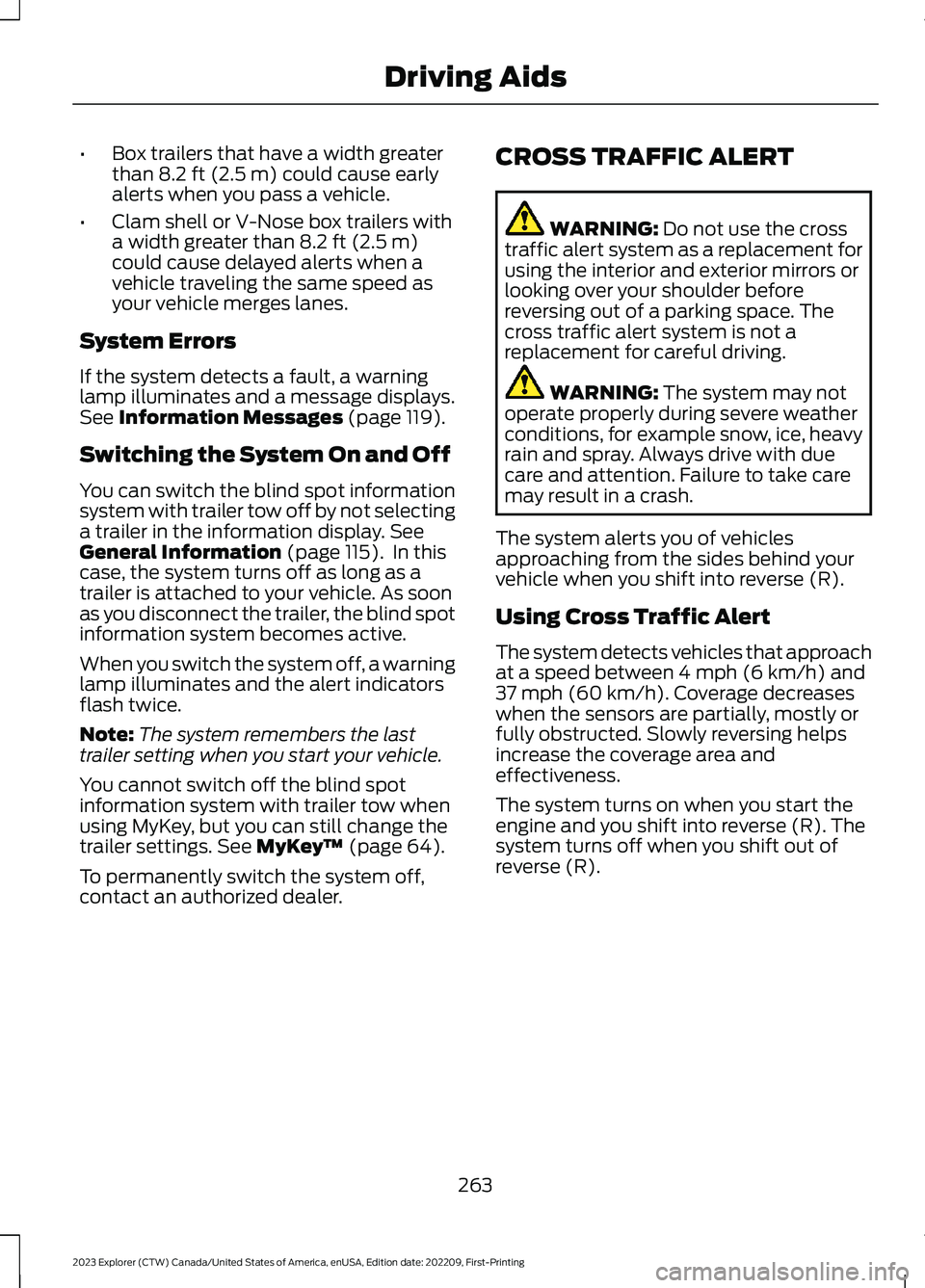
The sensors are behind the rear bumperon both sides of your vehicle.
Note:Keep the sensors free from snow, iceand large accumulations of dirt.
Note:Do not cover the sensors with bumperstickers, repair compound or other objects.
Note:Blocked sensors could affect systemperformance.
Note:Bike and cargo racks could causefalse alerts due to obstruction of the sensor.We recommend switching the feature offwhen using a bike or cargo rack.
If the sensors become blocked, a messagecould appear in the information display.See Information Messages (page 119).The alert indicators remain illuminated,but the system does not alert you.
System Errors
If the system detects a fault, a warninglamp illuminates and a message displays.See Information Messages (page 119).
260
2023 Explorer (CTW) Canada/United States of America, enUSA, Edition date: 202209, First-PrintingDriving AidsE142442 E205199
Page 265 of 573
Switching the System On and Off
To switch the system on or off, adjust thesetting. Depending on your vehicle options,the setting could be in the following:
•Information display. See GeneralInformation (page 115).
•Touchscreen. See Settings (page 458).
When you switch the system off, a warninglamp illuminates and the alert indicatorsflash twice.
Note:The system remembers the lastsetting when you start your vehicle.
To permanently switch the system off,contact an authorized dealer.
Blind Spot Information Systemwith Trailer Tow (If Equipped)
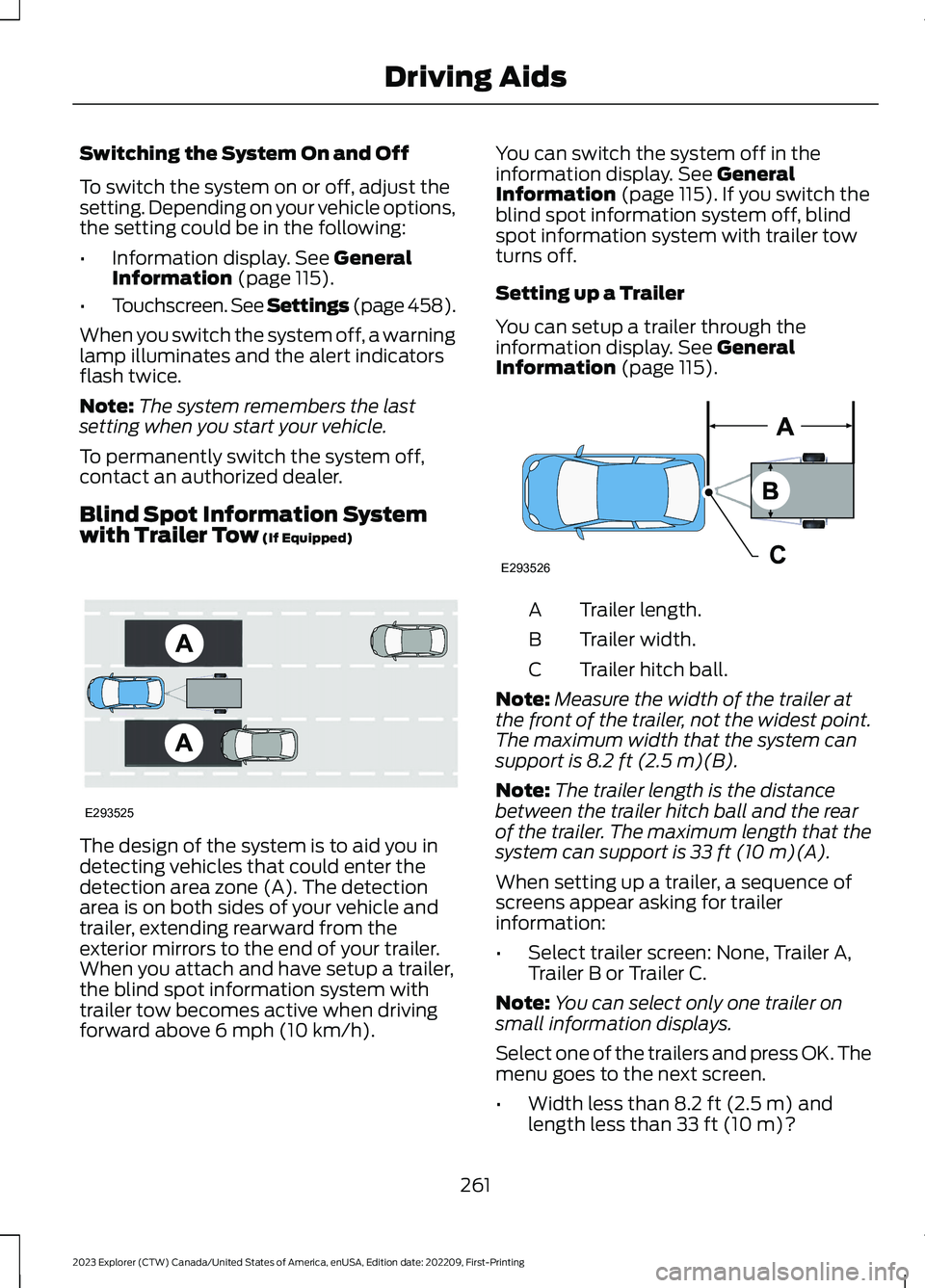
The design of the system is to aid you indetecting vehicles that could enter thedetection area zone (A). The detectionarea is on both sides of your vehicle andtrailer, extending rearward from theexterior mirrors to the end of your trailer.When you attach and have setup a trailer,the blind spot information system withtrailer tow becomes active when drivingforward above 6 mph (10 km/h).
You can switch the system off in theinformation display. See GeneralInformation (page 115).If you switch theblind spot information system off, blindspot information system with trailer towturns off.
Setting up a Trailer
You can setup a trailer through theinformation display. See GeneralInformation (page 115).
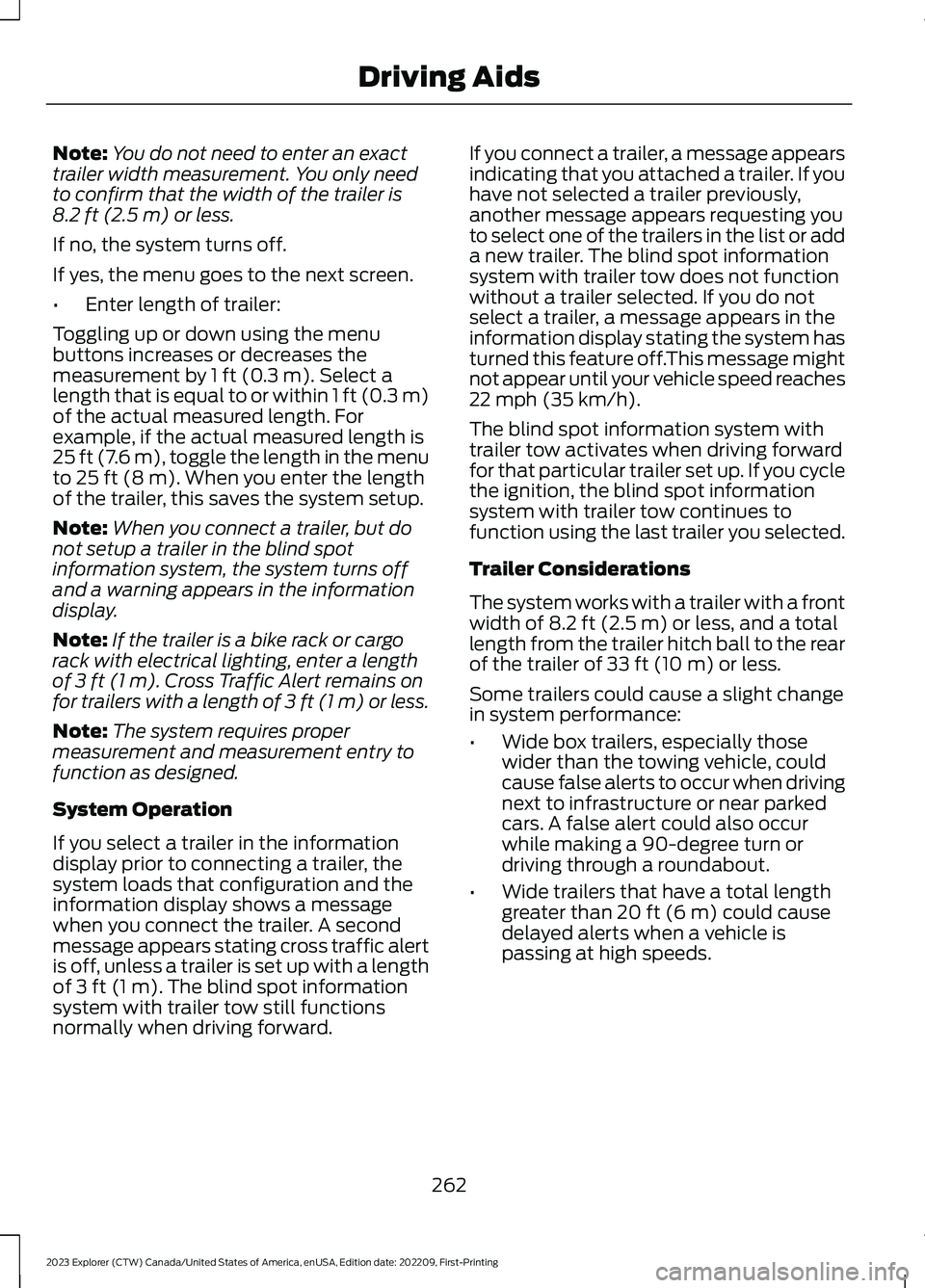
Trailer length.A
Trailer width.B
Trailer hitch ball.C
Note:Measure the width of the trailer atthe front of the trailer, not the widest point.The maximum width that the system cansupport is 8.2 ft (2.5 m)(B).
Note:The trailer length is the distancebetween the trailer hitch ball and the rearof the trailer. The maximum length that thesystem can support is 33 ft (10 m)(A).
When setting up a trailer, a sequence ofscreens appear asking for trailerinformation:
•Select trailer screen: None, Trailer A,Trailer B or Trailer C.
Note:You can select only one trailer onsmall information displays.
Select one of the trailers and press OK. Themenu goes to the next screen.
•Width less than 8.2 ft (2.5 m) andlength less than 33 ft (10 m)?
261
2023 Explorer (CTW) Canada/United States of America, enUSA, Edition date: 202209, First-PrintingDriving AidsE293525 E293526
Page 266 of 573
Note:You do not need to enter an exacttrailer width measurement. You only needto confirm that the width of the trailer is8.2 ft (2.5 m) or less.
If no, the system turns off.
If yes, the menu goes to the next screen.
•Enter length of trailer:
Toggling up or down using the menubuttons increases or decreases themeasurement by 1 ft (0.3 m). Select alength that is equal to or within 1 ft (0.3 m)of the actual measured length. Forexample, if the actual measured length is25 ft (7.6 m), toggle the length in the menuto 25 ft (8 m). When you enter the lengthof the trailer, this saves the system setup.
Note:When you connect a trailer, but donot setup a trailer in the blind spotinformation system, the system turns offand a warning appears in the informationdisplay.
Note:If the trailer is a bike rack or cargorack with electrical lighting, enter a lengthof 3 ft (1 m). Cross Traffic Alert remains onfor trailers with a length of 3 ft (1 m) or less.
Note:The system requires propermeasurement and measurement entry tofunction as designed.
System Operation
If you select a trailer in the informationdisplay prior to connecting a trailer, thesystem loads that configuration and theinformation display shows a messagewhen you connect the trailer. A secondmessage appears stating cross traffic alertis off, unless a trailer is set up with a lengthof 3 ft (1 m). The blind spot informationsystem with trailer tow still functionsnormally when driving forward.
If you connect a trailer, a message appearsindicating that you attached a trailer. If youhave not selected a trailer previously,another message appears requesting youto select one of the trailers in the list or adda new trailer. The blind spot informationsystem with trailer tow does not functionwithout a trailer selected. If you do notselect a trailer, a message appears in theinformation display stating the system hasturned this feature off.This message mightnot appear until your vehicle speed reaches22 mph (35 km/h).
The blind spot information system withtrailer tow activates when driving forwardfor that particular trailer set up. If you cyclethe ignition, the blind spot informationsystem with trailer tow continues tofunction using the last trailer you selected.
Trailer Considerations
The system works with a trailer with a frontwidth of 8.2 ft (2.5 m) or less, and a totallength from the trailer hitch ball to the rearof the trailer of 33 ft (10 m) or less.
Some trailers could cause a slight changein system performance:
•Wide box trailers, especially thosewider than the towing vehicle, couldcause false alerts to occur when drivingnext to infrastructure or near parkedcars. A false alert could also occurwhile making a 90-degree turn ordriving through a roundabout.
•Wide trailers that have a total lengthgreater than 20 ft (6 m) could causedelayed alerts when a vehicle ispassing at high speeds.
262
2023 Explorer (CTW) Canada/United States of America, enUSA, Edition date: 202209, First-PrintingDriving Aids
Page 267 of 573
•Box trailers that have a width greaterthan 8.2 ft (2.5 m) could cause earlyalerts when you pass a vehicle.
•Clam shell or V-Nose box trailers witha width greater than 8.2 ft (2.5 m)could cause delayed alerts when avehicle traveling the same speed asyour vehicle merges lanes.
System Errors
If the system detects a fault, a warninglamp illuminates and a message displays.See Information Messages (page 119).
Switching the System On and Off
You can switch the blind spot informationsystem with trailer tow off by not selectinga trailer in the information display. SeeGeneral Information (page 115). In thiscase, the system turns off as long as atrailer is attached to your vehicle. As soonas you disconnect the trailer, the blind spotinformation system becomes active.
When you switch the system off, a warninglamp illuminates and the alert indicatorsflash twice.
Note:The system remembers the lasttrailer setting when you start your vehicle.
You cannot switch off the blind spotinformation system with trailer tow whenusing MyKey, but you can still change thetrailer settings. See MyKey™ (page 64).
To permanently switch the system off,contact an authorized dealer.
CROSS TRAFFIC ALERT
WARNING: Do not use the crosstraffic alert system as a replacement forusing the interior and exterior mirrors orlooking over your shoulder beforereversing out of a parking space. Thecross traffic alert system is not areplacement for careful driving.
WARNING: The system may notoperate properly during severe weatherconditions, for example snow, ice, heavyrain and spray. Always drive with duecare and attention. Failure to take caremay result in a crash.
The system alerts you of vehiclesapproaching from the sides behind yourvehicle when you shift into reverse (R).
Using Cross Traffic Alert
The system detects vehicles that approachat a speed between 4 mph (6 km/h) and37 mph (60 km/h). Coverage decreaseswhen the sensors are partially, mostly orfully obstructed. Slowly reversing helpsincrease the coverage area andeffectiveness.
The system turns on when you start theengine and you shift into reverse (R). Thesystem turns off when you shift out ofreverse (R).
263
2023 Explorer (CTW) Canada/United States of America, enUSA, Edition date: 202209, First-PrintingDriving Aids
Page 269 of 573
Zone coverage also decreases whenparking at narrow angles. The sensor onthe left-hand side is mostly obstructed andzone coverage on that side is severelyreduced.
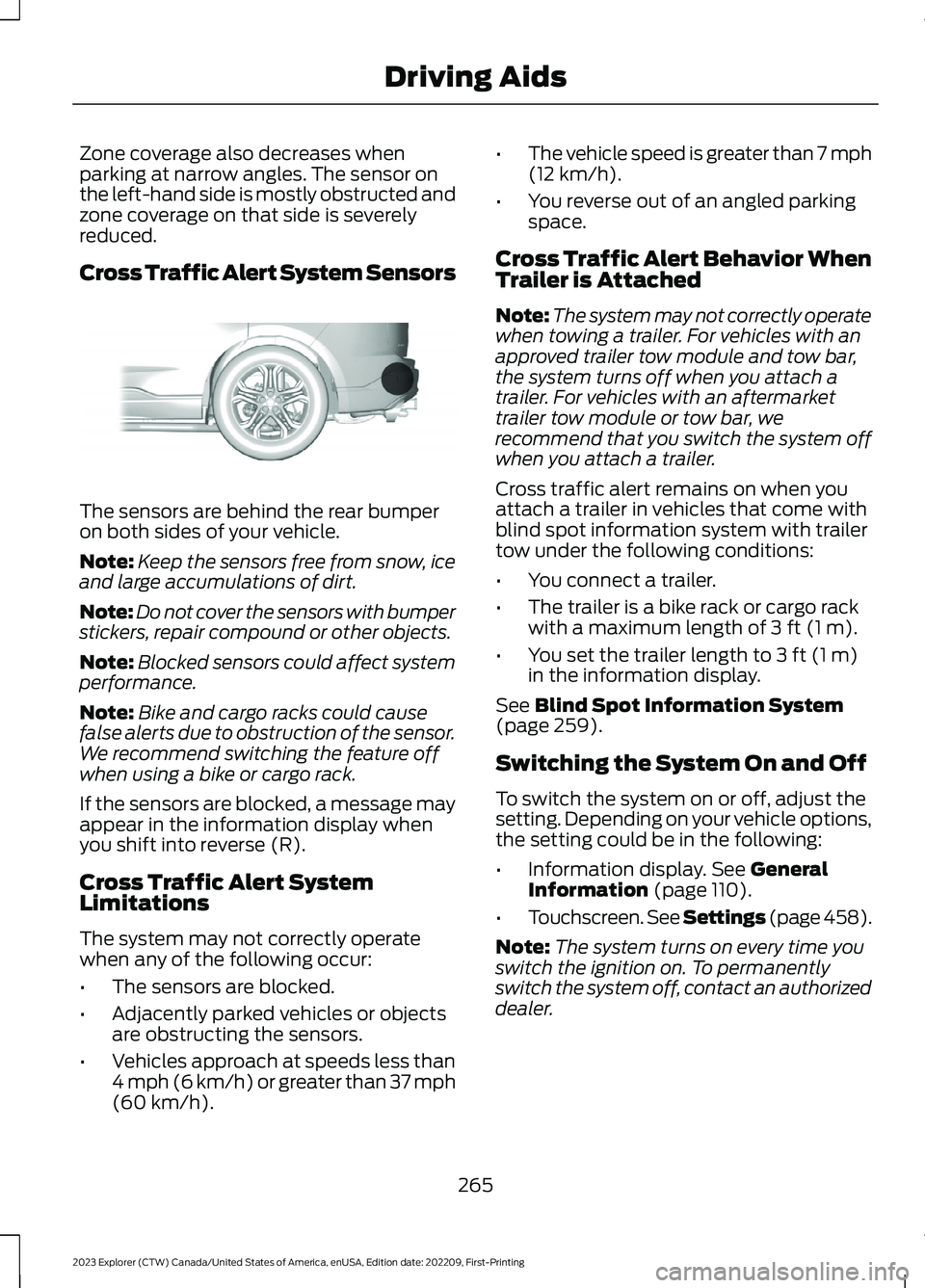
Cross Traffic Alert System Sensors
The sensors are behind the rear bumperon both sides of your vehicle.
Note:Keep the sensors free from snow, iceand large accumulations of dirt.
Note:Do not cover the sensors with bumperstickers, repair compound or other objects.
Note:Blocked sensors could affect systemperformance.
Note:Bike and cargo racks could causefalse alerts due to obstruction of the sensor.We recommend switching the feature offwhen using a bike or cargo rack.
If the sensors are blocked, a message mayappear in the information display whenyou shift into reverse (R).
Cross Traffic Alert SystemLimitations
The system may not correctly operatewhen any of the following occur:
•The sensors are blocked.
•Adjacently parked vehicles or objectsare obstructing the sensors.
•Vehicles approach at speeds less than4 mph (6 km/h) or greater than 37 mph(60 km/h).
•The vehicle speed is greater than 7 mph(12 km/h).
•You reverse out of an angled parkingspace.
Cross Traffic Alert Behavior WhenTrailer is Attached
Note:The system may not correctly operatewhen towing a trailer. For vehicles with anapproved trailer tow module and tow bar,the system turns off when you attach atrailer. For vehicles with an aftermarkettrailer tow module or tow bar, werecommend that you switch the system offwhen you attach a trailer.
Cross traffic alert remains on when youattach a trailer in vehicles that come withblind spot information system with trailertow under the following conditions:
•You connect a trailer.
•The trailer is a bike rack or cargo rackwith a maximum length of 3 ft (1 m).
•You set the trailer length to 3 ft (1 m)in the information display.
See Blind Spot Information System(page 259).
Switching the System On and Off
To switch the system on or off, adjust thesetting. Depending on your vehicle options,the setting could be in the following:
•Information display. See GeneralInformation (page 110).
•Touchscreen. See Settings (page 458).
Note:The system turns on every time youswitch the ignition on. To permanentlyswitch the system off, contact an authorizeddealer.
265
2023 Explorer (CTW) Canada/United States of America, enUSA, Edition date: 202209, First-PrintingDriving AidsE205199
Page 270 of 573
Cross Traffic Alert Indicator
When the system detects anapproaching vehicle, a tonesounds, a warning lampilluminates in the relevant exterior mirrorand arrows appear in the informationdisplay to show which side theapproaching vehicle is coming from.
Note:If arrows do not display, a messageappears in the information display.
If the system malfunctions, a warning lampilluminates in the instrument cluster anda message appears in the informationdisplay. Have your vehicle checked as soonas possible.
Note:In exceptional conditions, the systemcould alert you, even when there is nothingin the detection zone, for example a vehiclepassing further away from your vehicle.
Cross Traffic Alert Information Messages
ActionMessage
Displays instead of indication arrows when the systemdetects a vehicle. Check for approaching traffic.Cross Traffic Alert
Indicates blocked cross traffic alert system sensors. Cleanthe sensors. If the message continues to appear, have yourvehicle checked as soon as possible.
Cross Traffic Not Avail-able Sensor Blocked SeeManual
The system has malfunctioned. Have your vehicle checkedas soon as possible.Cross Traffic SystemFault
Displays if you attach a trailer to your vehicle.Cross Traffic Alert Deac-tivated Trailer Attached
SPEED SIGN RECOGNITION (IF
EQUIPPED)
Principle of Operation
WARNING: You are responsible forcontrolling your vehicle at all times. Thesystem is designed to be an aid and doesnot relieve you of your responsibility todrive with due care and attention. Failureto follow this instruction could result inthe loss of control of your vehicle,personal injury or death.
WARNING: In cold and severeweather conditions the system may notfunction. Rain, snow and spray can alllimit sensor performance.
WARNING: The system may notoperate properly if the sensor is blocked.Keep the windshield free fromobstruction.
The system is designed to detect speedlimit signs to inform you of the currentspeed limit. Detected speed signs appearin the information display. The sensor isbehind the interior mirror.
Note:Do not carry out windshield repairsin the immediate area surrounding thesensor.
266
2023 Explorer (CTW) Canada/United States of America, enUSA, Edition date: 202209, First-PrintingDriving AidsE268294