ignition FORD EXPLORER 2023 User Guide
[x] Cancel search | Manufacturer: FORD, Model Year: 2023, Model line: EXPLORER, Model: FORD EXPLORER 2023Pages: 573, PDF Size: 16.1 MB
Page 67 of 573
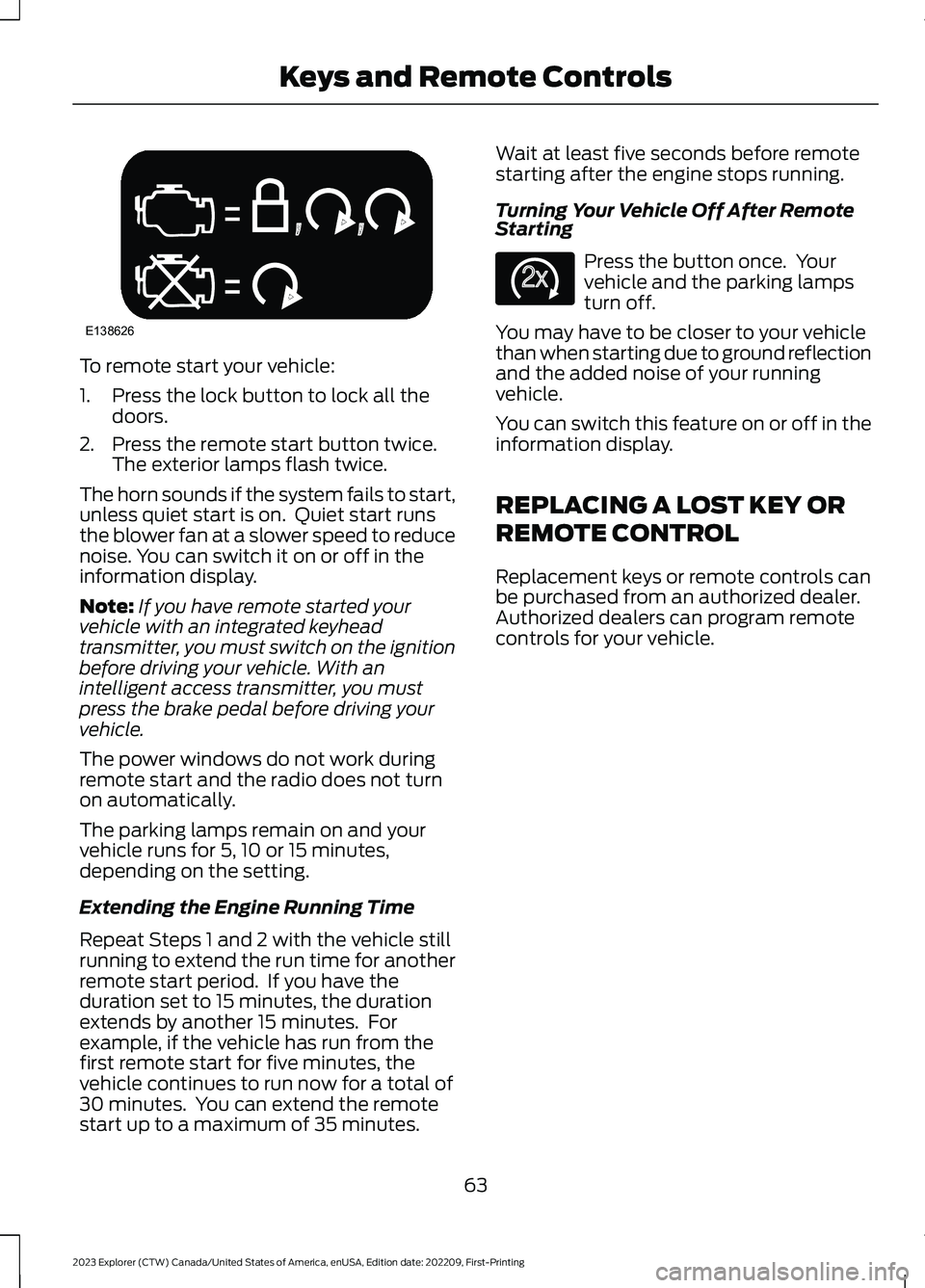
To remote start your vehicle:
1.Press the lock button to lock all thedoors.
2.Press the remote start button twice.The exterior lamps flash twice.
The horn sounds if the system fails to start,unless quiet start is on. Quiet start runsthe blower fan at a slower speed to reducenoise. You can switch it on or off in theinformation display.
Note:If you have remote started yourvehicle with an integrated keyheadtransmitter, you must switch on the ignitionbefore driving your vehicle. With anintelligent access transmitter, you mustpress the brake pedal before driving yourvehicle.
The power windows do not work duringremote start and the radio does not turnon automatically.
The parking lamps remain on and yourvehicle runs for 5, 10 or 15 minutes,depending on the setting.
Extending the Engine Running Time
Repeat Steps 1 and 2 with the vehicle stillrunning to extend the run time for anotherremote start period. If you have theduration set to 15 minutes, the durationextends by another 15 minutes. Forexample, if the vehicle has run from thefirst remote start for five minutes, thevehicle continues to run now for a total of30 minutes. You can extend the remotestart up to a maximum of 35 minutes.
Wait at least five seconds before remotestarting after the engine stops running.
Turning Your Vehicle Off After RemoteStarting
Press the button once. Yourvehicle and the parking lampsturn off.
You may have to be closer to your vehiclethan when starting due to ground reflectionand the added noise of your runningvehicle.
You can switch this feature on or off in theinformation display.
REPLACING A LOST KEY OR
REMOTE CONTROL
Replacement keys or remote controls canbe purchased from an authorized dealer.Authorized dealers can program remotecontrols for your vehicle.
63
2023 Explorer (CTW) Canada/United States of America, enUSA, Edition date: 202209, First-PrintingKeys and Remote ControlsE138626 E138625
Page 69 of 573

Note:Not every feature applies to everyvehicle in every market. When they areavailable for your vehicle, then they appearin the information display, providing choicesto switch them on or off, or to select a morespecific setting.
•Various vehicle speed limits so theMyKey driver cannot exceed certainspeeds. The information display showswarnings followed by an audible tonewhen the MyKey driver reaches the setspeed. You cannot override the setspeed by fully depressing theaccelerator pedal.
WARNING: Do not set MyKeymaximum speed limit to a limit that willprevent the driver from maintaining asafe speed considering posted speedlimits and prevailing road conditions. Thedriver is always responsible to drive inaccordance with local laws andprevailing conditions. Failure to do socould result in accident or injury.
•Various vehicle speed reminders soMyKey drivers know when their vehiclespeed approaches the limits. Warningsappear in the information display anda tone sounds when the MyKey driversexceed the set vehicle speed.
•The audio system's maximum volumelimits to 45% so MyKey drivers canconcentrate on the road. A messageappears in the information displaywhen MyKey drivers attempt to exceedthe limited volume. MyKey alsodisables the automatic volume control.Note: If your vehicle includes anAM/FM radio or a very basic audiosystem, then the radio may not limit.
•Always on setting. This setting forcescertain features to remain on andactive for MyKey drivers. For example,E911 or emergency assistance and thedo not disturb features stay on even ifa MyKey driver uses the feature'scontrol to switch it off. When selected,you will not be able to turn off AdvanceTrac or traction control (if your vehiclehas this feature).
CREATING A MYKEY
Use the touchscreen to create a MyKey:
1.Insert the key you want to program intothe ignition. If your vehicle has a pushbutton start, place the remote controlinto the backup slot. See Starting aGasoline Engine (page 169).
2.Switch the ignition on.
3.Press SETTINGS.
4.Press Vehicle.
5.Press MyKey.
6.Press Create MyKey.
7.Press Yes.
8.Switch the ignition off.
65
2023 Explorer (CTW) Canada/United States of America, enUSA, Edition date: 202209, First-PrintingMyKey™
Page 70 of 573
You have successfully created a MyKey.Make sure you label it so you candistinguish it from the admin keys.
You can also program configurablesettings for the key.
Programming and ChangingConfigurable Settings
Use the touchscreen to access yourconfigurable MyKey settings.
1.Switch the ignition on using an adminkey or the remote control you want toprogram.
2.Press SETTINGS.
3.Press Vehicle.
4.Press MyKey.
5.Select a setting and configure it byfollowing the instructions on thetouchscreen.
The programmed restrictions apply whenyou switch the vehicle off, open and closethe driver door and restart your vehicle withthe programmed key or remote control.
Note: You can clear or change your MyKeysettings at any time during the same keycycle as you created the MyKey. Once youhave switched the vehicle off, you need anadmin key to change or clear your MyKeysettings. When you make any changes toyour MyKey settings, you change thesettings for every MyKey. You cannot makeindividual changes to apply to specificMyKeys.
CLEARING ALL MYKEYS
When you clear your MyKeys, you removeall restrictions and return all MyKeys totheir original admin key status at once. Toclear all MyKeys of all MyKey settings, usethe touchscreen.
1.Switch the ignition on using an adminkey.
2.Press SETTINGS.
3.Press Vehicle.
4.Press MyKey.
5.Press Clear All MyKeys.
6.Press Yes.
7.A confirmation message appears in thedisplay after you finish clearing yourMyKeys.
CHECKING MYKEY SYSTEM
STATUS
You can find information about yourprogrammed MyKeys by using thetouchscreen. See Settings (page 458).
MyKey Distance
Tracks the distance when drivers use aMyKey. The only way to delete theaccumulated distance is by using an adminkey to clear all MyKeys. If the distance doesnot accumulate as expected, then theintended user is not using the MyKey, or anadmin key user recently cleared and thenrecreated a MyKey.
Number of MyKeys
Indicates the number of MyKeys you haveprogrammed to your vehicle. Use thisfeature to detect how many MyKeys youhave for your vehicle and determine whenyou have deleted all MyKeys.
Number of Admin Keys
Indicates how many admin keys you haveprogrammed to your vehicle. Use thisfeature to determine how many adminkeys you have for your vehicle, and detectif an additional MyKey has beenprogrammed.
66
2023 Explorer (CTW) Canada/United States of America, enUSA, Edition date: 202209, First-PrintingMyKey™
Page 73 of 573

Note:The rear doors do not open using theinterior door handles if your vehicle has therear door lock disable feature, or with thechild locks enabled.
Locking and Unlocking the Doorswith the Key Blade
Locking with the Key
Turn the top of the key toward the front ofyour vehicle.
Unlocking with the Key
Turn the top of the key toward the rear ofyour vehicle.
Note: If the child safety locks are on andyou pull the interior handle, you only turn offthe emergency locking, not the child safetylock. You can only open the doors using theexternal door handle.
Activating Intelligent Access (If
Equipped)
You can unlock and lock the vehiclewithout taking the keys out of your pocketor purse when your intelligent access keyis within 3 ft (1 m) of your vehicle.Intelligent access uses a sensor on theback of the door handle for unlocking anda separate sensor on the face of each doorhandle for locking.
The system does not function if:
•Your vehicle battery has no charge.
•The key battery has no charge.
•The key frequencies jam.
Note:The system may not function if thekey is close to metal objects or electronicdevices, for example keys or a cell phone.
Note:If the system does not function, usethe key blade to lock and unlock yourvehicle. See Remote Control (page 57).
Unlocking Using Intelligent Access
With your intelligent access key within 3 ft(1 m) of your vehicle, touch the unlocksensor on the back of the door handle fora brief period and then pull on the doorhandle to unlock, being careful to nottouch the lock sensor at the same time orpulling the door handle too quickly. Theintelligent access system requires a briefdelay to authenticate your intelligentaccess key fob.
Locking Using Intelligent Access
With your intelligent access key within 3 ft(1 m) of your vehicle, touch the outer doorhandle lock sensor for approximately onesecond to lock, being careful to not touchthe unlock sensor on the back of the doorhandle at the same time. After locking, youcan immediately pull on the door handleto confirm locking occurred withoutinadvertently unlocking.
Opening the Liftgate
Press the exterior liftgate release buttonon the top of the liftgate pull-cup handle.See Power Liftgate (page 73).
Smart Unlocks for IntegratedKeyhead Remote Control (If Equipped)
This prevents you from locking yourself outof your vehicle if the key is still in theignition.
69
2023 Explorer (CTW) Canada/United States of America, enUSA, Edition date: 202209, First-PrintingDoors and LocksE297236 E297235
Page 74 of 573

When you open one of the front doors andlock your vehicle with the power door lockcontrol, all the doors lock then unlock andthe horn sounds twice if the key is still inthe ignition.
You can still lock your vehicle with the keyin the ignition by either:
•Using the keyless entry keypad with thedriver door closed.
•Pressing the lock button on the remotecontrol even if you have not closed thedoors.
If both front doors close, you can lock yourvehicle by any method, regardless ofwhether the key is in the ignition or not.
Smart Unlocks for IntelligentAccess Keys (If Equipped)
This helps to prevent you from locking yourkey inside the passenger compartment orrear cargo area.
When you electronically lock your vehiclewith any door open, the transmission inpark (P) and the ignition off, the systemsearches for an intelligent access key inthe passenger compartment after youclose the last door.
If the system finds a key, all the doorsimmediately unlock and the horn soundstwice, indicating that a key is inside.
You can override the smart unlock featureand intentionally lock the intelligent accesskey inside your vehicle.
To override smart unlock, lock your vehicleafter you have closed all the doors by:
•Using the keyless entry keypad.
•Pressing the lock button on anotherintelligent access key.
•Touching the locking area on the frontof the door handle with anotherintelligent access key in your hand.
When you open one of the front doors andlock your vehicle using the power door lockcontrol, all doors lock, then unlock if:
•The ignition is on.
•The ignition is off and the transmissionis not in park (P).
Autolock (If Equipped)
Autolock locks all the doors when thefollowing occur:
•All doors close.
•The ignition is on.
•You shift into any gear putting yourvehicle in motion.
•Your vehicle reaches a speed greaterthan 12 mph (20 km/h).
Autolock repeats when:
•You open then close any door whenthe ignition is on and your vehicle speedis 9 mph (15 km/h) or lower.
•Your vehicle reaches a speed greaterthan 12 mph (20 km/h).
Autounlock
Autounlock unlocks all the doors when thefollowing occur:
•You stop your vehicle, place the gearselector in park (P), and switch theignition off or to accessory position.
•You open the driver door within 10minutes of switching the ignition off orto accessory position.
Note:The doors do not autounlock if youelectronically lock your vehicle after youswitch the ignition off and before you openthe driver door.
Enabling or Disabling Autounlock
You can enable or disable the autounlockin the information display or an authorizeddealer can do it for you. See GeneralInformation (page 115).
70
2023 Explorer (CTW) Canada/United States of America, enUSA, Edition date: 202209, First-PrintingDoors and Locks
Page 75 of 573
Illuminated Entry
The interior lamps and some exteriorlamps illuminate when you unlock thedoors with the remote control.
The lamps turn off if:
•The ignition is on.
•You press the remote control lockbutton.
•More than 25 seconds have elapsed.
The lamps do not turn off if:
•You switch them on with the lightingcontrol.
•Any door is open.
Illuminated Exit
The interior lamps and some exteriorlamps illuminate when all doors close andyou switch the ignition off.
The lamps turn off if all the doors remainclosed and:
•More than 25 seconds have elapsed.
•You lock your vehicle from the outside.
Battery Saver
If you leave the courtesy lamps, interiorlamps or headlamps on, the battery savershuts them off 10 minutes after you switchthe ignition off.
Battery Saver for Intelligent AccessKeys (If Equipped)
If you leave the ignition switched on andthe engine is not running, the battery saverturns the ignition off when it detects acertain amount of battery drain, or after30 minutes have elapsed.
KEYLESS ENTRY (IF EQUIPPED)
SECURICODE™ Keyless EntryKeypad
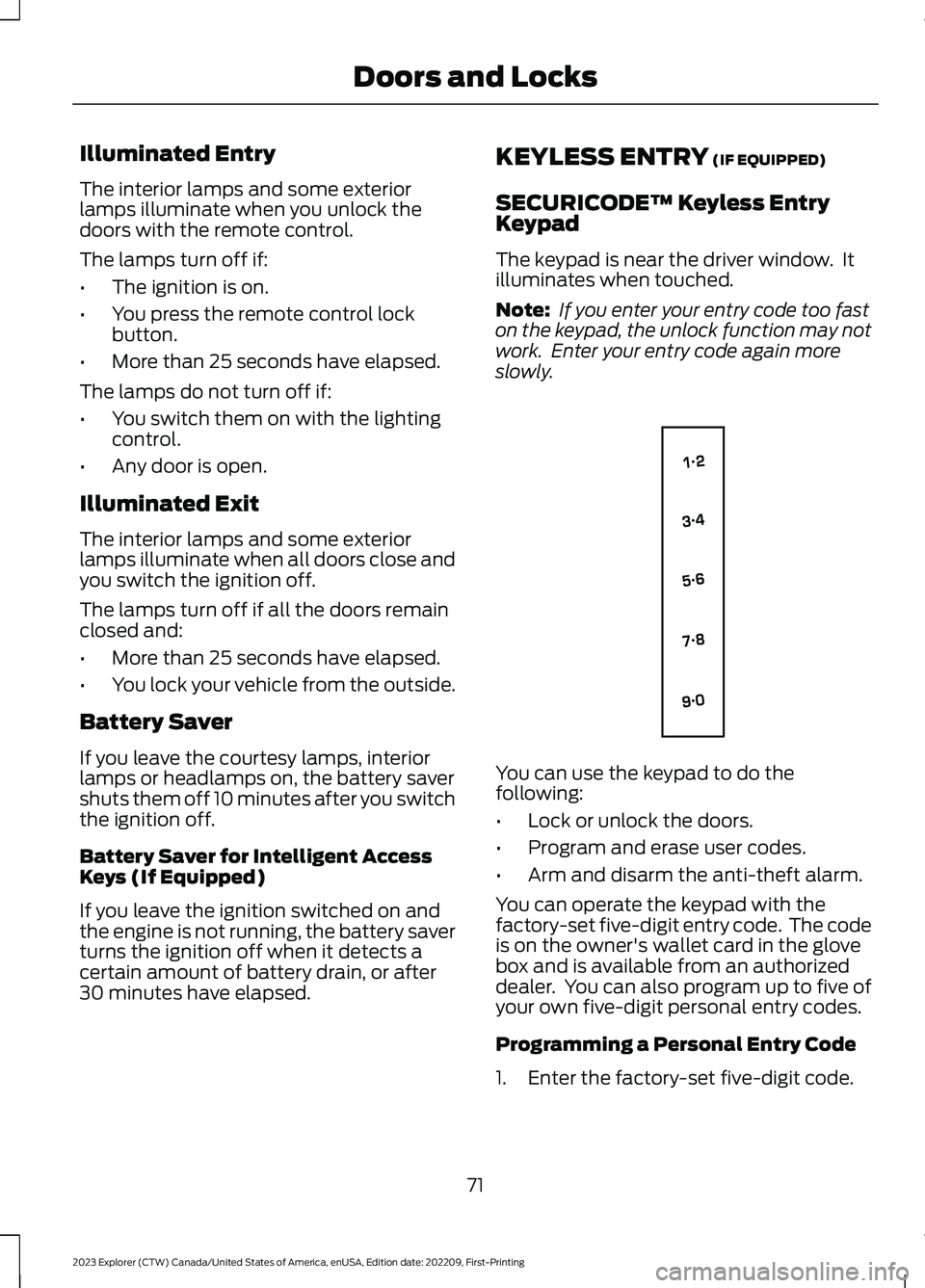
The keypad is near the driver window. Itilluminates when touched.
Note: If you enter your entry code too faston the keypad, the unlock function may notwork. Enter your entry code again moreslowly.
You can use the keypad to do thefollowing:
•Lock or unlock the doors.
•Program and erase user codes.
•Arm and disarm the anti-theft alarm.
You can operate the keypad with thefactory-set five-digit entry code. The codeis on the owner's wallet card in the glovebox and is available from an authorizeddealer. You can also program up to five ofyour own five-digit personal entry codes.
Programming a Personal Entry Code
1.Enter the factory-set five-digit code.
71
2023 Explorer (CTW) Canada/United States of America, enUSA, Edition date: 202209, First-PrintingDoors and LocksE138637
Page 77 of 573

POWER LIFTGATE
WARNING: It is extremelydangerous to ride in a cargo area, insideor outside of a vehicle. In a crash, peopleriding in these areas are more likely to beseriously injured or killed. Do not allowpeople to ride in any area of your vehiclethat is not equipped with seats andseatbelts. Make sure everyone in yourvehicle is in a seat and properly using aseatbelt. Failure to follow this warningcould result in serious personal injury ordeath.
WARNING: Make sure that you fullyclose the liftgate to prevent exhaustfumes from entering your vehicle. If youare unable to fully close the liftgate,open the air vents or the windows toallow fresh air to enter your vehicle.Failure to follow this instruction couldresult in personal injury or death.
WARNING: Keep keys out of reachof children. Do not allow children tooperate or play near an open or movingpower liftgate. You should supervise theoperation of the power liftgate at alltimes.
Note: Make sure that you close the liftgatebefore operating or moving your vehicle,especially in an enclosure, like a garage ora parking structure. This could damage theliftgate and its components.
Note: Do not hang anything, for examplea bike rack, from the glass or liftgate. Thiscould damage the liftgate and itscomponents.
Note:Make sure that you fully close theliftgate to prevent cargo from falling out.
The liftgate only operates with thetransmission in park (P).
If there is a problem with the open or closerequest, a tone sounds for one of thefollowing reasons:
•The ignition is on and the transmissionis not in park (P).
•The battery voltage is below theminimum operating voltage.
•The liftgate is not fully closed and yourvehicle speed is at or above 3 mph(5 km/h).
If the liftgate starts to close after it hasfully opened, this indicates there may beexcessive weight on the liftgate or apossible strut failure. A repetitive tonesounds and the liftgate closes undercontrol. If the liftgate continues to closeafter opening, have the system checkedby an authorized dealer. Remove anyexcessive weight from the liftgate.
Opening and Closing the Liftgate
WARNING: Make sure all personsare clear of the power liftgate areabefore using the power liftgate control.
Note: Make sure the area behind yourvehicle is free from obstruction and thatthere is enough room for you to operate theliftgate. Objects too close to your vehicle,for example a wall, garage door or anothervehicle may come into contact with themoving liftgate. This could damage theliftgate and its components.
Note:Be careful when opening or closingthe liftgate in a garage or other enclosedarea to avoid damaging the liftgate.
Note: Do not leave the liftgate open whenyou are driving. This could damage theliftgate and its components.
73
2023 Explorer (CTW) Canada/United States of America, enUSA, Edition date: 202209, First-PrintingLiftgate
Page 81 of 573

PASSIVE ANTI-THEFT
SYSTEM
Note: The system is not compatible withnon-Ford aftermarket remote start systems.Use of these systems could result in vehiclestarting problems and a loss of securityprotection.
Note:Metallic objects, electronic devicesor a second coded key on the same keychain could cause vehicle starting problemsif they are too close to the key when startingthe engine. Prevent these objects fromtouching the coded key while starting theengine. Switch the ignition off, move allobjects on the key chain away from thecoded key and restart the engine if aproblem occurs.
Note:Do not leave a duplicate coded keyin the vehicle. Always take your keys andlock all doors when leaving the vehicle.
SecuriLock®
The system is an engine immobilizationsystem. It helps to prevent anyone fromstarting the engine without using a codedkey programmed to your vehicle. Using thewrong key could prevent the engine fromstarting. A message may appear in theinformation display.
If you are unable to start the engine with acorrectly coded key, there is a problem withthe system and a message could appearin the information display.
Automatic Arming
The vehicle arms immediately after youswitch the ignition off.
Automatic Disarming
Switching the ignition on with a coded keydisarms the vehicle.
Replacement Keys
Note:Your vehicle comes with twointegrated keyhead transmitters or twointelligent access keys.
The integrated keyhead transmitterfunctions as a programmed ignition keythat operates all the locks and starts thevehicle, as well as a remote control.
The intelligent access key functions as aprogrammed key that operates the driverdoor lock and activates the intelligentaccess with push button start system, aswell as a remote control.
If your programmed transmitters orstandard SecuriLock coded keys(integrated keyhead transmitters only) arelost or stolen and you do not have an extracoded key, you will need to have yourvehicle towed to an authorized dealer. Youneed to erase the key codes from yourvehicle and program new coded keys.
Store an extra programmed key away fromthe vehicle in a safe place to help preventany inconveniences. See your authorizeddealer to purchase additional spare orreplacement keys.
Programming a Spare IntelligentAccess Key (If Equipped)
See your authorized dealer to haveadditional keys programmed to yourvehicle.
ANTI-THEFT ALARM
The system will warn you of anunauthorized entry to your vehicle. It willbe triggered if any door, the luggagecompartment or the hood is openedwithout using the key, remote control orkeyless entry keypad.
The direction indicators will flash and thehorn will sound if unauthorized entry isattempted while the alarm is armed.
77
2023 Explorer (CTW) Canada/United States of America, enUSA, Edition date: 202209, First-PrintingSecurity
Page 84 of 573

Use the control on the side of the steeringcolumn to adjust the position.
To adjust:
•Tilt: Press the top or bottom of thecontrol.
•Telescope: Press the front or rear ofthe control.
End of Travel Position
The steering column stops just short of theend of the column travel to preventdamage to the steering column. A newstopping position sets if it encounters anobject when tilting or telescoping.
To reset the steering column to its normalstopping position:
1.Confirm there is nothing obstructingthe motion of the steering column.
2.Press and hold the steering columncontrol until the steering column stopsmoving.
3.Press the steering column controlagain.
Note:The steering column may begin tomove again.
4.When the steering column stops,continue holding the control for a fewseconds.
5.Repeat for each direction as necessary.
A new stopping position sets. The nexttime you tilt or telescope the steeringcolumn, it stops just short of the end of thecolumn travel.
Memory Feature
You can save and recall the steeringcolumn position with the memoryfunction. See Memory Function (page150).
Pressing the adjustment control during amemory recall cancels the operation.
Easy Entry and Exit Feature
The column moves up when you switchthe ignition off. Switch the ignition on toreturn the system to its previous settings.You can switch this feature on or offthrough the touchscreen. See Settings(page 458).
Note: If you press any adjustment ormemory button when in easy exit mode, thesystem cancels the operation.
Note:Depending on your vehicle, thecolumn may move up and in.
80
2023 Explorer (CTW) Canada/United States of America, enUSA, Edition date: 202209, First-PrintingSteering WheelE261582
Page 91 of 573
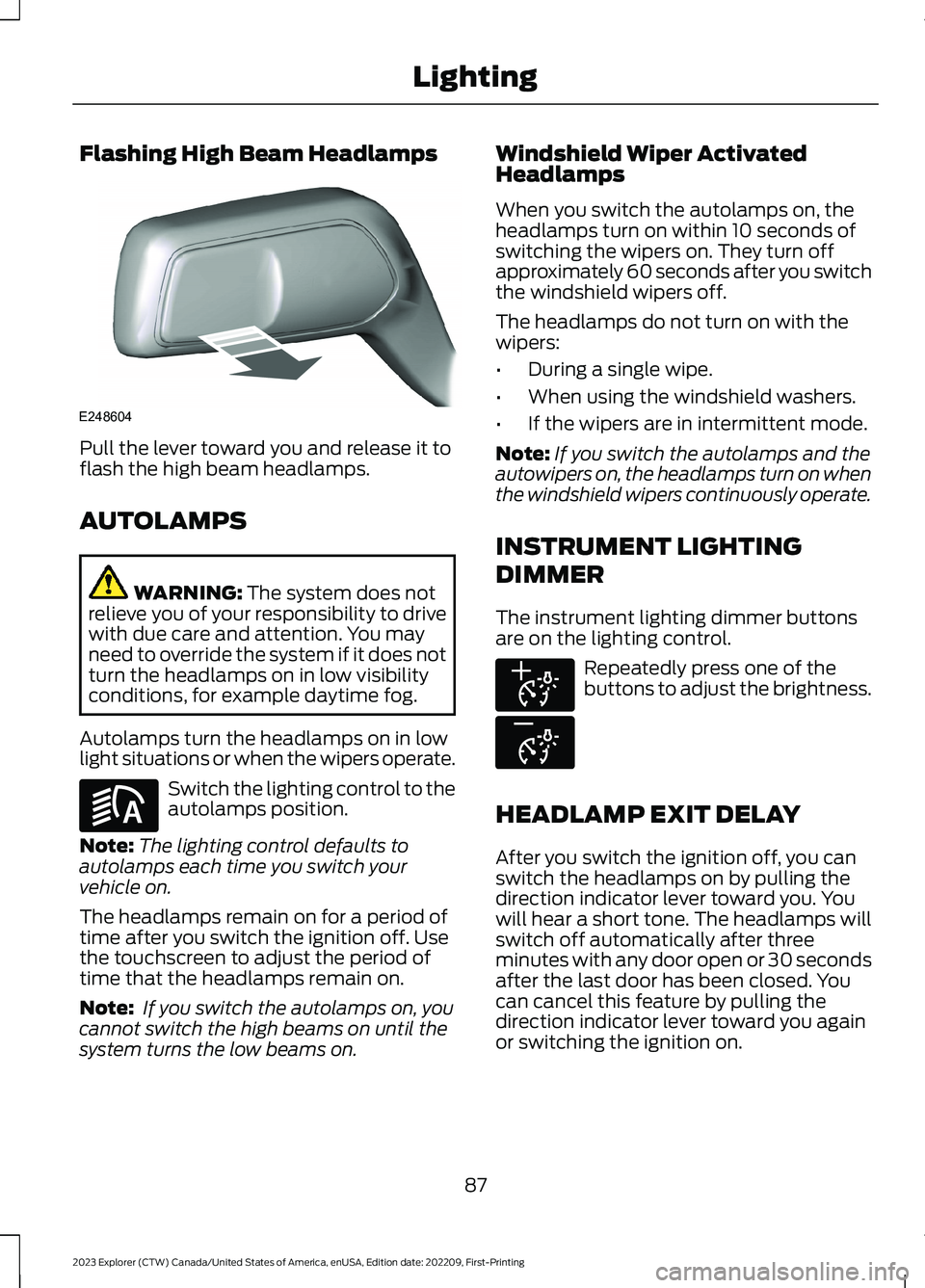
Flashing High Beam Headlamps
Pull the lever toward you and release it toflash the high beam headlamps.
AUTOLAMPS
WARNING: The system does notrelieve you of your responsibility to drivewith due care and attention. You mayneed to override the system if it does notturn the headlamps on in low visibilityconditions, for example daytime fog.
Autolamps turn the headlamps on in lowlight situations or when the wipers operate.
Switch the lighting control to theautolamps position.
Note:The lighting control defaults toautolamps each time you switch yourvehicle on.
The headlamps remain on for a period oftime after you switch the ignition off. Usethe touchscreen to adjust the period oftime that the headlamps remain on.
Note: If you switch the autolamps on, youcannot switch the high beams on until thesystem turns the low beams on.
Windshield Wiper ActivatedHeadlamps
When you switch the autolamps on, theheadlamps turn on within 10 seconds ofswitching the wipers on. They turn offapproximately 60 seconds after you switchthe windshield wipers off.
The headlamps do not turn on with thewipers:
•During a single wipe.
•When using the windshield washers.
•If the wipers are in intermittent mode.
Note:If you switch the autolamps and theautowipers on, the headlamps turn on whenthe windshield wipers continuously operate.
INSTRUMENT LIGHTING
DIMMER
The instrument lighting dimmer buttonsare on the lighting control.
Repeatedly press one of thebuttons to adjust the brightness.
HEADLAMP EXIT DELAY
After you switch the ignition off, you canswitch the headlamps on by pulling thedirection indicator lever toward you. Youwill hear a short tone. The headlamps willswitch off automatically after threeminutes with any door open or 30 secondsafter the last door has been closed. Youcan cancel this feature by pulling thedirection indicator lever toward you againor switching the ignition on.
87
2023 Explorer (CTW) Canada/United States of America, enUSA, Edition date: 202209, First-PrintingLightingE248604 E281240 E291299 E296433