brake fluid FORD F150 2009 12.G Owners Manual
[x] Cancel search | Manufacturer: FORD, Model Year: 2009, Model line: F150, Model: FORD F150 2009 12.GPages: 405, PDF Size: 2.82 MB
Page 10 of 405
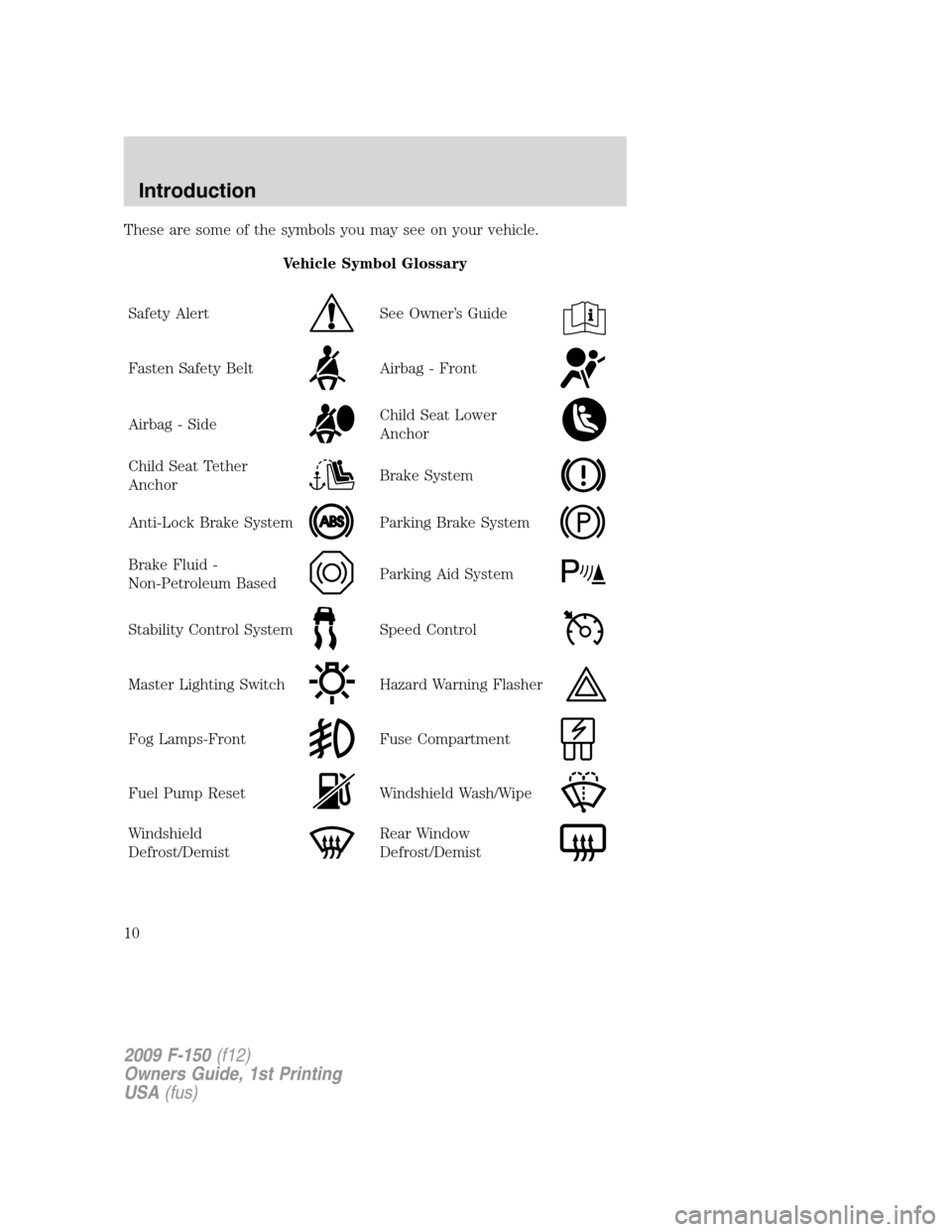
These are some of the symbols you may see on your vehicle.
Vehicle Symbol Glossary
Safety Alert
See Owner’s Guide
Fasten Safety BeltAirbag - Front
Airbag - SideChild Seat Lower
Anchor
Child Seat Tether
AnchorBrake System
Anti-Lock Brake SystemParking Brake System
Brake Fluid -
Non-Petroleum BasedParking Aid System
Stability Control SystemSpeed Control
Master Lighting SwitchHazard Warning Flasher
Fog Lamps-FrontFuse Compartment
Fuel Pump ResetWindshield Wash/Wipe
Windshield
Defrost/DemistRear Window
Defrost/Demist
2009 F-150(f12)
Owners Guide, 1st Printing
USA(fus)
Introduction
10
Page 14 of 405
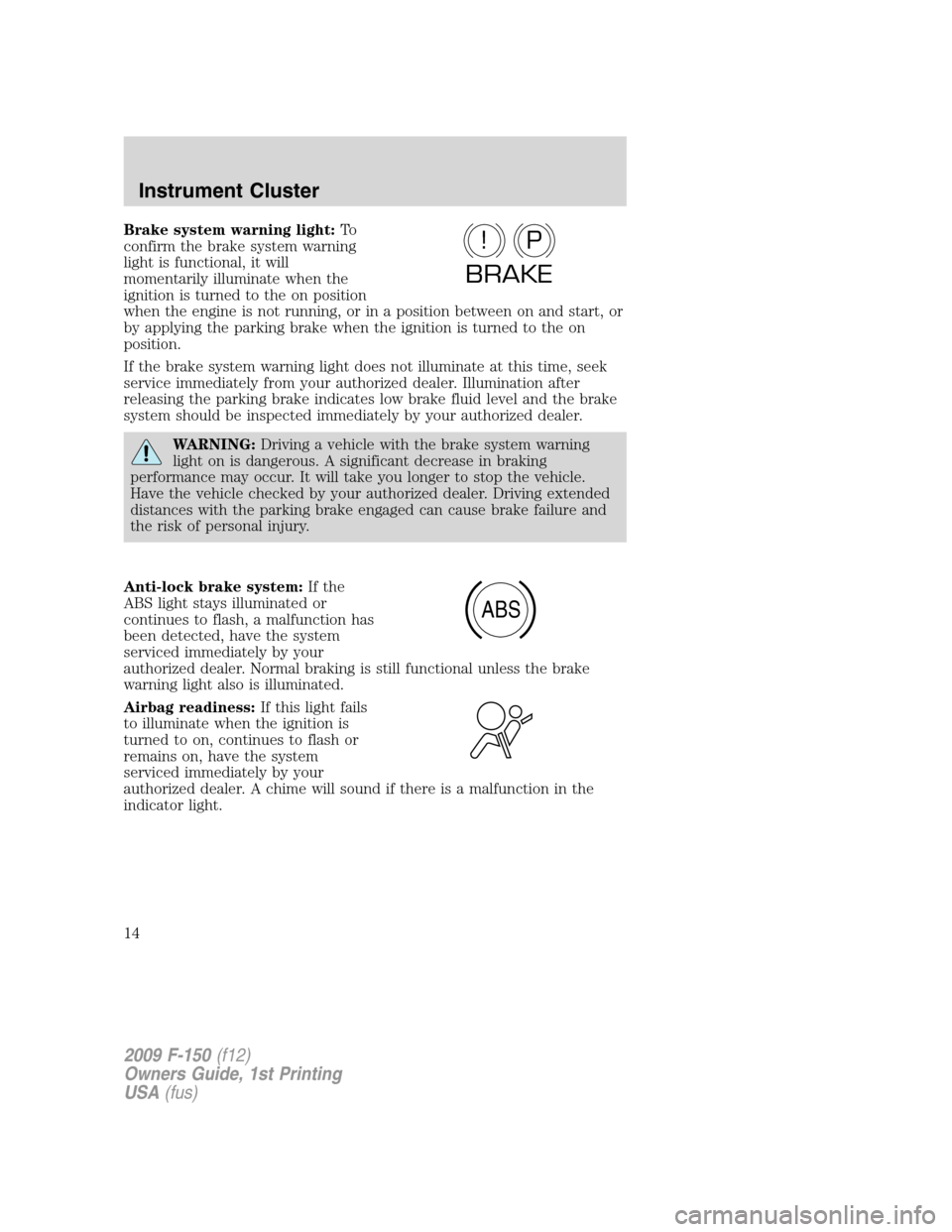
Brake system warning light:To
confirm the brake system warning
light is functional, it will
momentarily illuminate when the
ignition is turned to the on position
when the engine is not running, or in a position between on and start, or
by applying the parking brake when the ignition is turned to the on
position.
If the brake system warning light does not illuminate at this time, seek
service immediately from your authorized dealer. Illumination after
releasing the parking brake indicates low brake fluid level and the brake
system should be inspected immediately by your authorized dealer.
WARNING:Driving a vehicle with the brake system warning
light on is dangerous. A significant decrease in braking
performance may occur. It will take you longer to stop the vehicle.
Have the vehicle checked by your authorized dealer. Driving extended
distances with the parking brake engaged can cause brake failure and
the risk of personal injury.
Anti-lock brake system:If the
ABS light stays illuminated or
continues to flash, a malfunction has
been detected, have the system
serviced immediately by your
authorized dealer. Normal braking is still functional unless the brake
warning light also is illuminated.
Airbag readiness:If this light fails
to illuminate when the ignition is
turned to on, continues to flash or
remains on, have the system
serviced immediately by your
authorized dealer. A chime will sound if there is a malfunction in the
indicator light.
P!
BRAKE
ABS
2009 F-150(f12)
Owners Guide, 1st Printing
USA(fus)
Instrument Cluster
14
Page 95 of 405
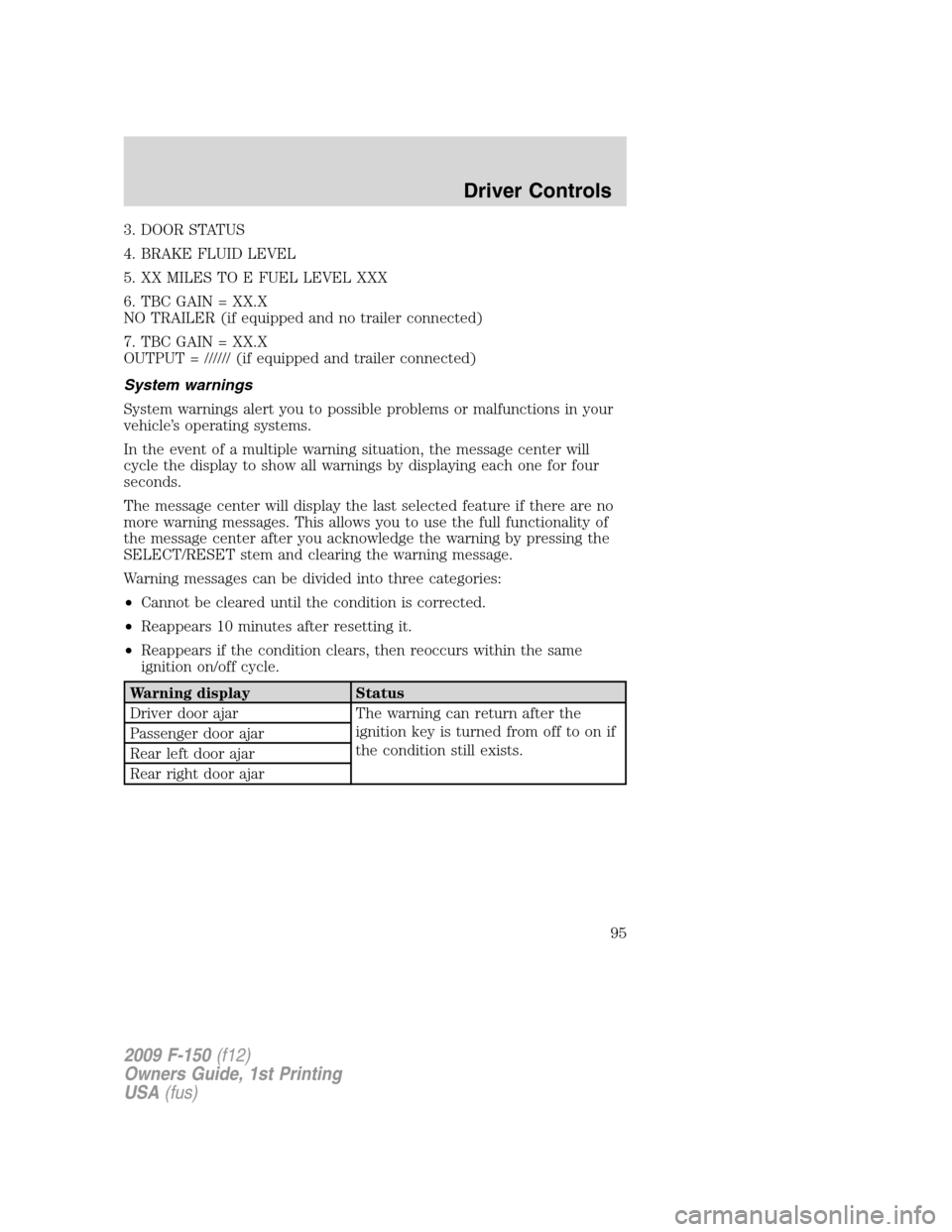
3. DOOR STATUS
4. BRAKE FLUID LEVEL
5. XX MILES TO E FUEL LEVEL XXX
6. TBC GAIN = XX.X
NO TRAILER (if equipped and no trailer connected)
7. TBC GAIN = XX.X
OUTPUT = ////// (if equipped and trailer connected)
System warnings
System warnings alert you to possible problems or malfunctions in your
vehicle’s operating systems.
In the event of a multiple warning situation, the message center will
cycle the display to show all warnings by displaying each one for four
seconds.
The message center will display the last selected feature if there are no
more warning messages. This allows you to use the full functionality of
the message center after you acknowledge the warning by pressing the
SELECT/RESET stem and clearing the warning message.
Warning messages can be divided into three categories:
•Cannot be cleared until the condition is corrected.
•Reappears 10 minutes after resetting it.
•Reappears if the condition clears, then reoccurs within the same
ignition on/off cycle.
Warning display Status
Driver door ajar The warning can return after the
ignition key is turned from off to on if
the condition still exists. Passenger door ajar
Rear left door ajar
Rear right door ajar
2009 F-150(f12)
Owners Guide, 1st Printing
USA(fus)
Driver Controls
95
Page 96 of 405
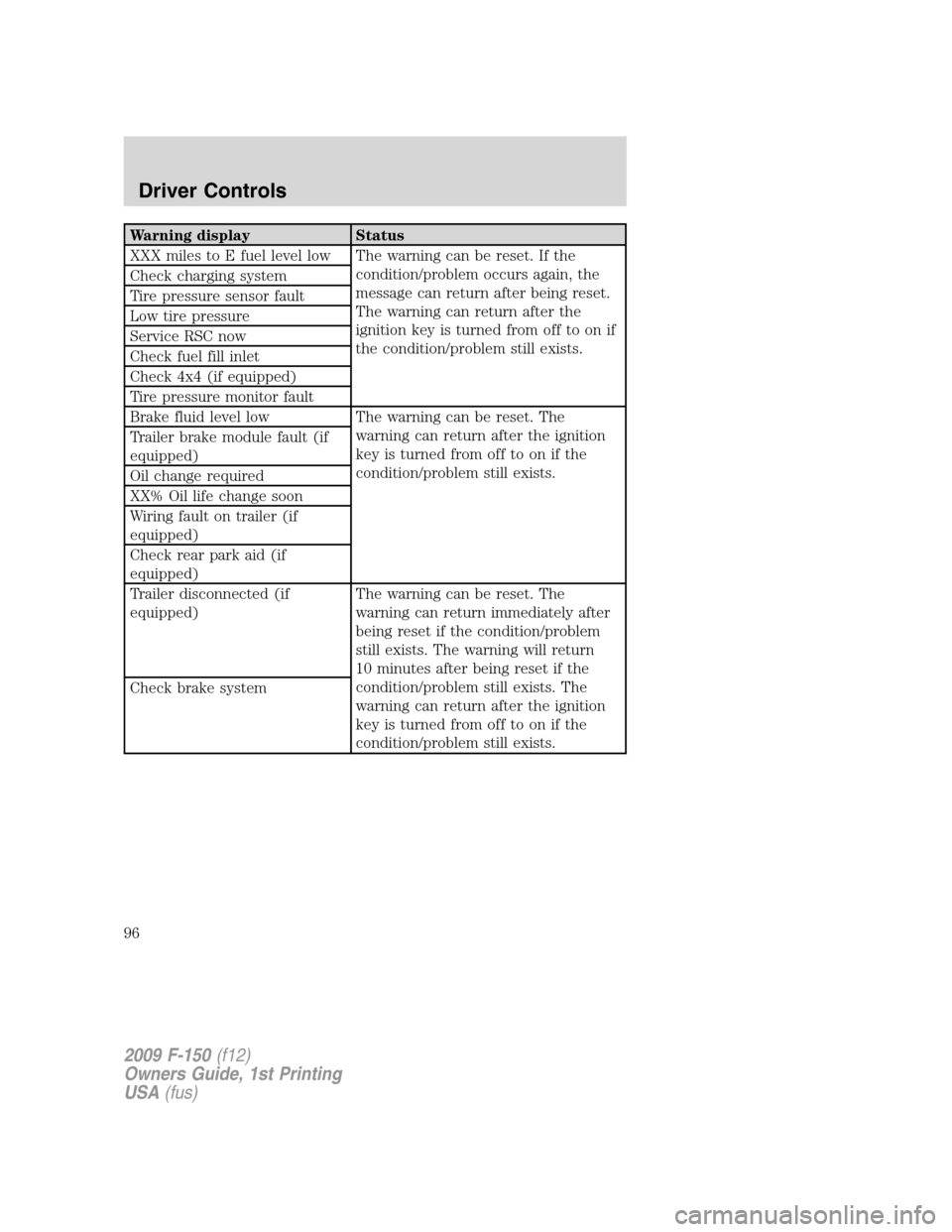
Warning display Status
XXX miles to E fuel level low The warning can be reset. If the
condition/problem occurs again, the
message can return after being reset.
The warning can return after the
ignition key is turned from off to on if
the condition/problem still exists. Check charging system
Tire pressure sensor fault
Low tire pressure
Service RSC now
Check fuel fill inlet
Check 4x4 (if equipped)
Tire pressure monitor fault
Brake fluid level low The warning can be reset. The
warning can return after the ignition
key is turned from off to on if the
condition/problem still exists. Trailer brake module fault (if
equipped)
Oil change required
XX% Oil life change soon
Wiring fault on trailer (if
equipped)
Check rear park aid (if
equipped)
Trailer disconnected (if
equipped)The warning can be reset. The
warning can return immediately after
being reset if the condition/problem
still exists. The warning will return
10 minutes after being reset if the
condition/problem still exists. The
warning can return after the ignition
key is turned from off to on if the
condition/problem still exists. Check brake system
2009 F-150(f12)
Owners Guide, 1st Printing
USA(fus)
Driver Controls
96
Page 98 of 405
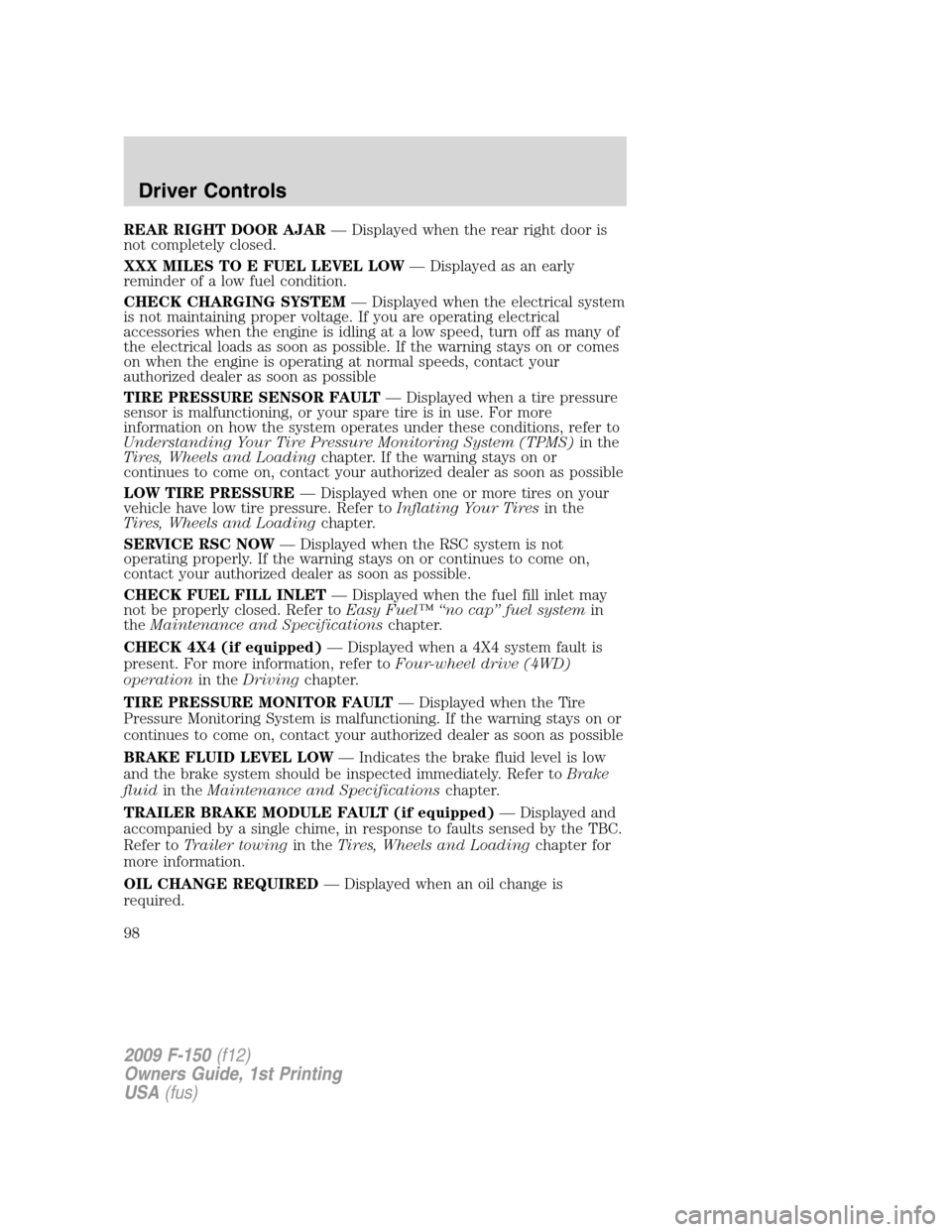
REAR RIGHT DOOR AJAR— Displayed when the rear right door is
not completely closed.
XXX MILES TO E FUEL LEVEL LOW— Displayed as an early
reminder of a low fuel condition.
CHECK CHARGING SYSTEM— Displayed when the electrical system
is not maintaining proper voltage. If you are operating electrical
accessories when the engine is idling at a low speed, turn off as many of
the electrical loads as soon as possible. If the warning stays on or comes
on when the engine is operating at normal speeds, contact your
authorized dealer as soon as possible
TIRE PRESSURE SENSOR FAULT— Displayed when a tire pressure
sensor is malfunctioning, or your spare tire is in use. For more
information on how the system operates under these conditions, refer to
Understanding Your Tire Pressure Monitoring System (TPMS)in the
Tires, Wheels and Loadingchapter. If the warning stays on or
continues to come on, contact your authorized dealer as soon as possible
LOW TIRE PRESSURE— Displayed when one or more tires on your
vehicle have low tire pressure. Refer toInflating Your Tiresin the
Tires, Wheels and Loadingchapter.
SERVICE RSC NOW— Displayed when the RSC system is not
operating properly. If the warning stays on or continues to come on,
contact your authorized dealer as soon as possible.
CHECK FUEL FILL INLET— Displayed when the fuel fill inlet may
not be properly closed. Refer toEasy Fuel™ “no cap” fuel systemin
theMaintenance and Specificationschapter.
CHECK 4X4 (if equipped)— Displayed when a 4X4 system fault is
present. For more information, refer toFour-wheel drive (4WD)
operationin theDrivingchapter.
TIRE PRESSURE MONITOR FAULT— Displayed when the Tire
Pressure Monitoring System is malfunctioning. If the warning stays on or
continues to come on, contact your authorized dealer as soon as possible
BRAKE FLUID LEVEL LOW— Indicates the brake fluid level is low
and the brake system should be inspected immediately. Refer toBrake
fluidin theMaintenance and Specificationschapter.
TRAILER BRAKE MODULE FAULT (if equipped)— Displayed and
accompanied by a single chime, in response to faults sensed by the TBC.
Refer toTrailer towingin theTires, Wheels and Loadingchapter for
more information.
OIL CHANGE REQUIRED— Displayed when an oil change is
required.
2009 F-150(f12)
Owners Guide, 1st Printing
USA(fus)
Driver Controls
98
Page 103 of 405
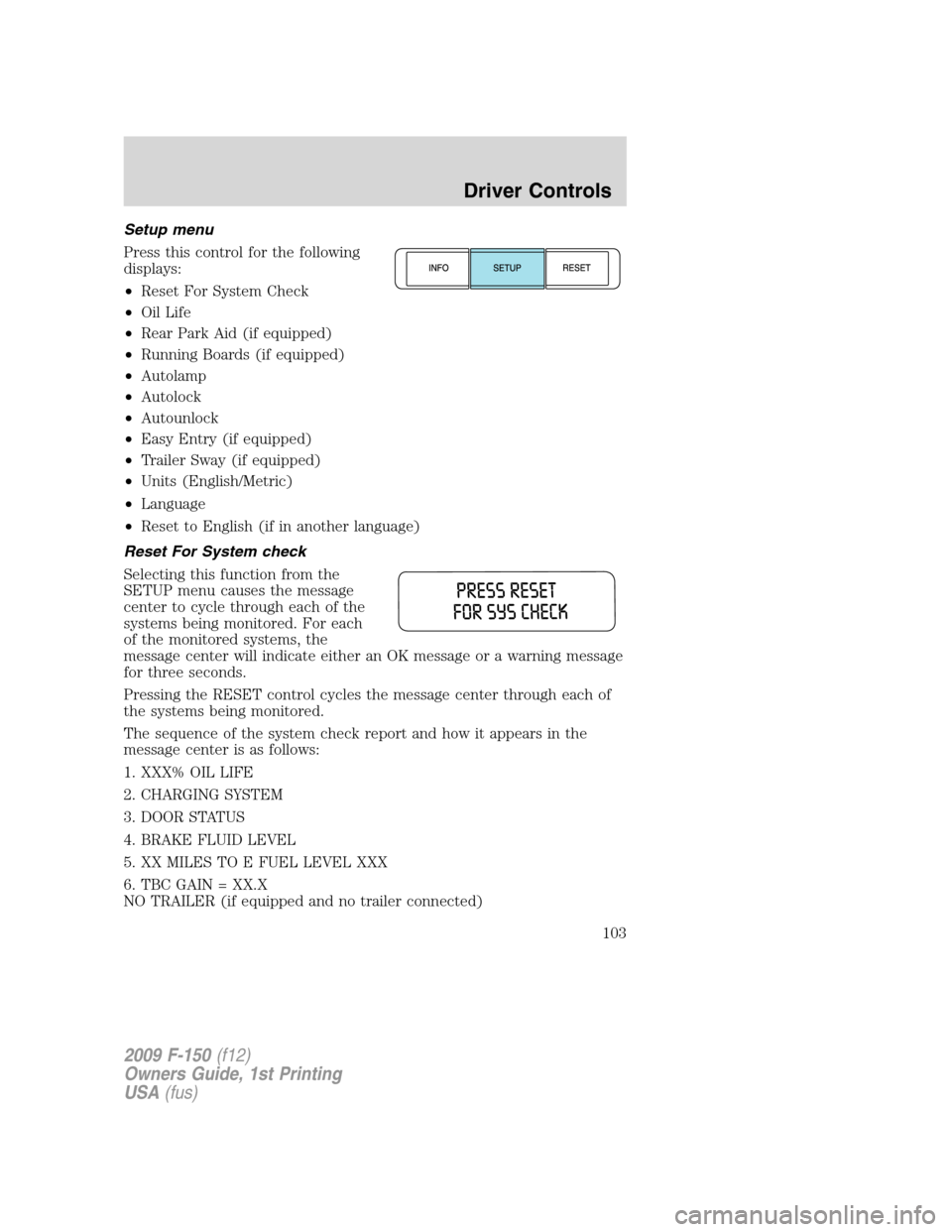
Setup menu
Press this control for the following
displays:
•Reset For System Check
•Oil Life
•Rear Park Aid (if equipped)
•Running Boards (if equipped)
•Autolamp
•Autolock
•Autounlock
•Easy Entry (if equipped)
•Trailer Sway (if equipped)
•Units (English/Metric)
•Language
•Reset to English (if in another language)
Reset For System check
Selecting this function from the
SETUP menu causes the message
center to cycle through each of the
systems being monitored. For each
of the monitored systems, the
message center will indicate either an OK message or a warning message
for three seconds.
Pressing the RESET control cycles the message center through each of
the systems being monitored.
The sequence of the system check report and how it appears in the
message center is as follows:
1. XXX% OIL LIFE
2. CHARGING SYSTEM
3. DOOR STATUS
4. BRAKE FLUID LEVEL
5. XX MILES TO E FUEL LEVEL XXX
6. TBC GAIN = XX.X
NO TRAILER (if equipped and no trailer connected)
2009 F-150(f12)
Owners Guide, 1st Printing
USA(fus)
Driver Controls
103
Page 108 of 405
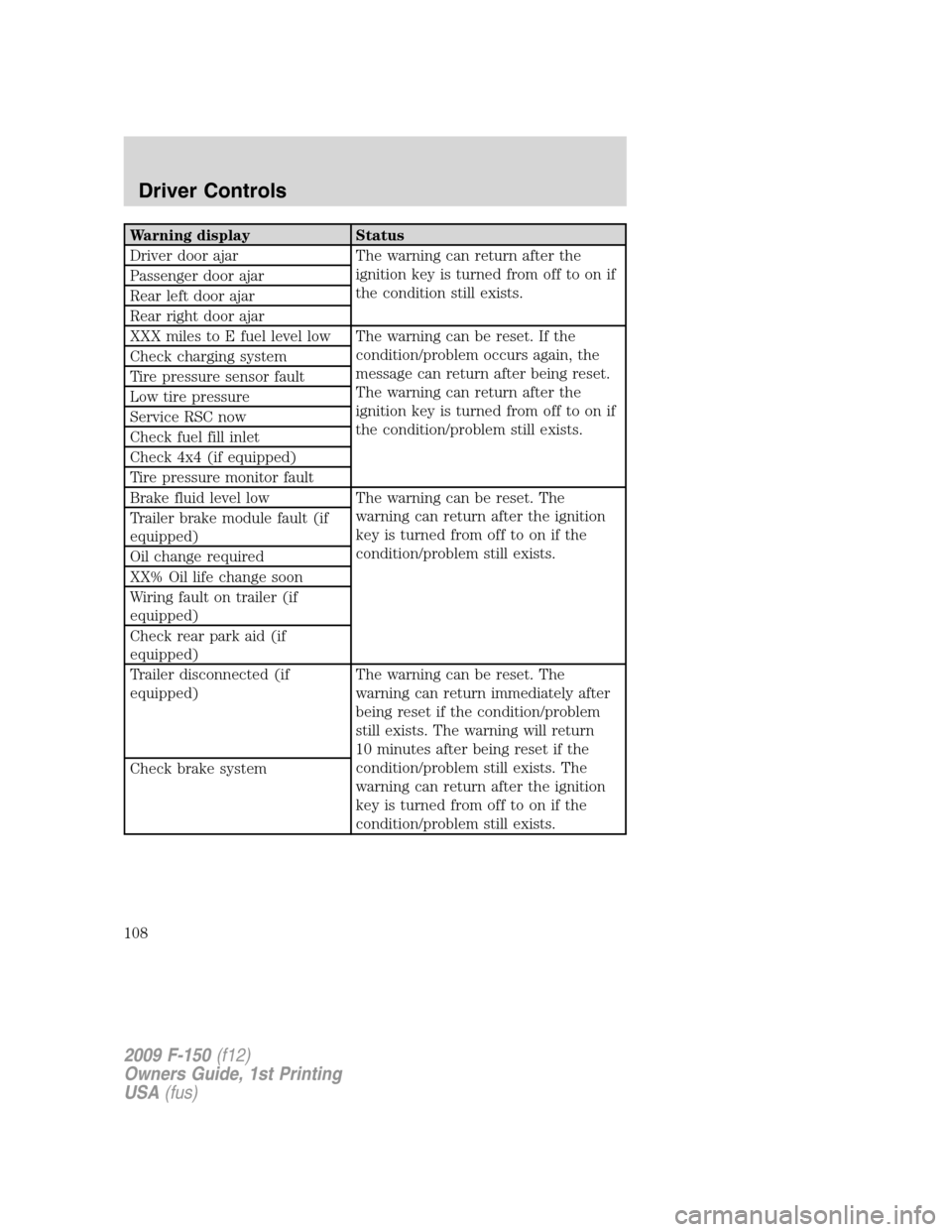
Warning display Status
Driver door ajar The warning can return after the
ignition key is turned from off to on if
the condition still exists. Passenger door ajar
Rear left door ajar
Rear right door ajar
XXX miles to E fuel level low The warning can be reset. If the
condition/problem occurs again, the
message can return after being reset.
The warning can return after the
ignition key is turned from off to on if
the condition/problem still exists. Check charging system
Tire pressure sensor fault
Low tire pressure
Service RSC now
Check fuel fill inlet
Check 4x4 (if equipped)
Tire pressure monitor fault
Brake fluid level low The warning can be reset. The
warning can return after the ignition
key is turned from off to on if the
condition/problem still exists. Trailer brake module fault (if
equipped)
Oil change required
XX% Oil life change soon
Wiring fault on trailer (if
equipped)
Check rear park aid (if
equipped)
Trailer disconnected (if
equipped)The warning can be reset. The
warning can return immediately after
being reset if the condition/problem
still exists. The warning will return
10 minutes after being reset if the
condition/problem still exists. The
warning can return after the ignition
key is turned from off to on if the
condition/problem still exists. Check brake system
2009 F-150(f12)
Owners Guide, 1st Printing
USA(fus)
Driver Controls
108
Page 110 of 405
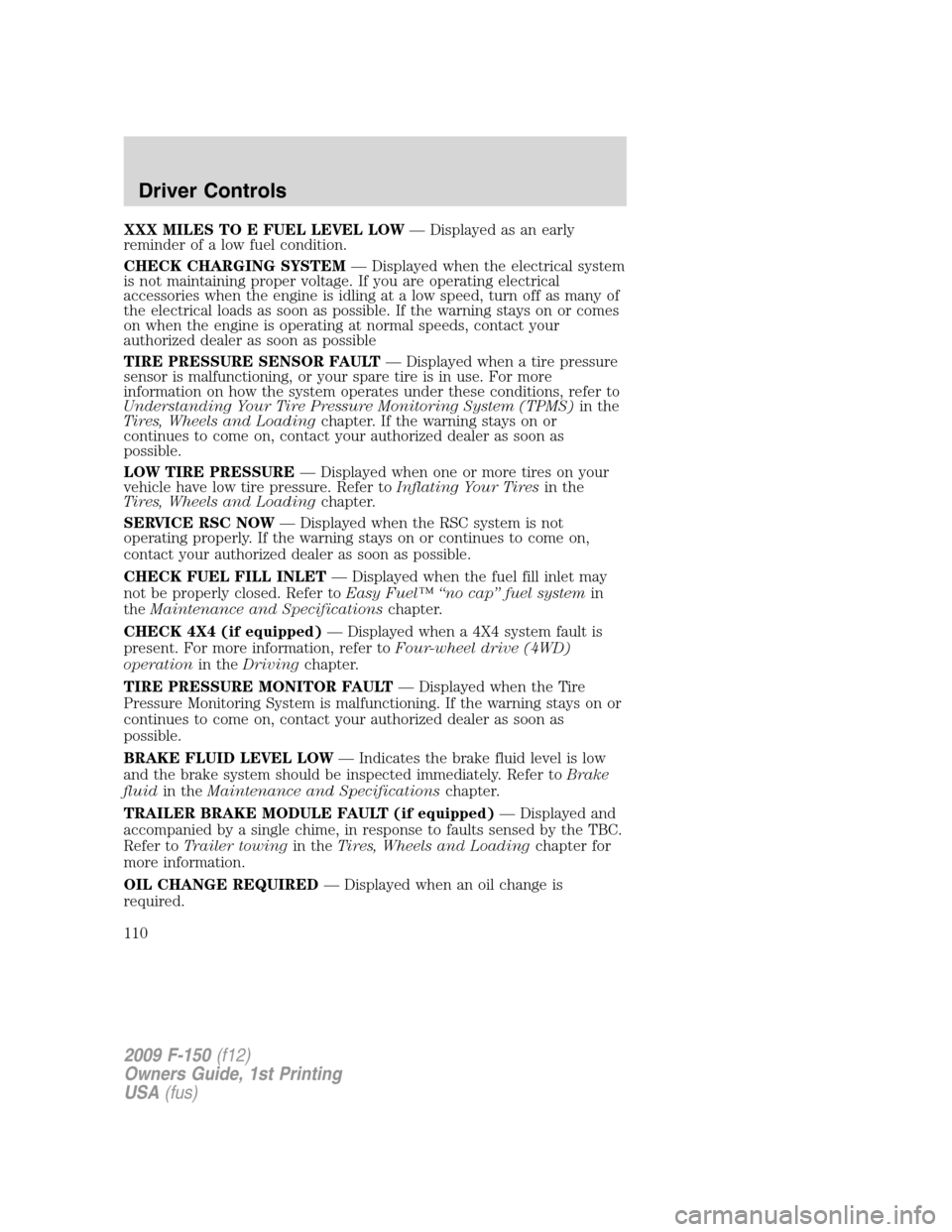
XXX MILES TO E FUEL LEVEL LOW— Displayed as an early
reminder of a low fuel condition.
CHECK CHARGING SYSTEM— Displayed when the electrical system
is not maintaining proper voltage. If you are operating electrical
accessories when the engine is idling at a low speed, turn off as many of
the electrical loads as soon as possible. If the warning stays on or comes
on when the engine is operating at normal speeds, contact your
authorized dealer as soon as possible
TIRE PRESSURE SENSOR FAULT— Displayed when a tire pressure
sensor is malfunctioning, or your spare tire is in use. For more
information on how the system operates under these conditions, refer to
Understanding Your Tire Pressure Monitoring System (TPMS)in the
Tires, Wheels and Loadingchapter. If the warning stays on or
continues to come on, contact your authorized dealer as soon as
possible.
LOW TIRE PRESSURE— Displayed when one or more tires on your
vehicle have low tire pressure. Refer toInflating Your Tiresin the
Tires, Wheels and Loadingchapter.
SERVICE RSC NOW— Displayed when the RSC system is not
operating properly. If the warning stays on or continues to come on,
contact your authorized dealer as soon as possible.
CHECK FUEL FILL INLET— Displayed when the fuel fill inlet may
not be properly closed. Refer toEasy Fuel™ “no cap” fuel systemin
theMaintenance and Specificationschapter.
CHECK 4X4 (if equipped)— Displayed when a 4X4 system fault is
present. For more information, refer toFour-wheel drive (4WD)
operationin theDrivingchapter.
TIRE PRESSURE MONITOR FAULT— Displayed when the Tire
Pressure Monitoring System is malfunctioning. If the warning stays on or
continues to come on, contact your authorized dealer as soon as
possible.
BRAKE FLUID LEVEL LOW— Indicates the brake fluid level is low
and the brake system should be inspected immediately. Refer toBrake
fluidin theMaintenance and Specificationschapter.
TRAILER BRAKE MODULE FAULT (if equipped)— Displayed and
accompanied by a single chime, in response to faults sensed by the TBC.
Refer toTrailer towingin theTires, Wheels and Loadingchapter for
more information.
OIL CHANGE REQUIRED— Displayed when an oil change is
required.
2009 F-150(f12)
Owners Guide, 1st Printing
USA(fus)
Driver Controls
110
Page 302 of 405
Avoid excessive speed because vehicle momentum can work against you
and cause the vehicle to become stuck to the point that assistance may
be required from another vehicle. Remember, you may be able to back
out the way you came if you proceed with caution.
Mud and water
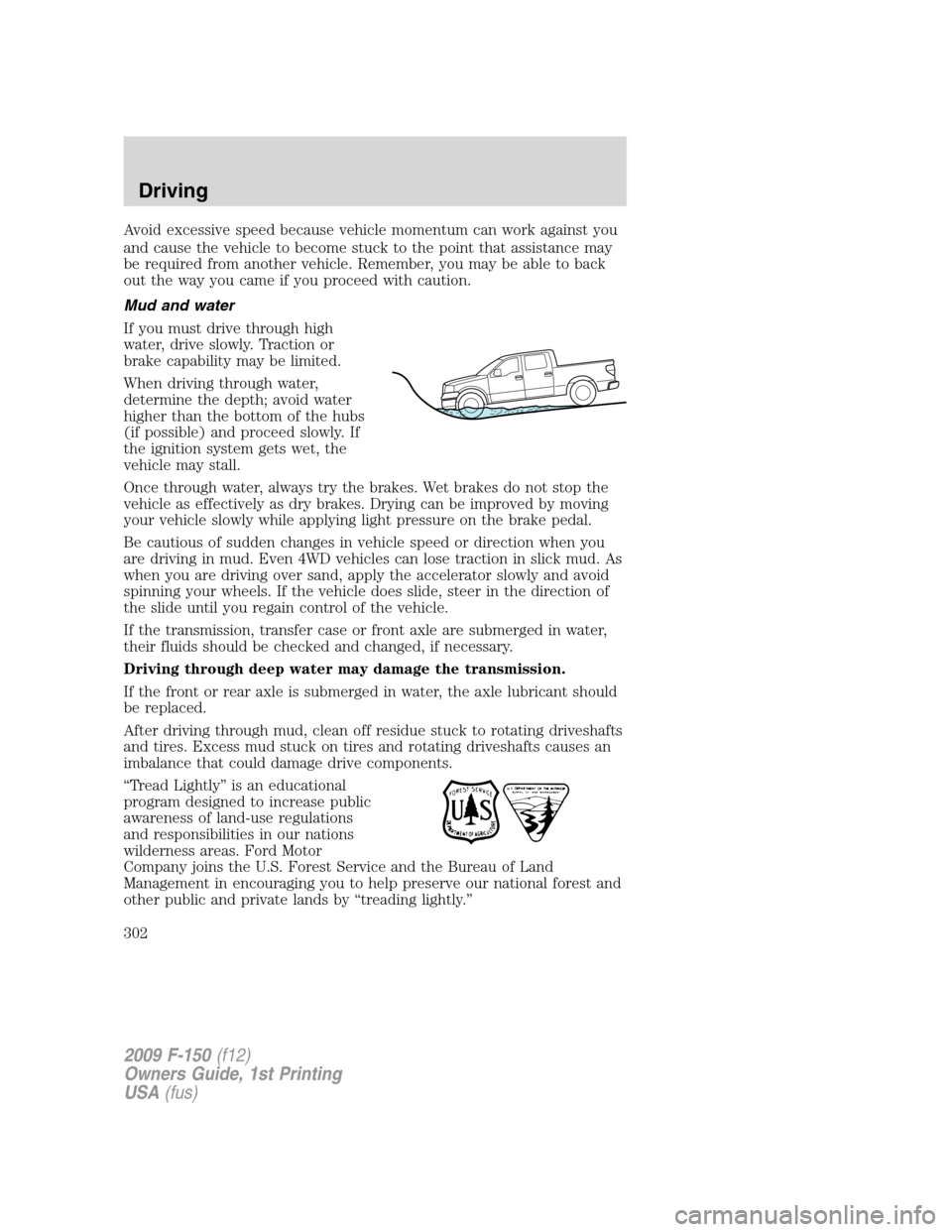
If you must drive through high
water, drive slowly. Traction or
brake capability may be limited.
When driving through water,
determine the depth; avoid water
higher than the bottom of the hubs
(if possible) and proceed slowly. If
the ignition system gets wet, the
vehicle may stall.
Once through water, always try the brakes. Wet brakes do not stop the
vehicle as effectively as dry brakes. Drying can be improved by moving
your vehicle slowly while applying light pressure on the brake pedal.
Be cautious of sudden changes in vehicle speed or direction when you
are driving in mud. Even 4WD vehicles can lose traction in slick mud. As
when you are driving over sand, apply the accelerator slowly and avoid
spinning your wheels. If the vehicle does slide, steer in the direction of
the slide until you regain control of the vehicle.
If the transmission, transfer case or front axle are submerged in water,
their fluids should be checked and changed, if necessary.
Driving through deep water may damage the transmission.
If the front or rear axle is submerged in water, the axle lubricant should
be replaced.
After driving through mud, clean off residue stuck to rotating driveshafts
and tires. Excess mud stuck on tires and rotating driveshafts causes an
imbalance that could damage drive components.
“Tread Lightly” is an educational
program designed to increase public
awareness of land-use regulations
and responsibilities in our nations
wilderness areas. Ford Motor
Company joins the U.S. Forest Service and the Bureau of Land
Management in encouraging you to help preserve our national forest and
other public and private lands by “treading lightly.”
2009 F-150(f12)
Owners Guide, 1st Printing
USA(fus)
Driving
302
Page 352 of 405
SERVICE RECOMMENDATIONS
To help you service your vehicle, we providescheduled maintenance
informationwhich makes tracking routine service easy.
If your vehicle requires professional service, your authorized dealer can
provide the necessary parts and service. Check yourWarranty
Guide/Customer Information Guideto find out which parts and
services are covered.
Use only recommended fuels, lubricants, fluids and service parts
conforming to specifications. Motorcraft parts are designed and built to
provide the best performance in your vehicle.
PRECAUTIONS WHEN SERVICING YOUR VEHICLE
•Do not work on a hot engine.
•Make sure that nothing gets caught in moving parts.
•Do not work on a vehicle with the engine running in an enclosed
space, unless you are sure you have enough ventilation.
•Keep all open flames and other lit material away from the battery and
all fuel related parts.
WARNING:Turn off the power running boards, if equipped,
before working under the vehicle, jacking or placing any object
under the vehicle. Never place your hand between the extended
running board and the vehicle. A moving running board may cause
injury.
Working with the engine off
1. Set the parking brake and ensure the gearshift is securely latched in P
(Park).
2. Turn off the engine and remove the key.
3. Block the wheels to prevent the vehicle from moving unexpectedly.
Working with the engine on
1. Set the parking brake and shift to P (Park).
2. Block the wheels.
WARNING:To reduce the risk of vehicle damage and/or
personal burn injuries, do not start your engine with the air
cleaner removed and do not remove it while the engine is running.
2009 F-150(f12)
Owners Guide, 1st Printing
USA(fus)
Maintenance and Specifications
352