climate settings FORD F150 2015 13.G User Guide
[x] Cancel search | Manufacturer: FORD, Model Year: 2015, Model line: F150, Model: FORD F150 2015 13.GPages: 549, PDF Size: 5.97 MB
Page 442 of 549
This system uses a four-corner strategy to
provide quick access to several vehicle
features and settings. The touchscreen
provides easy interaction with your cellular
phone, multimedia, climate control and
navigation system. The corners display any
active modes within those menus, such as
phone status or the climate temperature.
Note:
Some features are not available while
your vehicle is moving.
Note: Your system is equipped with a
feature that allows you to access and
control audio features for 30 minutes after
you switch the ignition off (and no doors
open).
PHONE
Press to select any of the following:
• Phone
• Quick Dial
• Phonebook
• History
• Messaging
• Settings
NAVIGATION
Press to select any of the following:
• My Home
• Favorites
• Previous Destinations
• Point of Interest
• Emergency
• Street Address
• Intersection
• City Center
• Map
• Edit Route
• Cancel Route
CLIMATE Press to select any of the following:
•
Driver Settings
• Recirculated Air
• Auto
• Dual
• Passenger Settings
• A/C
• Defrost SETTINGS
Press to select any of the following:
• Clock
• Display
• Sound
• Vehicle
• Settings
• Help HOME
Press to access your home
screen. Depending on your
vehicle ’s option package and software,
your screens may vary in appearance from
the descriptions in this section. Your
features may also be limited depending on
your market. Check with an authorized
dealer for availability. INFORMATION
Press to select any of the following:
• Services
• Travel Link
• Alerts
• Calendar
• Apps
ENTERTAINMENT
439
F-150 (), enUSA, First Printing MyFord Touch
™ (If Equipped)E142607 E142613 E142608
Page 443 of 549
Press to select any of the following:
•
AM
• FM
• SIRIUS
• CD
• USB
• BT Stereo
• SD Card
• Line In
Cleaning the Touchscreen Display
Use a clean, soft cloth such as one used
for cleaning glasses. If dirt or fingerprints
are still visible, apply a small amount of
alcohol to the cloth. Do not pour or spray
alcohol onto the display. Do not use
detergent or any type of solvent to clean
the display.
Using Your Bezel Controls
Depending on your vehicle and option
package, you may also have these controls
on your bezel:
• Power: Switch the media or climate
features off and on.
• VOL:
Control the volume of playing
media.
• Seek
and Tune: Use as you normally
would in media modes.
• Presets:
Press and hold a numbered
button to store a radio or Sirius station;
press to recall the stored station."
• MEDIA:
Touch repeatedly to see all
available media modes. The screen
does not change, but you see the
media change in the lower left status
bar.
• Eject:
Eject a CD from the
entertainment system.
• Climate Control:
Control the
temperature, fan speed or settings of
the climate control system. Using Your Steering Wheel
Controls
Depending on your vehicle and option
package, you can use your steering wheel
controls to interact with the touchscreen
system. See
Steering Wheel (page 77).
Support
The SYNC support team is available to
help you with any questions you are not
able to answer on your own.
Monday-Saturday, 8:30am-9:00pm EST.
Sunday, 10:30am-7:30pm EST.
In the United States, call: 1-800-392-3673.
In Canada, call: 1-800-565-3673.
Times are subject to change due to
holidays.
Safety Information WARNING
Driving while distracted can result in
loss of vehicle control, crash and
injury. We strongly recommend that
you use extreme caution when using any
device that may take your focus off the
road. Your primary responsibility is the safe
operation of your vehicle. We recommend
against the use of any hand-held device
while driving and encourage the use of
voice-operated systems when possible.
Make sure you are aware of all applicable
local laws that may affect the use of
electronic devices while driving. •
Do not attempt to service or repair the
system. See an authorized dealer.
• Do not operate playing devices if the
power cords or cables are broken, split
or damaged. Place cords and cables
out of the way, so they do not interfere
with the operation of pedals, seats,
compartments or safe driving abilities.
440
F-150 (), enUSA, First Printing MyFord Touch
™
(If Equipped)
Page 446 of 549
These commands can be said at any time
during a voice session
"Cancel""Exit"
"Go back"
"List of commands" "Main menu""Next page"
"Previous page"
"What can I say?" "Help"
What Can I Say?
To access the available voice commands
for the current session, do one of the
following:
• During a voice session, press the Help
icon (?) in the lower left status bar of
the screen.
• Say, "What can I say?" for an
on-screen listing of the possible voice
commands associated with your
current voice session.
• Press the voice icon. After the tone, say,
"Help" to hear a list of possible voice
commands.
Helpful Hints
• Make sure the interior of your vehicle is
as quiet as possible. Wind noise from
open windows and road vibrations may
prevent the system from correctly
recognizing spoken commands.
• After pressing the voice icon, wait until
after the tone sounds and Listening
appears before saying a command. Any
command spoken prior to this does not
register with the system. •
Speak naturally, without long pauses
between words.
• At any time, you can interrupt the
system while it is speaking by pressing
the voice icon.
Accessing a List of Available Commands
• If you use the touchscreen, press the
Settings icon >
Help > Voice
Command List.
• If you use the steering wheel control,
press the voice icon. After the tone,
speak your command clearly. Available voice commands
"Audio list of commands"
"Bluetooth audio list of commands" "Browse list of commands""CD list of commands"
"Climate control list of commands" "List of commands"
"Navigation list of commands" *
"Phone list of commands" "Radio list of commands"
"SD card list of commands"
"Sirius satellite list of commands" **
"Travel link list of commands" *
"USB list of commands"
"Voice instructions list of commands"
443
F-150 (), enUSA, First Printing MyFord Touch
™
(If Equipped)
Page 451 of 549
System Press the Settings icon >
Settings > System, then select
from the following: System
Select to have the touchscreen display in English, Spanish
or French.
Language
Select to display units in kilometers or miles.
Distance
Select to display units in Celsius or Fahrenheit.
Temperature
Adjust the volume of voice prompts from the system.
System Prompt Volume
Select to have the system beep to confirm choices made
through the touchscreen.
Touch Screen Button Beep
Select to have the system beep to confirm button choices
made through the climate or audio system.
Touch Panel Button Beep
Have the touchscreen keyboard display in QWERTY or
ABC format.
Keyboard Layout
Install any downloaded applications or view the current
software licenses.
Install Applications
Select to restore factory defaults. This erases all personal
settings and personal data.
Master Reset
Voice Control Press the Settings icon >
Settings
> Voice Control, then
select from the following: Voice control
Standard interaction mode provides more detailed inter-
action and guidance. Advanced mode has less audible
interaction and more tone prompts.
Interaction Mode
Have the system ask you short questions if it has not
clearly heard or understood your request. *
Confirmation Prompts
Candidate lists are possible results from your voice
commands. The system simply makes a best guess at
your request with these turned off.
Media Candidate Lists
448
F-150 (), enUSA, First Printing MyFord Touch
™
(If Equipped)E142607 E142607
Page 490 of 549
To run a report by voice
command, press the voice
button on the steering wheel
and, when prompted, say "Vehicle health
report".
Vehicle Health Report Privacy Notice
When you create a Vehicle Health Report,
Ford Motor Company may collect your
cellular phone number (to process your
report request) and diagnostic information
about your vehicle. Certain versions or
updates to Vehicle Health Report may also
collect more vehicle information. Ford may
use your vehicle information it collects for
any purpose. If you do not want to disclose
your cellular phone number or vehicle information, do not run the feature or set
up your Vehicle Health Report profile at
www.SYNCMyRide.com. See
www.SYNCMyRide.com (Vehicle Health
Report Terms and Conditions, and Privacy
Statement) for more information.
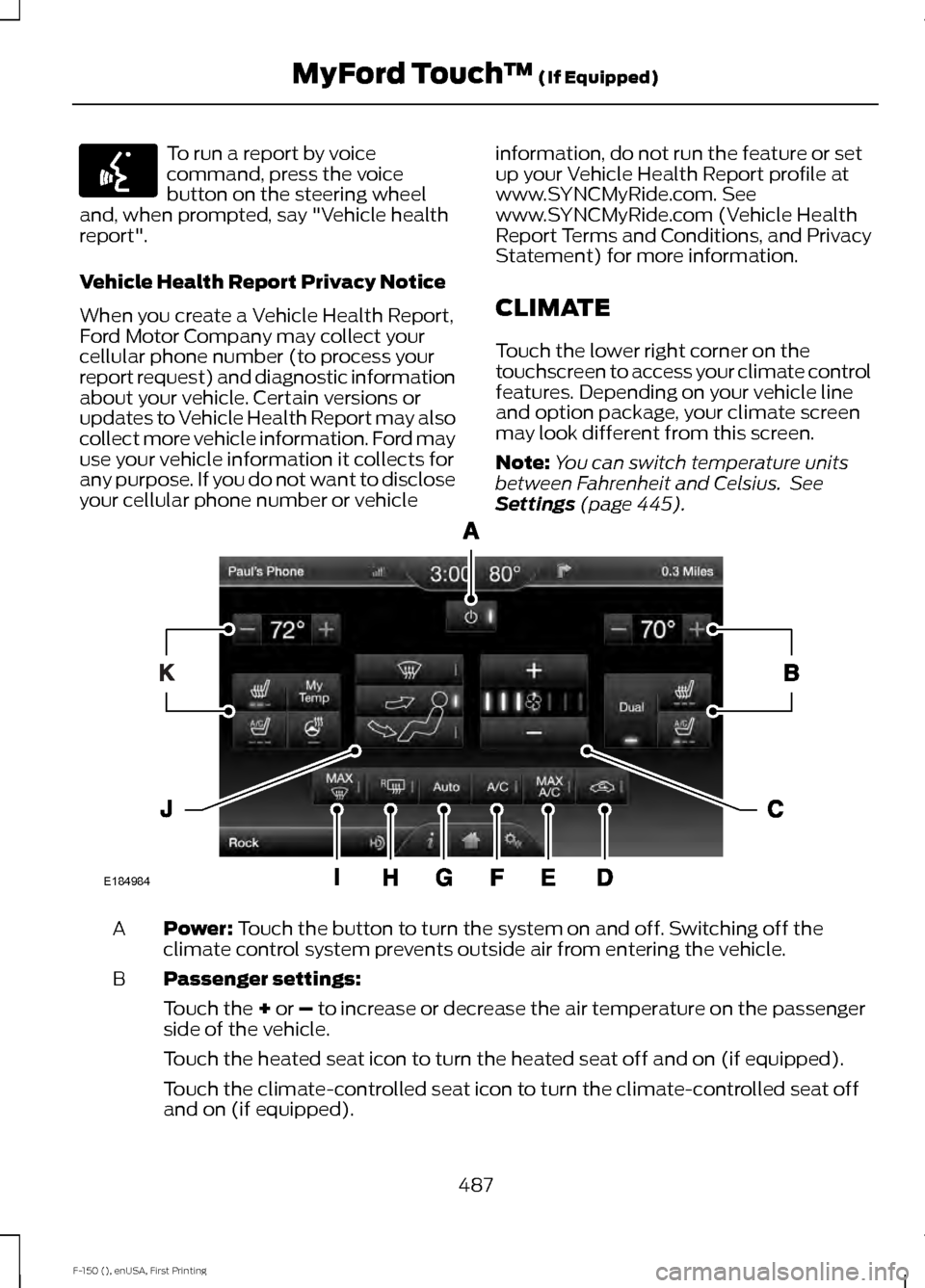
CLIMATE
Touch the lower right corner on the
touchscreen to access your climate control
features. Depending on your vehicle line
and option package, your climate screen
may look different from this screen.
Note:
You can switch temperature units
between Fahrenheit and Celsius. See
Settings (page 445). Power:
Touch the button to turn the system on and off. Switching off the
climate control system prevents outside air from entering the vehicle.
A
Passenger settings:
B
Touch the
+ or – to increase or decrease the air temperature on the passenger
side of the vehicle.
Touch the heated seat icon to turn the heated seat off and on (if equipped).
Touch the climate-controlled seat icon to turn the climate-controlled seat off
and on (if equipped).
487
F-150 (), enUSA, First Printing MyFord Touch
™
(If Equipped)E142599 E184984
Page 492 of 549
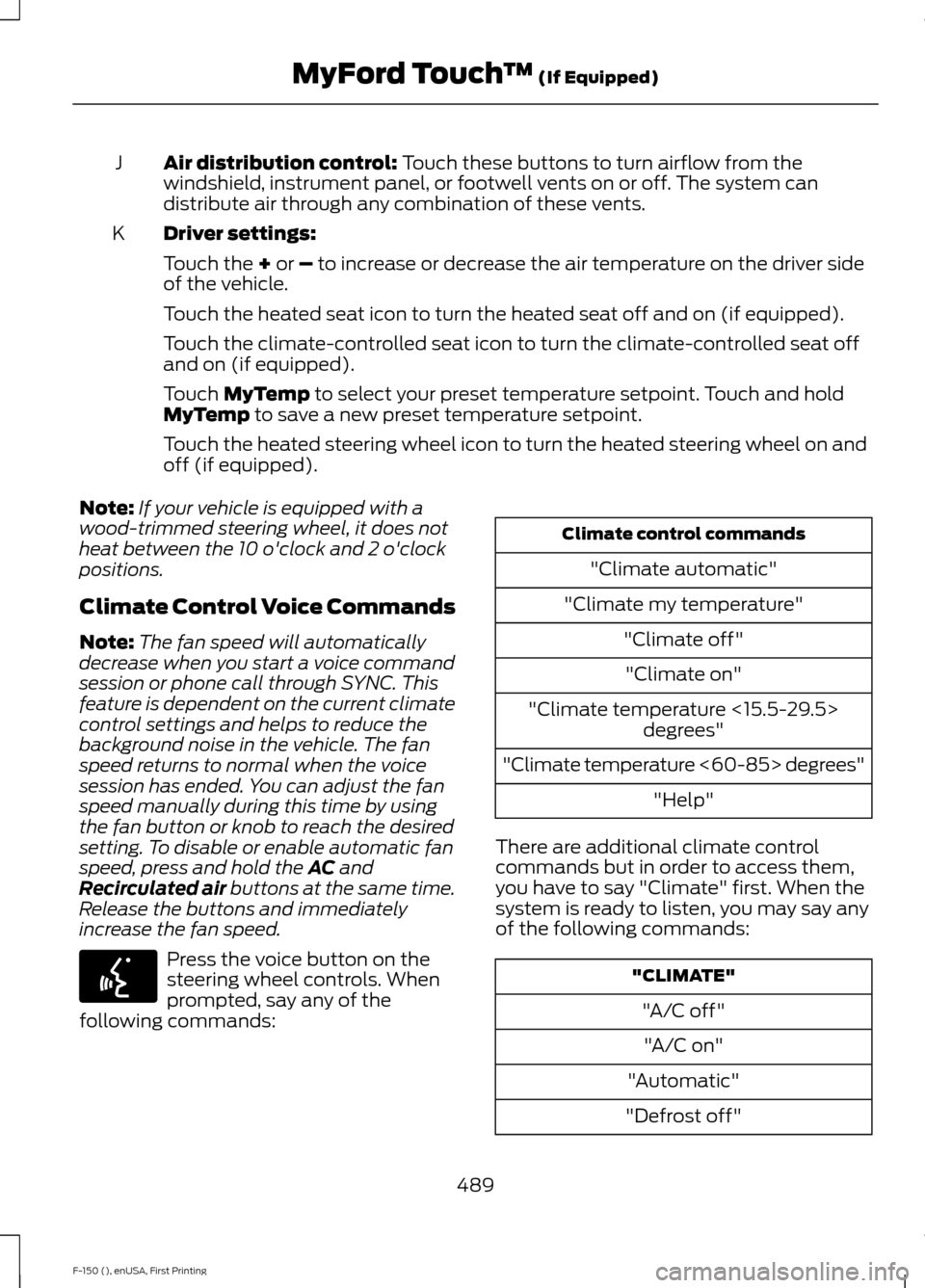
Air distribution control: Touch these buttons to turn airflow from the
windshield, instrument panel, or footwell vents on or off. The system can
distribute air through any combination of these vents.
J
Driver settings:
K
Touch the
+ or – to increase or decrease the air temperature on the driver side
of the vehicle.
Touch the heated seat icon to turn the heated seat off and on (if equipped).
Touch the climate-controlled seat icon to turn the climate-controlled seat off
and on (if equipped).
Touch
MyTemp to select your preset temperature setpoint. Touch and hold
MyTemp to save a new preset temperature setpoint.
Touch the heated steering wheel icon to turn the heated steering wheel on and
off (if equipped).
Note: If your vehicle is equipped with a
wood-trimmed steering wheel, it does not
heat between the 10 o'clock and 2 o'clock
positions.
Climate Control Voice Commands
Note: The fan speed will automatically
decrease when you start a voice command
session or phone call through SYNC. This
feature is dependent on the current climate
control settings and helps to reduce the
background noise in the vehicle. The fan
speed returns to normal when the voice
session has ended. You can adjust the fan
speed manually during this time by using
the fan button or knob to reach the desired
setting. To disable or enable automatic fan
speed, press and hold the
AC and
Recirculated air buttons at the same time.
Release the buttons and immediately
increase the fan speed. Press the voice button on the
steering wheel controls. When
prompted, say any of the
following commands: Climate control commands
"Climate automatic"
"Climate my temperature" "Climate off""Climate on"
"Climate temperature <15.5-29.5> degrees"
"Climate temperature <60-85> degrees" "Help"
There are additional climate control
commands but in order to access them,
you have to say "Climate" first. When the
system is ready to listen, you may say any
of the following commands: "CLIMATE"
"A/C off""A/C on"
"Automatic"
"Defrost off"
489
F-150 (), enUSA, First Printing MyFord Touch
™
(If Equipped)E142599
Page 540 of 549
Child Restraint and Safety Belt
Maintenance.................................................45
Child Safety.......................................................19
General Information............................................. 19
Child Safety Locks
.........................................35
Left-Hand Side..................................................... 36
Right-Hand Side................................................... 36
Child Seat Positioning
..................................33
Cleaning Leather Seats..............................322 With King Ranch Edition................................. 323
Without King Ranch Edition........................... 322
Cleaning Products
........................................319
Cleaning the Alloy Wheels.......................323
Cleaning the Engine
....................................320
Cleaning the Exterior...................................319 Exterior Chrome Parts...................................... 319
Exterior Plastic Parts........................................ 320
Stripes or Graphics........................................... 320
Underbody........................................................... 320
Cleaning the Instrument Panel and Instrument Cluster Lens..........................321
Cleaning the Interior....................................321
Cleaning the Windows and Wiper Blades
............................................................321
Clearing All MyKeys.......................................62
Climate............................................................487 Climate Control Voice Commands............489
Climate Control
.............................................133
Climate Controlled Seats..........................148 Cooled Seats........................................................ 149
Collision Warning System
........................229
Principle Of Operation..................................... 229
Coolant Check See: Engine Coolant Check........................... 303
Crash Sensors and Airbag Indicator........53
Creating a MyKey
............................................62
Programming/Changing Configurable
Settings............................................................... 62
Cruise Control
..................................................79
Principle of Operation....................................... 213
Type 1........................................................................\
. 79
Type 2........................................................................\
79
Cruise control See: Using Cruise Control................................ 213
Customer Assistance.................................282 D
Data Recording
..................................................9
Event Data Recording........................................... 9
Service Data Recording........................................ 9
Daytime Running Lamps............................85 Type 1 - Conventional
(Non-Configurable)....................................... 85
Type 2 - Configurable......................................... 85
Digital Radio
..................................................392
HD Radio Reception and Station
Troubleshooting............................................ 393
Direction Indicators
........................................87
Lane Change.......................................................... 87
Driver Alert
.......................................................221
Using Driver Alert................................................ 221
Driver and Passenger Airbags...................48 Children and Airbags.......................................... 48
Proper Driver and Front Passenger Seating Adjustment....................................................... 48
Driving Aids
......................................................221
Driving Hints...................................................272
Driving Through Water
...............................273
DRL See: Daytime Running Lamps......................... 85
E
Economical Driving
......................................272
Electric Parking Brake.................................193 Applying the Electric Parking Brake.............193
Applying the Electric Parking Brake When
the Vehicle is Moving.................................... 194
Battery With No Charge................................... 195
Releasing the Electric Parking Brake...........194
Electronic Locking Differential................190 Activating the Electronic Locking
Differential....................................................... 190
Emission Control System...........................173 On-Board Diagnostics (OBD-II).................... 174
Readiness for Inspection/Maintenance (I/M) Testing.................................................... 175
End User License Agreement..................501 SYNC End User License Agreement
(EULA)............................................................... 501
Engine Block Heater....................................164 Using the Engine Block Heater...................... 165
537
F-150 (), enUSA, First Printing Index
Page 542 of 549
Fuel Quality....................................................169
Choosing the Right Fuel With a Flex Fuel
Vehicle (If Equipped)................................... 169
Choosing the Right Fuel Without a Flex Fuel Vehicle (If Equipped)................................... 169
Octane Recommendations............................ 169
Fuel Shutoff...................................................278
Fuses................................................................288
Fuse Specification Chart..........................288 Passenger Compartment Fuse
Panel.................................................................. 293
Power Distribution Box................................... 288
G
Garage Door Opener See: Universal Garage Door Opener.............151
Gauges................................................................97 Engine Coolant Temperature Gauge............99
Engine Oil Pressure Gauge............................... 99
Fuel Gauge............................................................. 99
Information Display........................................... 100
Transmission Fluid Temperature Gauge................................................................ 100
Type 1 and 2............................................................ 97
Type 3....................................................................... 98
General Information on Radio Frequencies...................................................55
Intelligent Access................................................. 55
General Maintenance Information........518 Multi-Point Inspection..................................... 520
Owner Checks and Services........................... 519
Protecting Your Investment............................ 518
Why Maintain Your Vehicle?.......................... 518
Why Maintain Your Vehicle at Your Dealership?...................................................... 518
Getting Assistance Outside the U.S. and Canada.........................................................285
Getting the Services You Need...............282 Away From Home.............................................. 282
H
Handbrake See: Parking Brake.............................................. 192
Hazard Warning Flashers
..........................278
HDC See: Using Hill Descent Control................... 200Head Restraints
..............................................141
Adjusting the Head Restraint......................... 142
Heated Seats..................................................147 Rear Heated Seats............................................. 148
Heated Windows and Mirrors..................139 Heated Exterior Mirror....................................... 139
Heated Rear Window........................................ 139
Heating See: Climate Control......................................... 133
Hill Start Assist
..............................................195
Switching the System On and Off...............196
Using Hill Start Assist....................................... 196
Hints on Controlling the Interior Climate...........................................................137
Cooling the Interior Quickly............................ 138
General Hints........................................................ 137
Heating the Interior Quickly............................. 137
Recommended Settings for Cooling ..........138
Recommended Settings for Heating..........138
Side Window Defogging in Cold Weather............................................................. 139
Hints on Driving With Anti-Lock Brakes............................................................192
Hood Lock See: Opening and Closing the Hood...........297
I
Ignition Switch
..............................................160
In California (U.S. Only)............................283
Information Display Control.......................79
Information Displays
...................................105
General Information.......................................... 105
Information....................................................478 911 Assist.............................................................. 484
Alerts...................................................................... 484
Calendar............................................................... 484
Sirius Travel Link................................................. 481
SYNC Services (If Equipped, United States Only).................................................................. 478
Vehicle Health Report (If Equipped, United States Only)................................................... 486
539
F-150 (), enUSA, First Printing Index
Page 548 of 549
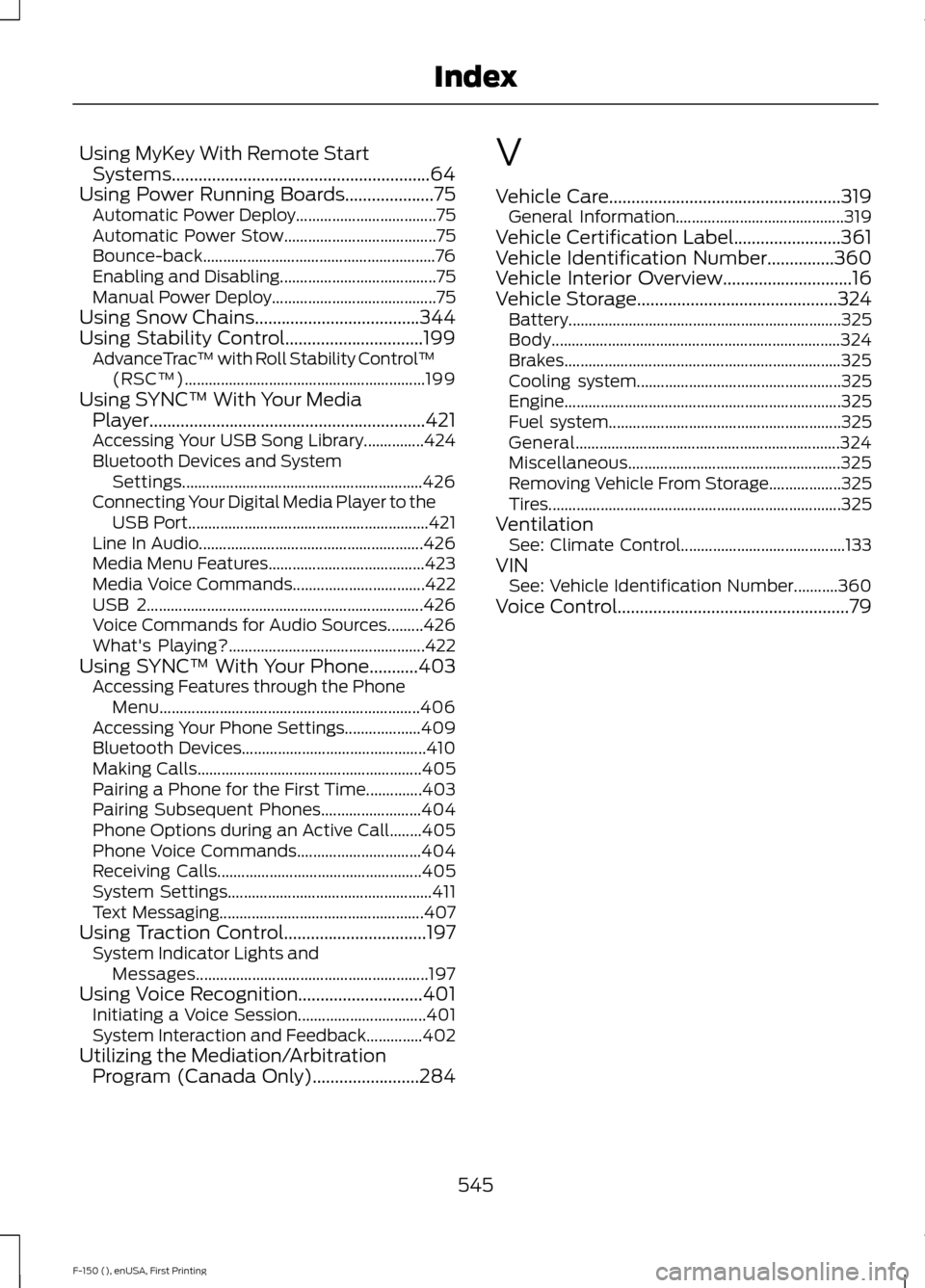
Using MyKey With Remote Start
Systems..........................................................64
Using Power Running Boards....................75 Automatic Power Deploy................................... 75
Automatic Power Stow...................................... 75
Bounce-back.......................................................... 76
Enabling and Disabling....................................... 75
Manual Power Deploy......................................... 75
Using Snow Chains.....................................344
Using Stability Control...............................199 AdvanceTrac ™ with Roll Stability Control ™
(RSC™)............................................................ 199
Using SYNC™ With Your Media Player..............................................................421
Accessing Your USB Song Library...............424
Bluetooth Devices and System Settings............................................................ 426
Connecting Your Digital Media Player to the USB Port............................................................ 421
Line In Audio........................................................ 426
Media Menu Features....................................... 423
Media Voice Commands................................. 422
USB 2..................................................................... 426
Voice Commands for Audio Sources.........426
What's Playing?................................................. 422
Using SYNC™ With Your Phone...........403 Accessing Features through the Phone
Menu................................................................. 406
Accessing Your Phone Settings................... 409
Bluetooth Devices.............................................. 410
Making Calls........................................................ 405
Pairing a Phone for the First Time..............403
Pairing Subsequent Phones......................... 404
Phone Options during an Active Call........405
Phone Voice Commands............................... 404
Receiving Calls................................................... 405
System Settings................................................... 411
Text Messaging................................................... 407
Using Traction Control
................................197
System Indicator Lights and
Messages.......................................................... 197
Using Voice Recognition............................401 Initiating a Voice Session................................ 401
System Interaction and Feedback..............402
Utilizing the Mediation/Arbitration Program (Canada Only)........................284 V
Vehicle Care
....................................................319
General Information.......................................... 319
Vehicle Certification Label........................361
Vehicle Identification Number...............360
Vehicle Interior Overview.............................16
Vehicle Storage
.............................................324
Battery.................................................................... 325
Body........................................................................\
324
Brakes..................................................................... 325
Cooling system................................................... 325
Engine..................................................................... 325
Fuel system.......................................................... 325
General.................................................................. 324
Miscellaneous..................................................... 325
Removing Vehicle From Storage.................. 325
Tires........................................................................\
. 325
Ventilation See: Climate Control......................................... 133
VIN See: Vehicle Identification Number...........360
Voice Control
....................................................79
545
F-150 (), enUSA, First Printing Index