ECO mode FORD F450 SUPER DUTY 2017 User Guide
[x] Cancel search | Manufacturer: FORD, Model Year: 2017, Model line: F450 SUPER DUTY, Model: FORD F450 SUPER DUTY 2017Pages: 642, PDF Size: 12.35 MB
Page 64 of 642
PRINCIPLE OF OPERATION
MyKey allows you to program keys withrestricted driving modes to promote gooddriving habits. You can program therestrictions to all keys but one. Any keysthat you did not program are administratorkeys or admin keys.
You can use admin keys to:
•Create a MyKey with certain vehiclerestrictions.
•Program certain MyKey settings.
•Clear all MyKey restrictions.
After you program a MyKey, you can viewthe following information through theinformation display:
•The total number of admin keys andMyKeys for your vehicle.
•The total distance a MyKey drivertraveled with your vehicle.
Note: Every MyKey receives the samerestrictions and settings. You cannotprogram them individually.
Note: For vehicles equipped with apush-button start switch: When both aMyKey and an admin key are present whenyou start your vehicle, the system recognizesthe admin key only.
Standard Settings
Not every vehicle includes the featureslisted below. If your vehicle has thisequipment, then you cannot change thefollowing settings when using a MyKey:
•Seatbelt reminder or Belt-Minder™.MyKey mutes the audio system untildrivers, and in some instances,passengers, fasten their seatbelts.
•Earlier low-fuel warning. The low-fuelwarning activates earlier for MyKeydrivers, giving them more time to refuel.
•Certain driver alerts, stability systemsor parking aids turn on automaticallywhen you use the MyKey system. Forexample, Blind Spot InformationSystem (BLIS), cross traffic alert, lanedeparture warning or forward collisionwarning.
•Restricted touchscreen operation insome markets. For example, MyKeymay prevent manual navigationdestination input while the vehicle is inany gear other than park (P) or whenthe vehicle reaches a certain rate ofspeed.
•Satellite radio adult contentrestrictions, if this feature is availablein your market.
Note:MyKey drivers may be able to switchthe lane departure warning feature off, butthis feature turns back on automaticallywith every new key cycle.
Note:MyKey drivers can turn on the forwardcollision warning when it is turned off by anadmin key.
Note:If your vehicle includes an AM/FMradio or a very basic audio system, then theradio may not mute.
Optional Settings
You can configure certain vehicle featuresettings when you first create a MyKey. Youcan also change the settings afterwardwith an admin key.
Note:Not every feature applies to everyvehicle in every market. When they areavailable for your vehicle, then they appearin your information display, providingchoices to switch them on or off, or to selecta more specific setting.
61
Super Duty (TFE) Canada/United States of America, enUSA, Edition date: 201710, Second Printing
MyKey™
Page 67 of 642
MYKEY TROUBLESHOOTING
Potential causesCondition
· The key or transmitter used to start thevehicle does not have admin privileges.I cannot create a MyKey.
· Vehicles with keyless start: Make sure youplace the transmitter into the backup posi-tion. See Starting a Gasoline Engine(page 174).· The key or transmitter used to start thevehicle is the only admin key. There alwayshas to be at least one admin key.· SecuriLock passive anti-theft system isdisabled or in unlimited mode.
· The key or transmitter used to start thevehicle does not have admin privileges.I cannot program the configurable settings.
· There are no MyKeys programmed to thevehicle. See Creating a MyKey (page 62).
· An admin transmitter is present when youstarted your vehicle.For vehicles with keyless start: No MyKeyrestrictions are available when starting thevehicle.· There are no MyKeys programmed to thevehicle. See Creating a MyKey (page 62).
· The key or transmitter used to start thevehicle does not have admin privileges.I cannot clear the MyKeys.
· No MyKeys are created. See Creating aMyKey (page 62).
· Purchase a new key or transmitter fromyour authorized dealer.I lost the only admin key.
· Program a spare key or transmitter. Youmay need to see your authorized dealer.See Passive Anti-Theft System (page74).
I lost a key.
· The MyKey user is not using the MyKey.MyKey distances do not accumulate.· An admin key holder cleared the MyKeysand created new MyKeys.· The key system has been reset.
64
Super Duty (TFE) Canada/United States of America, enUSA, Edition date: 201710, Second Printing
MyKey™
Page 68 of 642
LOCKING AND UNLOCKING
You can use the power door lock controlor the remote control to lock and unlockyour vehicle.
See Tailgate Lock (page 70).
Power Door Locks (If Equipped)
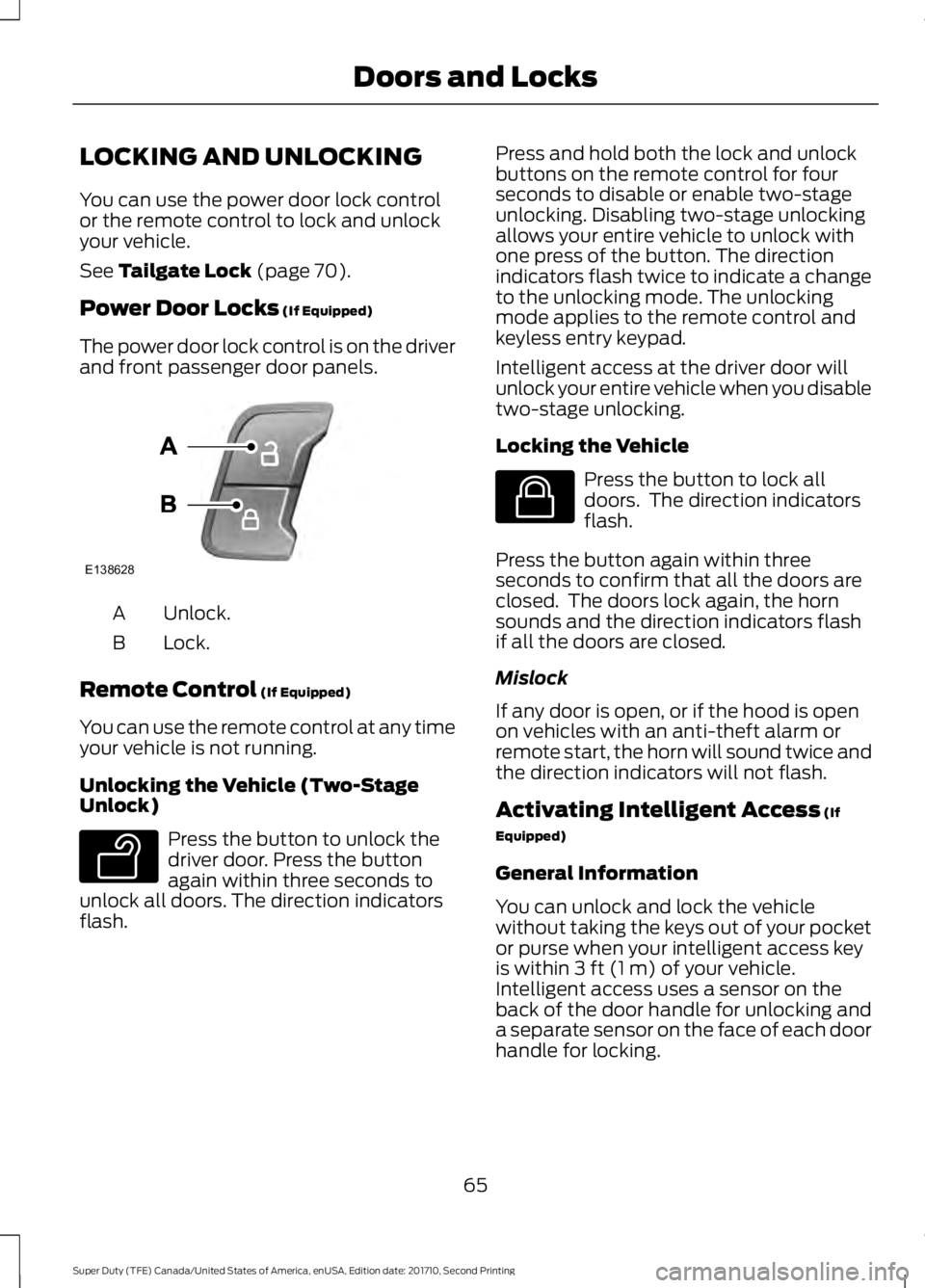
The power door lock control is on the driverand front passenger door panels.
Unlock.A
Lock.B
Remote Control (If Equipped)
You can use the remote control at any timeyour vehicle is not running.
Unlocking the Vehicle (Two-StageUnlock)
Press the button to unlock thedriver door. Press the buttonagain within three seconds tounlock all doors. The direction indicatorsflash.
Press and hold both the lock and unlockbuttons on the remote control for fourseconds to disable or enable two-stageunlocking. Disabling two-stage unlockingallows your entire vehicle to unlock withone press of the button. The directionindicators flash twice to indicate a changeto the unlocking mode. The unlockingmode applies to the remote control andkeyless entry keypad.
Intelligent access at the driver door willunlock your entire vehicle when you disabletwo-stage unlocking.
Locking the Vehicle
Press the button to lock alldoors. The direction indicatorsflash.
Press the button again within threeseconds to confirm that all the doors areclosed. The doors lock again, the hornsounds and the direction indicators flashif all the doors are closed.
Mislock
If any door is open, or if the hood is openon vehicles with an anti-theft alarm orremote start, the horn will sound twice andthe direction indicators will not flash.
Activating Intelligent Access (If
Equipped)
General Information
You can unlock and lock the vehiclewithout taking the keys out of your pocketor purse when your intelligent access keyis within 3 ft (1 m) of your vehicle.Intelligent access uses a sensor on theback of the door handle for unlocking anda separate sensor on the face of each doorhandle for locking.
65
Super Duty (TFE) Canada/United States of America, enUSA, Edition date: 201710, Second Printing
Doors and LocksE138628 E138629 E138623
Page 70 of 642
•Using the keyless entry keypad.
•Using the lock button on the remotecontrol.
Smart Unlocks for IntelligentAccess Keys (If Equipped)
This feature helps to prevent you fromlocking your intelligent access key insideyour vehicle’s passenger compartment orrear cargo area.
When you lock your vehicle using thepower door lock control (with the dooropen, vehicle in park and ignition off), yourvehicle will search for an intelligent accesskey in the passenger compartment afteryou close the door. If your vehicle finds akey, all of the doors will immediatelyunlock.
In order to override the smart unlockfeature and intentionally lock theintelligent access key inside your vehicle,you can lock your vehicle after all doorsare closed by using the keyless entrykeypad, pressing the lock button onanother intelligent access key or touchingthe locking area on the handle with anotherintelligent access key in your hand.
When you open one of the front doors andlock your vehicle using the power door lockcontrol, all doors will lock then unlock ifthe ignition is on.
Autolock and Autounlock (If Equipped)
The autolock feature locks all the doorswhen your doors are closed, the ignition ison, and your vehicle reaches a speedgreater than 12 mph (20 km/h).
When your doors autolock while driving,stopping the vehicle then switching theignition off or to accessory and openingthe driver door unlocks all your doors. Thisautounlock feature remains active for 10minutes after stopping.
Note:The doors do not autounlock if youhave electronically locked them beforeopening the driver door.
Enabling or Disabling Autolock andAutounlock
You can enable or disable these featuresindependently of each other using theinformation display. An authorized dealercan also help you enable or disable thesefeatures. See General Information (page111).
Illuminated Entry
The interior lamps and select exteriorlamps illuminate when you unlock thedoors with the remote entry system.
The illuminated entry system turns off thelights if:
•The ignition is on.
•You press the remote control lockbutton.
•After 25 seconds of illumination.
The dome lamp does not turn on if thecontrol is set to the off position.
The lights do not turn off if:
•You switch them on with the dimmercontrol.
•Any door is open.
Battery Saver
The battery saver turns off the interiorlamps 30 minutes after you switch off theignition if a door is open and the domelamp switch is on. It turns off the interiorlamps after 10 minutes if the dome lampswitch is off.
Accessory Mode Battery Saver forIntelligent Access Keys (If Equipped)
If you leave the ignition on after leavingyour vehicle, it turns off 15 minutes afteryou close all of the doors.
67
Super Duty (TFE) Canada/United States of America, enUSA, Edition date: 201710, Second Printing
Doors and Locks
Page 72 of 642
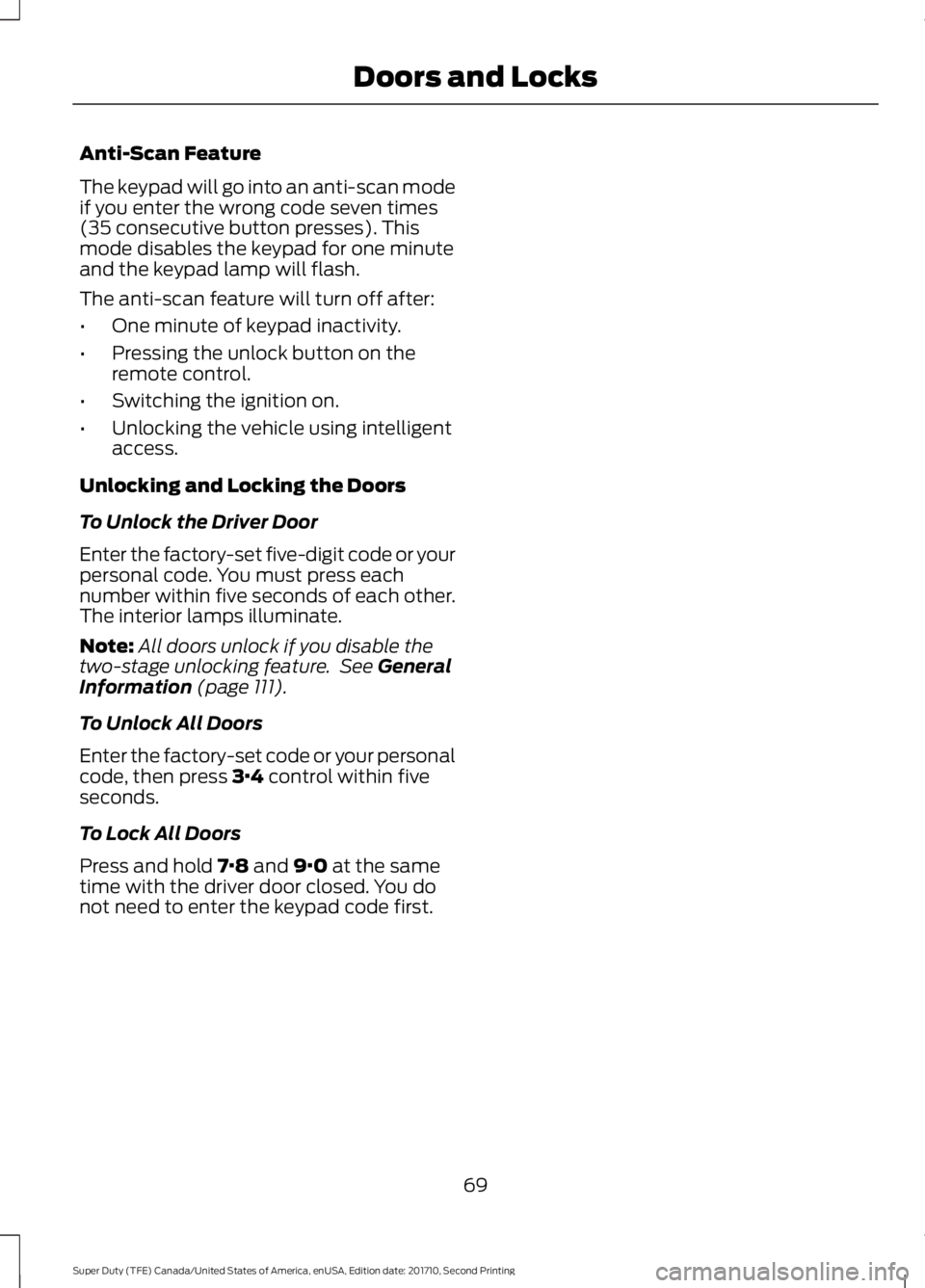
Anti-Scan Feature
The keypad will go into an anti-scan modeif you enter the wrong code seven times(35 consecutive button presses). Thismode disables the keypad for one minuteand the keypad lamp will flash.
The anti-scan feature will turn off after:
•One minute of keypad inactivity.
•Pressing the unlock button on theremote control.
•Switching the ignition on.
•Unlocking the vehicle using intelligentaccess.
Unlocking and Locking the Doors
To Unlock the Driver Door
Enter the factory-set five-digit code or yourpersonal code. You must press eachnumber within five seconds of each other.The interior lamps illuminate.
Note:All doors unlock if you disable thetwo-stage unlocking feature. See GeneralInformation (page 111).
To Unlock All Doors
Enter the factory-set code or your personalcode, then press 3·4 control within fiveseconds.
To Lock All Doors
Press and hold 7·8 and 9·0 at the sametime with the driver door closed. You donot need to enter the keypad code first.
69
Super Duty (TFE) Canada/United States of America, enUSA, Edition date: 201710, Second Printing
Doors and Locks
Page 75 of 642
2.Push the handle back into the tailgate.
3.Rotate the step up until it is horizontal,then push it back into the tailgate untilthe step is secure.
BED EXTENDER (If Equipped)
Note:Do not use the bed extender whendriving off road.
Note:Make sure to engage the locking pinsand knobs fully before driving your vehicle.
Note:Make sure to secure all cargo.
Note:Do not exceed 150 pounds (68kilograms) on the tailgate when your vehicleis moving.
Note:Do not keep the bed extender in thetailgate mode when you are not using it forrestraining cargo. Always keep the bedextender in the grocery mode or the stowedposition with the tailgate closed.
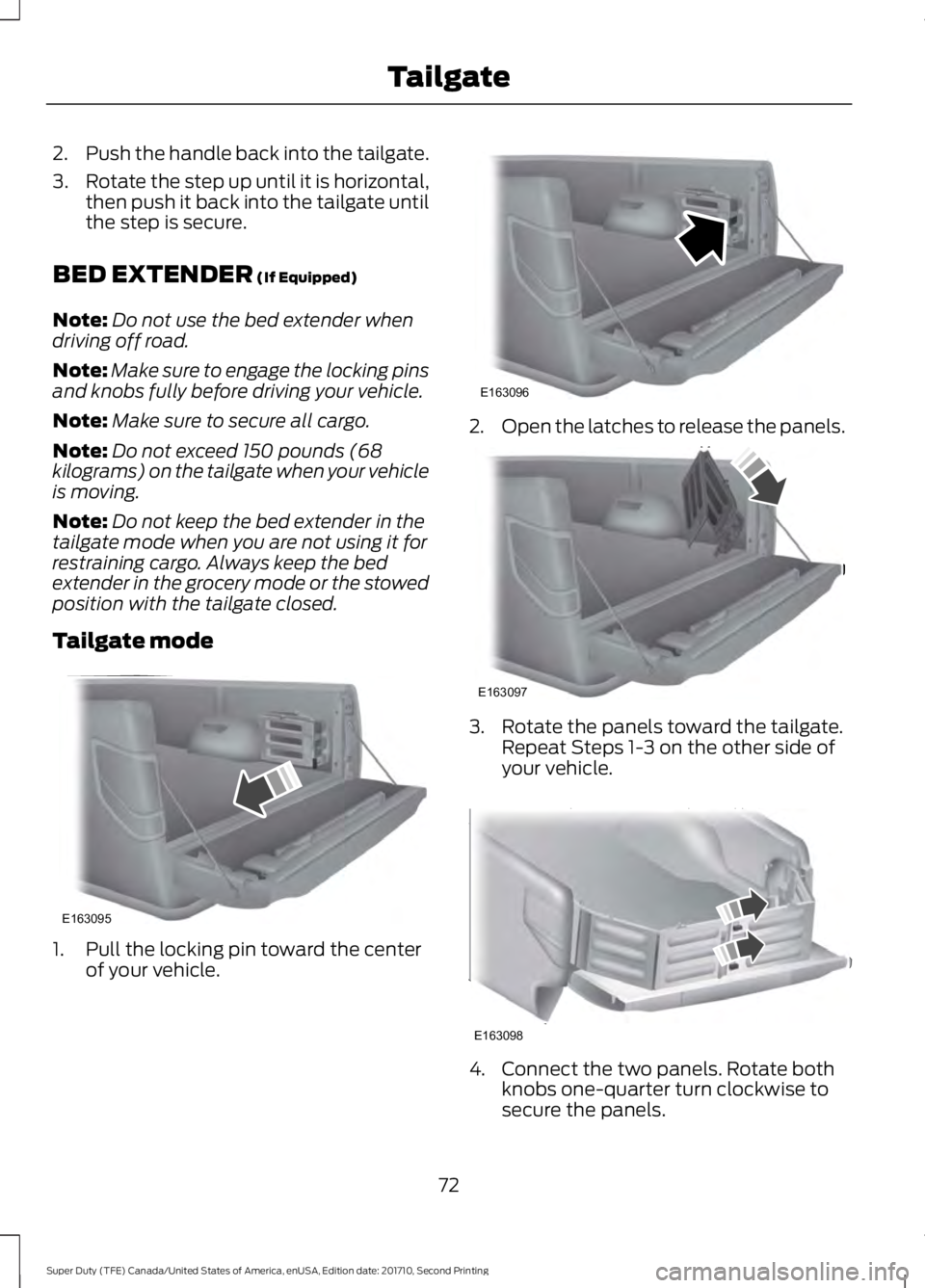
Tailgate mode
1. Pull the locking pin toward the centerof your vehicle.
2.Open the latches to release the panels.
3. Rotate the panels toward the tailgate.Repeat Steps 1-3 on the other side ofyour vehicle.
4. Connect the two panels. Rotate bothknobs one-quarter turn clockwise tosecure the panels.
72
Super Duty (TFE) Canada/United States of America, enUSA, Edition date: 201710, Second Printing
TailgateE163095 E163096 E163097 E163098
Page 76 of 642
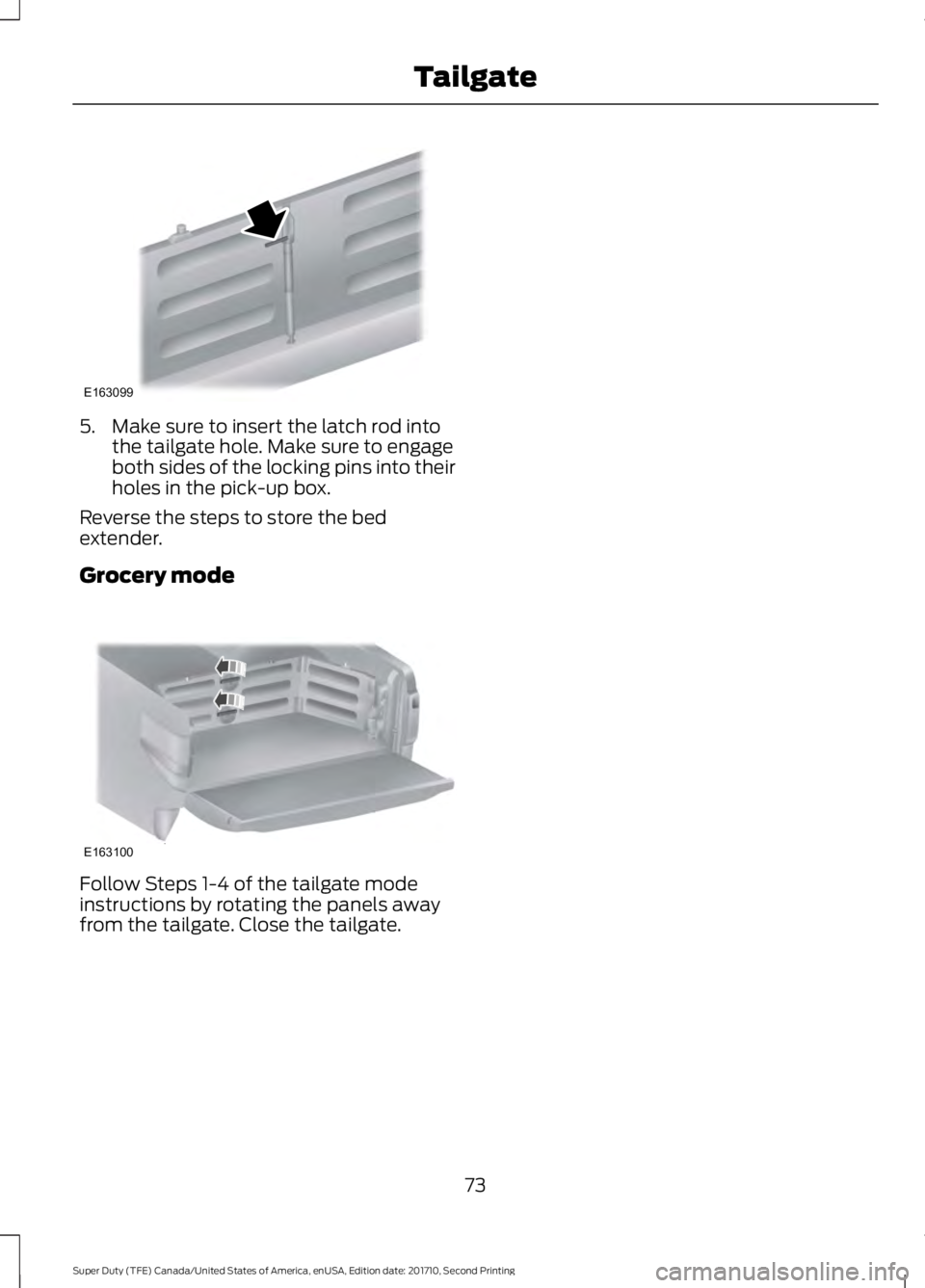
5. Make sure to insert the latch rod intothe tailgate hole. Make sure to engageboth sides of the locking pins into theirholes in the pick-up box.
Reverse the steps to store the bedextender.
Grocery mode
Follow Steps 1-4 of the tailgate modeinstructions by rotating the panels awayfrom the tailgate. Close the tailgate.
73
Super Duty (TFE) Canada/United States of America, enUSA, Edition date: 201710, Second Printing
TailgateE163099 E163100
Page 80 of 642
•Movement inside your vehicle.
•Change in vehicle inclination, forexample, unwanted towing.
Lock your vehicle using the remote controlor the power door lock control with theaccompanying door open and then closeall doors.
Note:Do not choose full monitor mode ifmovement within the vehicle is likely tooccur or when the vehicle is in transport.
Note:For correct operation of the interiormotion detection system, make sure allwindows are closed prior to arming thesystem. This helps prevent accidental alarmactivation due to external influences andmake sure of correct interior motiondetection. Additionally, the interior motionsensing system will not arm if any door isajar.
Arming the Alarm
The alarm is ready to arm when there isnot a key in the ignition. Lock your vehicleto arm the alarm.
The direction indicators flash once afteryou lock your vehicle. This indicates thealarm is in the pre-armed mode. It fullyarms after 20 seconds.
Disarming the Alarm
Disarm the alarm by any of the followingactions:
•Press the power door unlock buttonwithin the 20-second pre-armed mode.
•Unlock the doors with the remotecontrol or keyless entry keypad.
•Switch the ignition on or start yourvehicle.
•Use a key in the driver door lockcylinder to unlock your vehicle, thenswitch the ignition on within 12seconds.
Note:Pressing the panic button on theremote control stops the horn and directionindicators, but will not disarm the system.
77
Super Duty (TFE) Canada/United States of America, enUSA, Edition date: 201710, Second Printing
Security
Page 81 of 642
USING POWER RUNNING
BOARDS
WARNINGS
In extreme climates, excessive icebuildup may occur, causing therunning boards not to deploy. Makesure that the running boards havedeployed, and have finished moving beforeattempting to step on them. The runningboards will resume normal function oncethe blockage is cleared.
Switch off the running boards beforejacking or placing any object underyour vehicle. Never place your handbetween the extended running board andyour vehicle. A moving running board maycause injury.
Note:Do not use the running boards, frontand rear hinge assemblies, running boardmotors, or the running board underbodymounts to lift your vehicle when jacking.Always use proper jacking points.
Note:The running boards may operatemore slowly in cool temperatures.
Note:The running board mechanism maytrap debris such as mud, dirt, snow, ice andsalt. This may cause unwanted noise. If thishappens, manually set the running boardsto the deployed position. Then, wash thesystem, in particular the front and rear hingearms, with a high-pressure car wash wand.
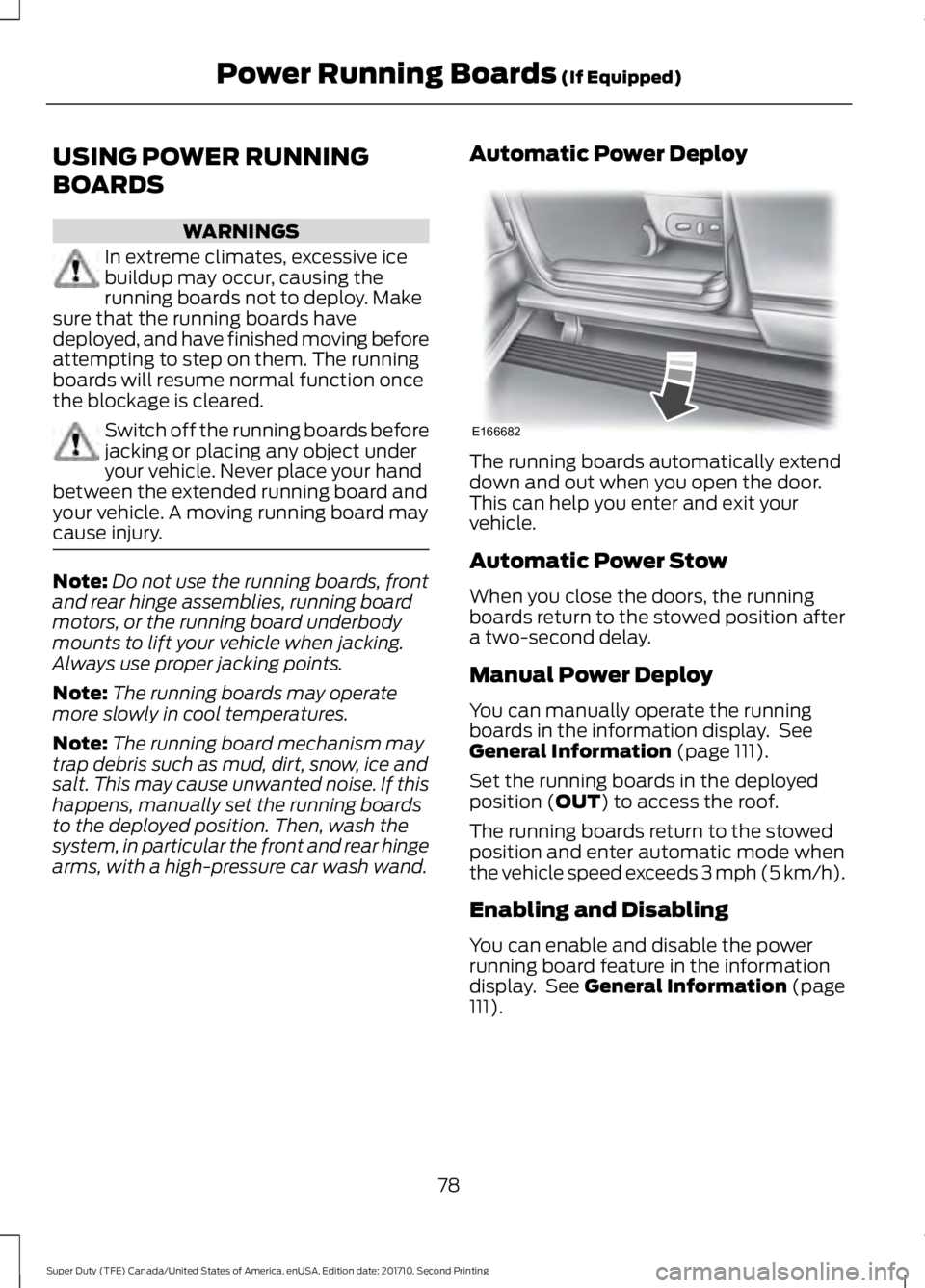
Automatic Power Deploy
The running boards automatically extenddown and out when you open the door.This can help you enter and exit yourvehicle.
Automatic Power Stow
When you close the doors, the runningboards return to the stowed position aftera two-second delay.
Manual Power Deploy
You can manually operate the runningboards in the information display. SeeGeneral Information (page 111).
Set the running boards in the deployedposition (OUT) to access the roof.
The running boards return to the stowedposition and enter automatic mode whenthe vehicle speed exceeds 3 mph (5 km/h).
Enabling and Disabling
You can enable and disable the powerrunning board feature in the informationdisplay. See General Information (page111).
78
Super Duty (TFE) Canada/United States of America, enUSA, Edition date: 201710, Second Printing
Power Running Boards (If Equipped)E166682
Page 84 of 642
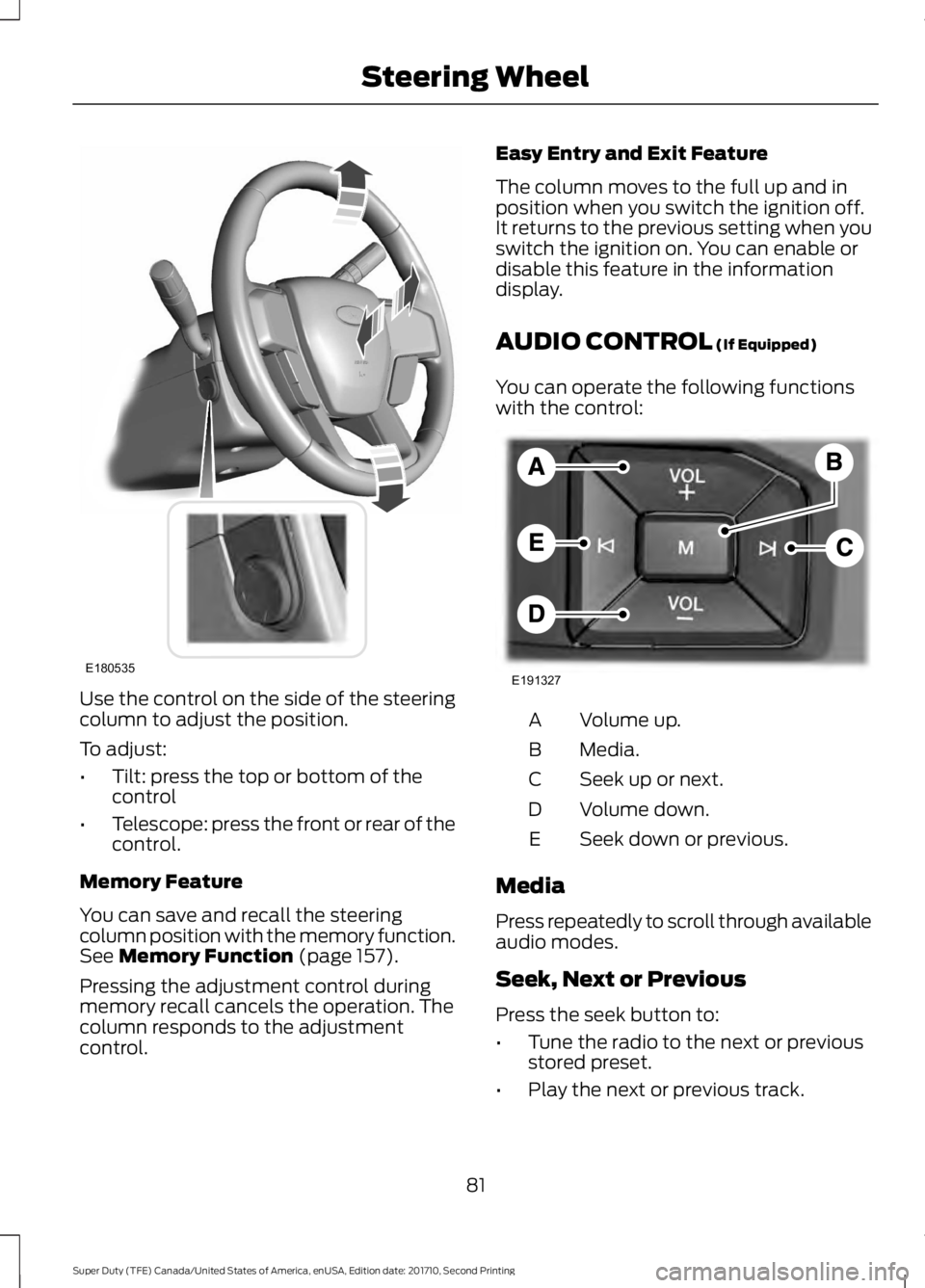
Use the control on the side of the steeringcolumn to adjust the position.
To adjust:
•Tilt: press the top or bottom of thecontrol
•Telescope: press the front or rear of thecontrol.
Memory Feature
You can save and recall the steeringcolumn position with the memory function.See Memory Function (page 157).
Pressing the adjustment control duringmemory recall cancels the operation. Thecolumn responds to the adjustmentcontrol.
Easy Entry and Exit Feature
The column moves to the full up and inposition when you switch the ignition off.It returns to the previous setting when youswitch the ignition on. You can enable ordisable this feature in the informationdisplay.
AUDIO CONTROL (If Equipped)
You can operate the following functionswith the control:
Volume up.A
Media.B
Seek up or next.C
Volume down.D
Seek down or previous.E
Media
Press repeatedly to scroll through availableaudio modes.
Seek, Next or Previous
Press the seek button to:
•Tune the radio to the next or previousstored preset.
•Play the next or previous track.
81
Super Duty (TFE) Canada/United States of America, enUSA, Edition date: 201710, Second Printing
Steering WheelE180535 E191327