warning light FORD FLEX 2015 1.G Service Manual
[x] Cancel search | Manufacturer: FORD, Model Year: 2015, Model line: FLEX, Model: FORD FLEX 2015 1.GPages: 571, PDF Size: 5.52 MB
Page 233 of 571
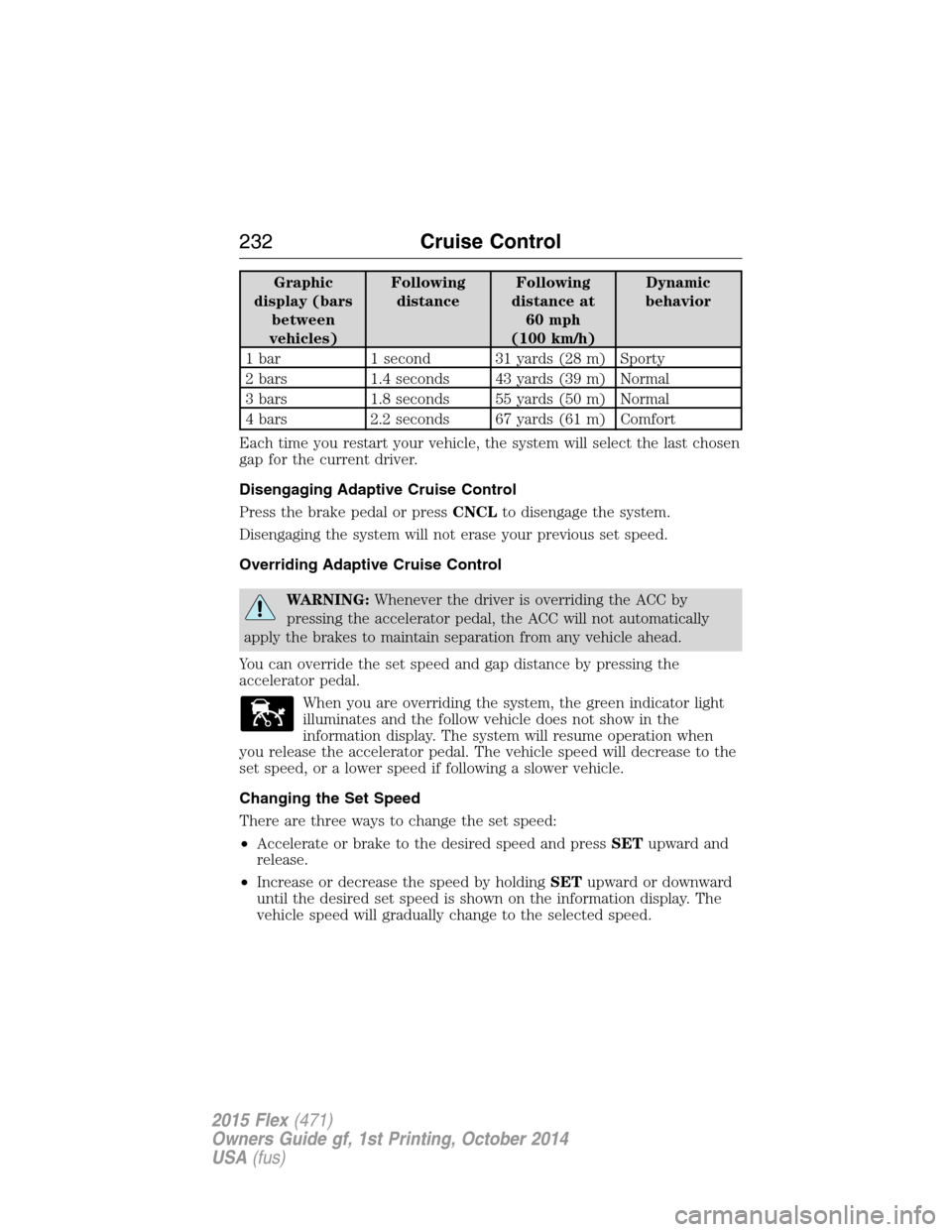
Graphic
display (bars
between
vehicles)Following
distanceFollowing
distance at
60 mph
(100 km/h)Dynamic
behavior
1 bar 1 second 31 yards (28 m) Sporty
2 bars 1.4 seconds 43 yards (39 m) Normal
3 bars 1.8 seconds 55 yards (50 m) Normal
4 bars 2.2 seconds 67 yards (61 m) Comfort
Each time you restart your vehicle, the system will select the last chosen
gap for the current driver.
Disengaging Adaptive Cruise Control
Press the brake pedal or pressCNCLto disengage the system.
Disengaging the system will not erase your previous set speed.
Overriding Adaptive Cruise Control
WARNING:Whenever the driver is overriding the ACC by
pressing the accelerator pedal, the ACC will not automatically
apply the brakes to maintain separation from any vehicle ahead.
You can override the set speed and gap distance by pressing the
accelerator pedal.
When you are overriding the system, the green indicator light
illuminates and the follow vehicle does not show in the
information display. The system will resume operation when
you release the accelerator pedal. The vehicle speed will decrease to the
set speed, or a lower speed if following a slower vehicle.
Changing the Set Speed
There are three ways to change the set speed:
•Accelerate or brake to the desired speed and pressSETupward and
release.
•Increase or decrease the speed by holdingSETupward or downward
until the desired set speed is shown on the information display. The
vehicle speed will gradually change to the selected speed.
232Cruise Control
2015 Flex(471)
Owners Guide gf, 1st Printing, October 2014
USA(fus)
Page 237 of 571
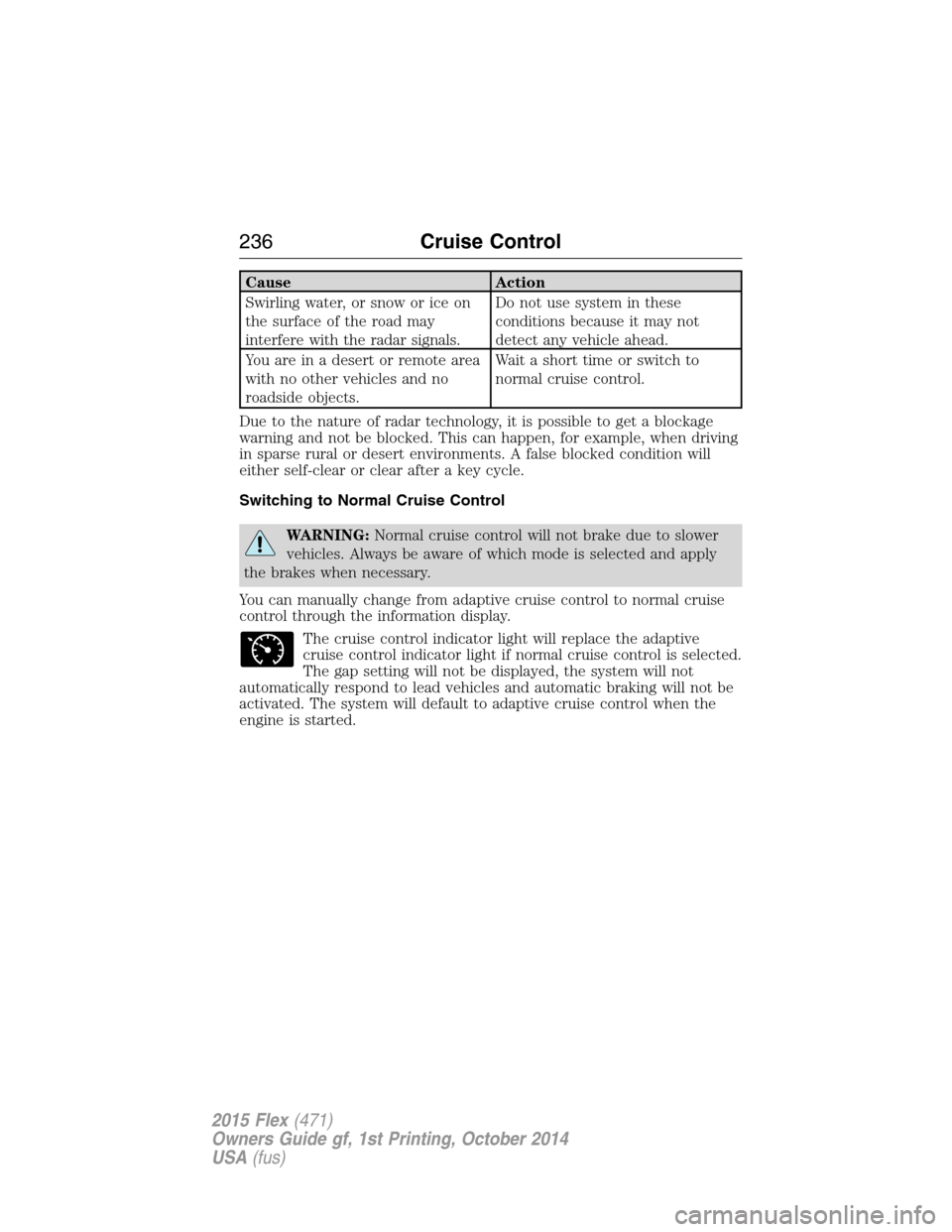
Cause Action
Swirling water, or snow or ice on
the surface of the road may
interfere with the radar signals.Do not use system in these
conditions because it may not
detect any vehicle ahead.
You are in a desert or remote area
with no other vehicles and no
roadside objects.Wait a short time or switch to
normal cruise control.
Due to the nature of radar technology, it is possible to get a blockage
warning and not be blocked. This can happen, for example, when driving
in sparse rural or desert environments. A false blocked condition will
either self-clear or clear after a key cycle.
Switching to Normal Cruise Control
WARNING:Normal cruise control will not brake due to slower
vehicles. Always be aware of which mode is selected and apply
the brakes when necessary.
You can manually change from adaptive cruise control to normal cruise
control through the information display.
The cruise control indicator light will replace the adaptive
cruise control indicator light if normal cruise control is selected.
The gap setting will not be displayed, the system will not
automatically respond to lead vehicles and automatic braking will not be
activated. The system will default to adaptive cruise control when the
engine is started.
236Cruise Control
2015 Flex(471)
Owners Guide gf, 1st Printing, October 2014
USA(fus)
Page 240 of 571
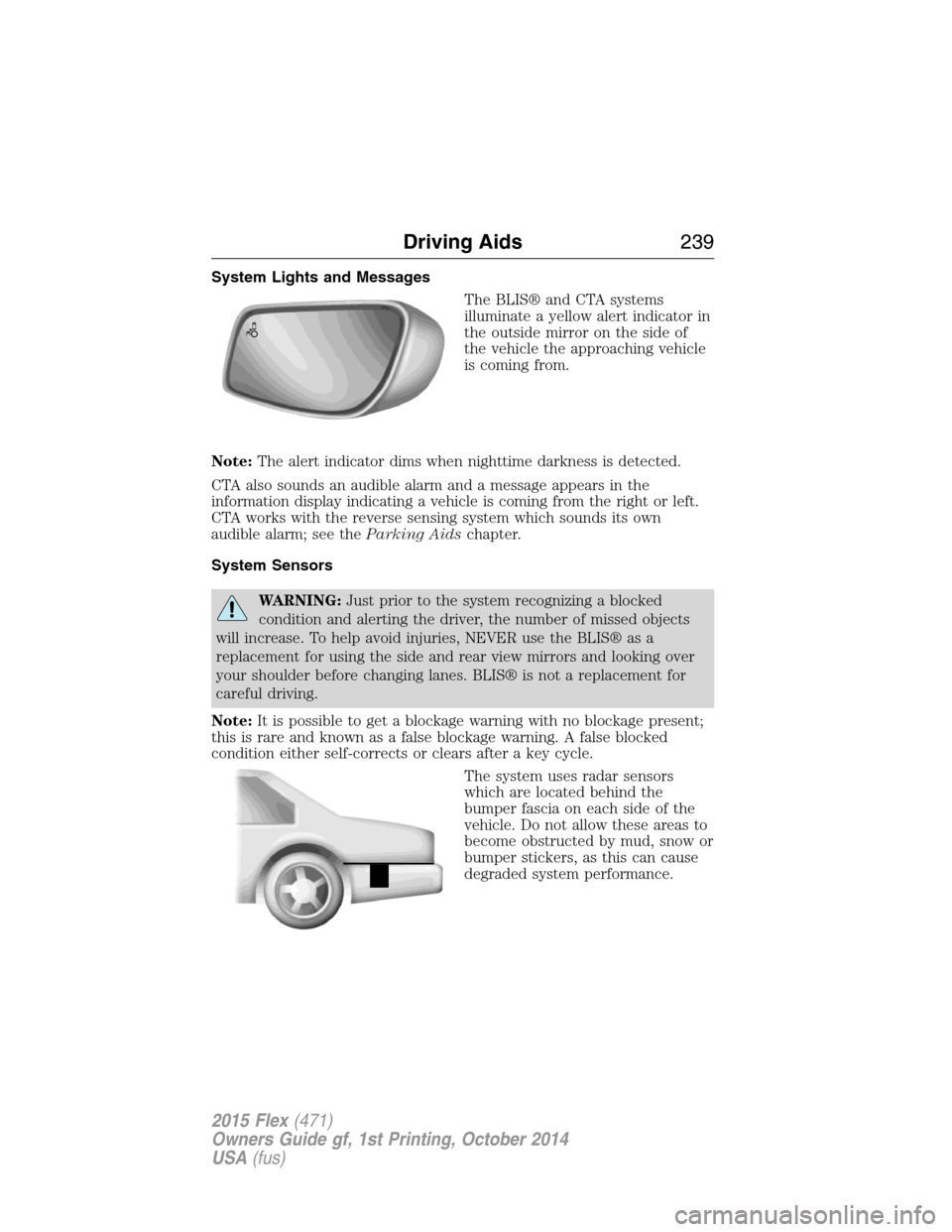
System Lights and Messages
The BLIS® and CTA systems
illuminate a yellow alert indicator in
the outside mirror on the side of
the vehicle the approaching vehicle
is coming from.
Note:The alert indicator dims when nighttime darkness is detected.
CTA also sounds an audible alarm and a message appears in the
information display indicating a vehicle is coming from the right or left.
CTA works with the reverse sensing system which sounds its own
audible alarm; see theParking Aidschapter.
System Sensors
WARNING:Just prior to the system recognizing a blocked
condition and alerting the driver, the number of missed objects
will increase. To help avoid injuries, NEVER use the BLIS® as a
replacement for using the side and rear view mirrors and looking over
your shoulder before changing lanes. BLIS® is not a replacement for
careful driving.
Note:It is possible to get a blockage warning with no blockage present;
this is rare and known as a false blockage warning. A false blocked
condition either self-corrects or clears after a key cycle.
The system uses radar sensors
which are located behind the
bumper fascia on each side of the
vehicle. Do not allow these areas to
become obstructed by mud, snow or
bumper stickers, as this can cause
degraded system performance.
Driving Aids239
2015 Flex(471)
Owners Guide gf, 1st Printing, October 2014
USA(fus)
Page 243 of 571
Note:The system does not detect, warn or respond to potential
collisions with vehicles to the rear or sides of the vehicle.
Note:The collision warning system is active at speeds above
approximately 5 mph (8 km/h).
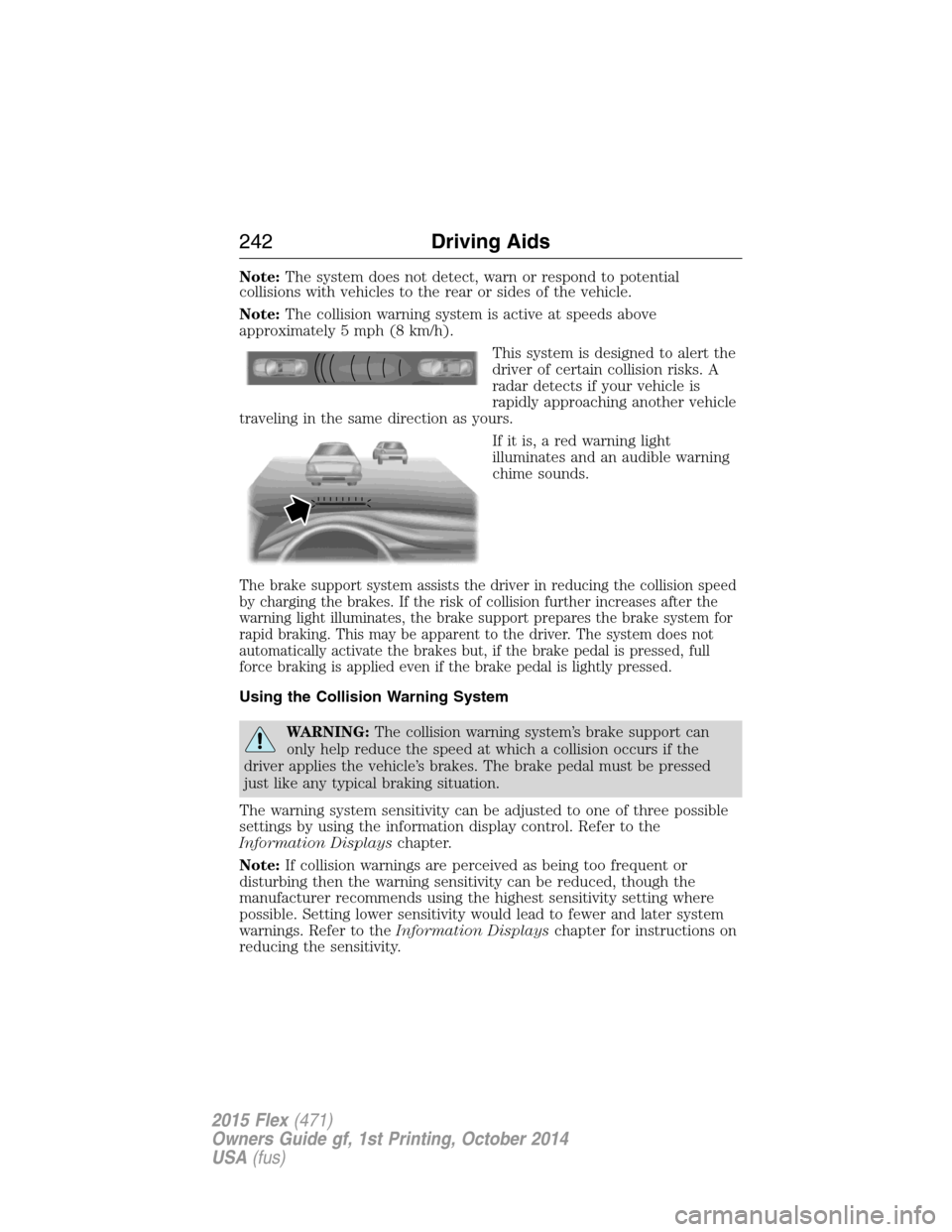
This system is designed to alert the
driver of certain collision risks. A
radar detects if your vehicle is
rapidly approaching another vehicle
traveling in the same direction as yours.
If it is, a red warning light
illuminates and an audible warning
chime sounds.
The brake support system assists the driver in reducing the collision speed
by charging the brakes. If the risk of collision further increases after the
warning light illuminates, the brake support prepares the brake system for
rapid braking. This may be apparent to the driver. The system does not
automatically activate the brakes but, if the brake pedal is pressed, full
force braking is applied even if the brake pedal is lightly pressed.
Using the Collision Warning System
WARNING:The collision warning system’s brake support can
only help reduce the speed at which a collision occurs if the
driver applies the vehicle’s brakes. The brake pedal must be pressed
just like any typical braking situation.
The warning system sensitivity can be adjusted to one of three possible
settings by using the information display control. Refer to the
Information Displayschapter.
Note:If collision warnings are perceived as being too frequent or
disturbing then the warning sensitivity can be reduced, though the
manufacturer recommends using the highest sensitivity setting where
possible. Setting lower sensitivity would lead to fewer and later system
warnings. Refer to theInformation Displayschapter for instructions on
reducing the sensitivity.
242Driving Aids
2015 Flex(471)
Owners Guide gf, 1st Printing, October 2014
USA(fus)
Page 248 of 571
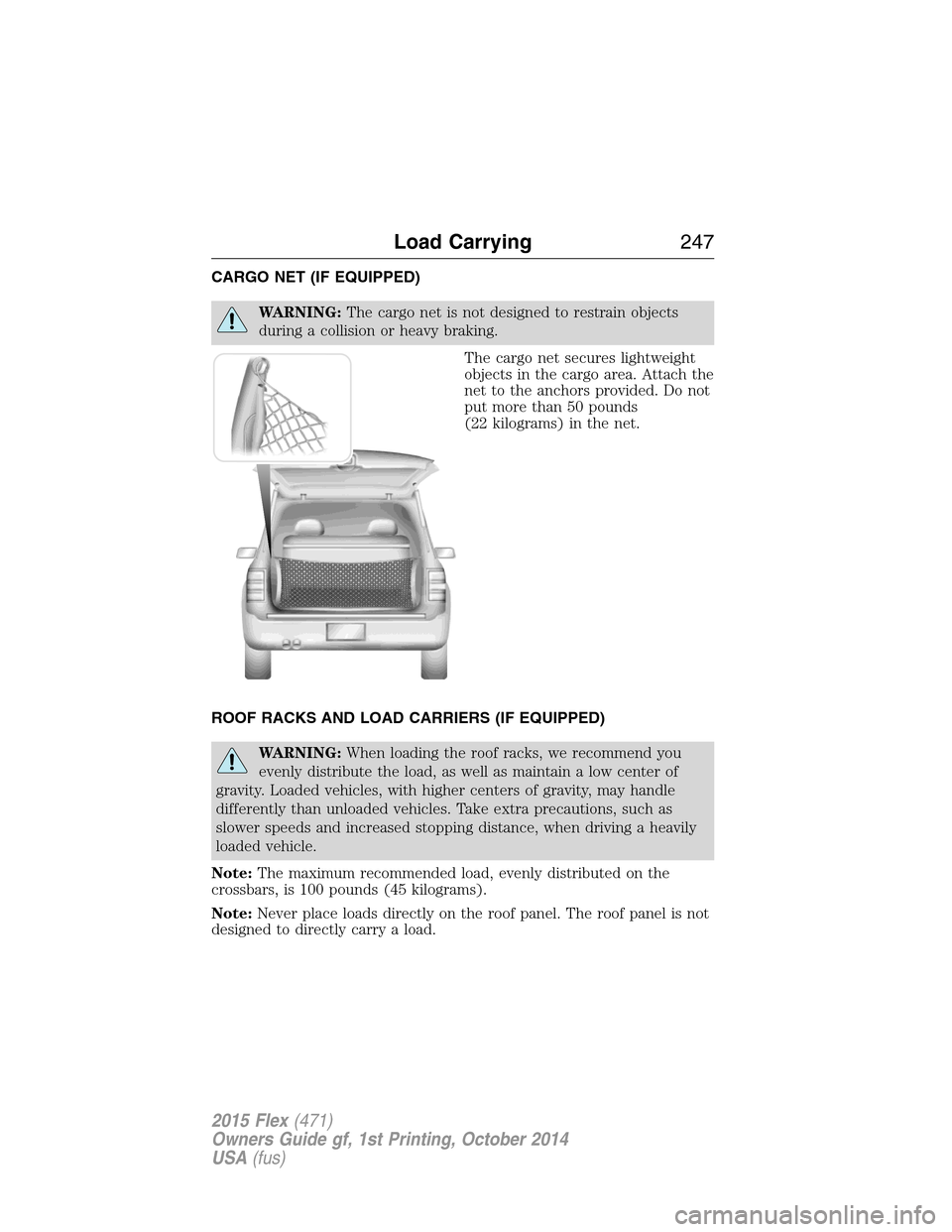
CARGO NET (IF EQUIPPED)
WARNING:The cargo net is not designed to restrain objects
during a collision or heavy braking.
The cargo net secures lightweight
objects in the cargo area. Attach the
net to the anchors provided. Do not
put more than 50 pounds
(22 kilograms) in the net.
ROOF RACKS AND LOAD CARRIERS (IF EQUIPPED)
WARNING:When loading the roof racks, we recommend you
evenly distribute the load, as well as maintain a low center of
gravity. Loaded vehicles, with higher centers of gravity, may handle
differently than unloaded vehicles. Take extra precautions, such as
slower speeds and increased stopping distance, when driving a heavily
loaded vehicle.
Note:The maximum recommended load, evenly distributed on the
crossbars, is 100 pounds (45 kilograms).
Note:Never place loads directly on the roof panel. The roof panel is not
designed to directly carry a load.
Load Carrying247
2015 Flex(471)
Owners Guide gf, 1st Printing, October 2014
USA(fus)
Page 257 of 571
TOWING A TRAILER
WARNING:Do not exceed the GVWR or the GAWR specified on
the certification label.
WARNING:Towing trailers beyond the maximum recommended
gross trailer weight exceeds the limit of your vehicle and could
result in engine damage, transmission damage, structural damage, loss
of vehicle control, vehicle rollover and personal injury.
Note:For information on electrical items such as fuses or relays, see the
Fuseschapter.
The load capacity of your vehicle is designated by weight not volume.
You may not necessarily be able to use all available space when loading
your vehicle or trailer.
Towing a trailer places extra load on the engine, transmission, axle,
brakes, tires, and suspension. Inspect these components before, during
and after towing.
Load Placement
To help minimize how trailer movement affects your vehicle when
driving:
•Load the heaviest items closest to the trailer floor.
•Load the heaviest items centered between the left and right side
trailer tires.
•Load the heaviest items above the trailer axles or just slightly forward
toward the trailer tongue. Do not allow the final trailer tongue weight
to go above or below 10–15% of the loaded trailer weight.
•Select a tow bar with the correct rise or drop. When both the loaded
vehicle and trailer are connected, the trailer frame should be level, or
slightly angled down toward your vehicle, when viewed from the side.
When driving with a trailer or payload, a slight takeoff vibration or
shudder may be present due to the increased payload weight. You can
find more information about proper trailer loading and setting your
vehicle up for towing underLoad limitin theLoad Carryingchapter.
You can also find information in theRV and Trailer Towing Guide
available at your authorized dealer, or online at
http://www.fleet.ford.com/towing-guides.
256Towing
2015 Flex(471)
Owners Guide gf, 1st Printing, October 2014
USA(fus)
Page 258 of 571
TRAILER SWAY CONTROL (IF EQUIPPED)
WARNING:Turning off trailer sway control increases the risk of
loss of vehicle control, serious injury or death. Ford does not
recommend disabling this feature except in situations where speed
reduction may be detrimental (such as hill climbing), the driver has
significant trailer towing experience, and can control trailer sway and
maintain safe operation.
Note:This feature does not prevent trailer sway, but reduces it once it
begins.
Note:This feature cannot stop all trailers from swaying.
Note:In some cases, if vehicle speed is too high, the system may turn
on multiple times, gradually reducing vehicle speed.
This feature applies your vehicle brakes at individual wheels and, if
necessary, reduces engine power. If the trailer begins to sway, the
stability control light flashes. The first thing to do is slow your vehicle
down, then pull safely to the side of the road and check for proper
tongue load and trailer load distribution. See theLoad Carryingchapter
for specific loading information.
RECOMMENDED TOWING WEIGHTS
Note:Do not exceed the trailer weight for your vehicle configuration
listed in the chart below.
Note:Make sure to take into consideration trailer frontal area. Do not
exceed:
•20 feet
2(1.86 meters2) trailer frontal area if your vehicle can tow a
Class I trailer.
•40 feet
2(3.72 meters2) trailer frontal area if your vehicle can tow a
Class III trailer.
Note:For high altitude operation, reduce the gross combined weight by
2% per 1000 feet (300 meters) starting at the 1000 foot (300 meter)
elevation point.
Note:Certain states require electric trailer brakes for trailers over a
specified weight. Be sure to check state regulations for this specified
weight. The maximum trailer weights listed may be limited to this
specified weight, as your vehicle’s electrical system may not include the
wiring connector needed to use electric trailer brakes.
Towing257
2015 Flex(471)
Owners Guide gf, 1st Printing, October 2014
USA(fus)
Page 263 of 571
Trailer Lamps
WARNING:Never connect any trailer lamp wiring to the
vehicle’s tail lamp wiring; this may damage the electrical system
resulting in a fire. Contact an authorized dealer as soon as possible for
assistance in proper trailer tow wiring installation. Additional electrical
equipment may be required.
Trailer lamps are required on most towed vehicles. Make sure all running
lights, brake lights, turn signals and hazard lights are working.
Before Towing a Trailer
Practice turning, stopping and backing up to get the feel of your
vehicle-trailer combination before starting on a trip. When turning, make
wider turns so the trailer wheels clear curbs and other obstacles.
When Towing a Trailer
•Do not drive faster than 70 mph (113 km/h) during the first 500 miles
(800 kilometers).
•Do not make full-throttle starts.
•Check your hitch, electrical connections and trailer wheel lug nuts
thoroughly after you have traveled 50 miles (80 kilometers).
•When stopped in congested or heavy traffic during hot weather, place
the gearshift in positionPto aid engine and transmission cooling and
to help air conditioning performance.
•Turn off the speed control with heavy loads or in hilly terrain. The
speed control may turn off automatically when you are towing on
long, steep grades.
•Shift to a lower gear when driving down a long or steep hill. Do not
apply the brakes continuously, as they may overheat and become less
effective.
•If your transmission is equipped with a Grade Assist or Tow/Haul
feature, use this feature when towing. This provides engine braking
and helps eliminate excessive transmission shifting for optimum fuel
economy and transmission cooling.
•Allow more distance for stopping with a trailer attached. Anticipate
stops and brake gradually.
262Towing
2015 Flex(471)
Owners Guide gf, 1st Printing, October 2014
USA(fus)
Page 269 of 571
•Add particular accessories to your vehicle (e.g.; bug deflectors,
rollbars or light bars, running boards, ski racks).
•Drive with the wheels out of alignment.
DRIVING THROUGH WATER
WARNING:Do not drive through flowing or deep water as you
may lose control of your vehicle.
Note:Driving through standing water can cause vehicle damage.
Note:Engine damage can occur if water enters the air filter.
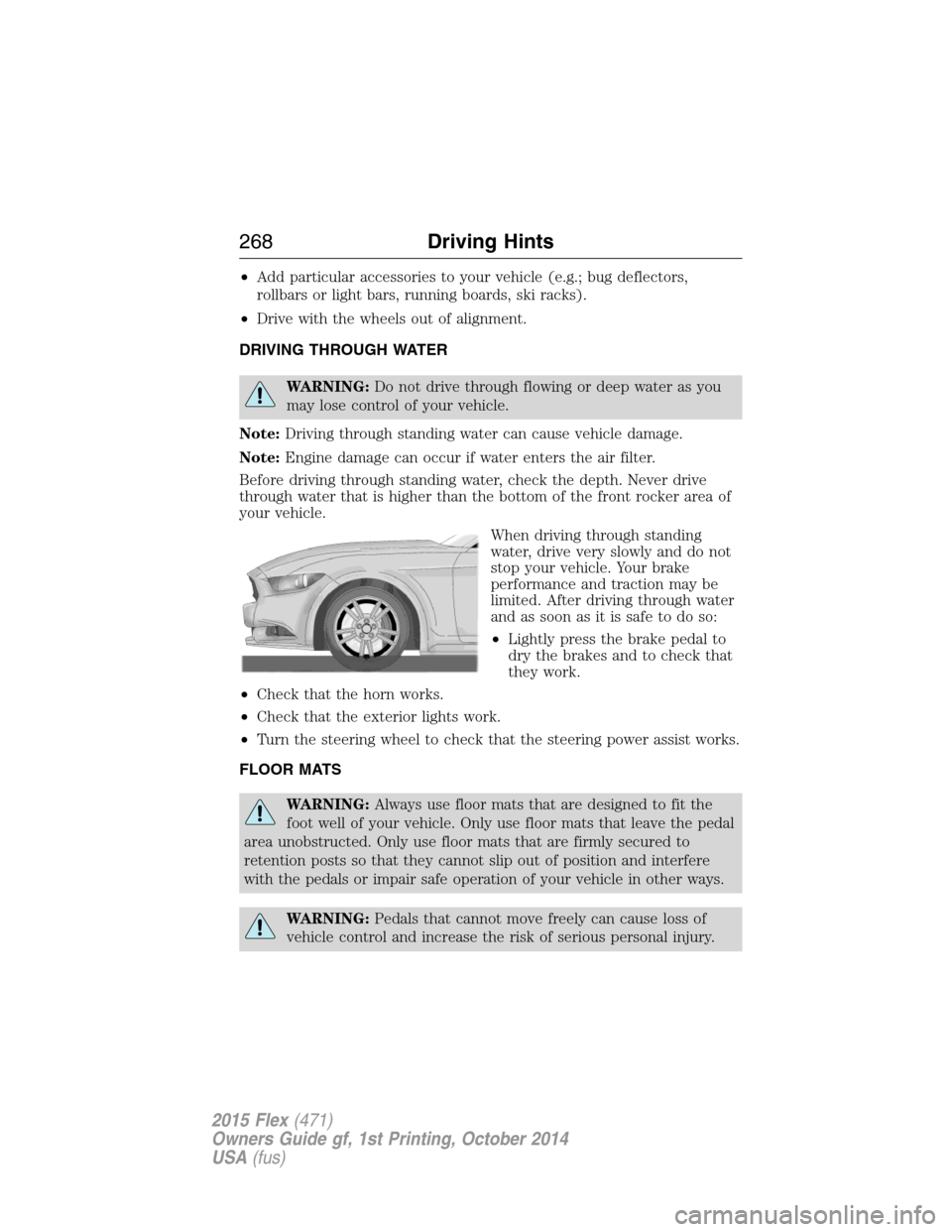
Before driving through standing water, check the depth. Never drive
through water that is higher than the bottom of the front rocker area of
your vehicle.
When driving through standing
water, drive very slowly and do not
stop your vehicle. Your brake
performance and traction may be
limited. After driving through water
and as soon as it is safe to do so:
•Lightly press the brake pedal to
dry the brakes and to check that
they work.
•Check that the horn works.
•Check that the exterior lights work.
•Turn the steering wheel to check that the steering power assist works.
FLOOR MATS
WARNING:Always use floor mats that are designed to fit the
foot well of your vehicle. Only use floor mats that leave the pedal
area unobstructed. Only use floor mats that are firmly secured to
retention posts so that they cannot slip out of position and interfere
with the pedals or impair safe operation of your vehicle in other ways.
WARNING:Pedals that cannot move freely can cause loss of
vehicle control and increase the risk of serious personal injury.
268Driving Hints
2015 Flex(471)
Owners Guide gf, 1st Printing, October 2014
USA(fus)
Page 300 of 571
Adding Engine Coolant
WARNING:Do not add engine coolant when the engine is hot.
Steam and scalding liquids released from a hot cooling system
can burn you badly. Also, you can be burned if you spill coolant on hot
engine parts.
WARNING:Do not put engine coolant in the windshield washer
fluid container. If sprayed on the windshield, engine coolant
could make it difficult to see through the windshield.
WARNING:To reduce the risk of personal injury, make sure the
engine is cool before unscrewing the coolant pressure relief cap.
The cooling system is under pressure; steam and hot liquid can come
out forcefully when the cap is loosened slightly.
WARNING:Do not add coolant further than the MAX mark.
Note:Do not use stop leak pellets, cooling system sealants or additives
as they can cause damage to the engine cooling or heating systems. This
damage would not be covered under your vehicle’s warranty.
Note:During normal vehicle operation, the engine coolant may change
color from orange to pink or light red. As long as the engine coolant is
clear and uncontaminated, this color change does not indicate the engine
coolant has degraded nor does it require the engine coolant to be
drained, the system to be flushed, or the engine coolant to be replaced.
•
DO NOT MIX different colors or types of coolant in your vehicle. Make
sure the correct coolant is used. Mixing of engine coolants may harm
your engine’s cooling system. The use of an improper coolant may harm
engine and cooling system components and may void the warranty.
•In case of emergency, a large amount of water without engine coolant
may be added in order to reach a vehicle service location. In this
instance, the cooling system must be drained, chemically cleaned with
Motorcraft Premium Cooling System Flush, and refilled with engine
coolant as soon as possible. Water alone (without engine coolant) can
cause engine damage from corrosion, overheating or freezing.
Maintenance299
2015 Flex(471)
Owners Guide gf, 1st Printing, October 2014
USA(fus)