warning light FORD FOCUS 2014 3.G User Guide
[x] Cancel search | Manufacturer: FORD, Model Year: 2014, Model line: FOCUS, Model: FORD FOCUS 2014 3.GPages: 492, PDF Size: 7.2 MB
Page 56 of 492
•a flexible headliner which opens above the side doors to allow side air
curtain deployment.
•crash sensors and monitoring system with readiness
indicator. SeeCrash sensors and Airbag Indicatorlater in
this chapter.
Children 12 years old and under should always be properly restrained in
the back seats. The side curtain airbags will not interfere with children
restrained using a properly installed child or booster seat because it is
designed to inflate downward from the headliner above the doors along
the side window opening.
The design and development of the side curtain airbags included
recommended testing procedures that were developed by a group of
automotive safety experts known as the Side Airbag Technical Working
Group. These recommended testing procedures help reduce the risk of
injuries related to the deployment of side curtain airbags.
CRASH SENSORS AND AIRBAG INDICATOR
WARNING:Modifying or adding equipment to the front end of
your vehicle (including frame, bumper, front end body structure
and tow hooks) may affect the performance of the airbag system,
increasing the risk of injury. Do not modify the front end of your vehicle.
Your vehicle has a collection of crash and occupant sensors which
provide information to the restraints control module which deploys
(activates) the front safety belt pretensioners, driver airbag, passenger
airbag, knee airbag, seat mounted side airbags, and the side curtain
airbags. Based on the type of crash (frontal impact or side impact) the
restraints control module will deploy the appropriate safety devices.
The restraints control module also monitors the readiness of the above
safety devices plus the crash and occupant sensors. The readiness of the
safety system is indicated by a warning indicator light in the instrument
cluster or by a backup tone if the warning light is not working. See the
Instrument Clusterchapter. Routine maintenance of the airbag is not
required.
Supplementary Restraints System55
2014 Focus(foc)
Owners Guide gf, 1st Printing, October 2012
USA(fus)
Page 81 of 492
INTERIOR LUGGAGE COMPARTMENT RELEASE (4–DOOR ONLY)
WARNING:Keep vehicle doors and luggage compartment locked
and keep keys and remote transmitters out of a child’s reach.
Unsupervised children could lock themselves in the trunk and risk
injury. Children should be taught not to play in vehicles.
WARNING:Do not leave children, unreliable adults, or animals
unattended in the vehicle. On hot days, the temperature in the
trunk or vehicle interior can rise very quickly. Exposure of people or
animals to these high temperatures for even a short time can cause
death or serious heat-related injuries, including brain damage. Small
children are particularly at risk.
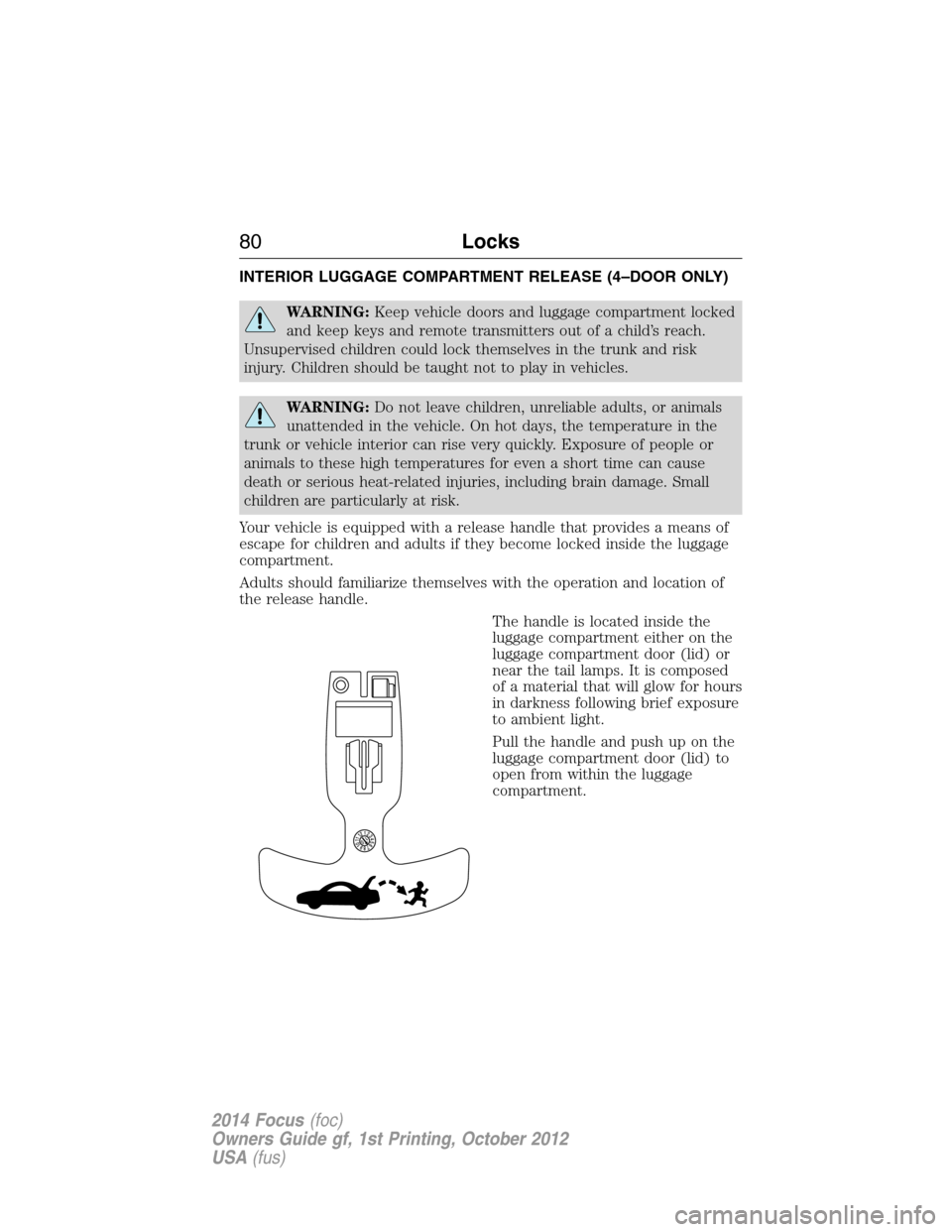
Your vehicle is equipped with a release handle that provides a means of
escape for children and adults if they become locked inside the luggage
compartment.
Adults should familiarize themselves with the operation and location of
the release handle.
The handle is located inside the
luggage compartment either on the
luggage compartment door (lid) or
near the tail lamps. It is composed
of a material that will glow for hours
in darkness following brief exposure
to ambient light.
Pull the handle and push up on the
luggage compartment door (lid) to
open from within the luggage
compartment.
80Locks
2014 Focus(foc)
Owners Guide gf, 1st Printing, October 2012
USA(fus)
Page 93 of 492
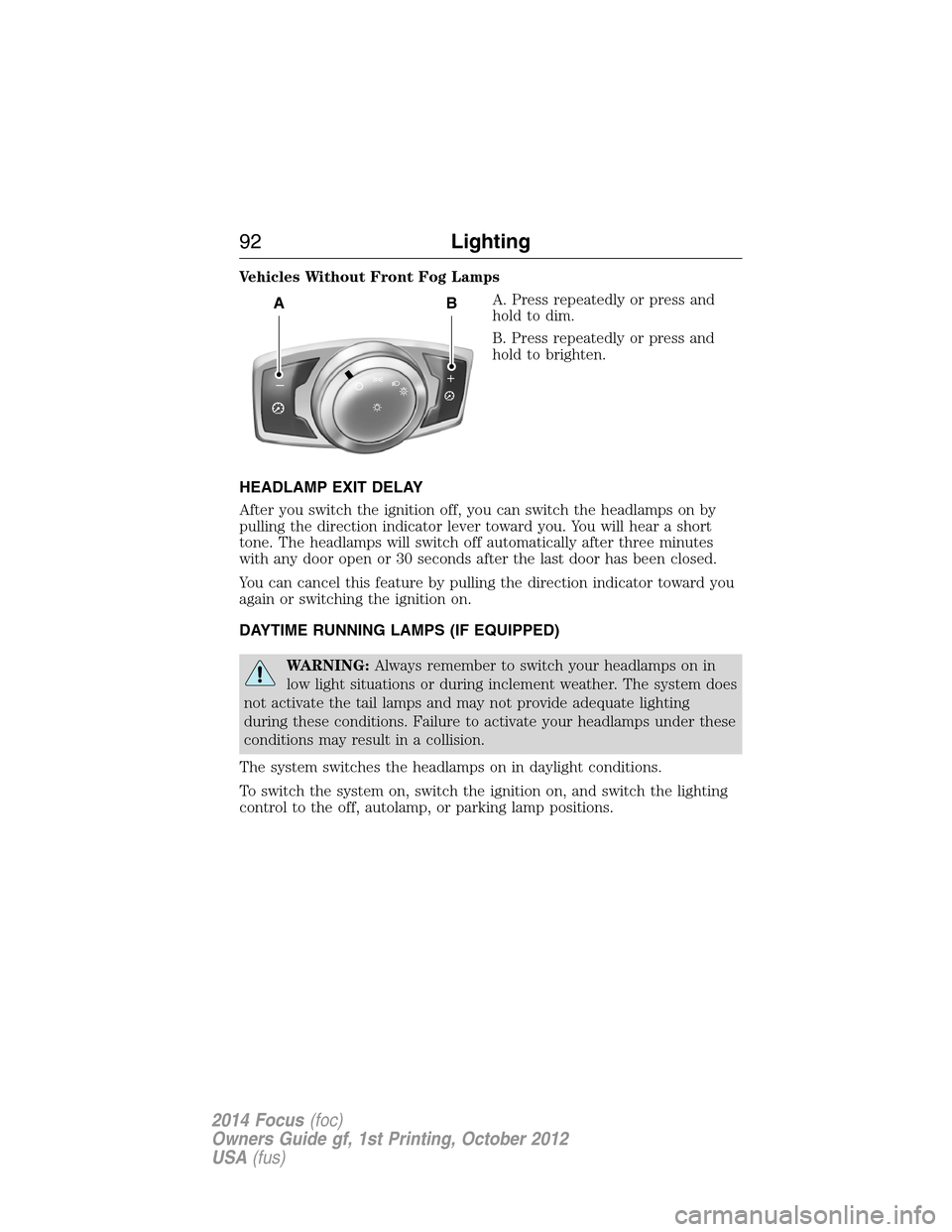
Vehicles Without Front Fog Lamps
A. Press repeatedly or press and
holdtodim.
B. Press repeatedly or press and
hold to brighten.
HEADLAMP EXIT DELAY
After you switch the ignition off, you can switch the headlamps on by
pulling the direction indicator lever toward you. You will hear a short
tone. The headlamps will switch off automatically after three minutes
with any door open or 30 seconds after the last door has been closed.
You can cancel this feature by pulling the direction indicator toward you
again or switching the ignition on.
DAYTIME RUNNING LAMPS (IF EQUIPPED)
WARNING:Always remember to switch your headlamps on in
low light situations or during inclement weather. The system does
not activate the tail lamps and may not provide adequate lighting
during these conditions. Failure to activate your headlamps under these
conditions may result in a collision.
The system switches the headlamps on in daylight conditions.
To switch the system on, switch the ignition on, and switch the lighting
control to the off, autolamp, or parking lamp positions.
AB
A
92Lighting
2014 Focus(foc)
Owners Guide gf, 1st Printing, October 2012
USA(fus)
Page 97 of 492
POWER WINDOWS
WARNING:Do not leave children unattended in your vehicle
and do not let them play with the power windows. They may
seriously injure themselves.
WARNING:When closing the power windows, you should verify
they are free of obstructions and make sure that children and
pets are not in the proximity of the window openings.
Note:You may hear a pulsing noise when just one of the windows is
open. Lower the opposite window slightly to reduce this noise.
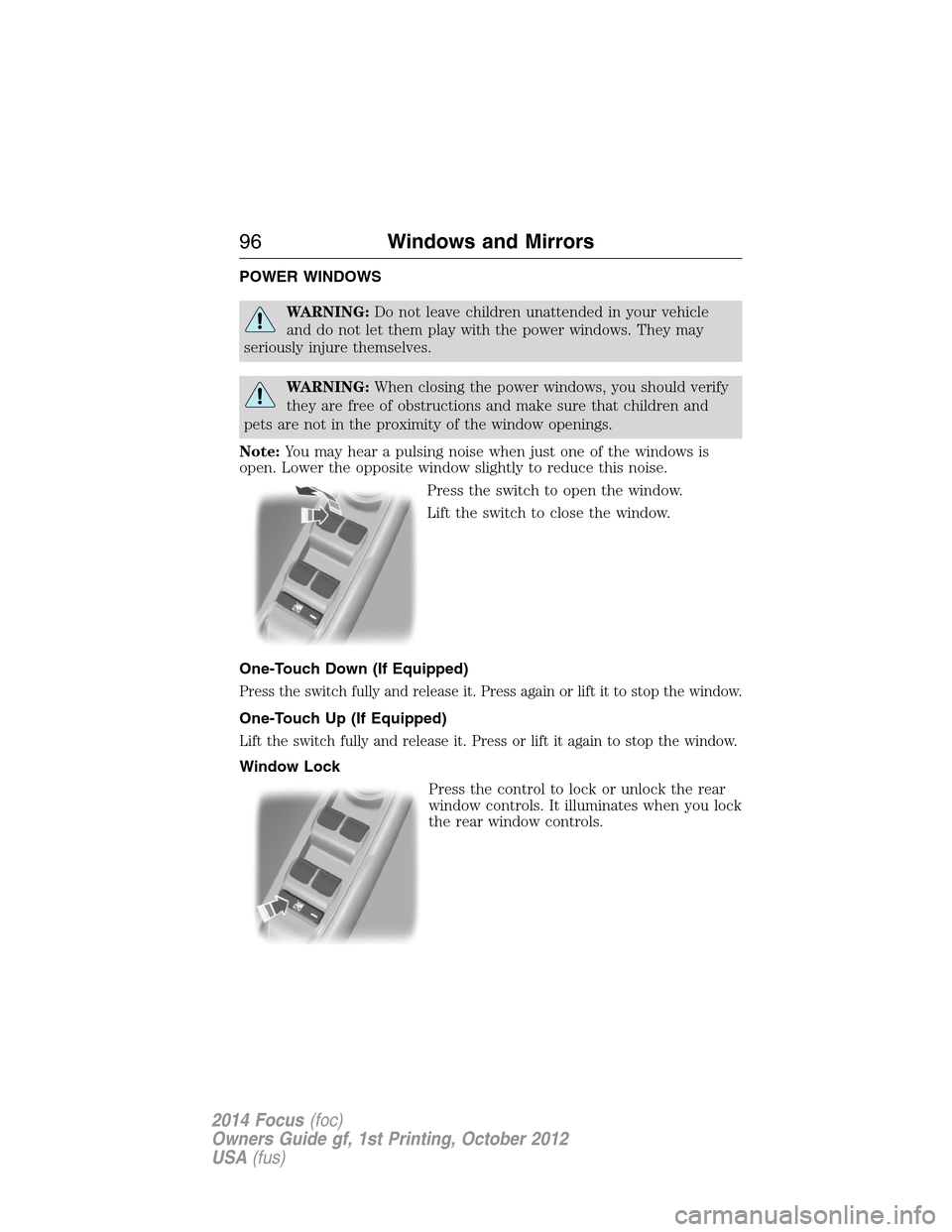
Press the switch to open the window.
Lift the switch to close the window.
One-Touch Down (If Equipped)
Press the switch fully and release it. Press again or lift it to stop the window.
One-Touch Up (If Equipped)
Lift the switch fully and release it. Press or lift it again to stop the window.
Window Lock
Press the control to lock or unlock the rear
window controls. It illuminates when you lock
the rear window controls.
96Windows and Mirrors
2014 Focus(foc)
Owners Guide gf, 1st Printing, October 2012
USA(fus)
Page 101 of 492
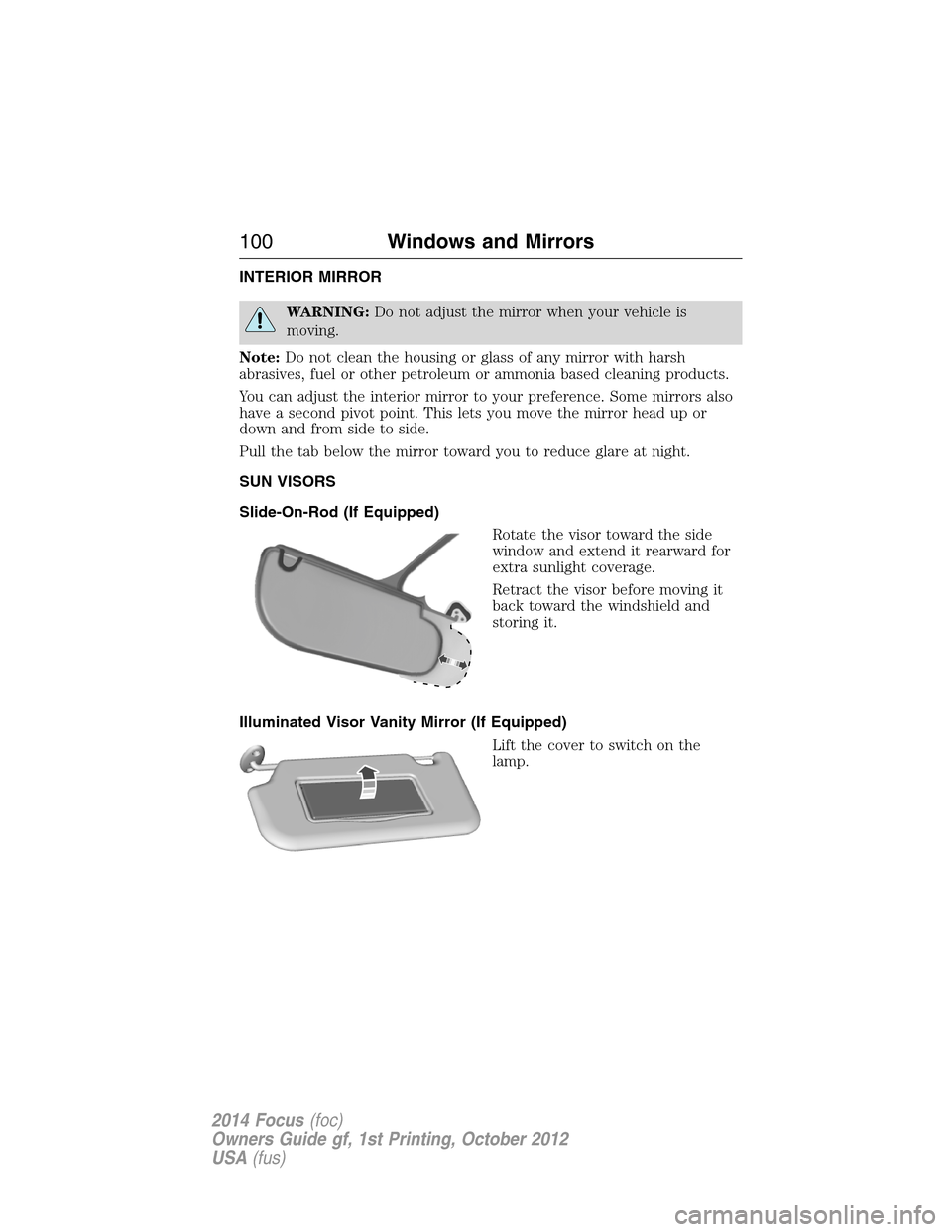
INTERIOR MIRROR
WARNING:Do not adjust the mirror when your vehicle is
moving.
Note:Do not clean the housing or glass of any mirror with harsh
abrasives, fuel or other petroleum or ammonia based cleaning products.
You can adjust the interior mirror to your preference. Some mirrors also
have a second pivot point. This lets you move the mirror head up or
down and from side to side.
Pull the tab below the mirror toward you to reduce glare at night.
SUN VISORS
Slide-On-Rod (If Equipped)
Rotate the visor toward the side
window and extend it rearward for
extra sunlight coverage.
Retract the visor before moving it
back toward the windshield and
storing it.
Illuminated Visor Vanity Mirror (If Equipped)
Lift the cover to switch on the
lamp.
100Windows and Mirrors
2014 Focus(foc)
Owners Guide gf, 1st Printing, October 2012
USA(fus)
Page 105 of 492
Fuel gauge
Switch the ignition on. The fuel gauge will indicate approximately how
much fuel is left in the fuel tank. The fuel gauge may vary slightly when
the vehicle is moving or on a gradient. The arrow adjacent to the fuel
pump symbol indicates on which side of your vehicle the fuel filler door
is located.
WARNING LAMPS AND INDICATORS
The following warning lamps and indicators will alert you to a vehicle
condition that may become serious. Some lamps will illuminate when you
start your vehicle to make sure they work. If any lamps remain on after
starting your vehicle, refer to the respective system warning lamp for
further information.
Note:Some warning indicators appear in the information display and
function the same as a warning lamp but do not display when you start
your vehicle.
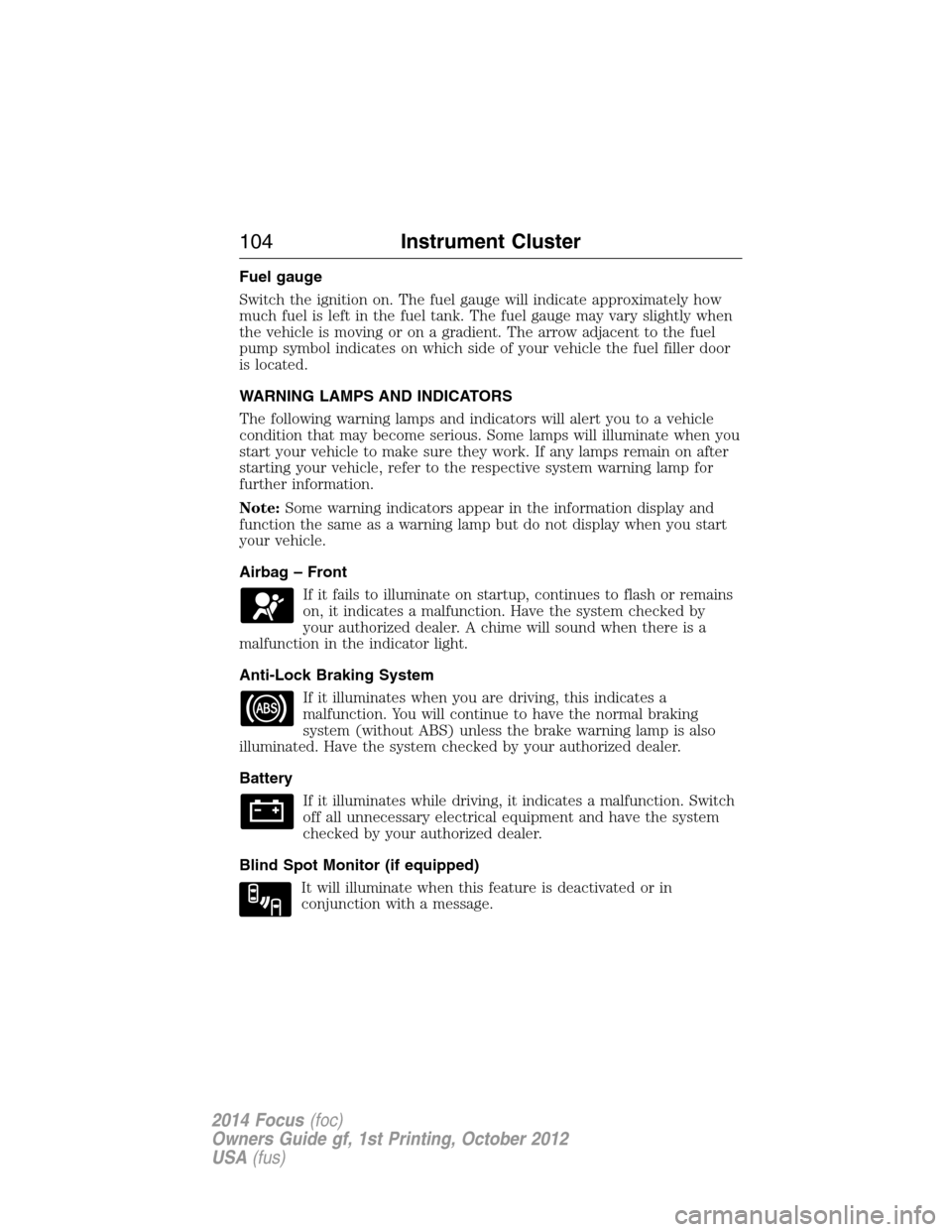
Airbag – Front
If it fails to illuminate on startup, continues to flash or remains
on, it indicates a malfunction. Have the system checked by
your authorized dealer. A chime will sound when there is a
malfunction in the indicator light.
Anti-Lock Braking System
If it illuminates when you are driving, this indicates a
malfunction. You will continue to have the normal braking
system (without ABS) unless the brake warning lamp is also
illuminated. Have the system checked by your authorized dealer.
Battery
If it illuminates while driving, it indicates a malfunction. Switch
off all unnecessary electrical equipment and have the system
checked by your authorized dealer.
Blind Spot Monitor (if equipped)
It will illuminate when this feature is deactivated or in
conjunction with a message.
104Instrument Cluster
2014 Focus(foc)
Owners Guide gf, 1st Printing, October 2012
USA(fus)
Page 106 of 492
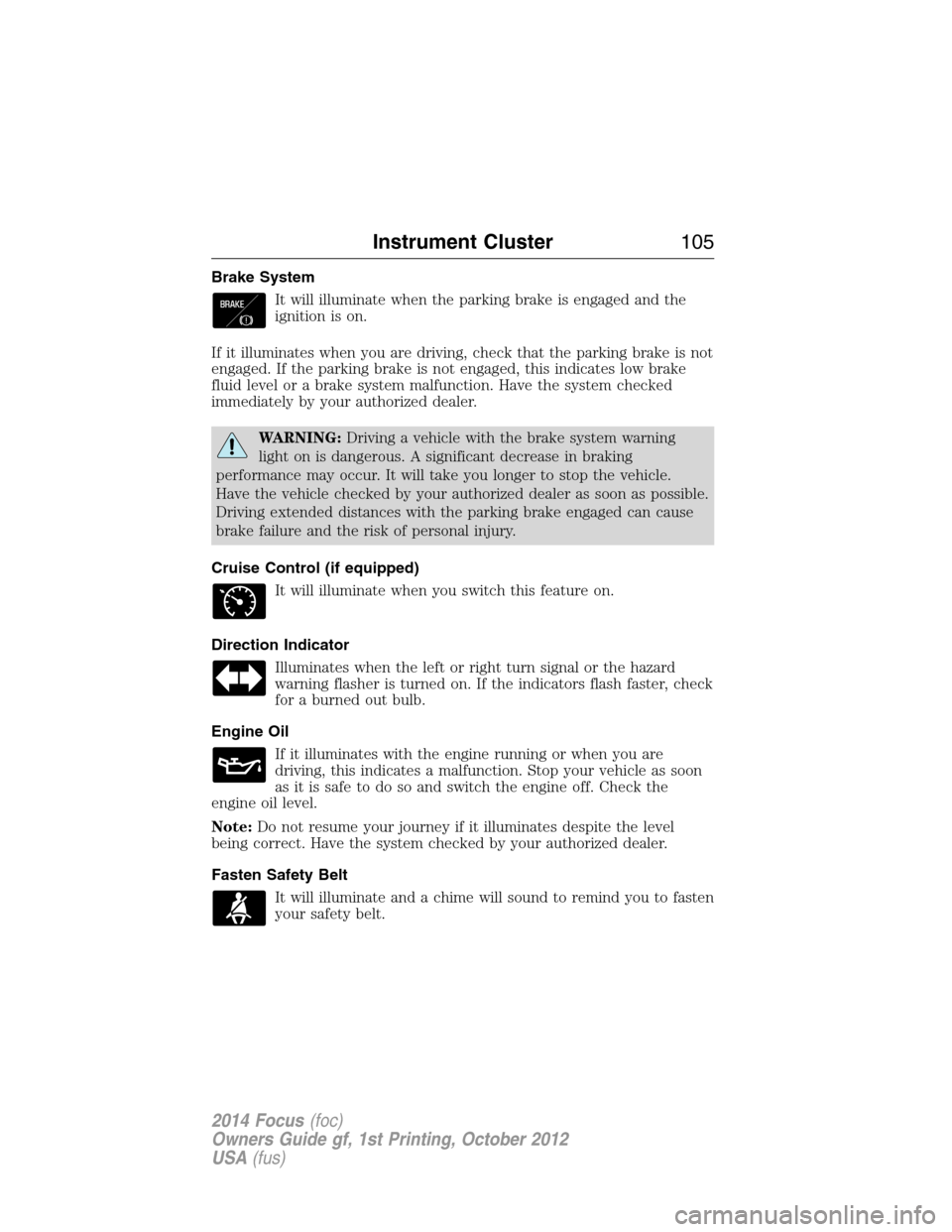
Brake System
It will illuminate when the parking brake is engaged and the
ignition is on.
If it illuminates when you are driving, check that the parking brake is not
engaged. If the parking brake is not engaged, this indicates low brake
fluid level or a brake system malfunction. Have the system checked
immediately by your authorized dealer.
WARNING:Driving a vehicle with the brake system warning
light on is dangerous. A significant decrease in braking
performance may occur. It will take you longer to stop the vehicle.
Have the vehicle checked by your authorized dealer as soon as possible.
Driving extended distances with the parking brake engaged can cause
brake failure and the risk of personal injury.
Cruise Control (if equipped)
It will illuminate when you switch this feature on.
Direction Indicator
Illuminates when the left or right turn signal or the hazard
warning flasher is turned on. If the indicators flash faster, check
for a burned out bulb.
Engine Oil
If it illuminates with the engine running or when you are
driving, this indicates a malfunction. Stop your vehicle as soon
as it is safe to do so and switch the engine off. Check the
engine oil level.
Note:Do not resume your journey if it illuminates despite the level
being correct. Have the system checked by your authorized dealer.
Fasten Safety Belt
It will illuminate and a chime will sound to remind you to fasten
your safety belt.
Instrument Cluster105
2014 Focus(foc)
Owners Guide gf, 1st Printing, October 2012
USA(fus)
Page 110 of 492
GENERAL INFORMATION
WARNING:Driving while distracted can result in loss of vehicle
control, crash and injury. We strongly recommend that you use
extreme caution when using any device that may take your focus off
the road. Your primary responsibility is the safe operation of your
vehicle. We recommend against the use of any handheld device while
driving and encourage the use of voice-operated systems when possible.
Make sure you are aware of all applicable local laws that may affect the
use of electronic devices while driving..
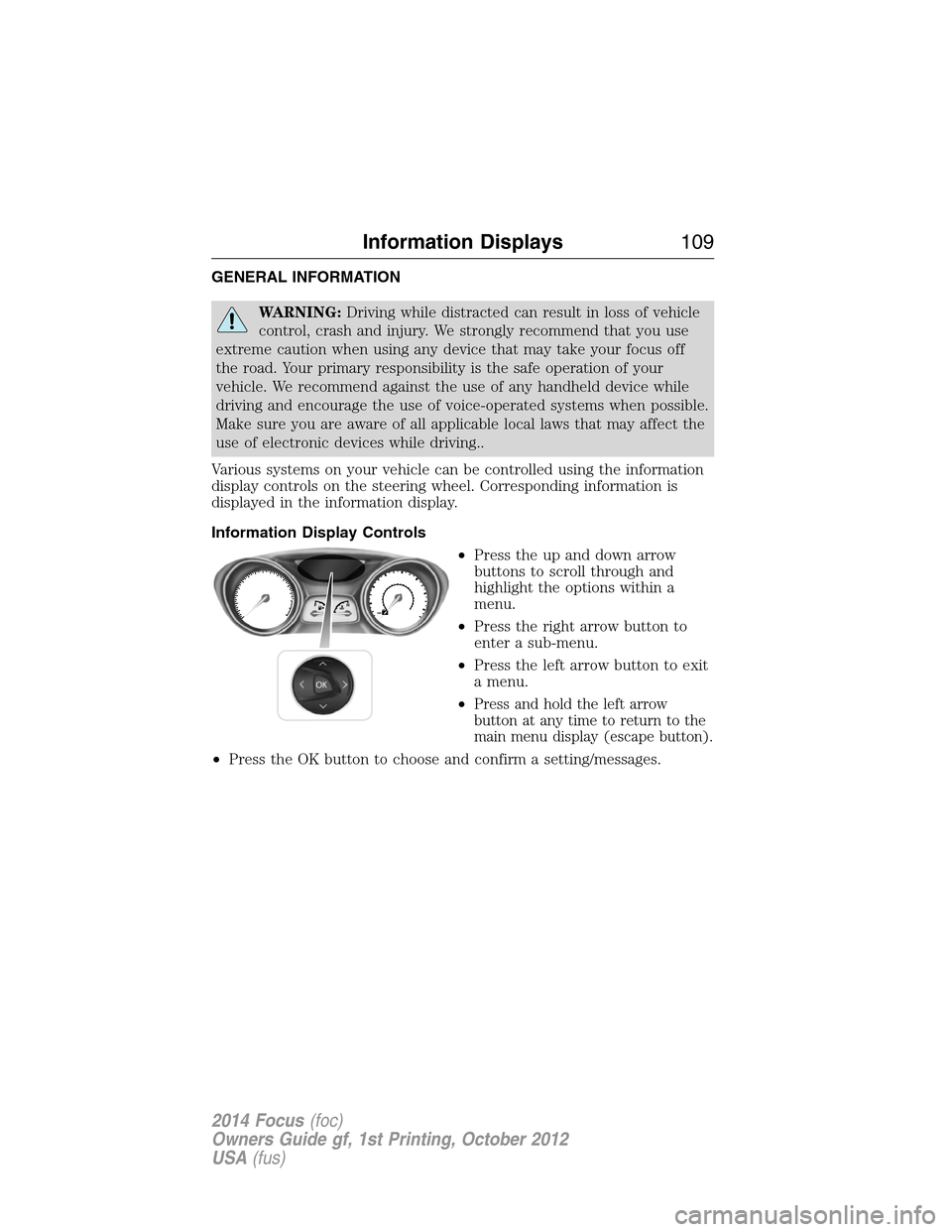
Various systems on your vehicle can be controlled using the information
display controls on the steering wheel. Corresponding information is
displayed in the information display.
Information Display Controls
•Press the up and down arrow
buttons to scroll through and
highlight the options within a
menu.
•Press the right arrow button to
enter a sub-menu.
•Press the left arrow button to exit
a menu.
•
Press and hold the left arrow
button at any time to return to the
main menu display (escape button).
•Press the OK button to choose and confirm a setting/messages.
Information Displays109
2014 Focus(foc)
Owners Guide gf, 1st Printing, October 2012
USA(fus)
Page 134 of 492
•Hold the steering wheel with your arms slightly bent.
•Bend your legs slightly so that you can press the pedals fully.
•Position the shoulder strap of the safety belt over the center of your
shoulder and position the lap strap tightly across your hips.
Make sure that your driving position is comfortable and that you can
maintain full control of your vehicle.
HEAD RESTRAINTS
WARNING:To minimize the risk of neck injury in the event of a
crash, the driver and passenger occupants should not sit in or
operate the vehicle, until the head restraint is placed in its proper
position. The driver should never adjust the head restraint while the
vehicle is in motion.
WARNING:The adjustable head restraint is a safety device.
Whenever possible, it should be installed and properly adjusted
when the seat is occupied.
WARNING:Install the head restraint properly to minimize the
risk of neck injury in the event of a crash.
Note:Adjust the seat back to an upright driving position before
adjusting any head restraint. Adjust the head restraint so that the top
of it is level with the top of your head and as far forward as possible,
remaining comfortable. For occupants of extremely tall stature, adjust
the head restraint to its highest position.
Seats133
2014 Focus(foc)
Owners Guide gf, 1st Printing, October 2012
USA(fus)
Page 143 of 492
AUXILIARY POWER POINTS
WARNING:Do not plug optional electrical accessories into the
cigarette lighter socket (if equipped). Improper use of the lighter
can cause damage not covered by your warranty, and can result in fire
or serious injury.
Note:If used when the vehicle is not running, the battery will discharge.
There may be insufficient power to restart your vehicle.
Note:Do not insert objects other than an accessory plug into the power
point. This will damage the outlet and blow the fuse.
Note:Do not hang any type of accessory or accessory bracket from the
plug.
Note:Do not use the power point over the vehicle capacity of 12 volts
DC 180 watts or a fuse may blow.
Note:Do not use the power point for operating a cigarette lighter
element.
Note:Improper use of the power point can cause damage not covered
by your warranty.
Note:Always keep the power point caps closed when not in use.
Run the vehicle for full capacity use of the power point. To prevent the
battery from being discharged:
•Do not use the power point longer than necessary when the vehicle is
not running.
•Do not leave devices plugged in overnight or when the vehicle is
parked for extended periods.
Locations
Power points may be found:
•on the center console
•on the rear of the center console.
142Auxiliary Power Points
2014 Focus(foc)
Owners Guide gf, 1st Printing, October 2012
USA(fus)