display FORD FUSION (AMERICAS) 2015 2.G Repair Manual
[x] Cancel search | Manufacturer: FORD, Model Year: 2015, Model line: FUSION (AMERICAS), Model: FORD FUSION (AMERICAS) 2015 2.GPages: 488, PDF Size: 5.66 MB
Page 169 of 488
USING ALL-WHEEL DRIVE
All-wheel drive uses all four wheels to
power the vehicle. This increases traction,
enabling you to drive over terrain and road
conditions that a conventional two-wheel
drive vehicle cannot. The AWD system is
active all the time and requires no input
from the operator.
Note:
Your AWD vehicle is not intended for
off-road use. The AWD feature gives your
vehicle some limited off-road capabilities
in which driving surfaces are relatively level,
obstruction-free and otherwise similar to
normal on-road driving conditions.
Operating your vehicle under other than
those conditions could subject the vehicle
to excessive stress which might result in
damage which is not covered under your
warranty.
Note: A warning message will be displayed
in the information display when an AWD
system fault is present See Information
Messages (page 103). An AWD system fault
will cause the AWD system to default to
front-wheel drive only mode. When this
warning message is displayed, have your
vehicle serviced at an authorized dealer
Note: A warning message will be displayed
in the information display if the AWD system
has overheated
See Information
Messages (page 103). This condition may
occur if the vehicle was operated in extreme
conditions with excessive wheel slip, such
as deep sand. To resume normal AWD
function as soon as possible, stop the
vehicle in a safe location and stop the
engine for at least 10 minutes. After the
engine has been restarted and the AWD
system has adequately cooled, the warning
message will turn off and normal AWD
function will return. Do not use a spare tire of a different size
other than the tire provided. If the
mini-spare tire is installed, the AWD
system may disable automatically and
enter front-wheel drive only mode to
protect driveline components. This
condition will be indicated by a warning in
the information display See Information
Messages (page 103). If there is a warning
message in the information display from
using the spare tire, this indicator should
turn off after reinstalling the repaired or
replaced normal road tire and cycling the
ignition off and on. It is recommended to
reinstall the repaired or replaced road tire
as soon as possible. Major dissimilar tire
sizes between the front and rear axles
could cause the AWD system to stop
functioning and default to front-wheel
drive or damage the AWD system.
Driving In Special Conditions With
All-Wheel Drive (AWD)
AWD vehicles are equipped for driving on
sand, snow, mud and rough roads and have
operating characteristics that are
somewhat different from conventional
vehicles, both on and off the highway.
Under severe operating conditions, the A/C
may cycle on and off to protect
overheating of the engine.
Basic operating principles in special
conditions
•
Drive slower in strong crosswinds which
can affect the normal steering
characteristics of your vehicle.
• Be extremely careful when driving on
pavement made slippery by loose sand,
water, gravel, snow or ice.
166
Fusion/Mondeo (CC7), enUSA All-Wheel Drive
(If Equipped)
Page 175 of 488
ELECTRIC PARKING BRAKE
The electric parking brake replaces the
conventional handbrake. The operating
switch is located in the center console.
WARNING
Always set the parking brake and
leave your vehicle with the
transmission in park (P) (automatic
transmission) or in first gear (1) or reverse
(R) (manual transmission). Note:
When you apply the electric parking
brake in certain conditions, for example, on
a steep hill, the electric parking brake may
reapply the brakes within three to ten
minutes.
Note: You may notice various noises when
you apply and release the electric parking
brake. This is normal and no cause for
concern.
Parking on a hill (vehicles with a
manual transmission)
If you park your vehicle facing uphill, move
the transmission to first gear (1) and turn
the steering wheel away from the curb. If
you park your vehicle facing downhill, move
the transmission to reverse (R) and turn
the steering wheel toward the curb.
Applying the electric parking brake WARNING
If the brake system warning lamp
flashes, there could be a problem
with your electric parking brake. Have
the system checked by an authorized
dealer as soon as possible. Note:
The brake system warning lamp will
illuminate for ten seconds, if the ignition is
turned off after the electric parking brake
has been applied, or the electric parking
brake has been applied after the ignition has
been turned off.
Note: The electric parking brake will not
automatically apply. You must apply the
electric parking brake using the electric
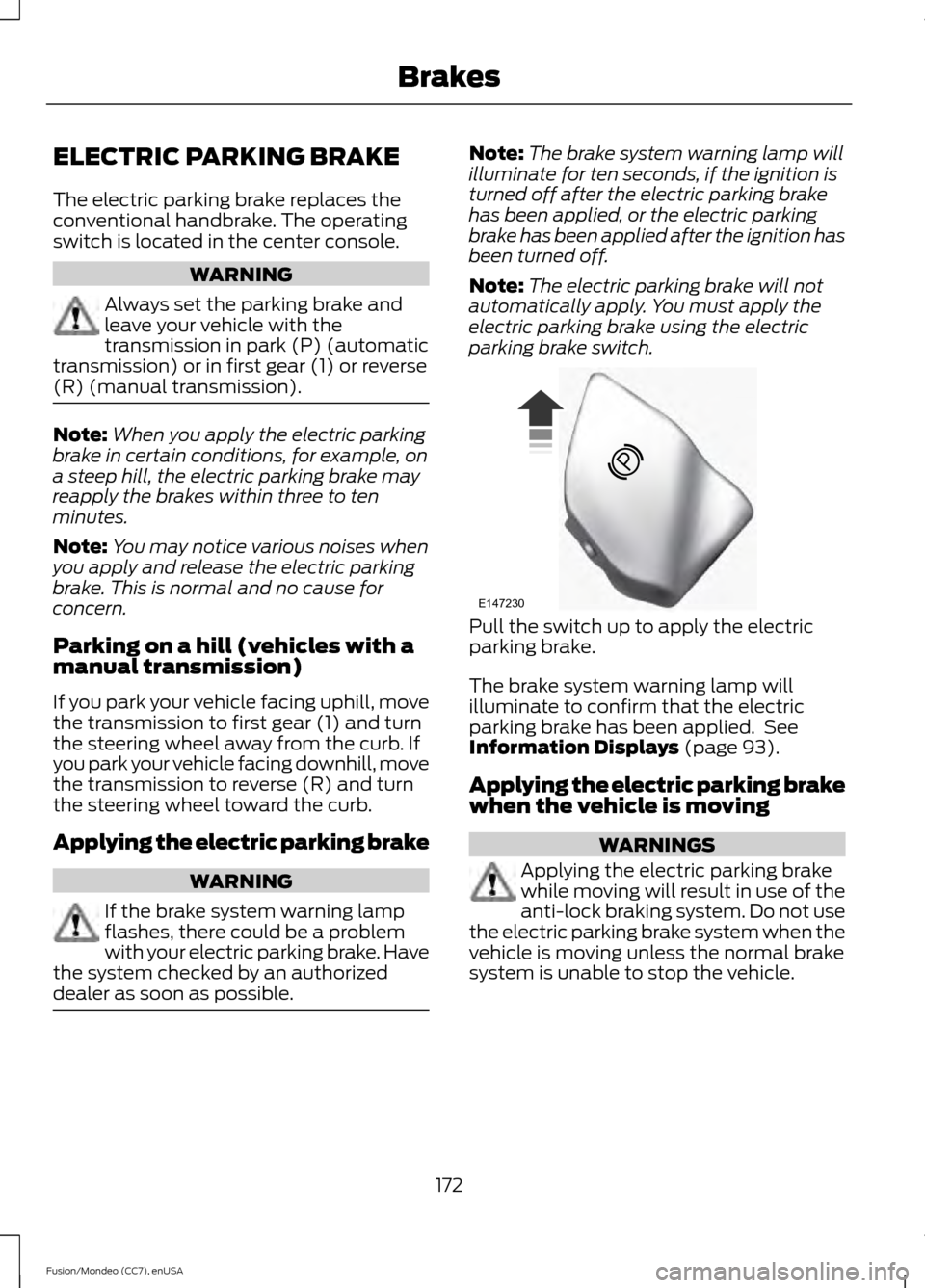
parking brake switch. Pull the switch up to apply the electric
parking brake.
The brake system warning lamp will
illuminate to confirm that the electric
parking brake has been applied. See
Information Displays (page 93).
Applying the electric parking brake
when the vehicle is moving WARNINGS
Applying the electric parking brake
while moving will result in use of the
anti-lock braking system. Do not use
the electric parking brake system when the
vehicle is moving unless the normal brake
system is unable to stop the vehicle.
172
Fusion/Mondeo (CC7), enUSA BrakesE147230
Page 176 of 488
WARNINGS
With the exception of emergency
conditions (for example, the brake
pedal does not work or is blocked),
do not apply the electric parking brake
while the vehicle is moving. On bends, or
poor road surfaces or weather conditions,
emergency braking can cause the vehicle
to skid out of control or off the road. If you apply the electric parking brake when
your vehicle is moving, the brake system
warning lamp will illuminate and a warning
chime will sound. See Information
Displays (page 93).
If your vehicle speed is above
4 mph
(6 km/h), the braking force is applied as
long as the switch is pulled. Releasing or
pressing the switch or pressing the
accelerator pedal will stop the braking
force.
Releasing the electric parking
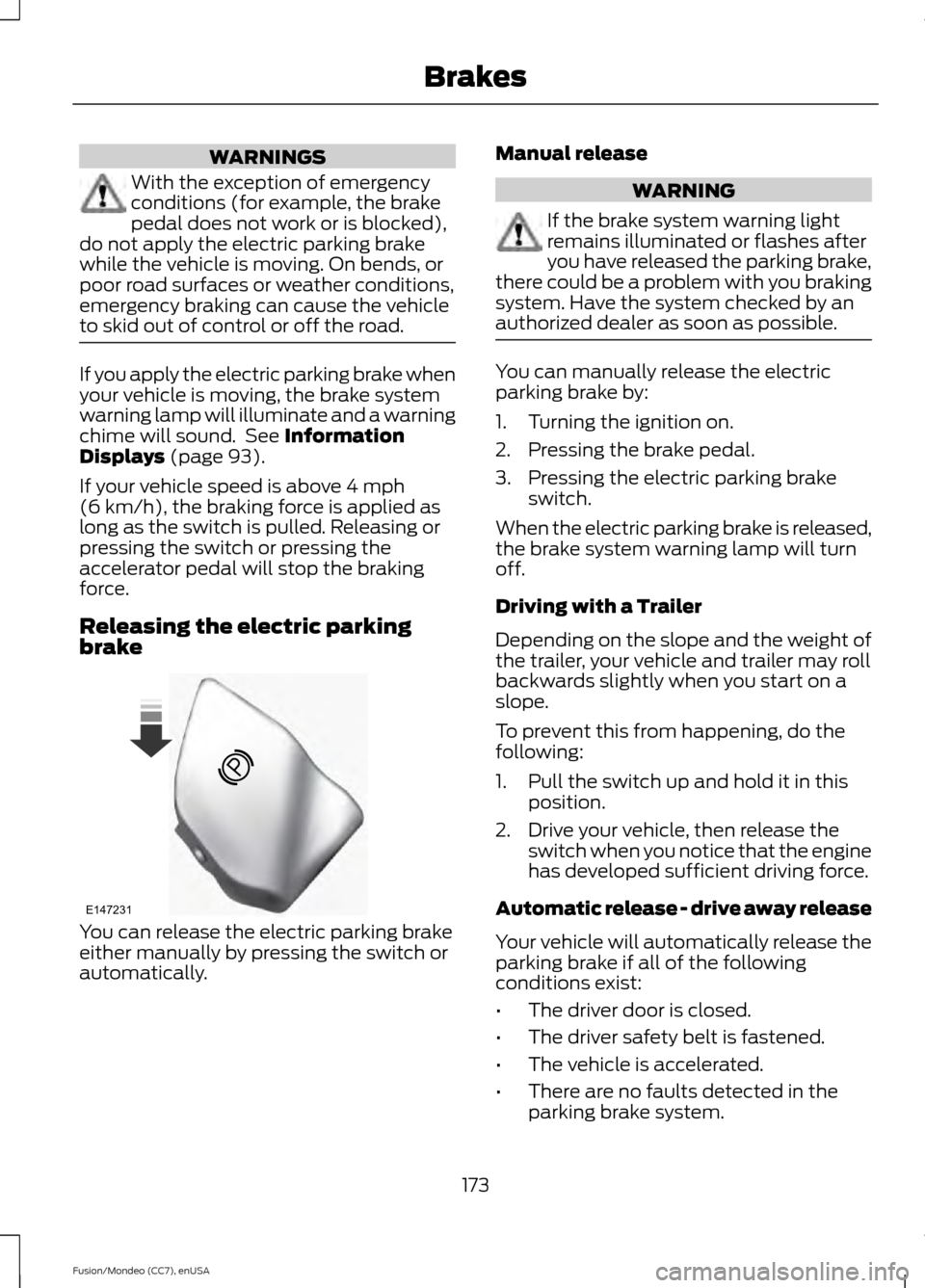
brake You can release the electric parking brake
either manually by pressing the switch or
automatically. Manual release WARNING
If the brake system warning light
remains illuminated or flashes after
you have released the parking brake,
there could be a problem with you braking
system. Have the system checked by an
authorized dealer as soon as possible. You can manually release the electric
parking brake by:
1. Turning the ignition on.
2. Pressing the brake pedal.
3. Pressing the electric parking brake
switch.
When the electric parking brake is released,
the brake system warning lamp will turn
off.
Driving with a Trailer
Depending on the slope and the weight of
the trailer, your vehicle and trailer may roll
backwards slightly when you start on a
slope.
To prevent this from happening, do the
following:
1. Pull the switch up and hold it in this position.
2. Drive your vehicle, then release the switch when you notice that the engine
has developed sufficient driving force.
Automatic release - drive away release
Your vehicle will automatically release the
parking brake if all of the following
conditions exist:
• The driver door is closed.
• The driver safety belt is fastened.
• The vehicle is accelerated.
• There are no faults detected in the
parking brake system.
173
Fusion/Mondeo (CC7), enUSA BrakesE147231
Page 179 of 488
PRINCIPLE OF OPERATION
The traction control system helps avoid
drive wheel spin and loss of traction.
If your vehicle begins to slide, the system
applies the brakes to individual wheels
and, when needed, reduces engine power
at the same time. If the wheels spin when
accelerating on slippery or loose surfaces,
the system reduces engine power in order
to increase traction.
USING TRACTION CONTROL
In certain situations for example, stuck in
snow or mud, turning the traction control
off may be beneficial as this allows the
wheels to spin with full engine power.
Depending on the type of system you have
on your vehicle, you can either turn the
system off using the information display
or by pressing the button.
Switching the System Off Using
the Information Display Controls
(If Equipped)
Your vehicle comes with this feature
already enabled. If required, you can switch
this feature off using the information
display controls. See (page 93).
Switching the System Off Using a
Switch
(If Equipped)
The button is located in the instrument
panel.
Press the button. You will see a message
in conjunction with an illuminated icon in
the display. Press the button again to
return the system to normal mode.
When you switch the traction control
system off, stability control remains fully
active. System Indicator Lights and
Messages WARNING
If a failure has been detected within
the AdvanceTrac system, the
stability control light will illuminate
steadily. Verify that the AdvanceTrac
system was not manually disabled through
the information display. If the stability
control light still illuminates steadily, have
the system serviced by an authorized
dealer immediately. Operating your vehicle
with AdvanceTrac disabled could lead to
an increased risk of loss of vehicle control,
vehicle rollover, personal injury and death. The stability control light
temporarily illuminates on
engine start-up and flashes
when a driving condition activates the
stability system. The stability control off light
temporarily illuminates on
engine start-up and stays on
when you turn the traction control system
off.
When you turn the traction control system
off or on, a message appears in the
information display showing system status.
176
Fusion/Mondeo (CC7), enUSA Traction ControlE138639
Page 181 of 488
PARKING AID (If Equipped)
WARNINGS
To help avoid personal injury, please
read and understand the limitations
of the system as contained in this
section. Sensing is only an aid for some
(generally large and fixed) objects when
moving in reverse on a flat surface at
parking speeds. Traffic control systems,
inclement weather, air brakes, and external
motors and fans may also affect the
function of the sensing system; this may
include reduced performance or a false
activation. To help avoid personal injury, always
use caution when in reverse (R) and
when using the sensing system.
This system is not designed to
prevent contact with small or moving
objects. The system is designed to
provide a warning to assist the driver in
detecting large stationary objects to avoid
damaging the vehicle. The system may not
detect smaller objects, particularly those
close to the ground. Certain add-on devices such as large
trailer hitches, bike or surfboard racks
and any device that may block the
normal detection zone of the system, may
create false beeps. Note:
Keep the sensors, located on the
bumper or fascia, free from snow, ice and
large accumulations of dirt. If the sensors
are covered, the system ’s accuracy can be
affected. Do not clean the sensors with
sharp objects.
Note: If your vehicle sustains damage to
the bumper or fascia, leaving it misaligned
or bent, the sensing zone may be altered
causing inaccurate measurement of
obstacles or false alarms. Note:
If your vehicle is equipped with
MyKey®, it is possible to prevent turning the
sensing system off. See
MyKey ™ (page
52).
The sensing system warns the driver of
obstacles within a certain range of the
bumper area. The system turns on
automatically whenever the ignition is
switched on.
When receiving a detection warning, the
radio volume is reduced to a
predetermined level. After the warning
goes away, the radio volume returns to the
previous level.
The system can be switched off through
the information display menu or from the
pop-up message that appears once the
transmission is shifted into reverse (R) or
a front obstacle is detected. See
(page
93).
If a fault is present in the system, a warning
message appears in the information
display and does not allow the driver to
switch the faulted system on. See
Information Messages
(page 103).
Rear Sensing System
The rear sensors are only active when the
transmission is in reverse (R). As the
vehicle moves closer to the obstacle, the
rate of the audible warning increases.
When the obstacle is fewer than
9.84 in
(25 cm) away, the warning sounds
continuously. If a stationary or receding
object is detected farther than
9.84 in
(25 cm) from the side of the vehicle, the
tone sounds for only three seconds. Once
the system detects an object approaching,
the warning sounds again.
178
Fusion/Mondeo (CC7), enUSA Parking Aids
Page 183 of 488
For specific information on the reverse
sensing portion of the system, refer to that
section.
ACTIVE PARK ASSIST (If Equipped)
WARNING
Designed to be a supplementary park
aid, this system may not work in all
conditions. This system cannot
replace the driver ’s attention and
judgment. The driver is responsible for
avoiding hazards and maintaining a safe
distance and speed, even when the system
is in use. Note:
The driver is always responsible for
controlling the vehicle, supervising the
system and intervening if required.
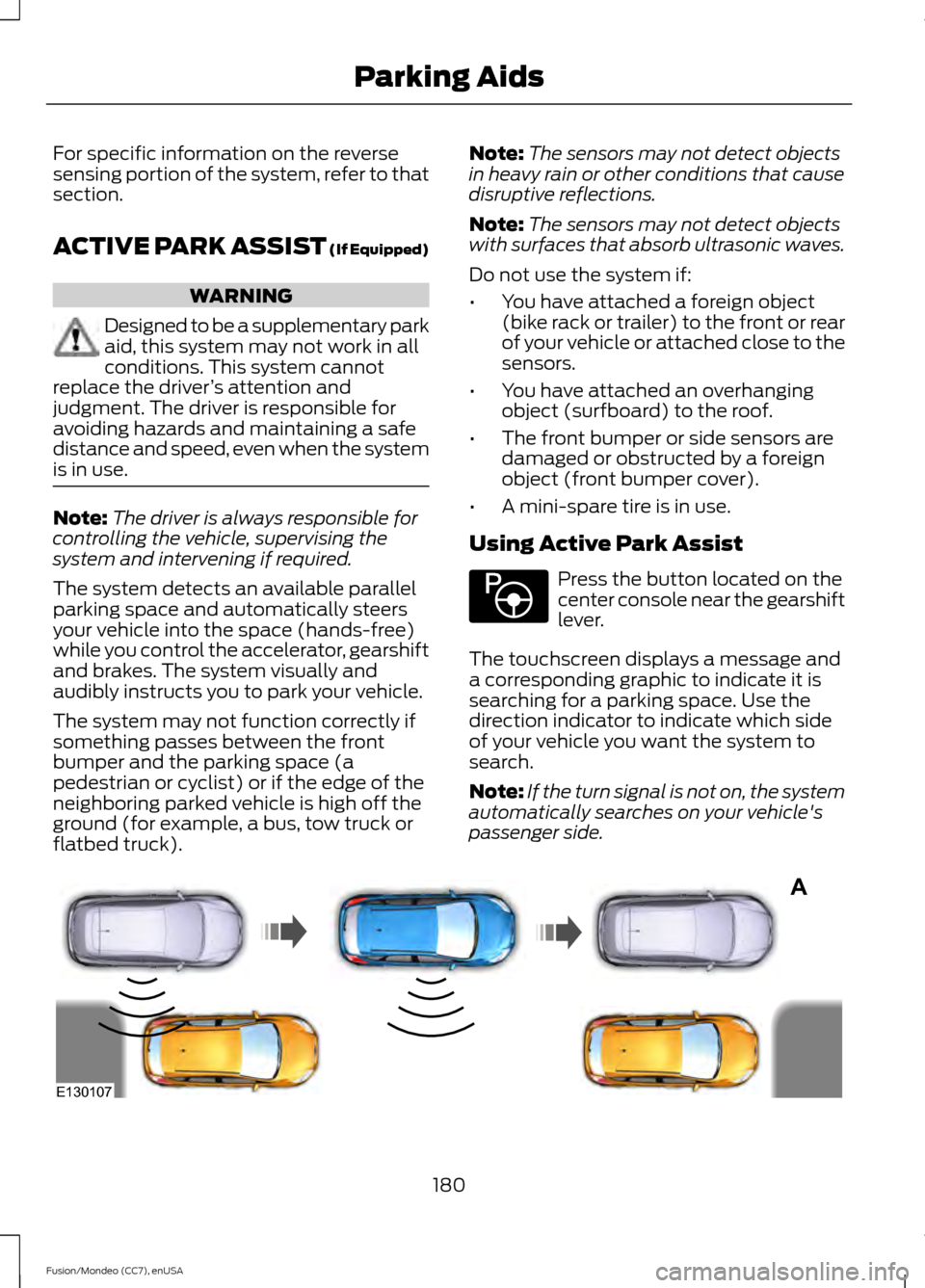
The system detects an available parallel
parking space and automatically steers
your vehicle into the space (hands-free)
while you control the accelerator, gearshift
and brakes. The system visually and
audibly instructs you to park your vehicle.
The system may not function correctly if
something passes between the front
bumper and the parking space (a
pedestrian or cyclist) or if the edge of the
neighboring parked vehicle is high off the
ground (for example, a bus, tow truck or
flatbed truck). Note:
The sensors may not detect objects
in heavy rain or other conditions that cause
disruptive reflections.
Note: The sensors may not detect objects
with surfaces that absorb ultrasonic waves.
Do not use the system if:
• You have attached a foreign object
(bike rack or trailer) to the front or rear
of your vehicle or attached close to the
sensors.
• You have attached an overhanging
object (surfboard) to the roof.
• The front bumper or side sensors are
damaged or obstructed by a foreign
object (front bumper cover).
• A mini-spare tire is in use.
Using Active Park Assist Press the button located on the
center console near the gearshift
lever.
The touchscreen displays a message and
a corresponding graphic to indicate it is
searching for a parking space. Use the
direction indicator to indicate which side
of your vehicle you want the system to
search.
Note: If the turn signal is not on, the system
automatically searches on your vehicle's
passenger side. 180
Fusion/Mondeo (CC7), enUSA Parking AidsE146186 A
E130107
Page 184 of 488
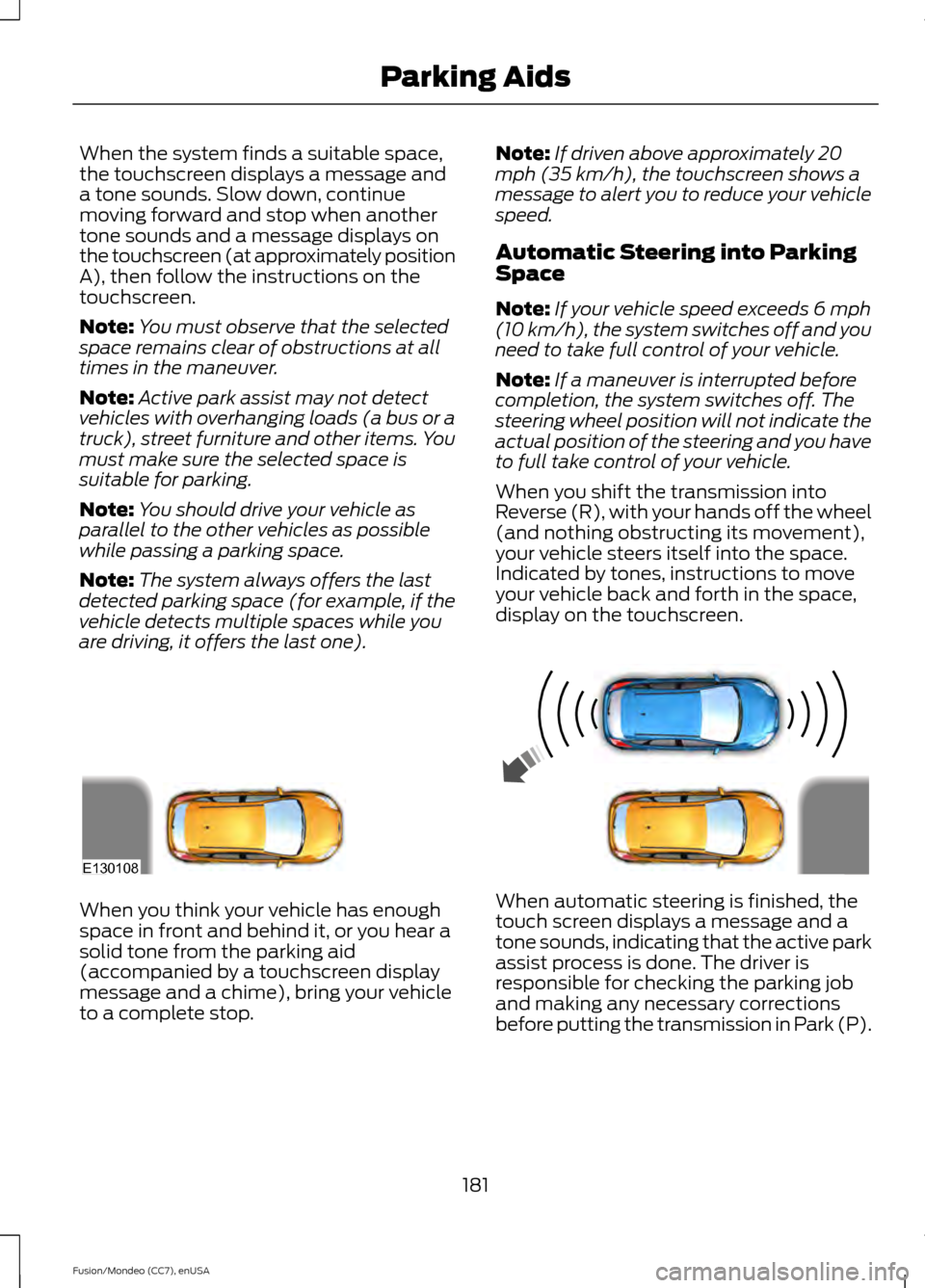
When the system finds a suitable space,
the touchscreen displays a message and
a tone sounds. Slow down, continue
moving forward and stop when another
tone sounds and a message displays on
the touchscreen (at approximately position
A), then follow the instructions on the
touchscreen.
Note:
You must observe that the selected
space remains clear of obstructions at all
times in the maneuver.
Note: Active park assist may not detect
vehicles with overhanging loads (a bus or a
truck), street furniture and other items. You
must make sure the selected space is
suitable for parking.
Note: You should drive your vehicle as
parallel to the other vehicles as possible
while passing a parking space.
Note: The system always offers the last
detected parking space (for example, if the
vehicle detects multiple spaces while you
are driving, it offers the last one). Note:
If driven above approximately 20
mph (35 km/h), the touchscreen shows a
message to alert you to reduce your vehicle
speed.
Automatic Steering into Parking
Space
Note: If your vehicle speed exceeds 6 mph
(10 km/h), the system switches off and you
need to take full control of your vehicle.
Note: If a maneuver is interrupted before
completion, the system switches off. The
steering wheel position will not indicate the
actual position of the steering and you have
to full take control of your vehicle.
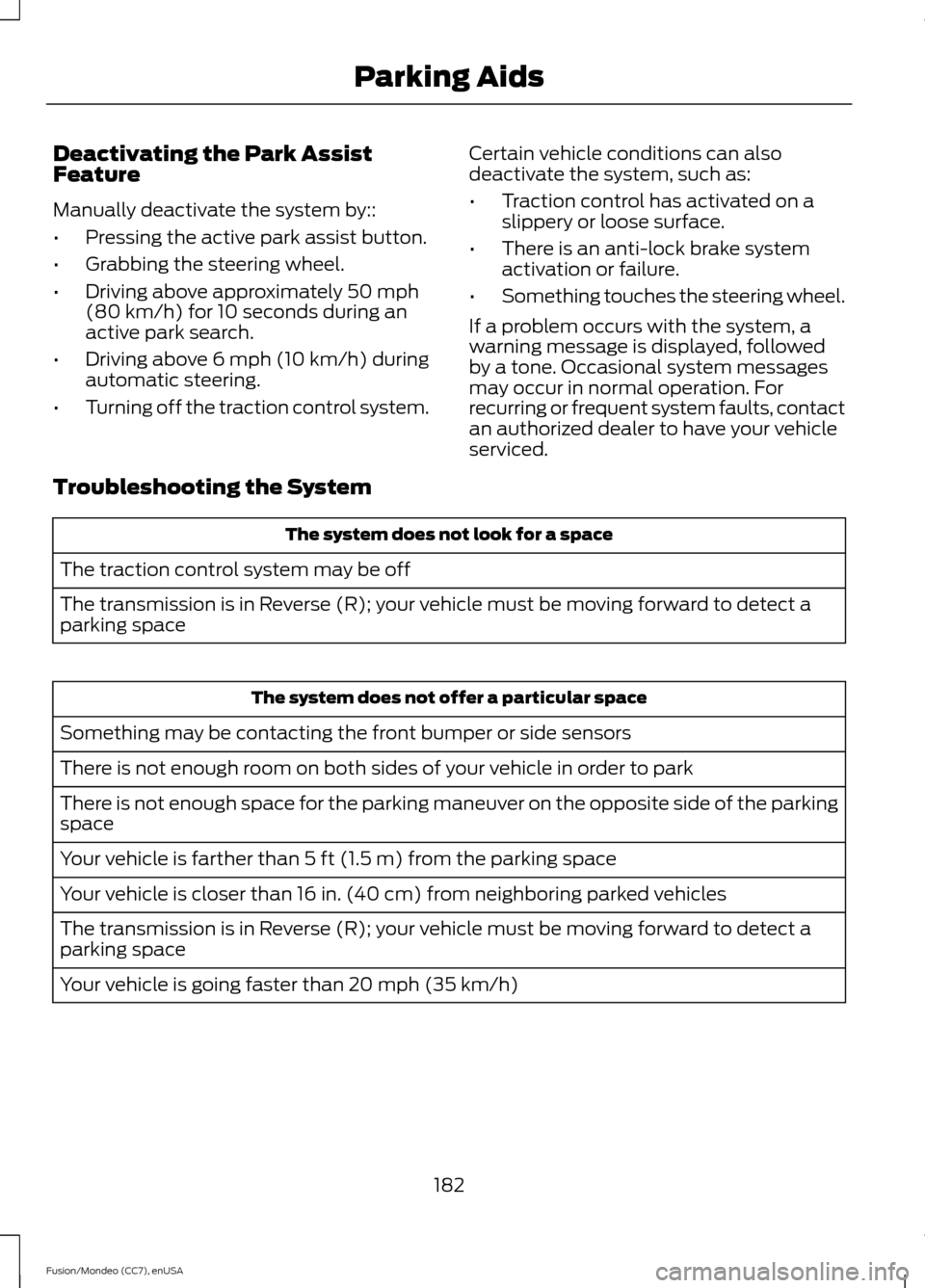
When you shift the transmission into
Reverse (R), with your hands off the wheel
(and nothing obstructing its movement),
your vehicle steers itself into the space.
Indicated by tones, instructions to move
your vehicle back and forth in the space,
display on the touchscreen. When you think your vehicle has enough
space in front and behind it, or you hear a
solid tone from the parking aid
(accompanied by a touchscreen display
message and a chime), bring your vehicle
to a complete stop.
When automatic steering is finished, the
touch screen displays a message and a
tone sounds, indicating that the active park
assist process is done. The driver is
responsible for checking the parking job
and making any necessary corrections
before putting the transmission in Park (P).
181
Fusion/Mondeo (CC7), enUSA Parking AidsE130108
Page 185 of 488
Deactivating the Park Assist
Feature
Manually deactivate the system by::
•
Pressing the active park assist button.
• Grabbing the steering wheel.
• Driving above approximately 50 mph
(80 km/h) for 10 seconds during an
active park search.
• Driving above 6 mph (10 km/h) during
automatic steering.
• Turning off the traction control system. Certain vehicle conditions can also
deactivate the system, such as:
•
Traction control has activated on a
slippery or loose surface.
• There is an anti-lock brake system
activation or failure.
• Something touches the steering wheel.
If a problem occurs with the system, a
warning message is displayed, followed
by a tone. Occasional system messages
may occur in normal operation. For
recurring or frequent system faults, contact
an authorized dealer to have your vehicle
serviced.
Troubleshooting the System The system does not look for a space
The traction control system may be off
The transmission is in Reverse (R); your vehicle must be moving forward to detect a
parking space The system does not offer a particular space
Something may be contacting the front bumper or side sensors
There is not enough room on both sides of your vehicle in order to park
There is not enough space for the parking maneuver on the opposite side of the parking
space
Your vehicle is farther than 5 ft (1.5 m) from the parking space
Your vehicle is closer than 16 in. (40 cm) from neighboring parked vehicles
The transmission is in Reverse (R); your vehicle must be moving forward to detect a
parking space
Your vehicle is going faster than 20 mph (35 km/h)
182
Fusion/Mondeo (CC7), enUSA Parking Aids
Page 186 of 488
![FORD FUSION (AMERICAS) 2015 2.G Repair Manual The system does not position the vehicle where I want in the space
Your vehicle is rolling in the opposite direction of the transmission (rolling forward when
Reverse [R] is selected)
An irregular cur](/img/11/5193/w960_5193-185.png "FORD FUSION (AMERICAS) 2015 2.G Repair Manual The system does not position the vehicle where I want in the space
Your vehicle is rolling in the opposite direction of the transmission (rolling forward when
Reverse [R] is selected)
An irregular cur")
The system does not position the vehicle where I want in the space
Your vehicle is rolling in the opposite direction of the transmission (rolling forward when
Reverse [R] is selected)
An irregular curb along the parking space prevents the system from aligning your vehicle
properly
Vehicles or objects bordering the space may not be positioned correctly
You pulled your vehicle too far past the parking space. The system performs best when
you drive the same distance past the parking space
The tires may not be installed or maintained correctly (not inflated correctly, improper
size, or of different sizes)
A repair or alteration has changed detection capabilities
A parked vehicle has a high attachment (salt sprayer, snowplow, moving truck bed,
etc.)
The parking space length or position of parked objects changed after your vehicle passed
The temperature around your vehicle changes quickly (driving from a heated garage
into the cold, or after leaving a car wash)
REAR VIEW CAMERA (If Equipped) WARNINGS
The rear view camera system is a
reverse aid supplement device that
still requires the driver to use it in
conjunction with the interior and exterior
mirrors for maximum coverage. Objects that are close to either
corner of the bumper or under the
bumper, might not be seen on the
screen due to the limited coverage of the
camera system. Back up as slow as possible since
higher speeds might limit your
reaction time to stop your vehicle. WARNINGS
Use caution when using the rear
video camera and the trunk is ajar. If
the trunk is ajar, the camera will be
out of position and the video image may
be incorrect. All guidelines (if enabled)
have been removed when the trunk is ajar. Use caution when turning camera
features on or off while in reverse
(R). Make sure your vehicle is not
moving. The rear view camera system provides a
video image of the area behind your
vehicle. The image will display in either in
the rear view mirror or the touchscreen
display in the center of the instrument
panel.
183
Fusion/Mondeo (CC7), enUSA Parking Aids
Page 187 of 488
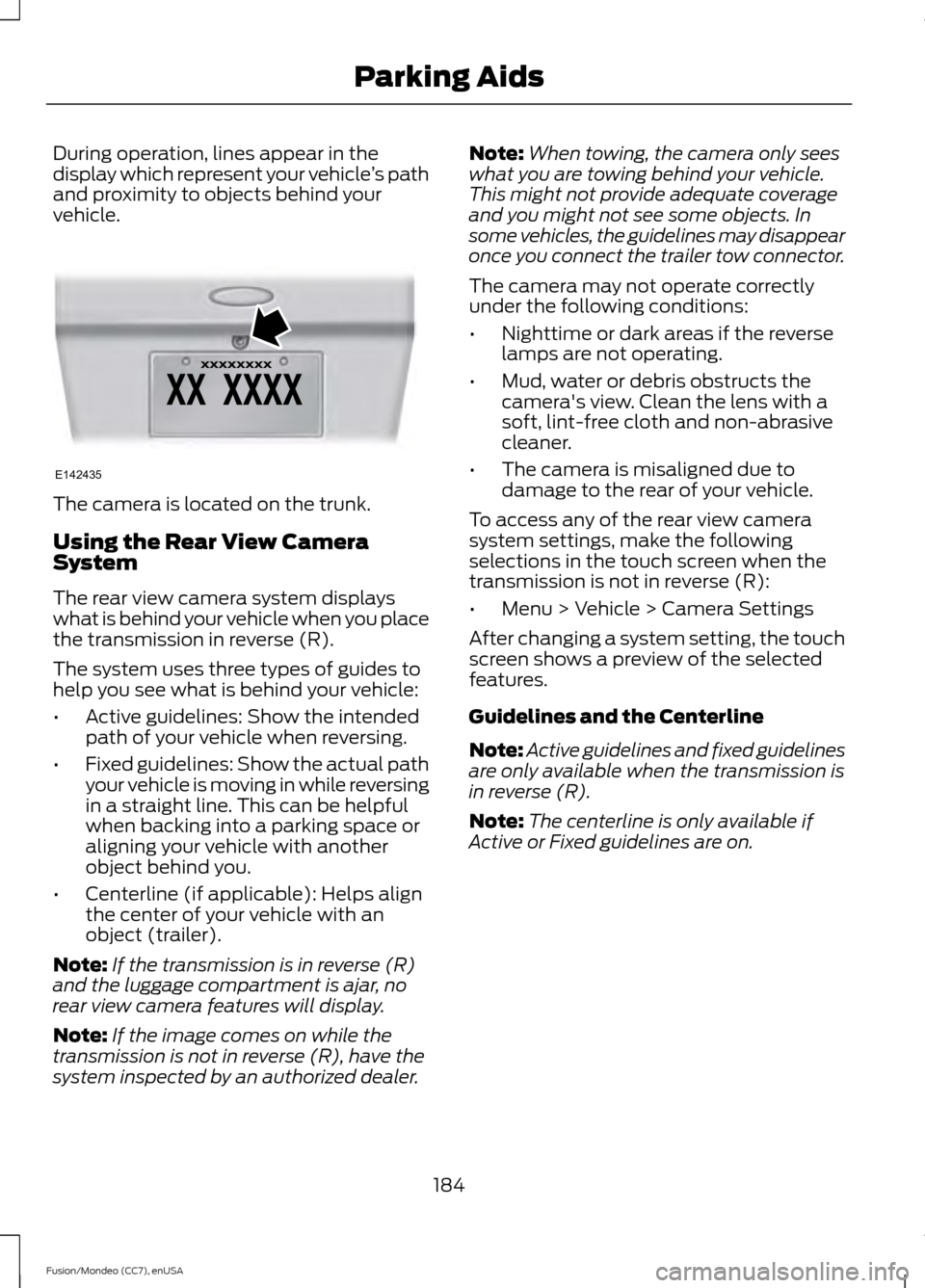
During operation, lines appear in the
display which represent your vehicle
’s path
and proximity to objects behind your
vehicle. The camera is located on the trunk.
Using the Rear View Camera
System
The rear view camera system displays
what is behind your vehicle when you place
the transmission in reverse (R).
The system uses three types of guides to
help you see what is behind your vehicle:
•
Active guidelines: Show the intended
path of your vehicle when reversing.
• Fixed guidelines: Show the actual path
your vehicle is moving in while reversing
in a straight line. This can be helpful
when backing into a parking space or
aligning your vehicle with another
object behind you.
• Centerline (if applicable): Helps align
the center of your vehicle with an
object (trailer).
Note: If the transmission is in reverse (R)
and the luggage compartment is ajar, no
rear view camera features will display.
Note: If the image comes on while the
transmission is not in reverse (R), have the
system inspected by an authorized dealer. Note:
When towing, the camera only sees
what you are towing behind your vehicle.
This might not provide adequate coverage
and you might not see some objects. In
some vehicles, the guidelines may disappear
once you connect the trailer tow connector.
The camera may not operate correctly
under the following conditions:
• Nighttime or dark areas if the reverse
lamps are not operating.
• Mud, water or debris obstructs the
camera's view. Clean the lens with a
soft, lint-free cloth and non-abrasive
cleaner.
• The camera is misaligned due to
damage to the rear of your vehicle.
To access any of the rear view camera
system settings, make the following
selections in the touch screen when the
transmission is not in reverse (R):
• Menu > Vehicle > Camera Settings
After changing a system setting, the touch
screen shows a preview of the selected
features.
Guidelines and the Centerline
Note: Active guidelines and fixed guidelines
are only available when the transmission is
in reverse (R).
Note: The centerline is only available if
Active or Fixed guidelines are on.
184
Fusion/Mondeo (CC7), enUSA Parking AidsE142435