warning FORD KUGA 2010 1.G Owner's Guide
[x] Cancel search | Manufacturer: FORD, Model Year: 2010, Model line: KUGA, Model: FORD KUGA 2010 1.GPages: 226, PDF Size: 8.07 MB
Page 54 of 226
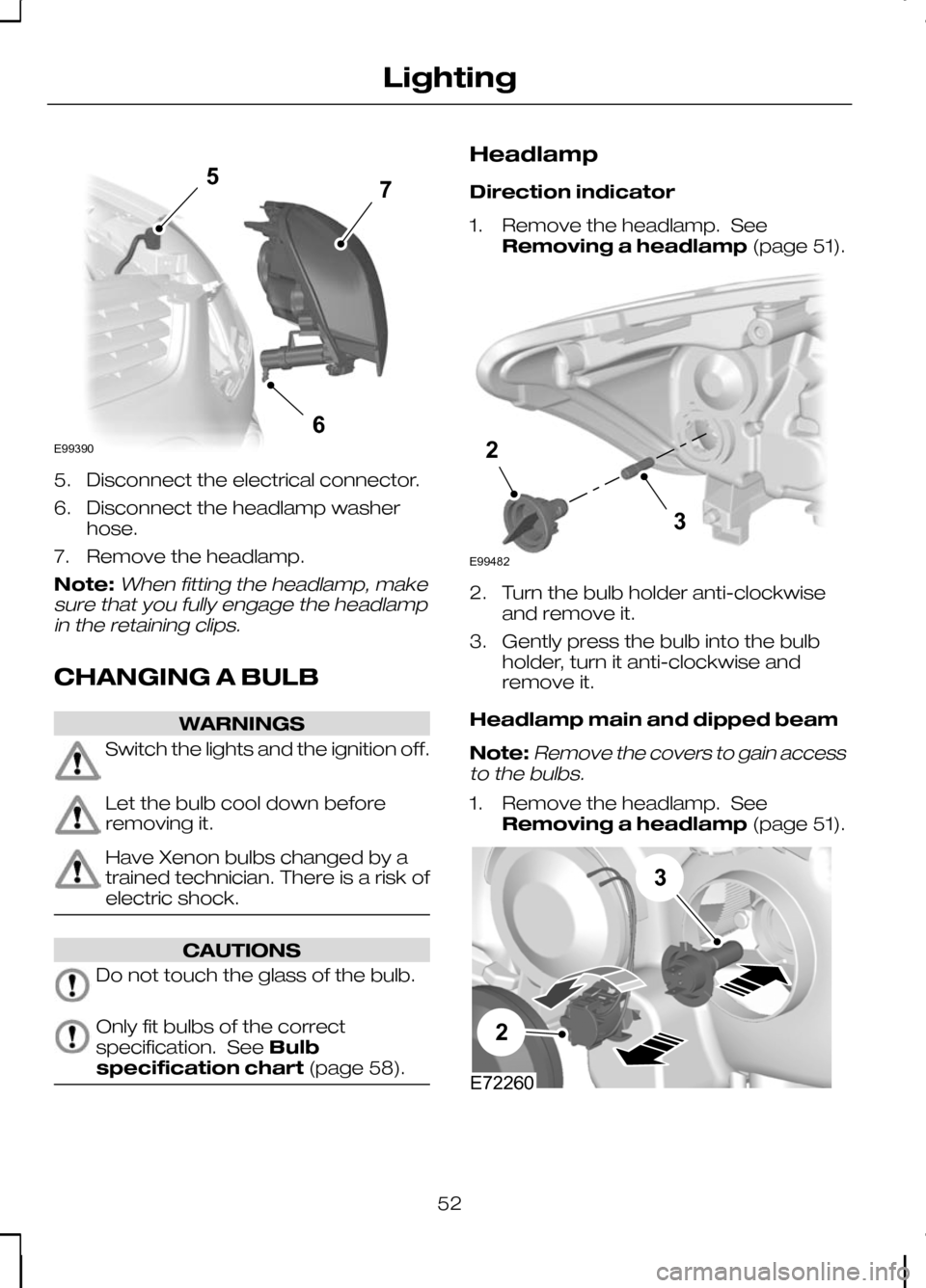
5. Disconnect the electrical connector.
6. Disconnect the headlamp washer
hose.
7. Remove the headlamp.
Note:When fitting the headlamp, make
sure that you fully engage the headlamp in the retaining clips.
CHANGING A BULB WARNINGS
Switch the lights and the ignition off.
Let the bulb cool down before
removing it.
Have Xenon bulbs changed by a
trained technician. There is a risk of
electric shock.
CAUTIONS
Do not touch the glass of the bulb.
Only fit bulbs of the correct
specification. See
Bulb
specification chart (page 58). Headlamp
Direction indicator
1. Remove the headlamp. See
Removing a headlamp (page 51). 2. Turn the bulb holder anti-clockwise
and remove it.
3. Gently press the bulb into the bulb holder, turn it anti-clockwise and
remove it.
Headlamp main and dipped beam
Note:
Remove the covers to gain access
to the bulbs.
1. Remove the headlamp. See
Removing a headlamp (page 51). 52
Lighting567E99390 E9948232 E7226032
Page 62 of 226
ELECTRIC WINDOWS
WARNING
Do not operate the electric windows
unless they are free from
obstruction.
Note:If you operate the switches often
during a short period of time, the system might become inoperable for a certaintime to prevent damage due tooverheating.
Switch on the ignition to operate the
electric windows.
Global opening and closing
You can also operate the electric
windows with the ignition off via the global
opening and closing function. See Locks
(page 29).
Driver's door switches
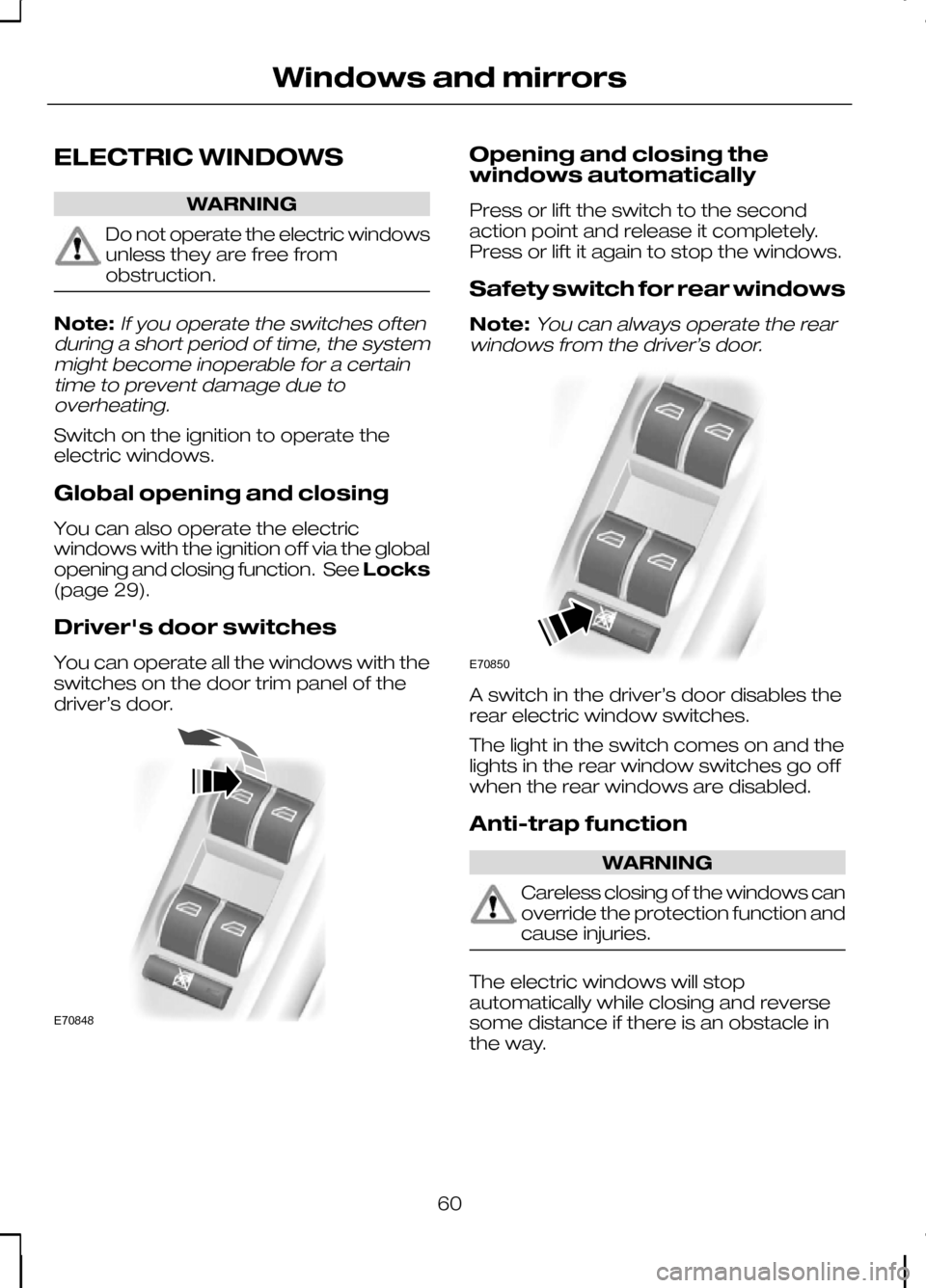
You can operate all the windows with the
switches on the door trim panel of the
driver’s door. Opening and closing the
windows automatically
Press or lift the switch to the second
action point and release it completely.
Press or lift it again to stop the windows.
Safety switch for rear windows
Note:
You can always operate the rear
windows from the driver’s door. A switch in the driver’s door disables the
rear electric window switches.
The light in the switch comes on and the
lights in the rear window switches go off
when the rear windows are disabled.
Anti-trap function
WARNING
Careless closing of the windows can
override the protection function and
cause injuries.
The electric windows will stop
automatically while closing and reverse
some distance if there is an obstacle in
the way.
60
Windows and mirrorsE70848 E70850
Page 63 of 226
Overriding the anti-trap function
CAUTION
While you close the window for the
third time, the anti-trap function is
disabled. Make sure there are no
obstacles in the way of the closing
window. To override this protection function when
there is a resistance, e.g. in the winter,
proceed as follows:
1. Close the window twice until it
reaches the resistance and let it
reverse.
2. Close the window a third time to the resistance. The anti-trap function is
disabled and you cannot close the
window automatically. The window will
override the resistance and you can
close it fully.
3. If the window does not close after the third attempt, have it checked by an
expert.
Resetting the memory of the
electric windows WARNING
The anti-trap function is deactivated
until you have reset the memory.
After the battery has been disconnected
from the vehicle you must reset the
memory separately for each window:
1. Lift and hold the switch until the
window is fully closed.
2. Release the switch.
3. Lift the switch again for one more second.
4. Push and hold the switch until the window is fully open.
5. Release the switch. 6. Lift and hold the switch until the
window is fully closed.
7. Open the window and try to close it automatically.
8. Reset and repeat procedure if the window does not close automatically.
EXTERIOR MIRRORS WARNING
Do not overestimate the distance
of the objects that you see in the
convex mirror. Objects seen in
convex mirrors will appear smaller and
further away than they actually are. Manual folding mirrors
Folding
Push the mirror towards the door window
glass.
Unfolding
Make sure that you fully engage the mirror
in its support when returning it to its
original position.
61
Windows and mirrors
Page 66 of 226
If the needle enters the red section, the
engine is overheating. Stop the engine,
switch the ignition off and determine the
cause
once the engine has cooled
down. See Engine coolant check
(page 148).
Fuel gauge
The arrow adjacent to the fuel pump
symbol indicates on which side of the
vehicle the fuel filler cap is located.
WARNING LAMPS AND
INDICATORS
The following warning lamps and
indicators illuminate when the ignition is
switched on:
• Airbag
• Oil pressure
• ABS
• Stability control (ESP)
• Engine
• Doors open
• Brake system
• Frost
• Power steering
• Ignition
If a warning or indicator lamp does not
illuminate when the ignition is switched
on, it indicates a malfunction. Have the
system checked by properly trained
technician.
ABS warning lamp If it illuminates when you are
driving, this indicates a
malfunction. You will continue
to have normal braking (without ABS).
Have the system checked by a properly
trained technician as soon as possible. Airbag warning lamp If it illuminates when you are
driving, this indicates a
malfunction. Have the system
checked by a properly trained technician.
Brake system lamp It illuminates when the parking
brake is engaged.
WARNING
Reduce your speed gradually and
stop your vehicle as soon as it is
safe to do so. Use your brakes with
care. If it illuminates when you are driving, check
that the parking brake is not engaged. If
the parking brake is not engaged, this
indicates a malfunction. Have the system
checked by a properly trained technician
immediately.
Cruise control indicator
It will illuminate when you have
set a speed using the cruise
control system. See
Using
cruise control (page 120).
Direction indicators Flashes during operation. A
sudden increase in the rate of
flashing warns of a failed
indicator bulb. See Changing a bulb
(page 52).
Doors open warning lamp Illuminates when the ignition is
switched on and remains on if
any door, the bonnet or the
luggage compartment is not closed
properly.
64
Instruments E71340
Page 67 of 226
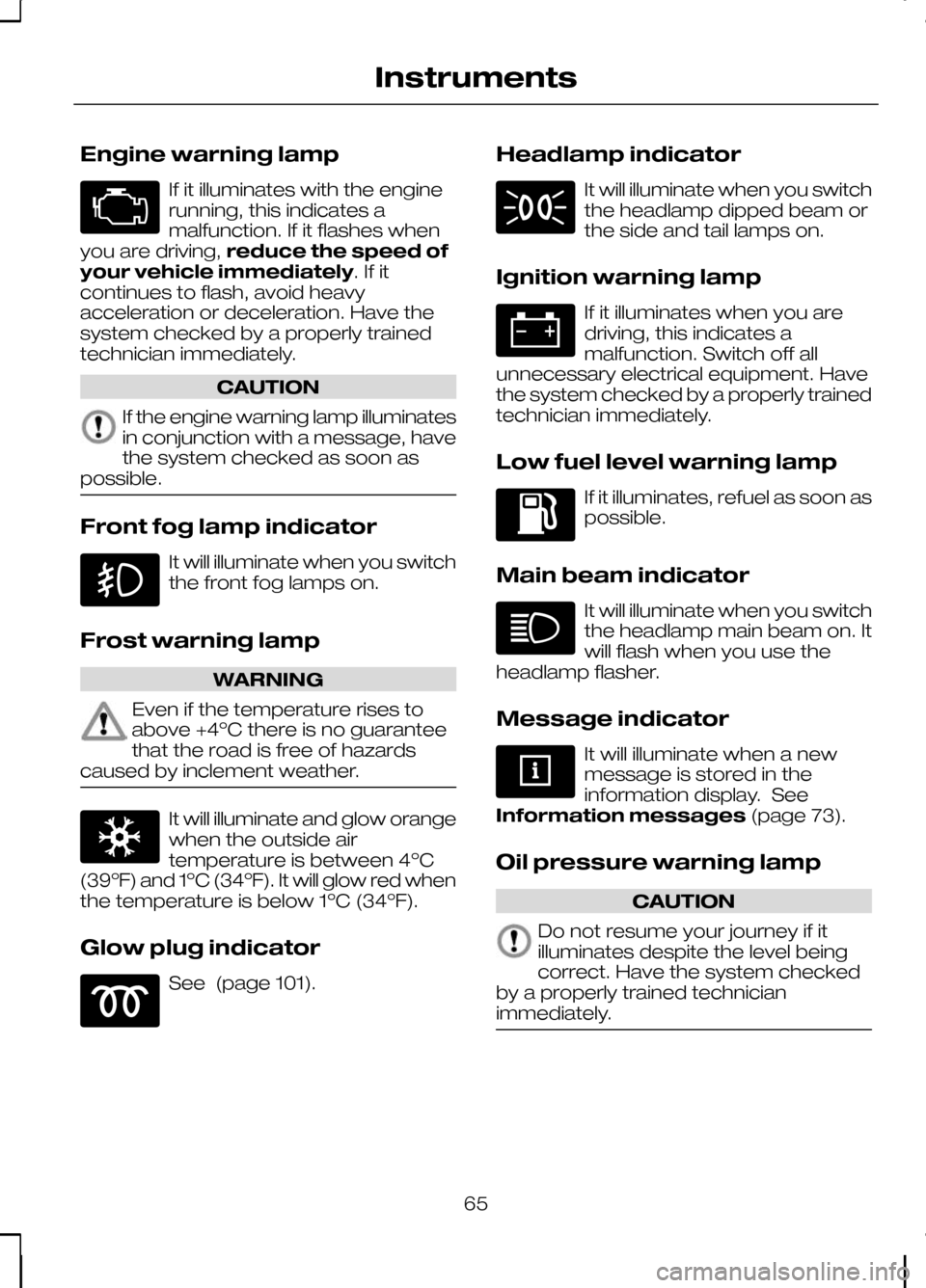
Engine warning lamp
If it illuminates with the engine
running, this indicates a
malfunction. If it flashes when
you are driving, reduce the speed of
your vehicle immediately. If it
continues to flash, avoid heavy
acceleration or deceleration. Have the
system checked by a properly trained
technician immediately. CAUTION
If the engine warning lamp illuminates
in conjunction with a message, have
the system checked as soon as
possible. Front fog lamp indicator
It will illuminate when you switch
the front fog lamps on.
Frost warning lamp WARNING
Even if the temperature rises to
above +4ºC there is no guarantee
that the road is free of hazards
caused by inclement weather. It will illuminate and glow orange
when the outside air
temperature is between 4ºC
(39ºF) and 1ºC (34ºF). It will glow red when
the temperature is below 1ºC (34ºF).
Glow plug indicator See (page 101). Headlamp indicator It will illuminate when you switch
the headlamp dipped beam or
the side and tail lamps on.
Ignition warning lamp If it illuminates when you are
driving, this indicates a
malfunction. Switch off all
unnecessary electrical equipment. Have
the system checked by a properly trained
technician immediately.
Low fuel level warning lamp If it illuminates, refuel as soon as
possible.
Main beam indicator It will illuminate when you switch
the headlamp main beam on. It
will flash when you use the
headlamp flasher.
Message indicator It will illuminate when a new
message is stored in the
information display. See
Information messages (page 73).
Oil pressure warning lamp CAUTION
Do not resume your journey if it
illuminates despite the level being
correct. Have the system checked
by a properly trained technician
immediately. 65
Instruments
Page 68 of 226
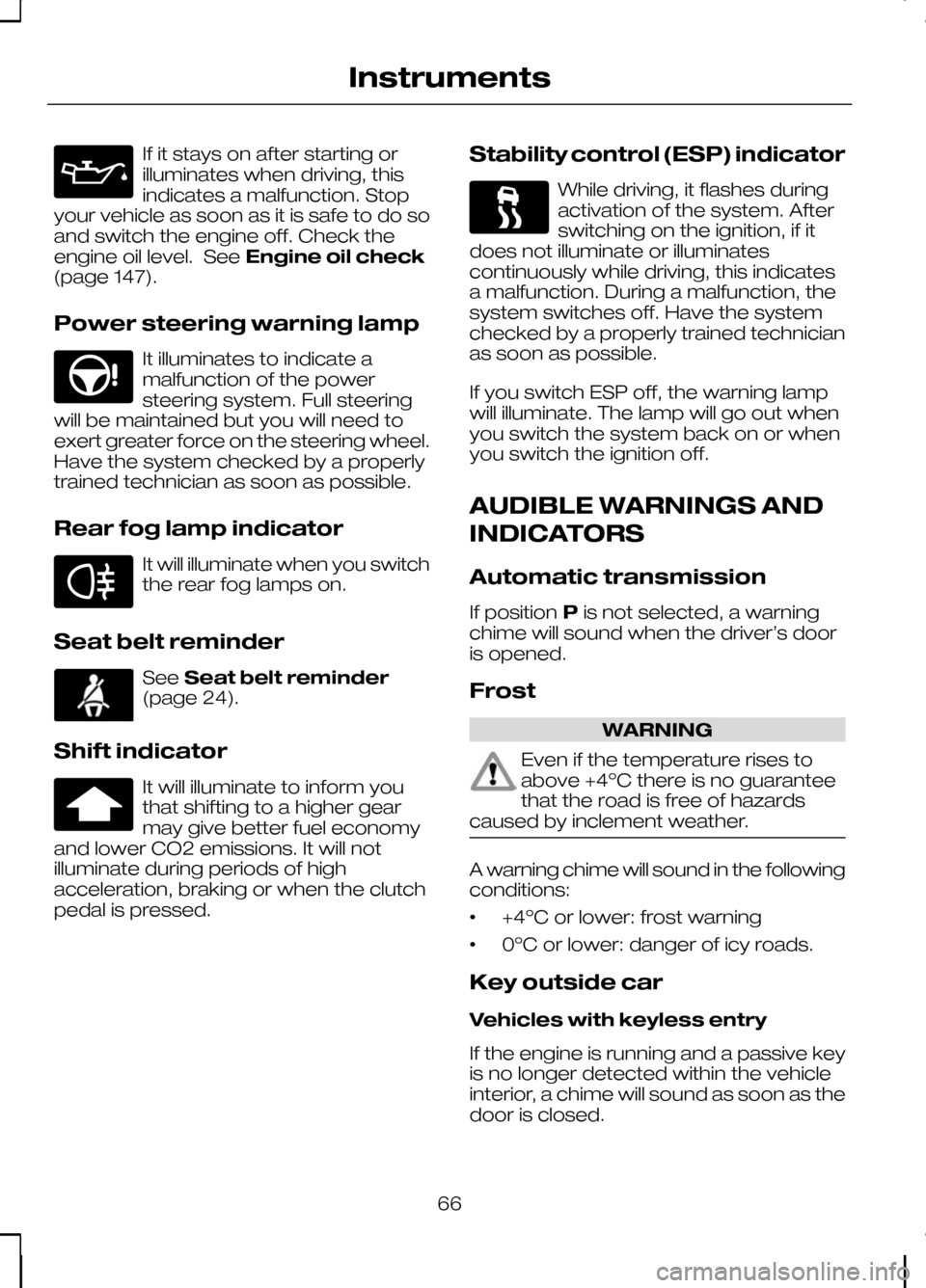
If it stays on after starting or
illuminates when driving, this
indicates a malfunction. Stop
your vehicle as soon as it is safe to do so
and switch the engine off. Check the
engine oil level. See Engine oil check
(page 147).
Power steering warning lamp It illuminates to indicate a
malfunction of the power
steering system. Full steering
will be maintained but you will need to
exert greater force on the steering wheel.
Have the system checked by a properly
trained technician as soon as possible.
Rear fog lamp indicator It will illuminate when you switch
the rear fog lamps on.
Seat belt reminder See
Seat belt reminder
(page 24).
Shift indicator It will illuminate to inform you
that shifting to a higher gear
may give better fuel economy
and lower CO2 emissions. It will not
illuminate during periods of high
acceleration, braking or when the clutch
pedal is pressed. Stability control (ESP) indicator While driving, it flashes during
activation of the system. After
switching on the ignition, if it
does not illuminate or illuminates
continuously while driving, this indicates
a malfunction. During a malfunction, the
system switches off. Have the system
checked by a properly trained technician
as soon as possible.
If you switch ESP off, the warning lamp
will illuminate. The lamp will go out when
you switch the system back on or when
you switch the ignition off.
AUDIBLE WARNINGS AND
INDICATORS
Automatic transmission
If position Pis not selected, a warning
chime will sound when the driver’s door
is opened.
Frost WARNING
Even if the temperature rises to
above +4ºC there is no guarantee
that the road is free of hazards
caused by inclement weather. A warning chime will sound in the following
conditions:
•
+4ºC or lower: frost warning
• 0ºC or lower: danger of icy roads.
Key outside car
Vehicles with keyless entry
If the engine is running and a passive key
is no longer detected within the vehicle
interior, a chime will sound as soon as the
door is closed.
66
Instruments
Page 69 of 226
Key-in-ignition
Except vehicles with keyless entry
A warning tone will sound when the
driver’s door is opened if:
•
the key is in the ignition.
Vehicles with keyless entry
A warning tone will sound when the
driver’s door is opened if:
• the ignition is still on
• the spare key is in the ignition.
Lights on
A warning chime will sound if the driver’s
door is opened with the exterior lights
switched on and the ignition switched off.
Low fuel
A warning chime will sound at the
following ranges: 80 km (50 miles), 40 km
(25 miles), 20 km (12 miles), 0 km (0
miles).
Seat belt reminder
See Seat belt reminder (page 24).
67
Instruments
Page 70 of 226
GENERAL INFORMATION
WARNING
Do not operate the information
display controls when the vehicle is
moving.
Note:The information display will remain
on for several minutes after you switch off the ignition.
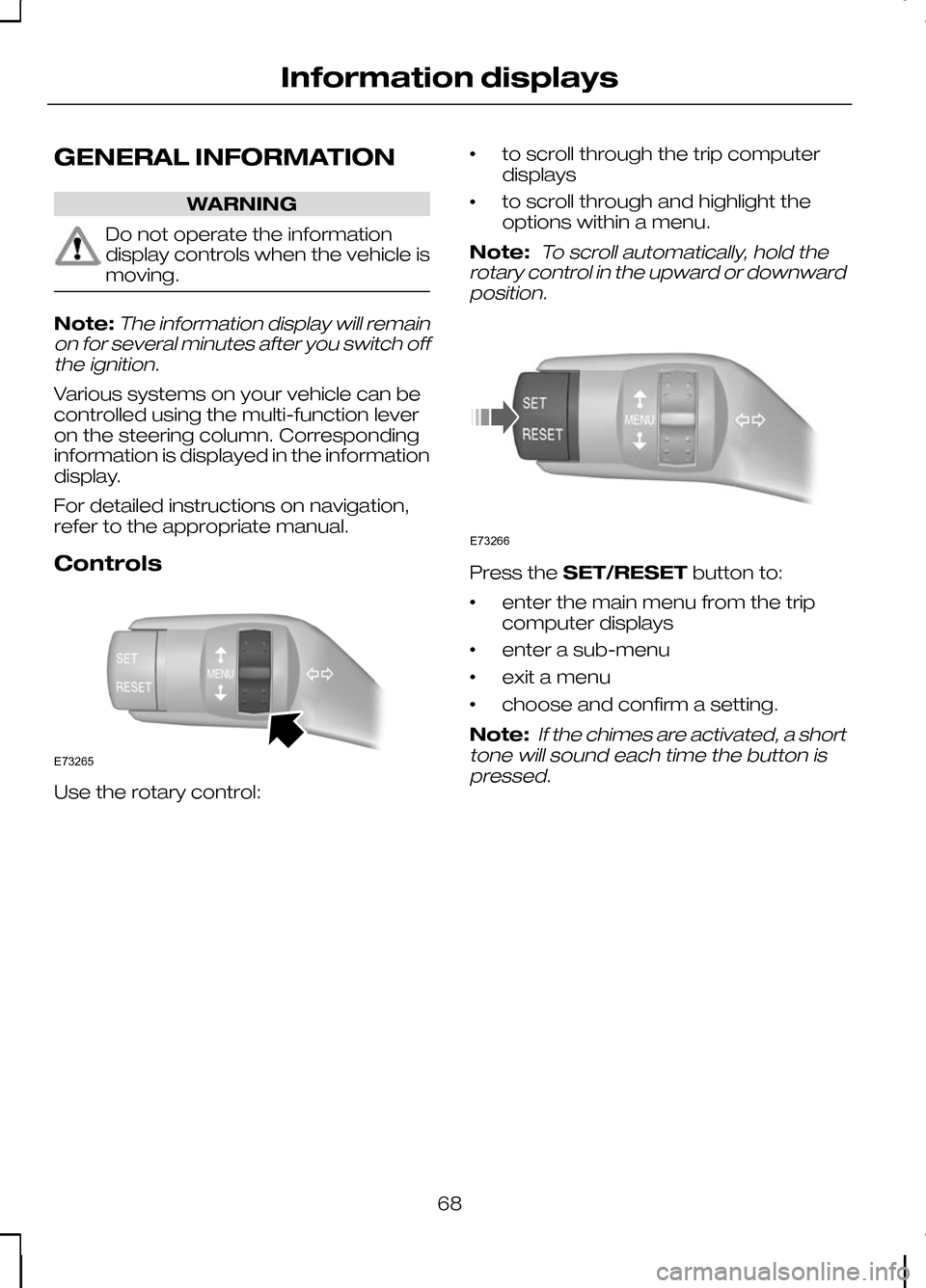
Various systems on your vehicle can be
controlled using the multi-function lever
on the steering column. Corresponding
information is displayed in the information
display.
For detailed instructions on navigation,
refer to the appropriate manual.
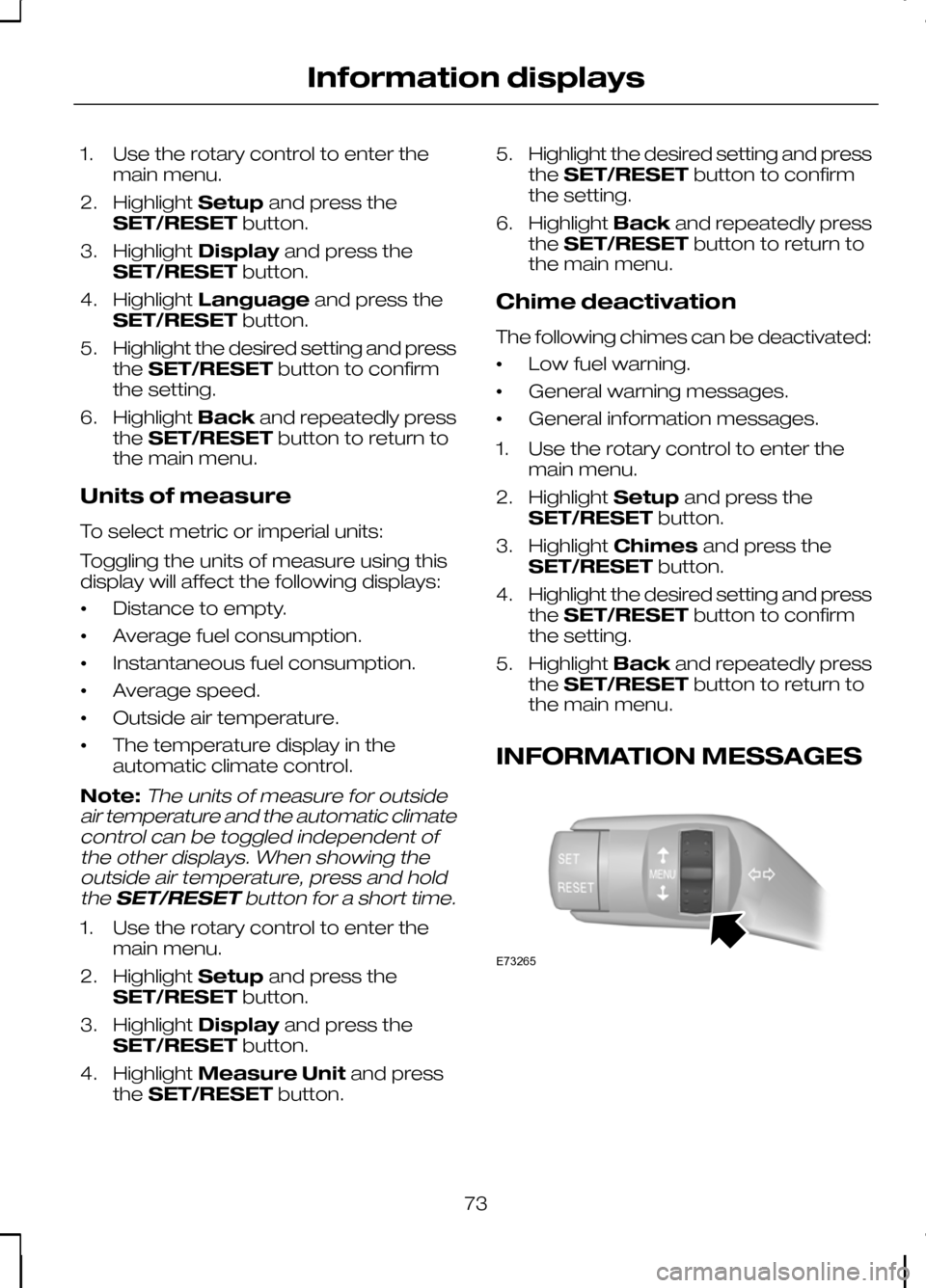
Controls Use the rotary control: •
to scroll through the trip computer
displays
• to scroll through and highlight the
options within a menu.
Note:
To scroll automatically, hold the
rotary control in the upward or downward position. Press the
SET/RESET button to:
• enter the main menu from the trip
computer displays
• enter a sub-menu
• exit a menu
• choose and confirm a setting.
Note:
If the chimes are activated, a short
tone will sound each time the button is pressed.
68
Information displaysE73265 E73266
Page 75 of 226
1. Use the rotary control to enter the
main menu.
2. Highlight Setupand press the
SET/RESET button.
3. Highlight Display and press the
SET/RESET button.
4. Highlight Language and press the
SET/RESET button.
5. Highlight the desired setting and press
the SET/RESET button to confirm
the setting.
6. Highlight Backand repeatedly press
the SET/RESET button to return to
the main menu.
Units of measure
To select metric or imperial units:
Toggling the units of measure using this
display will affect the following displays:
• Distance to empty.
• Average fuel consumption.
• Instantaneous fuel consumption.
• Average speed.
• Outside air temperature.
• The temperature display in the
automatic climate control.
Note:The units of measure for outside
air temperature and the automatic climate control can be toggled independent ofthe other displays. When showing theoutside air temperature, press and hold
the SET/RESET button for a short time.
1. Use the rotary control to enter the
main menu.
2. Highlight Setupand press the
SET/RESET button.
3. Highlight Display and press the
SET/RESET button.
4. Highlight Measure Unit and press
the SET/RESET button. 5.
Highlight the desired setting and press
the SET/RESET button to confirm
the setting.
6. Highlight Backand repeatedly press
the SET/RESET button to return to
the main menu.
Chime deactivation
The following chimes can be deactivated:
• Low fuel warning.
• General warning messages.
• General information messages.
1. Use the rotary control to enter the main menu.
2. Highlight Setupand press the
SET/RESET button.
3. Highlight Chimes and press the
SET/RESET button.
4. Highlight the desired setting and press
the SET/RESET button to confirm
the setting.
5. Highlight Backand repeatedly press
the SET/RESET button to return to
the main menu.
INFORMATION MESSAGES 73
Information displaysE73265
Page 76 of 226
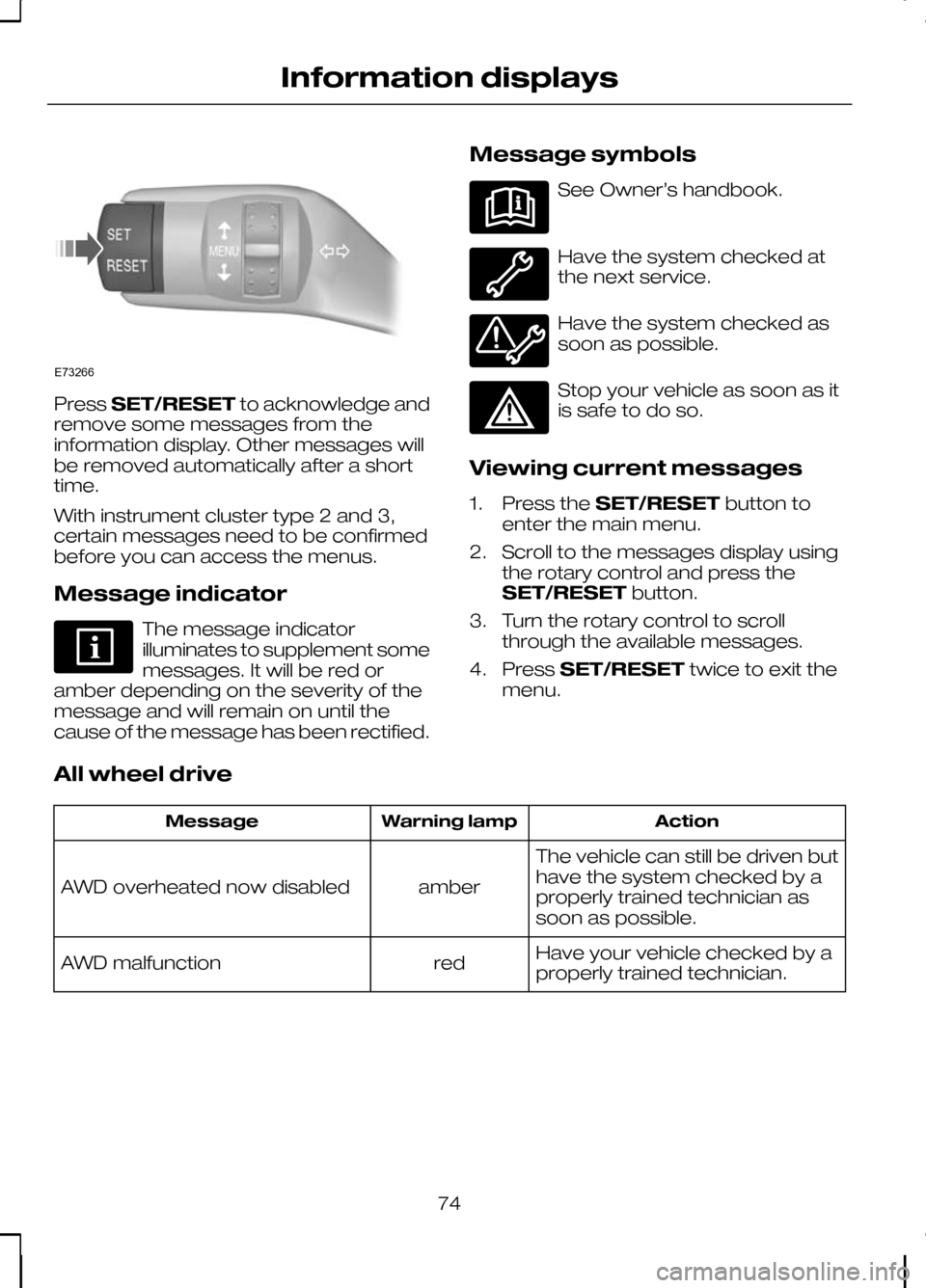
Press
SET/RESET to acknowledge and
remove some messages from the
information display. Other messages will
be removed automatically after a short
time.
With instrument cluster type 2 and 3,
certain messages need to be confirmed
before you can access the menus.
Message indicator The message indicator
illuminates to supplement some
messages. It will be red or
amber depending on the severity of the
message and will remain on until the
cause of the message has been rectified. Message symbols See Owner’s handbook.
Have the system checked at
the next service.
Have the system checked as
soon as possible.
Stop your vehicle as soon as it
is safe to do so.
Viewing current messages
1. Press the SET/RESET button to
enter the main menu.
2. Scroll to the messages display using the rotary control and press the
SET/RESET button.
3. Turn the rotary control to scroll through the available messages.
4. Press SET/RESET twice to exit the
menu.
All wheel drive Action
Warning lamp
Message
The vehicle can still be driven but
have the system checked by a
properly trained technician as
soon as possible.
amber
AWD overheated now disabled
Have your vehicle checked by a
properly trained technician.
red
AWD malfunction
74
Information displaysE73266