audio FORD MAVERICK 2023 User Guide
[x] Cancel search | Manufacturer: FORD, Model Year: 2023, Model line: MAVERICK, Model: FORD MAVERICK 2023Pages: 556, PDF Size: 14.79 MB
Page 321 of 556
The battery warning lamp flashes threetimes to confirm that the reset issuccessful.
Battery Management System (If
Equipped)
The system monitors battery conditionsand takes actions to extend battery life. Ifexcessive battery drain is detected, thesystem temporarily disables someelectrical systems to protect the battery.
Systems included are:
•Heated rear window.
•Heated seats.
•Climate control.
•Heated steering wheel.
•Audio unit.
•Navigation system.
A message may appear in the informationdisplay to alert you that battery protectionactions are active. This message is only fornotification that an action is taking place,and not intended to indicate an electricalproblem or that the battery requiresreplacement.
After battery replacement, or in somecases after charging the battery with anexternal charger, the battery managementsystem requires eight hours of vehicle sleeptime to relearn the battery state of charge.During this time, your vehicle must remainfully locked with the ignition switched off.
Note:Prior to relearning the battery stateof charge, the battery management systemmay temporarily disable some electricalsystems.
Electrical Accessory Installation
To make sure the battery managementsystem works correctly, do not connect anelectrical device ground connectiondirectly to the battery negative post. Thiscan cause inaccurate measurements ofthe battery condition and potentialincorrect system operation.
Note:If you add electrical accessories orcomponents to the vehicle, it may adverselyaffect battery performance and durability.This may also affect the performance ofother electrical systems in the vehicle.
Remove and Reinstall the Battery
Install a battery approved for use by ourspecifications. See Capacities andSpecifications (page 363).
To disconnect or remove the battery, dothe following:
1.Apply the parking brake and switch theignition off.
2.Switch all electrical equipment off, forexample lights and radio.
3.Wait a minimum of two minutes beforedisconnecting the battery.
Note:The engine management system hasa power hold function and remains poweredfor a period of time after you switch theignition off. This is to allow the system tostore diagnostic and adaptive tables.Disconnecting the battery without waitingcan cause damage not covered by thevehicle warranty.
4.Disconnect the negative battery cableterminal.
5.Disconnect the positive battery cableterminal.
6.Remove the battery securing clamp.
7.Remove the battery.
8.To install, reverse the removalprocedure.
317
2023 Maverick (CFE) Canada/United States of America, enUSA, Edition date: 202208, First-PrintingMaintenance
Page 323 of 556
For longer, trouble-free operation, keep thetop of the battery clean and dry and thebattery cables tightly fastened to thebattery terminals. If any corrosion ispresent on the battery or terminals, removethe cables from the terminals and cleanwith a wire brush. You can neutralize theacid with a solution of baking soda andwater.
We recommend that you disconnect thenegative battery cable terminal from thebattery if you plan to store your vehicle foran extended period.
Note:If you only disconnect the negativebattery cable terminal, make sure it isisolated or placed away from the batteryterminal to avoid unintended connection orarcing.
If you replace the battery make sure itmatches the electrical requirements ofyour vehicle.
If you disconnect or replace the batteryand your vehicle has an automatictransmission, it must relearn its adaptivestrategy. Because of this, the transmissionmay shift firmly when first driven. This isnormal operation while the transmissionfully updates its operation to optimumshift feel.
Battery Sensor Reset
When you install a new battery, reset thebattery sensor by doing the following:
1.Switch the ignition on, and leave theengine off.
Note:Complete Steps 2 and 3 within 10seconds.
2.Flash the high beam headlamps fivetimes, ending with the high beams off.
3.Press and release the brake pedal threetimes.
The battery warning lamp flashes threetimes to confirm that the reset issuccessful.
Battery Management System (If
Equipped)
The system monitors battery conditionsand takes actions to extend battery life. Ifexcessive battery drain is detected, thesystem temporarily disables someelectrical systems to protect the battery.
Systems included are:
•Heated rear window.
•Heated seats.
•Climate control.
•Heated steering wheel.
•Audio unit.
•Navigation system.
A message may appear in the informationdisplay to alert you that battery protectionactions are active. This message is only fornotification that an action is taking place,and not intended to indicate an electricalproblem or that the battery requiresreplacement.
After battery replacement, or in somecases after charging the battery with anexternal charger, the battery managementsystem requires eight hours of vehicle sleeptime to relearn the battery state of charge.During this time, your vehicle must remainfully locked with the ignition switched off.
Note:Prior to relearning the battery stateof charge, the battery management systemmay temporarily disable some electricalsystems.
319
2023 Maverick (CFE) Canada/United States of America, enUSA, Edition date: 202208, First-PrintingMaintenance
Page 387 of 556
GENERAL INFORMATION
WARNING: Driving while distractedcan result in loss of vehicle control, crashand injury. We strongly recommend thatyou use extreme caution when using anydevice that may take your focus off theroad. Your primary responsibility is thesafe operation of your vehicle. Werecommend against the use of any
hand-held device while driving andencourage the use of voice-operatedsystems when possible. Make sure youare aware of all applicable local lawsthat may affect the use of electronicdevices while driving.
Radio Frequencies and ReceptionFactors
Note:Listening to loud audio for longperiods of time could damage your hearing.
Radio Reception Factors
The further you travel from an AM or FM station, theweaker the signal and the weaker the reception.Distance and strength
Hills, mountains, tall buildings, bridges, tunnels, freewayoverpasses, parking garages, dense tree foliage andthunderstorms can interfere with the reception.
Terrain
When you pass a ground-based broadcast repeatingtower, a stronger signal may overtake a weaker one andresult in the audio system muting.
Station overload
AUDIO UNIT
Switching the Audio Unit On andOff
Note:You can only switch the system offwhen the ignition is off.
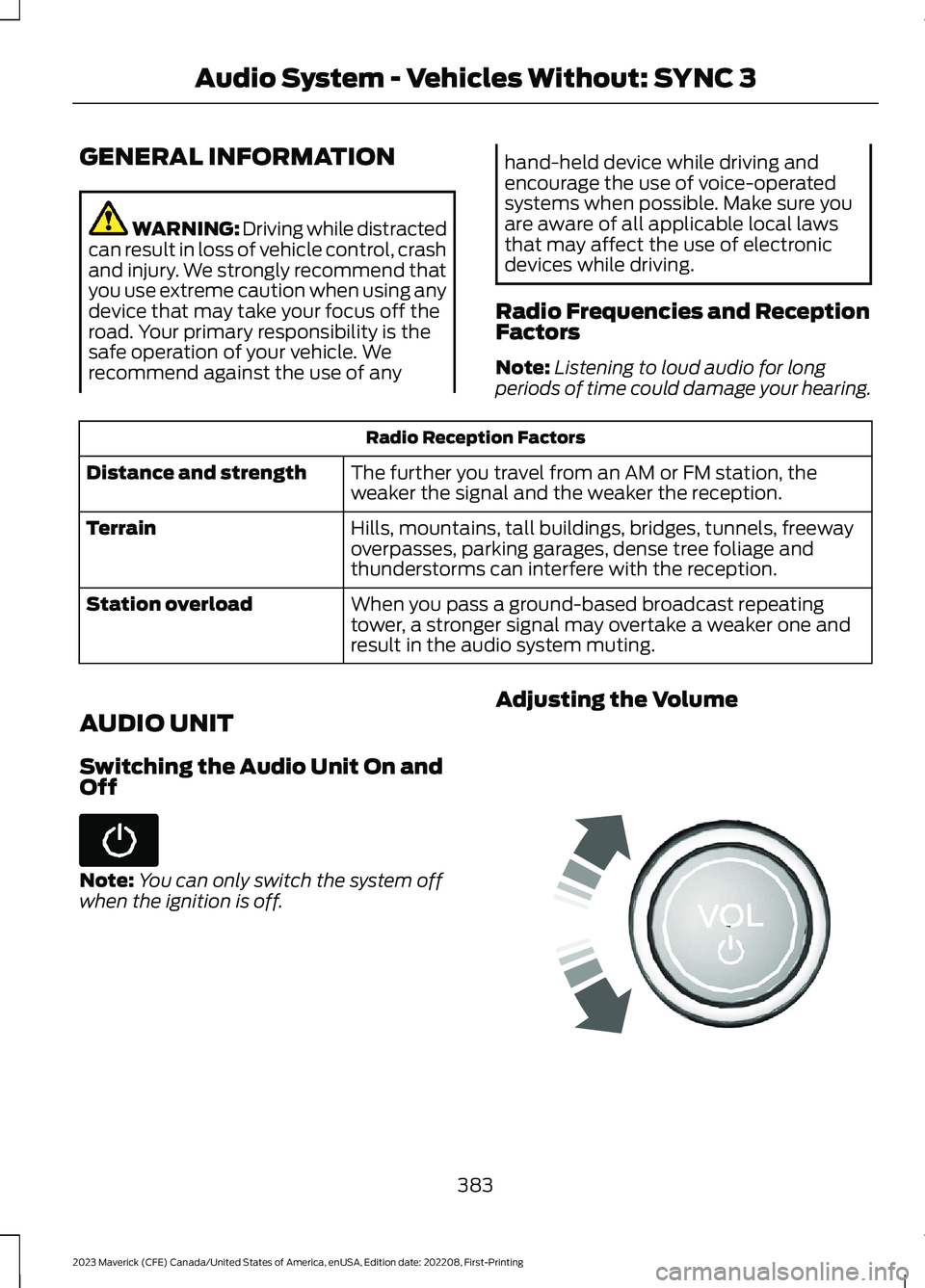
Adjusting the Volume
383
2023 Maverick (CFE) Canada/United States of America, enUSA, Edition date: 202208, First-PrintingAudio System - Vehicles Without: SYNC 3 E248939
Page 388 of 556
Turning off the Audio
Press the button to turn off theaudio.
Press the button again to turn onthe audio.
Changing Radio Stations
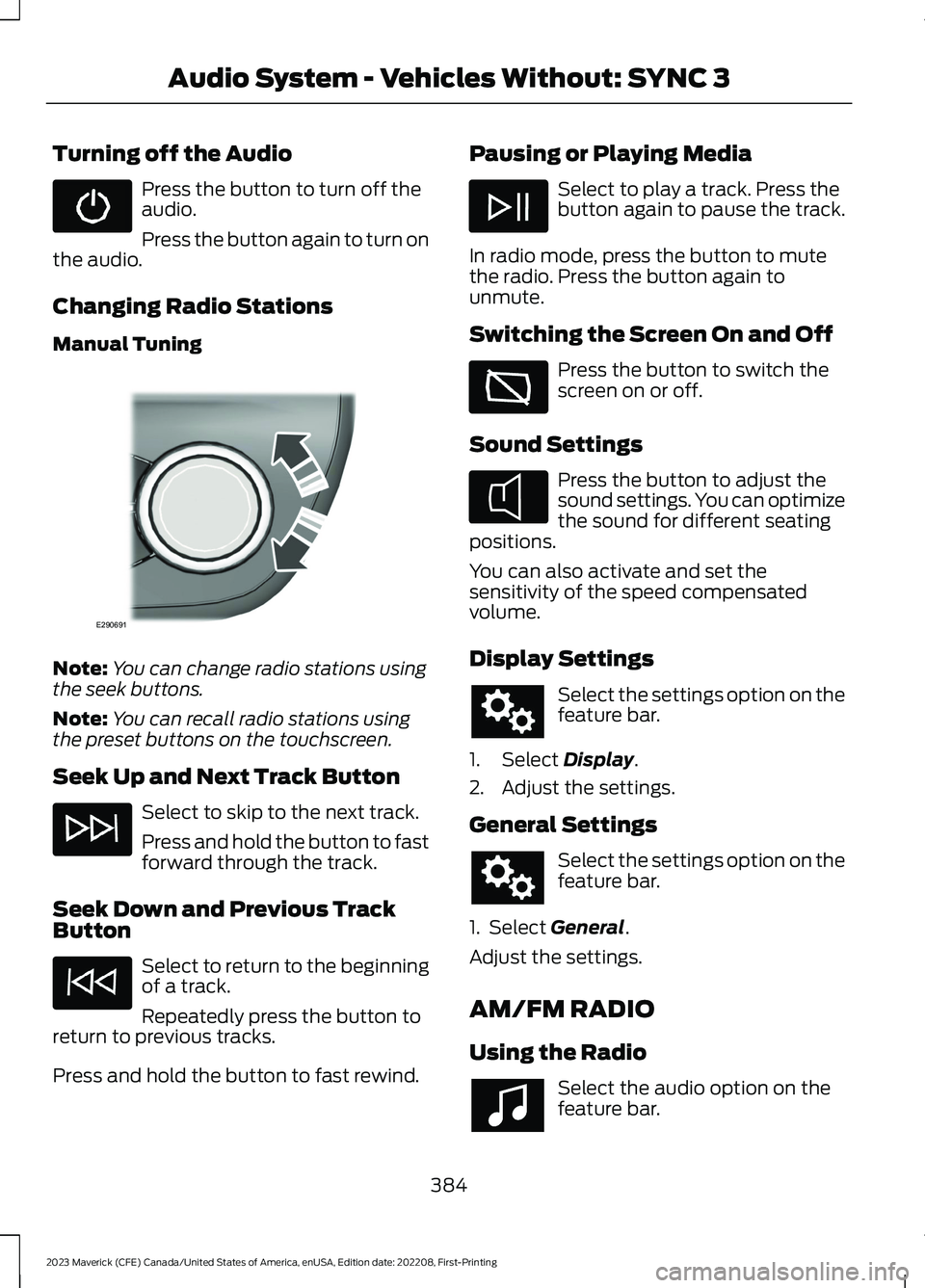
Manual Tuning
Note:You can change radio stations usingthe seek buttons.
Note:You can recall radio stations usingthe preset buttons on the touchscreen.
Seek Up and Next Track Button
Select to skip to the next track.
Press and hold the button to fastforward through the track.
Seek Down and Previous TrackButton
Select to return to the beginningof a track.
Repeatedly press the button toreturn to previous tracks.
Press and hold the button to fast rewind.
Pausing or Playing Media
Select to play a track. Press thebutton again to pause the track.
In radio mode, press the button to mutethe radio. Press the button again tounmute.
Switching the Screen On and Off
Press the button to switch thescreen on or off.
Sound Settings
Press the button to adjust thesound settings. You can optimizethe sound for different seatingpositions.
You can also activate and set thesensitivity of the speed compensatedvolume.
Display Settings
Select the settings option on thefeature bar.
1.Select Display.
2.Adjust the settings.
General Settings
Select the settings option on thefeature bar.
1. Select General.
Adjust the settings.
AM/FM RADIO
Using the Radio
Select the audio option on thefeature bar.
384
2023 Maverick (CFE) Canada/United States of America, enUSA, Edition date: 202208, First-PrintingAudio System - Vehicles Without: SYNC 3 E290691 E354722
Page 389 of 556
Selecting a Radio Station From a List
1.Select Sources.
2.Select a radio source.
3.Select Browse.
4.Select a radio station from the list.
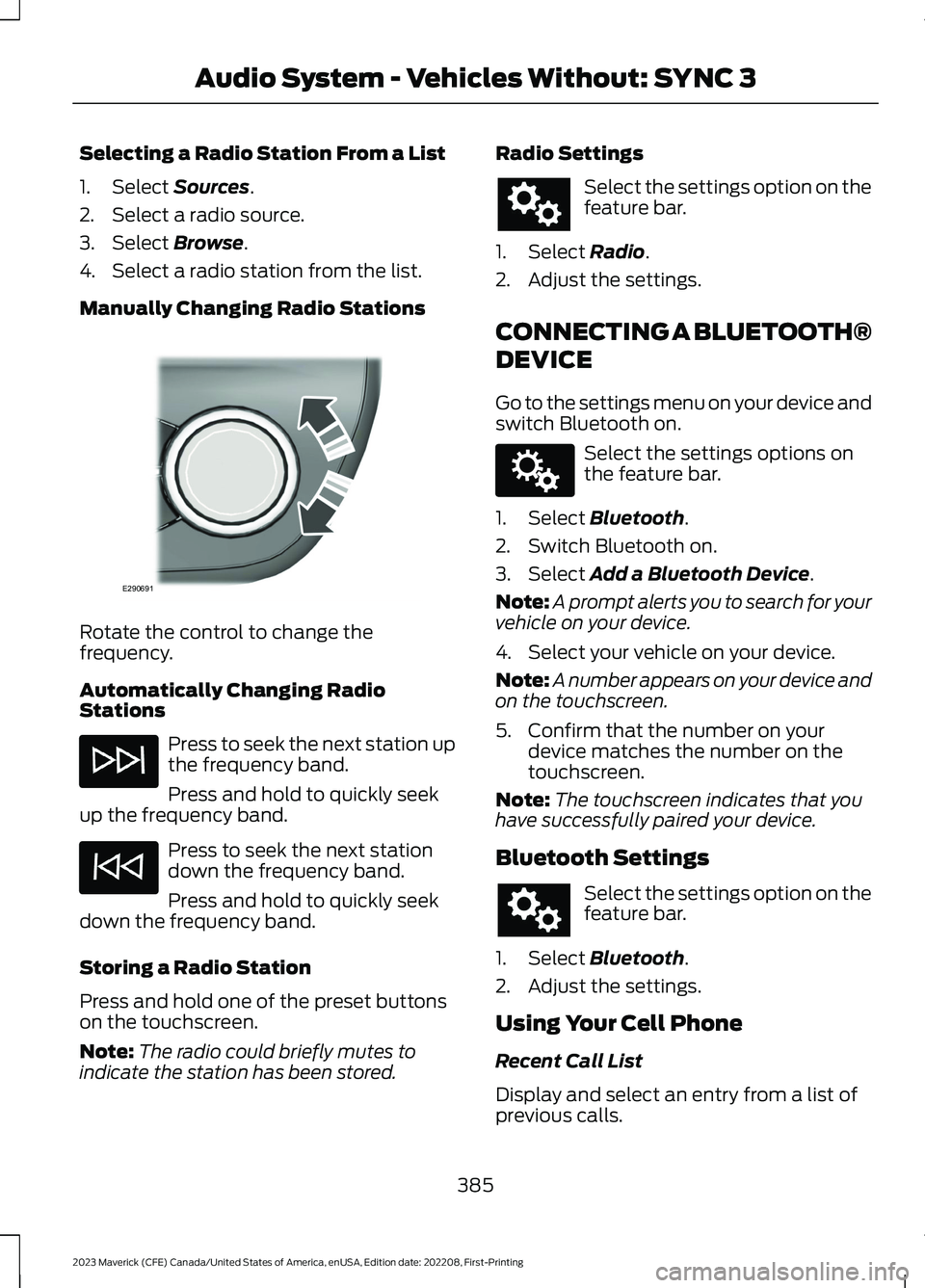
Manually Changing Radio Stations
Rotate the control to change thefrequency.
Automatically Changing RadioStations
Press to seek the next station upthe frequency band.
Press and hold to quickly seekup the frequency band.
Press to seek the next stationdown the frequency band.
Press and hold to quickly seekdown the frequency band.
Storing a Radio Station
Press and hold one of the preset buttonson the touchscreen.
Note:The radio could briefly mutes toindicate the station has been stored.
Radio Settings
Select the settings option on thefeature bar.
1.Select Radio.
2.Adjust the settings.
CONNECTING A BLUETOOTH®
DEVICE
Go to the settings menu on your device andswitch Bluetooth on.
Select the settings options onthe feature bar.
1.Select Bluetooth.
2.Switch Bluetooth on.
3.Select Add a Bluetooth Device.
Note:A prompt alerts you to search for yourvehicle on your device.
4.Select your vehicle on your device.
Note:A number appears on your device andon the touchscreen.
5.Confirm that the number on yourdevice matches the number on thetouchscreen.
Note:The touchscreen indicates that youhave successfully paired your device.
Bluetooth Settings
Select the settings option on thefeature bar.
1.Select Bluetooth.
2.Adjust the settings.
Using Your Cell Phone
Recent Call List
Display and select an entry from a list ofprevious calls.
385
2023 Maverick (CFE) Canada/United States of America, enUSA, Edition date: 202208, First-PrintingAudio System - Vehicles Without: SYNC 3E290691 E142607
Page 390 of 556
Contacts
Alphabetically sort your contacts.
Phone Settings
Change ring tones, alerts or pair anotherphone.
Do Not Disturb
Reject incoming calls and switch ring tonesand alerts off.
Phone Keypad.
Directly dial a number.
Mute
Mute your cell phone microphone.
Text Messaging
Setting Text Message Notification
iOS
1.Go to the settings menu on your cellphone.
2.Select Bluetooth.
3.Select the information icon to the rightof your vehicle.
4.Switch text message notification on.
Android
1.Go to the settings menu on your cellphone.
2.Select Bluetooth.
3.Select the profiles option.
4.Select the phone profile .
5.Switch text message notification on.
Using Text Messaging
DescriptionMenu Item
View the text message.View
Call the sender.Call
Reply to the text message with a standard text message.Reply
STREAMING BLUETOOTH
AUDIO
Check the compatibility of your device onthe local Ford website.
Pair your device. See Connecting aBluetooth® Device (page 385).
Select the audio option on thefeature bar.
Select Sources.
Select the bluetooth option.
Press the button to play thetrack. Press the button again topause the track.
Press the button to skip to thenext track.
Press and hold the button to fastforward through the track.
386
2023 Maverick (CFE) Canada/United States of America, enUSA, Edition date: 202208, First-PrintingAudio System - Vehicles Without: SYNC 3
Page 391 of 556
Press the button once to returnto the beginning of the track.Repeatedly press the button toreturn to previous tracks.
Press and hold the button to fast rewind.
PLAYING MEDIA FROM A USB
DEVICE
Supported File Formats
The system supports the following fileformats:
•MP3, M4B, WMA, PCM, WAV, AAC,APE, and FLAC audio file formats.
•WMV, MKV, AVI, MPEG, MP2, MPE,MP4, MOV, M4V and 3GP video fileformat.
•exFAT, FAT, FAT32 and NTFS filesystems.
Selecting the USB Device
Connect your device to the USB port.
Select the audio option on thefeature bar.
Select Sources.
Select the USB option.
Select Browse.
You can play the tracks displayed on thescreen or search for new tracks.
Playing from the USB Device
Press the button to play a track.Press the button again to pausethe track.
Press the button to skip to thenext track.
Press and hold the button to fast forwardthrough the track.
Press the button once to returnto the beginning of a track.Repeatedly press the button toreturn to previous tracks.
Press and hold the button to fast rewindthrough the track.
Sorting by Categories
You can also sort and play music byspecific categories, for example artist oralbum.
USB PORT
WARNING: Driving while distractedcan result in loss of vehicle control, crashand injury. We strongly recommend thatyou use extreme caution when using anydevice that may take your focus off theroad. Your primary responsibility is thesafe operation of your vehicle. Werecommend against the use of anyhand-held device while driving andencourage the use of voice-operatedsystems when possible. Make sure youare aware of all applicable local lawsthat may affect the use of electronicdevices while driving.
The USB port allows you to plug in mediaplaying devices, memory sticks and chargedevices (if supported).
387
2023 Maverick (CFE) Canada/United States of America, enUSA, Edition date: 202208, First-PrintingAudio System - Vehicles Without: SYNC 3 E100027 E242003
Page 392 of 556
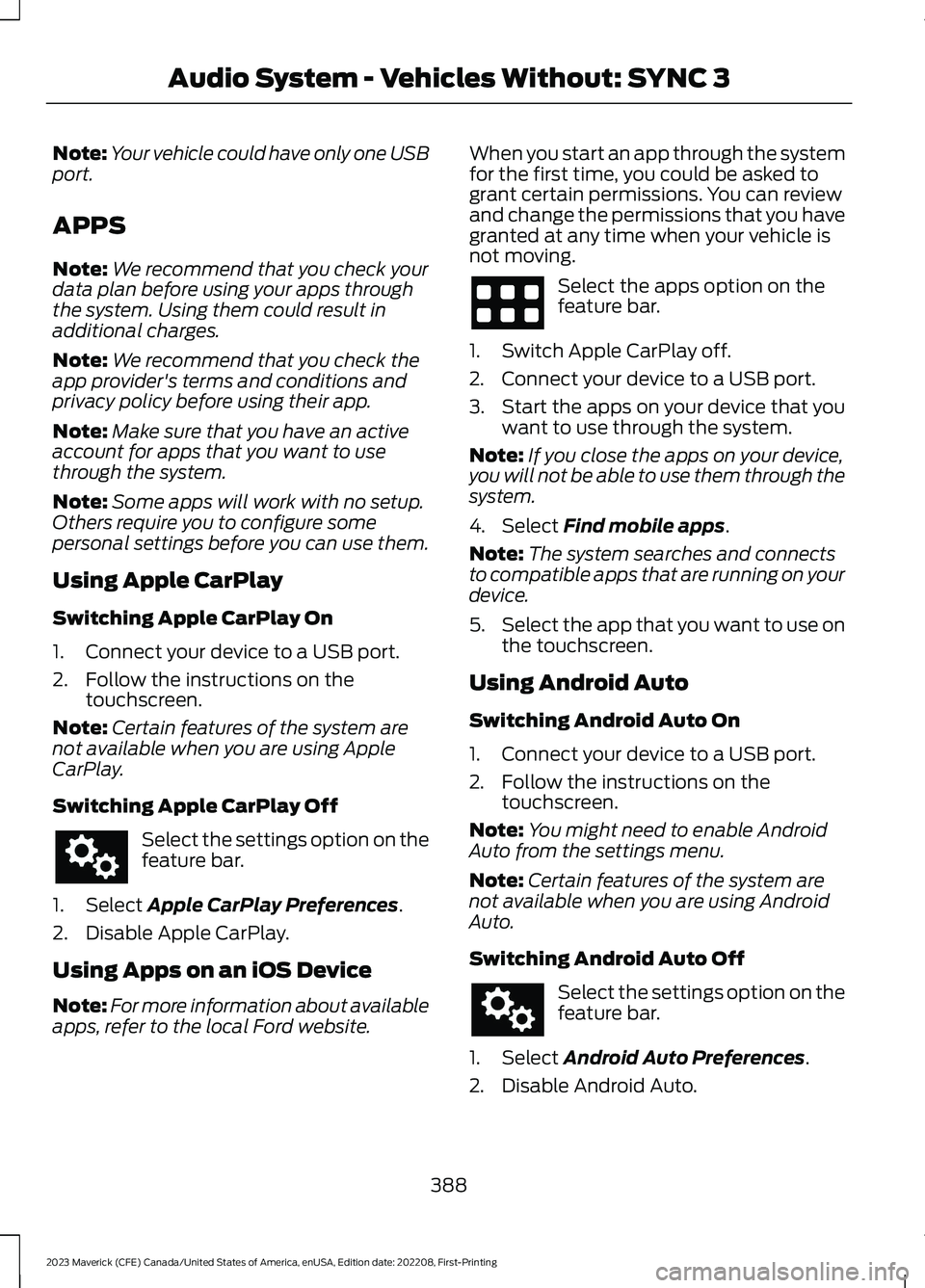
Note:Your vehicle could have only one USBport.
APPS
Note:We recommend that you check yourdata plan before using your apps throughthe system. Using them could result inadditional charges.
Note:We recommend that you check theapp provider's terms and conditions andprivacy policy before using their app.
Note:Make sure that you have an activeaccount for apps that you want to usethrough the system.
Note:Some apps will work with no setup.Others require you to configure somepersonal settings before you can use them.
Using Apple CarPlay
Switching Apple CarPlay On
1.Connect your device to a USB port.
2.Follow the instructions on thetouchscreen.
Note:Certain features of the system arenot available when you are using AppleCarPlay.
Switching Apple CarPlay Off
Select the settings option on thefeature bar.
1.Select Apple CarPlay Preferences.
2.Disable Apple CarPlay.
Using Apps on an iOS Device
Note:For more information about availableapps, refer to the local Ford website.
When you start an app through the systemfor the first time, you could be asked togrant certain permissions. You can reviewand change the permissions that you havegranted at any time when your vehicle isnot moving.
Select the apps option on thefeature bar.
1.Switch Apple CarPlay off.
2.Connect your device to a USB port.
3.Start the apps on your device that youwant to use through the system.
Note:If you close the apps on your device,you will not be able to use them through thesystem.
4.Select Find mobile apps.
Note:The system searches and connectsto compatible apps that are running on yourdevice.
5.Select the app that you want to use onthe touchscreen.
Using Android Auto
Switching Android Auto On
1.Connect your device to a USB port.
2.Follow the instructions on thetouchscreen.
Note:You might need to enable AndroidAuto from the settings menu.
Note:Certain features of the system arenot available when you are using AndroidAuto.
Switching Android Auto Off
Select the settings option on thefeature bar.
1.Select Android Auto Preferences.
2.Disable Android Auto.
388
2023 Maverick (CFE) Canada/United States of America, enUSA, Edition date: 202208, First-PrintingAudio System - Vehicles Without: SYNC 3
Page 393 of 556
Using Apps on an Android Device
Note:For more information about availableapps, refer to the local Ford website.
When you start an app through the systemfor the first time, you could be asked togrant certain permissions. You can reviewand change the permissions that you havegranted at any time when your vehicle isnot moving.
Select the apps option on thefeature bar.
1.Switch Android Auto off.
2.Pair your device.
3.Start the apps on your device that youwant to use through the system.
Note:If you close the apps on your device,you will not be able to use them through thesystem.
4.Select Find mobile apps.
Note:The system searches and connectsto compatible apps that are running on yourdevice.
5.Select the app that you want to use onthe touchscreen.
Apps Troubleshooting
Possible Cause and ResolutionSymptom
The system cannot find anyapps.–Incompatible device.
•You will need an Android device with OS 2.3 orhigher or an iOS 3GS device with iOS 5.0 or higher.Pair and connect your Android device to findAppLink compatible apps. Connect your iOS deviceto a USB port to find AppLink compatible apps.
I have a compatible deviceand it is correctly connectedbut the system still cannotfind any apps.
–AppLink compatible apps not installed on your device.
•Download and install the latest version of the app.
–AppLink compatible apps not running on your device.
•Start the apps to allow the system to find themand make sure you sign in to any apps if required.
–Incorrect app settings.
•Check and adjust the app settings on your deviceand allow the system to access the app if required.
I have a compatible device,it is correctly connected andmy apps are running but thesystem still cannot find anyapps.
–Apps failed to fully close.
•Restart the apps and try again.
389
2023 Maverick (CFE) Canada/United States of America, enUSA, Edition date: 202208, First-PrintingAudio System - Vehicles Without: SYNC 3
Page 394 of 556
Possible Cause and ResolutionSymptom
I have an Android devicethat is correctly connected,I have restarted my appsand they are running but thesystem still cannot findthem.
–An issue on some older versions of the Android oper-ating system could result in apps not being found.
•Switch Bluetooth® off and on again to force thesystem to reconnect to your device.
I have an iOS device that iscorrectly connected, I haverestarted my apps and theyare running but the systemstill cannot find them.
–Cable connection issue.
•Disconnect the cable from your device, wait for amoment and then connect it again to force thesystem to reconnect to your device.
I have an Android devicerunning a media app whichthe system has found but Icannot hear the sound orthe sound is very quiet.
–Device volume is low.
•Turn the volume up on your device.
I have an Android devicerunning a number ofcompatible apps but thesystem cannot find all ofthem.
–Device limitation. Some Android devices have a limitednumber of Bluetooth® ports that apps can use toconnect. If you have more apps running on your devicethan the number of available Bluetooth® ports, thesystem cannot find all of them.
•Close some of the apps to allow the system to findthose that you want to use.
USING VOICE RECOGNITION
Phone Voice Service
This system allows you to use the voicerecognition features of your phone andfocus on your driving.
Press the voice control buttonon the steering wheel.
Note: This only works when connected viaBluetooth®. See Connecting aBluetooth® Device (page 385).
Note:When using voice recognition use thelanguage set on the device.
Note:We recommend that you check yourdata plan before using your phone voiceservice through the system. Using themcould result in additional charges.
390
2023 Maverick (CFE) Canada/United States of America, enUSA, Edition date: 202208, First-PrintingAudio System - Vehicles Without: SYNC 3E142599