transmission FORD MUSTANG 2001 4.G User Guide
[x] Cancel search | Manufacturer: FORD, Model Year: 2001, Model line: MUSTANG, Model: FORD MUSTANG 2001 4.GPages: 240, PDF Size: 2.11 MB
Page 115 of 240
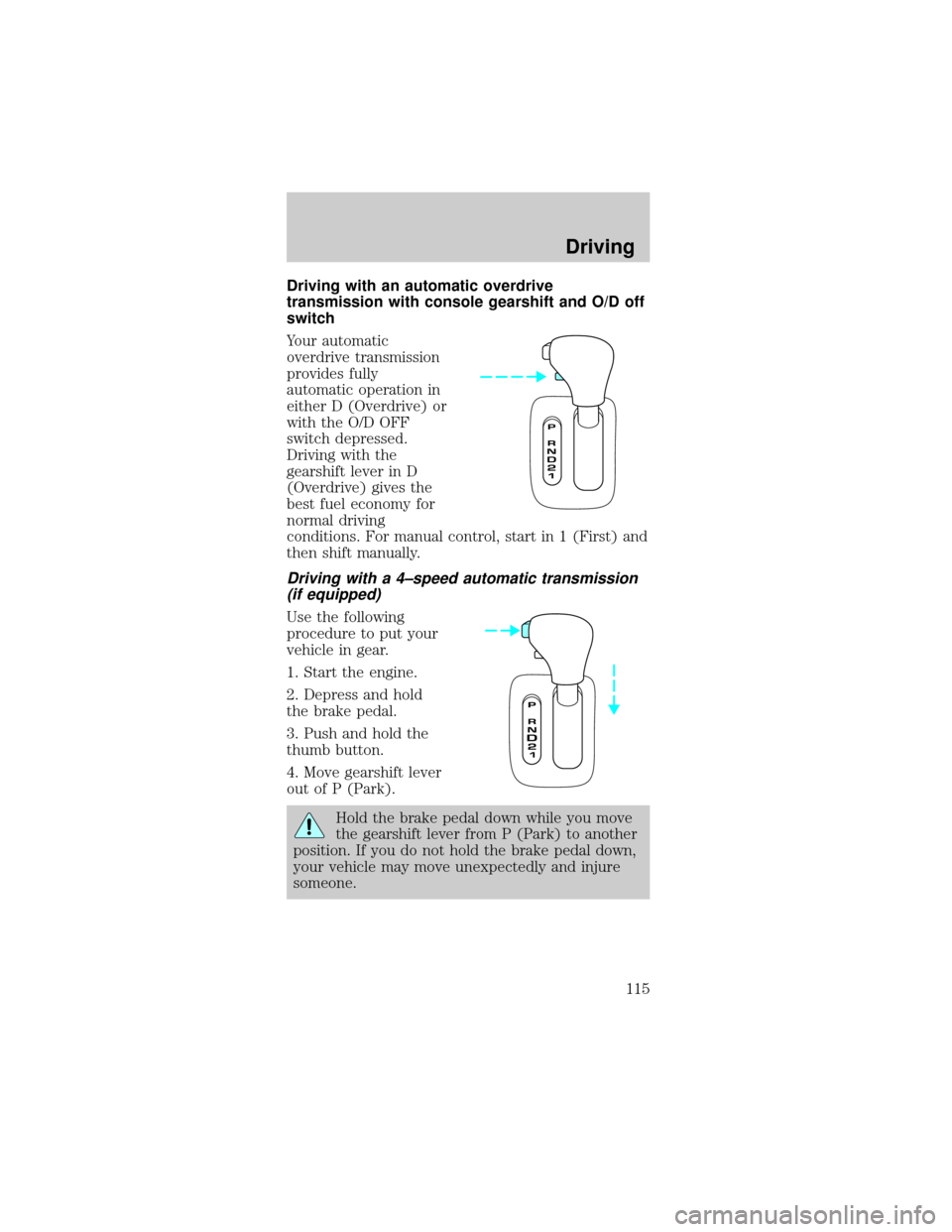
Driving with an automatic overdrive
transmission with console gearshift and O/D off
switch
Your automatic
overdrive transmission
provides fully
automatic operation in
either D (Overdrive) or
with the O/D OFF
switch depressed.
Driving with the
gearshift lever in D
(Overdrive) gives the
best fuel economy for
normal driving
conditions. For manual control, start in 1 (First) and
then shift manually.
Driving with a 4±speed automatic transmission
(if equipped)
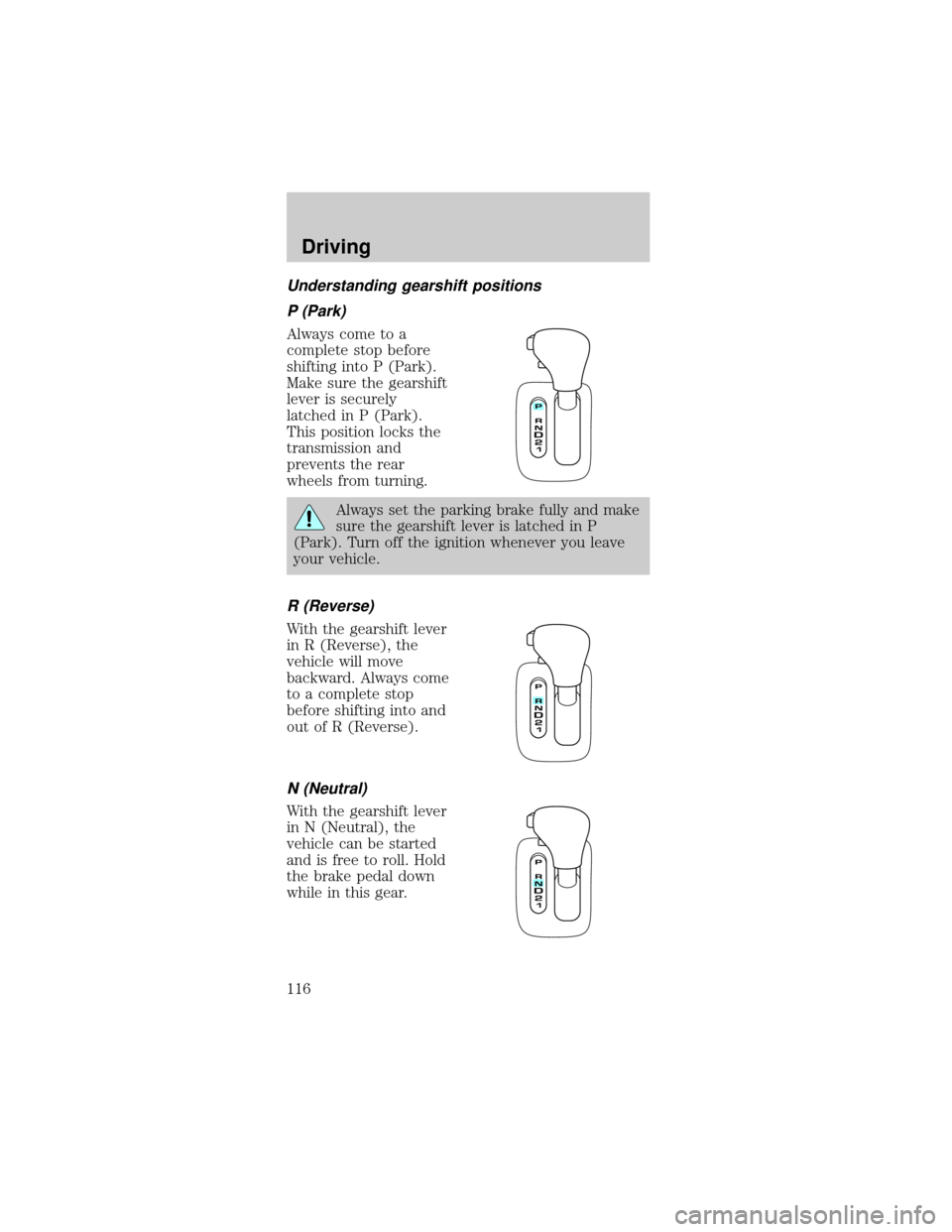
Use the following
procedure to put your
vehicle in gear.
1. Start the engine.
2. Depress and hold
the brake pedal.
3. Push and hold the
thumb button.
4. Move gearshift lever
out of P (Park).
Hold the brake pedal down while you move
the gearshift lever from P (Park) to another
position. If you do not hold the brake pedal down,
your vehicle may move unexpectedly and injure
someone.
Driving
115
Page 116 of 240
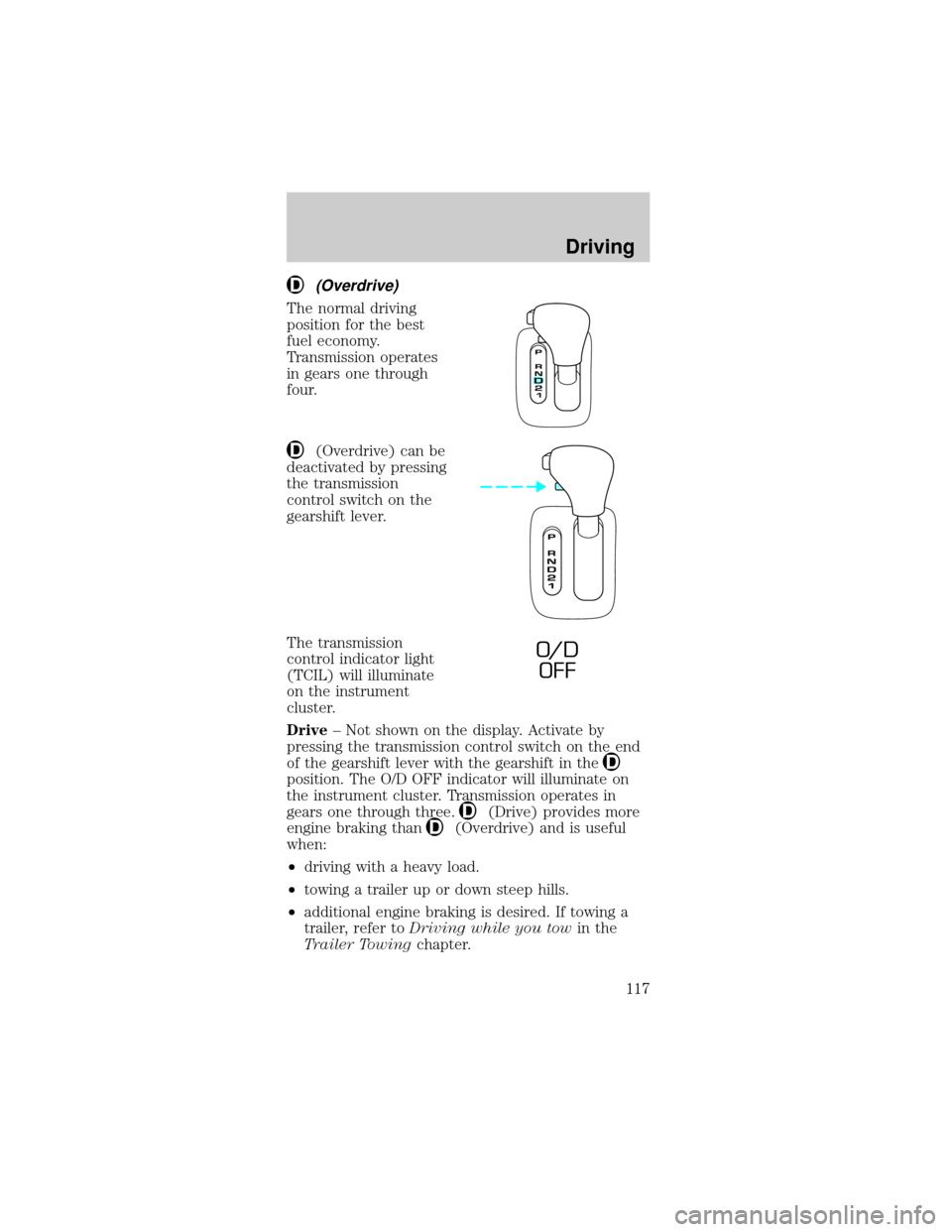
Understanding gearshift positions
P (Park)
Always come to a
complete stop before
shifting into P (Park).
Make sure the gearshift
lever is securely
latched in P (Park).
This position locks the
transmission and
prevents the rear
wheels from turning.
Always set the parking brake fully and make
sure the gearshift lever is latched in P
(Park). Turn off the ignition whenever you leave
your vehicle.
R (Reverse)
With the gearshift lever
in R (Reverse), the
vehicle will move
backward. Always come
to a complete stop
before shifting into and
out of R (Reverse).
N (Neutral)
With the gearshift lever
in N (Neutral), the
vehicle can be started
and is free to roll. Hold
the brake pedal down
while in this gear.
Driving
116
Page 117 of 240
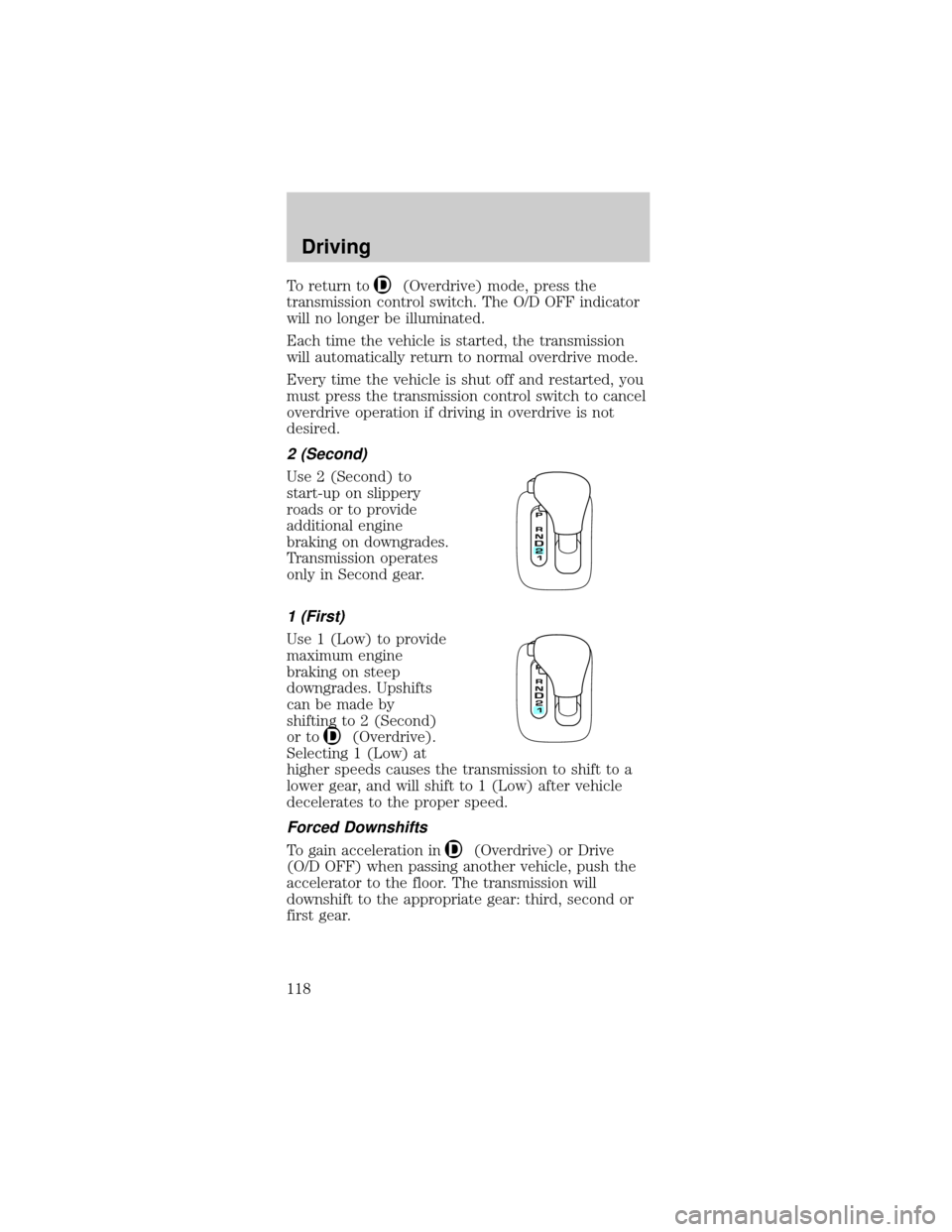
(Overdrive)
The normal driving
position for the best
fuel economy.
Transmission operates
in gears one through
four.
(Overdrive) can be
deactivated by pressing
the transmission
control switch on the
gearshift lever.
The transmission
control indicator light
(TCIL) will illuminate
on the instrument
cluster.
Drive± Not shown on the display. Activate by
pressing the transmission control switch on the end
of the gearshift lever with the gearshift in the
position. The O/D OFF indicator will illuminate on
the instrument cluster. Transmission operates in
gears one through three.
(Drive) provides more
engine braking than
(Overdrive) and is useful
when:
²driving with a heavy load.
²towing a trailer up or down steep hills.
²additional engine braking is desired. If towing a
trailer, refer toDriving while you towin the
Trailer Towingchapter.
O/ D
OFF
Driving
117
Page 118 of 240
To return to(Overdrive) mode, press the
transmission control switch. The O/D OFF indicator
will no longer be illuminated.
Each time the vehicle is started, the transmission
will automatically return to normal overdrive mode.
Every time the vehicle is shut off and restarted, you
must press the transmission control switch to cancel
overdrive operation if driving in overdrive is not
desired.
2 (Second)
Use 2 (Second) to
start-up on slippery
roads or to provide
additional engine
braking on downgrades.
Transmission operates
only in Second gear.
1 (First)
Use 1 (Low) to provide
maximum engine
braking on steep
downgrades. Upshifts
can be made by
shifting to 2 (Second)
or to
(Overdrive).
Selecting 1 (Low) at
higher speeds causes the transmission to shift to a
lower gear, and will shift to 1 (Low) after vehicle
decelerates to the proper speed.
Forced Downshifts
To gain acceleration in(Overdrive) or Drive
(O/D OFF) when passing another vehicle, push the
accelerator to the floor. The transmission will
downshift to the appropriate gear: third, second or
first gear.
Driving
118
Page 119 of 240
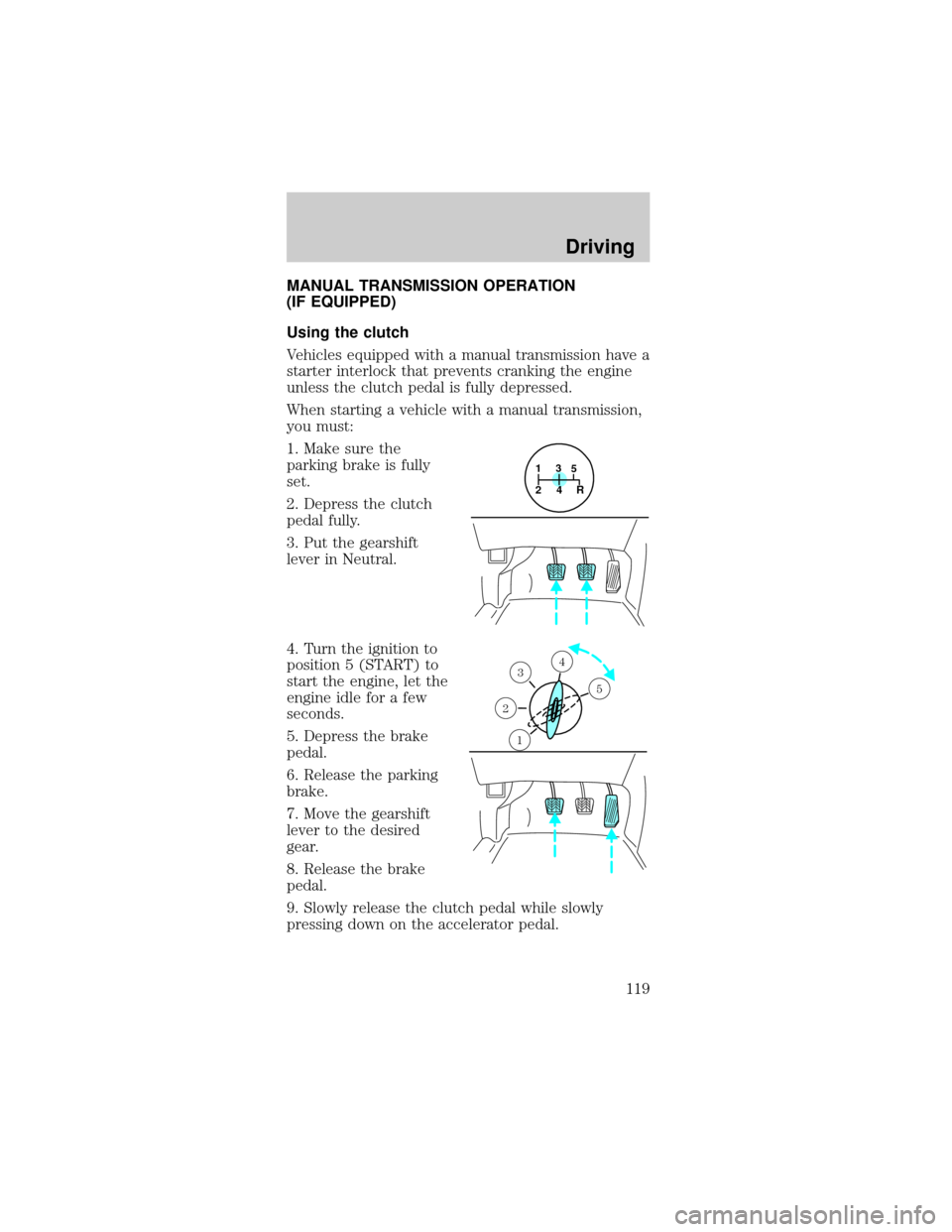
MANUAL TRANSMISSION OPERATION
(IF EQUIPPED)
Using the clutch
Vehicles equipped with a manual transmission have a
starter interlock that prevents cranking the engine
unless the clutch pedal is fully depressed.
When starting a vehicle with a manual transmission,
you must:
1. Make sure the
parking brake is fully
set.
2. Depress the clutch
pedal fully.
3. Put the gearshift
lever in Neutral.
4. Turn the ignition to
position 5 (START) to
start the engine, let the
engine idle for a few
seconds.
5. Depress the brake
pedal.
6. Release the parking
brake.
7. Move the gearshift
lever to the desired
gear.
8. Release the brake
pedal.
9. Slowly release the clutch pedal while slowly
pressing down on the accelerator pedal.
1
24R3
5
1
2
34
5
Driving
119
Page 121 of 240
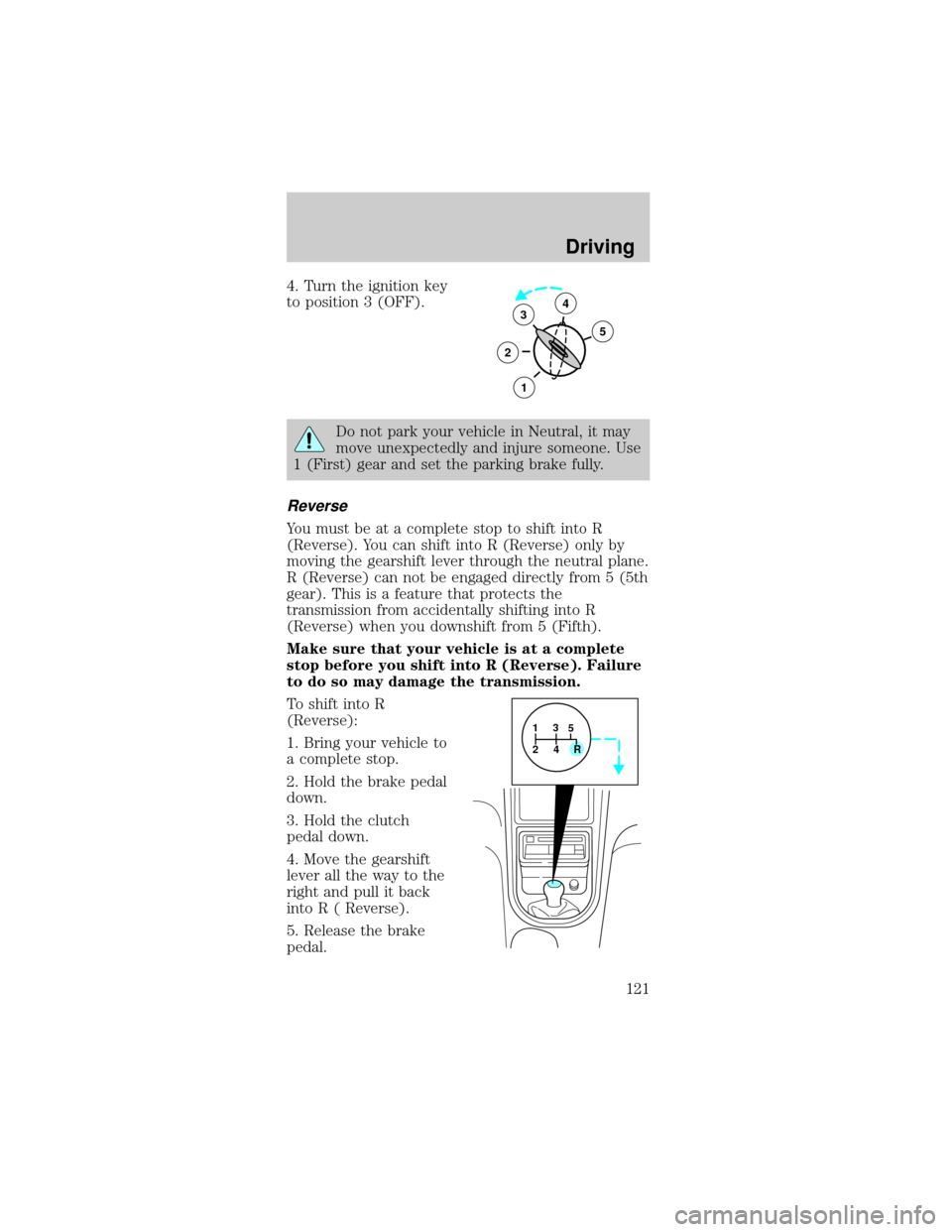
4. Turn the ignition key
to position 3 (OFF).
Do not park your vehicle in Neutral, it may
move unexpectedly and injure someone. Use
1 (First) gear and set the parking brake fully.
Reverse
You must be at a complete stop to shift into R
(Reverse). You can shift into R (Reverse) only by
moving the gearshift lever through the neutral plane.
R (Reverse) can not be engaged directly from 5 (5th
gear). This is a feature that protects the
transmission from accidentally shifting into R
(Reverse) when you downshift from 5 (Fifth).
Make sure that your vehicle is at a complete
stop before you shift into R (Reverse). Failure
to do so may damage the transmission.
To shift into R
(Reverse):
1. Bring your vehicle to
a complete stop.
2. Hold the brake pedal
down.
3. Hold the clutch
pedal down.
4. Move the gearshift
lever all the way to the
right and pull it back
into R ( Reverse).
5. Release the brake
pedal.
3
2
1
5
4
1
24R3
5
Driving
121
Page 123 of 240

²Payload:Combined maximum allowable weight of
cargo, passengers and optional equipment. The
payload equals the gross vehicle weight rating
minus base curb weight.
²GVW (Gross Vehicle Weight):Base curb weight
plus payload weight. The GVW is not a limit or a
specification.
²GVWR (Gross Vehicle Weight Rating):
Maximum total weight of the base vehicle,
passengers, optional equipment and cargo. The
GVWR is specific to each vehicle and is listed on
the Safety Certification Label on the driver's door
pillar.
²GAWR (Gross Axle Weight Rating):Carrying
capacity for each axle system. The GAWR is
specific to each vehicle and is listed on the Safety
Certification Label on the driver's door pillar.
²GCW (Gross Combined Weight):The
combined weight of the towing vehicle (including
passengers and cargo) and the trailer.
²GCWR (Gross Combined Weight Rating):
Maximum combined weight of towing vehicle
(including passengers and cargo) and the trailer.
The GCWR indicates the maximum loaded weight
that the vehicle is designed to tow.
²Maximum Trailer Weight Rating:Maximum
weight of a trailer the vehicle is permitted to tow.
The maximum trailer weight rating is determined
by subtracting the vehicle curb weight for each
engine/transmission combination, any required
option weight for trailer towing and the weight of
the driver from the GCWR for the towing vehicle.
²Maximum Trailer Weight:Maximum weight of a
trailer the loaded vehicle (including passengers
and cargo) is permitted to tow. It is determined
by subtracting the weight of the loaded trailer
towing vehicle from the GCWR for the towing
vehicle.
Driving
123
Page 126 of 240
Do not connect a trailer's hydraulic brake
system directly to your vehicle's brake
system. Your vehicle may not have enough braking
power and your chances of having a collision
greatly increase.
The braking system of the tow vehicle is rated for
operation at the GVWR not GCWR.
Trailer lamps
Trailer lamps are required on most towed vehicles.
Make sure your trailer lamps conform to local and
Federal regulations. See your dealer or trailer rental
agency for proper instructions and equipment for
hooking up trailer lamps.
Driving while you tow
When towing a trailer:
²Ensure that you turn off your speed control. The
speed control may shut off automatically when
you are towing on long, steep grades.
²Consult your local motor vehicle speed regulations
for towing a trailer.
²Use a lower gear when towing up or down steep
hills. This will eliminate excessive downshifting
and upshifting for optimum fuel economy and
transmission cooling.
²Anticipate stops and brake gradually.
Exceeding the GCWR rating may cause internal
transmission damage and void your warranty
coverage.
Servicing after towing
If you tow a trailer for long distances, your vehicle
will require more frequent service intervals. Refer to
your scheduled maintenance guide for more
information.
Driving
126
Page 127 of 240

Trailer towing tips
²Practice turning, stopping and backing up before
starting on a trip to get the feel of the vehicle
trailer combination. When turning, make wider
turns so the trailer wheels will clear curbs and
other obstacles.
²Allow more distance for stopping with a trailer
attached.
²The trailer tongue weight should be 10% of the
loaded trailer weight.
²After you have traveled 80 km (50 miles),
thoroughly check your hitch, electrical
connections and trailer wheel lug nuts.
²When stopped in traffic for long periods of time in
hot weather, place the gearshift in P (Park) and
increase idle speed. This aids engine cooling and
air conditioner efficiency.
²Vehicles with trailers should not be parked on a
grade. If you must park on a grade, place wheel
chocks under the trailer's wheels.
Recreational towing (all wheels on the ground)
Follow these guidelines for your specific powertrain
combination to tow your vehicle with all four wheels
on the ground (such as behind a recreational vehicle).
These guidelines are designed to ensure that your
transmission is not damaged due to insufficient
lubrication.
All Rear Wheel Drive (RWD) vehicles
This applies to all cars and 4x2 trucks/sport utilities
with rear wheel drive capability.
An example of recreational towing is towing your
vehicle behind a Motorhome. The following
recreational towing guidelines are designed to
ensure that your transmission is not damaged.
²Place the transmission in N (Neutral).
²Maximum speed is 56 km/h (35 mph).
²Maximum distance is 80 km (50 miles).
Driving
127
Page 128 of 240

If a distance of 80 km (50 miles) or a speed of 56
km/h (35 mph) must be exceeded, you must
disconnect the driveshaft. Ford recommends the
driveshaft be removed/installed only by a qualified
technician. See your local dealer for driveshaft
removal/installation.
Improper removal/installation of the driveshaft
can cause transmission fluid loss, damage to
the driveshaft and internal transmission
components.
DRIVING THROUGH WATER
Do not drive quickly through standing water,
especially if the depth is unknown. Traction or brake
capability may be limited and if the ignition system
gets wet, your engine may stall. Water may also
enter your engine's air intake and severely damage
your engine.
If driving through deep or standing water is
unavoidable, proceed very slowly. Never drive
through water that is higher than the bottom of the
hubs (for trucks) or the bottom of the wheel rims
(for cars).
Once through the water, always try the brakes. Wet
brakes do not stop the vehicle as effectively as dry
brakes. Drying can be improved by moving your
vehicle slowly while applying light pressure on the
brake pedal.
Driving through deep water where the
transmission vent tube is submerged may allow
water into the transmission and cause internal
transmission damage.
Driving
128