lock FORD MUSTANG 2003 4.G User Guide
[x] Cancel search | Manufacturer: FORD, Model Year: 2003, Model line: MUSTANG, Model: FORD MUSTANG 2003 4.GPages: 256, PDF Size: 2.4 MB
Page 53 of 256
Compression feature (if equipped)
The compression
feature operates in CD
mode and brings soft
and loud CD passages
together for a more
consistent listening level.
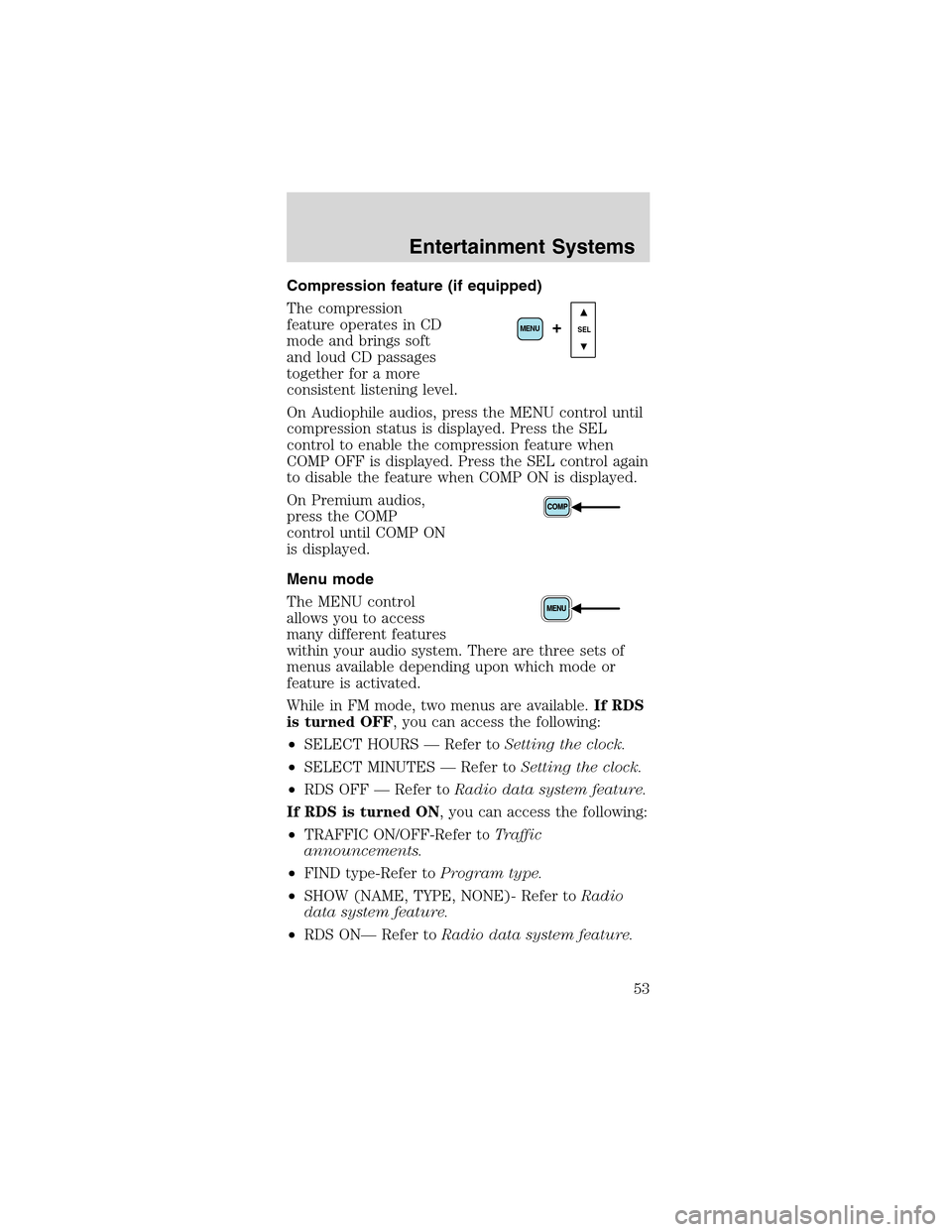
On Audiophile audios, press the MENU control until
compression status is displayed. Press the SEL
control to enable the compression feature when
COMP OFF is displayed. Press the SEL control again
to disable the feature when COMP ON is displayed.
On Premium audios,
press the COMP
control until COMP ON
is displayed.
Menu mode
The MENU control
allows you to access
many different features
within your audio system. There are three sets of
menus available depending upon which mode or
feature is activated.
While in FM mode, two menus are available.If RDS
is turned OFF, you can access the following:
•SELECT HOURS—Refer toSetting the clock.
•SELECT MINUTES—Refer toSetting the clock.
•RDS OFF—Refer toRadio data system feature.
If RDS is turned ON, you can access the following:
•TRAFFIC ON/OFF-Refer toTraffic
announcements.
•FIND type-Refer toProgram type.
•SHOW (NAME, TYPE, NONE)- Refer toRadio
data system feature.
•RDS ON—Refer toRadio data system feature.
SEL+MENU
Entertainment Systems
53
Page 54 of 256
•SELECT HOURS—Refer toSetting the clock.
•SELECT MINUTES—Refer toSetting the clock.
When in CD mode, you can access: SELECT HOURS,
SELECT MINUTES or COMP ON/OFF.
SELECT HOURS, SELECT MINUTES—Allows you
to adjust the hours and minutes. Refer toSetting
the clock.
TRAFFIC ON/OFF—Traffic announcements can be
programmed as local or distant. Refer toTraffic
announcements.
RDS ON/OFF—This feature allows your audio
system to receive text information from
RDS-equipped FM radio stations. Refer toRadio
Data System feature.
FIND type—Allows you to select your desired FM
program type and search for that selection.
SHOW—Allows you to select from NAME (displays
the name of the radio station), TYPE (displays the
RDS program type: rock, jazz, etc.), or NONE
(deactivates the RDS display).
Radio data system (RDS) feature
This feature allows
your audio system to
receive text
information from
RDS-equipped FM
radio stations.
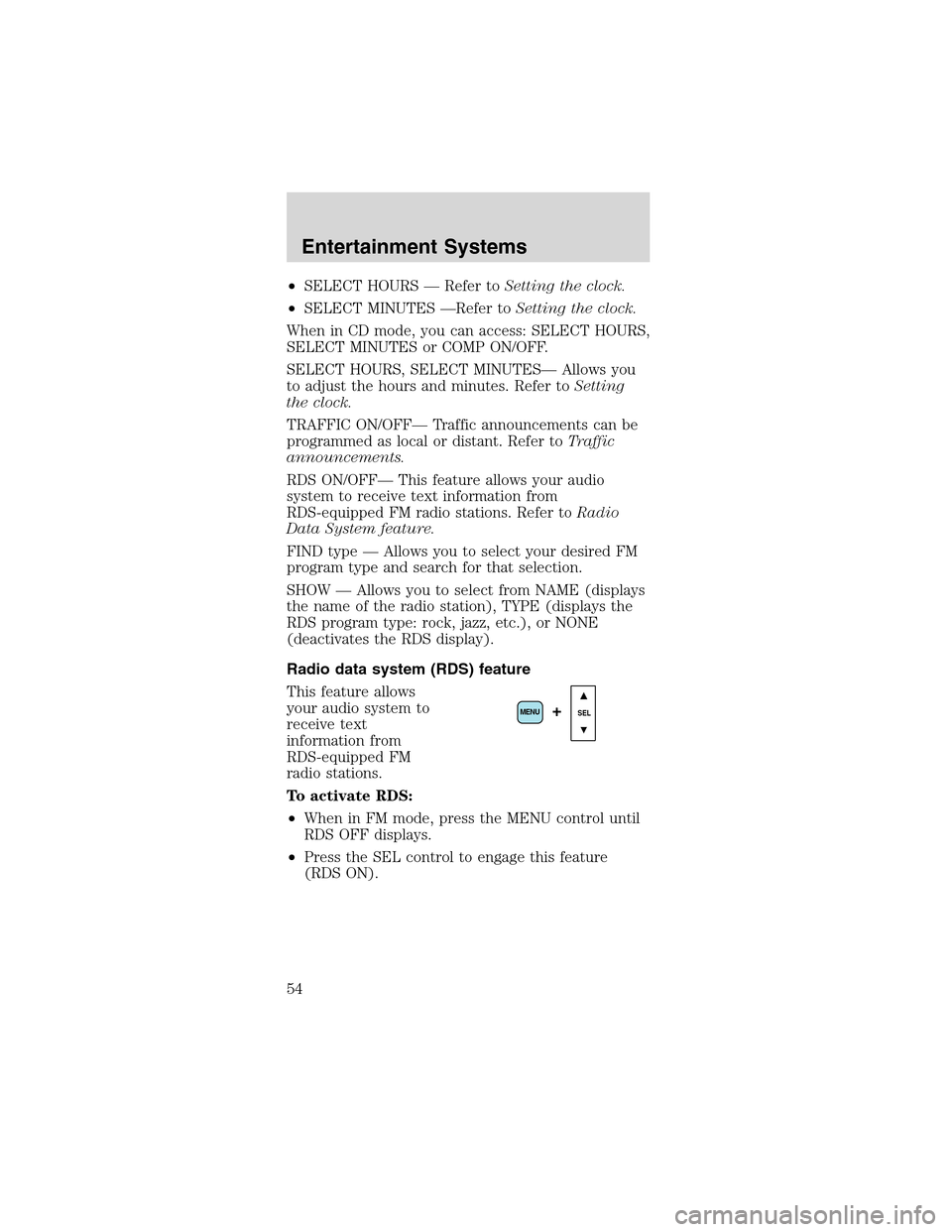
To activate RDS:
•When in FM mode, press the MENU control until
RDS OFF displays.
•Press the SEL control to engage this feature
(RDS ON).
SEL+MENU
Entertainment Systems
54
Page 68 of 256
Always remember to turn on your
headlamps at dusk or during inclement
weather. The Daytime Running Light (DRL)
System does not activate your tail lamps and
generally may not provide adequate lighting during
these conditions. Failure to activate your
headlamps under these conditions may result in a
collision.
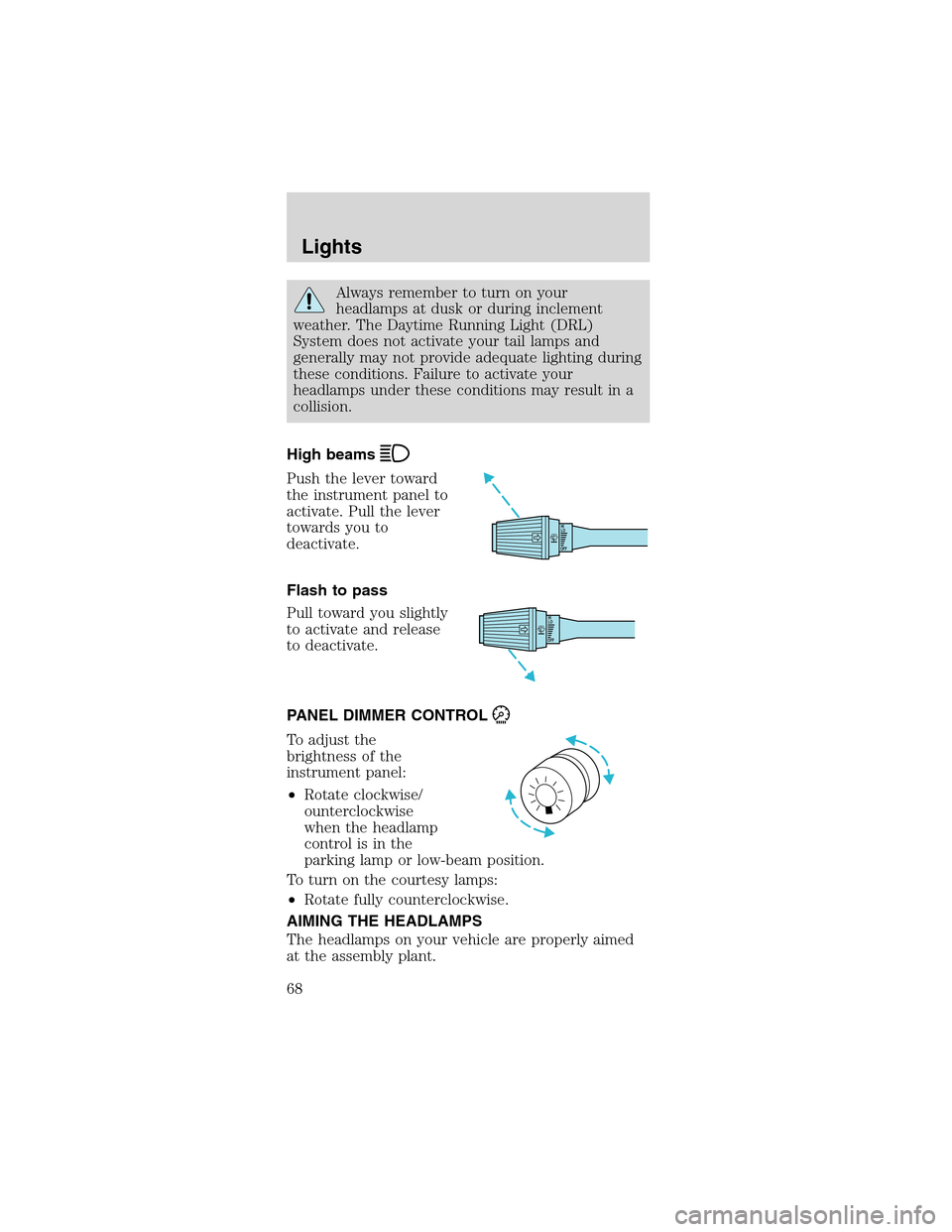
High beams
Push the lever toward
the instrument panel to
activate. Pull the lever
towards you to
deactivate.
Flash to pass
Pull toward you slightly
to activate and release
to deactivate.
PANEL DIMMER CONTROL
To adjust the
brightness of the
instrument panel:
•Rotate clockwise/
ounterclockwise
when the headlamp
controlisinthe
parking lamp or low-beam position.
To turn on the courtesy lamps:
•Rotate fully counterclockwise.
AIMING THE HEADLAMPS
The headlamps on your vehicle are properly aimed
at the assembly plant.
OFFHI
LO
OFFHI
LO
Lights
68
Page 72 of 256
Interior bulbs
Check the operation of the following interior bulbs
frequently:
•interior overhead lamp
•map lamp
For bulb replacement, see a dealer or qualified
technician.
Map lamps
For bulb replacement, see a qualified service
technician or your dealer.
Replacing headlamp bulbs
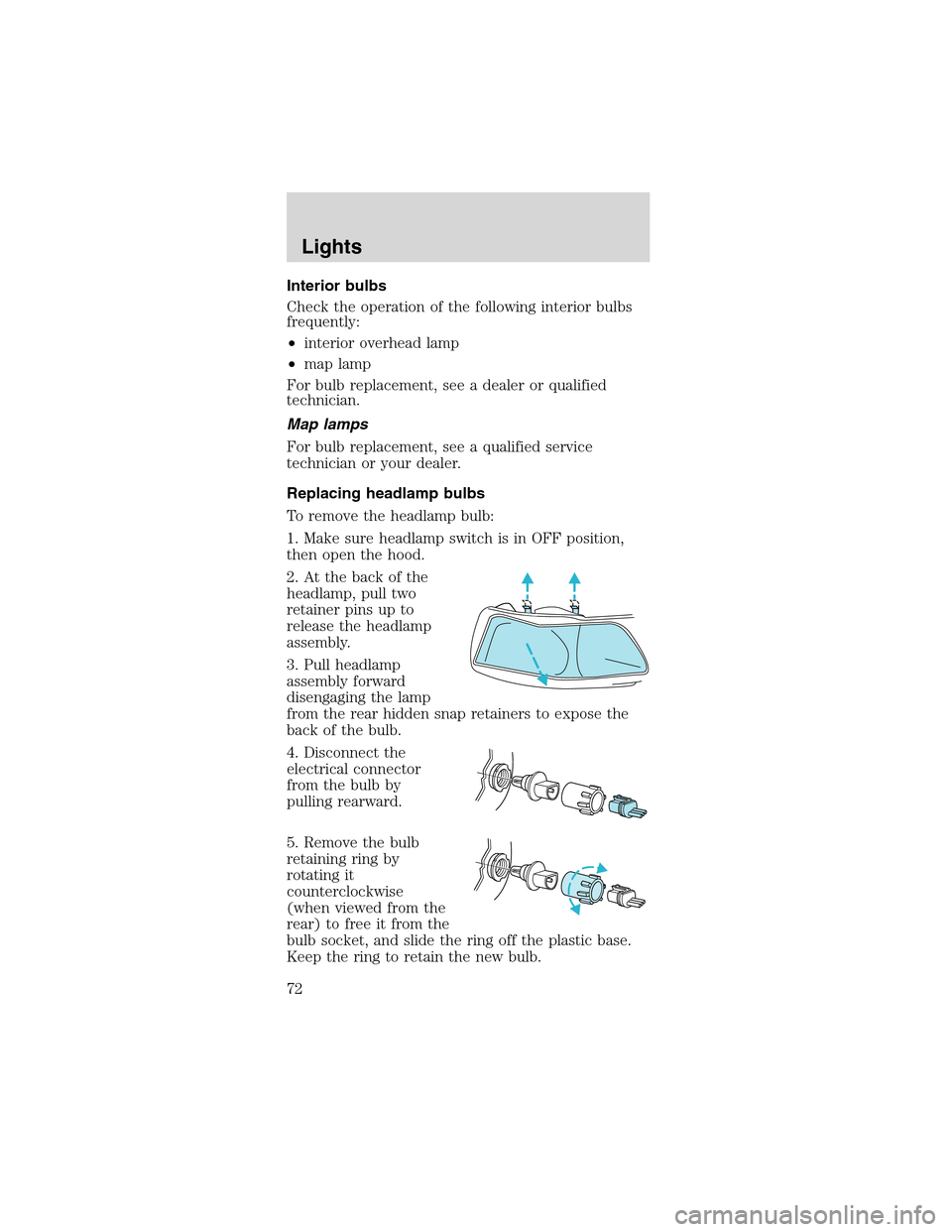
To remove the headlamp bulb:
1. Make sure headlamp switch is in OFF position,
then open the hood.
2. At the back of the
headlamp, pull two
retainer pins up to
release the headlamp
assembly.
3. Pull headlamp
assembly forward
disengaging the lamp
from the rear hidden snap retainers to expose the
back of the bulb.
4. Disconnect the
electrical connector
from the bulb by
pulling rearward.
5. Remove the bulb
retaining ring by
rotating it
counterclockwise
(when viewed from the
rear) to free it from the
bulb socket, and slide the ring off the plastic base.
Keep the ring to retain the new bulb.
Lights
72
Page 73 of 256
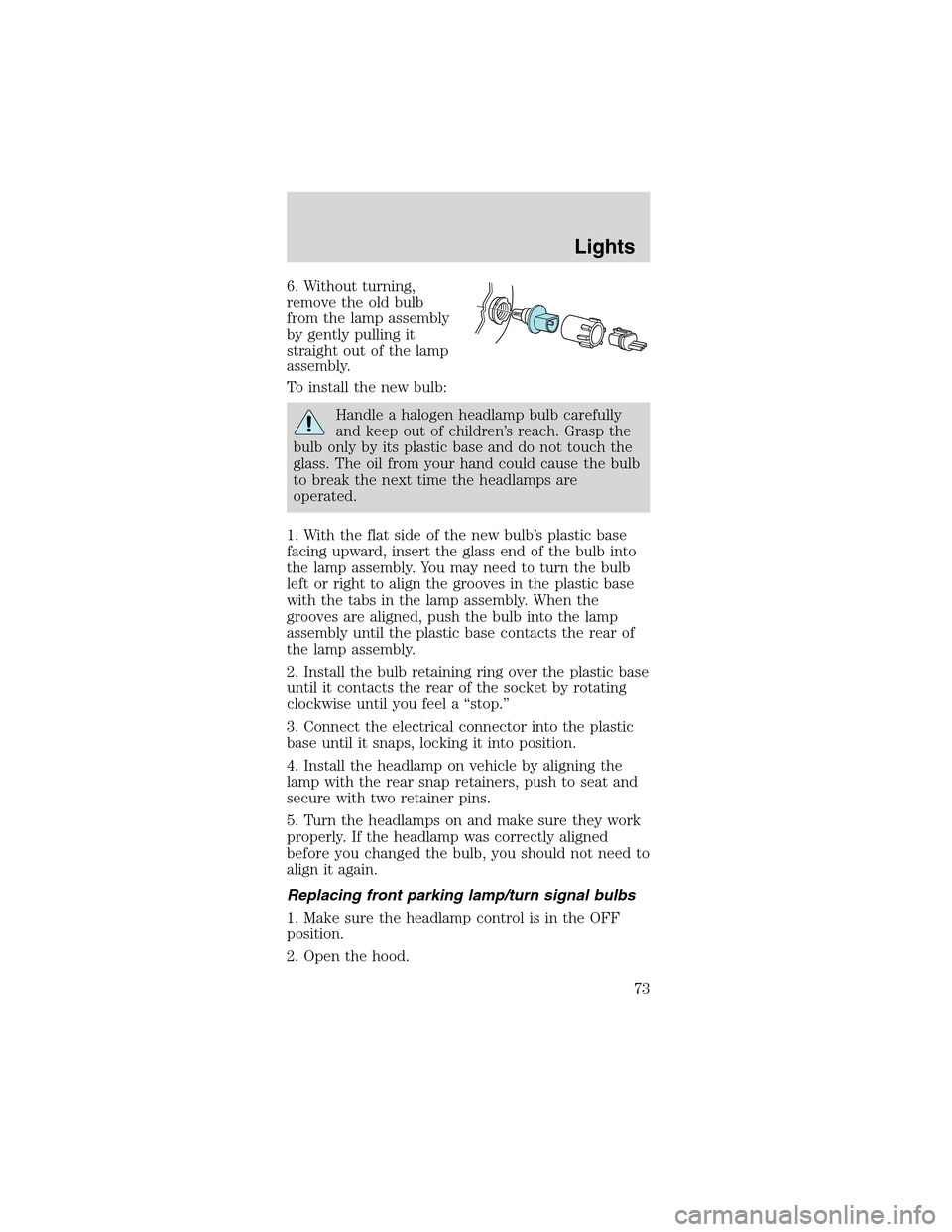
6. Without turning,
remove the old bulb
from the lamp assembly
by gently pulling it
straight out of the lamp
assembly.
To install the new bulb:
Handle a halogen headlamp bulb carefully
and keep out of children’s reach. Grasp the
bulb only by its plastic base and do not touch the
glass. The oil from your hand could cause the bulb
to break the next time the headlamps are
operated.
1. With the flat side of the new bulb’s plastic base
facing upward, insert the glass end of the bulb into
the lamp assembly. You may need to turn the bulb
left or right to align the grooves in the plastic base
with the tabs in the lamp assembly. When the
grooves are aligned, push the bulb into the lamp
assembly until the plastic base contacts the rear of
the lamp assembly.
2. Install the bulb retaining ring over the plastic base
until it contacts the rear of the socket by rotating
clockwise until you feel a“stop.”
3. Connect the electrical connector into the plastic
base until it snaps, locking it into position.
4. Install the headlamp on vehicle by aligning the
lamp with the rear snap retainers, push to seat and
secure with two retainer pins.
5. Turn the headlamps on and make sure they work
properly. If the headlamp was correctly aligned
before you changed the bulb, you should not need to
align it again.
Replacing front parking lamp/turn signal bulbs
1. Make sure the headlamp control is in the OFF
position.
2. Open the hood.
Lights
73
Page 74 of 256
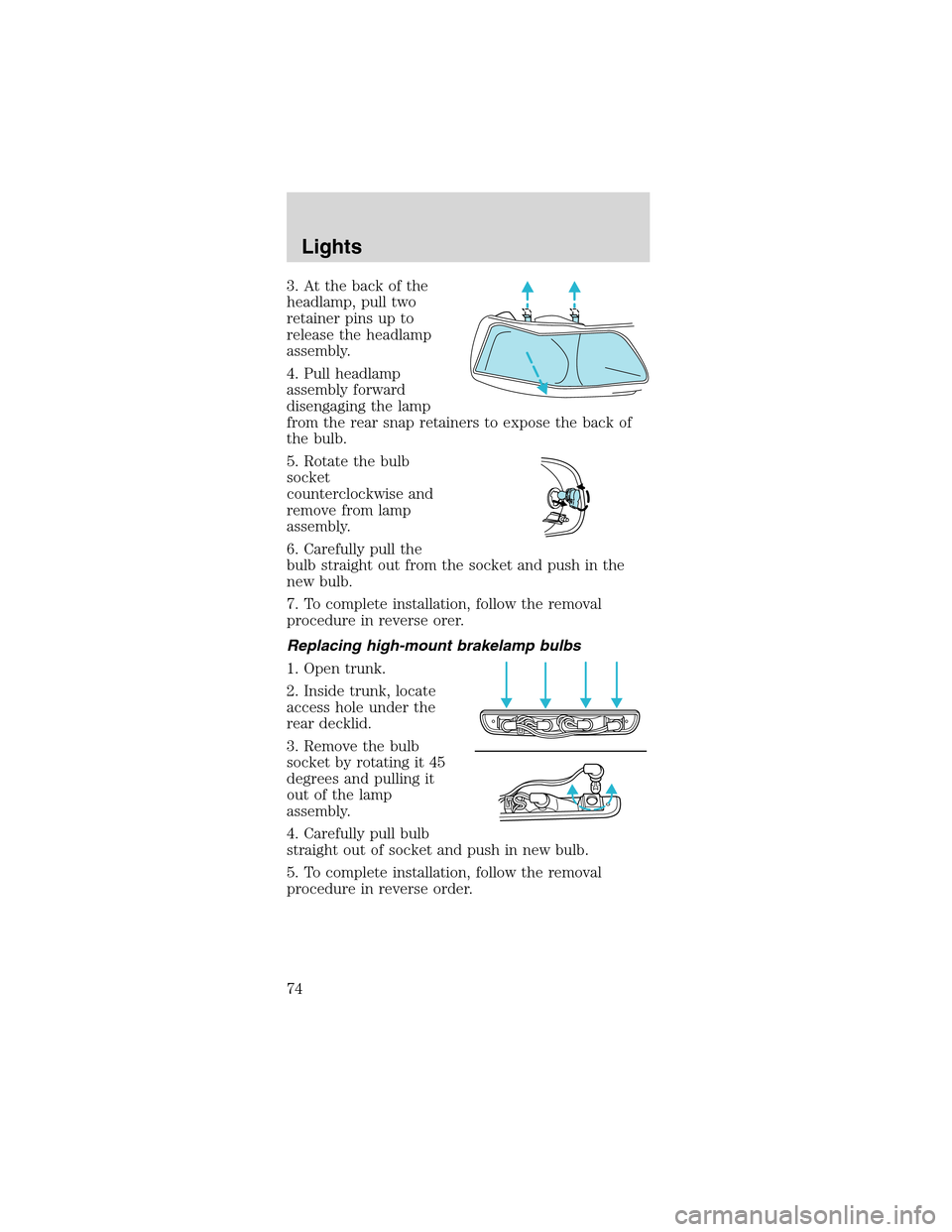
3.Atthebackofthe
headlamp, pull two
retainer pins up to
release the headlamp
assembly.
4. Pull headlamp
assembly forward
disengaging the lamp
from the rear snap retainers to expose the back of
the bulb.
5. Rotate the bulb
socket
counterclockwise and
remove from lamp
assembly.
6. Carefully pull the
bulb straight out from the socket and push in the
new bulb.
7. To complete installation, follow the removal
procedure in reverse orer.
Replacing high-mount brakelamp bulbs
1. Open trunk.
2. Inside trunk, locate
access hole under the
rear decklid.
3. Remove the bulb
socket by rotating it 45
degrees and pulling it
out of the lamp
assembly.
4. Carefully pull bulb
straight out of socket and push in new bulb.
5. To complete installation, follow the removal
procedure in reverse order.
Lights
74
Page 75 of 256
Replacing foglamp bulbs
The halogen bulb contains gas under pressure.
The bulb may shatter if the glass envelope is
scratched or if the bulb is dropped. Handle the
bulb carefully. Grasp the bulb only by its base.
Avoid touching the glass envelope.
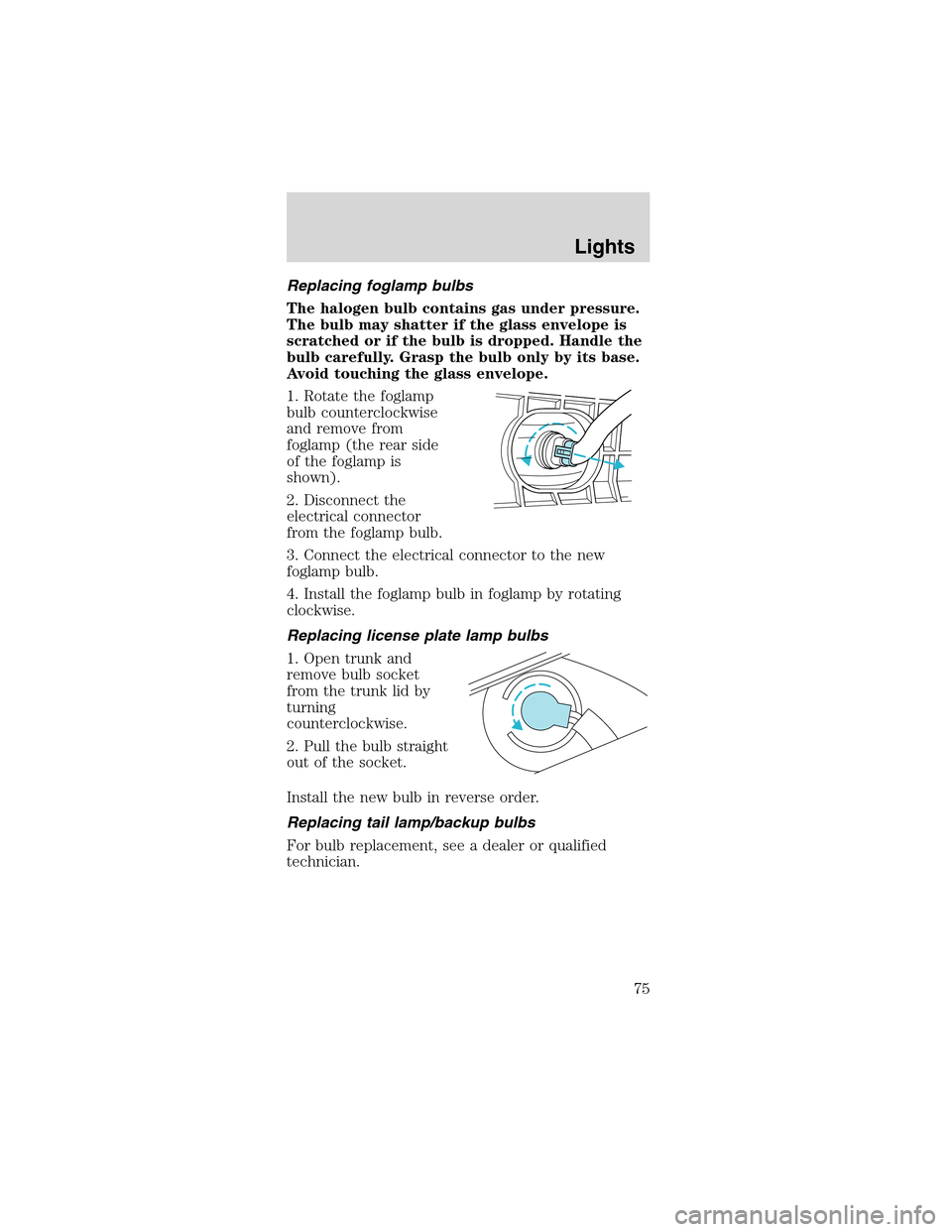
1. Rotate the foglamp
bulb counterclockwise
and remove from
foglamp (the rear side
of the foglamp is
shown).
2. Disconnect the
electrical connector
from the foglamp bulb.
3. Connect the electrical connector to the new
foglamp bulb.
4. Install the foglamp bulb in foglamp by rotating
clockwise.
Replacing license plate lamp bulbs
1. Open trunk and
remove bulb socket
from the trunk lid by
turning
counterclockwise.
2. Pull the bulb straight
out of the socket.
Install the new bulb in reverse order.
Replacing tail lamp/backup bulbs
For bulb replacement, see a dealer or qualified
technician.
Lights
75
Page 77 of 256
Changing the wiper blades
To replace the wiper blades:
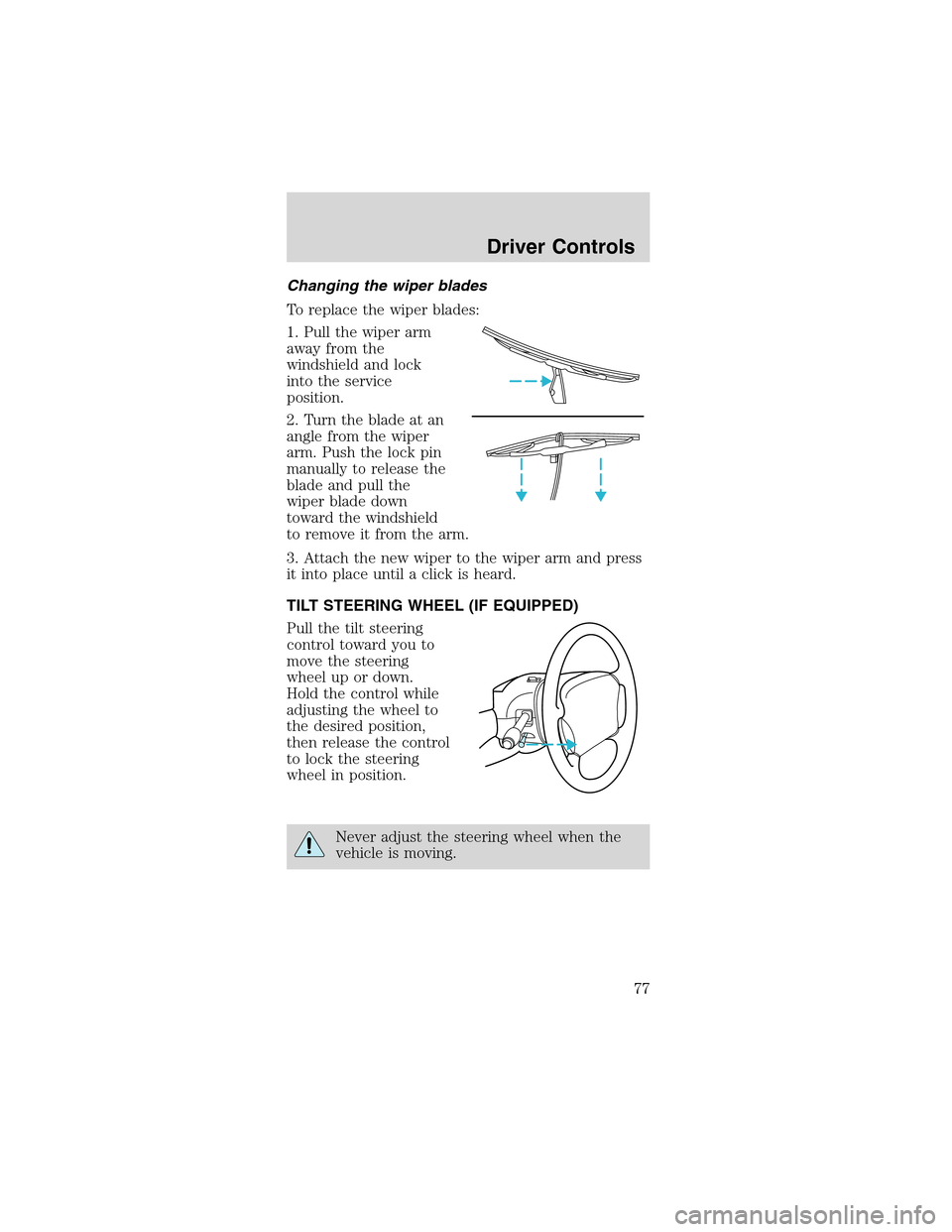
1. Pull the wiper arm
away from the
windshield and lock
into the service
position.
2. Turn the blade at an
angle from the wiper
arm. Push the lock pin
manually to release the
blade and pull the
wiper blade down
toward the windshield
to remove it from the arm.
3. Attach the new wiper to the wiper arm and press
it into place until a click is heard.
TILT STEERING WHEEL (IF EQUIPPED)
Pull the tilt steering
control toward you to
move the steering
wheel up or down.
Hold the control while
adjusting the wheel to
the desired position,
then release the control
to lock the steering
wheel in position.
Never adjust the steering wheel when the
vehicle is moving.
Driver Controls
77
Page 79 of 256
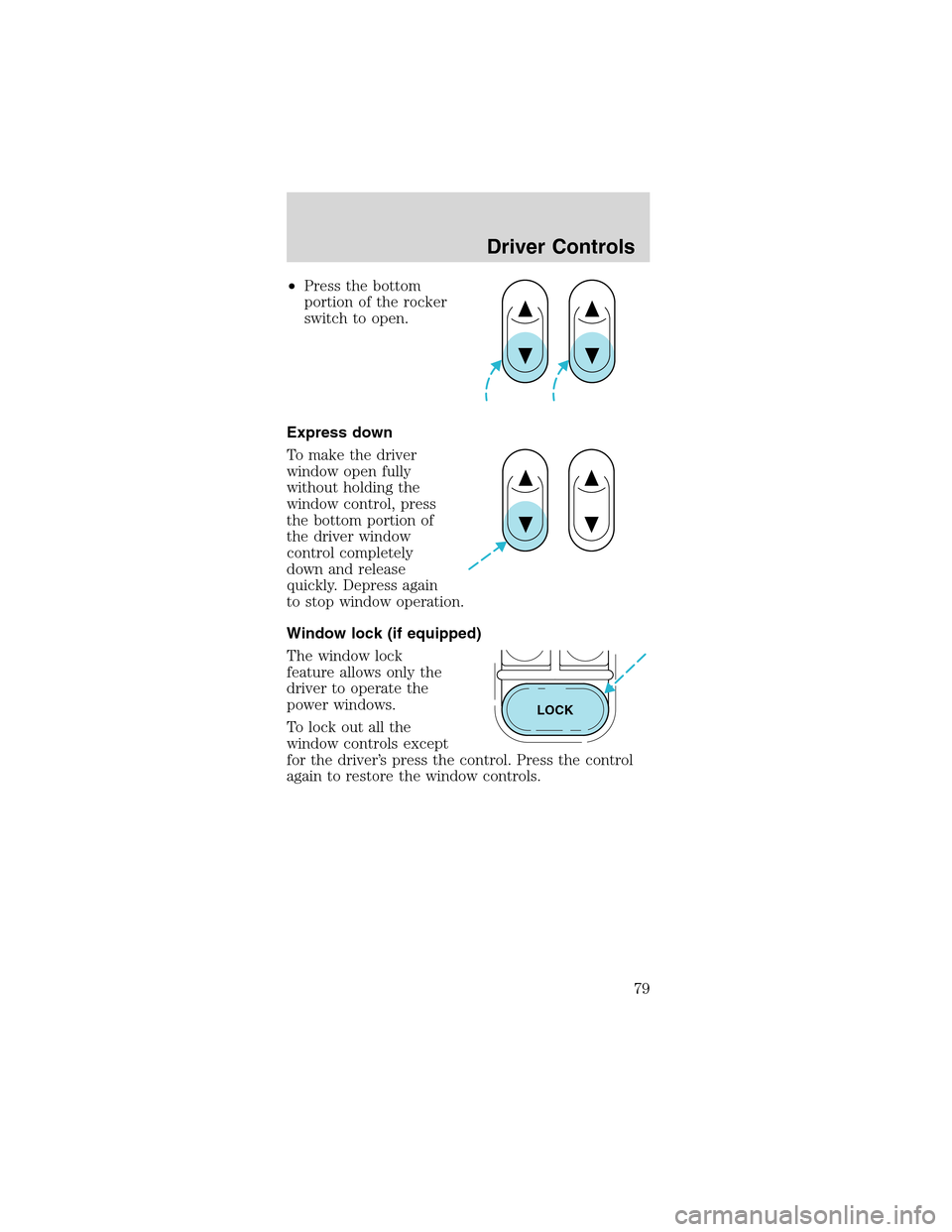
•Press the bottom
portion of the rocker
switch to open.
Express down
To make the driver
window open fully
without holding the
window control, press
the bottom portion of
the driver window
control completely
down and release
quickly. Depress again
to stop window operation.
Window lock (if equipped)
The window lock
feature allows only the
driver to operate the
power windows.
To lock out all the
window controls except
for the driver’s press the control. Press the control
again to restore the window controls.
LOCK
Driver Controls
79
Page 85 of 256
Use only soft cups in the cupholder. Hard
objects can injure you in a collision.
POSITIVE RETENTION FLOOR MAT
(IF EQUIPPED)
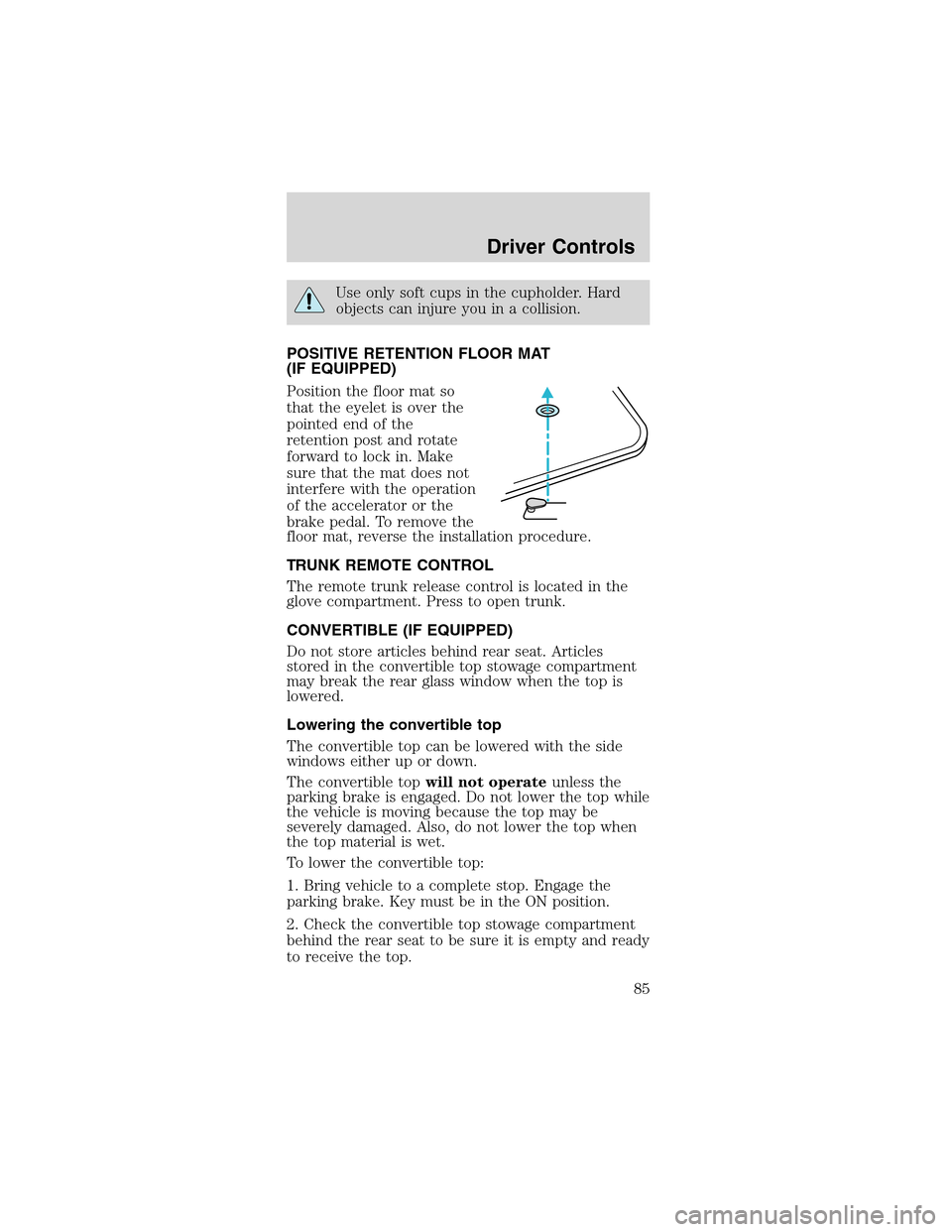
Position the floor mat so
that the eyelet is over the
pointed end of the
retention post and rotate
forward to lock in. Make
sure that the mat does not
interfere with the operation
of the accelerator or the
brake pedal. To remove the
floor mat, reverse the installation procedure.
TRUNK REMOTE CONTROL
The remote trunk release control is located in the
glove compartment. Press to open trunk.
CONVERTIBLE (IF EQUIPPED)
Do not store articles behind rear seat. Articles
stored in the convertible top stowage compartment
may break the rear glass window when the top is
lowered.
Lowering the convertible top
The convertible top can be lowered with the side
windows either up or down.
The convertible topwill not operateunless the
parking brake is engaged. Do not lower the top while
the vehicle is moving because the top may be
severely damaged. Also, do not lower the top when
the top material is wet.
To lower the convertible top:
1. Bring vehicle to a complete stop. Engage the
parking brake. Key must be in the ON position.
2. Check the convertible top stowage compartment
behind the rear seat to be sure it is empty and ready
to receive the top.
Driver Controls
85