light FORD MUSTANG 2005 5.G Owner's Manual
[x] Cancel search | Manufacturer: FORD, Model Year: 2005, Model line: MUSTANG, Model: FORD MUSTANG 2005 5.GPages: 240, PDF Size: 2.08 MB
Page 39 of 240
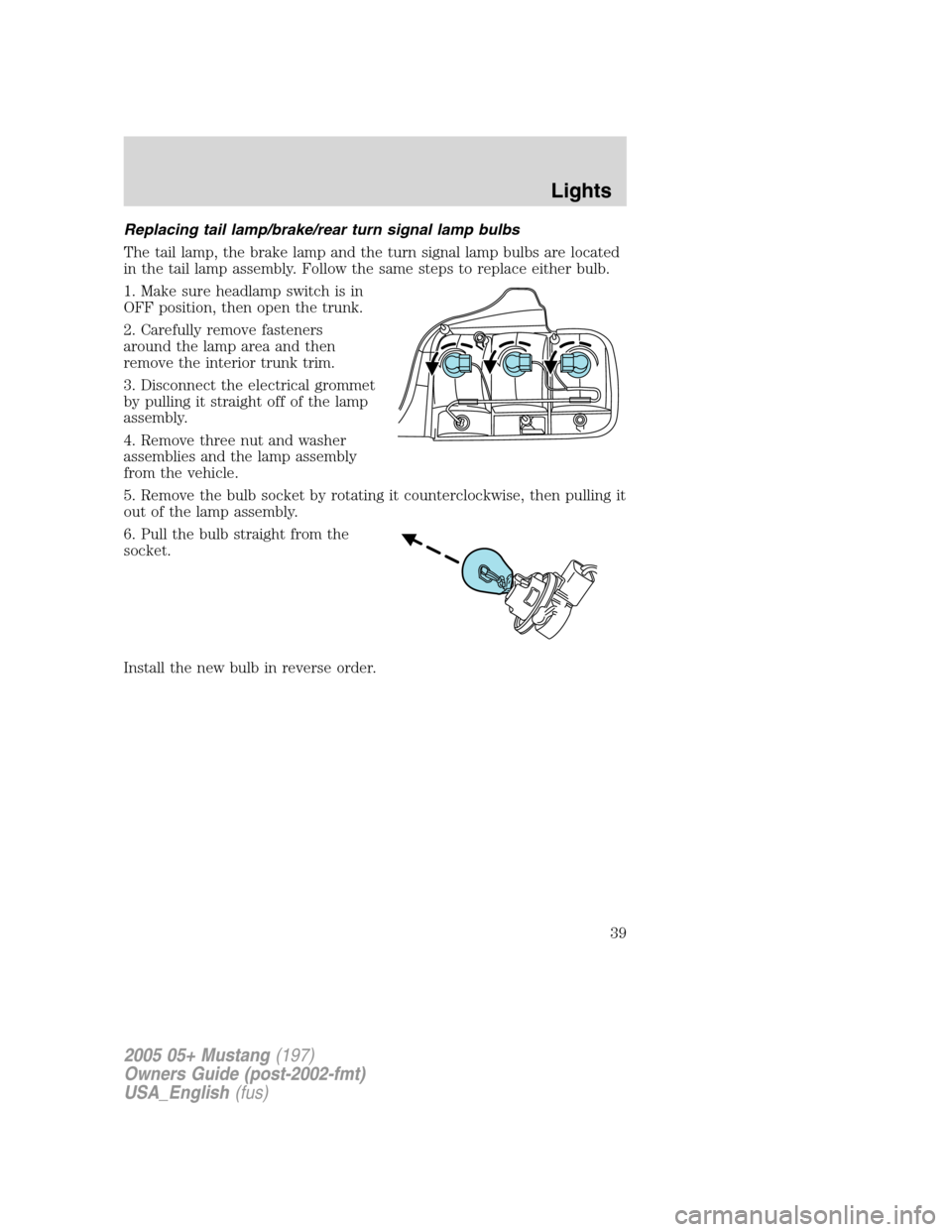
Replacing tail lamp/brake/rear turn signal lamp bulbs
The tail lamp, the brake lamp and the turn signal lamp bulbs are located
in the tail lamp assembly. Follow the same steps to replace either bulb.
1. Make sure headlamp switch is in
OFF position, then open the trunk.
2. Carefully remove fasteners
around the lamp area and then
remove the interior trunk trim.
3. Disconnect the electrical grommet
by pulling it straight off of the lamp
assembly.
4. Remove three nut and washer
assemblies and the lamp assembly
from the vehicle.
5. Remove the bulb socket by rotating it counterclockwise, then pulling it
out of the lamp assembly.
6. Pull the bulb straight from the
socket.
Install the new bulb in reverse order.
2005 05+ Mustang(197)
Owners Guide (post-2002-fmt)
USA_English(fus)
Lights
39
Page 40 of 240
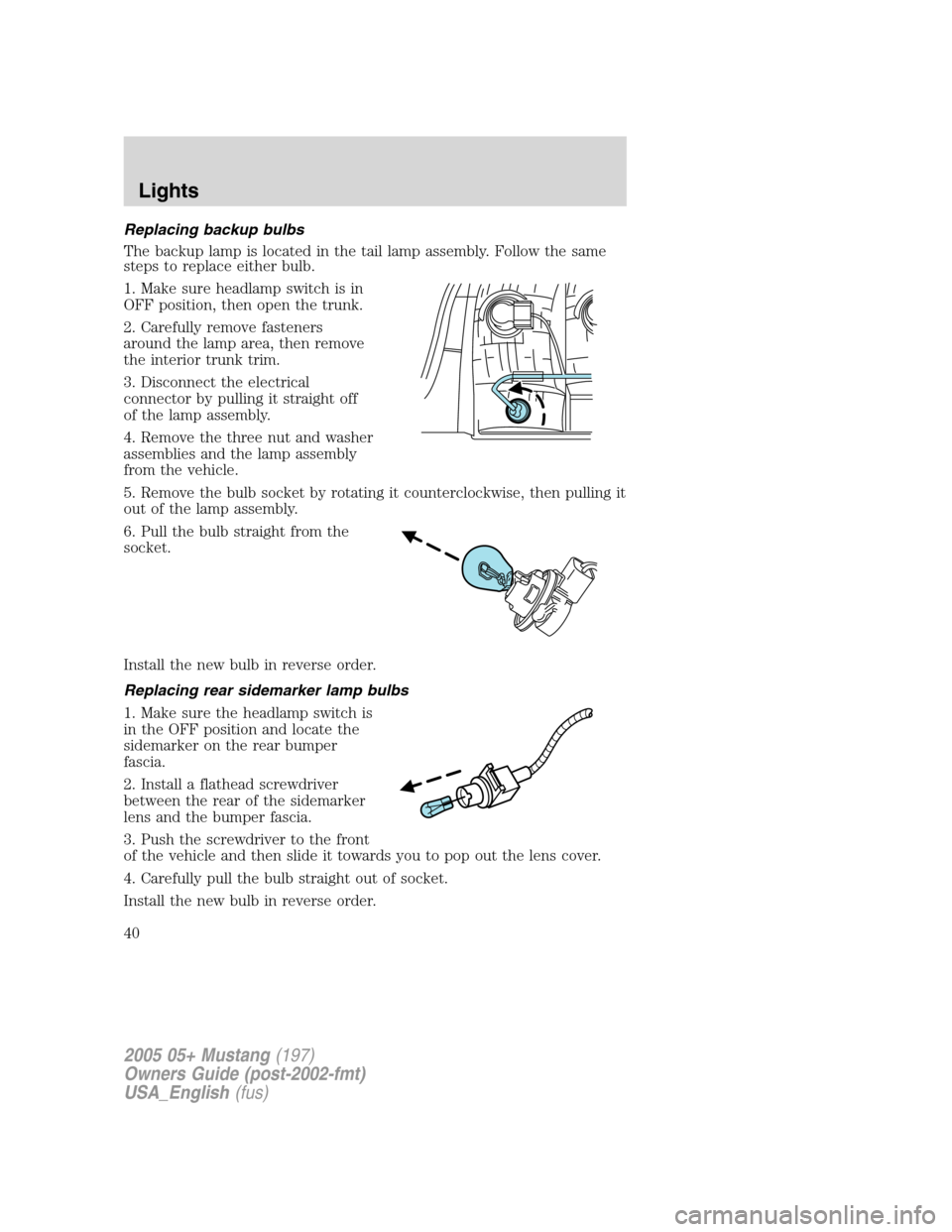
Replacing backup bulbs
The backup lamp is located in the tail lamp assembly. Follow the same
steps to replace either bulb.
1. Make sure headlamp switch is in
OFF position, then open the trunk.
2. Carefully remove fasteners
around the lamp area, then remove
the interior trunk trim.
3. Disconnect the electrical
connector by pulling it straight off
of the lamp assembly.
4. Remove the three nut and washer
assemblies and the lamp assembly
from the vehicle.
5. Remove the bulb socket by rotating it counterclockwise, then pulling it
out of the lamp assembly.
6. Pull the bulb straight from the
socket.
Install the new bulb in reverse order.
Replacing rear sidemarker lamp bulbs
1. Make sure the headlamp switch is
in the OFF position and locate the
sidemarker on the rear bumper
fascia.
2. Install a flathead screwdriver
between the rear of the sidemarker
lens and the bumper fascia.
3. Push the screwdriver to the front
of the vehicle and then slide it towards you to pop out the lens cover.
4. Carefully pull the bulb straight out of socket.
Install the new bulb in reverse order.
2005 05+ Mustang(197)
Owners Guide (post-2002-fmt)
USA_English(fus)
Lights
40
Page 41 of 240
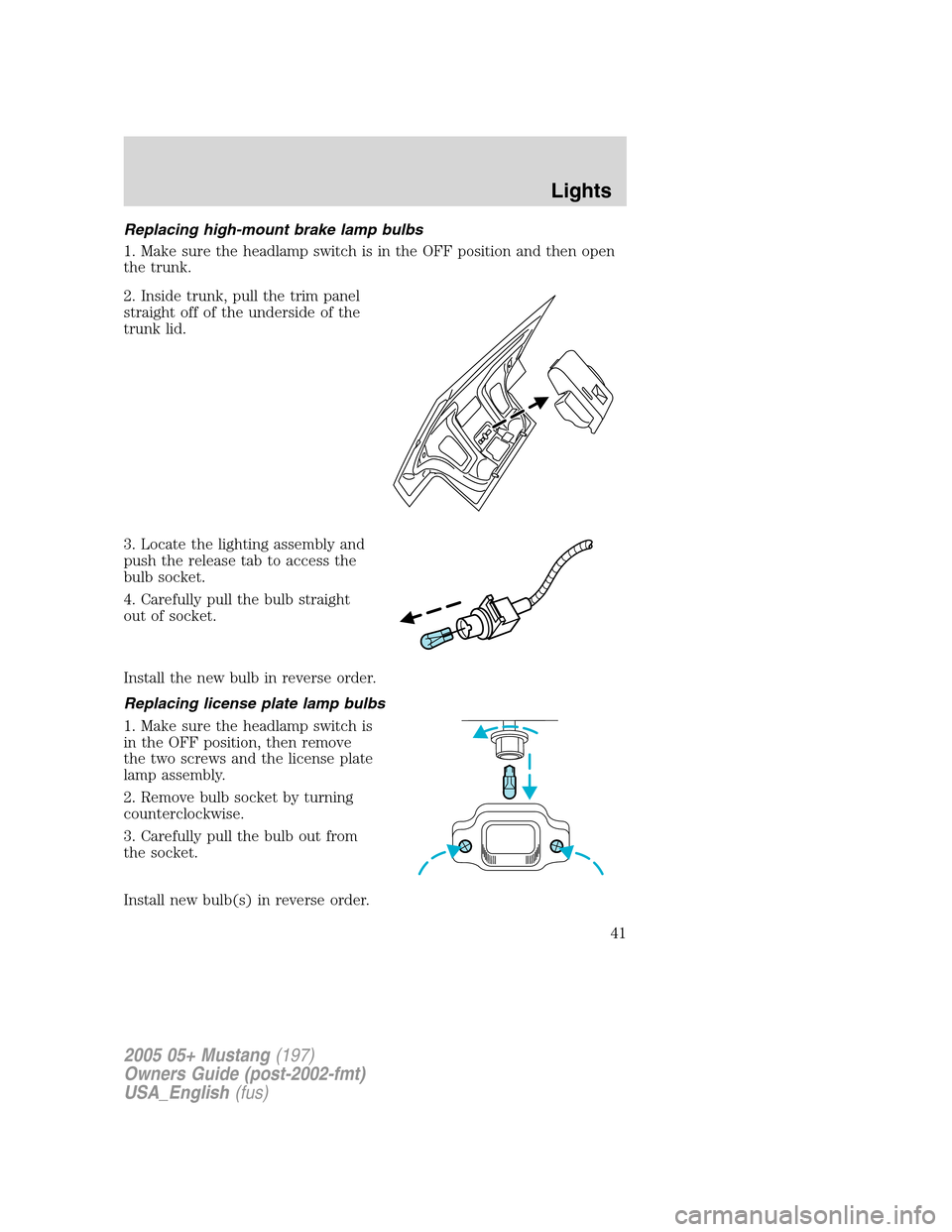
Replacing high-mount brake lamp bulbs
1. Make sure the headlamp switch is in the OFF position and then open
the trunk.
2. Inside trunk, pull the trim panel
straight off of the underside of the
trunk lid.
3. Locate the lighting assembly and
push the release tab to access the
bulb socket.
4. Carefully pull the bulb straight
out of socket.
Install the new bulb in reverse order.
Replacing license plate lamp bulbs
1. Make sure the headlamp switch is
in the OFF position, then remove
the two screws and the license plate
lamp assembly.
2. Remove bulb socket by turning
counterclockwise.
3. Carefully pull the bulb out from
the socket.
Install new bulb(s) in reverse order.
2005 05+ Mustang(197)
Owners Guide (post-2002-fmt)
USA_English(fus)
Lights
41
Page 44 of 240
AUXILIARY POWER POINT (12VDC)
Power outlets are designed for accessory plugs only. Do not insert
any other object in the power outlet for this will damage the
outlet and blow the fuse. Do not hang any type of accessory or
accessory bracket from the plug. Improper use of the power
outlet can cause damage not covered by your warranty.
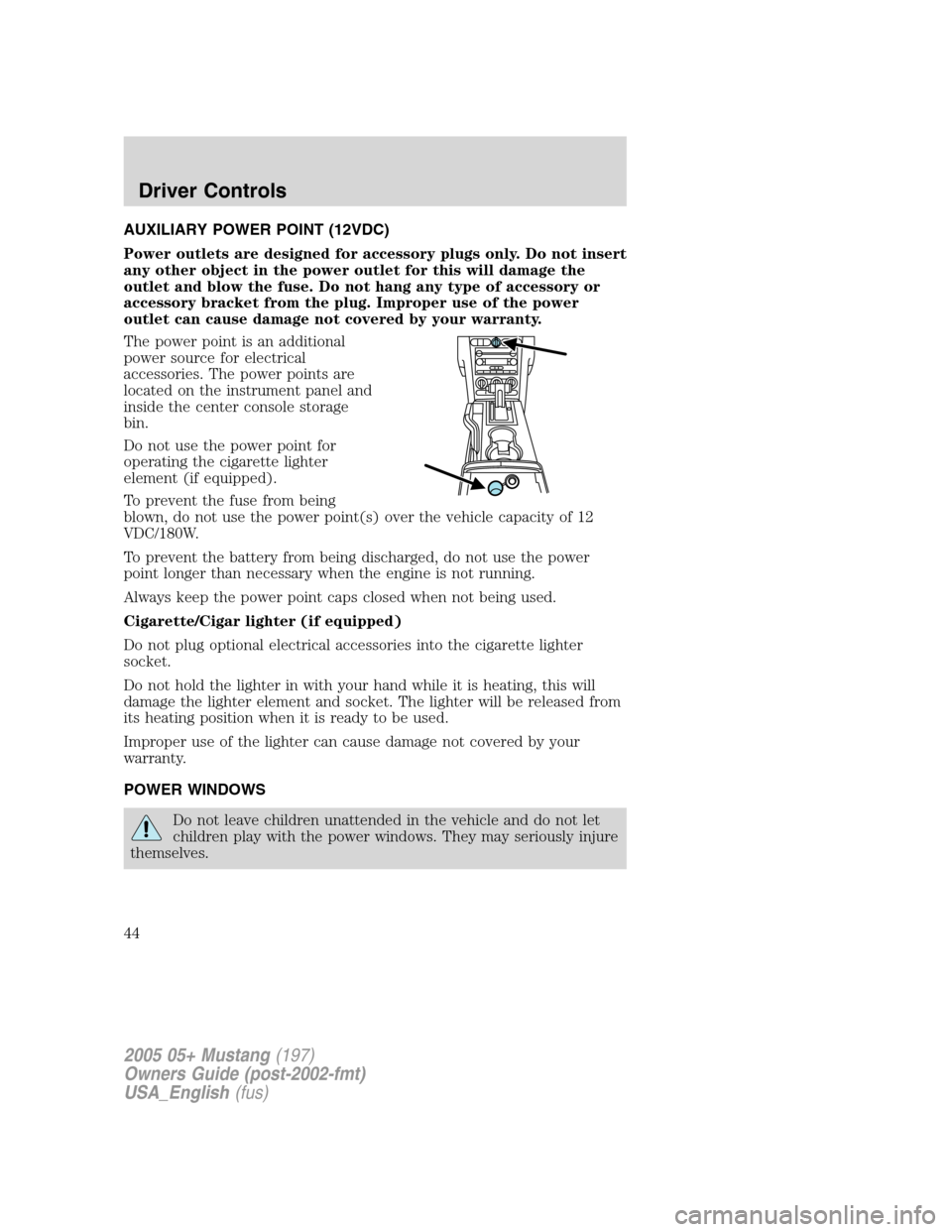
The power point is an additional
power source for electrical
accessories. The power points are
located on the instrument panel and
inside the center console storage
bin.
Do not use the power point for
operating the cigarette lighter
element (if equipped).
To prevent the fuse from being
blown, do not use the power point(s) over the vehicle capacity of 12
VDC/180W.
To prevent the battery from being discharged, do not use the power
point longer than necessary when the engine is not running.
Always keep the power point caps closed when not being used.
Cigarette/Cigar lighter (if equipped)
Do not plug optional electrical accessories into the cigarette lighter
socket.
Do not hold the lighter in with your hand while it is heating, this will
damage the lighter element and socket. The lighter will be released from
its heating position when it is ready to be used.
Improper use of the lighter can cause damage not covered by your
warranty.
POWER WINDOWS
Do not leave children unattended in the vehicle and do not let
children play with the power windows. They may seriously injure
themselves.
2005 05+ Mustang(197)
Owners Guide (post-2002-fmt)
USA_English(fus)
Driver Controls
44
Page 48 of 240
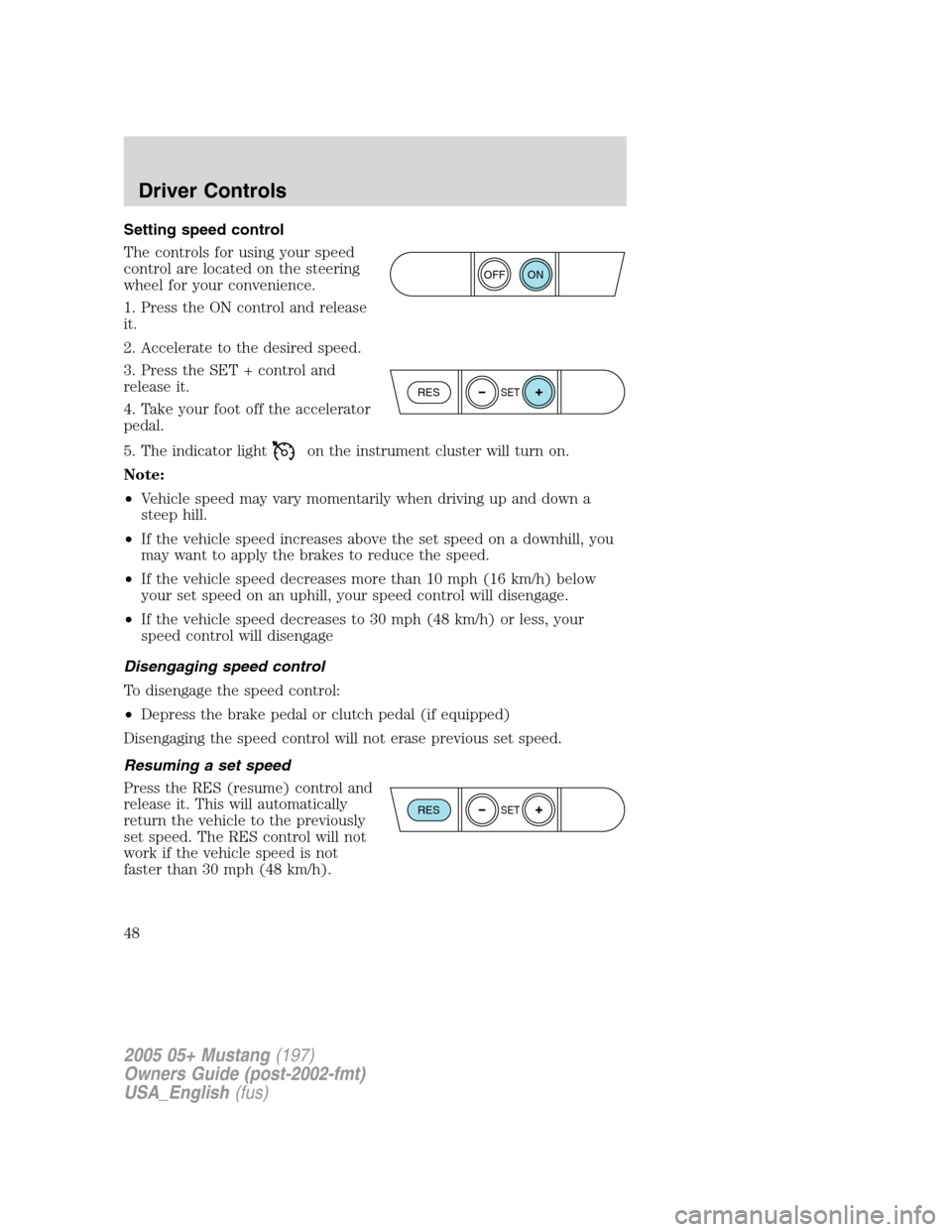
Setting speed control
The controls for using your speed
control are located on the steering
wheel for your convenience.
1. Press the ON control and release
it.
2. Accelerate to the desired speed.
3. Press the SET + control and
release it.
4. Take your foot off the accelerator
pedal.
5. The indicator light
on the instrument cluster will turn on.
Note:
•Vehicle speed may vary momentarily when driving up and down a
steep hill.
•If the vehicle speed increases above the set speed on a downhill, you
may want to apply the brakes to reduce the speed.
•If the vehicle speed decreases more than 10 mph (16 km/h) below
your set speed on an uphill, your speed control will disengage.
•If the vehicle speed decreases to 30 mph (48 km/h) or less, your
speed control will disengage
Disengaging speed control
To disengage the speed control:
•Depress the brake pedal or clutch pedal (if equipped)
Disengaging the speed control will not erase previous set speed.
Resuming a set speed
Press the RES (resume) control and
release it. This will automatically
return the vehicle to the previously
set speed. The RES control will not
work if the vehicle speed is not
faster than 30 mph (48 km/h).
ON
OFF
RESSET
RESSET
2005 05+ Mustang(197)
Owners Guide (post-2002-fmt)
USA_English(fus)
Driver Controls
48
Page 54 of 240
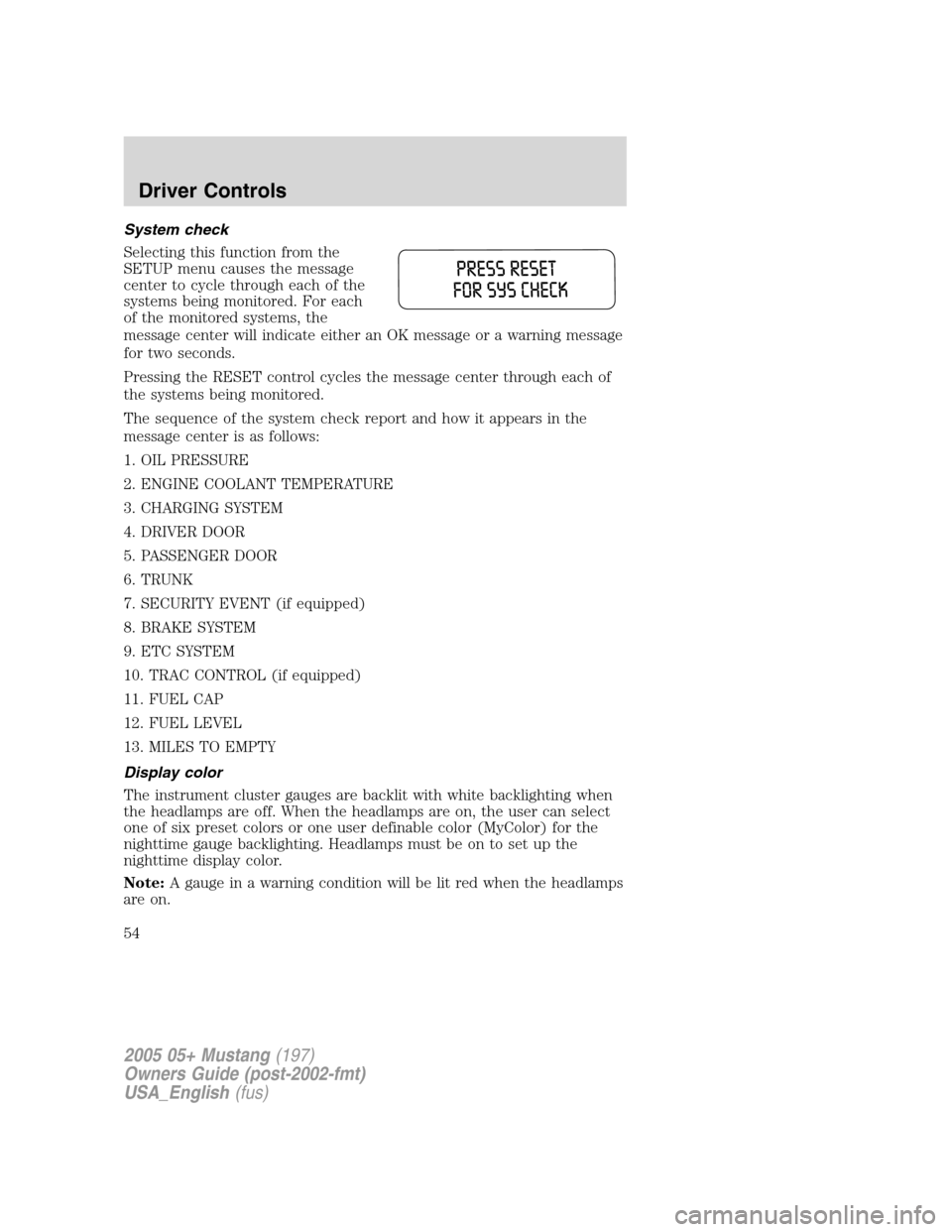
System check
Selecting this function from the
SETUP menu causes the message
center to cycle through each of the
systems being monitored. For each
of the monitored systems, the
message center will indicate either an OK message or a warning message
for two seconds.
Pressing the RESET control cycles the message center through each of
the systems being monitored.
The sequence of the system check report and how it appears in the
message center is as follows:
1. OIL PRESSURE
2. ENGINE COOLANT TEMPERATURE
3. CHARGING SYSTEM
4. DRIVER DOOR
5. PASSENGER DOOR
6. TRUNK
7. SECURITY EVENT (if equipped)
8. BRAKE SYSTEM
9. ETC SYSTEM
10. TRAC CONTROL (if equipped)
11. FUEL CAP
12. FUEL LEVEL
13. MILES TO EMPTY
Display color
The instrument cluster gauges are backlit with white backlighting when
the headlamps are off. When the headlamps are on, the user can select
one of six preset colors or one user definable color (MyColor) for the
nighttime gauge backlighting. Headlamps must be on to set up the
nighttime display color.
Note:A gauge in a warning condition will be lit red when the headlamps
are on.
2005 05+ Mustang(197)
Owners Guide (post-2002-fmt)
USA_English(fus)
Driver Controls
54
Page 55 of 240
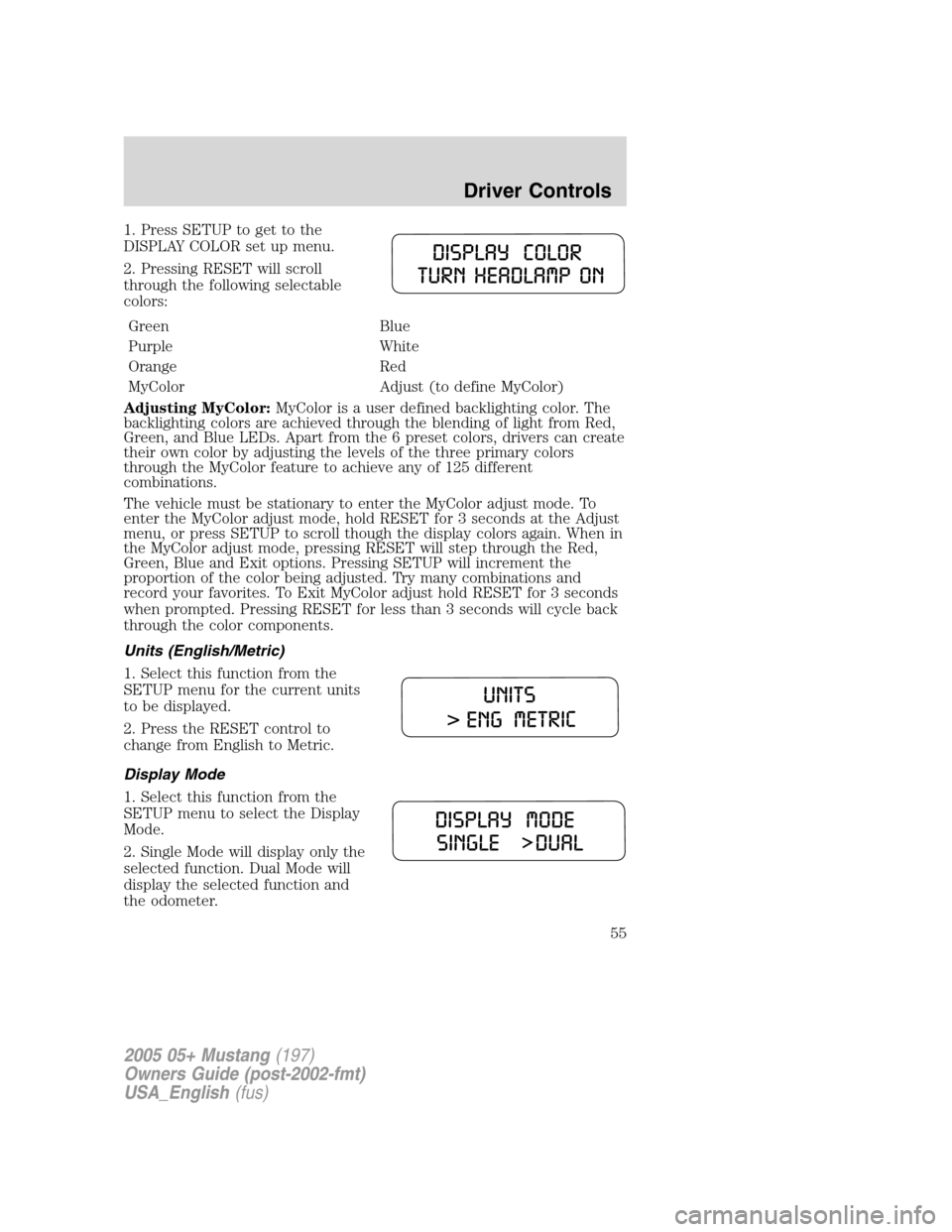
1. Press SETUP to get to the
DISPLAY COLOR set up menu.
2. Pressing RESET will scroll
through the following selectable
colors:
Green Blue
Purple White
Orange Red
MyColor Adjust (to define MyColor)
Adjusting MyColor:MyColor is a user defined backlighting color. The
backlighting colors are achieved through the blending of light from Red,
Green, and Blue LEDs. Apart from the 6 preset colors, drivers can create
their own color by adjusting the levels of the three primary colors
through the MyColor feature to achieve any of 125 different
combinations.
The vehicle must be stationary to enter the MyColor adjust mode. To
enter the MyColor adjust mode, hold RESET for 3 seconds at the Adjust
menu, or press SETUP to scroll though the display colors again. When in
the MyColor adjust mode, pressing RESET will step through the Red,
Green, Blue and Exit options. Pressing SETUP will increment the
proportion of the color being adjusted. Try many combinations and
record your favorites. To Exit MyColor adjust hold RESET for 3 seconds
when prompted. Pressing RESET for less than 3 seconds will cycle back
through the color components.
Units (English/Metric)
1. Select this function from the
SETUP menu for the current units
to be displayed.
2. Press the RESET control to
change from English to Metric.
Display Mode
1. Select this function from the
SETUP menu to select the Display
Mode.
2. Single Mode will display only the
selected function. Dual Mode will
display the selected function and
the odometer.
2005 05+ Mustang(197)
Owners Guide (post-2002-fmt)
USA_English(fus)
Driver Controls
55
Page 60 of 240
To lower the convertible top:
1. Bring vehicle to a complete stop. Engage the parking brake. Key must
be in the ON position. It is recommended that the vehicle’s engine is
running when lowering the top to prevent draining the battery.
2. Check the convertible top stowage compartment behind the rear seat
to be sure it is empty and ready to receive the top. Check the
convertible top outer surface to be sure it is free of leaves and debris.
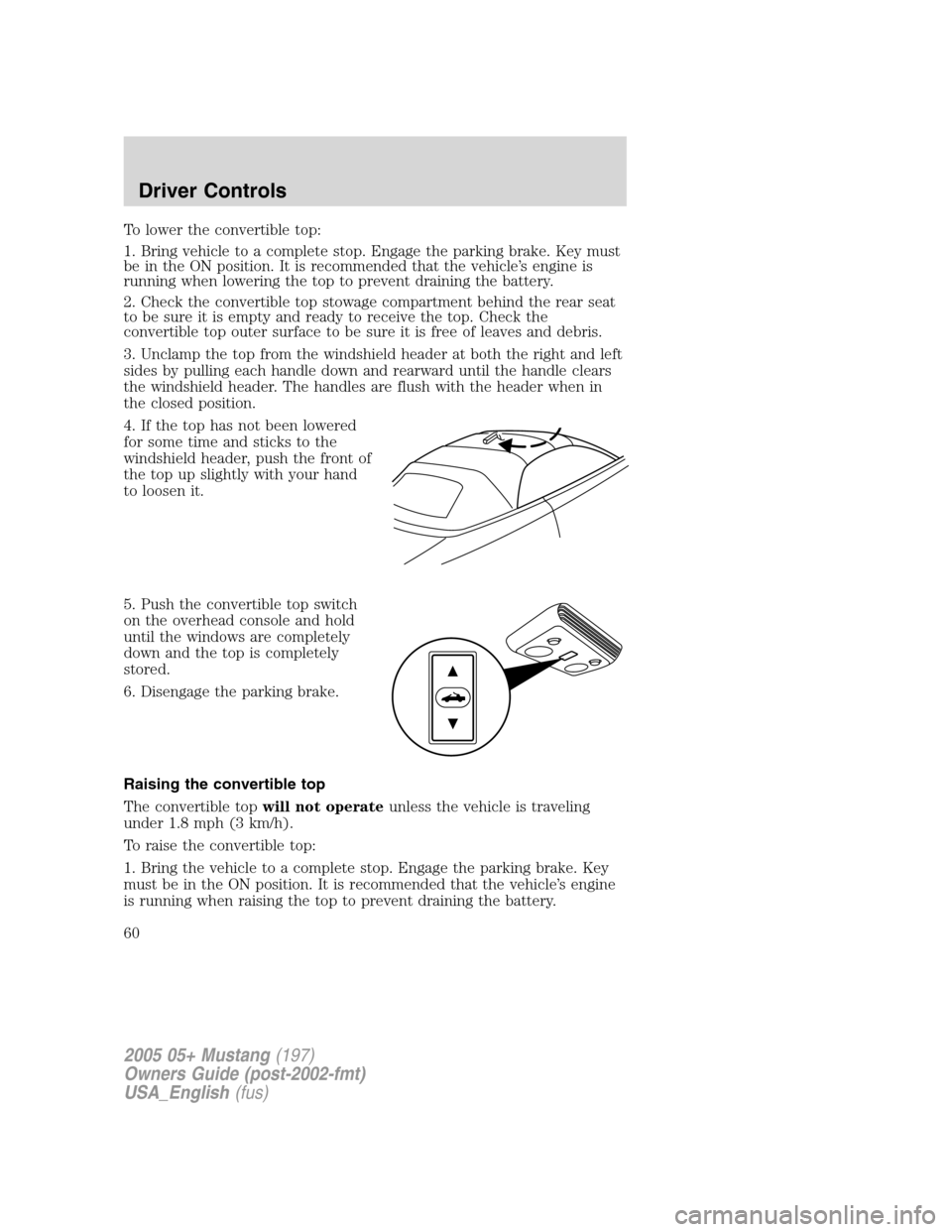
3. Unclamp the top from the windshield header at both the right and left
sides by pulling each handle down and rearward until the handle clears
the windshield header. The handles are flush with the header when in
the closed position.
4. If the top has not been lowered
for some time and sticks to the
windshield header, push the front of
the top up slightly with your hand
to loosen it.
5. Push the convertible top switch
on the overhead console and hold
until the windows are completely
down and the top is completely
stored.
6. Disengage the parking brake.
Raising the convertible top
The convertible topwill not operateunless the vehicle is traveling
under 1.8 mph (3 km/h).
To raise the convertible top:
1. Bring the vehicle to a complete stop. Engage the parking brake. Key
must be in the ON position. It is recommended that the vehicle’s engine
is running when raising the top to prevent draining the battery.
2005 05+ Mustang(197)
Owners Guide (post-2002-fmt)
USA_English(fus)
Driver Controls
60
Page 66 of 240
To open the luggage compartment
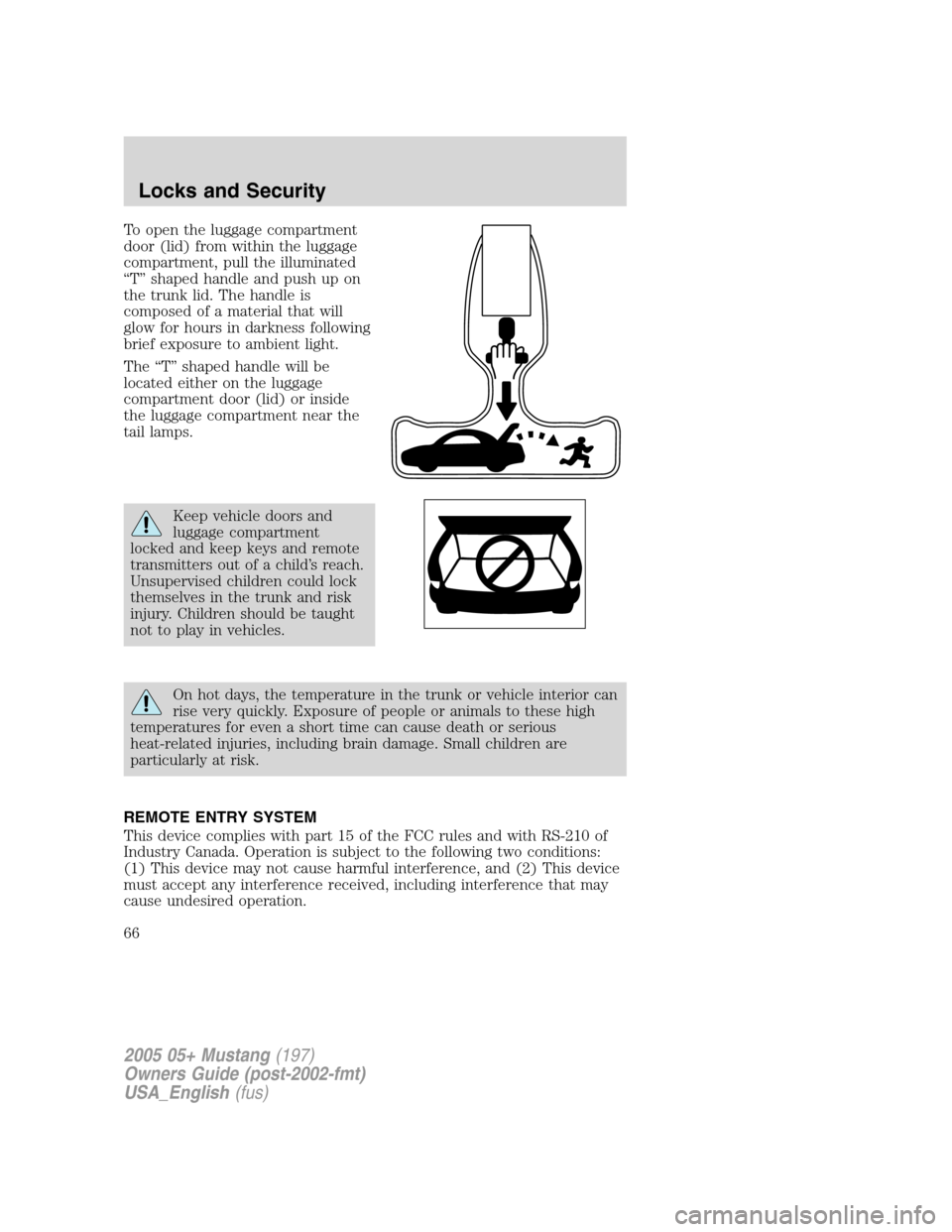
door (lid) from within the luggage
compartment, pull the illuminated
“T”shaped handle and push up on
the trunk lid. The handle is
composed of a material that will
glow for hours in darkness following
brief exposure to ambient light.
The“T”shaped handle will be
located either on the luggage
compartment door (lid) or inside
the luggage compartment near the
tail lamps.
Keep vehicle doors and
luggage compartment
locked and keep keys and remote
transmitters out of a child’s reach.
Unsupervised children could lock
themselves in the trunk and risk
injury. Children should be taught
not to play in vehicles.
On hot days, the temperature in the trunk or vehicle interior can
rise very quickly. Exposure of people or animals to these high
temperatures for even a short time can cause death or serious
heat-related injuries, including brain damage. Small children are
particularly at risk.
REMOTE ENTRY SYSTEM
This device complies with part 15 of the FCC rules and with RS-210 of
Industry Canada. Operation is subject to the following two conditions:
(1) This device may not cause harmful interference, and (2) This device
must accept any interference received, including interference that may
cause undesired operation.
2005 05+ Mustang(197)
Owners Guide (post-2002-fmt)
USA_English(fus)
Locks and Security
66
Page 70 of 240
How to reprogram your remote entry transmitters
You must haveall remote entry transmitters(maximum of four)
available before beginning this procedure.
To reprogram the remote entry
transmitters:
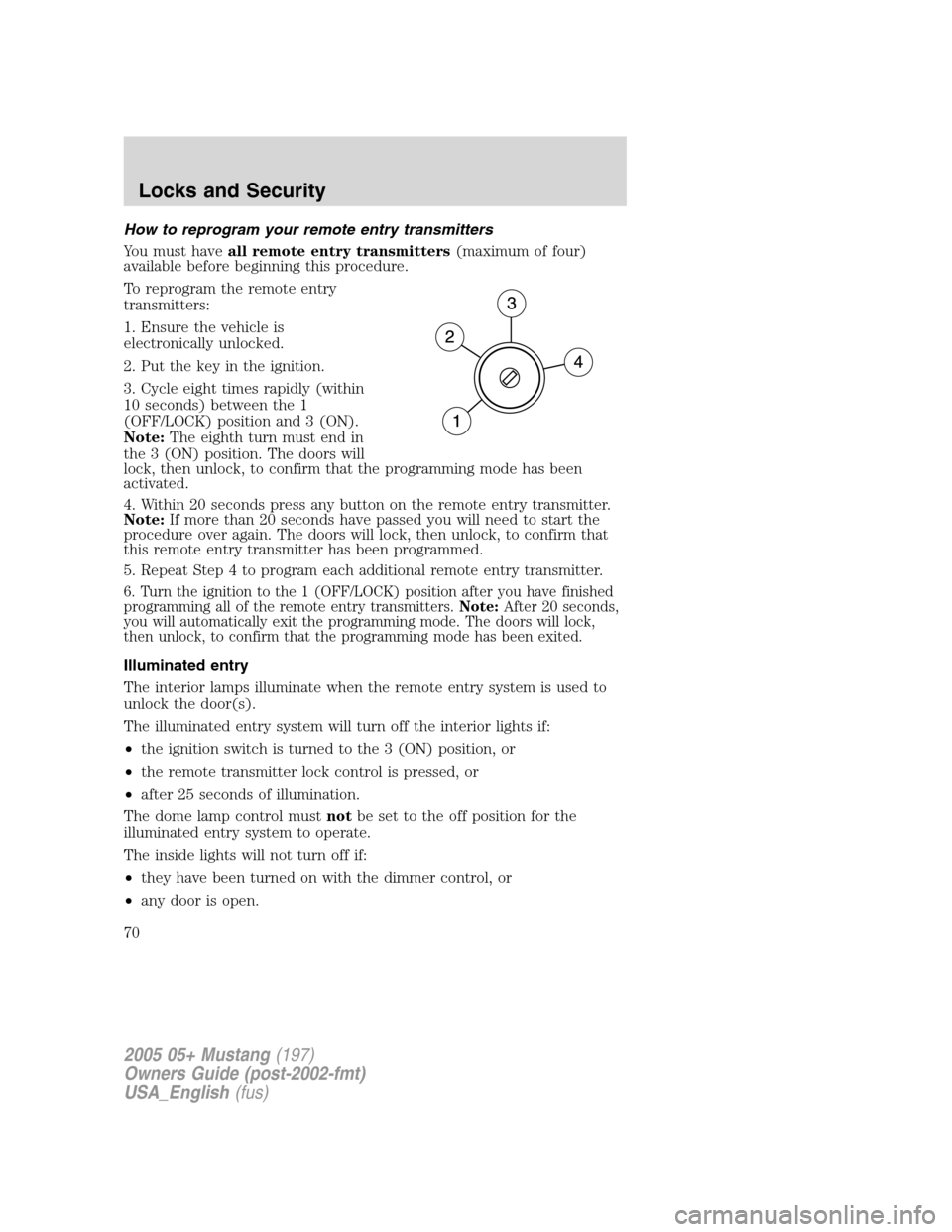
1. Ensure the vehicle is
electronically unlocked.
2. Put the key in the ignition.
3. Cycle eight times rapidly (within
10 seconds) between the 1
(OFF/LOCK) position and 3 (ON).
Note:The eighth turn must end in
the 3 (ON) position. The doors will
lock, then unlock, to confirm that the programming mode has been
activated.
4. Within 20 seconds press any button on the remote entry transmitter.
Note:If more than 20 seconds have passed you will need to start the
procedure over again. The doors will lock, then unlock, to confirm that
this remote entry transmitter has been programmed.
5. Repeat Step 4 to program each additional remote entry transmitter.
6. Turn the ignition to the 1 (OFF/LOCK) position after you have finished
programming all of the remote entry transmitters.Note:After 20 seconds,
you will automatically exit the programming mode. The doors will lock,
then unlock, to confirm that the programming mode has been exited.
Illuminated entry
The interior lamps illuminate when the remote entry system is used to
unlock the door(s).
The illuminated entry system will turn off the interior lights if:
•the ignition switch is turned to the 3 (ON) position, or
•the remote transmitter lock control is pressed, or
•after 25 seconds of illumination.
The dome lamp control mustnotbe set to the off position for the
illuminated entry system to operate.
The inside lights will not turn off if:
•they have been turned on with the dimmer control, or
•any door is open.
2005 05+ Mustang(197)
Owners Guide (post-2002-fmt)
USA_English(fus)
Locks and Security
70