ignition FORD MUSTANG 2010 5.G User Guide
[x] Cancel search | Manufacturer: FORD, Model Year: 2010, Model line: MUSTANG, Model: FORD MUSTANG 2010 5.GPages: 318, PDF Size: 2.91 MB
Page 30 of 318
Warning messages that have been reset are divided into three categories:
•They will not disappear until a condition is changed.
•They will reappear on the display ten minutes from the reset.
•They will not reappear until an ignition off-on cycle has been
completed.
This acts as a reminder that these warning conditions still exist within
the vehicle.
Warnings that can be reset:
DRIVER DOOR AJAR— Displayed when the driver’s door is not
completely closed.
PASSENGER DOOR AJAR— Displayed when the passenger side door
is not completely closed.
Warnings that return after 10 minutes:
OIL PRESSURE LOW— Displayed when the engine oil pressure is low.
If this warning message is displayed, check the level of the engine oil.
Refer toEngine oilin theMaintenance and Specificationschapter for
information about adding engine oil. If the oil level is OK and this
warning persists, shut down the engine immediately and contact your
authorized dealer as soon as possible.
CHECK CHARGING SYSTEM— Displayed when the electrical system
is not maintaining proper voltage. If you are operating electrical
accessories when the engine is idling at a low speed, turn off as many of
the electrical loads as soon as possible. If the warning stays on or comes
on when the engine is operating at normal speeds, contact your
authorized dealer as soon as possible.
CHECK TRACTION CONTROL (if equipped)— Displayed when the
Traction Control™ system is not operating properly. If this message is
displayed on the message center the Traction Control™ system will be
partially operable. If this warning stays on, contact your authorized
dealer for service as soon as possible. For further information, refer to
Traction Control™in theDrivingchapter.
CHECK FUEL FILL INLET— Displayed when the fuel fill inlet may
not be properly closed. Refer toEasy Fuel™ “no cap” fuel systemin
theMaintenance and Specificationschapter.
FUEL LEVEL LOW— Displayed as an early reminder of a low fuel
condition.
2010 05+ Mustang(197)
Owners Guide, 1st Printing
USA(fus)
Instrument Cluster
30
Page 31 of 318
Warnings that return after the ignition key is turned from off to
on:
CHECK BRAKE SYSTEM— Displayed when the braking system is not
operating properly. If the warning stays on or continues to come on,
contact your authorized dealer as soon as possible.
LOW TIRE PRESSURE— Displayed when one or more tires on your
vehicle have low tire pressure. Refer toInflating your tiresin theTires,
Wheels and Loadingchapter.
TIRE PRESSURE MONITOR FAULT— Displayed when the Tire
Pressure Monitoring System is malfunctioning. If the warning stays on or
continues to come on, contact your authorized dealer as soon as
possible.
TIRE PRESSURE SENSOR FAULT— Displayed when a tire pressure
sensor is malfunctioning, or your spare tire is in use. For more
information on how the system operates under these conditions, refer to
Understanding your tire pressure monitoring system (TPMS)in the
Tires, Wheels and Loadingchapter. If the warning stays on or
continues to come on, contact your authorized dealer as soon as
possible.
SECURITY EVENT OCCURRED (if equipped)— Displayed when
the active anti-theft system (if equipped) was activated since the prior
ignition cycle.
BRAKE FLUID LEVEL LOW— Indicates the brake fluid level is low
and the brake system should be inspected immediately. Refer to
Brake/clutch fluidin theMaintenance and Specificationschapter.
2010 05+ Mustang(197)
Owners Guide, 1st Printing
USA(fus)
Instrument Cluster
31
Page 32 of 318
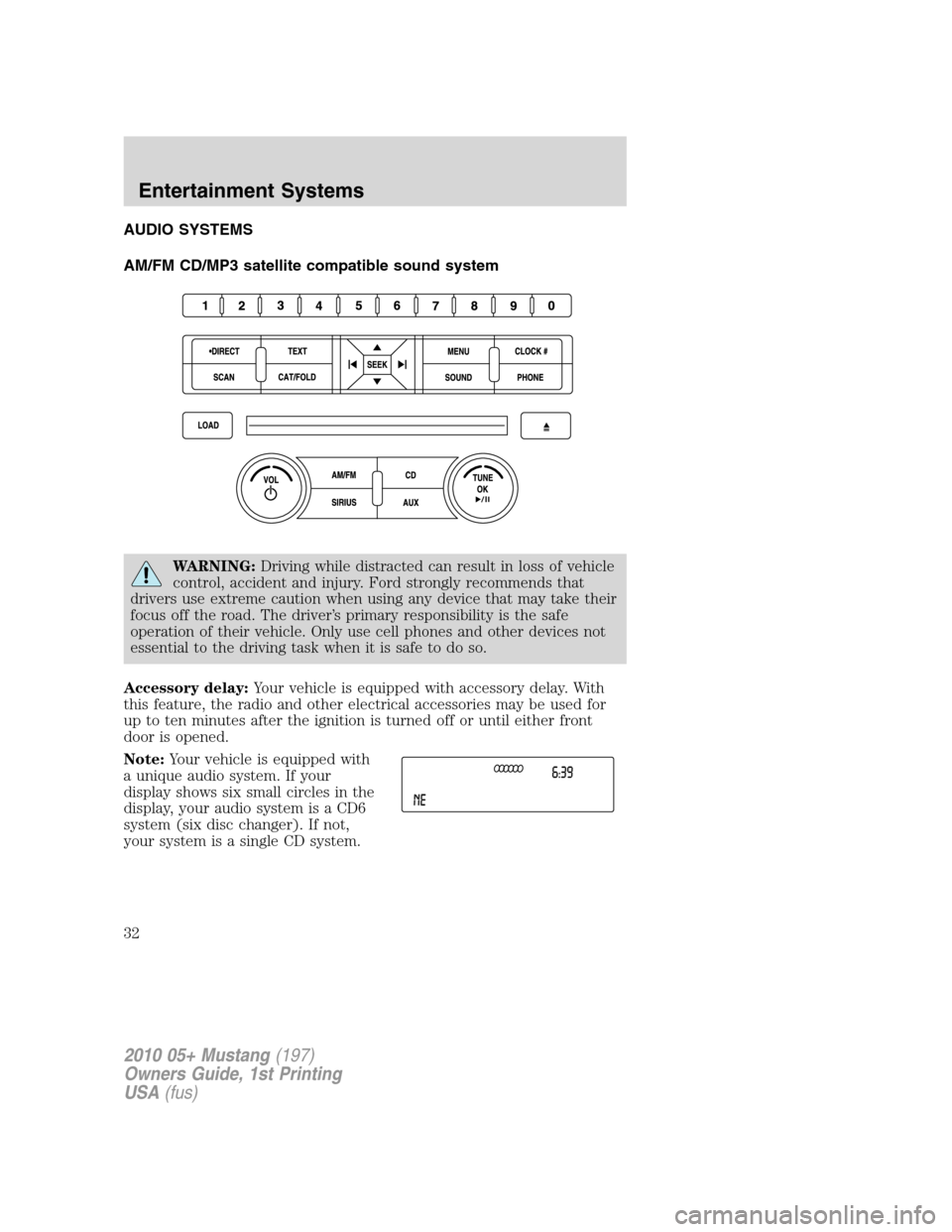
AUDIO SYSTEMS
AM/FM CD/MP3 satellite compatible sound system
WARNING:Driving while distracted can result in loss of vehicle
control, accident and injury. Ford strongly recommends that
drivers use extreme caution when using any device that may take their
focus off the road. The driver’s primary responsibility is the safe
operation of their vehicle. Only use cell phones and other devices not
essential to the driving task when it is safe to do so.
Accessory delay:Your vehicle is equipped with accessory delay. With
this feature, the radio and other electrical accessories may be used for
up to ten minutes after the ignition is turned off or until either front
door is opened.
Note:Your vehicle is equipped with
a unique audio system. If your
display shows six small circles in the
display, your audio system is a CD6
system (six disc changer). If not,
your system is a single CD system.
2010 05+ Mustang(197)
Owners Guide, 1st Printing
USA(fus)
Entertainment Systems
32
Page 33 of 318
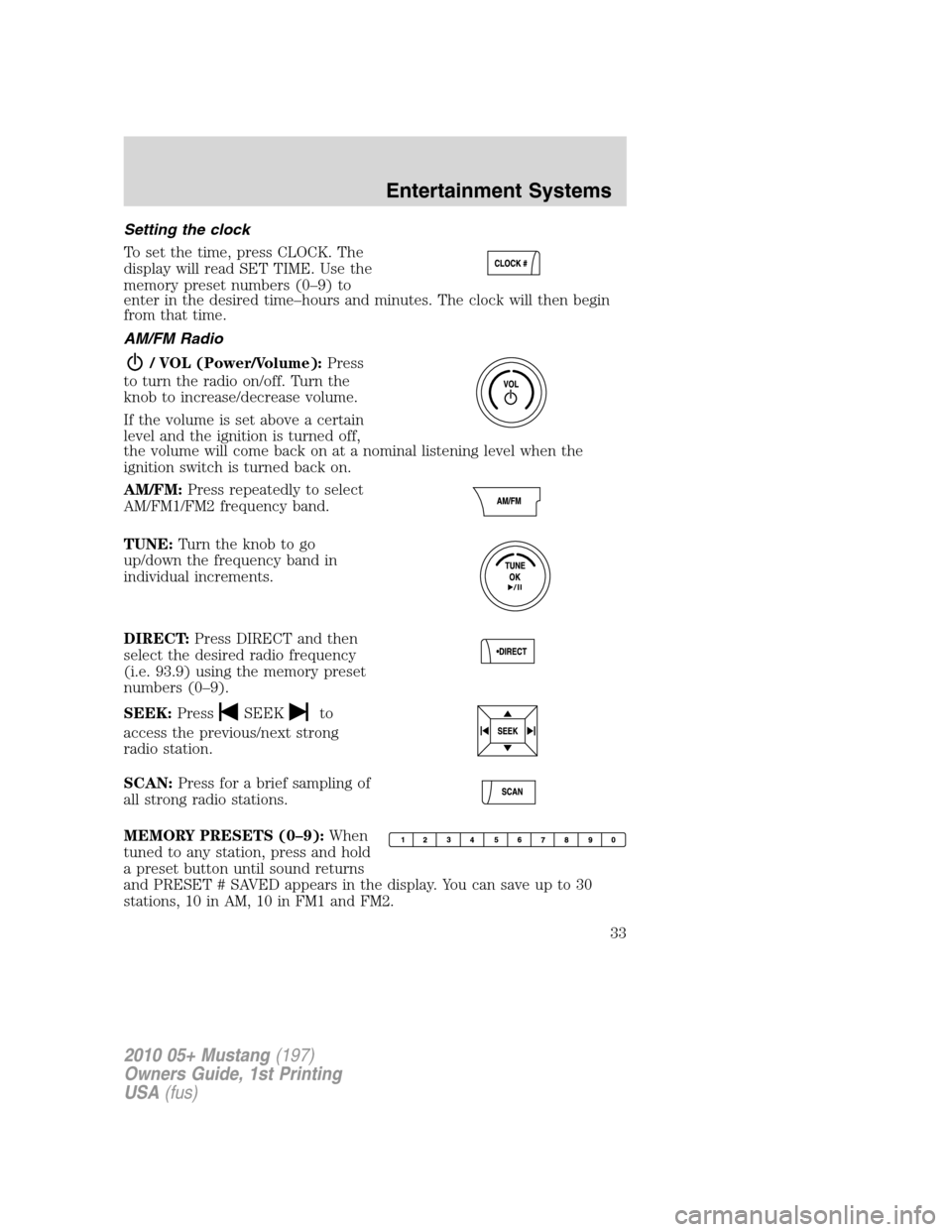
Setting the clock
To set the time, press CLOCK. The
display will read SET TIME. Use the
memory preset numbers (0–9) to
enter in the desired time–hours and minutes. The clock will then begin
from that time.
AM/FM Radio
/ VOL (Power/Volume):Press
to turn the radio on/off. Turn the
knob to increase/decrease volume.
If the volume is set above a certain
level and the ignition is turned off,
the volume will come back on at a nominal listening level when the
ignition switch is turned back on.
AM/FM:Press repeatedly to select
AM/FM1/FM2 frequency band.
TUNE:Turn the knob to go
up/down the frequency band in
individual increments.
DIRECT:Press DIRECT and then
select the desired radio frequency
(i.e. 93.9) using the memory preset
numbers (0–9).
SEEK:Press
SEEKto
access the previous/next strong
radio station.
SCAN:Press for a brief sampling of
all strong radio stations.
MEMORY PRESETS (0–9):When
tuned to any station, press and hold
a preset button until sound returns
and PRESET # SAVED appears in the display. You can save up to 30
stations, 10 in AM, 10 in FM1 and FM2.
2010 05+ Mustang(197)
Owners Guide, 1st Printing
USA(fus)
Entertainment Systems
33
Page 49 of 318
Radio Display Condition Action Required
ACQUIRING Radio requires more
than two seconds to
produce audio for
the selected
channel.No action required. This
message should disappear
shortly.
SAT FAULT Internal module or
system failure
present.If this message does not
clear within a short period
of time, or with an ignition
key cycle, your receiver
may have a fault. See your
authorized dealer for
service.
INVALID CHNL Channel no longer
available.This previously available
channel is no longer
available. Tune to another
channel. If the channel was
one of your presets, you
may choose another
channel for that preset
button.
UNSUBSCRIBED Subscription not
available for this
channel.Contact SIRIUS at
1–888–539–7474 to
subscribe to the channel or
tune to another channel.
NO TEXT Artist information
not available.Artist information not
available at this time on
this channel. The system is
working properly.
NO TEXT Song title
information not
available.Song title information not
available at this time on
this channel. The system is
working properly.
2010 05+ Mustang(197)
Owners Guide, 1st Printing
USA(fus)
Entertainment Systems
49
Page 52 of 318
5.Recirculated air:Press to activate/deactivate air recirculation in
the vehicle. Recirculated air may reduce the amount of time needed to
cool down the interior of the vehicle and may also help reduce undesired
odors from reaching the interior of the vehicle. Recirculated air engages
automatically when MAX A/C is selected or can be engaged manually in
any airflow mode except
(defrost). When the ignition switch is
turned off and back on, the climate system will return to the recirculated
air mode only if the A/C button LED is illuminated and the air
distribution selection is either
(panel) or(panel/floor).
6.MAX A/C:Distributes recirculated air through the instrument panel
vents to cool the vehicle. This re-cooling of the interior air is more
economical and efficient. Recirculated air may also help reduce
undesirable odors from entering the vehicle. Press the MAX A/C button
again for normal A/C operation.
7.
Passenger heated seat control (if equipped):Press to control
the passenger heated seat. Refer toHeated seatsin theSeating and
Safety Restraintschapter for more information.
8.Temperature control:Controls the temperature of the airflow in the
vehicle.
9.
Fan speed adjustment:Turn to select the desired fan speed.
10.
Driver heated seat control (if equipped):Press to control the
driver seat. Refer toHeated seatsin theSeating and Safety Restraints
chapter for more information.
11.
Power:Press to activate/deactivate the climate control system.
When the system is off, outside air is prevented from entering the
vehicle.
Operating tips
•To reduce fog build up on the windshield during humid weather,
select
(defrost).
•To reduce humidity build up inside the vehicle, do not drive with the
system off or with recirculated air engaged.
•Do not put objects under the front seats that will interfere with the
airflow to the back seats.
•Remove any snow, ice or leaves from the air intake area at the base of
the windshield.
•To improve the A/C cool down, drive with the windows slightly open
for 2-3 minutes after start up or until the vehicle has been “aired out.”
2010 05+ Mustang(197)
Owners Guide, 1st Printing
USA(fus)
Climate Controls
52
Page 58 of 318
REAR WINDOW DEFROSTERR
Ensure that the ignition is on. Press the control to clear the rear window
of thin ice and fog. The LED will illuminate.
The rear window defroster turns off automatically after 15 minutes, or
when the ignition is turned off. To manually turn off the defroster before
15 minutes have passed, push the control again.
Do not use razor blades or other sharp objects to clean the inside
of the rear window or to remove decals from the inside of the
rear window. This may cause damage to the heated grid lines and
will not be covered by your warranty.
CABIN AIR FILTER
Your vehicle is equipped with a cabin air filter, which is located just in
front of the windshield under the cowl grille on the passenger side of the
vehicle.
The particulate air filtration system is designed to reduce the
concentration of airborne particles such as dust, spores and pollen in the
air being supplied to the interior of the vehicle. The particulate filtration
system gives the following benefits to customers:
•Improves the customer’s driving comfort by reducing particle
concentration
•Improves the interior compartment cleanliness
•Protects the climate control components from particle deposits
For more information regarding the interval at which you should replace
the cabin air filter, refer to yourscheduled maintenance information.
For additional cabin air filter information, or to replace the filter, see an
authorized dealer.
2010 05+ Mustang(197)
Owners Guide, 1st Printing
USA(fus)
Climate Controls
58
Page 59 of 318
HEADLAMP CONTROL
Turns the lamps off.
Turns on the parking lamps,
instrument panel lamps, license
plate lamps and tail lamps.
Turns the low beam headlamps
on.
Autolamp control (if equipped)
The autolamp system provides light
sensitive automatic on-off control of
the exterior lights normally
controlled by the headlamp control.
•To turn autolamps on, rotate the
control to
.
•To turn autolamps off, rotate the
control from the autolamp
position.
The autolamp system also keeps the
lights on for a predetermined amount of time after the ignition switch is
turned to off. You can change the amount of time the lamps stay on by
using the programming procedure that follows:
Note:If the vehicle is equipped with autolamps, it will have the
headlamps on with windshield wipers feature.If the windshield
wipers are turned on (for a fixed period of time), the exterior lamps will
turn on with the headlamp control in the Autolamp position.
Autolamps - Programmable exit delay
Programmable exit delay allows the length of the autolamp exit delay to
be changed.
To program the auto lamp exit time delay:
1. Start with the ignition in the off position and the headlamp control in
the autolamp position.
2. Turn the headlamp control to off.
3. Turn the ignition switch to on and then back to off.
2010 05+ Mustang(197)
Owners Guide, 1st Printing
USA(fus)
Lights
59
Page 60 of 318
4. Turn the headlamp control to the autolamp position. The headlamps
will turn on.
5. Wait the desired amount of time for the exit delay you want (up to
three minutes), then turn the headlamp control to off. The headlamps
will turn off.
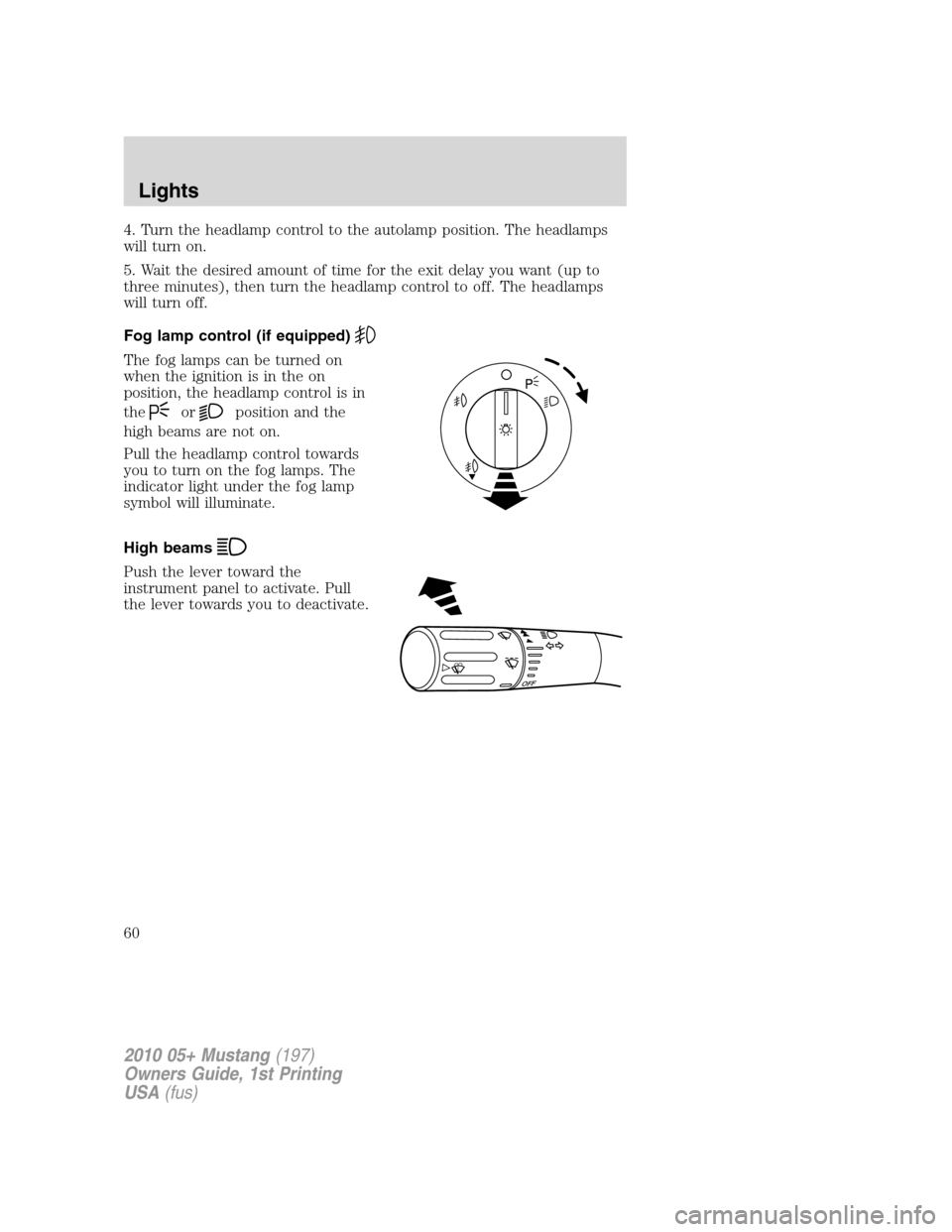
Fog lamp control (if equipped)
The fog lamps can be turned on
when the ignition is in the on
position, the headlamp control is in
the
orposition and the
high beams are not on.
Pull the headlamp control towards
you to turn on the fog lamps. The
indicator light under the fog lamp
symbol will illuminate.
High beams
Push the lever toward the
instrument panel to activate. Pull
the lever towards you to deactivate.
O
F
F
2010 05+ Mustang(197)
Owners Guide, 1st Printing
USA(fus)
Lights
60
Page 61 of 318
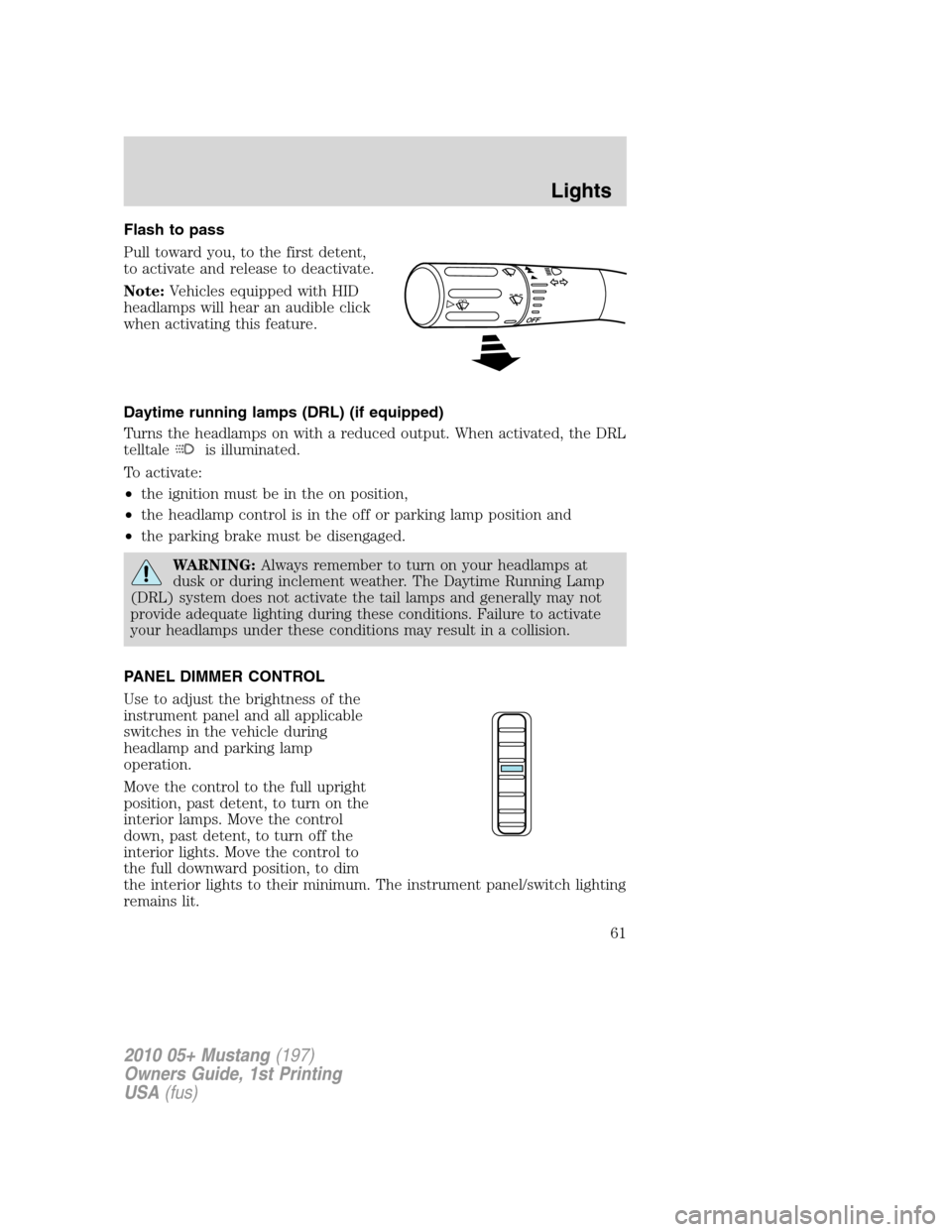
Flash to pass
Pull toward you, to the first detent,
to activate and release to deactivate.
Note:Vehicles equipped with HID
headlamps will hear an audible click
when activating this feature.
Daytime running lamps (DRL) (if equipped)
Turns the headlamps on with a reduced output. When activated, the DRL
telltale
is illuminated.
To activate:
•the ignition must be in the on position,
•the headlamp control is in the off or parking lamp position and
•the parking brake must be disengaged.
WARNING:Always remember to turn on your headlamps at
dusk or during inclement weather. The Daytime Running Lamp
(DRL) system does not activate the tail lamps and generally may not
provide adequate lighting during these conditions. Failure to activate
your headlamps under these conditions may result in a collision.
PANEL DIMMER CONTROL
Use to adjust the brightness of the
instrument panel and all applicable
switches in the vehicle during
headlamp and parking lamp
operation.
Move the control to the full upright
position, past detent, to turn on the
interior lamps. Move the control
down, past detent, to turn off the
interior lights. Move the control to
the full downward position, to dim
the interior lights to their minimum. The instrument panel/switch lighting
remains lit.
2010 05+ Mustang(197)
Owners Guide, 1st Printing
USA(fus)
Lights
61