radio FORD MUSTANG 2014 5.G Owner's Guide
[x] Cancel search | Manufacturer: FORD, Model Year: 2014, Model line: MUSTANG, Model: FORD MUSTANG 2014 5.GPages: 461, PDF Size: 5.47 MB
Page 382 of 461
A.Memory presets:
•Store your favorite radio stations. To store a radio station, tune to the
station, then press and hold a preset button until sound returns.
•In radio and satellite radio mode, press a button to access your saved
presets or channels.
B.CD and DVD slot:Insert a CD or DVD, label side up.
C.Eject:Press this button to eject a CD or DVD from the system.
D.TUNE RPT:
•In radio or satellite radio mode, turn the control to advance in
individual increments up or down the frequency band to the desired
station.
•In MP3 mode, turn the control to advance to the next or previous
folder.
•In navigation mode, press this button to hear the last spoken
navigation guidance prompt.
E.MAP:
•Press this button to access the navigation map.
•Press while the map display is active to center the map on the
current vehicle position. Press while the map display and route are
active to see the different map guidance views.
F.DEST:
•Press this button to access the destination entry menu.
•Press while the destination entry menu is active to show additional
destination entry techniques.
G.N AV:
•Press this button to access the navigation menu.
•Press while the navigation menu is active to access the navigation
menu tabs.
H.I (Information):Press this button to access features such as Where
am I?, SIRIUS® Travel Link™, Calendar, System Info and Help.
I.PHONE:Press this button to access the SYNC phone menu.
J.DISP:Press this button to select a display mode: On, Status Bar Only,
and Off.
K.SEEK:
•In radio and satellite radio mode, press the arrow buttons to find
previous or next available stations or channels within the currently
selected Category or Genre.
•In CD and DVD modes, press the arrow buttons to select the previous
or next track or chapter.
Navigation System (If Equipped)381
2014 05+ Mustang(197)
Owners Guide gf, 1st Printing, November 2012
USA(fus)
Page 383 of 461
L.MENU:
•Press this button to access the system menu.
•Press while the system menu is active to access the menu tabs of
Display, Clock, Feedback Settings, System Settings and Valet Mode.
M.SOUND:
•Press this button to access the sound menu.
•Press while the sound menu is active to access the menu tabs of
Bass/Treble, Balance/Fade, SCV (Speed Compensated Volume), DSP
(Digital Signal Processing) and Visualizer.
N.MEDIA:
•Press this button to access the media menu.
•Press while the media menu is active to access the available sources
of CD/DVD, Jukebox and User Device.
O.RADIO:
•Press this button to access the radio menu.
•Press while the radio menu is active to access the available sources of
AM, FM1, FM2, SAT1, SAT2, and SAT3.
P.VOL:Press and hold this button to turn the system off and on. Turn
the control to adjust the volume.
Note:If a navigation route is active when the navigation system is off,
the system resumes the route when you turn the system on.
DISPLAY MODE
You can choose to turn your screen on or off and if you would like to
view the status bars on the top and bottom of the screen. Press DISP to
see the options.
Display Mode Voice Commands
The following voice commands are available in display mode. If
you are not in display mode, press the voice button on the
steering wheel. When prompted, say “Display mode” and then
any of the following commands.
Display mode voice commands
“Display on”
“Display off”
“Status bar”
“Brighter”
“Dimmer”
“Day”
382Navigation System (If Equipped)
2014 05+ Mustang(197)
Owners Guide gf, 1st Printing, November 2012
USA(fus)
Page 384 of 461
Display mode voice commands
“Night”
“Auto”
“Help”
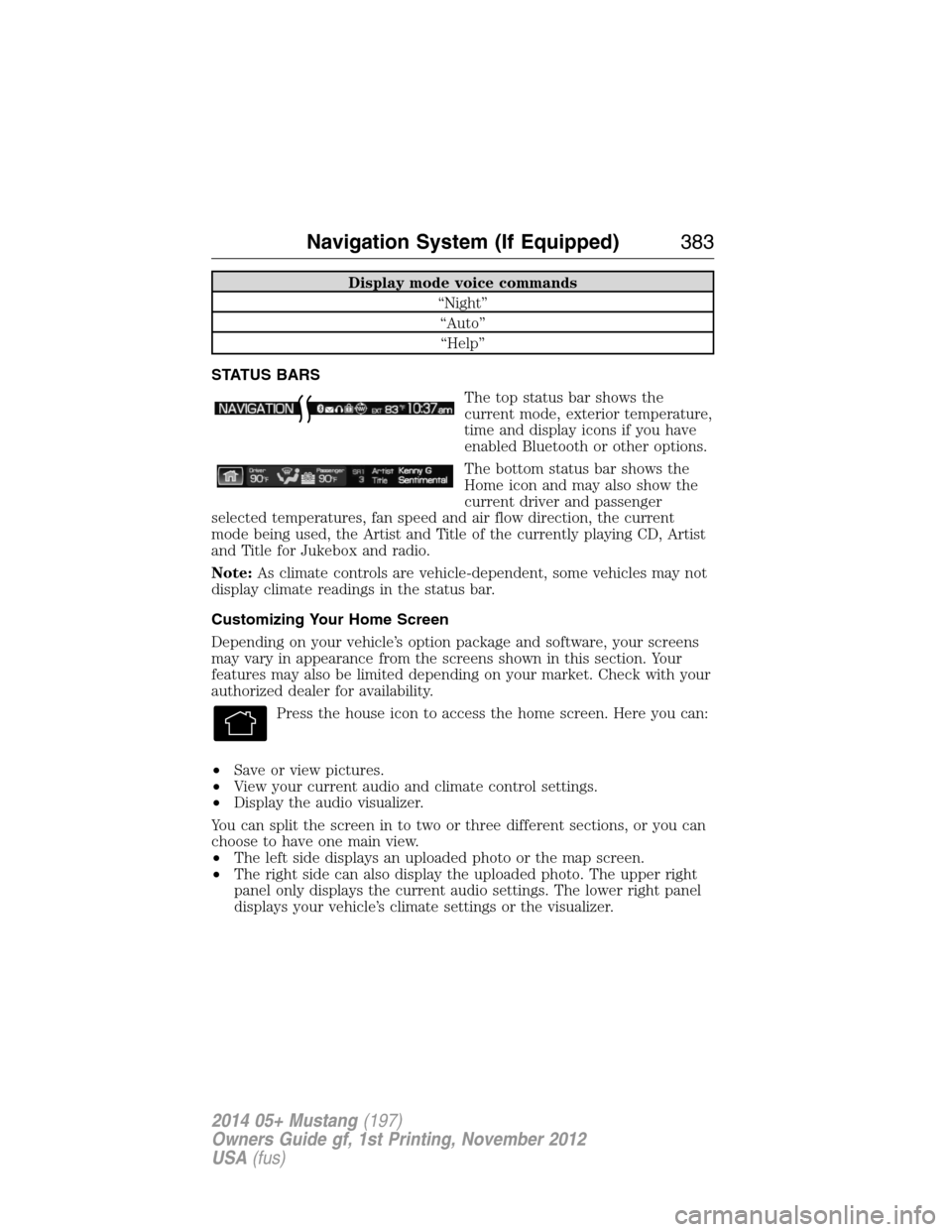
STATUS BARS
The top status bar shows the
current mode, exterior temperature,
time and display icons if you have
enabled Bluetooth or other options.
The bottom status bar shows the
Home icon and may also show the
current driver and passenger
selected temperatures, fan speed and air flow direction, the current
mode being used, the Artist and Title of the currently playing CD, Artist
and Title for Jukebox and radio.
Note:As climate controls are vehicle-dependent, some vehicles may not
display climate readings in the status bar.
Customizing Your Home Screen
Depending on your vehicle’s option package and software, your screens
may vary in appearance from the screens shown in this section. Your
features may also be limited depending on your market. Check with your
authorized dealer for availability.
Press the house icon to access the home screen. Here you can:
•Save or view pictures.
•View your current audio and climate control settings.
•Display the audio visualizer.
You can split the screen in to two or three different sections, or you can
choose to have one main view.
•The left side displays an uploaded photo or the map screen.
•The right side can also display the uploaded photo. The upper right
panel only displays the current audio settings. The lower right panel
displays your vehicle’s climate settings or the visualizer.
Navigation System (If Equipped)383
2014 05+ Mustang(197)
Owners Guide gf, 1st Printing, November 2012
USA(fus)
Page 387 of 461
How To Use Voice Commands with Your System
Press the voice icon; after the tone, speak your command
clearly.
You can say these commands at any time.
“Audio” “Navigation”
“CD” “Radio”
“Climate” “SYNC”
*
“Disc” “Tutorial”
“Display mode” “User profile”
“DVD” “Video CD”
“Jukebox” “Voice settings”
“Line in” “Help”
“Mobile apps”
*
*
See theSYNCchapter for more information on these features.
To access a list of all available voice commands, press the I hard button.
Select the Help tab on the touchscreen, then the Voice Commands tab
and choose the desired category.
Helpful Hints
•Make sure the interior of your vehicle is as quiet as possible. Wind
noise from open windows and road vibrations may prevent the system
from correctly recognizing spoken commands.
•After pressing the voice icon, wait until after the tone sounds and
Listening appears before saying a command. Any command spoken
prior to this does not register with the system.
•Speak naturally, without long pauses between words.
•At any time, you can interrupt the system while it is speaking by
pressing the voice icon.
386Navigation System (If Equipped)
2014 05+ Mustang(197)
Owners Guide gf, 1st Printing, November 2012
USA(fus)
Page 390 of 461
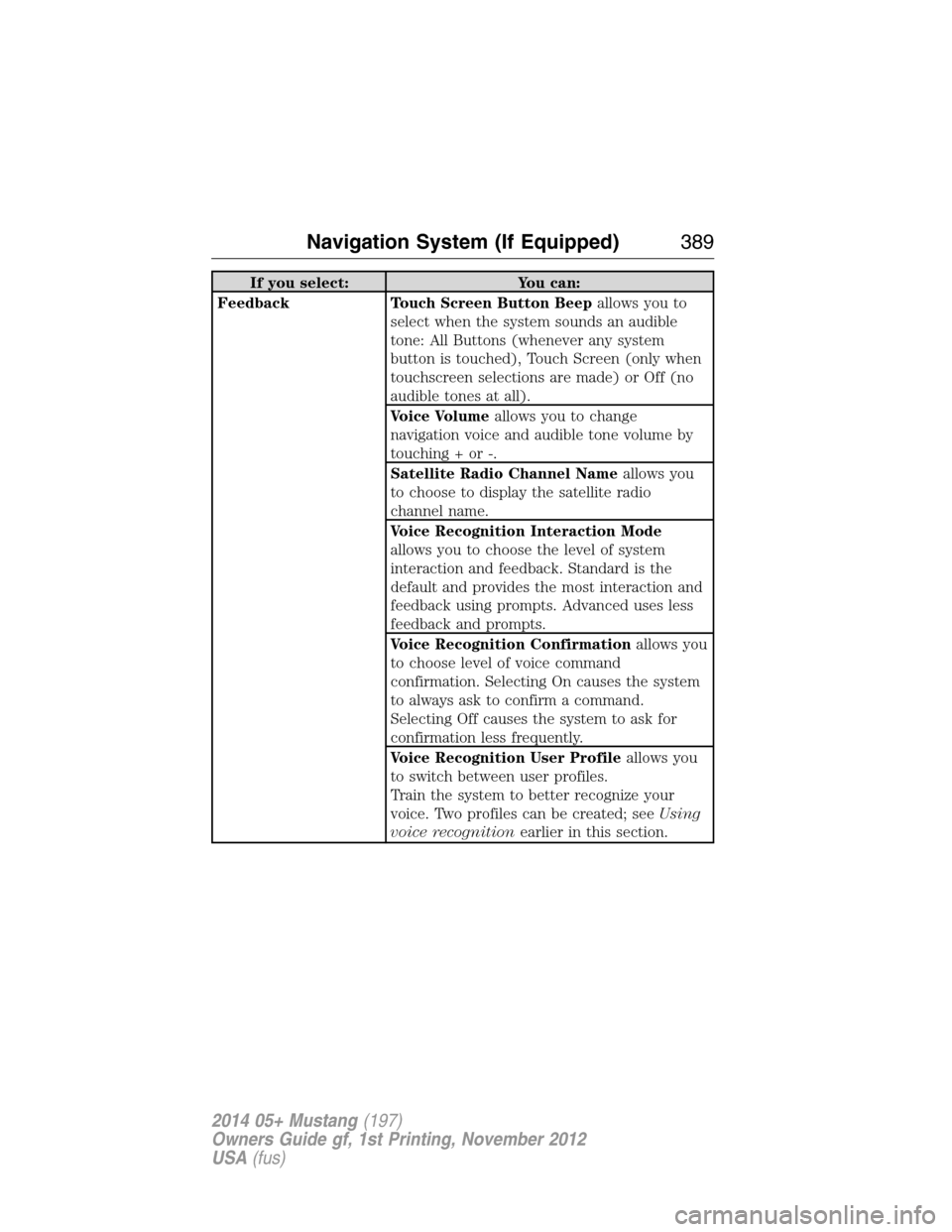
If you select: You can:
Feedback Touch Screen Button Beepallows you to
select when the system sounds an audible
tone: All Buttons (whenever any system
button is touched), Touch Screen (only when
touchscreen selections are made) or Off (no
audible tones at all).
Voice Volumeallows you to change
navigation voice and audible tone volume by
touching + or -.
Satellite Radio Channel Nameallows you
to choose to display the satellite radio
channel name.
Voice Recognition Interaction Mode
allows you to choose the level of system
interaction and feedback. Standard is the
default and provides the most interaction and
feedback using prompts. Advanced uses less
feedback and prompts.
Voice Recognition Confirmationallows you
to choose level of voice command
confirmation. Selecting On causes the system
to always ask to confirm a command.
Selecting Off causes the system to ask for
confirmation less frequently.
Voice Recognition User Profileallows you
to switch between user profiles.
Train the system to better recognize your
voice. Two profiles can be created; seeUsing
voice recognitionearlier in this section.
Navigation System (If Equipped)389
2014 05+ Mustang(197)
Owners Guide gf, 1st Printing, November 2012
USA(fus)
Page 392 of 461
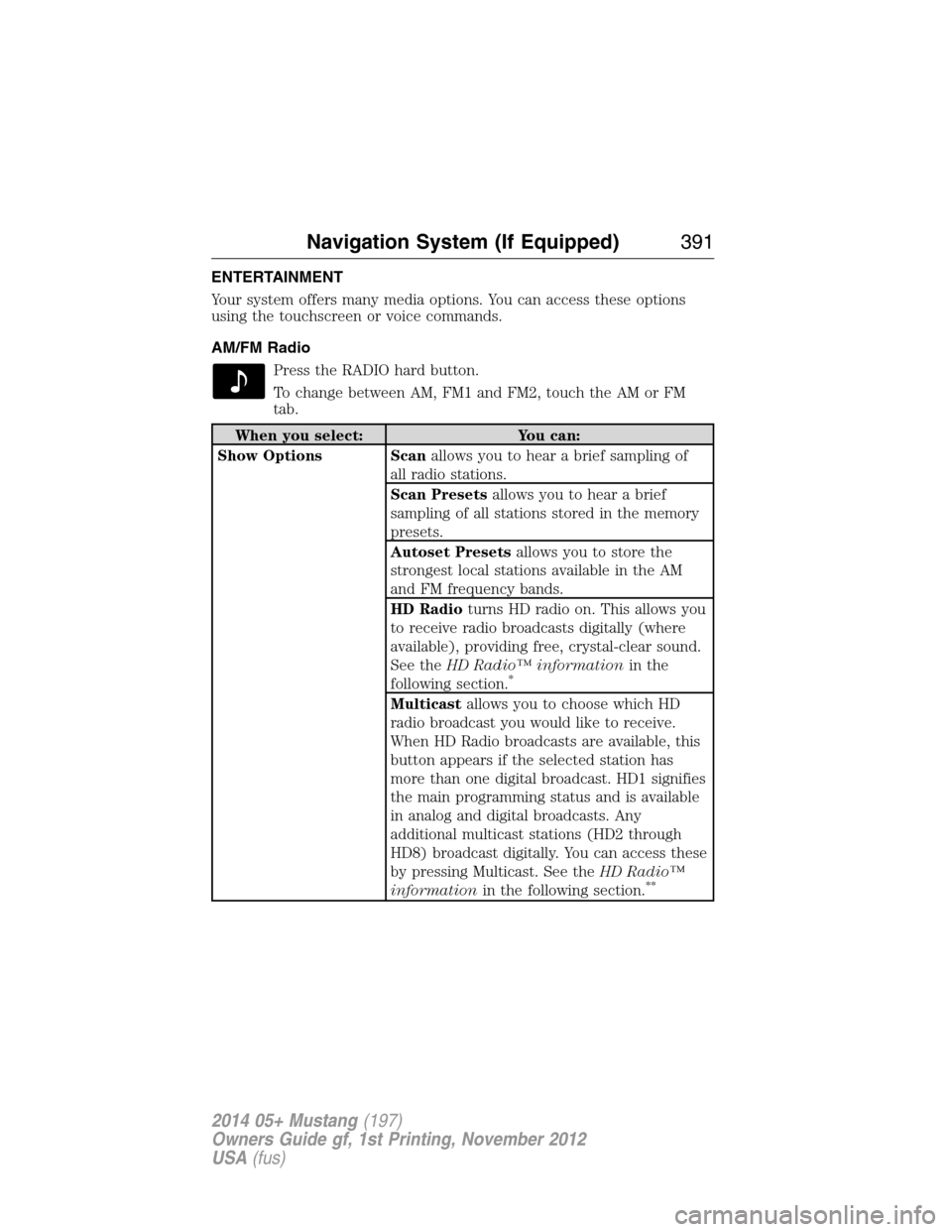
ENTERTAINMENT
Your system offers many media options. You can access these options
using the touchscreen or voice commands.
AM/FM Radio
Press the RADIO hard button.
To change between AM, FM1 and FM2, touch the AM or FM
tab.
When you select: You can:
Show Options Scanallows you to hear a brief sampling of
all radio stations.
Scan Presetsallows you to hear a brief
sampling of all stations stored in the memory
presets.
Autoset Presetsallows you to store the
strongest local stations available in the AM
and FM frequency bands.
HD Radioturns HD radio on. This allows you
to receive radio broadcasts digitally (where
available), providing free, crystal-clear sound.
See theHD Radio™ informationin the
following section.
*
Multicastallows you to choose which HD
radio broadcast you would like to receive.
When HD Radio broadcasts are available, this
button appears if the selected station has
more than one digital broadcast. HD1 signifies
the main programming status and is available
in analog and digital broadcasts. Any
additional multicast stations (HD2 through
HD8) broadcast digitally. You can access these
by pressing Multicast. See theHD Radio™
informationin the following section.
**
Navigation System (If Equipped)391
2014 05+ Mustang(197)
Owners Guide gf, 1st Printing, November 2012
USA(fus)
Page 393 of 461
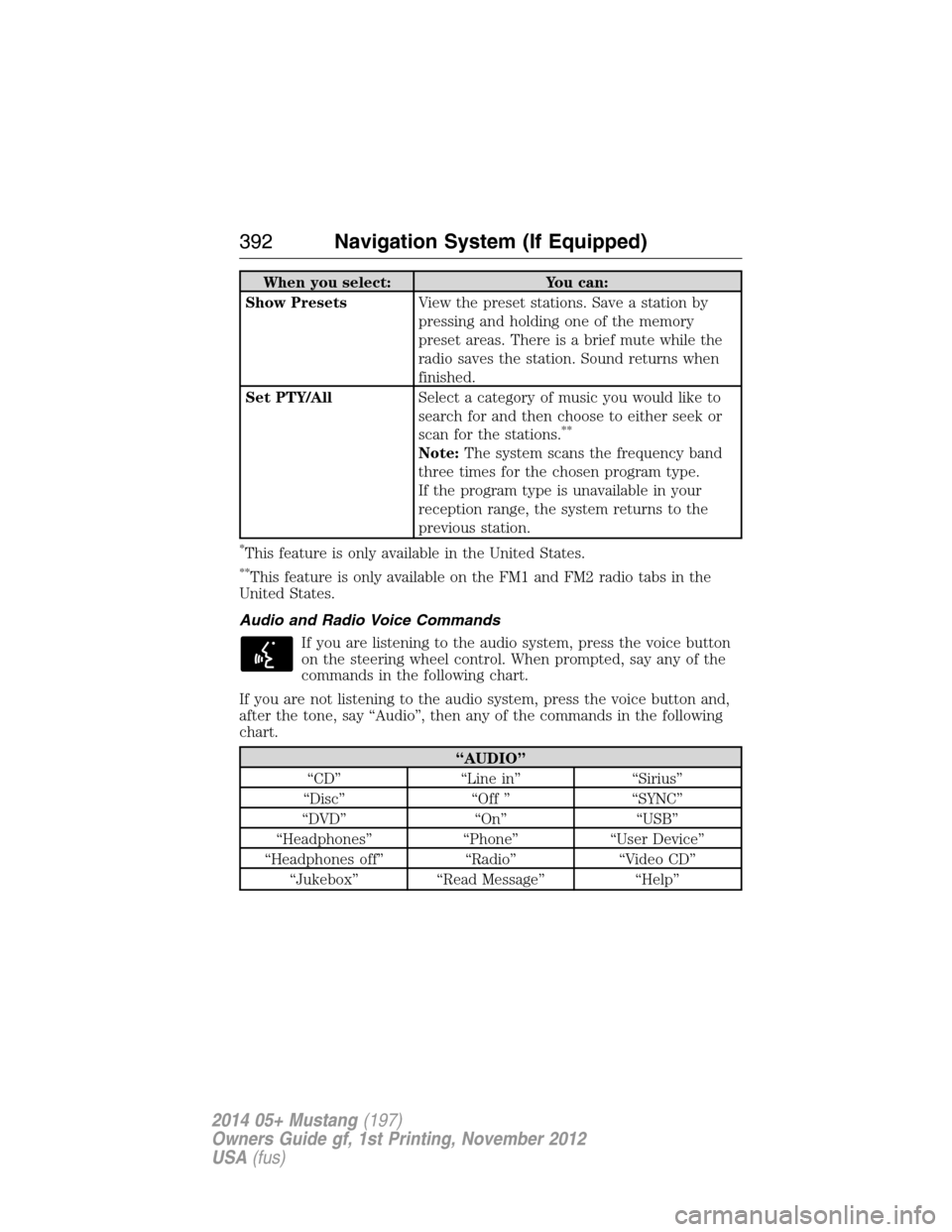
When you select: You can:
Show PresetsView the preset stations. Save a station by
pressing and holding one of the memory
preset areas. There is a brief mute while the
radio saves the station. Sound returns when
finished.
Set PTY/AllSelect a category of music you would like to
search for and then choose to either seek or
scan for the stations.
**
Note:The system scans the frequency band
three times for the chosen program type.
If the program type is unavailable in your
reception range, the system returns to the
previous station.
*This feature is only available in the United States.
**This feature is only available on the FM1 and FM2 radio tabs in the
United States.
Audio and Radio Voice Commands
If you are listening to the audio system, press the voice button
on the steering wheel control. When prompted, say any of the
commands in the following chart.
If you are not listening to the audio system, press the voice button and,
after the tone, say “Audio”, then any of the commands in the following
chart.
“AUDIO”
“CD” “Line in” “Sirius”
“Disc” “Off ” “SYNC”
“DVD” “On” “USB”
“Headphones” “Phone” “User Device”
“Headphones off” “Radio” “Video CD”
“Jukebox” “Read Message” “Help”
392Navigation System (If Equipped)
2014 05+ Mustang(197)
Owners Guide gf, 1st Printing, November 2012
USA(fus)
Page 394 of 461
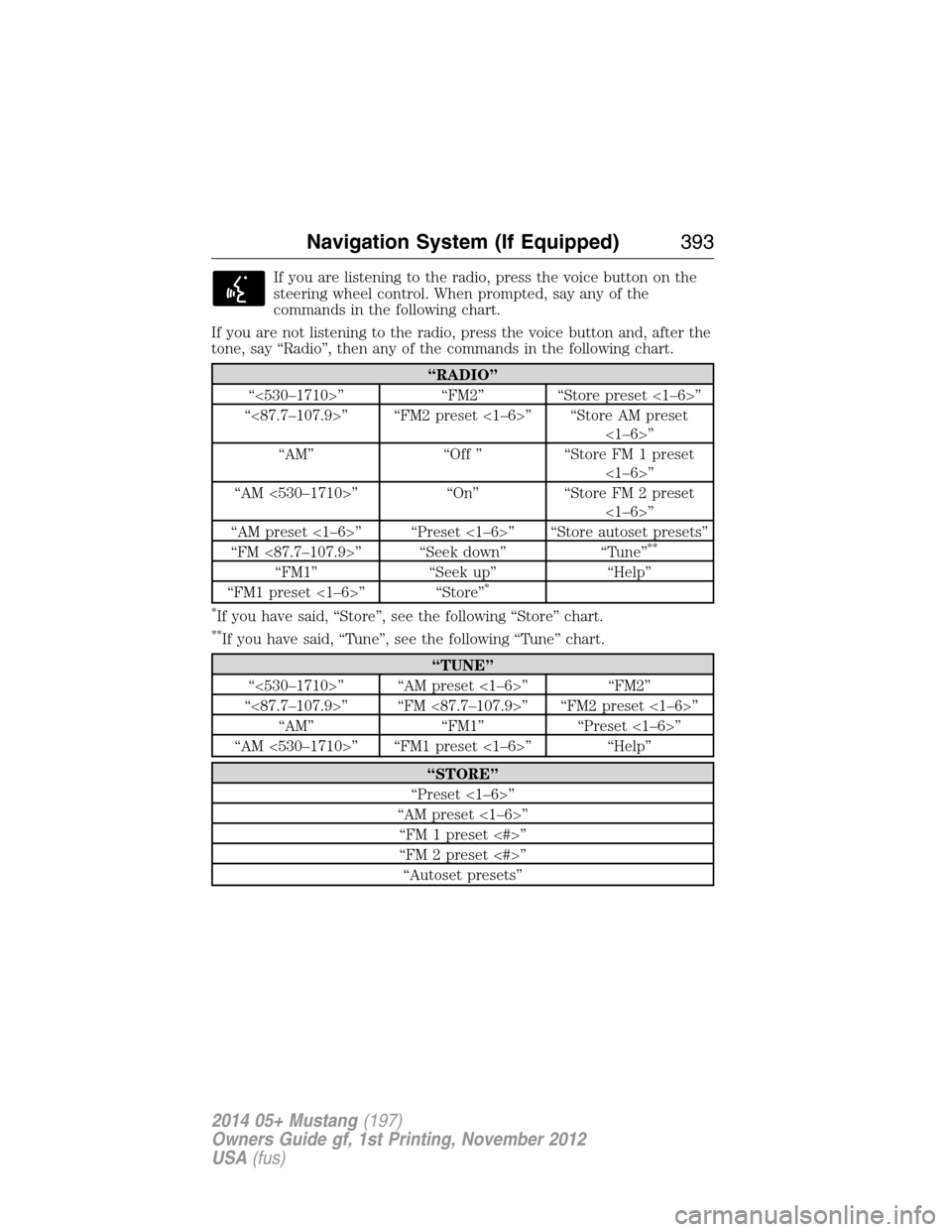
If you are listening to the radio, press the voice button on the
steering wheel control. When prompted, say any of the
commands in the following chart.
If you are not listening to the radio, press the voice button and, after the
tone, say “Radio”, then any of the commands in the following chart.
“RADIO”
“<530–1710>” “FM2” “Store preset <1–6>”
“<87.7–107.9>” “FM2 preset <1–6>” “Store AM preset
<1–6>”
“AM” “Off ” “Store FM 1 preset
<1–6>”
“AM <530–1710>” “On” “Store FM 2 preset
<1–6>”
“AM preset <1–6>” “Preset <1–6>” “Store autoset presets”
“FM <87.7–107.9>” “Seek down” “Tune”
**
“FM1” “Seek up” “Help”
“FM1 preset <1–6>” “Store”*
*
If you have said, “Store”, see the following “Store” chart.
**If you have said, “Tune”, see the following “Tune” chart.
“TUNE”
“<530–1710>” “AM preset <1–6>” “FM2”
“<87.7–107.9>” “FM <87.7–107.9>” “FM2 preset <1–6>”
“AM” “FM1” “Preset <1–6>”
“AM <530–1710>” “FM1 preset <1–6>” “Help”
“STORE”
“Preset <1–6>”
“AM preset <1–6>”
“FM 1 preset <#>”
“FM 2 preset <#>”
“Autoset presets”
Navigation System (If Equipped)393
2014 05+ Mustang(197)
Owners Guide gf, 1st Printing, November 2012
USA(fus)
Page 395 of 461
HD Radio™ Information (If Available)
Note:HD Radio broadcasts are not available in all markets.
HD Radio technology is the digital evolution of analog AM/FM radio.
Your system has a special receiver that allows it to receive digital
broadcasts (where available) in addition to the analog broadcasts, it
already receives. Digital broadcasts provide a better sound quality than
analog broadcasts with free, crystal-clear audio and no static or
distortion. For more information, and a guide to available stations and
programming, please visit www.hdradio.com.
When HD Radio is on and you tune to a station broadcasting HD Radio
technology, you may notice the following indicators on your screen:
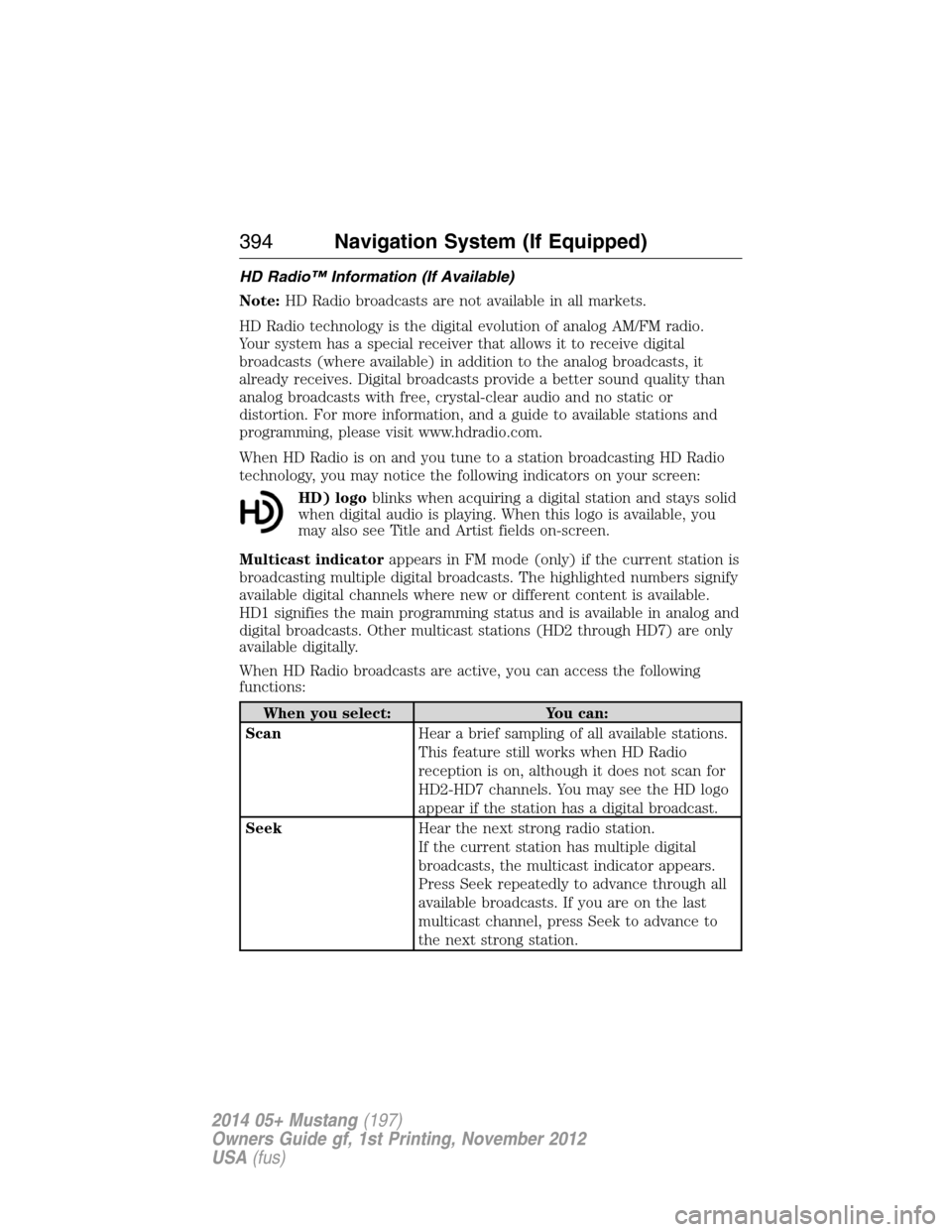
HD) logoblinks when acquiring a digital station and stays solid
when digital audio is playing. When this logo is available, you
may also see Title and Artist fields on-screen.
Multicast indicatorappears in FM mode (only) if the current station is
broadcasting multiple digital broadcasts. The highlighted numbers signify
available digital channels where new or different content is available.
HD1 signifies the main programming status and is available in analog and
digital broadcasts. Other multicast stations (HD2 through HD7) are only
available digitally.
When HD Radio broadcasts are active, you can access the following
functions:
When you select: You can:
ScanHear a brief sampling of all available stations.
This feature still works when HD Radio
reception is on, although it does not scan for
HD2-HD7 channels. You may see the HD logo
appear if the station has a digital broadcast.
SeekHear the next strong radio station.
If the current station has multiple digital
broadcasts, the multicast indicator appears.
Press Seek repeatedly to advance through all
available broadcasts. If you are on the last
multicast channel, press Seek to advance to
the next strong station.
394Navigation System (If Equipped)
2014 05+ Mustang(197)
Owners Guide gf, 1st Printing, November 2012
USA(fus)
Page 396 of 461
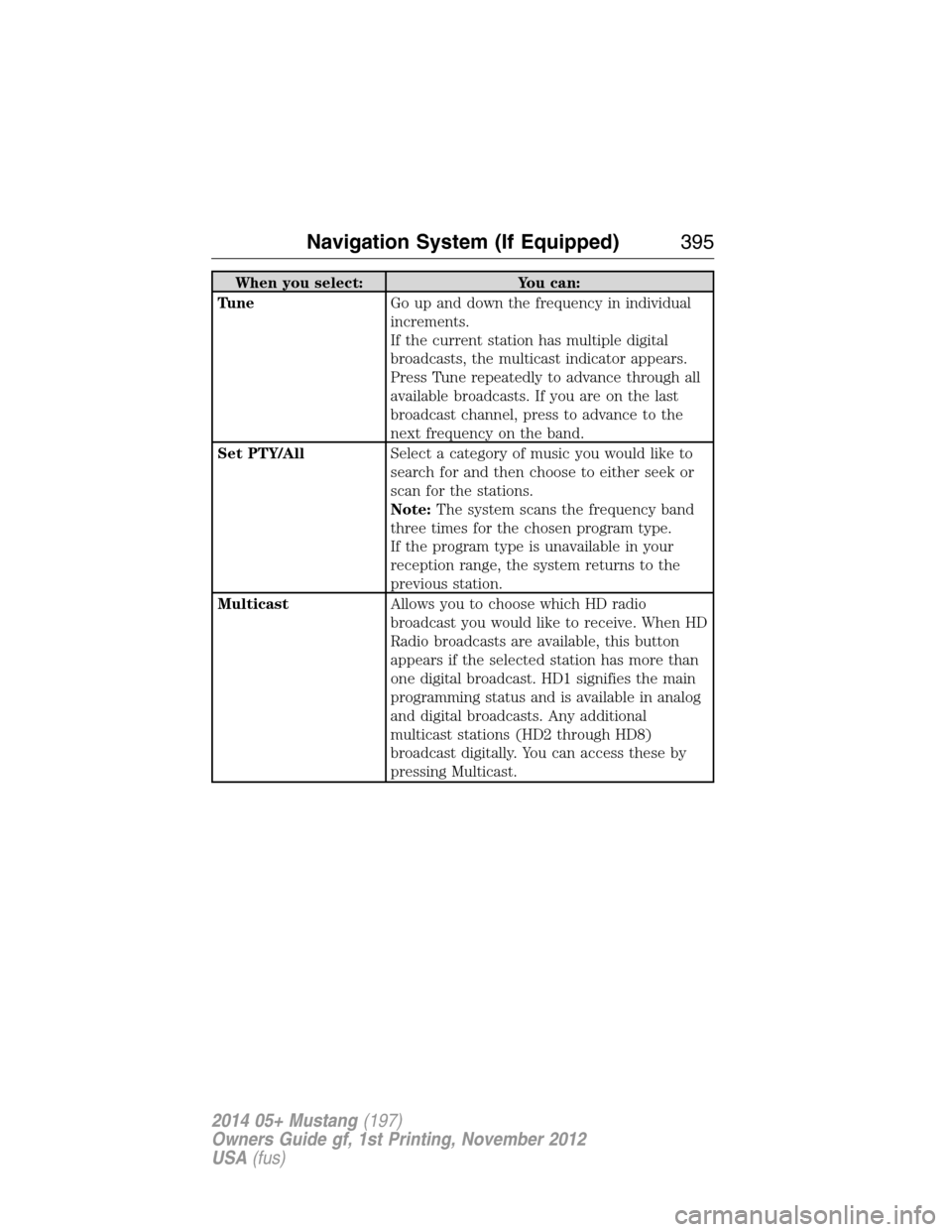
When you select: You can:
TuneGo up and down the frequency in individual
increments.
If the current station has multiple digital
broadcasts, the multicast indicator appears.
Press Tune repeatedly to advance through all
available broadcasts. If you are on the last
broadcast channel, press to advance to the
next frequency on the band.
Set PTY/AllSelect a category of music you would like to
search for and then choose to either seek or
scan for the stations.
Note:The system scans the frequency band
three times for the chosen program type.
If the program type is unavailable in your
reception range, the system returns to the
previous station.
MulticastAllows you to choose which HD radio
broadcast you would like to receive. When HD
Radio broadcasts are available, this button
appears if the selected station has more than
one digital broadcast. HD1 signifies the main
programming status and is available in analog
and digital broadcasts. Any additional
multicast stations (HD2 through HD8)
broadcast digitally. You can access these by
pressing Multicast.
Navigation System (If Equipped)395
2014 05+ Mustang(197)
Owners Guide gf, 1st Printing, November 2012
USA(fus)