audio FORD MUSTANG 2022 User Guide
[x] Cancel search | Manufacturer: FORD, Model Year: 2022, Model line: MUSTANG, Model: FORD MUSTANG 2022Pages: 528, PDF Size: 10.04 MB
Page 115 of 528
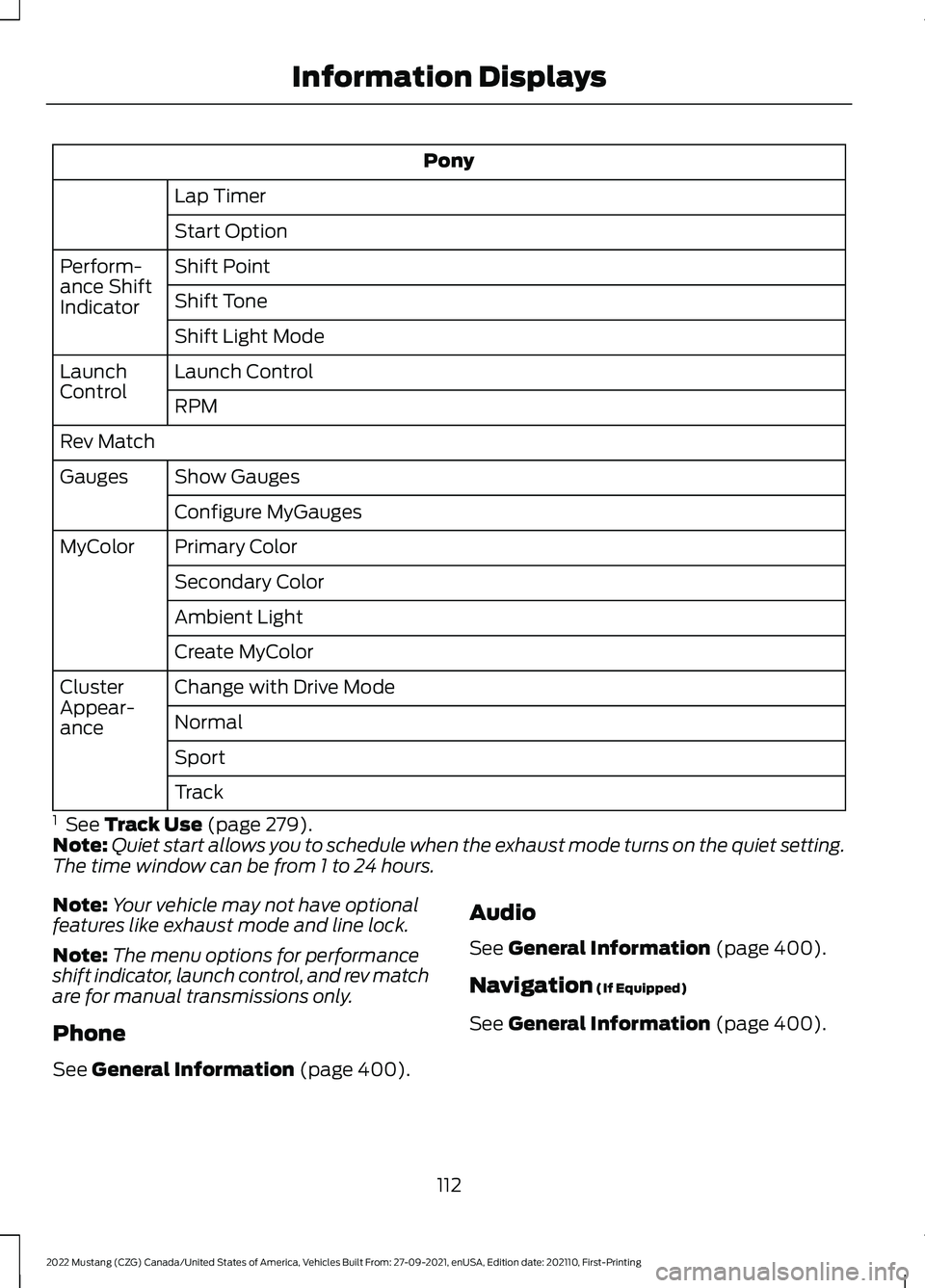
Pony
Lap Timer
Start Option
Shift Point
Perform-
ance Shift
Indicator Shift Tone
Shift Light Mode
Launch Control
Launch
Control
RPM
Rev Match Show Gauges
Gauges
Configure MyGauges
Primary Color
MyColor
Secondary Color
Ambient Light
Create MyColor
Change with Drive Mode
Cluster
Appear-
ance Normal
Sport
Track
1 See Track Use (page 279).
Note: Quiet start allows you to schedule when the exhaust mode turns on the quiet setting.
The time window can be from 1 to 24 hours.
Note: Your vehicle may not have optional
features like exhaust mode and line lock.
Note: The menu options for performance
shift indicator, launch control, and rev match
are for manual transmissions only.
Phone
See
General Information (page 400). Audio
See
General Information (page 400).
Navigation
(If Equipped)
See
General Information (page 400).
112
2022 Mustang (CZG) Canada/United States of America, Vehicles Built From: 27-09-2021, enUSA, Edition date: 202110, First-Printing Information Displays
Page 122 of 528
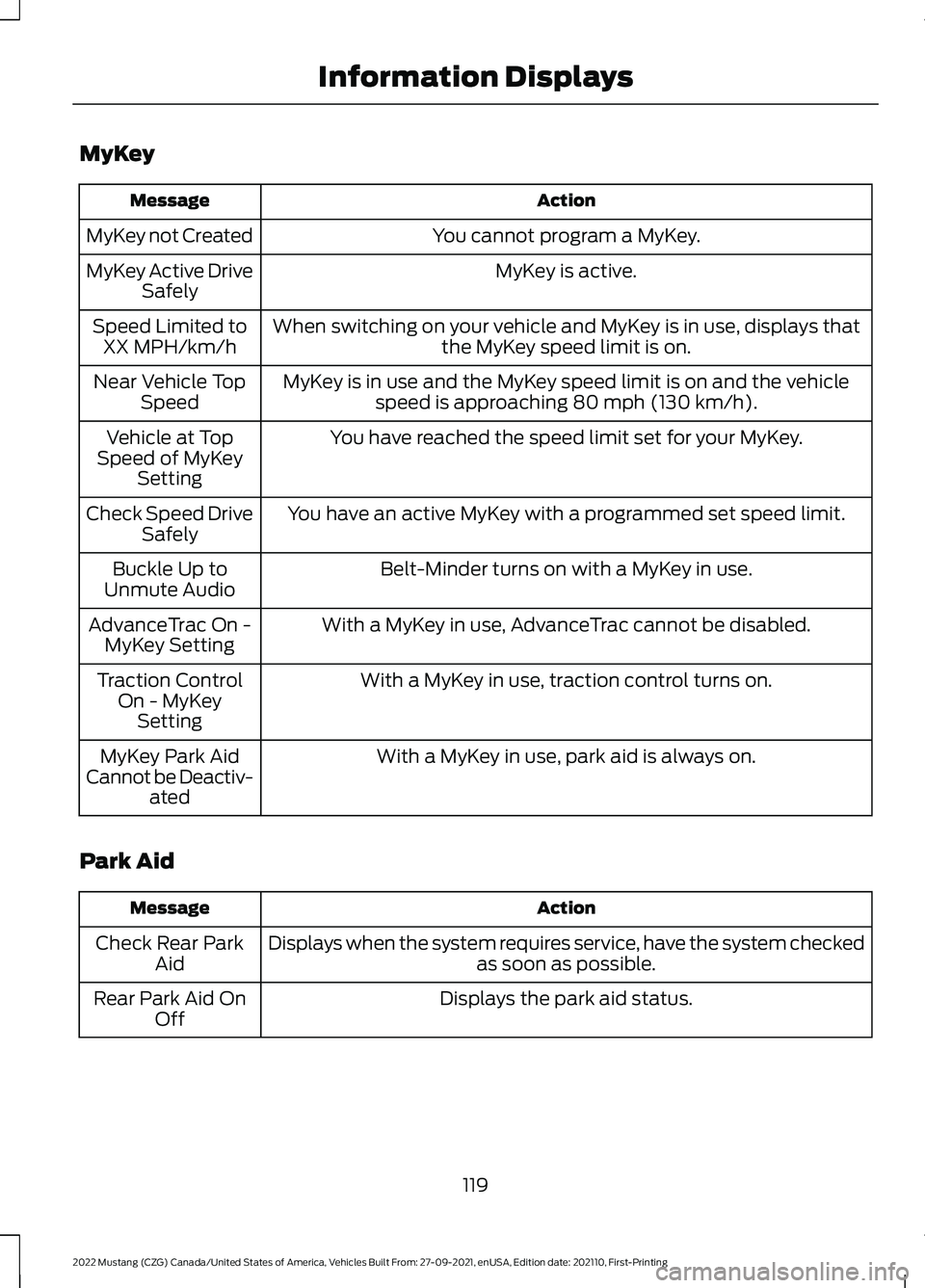
MyKey
Action
Message
You cannot program a MyKey.
MyKey not Created
MyKey is active.
MyKey Active Drive
Safely
When switching on your vehicle and MyKey is in use, displays that the MyKey speed limit is on.
Speed Limited to
XX MPH/km/h
MyKey is in use and the MyKey speed limit is on and the vehiclespeed is approaching 80 mph (130 km/h).
Near Vehicle Top
Speed
You have reached the speed limit set for your MyKey.
Vehicle at Top
Speed of MyKey Setting
You have an active MyKey with a programmed set speed limit.
Check Speed Drive
Safely
Belt-Minder turns on with a MyKey in use.
Buckle Up to
Unmute Audio
With a MyKey in use, AdvanceTrac cannot be disabled.
AdvanceTrac On -
MyKey Setting
With a MyKey in use, traction control turns on.
Traction Control
On - MyKeySetting
With a MyKey in use, park aid is always on.
MyKey Park Aid
Cannot be Deactiv- ated
Park Aid Action
Message
Displays when the system requires service, have the system checked as soon as possible.
Check Rear Park
Aid
Displays the park aid status.
Rear Park Aid On
Off
119
2022 Mustang (CZG) Canada/United States of America, Vehicles Built From: 27-09-2021, enUSA, Edition date: 202110, First-Printing Information Displays
Page 183 of 528
REAR PARKING AID (IF EQUIPPED)
WARNING:
The system may not
detect objects with surfaces that absorb
reflection. Always drive with due care
and attention. Failure to take care may
result in a crash. WARNING:
The system may not
detect small or moving objects,
particularly those close to the ground. WARNING:
To help avoid personal
injury, always use caution when in
reverse (R) and when using the sensing
system. WARNING:
The parking aid system
can only assist you to detect objects
when your vehicle is moving at parking
speeds. To help avoid personal injury you
must take care when using the parking
aid system.
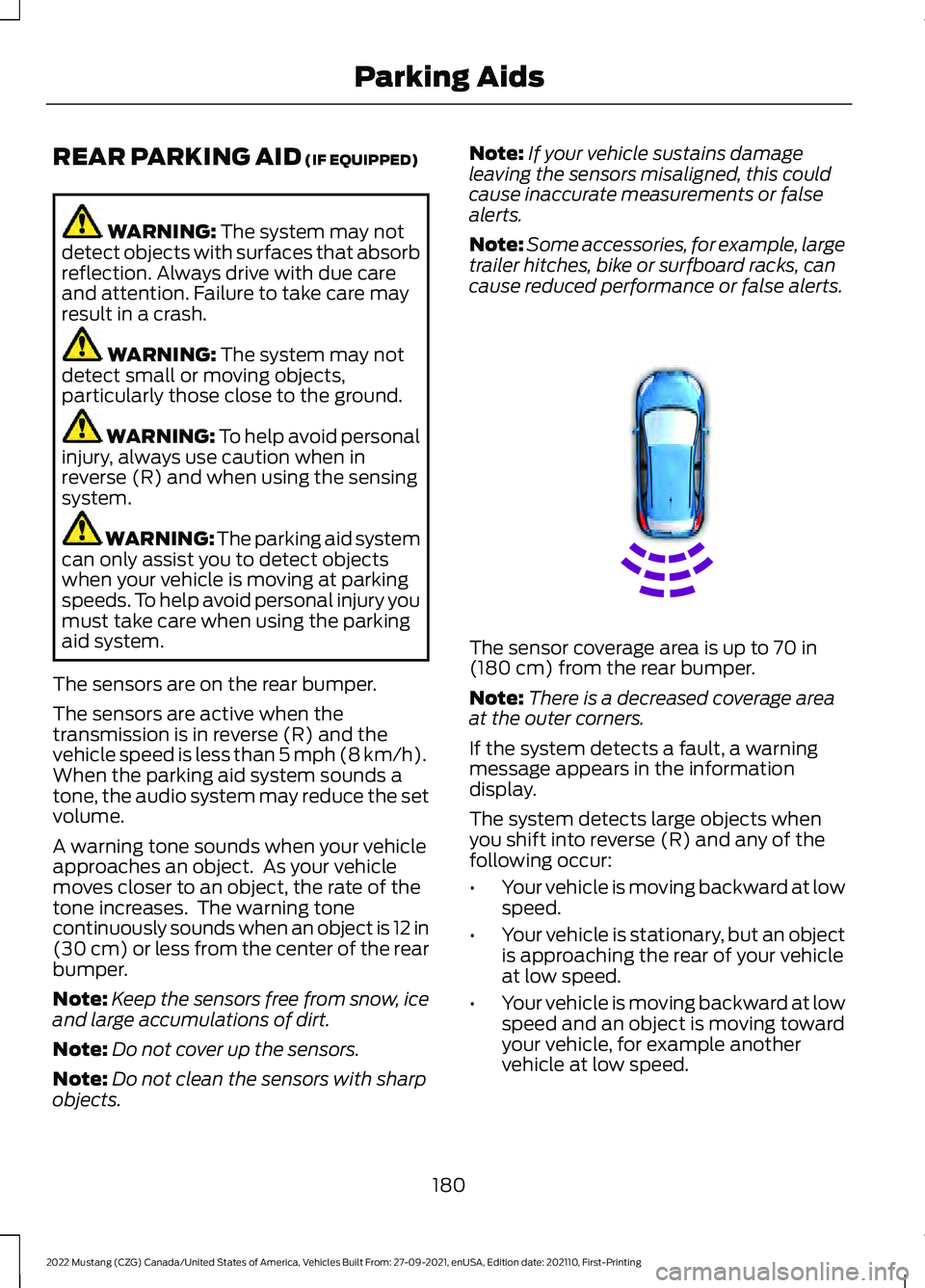
The sensors are on the rear bumper.
The sensors are active when the
transmission is in reverse (R) and the
vehicle speed is less than
5 mph (8 km/h).
When the parking aid system sounds a
tone, the audio system may reduce the set
volume.
A warning tone sounds when your vehicle
approaches an object. As your vehicle
moves closer to an object, the rate of the
tone increases. The warning tone
continuously sounds when an object is 12 in
(30 cm)
or less from the center of the rear
bumper.
Note: Keep the sensors free from snow, ice
and large accumulations of dirt.
Note: Do not cover up the sensors.
Note: Do not clean the sensors with sharp
objects. Note:
If your vehicle sustains damage
leaving the sensors misaligned, this could
cause inaccurate measurements or false
alerts.
Note: Some accessories, for example, large
trailer hitches, bike or surfboard racks, can
cause reduced performance or false alerts. The sensor coverage area is up to
70 in
(180 cm) from the rear bumper.
Note: There is a decreased coverage area
at the outer corners.
If the system detects a fault, a warning
message appears in the information
display.
The system detects large objects when
you shift into reverse (R) and any of the
following occur:
• Your vehicle is moving backward at low
speed.
• Your vehicle is stationary, but an object
is approaching the rear of your vehicle
at low speed.
• Your vehicle is moving backward at low
speed and an object is moving toward
your vehicle, for example another
vehicle at low speed.
180
2022 Mustang (CZG) Canada/United States of America, Vehicles Built From: 27-09-2021, enUSA, Edition date: 202110, First-Printing Parking AidsE130178
Page 232 of 528
OPENING THE CONVERTIBLE
TOP
When you use the top, you must first
unlatch it from the windshield and then
use the convertible top control.
Note:
The convertible top does not operate
unless the vehicle is stationary or traveling
under 3 mph (5 km/h). A chime sounds and
a warning message appears in the
instrument panel. When you slow down, the
top operates.
Note: When you latch or unlatch the
convertible top, the audio system mutes
briefly. This allows the vehicle to optimize
the cabin ’s sound quality depending on the
position of the convertible top.
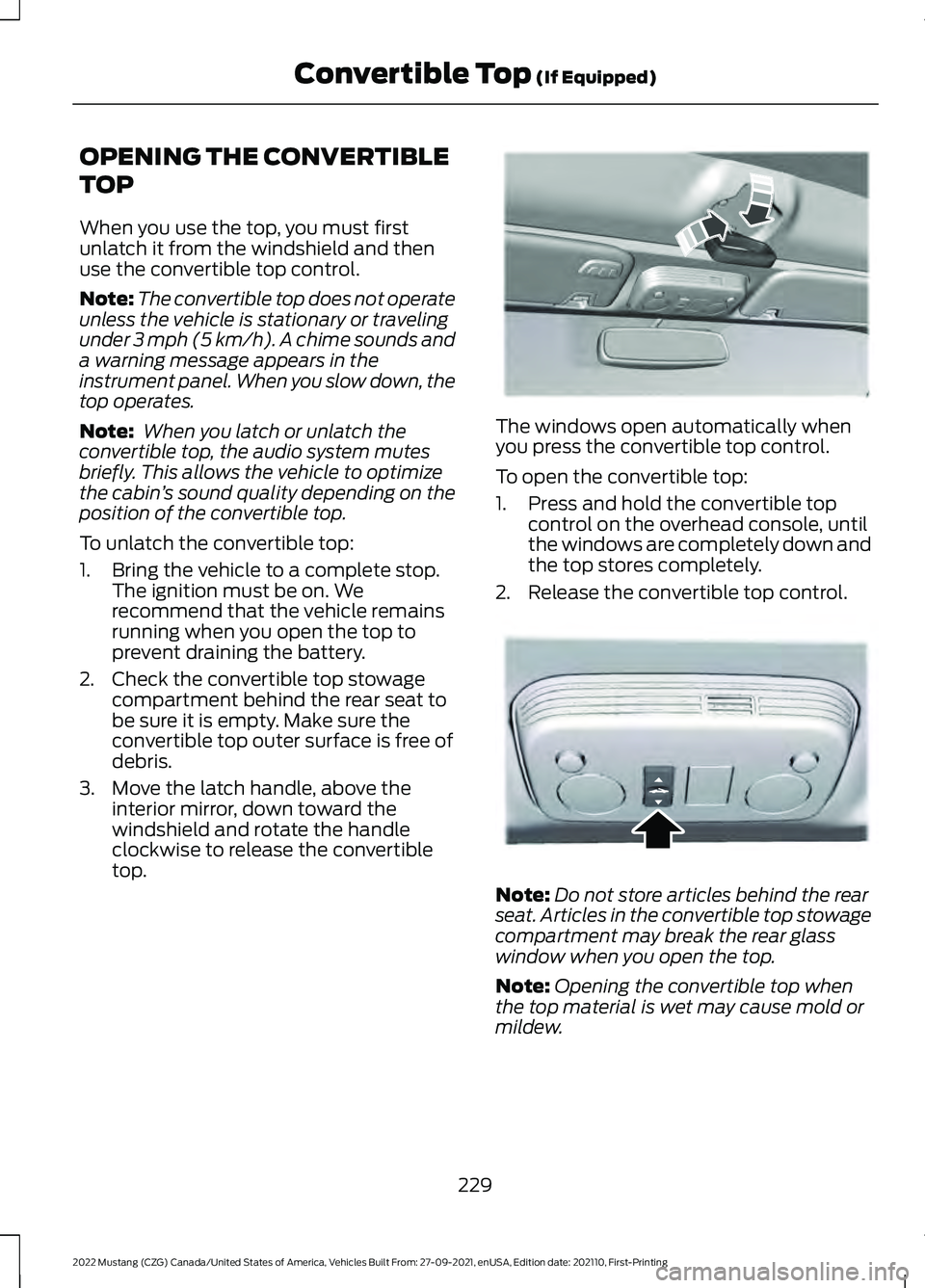
To unlatch the convertible top:
1. Bring the vehicle to a complete stop. The ignition must be on. We
recommend that the vehicle remains
running when you open the top to
prevent draining the battery.
2. Check the convertible top stowage compartment behind the rear seat to
be sure it is empty. Make sure the
convertible top outer surface is free of
debris.
3. Move the latch handle, above the interior mirror, down toward the
windshield and rotate the handle
clockwise to release the convertible
top. The windows open automatically when
you press the convertible top control.
To open the convertible top:
1. Press and hold the convertible top
control on the overhead console, until
the windows are completely down and
the top stores completely.
2. Release the convertible top control. Note:
Do not store articles behind the rear
seat. Articles in the convertible top stowage
compartment may break the rear glass
window when you open the top.
Note: Opening the convertible top when
the top material is wet may cause mold or
mildew.
229
2022 Mustang (CZG) Canada/United States of America, Vehicles Built From: 27-09-2021, enUSA, Edition date: 202110, First-Printing Convertible Top
(If Equipped)E174571 E174568
Page 233 of 528
CLOSING THE CONVERTIBLE
TOP
Closing the Convertible Top
1. Bring your vehicle to a complete stop
and make sure to leave the ignition on.
We recommend that your vehicle
remains running when you open the
top to prevent draining the battery.
Note: The convertible top does not operate
unless your vehicle is stationary or traveling
under 3 mph (5 km/h). A tone sounds and
a warning message appears in the
instrument panel. When you slow down, the
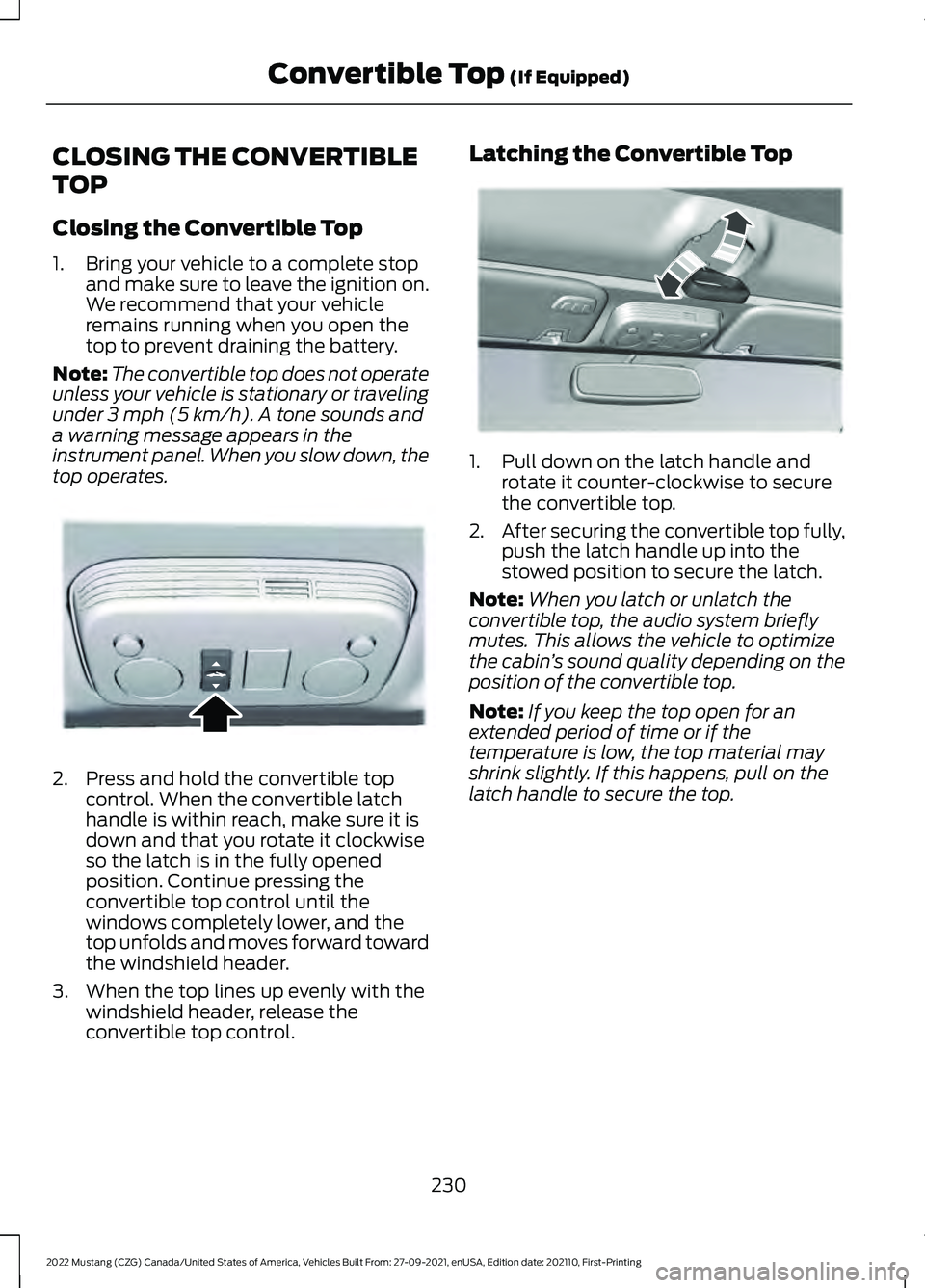
top operates. 2. Press and hold the convertible top
control. When the convertible latch
handle is within reach, make sure it is
down and that you rotate it clockwise
so the latch is in the fully opened
position. Continue pressing the
convertible top control until the
windows completely lower, and the
top unfolds and moves forward toward
the windshield header.
3. When the top lines up evenly with the windshield header, release the
convertible top control. Latching the Convertible Top
1. Pull down on the latch handle and
rotate it counter-clockwise to secure
the convertible top.
2. After securing the convertible top fully,
push the latch handle up into the
stowed position to secure the latch.
Note: When you latch or unlatch the
convertible top, the audio system briefly
mutes. This allows the vehicle to optimize
the cabin ’s sound quality depending on the
position of the convertible top.
Note: If you keep the top open for an
extended period of time or if the
temperature is low, the top material may
shrink slightly. If this happens, pull on the
latch handle to secure the top.
230
2022 Mustang (CZG) Canada/United States of America, Vehicles Built From: 27-09-2021, enUSA, Edition date: 202110, First-Printing Convertible Top
(If Equipped)E174568 E178453
Page 259 of 528
Protected Component
Fuse Rating
Fuse or Relay
Number
Right-hand rear-window power (base).
30A
28
Not used (GT500).
—
Gateway module (base).
15A
29
Not used (spare) (GT500).
Not used (spare)
5A
30
Remote keyless entry.
10A
31
Audio unit.
20A
32
Not used.
—
33
Run/start bus.
30A
34
Power distribution box run/start relay
(base).
5A
35
Not used (GT500).
—
Front camera (base).
15A
36
Not used (GT500).
—
Heated steering wheel module (base).
20A
37
Not used (GT500).
—
Note: Spare fuse amperage may vary.
CHANGING A FUSE
Fuses WARNING: Always replace a fuse
with one that has the specified
amperage rating. Using a fuse with a
higher amperage rating can cause severe
wire damage and could start a fire. If electrical components in the vehicle are
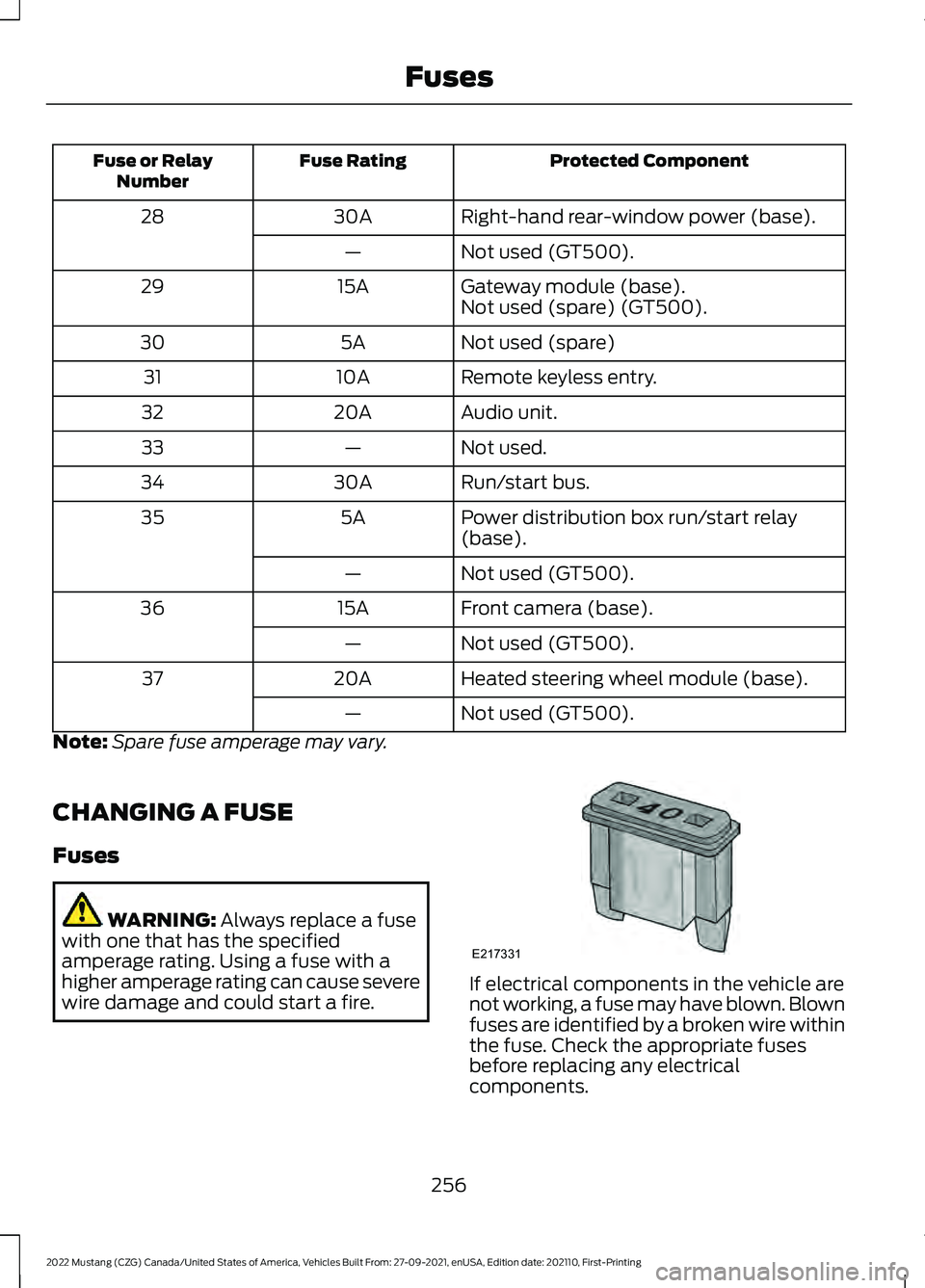
not working, a fuse may have blown. Blown
fuses are identified by a broken wire within
the fuse. Check the appropriate fuses
before replacing any electrical
components.
256
2022 Mustang (CZG) Canada/United States of America, Vehicles Built From: 27-09-2021, enUSA, Edition date: 202110, First-Printing FusesE217331
Page 277 of 528
The battery warning lamp flashes three
times to confirm that the reset is
successful.
Battery Management System (If
Equipped)
The system monitors battery conditions
and takes actions to extend battery life. If
excessive battery drain is detected, the
system temporarily disables some
electrical systems to protect the battery.
Systems included are:
• Heated rear window.
• Heated seats.
• Climate control.
• Heated steering wheel.
• Audio unit.
• Navigation system.
A message may appear in the information
display to alert you that battery protection
actions are active. This message is only for
notification that an action is taking place,
and not intended to indicate an electrical
problem or that the battery requires
replacement.
After battery replacement, or in some
cases after charging the battery with an
external charger, the battery management
system requires eight hours of vehicle sleep
time to relearn the battery state of charge.
During this time, your vehicle must remain
fully locked with the ignition switched off.
Note: Prior to relearning the battery state
of charge, the battery management system
may temporarily disable some electrical
systems. Electrical Accessory Installation
To make sure the battery management
system works correctly, do not connect an
electrical device ground connection
directly to the battery negative post. This
can cause inaccurate measurements of
the battery condition and potential
incorrect system operation.
Note:
If you add electrical accessories or
components to the vehicle, it may adversely
affect battery performance and durability.
This may also affect the performance of
other electrical systems in the vehicle.
Remove and Reinstall the Battery
Install a battery approved for use by our
specifications. See
Capacities and
Specifications (page 338).
To disconnect or remove the battery, do
the following:
1. Apply the parking brake and switch the
ignition off.
2. Switch all electrical equipment off, for
example lights and radio.
3. Wait a minimum of two minutes before
disconnecting the battery.
Note: The engine management system has
a power hold function and remains powered
for a period of time after you switch the
ignition off. This is to allow the system to
store diagnostic and adaptive tables.
Disconnecting the battery without waiting
can cause damage not covered by the
vehicle warranty.
4. Disconnect the negative battery cable terminal.
5. Disconnect the positive battery cable terminal.
6. Remove the battery securing clamp.
7. Remove the battery.
8. To install, reverse the removal procedure.
274
2022 Mustang (CZG) Canada/United States of America, Vehicles Built From: 27-09-2021, enUSA, Edition date: 202110, First-Printing Maintenance
Page 376 of 528
GENERAL INFORMATION
WARNING: Driving while distracted
can result in loss of vehicle control, crash
and injury. We strongly recommend that
you use extreme caution when using any
device that may take your focus off the
road. Your primary responsibility is the
safe operation of your vehicle. We
recommend against the use of any hand-held device while driving and
encourage the use of voice-operated
systems when possible. Make sure you
are aware of all applicable local laws
that may affect the use of electronic
devices while driving.
Radio Frequencies and Reception
Factors
Note: Listening to loud audio for long
periods of time could damage your hearing. Radio Reception Factors
The further you travel from an AM or FM station, the
weaker the signal and the weaker the reception.
Distance and strength
Hills, mountains, tall buildings, bridges, tunnels, freeway
overpasses, parking garages, dense tree foliage and
thunderstorms can interfere with the reception.
Terrain
When you pass a ground-based broadcast repeating
tower, a stronger signal may overtake a weaker one and
result in the audio system muting.
Station overload
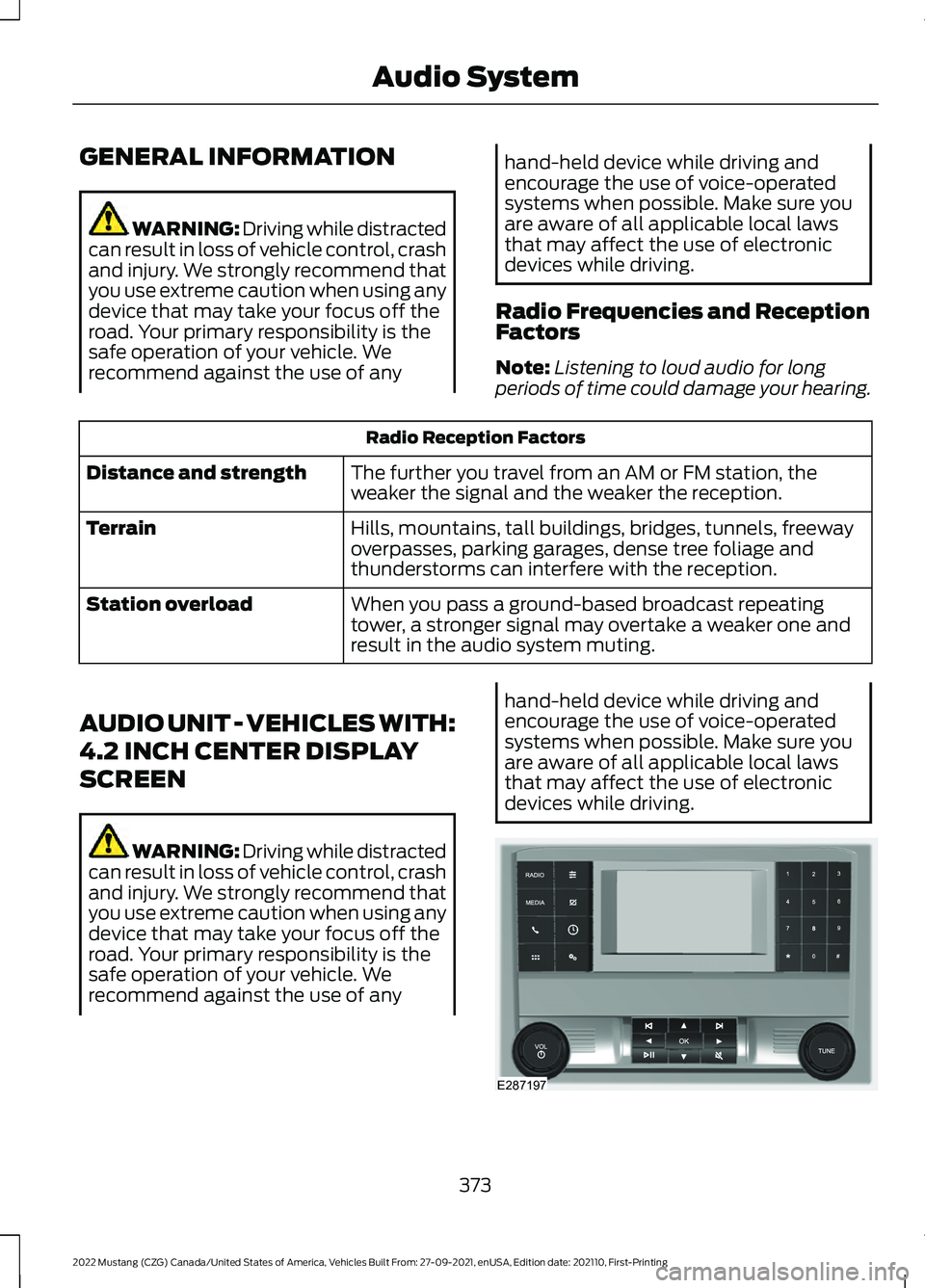
AUDIO UNIT - VEHICLES WITH:
4.2 INCH CENTER DISPLAY
SCREEN WARNING: Driving while distracted
can result in loss of vehicle control, crash
and injury. We strongly recommend that
you use extreme caution when using any
device that may take your focus off the
road. Your primary responsibility is the
safe operation of your vehicle. We
recommend against the use of any hand-held device while driving and
encourage the use of voice-operated
systems when possible. Make sure you
are aware of all applicable local laws
that may affect the use of electronic
devices while driving.
373
2022 Mustang (CZG) Canada/United States of America, Vehicles Built From: 27-09-2021, enUSA, Edition date: 202110, First-Printing Audio SystemE287197
Page 377 of 528
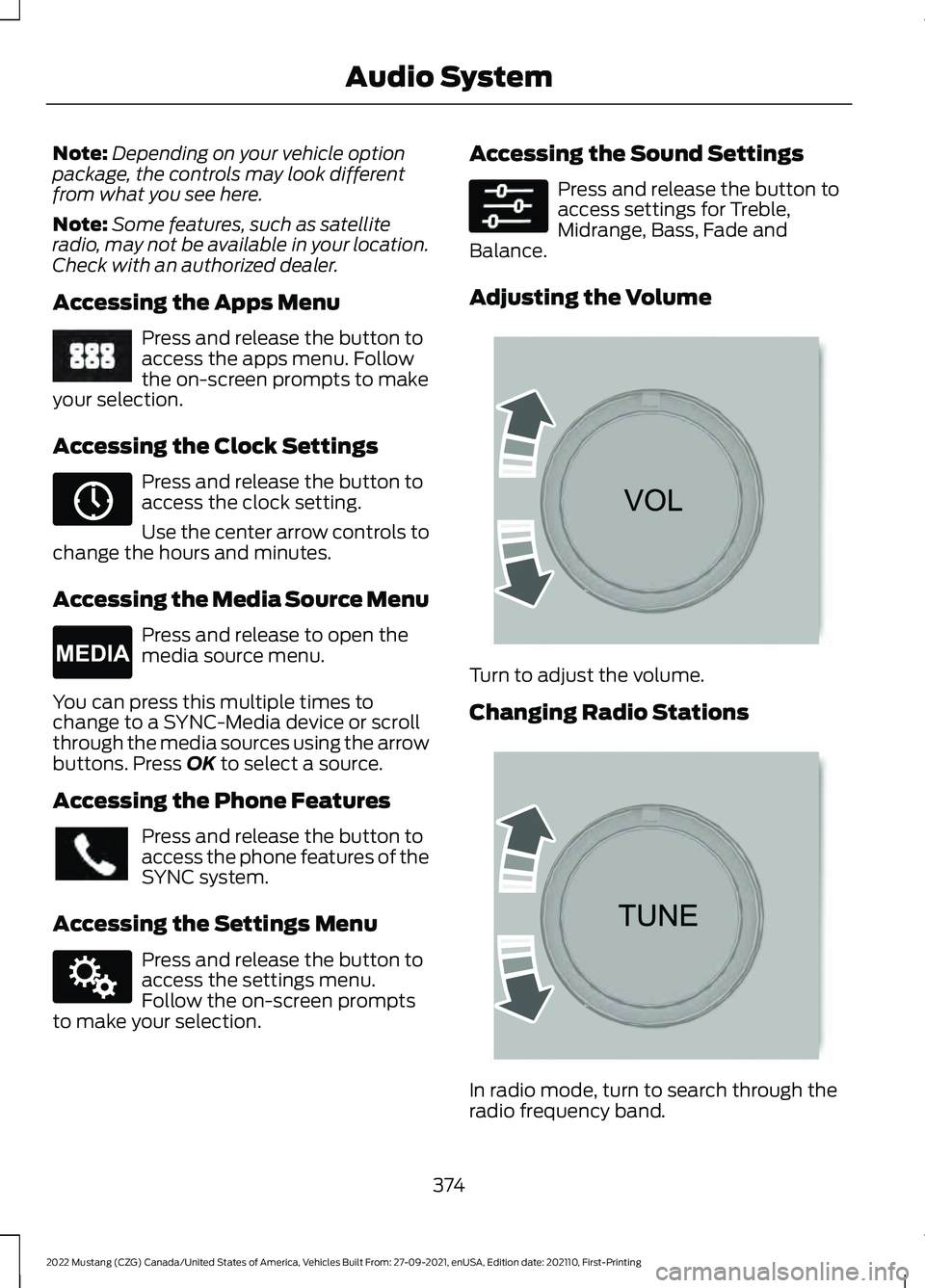
Note:
Depending on your vehicle option
package, the controls may look different
from what you see here.
Note: Some features, such as satellite
radio, may not be available in your location.
Check with an authorized dealer.
Accessing the Apps Menu Press and release the button to
access the apps menu. Follow
the on-screen prompts to make
your selection.
Accessing the Clock Settings Press and release the button to
access the clock setting.
Use the center arrow controls to
change the hours and minutes.
Accessing the Media Source Menu Press and release to open the
media source menu.
You can press this multiple times to
change to a SYNC-Media device or scroll
through the media sources using the arrow
buttons. Press OK to select a source.
Accessing the Phone Features Press and release the button to
access the phone features of the
SYNC system.
Accessing the Settings Menu Press and release the button to
access the settings menu.
Follow the on-screen prompts
to make your selection. Accessing the Sound Settings Press and release the button to
access settings for Treble,
Midrange, Bass, Fade and
Balance.
Adjusting the Volume Turn to adjust the volume.
Changing Radio Stations
In radio mode, turn to search through the
radio frequency band.
374
2022 Mustang (CZG) Canada/United States of America, Vehicles Built From: 27-09-2021, enUSA, Edition date: 202110, First-Printing Audio SystemE249410 E265036 E265035 E142607 E265373 E265696
Page 378 of 528
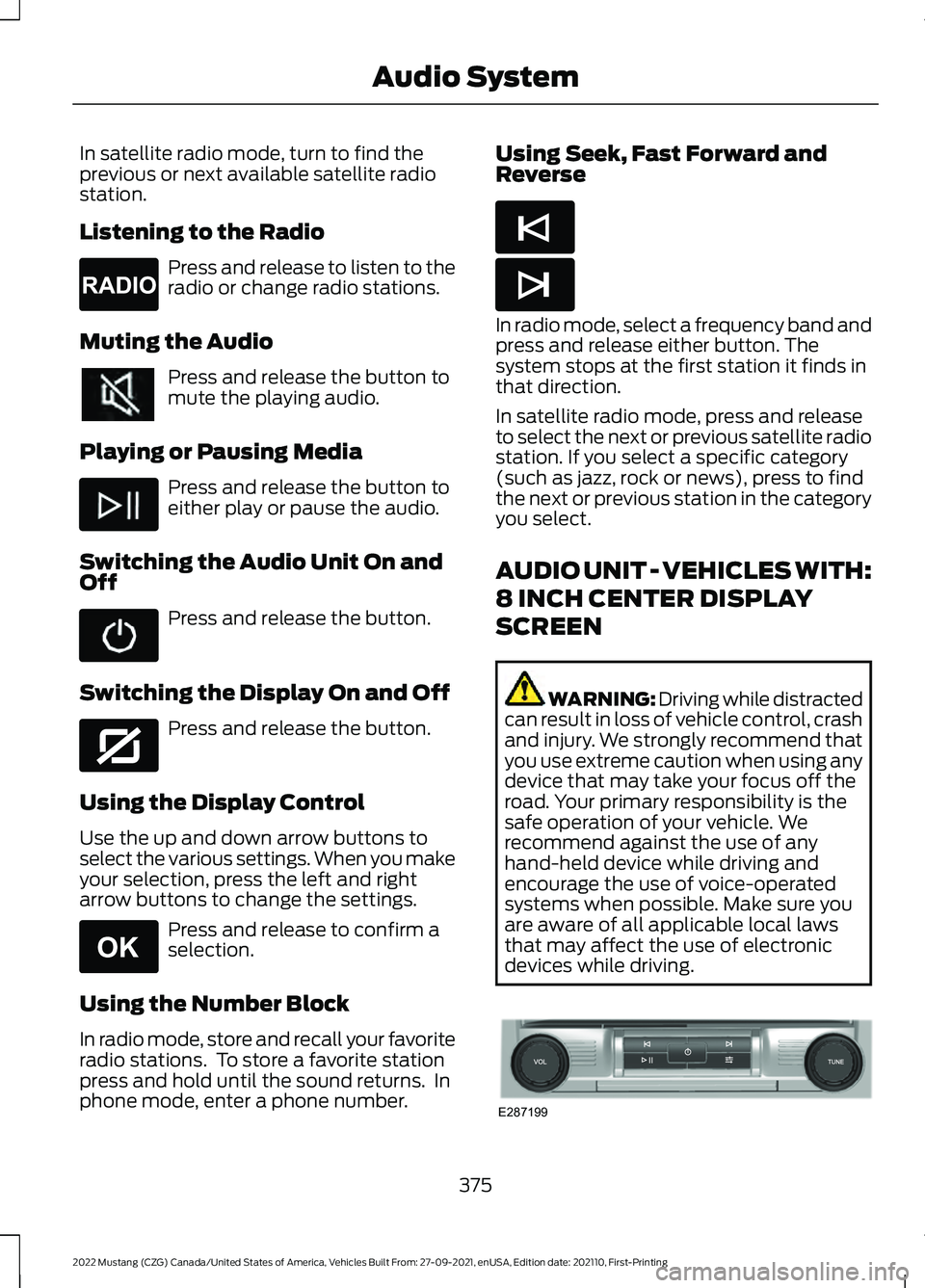
In satellite radio mode, turn to find the
previous or next available satellite radio
station.
Listening to the Radio
Press and release to listen to the
radio or change radio stations.
Muting the Audio Press and release the button to
mute the playing audio.
Playing or Pausing Media Press and release the button to
either play or pause the audio.
Switching the Audio Unit On and
Off Press and release the button.
Switching the Display On and Off Press and release the button.
Using the Display Control
Use the up and down arrow buttons to
select the various settings. When you make
your selection, press the left and right
arrow buttons to change the settings. Press and release to confirm a
selection.
Using the Number Block
In radio mode, store and recall your favorite
radio stations. To store a favorite station
press and hold until the sound returns. In
phone mode, enter a phone number. Using Seek, Fast Forward and
Reverse
In radio mode, select a frequency band and
press and release either button. The
system stops at the first station it finds in
that direction.
In satellite radio mode, press and release
to select the next or previous satellite radio
station. If you select a specific category
(such as jazz, rock or news), press to find
the next or previous station in the category
you select.
AUDIO UNIT - VEHICLES WITH:
8 INCH CENTER DISPLAY
SCREEN
WARNING: Driving while distracted
can result in loss of vehicle control, crash
and injury. We strongly recommend that
you use extreme caution when using any
device that may take your focus off the
road. Your primary responsibility is the
safe operation of your vehicle. We
recommend against the use of any
hand-held device while driving and
encourage the use of voice-operated
systems when possible. Make sure you
are aware of all applicable local laws
that may affect the use of electronic
devices while driving. 375
2022 Mustang (CZG) Canada/United States of America, Vehicles Built From: 27-09-2021, enUSA, Edition date: 202110, First-Printing Audio SystemE265033 E272035 E265041 E265045 E265044 E287199