light FORD MUSTANG 2023 Workshop Manual
[x] Cancel search | Manufacturer: FORD, Model Year: 2023, Model line: MUSTANG, Model: FORD MUSTANG 2023Pages: 535, PDF Size: 15.46 MB
Page 190 of 535
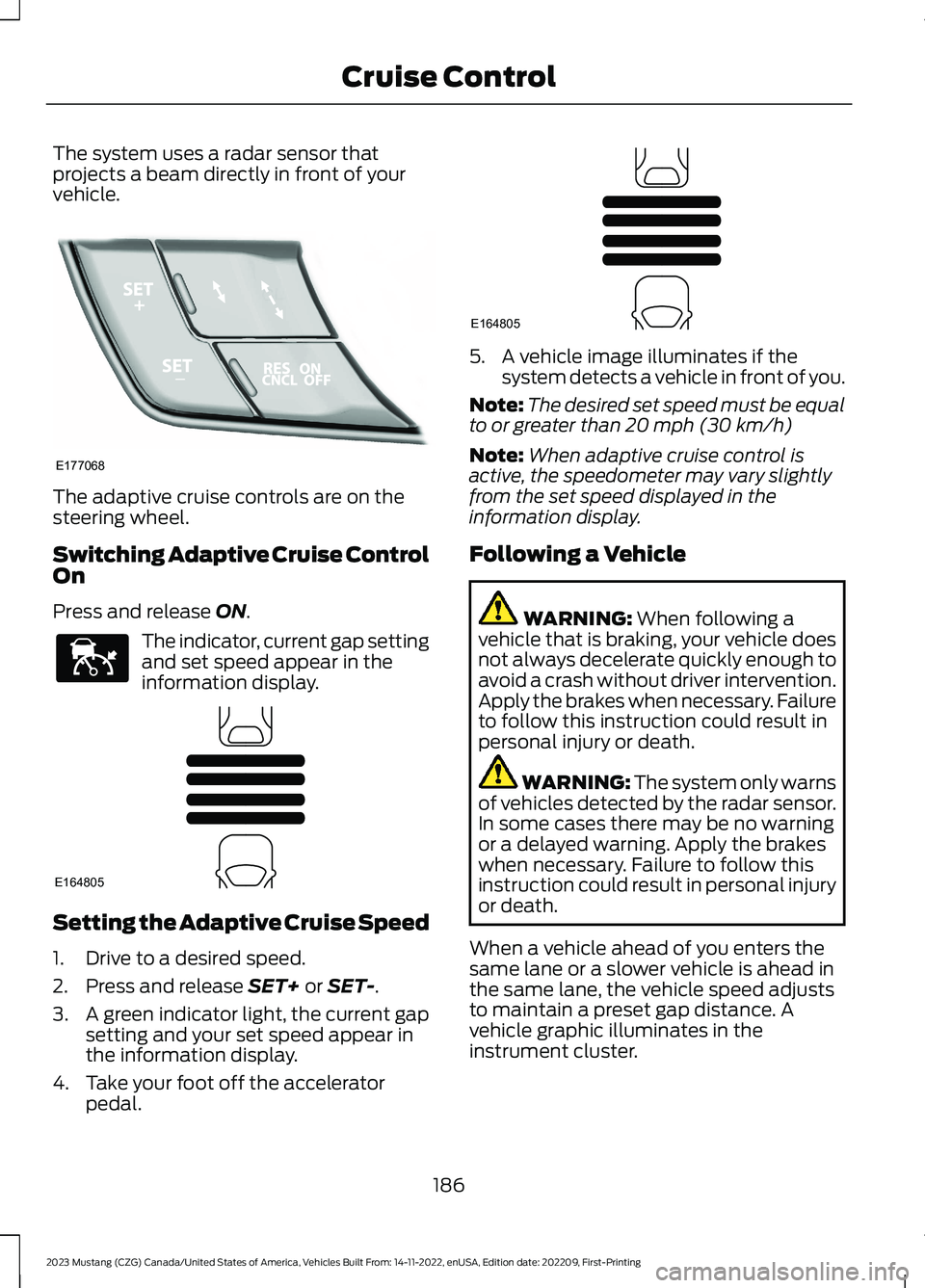
The system uses a radar sensor thatprojects a beam directly in front of yourvehicle.
The adaptive cruise controls are on thesteering wheel.
Switching Adaptive Cruise ControlOn
Press and release ON.
The indicator, current gap settingand set speed appear in theinformation display.
Setting the Adaptive Cruise Speed
1.Drive to a desired speed.
2.Press and release SET+ or SET-.
3.A green indicator light, the current gapsetting and your set speed appear inthe information display.
4.Take your foot off the acceleratorpedal.
5.A vehicle image illuminates if thesystem detects a vehicle in front of you.
Note:The desired set speed must be equalto or greater than 20 mph (30 km/h)
Note:When adaptive cruise control isactive, the speedometer may vary slightlyfrom the set speed displayed in theinformation display.
Following a Vehicle
WARNING: When following avehicle that is braking, your vehicle doesnot always decelerate quickly enough toavoid a crash without driver intervention.Apply the brakes when necessary. Failureto follow this instruction could result inpersonal injury or death.
WARNING: The system only warnsof vehicles detected by the radar sensor.In some cases there may be no warningor a delayed warning. Apply the brakeswhen necessary. Failure to follow thisinstruction could result in personal injuryor death.
When a vehicle ahead of you enters thesame lane or a slower vehicle is ahead inthe same lane, the vehicle speed adjuststo maintain a preset gap distance. Avehicle graphic illuminates in theinstrument cluster.
186
2023 Mustang (CZG) Canada/United States of America, Vehicles Built From: 14-11-2022, enUSA, Edition date: 202209, First-PrintingCruise ControlE177068 E144529 E164805 E164805
Page 192 of 535
When you press the accelerator pedal, youoverride the set speed and gap distance.
When you override the system,the green indicator lightilluminates and the vehicleimage does not appear in the informationdisplay.
The system resumes operation when yourelease the accelerator pedal. The vehiclespeed decreases to the set speed, or alower speed if following a slower vehicle.
Changing the Set Speed
Press and release the button toincrease the set speed in smallincrements. Press and hold thebutton to increase the set speed in largeincrements. Release the button when theset speed is equal to your desired speed.
Press and release the button todecrease the set speed in smallincrements. Press and hold thebutton to decrease the set speed in largeincrements. Release the button when theset speed is equal to your desired speed.
You can use the accelerator or brake pedalto adjust the set speed. Press either buttonto set the speed.
The system may apply the brakes to slowthe vehicle to the new set speed. The setspeed displays continuously in theinformation display when the system isactive.
Canceling the Set Speed
Press and release the button.The set speed does not erase.
Note:For vehicles with manualtransmission, if you press the clutch pedalfor an extended period, this action alsocancels the set speed.
Resuming the Set Speed
Press and release the button.Your vehicle speed returns to thepreviously set speed and gapsetting. The set speed displayscontinuously in the information displaywhen the system is active.
Note:Only use resume if you are aware ofthe set speed and intend to return to it.
Automatic Cancellation
The system does not operate below12 mph (20 km/h).
Note:If the engine speed drops too low, anaudible warning sounds and a messageappears in the information display.Automatic braking releases.
Hilly Condition Usage
Select a lower gear when the system isactive in situations such as prolongeddownhill driving on steep slopes, forexample in mountainous areas. Thesystem needs additional engine braking inthese situations to reduce the load on thevehicle’s regular brake system to preventit from overheating.
Note:An audible alarm sounds and thesystem shuts down if it applies brakes foran extended period of time. This allows thebrakes to cool. The system functionsnormally again after the brakes cool.
Switching Adaptive Cruise ControlOff
Press and release OFF, or on vehicles withspeed limiter, the speedometer icon whenthe system is in standby mode to switchthe system off.
Note:You erase the set speed and gapsetting when you switch the system off.
188
2023 Mustang (CZG) Canada/United States of America, Vehicles Built From: 14-11-2022, enUSA, Edition date: 202209, First-PrintingCruise ControlE144529 E246884 E246885 E265298
Page 195 of 535
Switching to Normal CruiseControl
WARNING: Normal cruise controlwill not brake when your vehicle isapproaching slower vehicles. Always beaware of which mode you have selectedand apply the brakes when necessary.
You can change from adaptive cruisecontrol to normal cruise control throughthe information display. See GeneralInformation (page 108).
The cruise control indicator lightreplaces the adaptive cruisecontrol indicator light if youselect normal cruise control. The gapsetting does not display, and the systemdoes not respond to lead vehicles.Automatic braking remains active tomaintain set speed.
191
2023 Mustang (CZG) Canada/United States of America, Vehicles Built From: 14-11-2022, enUSA, Edition date: 202209, First-PrintingCruise ControlE71340
Page 197 of 535
The warning system is in two stages. Atfirst the system issues a temporary warningthat you need to take a rest. This messagewill only appear for a short time. If thesystem detects further reduction in drivingalertness, another warning may be issuedwhich will remain in the information displayfor a longer time. Press OK on the steeringwheel control to clear the warning
System Display
When active the system will runautomatically in the background and onlyissue a warning if required.
Note:If the camera sensor cannot track theroad lane markings or if your vehicle speeddrops below approximately 40 mph(64 km/h), the system does not issuewarnings.
Resetting the System
You can reset the system by either:
•Switching the ignition off and on.
•Stopping the vehicle and then openingand closing the driver’s door.
LANE KEEPING SYSTEM
WARNING: You are responsible forcontrolling your vehicle at all times. Thesystem is designed to be an aid and doesnot relieve you of your responsibility todrive with due care and attention. Failureto follow this instruction could result inthe loss of control of your vehicle,personal injury or death.
WARNING: Always drive with duecare and attention when using andoperating the controls and features onyour vehicle.
WARNING: In cold and severeweather conditions the system may notfunction. Rain, snow and spray can alllimit sensor performance.
WARNING: The system will notoperate if the sensor cannot track theroad lane markings.
WARNING: The sensor mayincorrectly track lane markings as otherstructures or objects. This can result ina false or missed warning.
WARNING: Large contrasts inoutside lighting can limit sensorperformance.
WARNING: The system may notoperate properly if the sensor is blocked.Keep the windshield free fromobstruction.
WARNING: If damage occurs in theimmediate area surrounding the sensor,have your vehicle checked as soon aspossible.
WARNING: The system may notcorrectly operate if your vehicle is fittedwith a suspension kit not approved byus.
Note:The system works above 40 mph(64 km/h).
Note:The system works as long as thecamera can detect one lane marking.
Note:The system may not function with ablocked camera, or with a damaged or dirtywindshield.
193
2023 Mustang (CZG) Canada/United States of America, Vehicles Built From: 14-11-2022, enUSA, Edition date: 202209, First-PrintingDriving Aids
Page 198 of 535
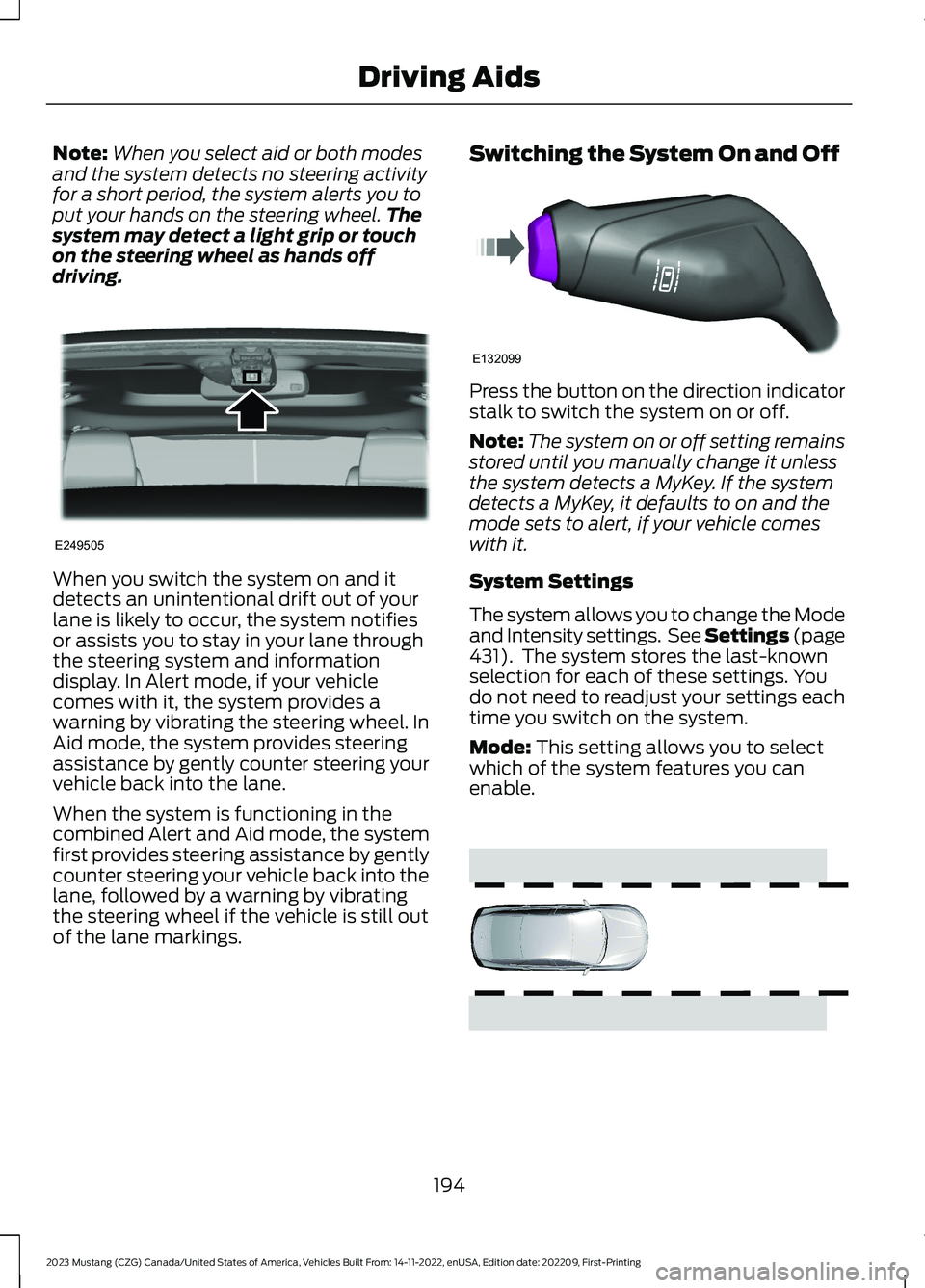
Note:When you select aid or both modesand the system detects no steering activityfor a short period, the system alerts you toput your hands on the steering wheel.Thesystem may detect a light grip or touchon the steering wheel as hands offdriving.
When you switch the system on and itdetects an unintentional drift out of yourlane is likely to occur, the system notifiesor assists you to stay in your lane throughthe steering system and informationdisplay. In Alert mode, if your vehiclecomes with it, the system provides awarning by vibrating the steering wheel. InAid mode, the system provides steeringassistance by gently counter steering yourvehicle back into the lane.
When the system is functioning in thecombined Alert and Aid mode, the systemfirst provides steering assistance by gentlycounter steering your vehicle back into thelane, followed by a warning by vibratingthe steering wheel if the vehicle is still outof the lane markings.
Switching the System On and Off
Press the button on the direction indicatorstalk to switch the system on or off.
Note:The system on or off setting remainsstored until you manually change it unlessthe system detects a MyKey. If the systemdetects a MyKey, it defaults to on and themode sets to alert, if your vehicle comeswith it.
System Settings
The system allows you to change the Modeand Intensity settings. See Settings (page431). The system stores the last-knownselection for each of these settings. Youdo not need to readjust your settings eachtime you switch on the system.
Mode: This setting allows you to selectwhich of the system features you canenable.
194
2023 Mustang (CZG) Canada/United States of America, Vehicles Built From: 14-11-2022, enUSA, Edition date: 202209, First-PrintingDriving AidsE249505 E132099 E165515
Page 200 of 535
When you switch off the system, the lanemarking graphics do not display.
When the system is on, the color of thelane markings changes to indicate thesystem status.
Gray: Indicates that the system istemporarily unable to provide a warningor intervention on the indicated side. Thismay be because:
•Your vehicle is under the activationspeed.
•The direction indicator is active.
•Your vehicle is in a dynamic maneuver.
•The road has no or poor lane markingsin the camera field-of-view.
•You have a blocked camera, or it isunable to detect the lane markings dueto environmental, traffic or vehicleconditions. For example, significant sunangles, shadows, snow, heavy rain orfog, following a large vehicle that isblocking or shadowing the lane or poorheadlamp illumination.
See Troubleshooting for additionalinformation.
Green: Indicates that the system isavailable or ready to provide a warning orintervention, on the indicated side.
Yellow or Animated Graphics: Indicate thatthe system is providing or has just provideda lane keeping aid intervention.
Red: Indicates that the system is providingor has just provided a lane keeping alertwarning.
You can temporarily suppress the systemat any time by the following:
•Quick braking.
•Fast acceleration.
•Using the direction indicator.
•Evasive steering maneuver.
•Driving too close to the lane markings.
Troubleshooting
Why is the feature not available (line markings are gray) when I can see the lane markingson the road?
Your vehicle speed is outside the operational range of the feature.
The sun is shining directly into the camera lens.
A quick intentional lane change has occurred.
Your vehicle stays too close to the lane markings.
Driving at high speeds in curves.
The last alert warning or aid intervention occurred a short time ago.
Ambiguous lane markings, for example in construction zones.
Rapid transition from light to dark, or from dark to light.
Sudden offset in lane markings.
ABS or AdvanceTrac™ is active.
196
2023 Mustang (CZG) Canada/United States of America, Vehicles Built From: 14-11-2022, enUSA, Edition date: 202209, First-PrintingDriving Aids
Page 202 of 535
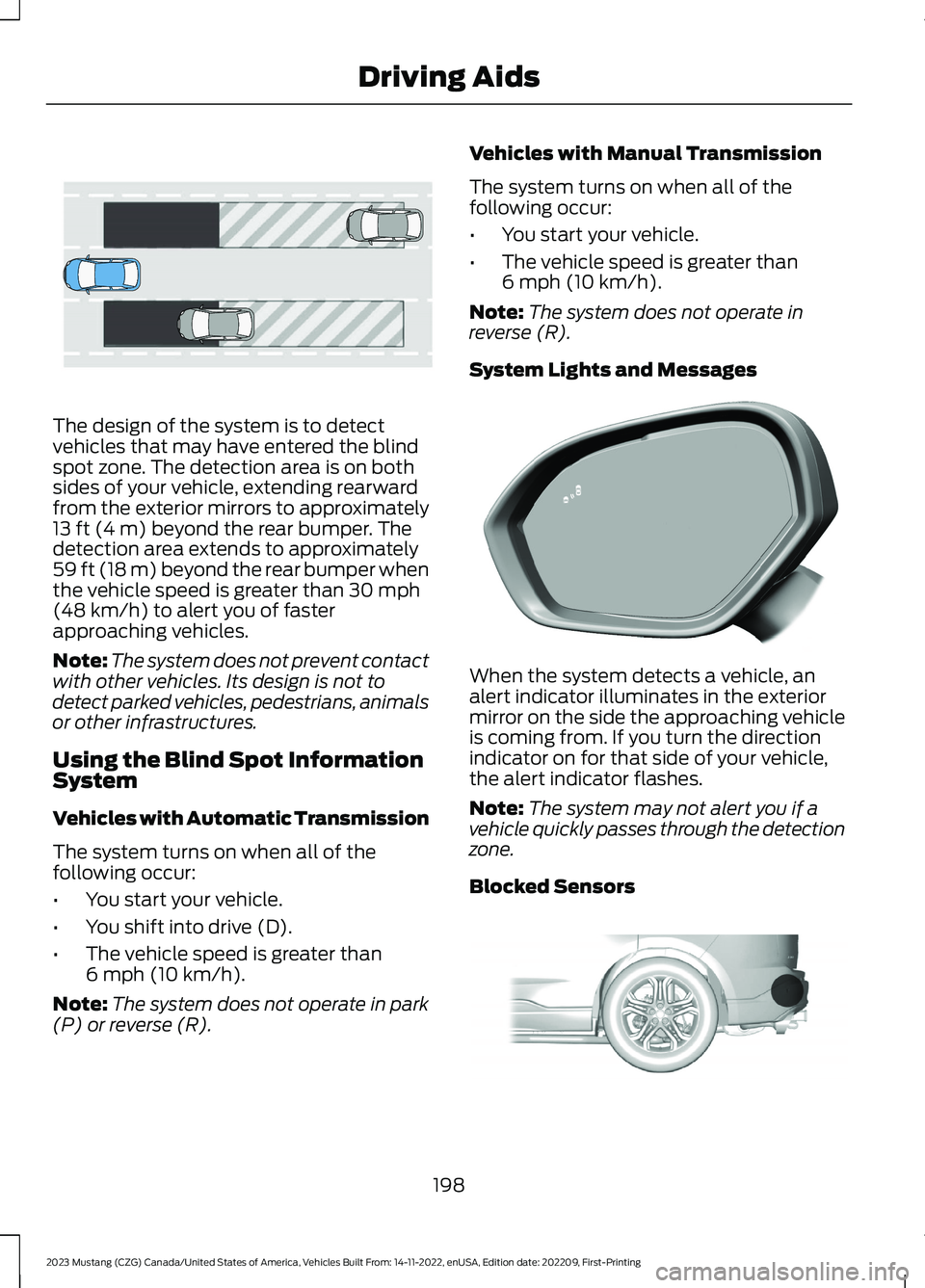
The design of the system is to detectvehicles that may have entered the blindspot zone. The detection area is on bothsides of your vehicle, extending rearwardfrom the exterior mirrors to approximately13 ft (4 m) beyond the rear bumper. Thedetection area extends to approximately59 ft (18 m) beyond the rear bumper whenthe vehicle speed is greater than 30 mph(48 km/h) to alert you of fasterapproaching vehicles.
Note:The system does not prevent contactwith other vehicles. Its design is not todetect parked vehicles, pedestrians, animalsor other infrastructures.
Using the Blind Spot InformationSystem
Vehicles with Automatic Transmission
The system turns on when all of thefollowing occur:
•You start your vehicle.
•You shift into drive (D).
•The vehicle speed is greater than6 mph (10 km/h).
Note:The system does not operate in park(P) or reverse (R).
Vehicles with Manual Transmission
The system turns on when all of thefollowing occur:
•You start your vehicle.
•The vehicle speed is greater than6 mph (10 km/h).
Note:The system does not operate inreverse (R).
System Lights and Messages
When the system detects a vehicle, analert indicator illuminates in the exteriormirror on the side the approaching vehicleis coming from. If you turn the directionindicator on for that side of your vehicle,the alert indicator flashes.
Note:The system may not alert you if avehicle quickly passes through the detectionzone.
Blocked Sensors
198
2023 Mustang (CZG) Canada/United States of America, Vehicles Built From: 14-11-2022, enUSA, Edition date: 202209, First-PrintingDriving AidsE255695 E309221 E205199
Page 207 of 535
Adaptive Learning (If Equipped)
The electronic power steering systemadaptive learning helps correct roadirregularities and improves overall handlingand steering feel. It communicates withthe brake system to help operateadvanced stability control and accidentavoidance systems. Additionally, wheneverthe battery is disconnected or a newbattery installed, you must drive yourvehicle a short distance before the systemrelearns the strategy and reactivates allsystems.
PRE-COLLISION ASSIST (IF
EQUIPPED)
WARNING: You must remain inyour vehicle when the system turns on.At all times, you are responsible forcontrolling your vehicle, supervising thesystem and intervening, if required.Failure to take care may result in the lossof control of your vehicle, seriouspersonal injury or death.
WARNING: The system does notdetect vehicles that are driving in adifferent direction, cyclists or animals.Apply the brakes when necessary. Failureto follow this instruction could result inthe loss of control of your vehicle,personal injury or death.
WARNING: The system does notoperate during hard acceleration orsteering. Failure to take care may leadto a crash or personal injury.
WARNING: The system may fail oroperate with reduced function duringcold and severe weather conditions.Snow, ice, rain, spray and fog canadversely affect the system. Keep thefront camera and radar free of snow andice. Failure to take care may result in theloss of control of your vehicle, seriouspersonal injury or death.
WARNING: Some situations andobjects prevent hazard detection. Forexample low or direct sunlight, inclementweather, unconventional vehicle types,and pedestrians. Apply the brakes whennecessary. Failure to follow thisinstruction could result in the loss ofcontrol of your vehicle, personal injury ordeath.
WARNING: The system cannothelp prevent all crashes. Do not rely onthis system to replace driver judgmentand the need to maintain a safe distanceand speed.
Using the Pre-Collision AssistSystem
The system is active at speeds above3 mph (5 km/h) and pedestrian detectionis active at speeds up to 50 mph(80 km/h).
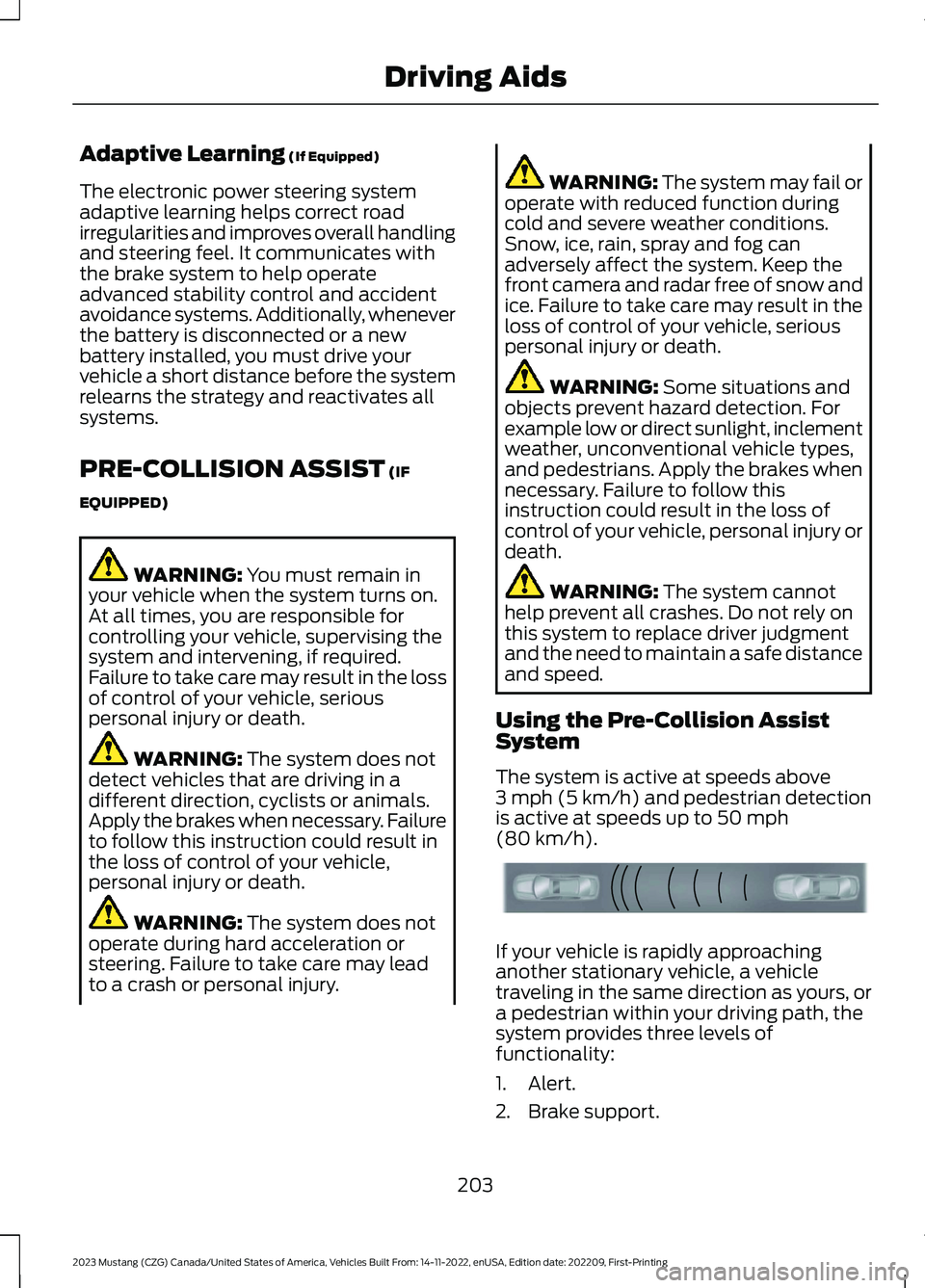
If your vehicle is rapidly approachinganother stationary vehicle, a vehicletraveling in the same direction as yours, ora pedestrian within your driving path, thesystem provides three levels offunctionality:
1.Alert.
2.Brake support.
203
2023 Mustang (CZG) Canada/United States of America, Vehicles Built From: 14-11-2022, enUSA, Edition date: 202209, First-PrintingDriving AidsE156130
Page 208 of 535
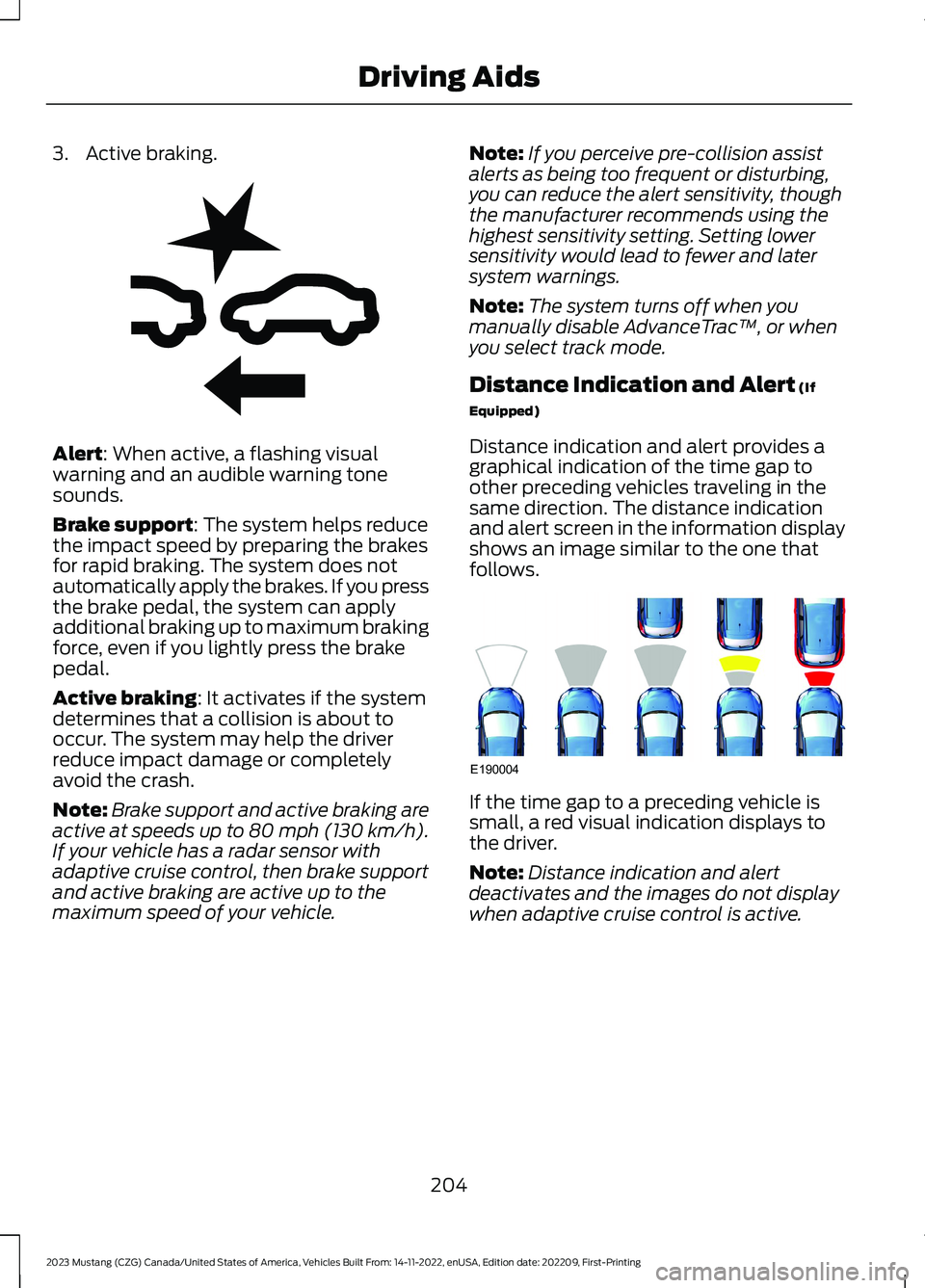
3.Active braking.
Alert: When active, a flashing visualwarning and an audible warning tonesounds.
Brake support: The system helps reducethe impact speed by preparing the brakesfor rapid braking. The system does notautomatically apply the brakes. If you pressthe brake pedal, the system can applyadditional braking up to maximum brakingforce, even if you lightly press the brakepedal.
Active braking: It activates if the systemdetermines that a collision is about tooccur. The system may help the driverreduce impact damage or completelyavoid the crash.
Note:Brake support and active braking areactive at speeds up to 80 mph (130 km/h).If your vehicle has a radar sensor withadaptive cruise control, then brake supportand active braking are active up to themaximum speed of your vehicle.
Note:If you perceive pre-collision assistalerts as being too frequent or disturbing,you can reduce the alert sensitivity, thoughthe manufacturer recommends using thehighest sensitivity setting. Setting lowersensitivity would lead to fewer and latersystem warnings.
Note:The system turns off when youmanually disable AdvanceTrac™, or whenyou select track mode.
Distance Indication and Alert (If
Equipped)
Distance indication and alert provides agraphical indication of the time gap toother preceding vehicles traveling in thesame direction. The distance indicationand alert screen in the information displayshows an image similar to the one thatfollows.
If the time gap to a preceding vehicle issmall, a red visual indication displays tothe driver.
Note:Distance indication and alertdeactivates and the images do not displaywhen adaptive cruise control is active.
204
2023 Mustang (CZG) Canada/United States of America, Vehicles Built From: 14-11-2022, enUSA, Edition date: 202209, First-PrintingDriving AidsE255268 E190004
Page 213 of 535
To create or save MyMode, press thebutton on the steering wheel and accessthe menu. See General Information(page 98).The available systems display.Choose your desired settings using theappropriate buttons and menus. Press andhold OK to save your settings. MyModeadds to the drive mode list and you canselect the next time you drive your vehicle.
Note:The system has diagnostic checksthat continuously monitor the system tomake sure it properly operates. If a mode isunavailable due to a system fault or changein gear position, the selected mode defaultsto normal.
Note:Pre-Collision Assist automaticallydisables when you select track mode. SeePre-Collision Assist (page 203).
Note:If your vehicle has adaptive dampers,the steering setting optimizes to work witheach drive mode. Other steering settingsmay not be available.
Selectable Steering
Press the steering button on theinstrument panel to change thesteering feel. The first pressilluminates the selected mode. Each timeyou press the button, it changes the mode.
Modes:
•Normal - Default factory setting.
•Sport - Slightly higher effort requiredfor steering with more road force feltthrough the steering wheel.
•Comfort - Slightly less effort requiredfor steering with less road force feltthrough the steering wheel.
Note:You may feel a soft feedback bumpin the steering wheel after you make aselection.
Note:The steering setting defaults tonormal if you disconnect or remove thebattery.
Active Exhaust (If Equipped)
Use the information display toadjust the tone of the exhaust.
Active Exhaust modes:
•Quiet - Lowers the noise of the exhaust.
•Normal - Default factory setting.
•Sport - Raises the noise of the exhaust.
•Track - Tunes the exhaust for trackperformance.
Note:The track exhaust mode setting isonly for use at tracks and not for use onpublic roadways. Use of this setting resultsin increased exterior noise, which may notmeet state and local laws and regulations.It is the obligation of the driver to operatethe vehicle in a manner that complies withstate and local requirements. Only use thetrack exhaust mode setting at a competitiontrack or an off-road course where elevatedexterior vehicle noise is acceptable.
Rev Match (If Equipped)
This feature provides a smoother drivingexperience, particularly during a downshiftevent. You can accomplish this by a shiftposition prediction that commands a quickengine RPM match to the selected gear.You can switch this feature on and offthrough the information display. SeeGeneral Information (page 98).
Note:The system remembers your lastselection through ignition cycles.
Note:Rev match is only available with amanual transmission.
209
2023 Mustang (CZG) Canada/United States of America, Vehicles Built From: 14-11-2022, enUSA, Edition date: 202209, First-PrintingDriving AidsE174705 E287122