brakes FORD MUSTANG MACH-E 2021 Owner's Manual
[x] Cancel search | Manufacturer: FORD, Model Year: 2021, Model line: MUSTANG MACH-E, Model: FORD MUSTANG MACH-E 2021Pages: 460, PDF Size: 7.29 MB
Page 242 of 460
System cancellation can also occur if:
•
The lane becomes too narrow.
• The system cannot detect valid lane
markings.
• Lane markings are crossed.
• Your eyes are not on the road or your
hands are not the steering wheel.
If you have your hands on the steering
wheel and your eyes are on the road when
the feature is active and a cancellation
occurs, the system sounds a tone and
displays a cancelled graphic in the
instrument cluster.
If you are not paying attention to the road
or your hands are not on the steering wheel
and a cancellation occurs, the system will
display a message and a tone sounds until
you resume control. If you do not resume
control in time, active drive assist quickly
activates and releases the brakes, and
slows your vehicle down to low speeds
while maintaining steering control. If your
vehicle slows down and you resume
control, a message appears to prompt you
to press the accelerator pedal to allow the
system to resume.
Note: The system disables until the next
key cycle if repeated inactivity is detected.
ACTIVE DRIVE ASSIST
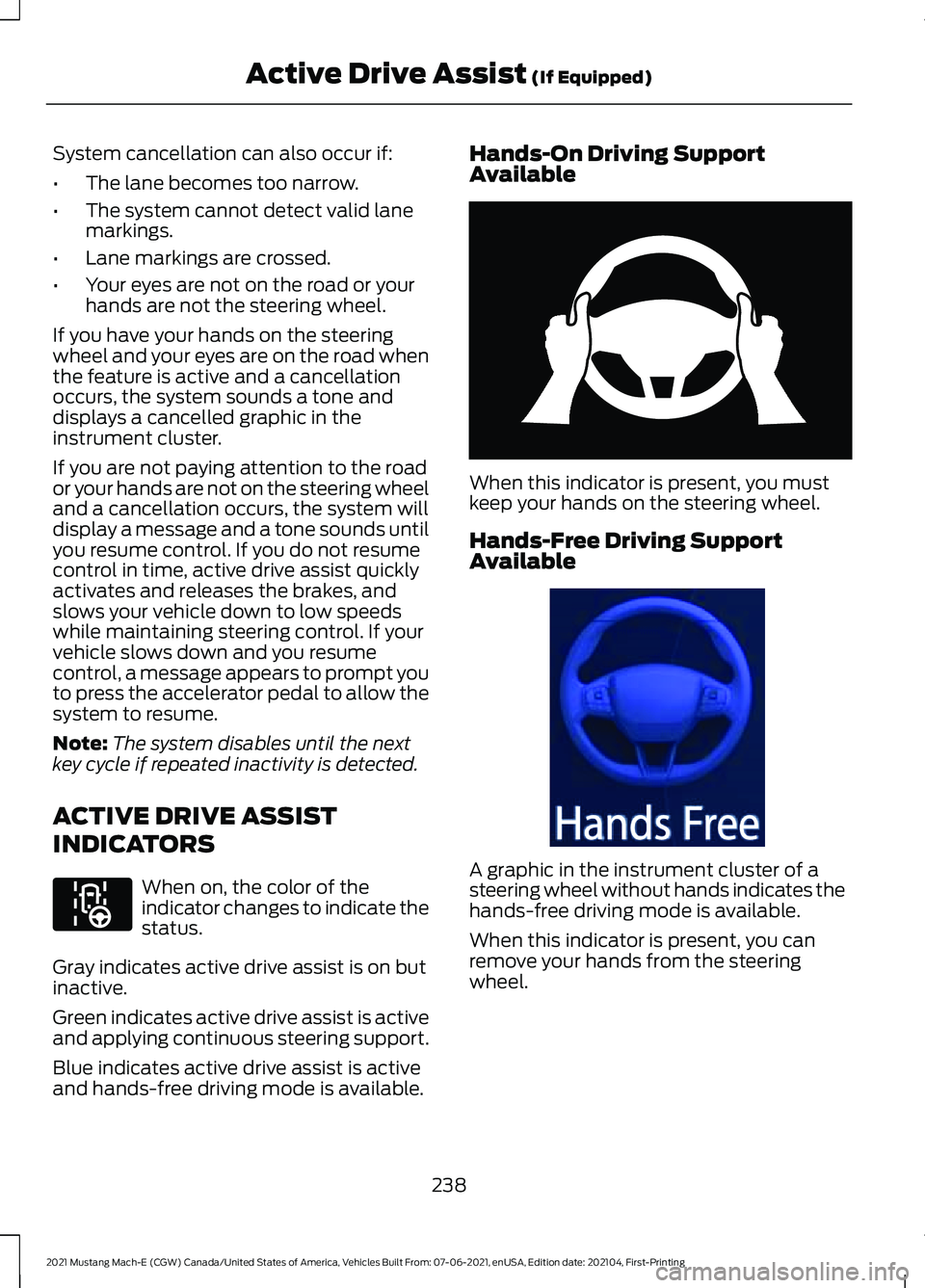
INDICATORS When on, the color of the
indicator changes to indicate the
status.
Gray indicates active drive assist is on but
inactive.
Green indicates active drive assist is active
and applying continuous steering support.
Blue indicates active drive assist is active
and hands-free driving mode is available. Hands-On Driving Support
Available
When this indicator is present, you must
keep your hands on the steering wheel.
Hands-Free Driving Support
Available
A graphic in the instrument cluster of a
steering wheel without hands indicates the
hands-free driving mode is available.
When this indicator is present, you can
remove your hands from the steering
wheel.
238
2021 Mustang Mach-E (CGW) Canada/United States of America, Vehicles Built From: 07-06-2021, enUSA, Edition date: 202104, First-Printing Active Drive Assist (If Equipped)E297977 E333236 E333232
Page 246 of 460
WHAT IS ONE PEDAL DRIVE
One pedal drive allows you to accelerate
and brake using only the accelerator pedal.
Pressing the accelerator down accelerates
your vehicle, releasing pressure on the
accelerator with your foot still on the pedal
slows down your vehicle and releasing the
pedal completely allows your vehicle to
come to a complete stop.
ONE PEDAL DRIVE
PRECAUTIONS
WARNING: This system is an extra
driving aid. It does not replace your
attention and judgment, or the need to
apply the brakes. This system does NOT
automatically brake your vehicle. If you
fail to press the brake pedal when
necessary, you may collide with another
vehicle.
Shifting into neutral (N) does not hold your
vehicle at a standstill.
Shifting into drive (D) or reverse (R) does
not cause the vehicle to move.
Note: Always check the transmission
selection before accelerating.
ONE PEDAL DRIVE
LIMITATIONS
One pedal drive is unavailable when any
of the following occur:
• Shifting into an incorrect transmission
position, such as park (P) when driving.
• Using active park assist.
• Using cruise control.
Releasing the accelerator pedal may not
bring your vehicle to a complete stop at
high speeds and steep grades. SWITCHING ONE PEDAL DRIVE
ON AND OFF
1. Access the vehicle drawer on the
touchscreen.
2. Press
CONTROLS.
3. Press
Drive Modes.
4. Switch
1-Pedal Drive on or off.
ONE PEDAL DRIVE
INDICATORS When one pedal drive is active,
the indicator displays in the
instrument cluster.
242
2021 Mustang Mach-E (CGW) Canada/United States of America, Vehicles Built From: 07-06-2021, enUSA, Edition date: 202104, First-Printing One Pedal Drive1E328584
Page 261 of 460
WHAT IS PRE-COLLISION
ASSIST
Pre-collision assist detects and warns of
approaching hazards in the roadway. If
your vehicle is rapidly approaching another
stationary vehicle, a vehicle traveling in the
same direction as yours, or a pedestrian
within your driving path, the system
provides multiple levels of assistance to
help avoid a collision.
HOW DOES PRE-COLLISION
ASSIST WORK
The system warns the driver of potential
hazards by providing three levels of
assistance.
If your vehicle is rapidly approaching
potential hazards the system provides the
following levels of functionality:
1. Alert.
2. Brake Support.
3. Automatic Emergency Braking.
Alert: When active, a flashing
visual warning appears and an
audible warning tone sounds.
Brake Support
: The system is designed
to help reduce the impact speed by
preparing the brakes for rapid braking. The
system does not automatically apply the
brakes. If you press the brake pedal, the
system could apply additional braking up
to maximum braking force, even if you
lightly press the brake pedal.
Automatic Emergency Braking
:
Automatic emergency braking may
activate if the system determines that a
collision is imminent. Note:
If you perceive pre-collision assist
alerts as being too frequent or disturbing,
then you can reduce the alert sensitivity,
although the manufacturer recommends
using the highest sensitivity setting where
possible. Setting lower sensitivity would
lead to fewer and later system warnings.
Each system has various levels of
detection capabilities. See Pre-Collision
Assist Limitations
(page 258).
PRE-COLLISION ASSIST
PRECAUTIONS WARNING: You are responsible for
controlling your vehicle at all times. The
system is designed to be an aid and does
not relieve you of your responsibility to
drive with due care and attention. Failure
to follow this instruction could result in
the loss of control of your vehicle,
personal injury or death. WARNING:
The system does not
detect vehicles moving in a different
direction or animals. Apply the brakes
when necessary. Failure to follow this
instruction could result in the loss of
control of your vehicle, personal injury or
death. WARNING:
The system does not
operate during hard acceleration or
steering. Failure to take care may lead
to a crash or personal injury. WARNING: The system may fail or
operate with reduced function during
cold and severe weather conditions.
Snow, ice, rain, spray and fog can
adversely affect the system. Keep the
front camera and radar free of snow and
ice. Failure to take care may result in the
loss of control of your vehicle, serious
personal injury or death.
257
2021 Mustang Mach-E (CGW) Canada/United States of America, Vehicles Built From: 07-06-2021, enUSA, Edition date: 202104, First-Printing Pre-Collision AssistE156130 E329466
Page 266 of 460
SWITCHING AUTOMATIC
EMERGENCY BRAKING ON AND
OFF
To switch the system on or off:
1. Access the vehicle drawer.
2. Press SETTINGS.
3. Press
Driver Assistance.
4. Press
Pre-Collision Assist.
5. Press
Automatic Emergency Braking.
6. Switch the feature on or off.
EVASIVE STEERING ASSIST
WHAT IS EVASIVE STEERING
ASSIST
If your vehicle is rapidly approaching a road
user, evasive steering assist helps you steer
around the road user.
After you turn the steering wheel in an
attempt to avoid a crash with the road
user, the system applies additional steering
torque to help you steer around the road
user. After you pass the road user, the
system applies steering torque when you
turn the steering wheel to steer back into
the lane. The system deactivates after you
fully pass the road user.
Note: Road users are defined as
pedestrians in your vehicle's path or another
stationary vehicle in the same lane or a
vehicle traveling in the same lane in the
same direction as you. See
Pre-Collision
Assist Precautions (page 257). EVASIVE STEERING ASSIST
LIMITATIONS
Evasive steering assist only activates when
all the following occur:
•
Automatic emergency braking and
evasive steering assist are on.
• The system detects a road user ahead
and starts to apply the brakes.
• You significantly turn the steering
wheel to steer around a road user.
Note: Evasive steering assist does not
automatically steer around a road user. If
you do not turn the steering wheel, evasive
steering assist does not activate.
Note: Evasive steering assist does not
activate if the distance to the road user
ahead is too small and the system cannot
avoid a crash.
Note: Evasive steering does not activate
with cyclists.
SWITCHING EVASIVE STEERING
ASSIST ON AND OFF
To switch the system on or off:
1. Access the vehicle drawer.
2. Press
SETTINGS.
3. Press
Driver Assistance.
4. Press
Pre-Collision Assist.
5. Switch
Evasive Steering on or off.
Note: If you switch automatic emergency
braking off, evasive steering assist turns off.
Note: Automatic emergency braking and
evasive steering assist turn on every time
you switch the power on.
262
2021 Mustang Mach-E (CGW) Canada/United States of America, Vehicles Built From: 07-06-2021, enUSA, Edition date: 202104, First-Printing Pre-Collision Assist
Page 285 of 460
DRIVING THROUGH MUD AND
WATER
Mud
Be cautious of sudden changes in vehicle
speed or direction when you are driving in
mud. Even all-wheel drive and four-wheel
drive vehicles can lose traction in mud. If
your vehicle slides, steer in the direction of
the slide until you regain control of your
vehicle. After driving through mud, clean
off residue stuck to rotating driveshafts
and tires. Excess residue can cause an
imbalance that could damage drive
components.
Note:
If your vehicle gets stuck in mud, it
could be rocked out by shifting between
forward and reverse gears, stopping
between shifts in a steady pattern. Press
lightly on the accelerator in each gear.
Water
If you must drive through water approach
it cautiously. See Driving Through
Shallow Water (page 282).
DRIVING ON HILLY OR SLOPING
TERRAIN
Although natural obstacles could make it
necessary to travel diagonally up or down
a hill or steep incline, you should try to drive
straight up or straight down.
Note: Avoid turning on steep slopes or hills.
A danger lies in losing traction, slipping
sideways and possible vehicle roll over.
Whenever driving on a hill, determine
beforehand the route you can use. Do not
drive over the crest of a hill without seeing
what conditions are on the other side. Do
not drive in reverse over a hill without the
aid of an observer. Apply just enough power to the wheels to
climb the hill. Too much power causes the
tires to slip, spin or lose traction, and you
could lose control of your vehicle. When
descending a steep hill, do not descend
the hill in neutral. Avoid sudden hard
braking to keep the front wheels rolling and
to maintain your vehicle's steering.
Note:
Your vehicle has anti-lock brakes,
apply the brakes steadily. Do not pump the
brakes.
Note: If your vehicle gets stuck driving on
hilly or sloping terrain, it could be rocked out
by shifting between forward and reverse
gears, stopping between shifts in a steady
pattern. Press lightly on the accelerator in
each gear.
DRIVING IN SAND
When driving over sand, try to keep all four
wheels on the most solid area of the trail.
Shift to a lower gear and drive steadily
through the terrain. Apply the accelerator
slowly and avoid excessive wheel slip. Do
not drive your vehicle in deep sand for an
extended period of time. This could
overheat the system. A message appears
in the information display. See All-Wheel
Drive – Information Messages
(page
186).
Note: If your vehicle gets stuck driving on
hilly or sloping terrain, it could be rocked out
by shifting between forward and reverse
gears, stopping between shifts in a steady
pattern. Press lightly on the accelerator in
each gear.
281
2021 Mustang Mach-E (CGW) Canada/United States of America, Vehicles Built From: 07-06-2021, enUSA, Edition date: 202104, First-Printing Driving Hints
Page 287 of 460
•
Lightly press the brake pedal to dry the
brakes and to check that they work.
• Turn the steering wheel to check that
the steering power assist works.
Check the function of the following:
• Horn
• Exterior lights
FLOOR MATS WARNING: Use a floor mat
designed to fit the footwell of your
vehicle that does not obstruct the pedal
area. Failure to follow this instruction
could result in the loss of control of your
vehicle, personal injury or death. WARNING:
Pedals that cannot
move freely can cause loss of vehicle
control and increase the risk of serious
personal injury. WARNING:
Secure the floor mat
to both retention devices so that it
cannot slip out of position and interfere
with the pedals. Failure to follow this
instruction could result in the loss of
control of your vehicle, personal injury or
death. WARNING: Do not place additional
floor mats or any other covering on top
of the original floor mats. This could
result in the floor mat interfering with the
operation of the pedals. Failure to follow
this instruction could result in the loss of
control of your vehicle, personal injury or
death. WARNING:
Always make sure that
objects cannot fall into the driver foot
well while your vehicle is moving. Objects
that are loose can become trapped
under the pedals causing a loss of
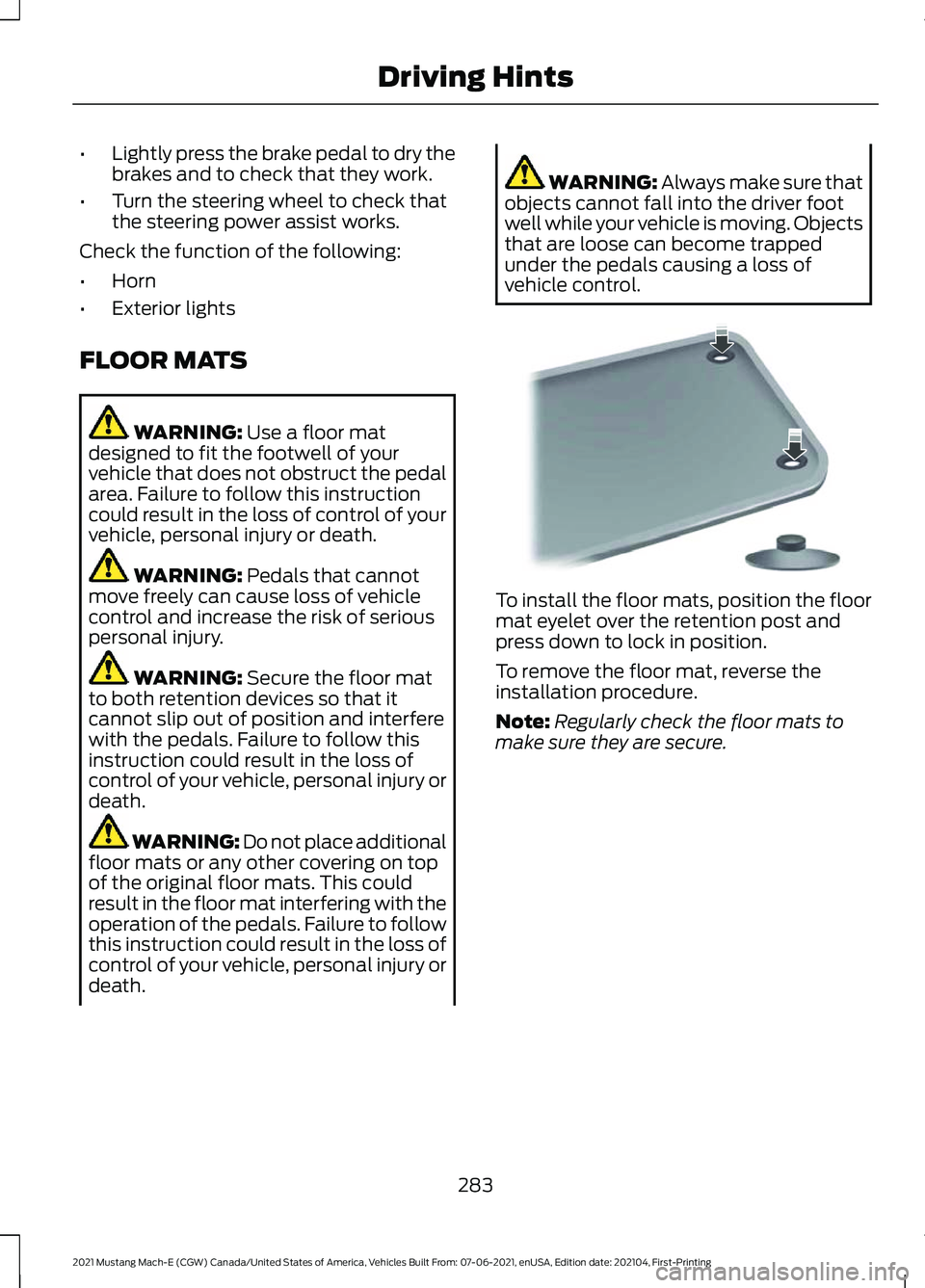
vehicle control. To install the floor mats, position the floor
mat eyelet over the retention post and
press down to lock in position.
To remove the floor mat, reverse the
installation procedure.
Note:
Regularly check the floor mats to
make sure they are secure.
283
2021 Mustang Mach-E (CGW) Canada/United States of America, Vehicles Built From: 07-06-2021, enUSA, Edition date: 202104, First-Printing Driving HintsE142666
Page 319 of 460
PREPARING YOUR VEHICLE
FOR STORAGE
If you plan on storing your vehicle for 30
days or more, read the following
maintenance recommendations to make
sure your vehicle stays in good operating
condition.
We engineer and test all vehicles and their
components for reliable, regular driving.
Under various conditions, long-term
storage may lead to degraded
performance or failure unless you use
specific precautions to preserve vehicle
components.
General
•
Store all vehicles in a dry, ventilated
place.
• Protect from sunlight, if possible.
• If vehicles are stored outside, they
require regular maintenance to protect
against rust and damage.
Body
• Wash your vehicle thoroughly to
remove dirt, grease, oil, tar or mud from
exterior surfaces, rear-wheel housing
and the underside of front fenders.
• Periodically wash your vehicle if it is
stored in exposed locations.
• Touch-up exposed or primed metal to
prevent rust.
• Cover chrome and stainless steel parts
with a thick coat of auto wax to prevent
discoloration. Re-wax as necessary
when you wash your vehicle.
• Lubricate all hood, door and luggage
compartment hinges and latches with
a light grade oil.
• Cover interior trim to prevent fading.
• Keep all rubber parts free from oil and
solvents. Cooling system
•
Protect against freezing temperatures.
• When removing your vehicle from
storage, check coolant fluid level.
Confirm that there are no cooling
system leaks and that fluid is at the
recommended level.
Battery Systems
We recommend the following actions for
your vehicle:
• When storing your vehicle for greater
than 30 days the state of charge
should be approximately 50%.
Additionally we recommend
disconnecting the 12v battery which
will reduce system loads on the HV
battery.
Brakes
• Make sure the brakes and parking brake
release fully.
Tires
• Maintain recommended air pressure.
Miscellaneous
• Make sure all linkages, cables, levers
and pins under your vehicle are covered
with grease to prevent rust.
• Move vehicles at least 25 ft (7.5 m)
every 15 days to lubricate working parts
and prevent corrosion.
315
2021 Mustang Mach-E (CGW) Canada/United States of America, Vehicles Built From: 07-06-2021, enUSA, Edition date: 202104, First-Printing Storing Your Vehicle
Page 441 of 460
1
12V Battery.....................................................306
Changing the 12V Battery............................... 306
Charging the 12V Battery................................ 306
12V Battery – Troubleshooting
..............306
12V Battery – Information Messages.........307
12V Battery – Warning Lamps...................... 306
3
360 Degree Camera
....................................215
360 Degree Camera Settings......................... 217
360 Degree Camera Guide Lines...........216
360 Degree Camera Limitations
............215
360 Degree Camera Precautions...........215
360 Degree Camera Settings...................217 Switching the 360 Degree Camera On and
Off........................................................................\
217
Switching the 360 Degree Camera View..................................................................... 217
9
911 Assist
...........................................................64
A
A/C See: Climate Control.......................................... 127
About This Publication..................................17
ABS See: Brakes............................................................ 187
Accessing Apps
.............................................377
Accessing Feature Drawers.....................368
Accessing Navigation
.................................383
Accessing the Passive Key Backup Position.........................................................156
Accessing the Trip Computer
...................124
Accessories....................................................387
AC Charging....................................................169 Connecting the Charger................................... 169
Stopping Charging............................................... 171
Active Drive Assist.......................................235 Active Drive Assist –
Troubleshooting............................................ 239
Active Drive Assist Alerts...........................237 Active Drive Assist Automatic
Cancellation................................................237
Active Drive Assist Indicators..................238
Active Drive Assist Limitations...............236
Active Drive Assist Precautions..............235
Active Drive Assist Requirements
.........236
Active Drive Assist Settings.....................236
Active Drive Assist – Troubleshooting........................................
239
Active Drive Assist – Information
Messages......................................................... 239
Active Park Assist.........................................218 Active Park Assist –
Troubleshooting............................................ 220
Active Park Assist Precautions................218
Active Park Assist – Troubleshooting........................................220
Active Park Assist – Frequently Asked Questions........................................................ 220
Active Park Assist – Information Messages......................................................... 220
Adaptive Cruise Control.............................222 Adaptive Cruise Control –
Troubleshooting............................................ 232
Intelligent Adaptive Cruise Control..............231
Lane Centering.................................................... 229
Adaptive Cruise Control Automatic Cancellation................................................225
Adaptive Cruise Control Indicators.......228
Adaptive Cruise Control Limitations...................................................222
Adaptive Cruise Control Precautions.................................................222
Adaptive Cruise Control – Troubleshooting........................................232
Adaptive Cruise Control – Information Messages......................................................... 232
Adjusting the Exterior Mirrors....................116
Adjusting the Headlamps.........................307
Adjusting the Instrument Panel Lighting Brightness......................................................112
Adjusting the Luggage Compartment Load Floor
....................................................278
Adjusting the Map.......................................383
Changing the Format of the Map................383
Zooming the Map In and Out........................ 383
Adjusting the Seatbelt Height...................49
437
2021 Mustang Mach-E (CGW) Canada/United States of America, Vehicles Built From: 07-06-2021, enUSA, Edition date: 202104, First-Printing Index
Page 444 of 460
Locating the Body Control Module Fuse
Box..................................................................... 299
Body Styling Kit Precautions....................314
Body Styling Kits...........................................314
Bonnet Lock See: Opening and Closing the Hood..........303
Booster Seats..................................................43
Brake Fluid Specification..........................188
Brake Over Accelerator...............................187
Brake Precautions........................................187
Brakes................................................................187 Anti-Lock Braking System............................... 187
Brakes – Troubleshooting............................... 188
Brakes – Troubleshooting.........................188 Brakes – Frequently Asked
Questions......................................................... 188
Brakes – Warning Lamps................................ 188
Breaking-In....................................................280
C
Calculating Payload
....................................272
Calculating the Load Limit.......................273
Canceling the Set Speed...........................227
Capacities and Specifications
................344
Center Console - GT......................................28
Center Display Limitations......................366
Center Display Overview
..........................366
Center Display Precautions.....................366
Changing a Road Wheel...........................343
Changing the Remote Control Battery.............................................................67
Changing the Vehicle Wi-Fi Hotspot Name or Password
..................................354
Charge Port Indicators...............................168
Charging a Device........................................150
Charging a Wireless Device.......................152
Charging Equipment
...................................159
Charging Your Vehicle.................................159 AC Charging.......................................................... 169
Charging Your Vehicle – Troubleshooting............................................ 180
DC Charging........................................................... 172
Charging Your Vehicle Hints.....................180
Charging Your Vehicle Precautions........159 Charging Your Vehicle –
Troubleshooting........................................180
Charging Your Vehicle – Frequently Asked Questions......................................................... 182
Charging Your Vehicle – Information Messages........................................................... 181
Charging Your Vehicle – Warning Lamps................................................................ 180
Checking MyKey System Status...............75
Checking the Brake Fluid...........................187
Checking the Coolant
................................304
Checking the Seatbelts.................................51
Checking the Tire Pressures....................329
Checking the Wiper Blades......................102
Children and Airbags
.....................................57
Child Restraint Anchor Points...................36
Locating the Child Restraint Lower Anchor
Points................................................................... 36
Locating the Child Restraint Top Tether Anchor Points.................................................... 37
What Are the Child Restraint Anchor Points................................................................... 36
Child Restraints...............................................37 Child Restraint Position Information.............37
Child Restraints Recommendation...............38
Child Safety
......................................................35
Child Restraint Anchor Points......................... 36
Child Restraints..................................................... 37
Installing Child Restraints................................. 38
Child Safety Locks.........................................45
Child Safety Precautions.............................35
Cleaning Products
......................................309
Cleaning the Exterior...................................310 Cleaning Camera Lenses and Sensors........311
Cleaning Chrome, Aluminium or Stainless
Steel................................................................... 310
Cleaning Headlamps and Rear Lamps................................................................ 310
Cleaning Stripes or Graphics........................... 311
Cleaning the Exterior Precautions...............310
Cleaning the Underbody................................... 311
Cleaning Wheels................................................. 310
Cleaning Windows and Wiper Blades........310
Cleaning the Interior
.....................................311
Cleaning Carpets and Floor Mats.................312
Cleaning Displays and Screens..................... 312
Cleaning Plastic................................................... 312
Cleaning Seatbelts............................................. 313
440
2021 Mustang Mach-E (CGW) Canada/United States of America, Vehicles Built From: 07-06-2021, enUSA, Edition date: 202104, First-Printing Index