active drive assist FORD MUSTANG MACH-E 2021 Owners Manual
[x] Cancel search | Manufacturer: FORD, Model Year: 2021, Model line: MUSTANG MACH-E, Model: FORD MUSTANG MACH-E 2021Pages: 460, PDF Size: 7.29 MB
Page 11 of 460

Stability Control
How Does Stability Control Work
.........201
Switching Stability Control On and Off ........................................................................\
202
Stability Control Indicator .......................
204
Steering
Electric Power Steering ............................
205
Steering – Troubleshooting ....................
206
Parking Aids
Parking Aid Precautions ...........................
207
Switching Parking Aid On and Off ........
207
Rear Parking Aid .........................................
208
Front Parking Aid ........................................
208
Side Parking Aid ..........................................
209
Parking Aid Indicators .................................
211
Parking Aids – Troubleshooting ..............
211
Rear View Camera
What Is the Rear View Camera ...............
212
Rear View Camera Precautions ..............
212
Locating the Rear View Camera .............
212
Rear View Camera Guide Lines ..............
212
Rear View Camera Object Distance Indicators ....................................................
213
Rear View Camera Settings .....................
213
360 Degree Camera
What Is the 360 Degree Camera ...........
215
How Does the 360 Degree Camera Work ........................................................................\
.
215
360 Degree Camera Precautions ..........
215
360 Degree Camera Limitations ...........
215
Locating the 360 Degree Cameras .......
216
360 Degree Camera Guide Lines ..........
216
360 Degree Camera Settings ..................
217
Active Park Assist
What Is Active Park Assist ........................
218How Does Active Park Assist Work
.......
218
Active Park Assist Precautions ...............
218
Switching Active Park Assist On and Off ........................................................................\
.
218
Entering a Parallel Parking Space .........
218
Entering a Perpendicular Parking Space ........................................................................\
.
219
Exiting a Parking Space .............................
219
Active Park Assist – Troubleshooting ........................................................................\
220
Adaptive Cruise Control
How Does Adaptive Cruise Control With Stop and Go Work ..................................
222
Adaptive Cruise Control Precautions ........................................................................\
222
Adaptive Cruise Control Limitations ........................................................................\
222
Switching Adaptive Cruise Control On and Off ........................................................
224
Adaptive Cruise Control Automatic Cancellation ..............................................
225
Setting the Adaptive Cruise Control Speed ..........................................................
225
Setting the Adaptive Cruise Control Gap ........................................................................\
226
Canceling the Set Speed ..........................
227
Resuming the Set Speed ..........................
227
Overriding the Set Speed ........................
228
Adaptive Cruise Control Indicators ......
228
Switching From Adaptive Cruise Control to Cruise Control .....................................
228
Lane Centering ............................................
229
Intelligent Adaptive Cruise Control .......
231
Adaptive Cruise Control – Troubleshooting ......................................
232
Active Drive Assist
What Is Active Drive Assist ......................
235
How Does Active Drive Assist Work ......
235
Active Drive Assist Precautions .............
235
Active Drive Assist Requirements ........
236
7
2021 Mustang Mach-E (CGW) Canada/United States of America, Vehicles Built From: 07-06-2021, enUSA, Edition date: 202104, First-Printing Table of Contents
Page 12 of 460
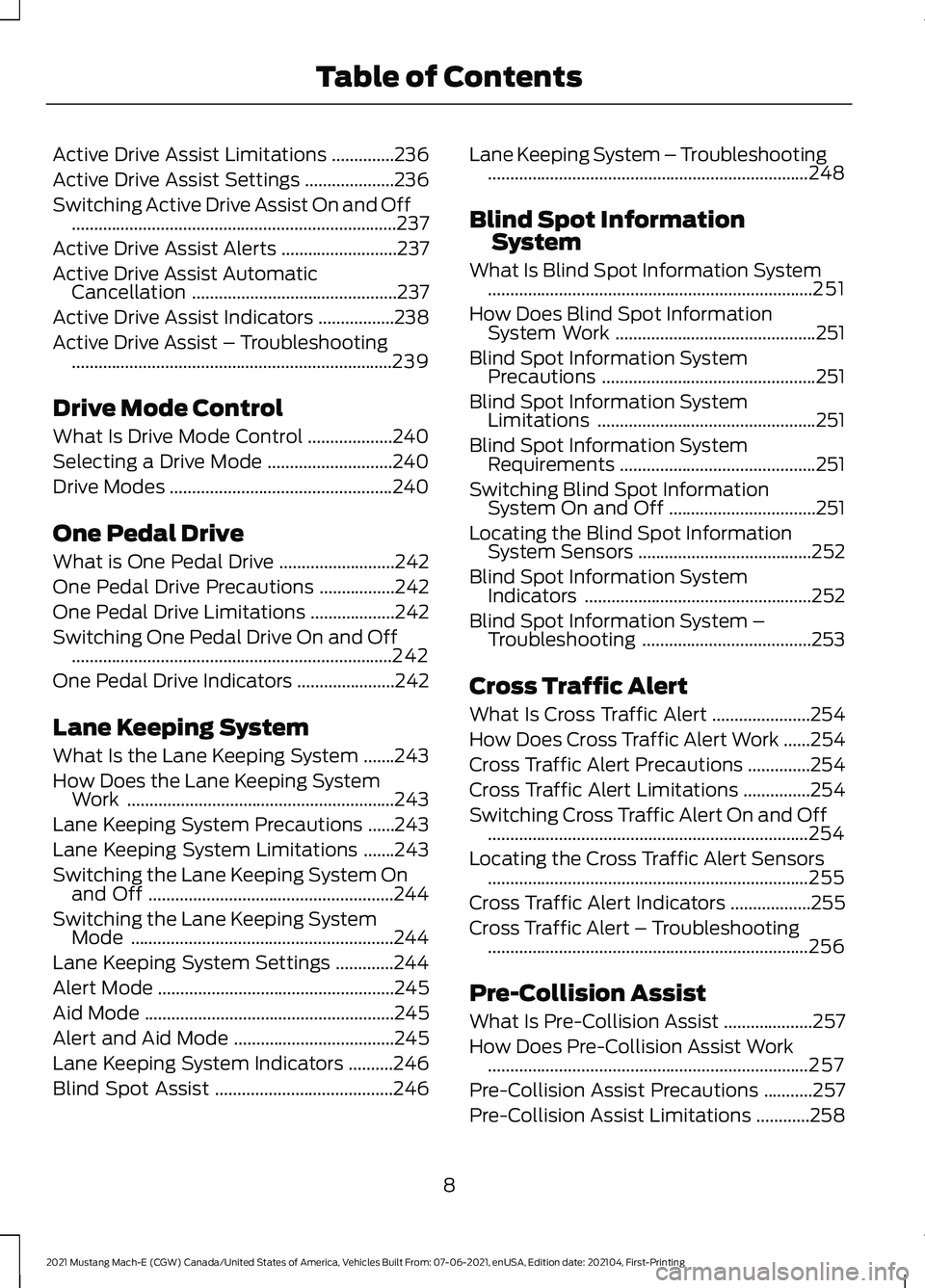
Active Drive Assist Limitations
..............236
Active Drive Assist Settings ....................
236
Switching Active Drive Assist On and Off ........................................................................\
.
237
Active Drive Assist Alerts ..........................
237
Active Drive Assist Automatic Cancellation ..............................................
237
Active Drive Assist Indicators .................
238
Active Drive Assist – Troubleshooting ........................................................................\
239
Drive Mode Control
What Is Drive Mode Control ...................
240
Selecting a Drive Mode ............................
240
Drive Modes ..................................................
240
One Pedal Drive
What is One Pedal Drive ..........................
242
One Pedal Drive Precautions .................
242
One Pedal Drive Limitations ...................
242
Switching One Pedal Drive On and Off ........................................................................\
242
One Pedal Drive Indicators ......................
242
Lane Keeping System
What Is the Lane Keeping System .......
243
How Does the Lane Keeping System Work ............................................................
243
Lane Keeping System Precautions ......
243
Lane Keeping System Limitations .......
243
Switching the Lane Keeping System On and Off .......................................................
244
Switching the Lane Keeping System Mode ...........................................................
244
Lane Keeping System Settings .............
244
Alert Mode .....................................................
245
Aid Mode ........................................................
245
Alert and Aid Mode ....................................
245
Lane Keeping System Indicators ..........
246
Blind Spot Assist ........................................
246Lane Keeping System – Troubleshooting
........................................................................\
248
Blind Spot Information System
What Is Blind Spot Information System ........................................................................\
.
251
How Does Blind Spot Information System Work .............................................
251
Blind Spot Information System Precautions ................................................
251
Blind Spot Information System Limitations .................................................
251
Blind Spot Information System Requirements ............................................
251
Switching Blind Spot Information System On and Off .................................
251
Locating the Blind Spot Information System Sensors .......................................
252
Blind Spot Information System Indicators ...................................................
252
Blind Spot Information System – Troubleshooting ......................................
253
Cross Traffic Alert
What Is Cross Traffic Alert ......................
254
How Does Cross Traffic Alert Work ......
254
Cross Traffic Alert Precautions ..............
254
Cross Traffic Alert Limitations ...............
254
Switching Cross Traffic Alert On and Off ........................................................................\
254
Locating the Cross Traffic Alert Sensors ........................................................................\
255
Cross Traffic Alert Indicators ..................
255
Cross Traffic Alert – Troubleshooting ........................................................................\
256
Pre-Collision Assist
What Is Pre-Collision Assist ....................
257
How Does Pre-Collision Assist Work ........................................................................\
257
Pre-Collision Assist Precautions ...........
257
Pre-Collision Assist Limitations ............
258
8
2021 Mustang Mach-E (CGW) Canada/United States of America, Vehicles Built From: 07-06-2021, enUSA, Edition date: 202104, First-Printing Table of Contents
Page 27 of 460
Note:
Event data recorder data is recorded
by your vehicle only if a non-trivial crash
situation occurs; no data is recorded by the
event data recorder under normal driving
conditions and no personal data or
information (for example name, gender,
age, and crash location) is recorded.
However, parties, such as law enforcement,
could combine the event data recorder data
with the type of personally identifying data
routinely acquired during a crash
investigation.
To read data recorded by an event data
recorder, special equipment is required,
and access to the vehicle or the event data
recorder is needed. In addition to the
vehicle manufacturer, other parties, such
as law enforcement, that have such special
equipment, can read the information if they
have access to the vehicle or the event
data recorder.
Active Drive Assist Driver Facing
Camera Data (If Equipped)
If active drive assist is active in certain
crash or near crash-like situations, such as
an airbag deployment or hitting a road
obstacle, the system may record driver
attentiveness, based on the direction of
eyes and duration, and photographs of the
driver seat area.
Note: No data is recorded under normal
driving conditions.
SETTINGS DATA
Your vehicle has electronic control units
that have the ability to store data based
on your personalized settings. The data is
stored locally in the vehicle or on devices
that you connect to it, for example, a USB
drive or digital music player. You can delete
some of this data and also choose whether
to share it through the services to which
you subscribe. Comfort and Convenience Data
Data recorded includes, for example:
•
Seat and steering wheel positions.
• Climate control settings.
• Radio presets.
Entertainment Data
Data recorded includes, for example:
• Music, videos or album art.
• Contacts and corresponding address
book entries.
• Navigation destinations.
CONNECTED VEHICLE DATA The modem has a SIM. The
modem was enabled when your
vehicle was built and periodically
sends messages to stay connected to the
cell phone network, receive automatic
software updates and send vehicle-related
information to us, for example diagnostic
information. These messages could
include information that identifies your
vehicle, the SIM and the electronic serial
number of the modem. Cell phone network
service providers could have access to
additional information, for example, cell
phone network tower identification. For
additional information about our privacy
policy, visit www.FordConnected.com or
refer to your local Ford website.
Note: The modem continues to send this
information unless you disable the modem
or stop the modem from sharing vehicle
data by changing the modem settings.
See
Connected Vehicle (page 350).
Note: The service can be unavailable or
interrupted for a number of reasons, for
example, environmental or topographical
conditions and data plan coverage.
Note: To find out if your vehicle has a
modem, visit www.FordConnected.com.
23
2021 Mustang Mach-E (CGW) Canada/United States of America, Vehicles Built From: 07-06-2021, enUSA, Edition date: 202104, First-Printing Data Privacy
Page 202 of 460
HOW DOES AUTO HOLD WORK
Auto Hold applies the brakes to hold your
vehicle after you stop it and release the
brake pedal. This can help when waiting
on a hill or in traffic.
SWITCHING AUTO HOLD ON
AND OFF
WARNING: The system does not
replace the parking brake. When you
leave your vehicle, always apply the
parking brake. WARNING:
You must remain in
your vehicle when the system turns on.
At all times, you are responsible for
controlling your vehicle, supervising the
system and intervening, if required.
Failure to take care may result in the loss
of control of your vehicle, serious
personal injury or death.
You can switch the system on or off by
accessing the menu in the touchscreen.
1. Access the application drawer on the touchscreen.
2. Press
Settings on the touchscreen.
3. Press
Driver Assistance.
Note: You can only switch the system on
after you close the driver door.
Note: The system remembers the last
setting when you start your vehicle.
Note: Make sure you switch the system off
before using an automatic car wash.
USING AUTO HOLD
1. Bring your vehicle to a complete stop. The auto hold active indicator
illuminates in the information display. 2. Release the brake pedal. The system
holds your vehicle at a standstill. The
auto hold active indicator remains
illuminated in the information display.
3. Pull away in the normal manner. The system releases the brakes and the
auto hold active indicator switches off.
Note: The system only activates if you
apply enough brake pressure on the brake
pedal.
Note: Under certain conditions, the system
could apply the electric parking brake. The
brake system warning lamp illuminates. The
electric parking brake releases when you
press the accelerator pedal. See
Automatically Releasing the Electric
Parking Brake
(page 190).
Note: The system switches off if you shift
into reverse (R) and press the brake pedal.
There could be actions that can cause the
auto hold system not to work when the
following occur:
• When you use active park assist.
• Your vehicle is in stay in neutral mode.
• The driver door is open.
• You shift into reverse (R) before the
system is active.
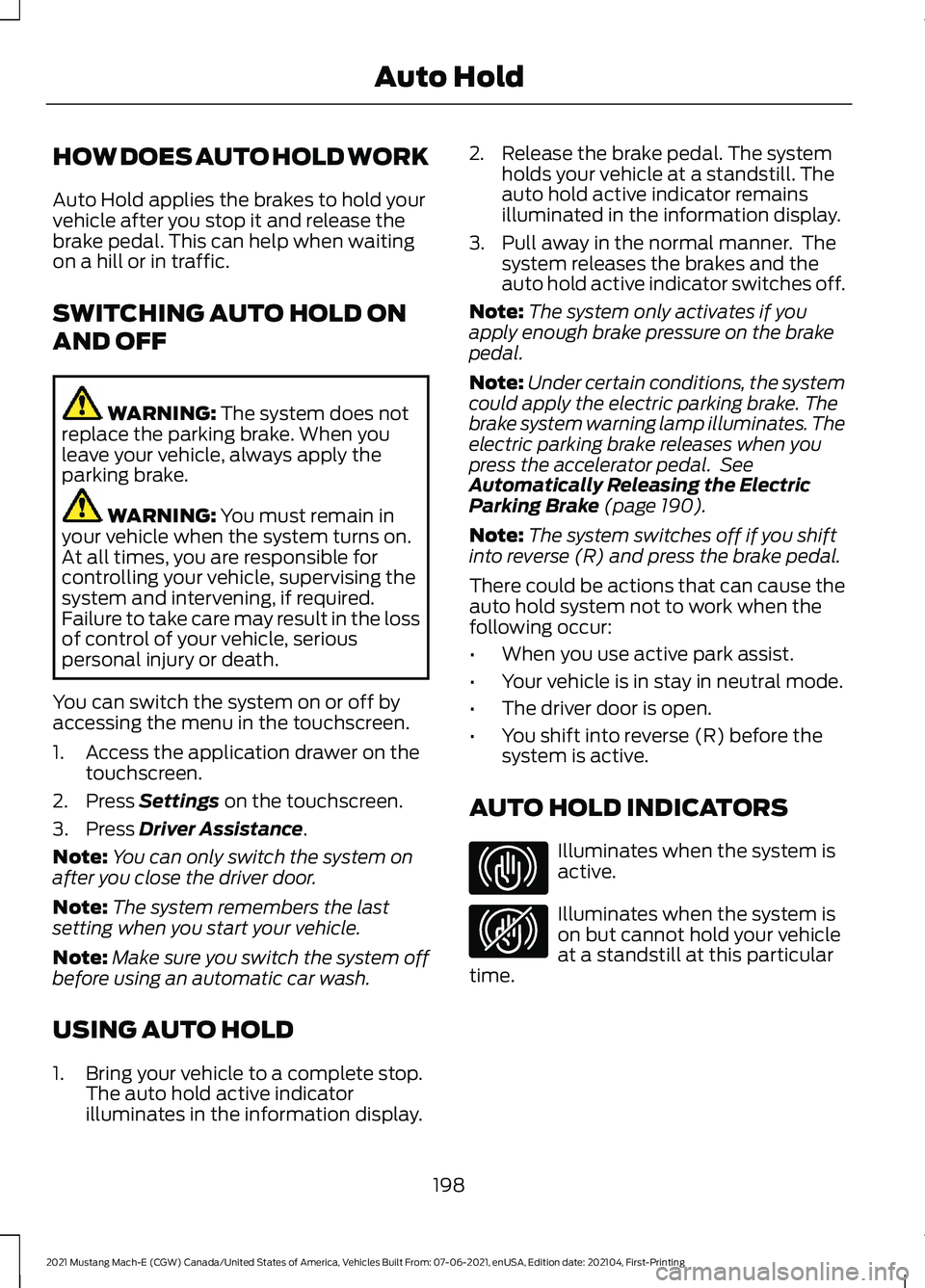
AUTO HOLD INDICATORS Illuminates when the system is
active.
Illuminates when the system is
on but cannot hold your vehicle
at a standstill at this particular
time.
198
2021 Mustang Mach-E (CGW) Canada/United States of America, Vehicles Built From: 07-06-2021, enUSA, Edition date: 202104, First-Printing Auto HoldE323448 E323449
Page 217 of 460
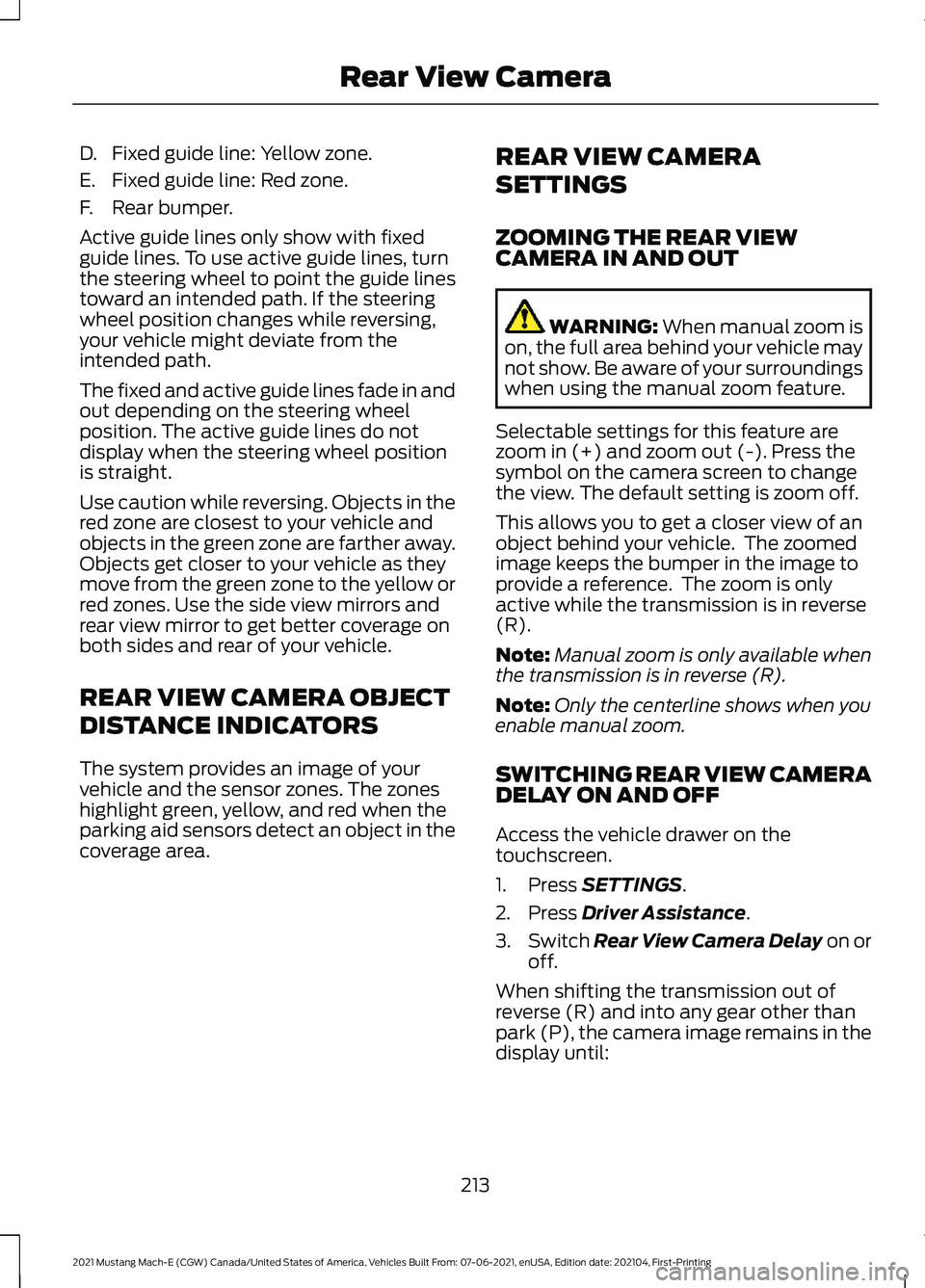
D. Fixed guide line: Yellow zone.
E. Fixed guide line: Red zone.
F. Rear bumper.
Active guide lines only show with fixed
guide lines. To use active guide lines, turn
the steering wheel to point the guide lines
toward an intended path. If the steering
wheel position changes while reversing,
your vehicle might deviate from the
intended path.
The fixed and active guide lines fade in and
out depending on the steering wheel
position. The active guide lines do not
display when the steering wheel position
is straight.
Use caution while reversing. Objects in the
red zone are closest to your vehicle and
objects in the green zone are farther away.
Objects get closer to your vehicle as they
move from the green zone to the yellow or
red zones. Use the side view mirrors and
rear view mirror to get better coverage on
both sides and rear of your vehicle.
REAR VIEW CAMERA OBJECT
DISTANCE INDICATORS
The system provides an image of your
vehicle and the sensor zones. The zones
highlight green, yellow, and red when the
parking aid sensors detect an object in the
coverage area.
REAR VIEW CAMERA
SETTINGS
ZOOMING THE REAR VIEW
CAMERA IN AND OUT WARNING: When manual zoom is
on, the full area behind your vehicle may
not show. Be aware of your surroundings
when using the manual zoom feature.
Selectable settings for this feature are
zoom in (+) and zoom out (-). Press the
symbol on the camera screen to change
the view. The default setting is zoom off.
This allows you to get a closer view of an
object behind your vehicle. The zoomed
image keeps the bumper in the image to
provide a reference. The zoom is only
active while the transmission is in reverse
(R).
Note: Manual zoom is only available when
the transmission is in reverse (R).
Note: Only the centerline shows when you
enable manual zoom.
SWITCHING REAR VIEW CAMERA
DELAY ON AND OFF
Access the vehicle drawer on the
touchscreen.
1. Press
SETTINGS.
2. Press
Driver Assistance.
3. Switch
Rear View Camera Delay on or
off.
When shifting the transmission out of
reverse (R) and into any gear other than
park (P), the camera image remains in the
display until:
213
2021 Mustang Mach-E (CGW) Canada/United States of America, Vehicles Built From: 07-06-2021, enUSA, Edition date: 202104, First-Printing Rear View Camera
Page 222 of 460
WHAT IS ACTIVE PARK
ASSIST
Assists you with parking in and out of
parking spaces.
HOW DOES ACTIVE PARK
ASSIST WORK
Active park assist uses sensors to detect
parking spaces. Active park assist controls
steering, acceleration, braking and shifting
as required to maneuver into or out of a
parking space when activate.
ACTIVE PARK ASSIST
PRECAUTIONS
WARNING: You must remain in
your vehicle when the system turns on.
At all times, you are responsible for
controlling your vehicle, supervising the
system and intervening, if required.
Failure to take care may result in the loss
of control of your vehicle, serious
personal injury or death. WARNING:
The sensors may not
detect objects in heavy rain or other
conditions that cause interference. WARNING: You are responsible for
controlling your vehicle at all times. The
system is designed to be an aid and does
not relieve you of your responsibility to
drive with due care and attention. Failure
to follow this instruction could result in
the loss of control of your vehicle,
personal injury or death. WARNING:
Do not use the system
with accessories that extend beyond the
front or rear of your vehicle, for example
a trailer hitch or bike rack. The system is
not able to make corrections for the
additional length of the accessories.
SWITCHING ACTIVE PARK
ASSIST ON AND OFF Press the active park assist
button, then press the active
park assist icon on the
touchscreen to bring up full screen
notifications.
Press the soft keys on the touchscreen to
switch between the parallel park in,
perpendicular park in, or parallel park out
parking modes.
Cancelling Active Park Assist
To cancel parking assistance at any time,
shift out of neutral (N).
Pausing Active Park Assist
To pause parking assistance at any time,
release the active park assist button.
If you open the passenger or rear doors,
active park assist pauses.
To resume parking, press and hold the
button again.
ENTERING A PARALLEL
PARKING SPACE
1. Press the active park assist button.
Note: The system detects other vehicles
and curbs to find a parking space.
218
2021 Mustang Mach-E (CGW) Canada/United States of America, Vehicles Built From: 07-06-2021, enUSA, Edition date: 202104, First-Printing Active Park Assist
(If Equipped)E326188P
Page 223 of 460
2. Use the turn signal lever to search for
a parking space on the driver or
passenger side of your vehicle.
Note: If you do not use the turn signal lever,
the system searches for a parking space on
the passenger side of your vehicle.
3. Drive your vehicle approximately 3 ft
(1 m) away from and parallel to the
other parked vehicles when searching
for a parking space.
Note: A tone sounds and a message
appears in the information and
entertainment display when active park
assist finds a suitable parking space.
4. Press and hold the brake pedal.
5. Release the steering wheel and shift into neutral (N).
6. Press and hold the active park assist button.
7. Release the brake pedal to allow your vehicle to park.
Note: You can slow down your vehicle at
any time by pressing the brake pedal.
Note: When parallel parking between
objects, the system parks closer to the
object in front of your vehicle to allow easier
access to the luggage compartment.
Note: When parking is complete, your
vehicle shifts into park (P).
ENTERING A PERPENDICULAR
PARKING SPACE
1. Press the active park assist button.
Note: Active park assist does not recognize
parking space lines and centers your vehicle
between objects.
2. Press the active park assist icon on the
touchscreen.
3. Select perpendicular parking. 4. Use the turn signal lever to search for
a parking space on the driver or
passenger side of your vehicle.
Note: If you do not use the turn signal lever,
the system searches for a parking space on
the passenger side of your vehicle.
5. Drive your vehicle approximately 3 ft
(1 m) away from and perpendicular to
the other parked vehicles when
searching for a parking space.
Note: A tone sounds and a message
appears in the information and
entertainment display when active park
assist finds a parking space.
6. Press and hold the brake pedal.
7. Release the steering wheel and shift into neutral (N).
8. Press and hold the active park assist button.
9. Release the brake pedal to allow the vehicle to park.
Note: Active park assist backs your vehicle
into parking spaces.
Note: Active park assist aligns the front end
of your vehicle with the lane side of the
object next to it.
Note: When the system detects only one
object, it allows enough distance to open
the door on either side.
Note: You can slow down your vehicle at
any time by pressing the brake pedal.
Note: When parking is complete, your
vehicle shifts into park (P).
EXITING A PARKING SPACE
Active park assist only assists leaving
parallel parking spaces.
1. Press the active park assist button.
2. Press the active park assist icon on the
touchscreen.
219
2021 Mustang Mach-E (CGW) Canada/United States of America, Vehicles Built From: 07-06-2021, enUSA, Edition date: 202104, First-Printing Active Park Assist
(If Equipped)
Page 224 of 460
3. Select parallel park exit.
4. Use the turn signal to choose the
direction to exit the parking space.
5. Press and hold the brake pedal.
6. Release the steering wheel and shift into neutral (N).
7. Release the parking brake.
8. Press and hold the active park assist button.
9. Release the brake pedal to allow your vehicle to move.
Note: After active park assist drives your
vehicle to a position where you can exit the
parking space in a forward movement, a
message appears instructing you to take full
control of your vehicle.
10. Take control of your vehicle.
Note: You can slow down your vehicle at
any time by pressing the brake pedal. ACTIVE PARK ASSIST –
TROUBLESHOOTING
ACTIVE PARK ASSIST –
INFORMATION MESSAGES Action
Message
The system
requires service.
Have your vehicle
checked as soon as possible.
Active Park Fault
ACTIVE PARK ASSIST –
FREQUENTLY ASKED QUESTIONS
Why does active park assist not
operate correctly? The system is unable to detect a
vehicle, curb or object to park next to
or in between. The system needs
boundary objects to operate correctly.
Why does active park assist not search
for a parking space? You have switched traction control off.
Why does active park assist not search
for a parking space? The transmission is in reverse (R). Your
vehicle must be moving forward to be
able to detect a parking space.
Why does active park assist not offer
a parking space? The sensors could be blocked. For
example, snow, ice or large
accumulations of dirt. Blocked sensors
can affect how the system functions.
Why does active park assist not offer
a parking space? The sensors in the front or rear bumper
could be damaged.
220
2021 Mustang Mach-E (CGW) Canada/United States of America, Vehicles Built From: 07-06-2021, enUSA, Edition date: 202104, First-Printing Active Park Assist (If Equipped)
Page 225 of 460
Why does active park assist not offer
a parking space?
There is not enough room in the
parking space for your vehicle to safely
park.
Why does active park assist not offer
a parking space? There is not enough space for the
parking maneuver on the opposite side
of the parking space.
Why does active park assist not offer
a parking space? The parking space is more than 5 ft
(1.5 m) or less than 2 ft (0.5 m) away
from your vehicle.
Why does active park assist not offer
a parking space? Your vehicle's speed is greater than
22 mph (35 km/h) for parallel parking
or greater than
19 mph (30 km/h) for
perpendicular parking.
Why does active park assist not offer
a parking space? You recently disconnected or replaced
the battery. After you reconnect the
battery you must drive your vehicle on
a straight road for a short period of
time.
Why does active park assist not
correctly position the vehicle into a
parking space? An irregular curb along the parking
space prevents the system from
correctly aligning your vehicle.
Why does active park assist not
correctly position the vehicle into a
parking space? Vehicles or objects bordering the
space could not be correctly parked. Why does active park assist not
correctly position the vehicle into a
parking space?
Your vehicle stopped too far past the
parking space.
Why does active park assist not
correctly position the vehicle into a
parking space? The tires are not correctly installed or
maintained. For example, using a spare
tire, not inflated correctly, improper
size, or of different sizes.
Why does active park assist not
correctly position the vehicle into a
parking space? A repair or alteration changed the
detection capabilities.
Why does active park assist not
correctly position the vehicle into a
parking space? A parked vehicle has a high
attachment. For example, a salt
sprayer, snowplow or moving truck
bed.
Why does active park assist not
correctly position the vehicle into a
parking space? The parking space length, or position
of parked objects, changes after your
vehicle passes the space.
Why does active park assist not
correctly position the vehicle into a
parking space? The temperature around your vehicle
quickly changes. For example, driving
from a heated garage into a cold
outside temperature, or after leaving
a car wash.
221
2021 Mustang Mach-E (CGW) Canada/United States of America, Vehicles Built From: 07-06-2021, enUSA, Edition date: 202104, First-Printing Active Park Assist
(If Equipped)
Page 232 of 460
Action
Message
Press and release the button or use the
accelerator pedal to resume following the lead vehicle.
Displays when on a limited access highway
after following a vehicle to a complete stop. In this situation, the vehicle resumes
following the lead vehicle without a button
press or pressing the accelerator pedal. The system can remain in auto-resume state
for approximately 30 seconds, after which it no longer automatically resumes.
Auto-Resume
OVERRIDING THE SET SPEED WARNING: If you override the
system by pressing the accelerator
pedal, it does not automatically apply
the brakes to maintain a gap from any
vehicle ahead.
When you press the accelerator pedal, you
override the set speed and gap distance.
Use the accelerator pedal to intentionally
exceed the set speed limit.
When you override the system, the green
indicator illuminates and the vehicle icon
does not appear in the instrument cluster
display.
The system resumes operation when you
release the accelerator pedal. The vehicle
speed decreases to the set speed, or a
lower speed if following a slower vehicle. ADAPTIVE CRUISE CONTROL
INDICATORS Illuminates when you switch
adaptive cruise control on. The
color of the indicator changes to
indicate the system status.
White indicates the system is on but
inactive.
Green indicates that you set the speed and
the system is active.
SWITCHING FROM ADAPTIVE
CRUISE CONTROL TO CRUISE
CONTROL WARNING:
Normal cruise control
will not brake when your vehicle is
approaching slower vehicles. Always be
aware of which mode you have selected
and apply the brakes when necessary.
1. Access the vehicle drawer on the touchscreen.
2. Press
SETTINGS.
3. Press
Driver Assistance.
228
2021 Mustang Mach-E (CGW) Canada/United States of America, Vehicles Built From: 07-06-2021, enUSA, Edition date: 202104, First-Printing Adaptive Cruise ControlE144529