ad blue FORD MUSTANG MACH E 2023 Service Manual
[x] Cancel search | Manufacturer: FORD, Model Year: 2023, Model line: MUSTANG MACH E, Model: FORD MUSTANG MACH E 2023Pages: 496, PDF Size: 13.09 MB
Page 401 of 496
APP PRECAUTIONS
WARNING: Driving while distractedcan result in loss of vehicle control, crashand injury. We strongly recommend thatyou use extreme caution when using anydevice that may take your focus off theroad. Your primary responsibility is thesafe operation of your vehicle. Werecommend against the use of anyhand-held device while driving andencourage the use of voice-operatedsystems when possible. Make sure youare aware of all applicable local lawsthat may affect the use of electronicdevices while driving.
APP REQUIREMENTS
When you start an app through the systemfor the first time, you could be asked togrant certain permissions. You can reviewand change the permissions that you havegranted at any time when your vehicle isnot moving. We recommend that youcheck your data plan before using yourapps through the system. Using themcould result in additional charges. We alsorecommend that you check the appprovider's terms and conditions andprivacy policy before using their app. Makesure that you have an active account forapps that you want to use through thesystem. Some apps will work with nosetup. Others require you to configuresome personal settings before you can usethem.
ACCESSING APPS
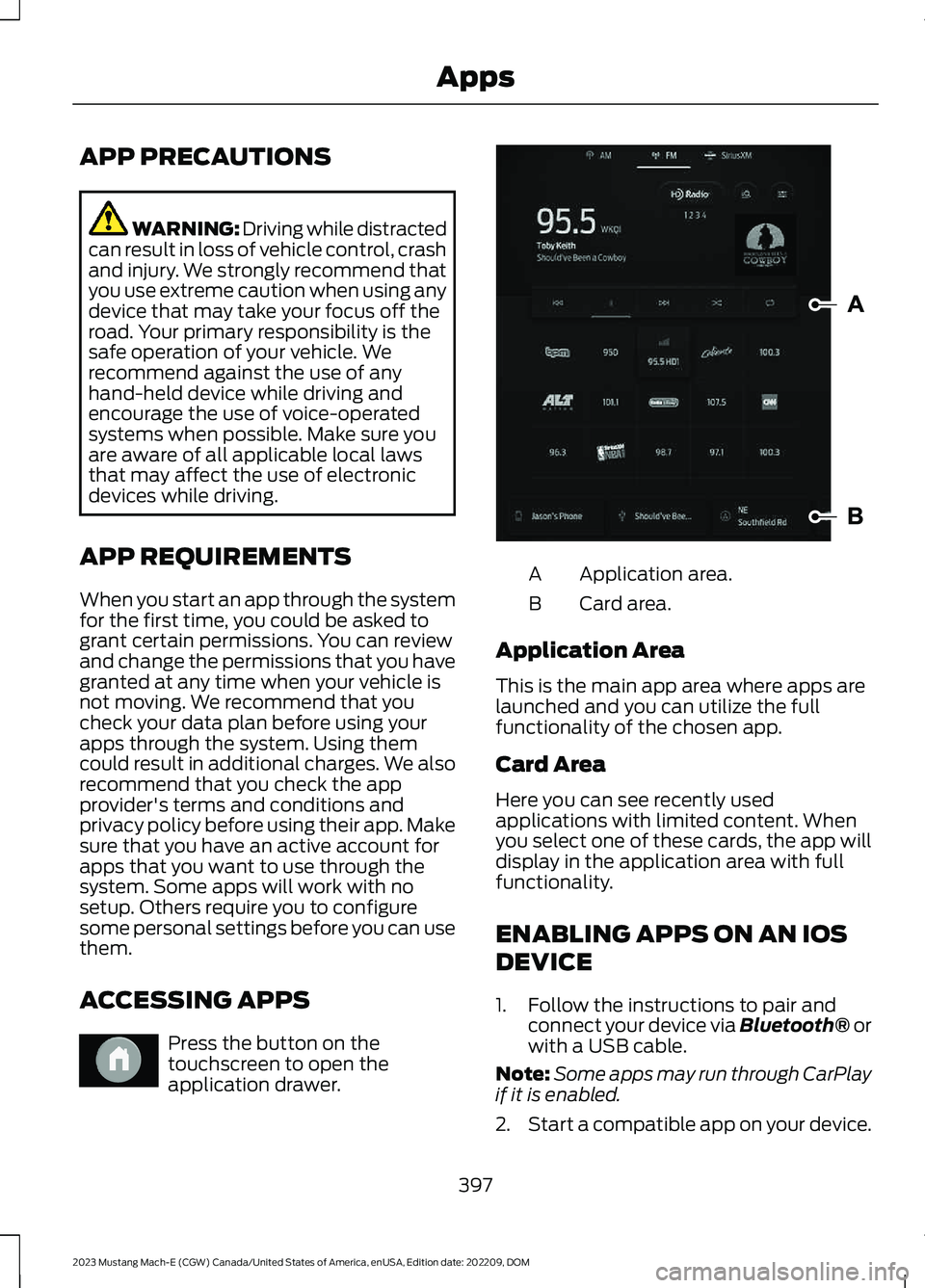
Press the button on thetouchscreen to open theapplication drawer.
Application area.A
Card area.B
Application Area
This is the main app area where apps arelaunched and you can utilize the fullfunctionality of the chosen app.
Card Area
Here you can see recently usedapplications with limited content. Whenyou select one of these cards, the app willdisplay in the application area with fullfunctionality.
ENABLING APPS ON AN IOS
DEVICE
1.Follow the instructions to pair andconnect your device via Bluetooth® orwith a USB cable.
Note:Some apps may run through CarPlayif it is enabled.
2.Start a compatible app on your device.
397
2023 Mustang Mach-E (CGW) Canada/United States of America, enUSA, Edition date: 202209, DOMAppsE386798 E387032
Page 402 of 496
Note:The app must be open on your deviceto use it through the touchscreen.
3.Access the system applications.
4.Select the app you wish to use on thetouchscreen.
ENABLING APPS ON AN
ANDROID DEVICE
1.Pair your device to Bluetooth®.
Note:Some apps may run through AndroidAuto if it is enabled.
2.Start a compatible app on your device.
Note:The app must be open on your deviceto use it through the touchscreen.
3.Access the system applications.
4.Select the app you wish to use on thetouchscreen.
SWITCHING APPLE CARPLAY
ON AND OFF
1.Pair your device.
2.
Press the button on thetouchscreen.
3.Press Phone List.
4.Select your device.
5.Select the connect option.
6.Switch Apple Carplay on or off.
SWITCHING ANDROID AUTO
ON AND OFF
1.Pair your device.
2.
Press the button on thetouchscreen.
3.Press Phone List.
4.Select your device.
5.Select the connect option.
6.Switch Android Auto on or off.
398
2023 Mustang Mach-E (CGW) Canada/United States of America, enUSA, Edition date: 202209, DOMAppsE386797 E386797
Page 410 of 496
PERFORMING A SYSTEM
RESET
Make sure you perform a system resetwhenever there is a transfer of ownershipof the vehicle to prevent the loss ofpersonal data. Performing a system resetallows you to remove all personalinformation and restore the modem andSYNC to their factory defaults.
In the modem, this deletes all theauthorized users, removes access to theconnected vehicle via all linked FordPassaccounts. In the SYNC system this deletesall data imported from mobile devicesconnected to the vehicle via Bluetooth®including the addresses manually enteredinto the navigation system.
Note:If you are the first owner, your modemcomes in partially activated state.
Note:If you are not the first owner, it comesin either fully activated, partially activatedor deactivated state.
1.
Press the button on thetouchscreen.
2.Press General.
3.Press Reset.
4.Press Factory Reset.
5.Follow the prompts on the touchscreento complete the reset.
406
2023 Mustang Mach-E (CGW) Canada/United States of America, enUSA, Edition date: 202209, DOMVehicle System ResetE386797
Page 474 of 496
ELECTROMAGNETIC
COMPATIBILITY
WARNING: Do not place objectsor mount equipment on or near theairbag cover, on the side of the front orrear seatbacks, or in areas that maycome into contact with a deployingairbag. Failure to follow theseinstructions may increase the risk ofpersonal injury in the event of a crash.
WARNING: Do not fasten antennacables to vehicle wiring, fuel pipes andbrake pipes.
WARNING: Keep antenna andpower cables at least 4 in (10 cm) fromany electronic modules and airbags.
Note:We test and certify your vehicle tomeet electromagnetic compatibilitylegislation. It is your responsibility to makesure that any equipment an authorizeddealer installs on your vehicle complies withapplicable local legislation and otherrequirements. Installation of someaftermarket electronic devices coulddegrade the performance of vehiclefunctions, which use radio frequency signalssuch as broadcast radio receiver, tirepressure monitoring system, push buttonstart,Bluetooth® connectivity or satellitenavigation.
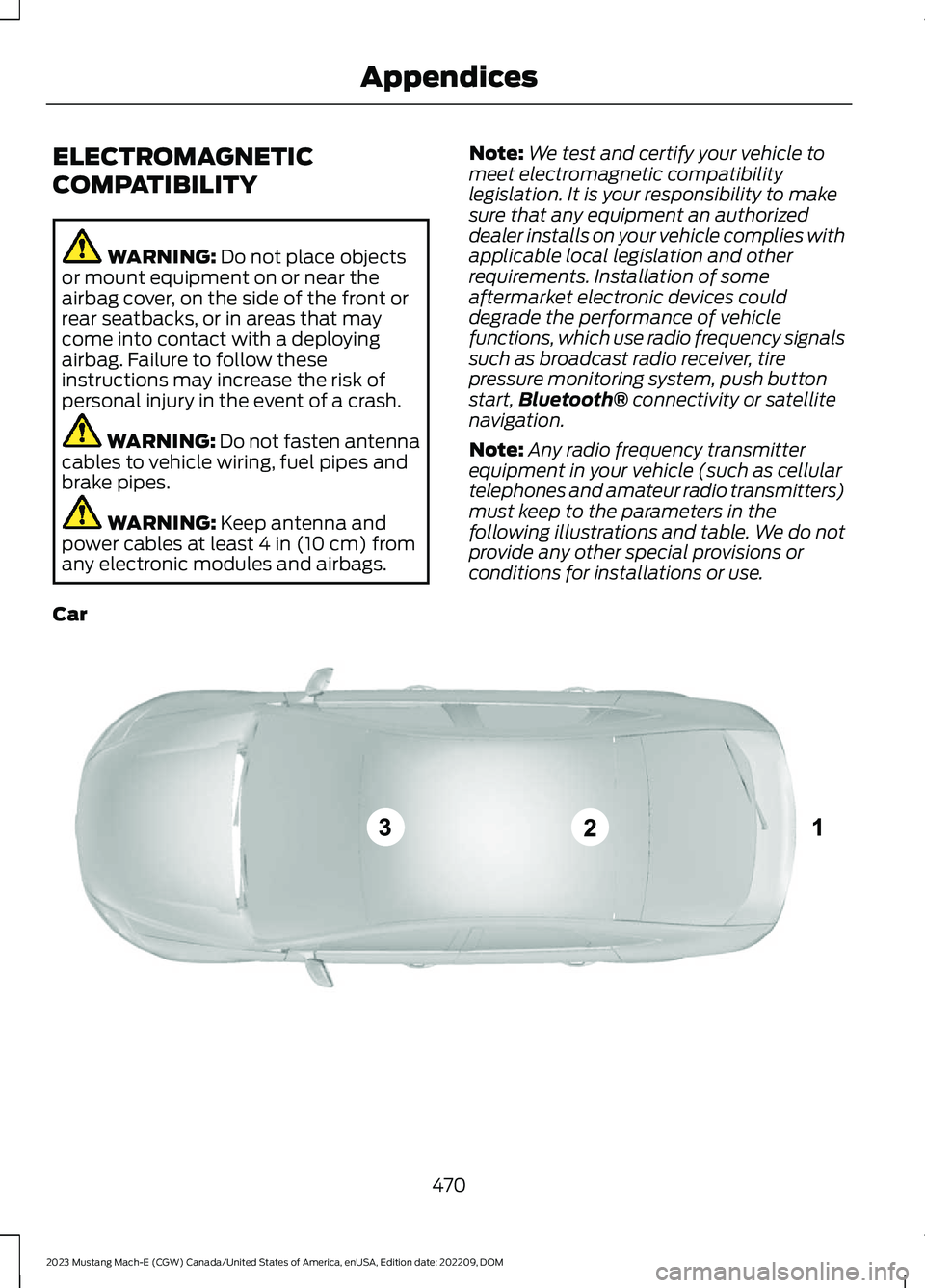
Note:Any radio frequency transmitterequipment in your vehicle (such as cellulartelephones and amateur radio transmitters)must keep to the parameters in thefollowing illustrations and table. We do notprovide any other special provisions orconditions for installations or use.
Car
470
2023 Mustang Mach-E (CGW) Canada/United States of America, enUSA, Edition date: 202209, DOMAppendicesE239120
Page 479 of 496
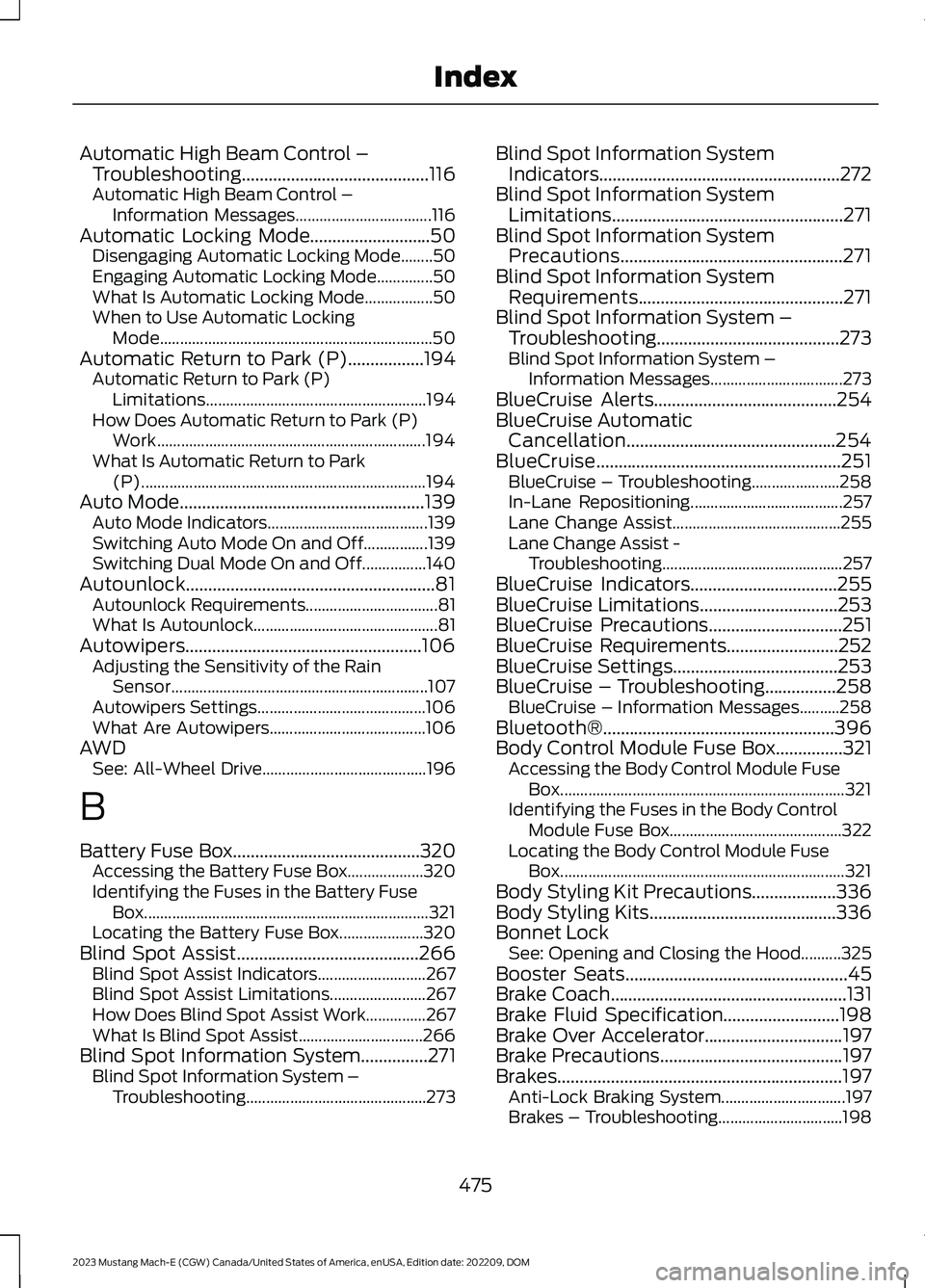
Automatic High Beam Control –Troubleshooting..........................................116Automatic High Beam Control –Information Messages..................................116Automatic Locking Mode...........................50Disengaging Automatic Locking Mode........50Engaging Automatic Locking Mode..............50What Is Automatic Locking Mode.................50When to Use Automatic LockingMode....................................................................50Automatic Return to Park (P).................194Automatic Return to Park (P)Limitations.......................................................194How Does Automatic Return to Park (P)Work...................................................................194What Is Automatic Return to Park(P).......................................................................194Auto Mode.......................................................139Auto Mode Indicators........................................139Switching Auto Mode On and Off................139Switching Dual Mode On and Off................140Autounlock........................................................81Autounlock Requirements.................................81What Is Autounlock..............................................81Autowipers.....................................................106Adjusting the Sensitivity of the RainSensor................................................................107Autowipers Settings..........................................106What Are Autowipers.......................................106AWDSee: All-Wheel Drive.........................................196
B
Battery Fuse Box..........................................320Accessing the Battery Fuse Box...................320Identifying the Fuses in the Battery FuseBox.......................................................................321Locating the Battery Fuse Box.....................320Blind Spot Assist.........................................266Blind Spot Assist Indicators...........................267Blind Spot Assist Limitations........................267How Does Blind Spot Assist Work...............267What Is Blind Spot Assist...............................266Blind Spot Information System...............271Blind Spot Information System –Troubleshooting.............................................273
Blind Spot Information SystemIndicators......................................................272Blind Spot Information SystemLimitations....................................................271Blind Spot Information SystemPrecautions..................................................271Blind Spot Information SystemRequirements..............................................271Blind Spot Information System –Troubleshooting.........................................273Blind Spot Information System –Information Messages.................................273BlueCruise Alerts.........................................254BlueCruise AutomaticCancellation...............................................254BlueCruise.......................................................251BlueCruise – Troubleshooting......................258In-Lane Repositioning......................................257Lane Change Assist..........................................255Lane Change Assist -Troubleshooting.............................................257BlueCruise Indicators.................................255BlueCruise Limitations...............................253BlueCruise Precautions..............................251BlueCruise Requirements.........................252BlueCruise Settings.....................................253BlueCruise – Troubleshooting................258BlueCruise – Information Messages..........258Bluetooth®....................................................396Body Control Module Fuse Box...............321Accessing the Body Control Module FuseBox.......................................................................321Identifying the Fuses in the Body ControlModule Fuse Box...........................................322Locating the Body Control Module FuseBox.......................................................................321Body Styling Kit Precautions...................336Body Styling Kits..........................................336Bonnet LockSee: Opening and Closing the Hood..........325Booster Seats..................................................45Brake Coach.....................................................131Brake Fluid Specification..........................198Brake Over Accelerator...............................197Brake Precautions.........................................197Brakes................................................................197Anti-Lock Braking System...............................197Brakes – Troubleshooting...............................198
475
2023 Mustang Mach-E (CGW) Canada/United States of America, enUSA, Edition date: 202209, DOMIndex
Page 481 of 496
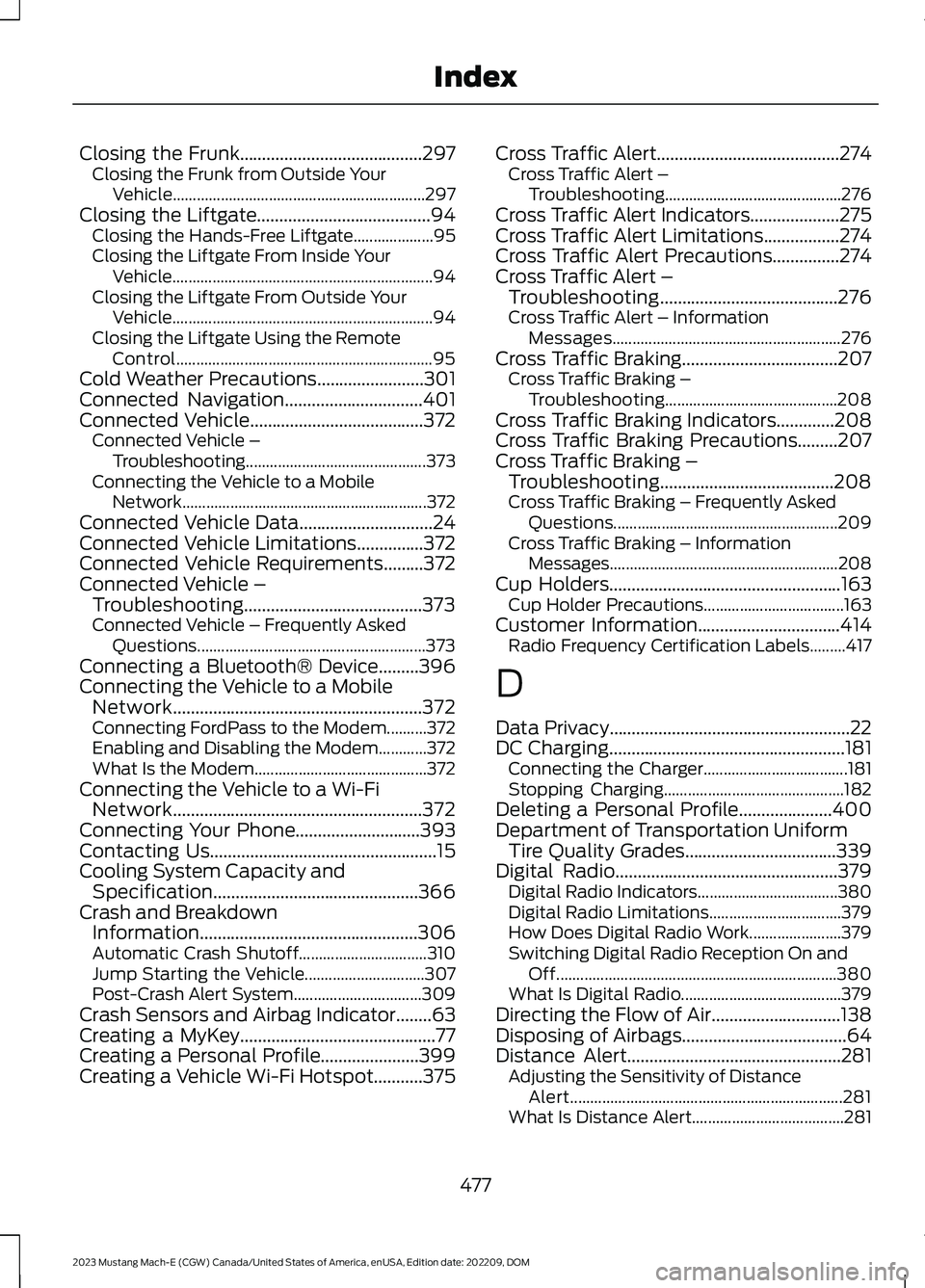
Closing the Frunk.........................................297Closing the Frunk from Outside YourVehicle...............................................................297Closing the Liftgate.......................................94Closing the Hands-Free Liftgate....................95Closing the Liftgate From Inside YourVehicle.................................................................94Closing the Liftgate From Outside YourVehicle.................................................................94Closing the Liftgate Using the RemoteControl................................................................95Cold Weather Precautions........................301Connected Navigation...............................401Connected Vehicle.......................................372Connected Vehicle –Troubleshooting.............................................373Connecting the Vehicle to a MobileNetwork.............................................................372Connected Vehicle Data..............................24Connected Vehicle Limitations...............372Connected Vehicle Requirements.........372Connected Vehicle –Troubleshooting........................................373Connected Vehicle – Frequently AskedQuestions.........................................................373Connecting a Bluetooth® Device.........396Connecting the Vehicle to a MobileNetwork........................................................372Connecting FordPass to the Modem..........372Enabling and Disabling the Modem............372What Is the Modem...........................................372Connecting the Vehicle to a Wi-FiNetwork........................................................372Connecting Your Phone............................393Contacting Us...................................................15Cooling System Capacity andSpecification..............................................366Crash and BreakdownInformation.................................................306Automatic Crash Shutoff................................310Jump Starting the Vehicle..............................307Post-Crash Alert System................................309Crash Sensors and Airbag Indicator........63Creating a MyKey............................................77Creating a Personal Profile......................399Creating a Vehicle Wi-Fi Hotspot...........375
Cross Traffic Alert.........................................274Cross Traffic Alert –Troubleshooting............................................276Cross Traffic Alert Indicators....................275Cross Traffic Alert Limitations.................274Cross Traffic Alert Precautions...............274Cross Traffic Alert –Troubleshooting........................................276Cross Traffic Alert – InformationMessages.........................................................276Cross Traffic Braking...................................207Cross Traffic Braking –Troubleshooting...........................................208Cross Traffic Braking Indicators.............208Cross Traffic Braking Precautions.........207Cross Traffic Braking –Troubleshooting.......................................208Cross Traffic Braking – Frequently AskedQuestions........................................................209Cross Traffic Braking – InformationMessages.........................................................208Cup Holders....................................................163Cup Holder Precautions...................................163Customer Information................................414Radio Frequency Certification Labels.........417
D
Data Privacy......................................................22DC Charging.....................................................181Connecting the Charger....................................181Stopping Charging.............................................182Deleting a Personal Profile.....................400Department of Transportation UniformTire Quality Grades..................................339Digital Radio..................................................379Digital Radio Indicators...................................380Digital Radio Limitations.................................379How Does Digital Radio Work.......................379Switching Digital Radio Reception On andOff......................................................................380What Is Digital Radio........................................379Directing the Flow of Air.............................138Disposing of Airbags.....................................64Distance Alert................................................281Adjusting the Sensitivity of DistanceAlert....................................................................281What Is Distance Alert......................................281
477
2023 Mustang Mach-E (CGW) Canada/United States of America, enUSA, Edition date: 202209, DOMIndex
Page 484 of 496
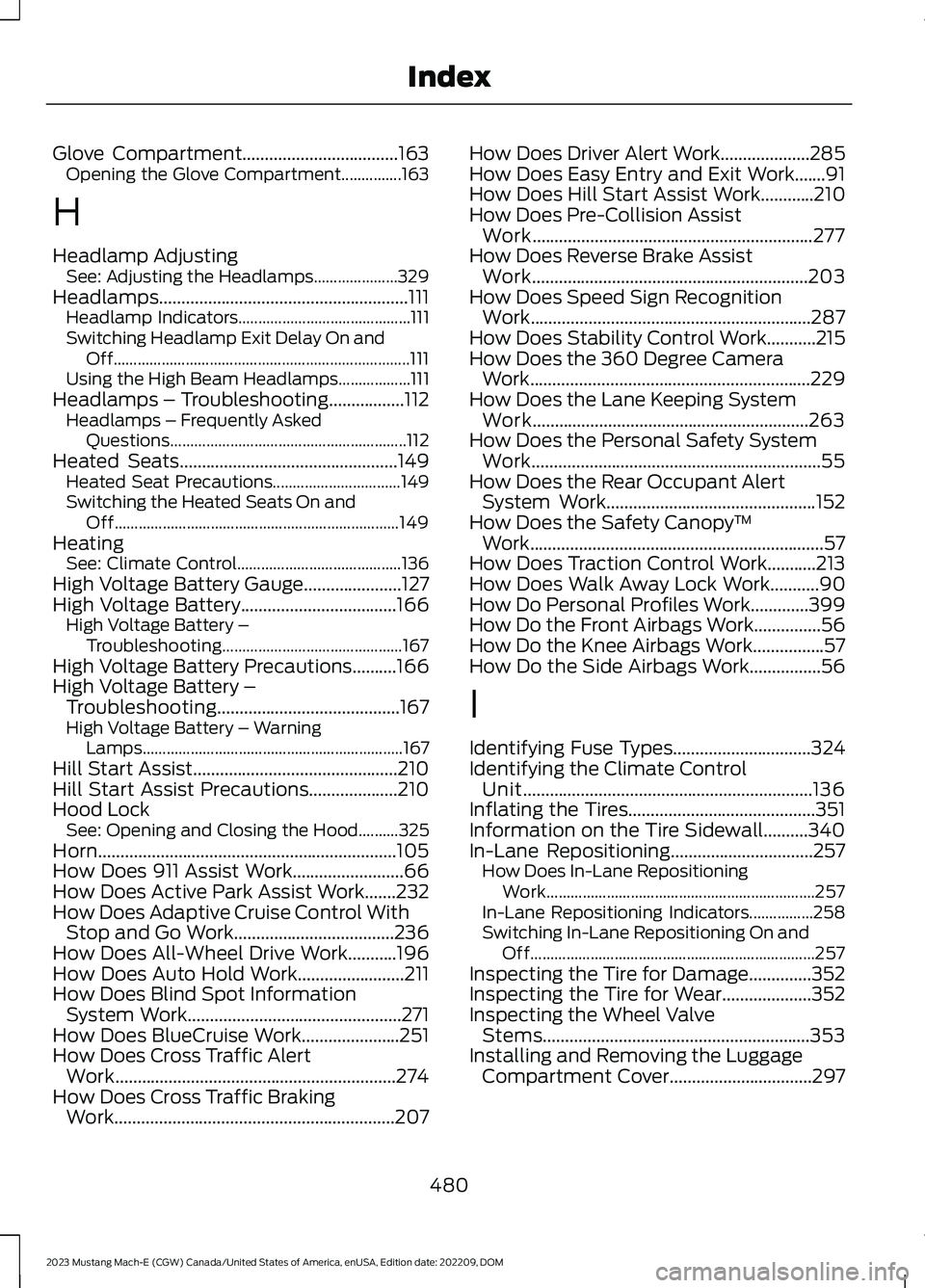
Glove Compartment...................................163Opening the Glove Compartment...............163
H
Headlamp AdjustingSee: Adjusting the Headlamps.....................329Headlamps........................................................111Headlamp Indicators...........................................111Switching Headlamp Exit Delay On andOff..........................................................................111Using the High Beam Headlamps..................111Headlamps – Troubleshooting.................112Headlamps – Frequently AskedQuestions...........................................................112Heated Seats.................................................149Heated Seat Precautions................................149Switching the Heated Seats On andOff.......................................................................149HeatingSee: Climate Control.........................................136High Voltage Battery Gauge......................127High Voltage Battery...................................166High Voltage Battery –Troubleshooting.............................................167High Voltage Battery Precautions..........166High Voltage Battery –Troubleshooting.........................................167High Voltage Battery – WarningLamps.................................................................167Hill Start Assist..............................................210Hill Start Assist Precautions....................210Hood LockSee: Opening and Closing the Hood..........325Horn...................................................................105How Does 911 Assist Work.........................66How Does Active Park Assist Work.......232How Does Adaptive Cruise Control WithStop and Go Work....................................236How Does All-Wheel Drive Work...........196How Does Auto Hold Work........................211How Does Blind Spot InformationSystem Work................................................271How Does BlueCruise Work......................251How Does Cross Traffic AlertWork...............................................................274How Does Cross Traffic BrakingWork...............................................................207
How Does Driver Alert Work....................285How Does Easy Entry and Exit Work.......91How Does Hill Start Assist Work............210How Does Pre-Collision AssistWork...............................................................277How Does Reverse Brake AssistWork..............................................................203How Does Speed Sign RecognitionWork...............................................................287How Does Stability Control Work...........215How Does the 360 Degree CameraWork...............................................................229How Does the Lane Keeping SystemWork..............................................................263How Does the Personal Safety SystemWork.................................................................55How Does the Rear Occupant AlertSystem Work...............................................152How Does the Safety Canopy™Work..................................................................57How Does Traction Control Work...........213How Does Walk Away Lock Work...........90How Do Personal Profiles Work.............399How Do the Front Airbags Work...............56How Do the Knee Airbags Work................57How Do the Side Airbags Work................56
I
Identifying Fuse Types...............................324Identifying the Climate ControlUnit.................................................................136Inflating the Tires..........................................351Information on the Tire Sidewall..........340In-Lane Repositioning................................257How Does In-Lane RepositioningWork...................................................................257In-Lane Repositioning Indicators................258Switching In-Lane Repositioning On andOff.......................................................................257Inspecting the Tire for Damage..............352Inspecting the Tire for Wear....................352Inspecting the Wheel ValveStems............................................................353Installing and Removing the LuggageCompartment Cover................................297
480
2023 Mustang Mach-E (CGW) Canada/United States of America, enUSA, Edition date: 202209, DOMIndex
Page 488 of 496
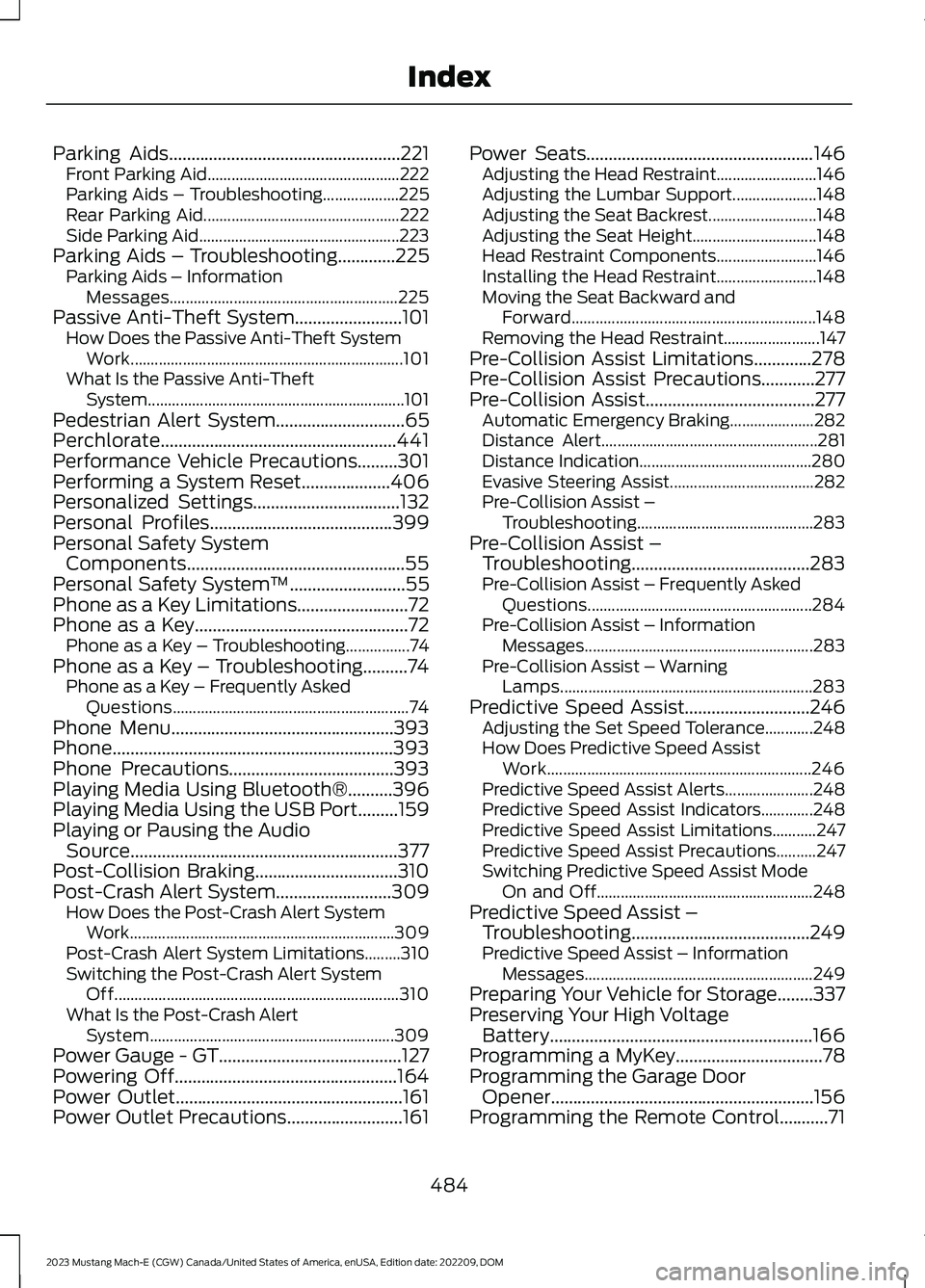
Parking Aids....................................................221Front Parking Aid................................................222Parking Aids – Troubleshooting...................225Rear Parking Aid.................................................222Side Parking Aid..................................................223Parking Aids – Troubleshooting.............225Parking Aids – InformationMessages.........................................................225Passive Anti-Theft System........................101How Does the Passive Anti-Theft SystemWork....................................................................101What Is the Passive Anti-TheftSystem................................................................101Pedestrian Alert System.............................65Perchlorate.....................................................441Performance Vehicle Precautions.........301Performing a System Reset....................406Personalized Settings.................................132Personal Profiles.........................................399Personal Safety SystemComponents.................................................55Personal Safety System™..........................55Phone as a Key Limitations.........................72Phone as a Key................................................72Phone as a Key – Troubleshooting................74Phone as a Key – Troubleshooting..........74Phone as a Key – Frequently AskedQuestions...........................................................74Phone Menu..................................................393Phone...............................................................393Phone Precautions.....................................393Playing Media Using Bluetooth®..........396Playing Media Using the USB Port.........159Playing or Pausing the AudioSource............................................................377Post-Collision Braking................................310Post-Crash Alert System..........................309How Does the Post-Crash Alert SystemWork..................................................................309Post-Crash Alert System Limitations.........310Switching the Post-Crash Alert SystemOff.......................................................................310What Is the Post-Crash AlertSystem.............................................................309Power Gauge - GT.........................................127Powering Off..................................................164Power Outlet...................................................161Power Outlet Precautions..........................161
Power Seats...................................................146Adjusting the Head Restraint.........................146Adjusting the Lumbar Support.....................148Adjusting the Seat Backrest...........................148Adjusting the Seat Height...............................148Head Restraint Components.........................146Installing the Head Restraint.........................148Moving the Seat Backward andForward.............................................................148Removing the Head Restraint........................147Pre-Collision Assist Limitations.............278Pre-Collision Assist Precautions............277Pre-Collision Assist......................................277Automatic Emergency Braking.....................282Distance Alert......................................................281Distance Indication...........................................280Evasive Steering Assist....................................282Pre-Collision Assist –Troubleshooting............................................283Pre-Collision Assist –Troubleshooting........................................283Pre-Collision Assist – Frequently AskedQuestions........................................................284Pre-Collision Assist – InformationMessages.........................................................283Pre-Collision Assist – WarningLamps...............................................................283Predictive Speed Assist............................246Adjusting the Set Speed Tolerance............248How Does Predictive Speed AssistWork..................................................................246Predictive Speed Assist Alerts......................248Predictive Speed Assist Indicators.............248Predictive Speed Assist Limitations...........247Predictive Speed Assist Precautions..........247Switching Predictive Speed Assist ModeOn and Off......................................................248Predictive Speed Assist –Troubleshooting........................................249Predictive Speed Assist – InformationMessages.........................................................249Preparing Your Vehicle for Storage........337Preserving Your High VoltageBattery...........................................................166Programming a MyKey.................................78Programming the Garage DoorOpener...........................................................156Programming the Remote Control...........71
484
2023 Mustang Mach-E (CGW) Canada/United States of America, enUSA, Edition date: 202209, DOMIndex
Page 491 of 496
Setting the Speed Sign RecognitionSpeed Warning..........................................288Setting the Temperature...........................138Shifting Your Vehicle Into Gear...............193Side Parking Aid...........................................223Locating the Side Parking AidSensors.............................................................224Side Parking Aid Audible Warnings.............224Side Parking Aid Limitations..........................223What is the Side Parking Aid.........................223Signing Into Your Account.........................391Sitting in the Correct Position..................143Software Update Indicators...................405Software Update Settings......................404Software UpdateSee: Software Update Settings...................404See: Vehicle Software Updates...................404Sounding the Panic Alarm.........................68Speedometer..................................................127Speed Sign Recognition Indicators.......287Speed Sign RecognitionLimitations...................................................287Speed Sign RecognitionPrecautions.................................................287Speed Sign Recognition............................287Speed Sign Recognition –Troubleshooting............................................288Speed Sign Recognition –Troubleshooting........................................288Speed Sign Recognition – Frequently AskedQuestions........................................................289Speed Sign Recognition – InformationMessages.........................................................288Stability Control Indicator.........................218Stability Control............................................215Starting and Powering OffPrecautions.................................................164Starting and Powering Off........................164Starting and Powering Off –Troubleshooting.............................................165Starting and Powering Off –Troubleshooting.........................................165Starting and Powering Off – FrequentlyAsked Questions............................................165Starting the Vehicle.....................................164Status Bar.......................................................387Steering............................................................219Electric Power Steering....................................219
Steering – Troubleshooting...........................220Steering – Troubleshooting.....................220Steering – Information Messages...............220Steering Wheel................................................27Stopping the Liftgate Movement............96Storage.............................................................163Cup Holders..........................................................163Glasses Holder.....................................................163Glove Compartment.........................................163Storing Your Vehicle....................................337Switching Active Park Assist On andOff...................................................................232Switching Adaptive Cruise Control Onand Off..........................................................238Switching Air Conditioning On andOff...................................................................136Switching All of the Interior Lamps Onand Off............................................................117Switching Android Auto On andOff..................................................................398Switching Apple CarPlay On andOff..................................................................398Switching Auto Hold On and Off.............211Switching Blind Spot InformationSystem On and Off...................................272Switching BlueCruise On and Off..........253Switching Climate Control On andOff...................................................................136Switching Cross Traffic Alert On andOff...................................................................274Switching Cross Traffic Braking On andOff..................................................................208Switching Defrost On and Off.................136Switching Driver Alert On and Off........286Switching Easy Entry and Exit On andOff......................................................................91Switching From Adaptive Cruise Controlto Cruise Control.......................................243Switching Maximum Cooling On andOff....................................................................137Switching Maximum Defrost On andOff...................................................................136Switching One Pedal Drive On andOff...................................................................262Switching Parking Aid On and Off..........221Switching Pre-Collision Assist On andOff...................................................................279
487
2023 Mustang Mach-E (CGW) Canada/United States of America, enUSA, Edition date: 202209, DOMIndex
Page 494 of 496
What Are the Instrument ClusterIndicators......................................................129What Are the Instrument ClusterWarning Lamps..........................................128What Is 911 Assist..........................................66What is AC Charging...................................168What Is a Connected Vehicle...................372What Is Active Park Assist........................232What is Alexa Built-In.................................391What Is Blind Spot InformationSystem...........................................................271What Is BlueCruise.......................................251What Is Cross Traffic Alert........................274What Is Cross Traffic Braking..................207What is DC Charging...................................168What Is Drive Mode Control....................260What Is Driver Alert.....................................285What Is Ford Protect.................................408What Is Hill Start Assist.............................210What Is Keyless Entry...................................85What Is MyKey.................................................76What is One Pedal Drive...........................262What Is Phone as a Key................................72What Is Pre-Collision Assist.....................277What Is Remote Start.................................134What Is Reverse Brake Assist..................203What Is Speed Sign Recognition...........287What Is the 360 Degree Camera...........229What Is the Cabin Air Filter.......................142What Is the Electric Parking Brake.......200What Is the Gross Axle WeightRating.............................................................291What Is the Gross Combined WeightRating............................................................292What Is the Gross Vehicle WeightRating.............................................................291What Is the High Voltage Battery...........166What Is the Keyless Entry Keypad...........87What Is the Lane Keeping System........263What Is the Maximum Loaded TrailerWeight............................................................291What Is the Memory Function.................154What Is the Pedestrian AlertSystem............................................................65What Is the Personal SafetySystem............................................................55What Is the Power Outlet...........................161
What is the Rear Occupant AlertSystem...........................................................152What Is the Rear View Camera..............226What Is the Tire Pressure MonitoringSystem...........................................................361What Is the Tire Sealant and InflatorKit....................................................................355What Is the Wireless AccessoryCharger..........................................................162What Is Traction Control............................213What is Walk Away Lock.............................90Wheel and Tire Information....................339Wheel Nuts....................................................365Wi FiSee: Changing the Vehicle Wi-Fi HotspotName or Password.......................................376See: Connecting the Vehicle to a Wi-FiNetwork.............................................................372See: Creating a Vehicle Wi-Fi Hotspot.......375See: Vehicle Wi-Fi Hotspot............................375Window Bounce-Back...............................120Overriding Window Bounce-Back................120What Is Window Bounce-Back.....................120Windows...........................................................119Global Opening and Closing...........................119Window Bounce-Back......................................120Wipers and Washers –Troubleshooting..........................................110Wipers and Washers – Frequently AskedQuestions..........................................................110Wipers and Washers – WarningLamps.................................................................110Wipers and Washers...................................106Autowipers...........................................................106Reverse Wipe........................................................107Washers.................................................................109Wipers....................................................................106Wipers and Washers –Troubleshooting..............................................110Wipers..............................................................106Switching Windshield Wipers On andOff.......................................................................106Wiper Precautions.............................................106Wireless Accessory ChargerPrecautions..................................................162Wireless Accessory Charger.....................162
490
2023 Mustang Mach-E (CGW) Canada/United States of America, enUSA, Edition date: 202209, DOMIndex