clutch FORD RANGER 2001 2.G Owners Manual
[x] Cancel search | Manufacturer: FORD, Model Year: 2001, Model line: RANGER, Model: FORD RANGER 2001 2.GPages: 272, PDF Size: 1.98 MB
Page 15 of 272
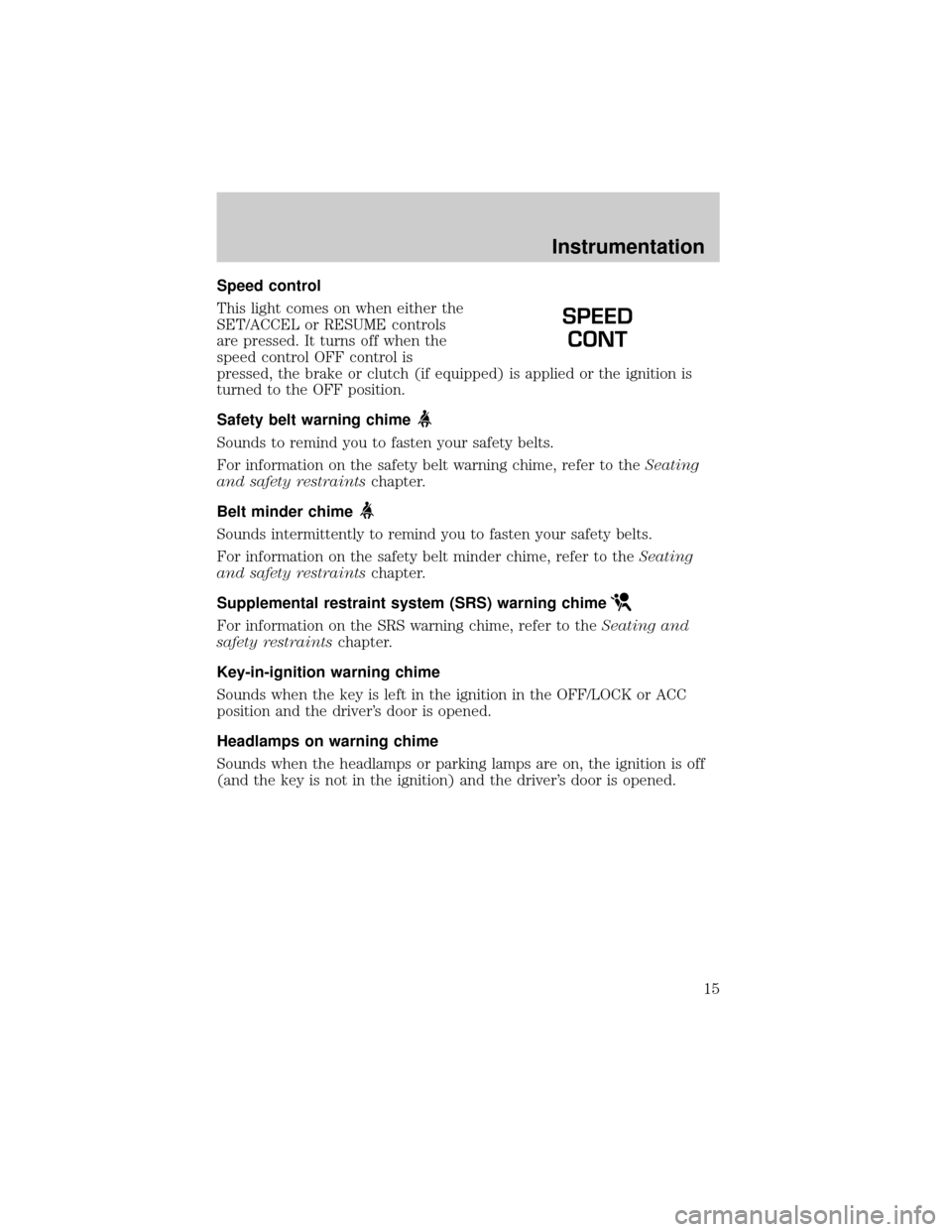
Speed control
This light comes on when either the
SET/ACCEL or RESUME controls
are pressed. It turns off when the
speed control OFF control is
pressed, the brake or clutch (if equipped) is applied or the ignition is
turned to the OFF position.
Safety belt warning chime
Sounds to remind you to fasten your safety belts.
For information on the safety belt warning chime, refer to theSeating
and safety restraintschapter.
Belt minder chime
Sounds intermittently to remind you to fasten your safety belts.
For information on the safety belt minder chime, refer to theSeating
and safety restraintschapter.
Supplemental restraint system (SRS) warning chime
For information on the SRS warning chime, refer to theSeating and
safety restraintschapter.
Key-in-ignition warning chime
Sounds when the key is left in the ignition in the OFF/LOCK or ACC
position and the driver's door is opened.
Headlamps on warning chime
Sounds when the headlamps or parking lamps are on, the ignition is off
(and the key is not in the ignition) and the driver's door is opened.
SPEED
CONT
Instrumentation
15
Page 68 of 272
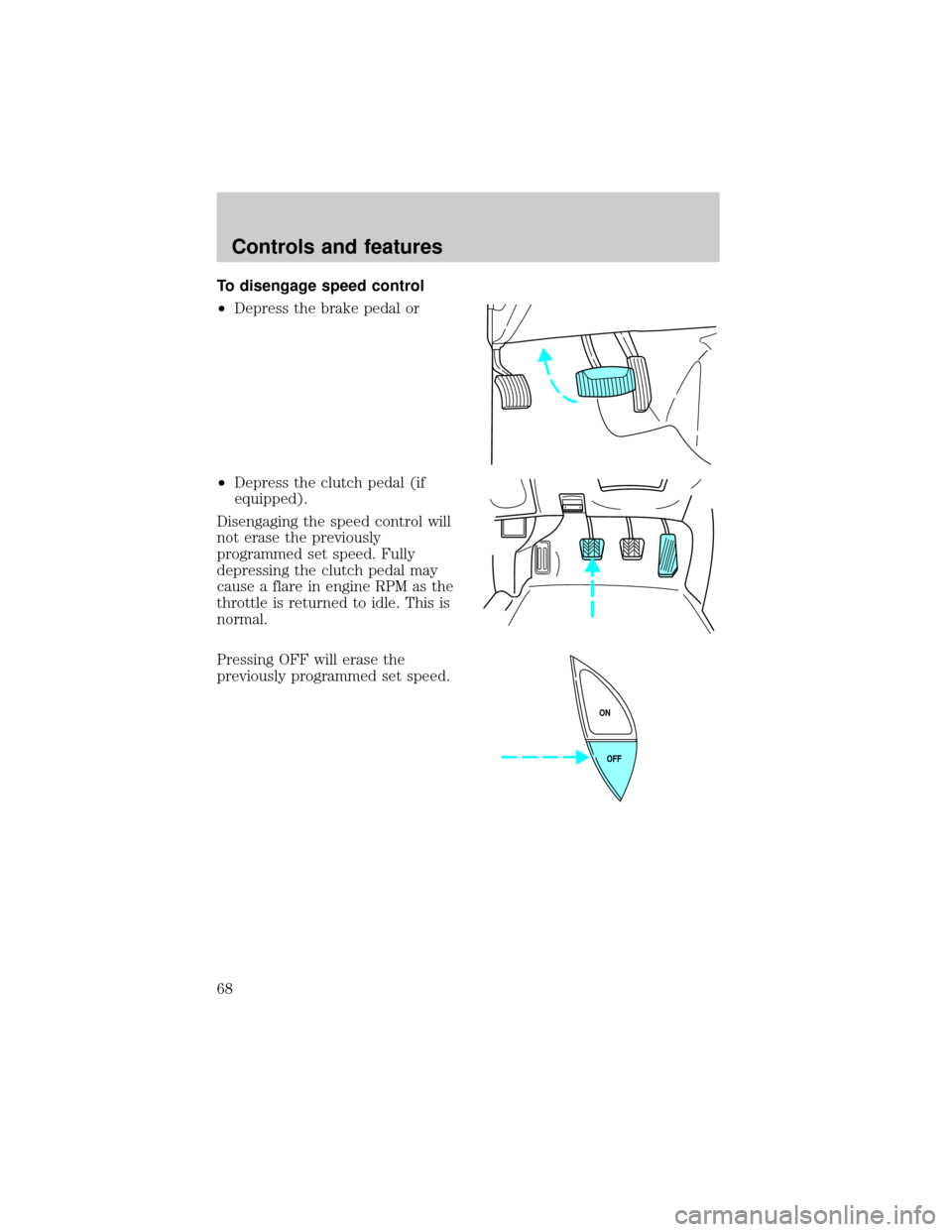
To disengage speed control
²Depress the brake pedal or
²Depress the clutch pedal (if
equipped).
Disengaging the speed control will
not erase the previously
programmed set speed. Fully
depressing the clutch pedal may
cause a flare in engine RPM as the
throttle is returned to idle. This is
normal.
Pressing OFF will erase the
previously programmed set speed.
OFF ON
Controls and features
68
Page 69 of 272
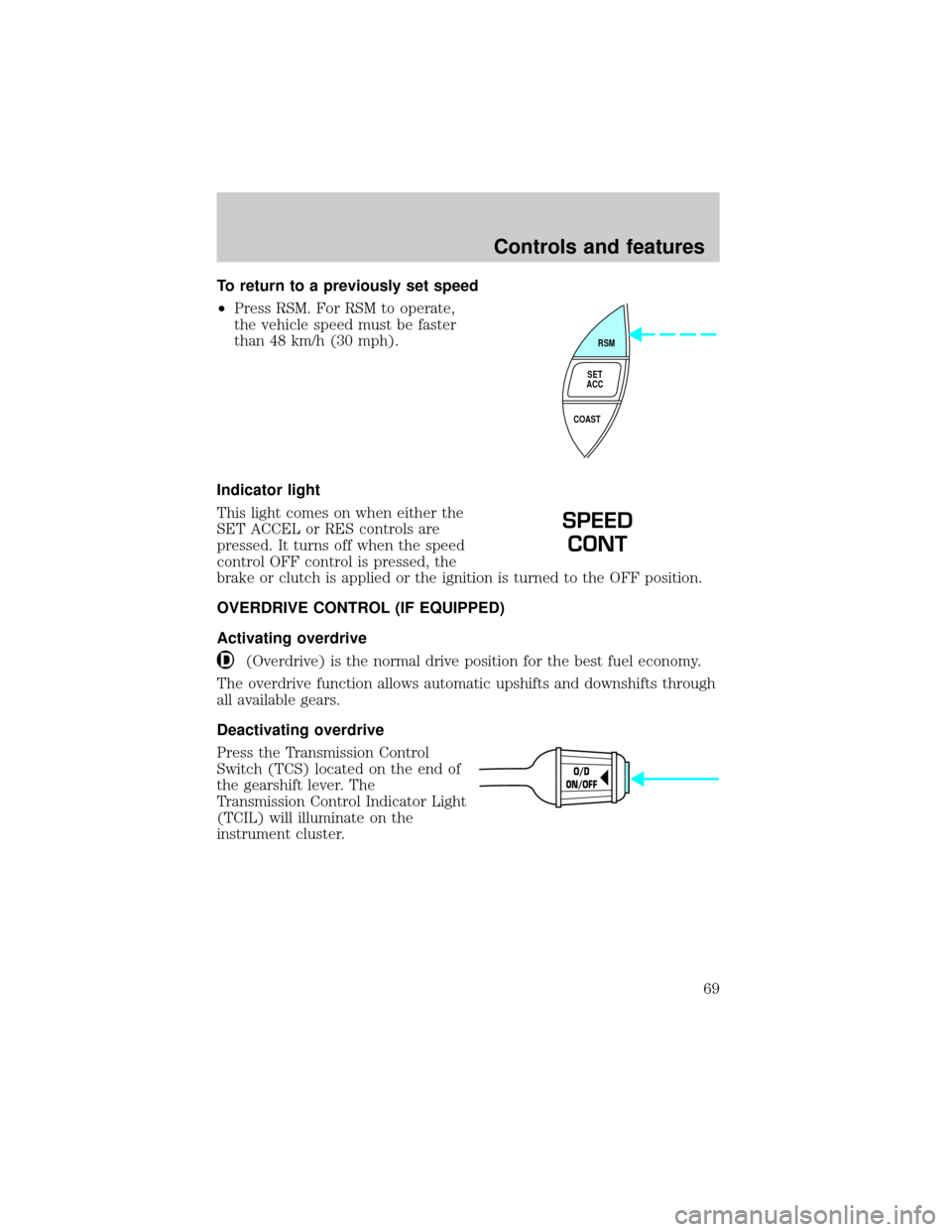
To return to a previously set speed
²Press RSM. For RSM to operate,
the vehicle speed must be faster
than 48 km/h (30 mph).
Indicator light
This light comes on when either the
SET ACCEL or RES controls are
pressed. It turns off when the speed
control OFF control is pressed, the
brake or clutch is applied or the ignition is turned to the OFF position.
OVERDRIVE CONTROL (IF EQUIPPED)
Activating overdrive
(Overdrive) is the normal drive position for the best fuel economy.
The overdrive function allows automatic upshifts and downshifts through
all available gears.
Deactivating overdrive
Press the Transmission Control
Switch (TCS) located on the end of
the gearshift lever. The
Transmission Control Indicator Light
(TCIL) will illuminate on the
instrument cluster.
RSM
SET
ACC
COAST
SPEED
CONT
O/D
ON/OFF
Controls and features
69
Page 124 of 272
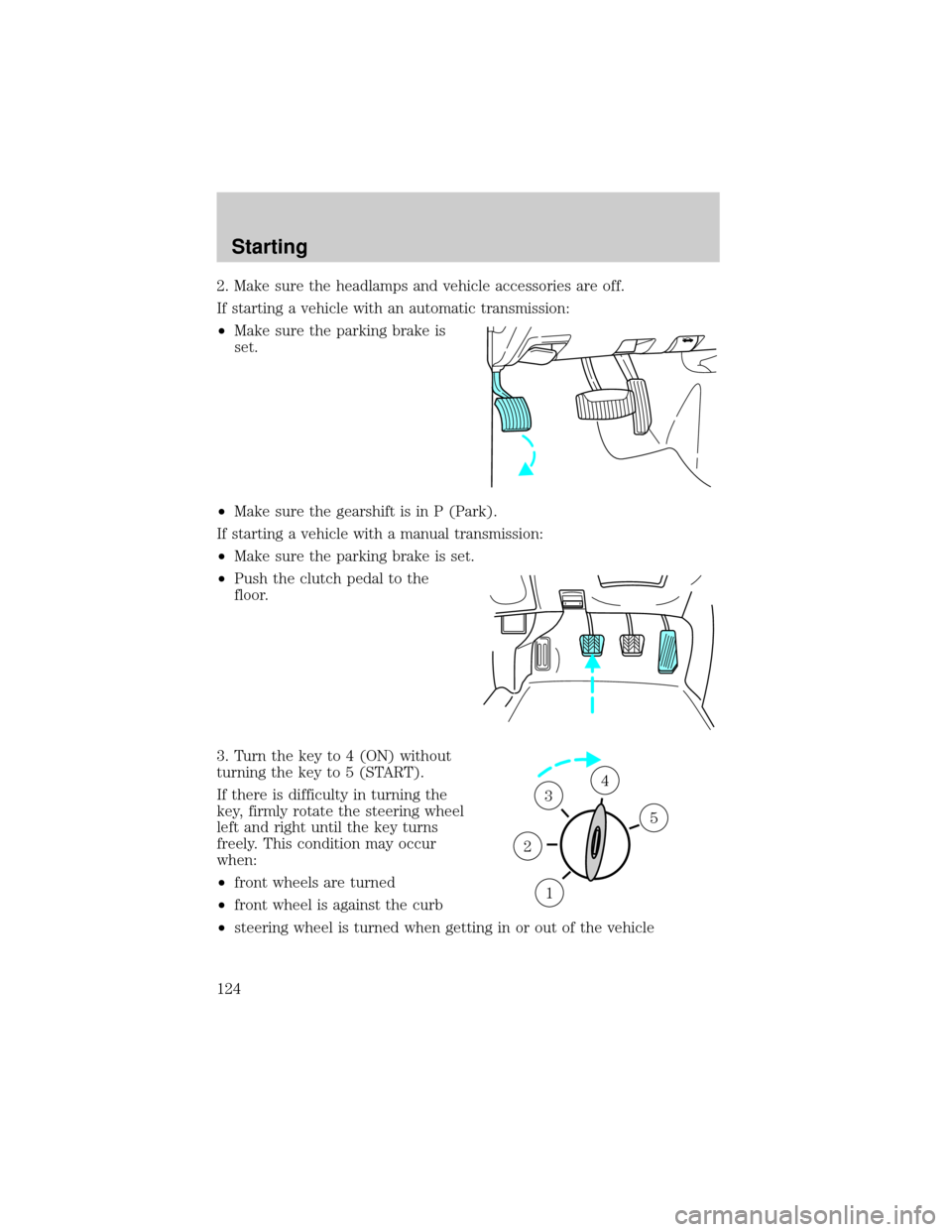
2. Make sure the headlamps and vehicle accessories are off.
If starting a vehicle with an automatic transmission:
²Make sure the parking brake is
set.
²Make sure the gearshift is in P (Park).
If starting a vehicle with a manual transmission:
²Make sure the parking brake is set.
²Push the clutch pedal to the
floor.
3. Turn the key to 4 (ON) without
turning the key to 5 (START).
If there is difficulty in turning the
key, firmly rotate the steering wheel
left and right until the key turns
freely. This condition may occur
when:
²front wheels are turned
²front wheel is against the curb
²steering wheel is turned when getting in or out of the vehicle
1
2
34
5
Starting
124
Page 136 of 272
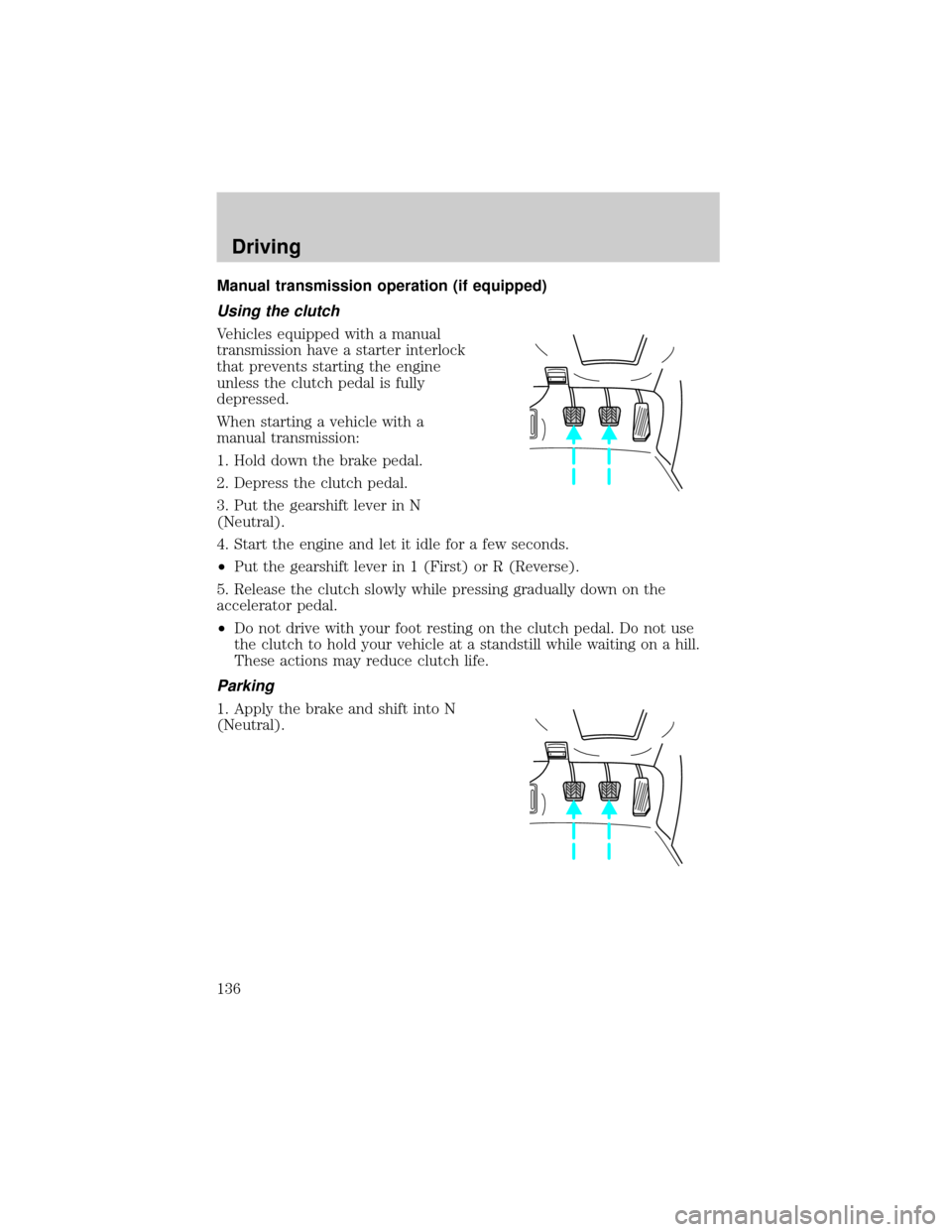
Manual transmission operation (if equipped)
Using the clutch
Vehicles equipped with a manual
transmission have a starter interlock
that prevents starting the engine
unless the clutch pedal is fully
depressed.
When starting a vehicle with a
manual transmission:
1. Hold down the brake pedal.
2. Depress the clutch pedal.
3. Put the gearshift lever in N
(Neutral).
4. Start the engine and let it idle for a few seconds.
²Put the gearshift lever in 1 (First) or R (Reverse).
5. Release the clutch slowly while pressing gradually down on the
accelerator pedal.
²Do not drive with your foot resting on the clutch pedal. Do not use
the clutch to hold your vehicle at a standstill while waiting on a hill.
These actions may reduce clutch life.
Parking
1. Apply the brake and shift into N
(Neutral).
Driving
136
Page 138 of 272
Upshifts when accelerating (for best fuel economy)
Maximum downshift speeds
Shift from:Transfer case position (if equipped)
4H 4L
5 (Overdrive) - 4 88 km/h (55 mph) 34 km/h (22 mph)
4 - 3 72 km/h (45 mph) 27 km/h (18 mph)
3 - 2 56 km/h (35 mph) 21 km/h (14 mph)
2 - 1 32 km/h (20 mph) 11 km/h (8 mph)
Reverse
Ensure that the vehicle is at a complete stop before shifting into R
(Reverse). Failure to do so may damage the transmission.
Put the gearshift lever into N and wait at least several seconds before
shifting into R.
You can shift into R (Reverse) only by moving the gearshift lever from
left of 3 (Third) and 4 (Fourth) gears before you shift into R (Reverse).
This is a special lockout feature that protects you from accidentally
shifting into R (Reverse) when you downshift from 5 (Overdrive).
FOUR-WHEEL DRIVE (4WD) OPERATION (IF EQUIPPED)
For important information regarding safe operation of this type
of vehicle, seePreparing to drive your vehiclein this chapter.
When four±wheel drive (4WD) is engaged, power is supplied to all four
wheels through a transfer case. 4WD power can be selected when
additional driving power is desired.
If equipped with the Electronic Shift 4WD System, and the
instrument panel control is moved to 4WD Low while the vehicle
is moving, the system will not engage and no damage will occur to
the 4WD system. Before 4WD Low can be engaged, the vehicle
must be brought to a complete stop with the brake pedal
depressed and the transmission placed in neutral (or the clutch
pedal depressed on manual transmissions).
4WD operation is not recommended on dry pavement. Doing so could
result in difficult disengagement of the transfer case, increased tire wear
and decreased fuel economy.
Driving
138
Page 140 of 272
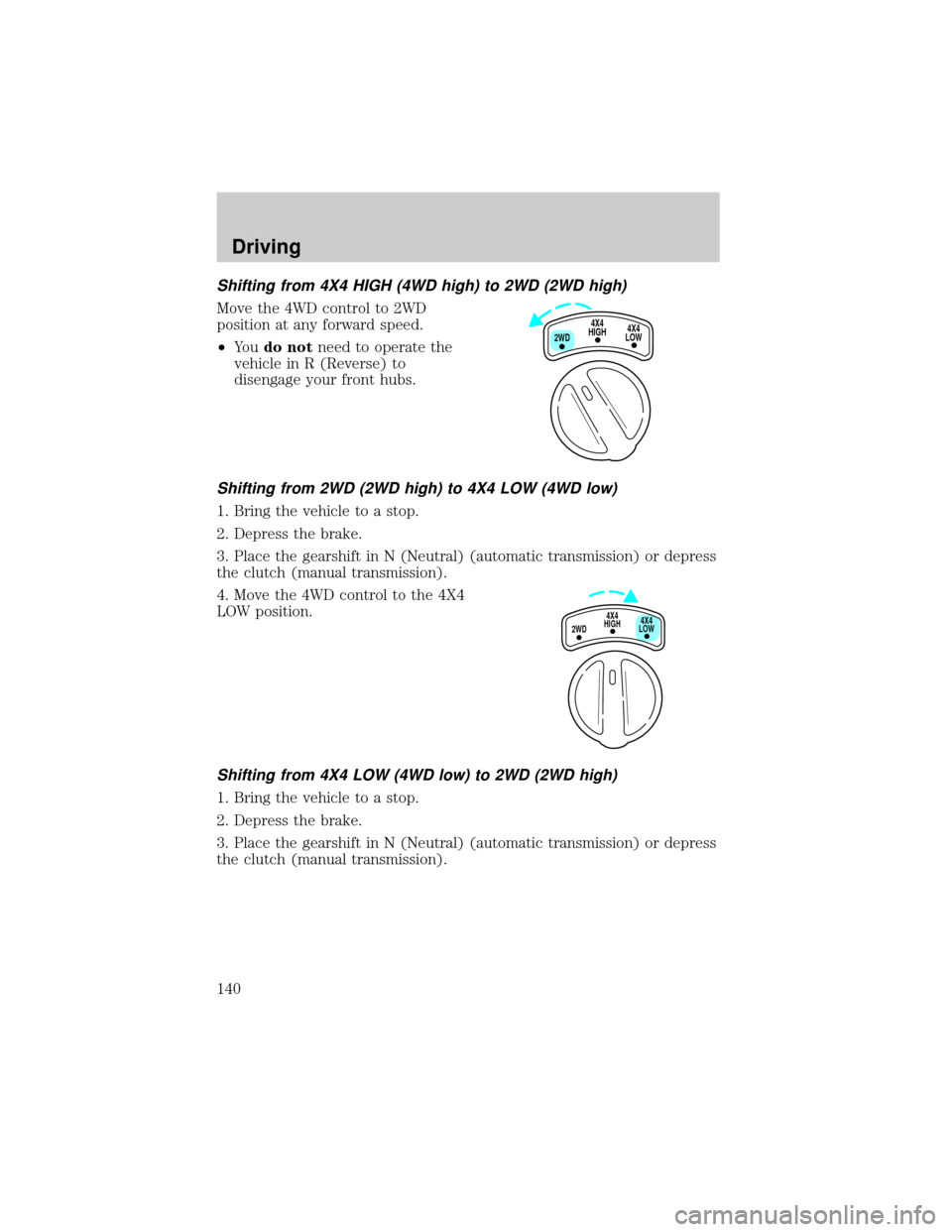
Shifting from 4X4 HIGH (4WD high) to 2WD (2WD high)
Move the 4WD control to 2WD
position at any forward speed.
²Yo udo notneed to operate the
vehicle in R (Reverse) to
disengage your front hubs.
Shifting from 2WD (2WD high) to 4X4 LOW (4WD low)
1. Bring the vehicle to a stop.
2. Depress the brake.
3. Place the gearshift in N (Neutral) (automatic transmission) or depress
the clutch (manual transmission).
4. Move the 4WD control to the 4X4
LOW position.
Shifting from 4X4 LOW (4WD low) to 2WD (2WD high)
1. Bring the vehicle to a stop.
2. Depress the brake.
3. Place the gearshift in N (Neutral) (automatic transmission) or depress
the clutch (manual transmission).
4X4
HIGH
2WD4X4
LOW
4X4
HIGH
2WD4X4
LOW
Driving
140
Page 141 of 272
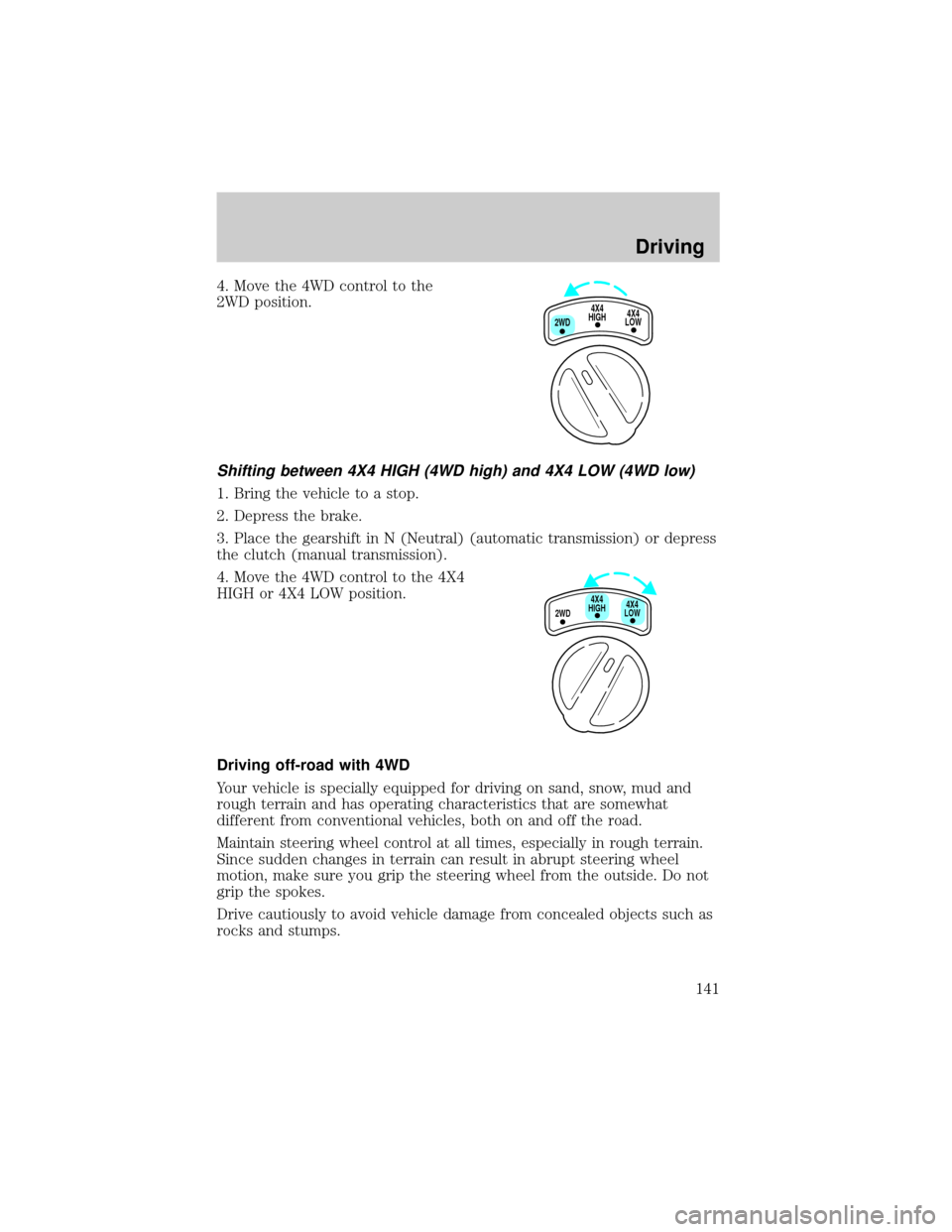
4. Move the 4WD control to the
2WD position.
Shifting between 4X4 HIGH (4WD high) and 4X4 LOW (4WD low)
1. Bring the vehicle to a stop.
2. Depress the brake.
3. Place the gearshift in N (Neutral) (automatic transmission) or depress
the clutch (manual transmission).
4. Move the 4WD control to the 4X4
HIGH or 4X4 LOW position.
Driving off-road with 4WD
Your vehicle is specially equipped for driving on sand, snow, mud and
rough terrain and has operating characteristics that are somewhat
different from conventional vehicles, both on and off the road.
Maintain steering wheel control at all times, especially in rough terrain.
Since sudden changes in terrain can result in abrupt steering wheel
motion, make sure you grip the steering wheel from the outside. Do not
grip the spokes.
Drive cautiously to avoid vehicle damage from concealed objects such as
rocks and stumps.
4X4
HIGH
2WD4X4
LOW
2WD4X4
LOW4X4
HIGH
Driving
141
Page 164 of 272
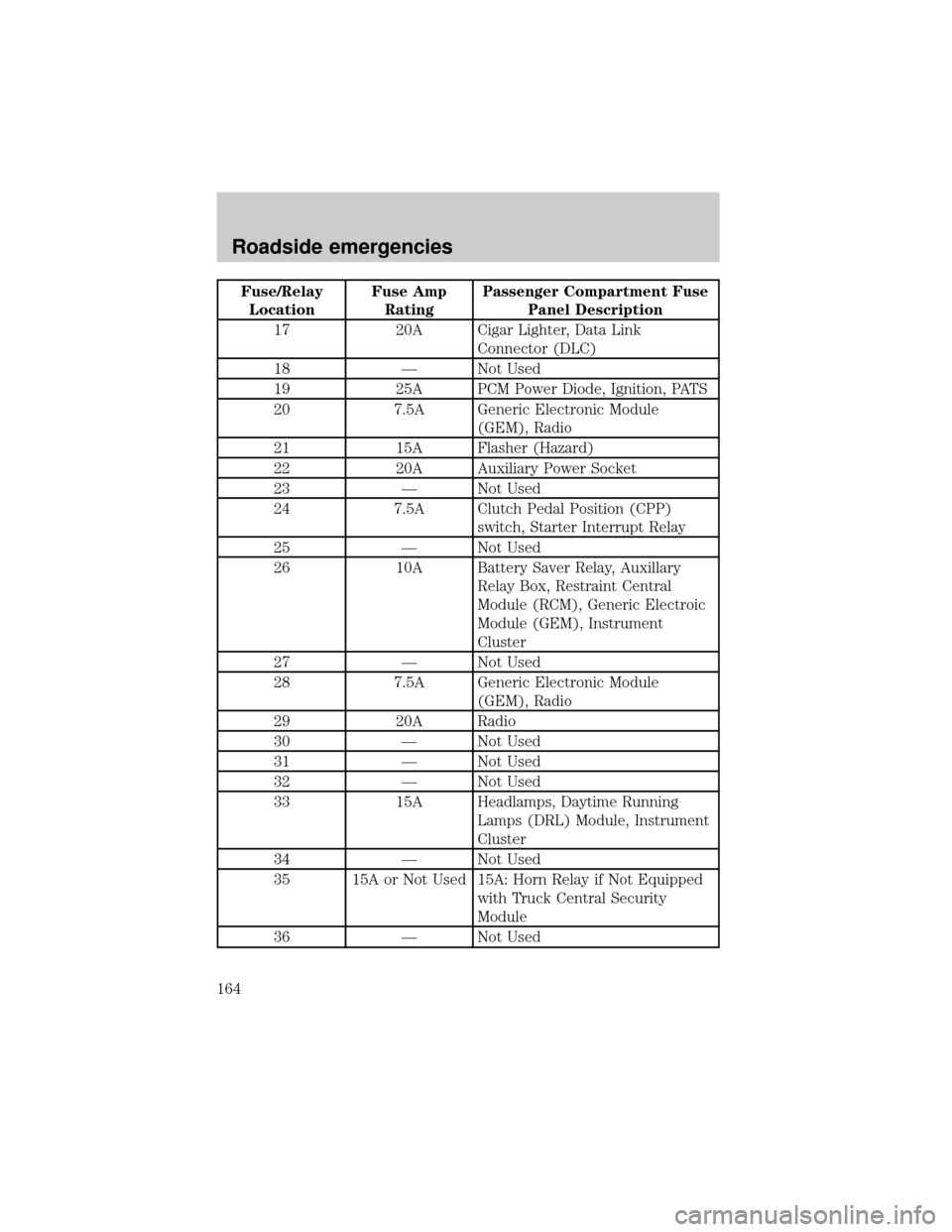
Fuse/Relay
LocationFuse Amp
RatingPassenger Compartment Fuse
Panel Description
17 20A Cigar Lighter, Data Link
Connector (DLC)
18 Ð Not Used
19 25A PCM Power Diode, Ignition, PATS
20 7.5A Generic Electronic Module
(GEM), Radio
21 15A Flasher (Hazard)
22 20A Auxiliary Power Socket
23 Ð Not Used
24 7.5A Clutch Pedal Position (CPP)
switch, Starter Interrupt Relay
25 Ð Not Used
26 10A Battery Saver Relay, Auxillary
Relay Box, Restraint Central
Module (RCM), Generic Electroic
Module (GEM), Instrument
Cluster
27 Ð Not Used
28 7.5A Generic Electronic Module
(GEM), Radio
29 20A Radio
30 Ð Not Used
31 Ð Not Used
32 Ð Not Used
33 15A Headlamps, Daytime Running
Lamps (DRL) Module, Instrument
Cluster
34 Ð Not Used
35 15A or Not Used 15A: Horn Relay if Not Equipped
with Truck Central Security
Module
36 Ð Not Used
Roadside emergencies
164
Page 167 of 272
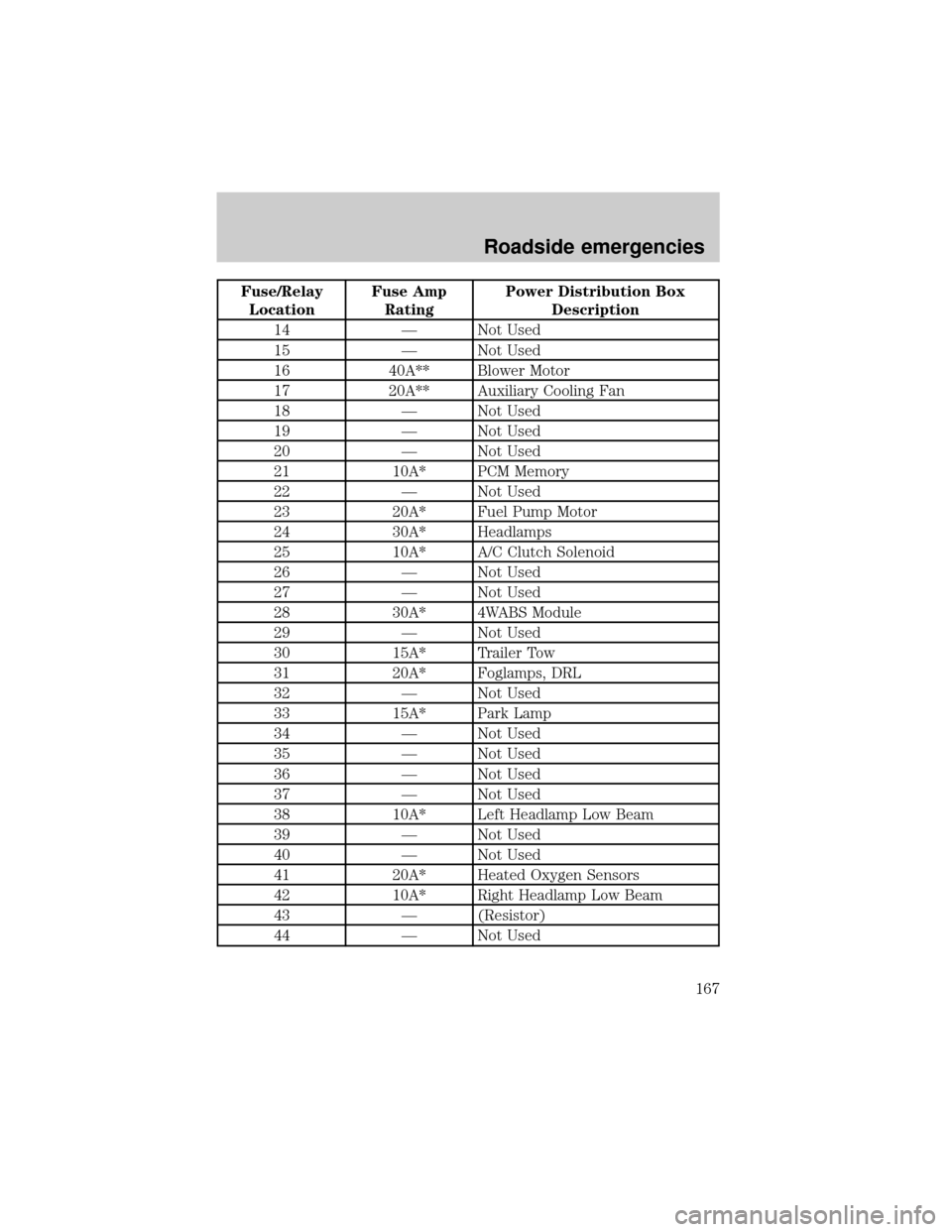
Fuse/Relay
LocationFuse Amp
RatingPower Distribution Box
Description
14 Ð Not Used
15 Ð Not Used
16 40A** Blower Motor
17 20A** Auxiliary Cooling Fan
18 Ð Not Used
19 Ð Not Used
20 Ð Not Used
21 10A* PCM Memory
22 Ð Not Used
23 20A* Fuel Pump Motor
24 30A* Headlamps
25 10A* A/C Clutch Solenoid
26 Ð Not Used
27 Ð Not Used
28 30A* 4WABS Module
29 Ð Not Used
30 15A* Trailer Tow
31 20A* Foglamps, DRL
32 Ð Not Used
33 15A* Park Lamp
34 Ð Not Used
35 Ð Not Used
36 Ð Not Used
37 Ð Not Used
38 10A* Left Headlamp Low Beam
39 Ð Not Used
40 Ð Not Used
41 20A* Heated Oxygen Sensors
42 10A* Right Headlamp Low Beam
43 Ð (Resistor)
44 Ð Not Used
Roadside emergencies
167