fuel FORD RANGER 2023 User Guide
[x] Cancel search | Manufacturer: FORD, Model Year: 2023, Model line: RANGER, Model: FORD RANGER 2023Pages: 470, PDF Size: 13.06 MB
Page 94 of 470
Vehicle Settings and Personalization
See General Information (page 96).
Engine Coolant TemperatureGauge
WARNING: Do not remove thecoolant reservoir cap when the engine ison or the cooling system is hot. Wait 10minutes for the cooling system to cooldown. Cover the coolant reservoir capwith a thick cloth to prevent thepossibility of scalding and slowly removethe cap. Failure to follow this instructioncould result in personal injury.
Indicates engine coolant temperature. Atnormal operating temperature, the levelindicator will be in the normal range. If theengine coolant temperature exceeds thenormal range, stop your vehicle as soon assafely possible, switch off the engine andlet the engine cool.
Note:Do not restart the engine until thecause of overheating has been resolved.
Fuel Gauge
The fuel gauge indicates about how muchfuel is in the fuel tank.
The arrow adjacent to the fuel pumpsymbol indicates on which side of yourvehicle the fuel filler door is located.
Note:The fuel gauge may vary slightlywhen your vehicle is moving or on a slope.
Low Fuel Reminder
A low fuel level reminder displays andsounds when the distance to emptyreaches 75 mi (120 km) to empty forMyKey, and at 50 mi (80 km),25 mi(40 km),10 mi (20 km) and 0 mi (0 km)for all vehicle keys.
Note:The low fuel reminder can appear atdifferent fuel gauge positions depending onfuel economy conditions. This variation isnormal.
90
2023 Ranger (TFG) Canada/United States of America, Vehicles Built From: 10-10-2022, enUSA, Edition date: 202208, First-PrintingInstrument Cluster
Page 98 of 470
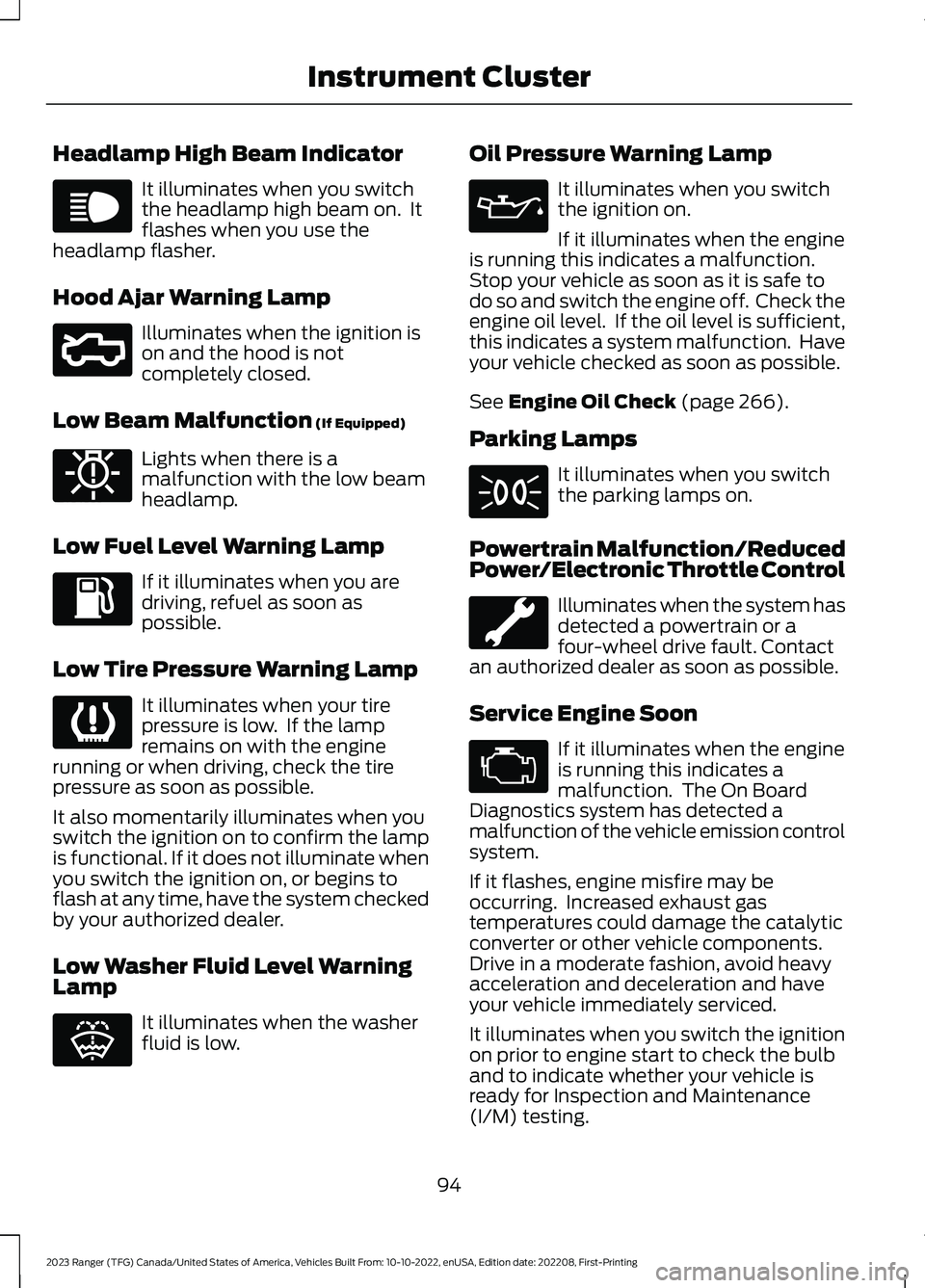
Headlamp High Beam Indicator
It illuminates when you switchthe headlamp high beam on. Itflashes when you use theheadlamp flasher.
Hood Ajar Warning Lamp
Illuminates when the ignition ison and the hood is notcompletely closed.
Low Beam Malfunction (If Equipped)
Lights when there is amalfunction with the low beamheadlamp.
Low Fuel Level Warning Lamp
If it illuminates when you aredriving, refuel as soon aspossible.
Low Tire Pressure Warning Lamp
It illuminates when your tirepressure is low. If the lampremains on with the enginerunning or when driving, check the tirepressure as soon as possible.
It also momentarily illuminates when youswitch the ignition on to confirm the lampis functional. If it does not illuminate whenyou switch the ignition on, or begins toflash at any time, have the system checkedby your authorized dealer.
Low Washer Fluid Level WarningLamp
It illuminates when the washerfluid is low.
Oil Pressure Warning Lamp
It illuminates when you switchthe ignition on.
If it illuminates when the engineis running this indicates a malfunction.Stop your vehicle as soon as it is safe todo so and switch the engine off. Check theengine oil level. If the oil level is sufficient,this indicates a system malfunction. Haveyour vehicle checked as soon as possible.
See Engine Oil Check (page 266).
Parking Lamps
It illuminates when you switchthe parking lamps on.
Powertrain Malfunction/ReducedPower/Electronic Throttle Control
Illuminates when the system hasdetected a powertrain or afour-wheel drive fault. Contactan authorized dealer as soon as possible.
Service Engine Soon
If it illuminates when the engineis running this indicates amalfunction. The On BoardDiagnostics system has detected amalfunction of the vehicle emission controlsystem.
If it flashes, engine misfire may beoccurring. Increased exhaust gastemperatures could damage the catalyticconverter or other vehicle components.Drive in a moderate fashion, avoid heavyacceleration and deceleration and haveyour vehicle immediately serviced.
It illuminates when you switch the ignitionon prior to engine start to check the bulband to indicate whether your vehicle isready for Inspection and Maintenance(I/M) testing.
94
2023 Ranger (TFG) Canada/United States of America, Vehicles Built From: 10-10-2022, enUSA, Edition date: 202208, First-PrintingInstrument ClusterE67019 E296055 E181350 E139232 E132353 E67022 E71341 E67028
Page 101 of 470
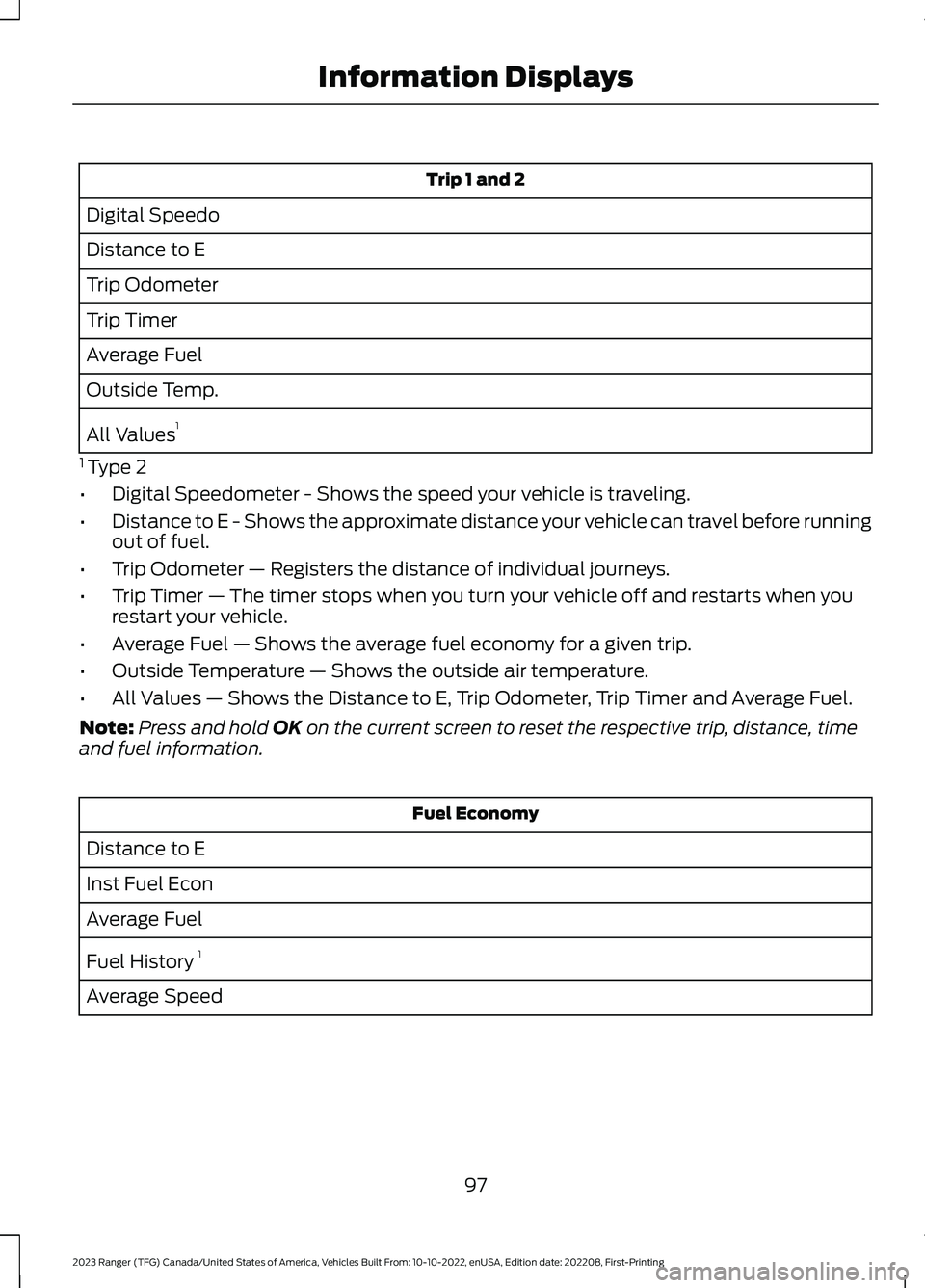
Trip 1 and 2
Digital Speedo
Distance to E
Trip Odometer
Trip Timer
Average Fuel
Outside Temp.
All Values1
1 Type 2
•Digital Speedometer - Shows the speed your vehicle is traveling.
•Distance to E - Shows the approximate distance your vehicle can travel before runningout of fuel.
•Trip Odometer — Registers the distance of individual journeys.
•Trip Timer — The timer stops when you turn your vehicle off and restarts when yourestart your vehicle.
•Average Fuel — Shows the average fuel economy for a given trip.
•Outside Temperature — Shows the outside air temperature.
•All Values — Shows the Distance to E, Trip Odometer, Trip Timer and Average Fuel.
Note:Press and hold OK on the current screen to reset the respective trip, distance, timeand fuel information.
Fuel Economy
Distance to E
Inst Fuel Econ
Average Fuel
Fuel History 1
Average Speed
97
2023 Ranger (TFG) Canada/United States of America, Vehicles Built From: 10-10-2022, enUSA, Edition date: 202208, First-PrintingInformation Displays
Page 102 of 470
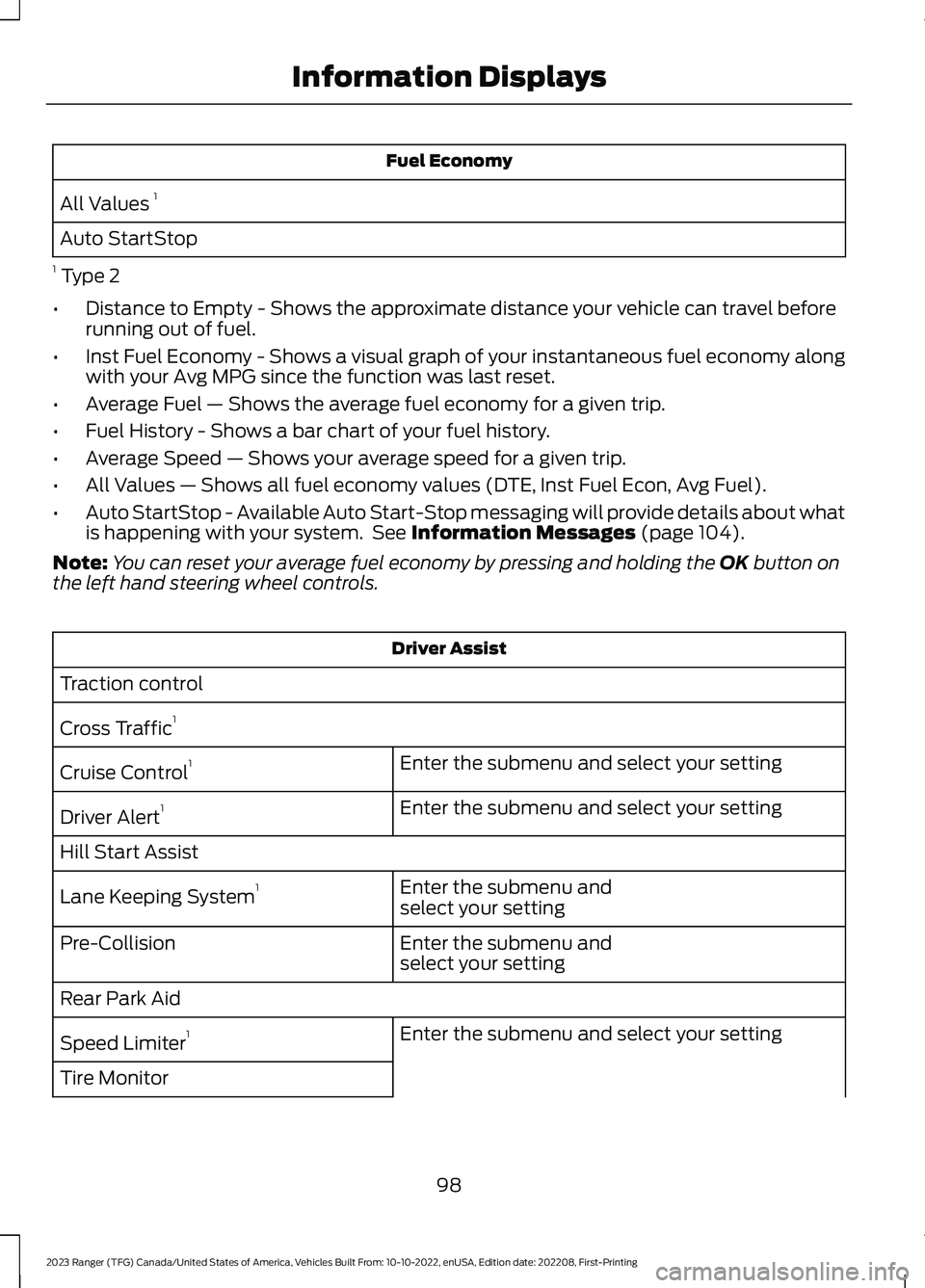
Fuel Economy
All Values 1
Auto StartStop
1 Type 2
•Distance to Empty - Shows the approximate distance your vehicle can travel beforerunning out of fuel.
•Inst Fuel Economy - Shows a visual graph of your instantaneous fuel economy alongwith your Avg MPG since the function was last reset.
•Average Fuel — Shows the average fuel economy for a given trip.
•Fuel History - Shows a bar chart of your fuel history.
•Average Speed — Shows your average speed for a given trip.
•All Values — Shows all fuel economy values (DTE, Inst Fuel Econ, Avg Fuel).
•Auto StartStop - Available Auto Start-Stop messaging will provide details about whatis happening with your system. See Information Messages (page 104).
Note:You can reset your average fuel economy by pressing and holding the OK button onthe left hand steering wheel controls.
Driver Assist
Traction control
Cross Traffic1
Enter the submenu and select your settingCruise Control1
Enter the submenu and select your settingDriver Alert1
Hill Start Assist
Enter the submenu andselect your settingLane Keeping System1
Enter the submenu andselect your settingPre-Collision
Rear Park Aid
Enter the submenu and select your settingSpeed Limiter1
Tire Monitor
98
2023 Ranger (TFG) Canada/United States of America, Vehicles Built From: 10-10-2022, enUSA, Edition date: 202208, First-PrintingInformation Displays
Page 104 of 470
Settings
Hold OK to Clear All MyKeysClearMyKeys
Enter the submenu and select your settingDistanceDisplaySetupEnter the submenu and select your settingTemper-ature
Enter the submenu and select your settingTire Pres-sure
Enter the submenu and select your settingLanguage
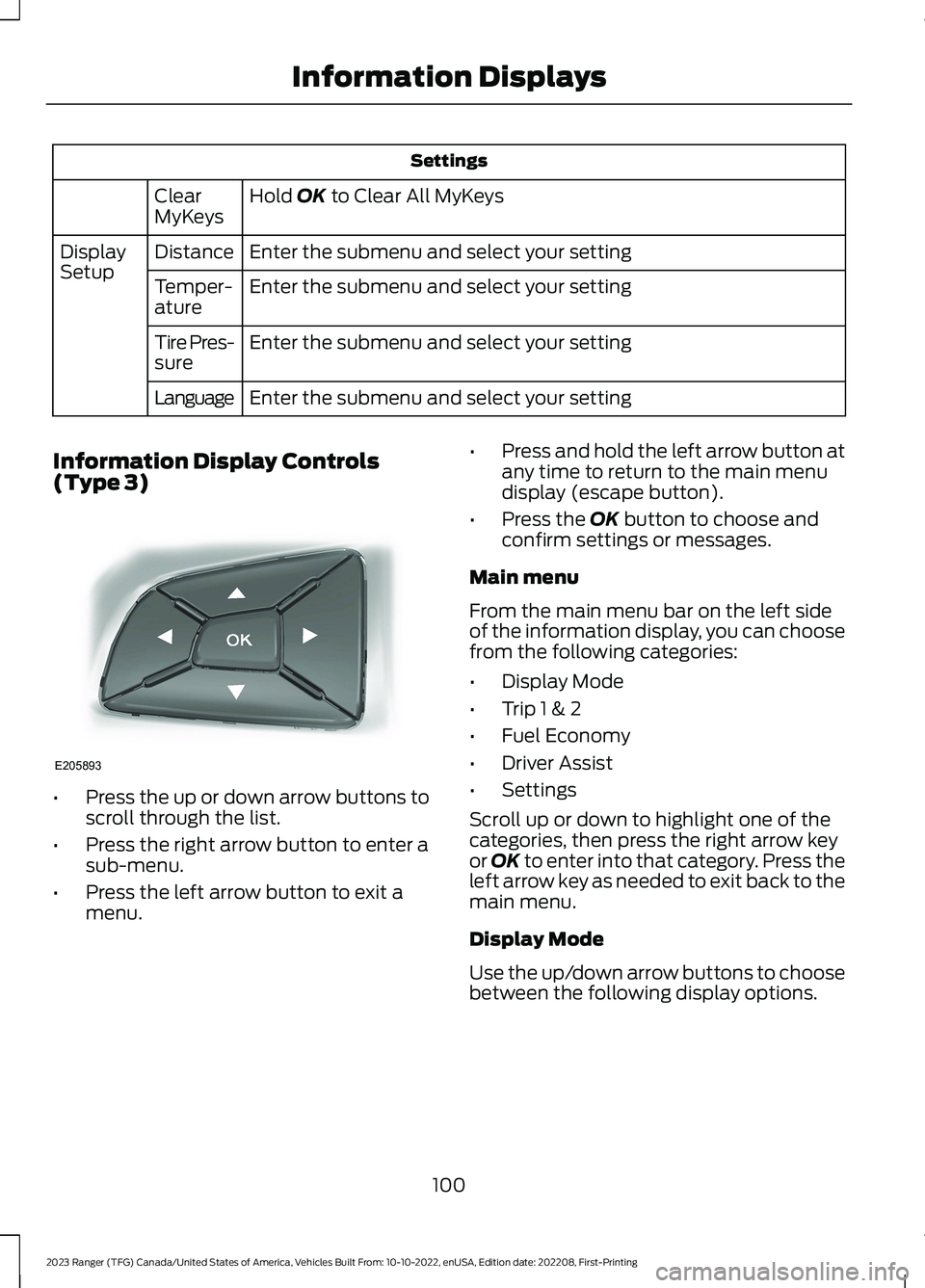
Information Display Controls(Type 3)
•Press the up or down arrow buttons toscroll through the list.
•Press the right arrow button to enter asub-menu.
•Press the left arrow button to exit amenu.
•Press and hold the left arrow button atany time to return to the main menudisplay (escape button).
•Press the OK button to choose andconfirm settings or messages.
Main menu
From the main menu bar on the left sideof the information display, you can choosefrom the following categories:
•Display Mode
•Trip 1 & 2
•Fuel Economy
•Driver Assist
•Settings
Scroll up or down to highlight one of thecategories, then press the right arrow keyor OK to enter into that category. Press theleft arrow key as needed to exit back to themain menu.
Display Mode
Use the up/down arrow buttons to choosebetween the following display options.
100
2023 Ranger (TFG) Canada/United States of America, Vehicles Built From: 10-10-2022, enUSA, Edition date: 202208, First-PrintingInformation DisplaysE205893
Page 105 of 470
Display Mode
Distance to Empty
Tach and Gauges
Off Road
Digital Speedometer
Tire Pressure
Average Speed
Trip 1 & 2
You can access the menu using theinformation display control.
Note:Some options may appear slightlydifferent or not at all if the items areoptional.
Trip 1 & 2
All Values
All Values — shows all trip values (Trip Timer, Odometer and Average Fuel).
•Trip Odometer — Shows your accumulated trip distance.
•Trip Timer— The timer stops when you turn your vehicle off and restarts when yourestart your vehicle.
•Average Fuel — Shows your average fuel economy for a given trip.
Note:You can reset your trip information by pressing and holding the OK button on the lefthand steering wheel controls.
Fuel Economy
Use the left and right arrow buttons tochoose the desired fuel economy display.
101
2023 Ranger (TFG) Canada/United States of America, Vehicles Built From: 10-10-2022, enUSA, Edition date: 202208, First-PrintingInformation Displays
Page 106 of 470
Fuel Economy
Fuel Economy
Fuel History
Auto StartStop
•Fuel Economy - Shows a visual graph of your instantaneous fuel economy, averagefuel economy and distance to empty.
•Fuel History - Shows a bar chart of your fuel history from the past 30 min, averagefuel economy and distance to empty.
•Auto StartStop - Available Auto Start-Stop messaging will provide details about whatis happening with your system. See Information Messages (page 104).
Note:You can reset your average fuel economy by pressing and holding the OK button onthe left hand steering wheel controls.
Driver Assist
In this mode, you can configure differentdriver setting choices.
Note:Some items are optional and maynot appear.
Driver Assist
Blind spotBlind Spot
Enter the submenu and select yoursettingTrailer
Enter the submenu and select yoursettingTrailer Length
Cross TrafficAlert
Hill Start Assist
Rear Park Aid
Trailer Sway
Enter the submenu and select your settingChimes
Enter the submenu and select your settingCruise Control
Enter the submenu and select your settingDriver Alert
102
2023 Ranger (TFG) Canada/United States of America, Vehicles Built From: 10-10-2022, enUSA, Edition date: 202208, First-PrintingInformation Displays
Page 113 of 470
Drivetrain
ActionMessage
Slow the vehicle to the displayed speed to allow the elec-tronic locking differential to engage.To Engage LockingDifferential Slow to XXmph/km/h
The electronic locking differential requests the acceleratorto be released in order to engage.To Engage LockingDifferential ReleaseAccelerator Pedal
An electronic locking differential (ELD) system fault ispresent. Have your vehicle checked as soon as possible.Check Locking Differen-tial
The transfer case is in the neutral position. This messageindicates that your vehicle is safe to be towed with all fourwheels on the ground.
Neutral Tow EnabledLeave Transmission inNeutral
The transfer case is NOT in the neutral position. This messageindicates that your vehicle is NOT safe to be towed with allfour wheels on the ground.
Neutral Tow Disabled
Engine
ActionMessage
The engine has reduced power to help reduce highengine temperature.Power Reduced to Lower EngineTemp
Displays when the accelerator pedal is entrapped orboth accelerator and brake pedals are applied at thesame time. Have your vehicle checked as soon aspossible.
Brake Applied Power Reduced
Fuel
ActionMessage
An early reminder of a low fuel condition.Fuel Level Low
The fuel fill inlet may not be properly closed.Check Fuel Fill Inlet
109
2023 Ranger (TFG) Canada/United States of America, Vehicles Built From: 10-10-2022, enUSA, Edition date: 202208, First-PrintingInformation Displays
Page 126 of 470

Defogging the Side Windows in Cold Weather
Automatic climate controlManual climate control
Press the defrost button.Direct air to the windshield using the airdistribution buttons.1
Adjust the temperature control to thedesired setting. Use 72°F (22°C) as astarting point, then adjust the setting asnecessary.
Press A/C.2
Adjust the temperature control to thedesired setting.3
Adjust the fan speed to the highestsetting.4
HEATED REAR WINDOW (IF
EQUIPPED)
Press the button to clear the rearwindow of thin ice and fog. Theheated rear window turns offafter a short period of time.
Note:Do not use harsh chemicals, razorblades or other sharp objects to clean orremove decals from the inside of the heatedrear window. The vehicle warranty may notcover damage to the heated rear windowgrid lines.
HEATED EXTERIOR MIRRORS
(IF EQUIPPED)
When you switch the heated rear windowon, the heated exterior mirrors turn on.
Note:Do not remove ice from the mirrorswith a scraper or adjust the mirror glasswhen it is frozen in place.
Note:Do not clean the mirror housing orglass with harsh abrasives, fuel or otherpetroleum-based cleaning products. Thevehicle warranty may not cover damagecaused to the mirror housing or glass.
CABIN AIR FILTER
Your vehicle is equipped with a cabin airfilter, which gives you and your passengersthe following benefits:
•It improves your driving comfort byreducing particle concentration.
•It improves the interior compartmentcleanliness.
•It protects the climate controlcomponents from particle deposits.
You can locate the cabin air filter behindthe glove box.
Note:Make sure you have a cabin air filterinstalled at all times. This prevents foreignobjects from entering the system. Runningthe system without a filter in place couldresult in degradation or damage to thesystem.
Replace the filter at regular intervals. SeeScheduled Maintenance (page 416).
122
2023 Ranger (TFG) Canada/United States of America, Vehicles Built From: 10-10-2022, enUSA, Edition date: 202208, First-PrintingClimate ControlE184884
Page 149 of 470
Once your vehicle starts, it remains runninguntil you press the push button ignitionswitch, even if your vehicle does not detecta valid passive key. If you open and closea door while your vehicle is running, thesystem searches for a valid passive key.You cannot start your vehicle if the systemdoes not detect a valid passive key within20 seconds.
Failure to Start
If you cannot start the engine after threeattempts, wait 10 seconds and follow thisprocedure:
1.Fully depress the brake pedal.
2.Shift into park (P).
3.Fully depress the accelerator pedal andhold it there.
4.Start the engine.
Automatic Engine Shutdown
For vehicles with a keyless ignition, thisfeature automatically shuts down theengine if it has been idling for an extendedperiod. The ignition also turns off in orderto save battery power. Before your vehicleshuts down, a message appears in theinformation display showing a timercounting down from 30 seconds. If you donot intervene within 30 seconds, yourvehicle shuts down. Another messageappears in the information display toinform you that your vehicle has shut downto save fuel. Start your vehicle as younormally do.
Automatic Engine Shutdown Override
Note: You cannot permanently switch offthe automatic shutdown feature. When youswitch it off temporarily, it turns on at thenext ignition cycle.
You can stop the shutdown, or reset thetimer, at any point before the 30-secondcountdown has expired by doing any of thefollowing:
•You can reset the timer by interactingwith your vehicle, for example pressingthe brake or accelerator pedal.
•You can temporarily switch off theshutdown feature any time the ignitionis on using the information display. SeeInformation Displays (page 96). Thefeature only remains off for the currentignition cycle.
•During the 30-second countdown, thesystem prompts you to press OK orRESET to temporarily switch thefeature off for the current ignition cycleonly.
Stopping the Engine When YourVehicle is Stationary
Vehicles with an Ignition Key
1.Shift into park (P).
2.Switch the ignition off.
3.Apply the parking brake.
Vehicles with Keyless Start
1.Shift into park (P).
2.Press the push button ignition switch.
3.Apply the parking brake.
Note:The ignition, all electrical circuits andall warning lamps and indicators will beturned off.
Note:If the engine is idling for 30 minutes,the ignition and engine automatically shutdown.
145
2023 Ranger (TFG) Canada/United States of America, Vehicles Built From: 10-10-2022, enUSA, Edition date: 202208, First-PrintingStarting and Stopping the Engine