light FORD SUPER DUTY 2003 1.G User Guide
[x] Cancel search | Manufacturer: FORD, Model Year: 2003, Model line: SUPER DUTY, Model: FORD SUPER DUTY 2003 1.GPages: 256, PDF Size: 2.3 MB
Page 30 of 256

To remove discs:
1. Slide the corresponding lever on the opposite side of the magazine
window. The disc will partiallyeject.
2. Remove the disc.
Radio power must be turned on to playthe CDs in the changer. The
magazine maybe stored in the glove box when not being used.
The CD magazine maybe inserted or ejected with the radio power off.
ONLY use the magazine supplied with the CD changer, other types will
damage the unit.
Keep the CD changer door closed. Coins and foreign objects will damage
the CD player and void your audio system warranty.
RADIO FREQUENCIES
AM and FM frequencies are established bythe Federal Communications
Commission (FCC) and the Canadian Radio and Telecommunications
Commission (CRTC). Those frequencies are:
AM - 530, 540–1700, 1710 kHz
FM- 87.7, 87.9–107.7, 107.9 MHz
RADIO RECEPTION FACTORS
There are three factors that can effect radio reception:
•Distance/strength: The further you travel from an FM station, the
weaker the signal and the weaker the reception.
•Terrain: Hills, mountains, tall buildings, power lines, electric fences,
traffic lights and thunderstorms can interfere with your reception.
•Station overload: When you pass a broadcast tower, a stronger signal
mayovertake a weaker one and playwhile the weak station frequency
is displayed.
CASSETTE/PLAYER CARE
Do:
•Use onlycassettes that are 90 minutes long or less.
•Tighten veryloose tapes byinserting a finger or pencil into the hole
and turning the hub.
•Remove loose labels before inserting tapes.
•Allow tapes which have been subjected to extreme heat, humidityor
cold to reach a moderate temperature before playing.
Entertainment Systems
30
Page 31 of 256

•Clean the cassette player head with a cassette cleaning cartridge after
10–12 hours of playto maintain good sound/operation.
Don’t:
•Expose tapes to direct sunlight, extreme humidity, heat or cold.
•Leave tapes in the cassette player for a long time when not being
played.
CD/CD PLAYER CARE
Do:
•Handle discs bytheir edges only. Never touch the playing surface.
•Inspect discs before playing. Clean only with an approved CD cleaner
and wipe from the center out.
Don’t:
•Expose discs to direct sunlight or heat sources for extended periods
of time.
•Insert more than one disc into each slot of the CD changer magazine.
•Clean using a circular motion.
CD units are designed to play commercially pressed 12 cm
(4.75 in) audio compact discs only. Due to technical
incompatibility, certain recordable and re-recordable compact
discs may not function correctly when used in Ford CD players.
Irregular shaped CDs, CDs with a scratch protection film
attached, and CDs with homemade paper (adhesive) labels should
not be inserted into the CD player. The label may peel and cause
the CD to become jammed. It is recommended that homemade
CDs be identified with permanent felt tip marker rather than
adhesive labels. Ball point pens may damage CDs. Please contact
your dealer for further information.
AUDIO SYSTEM WARRANTY AND SERVICE
Refer to theWarranty Guidefor audio system warranty information. If
service is necessary, see y our dealer or qualified technician.
Entertainment Systems
31
Page 35 of 256
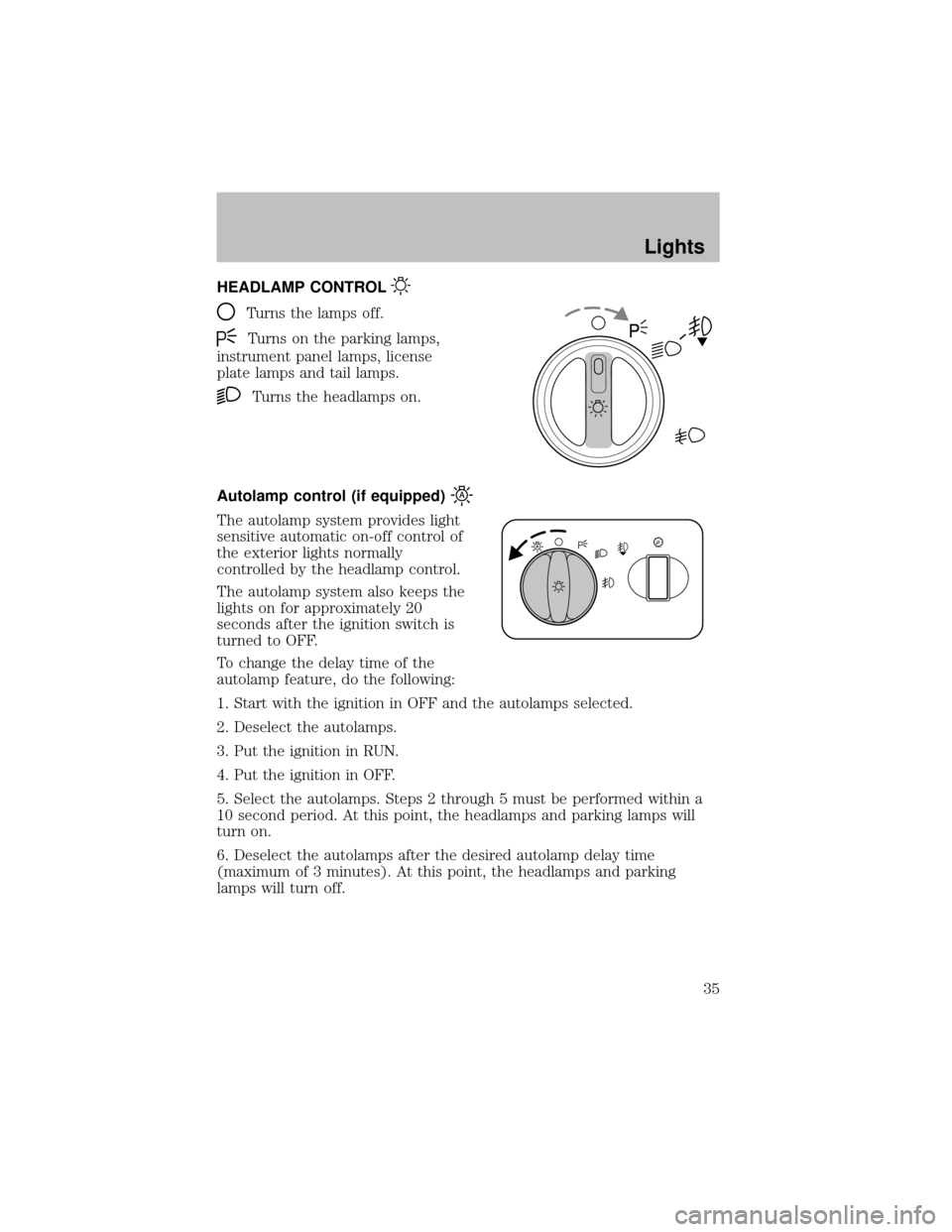
HEADLAMP CONTROL
Turns the lamps off.
Turns on the parking lamps,
instrument panel lamps, license
plate lamps and tail lamps.
Turns the headlamps on.
Autolamp control (if equipped)
The autolamp system provides light
sensitive automatic on-off control of
the exterior lights normally
controlled bythe headlamp control.
The autolamp system also keeps the
lights on for approximately20
seconds after the ignition switch is
turned to OFF.
To change the delaytime of the
autolamp feature, do the following:
1. Start with the ignition in OFF and the autolamps selected.
2. Deselect the autolamps.
3. Put the ignition in RUN.
4. Put the ignition in OFF.
5. Select the autolamps. Steps 2 through 5 must be performed within a
10 second period. At this point, the headlamps and parking lamps will
turn on.
6. Deselect the autolamps after the desired autolamp delaytime
(maximum of 3 minutes). At this point, the headlamps and parking
lamps will turn off.
Lights
35
Page 36 of 256
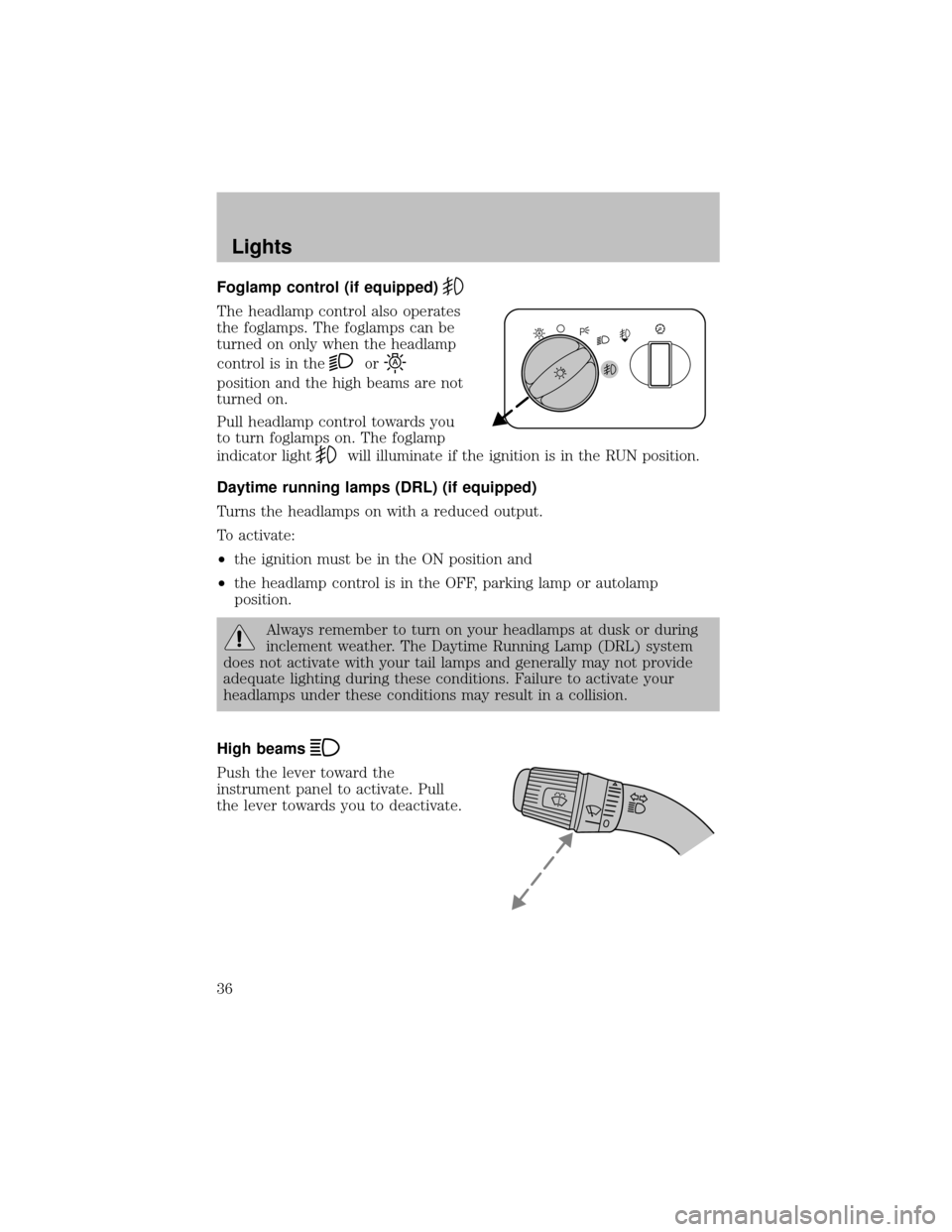
Foglamp control (if equipped)
The headlamp control also operates
the foglamps. The foglamps can be
turned on onlywhen the headlamp
control is in the
or
position and the high beams are not
turned on.
Pull headlamp control towards you
to turn foglamps on. The foglamp
indicator light
will illuminate if the ignition is in the RUN position.
Daytime running lamps (DRL) (if equipped)
Turns the headlamps on with a reduced output.
To activate:
•the ignition must be in the ON position and
•the headlamp control is in the OFF, parking lamp or autolamp
position.
Always remember to turn on your headlamps at dusk or during
inclement weather. The Daytime Running Lamp (DRL) system
does not activate with your tail lamps and generally may not provide
adequate lighting during these conditions. Failure to activate your
headlamps under these conditions mayresult in a collision.
High beams
Push the lever toward the
instrument panel to activate. Pull
the lever towards you to deactivate.
Lights
36
Page 37 of 256
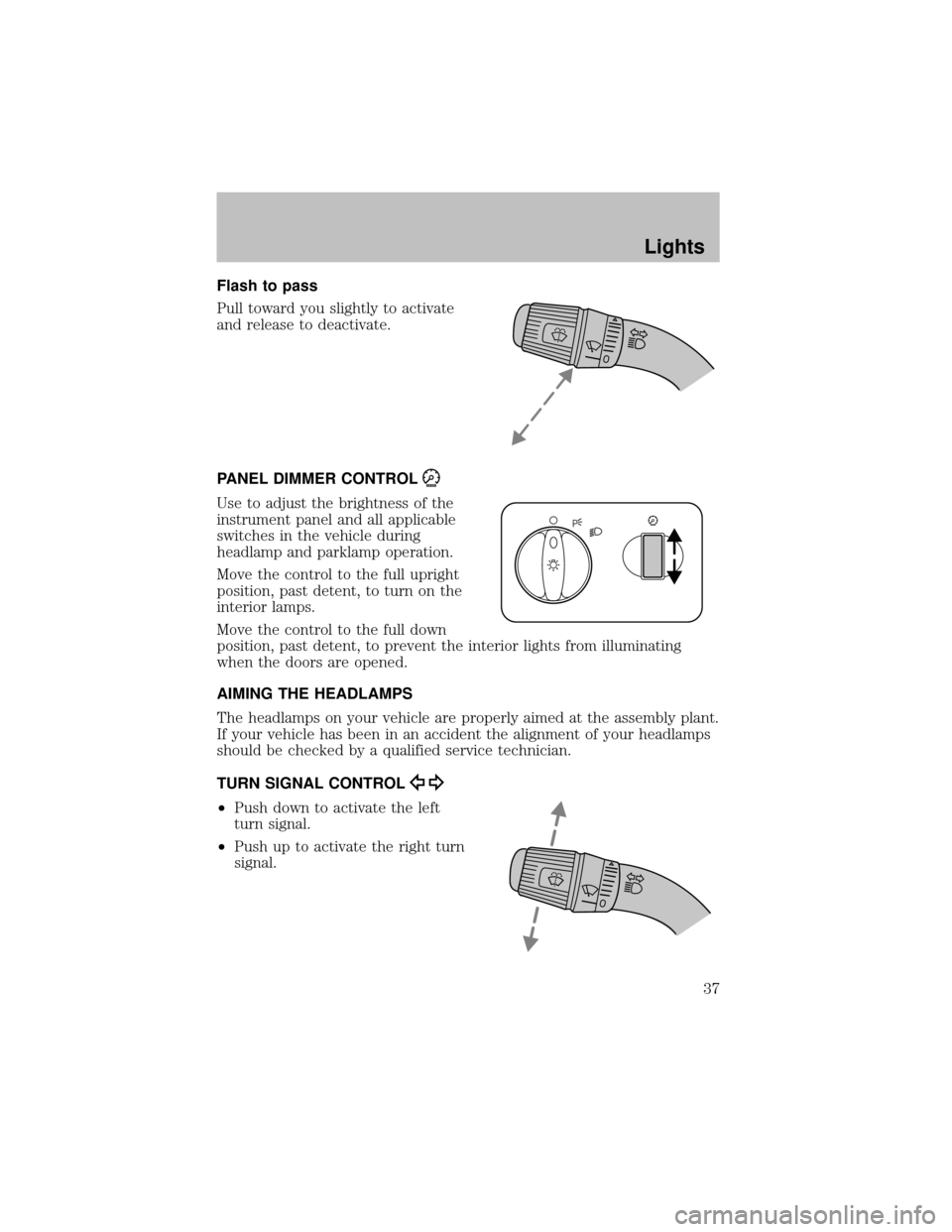
Flash to pass
Pull toward you slightly to activate
and release to deactivate.
PANEL DIMMER CONTROL
Use to adjust the brightness of the
instrument panel and all applicable
switches in the vehicle during
headlamp and parklamp operation.
Move the control to the full upright
position, past detent, to turn on the
interior lamps.
Move the control to the full down
position, past detent, to prevent the interior lights from illuminating
when the doors are opened.
AIMING THE HEADLAMPS
The headlamps on your vehicle are properlyaimed at the assemblyplant.
If your vehicle has been in an accident the alignment of your headlamps
should be checked bya qualified service technician.
TURN SIGNAL CONTROL
•Push down to activate the left
turn signal.
•Push up to activate the right turn
signal.
Lights
37
Page 38 of 256
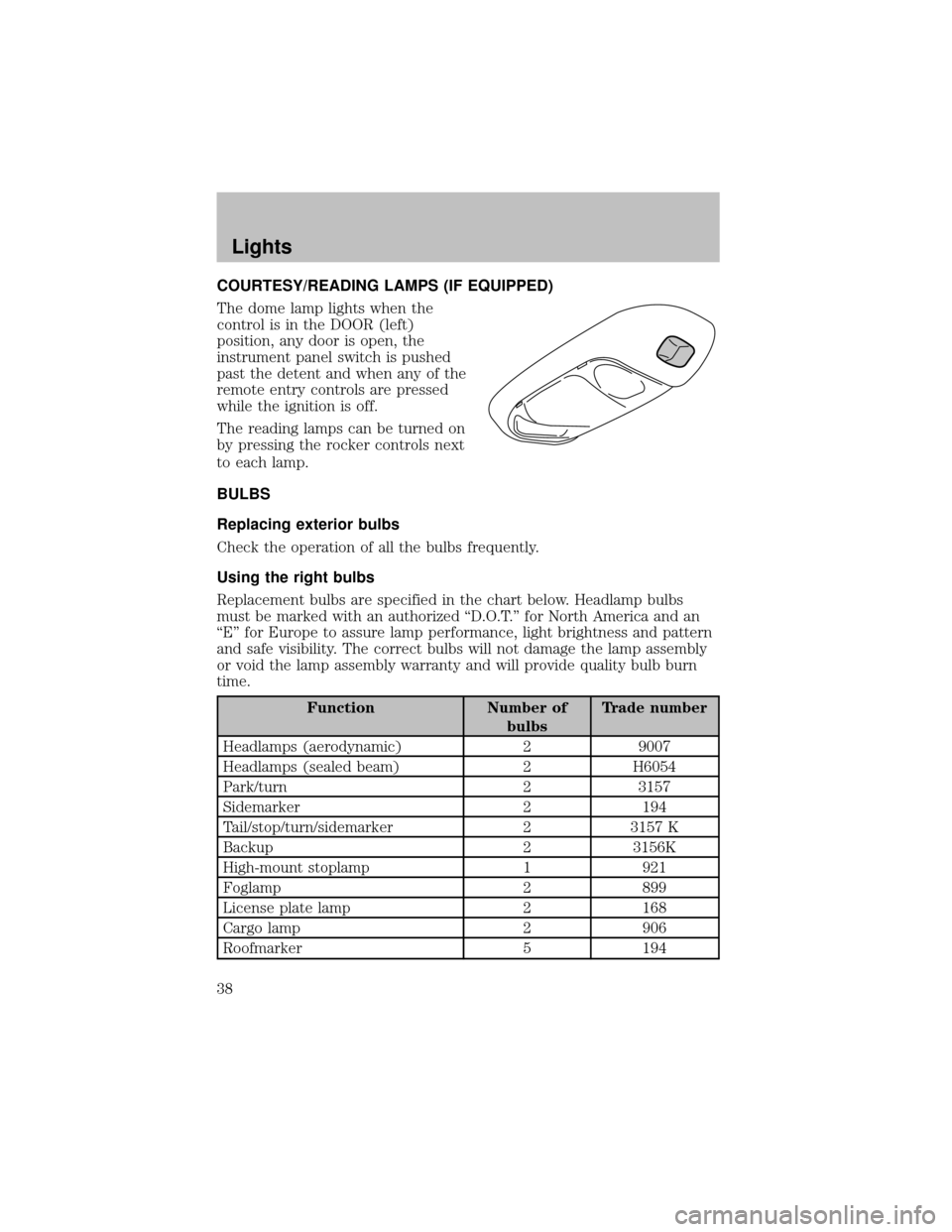
COURTESY/READING LAMPS (IF EQUIPPED)
The dome lamp lights when the
control is in the DOOR (left)
position, anydoor is open, the
instrument panel switch is pushed
past the detent and when anyof the
remote entrycontrols are pressed
while the ignition is off.
The reading lamps can be turned on
bypressing the rocker controls next
to each lamp.
BULBS
Replacing exterior bulbs
Check the operation of all the bulbs frequently.
Using the right bulbs
Replacement bulbs are specified in the chart below. Headlamp bulbs
must be marked with an authorized “D.O.T.” for North America and an
“E” for Europe to assure lamp performance, light brightness and pattern
and safe visibility. The correct bulbs will not damage the lamp assembly
or void the lamp assemblywarrantyand will provide qualitybulb burn
time.
Function Number of
bulbsTrade number
Headlamps (aerodynamic) 2 9007
Headlamps (sealed beam) 2 H6054
Park/turn 2 3157
Sidemarker 2 194
Tail/stop/turn/sidemarker 2 3157 K
Backup 2 3156K
High-mount stoplamp 1 921
Foglamp 2 899
License plate lamp 2 168
Cargo lamp 2 906
Roofmarker 5 194
Lights
38
Page 39 of 256
Function Number of
bulbsTrade number
Rear fender clearance* 4
(a)
Interior visor lamp (if equipped) 4 194
Rear identification 3 194
All replacement bulbs are clear in color except where noted.
To replace all instrument panel lights - see your dealer
(a)Replace entire lamp assembly; bulb is not serviceable.
* Dual rear wheels or if equipped.
Replacing headlamp bulbs (aerodynamic)
1. Make sure that the headlamp control is in the OFF position open the
hood.
2. Disconnect the electrical connector from the bulb bypulling rearward.
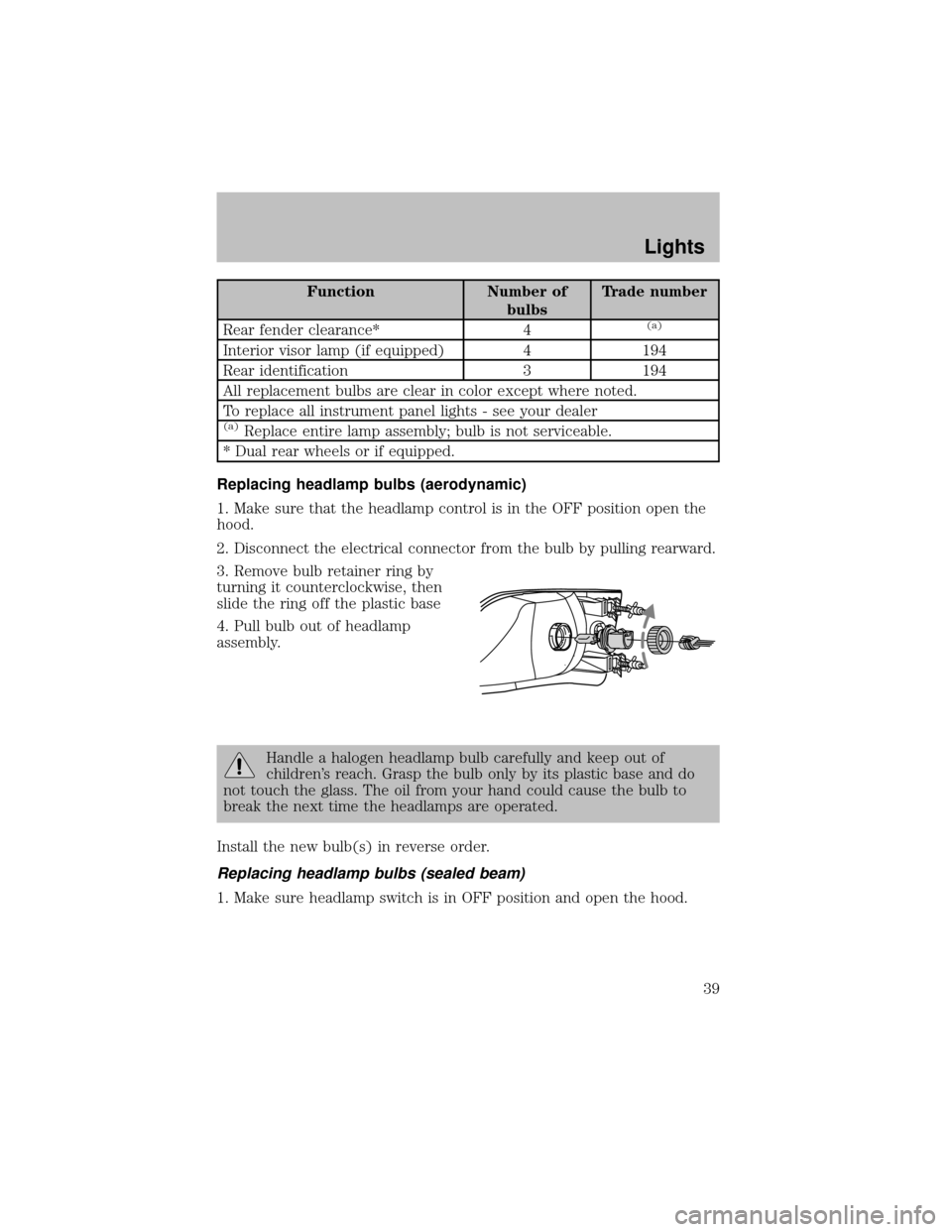
3. Remove bulb retainer ring by
turning it counterclockwise, then
slide the ring off the plastic base
4. Pull bulb out of headlamp
assembly.
Handle a halogen headlamp bulb carefullyand keep out of
children’s reach. Grasp the bulb onlybyits plastic base and do
not touch the glass. The oil from your hand could cause the bulb to
break the next time the headlamps are operated.
Install the new bulb(s) in reverse order.
Replacing headlamp bulbs (sealed beam)
1. Make sure headlamp switch is in OFF position and open the hood.
Lights
39
Page 40 of 256
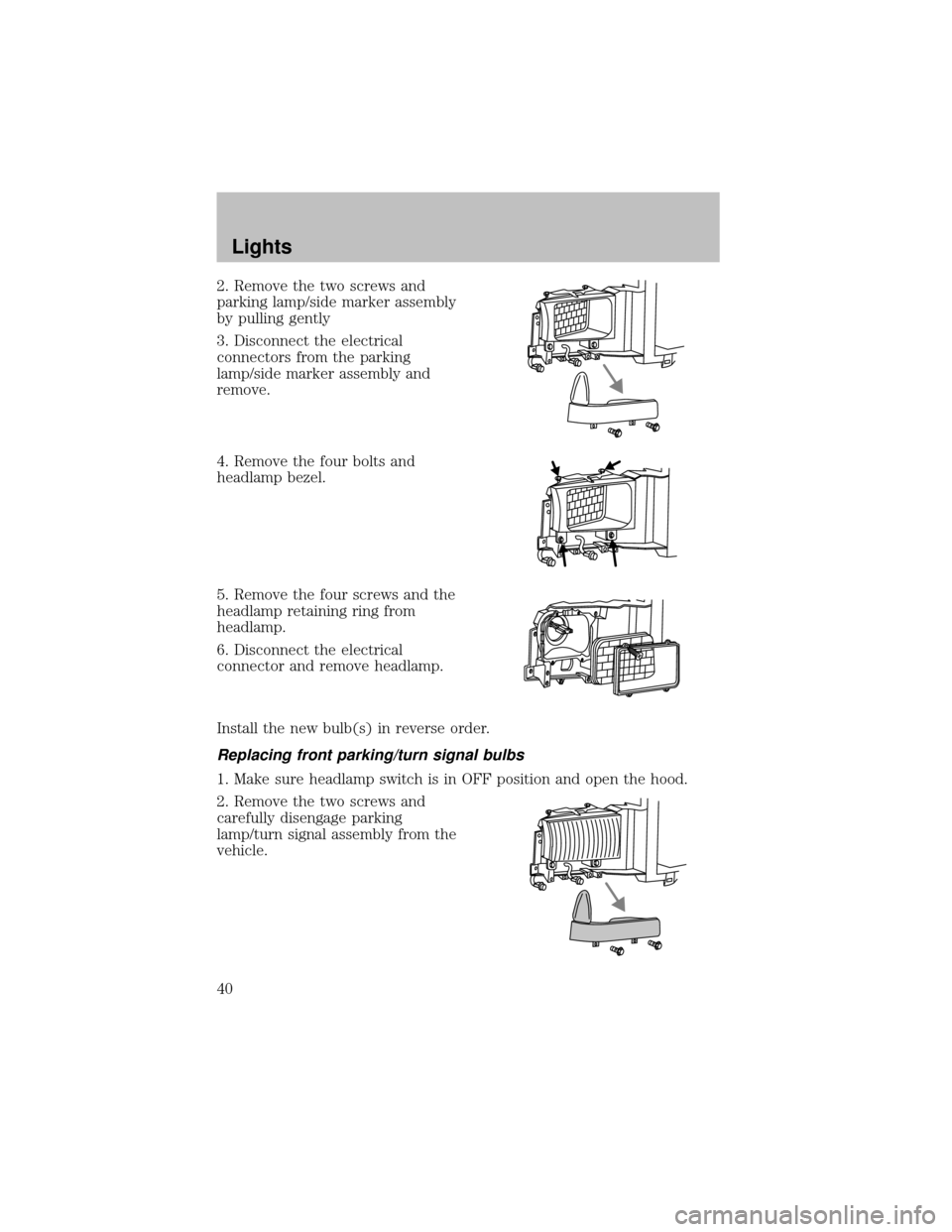
2. Remove the two screws and
parking lamp/side marker assembly
bypulling gently
3. Disconnect the electrical
connectors from the parking
lamp/side marker assemblyand
remove.
4. Remove the four bolts and
headlamp bezel.
5. Remove the four screws and the
headlamp retaining ring from
headlamp.
6. Disconnect the electrical
connector and remove headlamp.
Install the new bulb(s) in reverse order.
Replacing front parking/turn signal bulbs
1. Make sure headlamp switch is in OFF position and open the hood.
2. Remove the two screws and
carefullydisengage parking
lamp/turn signal assemblyfrom the
vehicle.
Lights
40
Page 41 of 256
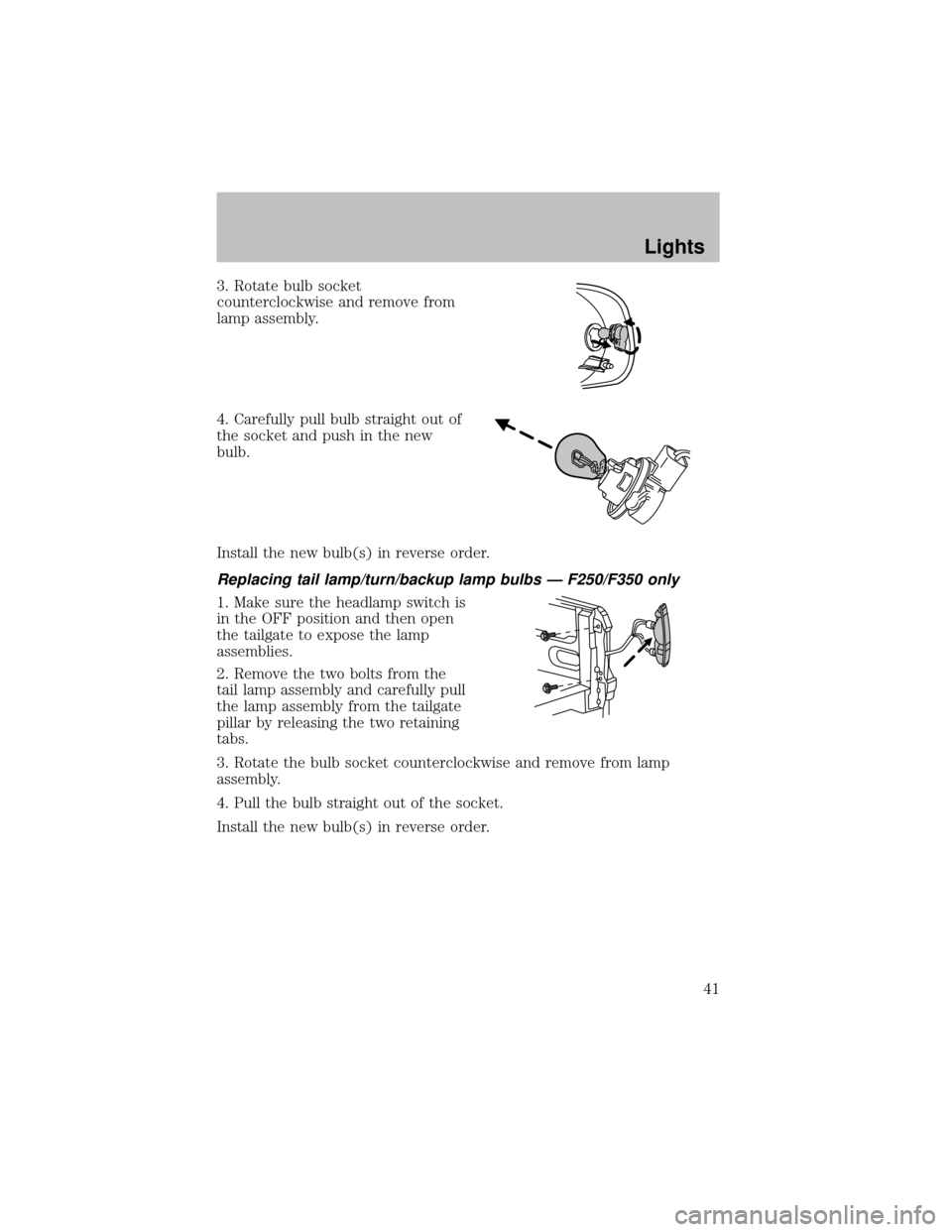
3. Rotate bulb socket
counterclockwise and remove from
lamp assembly.
4. Carefullypull bulb straight out of
the socket and push in the new
bulb.
Install the new bulb(s) in reverse order.
Replacing tail lamp/turn/backup lamp bulbs — F250/F350 only
1. Make sure the headlamp switch is
in the OFF position and then open
the tailgate to expose the lamp
assemblies.
2. Remove the two bolts from the
tail lamp assemblyand carefullypull
the lamp assemblyfrom the tailgate
pillar byreleasing the two retaining
tabs.
3. Rotate the bulb socket counterclockwise and remove from lamp
assembly.
4. Pull the bulb straight out of the socket.
Install the new bulb(s) in reverse order.
Lights
41
Page 42 of 256
Replacing brake/tail/backup lamp bulbs — F450/F550 only
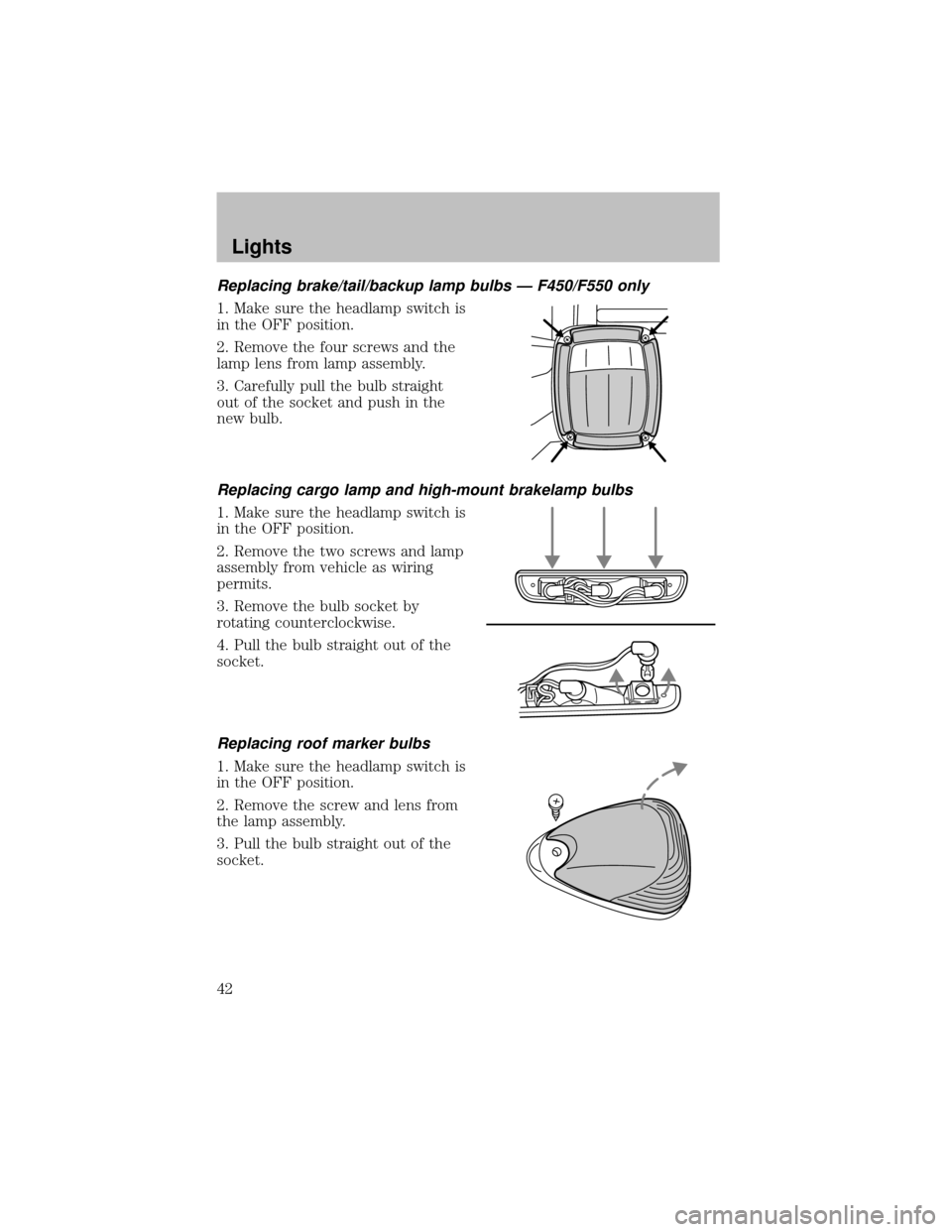
1. Make sure the headlamp switch is
in the OFF position.
2. Remove the four screws and the
lamp lens from lamp assembly.
3. Carefullypull the bulb straight
out of the socket and push in the
new bulb.
Replacing cargo lamp and high-mount brakelamp bulbs
1. Make sure the headlamp switch is
in the OFF position.
2. Remove the two screws and lamp
assemblyfrom vehicle as wiring
permits.
3. Remove the bulb socket by
rotating counterclockwise.
4. Pull the bulb straight out of the
socket.
Replacing roof marker bulbs
1. Make sure the headlamp switch is
in the OFF position.
2. Remove the screw and lens from
the lamp assembly.
3. Pull the bulb straight out of the
socket.
Lights
42