ECO mode FORD SUPER DUTY 2015 3.G User Guide
[x] Cancel search | Manufacturer: FORD, Model Year: 2015, Model line: SUPER DUTY, Model: FORD SUPER DUTY 2015 3.GPages: 470, PDF Size: 18.24 MB
Page 82 of 470
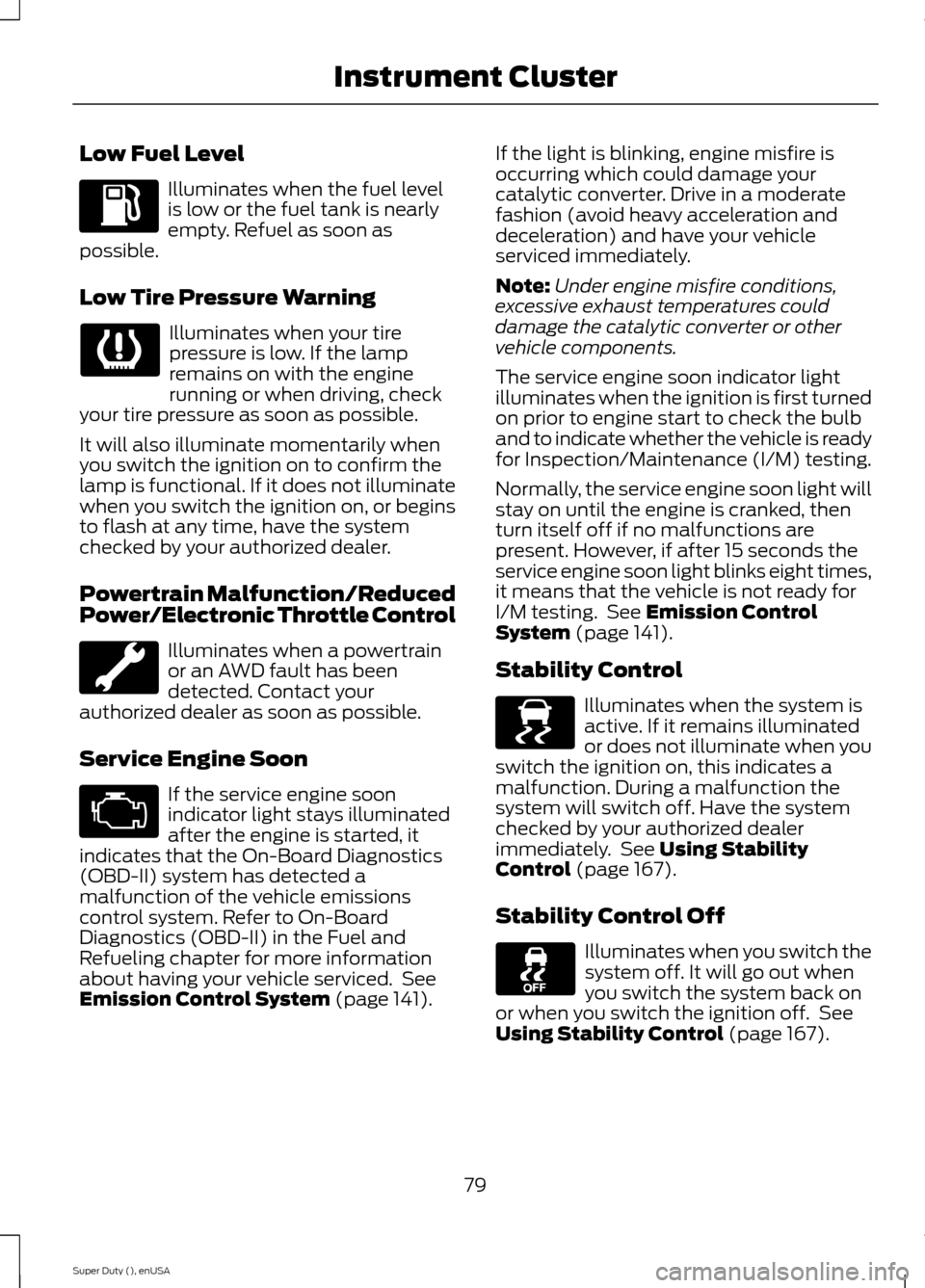
Low Fuel Level
Illuminates when the fuel levelis low or the fuel tank is nearlyempty. Refuel as soon aspossible.
Low Tire Pressure Warning
Illuminates when your tirepressure is low. If the lampremains on with the enginerunning or when driving, checkyour tire pressure as soon as possible.
It will also illuminate momentarily whenyou switch the ignition on to confirm thelamp is functional. If it does not illuminatewhen you switch the ignition on, or beginsto flash at any time, have the systemchecked by your authorized dealer.
Powertrain Malfunction/ReducedPower/Electronic Throttle Control
Illuminates when a powertrainor an AWD fault has beendetected. Contact yourauthorized dealer as soon as possible.
Service Engine Soon
If the service engine soonindicator light stays illuminatedafter the engine is started, itindicates that the On-Board Diagnostics(OBD-II) system has detected amalfunction of the vehicle emissionscontrol system. Refer to On-BoardDiagnostics (OBD-II) in the Fuel andRefueling chapter for more informationabout having your vehicle serviced. SeeEmission Control System (page 141).
If the light is blinking, engine misfire isoccurring which could damage yourcatalytic converter. Drive in a moderatefashion (avoid heavy acceleration anddeceleration) and have your vehicleserviced immediately.
Note:Under engine misfire conditions,excessive exhaust temperatures coulddamage the catalytic converter or othervehicle components.
The service engine soon indicator lightilluminates when the ignition is first turnedon prior to engine start to check the bulband to indicate whether the vehicle is readyfor Inspection/Maintenance (I/M) testing.
Normally, the service engine soon light willstay on until the engine is cranked, thenturn itself off if no malfunctions arepresent. However, if after 15 seconds theservice engine soon light blinks eight times,it means that the vehicle is not ready forI/M testing. See Emission ControlSystem (page 141).
Stability Control
Illuminates when the system isactive. If it remains illuminatedor does not illuminate when youswitch the ignition on, this indicates amalfunction. During a malfunction thesystem will switch off. Have the systemchecked by your authorized dealerimmediately. See Using StabilityControl (page 167).
Stability Control Off
Illuminates when you switch thesystem off. It will go out whenyou switch the system back onor when you switch the ignition off. SeeUsing Stability Control (page 167).
79Super Duty (), enUSAInstrument Cluster E138639
Page 85 of 470
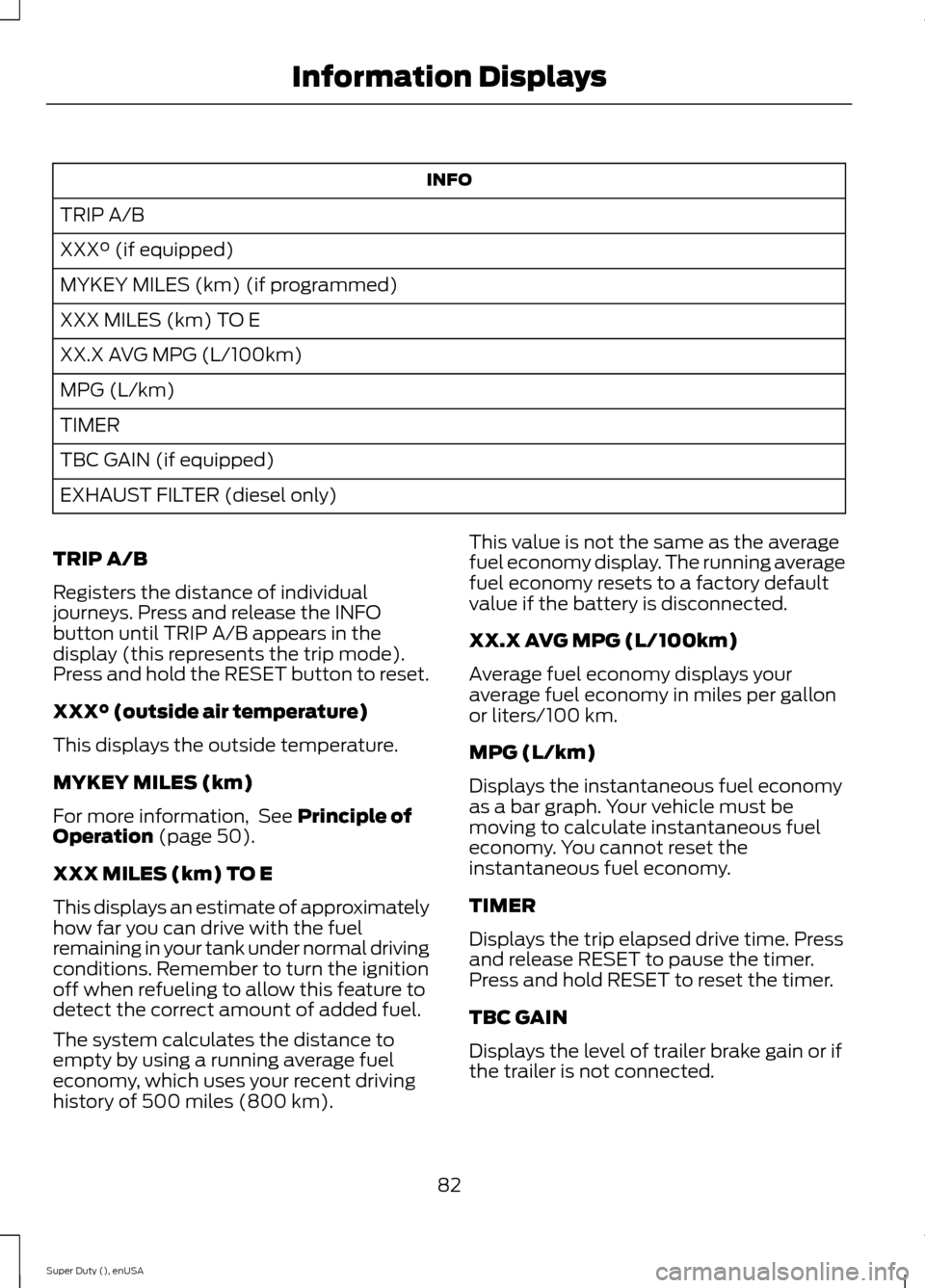
INFO
TRIP A/B
XXX° (if equipped)
MYKEY MILES (km) (if programmed)
XXX MILES (km) TO E
XX.X AVG MPG (L/100km)
MPG (L/km)
TIMER
TBC GAIN (if equipped)
EXHAUST FILTER (diesel only)
TRIP A/B
Registers the distance of individualjourneys. Press and release the INFObutton until TRIP A/B appears in thedisplay (this represents the trip mode).Press and hold the RESET button to reset.
XXX° (outside air temperature)
This displays the outside temperature.
MYKEY MILES (km)
For more information, See Principle ofOperation (page 50).
XXX MILES (km) TO E
This displays an estimate of approximatelyhow far you can drive with the fuelremaining in your tank under normal drivingconditions. Remember to turn the ignitionoff when refueling to allow this feature todetect the correct amount of added fuel.
The system calculates the distance toempty by using a running average fueleconomy, which uses your recent drivinghistory of 500 miles (800 km).
This value is not the same as the averagefuel economy display. The running averagefuel economy resets to a factory defaultvalue if the battery is disconnected.
XX.X AVG MPG (L/100km)
Average fuel economy displays youraverage fuel economy in miles per gallonor liters/100 km.
MPG (L/km)
Displays the instantaneous fuel economyas a bar graph. Your vehicle must bemoving to calculate instantaneous fueleconomy. You cannot reset theinstantaneous fuel economy.
TIMER
Displays the trip elapsed drive time. Pressand release RESET to pause the timer.Press and hold RESET to reset the timer.
TBC GAIN
Displays the level of trailer brake gain or ifthe trailer is not connected.
82Super Duty (), enUSAInformation Displays
Page 87 of 470
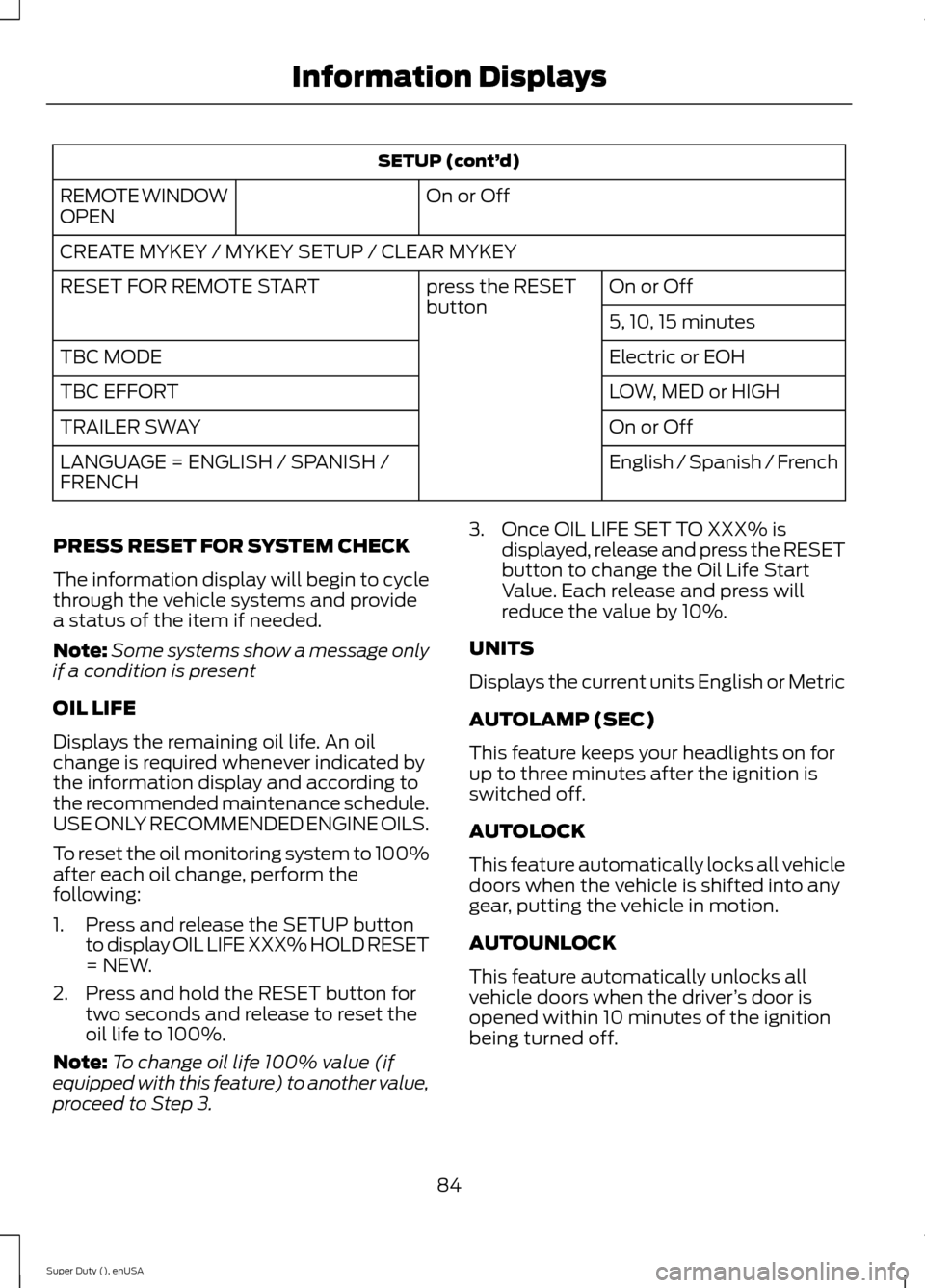
SETUP (cont’d)
On or OffREMOTE WINDOWOPEN
CREATE MYKEY / MYKEY SETUP / CLEAR MYKEY
On or Offpress the RESETbuttonRESET FOR REMOTE START
5, 10, 15 minutes
Electric or EOHTBC MODE
LOW, MED or HIGHTBC EFFORT
On or OffTRAILER SWAY
English / Spanish / FrenchLANGUAGE = ENGLISH / SPANISH /FRENCH
PRESS RESET FOR SYSTEM CHECK
The information display will begin to cyclethrough the vehicle systems and providea status of the item if needed.
Note:Some systems show a message onlyif a condition is present
OIL LIFE
Displays the remaining oil life. An oilchange is required whenever indicated bythe information display and according tothe recommended maintenance schedule.USE ONLY RECOMMENDED ENGINE OILS.
To reset the oil monitoring system to 100%after each oil change, perform thefollowing:
1.Press and release the SETUP buttonto display OIL LIFE XXX% HOLD RESET= NEW.
2.Press and hold the RESET button fortwo seconds and release to reset theoil life to 100%.
Note:To change oil life 100% value (ifequipped with this feature) to another value,proceed to Step 3.
3.Once OIL LIFE SET TO XXX% isdisplayed, release and press the RESETbutton to change the Oil Life StartValue. Each release and press willreduce the value by 10%.
UNITS
Displays the current units English or Metric
AUTOLAMP (SEC)
This feature keeps your headlights on forup to three minutes after the ignition isswitched off.
AUTOLOCK
This feature automatically locks all vehicledoors when the vehicle is shifted into anygear, putting the vehicle in motion.
AUTOUNLOCK
This feature automatically unlocks allvehicle doors when the driver’s door isopened within 10 minutes of the ignitionbeing turned off.
84Super Duty (), enUSAInformation Displays
Page 88 of 470
COURTESY WIPE
This feature allows for an extra swipe ofthe wipers after a wipe/wash cycle.
CREATE MYKEY / MYKEY SETUP /CLEAR MYKEY
For more information, See Creating aMyKey (page 50).
RESET FOR REMOTE START (ifequipped)
REAR PARK AID
This feature sounds a warning tone to warnthe driver of obstacles near the rearbumper, and functions only when R(Reverse) gear is selected.
TBC MODE (if equipped)
Allows you to choose the trailer brakemode.
TBC EFFORT (if equipped)
Allows you to choose the level of initialbraking.
TRAILER SWAY (if equipped)
This feature uses the electronic stabilitycontrol to mitigate trailer sway.
LANGUAGE = ENGLISH / SPANISH /FRENCH
Allows you to choose which language themessage center will display in.
Waiting four seconds or pressing theRESET button cycles the message centerthrough each of the language choices.
Press the RESET button to set thelanguage choice.
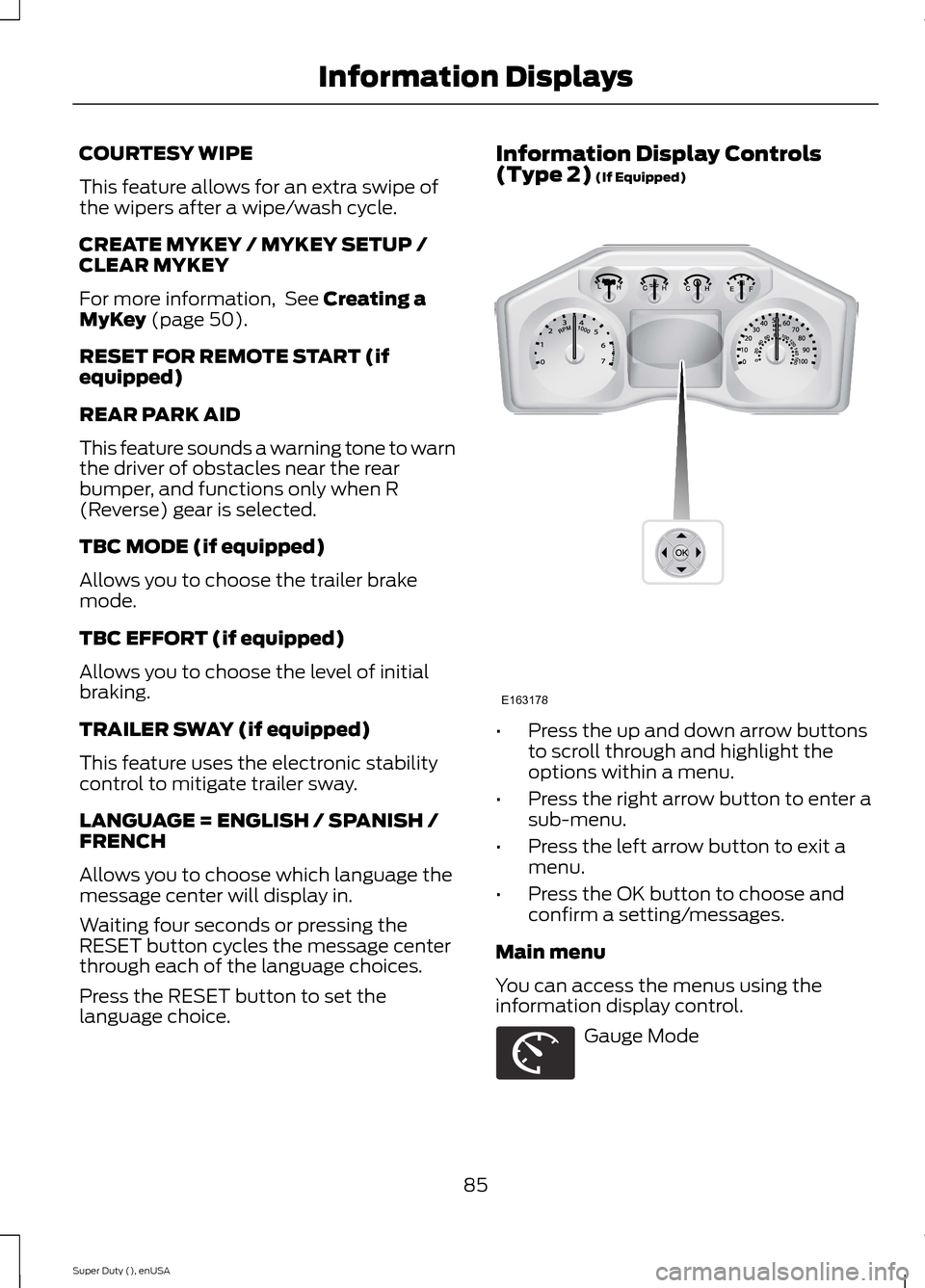
Information Display Controls(Type 2) (If Equipped)
•Press the up and down arrow buttonsto scroll through and highlight theoptions within a menu.
•Press the right arrow button to enter asub-menu.
•Press the left arrow button to exit amenu.
•Press the OK button to choose andconfirm a setting/messages.
Main menu
You can access the menus using theinformation display control.
Gauge Mode
85Super Duty (), enUSAInformation DisplaysE163178 E163179
Page 89 of 470
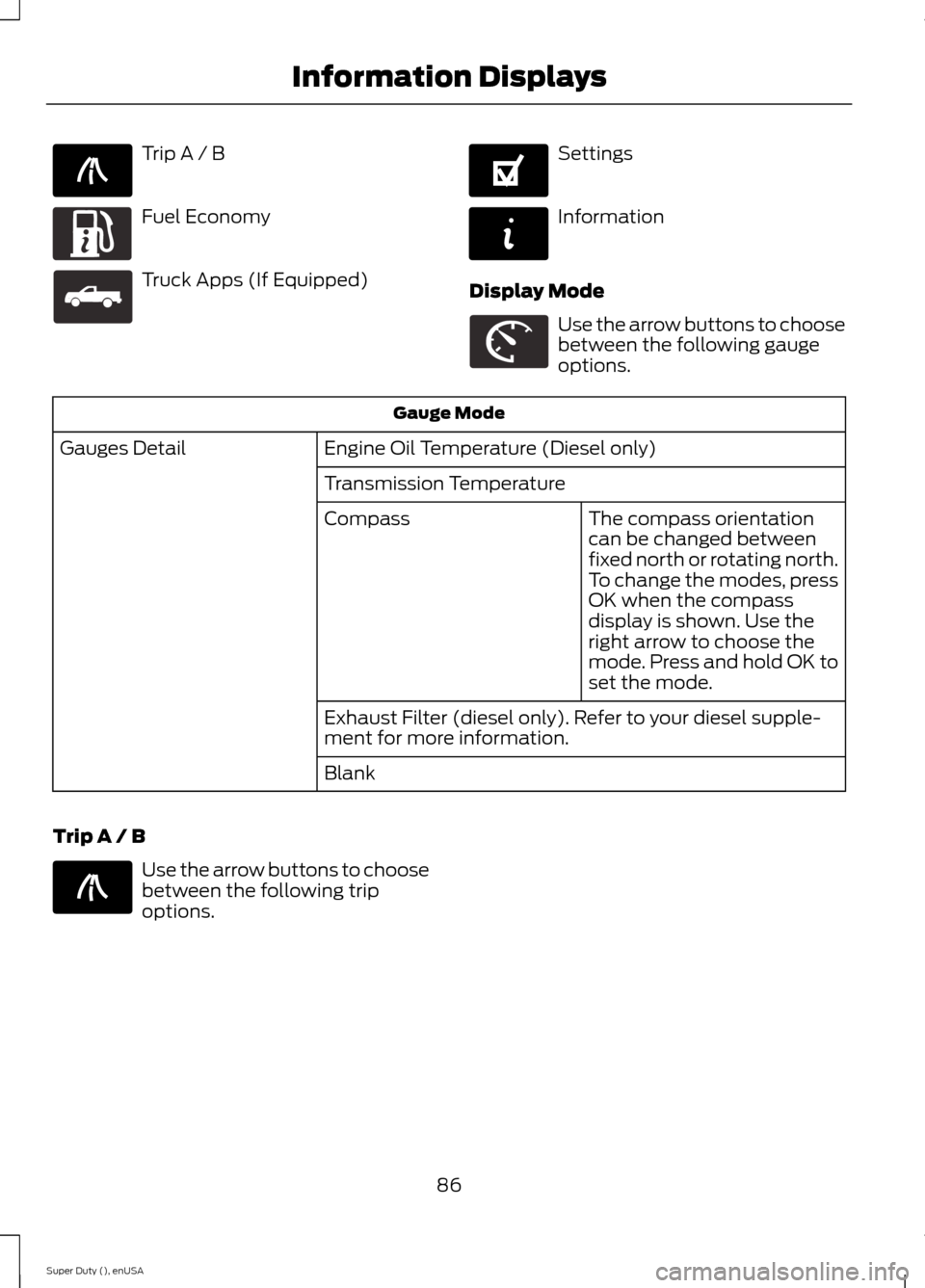
Trip A / B
Fuel Economy
Truck Apps (If Equipped)
Settings
Information
Display Mode
Use the arrow buttons to choosebetween the following gaugeoptions.
Gauge Mode
Engine Oil Temperature (Diesel only)Gauges Detail
Transmission Temperature
The compass orientationcan be changed betweenfixed north or rotating north.To change the modes, pressOK when the compassdisplay is shown. Use theright arrow to choose themode. Press and hold OK toset the mode.
Compass
Exhaust Filter (diesel only). Refer to your diesel supple-ment for more information.
Blank
Trip A / B
Use the arrow buttons to choosebetween the following tripoptions.
86Super Duty (), enUSAInformation DisplaysE138660 E163180 E163181 E144641 E144642 E163179 E138660
Page 91 of 470
Fuel Hist.
Shows fuel usage as a bar graph based ontime. The graph is updated each minutewith the fuel economy that was achievedduring the prior 5, 10, 30 minutes of driving.
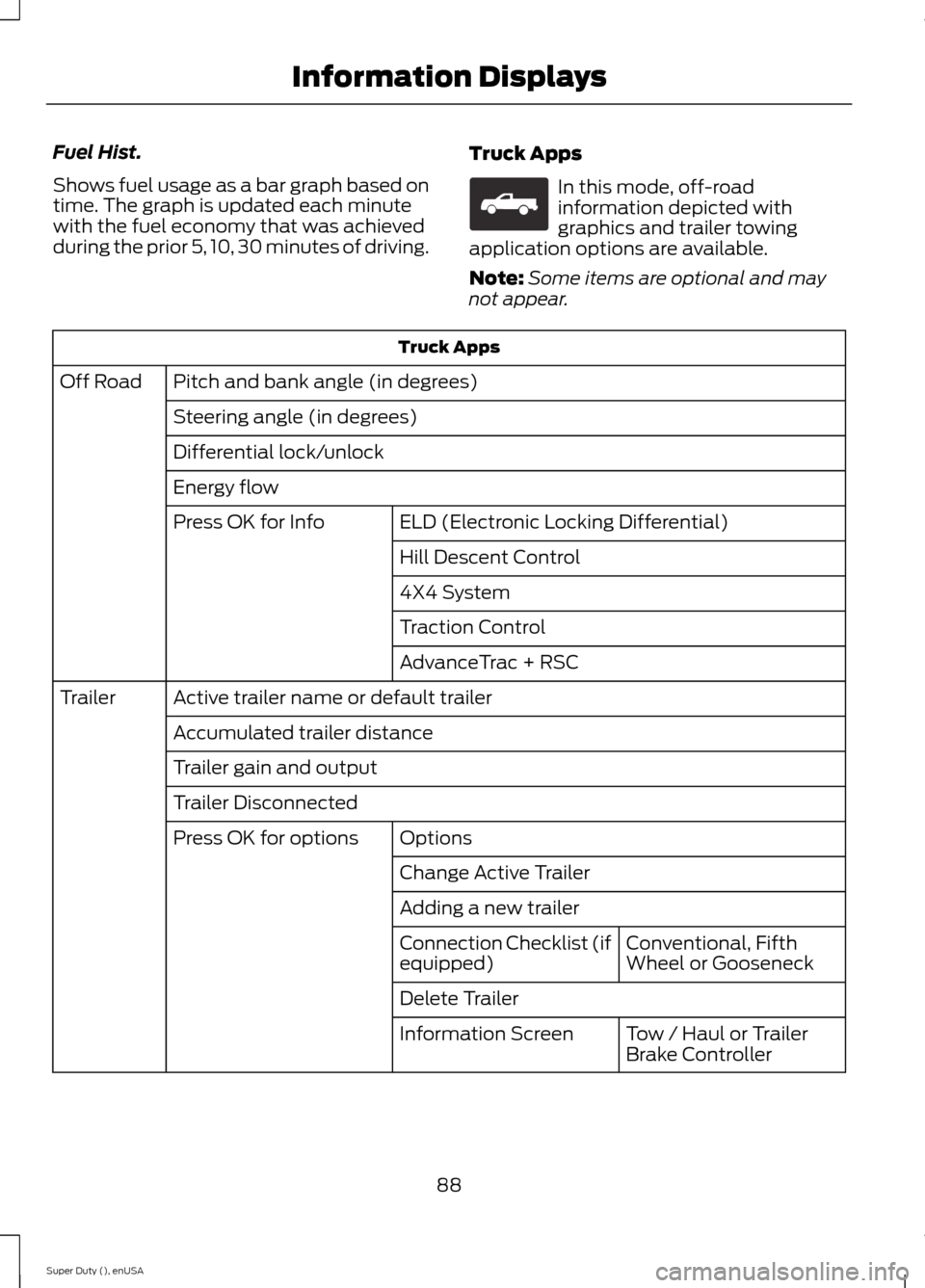
Truck Apps
In this mode, off-roadinformation depicted withgraphics and trailer towingapplication options are available.
Note:Some items are optional and maynot appear.
Truck Apps
Pitch and bank angle (in degrees)Off Road
Steering angle (in degrees)
Differential lock/unlock
Energy flow
ELD (Electronic Locking Differential)Press OK for Info
Hill Descent Control
4X4 System
Traction Control
AdvanceTrac + RSC
Active trailer name or default trailerTrailer
Accumulated trailer distance
Trailer gain and output
Trailer Disconnected
OptionsPress OK for options
Change Active Trailer
Adding a new trailer
Conventional, FifthWheel or GooseneckConnection Checklist (ifequipped)
Delete Trailer
Tow / Haul or TrailerBrake ControllerInformation Screen
88Super Duty (), enUSAInformation DisplaysE163181
Page 93 of 470
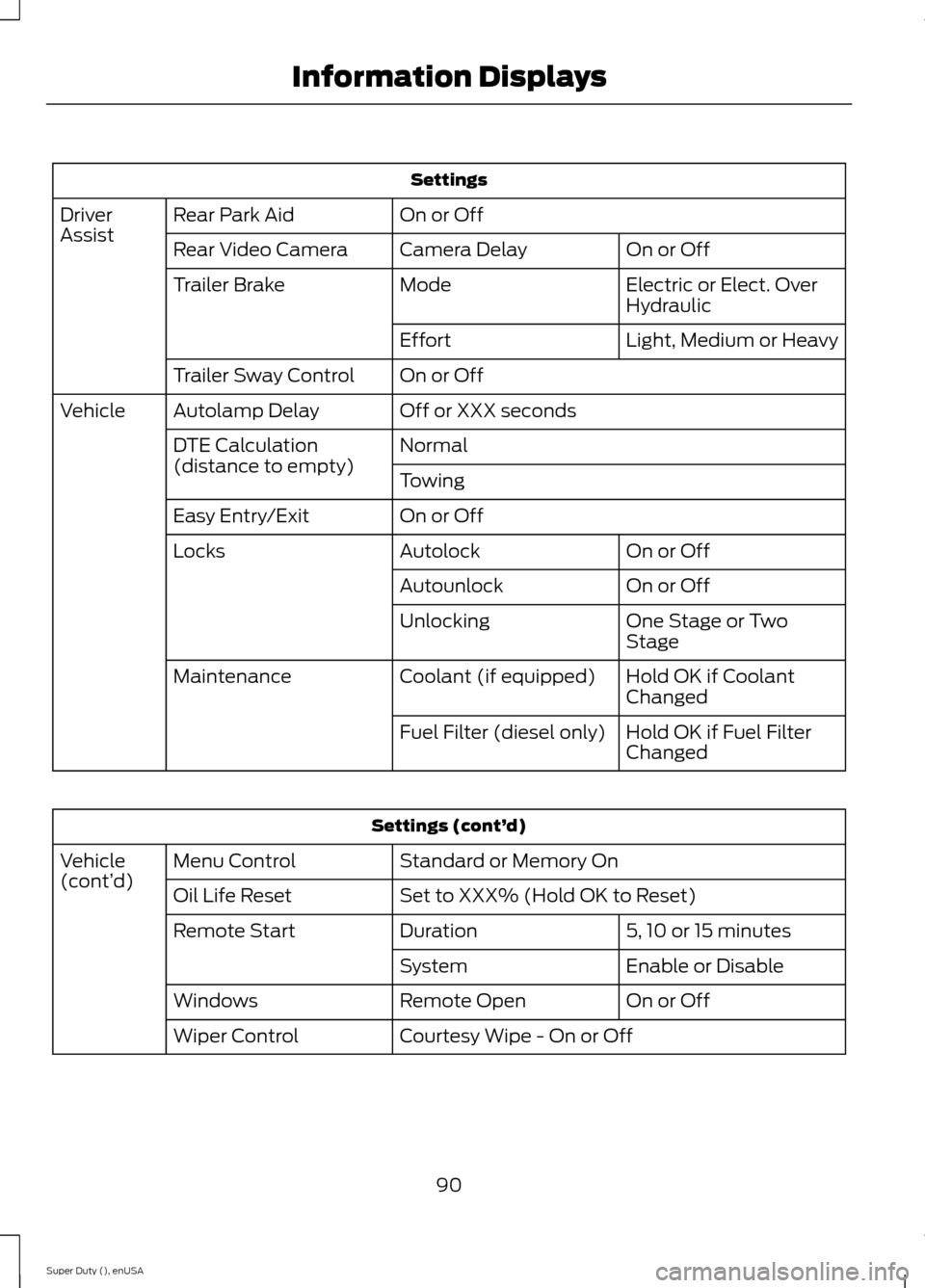
Settings
On or OffRear Park AidDriverAssistOn or OffCamera DelayRear Video Camera
Electric or Elect. OverHydraulicModeTrailer Brake
Light, Medium or HeavyEffort
On or OffTrailer Sway Control
Off or XXX secondsAutolamp DelayVehicle
NormalDTE Calculation(distance to empty)Towing
On or OffEasy Entry/Exit
On or OffAutolockLocks
On or OffAutounlock
One Stage or TwoStageUnlocking
Hold OK if CoolantChangedCoolant (if equipped)Maintenance
Hold OK if Fuel FilterChangedFuel Filter (diesel only)
Settings (cont’d)
Standard or Memory OnMenu ControlVehicle(cont’d)Set to XXX% (Hold OK to Reset)Oil Life Reset
5, 10 or 15 minutesDurationRemote Start
Enable or DisableSystem
On or OffRemote OpenWindows
Courtesy Wipe - On or OffWiper Control
90Super Duty (), enUSAInformation Displays
Page 96 of 470
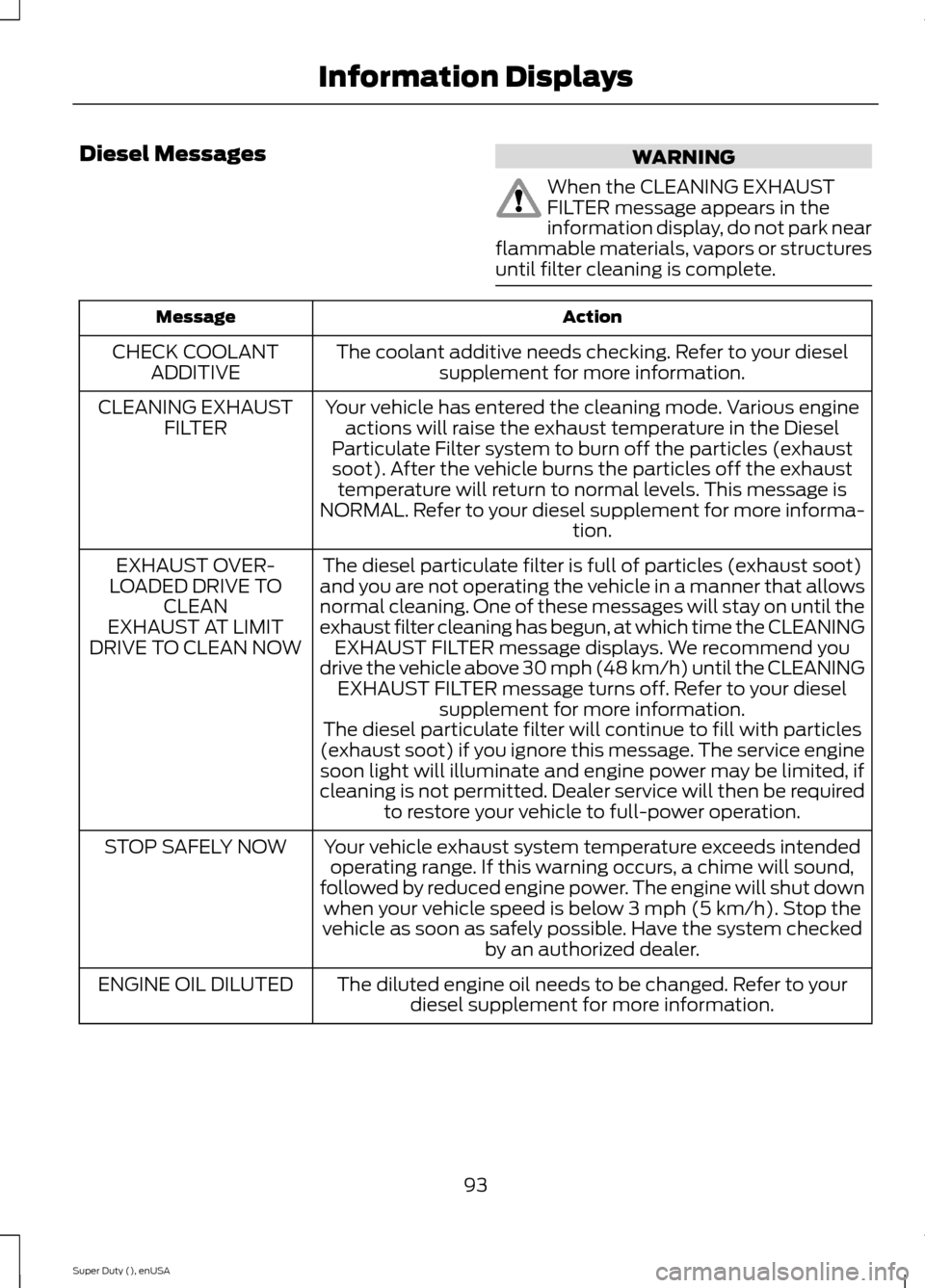
Diesel MessagesWARNING
When the CLEANING EXHAUSTFILTER message appears in theinformation display, do not park nearflammable materials, vapors or structuresuntil filter cleaning is complete.
ActionMessage
The coolant additive needs checking. Refer to your dieselsupplement for more information.CHECK COOLANTADDITIVE
Your vehicle has entered the cleaning mode. Various engineactions will raise the exhaust temperature in the DieselParticulate Filter system to burn off the particles (exhaustsoot). After the vehicle burns the particles off the exhausttemperature will return to normal levels. This message isNORMAL. Refer to your diesel supplement for more informa-tion.
CLEANING EXHAUSTFILTER
The diesel particulate filter is full of particles (exhaust soot)and you are not operating the vehicle in a manner that allowsnormal cleaning. One of these messages will stay on until theexhaust filter cleaning has begun, at which time the CLEANINGEXHAUST FILTER message displays. We recommend youdrive the vehicle above 30 mph (48 km/h) until the CLEANINGEXHAUST FILTER message turns off. Refer to your dieselsupplement for more information.
EXHAUST OVER-LOADED DRIVE TOCLEANEXHAUST AT LIMITDRIVE TO CLEAN NOW
The diesel particulate filter will continue to fill with particles(exhaust soot) if you ignore this message. The service enginesoon light will illuminate and engine power may be limited, ifcleaning is not permitted. Dealer service will then be requiredto restore your vehicle to full-power operation.
Your vehicle exhaust system temperature exceeds intendedoperating range. If this warning occurs, a chime will sound,followed by reduced engine power. The engine will shut downwhen your vehicle speed is below 3 mph (5 km/h). Stop thevehicle as soon as safely possible. Have the system checkedby an authorized dealer.
STOP SAFELY NOW
The diluted engine oil needs to be changed. Refer to yourdiesel supplement for more information.ENGINE OIL DILUTED
93Super Duty (), enUSAInformation Displays
Page 98 of 470
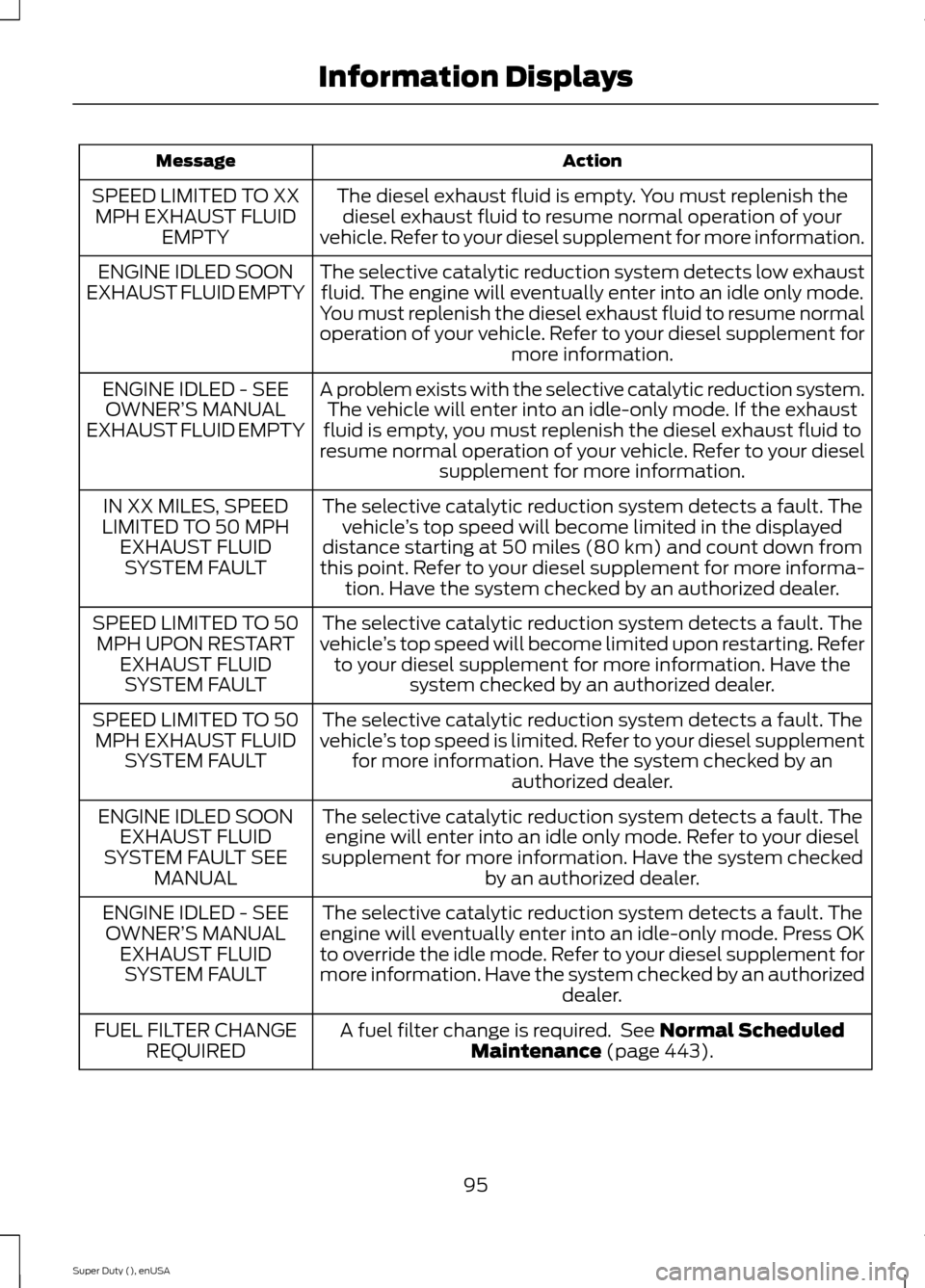
ActionMessage
The diesel exhaust fluid is empty. You must replenish thediesel exhaust fluid to resume normal operation of yourvehicle. Refer to your diesel supplement for more information.
SPEED LIMITED TO XXMPH EXHAUST FLUIDEMPTY
The selective catalytic reduction system detects low exhaustfluid. The engine will eventually enter into an idle only mode.You must replenish the diesel exhaust fluid to resume normaloperation of your vehicle. Refer to your diesel supplement formore information.
ENGINE IDLED SOONEXHAUST FLUID EMPTY
A problem exists with the selective catalytic reduction system.The vehicle will enter into an idle-only mode. If the exhaustfluid is empty, you must replenish the diesel exhaust fluid toresume normal operation of your vehicle. Refer to your dieselsupplement for more information.
ENGINE IDLED - SEEOWNER’S MANUALEXHAUST FLUID EMPTY
The selective catalytic reduction system detects a fault. Thevehicle’s top speed will become limited in the displayeddistance starting at 50 miles (80 km) and count down fromthis point. Refer to your diesel supplement for more informa-tion. Have the system checked by an authorized dealer.
IN XX MILES, SPEEDLIMITED TO 50 MPHEXHAUST FLUIDSYSTEM FAULT
The selective catalytic reduction system detects a fault. Thevehicle’s top speed will become limited upon restarting. Referto your diesel supplement for more information. Have thesystem checked by an authorized dealer.
SPEED LIMITED TO 50MPH UPON RESTARTEXHAUST FLUIDSYSTEM FAULT
The selective catalytic reduction system detects a fault. Thevehicle’s top speed is limited. Refer to your diesel supplementfor more information. Have the system checked by anauthorized dealer.
SPEED LIMITED TO 50MPH EXHAUST FLUIDSYSTEM FAULT
The selective catalytic reduction system detects a fault. Theengine will enter into an idle only mode. Refer to your dieselsupplement for more information. Have the system checkedby an authorized dealer.
ENGINE IDLED SOONEXHAUST FLUIDSYSTEM FAULT SEEMANUAL
The selective catalytic reduction system detects a fault. Theengine will eventually enter into an idle-only mode. Press OKto override the idle mode. Refer to your diesel supplement formore information. Have the system checked by an authorizeddealer.
ENGINE IDLED - SEEOWNER’S MANUALEXHAUST FLUIDSYSTEM FAULT
A fuel filter change is required. See Normal ScheduledMaintenance (page 443).FUEL FILTER CHANGEREQUIRED
95Super Duty (), enUSAInformation Displays
Page 107 of 470
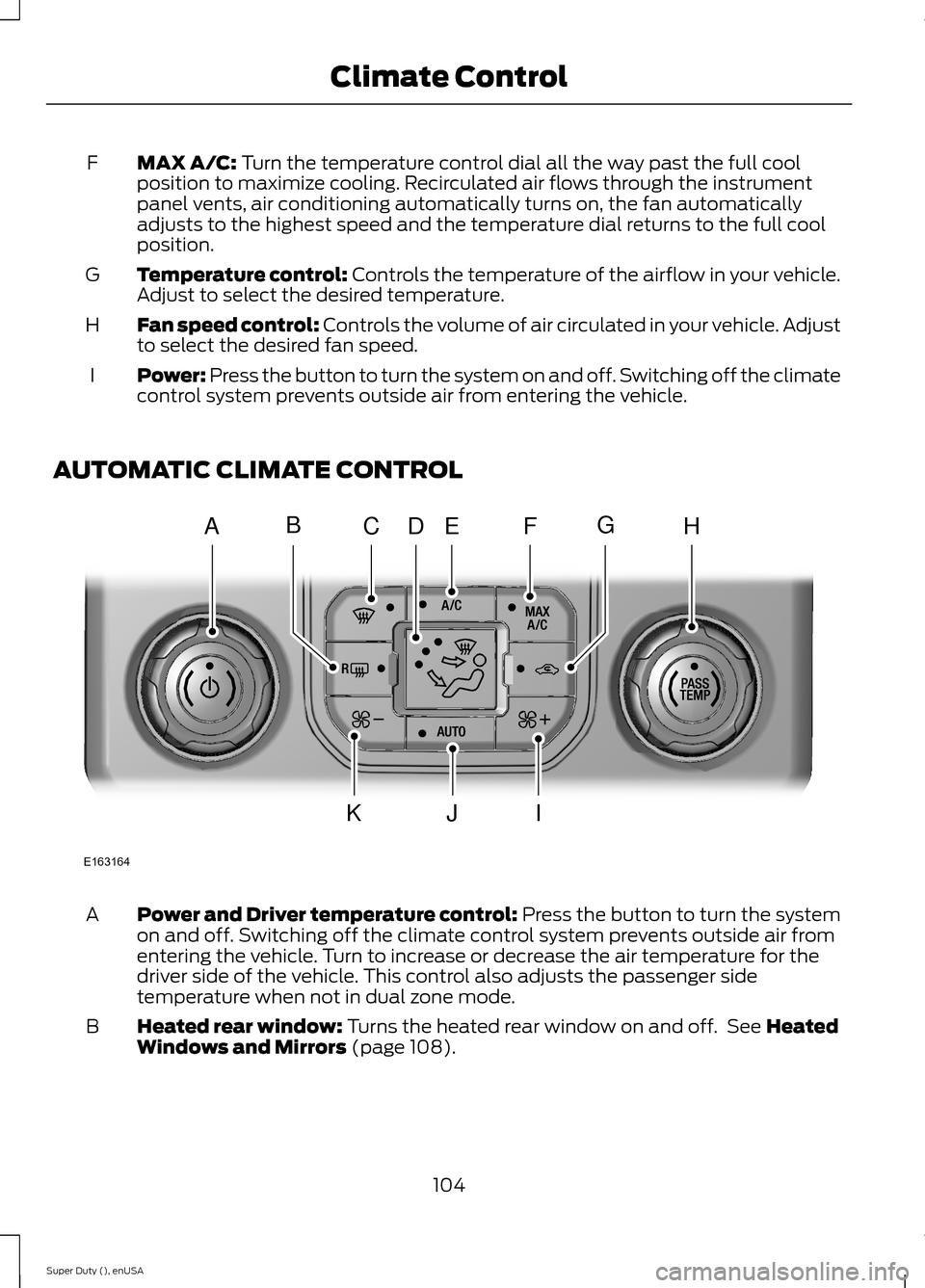
MAX A/C: Turn the temperature control dial all the way past the full coolposition to maximize cooling. Recirculated air flows through the instrumentpanel vents, air conditioning automatically turns on, the fan automaticallyadjusts to the highest speed and the temperature dial returns to the full coolposition.
F
Temperature control: Controls the temperature of the airflow in your vehicle.Adjust to select the desired temperature.G
Fan speed control: Controls the volume of air circulated in your vehicle. Adjustto select the desired fan speed.H
Power: Press the button to turn the system on and off. Switching off the climatecontrol system prevents outside air from entering the vehicle.I
AUTOMATIC CLIMATE CONTROL
Power and Driver temperature control: Press the button to turn the systemon and off. Switching off the climate control system prevents outside air fromentering the vehicle. Turn to increase or decrease the air temperature for thedriver side of the vehicle. This control also adjusts the passenger sidetemperature when not in dual zone mode.
A
Heated rear window: Turns the heated rear window on and off. See HeatedWindows and Mirrors (page 108).B
104Super Duty (), enUSAClimate ControlE163164AHCEFJIKDBG