navigation FORD SUPER DUTY 2023 User Guide
[x] Cancel search | Manufacturer: FORD, Model Year: 2023, Model line: SUPER DUTY, Model: FORD SUPER DUTY 2023Pages: 738, PDF Size: 18.49 MB
Page 583 of 738
CONNECTED NAVIGATION (IF
EQUIPPED)
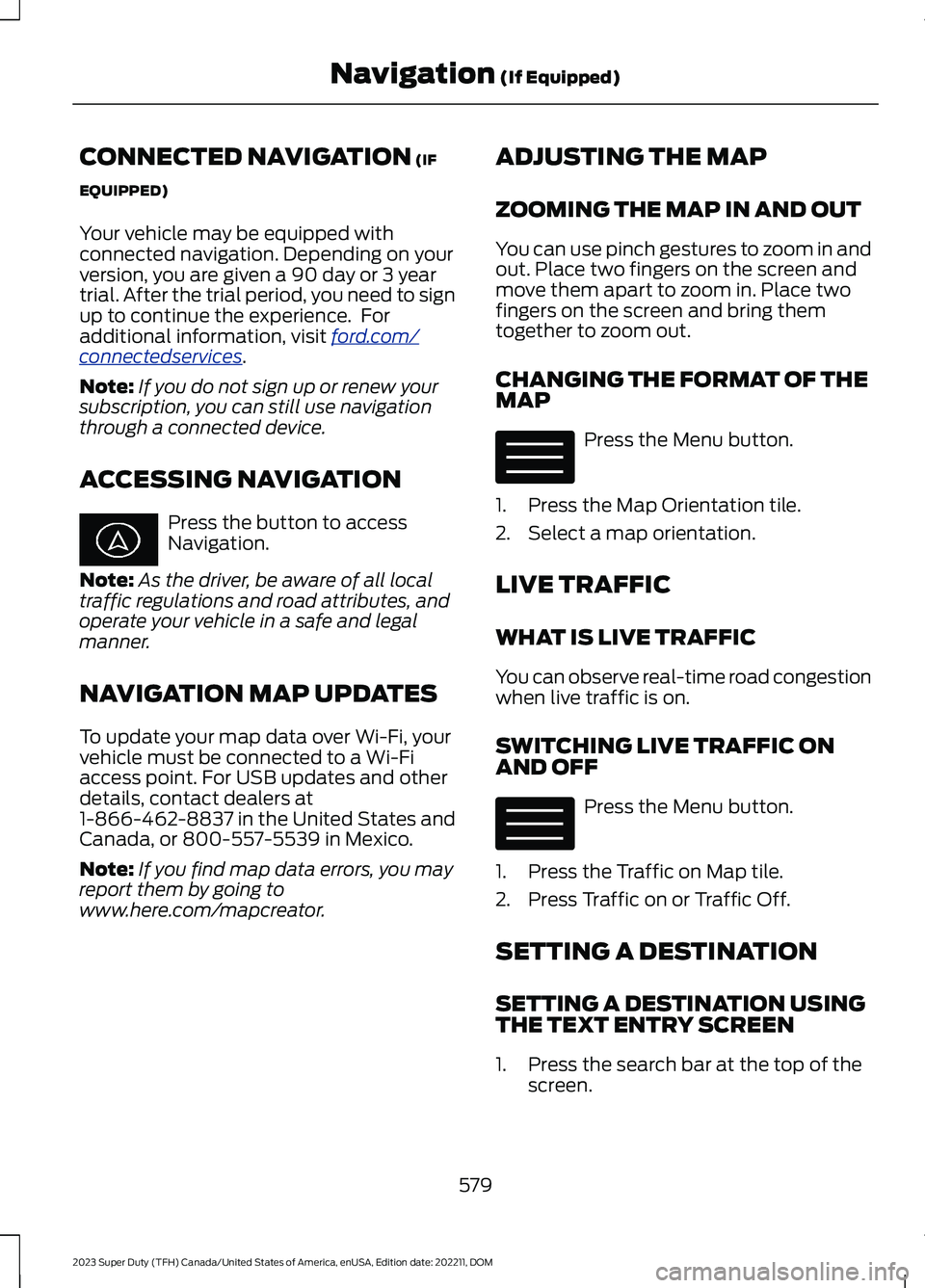
Your vehicle may be equipped withconnected navigation. Depending on yourversion, you are given a 90 day or 3 yeartrial. After the trial period, you need to signup to continue the experience. Foradditional information, visit ford.com/connectedservices.
Note:If you do not sign up or renew yoursubscription, you can still use navigationthrough a connected device.
ACCESSING NAVIGATION
Press the button to accessNavigation.
Note:As the driver, be aware of all localtraffic regulations and road attributes, andoperate your vehicle in a safe and legalmanner.
NAVIGATION MAP UPDATES
To update your map data over Wi-Fi, yourvehicle must be connected to a Wi-Fiaccess point. For USB updates and otherdetails, contact dealers at1-866-462-8837 in the United States andCanada, or 800-557-5539 in Mexico.
Note:If you find map data errors, you mayreport them by going towww.here.com/mapcreator.
ADJUSTING THE MAP
ZOOMING THE MAP IN AND OUT
You can use pinch gestures to zoom in andout. Place two fingers on the screen andmove them apart to zoom in. Place twofingers on the screen and bring themtogether to zoom out.
CHANGING THE FORMAT OF THEMAP
Press the Menu button.
1.Press the Map Orientation tile.
2.Select a map orientation.
LIVE TRAFFIC
WHAT IS LIVE TRAFFIC
You can observe real-time road congestionwhen live traffic is on.
SWITCHING LIVE TRAFFIC ONAND OFF
Press the Menu button.
1.Press the Traffic on Map tile.
2.Press Traffic on or Traffic Off.
SETTING A DESTINATION
SETTING A DESTINATION USINGTHE TEXT ENTRY SCREEN
1.Press the search bar at the top of thescreen.
579
2023 Super Duty (TFH) Canada/United States of America, enUSA, Edition date: 202211, DOMNavigation (If Equipped) E328845 E328845
Page 584 of 738
2.Enter your destination using thekeyboard.
3.Press Search.
4.Select a destination from the list.
5.Press Start to begin navigation.
SETTING A DESTINATION USINGTHE MAP SCREEN
Press and hold on the map to place a pinat that location. Information about thelocation of the pin appears on the screen.
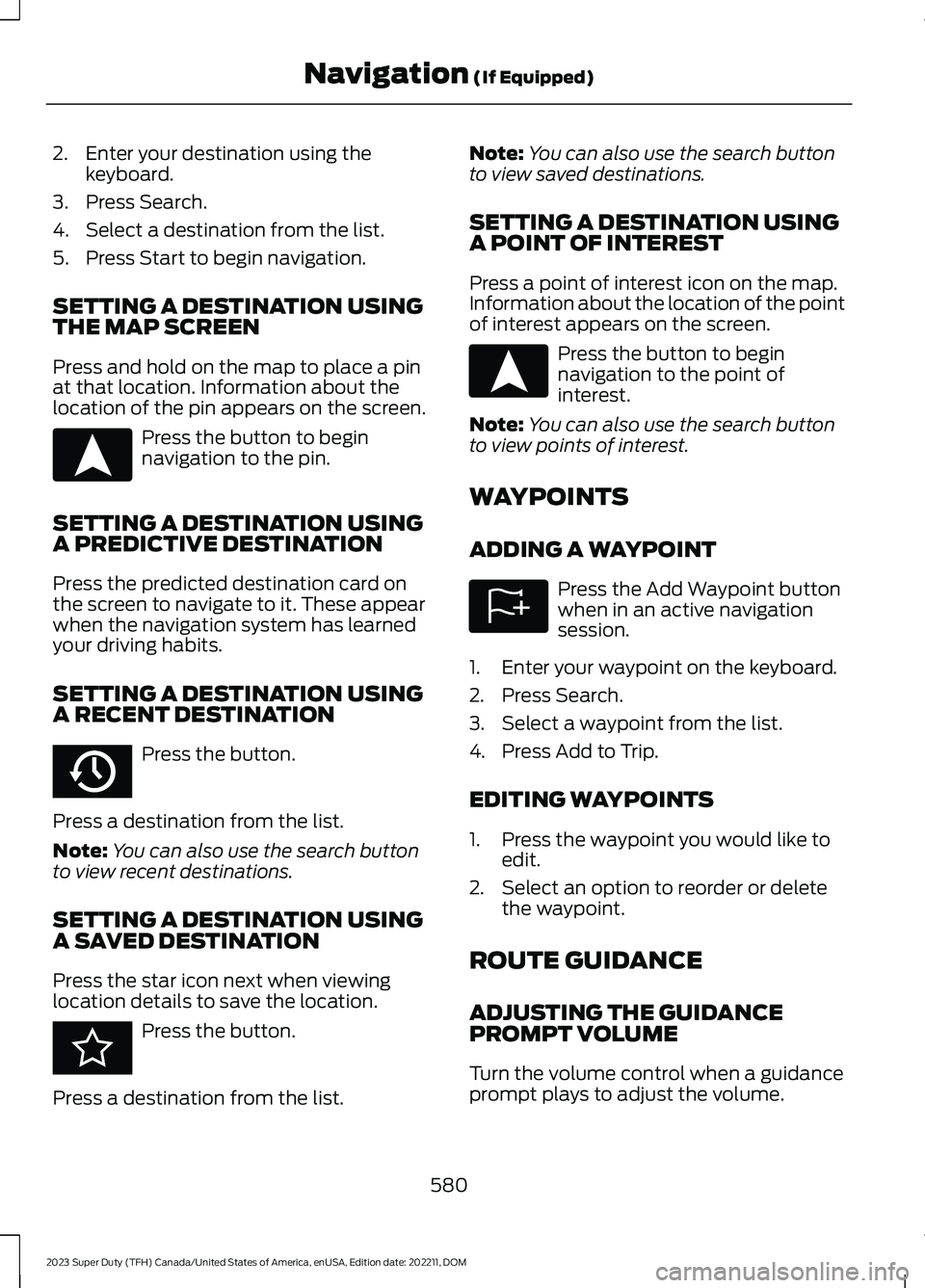
Press the button to beginnavigation to the pin.
SETTING A DESTINATION USINGA PREDICTIVE DESTINATION
Press the predicted destination card onthe screen to navigate to it. These appearwhen the navigation system has learnedyour driving habits.
SETTING A DESTINATION USINGA RECENT DESTINATION
Press the button.
Press a destination from the list.
Note:You can also use the search buttonto view recent destinations.
SETTING A DESTINATION USINGA SAVED DESTINATION
Press the star icon next when viewinglocation details to save the location.
Press the button.
Press a destination from the list.
Note:You can also use the search buttonto view saved destinations.
SETTING A DESTINATION USINGA POINT OF INTEREST
Press a point of interest icon on the map.Information about the location of the pointof interest appears on the screen.
Press the button to beginnavigation to the point ofinterest.
Note:You can also use the search buttonto view points of interest.
WAYPOINTS
ADDING A WAYPOINT
Press the Add Waypoint buttonwhen in an active navigationsession.
1.Enter your waypoint on the keyboard.
2.Press Search.
3.Select a waypoint from the list.
4.Press Add to Trip.
EDITING WAYPOINTS
1.Press the waypoint you would like toedit.
2.Select an option to reorder or deletethe waypoint.
ROUTE GUIDANCE
ADJUSTING THE GUIDANCEPROMPT VOLUME
Turn the volume control when a guidanceprompt plays to adjust the volume.
580
2023 Super Duty (TFH) Canada/United States of America, enUSA, Edition date: 202211, DOMNavigation (If Equipped)E328844 E358714 E353215 E328844 E328843
Page 585 of 738
REPEATING AN INSTRUCTION
Press the turn indicator to hear the lastvoice instruction.
CANCELING ROUTE GUIDANCE
Press the button to cancel routeguidance to the selectedlocation.
TRAILER TOWING
NAVIGATION
The system calculates the best route fortrailer towing by avoiding dangerous roadconditions based on the dimensions of yourtrailer.
Switching Trailer TowingNavigation On and Off
1.Press the Navigation button on thefeature bar.
2.Press the Menu button.
3.Press Trailer Routing.
4.Switch Trailer-optimized Routing onor off.
Entering Trailer Dimensions
1.Press the Navigation button on thefeature bar.
2.Press the Menu button.
3.Press Trailer Routing.
4.Press Towing Menu.
5.Press Add Trailer.
6.Follow the instructions on the screento enter the type and dimensions of thetrailer into the system.
Navigation Alerts
Alerts will appear on the navigation mapwhile driving. An orange alert triangleindicates you should proceed with caution.When not following active guidance to adestination, a red alert triangle may appearand indicates you should avoid the roadand find a detour.
581
2023 Super Duty (TFH) Canada/United States of America, enUSA, Edition date: 202211, DOMNavigation (If Equipped)E280804
Page 682 of 738
TRADEMARKS: This EULA does not grantyou any rights in connection with anytrademarks or service marks of FORDMOTOR COMPANY, its affiliates, and thirdparty software and service providers.
PRODUCT SUPPORT: Please refer toFORD MOTOR COMPANY instructionsprovided in the documentation for theDEVICES product support, such as thevehicle owner guide.
Should you have any questions concerningthis EULA, or if you desire to contact FORDMOTOR COMPANY for any other reason,please refer to the address provided in thedocumentation for the DEVICES.
No Liability for Certain Damages:EXCEPT AS PROHIBITED BY LAW, FORDMOTOR COMPANY, ANY THIRD PARTYSOFTWARE OR SERVICES SUPPLIERS,AND THEIR AFFILIATES SHALL HAVE NOLIABILITY FOR ANY INDIRECT, SPECIAL,CONSEQUENTIAL OR INCIDENTALDAMAGES ARISING FROM OR INCONNECTION WITH THE USE ORPERFORMANCE OF THE SOFTWARE. THISLIMITATION SHALL APPLY EVEN IF ANYREMEDY FAILS OF ITS ESSENTIALPURPOSE. THERE ARE NO WARRANTIESOTHER THAN THOSE THAT MAY BEEXPRESSLY PROVIDED FOR YOUR NEWVEHICLE.
SYNC® Automotive Important SafetyInformation Read and followinstructions:
•Before using your SYNC® system, readand follow all instructions and safetyinformation provided in this end usermanual ("Owner Guide".) Notfollowing precautions found in theOwner Guide can lead to an accidentor other serious injuries.
General Operation
•Voice Command Control: Certainfunctions within the SYNC® systemmay be accomplished using voicecommands. Using voice commandswhile driving helps you to operate thesystem without removing your handsfrom the wheel or eyes from the road.
•Prolonged Views of Screen: Do notaccess any function requiring aprolonged view of the screen while youare driving. Pull over in a safe and legalmanner before attempting to access afunction of the system requiringprolonged attention.
•Volume Setting: Do not raise thevolume excessively. Keep the volumeat a level where you can still hearoutside traffic and emergency signalswhile driving. Driving while unable tohear these sounds could cause anaccident.
•Navigation Features: Any navigationfeatures included in the system areintended to provide turn by turninstructions to get you to a desireddestination. Please make certain allpersons using this system carefullyread and follow instructions and safetyinformation fully.
•Distraction Hazard: Any navigationfeatures may require manual(non-verbal) setup. Attempting toperform such set-up or insert datawhile driving can distract your attentionand could cause an accident or otherserious injury. Stop the vehicle in a safeand legal manner before attemptingthese operations.
•Let Your Judgment Prevail: Anynavigation features are provided onlyas an aid. Make your driving decisionsbased on your observations of localconditions and existing trafficregulations. Any such feature is not a
678
2023 Super Duty (TFH) Canada/United States of America, enUSA, Edition date: 202211, DOMCustomer Information
Page 683 of 738
substitute for your personal judgment.Any route suggestions made by thissystem should never replace any localtraffic regulations or your personaljudgment or knowledge of safe drivingpractices.
•Route Safety: Do not follow the routesuggestions if doing so would result inan unsafe or illegal maneuver, if youwould be placed in an unsafe situation,or if you would be directed into an areathat you consider unsafe. The driver isultimately responsible for the safeoperation of the vehicle and therefore,must evaluate whether it is safe tofollow the suggested directions.
•Potential Map Inaccuracy: Mapsused by this system may be inaccuratebecause of changes in roads, trafficcontrols or driving conditions. Alwaysuse good judgment and common sensewhen following the suggested routes.
•Emergency Services: Do not rely onany navigation features included in thesystem to route you to emergencyservices. Ask local authorities or anemergency services operator for theselocations. Not all emergency servicessuch as police, fire stations, hospitalsand clinics are likely to be contained inthe map database for such navigationfeatures.
Your Responsibilities and Assumptions ofRisk
•You agree to each of the following:(a)Any use of the SOFTWARE whiledriving an automobile or other vehiclein violation of applicable law orotherwise driving in an unsafe mannerpresents a significant risk of distracteddriving and should not be attemptedunder any circumstances;(b) Use ofthe SOFTWARE at excessive volumeposes a significant risk of hearingdamage and should not be attemptedunder any circumstances;(c) TheSOFTWARE may not be compatiblewith new or different versions of anoperating system, third party software,or third party services, and theSOFTWARE may potentially cause acritical failure of an operating system,third party software, or third partyservice.(d) Any third party serviceaccessed by or third party softwareused with the SOFTWARE (I) maycharge an additional fee for access, (ii)may not work correctly, on anuninterrupted basis, or error free, (iii)may change streaming formats ordiscontinue operation, (iv) may containadult, profane or offensive content; and(v) may contain inaccurate, false ormisleading traffic, weather, financialor safety information or other content;and (e) Use of the SOFTWARE maycause you to incur additional chargesfrom your wireless service provider(WSP) and any data or minutecalculators that may be included in thesoftware program are for referenceonly, are not warranted in any way andshould not be relied upon in anyway.
•When using the SOFTWARE, you agreeto be responsible for and assume theentire risk to the items set forth inSection (a) – (e) above.
679
2023 Super Duty (TFH) Canada/United States of America, enUSA, Edition date: 202211, DOMCustomer Information
Page 687 of 738
1. Safe and Lawful Use
You acknowledge that devoting attentionto the TeleNav Software may pose a riskof injury or death to you and others insituations that otherwise require yourundivided attention, and you thereforeagree to comply with the following whenusing the TeleNav Software:
(a) observe all traffic laws and otherwisedrive safely;
(b) use your own personal judgment whiledriving. If you feel that a route suggestedby the TeleNav Software instructs you toperform an unsafe or illegal maneuver,places you in an unsafe situation, or directsyou into an area that you consider to beunsafe, do not follow such instructions;
(c) do not input destinations, or otherwisemanipulate the TeleNav Software, unlessyour vehicle is stationary and parked;
(d) do not use the TeleNav Software forany illegal, unauthorized, unintended,unsafe, hazardous, or unlawful purposes,or in any manner inconsistent with thisAgreement;
(e) arrange all GPS and wireless devicesand cables necessary for use of theTeleNav Software in a secure manner inyour vehicle so that they will not interferewith your driving and will not prevent theoperation of any safety device (such as anairbag).
You agree to indemnify and hold TeleNavharmless against all claims resulting fromany dangerous or otherwise inappropriateuse of the TeleNav Software in any movingvehicle, including as a result of your failureto comply with the directions above.
2. Account Information
You agree: (a) when registering theTeleNav Software, to provide TeleNav withtrue, accurate, current, and completeinformation about yourself, and (b) toinform TeleNav promptly of any changesto such information, and to keep it true,accurate, current and complete.
3. Software License
•Subject to your compliance with theterms of this Agreement, TeleNavhereby grants to you a personal,non-exclusive, non-transferable license(except as expressly permitted belowin connection with your permanenttransfer of the TeleNav Softwarelicense), without the right tosublicense, to use the TeleNavSoftware (in object code form only) inorder to access and use the TeleNavSoftware. This license shall terminateupon any termination or expiration ofthis Agreement. You agree that you willuse the TeleNav Software only for yourpersonal business or leisure purposes,and not to provide commercialnavigation services to other parties.
3.1 License Limitations
•(a) reverse engineer, decompile,disassemble, translate, modify, alteror otherwise change the TeleNavSoftware or any part thereof; (b)attempt to derive the source code,audio library or structure of theTeleNav Software without the priorexpress written consent of TeleNav;(c) remove from the TeleNavSoftware, or alter, any of TeleNav's orits suppliers' trademarks, trade names,logos, patent or copyright notices, orother notices or markings; (d)
683
2023 Super Duty (TFH) Canada/United States of America, enUSA, Edition date: 202211, DOMCustomer Information
Page 688 of 738
distribute, sublicense or otherwisetransfer the TeleNav Software toothers, except as part of yourpermanent transfer of the TeleNavSoftware; or (e) use the TeleNavSoftware in any manner that
I. infringes the intellectual property orproprietary rights, rights of publicity orprivacy or other rights of any party,
ii. violates any law, statute, ordinance orregulation, including but not limited to lawsand regulations related to spamming,privacy, consumer and child protection,obscenity or defamation, or
iii. is harmful, threatening, abusive,harassing, tortuous, defamatory, vulgar,obscene, libelous, or otherwiseobjectionable; and (f) lease, rent out, orotherwise permit unauthorized access bythird parties to the TeleNav Softwarewithout advanced written permission ofTeleNav.
4. Disclaimers
•To the fullest extent permissiblepursuant to applicable law, in no eventwill TeleNav, its licensors and suppliers,or agents or employees of any of theforegoing, be liable for any decisionmade or action taken by you or anyoneelse in reliance on the informationprovided by the TeleNav Software.TeleNav also does not warrant theaccuracy of the map or other data usedfor the TeleNav Software. Such datamay not always reflect reality due to,among other things, road closures,construction, weather, new roads andother changing conditions. You areresponsible for the entire risk arisingout of your use of the TeleNavSoftware. For example but withoutlimitation, you agree not to rely on theTeleNav Software for criticalnavigation in areas where thewell-being or survival of you or others
is dependent on the accuracy ofnavigation, as the maps or functionalityof the TeleNav Software are notintended to support such high riskapplications, especially in more remotegeographical areas.
•TELENAV EXPRESSLY DISCLAIMSAND EXCLUDES ALL WARRANTIES INCONNECTION WITH THE TELENAVSOFTWARE, WHETHER STATUTORY,EXPRESS OR IMPLIED, INCLUDING ALLWARRANTIES WHICH MAY ARISEFROM COURSE OF DEALING, CUSTOMOR TRADE AND INCLUDING, BUT NOTLIMITED TO, THE IMPLIEDWARRANTIES OF MERCHANTABILITY,FITNESS FOR A PARTICULARPURPOSE AND NON-INFRINGEMENTOF THIRD PARTY RIGHTS WITHRESPECT TO THE TELENAVSOFTWARE.
•Certain jurisdictions do not permit thedisclaimer of certain warranties, so thislimitation may not apply to you.
5. Limitation of Liability
•TO THE EXTENT PERMITTED UNDERAPPLICABLE LAW, UNDER NOCIRCUMSTANCES SHALL TELENAVOR ITS LICENSORS AND SUPPLIERSBE LIABLE TO YOU OR TO ANY THIRDPARTY FOR ANY INDIRECT,INCIDENTAL, CONSEQUENTIAL,SPECIAL OR EXEMPLARY DAMAGES(INCLUDING IN EACH CASE, BUT NOTLIMITED TO, DAMAGES FOR THEINABILITY TO USE THE EQUIPMENTOR ACCESS DATA, LOSS OF DATA,LOSS OF BUSINESS, LOSS OFPROFITS, BUSINESS INTERRUPTIONOR THE LIKE) ARISING OUT OF THEUSE OF OR INABILITY TO USE THETELENAV SOFTWARE, EVEN IFTELENAV HAS BEEN ADVISED OF THEPOSSIBILITY OF SUCH DAMAGES.NOTWITHSTANDING ANY DAMAGESTHAT YOU MIGHT INCUR FOR ANY
684
2023 Super Duty (TFH) Canada/United States of America, enUSA, Edition date: 202211, DOMCustomer Information
Page 691 of 738
HERE holds a non-exclusive license fromthe United States Postal Service® topublish and sell ZIP+4® information.
©United States Postal Service® 2014.Prices are not established, controlled orapproved by the United States PostalService®. The following trademarks andregistrations are owned by the USPS:United States Postal Service, USPS, andZIP+4
The Data for Mexico includes certain datafrom Instituto Nacional de Estadística yGeografía.
9.2 End User Terms Required by NAV2(Shanghai) Co., Ltd
The data (“Data”) is provided for yourpersonal, internal use only and not forresale. It is protected by copyright, and issubject to the following terms andconditions which are agreed to by you, onthe one hand, and NAV2 (Shanghai) Co.,Ltd (“NAV2”) and its licensors (includingtheir licensors and suppliers) on the otherhand. 20xx. All rights reserved
Terms and Conditions
Permitted Use. You agree to use this Datatogether with the Telenav Software solelyfor the internal business and personalpurposes for which you were licensed, andnot for service bureau, time-sharing orother similar purposes. Accordingly, butsubject to the restrictions set forth in thefollowing paragraphs, you agree not tootherwise reproduce, copy, modify,decompile, disassemble, create anyderivative works of, or reverse engineer anyportion of this Data, and may not transferor distribute it in any form, for any purpose,except to the extent permitted bymandatory laws.
Restrictions. Except where you have beenspecifically licensed to do so by Telenav,and without limiting the precedingparagraph, you may not use this Data (a)with any products, systems, or applicationsinstalled or otherwise connected to or incommunication with vehicles, capable ofvehicle navigation, positioning, dispatch,real time route guidance, fleetmanagement or similar applications; or (b)with or in communication with anypositioning devices or any mobile orwireless-connected electronic or computerdevices, including without limitationcellular phones, palmtop and handheldcomputers, pagers, and personal digitalassistants or PDAs.
Warning. The Data may containinaccurate or incomplete information dueto the passage of time, changingcircumstances, sources used and thenature of collecting comprehensivegeographic data, any of which may lead toincorrect results.
No Warranty. This Data is provided to you“as is,” and you agree to use it at your ownrisk. Telenav and its licensors (and theirlicensors and suppliers) make noguarantees, representations or warrantiesof any kind, express or implied, arising bylaw or otherwise, including but not limitedto, content, quality, accuracy,completeness, effectiveness, reliability,fitness for a particular purpose, usefulness,use or results to be obtained from thisData, or that the Data or server will beuninterrupted or error-free.
Disclaimer of Warranty: TELENAV ANDITS LICENSORS (INCLUDING THEIRLICENSORS AND SUPPLIERS) DISCLAIMANY WARRANTIES, EXPRESS OR IMPLIED,OF QUALITY, PERFORMANCE,MERCHANTABILITY, FITNESS FOR A
687
2023 Super Duty (TFH) Canada/United States of America, enUSA, Edition date: 202211, DOMCustomer Information
Page 699 of 738
MAKES NO WARRANTY, EXPRESS ORIMPLIED, OF MERCHANTABILITY ORFITNESS FOR A PARTICULAR PURPOSE,SUITABILITY, OR PERFORMANCEREGARDING ANY SERVICES OR GOODS,AND IN NO EVENT SHALL AT&T BELIABLE, WHETHER OR NOT DUE TO ITSOWN NEGLIGENCE, FOR ANY: (A) ACT OROMISSION OF A THIRD PARTY; (B)MISTAKES, OMISSIONS, INTERRUPTIONS,ERRORS, FAILURES TO TRANSMIT,DELAYS, OR DEFECTS IN THE SERVICEPROVIDED BY OR THROUGH THEUNDERLYING CARRIER; (C) DAMAGE ORINJURY CAUSED BY SUSPENSION ORTERMINATION BY THE UNDERLYINGCARRIER; OR (D) DAMAGE OR INJURYCAUSED BY A FAILURE OR DELAY INCONNECTING A CALL TO ANY ENTITY,INCLUDING 911 OR ANY OTHEREMERGENCY SERVICE. TO THE FULLEXTENT ALLOWED BY LAW, THE ENDUSER RELEASES, INDEMNIFIES ANDHOLDS THE UNDERLYING CARRIERHARMLESS FROM AND AGAINST ANYAND ALL CLAIMS OF ANY PERSON ORENTITY FOR DAMAGES OF ANY NATUREARISING IN ANY WAY FROM OR RELATINGTO, DIRECTLY OR INDIRECTLY, SERVICESPROVIDED BY THE UNDERLYING CARRIEROR ANY PERSON’S USE THEREOF,INCLUDING CLAIMS ARISING IN WHOLEOR IN PART FROM THE ALLEGEDNEGLIGENCE OF THE UNDERLYINGCARRIER.
VII. China Territory
Personal Use Only
You agree to use this Data together with[insert name of Client Application] for thesolely personal, non-commercial purposesfor which you were licensed, and not forservice bureau, time-sharing or othersimilar purposes. Accordingly, but subjectto the restrictions set forth in the followingparagraphs, you may copy this Data onlyas necessary for your personal use to (i)
view it, and (ii) save it, provided that youdo not remove any copyright notices thatappear and do not modify the Data in anyway. You agree not to otherwise reproduce,copy, modify, decompile, disassemble orreverse engineer any portion of this Data,and may not transfer or distribute it in anyform, for any purpose, except to the extentpermitted by mandatory laws.
Restrictions
Except where you have been specificallylicensed to do so by NAV2 , and withoutlimiting the preceding paragraph, you maynot (a) use this Data with any products,systems, or applications installed orotherwise connected to or incommunication with vehicles, capable ofvehicle navigation, positioning, dispatch,real time route guidance, fleetmanagement or similar applications; or (b)with or in communication with anypositioning devices or any mobile orwireless-connected electronic or computerdevices, including without limitationcellular phones, palmtop and handheldcomputers, pagers, and personal digitalassistants or PDAs. You agree to ceaseusing this Data if you fail to comply withthese terms and conditions.
Limited Warranty
NAV2 warrants that (a) the Data willperform substantially in accordance withthe accompanying written materials for aperiod of ninety (90) days from the dateof receipt, and (b) any support servicesprovided by NAV2 shall be substantially asdescribed in applicable written materialsprovided to you by NAV2, and NAV2’ssupport engineers will make commerciallyreasonable efforts to solve any problemissues.
695
2023 Super Duty (TFH) Canada/United States of America, enUSA, Edition date: 202211, DOMCustomer Information
Page 707 of 738
ELECTROMAGNETIC
COMPATIBILITY
WARNING: Do not place objectsor mount equipment on or near theairbag cover, on the side of the front orrear seatbacks, or in areas that maycome into contact with a deployingairbag. Failure to follow theseinstructions may increase the risk ofpersonal injury in the event of a crash.
WARNING: Do not fasten antennacables to vehicle wiring, fuel pipes andbrake pipes.
WARNING: Keep antenna andpower cables at least 4 in (10 cm) fromany electronic modules and airbags.
Note:We test and certify your vehicle tomeet electromagnetic compatibilitylegislation. It is your responsibility to makesure that any equipment an authorizeddealer installs on your vehicle complies withapplicable local legislation and otherrequirements. Installation of someaftermarket electronic devices coulddegrade the performance of vehiclefunctions, which use radio frequency signalssuch as broadcast radio receiver, tirepressure monitoring system, push buttonstart,Bluetooth® connectivity or satellitenavigation.
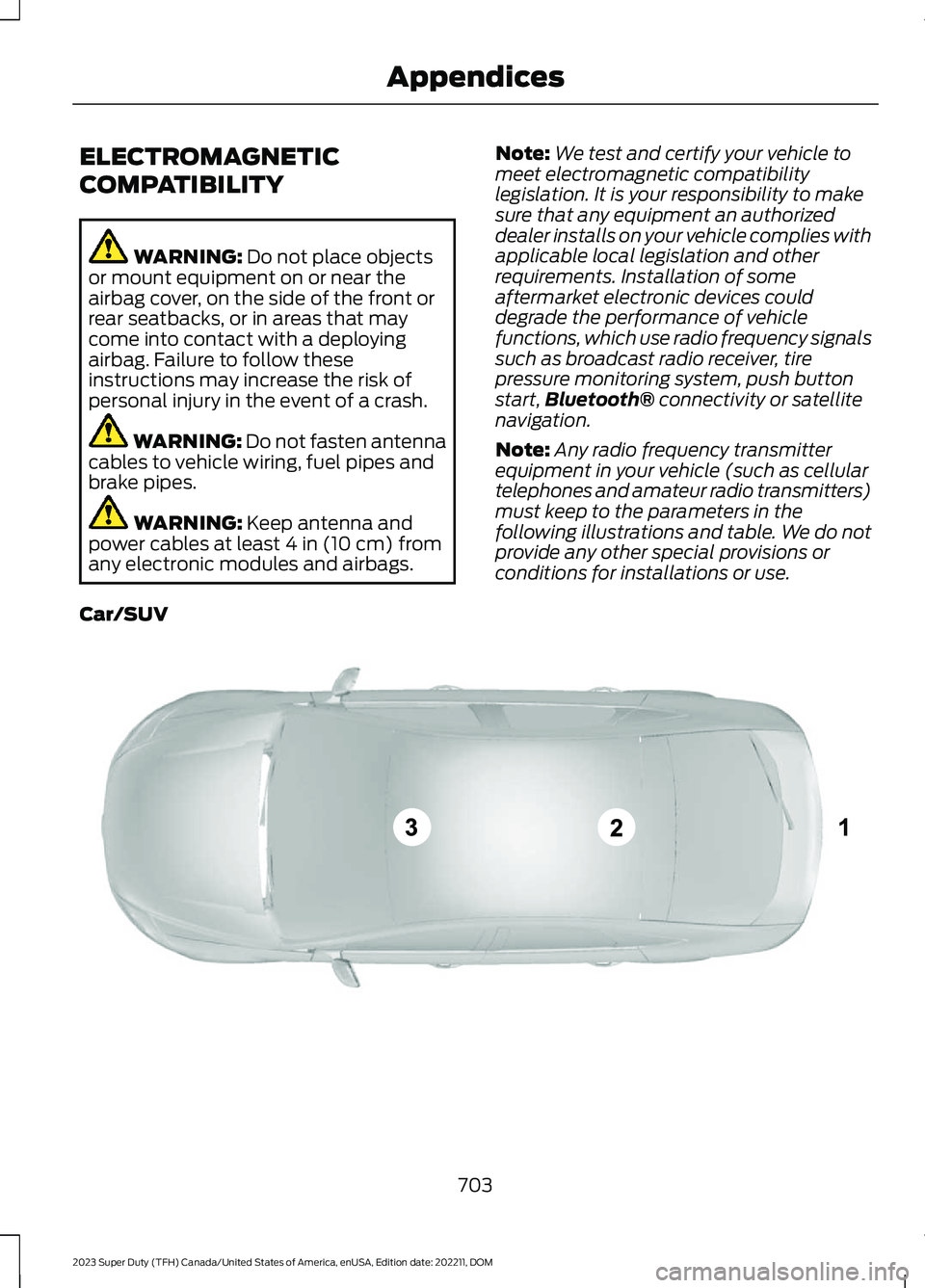
Note:Any radio frequency transmitterequipment in your vehicle (such as cellulartelephones and amateur radio transmitters)must keep to the parameters in thefollowing illustrations and table. We do notprovide any other special provisions orconditions for installations or use.
Car/SUV
703
2023 Super Duty (TFH) Canada/United States of America, enUSA, Edition date: 202211, DOMAppendicesE239120