phone FORD SUPER DUTY 2023 Owner's Manual
[x] Cancel search | Manufacturer: FORD, Model Year: 2023, Model line: SUPER DUTY, Model: FORD SUPER DUTY 2023Pages: 738, PDF Size: 18.49 MB
Page 568 of 738
Vehicle Software Update
See Software Update Indicators (page583).
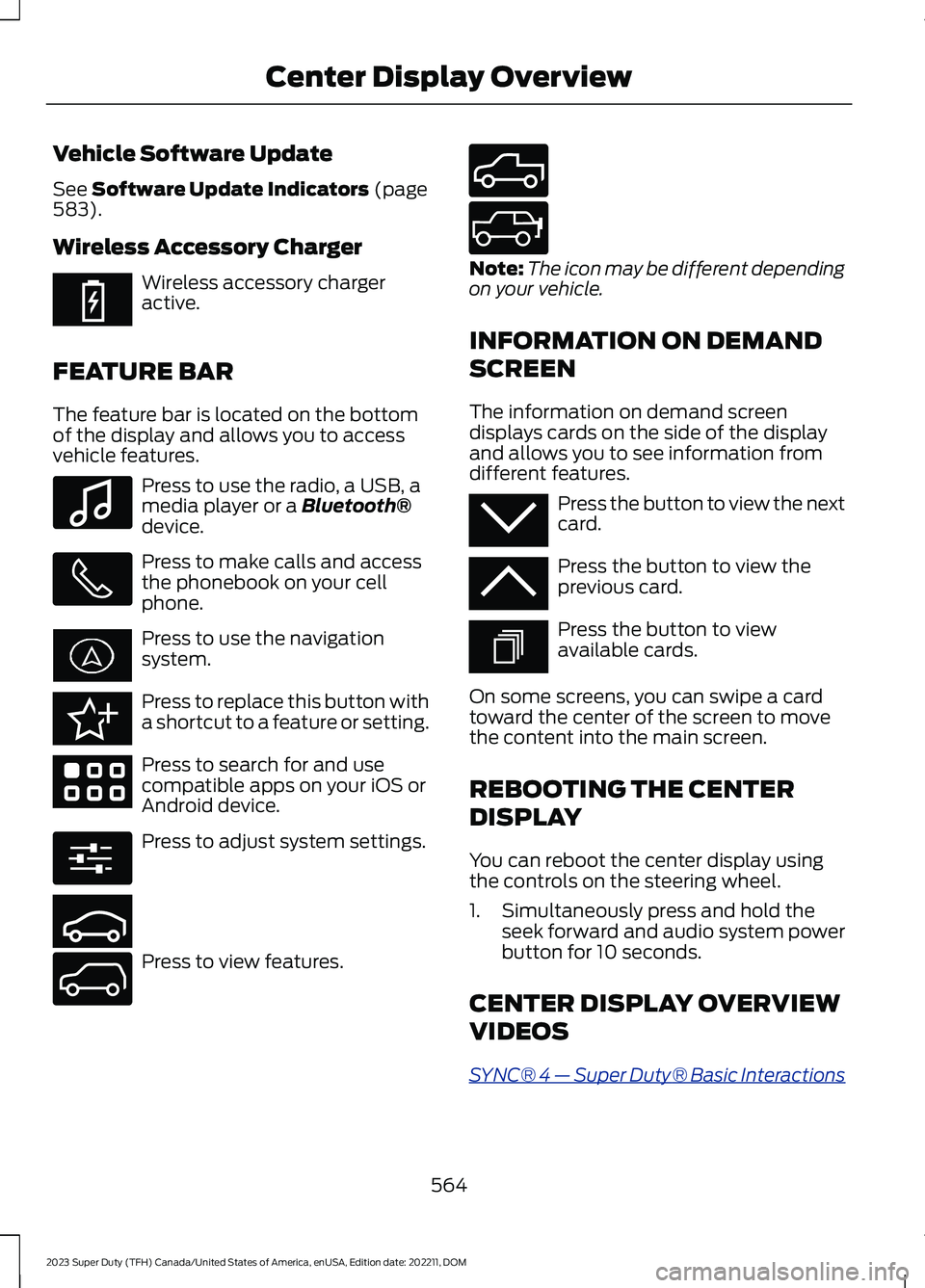
Wireless Accessory Charger
Wireless accessory chargeractive.
FEATURE BAR
The feature bar is located on the bottomof the display and allows you to accessvehicle features.
Press to use the radio, a USB, amedia player or a Bluetooth®device.
Press to make calls and accessthe phonebook on your cellphone.
Press to use the navigationsystem.
Press to replace this button witha shortcut to a feature or setting.
Press to search for and usecompatible apps on your iOS orAndroid device.
Press to adjust system settings.
Press to view features.
Note:The icon may be different dependingon your vehicle.
INFORMATION ON DEMAND
SCREEN
The information on demand screendisplays cards on the side of the displayand allows you to see information fromdifferent features.
Press the button to view the nextcard.
Press the button to view theprevious card.
Press the button to viewavailable cards.
On some screens, you can swipe a cardtoward the center of the screen to movethe content into the main screen.
REBOOTING THE CENTER
DISPLAY
You can reboot the center display usingthe controls on the steering wheel.
1.Simultaneously press and hold theseek forward and audio system powerbutton for 10 seconds.
CENTER DISPLAY OVERVIEW
VIDEOS
SYNC® 4 — Super Duty® Basic Interactions
564
2023 Super Duty (TFH) Canada/United States of America, enUSA, Edition date: 202211, DOMCenter Display OverviewE353214 E100027 E358432 E353220 E280315 E353210 E335299 E335300 E347104 E353212 E353211 E353209
Page 569 of 738
FORD ASSISTANT
USING FORD ASSISTANT
The digital assistant allows you to controlvehicle features using conversationalrequests.
To begin a voice interaction using the wakeword, say the selected wake word, thensay your command.
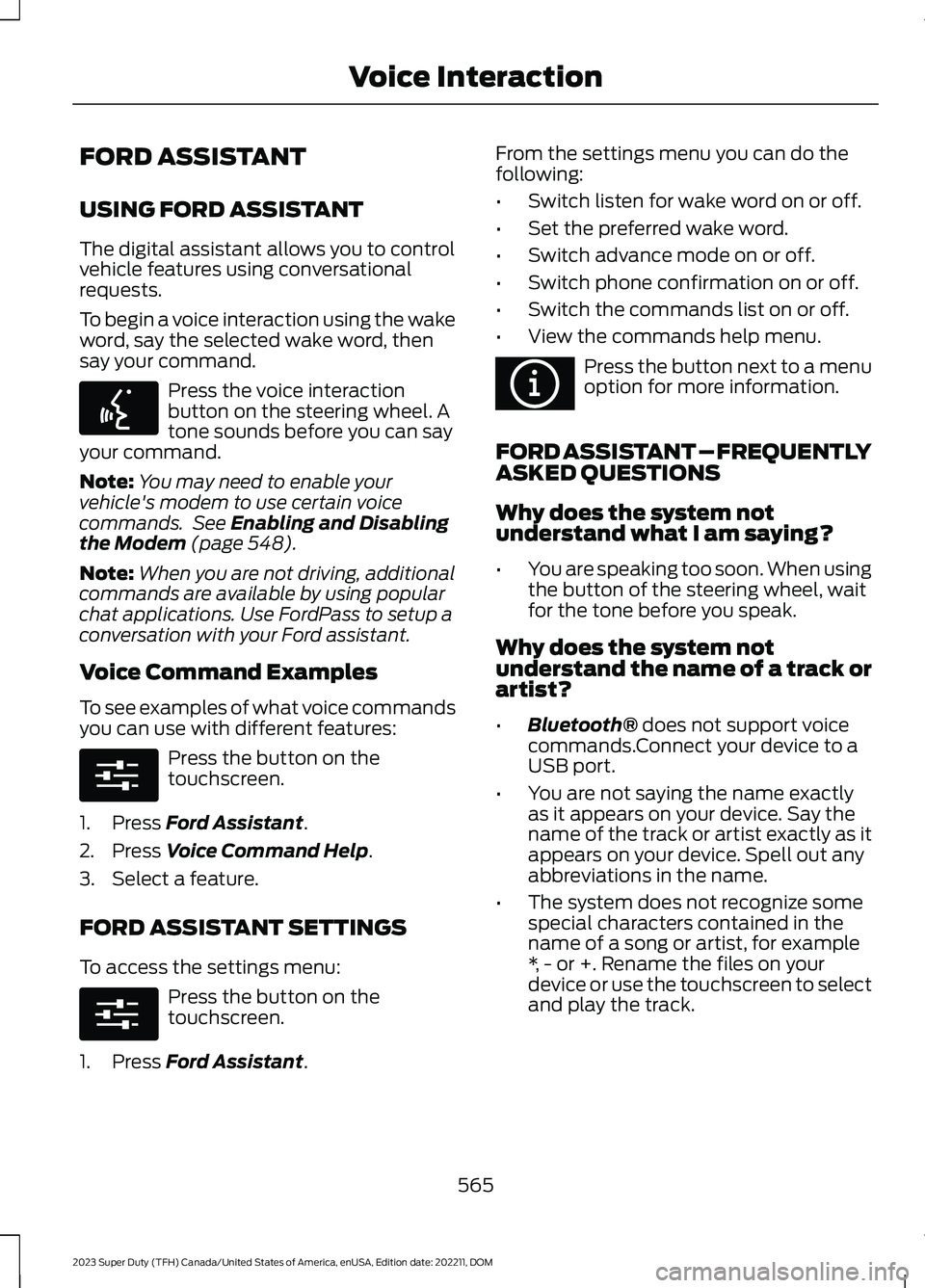
Press the voice interactionbutton on the steering wheel. Atone sounds before you can sayyour command.
Note:You may need to enable yourvehicle's modem to use certain voicecommands. See Enabling and Disablingthe Modem (page 548).
Note:When you are not driving, additionalcommands are available by using popularchat applications. Use FordPass to setup aconversation with your Ford assistant.
Voice Command Examples
To see examples of what voice commandsyou can use with different features:
Press the button on thetouchscreen.
1.Press Ford Assistant.
2.Press Voice Command Help.
3.Select a feature.
FORD ASSISTANT SETTINGS
To access the settings menu:
Press the button on thetouchscreen.
1.Press Ford Assistant.
From the settings menu you can do thefollowing:
•Switch listen for wake word on or off.
•Set the preferred wake word.
•Switch advance mode on or off.
•Switch phone confirmation on or off.
•Switch the commands list on or off.
•View the commands help menu.
Press the button next to a menuoption for more information.
FORD ASSISTANT – FREQUENTLYASKED QUESTIONS
Why does the system notunderstand what I am saying?
•You are speaking too soon. When usingthe button of the steering wheel, waitfor the tone before you speak.
Why does the system notunderstand the name of a track orartist?
•Bluetooth® does not support voicecommands.Connect your device to aUSB port.
•You are not saying the name exactlyas it appears on your device. Say thename of the track or artist exactly as itappears on your device. Spell out anyabbreviations in the name.
•The system does not recognize somespecial characters contained in thename of a song or artist, for example*, - or +. Rename the files on yourdevice or use the touchscreen to selectand play the track.
565
2023 Super Duty (TFH) Canada/United States of America, enUSA, Edition date: 202211, DOMVoice InteractionE142599 E280315 E280315 E366956
Page 570 of 738
Why does the system notunderstand the name of a contactin the phonebook on my device andcalls the wrong contact?
•You are not saying the name exactlyas it appears on your device. Say thefirst and last name of the contactexactly as it appears on your device.Spell out any abbreviations in thename.
•The name contains special characters,for example *, - or +. Rename thecontact on your device or use thetouchscreen to select and call thecontact.
Why does the system notunderstand foreign names ofcontacts in the phonebook on mydevice?
•The system applies phoneticpronunciation rules of the selectedlanguage to the names of contacts inthe phonebook on your device. Selectthe name of the contact on thetouchscreen and use the Hear it optionto get an idea of how the systemexpects you to pronounce it.
Why do the system voice promptsand the pronunciation of somewords not seem accurate?
•The system uses text-to-speechtechnology and a syntheticallygenerated voice rather than apre-recorded human voice.
566
2023 Super Duty (TFH) Canada/United States of America, enUSA, Edition date: 202211, DOMVoice Interaction
Page 571 of 738
WHAT IS ALEXA BUILT-IN
Allows you to use Alexa in your vehicle forauto specific use cases on the road andgives you access to an ever evolvingnumber of skills that help to make your lifemore productive, entertaining, andconnected while using your vehicle.
ALEXA BUILT-IN
REQUIREMENTS
To use Alexa, all of the following mustoccur:
•Your vehicle modem is enabled.
•You are logged into an existing Amazonaccount.
•Vehicle location services are enabled.
•Vehicle connectivity and vehicle datasharing is enabled.
SIGNING INTO YOUR
ACCOUNT
Press the button in the statusbar and follow the on-screenprompts.
To sign in using the settings menu:
1.Press Settings on the touchscreen.
2.Press Amazon Alexa.
3.Press Get Started.
4.Sign into your account by eitherscanning the QR code or entering theon-screen code into the Amazonwebsite.
5.Once logged in, follow the on-screenprompts.
6.When complete, the vehicle informsyou that Alexa is ready to be used inthe vehicle.
Signing Out of Your Account
1.Press Settings on the touchscreen.
2.Press Amazon Alexa.
3.Press Sign Out.
USING ALEXA BUILT-IN
To use Alexa, say “Alexa” or press the voiceinteraction button on the steering wheeland then say “Alexa” to invoke Alexa tostart listening.
Note:If the wake word is not enabled, youcan only use the voice interaction button.
You can use Alexa for the following andmore:
•Entertainment.
•Hands-free calling.
•Traffic and navigation.
•Vehicle controls.
•Smart home device control.
•Weather and news information.
ALEXA BUILT-IN SETTINGS
Enabling the Wake Word
1.Press Settings on the touchscreen.
2.Press Amazon Alexa.
3.Switch Listen for Wake Word on or off.
Note:If the wake word is not enabled, youcan only use the voice interaction button.
Contact List
Displays a list of connected phones andcontact sharing status for each phone.
To change the contact sharing status:
1.Press Settings on the touchscreen.
2.Press Amazon Alexa.
3.Press Contact List.
567
2023 Super Duty (TFH) Canada/United States of America, enUSA, Edition date: 202211, DOMAlexa Built-InE368039
Page 572 of 738
4.Enable or disable sharing for eachphone.
Note:You can share contacts from morethan one phone at a time.
Things to Try
Learn more about what you can do withAlexa by browsing the things to try.
1.Press Settings on the touchscreen.
2.Press Amazon Alexa.
3.Press Things to Try.
568
2023 Super Duty (TFH) Canada/United States of America, enUSA, Edition date: 202211, DOMAlexa Built-In
Page 573 of 738
PHONE PRECAUTIONS
WARNING: Driving while distractedcan result in loss of vehicle control, crashand injury. We strongly recommend thatyou use extreme caution when using anydevice that may take your focus off theroad. Your primary responsibility is thesafe operation of your vehicle. Werecommend against the use of anyhand-held device while driving andencourage the use of voice-operatedsystems when possible. Make sure youare aware of all applicable local lawsthat may affect the use of electronicdevices while driving.
CONNECTING YOUR PHONE
Go to the settings menu on your device andswitch Bluetooth® on.
Press the phone option on thefeature bar.
1.Press Add Phone.
Note:A prompt alerts you to search for yourvehicle on your cell phone.
2.Select your vehicle on your cell phone.
Note:A number appears on your cell phoneand on the touchscreen.
3.Confirm the number on your cell phonematches the number on thetouchscreen.
Note:The touchscreen indicates that youhave successfully paired your cell phone.
4.Approve phonebook download requeston your cell phone.
PHONE MENU
This menu becomes available after pairinga phone.
Recent Call List
Display and select an entry from a list ofprevious calls.
Contacts
Display a smart search form to look up yourcontacts. Use the List button toalphabetically sort your contacts.
Favorites
Display the list of favorite contacts thatare set up on your phone.
Messaging
Displays the list of text messages to read,listen to, or respond to.
Email
Displays the list of emails to read, listen to,or respond to.
Phone List
Display the list of paired or connecteddevices that you can select.
Note:Up to 12 devices can be stored.
Do Not Disturb
Reject incoming calls and switch ring tonesand alerts off.
Phone Keypad
Directly dial a number.
569
2023 Super Duty (TFH) Canada/United States of America, enUSA, Edition date: 202211, DOMPhone
Page 574 of 738
Voice Control
Press the button and say a command touse the Google or Siri voice assistantavailable on your connected phone toaccess supported features.
Note:Some features under the phone menumay not be available if the feature is notsupported through the phone.
570
2023 Super Duty (TFH) Canada/United States of America, enUSA, Edition date: 202211, DOMPhone
Page 575 of 738
MAKING AND RECEIVING A
PHONE CALL
Making Calls
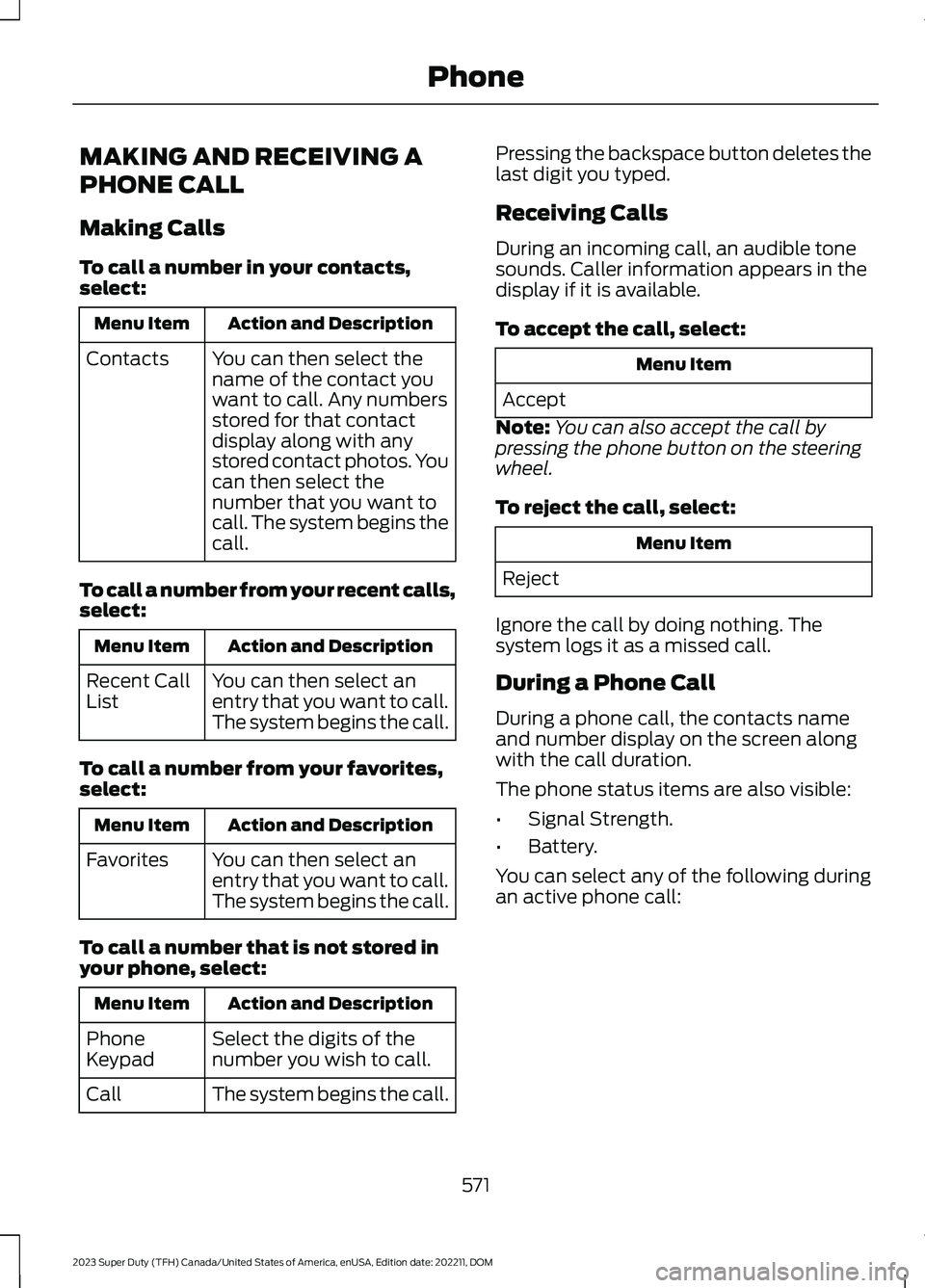
To call a number in your contacts,select:
Action and DescriptionMenu Item
You can then select thename of the contact youwant to call. Any numbersstored for that contactdisplay along with anystored contact photos. Youcan then select thenumber that you want tocall. The system begins thecall.
Contacts
To call a number from your recent calls,select:
Action and DescriptionMenu Item
You can then select anentry that you want to call.The system begins the call.
Recent CallList
To call a number from your favorites,select:
Action and DescriptionMenu Item
You can then select anentry that you want to call.The system begins the call.
Favorites
To call a number that is not stored inyour phone, select:
Action and DescriptionMenu Item
Select the digits of thenumber you wish to call.PhoneKeypad
The system begins the call.Call
Pressing the backspace button deletes thelast digit you typed.
Receiving Calls
During an incoming call, an audible tonesounds. Caller information appears in thedisplay if it is available.
To accept the call, select:
Menu Item
Accept
Note:You can also accept the call bypressing the phone button on the steeringwheel.
To reject the call, select:
Menu Item
Reject
Ignore the call by doing nothing. Thesystem logs it as a missed call.
During a Phone Call
During a phone call, the contacts nameand number display on the screen alongwith the call duration.
The phone status items are also visible:
•Signal Strength.
•Battery.
You can select any of the following duringan active phone call:
571
2023 Super Duty (TFH) Canada/United States of America, enUSA, Edition date: 202211, DOMPhone
Page 576 of 738
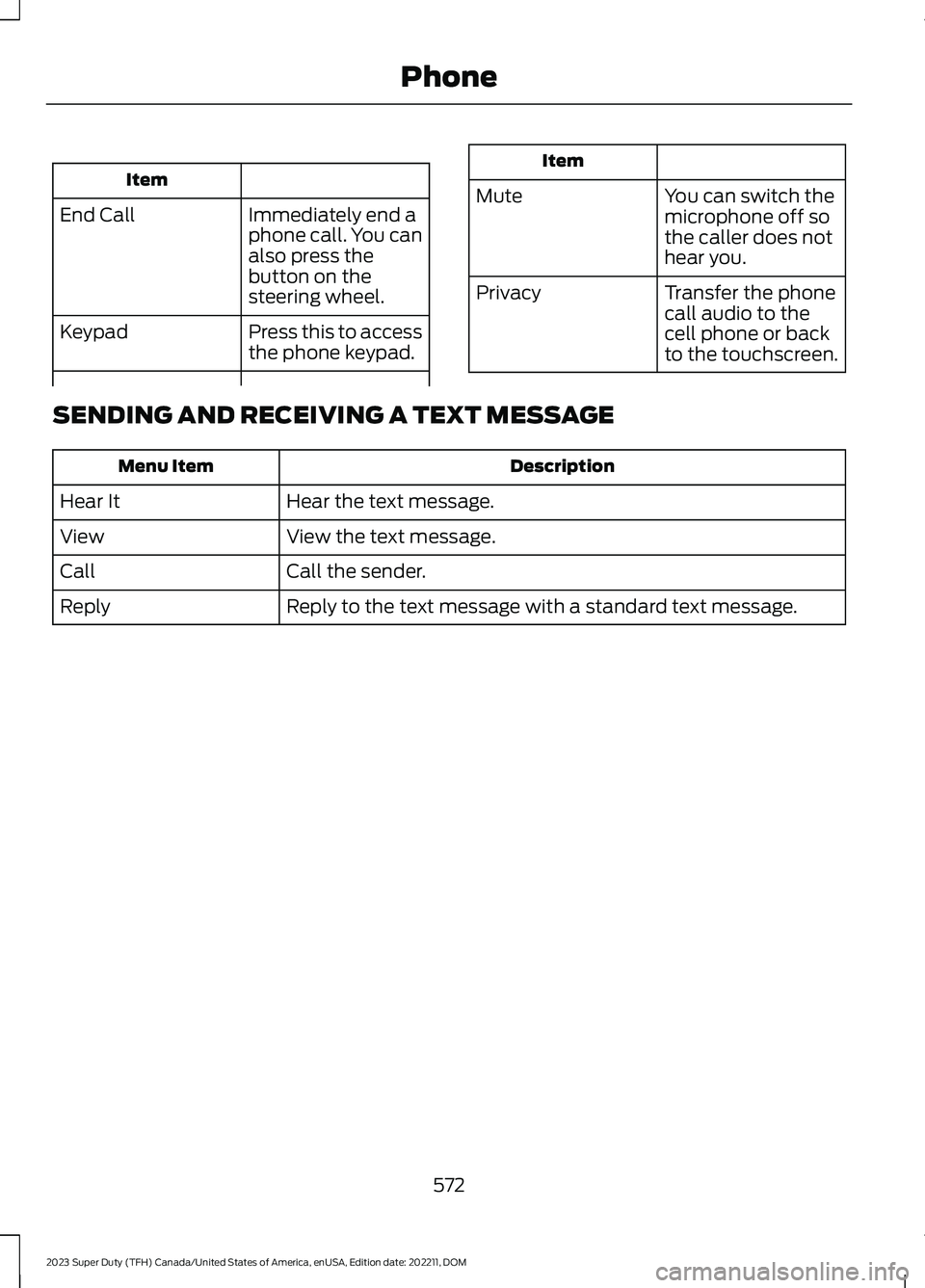
Item
Immediately end aphone call. You canalso press thebutton on thesteering wheel.
End Call
Press this to accessthe phone keypad.Keypad
Item
MuteYou can switch themicrophone off sothe caller does nothear you.
Transfer the phonecall audio to thecell phone or backto the touchscreen.
Privacy
SENDING AND RECEIVING A TEXT MESSAGE
DescriptionMenu Item
Hear the text message.Hear It
View the text message.View
Call the sender.Call
Reply to the text message with a standard text message.Reply
572
2023 Super Duty (TFH) Canada/United States of America, enUSA, Edition date: 202211, DOMPhone
Page 577 of 738
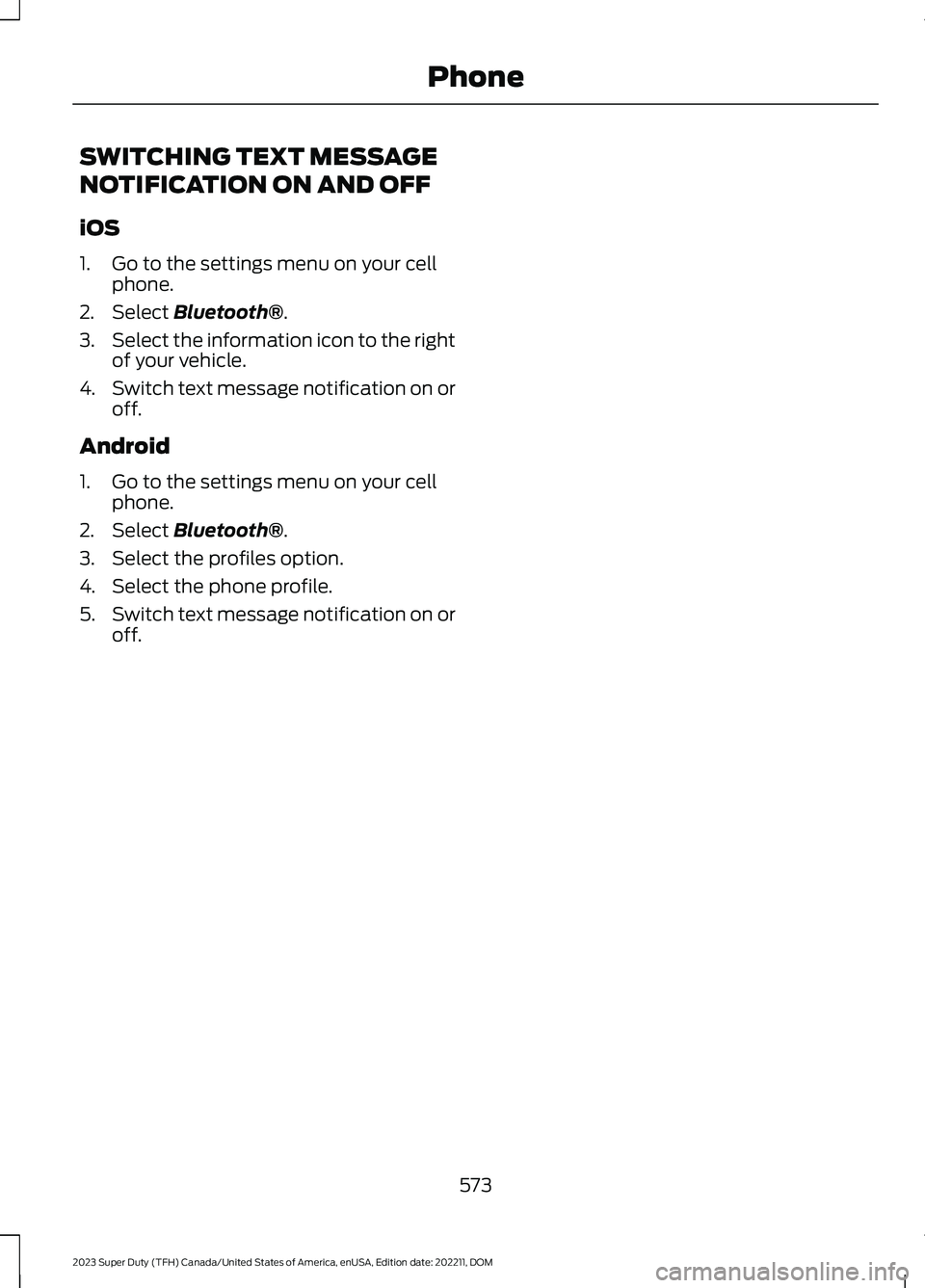
SWITCHING TEXT MESSAGE
NOTIFICATION ON AND OFF
iOS
1.Go to the settings menu on your cellphone.
2.Select Bluetooth®.
3.Select the information icon to the rightof your vehicle.
4.Switch text message notification on oroff.
Android
1.Go to the settings menu on your cellphone.
2.Select Bluetooth®.
3.Select the profiles option.
4.Select the phone profile.
5.Switch text message notification on oroff.
573
2023 Super Duty (TFH) Canada/United States of America, enUSA, Edition date: 202211, DOMPhone