change time FORD SUPER DUTY 2023 Owners Manual
[x] Cancel search | Manufacturer: FORD, Model Year: 2023, Model line: SUPER DUTY, Model: FORD SUPER DUTY 2023Pages: 738, PDF Size: 18.49 MB
Page 3 of 738
The information contained in this publication was correct at the time of release. In the interest of continuousdevelopment, we reserve the right to change specifications, design or equipment at any time withoutnotice or obligation. No part of this publication may be reproduced, transmitted, stored in a retrievalsystem or translated into any language in any form by any means without our written permission. Errorsand omissions excepted.© Ford Motor Company 2022
All rights reserved.Part Number: -202211-20221205180757
California Proposition 65
WARNING: Operating, servicing and maintaining a passenger vehicle or off-highway motor vehiclecan expose you to chemicals including engine exhaust, carbon monoxide, phthalates, and lead, whichare known to the State of California to cause cancer and birth defects or other reproductive harm. Tominimize exposure, avoid breathing exhaust, do not idle the engine except as necessary, service yourvehicle in a well-ventilated area and wear gloves or wash your hands frequently when servicing yourvehicle. For more information go to www.P65Warnings.ca.gov/passenger-vehicle.
WARNING: Battery posts, terminals and
related accessories contain lead and lead
compounds, chemicals known to the State of
California to cause cancer and reproductive harm.
Wash your hands after handling.
Page 30 of 738
WARNING: Do not connectwireless plug-in devices to the data linkconnector. Unauthorized third partiescould gain access to vehicle data andimpair the performance of safety relatedsystems. Only allow repair facilities thatfollow our service and repair instructionsto connect their equipment to the datalink connector.
We respect your privacy and arecommitted to protecting it. Theinformation contained in this publicationwas correct at the time of release, but astechnology rapidly changes, werecommend that you visit the local Fordwebsite for the latest information.
Your vehicle has electronic control unitsthat have data recording functionality andthe ability to permanently or temporarilystore data. This data could includeinformation on the condition and status ofyour vehicle, vehicle maintenancerequirements, events and malfunctions.The types of data that can be recorded aredescribed in this section. Some of the datarecorded is stored in event logs or errorlogs.
Note:Error logs are reset following a serviceor repair.
Note:We may provide information inresponse to requests from law enforcement,other government authorities and thirdparties acting with lawful authority orthrough a legal process. Such informationcould be used by them in legal proceedings.
Data recorded includes, for example:
•Operating states of systemcomponents, for example fuel level,tire pressure and battery charge level.
•Vehicle and component status, forexample wheel speed, deceleration,lateral acceleration and seatbeltstatus.
•Events or errors in essential systems,for example headlamps and brakes.
•System responses to driving situations,for example airbag deployment andstability control.
•Environmental conditions, for exampletemperature.
Some of this data, when used incombination with other information, forexample an accident report, damage to avehicle or eyewitness statements, couldbe associated with a specific person.
Services That We Provide
If you use our services, we collect and usedata, for example account information,vehicle location and driving characteristics,that could identify you. We transmit thisdata through a dedicated, protectedconnection. We only collect and use datato enable your use of our services to whichyou have subscribed, with your consent orwhere permitted by law. For additionalinformation, see the terms and conditionsof the services to which you havesubscribed.
For additional information about ourprivacy policy, refer to the local Fordwebsite.
Services That Third PartiesProvide
We recommend that you review the termsand conditions and data privacyinformation for any services equipped withyour vehicle or to which you subscribe. Wetake no responsibility for services that thirdparties provide.
Where equipped, SiriusXM with 360L coulduse the modem. To disable, turn off theSiriusXM with 360L or Vehicle Connectivitysetting. See Enabling and Disabling theModem (page 548).
26
2023 Super Duty (TFH) Canada/United States of America, enUSA, Edition date: 202211, DOMData Privacy
Page 75 of 738
Deleting a Key Card
1.Start your vehicle with any key exceptthe key you want to delete.
2.Press Settings on the touchscreen.
3.Press Vehicle.
4.Press Keys.
5.Press the trash can icon next to the keyyou want to delete.
6.Follow the prompts on thetouchscreen.
Deleting All User Key Cards
1.Start your vehicle with a factory key.
2.Perform a system reset. SeePerforming a System Reset (page584).
Note:If you have created digital keys, thereset deletes those as well.
USING DIGITAL KEY (IF EQUIPPED)
Digital key allows you to unlock and startyour vehicle with a compatible smartphoneor smartwatch. Devices set up as digitalkeys communicate with key readers in yourvehicle using near field communicationtechnology, the same technology thatpowers tap-to-pay card and mobile devicepayments. Tap your device on a key readerjust like you would tap your device at apayment terminal.
Limitations
•The key reader only recognizes a digitalkey when your device with a digital keyis within 1.6 in (4 cm) of the key reader.A digital key may not be recognized ifthe device is more than 1.6 in (4 cm)away from the key reader.
•Near field communication must beenabled on your device.
•You can still use your device to lock,unlock and start your vehicle for aperiod of time after your device'sbattery has been depleted. Check withyour device's manufacturer for detailson how to operate your digital key onlow power.
•You can enable additionalauthentication for your digital key onyour device. When enabled, your devicerequires authentication each time anaction is requested, such as unlockingthe doors or starting your vehicle. Whenyou enable additional authenticationon your device, you cannot use yourdevice when the battery is depleted.
Setting Up Digital Key
There are two types of digital keys: theowner key and shared keys. There can onlybe one owner key per vehicle. Make sureyou setup the first digital key on yourdevice, also known as the owner phone.By default, the first digital key you set upbecomes the owner key.
You can set up a digital key through theFordPass app.
1.In the FordPass app, select yourvehicle.
2.Select Set Up Digital Key and followthe instructions in FordPass.
Note:You need two factory keys in yourvehicle to complete the setup of a digitalkey. Factory keys are the keys that camewith your vehicle.
Changing the Owner Phone
You can change the owner phone throughthe FordPass app.
1.In the FordPass app, select yourvehicle.
2.Select Change Owner Phone andfollow the instructions in FordPass.
71
2023 Super Duty (TFH) Canada/United States of America, enUSA, Edition date: 202211, DOMKeys and Remote Controls
Page 111 of 738
POWER RUNNING BOARD
PRECAUTIONS
WARNING: In extreme climates,excessive ice buildup may occur, causingthe running boards not to deploy. Makesure that the running boards havedeployed, and have finished movingbefore attempting to step on them. Therunning boards will resume normalfunction once the blockage is cleared.
WARNING: Switch off the runningboards before jacking or placing anyobject under your vehicle. Never placeyour hand between the extended runningboard and your vehicle. A moving runningboard may cause injury.
Do not use the running boards, front andrear hinge assemblies, running boardmotors, or the running board underbodymounts to lift your vehicle when jacking.Use proper jacking points.
The running boards could move slower incold temperatures.
POWER RUNNING BOARD
SETTINGS
1.Press Features on the touchscreen.
2.Press Power Running Board.
3.Press SETTINGS.
Power Boards Modes
Note:When the vehicle speed is more than3 mph (5 km/h), the option to select themodes disables, to avoid unintendedoperation.
Note:The power running boards reversedirection and move to the end of travel ifthey encounter an object when moving.Keep the power running boards andbrackets clean for optimum performance.
Off
The power running boards remain stowed,regardless of door position.
Auto
The power running boards deploy whenyou approach your vehicle with a remotecontrol, unlock the door or open the door.
The power running boards stow:
•After a few seconds when you closethe doors.
•Instantly after you close and lock thedoors.
•If you unlock the door but do not openit, after the timeout.
•If you have switched approachdetection on and do not open a doorbefore the auto timer setting expires.
•When the vehicle speed is more than3 mph (5 km/h).
Note:When you select this mode, an optiondisplays that allows you to select how longthe running boards stay deployed withoutopening the door.
Out
The power running boards remaindeployed, regardless of door position. Thepower running boards stow when thevehicle speed is more than 5 km/h, and themode changes to auto. You need to selectOut mode again if you want the powerrunning boards to stay deployed at the endof each trip.
107
2023 Super Duty (TFH) Canada/United States of America, enUSA, Edition date: 202211, DOMPower Running Boards (If Equipped)
Page 121 of 738
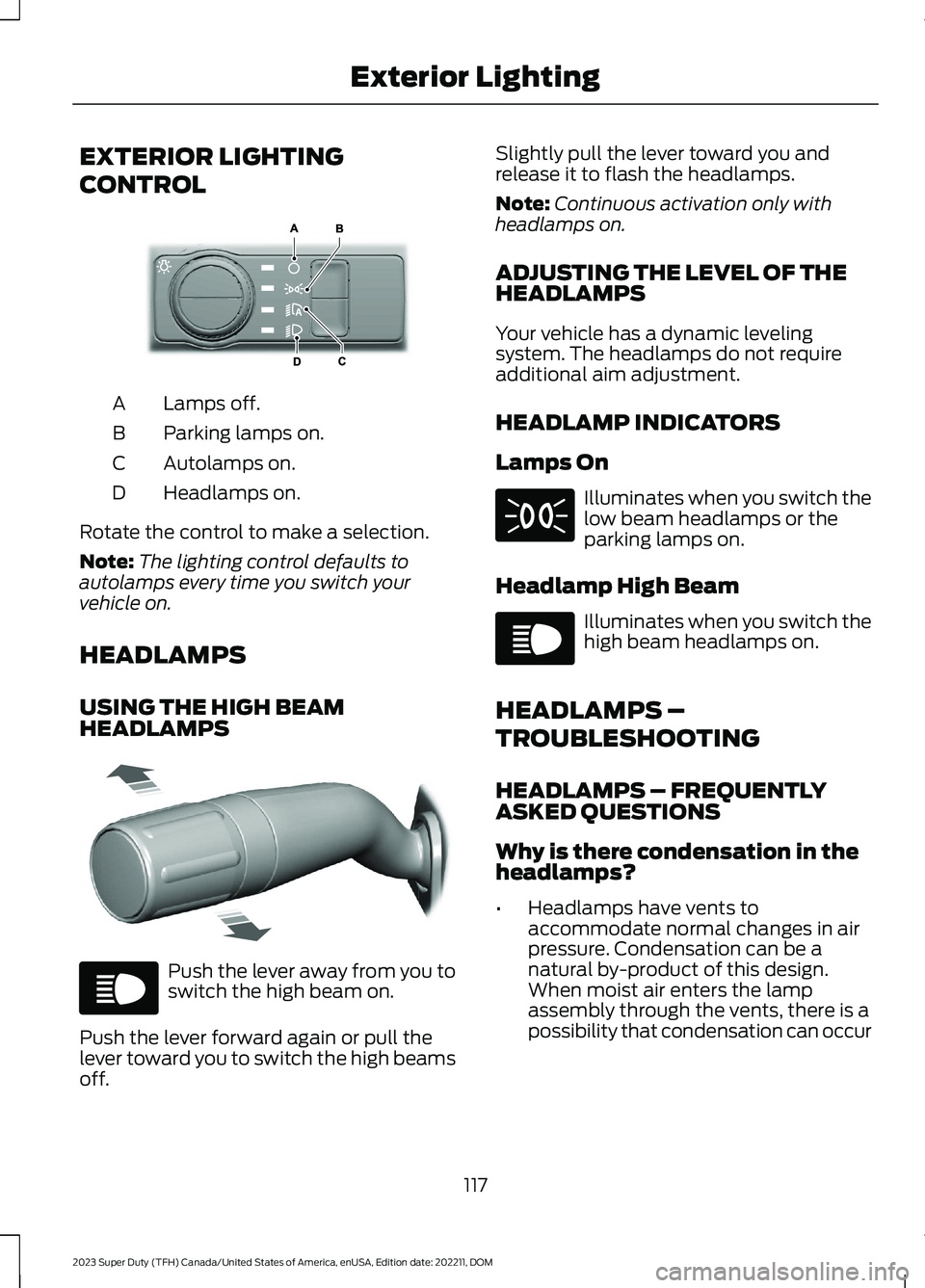
EXTERIOR LIGHTING
CONTROL
Lamps off.A
Parking lamps on.B
Autolamps on.C
Headlamps on.D
Rotate the control to make a selection.
Note:The lighting control defaults toautolamps every time you switch yourvehicle on.
HEADLAMPS
USING THE HIGH BEAMHEADLAMPS
Push the lever away from you toswitch the high beam on.
Push the lever forward again or pull thelever toward you to switch the high beamsoff.
Slightly pull the lever toward you andrelease it to flash the headlamps.
Note:Continuous activation only withheadlamps on.
ADJUSTING THE LEVEL OF THEHEADLAMPS
Your vehicle has a dynamic levelingsystem. The headlamps do not requireadditional aim adjustment.
HEADLAMP INDICATORS
Lamps On
Illuminates when you switch thelow beam headlamps or theparking lamps on.
Headlamp High Beam
Illuminates when you switch thehigh beam headlamps on.
HEADLAMPS –
TROUBLESHOOTING
HEADLAMPS – FREQUENTLYASKED QUESTIONS
Why is there condensation in theheadlamps?
•Headlamps have vents toaccommodate normal changes in airpressure. Condensation can be anatural by-product of this design.When moist air enters the lampassembly through the vents, there is apossibility that condensation can occur
117
2023 Super Duty (TFH) Canada/United States of America, enUSA, Edition date: 202211, DOMExterior LightingE327629 E327570 E67019 E71341 E67019
Page 126 of 738
EXTERIOR ZONE LIGHTINGSETTINGS
1.Press Features on the touchscreen.
2.Press Zone Lighting.
3.Press the settings menu in the upperright-hand corner.
4.Press a setting.
Enable Autolamp Override
This setting allows your vehicle to overridethe autolamps when using zone lighting.
When you access zone lighting for the firsttime, you can choose this setting. You canchange this setting at any time.
Include Reverse Lamps
This setting turns the reverse lamps onwhen you switch the rear lighting zone on.
Switch this setting off if you have a backupalarm installed to prevent the reverselamps from turning on and sounding thealarm when using zone lighting.
AUTOMATIC HIGH BEAM
CONTROL (IF EQUIPPED)
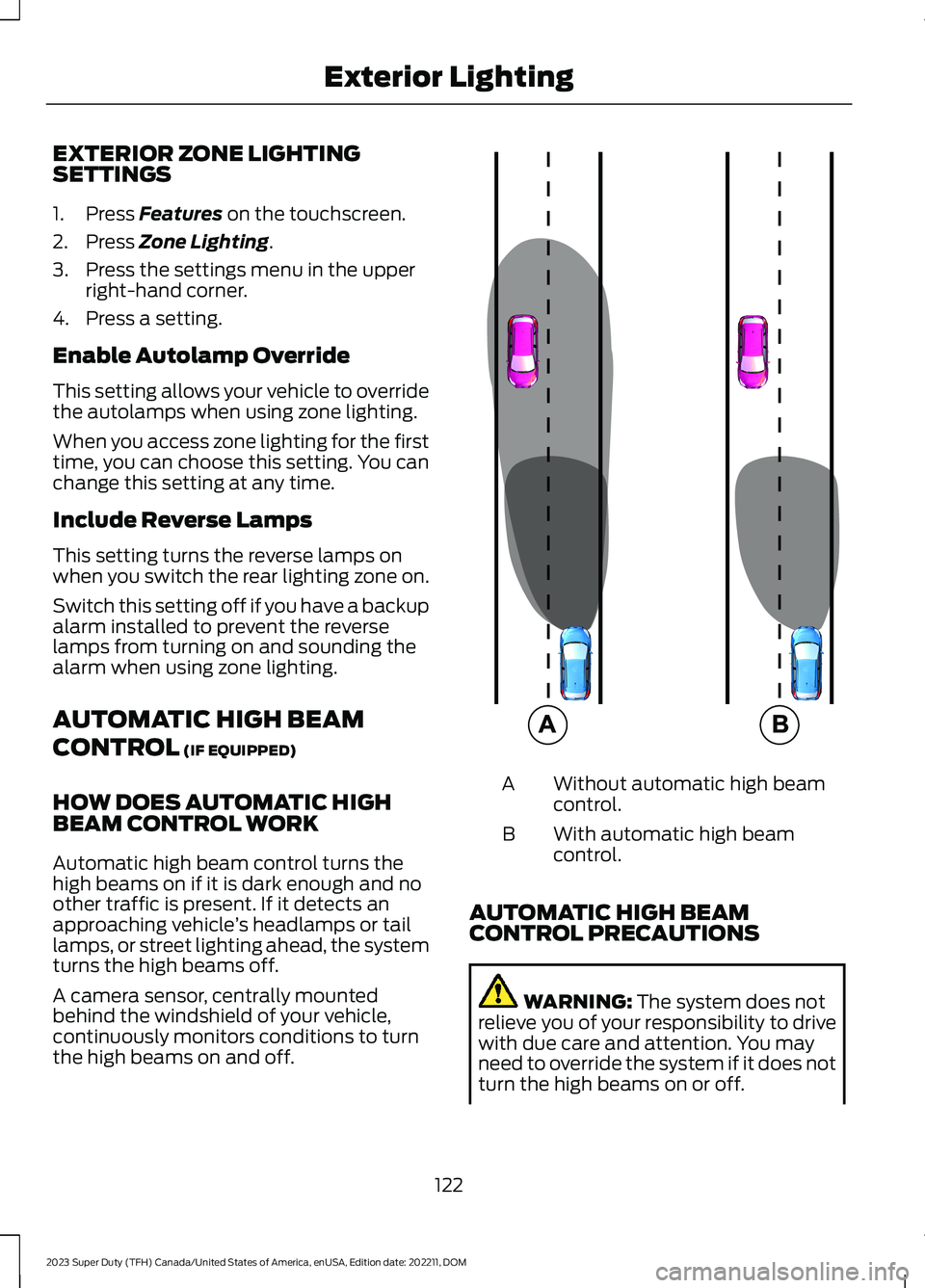
HOW DOES AUTOMATIC HIGHBEAM CONTROL WORK
Automatic high beam control turns thehigh beams on if it is dark enough and noother traffic is present. If it detects anapproaching vehicle’s headlamps or taillamps, or street lighting ahead, the systemturns the high beams off.
A camera sensor, centrally mountedbehind the windshield of your vehicle,continuously monitors conditions to turnthe high beams on and off.
Without automatic high beamcontrol.A
With automatic high beamcontrol.B
AUTOMATIC HIGH BEAMCONTROL PRECAUTIONS
WARNING: The system does notrelieve you of your responsibility to drivewith due care and attention. You mayneed to override the system if it does notturn the high beams on or off.
122
2023 Super Duty (TFH) Canada/United States of America, enUSA, Edition date: 202211, DOMExterior Lighting E327596
Page 142 of 738
FUEL GAUGE LIMITATIONS
The fuel gauge may not provide anaccurate reading when your vehicle is onan incline.
LOCATING THE FUEL FILLERDOOR
The arrow adjacent to the fuel pumpsymbol indicates on which side of yourvehicle the fuel filler door is located.
WHAT IS THE LOW FUELREMINDER
A low fuel level reminder displays andsounds when the distance to emptyreaches 50 mi (80 km),25 mi (40 km),12 mi (20 km) and 0 mi (0 km).
Note:The low fuel reminder can appear atdifferent fuel gauge positions depending onfuel economy conditions. This variation isnormal.
WHAT IS DISTANCE TO EMPTY
Indicates the approximate distance yourvehicle can travel on the fuel remaining inthe tank. Changes in driving pattern cancause the value to not only decrease butalso increase or stay constant for periodsof time.
Note:When you have a trailer connected,your distance to empty accounts for thetrailer.
ENGINE COOLANT
TEMPERATURE GAUGE
Indicates the engine coolant temperature.
ENGINE OIL PRESSURE GAUGE
Indicates the engine oil pressure.
Note:This is a configurable gauge.
ENGINE OIL TEMPERATURE
GAUGE
Indicates the engine oil temperature.
Note:This is a configurable gauge.
TRANSMISSION FLUID
TEMPERATURE GAUGE
Indicates the transmission fluidtemperature.
Special operating conditions can causehigher than normal operatingtemperatures. See Special OperatingConditions Scheduled Maintenance(page 603).
Note:This is a configurable gauge.
TURBO BOOST GAUGE
Indicates the amount of manifold airpressure in the engine.
Note:This is a configurable gauge.
DIESEL EXHAUST FLUID
GAUGE
Indicates the current diesel exhaust fluidlevel.
138
2023 Super Duty (TFH) Canada/United States of America, enUSA, Edition date: 202211, DOMInstrument Cluster
Page 178 of 738
WHAT IS THE REAR
OCCUPANT ALERT SYSTEM
The rear occupant alert system monitorsvehicle conditions and notifies you to checkfor rear seat occupants when you switchthe ignition off. The notifications can be inthe form of warnings inside the vehicle andsounding of the horn if activated for a shortperiod of time.
HOW DOES THE REAR
OCCUPANT ALERT SYSTEM
WORK
The system monitors the activity of thebuckle on the rear seatbelt and theopening and closing of the rear doors toindicate the potential presence of anoccupant in the rear seat.
When Child Seat Installed is selected, thesystem monitors only the opening andclosing of the rear doors to indicate thepotential presence of an occupant in therear seat.
When Child Seat Installed is not selected,the system monitors the rear seatbeltbuckle activity and the opening and closingof the rear doors to indicate the potentialpresence of an occupant in the rear seat.
A message displays in the touchscreen andan audible warning sounds when youswitch the ignition off after any of thefollowing conditions have been met:
•A rear door is opened or closed whilethe ignition is on.
•You switch the ignition on within 15minutes of a rear door opening andclosing.
•You switch the ignition on within 15minutes of the alert having displayedor sounded.
If you do not open a rear door within a shortperiod of time of the message appearingin the center display, the first audiblewarning sounding and driver door open toclose, the horn sounds for a short periodof time.
Note:Horn sounds only when the RearOccupant Alert is set to Alert & Horn. Ifyou change the setting, then there is no hornsound.
REAR OCCUPANT ALERT
SYSTEM PRECAUTIONS
WARNING: On hot days, thetemperature inside the vehicle can risevery quickly. Exposure of people oranimals to these high temperatures foreven a short time can cause death orserious heat related injuries, includingbrain damage. Small children areparticularly at risk.
WARNING: Do not leave childrenor pets unattended in your vehicle.Failure to follow this instruction couldresult in personal injury or death.
REAR OCCUPANT ALERT
SYSTEM LIMITATIONS
The system does not detect the presenceof objects or passengers in the rear seat.It monitors the activity of the buckle on therear seatbelt and the opening and closingof the rear doors.
Note:It is possible to receive an alert whenthere is no rear seat occupant, but alertconditions are met.
174
2023 Super Duty (TFH) Canada/United States of America, enUSA, Edition date: 202211, DOMRear Occupant Alert System (If Equipped)
Page 183 of 738
GARAGE DOOR OPENER
INTRODUCTION
HomeLink Wireless ControlSystem
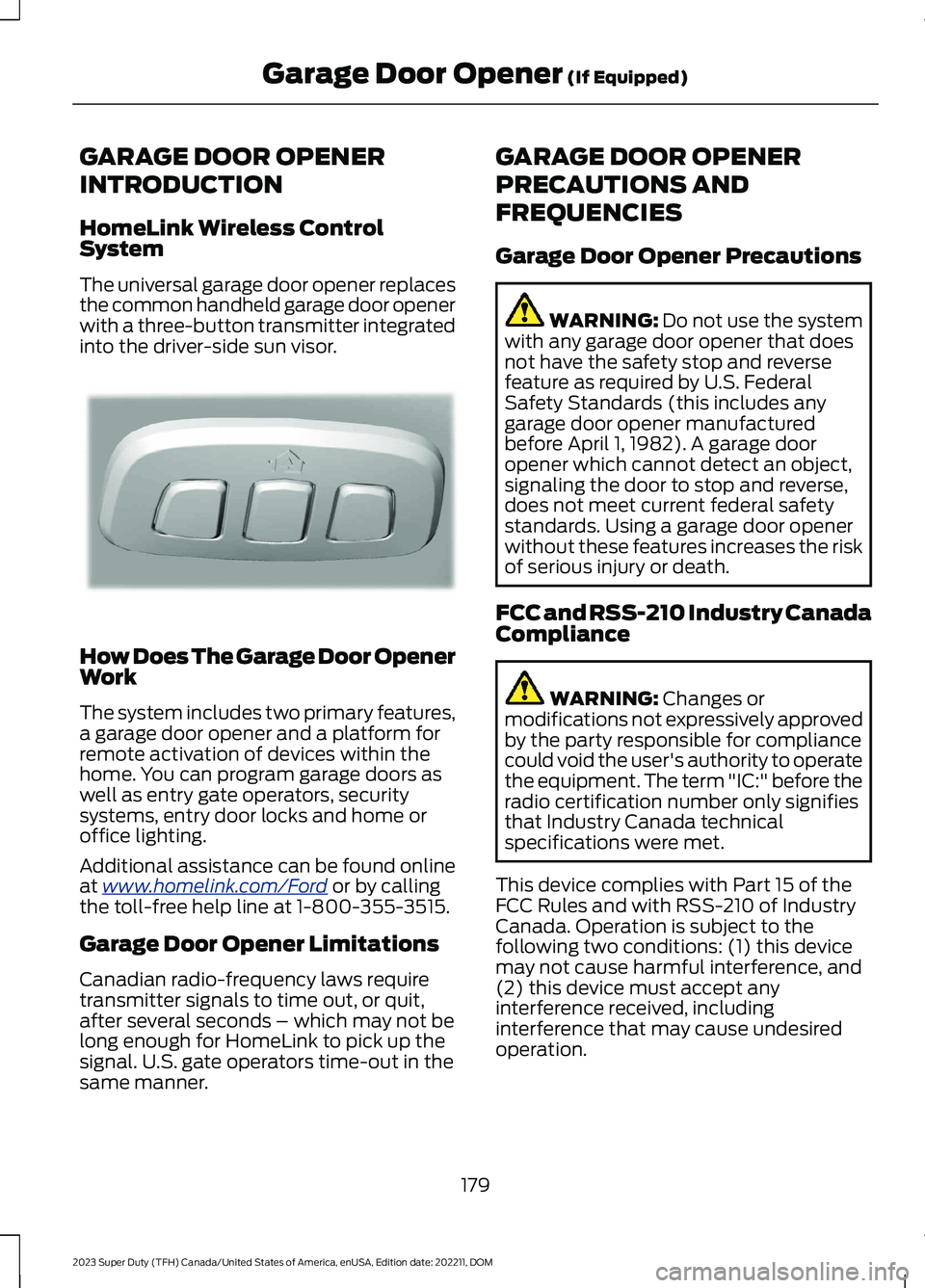
The universal garage door opener replacesthe common handheld garage door openerwith a three-button transmitter integratedinto the driver-side sun visor.
How Does The Garage Door OpenerWork
The system includes two primary features,a garage door opener and a platform forremote activation of devices within thehome. You can program garage doors aswell as entry gate operators, securitysystems, entry door locks and home oroffice lighting.
Additional assistance can be found onlineat www.homelink.com/Ford or by callingthe toll-free help line at 1-800-355-3515.
Garage Door Opener Limitations
Canadian radio-frequency laws requiretransmitter signals to time out, or quit,after several seconds – which may not belong enough for HomeLink to pick up thesignal. U.S. gate operators time-out in thesame manner.
GARAGE DOOR OPENER
PRECAUTIONS AND
FREQUENCIES
Garage Door Opener Precautions
WARNING: Do not use the systemwith any garage door opener that doesnot have the safety stop and reversefeature as required by U.S. FederalSafety Standards (this includes anygarage door opener manufacturedbefore April 1, 1982). A garage dooropener which cannot detect an object,signaling the door to stop and reverse,does not meet current federal safetystandards. Using a garage door openerwithout these features increases the riskof serious injury or death.
FCC and RSS-210 Industry CanadaCompliance
WARNING: Changes ormodifications not expressively approvedby the party responsible for compliancecould void the user's authority to operatethe equipment. The term "IC:" before theradio certification number only signifiesthat Industry Canada technicalspecifications were met.
This device complies with Part 15 of theFCC Rules and with RSS-210 of IndustryCanada. Operation is subject to thefollowing two conditions: (1) this devicemay not cause harmful interference, and(2) this device must accept anyinterference received, includinginterference that may cause undesiredoperation.
179
2023 Super Duty (TFH) Canada/United States of America, enUSA, Edition date: 202211, DOMGarage Door Opener (If Equipped)E188211
Page 211 of 738
could be required to steer your vehicle.When you switch the ignition off, someelectrical circuits, for example airbags,also turn off. If you unintentionally switchthe ignition off, shift into neutral (N) andrestart the engine.
1.Turn the key to position 0.
2.Shift into neutral and use the brakes tobring your vehicle to a safe stop.
3.Shift into park (P).
4.Apply the parking brake.
STOPPING THE ENGINE WHENYOUR VEHICLE IS MOVING -VEHICLES WITH: PUSH BUTTONSTART
WARNING: Switching off theengine when your vehicle is still movingresults in a significant decrease inbraking assistance. Higher effort isrequired to apply the brakes and to stopyour vehicle. A significant decrease insteering assistance could also occur. Thesteering does not lock, but higher effortcould be required to steer your vehicle.When you switch the ignition off, someelectrical circuits, for example airbags,also turn off. If you unintentionally switchthe ignition off, shift into neutral (N) andrestart the engine.
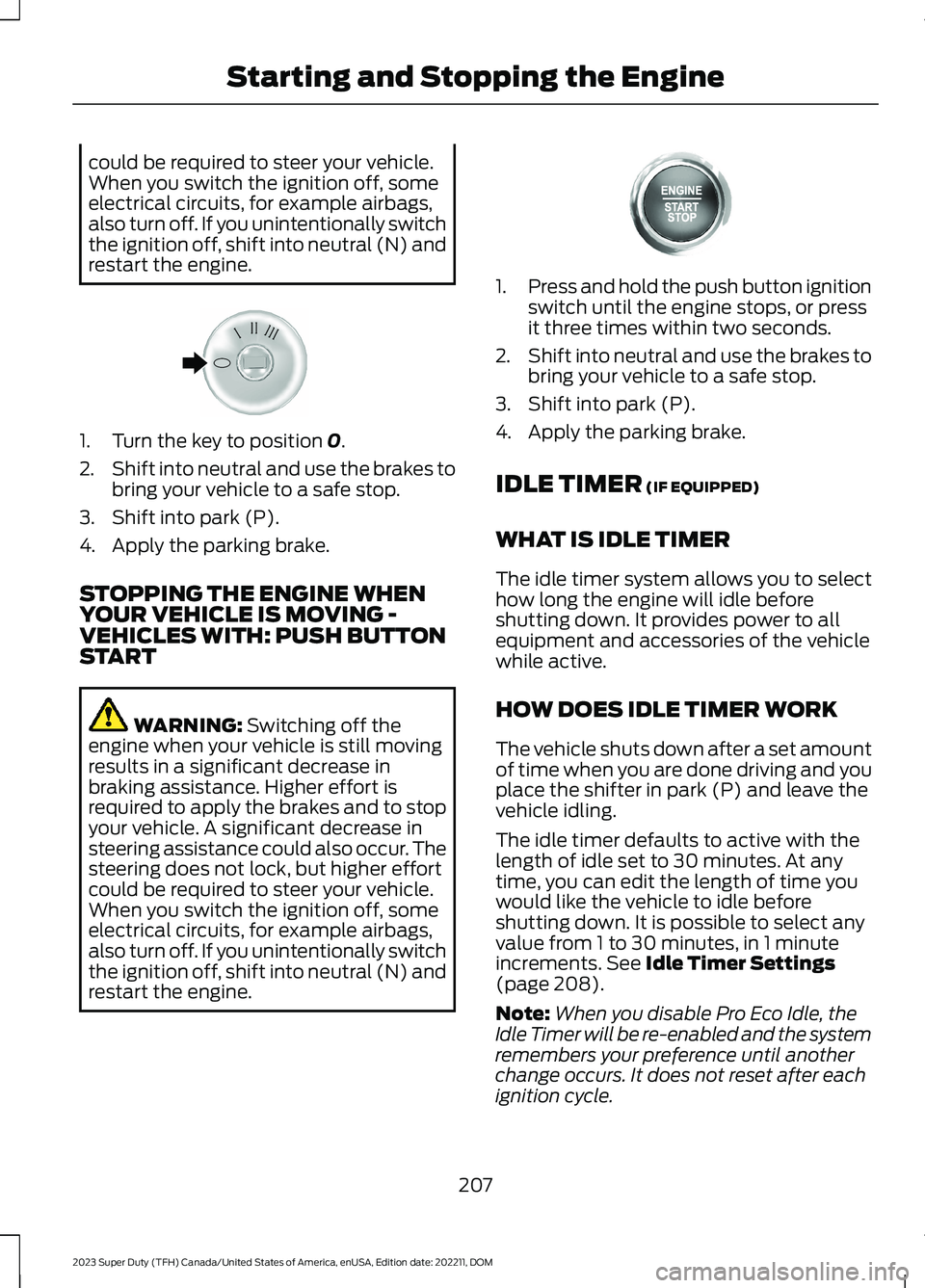
1.Press and hold the push button ignitionswitch until the engine stops, or pressit three times within two seconds.
2.Shift into neutral and use the brakes tobring your vehicle to a safe stop.
3.Shift into park (P).
4.Apply the parking brake.
IDLE TIMER (IF EQUIPPED)
WHAT IS IDLE TIMER
The idle timer system allows you to selecthow long the engine will idle beforeshutting down. It provides power to allequipment and accessories of the vehiclewhile active.
HOW DOES IDLE TIMER WORK
The vehicle shuts down after a set amountof time when you are done driving and youplace the shifter in park (P) and leave thevehicle idling.
The idle timer defaults to active with thelength of idle set to 30 minutes. At anytime, you can edit the length of time youwould like the vehicle to idle beforeshutting down. It is possible to select anyvalue from 1 to 30 minutes, in 1 minuteincrements. See Idle Timer Settings(page 208).
Note:When you disable Pro Eco Idle, theIdle Timer will be re-enabled and the systemremembers your preference until anotherchange occurs. It does not reset after eachignition cycle.
207
2023 Super Duty (TFH) Canada/United States of America, enUSA, Edition date: 202211, DOMStarting and Stopping the EngineE322405 E357998