lock FORD TAURUS 2015 6.G Owners Manual
[x] Cancel search | Manufacturer: FORD, Model Year: 2015, Model line: TAURUS, Model: FORD TAURUS 2015 6.GPages: 558, PDF Size: 4.42 MB
Page 354 of 558
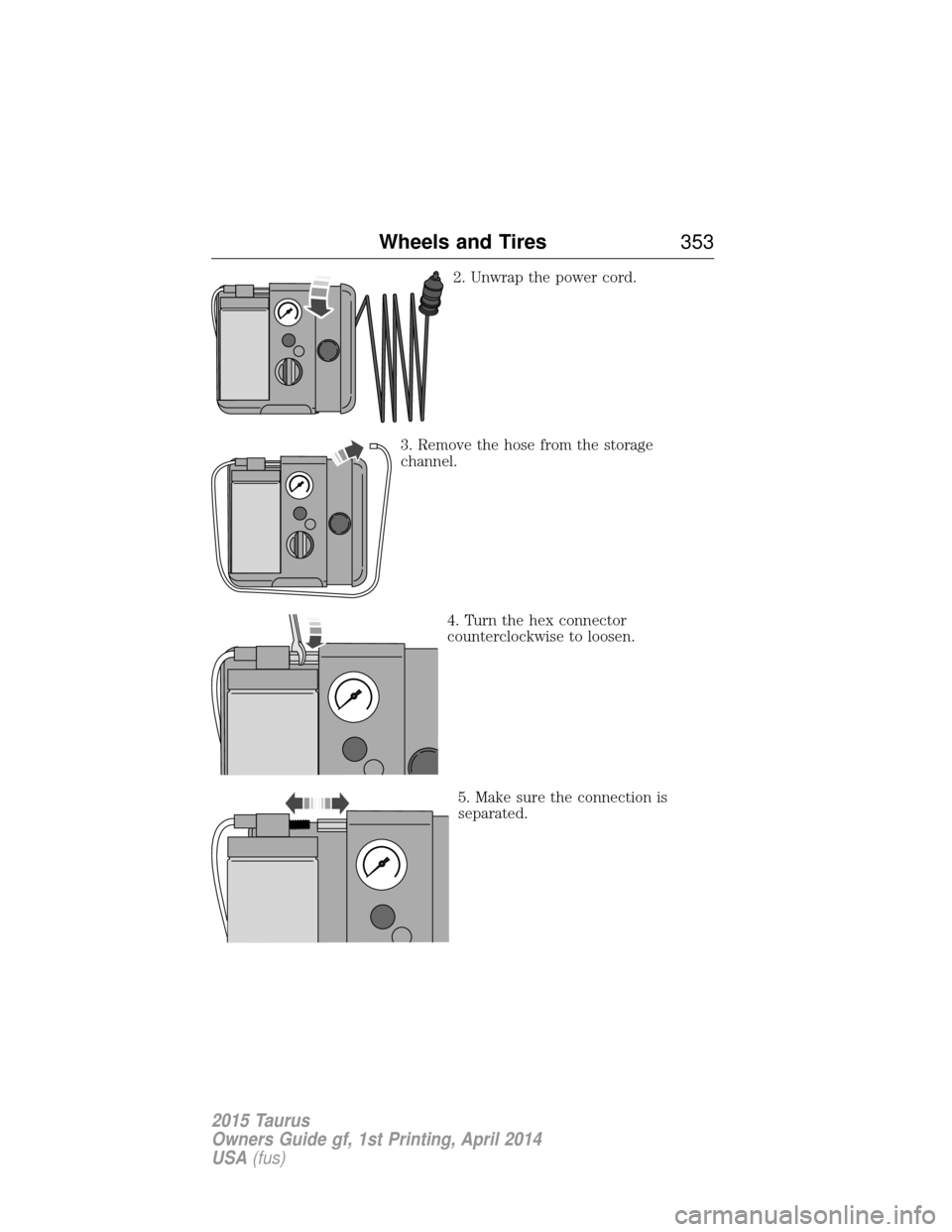
2. Unwrap the power cord.
3. Remove the hose from the storage
channel. 4. Turn the hex connector
counterclockwise to loosen.
5. Make sure the connection is
separated.
Wheels and Tires 353
2015 Taurus
Owners Guide gf, 1st Printing, April 2014
USA(fus)
Page 359 of 558
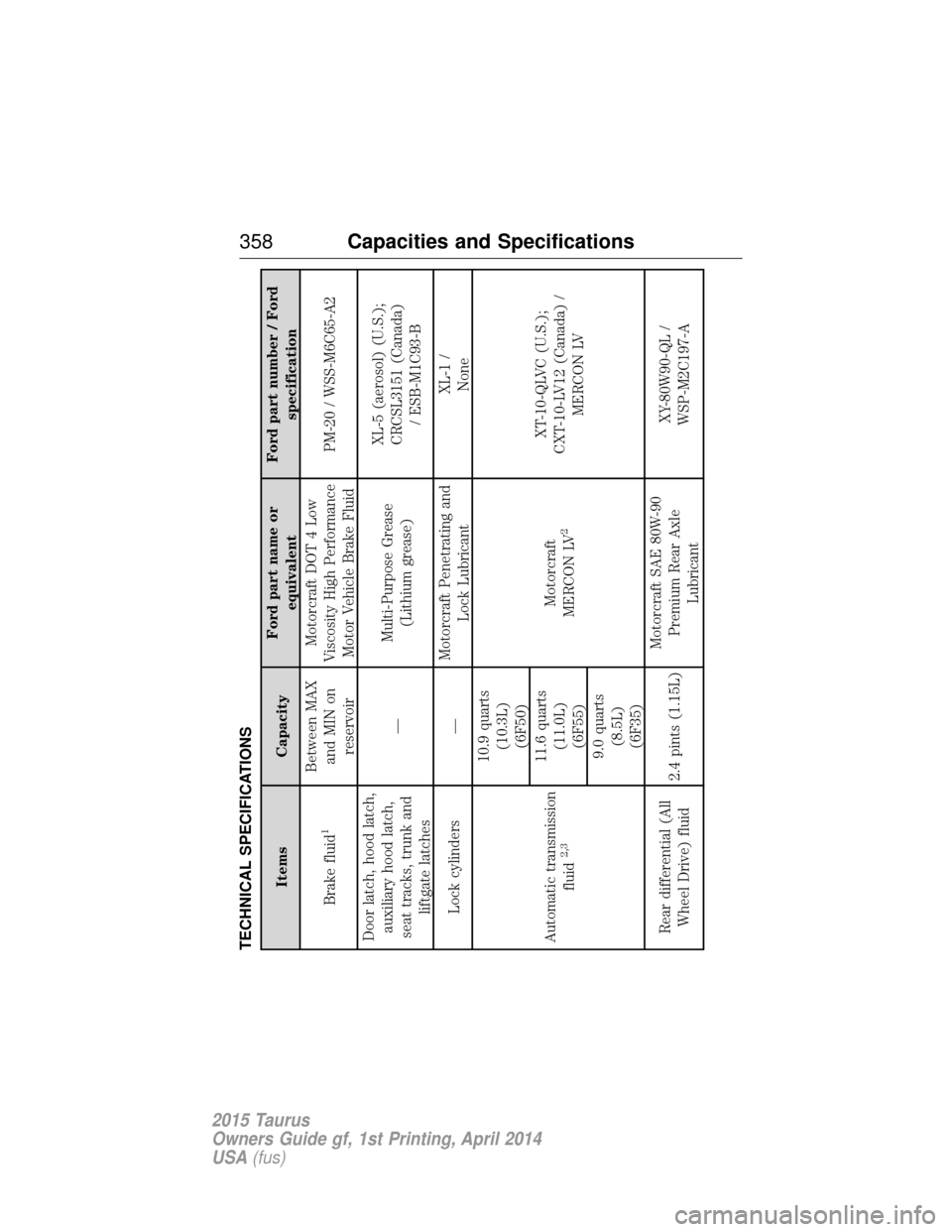
TECHNICAL SPECIFICATIONS
ItemsCapacityFord part name or
equivalent Ford part number / Ford
specification
Brake fluid
1
Between MAX and MIN on reservoir Motorcraft DOT 4 Low
Viscosity High Performance Motor Vehicle Brake Fluid PM-20 / WSS-M6C65-A2
Door latch, hood latch, auxiliary hood latch,
seat tracks, trunk and liftgate latches —
Multi-Purpose Grease
(Lithium grease) XL-5 (aerosol) (U.S.);
CRCSL3151 (Canada) / ESB-M1C93-B
Lock cylinders — Motorcraft Penetrating and
Lock Lubricant XL-1 /
None
Automatic transmission fluid
2,3
10.9 quarts(10.3L)(6F50)
Motorcraft
MERCON LV
2
XT-10-QLVC (U.S.);
CXT-10-LV12 (Canada) / MERCON LV
11.6 quarts
(11.0L)(6F55)
9.0 quarts (8.5L)
(6F35)
Rear differential (All Wheel Drive) fluid 2.4 pints (1.15L)Motorcraft SAE 80W-90
Premium Rear Axle Lubricant XY-80W90-QL /
WSP-M2C197-A
358 Capacities and Specifications
2015 Taurus
Owners Guide gf, 1st Printing, April 2014
USA(fus)
Page 368 of 558
Peace of mind
•Remote start
• Wheel locks
• Locking fuel plug for capless fuel system
• Bumper mounted parking sensors*
• Vehicle security system
*The accessory manufacturer designs, develops and therefore warrants
Ford Licensed Accessories, and does not design or test these accessories
to Ford Motor Company engineering requirements. Contact an
authorized Ford dealer for the manufacturer’s limited warranty details,
and request a copy of the Ford Licensed Accessories product limited
warranty from the accessory manufacturer.
For maximum vehicle performance, keep the following information in
mind when adding accessories or equipment to your vehicle:
• When adding accessories, equipment, passengers and luggage to your
vehicle, do not exceed the total weight capacity of the vehicle or of
the front or rear axle (GVWR or GAWR as indicated on the Safety
Compliance Certification label). Ask an authorized dealer for specific
weight information.
• The Federal Communications Commission (FCC) and Canadian Radio
Telecommunications Commission (CRTC) regulate the use of mobile
communications systems that are equipped with radio transmitters, for
example, two-way radios, telephones and theft alarms. Any such
equipment installed in your vehicle should comply with Federal
Communications Commission (FCC) and Canadian Radio
Telecommunications Commission (CRTC) regulations and should be
installed only by an authorized dealer.
• An authorized dealer needs to install mobile communications systems.
Improper installation may harm the operation of your vehicle,
particularly if the manufacturer did not design the mobile
communication system specifically for automotive use.
• If you or an authorized Ford dealer add any non-Ford electrical or
electronic accessories or components to your vehicle, you may
adversely affect battery performance and durability. In addition, you
may also adversely affect the performance of other electrical systems
in the vehicle.
Accessories 367
2015 Taurus
Owners Guide gf, 1st Printing, April 2014
USA(fus)
Page 370 of 558
Roadside Assistance
Exclusive 24/7 roadside assistance, including:
•Towing, flat-tire change and battery jump starts
• Out of fuel and lock-out assistance
• Travel expense reimbursement for lodging, meals and rental car
• Destination assistance for taxi, shuttle, rental car coverage and
emergency transportation
Transferable Coverage
If you sell your vehicle before your Ford Extended Service Plan coverage
expires, you can transfer any remaining coverage to the new owner.
Whenever you sell your vehicle, prospective buyers may have a higher
degree of confidence that vehicle was properly maintained with Ford
ESP, thereby improving resale value.
Avoid the Rising Cost of Properly Maintaining Your Vehicle!
Ford Extended Service Plan also offers a Premium Maintenance Plan
that covers all scheduled maintenance, and selected wear items. The
coverage is prepaid, so you never have to worry about affording your
vehicle’s maintenance. It covers regular checkups, routine inspections,
preventive care and replacement of select items that require periodic
attention for normal wear:
• Windshield wiper blades
• Spark plugs (except in California)
• The clutch disc
• Brake pads and linings
• Shock absorbers
• Belts and hoses
• Diesel exhaust fluid replenishment
Contact your selling authorized Ford or Lincoln dealership today so they
can customize a Ford Extended Service Plan that fits your driving
lifestyle and budget.
Extended Service Plan 369
2015 Taurus
Owners Guide gf, 1st Printing, April 2014
USA(fus)
Page 375 of 558
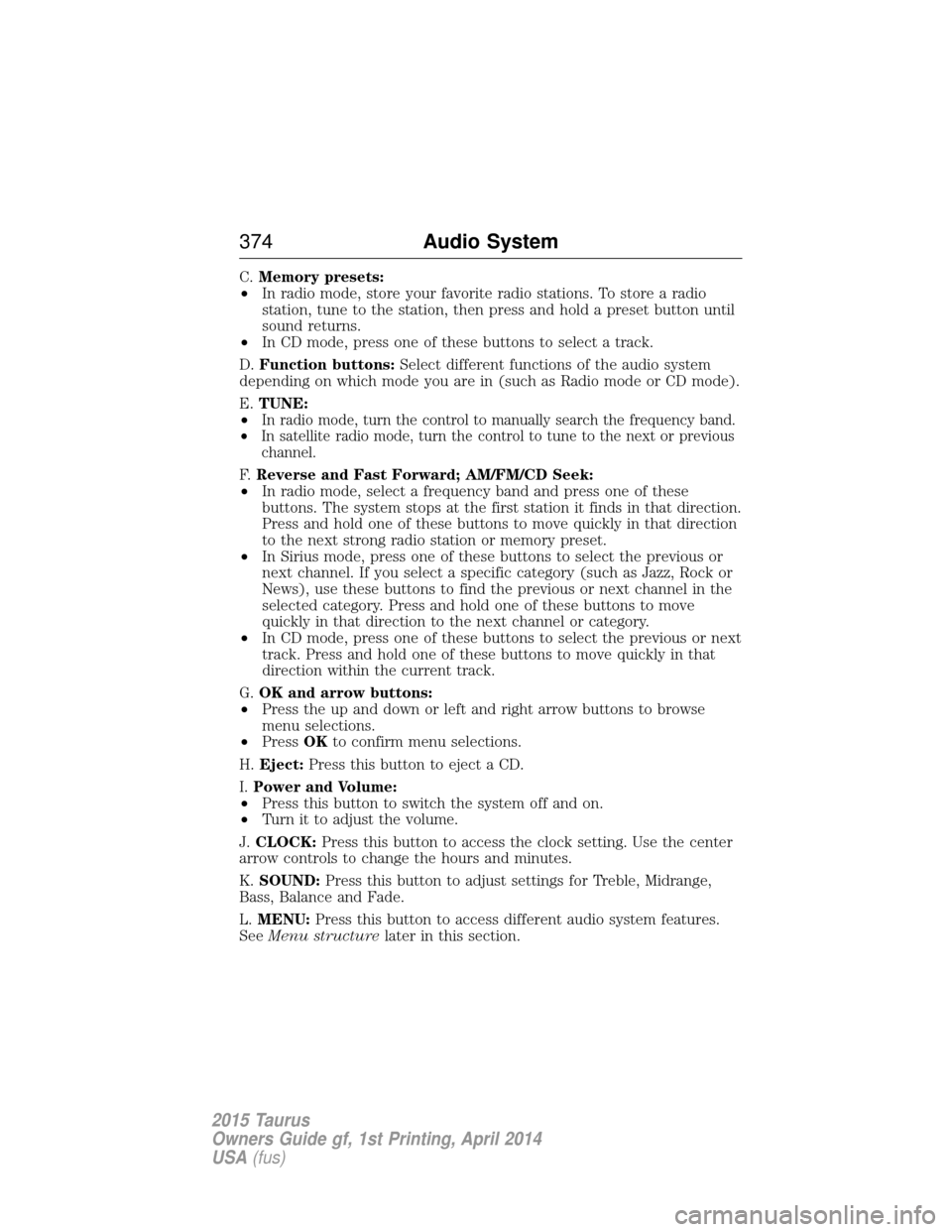
C.Memory presets:
• In radio mode, store your favorite radio stations. To store a radio
station, tune to the station, then press and hold a preset button until
sound returns.
• In CD mode, press one of these buttons to select a track.
D. Function buttons: Select different functions of the audio system
depending on which mode you are in (such as Radio mode or CD mode).
E. TUNE:
•
In radio mode, turn the control to manually search the frequency band.
• In satellite radio mode, turn the control to tune to the next or previous
channel.
F. Reverse and Fast Forward; AM/FM/CD Seek:
• In radio mode, select a frequency band and press one of these
buttons. The system stops at the first station it finds in that direction.
Press and hold one of these buttons to move quickly in that direction
to the next strong radio station or memory preset.
• In Sirius mode, press one of these buttons to select the previous or
next channel. If you select a specific category (such as Jazz, Rock or
News), use these buttons to find the previous or next channel in the
selected category. Press and hold one of these buttons to move
quickly in that direction to the next channel or category.
• In CD mode, press one of these buttons to select the previous or next
track. Press and hold one of these buttons to move quickly in that
direction within the current track.
G. OK and arrow buttons:
• Press the up and down or left and right arrow buttons to browse
menu selections.
• Press OKto confirm menu selections.
H. Eject: Press this button to eject a CD.
I. Power and Volume:
• Press this button to switch the system off and on.
• Turn it to adjust the volume.
J. CLOCK: Press this button to access the clock setting. Use the center
arrow controls to change the hours and minutes.
K. SOUND: Press this button to adjust settings for Treble, Midrange,
Bass, Balance and Fade.
L. MENU: Press this button to access different audio system features.
See Menu structure later in this section.
374 Audio System
2015 Taurus
Owners Guide gf, 1st Printing, April 2014
USA(fus)
Page 377 of 558
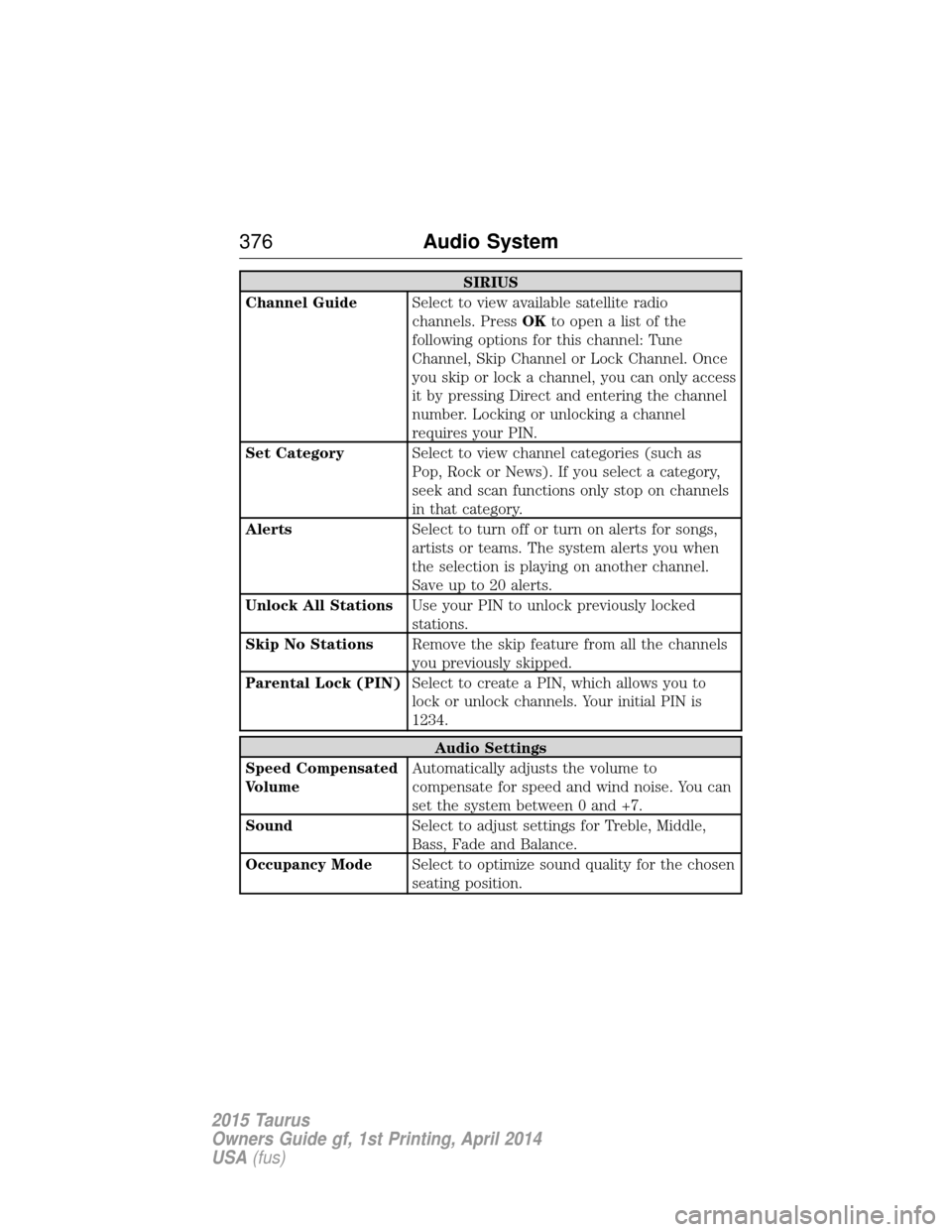
SIRIUS
Channel Guide Select to view available satellite radio
channels. PressOKtoopenalistofthe
following options for this channel: Tune
Channel, Skip Channel or Lock Channel. Once
you skip or lock a channel, you can only access
it by pressing Direct and entering the channel
number. Locking or unlocking a channel
requires your PIN.
Set Category Select to view channel categories (such as
Pop, Rock or News). If you select a category,
seek and scan functions only stop on channels
in that category.
Alerts Select to turn off or turn on alerts for songs,
artists or teams. The system alerts you when
the selection is playing on another channel.
Save up to 20 alerts.
Unlock All Stations Use your PIN to unlock previously locked
stations.
Skip No Stations Remove the skip feature from all the channels
you previously skipped.
Parental Lock (PIN) Select to create a PIN, which allows you to
lock or unlock channels. Your initial PIN is
1234.
Audio Settings
Speed Compensated
Volume Automatically adjusts the volume to
compensate for speed and wind noise. You can
set the system between 0 and +7.
Sound Select to adjust settings for Treble, Middle,
Bass, Fade and Balance.
Occupancy Mode Select to optimize sound quality for the chosen
seating position.
376Audio System
2015 Taurus
Owners Guide gf, 1st Printing, April 2014
USA(fus)
Page 378 of 558
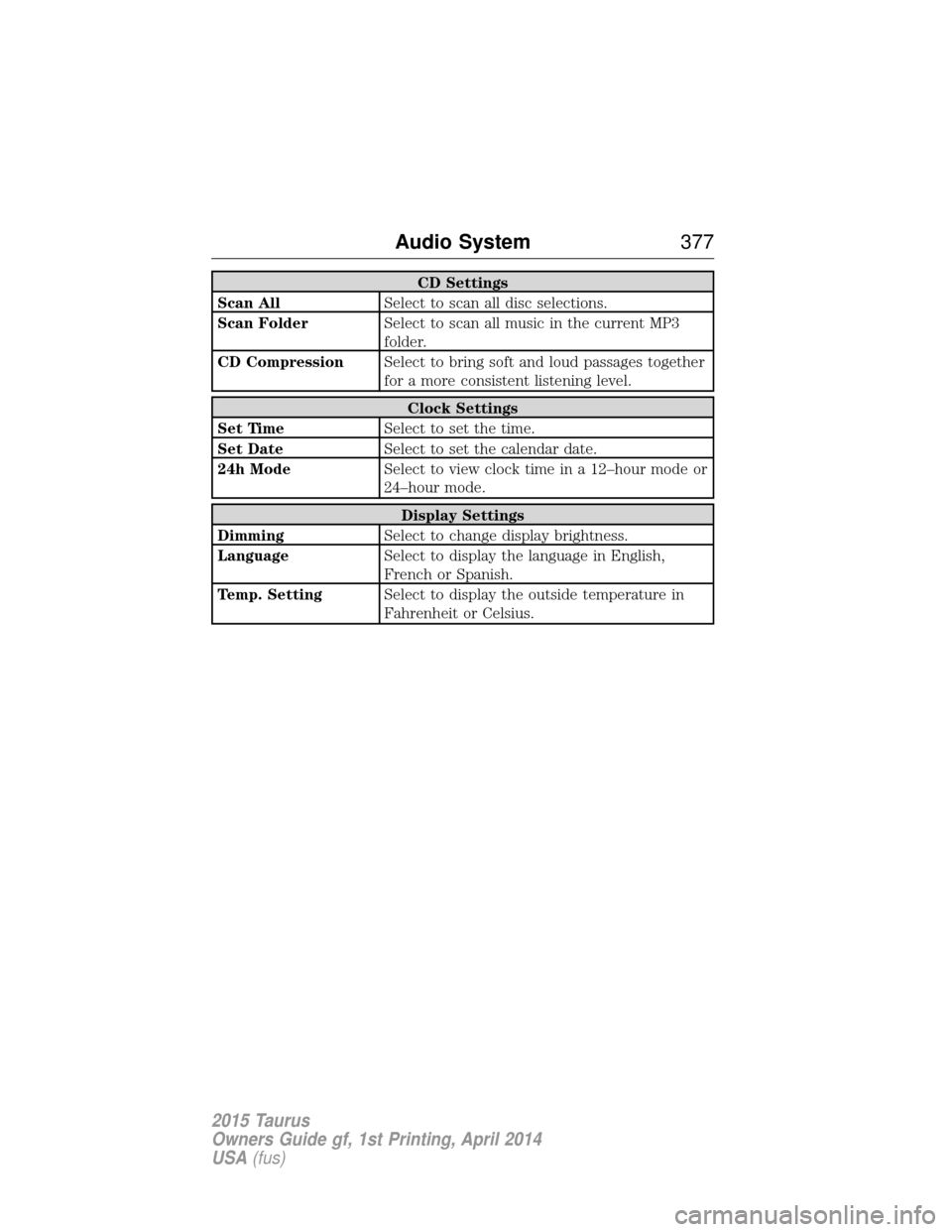
CD Settings
Scan All Select to scan all disc selections.
Scan Folder Select to scan all music in the current MP3
folder.
CD Compression Select to bring soft and loud passages together
for a more consistent listening level.
Clock Settings
Set Time Select to set the time.
Set Date Select to set the calendar date.
24h Mode Select to view clock time in a 12–hour mode or
24–hour mode.
Display Settings
Dimming Select to change display brightness.
Language Select to display the language in English,
French or Spanish.
Temp. Setting Select to display the outside temperature in
Fahrenheit or Celsius.
Audio System 377
2015 Taurus
Owners Guide gf, 1st Printing, April 2014
USA(fus)
Page 386 of 558
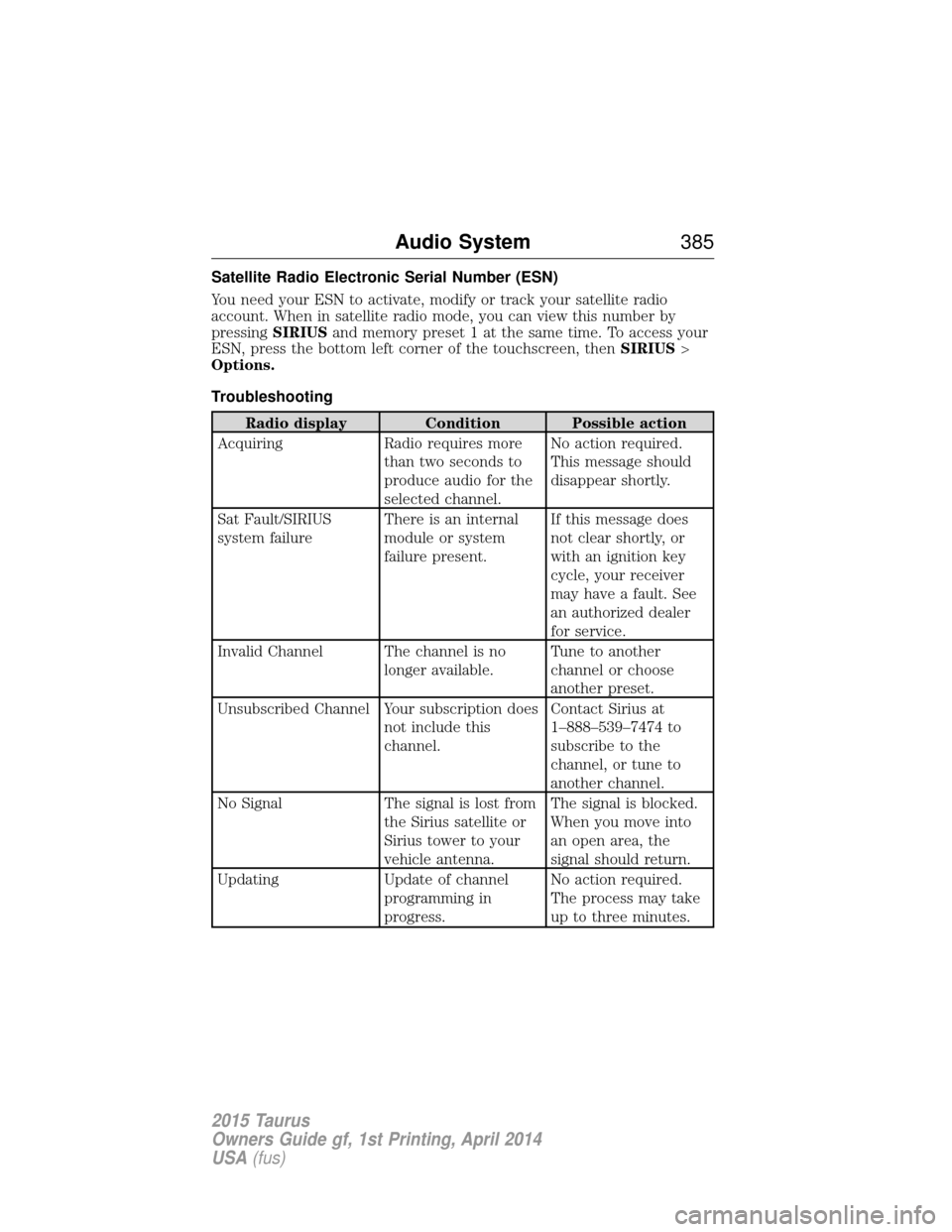
Satellite Radio Electronic Serial Number (ESN)
You need your ESN to activate, modify or track your satellite radio
account. When in satellite radio mode, you can view this number by
pressingSIRIUSand memory preset 1 at the same time. To access your
ESN, press the bottom left corner of the touchscreen, then SIRIUS>
Options.
Troubleshooting
Radio display Condition Possible action
Acquiring Radio requires more
than two seconds to
produce audio for the
selected channel. No action required.
This message should
disappear shortly.
Sat Fault/SIRIUS
system failure There is an internal
module or system
failure present.If this message does
not clear shortly, or
with an ignition key
cycle, your receiver
may have a fault. See
an authorized dealer
for service.
Invalid Channel The channel is no longer available.Tune to another
channel or choose
another preset.
Unsubscribed Channel Your subscription does not include this
channel.Contact Sirius at
1–888–539–7474 to
subscribe to the
channel, or tune to
another channel.
No Signal The signal is lost from
the Sirius satellite or
Sirius tower to your
vehicle antenna. The signal is blocked.
When you move into
an open area, the
signal should return.
Updating Update of channel
programming in
progress. No action required.
The process may take
up to three minutes.
Audio System
385
2015 Taurus
Owners Guide gf, 1st Printing, April 2014
USA(fus)
Page 387 of 558
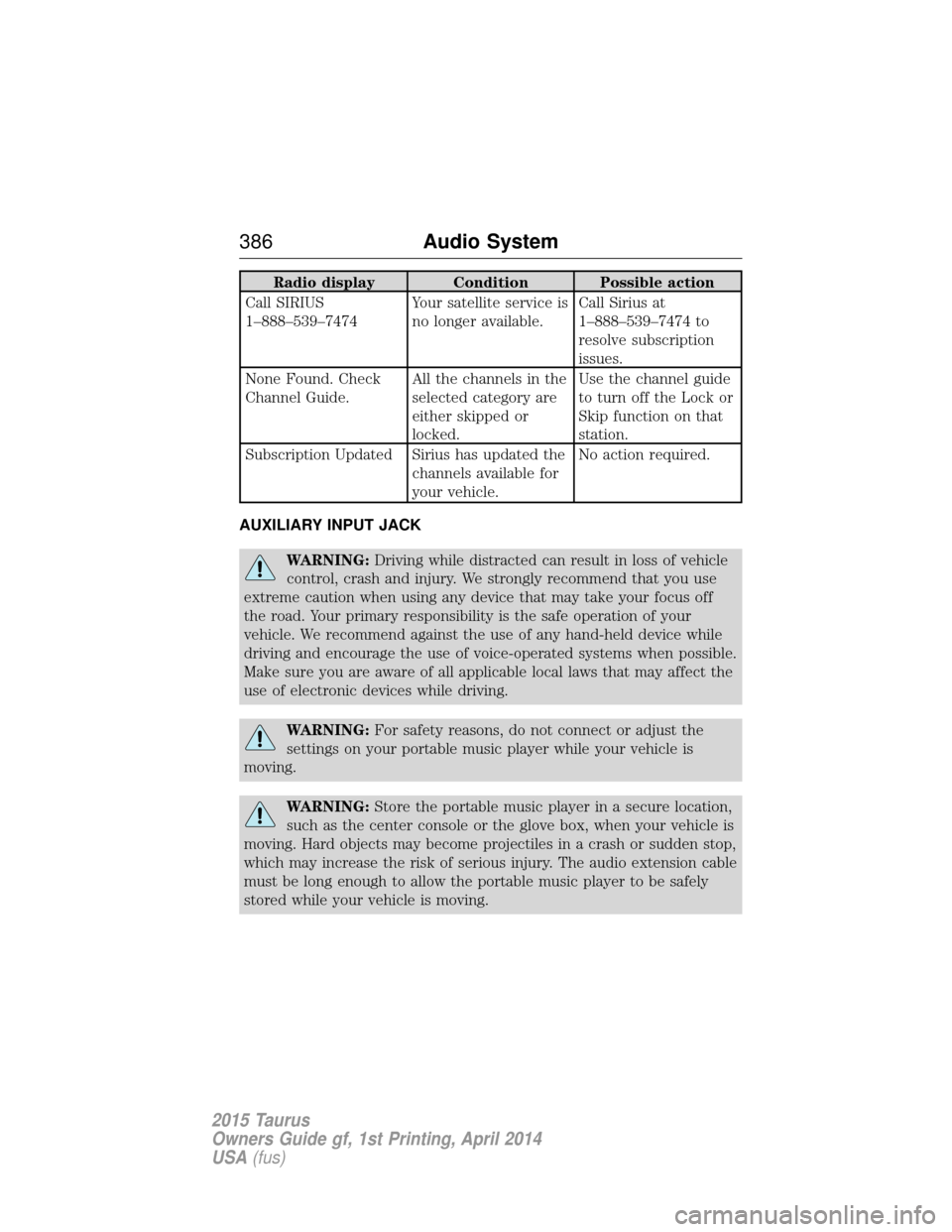
Radio displayCondition Possible action
Call SIRIUS
1–888–539–7474 Your satellite service is
no longer available.Call Sirius at
1–888–539–7474 to
resolve subscription
issues.
None Found. Check
Channel Guide. All the channels in the
selected category are
either skipped or
locked.Use the channel guide
to turn off the Lock or
Skip function on that
station.
Subscription Updated Sirius has updated the channels available for
your vehicle.No action required.
AUXILIARY INPUT JACK
WARNING: Driving while distracted can result in loss of vehicle
control, crash and injury. We strongly recommend that you use
extreme caution when using any device that may take your focus off
the road. Your primary responsibility is the safe operation of your
vehicle. We recommend against the use of any hand-held device while
driving and encourage the use of voice-operated systems when possible.
Make sure you are aware of all applicable local laws that may affect the
use of electronic devices while driving.
WARNING: For safety reasons, do not connect or adjust the
settings on your portable music player while your vehicle is
moving.
WARNING: Store the portable music player in a secure location,
such as the center console or the glove box, when your vehicle is
moving. Hard objects may become projectiles in a crash or sudden stop,
which may increase the risk of serious injury. The audio extension cable
must be long enough to allow the portable music player to be safely
stored while your vehicle is moving.
386 Audio System
2015 Taurus
Owners Guide gf, 1st Printing, April 2014
USA(fus)
Page 412 of 558
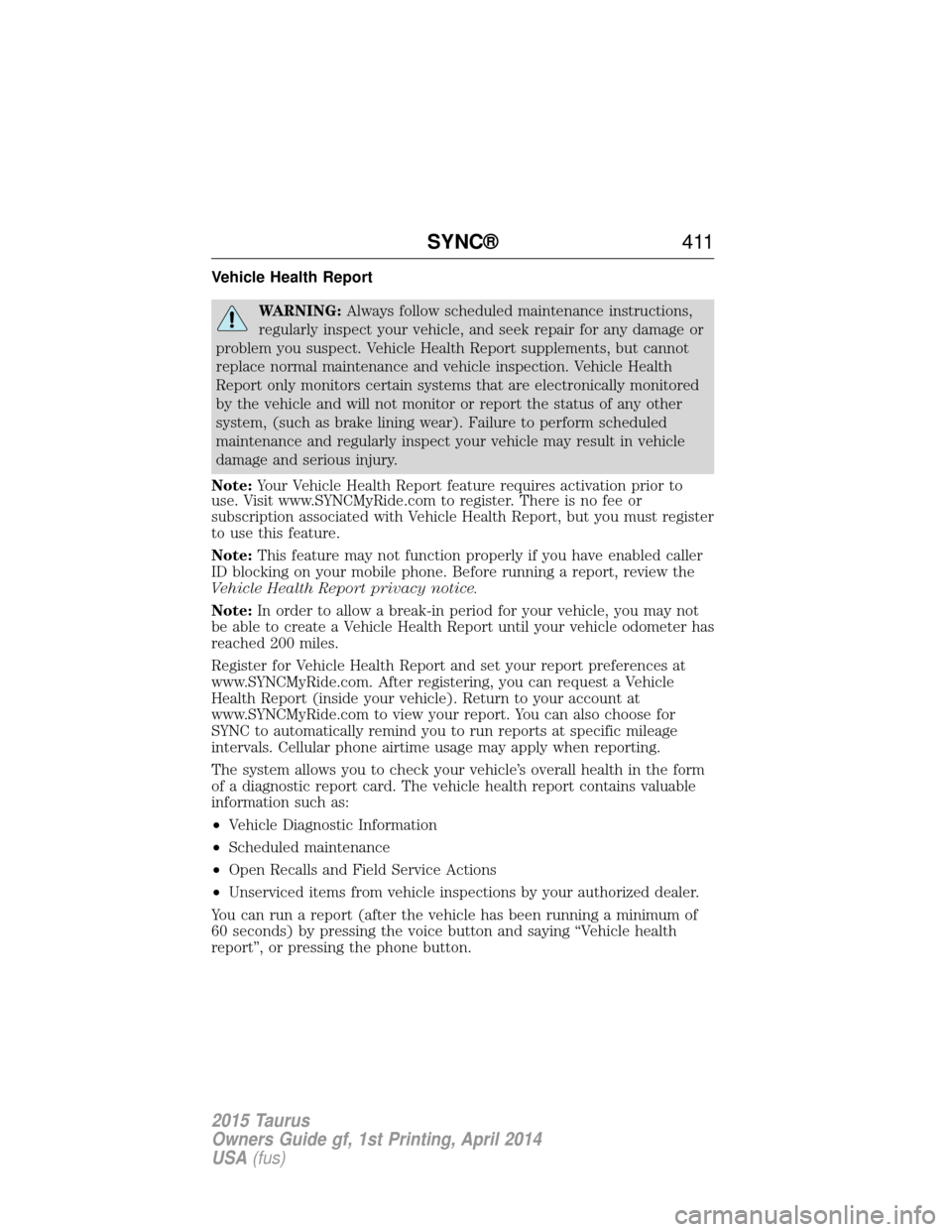
Vehicle Health Report
WARNING:Always follow scheduled maintenance instructions,
regularly inspect your vehicle, and seek repair for any damage or
problem you suspect. Vehicle Health Report supplements, but cannot
replace normal maintenance and vehicle inspection. Vehicle Health
Report only monitors certain systems that are electronically monitored
by the vehicle and will not monitor or report the status of any other
system, (such as brake lining wear). Failure to perform scheduled
maintenance and regularly inspect your vehicle may result in vehicle
damage and serious injury.
Note: Your Vehicle Health Report feature requires activation prior to
use. Visit www.SYNCMyRide.com to register. There is no fee or
subscription associated with Vehicle Health Report, but you must register
to use this feature.
Note: This feature may not function properly if you have enabled caller
ID blocking on your mobile phone. Before running a report, review the
Vehicle Health Report privacy notice.
Note: In order to allow a break-in period for your vehicle, you may not
be able to create a Vehicle Health Report until your vehicle odometer has
reached 200 miles.
Register for Vehicle Health Report and set your report preferences at
www.SYNCMyRide.com. After registering, you can request a Vehicle
Health Report (inside your vehicle). Return to your account at
www.SYNCMyRide.com to view your report. You can also choose for
SYNC to automatically remind you to run reports at specific mileage
intervals. Cellular phone airtime usage may apply when reporting.
The system allows you to check your vehicle’s overall health in the form
of a diagnostic report card. The vehicle health report contains valuable
information such as:
• Vehicle Diagnostic Information
• Scheduled maintenance
• Open Recalls and Field Service Actions
• Unserviced items from vehicle inspections by your authorized dealer.
You can run a report (after the vehicle has been running a minimum of
60 seconds) by pressing the voice button and saying “Vehicle health
report”, or pressing the phone button.
SYNC® 411
2015 Taurus
Owners Guide gf, 1st Printing, April 2014
USA(fus)