lock FORD TRANSIT 2015 5.G Owners Manual
[x] Cancel search | Manufacturer: FORD, Model Year: 2015, Model line: TRANSIT, Model: FORD TRANSIT 2015 5.GPages: 461, PDF Size: 5.82 MB
Page 383 of 461
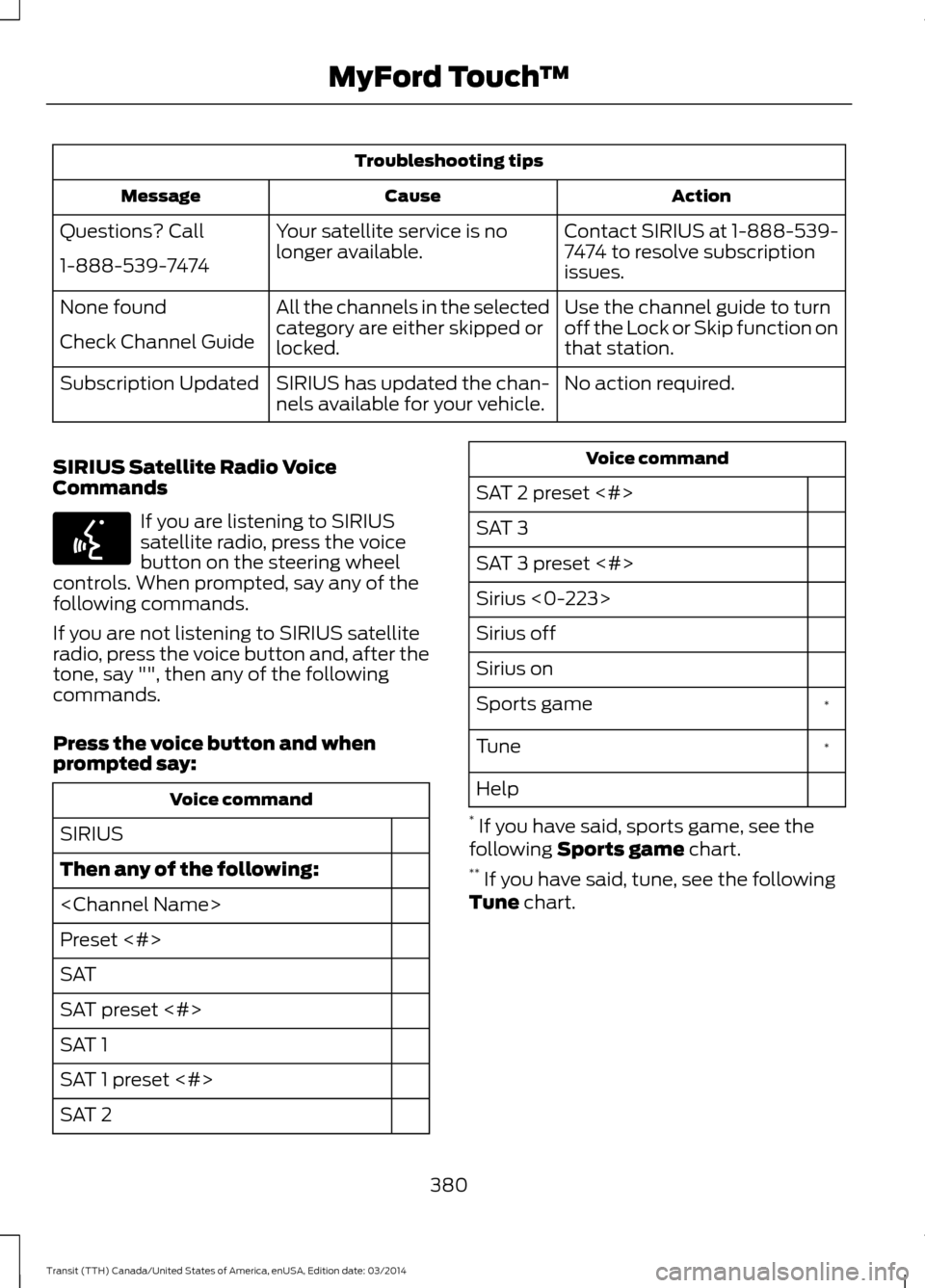
Troubleshooting tips
Action
Cause
Message
Contact SIRIUS at 1-888-539-
7474 to resolve subscription
issues.
Your satellite service is no
longer available.
Questions? Call
1-888-539-7474
Use the channel guide to turn
off the Lock or Skip function on
that station.
All the channels in the selected
category are either skipped or
locked.
None found
Check Channel Guide
No action required.
SIRIUS has updated the chan-
nels available for your vehicle.
Subscription Updated
SIRIUS Satellite Radio Voice
Commands If you are listening to SIRIUS
satellite radio, press the voice
button on the steering wheel
controls. When prompted, say any of the
following commands.
If you are not listening to SIRIUS satellite
radio, press the voice button and, after the
tone, say "", then any of the following
commands.
Press the voice button and when
prompted say: Voice command
SIRIUS
Then any of the following:
Preset <#>
SAT
SAT preset <#>
SAT 1
SAT 1 preset <#>
SAT 2 Voice command
SAT 2 preset <#>
SAT 3
SAT 3 preset <#>
Sirius <0-223>
Sirius off
Sirius on *
Sports game
*
Tune
Help
* If you have said, sports game, see the
following Sports game chart.
** If you have said, tune, see the following
Tune chart.
380 Transit (TTH) Canada/United States of America, enUSA, Edition date: 03/2014 MyFord Touch
™E142599
Page 399 of 461
Note:
SYNC Services requires activation
before use. Visit www.SYNCMyRide.com to
register and check your eligibility for
complimentary services. Standard phone
and message rates may apply. Subscription
may be required. You must also have the
active SYNC Services Bluetooth-enabled
cellular phone paired and connected to the
system in order to connect to, and use,
SYNC Services. See Phone (page 387).
Note: This feature does not function
properly if you have enabled caller ID
blocking on your cellular phone. Make sure
your cellular phone is not blocking caller ID
before using SYNC Services.
Note: The driver is ultimately responsible
for the safe operation of the vehicle, and
therefore, must evaluate whether it is safe
to follow the suggested directions. Any
navigation features provided are only an aid.
Make your driving decisions based on your
observations of local conditions and existing
traffic regulations. Do not follow the route
suggestions if doing so would result in an
unsafe or illegal maneuver, if you would be
placed in an unsafe situation, or if you would
be directed into an area that you consider
unsafe. Maps used by this system may be
inaccurate because of errors, changes in
roads, traffic conditions or driving
conditions. Note:
When you connect, the service uses
GPS technology and advanced vehicle
sensors to collect your vehicle's current
location, travel direction and speed to help
provide you with the directions, traffic
reports, or business searches you request.
Further, to provide the services you request,
for continuous improvement, the service
may collect and record call details and voice
communications. For more information, see
SYNC Services Terms and Conditions at
www.SYNCMyRide.com. If you do not want
Ford or its service providers to collect your
vehicle travel information or other
information identified in the Terms and
Conditions, do not subscribe or use the
service.
SYNC Services uses advanced vehicle
sensors, integrated GPS technology and
comprehensive map and traffic data, to
give you personalized traffic reports,
precise turn-by-turn directions, business
search, news, sports, weather and more.
For a complete list of services, or to learn
more, please visit www.SYNCMyRide.com.
Connecting to SYNC Services Using
Voice Commands 1. Press the voice button.
2. When prompted, say "Services". This
initiates an outgoing call to SYNC
Services using your paired and
connected Bluetooth-enabled cellular
phone.
3. Once you connect to the service, follow
the voice prompts to request the
desired service, such as "Traffic" or
"Directions". You can also say, "What
are my choices?" to receive a list of
available services from which to
choose.
4. Say, "Services" to return to the Services
main menu or for help, say, "Help".
396 Transit (TTH) Canada/United States of America, enUSA, Edition date: 03/2014 MyFord Touch
™E142599
Page 407 of 461
Note:
This feature may not function
properly if you have enabled caller ID
blocking on your cellular phone. Before
running a report, review the Vehicle Health
Report Privacy Notice.
Note: In order to allow a break-in period for
your vehicle, you may not be able to create
a Vehicle Health Report until your vehicle
odometer has reached 200 miles.
Note: Cellular phone and SMS charges may
apply when making a report.
Register for Vehicle Health Report and set
your report preferences at
www.SYNCMyRide.com. After registering,
you can request a Vehicle Health Report
(inside your vehicle). Return to your
account at www.SYNCMyRide.com to view
your report. You can also choose for SYNC
to remind you automatically to run reports
at specific mileage intervals. Cellular phone
airtime usage may apply when reporting.
The system allows you to check your
vehicle ’s overall health in the form of a
diagnostic report card. The Vehicle Health
Report contains valuable information, for
example:
• Vehicle diagnostic information.
• Scheduled maintenance.
• Open recalls and Field Service Actions.
• Items noted during vehicle inspections
by your authorized dealer that still need
servicing.
Making a Report If you want to run a report by using the
touchscreen, select:
Message
Apps
Vehicle Health Report You can also run a vehicle health
report by voice command.
Press the voice button and when
prompted say: Voice command
vehicle [health] report
Vehicle Health Report Privacy Notice
When you create a Vehicle Health Report,
Ford Motor Company may collect your
cellular phone number (to process your
report request) and diagnostic information
about your vehicle. Certain versions or
updates to Vehicle Health Report may also
collect more vehicle information. Ford may
use your vehicle information it collects for
any purpose. If you do not want to disclose
your cellular phone number or vehicle
information, do not run the feature or set
up your Vehicle Health Report profile at
www.SYNCMyRide.com. See
www.SYNCMyRide.com (Vehicle Health
Report Terms and Conditions, and Privacy
Statement) for more information.
NAVIGATION
Note: The navigation SD card must be in
the SD card slot to operate the navigation
system. If you need a replacement SD card,
see an authorized dealer.
404 Transit (TTH) Canada/United States of America, enUSA, Edition date: 03/2014 MyFord Touch
™E142608 E142599
Page 412 of 461
Press Add to program an entry. Once you
make a selection, the system tries to avoid
the area(s) if possible for all routes. To
delete a selection, choose the listing on
the screen. When the screen changes to
Avoid Areas Edit
, you can press Delete
at the bottom right of the screen.
Map Mode
Press the green bar in the upper right area
of the touchscreen to view map mode. Map
mode shows advanced viewing comprised
of both 2D city maps as well as 3D
landmarks (when available).
2D city maps show detailed outlines of
buildings, visible land use and land
elements and detailed railway
infrastructure for the most essential cities
around the globe. These maps also contain
features, such as town blocks, building
footprints and railways.
3D landmarks appear as clear, visible
objects that are typically recognizable and
have a certain tourist value. The 3D
landmarks appear in 3D map mode only.
Coverage varies and improves with
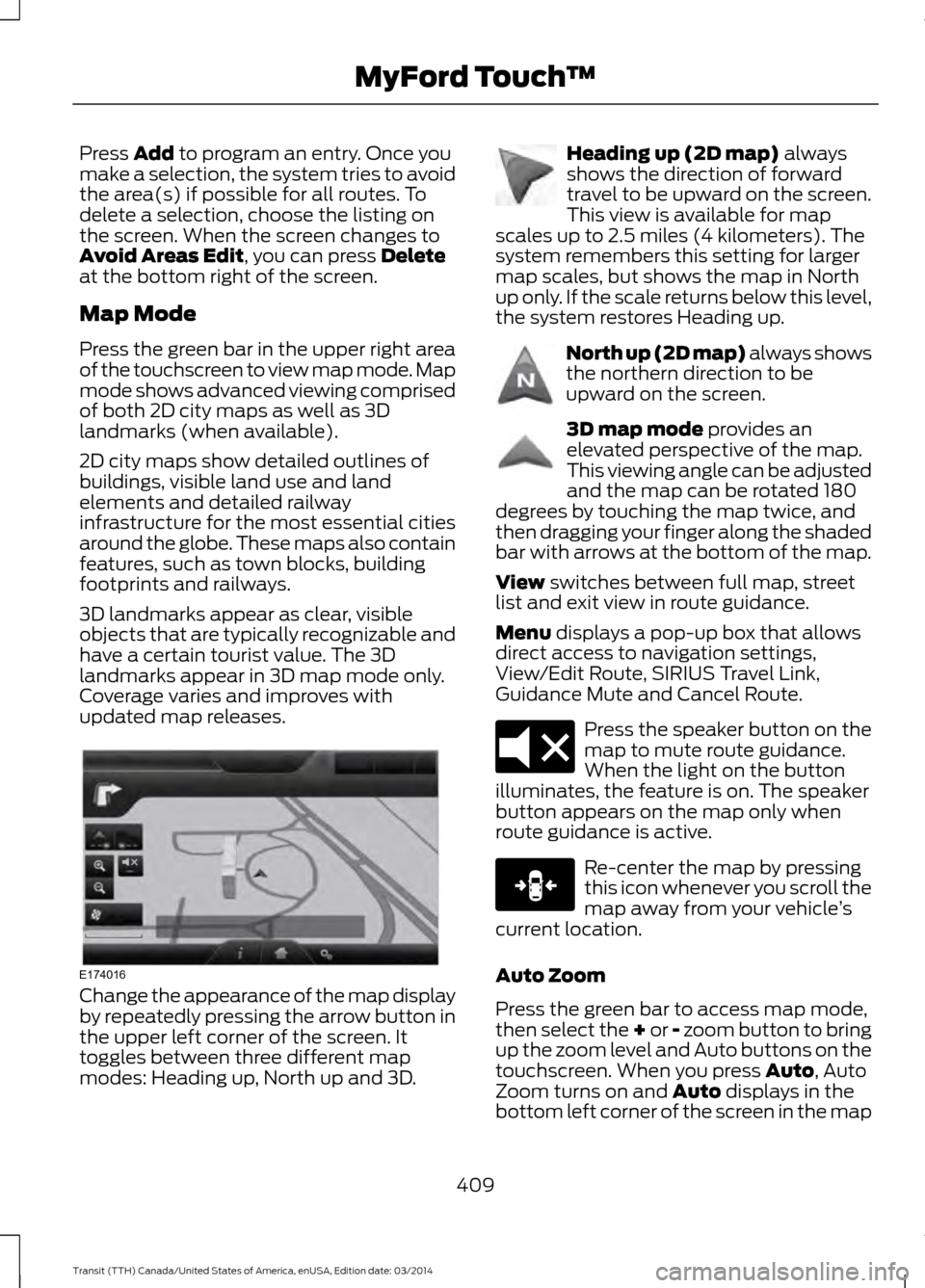
updated map releases. Change the appearance of the map display
by repeatedly pressing the arrow button in
the upper left corner of the screen. It
toggles between three different map
modes: Heading up, North up and 3D. Heading up (2D map)
always
shows the direction of forward
travel to be upward on the screen.
This view is available for map
scales up to 2.5 miles (4 kilometers). The
system remembers this setting for larger
map scales, but shows the map in North
up only. If the scale returns below this level,
the system restores Heading up. North up (2D map) always shows
the northern direction to be
upward on the screen.
3D map mode
provides an
elevated perspective of the map.
This viewing angle can be adjusted
and the map can be rotated 180
degrees by touching the map twice, and
then dragging your finger along the shaded
bar with arrows at the bottom of the map.
View
switches between full map, street
list and exit view in route guidance.
Menu
displays a pop-up box that allows
direct access to navigation settings,
View/Edit Route, SIRIUS Travel Link,
Guidance Mute and Cancel Route. Press the speaker button on the
map to mute route guidance.
When the light on the button
illuminates, the feature is on. The speaker
button appears on the map only when
route guidance is active. Re-center the map by pressing
this icon whenever you scroll the
map away from your vehicle
’s
current location.
Auto Zoom
Press the green bar to access map mode,
then select the + or - zoom button to bring
up the zoom level and Auto buttons on the
touchscreen. When you press Auto, Auto
Zoom turns on and Auto displays in the
bottom left corner of the screen in the map
409 Transit (TTH) Canada/United States of America, enUSA, Edition date: 03/2014 MyFord Touch
™E174016 E142642 E142643 E142644 E174017 E146188
Page 417 of 461
For a complete listing of the accessories
that are available for your vehicle, contact
an authorized dealer or visit our online
store at www.accessories.ford.com
(United States only).
Ford Motor Company will repair or replace
any properly authorized dealer-installed
Ford Genuine Accessory found to be
defective in factory-supplied materials or
workmanship during the warranty period,
as well as any component damaged by the
defective accessories. Ford Motor
Company will warrant your accessory
through the warranty that provides the
greatest benefit:
•
24 months, unlimited miles
• The remainder of your new vehicle
limited warranty
Contact an authorized dealer for details
and a copy of the warranty.
Exterior Style
• Side window deflectors
• Splash guards
• Wheels
Interior Style
• All-weather floor mats
• Interior ambient lighting
• Cargo organizers
• Rear seat entertainment*
• Premium carpeted floor mats
Lifestyle
• Ash cup and smokers packages
• Roof racks and carriers*
• Hitch and towing accessories
Peace of Mind
• Remote start
• Vehicle security system •
Wheel locks
• Bumper-mounted parking sensor*
• Keyless entry keypad
*The Ford Licensed Accessory
manufacturer designs, develops and
therefore warrants Ford Licensed
Accessories, and does not design or test
these accessories to Ford Motor Company
engineering requirements. Contact an
authorized Ford dealer for the
manufacturer's limited warranty details,
and request a copy of the Ford Licensed
Accessories product limited warranty from
the accessory manufacturer.
For maximum vehicle performance, keep
the following information in mind when
adding accessories or equipment to your
vehicle:
• When adding accessories, equipment,
passengers and luggage to your
vehicle, do not exceed the total weight
capacity of the vehicle or of the front
or rear axle (GVWR or GAWR as
indicated on the Safety Compliance
Certification label). Ask an authorized
dealer for specific weight information.
• The Federal Communications
Commission (FCC) and Canadian
Radio Telecommunications
Commission (CRTC) regulate the use
of mobile communications systems
that are equipped with radio
transmitters, for example, two-way
radios, telephones and theft alarms.
Any such equipment installed in your
vehicle should comply with Federal
Communications Commission (FCC)
and Canadian Radio
Telecommunications Commission
(CRTC) regulations and should be
installed only by an authorized dealer.
414 Transit (TTH) Canada/United States of America, enUSA, Edition date: 03/2014 Accessories
Page 434 of 461
PROTECT YOURSELF FROM THE RISING
COST OF VEHICLE REPAIRS WITH A FORD
EXTENDED SERVICE PLAN.
SERVICE PLANS (U.S. Only)
More than 32 million Ford owners have
discovered the powerful protection of Ford
Extended Service Plan. It is the only
extended service plan backed by Ford
Motor Company, and provides peace of
mind protection beyond the New Vehicle
Limited Warranty coverage.
Ford ESP Can Quickly Pay for Itself
One service bill – the cost of parts and
labor – can easily exceed the price of your
Ford Extended Service Plan. With Ford ESP
you minimize your risk for unexpected
repair bills and rising repair costs.
Up to 1,000+ Covered Vehicle
Components
There are four Extended Service Plans with
different levels of coverage. Ask your
authorized dealer for details.
1. PremiumCARE - Our most comprehensive coverage. With over
1,000 covered components, this plan
is so complete that we generally only
discuss what
’s not covered.
2. ExtraCARE - Covers 113 components, and includes many high-tech items.
3. BaseCARE - Covers 84 components.
4. PowertrainCARE - Covers 29 critical components.
Ford Extended Service Plan is honored by
all authorized Ford dealers in the U.S. and
Canada. It is the only extended service plan
authorized and backed by Ford Motor
Company. That means you get:
•
Reliable, quality service at any Ford or
Lincoln dealership
• Repairs performed by factory trained
technicians, using genuine parts
Rental Car Reimbursement
1st day Rental Benefit
You take advantage of replacement
transportation if your vehicle is at your
authorized dealer for same day covered
repairs.
Extended Rental Benefits
If your vehicle is kept overnight for covered
repairs, you are eligible for rental car
coverage, including bumper to bumper
warranty repairs, and Field Service Actions.
Roadside Assistance
Exclusive 24/7 roadside assistance,
including:
• Towing, flat-tire change and battery
jump starts
• Out of fuel and lock-out assistance.
• Travel expense reimbursement for
lodging, meals and rental car.
• Destination assistance for taxi, shuttle,
rental car coverage and emergency
transportation.
Transferable Coverage
If you sell your vehicle before your Ford
Extended Service Plan coverage expires,
you can transfer any remaining coverage
to the new owner. Whenever you sell your
vehicle, prospective buyers may have a
higher degree of confidence that vehicle
was properly maintained with Ford ESP,
thereby improving resale value.
431 Transit (TTH) Canada/United States of America, enUSA, Edition date: 03/2014 Extended Service Plan (ESP)
Page 438 of 461
Check every six months
Battery connections. Clean if necessary.
Body and door drain holes for obstruc-
tions. Clean if necessary.
Cooling system fluid level and coolant
strength.
Door weatherstrips for wear. Lubricate if
necessary.
Hinges, latches and outside locks for
correct operation. Lubricate if necessary.
Parking brake for correct operation.
Safety belts and seat latches for wear
and function.
Safety warning lamps (brake, ABS, airbag
and safety belt) for operation.
Washer spray and wiper operation. Clean
or replace blades as necessary.
Multi-point Inspection
In order to keep your vehicle running
correctly, it is important to have the
systems on your vehicle checked regularly.
This can help identify potential issues and
prevent major problems. We recommend
having the following multi-point inspection
performed at every scheduled
maintenance interval to help make sure
your vehicle keeps running correctly. Multi-point inspection
Accessory drive belt(s).
Battery performance.
Engine air filter.
Exhaust system. Multi-point inspection
Exterior lamps and hazard warning
system operation.
Fluid levels *
; fill if necessary.
For oil and fluid leaks.
Horn operation.
Radiator, cooler, heater and A/C hoses.
Suspension component for leaks or
damage.
Steering and linkage.
Tires (including spare) for wear and
correct pressure **
.
Windshield for cracks, chips or pits.
Washer spray and wiper operation.
* Brake, coolant recovery reservoir,
automatic transmission, power steering (if
equipped with hydraulic power assist
steering) and window washer.
** If your vehicle is equipped with a
temporary mobility kit, check the tire
sealant expiration Use By date on the
canister. Replace as needed.
Be sure to ask your dealership service
advisor or technician about the multi-point
vehicle inspection. It is a comprehensive
way to perform a thorough inspection of
your vehicle. Your checklist gives you
immediate feedback on the overall
condition of your vehicle.
435 Transit (TTH) Canada/United States of America, enUSA, Edition date: 03/2014 Scheduled Maintenance
Page 452 of 461
A
A/C
See: Climate Control.......................................... 89
About This Manual...........................................7 Protecting the Environment................................ 7
ABS See: Brakes............................................................ 137
ABS driving hints See: Hints on Driving With Anti-Lock
Brakes................................................................. 137
Accessories.....................................................414 Exterior Style........................................................ 414
Interior Style......................................................... 414
Lifestyle.................................................................. 414
Peace of Mind...................................................... 414
Accessories See: Replacement Parts
Recommendation............................................ 10
Adjusting the Headlamps..........................215 Horizontal Aim Adjustment............................ 216
Vertical Aim Adjustment.................................. 215
Adjusting the Steering Wheel....................61
Airbag Disposal...............................................43
Air Conditioning See: Climate Control.......................................... 89
Air Vents............................................................89 Center Air Vents.................................................... 89
Side Air Vent.......................................................... 90
Alarm See: Anti-Theft Alarm........................................ 60
Anti-Theft Alarm...........................................60 Alarm System....................................................... 60
Arming the Alarm................................................ 60
Disarming the Alarm.......................................... 60
Triggering the Alarm........................................... 60
Appendices.....................................................416
Audible Warnings and Indicators..............77
Airbag Secondary Warning................................ 77
Door Ajar................................................................... 77
Exterior Lamps On............................................... 78
Gearshift Lever not in Park (P)........................78
Key in Ignition......................................................... 78
Parking Brake On.................................................. 78
Safety Belt Minder............................................... 78
Audio Control - Vehicles With: Touchscreen Display..................................62 Audio Control - Vehicles Without:
Touchscreen Display...................................61
Seek, Next or Previous........................................ 62
Audio Input Jack...........................................297
Audio System................................................282 General Information......................................... 282
Audio Troubleshooting
..............................299
Audio Unit - Vehicles With: AM/FM/CD/ SYNC/Satellite Radio.............................290
A
udio Unit - Vehicles With: AM/FM/CD/
SYNC.............................................................288
Audio Unit - Vehicles With: AM/ FM...................................................................283
A
UX Button.......................................................... 286
Clock Button........................................................ 285
Menu Button....................................................... 286
Sound Button..................................................... 286
Station Preset Buttons.................................... 286
Station Tuning Buttons................................... 285
Audio Unit - Vehicles With: Premium AM/FM/CD.................................................286
Autolamps........................................................67 Windshield Wiper Activated Rain
Lights.................................................................... 67
Automatic Transmission
............................133
Brake-Shift Interlock......................................... 135
Hints on Driving with an Automatic Transmission................................................... 135
Understanding the Gearshift Lever Positions of the Automatic
Transmission................................................... 133
Automatic Transmission Fluid Check............................................................209
Autowipers.......................................................64
Auxiliary Power Points................................103 A
C Power Point................................................... 103
Auxiliary Power Point Locations...................103
Auxiliary Switches........................................
415
B
Bonnet Lock See: Opening and Closing the Hood.........200
Booster Seats..................................................22 Types of Booster Seats...................................... 22
Bottle Holder
..................................................105
Brake Fluid Check.........................................210
44
9 Transit (TTH) Canada/United States of America, enUSA, Edition date: 03/2014 Index
Page 453 of 461
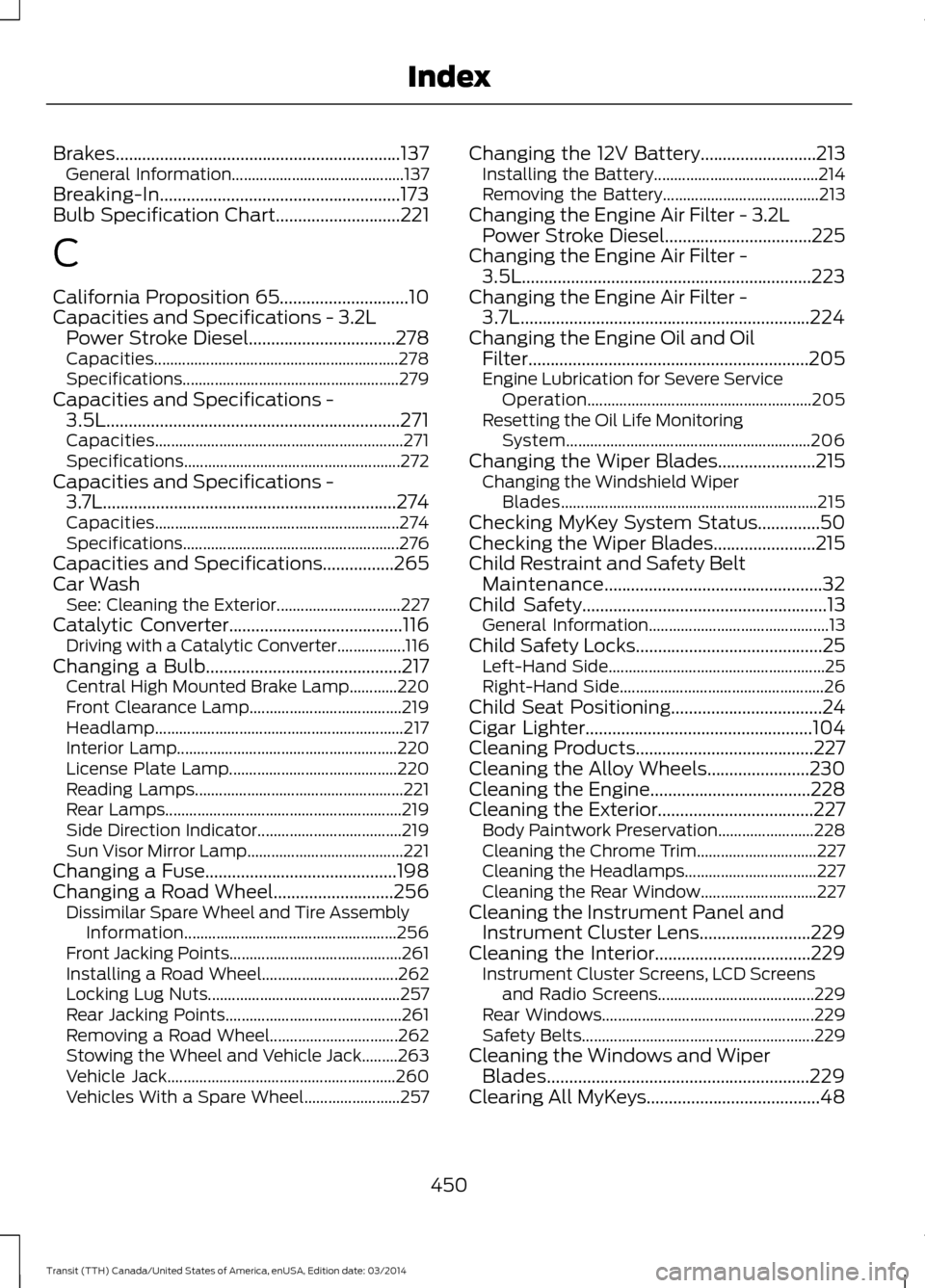
Brakes................................................................137
General Information........................................... 137
Breaking-In......................................................173
Bulb Specification Chart............................221
C
California Proposition 65.............................10
C
apacities and Specifications - 3.2L
Power Stroke Diesel.................................278
Capacities............................................................. 278
Specifications...................................................... 279
Capacities and Specifications - 3.5L..................................................................271
Capacities.............................................................. 271
Specifications...................................................... 272
Capacities and Specifications - 3.7L..................................................................274
Capacities............................................................. 274
Specifications...................................................... 276
Capacities and Specifications
................265
Car Wash See: Cleaning the Exterior............................... 227
Catalytic Converter
.......................................116
Driving with a Catalytic Converter.................116
Changing a Bulb............................................217 Central High Mounted Brake Lamp............220
Front Clearance Lamp...................................... 219
Headlamp.............................................................. 21
7
Interior Lamp....................................................... 220
License Plate Lamp.......................................... 220
Reading Lamps.................................................... 221
Rear Lamps........................................................... 219
Side Direction Indicator.................................... 219
Sun Visor Mirror Lamp....................................... 221
Changing a Fuse...........................................198
Changing a Road Wheel...........................256 Dissimilar Spare Wheel and Tire Assembly
Information..................................................... 256
Front Jacking Points........................................... 261
Installing a Road Wheel.................................. 262
Locking Lug Nuts................................................ 257
Rear Jacking Points............................................ 261
Removing a Road Wheel................................ 262
Stowing the Wheel and Vehicle Jack.........263
Vehicle Jack......................................................... 260
Vehicles With a Spare Wheel........................ 257Changing the 12V Battery
..........................213
Installing the Battery......................................... 214
Removing the Battery....................................... 213
Changing the Engine Air Filter - 3.2L Power Stroke Diesel.................................225
Changing the Engine Air Fil
ter -
3.5L.................................................................223
Changing the Engine Air Filter - 3.7L.................................................................224
Changing the Engine Oil and Oil Filter...............................................................205
Engine Lubrication for Severe Service Operation........................................................ 205
Resetting the Oil Life Monitoring System............................................................. 206
Changing the Wiper Blades......................
215
Changing the Windshield Wiper
Blades................................................................ 215
Checking MyKey System Status..............50
Checking the Wiper Blades.......................215
Child Restraint and Safety Belt Maintenance.................................................32
Child Safety.......................................................
13
General Information............................................. 13
Child Safety Locks
..........................................25
Left-Hand Side...................................................... 25
Right-Hand Side................................................... 26
Child Seat Positioning..................................24
Cigar Lighter
...................................................104
Cleaning Products........................................227
Cleaning the Alloy Wheels.......................230
Cl
eaning the Engine....................................228
Cleaning the Exterior...................................227 Body P
aintwork Preservation........................ 228
Cleaning the Chrome Trim.............................. 227
Cleaning the Headlamps................................. 227
Cleaning the Rear Window............................. 227
Cleaning the Instrument Panel and Instrument Cluster Lens.........................229
Cl
eaning the Interior...................................229
Instrument Cluster Screens, LCD Screens
and Radio Screens....................................... 229
Rear Windows..................................................... 229
Safety Belts.......................................................... 229
Cleaning the Windows and Wiper Blades...........................................................229
Clearing All MyKeys.......................................48
4
50 Transit (TTH) Canada/United States of America, enUSA, Edition date: 03/2014 Index
Page 454 of 461
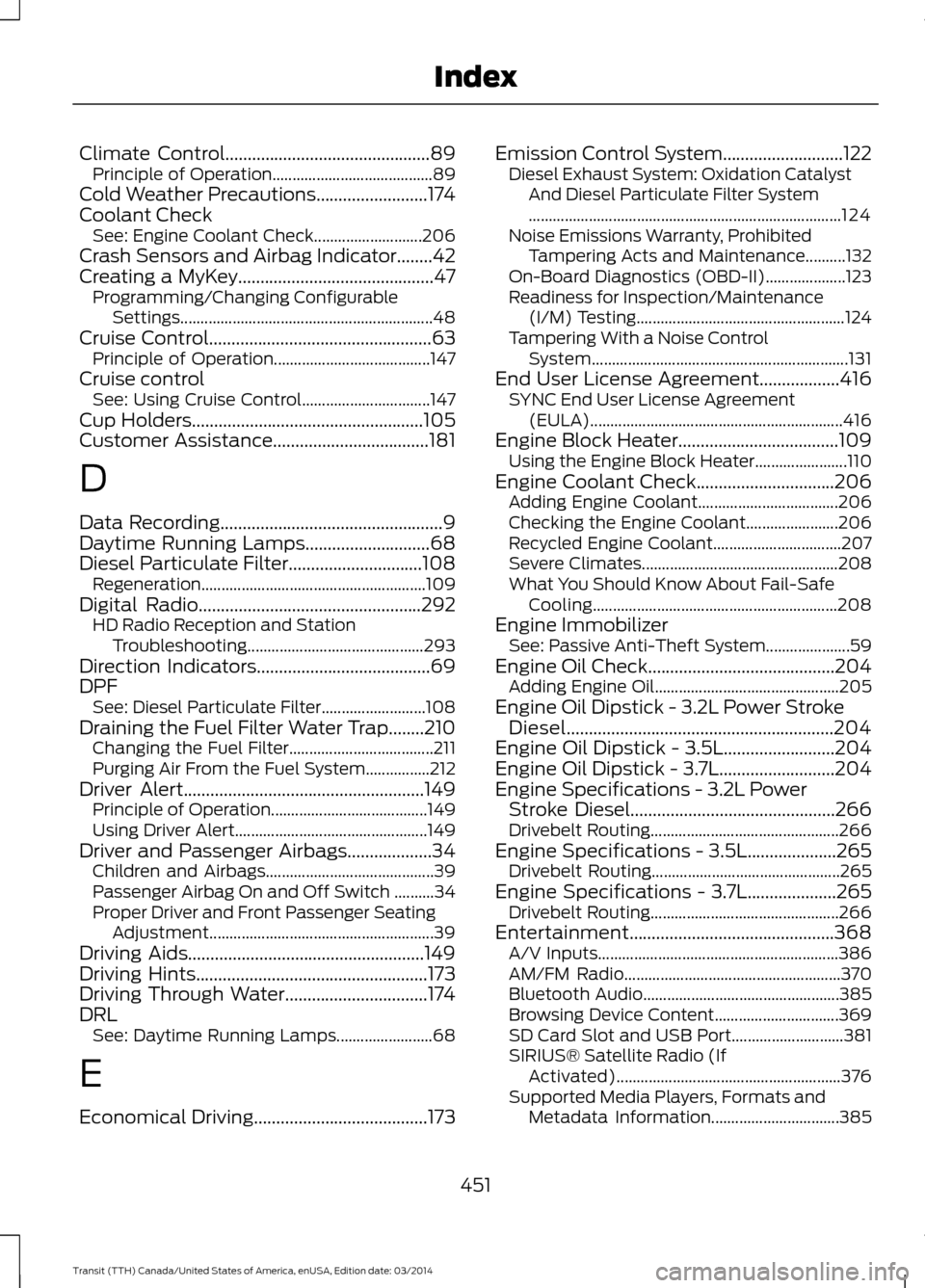
Climate Control..............................................89
Principle of Operation........................................ 89
Cold Weather Precautions
.........................174
Coolant Check See: Engine Coolant Check........................... 206
Crash Sensors and Airbag Indicator........42
Creating a MyKey............................................47 Programming/Changing Configurable
Settings............................................................... 48
Cruise Control
..................................................63
Principle of Operation....................................... 147
Cruise control See: Using Cruise Control................................ 147
Cup Holders....................................................105
C
ustomer Assistance...................................181
D
Data Recording..................................................9
Daytime Running Lamps
............................68
Diesel Particulate Filter..............................108 R
egeneration........................................................ 109
Digital Radio..................................................
292
HD Radio Reception and Station
Troubleshooting............................................ 293
Direction Indicators.......................................69
DPF See: Diesel Particulate Filter.......................... 108
Draining the Fuel Filter Water Trap........210 Changing the Fuel Filter.................................... 211
Purging Air From the Fuel System................212
Driver Alert
......................................................149
Principle of Operation....................................... 149
Using Driver Alert................................................ 149
Driver and Passenger Airbags...................34 Children and Airbags.......................................... 39
Passenger Airbag On and Off Switch ..........34
Proper Driver and Front Passenger Seating Adjustment........................................................ 39
Driving Aids.....................................................149
Driving Hints
....................................................173
Driving Through Water................................174
DRL S
ee: Daytime Running Lamps........................68
E
Economical Driving
.......................................173 Emission Control System...........................122
Diesel Exhaust System: Oxidation Catalyst
And Diesel Particulate Filter System
........................................................................\
...... 124
Noise Emissions Warranty, Prohibited Tampering Acts and Maintenance..........132
On-Board Diagnostics (OBD-II).................... 123
Readiness for Inspection/Maintenance (I/M) Testing.................................................... 124
Tampering With a Noise Control System................................................................ 131
End User License Agreement..................416 SYNC End User License Agreement
(EULA)............................................................... 416
Engine Block Heater....................................109 Using the Engine Block Heater....................... 110
Engine Coolant Check...............................206 Adding Engine Coolant................................... 206
Checking the Engine Coolant....................... 206
Recycled Engine Coolant................................ 207
Severe Climates................................................. 208
What You Should Know About Fail-Safe Cooling............................................................. 208
Engine Immobilizer See: Passive Anti-Theft System.....................59
Engine Oil Check..........................................204 Adding Engine Oil.............................................. 205
Engine Oil Dipstick - 3.2L Power Stroke Diesel............................................................204
Engine Oil Dipstick - 3.5L.........................204
Engine Oil Dipstick - 3.7L..........................204
Engine Specifications - 3.2L Power Stroke Diesel..............................................266
Drivebelt Routing............................................... 266
Engine Specifications - 3.5L....................265 Driv
ebelt Routing............................................... 265
Engine Specifications - 3.7L....................265 Drivebelt Routing............................................... 266
Entertainment..............................................368 A/V Inputs............................................................ 386
AM/FM Radio...................................................... 370
Bluetooth Audio................................................. 385
Browsing Device Content............................... 369
SD Card Slot and USB Port............................ 381
SIRIUS® Satellite Radio (If Activated)........................................................ 376
Supported Media Players, Formats and Metadata Information................................ 385
451 Transit (TTH) Canada/United States of America, enUSA, Edition date: 03/2014 Index