warning FORD TRANSIT 2015 5.G Owners Manual
[x] Cancel search | Manufacturer: FORD, Model Year: 2015, Model line: TRANSIT, Model: FORD TRANSIT 2015 5.GPages: 461, PDF Size: 5.82 MB
Page 264 of 461
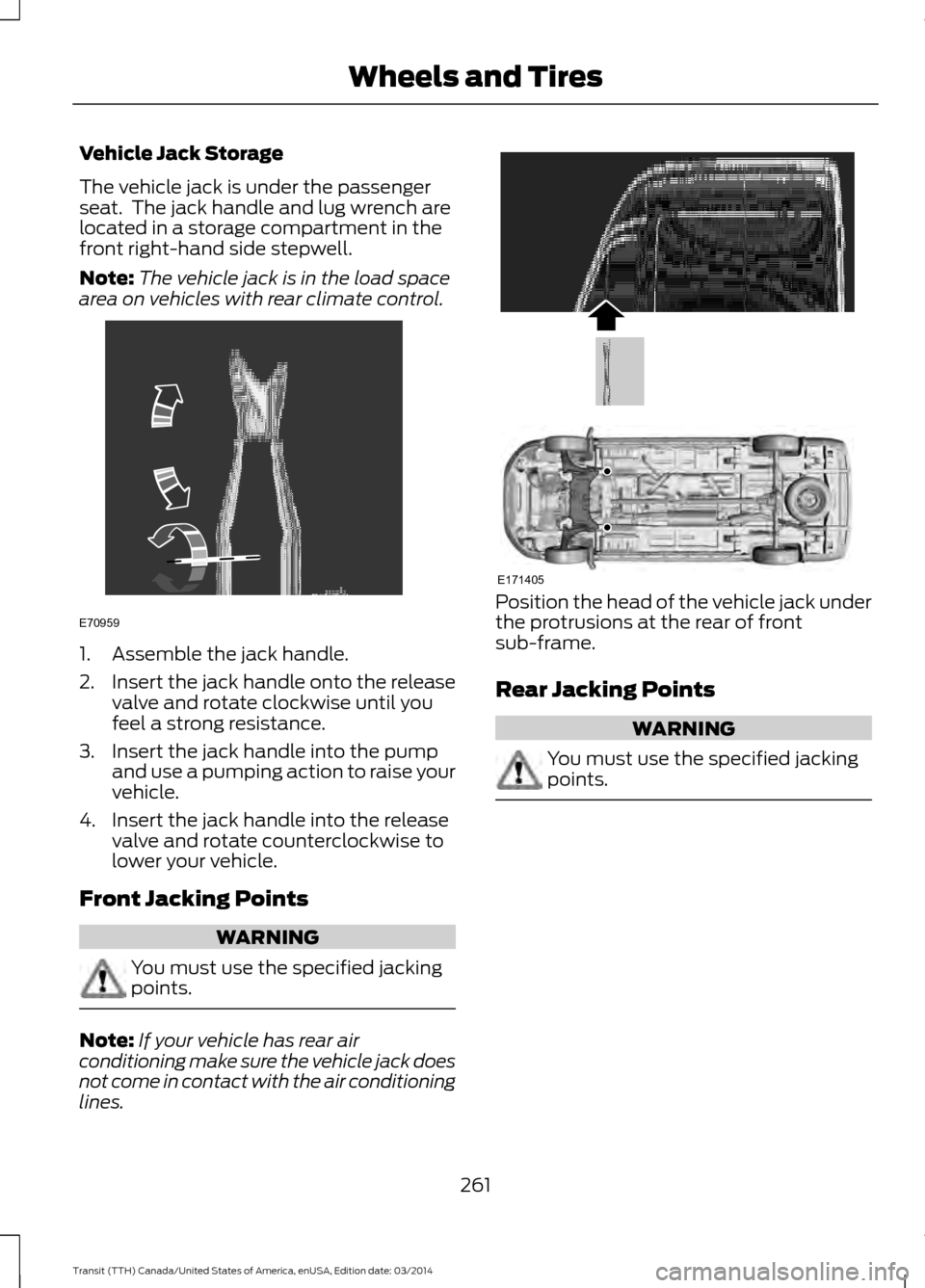
Vehicle Jack Storage
The vehicle jack is under the passenger
seat. The jack handle and lug wrench are
located in a storage compartment in the
front right-hand side stepwell.
Note:
The vehicle jack is in the load space
area on vehicles with rear climate control. 1. Assemble the jack handle.
2.
Insert the jack handle onto the release
valve and rotate clockwise until you
feel a strong resistance.
3. Insert the jack handle into the pump and use a pumping action to raise your
vehicle.
4. Insert the jack handle into the release valve and rotate counterclockwise to
lower your vehicle.
Front Jacking Points WARNING
You must use the specified jacking
points.
Note:
If your vehicle has rear air
conditioning make sure the vehicle jack does
not come in contact with the air conditioning
lines. Position the head of the vehicle jack under
the protrusions at the rear of front
sub-frame.
Rear Jacking Points
WARNING
You must use the specified jacking
points.
261
Transit (TTH) Canada/United States of America, enUSA, Edition date: 03/2014 Wheels and TiresE70959 E171405
Page 265 of 461
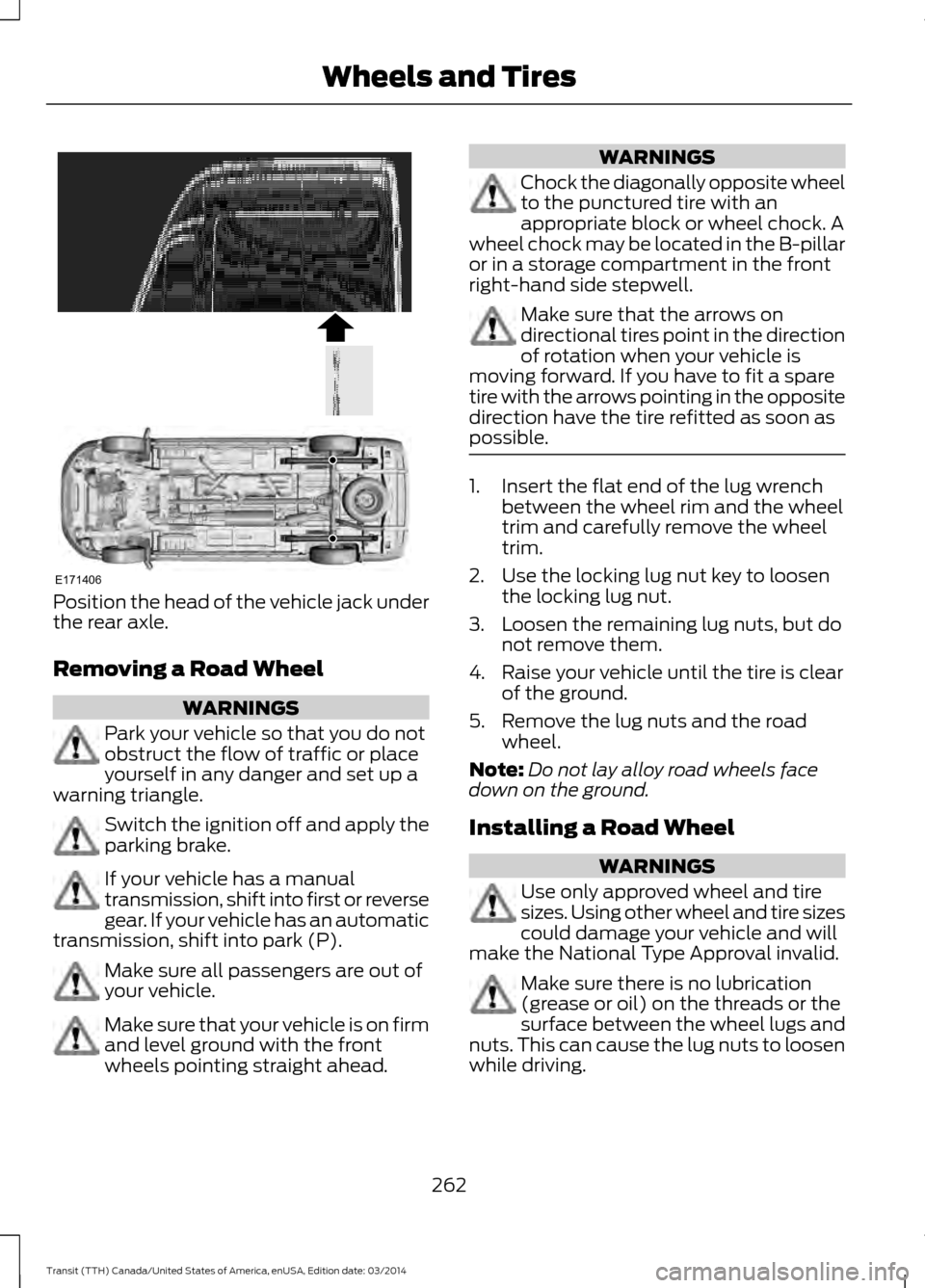
Position the head of the vehicle jack under
the rear axle.
Removing a Road Wheel
WARNINGS
Park your vehicle so that you do not
obstruct the flow of traffic or place
yourself in any danger and set up a
warning triangle. Switch the ignition off and apply the
parking brake.
If your vehicle has a manual
transmission, shift into first or reverse
gear. If your vehicle has an automatic
transmission, shift into park (P). Make sure all passengers are out of
your vehicle.
Make sure that your vehicle is on firm
and level ground with the front
wheels pointing straight ahead. WARNINGS
Chock the diagonally opposite wheel
to the punctured tire with an
appropriate block or wheel chock. A
wheel chock may be located in the B-pillar
or in a storage compartment in the front
right-hand side stepwell. Make sure that the arrows on
directional tires point in the direction
of rotation when your vehicle is
moving forward. If you have to fit a spare
tire with the arrows pointing in the opposite
direction have the tire refitted as soon as
possible. 1. Insert the flat end of the lug wrench
between the wheel rim and the wheel
trim and carefully remove the wheel
trim.
2. Use the locking lug nut key to loosen the locking lug nut.
3. Loosen the remaining lug nuts, but do not remove them.
4. Raise your vehicle until the tire is clear of the ground.
5. Remove the lug nuts and the road wheel.
Note: Do not lay alloy road wheels face
down on the ground.
Installing a Road Wheel WARNINGS
Use only approved wheel and tire
sizes. Using other wheel and tire sizes
could damage your vehicle and will
make the National Type Approval invalid. Make sure there is no lubrication
(grease or oil) on the threads or the
surface between the wheel lugs and
nuts. This can cause the lug nuts to loosen
while driving.
262 Transit (TTH) Canada/United States of America, enUSA, Edition date: 03/2014 Wheels and TiresE171406
Page 266 of 461
WARNINGS
Make sure the wheel and hub
contact surfaces are free from
foreign material.
Never use wheels or lug nuts
different than the original equipment
as this could damage the wheel or
mounting system. This damage could
allow the wheels to come off when your
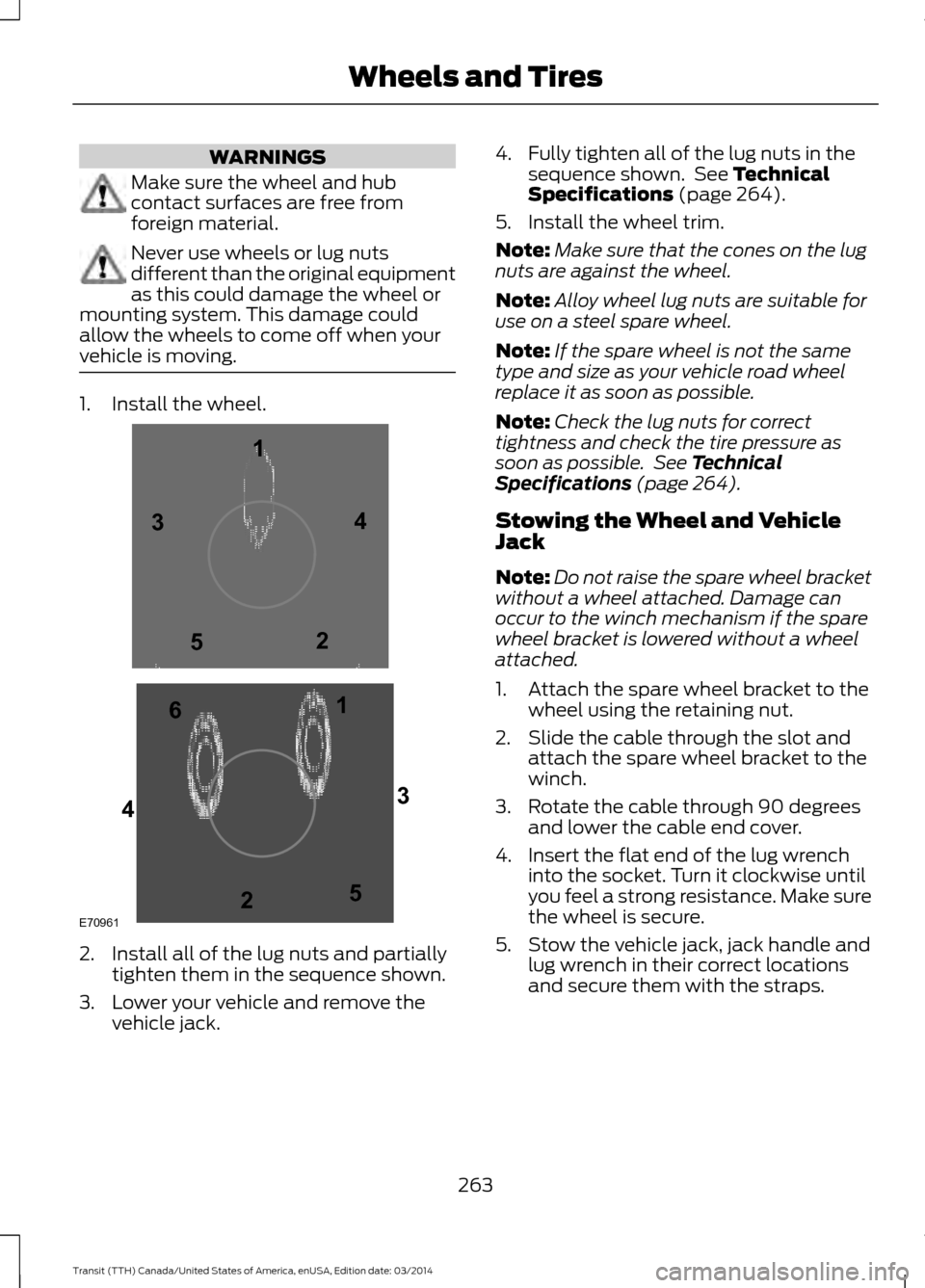
vehicle is moving. 1. Install the wheel.
2. Install all of the lug nuts and partially
tighten them in the sequence shown.
3. Lower your vehicle and remove the vehicle jack. 4. Fully tighten all of the lug nuts in the
sequence shown. See Technical
Specifications (page 264).
5. Install the wheel trim.
Note: Make sure that the cones on the lug
nuts are against the wheel.
Note: Alloy wheel lug nuts are suitable for
use on a steel spare wheel.
Note: If the spare wheel is not the same
type and size as your vehicle road wheel
replace it as soon as possible.
Note: Check the lug nuts for correct
tightness and check the tire pressure as
soon as possible. See Technical
Specifications (page 264).
Stowing the Wheel and Vehicle
Jack
Note: Do not raise the spare wheel bracket
without a wheel attached. Damage can
occur to the winch mechanism if the spare
wheel bracket is lowered without a wheel
attached.
1. Attach the spare wheel bracket to the wheel using the retaining nut.
2. Slide the cable through the slot and attach the spare wheel bracket to the
winch.
3. Rotate the cable through 90 degrees and lower the cable end cover.
4. Insert the flat end of the lug wrench into the socket. Turn it clockwise until
you feel a strong resistance. Make sure
the wheel is secure.
5. Stow the vehicle jack, jack handle and lug wrench in their correct locations
and secure them with the straps.
263 Transit (TTH) Canada/United States of America, enUSA, Edition date: 03/2014 Wheels and TiresE709611
1
2 3
4
5
6
2
3
4
5
Page 267 of 461
TECHNICAL SPECIFICATIONS
Wheel Lug Nut Torque Specifications
WARNING
When a wheel is installed, always remove any corrosion, dirt or foreign materials
present on the mounting surfaces of the wheel or the surface of the wheel hub,
brake drum or brake disc that contacts the wheel. Make sure that any fasteners
that attach the rotor to the hub are secured so they do not interfere with the mounting
surfaces of the wheel. Installing wheels without correct metal-to-metal contact at the
wheel mounting surfaces can cause the wheel nuts to loosen and the wheel to come off
while your vehicle is in motion, resulting in loss of control. Ib-ft (Nm)
*
Bolt size
148 lb.ft (200 Nm)
M14 x 1.5
* Torque specifications are for nut and bolt threads free of dirt and rust. Use only Ford
recommended replacement fasteners.
Retighten the lug nuts to the specified torque within 100 miles (160 kilometers) after any
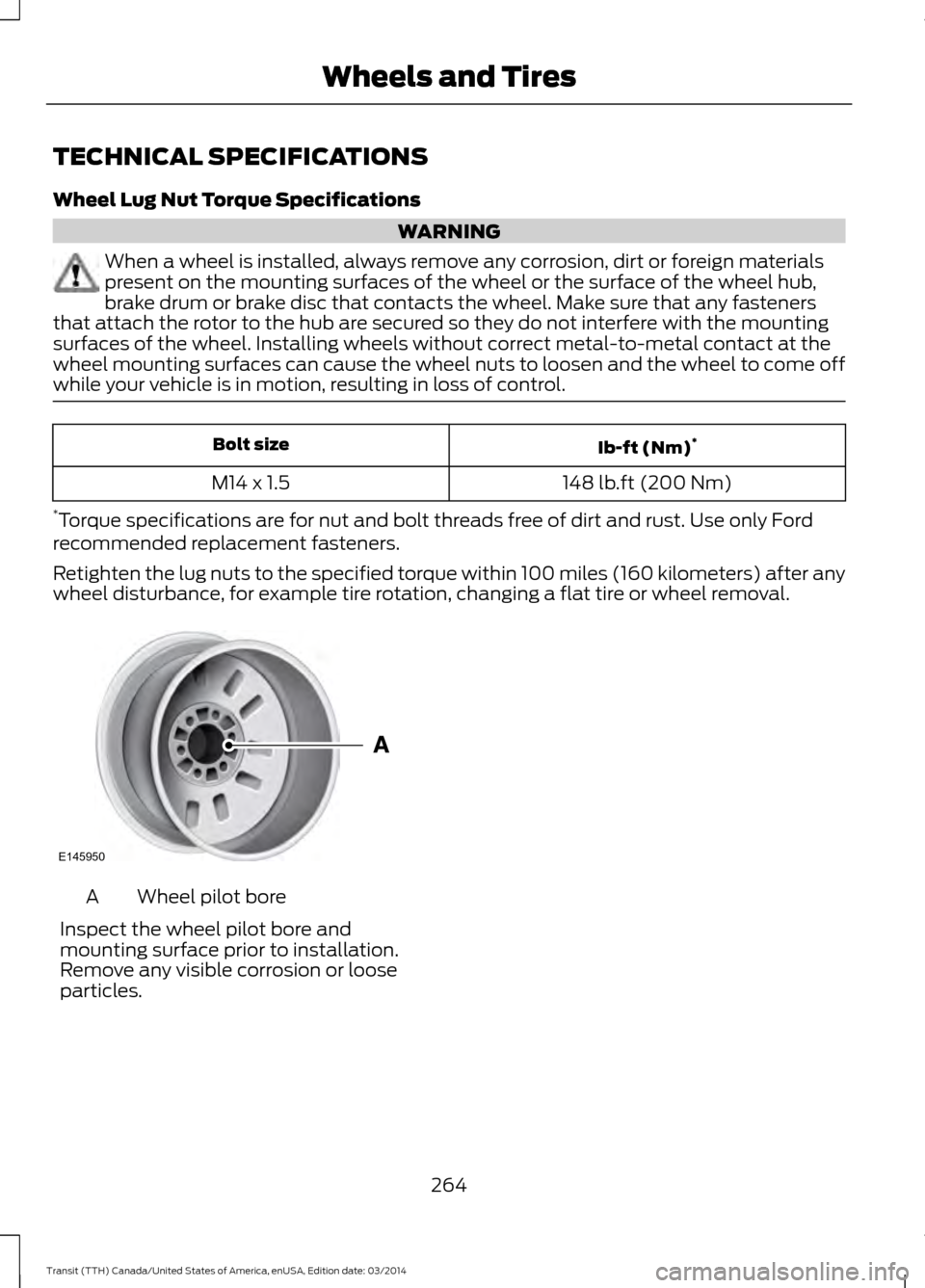
wheel disturbance, for example tire rotation, changing a flat tire or wheel removal. Wheel pilot bore
A
Inspect the wheel pilot bore and
mounting surface prior to installation.
Remove any visible corrosion or loose
particles.
264Transit (TTH) Canada/United States of America, enUSA, Edition date: 03/2014 Wheels and TiresE145950
Page 274 of 461
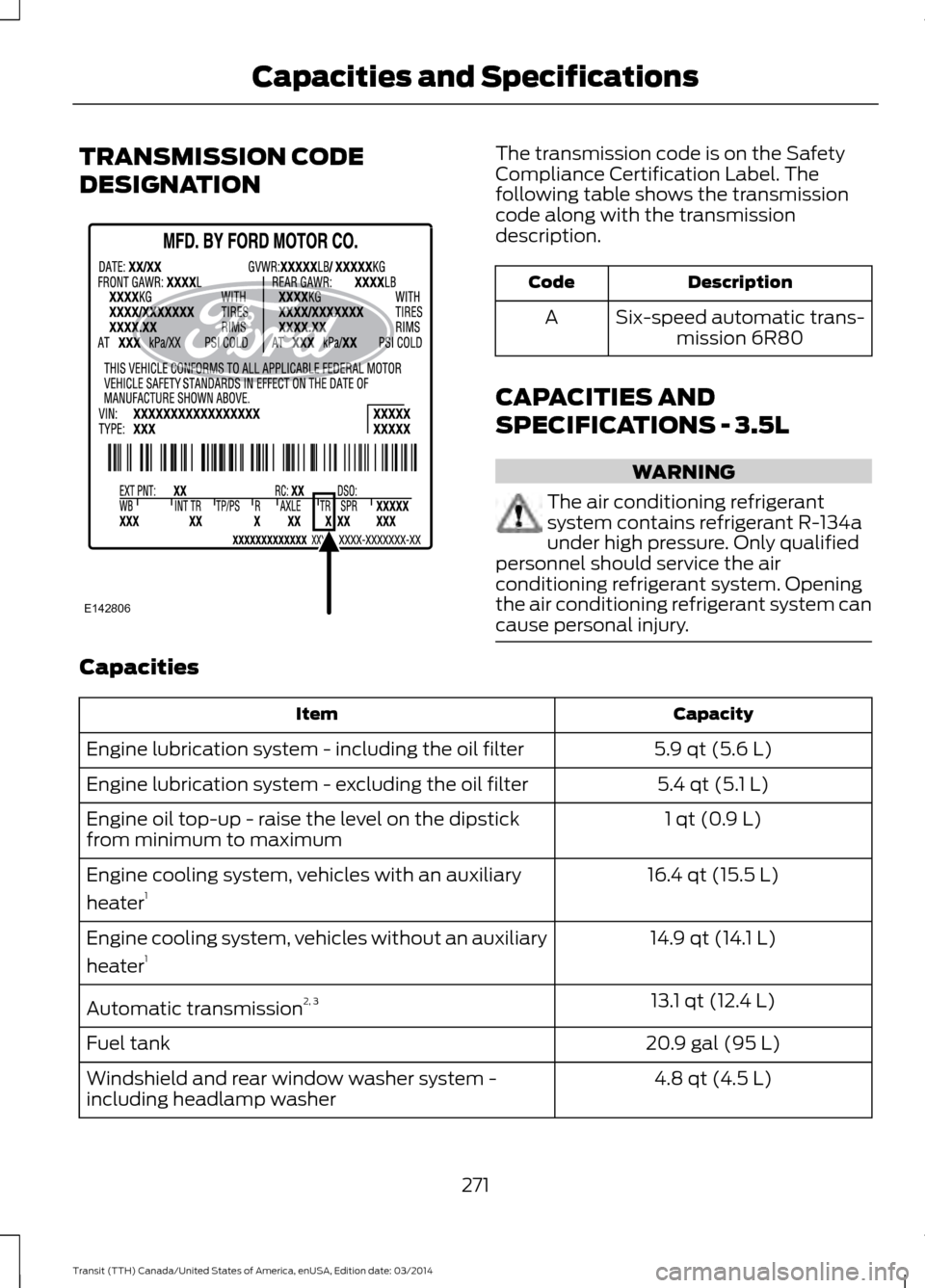
TRANSMISSION CODE
DESIGNATION The transmission code is on the Safety
Compliance Certification Label. The
following table shows the transmission
code along with the transmission
description.
Description
Code
Six-speed automatic trans-mission 6R80
A
CAPACITIES AND
SPECIFICATIONS - 3.5L WARNING
The air conditioning refrigerant
system contains refrigerant R-134a
under high pressure. Only qualified
personnel should service the air
conditioning refrigerant system. Opening
the air conditioning refrigerant system can
cause personal injury. Capacities
Capacity
Item
5.9 qt (5.6 L)
Engine lubrication system - including the oil filter
5.4 qt (5.1 L)
Engine lubrication system - excluding the oil filter
1 qt (0.9 L)
Engine oil top-up - raise the level on the dipstick
from minimum to maximum
16.4 qt (15.5 L)
Engine cooling system, vehicles with an auxiliary
heater 1
14.9 qt (14.1 L)
Engine cooling system, vehicles without an auxiliary
heater 1
13.1 qt (12.4 L)
Automatic transmission 2, 3
20.9 gal (95 L)
Fuel tank
4.8 qt (4.5 L)
Windshield and rear window washer system -
including headlamp washer
271Transit (TTH) Canada/United States of America, enUSA, Edition date: 03/2014 Capacities and SpecificationsE142806
Page 277 of 461
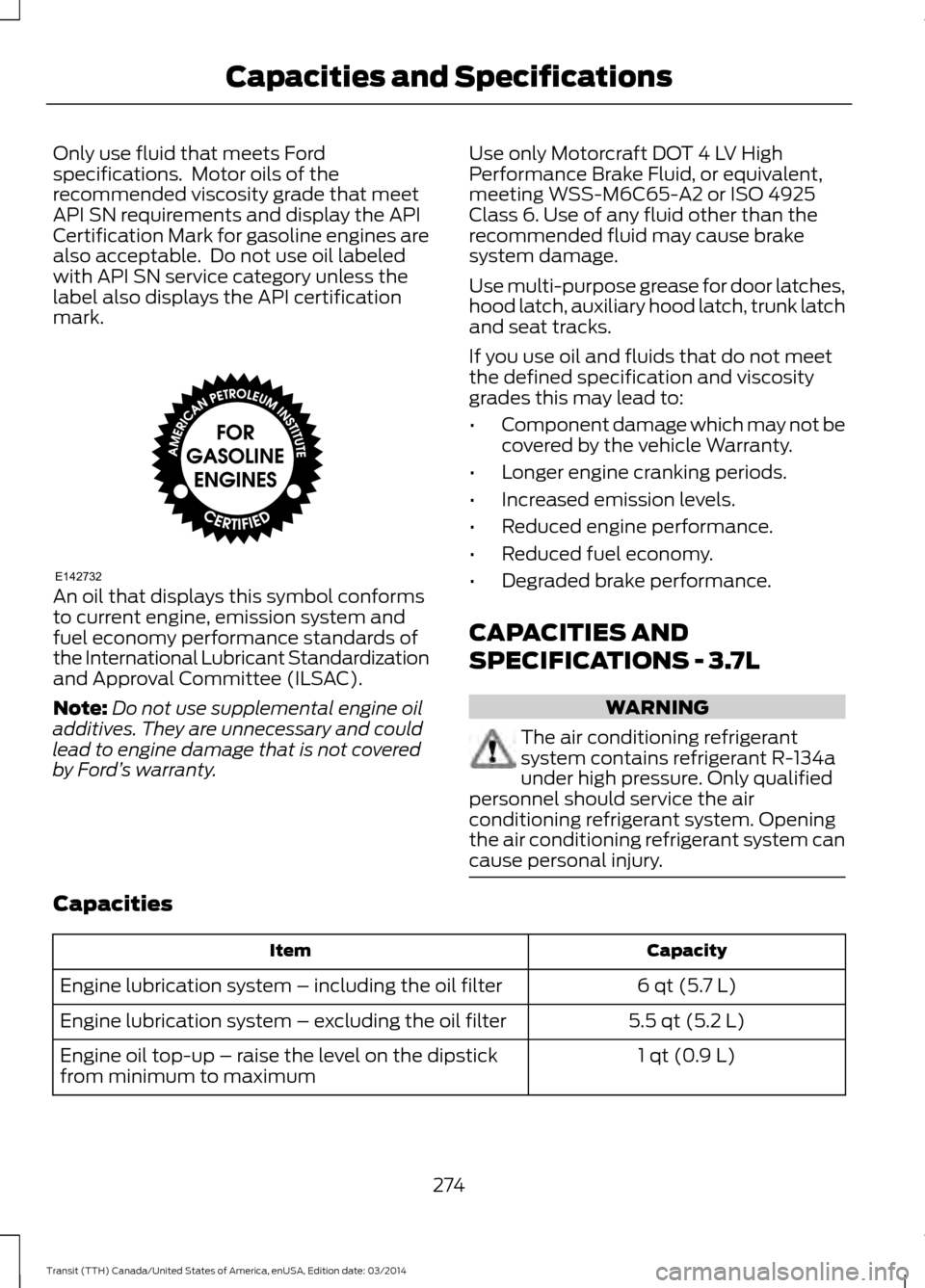
Only use fluid that meets Ford
specifications. Motor oils of the
recommended viscosity grade that meet
API SN requirements and display the API
Certification Mark for gasoline engines are
also acceptable. Do not use oil labeled
with API SN service category unless the
label also displays the API certification
mark.
An oil that displays this symbol conforms
to current engine, emission system and
fuel economy performance standards of
the International Lubricant Standardization
and Approval Committee (ILSAC).
Note:
Do not use supplemental engine oil
additives. They are unnecessary and could
lead to engine damage that is not covered
by Ford ’s warranty. Use only Motorcraft DOT 4 LV High
Performance Brake Fluid, or equivalent,
meeting WSS-M6C65-A2 or ISO 4925
Class 6. Use of any fluid other than the
recommended fluid may cause brake
system damage.
Use multi-purpose grease for door latches,
hood latch, auxiliary hood latch, trunk latch
and seat tracks.
If you use oil and fluids that do not meet
the defined specification and viscosity
grades this may lead to:
•
Component damage which may not be
covered by the vehicle Warranty.
• Longer engine cranking periods.
• Increased emission levels.
• Reduced engine performance.
• Reduced fuel economy.
• Degraded brake performance.
CAPACITIES AND
SPECIFICATIONS - 3.7L WARNING
The air conditioning refrigerant
system contains refrigerant R-134a
under high pressure. Only qualified
personnel should service the air
conditioning refrigerant system. Opening
the air conditioning refrigerant system can
cause personal injury. Capacities
Capacity
Item
6 qt (5.7 L)
Engine lubrication system – including the oil filter
5.5 qt (5.2 L)
Engine lubrication system
– excluding the oil filter
1 qt (0.9 L)
Engine oil top-up
– raise the level on the dipstick
from minimum to maximum
274Transit (TTH) Canada/United States of America, enUSA, Edition date: 03/2014Capacities and SpecificationsE142732
Page 281 of 461
Use only Motorcraft DOT 4 LV High
Performance Brake Fluid, or equivalent,
meeting WSS-M6C65-A2. Use of any fluid
other than the recommended fluid may
cause brake system damage.
Use multi-purpose grease for door latches,
hood latch, auxiliary hood latch, trunk latch
and seat tracks.
If you use oil and fluids that do not meet
the defined specification and viscosity
grades this may lead to:
•
Component damage which may not be
covered by the vehicle Warranty.
• Longer engine cranking periods.
• Increased emission levels.
• Reduced engine performance. •
Reduced fuel economy.
• Degraded brake performance.
CAPACITIES AND
SPECIFICATIONS - 3.2L
POWER STROKE DIESEL WARNING
The air conditioning refrigerant
system contains refrigerant R-134a
under high pressure. Only qualified
personnel should service the air
conditioning refrigerant system. Opening
the air conditioning refrigerant system can
cause personal injury. Capacities
Capacity
Item
12.0 qt (11.4 L)
Engine lubrication system — including the oil filter
11.6 qt (11 L)
Engine lubrication system
— excluding the oil filter
2.6 qt (2.5 L)
Engine oil top-up
— raise the level on the dipstick
from minimum to maximum
15.3 qt (14.5 L)
Engine cooling system, vehicles with an auxiliary
heater 1
13.9 qt (13.2 L)
Engine cooling system, vehicles without an auxiliary
heater 1
13.1 qt (12.4 L)
Automatic transmission fluid 2, 3
20.9 gal (95 L)
Fuel tank
4.6 gal (21 L)
Diesel exhaust fluid
4.8 qt (4.5 L)
Windshield and rear window washer system
—
including headlamp washer
2.43 lb (1.1 kg)
A/C Refrigerant, vehicles with rear heating, ventila-
tion and air conditioning
278Transit (TTH) Canada/United States of America, enUSA, Edition date: 03/2014Capacities and Specifications
Page 286 of 461
•
MP3 and WMA folder mode represents
a folder structure consisting of one
level of folders. The CD player numbers
all MP3 and WMA tracks on the disc
(noted by the MP3 or WMA file
extension) and all folders containing
MP3 and WMA files, from F001 (folder)
T001 (track) to F253 T255.
• Creating discs with only one level of
folders helps with navigation through
the disc files.
If you are burning your own MP3 and WMA
discs, it is important to understand how
the system reads the structures you create.
While various files may be present, (files
with extensions other than MP3 and
WMA), only files with the MP3 and WMA
extension are played; other files are
ignored by the system. This enables you to
use the same MP3 and WMA disc for a
variety of tasks on your work computer,
home computer and your in-vehicle
system. In track mode, the system displays and
plays the structure as if it were only one
level deep (all MP3 and WMA files play,
regardless of being in a specific folder). In
folder mode, the system only plays the
MP3 and WMA files in the current folder.
AUDIO UNIT - VEHICLES WITH:
AM/FM WARNING
Driving while distracted can result in
loss of vehicle control, crash and
injury. We strongly recommend that
you use extreme caution when using any
device that may take your focus off the
road. Your primary responsibility is the safe
operation of your vehicle. We recommend
against the use of any hand-held device
while driving and encourage the use of
voice-operated systems when possible.
Make sure you are aware of all applicable
local laws that may affect the use of
electronic devices while driving. 283
Transit (TTH) Canada/United States of America, enUSA, Edition date: 03/2014 Audio System
Page 289 of 461
Station Preset Buttons
This feature allows you to store your
favorite stations. They can be recalled by
selecting the appropriate frequency band
and pressing one of the preset buttons.
1. Select a frequency band.
2. Tune to the station required.
3. Press and hold one of the preset
buttons. The audio unit will also mute
momentarily as confirmation.
You can repeat this on each frequency
band and for each preset button.
Menu Button
This allows you to adjust all of the audio
system settings. Press the button
repeatedly until the required setting is
displayed. Use the cursor up or down arrow
buttons to adjust the following settings:
• Clock hour.
• Clock minutes.
• 24 hour, 12 hour.
• Bass.
• Treble.
• Balance.
• Fade.
• RDS.
Sound Button
This allows you to adjust the sound
settings for bass, treble, balance or fade.
1. Press the sound button until the required setting is displayed. 2. Use the cursor up or down arrow
buttons to select the required level.
Note: Fade settings are only adjustable if
there are speakers in the rear of your vehicle.
AUX Button
Connect your media device to the audio
unit. See USB Port (page 297).
Select your media device as the audio
source by pressing the
AUX button. After
connecting your media device, the first
track will start to play automatically.
AUDIO UNIT - VEHICLES WITH:
PREMIUM AM/FM/CD WARNING
Driving while distracted can result in
loss of vehicle control, crash and
injury. We strongly recommend that
you use extreme caution when using any
device that may take your focus off the
road. Your primary responsibility is the safe
operation of your vehicle. We recommend
against the use of any hand-held device
while driving and encourage the use of
voice-operated systems when possible.
Make sure you are aware of all applicable
local laws that may affect the use of
electronic devices while driving. Note:
The MyFord Touch system controls
most of the audio features. See
MyFord
Touch ™ (page 349).
286 Transit (TTH) Canada/United States of America, enUSA, Edition date: 03/2014 Audio System
Page 291 of 461
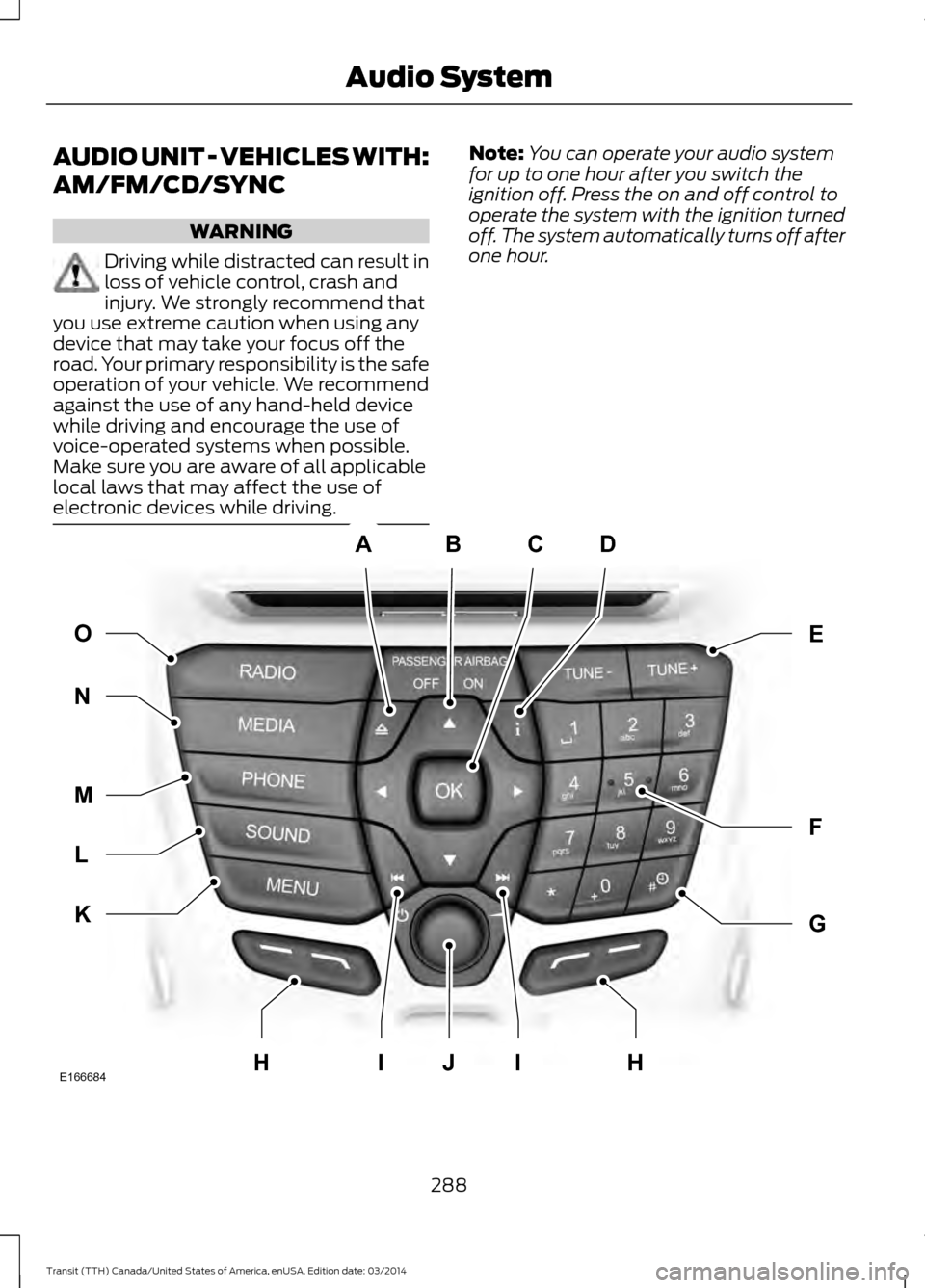
AUDIO UNIT - VEHICLES WITH:
AM/FM/CD/SYNC
WARNING
Driving while distracted can result in
loss of vehicle control, crash and
injury. We strongly recommend that
you use extreme caution when using any
device that may take your focus off the
road. Your primary responsibility is the safe
operation of your vehicle. We recommend
against the use of any hand-held device
while driving and encourage the use of
voice-operated systems when possible.
Make sure you are aware of all applicable
local laws that may affect the use of
electronic devices while driving. Note:
You can operate your audio system
for up to one hour after you switch the
ignition off. Press the on and off control to
operate the system with the ignition turned
off. The system automatically turns off after
one hour. 288
Transit (TTH) Canada/United States of America, enUSA, Edition date: 03/2014 Audio SystemABCD
F
G
E
K
L
M
N O
IIJE166684HH