lane assist FORD TRANSIT 2021 Owners Manual
[x] Cancel search | Manufacturer: FORD, Model Year: 2021, Model line: TRANSIT, Model: FORD TRANSIT 2021Pages: 509, PDF Size: 8.21 MB
Page 8 of 509
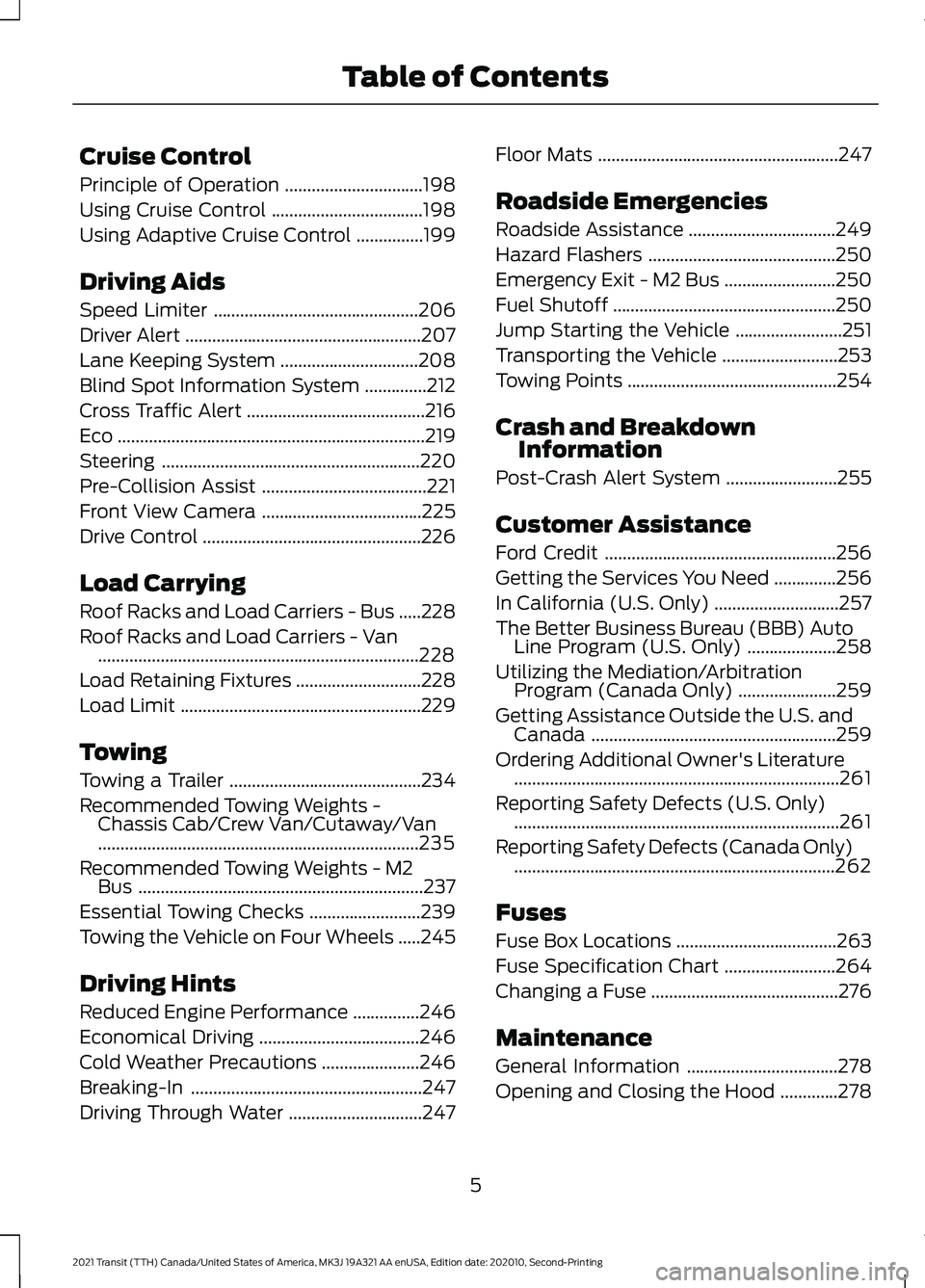
Cruise Control
Principle of Operation
...............................198
Using Cruise Control ..................................
198
Using Adaptive Cruise Control ...............
199
Driving Aids
Speed Limiter ..............................................
206
Driver Alert .....................................................
207
Lane Keeping System ...............................
208
Blind Spot Information System ..............
212
Cross Traffic Alert ........................................
216
Eco .....................................................................
219
Steering ..........................................................
220
Pre-Collision Assist .....................................
221
Front View Camera ....................................
225
Drive Control .................................................
226
Load Carrying
Roof Racks and Load Carriers - Bus .....
228
Roof Racks and Load Carriers - Van ........................................................................\
228
Load Retaining Fixtures ............................
228
Load Limit ......................................................
229
Towing
Towing a Trailer ...........................................
234
Recommended Towing Weights - Chassis Cab/Crew Van/Cutaway/Van
........................................................................\
235
Recommended Towing Weights - M2 Bus ................................................................
237
Essential Towing Checks .........................
239
Towing the Vehicle on Four Wheels .....
245
Driving Hints
Reduced Engine Performance ...............
246
Economical Driving ....................................
246
Cold Weather Precautions ......................
246
Breaking-In ....................................................
247
Driving Through Water ..............................
247Floor Mats
......................................................
247
Roadside Emergencies
Roadside Assistance .................................
249
Hazard Flashers ..........................................
250
Emergency Exit - M2 Bus .........................
250
Fuel Shutoff ..................................................
250
Jump Starting the Vehicle ........................
251
Transporting the Vehicle ..........................
253
Towing Points ...............................................
254
Crash and Breakdown Information
Post-Crash Alert System .........................
255
Customer Assistance
Ford Credit ....................................................
256
Getting the Services You Need ..............
256
In California (U.S. Only) ............................
257
The Better Business Bureau (BBB) Auto Line Program (U.S. Only) ....................
258
Utilizing the Mediation/Arbitration Program (Canada Only) ......................
259
Getting Assistance Outside the U.S. and Canada .......................................................
259
Ordering Additional Owner's Literature ........................................................................\
.
261
Reporting Safety Defects (U.S. Only) ........................................................................\
.
261
Reporting Safety Defects (Canada Only) ........................................................................\
262
Fuses
Fuse Box Locations ....................................
263
Fuse Specification Chart .........................
264
Changing a Fuse ..........................................
276
Maintenance
General Information ..................................
278
Opening and Closing the Hood .............
278
5
2021 Transit (TTH) Canada/United States of America, MK3J 19A321 AA enUSA, Edition date: 202010, Second-Printing Table of Contents
Page 73 of 509
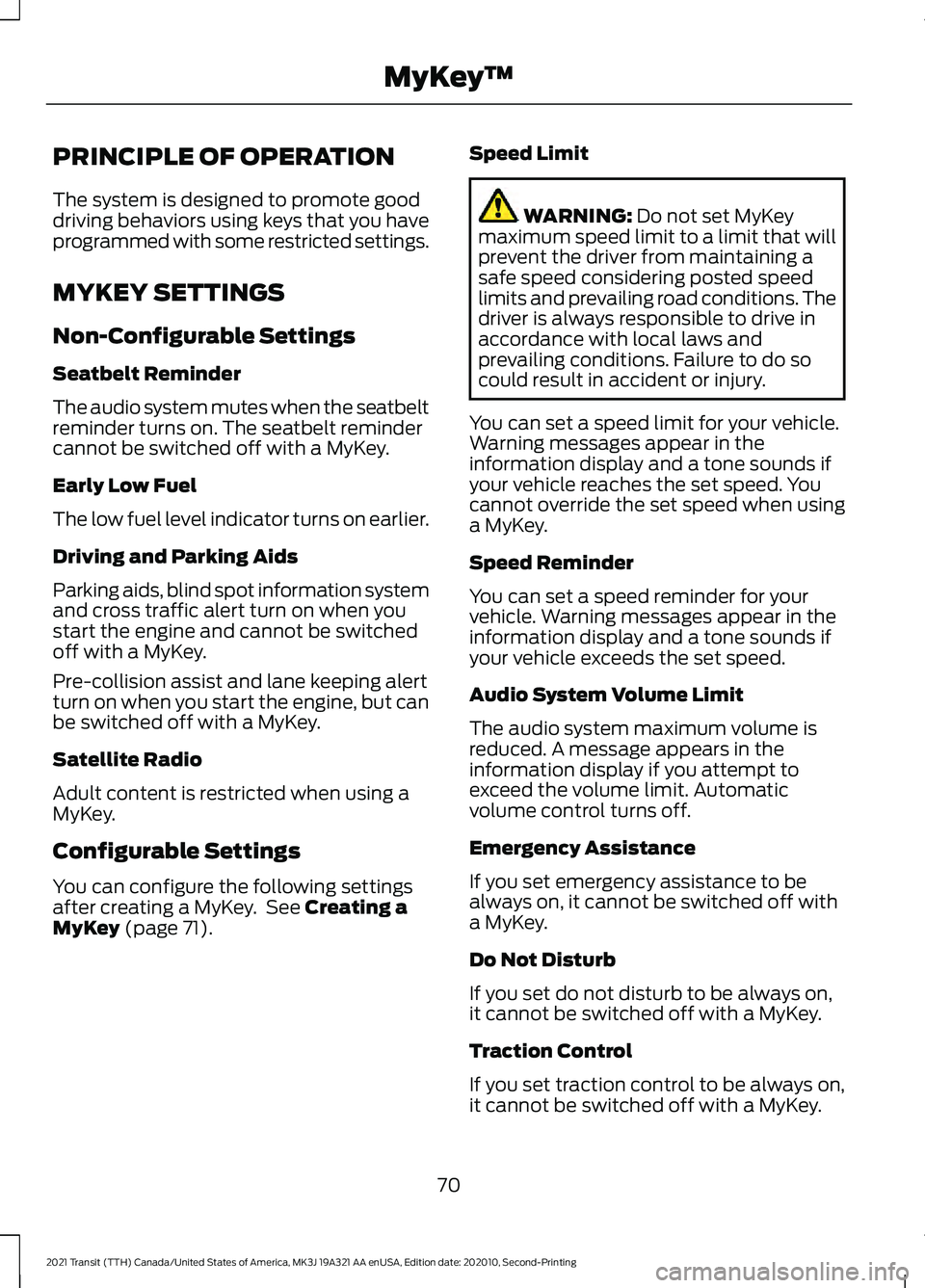
PRINCIPLE OF OPERATION
The system is designed to promote good
driving behaviors using keys that you have
programmed with some restricted settings.
MYKEY SETTINGS
Non-Configurable Settings
Seatbelt Reminder
The audio system mutes when the seatbelt
reminder turns on. The seatbelt reminder
cannot be switched off with a MyKey.
Early Low Fuel
The low fuel level indicator turns on earlier.
Driving and Parking Aids
Parking aids, blind spot information system
and cross traffic alert turn on when you
start the engine and cannot be switched
off with a MyKey.
Pre-collision assist and lane keeping alert
turn on when you start the engine, but can
be switched off with a MyKey.
Satellite Radio
Adult content is restricted when using a
MyKey.
Configurable Settings
You can configure the following settings
after creating a MyKey. See Creating a
MyKey (page 71). Speed Limit WARNING:
Do not set MyKey
maximum speed limit to a limit that will
prevent the driver from maintaining a
safe speed considering posted speed
limits and prevailing road conditions. The
driver is always responsible to drive in
accordance with local laws and
prevailing conditions. Failure to do so
could result in accident or injury.
You can set a speed limit for your vehicle.
Warning messages appear in the
information display and a tone sounds if
your vehicle reaches the set speed. You
cannot override the set speed when using
a MyKey.
Speed Reminder
You can set a speed reminder for your
vehicle. Warning messages appear in the
information display and a tone sounds if
your vehicle exceeds the set speed.
Audio System Volume Limit
The audio system maximum volume is
reduced. A message appears in the
information display if you attempt to
exceed the volume limit. Automatic
volume control turns off.
Emergency Assistance
If you set emergency assistance to be
always on, it cannot be switched off with
a MyKey.
Do Not Disturb
If you set do not disturb to be always on,
it cannot be switched off with a MyKey.
Traction Control
If you set traction control to be always on,
it cannot be switched off with a MyKey.
70
2021 Transit (TTH) Canada/United States of America, MK3J 19A321 AA enUSA, Edition date: 202010, Second-Printing MyKey
™
Page 119 of 509
Menu Item
Audio
Phone
Settings
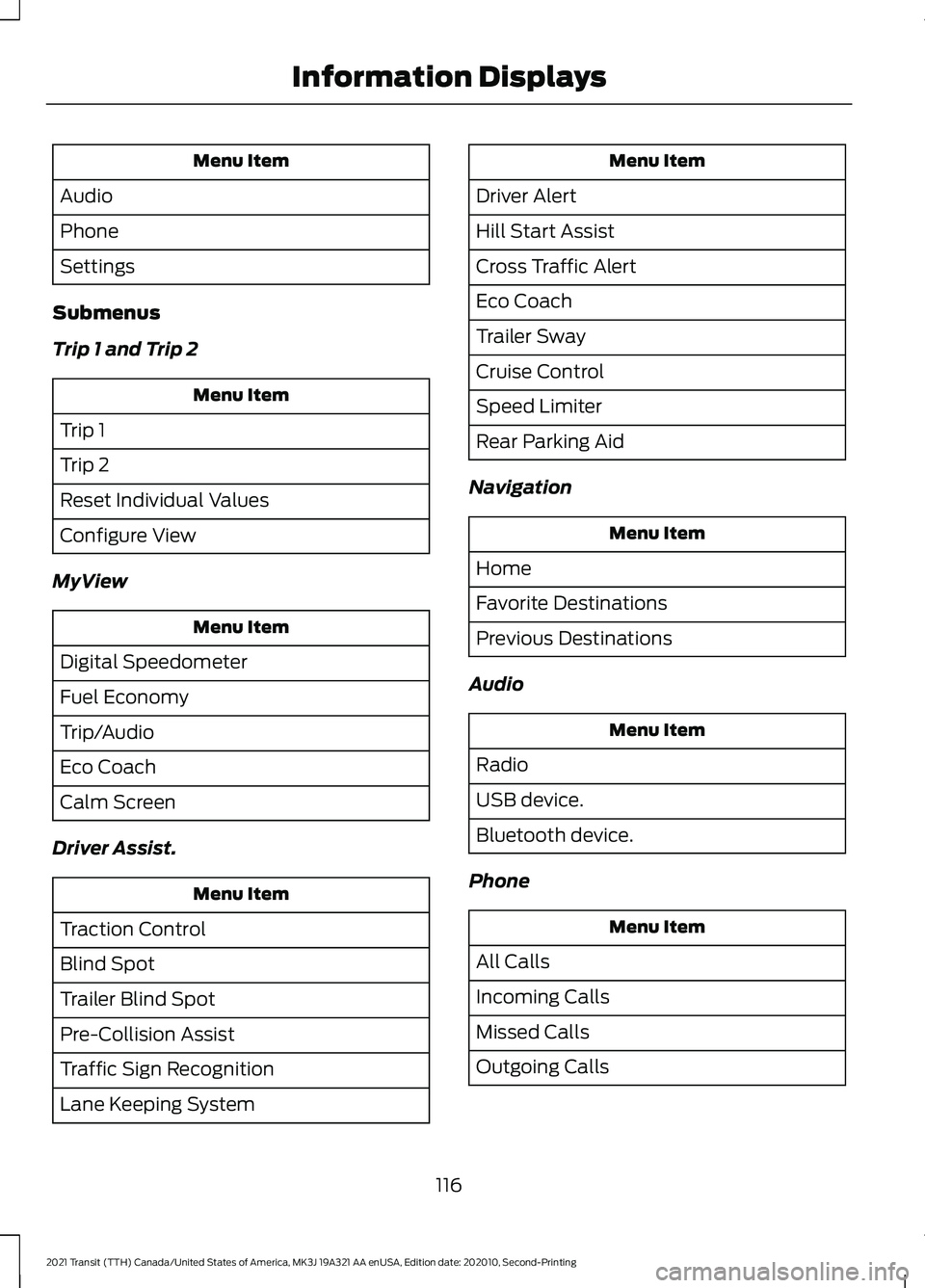
Submenus
Trip 1 and Trip 2 Menu Item
Trip 1
Trip 2
Reset Individual Values
Configure View
MyView Menu Item
Digital Speedometer
Fuel Economy
Trip/Audio
Eco Coach
Calm Screen
Driver Assist. Menu Item
Traction Control
Blind Spot
Trailer Blind Spot
Pre-Collision Assist
Traffic Sign Recognition
Lane Keeping System Menu Item
Driver Alert
Hill Start Assist
Cross Traffic Alert
Eco Coach
Trailer Sway
Cruise Control
Speed Limiter
Rear Parking Aid
Navigation Menu Item
Home
Favorite Destinations
Previous Destinations
Audio Menu Item
Radio
USB device.
Bluetooth device.
Phone Menu Item
All Calls
Incoming Calls
Missed Calls
Outgoing Calls
116
2021 Transit (TTH) Canada/United States of America, MK3J 19A321 AA enUSA, Edition date: 202010, Second-Printing Information Displays
Page 211 of 509
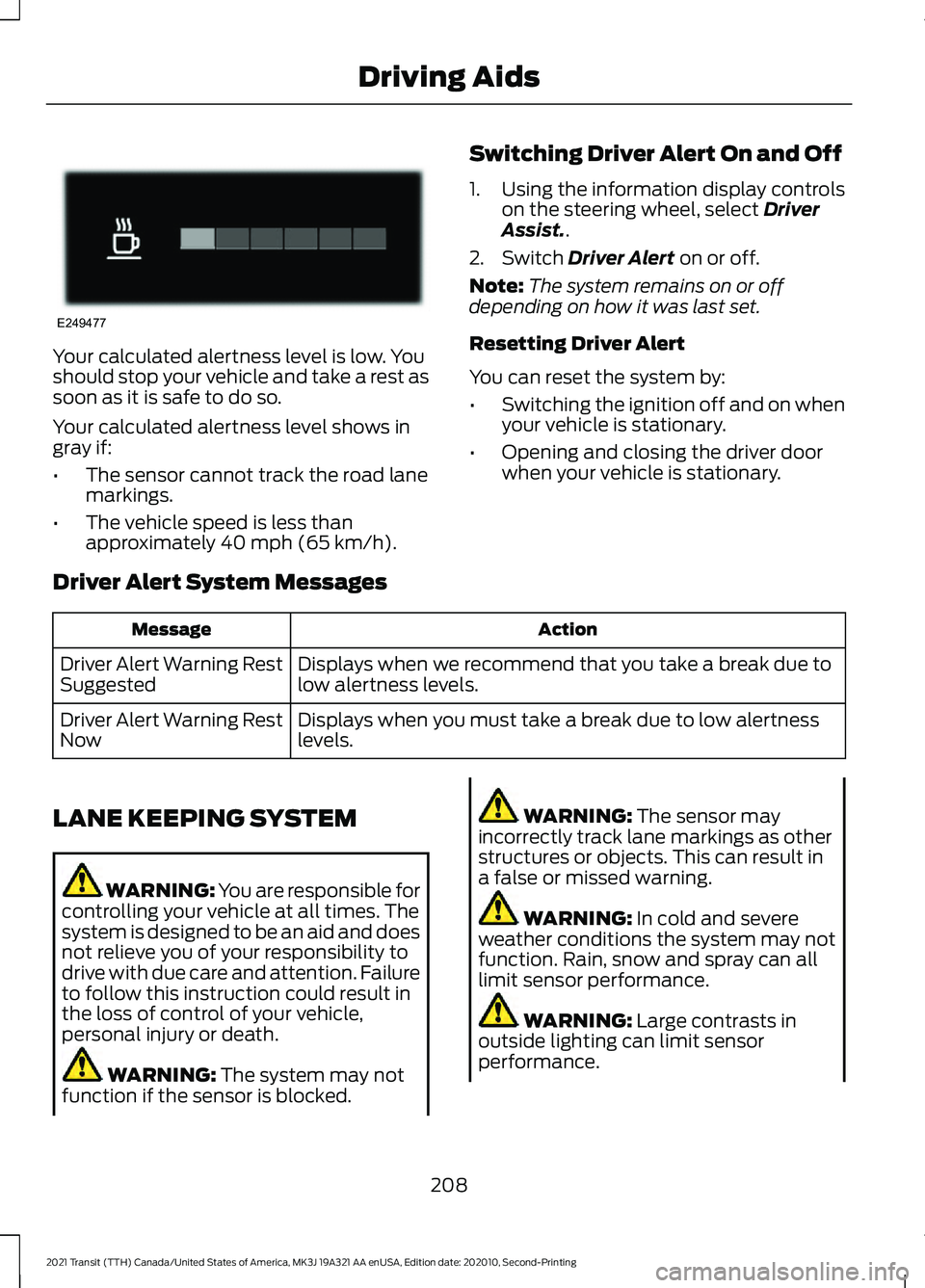
Your calculated alertness level is low. You
should stop your vehicle and take a rest as
soon as it is safe to do so.
Your calculated alertness level shows in
gray if:
•
The sensor cannot track the road lane
markings.
• The vehicle speed is less than
approximately 40 mph (65 km/h). Switching Driver Alert On and Off
1. Using the information display controls
on the steering wheel, select
Driver
Assist..
2. Switch
Driver Alert on or off.
Note: The system remains on or off
depending on how it was last set.
Resetting Driver Alert
You can reset the system by:
• Switching the ignition off and on when
your vehicle is stationary.
• Opening and closing the driver door
when your vehicle is stationary.
Driver Alert System Messages Action
Message
Displays when we recommend that you take a break due to
low alertness levels.
Driver Alert Warning Rest
Suggested
Displays when you must take a break due to low alertness
levels.
Driver Alert Warning Rest
Now
LANE KEEPING SYSTEM WARNING: You are responsible for
controlling your vehicle at all times. The
system is designed to be an aid and does
not relieve you of your responsibility to
drive with due care and attention. Failure
to follow this instruction could result in
the loss of control of your vehicle,
personal injury or death. WARNING:
The system may not
function if the sensor is blocked. WARNING:
The sensor may
incorrectly track lane markings as other
structures or objects. This can result in
a false or missed warning. WARNING:
In cold and severe
weather conditions the system may not
function. Rain, snow and spray can all
limit sensor performance. WARNING:
Large contrasts in
outside lighting can limit sensor
performance.
208
2021 Transit (TTH) Canada/United States of America, MK3J 19A321 AA enUSA, Edition date: 202010, Second-Printing Driving AidsE249477
Page 212 of 509
WARNING: The system will not
operate if the sensor cannot track the
road lane markings. WARNING:
If damage occurs in the
immediate area surrounding the sensor,
have your vehicle checked as soon as
possible. WARNING:
The system may not
correctly operate if your vehicle is fitted
with a suspension kit not approved by
us.
The system is designed to alert you by
providing temporary steering assistance
or steering wheel vibration when it detects
an unintended lane departure. The system
detects and tracks the road lane markings
using a camera mounted behind the
interior mirror. The system only operates
when the vehicle speed is greater than
approximately
37 mph (60 km/h). You
can view the system status in the
information display.
Note: The system works when the camera
can detect at least one lane marking or the
edge of the road.
The system may not correctly operate in
any of the following conditions:
• The system does not detect at least
one lane marking or the edge of the
road.
• You switch the direction indicator on.
• You apply direct steering, accelerate
fast or brake hard.
• The vehicle speed is less than
37 mph
(60 km/h).
• The anti-lock brake, stability control or
traction control system activates.
• Narrow lane width. The system may not correct lane
positioning in any of the following
conditions:
•
High winds.
• Uneven road surfaces.
• Heavy or uneven loads.
• Incorrect tire pressure.
Switching Lane Keeping System
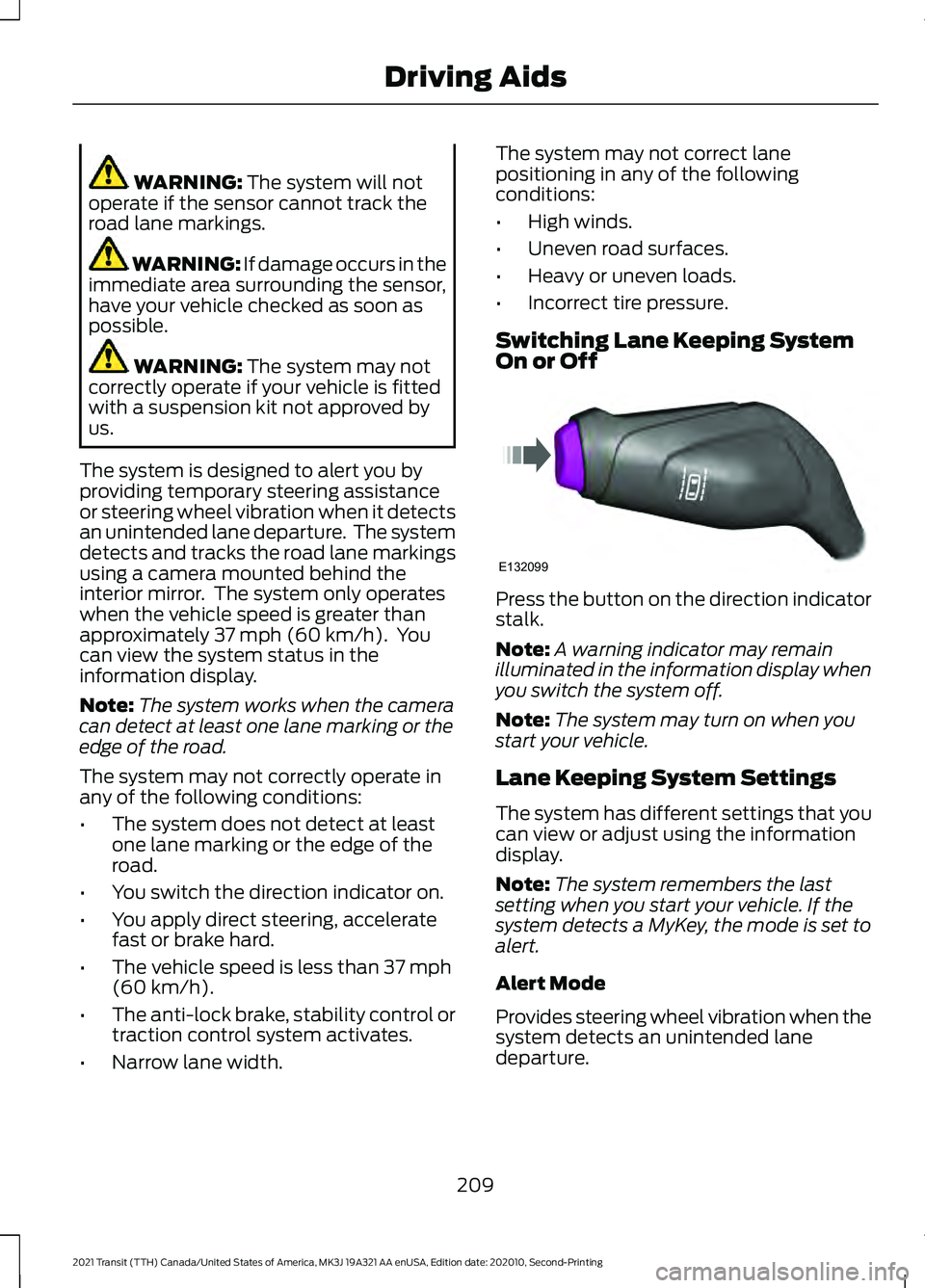
On or Off Press the button on the direction indicator
stalk.
Note:
A warning indicator may remain
illuminated in the information display when
you switch the system off.
Note: The system may turn on when you
start your vehicle.
Lane Keeping System Settings
The system has different settings that you
can view or adjust using the information
display.
Note: The system remembers the last
setting when you start your vehicle. If the
system detects a MyKey, the mode is set to
alert.
Alert Mode
Provides steering wheel vibration when the
system detects an unintended lane
departure.
209
2021 Transit (TTH) Canada/United States of America, MK3J 19A321 AA enUSA, Edition date: 202010, Second-Printing Driving AidsE132099
Page 213 of 509
Adjusting the Steering Wheel Vibration
Intensity
1. Using the information display controls
on the steering wheel, select Driver
Assist..
2. Select
Lane Keeping System.
3. Select
Intensity.
4. Select a setting and press the
OK
button.
Note: This setting does not affect aid mode.
Note: The system remembers the last
setting when you start your vehicle.
Adjusting the Lane Keeping System
Sensitivity
1. Using the information display controls on the steering wheel, select
Driver
Assist..
2. Select
Lane Keeping System.
3. Select
Sensitivity.
4. Select a setting and press the
OK
button.
Aid Mode
Provides temporary steering assistance
toward the lane center when the system
detects an unintended lane departure.
Note: When aid mode is on and the system
does not detect any steering activity for a
short period of time, for example lightly
holding the steering wheel, the system alerts
you to put your hands on the steering wheel.
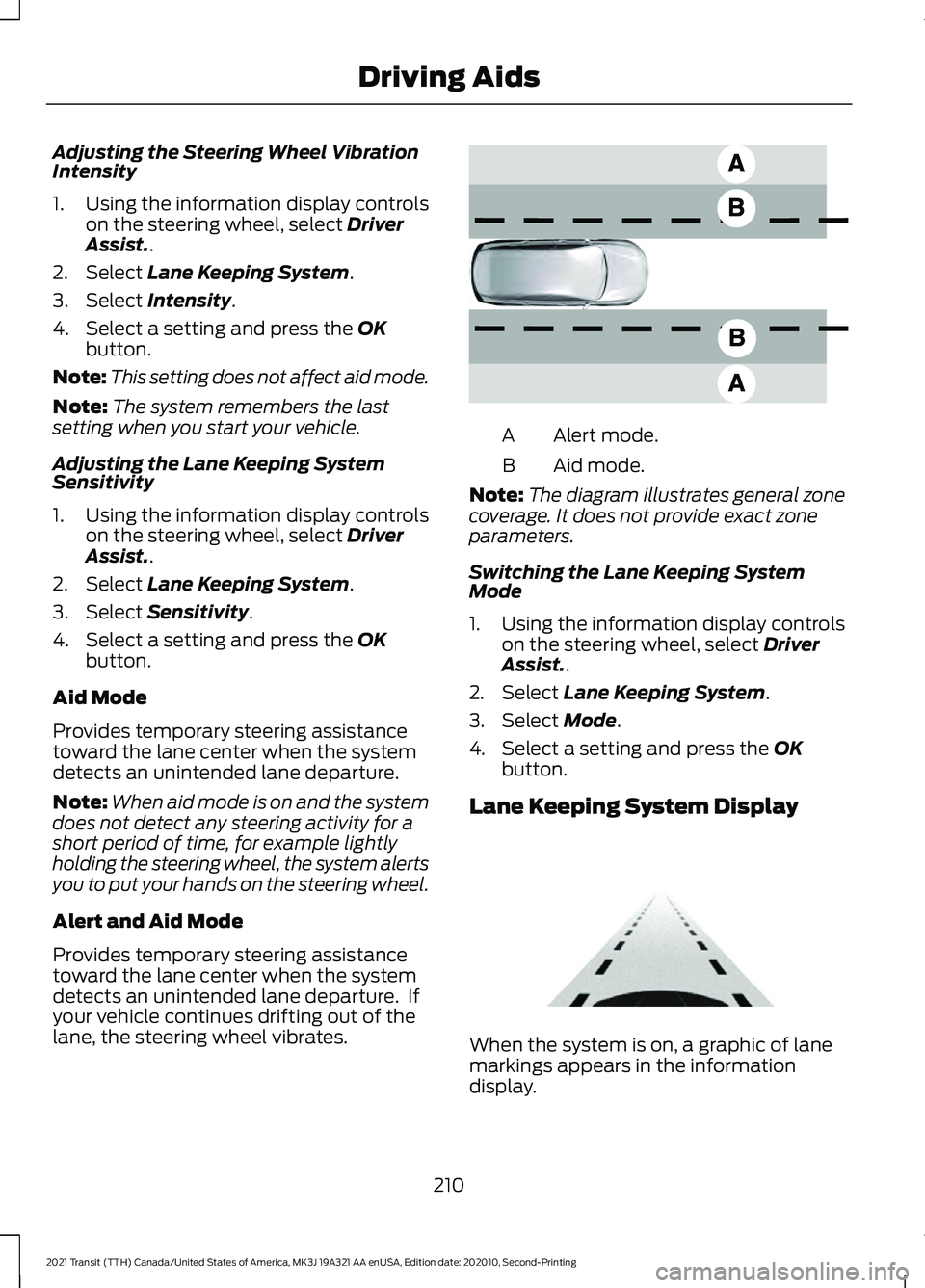
Alert and Aid Mode
Provides temporary steering assistance
toward the lane center when the system
detects an unintended lane departure. If
your vehicle continues drifting out of the
lane, the steering wheel vibrates. Alert mode.
A
Aid mode.
B
Note: The diagram illustrates general zone
coverage. It does not provide exact zone
parameters.
Switching the Lane Keeping System
Mode
1. Using the information display controls on the steering wheel, select Driver
Assist..
2. Select
Lane Keeping System.
3. Select
Mode.
4. Select a setting and press the
OK
button.
Lane Keeping System Display When the system is on, a graphic of lane
markings appears in the information
display.
210
2021 Transit (TTH) Canada/United States of America, MK3J 19A321 AA enUSA, Edition date: 202010, Second-Printing Driving AidsE165517 E313922
Page 214 of 509
Lane Keeping System Warning
Lamps and Indicators
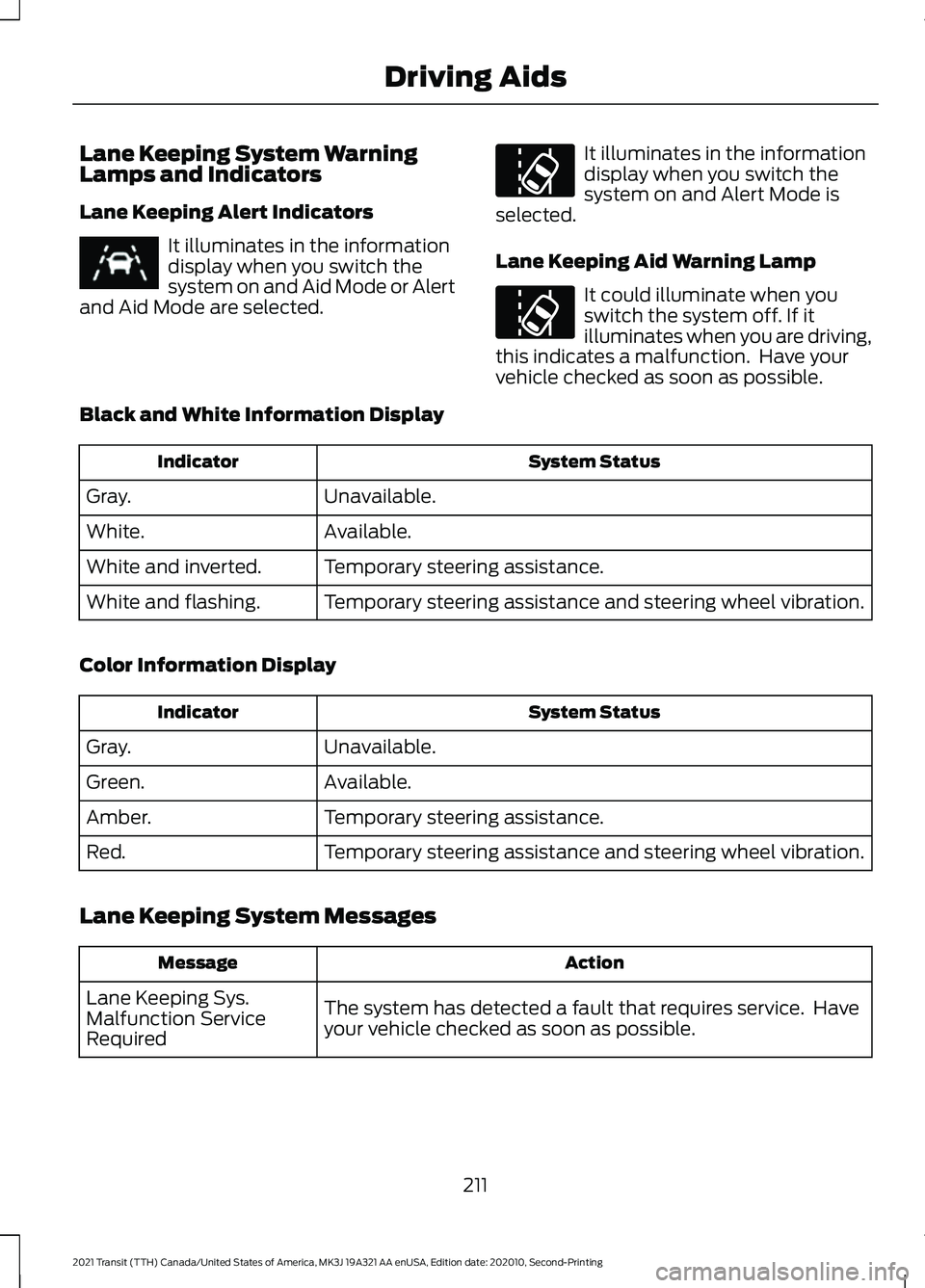
Lane Keeping Alert Indicators
It illuminates in the information
display when you switch the
system on and Aid Mode or Alert
and Aid Mode are selected. It illuminates in the information
display when you switch the
system on and Alert Mode is
selected.
Lane Keeping Aid Warning Lamp It could illuminate when you
switch the system off. If it
illuminates when you are driving,
this indicates a malfunction. Have your
vehicle checked as soon as possible.
Black and White Information Display System Status
Indicator
Unavailable.
Gray.
Available.
White.
Temporary steering assistance.
White and inverted.
Temporary steering assistance and steering wheel vibration.
White and flashing.
Color Information Display System Status
Indicator
Unavailable.
Gray.
Available.
Green.
Temporary steering assistance.
Amber.
Temporary steering assistance and steering wheel vibration.
Red.
Lane Keeping System Messages Action
Message
The system has detected a fault that requires service. Have
your vehicle checked as soon as possible.
Lane Keeping Sys.
Malfunction Service
Required
211
2021 Transit (TTH) Canada/United States of America, MK3J 19A321 AA enUSA, Edition date: 202010, Second-Printing Driving AidsE251020
Page 431 of 509
Driver Assist (If Equipped)
Select this tile to adjust Driver Assist
features like Parking Aids, Lane Keeping
System, Pedestrian Detection, and
Auto-Start-Stop.
Vehicle
Select this tile to adjust vehicle settings
like windows, alarm, lighting, and MyKey
settings.
FordPass
Select this tile to adjust the FordPass
settings.
General
Select this tile to adjust settings like
language, measurement units, or to reset
the system.
911 Assist
(If Equipped)
Select this tile to switch 911 Assist on and
off.
Automatic Updates
Select this tile to adjust the automatic
update settings.
Mobile Apps
Select this tile to adjust permissions,
enable, disable, and update mobile apps.
Display
Select this tile to adjust display settings
like brightness and auto dim. Charge Settings
(If Equipped)
Select this tile to adjust the electric vehicle
charge settings.
Voice Control
Select this tile to adjust voice control
settings like command confirmations and
displayed lists.
Navigation
(If Equipped)
Select this tile to adjust navigation settings
like map preferences and route guidance.
Multi Contour Seats
(If Equipped)
Select this tile to adjust the position and
massage function of your multi contour
seats.
Seats
(If Equipped)
Select this tile to adjust the lumbar
function of your seats.
Message Center
(If Equipped)
Select this tile to view vehicle messages.
Personal Profiles
(If Equipped)
Select this tile to adjust recalled memory
features when using personal profiles.
Valet Mode
(If Equipped)
Select this tile to enable and disable valet
mode.
Ambient Lighting
(If Equipped)
Select this tile to change the color or
intensity of the interior lighting.
428
2021 Transit (TTH) Canada/United States of America, MK3J 19A321 AA enUSA, Edition date: 202010, Second-Printing SYNC™ 3
Page 508 of 509
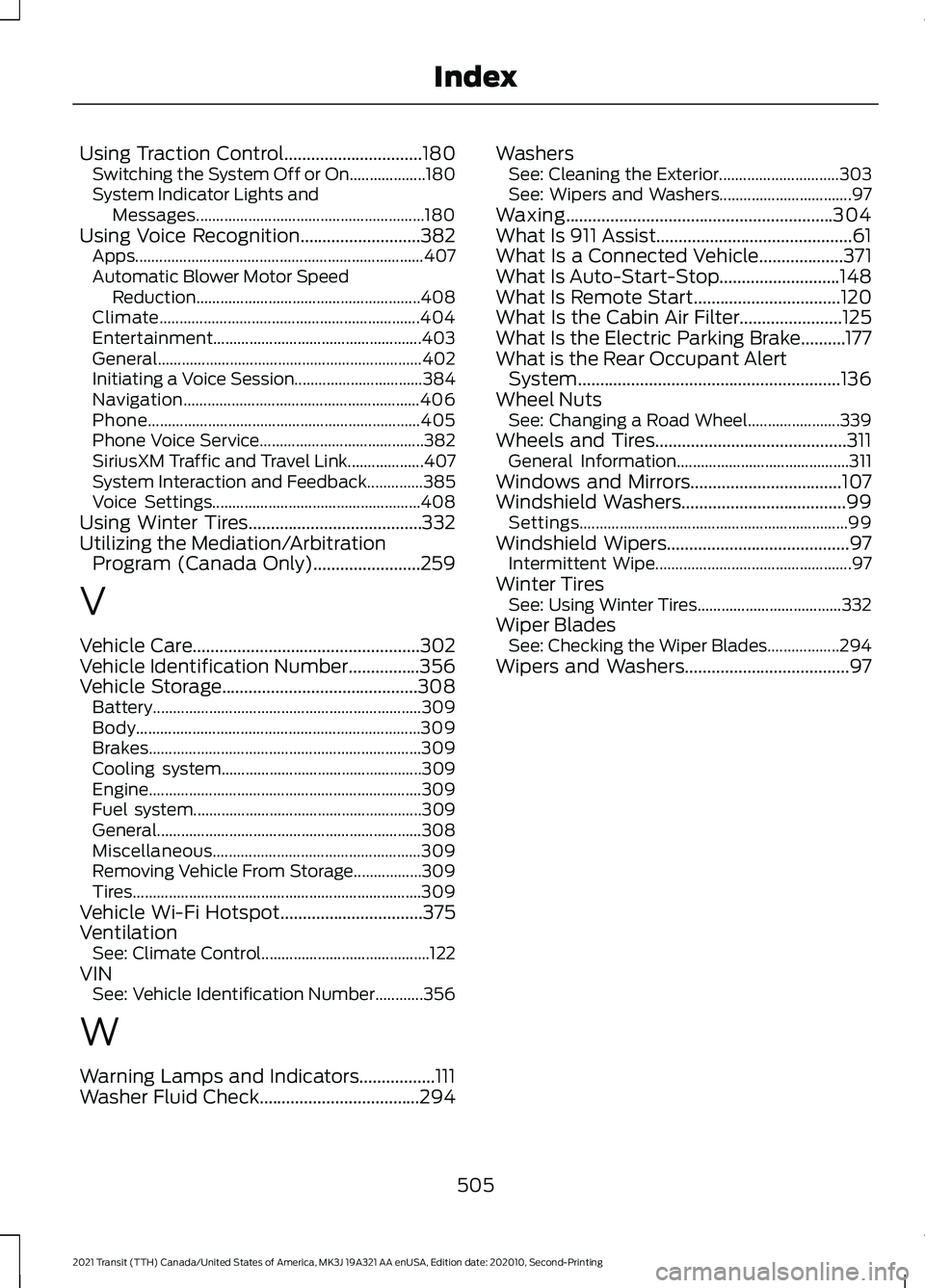
Using Traction Control...............................180
Switching the System Off or On................... 180
System Indicator Lights and Messages......................................................... 180
Using Voice Recognition...........................382 Apps........................................................................\
407
Automatic Blower Motor Speed Reduction ........................................................ 408
Climate................................................................. 404
Entertainment.................................................... 403
General.................................................................. 402
Initiating a Voice Session................................ 384
Navigation........................................................... 406
Phone.................................................................... 405
Phone Voice Service......................................... 382
SiriusXM Traffic and Travel Link................... 407
System Interaction and Feedback..............385
Voice Settings.................................................... 408
Using Winter Tires.......................................332
Utilizing the Mediation/Arbitration Program (Canada Only)
........................259
V
Vehicle Care...................................................302
Vehicle Identification Number
................356
Vehicle Storage............................................308 Battery................................................................... 309
Body....................................................................... 309
Brakes.................................................................... 309
Cooling system.................................................. 309
Engine.................................................................... 309
Fuel system......................................................... 309
General.................................................................. 308
Miscellaneous.................................................... 309
Removing Vehicle From Storage.................309
Tires........................................................................\
309
Vehicle Wi-Fi Hotspot................................375
Ventilation See: Climate Control.......................................... 122
VIN See: Vehicle Identification Number............356
W
Warning Lamps and Indicators.................111
Washer Fluid Check....................................294 Washers
See: Cleaning the Exterior.............................. 303
See: Wipers and Washers................................. 97
Waxing............................................................304
What Is 911 Assist............................................61
What Is a Connected Vehicle...................371
What Is Auto-Start-Stop...........................148
What Is Remote Start.................................120
What Is the Cabin Air Filter.......................125
What Is the Electric Parking Brake..........177
What is the Rear Occupant Alert System...........................................................136
Wheel Nuts See: Changing a Road Wheel....................... 339
Wheels and Tires...........................................311 General Information........................................... 311
Windows and Mirrors..................................107
Windshield Washers.....................................99 Settings................................................................... 99
Windshield Wipers.........................................97 Intermittent Wipe................................................. 97
Winter Tires See: Using Winter Tires.................................... 332
Wiper Blades See: Checking the Wiper Blades.................. 294
Wipers and Washers.....................................97
505
2021 Transit (TTH) Canada/United States of America, MK3J 19A321 AA enUSA, Edition date: 202010, Second-Printing Index