brake GENESIS G80 2021 Manual Online
[x] Cancel search | Manufacturer: GENESIS, Model Year: 2021, Model line: G80, Model: GENESIS G80 2021Pages: 604, PDF Size: 11.47 MB
Page 366 of 604

Driver Assistance system
7-38
WARNING
• Collision-Avoidance Assist will
be canceled under the following
circumstances:
-Your vehicle enters the next lane
by a certain distance
-Your vehicle is away from the
collision risk
-The steering wheel is sharply
steered
-The brake pedal is depressed
-Forward Collision-Avoidance Assist
is operating
• After system operation or changing
lane, you must drive to the center of
the lane. The system will not operate
if the vehicle is not driven in the
center of the lane.
ORG3070026L
Collision-Avoidance Assist (while
departing)
• To warn the driver of a collision, the
warning light on the side view mirror
will blink and a warning message
will appear on the cluster. At the
same time, an audible warning will
sound, warning light on the head-up
display (if equipped) will blink and the
steering wheel will vibrate.
• The system will operate when your
vehicle speed is below 2 mph
(3 km/h) and the speed of the vehicle
in the blind spot area is above 3 mph
(5 km/h).
• Emergency braking will be assisted to
help prevent collision with the vehicle
in the blind spot area.
Page 367 of 604

07
7-39
ORG3070107L
Stopping vehicle and ending brake control
• When the vehicle is stopped due
to emergency braking, the ‘Drive
carefully’ warning message will
appear on the cluster.
For your safety, the driver should
depress the brake pedal immediately
and check the surroundings.
• Brake control will end after the vehicle
is stopped by emergency braking for
approximately 2 seconds.
WARNING
Take the following precautions when
using Blind-Spot Safety system:
• For your safety, change the Settings
after parking the vehicle at a safe
location.
• If any other system’s warning
message is displayed or audible
warning is generated, Blind-Spot
Safety system’s warning message
may not be displayed and audible
warning may not be generated.
• You may not hear the warning sound
of Blind-Spot Safety system if the
surrounding is noisy.
• Blind-Spot Safety system may not
operate if the driver applies the
brake pedal to avoid collision.
• When Blind-Spot Safety system
is operating, braking control by
the system will automatically
cancel when the driver excessively
depresses the accelerator pedal or
sharply steers the vehicle.
• During Blind-Spot Safety system
operation, the vehicle may stop
suddenly injuring passengers and
shifting loose objects. Always have
the seat belt on and keep loose
objects secured.
• Even if there is a problem with Blind-
Spot Safety system, the vehicle’s
basic braking performance will
operate normally.
• Blind-Spot Safety system does not
operate in all situations or cannot
avoid all collisions.
Page 368 of 604

Driver Assistance system
7-40
• Blind-Spot Safety system may warn
the driver late or may not warn the
driver depending on the road and
driving conditions.
• Driver should maintain control
of the vehicle at all times. Do not
depend on Blind-Spot Safety system.
Maintain a safe braking distance, and
if necessary, depress the brake pedal
to reduce driving speed or to stop
the vehicle.
• Never operate Blind-Spot Safety
system on people, animal, objects,
etc. It may cause serious injury or
death.
WARNING
The brake control may not operate
properly depending on the status of
ESC (Electronic Stability Control).
There will only be a warning when:
-The ESC (Electronic Stability Control)
warning light is on
-ESC (Electronic Stability Control) is
engaged in a different function
System Malfunction and
Limitations
System malfunction
OJX1079055L
When Blind-Spot Safety system is not
working properly, the ‘Check Blind-Spot
Safety system’ warning message will
appear on the cluster, and the system will
turn off automatically or the system will
be limited. Have the system inspected by
an authorized retailer of Genesis Branded
products.
OJX1079056L
When the side view mirror warning
light is not working properly, the ‘Check
side view mirror warning light’ warning
message will appear on the cluster. Have
the system inspected by an authorized
retailer of Genesis Branded products.
Page 370 of 604
Driver Assistance system
7-42
• The speed of the other vehicle is very
fast that it passes by your vehicle in a
short time
• Your vehicle passes by the other
vehicle
• Your vehicle changes lane
• Your vehicle has started at the same
time as the vehicle next to you and
has accelerated
• The vehicle in the next lane moves
two lanes away from you, or when the
vehicle two lanes away moves to the
next lane from you
• A trailer or carrier is installed around
the rear corner radar
• The bumper around the rear corner
radar is covered with objects, such as
a bumper sticker, bumper guard, bike
rack, etc.
• The bumper around the rear corner
radar is impacted, damaged or the
radar is out of position
• Your vehicle height is low or high
due to heavy loads, abnormal tire
pressure, etc.
Blind-Spot Safety system may not
operate normally, or the system may
operate unexpectedly when the
following objects are detected:
• A motorcycle or bicycle is detected
• A vehicle such as a flat trailer is
detected
• A big vehicle such as a bus or truck is
detected
• A moving obstacle such as a
pedestrian, animal, shopping cart or a
baby stroller is detected
• A vehicle with low height such as a
sports car is detected Braking control may not work, driver’s
attention is required in the following
circumstances:
• The vehicle severely vibrates while
driving over a bumpy road, uneven
road or concrete patch
• Driving on a slippery surface due to
snow, water puddle, ice, etc.
• The tire pressure is low or a tire is
damaged
• The brake is reworked
• The vehicle makes abrupt lane
changes
CAUTION
For more details on the limitations
of the front view camera, refer to
“Forward Collision-Avoidance Assist
(FCA)” and “Lane Keeping Assist (LKA)
section in chapter 7.
Page 400 of 604
Driver Assistance system
7-7 2
ORG3070114
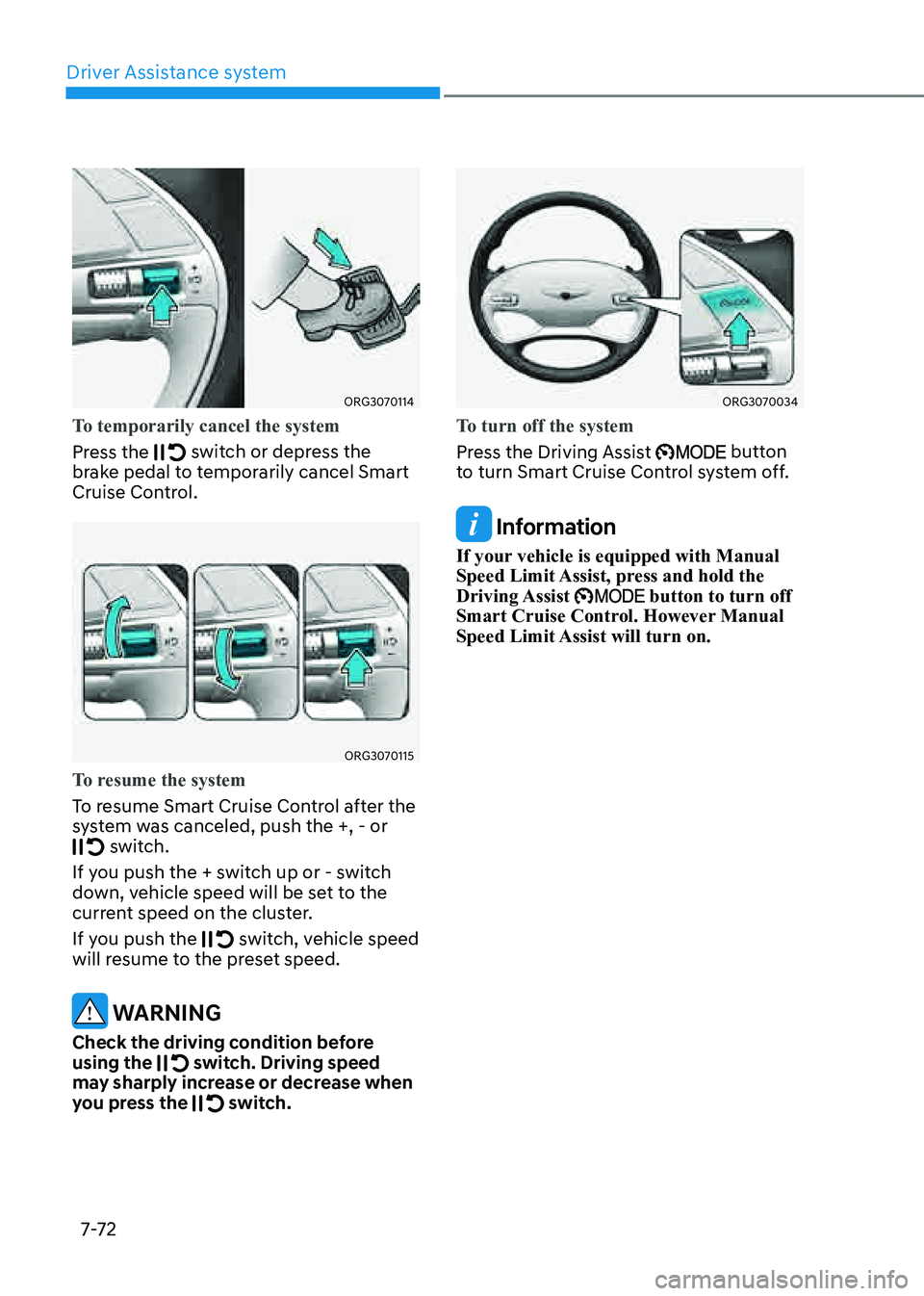
To temporarily cancel the system
Press the
switch or depress the brake pedal to temporarily cancel Smart
Cruise Control.
ORG3070115
To resume the system
To resume Smart Cruise Control after the
system was canceled, push the +, - or
switch.
If you push the + switch up or - switch
down, vehicle speed will be set to the
current speed on the cluster.
If you push the
switch, vehicle speed will resume to the preset speed.
WARNING
Check the driving condition before
using the switch. Driving speed may sharply increase or decrease when
you press the switch.
ORG3070034
To turn off the system
Press the Driving Assist
button to turn Smart Cruise Control system off.
Information
If your vehicle is equipped with Manual
Speed Limit Assist, press and hold the
Driving Assist
button to turn off Smart Cruise Control. However Manual
Speed Limit Assist will turn on.
Page 403 of 604

07
7-7 5
System Operation
Operating conditions
Smart Cruise Control will operate when
the following conditions are satisfied.
Basic function
• The gear is in D (Drive)
• The driver’s door is closed
• EPB (Electronic Parking Brake) is not
applied
• Your vehicle speed is within the
operating speed range
-5~120 mph (10~200 km/h): when
there is no vehicle in front
-0~120 mph (0~200 km/h): when
there is a vehicle in front
• ESC (Electronic Stability Control), TCS
(Traction Control System) or ABS is on
• ESC (Electronic Stability Control), TCS
(Traction Control System) or ABS is not
controlling the vehicle
• Engine rpm is not in the red zone
• Forward Collision-Avoidance Assist
brake control is not operating
• Remote Smart Parking Assist brake
control is not operating
• ISG system is not operating
• Hands-off warning for Lane Keeping
Assist and Highway Driving Assist is
off
Information
At a stop, if there is no vehicle in front of
your vehicle, the system will turn on when
the brake pedal is depressed Overtaking Acceleration Assist
Overtaking Acceleration Assist will
operate when the left turn signal
indicator is turned on while Smart Cruise
Control is operating, and the following
conditions are satisfied:
• Your vehicle speed is above 40 mph
(60 km/h)
• The hazard warning flasher is off
• A vehicle is detected in front of your
vehicle
• Deceleration is not needed to
maintain distance with the vehicle in
front
WARNING
• When the left turn signal indicator
is turned on while there is a vehicle
ahead, the vehicle may accelerate
temporarily. Pay attention to the
road conditions at all times.
• Regardless of your countries driving
direction, Overtaking Acceleration
Assist will operate when the
conditions are satisfied. When
using the function in countries with
different driving direction, always
check the road conditions at all
times.
Page 405 of 604
07
7-7 7
Based on Driving Style operating
ORG3070045LORG3070046N
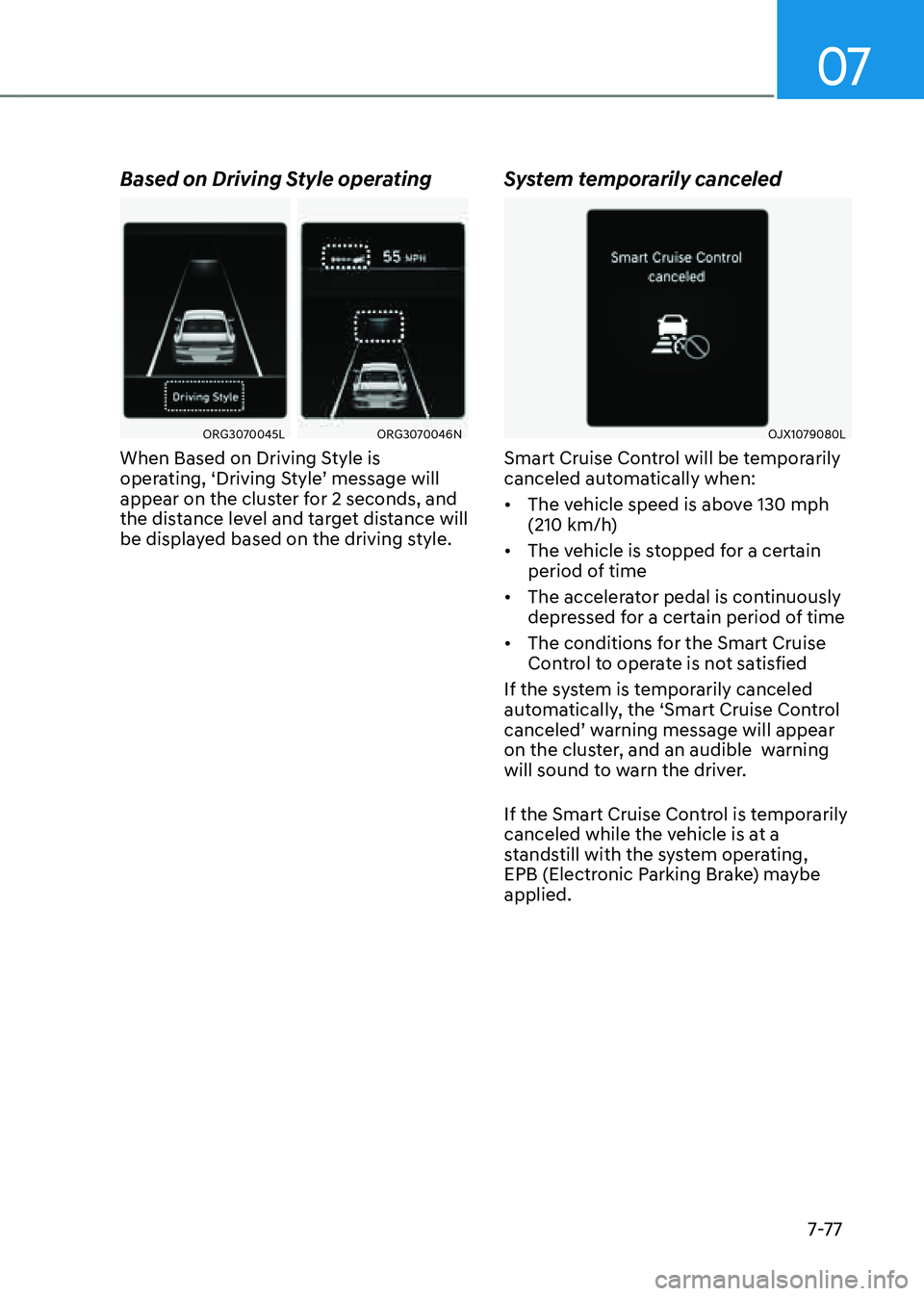
When Based on Driving Style is
operating, ‘Driving Style’ message will
appear on the cluster for 2 seconds, and
the distance level and target distance will
be displayed based on the driving style.
System temporarily canceled
OJX1079080L
Smart Cruise Control will be temporarily
canceled automatically when:
• The vehicle speed is above 130 mph
(210 km/h)
• The vehicle is stopped for a certain
period of time
• The accelerator pedal is continuously
depressed for a certain period of time
• The conditions for the Smart Cruise
Control to operate is not satisfied
If the system is temporarily canceled
automatically, the ‘Smart Cruise Control
canceled’ warning message will appear
on the cluster, and an audible warning
will sound to warn the driver.
If the Smart Cruise Control is temporarily
canceled while the vehicle is at a
standstill with the system operating,
EPB (Electronic Parking Brake) maybe
applied.
Page 406 of 604
Driver Assistance system
7-7 8
WARNING
When the system is temporarily
canceled, distance with the front
vehicle will not be maintained. Always
have your eyes on the road while
driving, and if necessary, depress the
brake pedal to reduce your driving
speed in order to maintain a safe
distance.
System conditions not satisfied
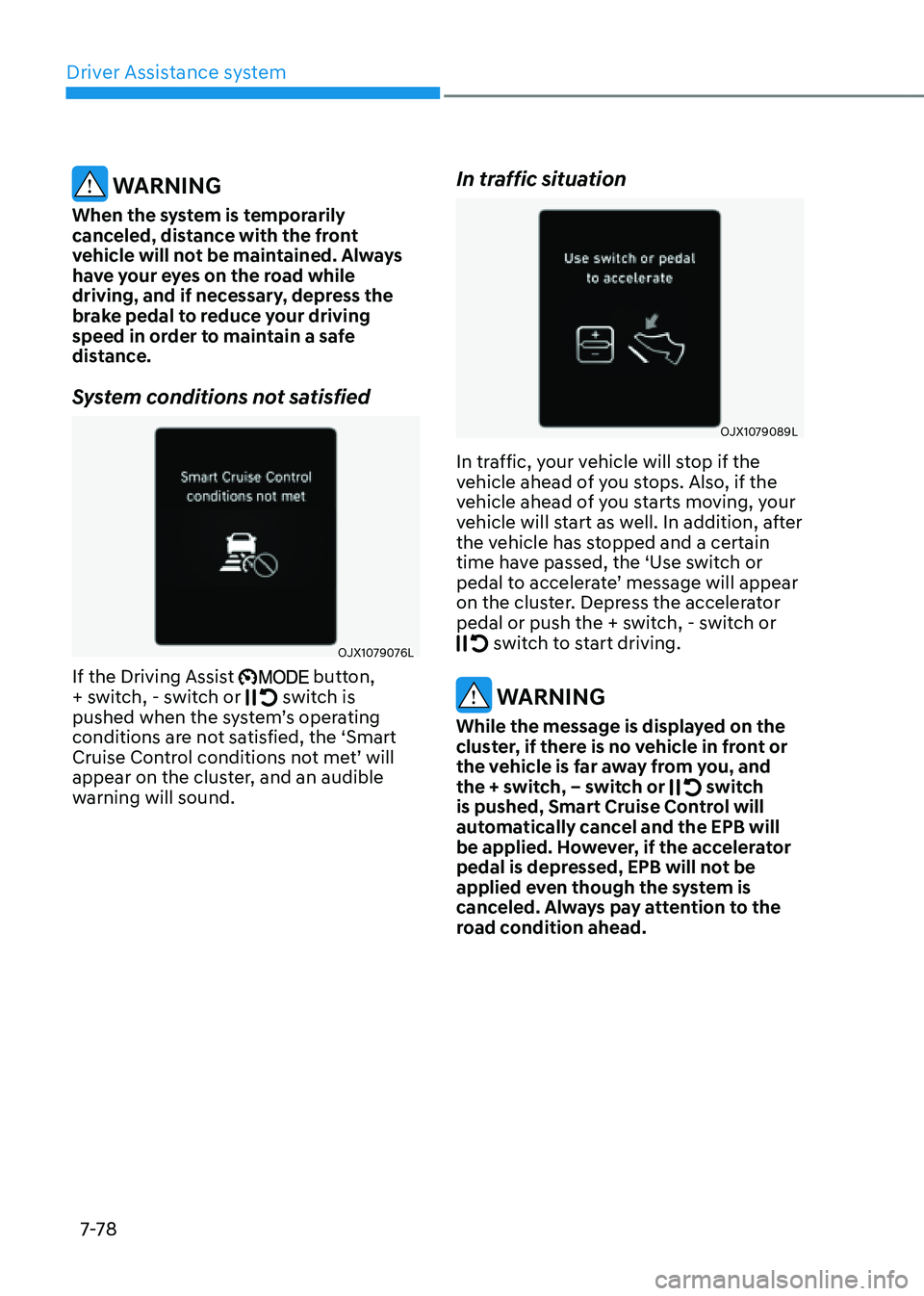
OJX1079076L
If the Driving Assist button,
+ switch, - switch or switch is pushed when the system’s operating
conditions are not satisfied, the ‘Smart
Cruise Control conditions not met’ will
appear on the cluster, and an audible
warning will sound.
In traffic situation
OJX1079089L
In traffic, your vehicle will stop if the
vehicle ahead of you stops. Also, if the
vehicle ahead of you starts moving, your
vehicle will start as well. In addition, after
the vehicle has stopped and a certain
time have passed, the ‘Use switch or
pedal to accelerate’ message will appear
on the cluster. Depress the accelerator
pedal or push the + switch, - switch or
switch to start driving.
WARNING
While the message is displayed on the
cluster, if there is no vehicle in front or
the vehicle is far away from you, and
the + switch, – switch or
switch is pushed, Smart Cruise Control will
automatically cancel and the EPB will
be applied. However, if the accelerator
pedal is depressed, EPB will not be
applied even though the system is
canceled. Always pay attention to the
road condition ahead.
Page 407 of 604

07
7-7 9
Warning road conditions ahead
ORG3070051L
In the following situation, the ‘Watch for
surrounding vehicles’ warning message
will appear on the cluster, and an audible
warning will sound to warn the driver of
road conditions ahead.
-The vehicle in front disappears when
Smart Cruise Control is maintaining
the distance with the vehicle ahead
while driving below a certain speed.
WARNING
Always pay attention to vehicles or
objects that may suddenly appear in
front of you, and if necessary, depress
the brake pedal to reduce your driving
speed in order to maintain a safe
distance.
Collision Warning
ORG3070001L
While Smart Cruise Control is operating,
when the collision risk with the vehicle
ahead is high, the ‘Collision Warning’
warning message will appear on the
cluster, and an audible warning will
sound to warn the driver. Always have
your eyes on the road while driving, and
if necessary, depress the brake pedal to
reduce your driving speed in order to
maintain a safe distance.
WARNING
In the following situations, Smart Cruise
Control may not warn the driver of a
collision.
-The distance from the front vehicle
is near, or the vehicle speed of the
front vehicle is faster or similar with
your vehicle
-The speed of the front vehicle is very
slow or is at a standstill
-The accelerator pedal is depressed
right after Smart Cruise Control is
turned on
Page 409 of 604

07
7-81
CAUTION
• The vehicle must be driven
sufficiently to reflect the actual
driving style of the driver, such as
inter-vehicle distance, acceleration
and reaction speed.
• Based on Driving style does not
reflect whether the driver has
changed when determining the
driver's driving style.
• If you are driving in special
conditions, such as snow, rain, fog
or steep slopes, the vehicle may not
be driven according to the driver’s
driving style.
Information
• Smart Cruise Control may not operate
for 15 seconds after the vehicle is
started or the front view camera or
front radar is initialized.
• You may hear a sound when the brake
is controlled by Smart Cruise Control.
• Based on Driving Style may not reflect
the driver’s driving style or driving
conditions that affects driving safety.
• Based on Driving Style does not reflect
any other driving style other than
inter-vehicle distance, acceleration and
reaction speed.
System Malfunction and
Limitations
System malfunction
OJX1079091L
When Smart Cruise Control is not working
properly, the ‘Check Smart Cruise Control
system’ warning message will appear, and
the
warning light will illuminate on the
cluster. Have the system inspected by an
authorized retailer of Genesis Branded
products.