tires GENESIS G80 2021 Owner's Manual
[x] Cancel search | Manufacturer: GENESIS, Model Year: 2021, Model line: G80, Model: GENESIS G80 2021Pages: 604, PDF Size: 11.47 MB
Page 13 of 604
 ........................................................................\
..................2-2
Exte")
2
2. Vehicle Information,
Consumer Information and
Reporting Safety Defects
Exterior Overview (I) ........................................................................\
..................2-2
Exterior Overview (II)
........................................................................\
.................2-3
Interior Overview (I)
........................................................................\
..................2-4
Instrument Panel Overview (I)
........................................................................\
.2-5
Instrument panel Overview (III)
.......................................................................2-6
Engine Compartment
........................................................................\
................2-7
Dimensions
........................................................................\
................................2-8
Engine
........................................................................\
........................................2-8
Bulb Wattage
........................................................................\
.............................2-9
Tires and Wheels
........................................................................\
......................2-10
Air Conditioning System
........................................................................\
...........2-11
Vehicle Weight and Luggage Volume
.............................................................2-11
Recommended Lubricants and Capacities
....................................................2-12Recommended SAE Viscosity Number .....................................................................2-13
Vehicle Identification Number (VIN) ..............................................................2-14
Vehicle Certification Label
........................................................................\
......2-14
Tire Specification and Pressure Label
............................................................2-14
Engine Number
........................................................................\
........................2-15
Air Conditioner Compressor Label
.................................................................2-15
Consumer Information
........................................................................\
............2-16
Reporting Safety Defects
........................................................................\
........2-17
Vehicle Information, Consumer Information and Reporting Safety Defects
Page 14 of 604
2-2
Vehicle Information, Consumer Information and Reporting Safety Defects
EXTERIOR OVERVIEW (I)
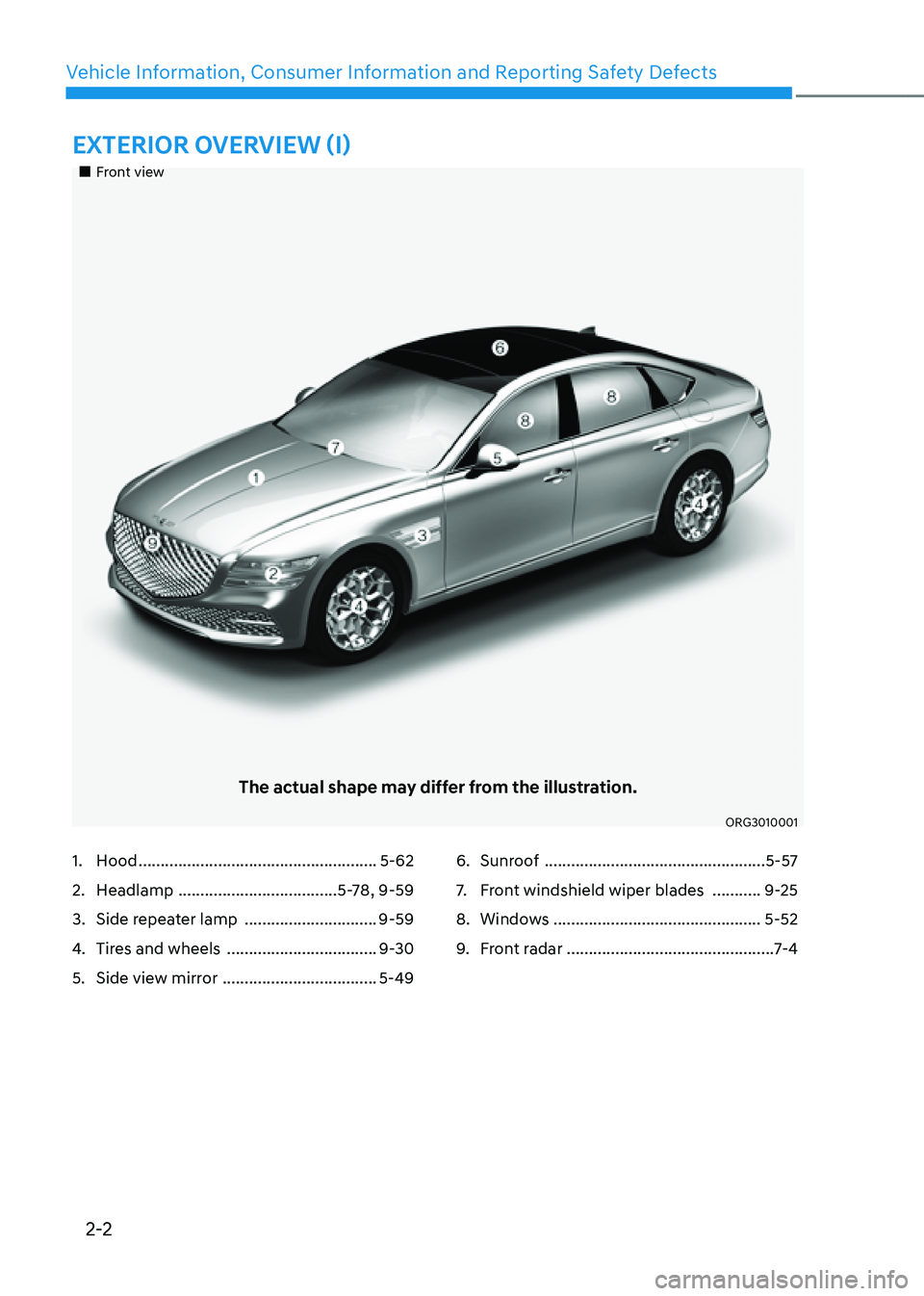
„„Front view
The actual shape may differ from the illustration.
ORG3010001
1. Hood ......................................................5-62
2. Headlamp ....................................5-78, 9-59
3. Side repeater lamp ..............................9-59
4. Tires and wheels ..................................9-30
5. Side view mirror ...................................5-49
6. Sunroof ..................................................5-57
7. Front windshield wiper blades ...........9-25
8. Windows ...............................................5-52
9. Front radar ............................................... 7-4
Page 22 of 604
![GENESIS G80 2021 Owners Manual Vehicle Information, Consumer Information and Reporting Safety Defects
2-10
ItemsTire sizeWheel size Inflation pressure psi (kPa)
Wheel bolt
torque [lbf·ft
(kgf·m, N·m)]
Normal load
Maximum
lo](/img/46/35612/w960_35612-21.png "GENESIS G80 2021 Owners Manual Vehicle Information, Consumer Information and Reporting Safety Defects
2-10
ItemsTire sizeWheel size Inflation pressure psi (kPa)
Wheel bolt
torque [lbf·ft
(kgf·m, N·m)]
Normal load
Maximum
lo")
Vehicle Information, Consumer Information and Reporting Safety Defects
2-10
ItemsTire sizeWheel size Inflation pressure psi (kPa)
Wheel bolt
torque [lbf·ft
(kgf·m, N·m)]
Normal load
Maximum
load
Front RearFront Rear
Full
size tire 18 in.
245/50R18
8.0J X 1836
(250) 36
(250) 38
(260) 38
(260)
101~116
(14~16, 137~157)
19 in.
245/45R19
8.5J X 1936
(250) -38
(260) -
275/40R19
9.5J X 19-36
(250) -38
(260)
20 in.
245/40R20 8.5J X 2038
(260) -40
(275) -
275/35R20
9.5J X 20-38
(260) -40
(275)
Compact
spare tireT135/70R19 4.0T X 1960
(420) 60
(420) 60
(420) 60
(420)
NOTICE
• It is permissible to add 3psi to the standard tire pressure specification if colder
temperatures are expected soon.
• Tires typically lose 1psi (7kPa) for every 12°F temperature drop. If extreme
temperature variations are expected, recheck your tire pressure as necessary to
keep them properly inflated.
• Tire inflation pressures will vary with changes in elevation. If driving in areas of
higher or lower elevation, be sure to check and adjust for proper tire inflation.
CAUTION
• When replacing tires, use the same size originally supplied with the vehicle.
• Using tires of a different size can damage the related parts or not work properly.
• When replacing tires, ALWAYS use the same size, type, construction and tread
pattern supplied with the vehicle for all tires.
TIRES AND WHEELS
Page 26 of 604
Vehicle Information, Consumer Information and Reporting Safety Defects
2-14
VEHICLE IDENTIFICATION
NUMBER (VIN)
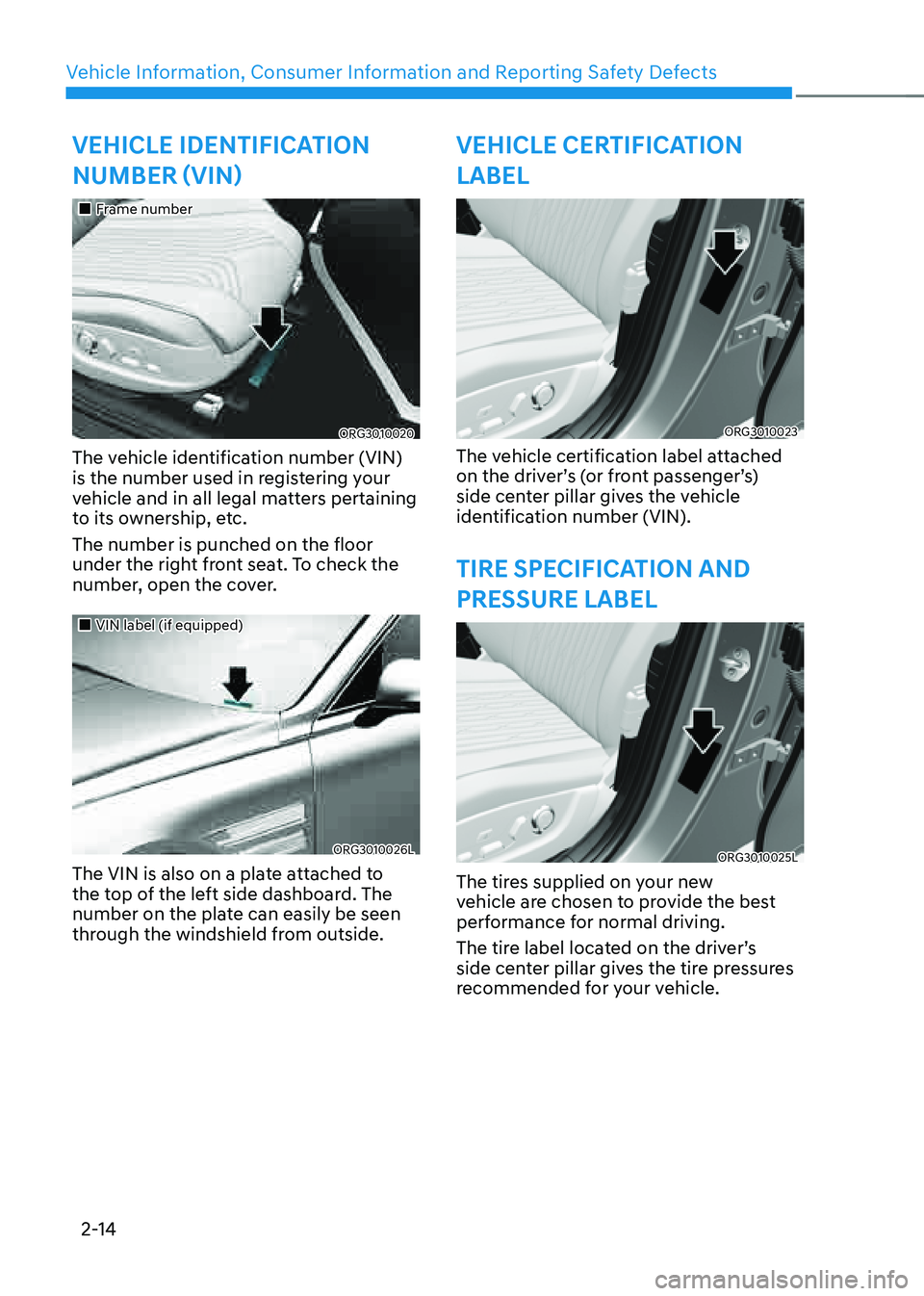
„„Frame number
ORG3010020
The vehicle identification number (VIN)
is the number used in registering your
vehicle and in all legal matters pertaining
to its ownership, etc.
The number is punched on the floor
under the right front seat. To check the
number, open the cover.
„„VIN label (if equipped)
ORG3010026L
The VIN is also on a plate attached to
the top of the left side dashboard. The
number on the plate can easily be seen
through the windshield from outside.
VEHICLE CERTIFICATION
LABEL
ORG3010023
The vehicle certification label attached
on the driver’s (or front passenger’s)
side center pillar gives the vehicle
identification number (VIN).
TIRE SPECIFICATION AND
PRESSURE LABEL
ORG3010025L
The tires supplied on your new
vehicle are chosen to provide the best
performance for normal driving.
The tire label located on the driver’s
side center pillar gives the tire pressures
recommended for your vehicle.
Page 101 of 604
03
3-71
System Malfunction
OIK037067L
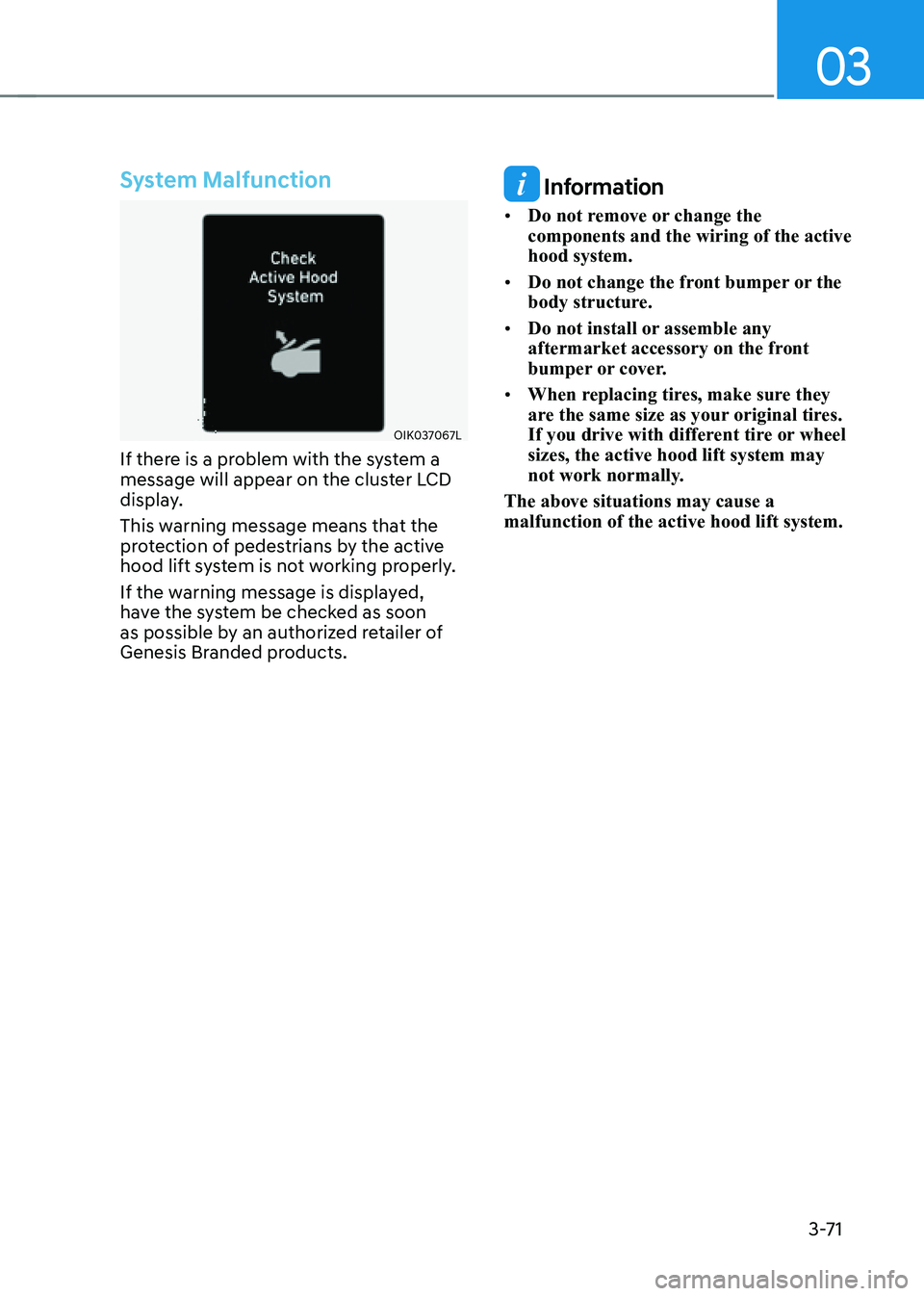
If there is a problem with the system a
message will appear on the cluster LCD
display.
This warning message means that the
protection of pedestrians by the active
hood lift system is not working properly.
If the warning message is displayed,
have the system be checked as soon
as possible by an authorized retailer of
Genesis Branded products.
Information
• Do not remove or change the
components and the wiring of the active
hood system.
• Do not change the front bumper or the
body structure.
• Do not install or assemble any
aftermarket accessory on the front
bumper or cover.
• When replacing tires, make sure they
are the same size as your original tires.
If you drive with different tire or wheel
sizes, the active hood lift system may
not work normally.
The above situations may cause a
malfunction of the active hood lift system.
Page 117 of 604
Instrument Cluster
4-16
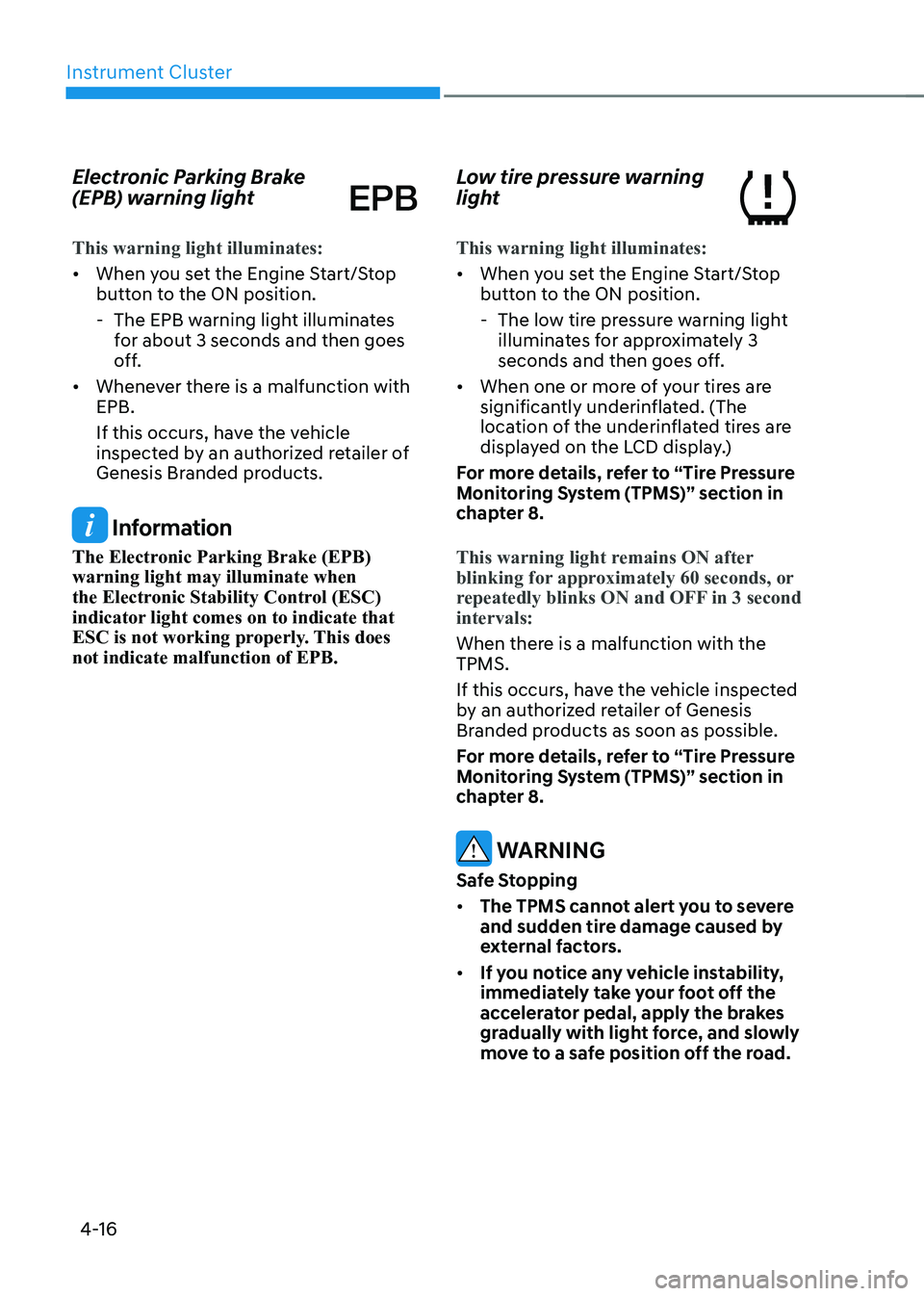
Electronic Parking Brake
(EPB) warning light
This warning light illuminates:
• When you set the Engine Start/Stop
button to the ON position.
-The EPB warning light illuminates
for about 3 seconds and then goes
off.
• Whenever there is a malfunction with
EPB.
If this occurs, have the vehicle
inspected by an authorized retailer of
Genesis Branded products.
Information
The Electronic Parking Brake (EPB)
warning light may illuminate when
the Electronic Stability Control (ESC)
indicator light comes on to indicate that
ESC is not working properly. This does
not indicate malfunction of EPB.
Low tire pressure warning
light
This warning light illuminates:
• When you set the Engine Start/Stop
button to the ON position.
-The low tire pressure warning light
illuminates for approximately 3
seconds and then goes off.
• When one or more of your tires are
significantly underinflated. (The
location of the underinflated tires are
displayed on the LCD display.)
For more details, refer to “Tire Pressure
Monitoring System (TPMS)” section in
chapter 8.
This warning light remains ON after
blinking for approximately 60 seconds, or
repeatedly blinks ON and OFF in 3 second
intervals:
When there is a malfunction with the
TPMS.
If this occurs, have the vehicle inspected
by an authorized retailer of Genesis
Branded products as soon as possible.
For more details, refer to “Tire Pressure
Monitoring System (TPMS)” section in
chapter 8.
WARNING
Safe Stopping
• The TPMS cannot alert you to severe
and sudden tire damage caused by
external factors.
• If you notice any vehicle instability,
immediately take your foot off the
accelerator pedal, apply the brakes
gradually with light force, and slowly
move to a safe position off the road.
Page 269 of 604
Driving Your Vehicle
6-4
Before Entering the Vehicle
• Be sure all windows, outside mirror(s),
and outside lights are clean and
unobstructed.
• Remove frost, snow, or ice.
• Visually check the tires for uneven
wear and damage.
• Check under the vehicle for any sign
of leaks.
• Be sure there are no obstacles behind
you if you intend to back up.
Before Starting
• Make sure the hood, the trunk, and
the doors are securely closed and
locked.
• Adjust the position of the seat and
steering wheel.
• Adjust the inside and outside rearview
mirrors.
• Verify all the lights work.
• Fasten your seat belt. Check that all
passengers have fastened their seat
belts.
• Check the gauges and indicators
in the instrument panel and the
messages on the instrument display
when the ignition switch is in the ON
position.
• Check that any items you are carrying
are stored properly or fastened down
securely.
WARNING
To reduce the risk of SERIOUS INJURY or
DEATH, take the following precautions:
• ALWAYS wear your seat belt. All
passengers must be properly belted
whenever the vehicle is moving.
For more information, refer to “Seat
Belts” section in chapter 3.
• Always drive defensively. Assume
other drivers or pedestrians may be
careless and make mistakes.
• Stay focused on the task of driving.
Driver distraction can cause
accidents.
• Leave plenty of space between you
and the vehicle in front of you.
WARNING
NEVER drink or take drugs and drive.
Drinking or taking drugs and driving
is dangerous and may result in an
accident and SERIOUS INJURY or
DEATH.
Drunk driving is the number one
contributor to the highway death
toll each year. Even a small amount
of alcohol will affect your reflexes,
perceptions and judgment. Just
one drink can reduce your ability to
respond to changing conditions and
emergencies and your reaction time
gets worse with each additional drink.
Driving while under the influence
of drugs is as dangerous or more
dangerous than driving under the
influence of alcohol.
You are much more likely to have a
serious accident if you drink or take
drugs and drive. If you are drinking or
taking drugs, don’t drive. Do not ride
with a driver who has been drinking
or taking drugs. Choose a designated
driver or call a taxi.
BEFORE DRIVING
Page 298 of 604
06
6-33
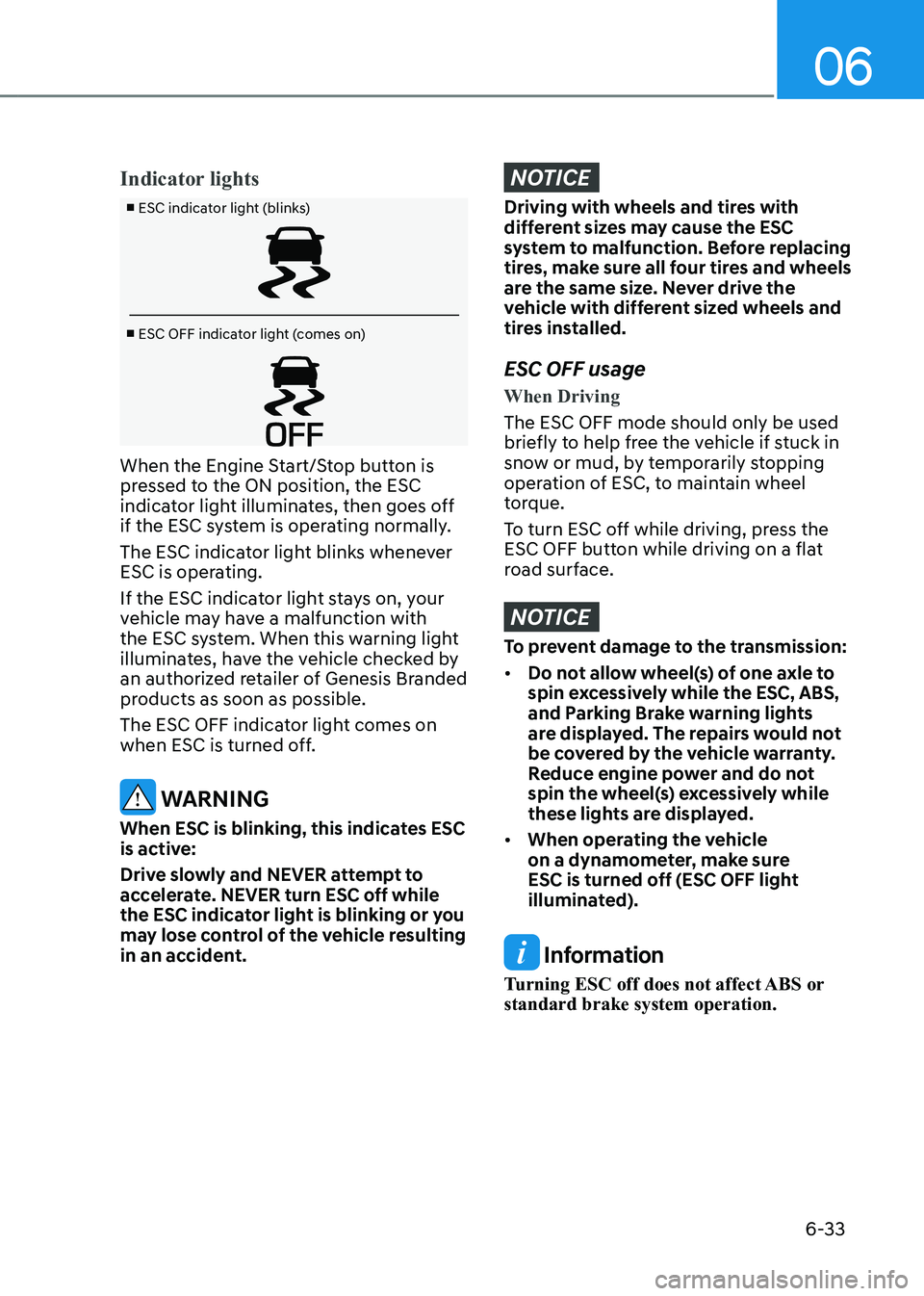
Indicator lights
■ ESC indicator light (blinks)
■ ESC OFF indicator light (comes on)
When the Engine Start/Stop button is
pressed to the ON position, the ESC
indicator light illuminates, then goes off
if the ESC system is operating normally.
The ESC indicator light blinks whenever
ESC is operating.
If the ESC indicator light stays on, your
vehicle may have a malfunction with
the ESC system. When this warning light
illuminates, have the vehicle checked by
an authorized retailer of Genesis Branded
products as soon as possible.
The ESC OFF indicator light comes on
when ESC is turned off.
WARNING
When ESC is blinking, this indicates ESC
is active:
Drive slowly and NEVER attempt to
accelerate. NEVER turn ESC off while
the ESC indicator light is blinking or you
may lose control of the vehicle resulting
in an accident.
NOTICE
Driving with wheels and tires with
different sizes may cause the ESC
system to malfunction. Before replacing
tires, make sure all four tires and wheels
are the same size. Never drive the
vehicle with different sized wheels and
tires installed.
ESC OFF usage
When Driving
The ESC OFF mode should only be used
briefly to help free the vehicle if stuck in
snow or mud, by temporarily stopping
operation of ESC, to maintain wheel
torque.
To turn ESC off while driving, press the
ESC OFF button while driving on a flat
road surface.
NOTICE
To prevent damage to the transmission:
• Do not allow wheel(s) of one axle to
spin excessively while the ESC, ABS,
and Parking Brake warning lights
are displayed. The repairs would not
be covered by the vehicle warranty.
Reduce engine power and do not
spin the wheel(s) excessively while
these lights are displayed.
• When operating the vehicle
on a dynamometer, make sure
ESC is turned off (ESC OFF light
illuminated).
Information
Turning ESC off does not affect ABS or
standard brake system operation.
Page 299 of 604
Driving Your Vehicle
6-34
Vehicle Stability Management
(VSM)
Vehicle Stability Management is a
function of the Electronic Stability
Control (ESC) system. It helps the vehicle
stay stable when accelerating or braking
suddenly on wet, slippery and rough
roads where traction over the four tires
can suddenly become uneven.
WARNING
Take the following precautions when
using Vehicle Stability Management:
• ALWAYS check the speed and the
distance to the vehicle ahead. VSM
is not a substitute for safe driving
practices.
• Never drive too fast for the road
conditions. VSM will not prevent
accidents. Excessive speed in bad
weather, on slippery and uneven
roads can result in severe accidents.
VSM operation
VSM ON condition
VSM operates when:
• Electronic Stability Control (ESC) is on.
• Vehicle speed is approximately above
9 mph (15 km/h) on curve roads.
• Vehicle speed is approximately above
12 mph (20 km/h) when the vehicle is
braking on rough roads.
When operating
When you apply your brakes under
conditions which may activate ESC, you
may hear sounds from the brakes, or feel
a corresponding sensation in the brake
pedal. This is normal and it means your
VSM is active.
Information
VSM does not operate when:
• Driving on a banked road such as
gradient or incline.
• Driving in reverse.
• The ESC OFF indicator light is on.
• The EPS (Electric power steering)
warning light () is on or blinks.
Page 300 of 604
06
6-35
VSM OFF condition
To cancel VSM operation, press the ESC
OFF button. ESC OFF (
) indicator light
will illuminate.
To turn on VSM, press the ESC OFF
button again. The ESC OFF indicator light
will go out.
WARNING
If the ESC () indicator light or EPS
() warning light stays illuminated
or blinks, your vehicle may have a
malfunction with the VSM system.
When the warning light illuminates,
have the vehicle checked by an
authorized retailer of Genesis Branded
products as soon as possible.
NOTICE
Driving with wheels and tires with
different sizes may cause the VSM
system to malfunction. Before replacing
tires, make sure all four tires and wheels
are the same size. Never drive the
vehicle with different sized tires and
wheels installed.
Hill-Start Assist Control (HAC)
Hill-Start Assist Control helps prevent
the vehicle from rolling backwards
when starting a vehicle from a stop on
a hill. The system operates the brakes
automatically for approximately 5
seconds and releases the brake after 5
seconds or when the accelerator pedal is
depressed.
WARNING
Always be ready to depress the
accelerator pedal when starting off
an incline. Hill-Start Assist Control
activates only for approximately 5
seconds.
Information
• Hill-Start Assist Control does not
operate when the gear is shifted to P
(Park) or N (Neutral).
• Hill-Start Assist Control activates even
when the ESC (Electronic Stability
Control) is off. However, it does not
activate, when ESC does not operate
normally.