tires GENESIS G90 2017 User Guide
[x] Cancel search | Manufacturer: GENESIS, Model Year: 2017, Model line: G90, Model: GENESIS G90 2017Pages: 524, PDF Size: 19.3 MB
Page 363 of 524
5-102
Driving your vehicle
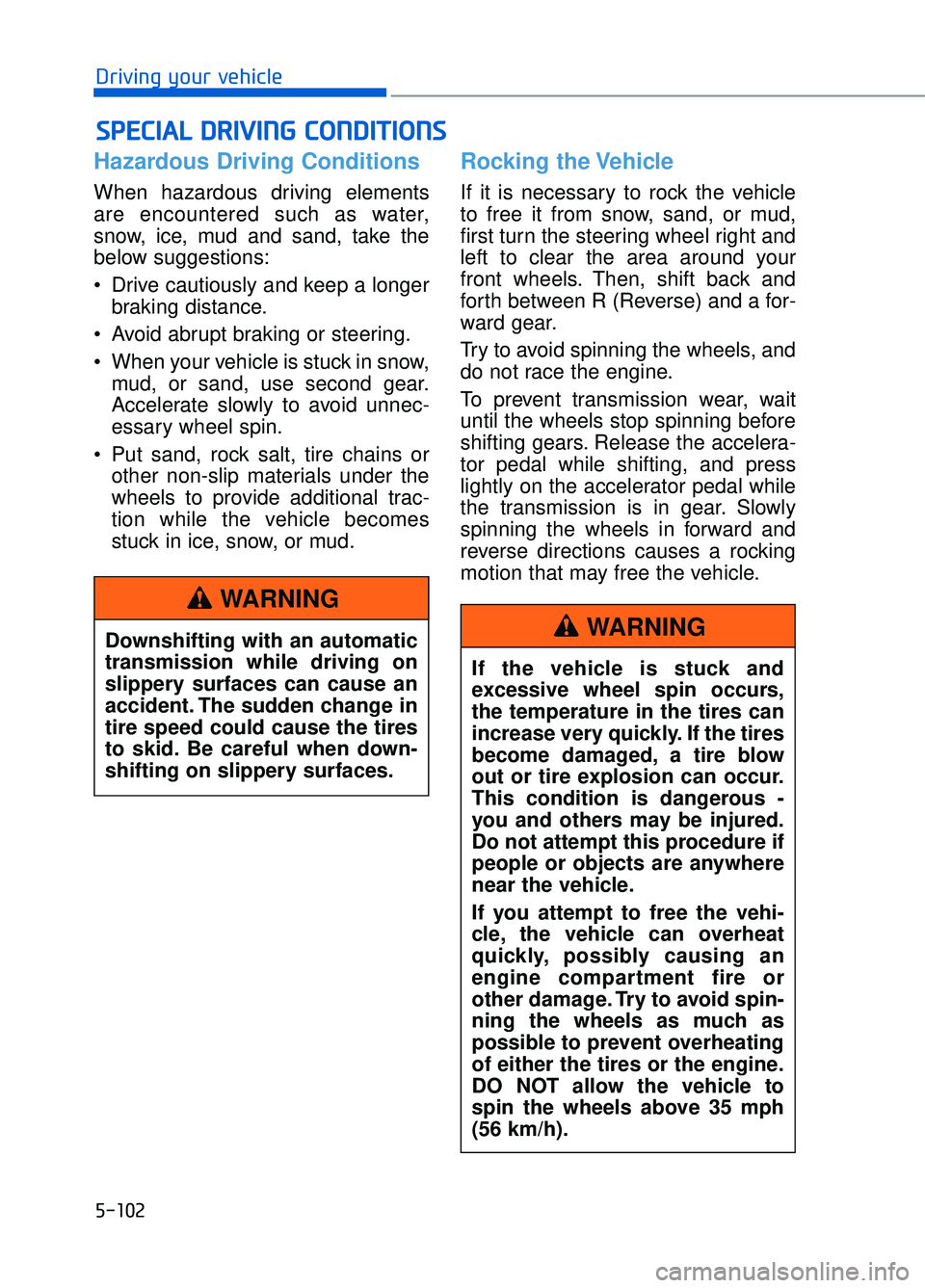
Hazardous Driving Conditions
When hazardous driving elements
are encountered such as water,
snow, ice, mud and sand, take the
below suggestions:
Drive cautiously and keep a longerbraking distance.
Avoid abrupt braking or steering.
When your vehicle is stuck in snow, mud, or sand, use second gear.
Accelerate slowly to avoid unnec-
essary wheel spin.
Put sand, rock salt, tire chains or other non-slip materials under the
wheels to provide additional trac-
tion while the vehicle becomes
stuck in ice, snow, or mud.
Rocking the Vehicle
If it is necessary to rock the vehicle
to free it from snow, sand, or mud,
first turn the steering wheel right and
left to clear the area around your
front wheels. Then, shift back and
forth between R (Reverse) and a for-
ward gear.
Try to avoid spinning the wheels, and
do not race the engine.
To prevent transmission wear, wait
until the wheels stop spinning before
shifting gears. Release the accelera-
tor pedal while shifting, and press
lightly on the accelerator pedal while
the transmission is in gear. Slowly
spinning the wheels in forward and
reverse directions causes a rocking
motion that may free the vehicle.
S SP
P E
EC
CI
IA
A L
L
D
D R
RI
IV
V I
IN
N G
G
C
C O
O N
ND
DI
IT
T I
IO
O N
NS
S
Downshifting with an automatic
transmission while driving on
slippery surfaces can cause an
accident. The sudden change in
tire speed could cause the tires
to skid. Be careful when down-
shifting on slippery surfaces.
WARNING
If the vehicle is stuck and
excessive wheel spin occurs,
the temperature in the tires can
increase very quickly. If the tires
become damaged, a tire blow
out or tire explosion can occur.
This condition is dangerous -
you and others may be injured.
Do not attempt this procedure if
people or objects are anywhere
near the vehicle.
If you attempt to free the vehi-
cle, the vehicle can overheat
quickly, possibly causing an
engine compartment fire or
other damage. Try to avoid spin-
ning the wheels as much as
possible to prevent overheating
of either the tires or the engine.
DO NOT allow the vehicle to
spin the wheels above 35 mph
(56 km/h).
WARNING
Page 364 of 524
5-103
05
Information
The ESC system must be turned OFF
before rocking the vehicle.
If you are still stuck after rocking
the vehicle a few times, have the
vehicle pulled out by a tow vehicle
to avoid engine overheating, pos-
sible damage to the transmission,
and tire damage. See "Towing" in
chapter 6.
Smooth Cornering
Avoid braking or gear changing in
corners, especially when roads are
wet. Ideally, corners should always
be taken under gentle acceleration.
Driving at Night
Night driving presents more hazards
than driving in the daylight. Here are
some important tips to remember:
Slow down and keep more dis-tance between you and other vehi-
cles, as it may be more difficult to
see at night, especially in areas
where there may not be any street
lights.
Adjust your mirrors to reduce the glare from other driver's head-
lamps.
Keep your headlamps clean and properly aimed. Dirty or improperly
aimed headlamps will make it
much more difficult to see at night.
Avoid staring directly at the head- lamps of oncoming vehicles. You
could be temporarily blinded, and it
will take several seconds for your
eyes to readjust to the darkness.
Driving in the Rain
Rain and wet roads can make driving
dangerous. Here are a few things to
consider when driving in the rain or
on slick pavement:
Slow down and allow extra follow-ing distance. A heavy rainfall
makes it harder to see and increas-
es the distance needed to stop
your vehicle.
Turn OFF your Cruise Control.
Replace your windshield wiper blades when they show signs of
streaking or missing areas on the
windshield.
Be sure your tires have enough tread. If your tires do not have
enough tread, making a quick stop
on wet pavement can cause a skid
and possibly lead to an accident.
See "Tire Tread" in chapter 7.
Turn on your headlamps to make it easier for others to see you.
Driving too fast through large pud- dles can affect your brakes. If you
must go through puddles, try to
drive through them slowly.
If you believe your brakes may be wet, apply them lightly while driv-
ing until normal braking operation
returns.
Hydroplaning
If the road is wet enough and you are
going fast enough, your vehicle may
have little or no contact with the road
surface and actually ride on the
water. The best advice is SLOW
DOWN when the road is wet.
The risk of hydroplaning increases
as the depth of tire tread decreas-
es, refer to "Tire Tread" in chapter 7.
NOTICE
i
Page 365 of 524
5-104
Driving your vehicle
Driving in Flooded Areas
Avoid driving through flooded areas
unless you are sure the water is no
higher than the bottom of the wheel
hub. Drive through any water slowly.
Allow adequate stopping distance
because brake performance may be
reduced.
After driving through water, dry the
brakes by gently applying them sev-
eral times while the vehicle is moving
slowly.
Highway Driving
Tires
Adjust the tire inflation, as specified.
Under-inflation may overheat or
damage the tires.
Do not install worn-out or damaged
tires, which may reduce traction or
fail the braking operation.
Information
Never over-inflate your tires above the
maximum inflation pressure, as speci-
fied on your tires.
Fuel, engine coolant and engineoil
Driving at higher speeds on the high-
way consumes more fuel and is less
efficient than driving at a slower,
more moderate speed. Maintain a
moderate speed in order to conserve
fuel when driving on the highway.
Be sure to check both the engine
coolant level and the engine oil
before driving.
Drive belt
A loose or damaged drive belt may
overheat the engine.
i
Utility vehicles have a signifi-
cantly higher rollover rate than
other types of vehicles. To pre-
vent rollovers or loss of control:
Take corners at slower speeds
than you would with a passen-
ger vehicle.
Avoid sharp turns and abrupt maneuvers.
Do not modify your vehicle in any way that you would raise
the center of gravity.
Keep tires properly inflated.
Do not carry heavy cargo on the roof.
WARNING
In a rollover crash, an unbelted
person is significantly more
likely to die than a person wear-
ing a seat belt. Make sure all
passengers are wearing their
seat belts.
WARNING
Page 366 of 524
5-105
05
The severe weather conditions of winter quickly wear out tires and cause
other problems. To minimize winter driving problems, you should take the fol-
lowing suggestions:
Snow or Icy Conditions
You need to keep sufficient distance between your vehicle and the vehicle in
front of you.
Apply the brakes gently. Speeding, rapid acceleration, sudden brake applica-
tions, and sharp turns are potentially very hazardous practices. During decel-
eration, use engine braking to the fullest extent. Sudden brake applications on
snowy or icy roads may cause the vehicle to skid.
To drive your vehicle in deep snow, it may be necessary to use snow tires or
to install tire chains on your tires.
Always carry emergency equipment. Some of the items you may want to carry
include tire chains, tow straps or chains, a flashlight, emergency flares, sand,
a shovel, jumper cables, a window scraper, gloves, ground cloth, coveralls, a
blanket, etc.
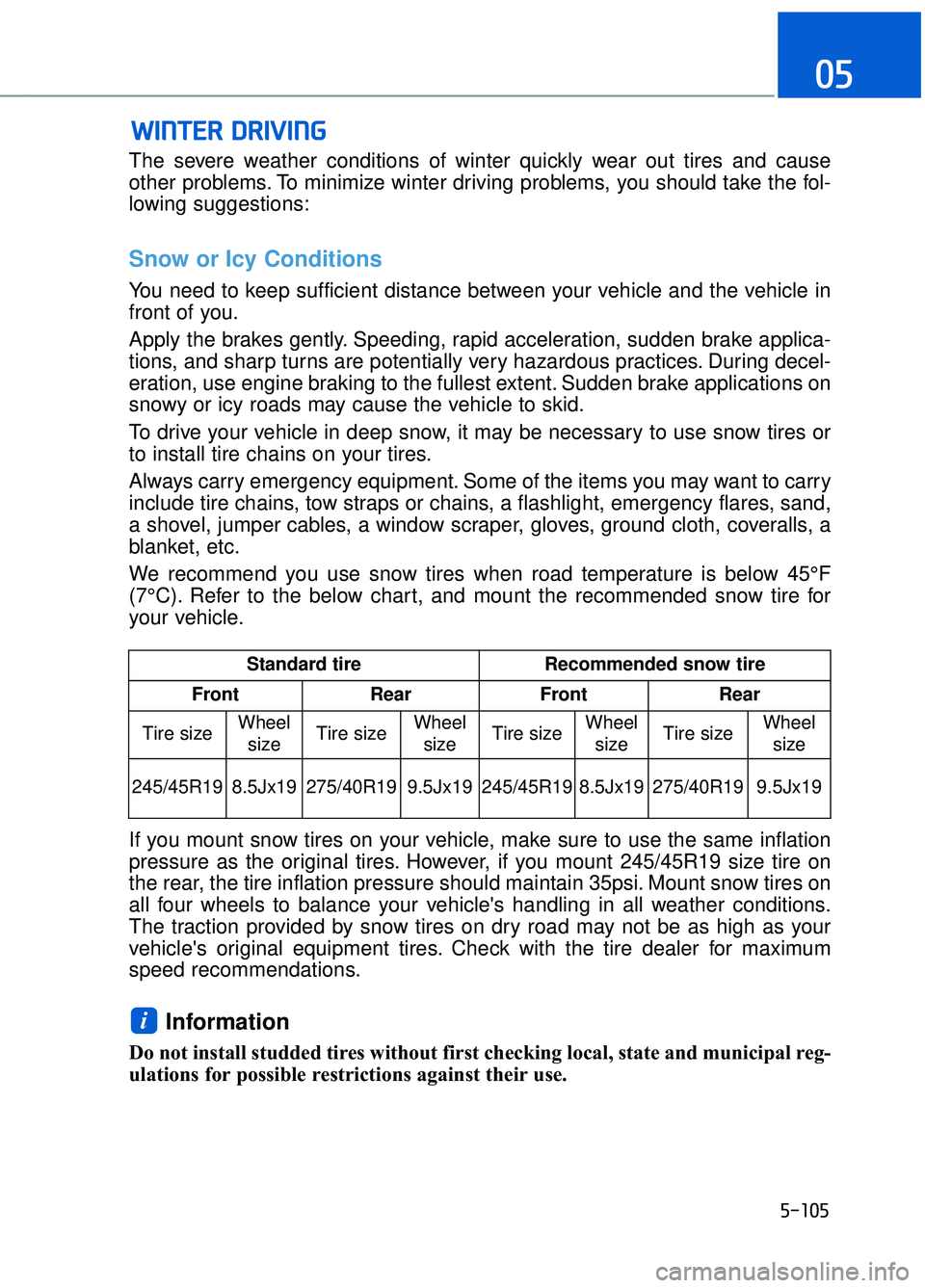
We recommend you use snow tires when road temperature is below 45°F
(7°C). Refer to the below chart, and mount the recommended snow tire for
your vehicle.
If you mount snow tires on your vehicle, make sure to use the same inflation
pressure as the original tires. However, if you mount 245/45R19 size tire on
the rear, the tire inflation pressure should maintain 35psi. Mount snow tires on
all four wheels to balance your vehicle's handling in all weather conditions.
The traction provided by snow tires on dry road may not be as high as your
vehicle's original equipment tires. Check with the tire dealer for maximum
speed recommendations.
Information
Do not install studded tires without first checking local, state and municipal reg-
ulations for possible restrictions against their use.
i
W WI
IN
N T
TE
ER
R
D
D R
RI
IV
V I
IN
N G
G
Standard tire Recommended snow tire
Front Rear Front Rear
Tire size Wheel
size Tire size Wheel
size Tire size
Wheel
size Tire size Wheel
size
245/45R19 8.5Jx19 275/40R19 9.5Jx19 245/45R19
8.5Jx19 275/40R19 9.5Jx19
Page 367 of 524

5-106
Driving your vehicle
Tire chains
Since the sidewalls on some radial
tires are thinner than other types of
tires, they may be damaged by
mounting certain types of tire chains
on them. Do not mount tire chains on
vehicles equipped with aluminum
wheels; if unavoidable use AutoSock
®
(fabric snow chain or similar). Install
the tire chain after reviewing the
instructions provided with the tire
chains. Damage to your vehicle
caused by improper tire chain use is
not covered by your vehicle manu-
facturer’s warranty. AutoSock
®is a Registered trade-
mark of AutoSock.
Information
• Install AutoSock®(fabric snow
chain) on the rear tires. It should be
noted that installing AutoSock
®
(fabric snow chain) on the tires will
provide a greater driving force, but
will not prevent side skids.
• Do not install studded tires without first checking local, state and
municipal regulations for possible
restrictions against their use.
i
OHI056076
The use of AutoSock®(fabric
snow chain) may adversely
affect vehicle handling:
Drive less than 20 mph (30 km/h) or the chain manufac-
turer's recommended speed
limit, whichever is lower.
Drive carefully and avoid bumps, holes, sharp turns,
and other road hazards, which
may cause the vehicle to
bounce.
Avoid sharp turns or locked wheel braking.
WARNING
Page 374 of 524

5-113
05
Certification label
The certification label is located on
the driver's door sill at the center pil-
lar and shows the maximum allow-
able weight of the fully loaded vehi-
cle. This is called the GVWR (Gross
Vehicle Weight Rating). The GVWR
includes the weight of the vehicle, all
occupants, fuel and cargo.
This label also tells you the maxi-
mum weight that can be supported
by the front and rear axles, called
Gross Axle Weight Rating (GAWR).
The total weight of the vehicle,
including all occupants, accessories,
cargo, and trailer tongue load must
not exceed the Gross Vehicle Weight
Rating (GVWR) or the Gross Axle
Weight Rating (GAWR). To find out
the actual loads on your front and
rear axles, you need to go to a weigh
station and weigh your vehicle. Be
sure to spread out your load equally
on both sides of the centerline.Overloading your vehicle may
cause damage. Repairs would not
be covered by your warranty. Do
not overload your vehicle.
NOTICE
OBH059070
Overloading
Never exceed the GVWR for
your vehicle, the GAWR for
either the front or rear axle
and vehicle capacity weight.
Exceeding these ratings can
affect your vehicle's handling
and braking ability, and cause
an accident.
Do not overload your vehicle. Overloading your vehicle can
cause heat buildup in your
vehicle's tires and possible
tire failure, increased stop-
ping distances and poor vehi-
cle handling-all of which may
result in a crash.
WARNING
Page 386 of 524
6-11
06
Tire Pressure Monitoring
System
Each tire, including the spare (if pro-
vided), should be checked monthly
when cold and inflated to the inflation
pressure recommended by the vehi-
cle manufacturer on the vehicle plac-
ard or tire inflation pressure label. (If
your vehicle has tires of a different
size than the size indicated on the
vehicle placard or tire inflation pres-
sure label, you should determine the
proper tire inflation pressure for
those tires.)
As an added safety feature, your
vehicle has been equipped with a tire
pressure monitoring system (TPMS)
that illuminates a low tire pressure
telltale when one or more of your
tires is significantly under-inflated.
Accordingly, when the low tire pres-
sure telltale illuminates, you should
stop and check your tires as soon as
possible, and inflate them to the
proper pressure. Driving on a signifi-
cantly under-inflated tire causes the
tire to overheat and can lead to tire
failure.
Under-inflation also reduces fuel effi-
ciency and tire tread life, and may
affect the vehicle’s handling and
stopping ability.Please note that the TPMS is not a
substitute for proper tire mainte-
nance, and it is the driver’s responsi-
bility to maintain correct tire pres-
sure, even if under-inflation has not
reached the level to trigger illumina-
tion of the TPMS low tire pressure
telltale.
Your vehicle has also been equipped
with a TPMS malfunction indicator to
indicate when the system is not oper-
ating properly. The TPMS malfunc-
tion indicator is combined with the
low tire pressure telltale. When the
system detects a malfunction, the
telltale will flash for approximately
one minute and then remain continu-
ously illuminated. This sequence will
continue upon subsequent vehicle
start-ups as long as the malfunction
exists.
When the malfunction indicator is
illuminated, the system may not be
able to detect or signal low tire pres-
sure as intended. TPMS malfunc-
tions may occur for a variety of rea-
sons, including the installation of
replacement or alternate tires or
wheels on the vehicle that prevent
the TPMS from functioning properly.
Always check the TPMS malfunction
telltale after replacing one or more
tires or wheels on your vehicle to
ensure that the replacement or alter-
nate tires and wheels allow the
TPMS to continue to function proper-
ly.
Over-inflation or under-inflation
can reduce tire life, adversely
affect vehicle handling, and
lead to sudden tire failure that
may cause loss of vehicle con-
trol resulting in an accident.
WARNING
Page 387 of 524
6-12
What to do in an emergency
Information
If any of the below happens, have the
system checked by an authorized
Dealer of Genesis Brand Products.
1. The Low Tire Pressure Telltale/TPMS Malfunction Indicator does
not illuminate for 3 seconds when
the Engine Start/Stop button is
turned to the ON position or engine
is running.
2. The TPMS Malfunction Indicator remains illuminated after blinking
for approximately 1 minute.
3. The Low Tire Pressure Position Telltale remains illuminated.
Low Tire Pressure
Telltale
Low Tire
Pressure LCD
Display with
Position
Indicator
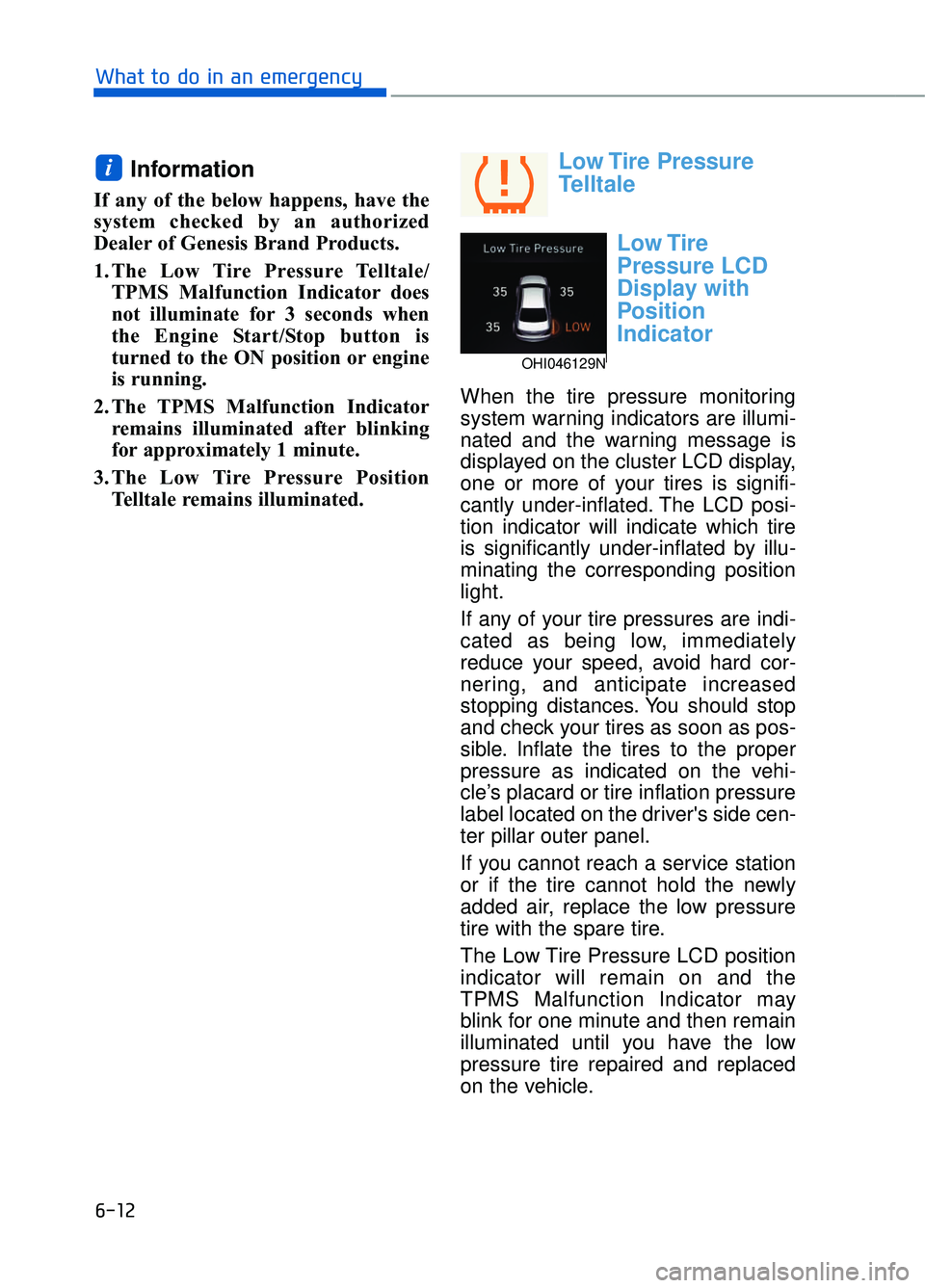
When the tire pressure monitoring
system warning indicators are illumi-
nated and the warning message is
displayed on the cluster LCD display,
one or more of your tires is signifi-
cantly under-inflated. The LCD posi-
tion indicator will indicate which tire
is significantly under-inflated by illu-
minating the corresponding position
light.
If any of your tire pressures are indi-
cated as being low, immediately
reduce your speed, avoid hard cor-
nering, and anticipate increased
stopping distances. You should stop
and check your tires as soon as pos-
sible. Inflate the tires to the proper
pressure as indicated on the vehi-
cle’s placard or tire inflation pressure
label located on the driver's side cen-
ter pillar outer panel.
If you cannot reach a service station
or if the tire cannot hold the newly
added air, replace the low pressure
tire with the spare tire.
The Low Tire Pressure LCD position
indicator will remain on and the
TPMS Malfunction Indicator may
blink for one minute and then remain
illuminated until you have the low
pressure tire repaired and replaced
on the vehicle.
i
OHI046129N
Page 388 of 524
6-13
06
Information
The spare tire is not equipped with a
tire pressure sensor.
In winter or cold weather, the Low
Tire Pressure Telltale may be illu-
minated if the tire pressure was
adjusted to the recommended tire
inflation pressure in warm weather.
It does not mean your TPMS is mal-
functioning because the decreased
temperature leads to a proportion-
al lowering of tire pressure.
When you drive your vehicle from
a warm area to a cold area or from
a cold area to a warm area, or the
outside temperature is greatly
higher or lower, you should check
the tire inflation pressure and
adjust the tires to the recommend-
ed tire inflation pressure.
TPMS Malfunction
Indicator
The TPMS Malfunction Indicator will
illuminate after it blinks for approxi-
mately one minute when there is a
problem with the Tire Pressure
Monitoring System.
Have the system checked by an
authorized Dealer of Genesis Brand
Products as soon as possible.
Information
If there is a malfunction with the
TPMS, the individual tire pressures in
the cluster LCD display will not be
available. Have the system checked by
an authorized Dealer of Genesis
Brand Products as soon as possible.
The TPMS Malfunction Indicator
may illuminate after blinking for
one minute if the vehicle is near
electric power supply cables or
radio transmitters such as police
stations, government and public
offices, broadcasting stations,
military installations, airports,
transmitting towers, etc.
Additionally, the TPMS Malfunction
Indicator may illuminate if snow
chains are used or electronic
devices such as computers, charg-
ers, remote starters, navigation,
etc. This may interfere with normal
operation of the TPMS.
NOTICE
i
NOTICE
i
Low pressure damage
Significantly low tire pressure
makes the vehicle unstable and
can contribute to loss of vehicle
control and increased braking
distances.
Continued driving on low pres-
sure tires can cause the tires to
overheat and fail.
WARNING
Page 389 of 524
6-14
What to do in an emergency
Changing a Tire with TPMS
If you have a flat tire, the Low Tire
Pressure and LCD position indicator
will come on. Have the flat tire
repaired by an authorized Dealer of
Genesis Brand Products as soon as
possible or replace the flat tire with
the spare tire.
Never use a puncture-repairing
agent not approved by Dealer of
Genesis Brand Products to repair
and/or inflate a low pressure tire.
Tire sealant not approved by
Dealer of Genesis Brand Products
may damage the tire pressure
sensor.
The spare tire does not come with a
tire pressure monitoring sensor.
When the low pressure tire or the flat
tire is replaced with the spare tire,
the Low Tire Pressure LCD position
indicator will remain on. Also, the
TPMS Malfunction Indicator will illu-
minate after blinking for one minute if
the vehicle is driven at speed above
15.5 mph (25 km/h) for approximate-
ly 20 minutes.
Once the original tire equipped with
a tire pressure monitoring sensor is
reinflated to the recommended pres-
sure and reinstalled on the vehicle,
the Low Tire Pressure LCD position
indicator and TPMS Malfunction
Indicator will go off within a few min-
utes of driving.
If the indicators do not disappear
after a few minutes, please visit an
authorized Dealer of Genesis Brand
Products.Each wheel is equipped with a tire
pressure sensor mounted inside the
tire behind the valve stem (except for
the spare tire). You must use TPMS
specific wheels. It is recommended
that you always have your tires serv-
iced by an authorized Dealer of
Genesis Brand Products.
A cold tire means the vehicle has
been sitting for 3 hours and driven for
less than 1 mile (1.6 km) in that 3
hour period.
Allow the tire to cool before measur-
ing the inflation pressure. Always be
sure the tire is cold before inflating to
the recommended pressure.
NOTICE
The TPMS cannot alert you to
severe and sudden tire dam-
age caused by external fac-
tors such as nails or road
debris.
If you feel any vehicle instabil- ity, immediately take your foot
off the accelerator, apply the
brakes gradually with light
force, and slowly move to a
safe position off the road.
CAUTION