GENESIS GV70 2023 Owners Manual
Manufacturer: GENESIS, Model Year: 2023, Model line: GV70, Model: GENESIS GV70 2023Pages: 637
Page 171 of 637
05
5-35
Automatic Door Lock and Unlock
Features
Your vehicle is equipped with features
that will automatically lock or unlock
your vehicle based on settings you select
in the infotainment system screen.
Auto LOCK Enable on speed
When this feature is set in the
infotainment system screen, all the doors
will be locked automatically when the
vehicle exceeds 9 mph (15 km/h).
Auto LOCK Enable on shift
When this feature is set in the
infotainment system screen, all the doors
will be locked automatically when the
vehicle is shifted out of P (Park) while the
engine is running.
Auto UNLOCK On Shift to P
When this feature is set in the
infotainment system screen, all the doors
will be unlocked automatically when the
vehicle is shifted back into P (Park) while
the engine is running.
Auto UNLOCK Vehicle off
When this feature is set in the
infotainment system screen, all the doors
will be unlocked automatically when the
vehicle is turned off.
See additional information in supplied
Infotainment Manual.
Additional unlock safety feature air
bag deployment
As an additional safety feature, all doors
will be automatically unlocked when an
impact causes the air bags to deploy.
Child-Protector Rear Door Locks
(if equipped)
OJK051221NOJK051221N
The child safety lock is provided to help
prevent children seated in the rear from
accidentally opening the rear doors. The
rear door safety locks should be used
whenever children are in the vehicle.
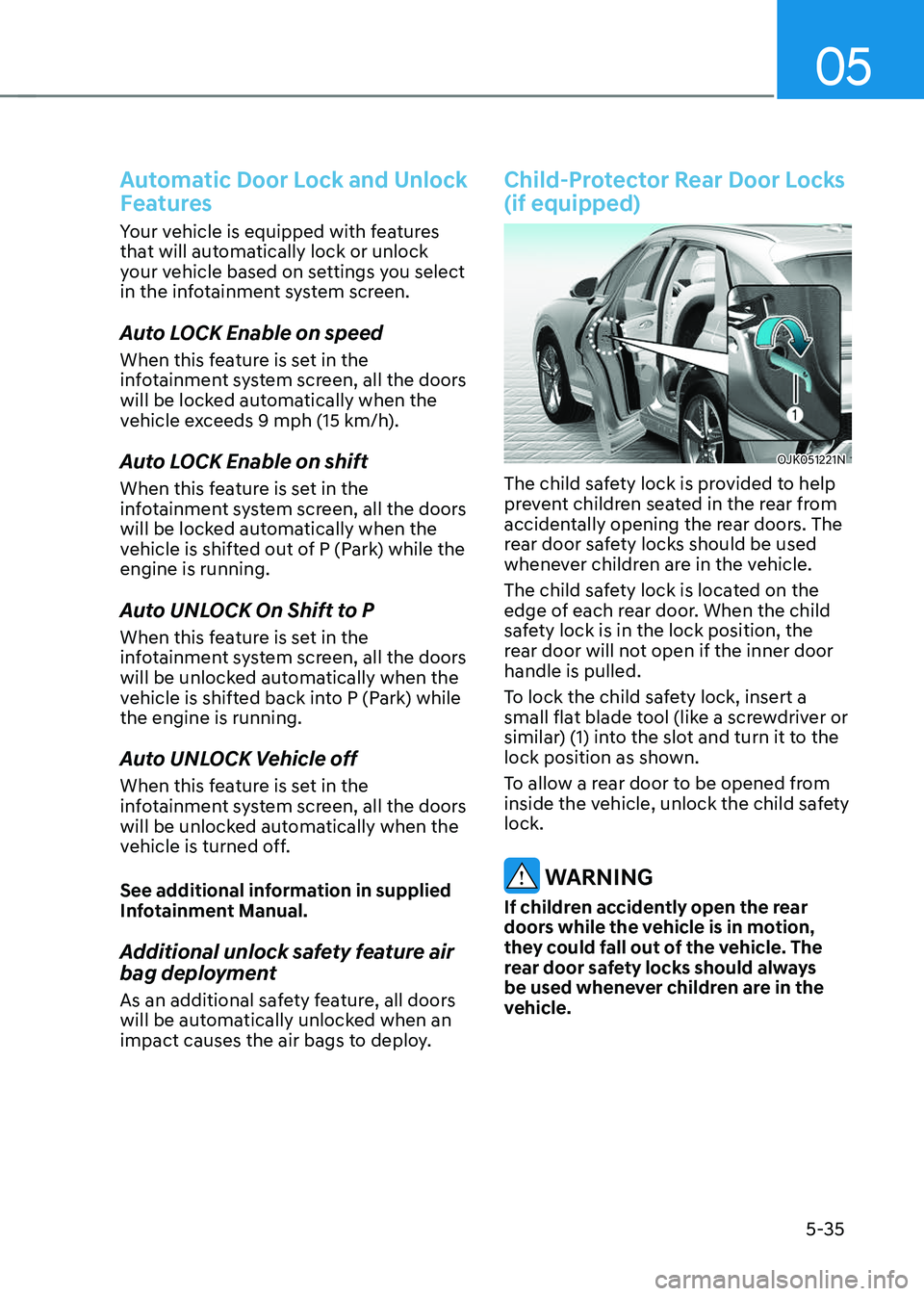
The child safety lock is located on the
edge of each rear door. When the child
safety lock is in the lock position, the
rear door will not open if the inner door
handle is pulled.
To lock the child safety lock, insert a
small flat blade tool (like a screwdriver or
similar) (1) into the slot and turn it to the
lock position as shown.
To allow a rear door to be opened from
inside the vehicle, unlock the child safety
lock.
WARNING
If children accidently open the rear
doors while the vehicle is in motion,
they could fall out of the vehicle. The
rear door safety locks should always
be used whenever children are in the
vehicle.
Page 172 of 637
Convenience Features
5-36
Electronic Child Safety Lock (if
equipped)
OJX1059017OJX1059017
When the electronic child safety lock
button is pressed and the indicator
light on the button illuminates, the rear
doors cannot be opened from inside the
vehicle.
• The rear door window cannot be
opened or closed while the electronic
child safety lock button is in the LOCK
position (indicator light ON).
For more details, refer to “Windows”
section in this chapter.
• Electronic child safety lock does not
automatically turn on unless the driver
presses the electronic child safety
lock button.
• If 3 minutes passes after the Engine
Start/Stop button is pressed to the
OFF or ACC, the indicator on the
button turns off, and the driver cannot
turn off electronic child safety lock by
pressing the button. To turn off the
function, press the Engine Start/Stop
button to the ON position, and then
press the electronic child safety lock
button.
• If the power is supplied again after
removing the battery or battery is
discharged while the electronic child
safety lock button is in the LOCK
position, press the button once more
to match the state of the indicator on
the electronic child safety lock button
and actual status of the electronic
child safety lock function.
• If the airbag is activated while the
electronic child safety lock button
is in the LOCK position (indicator
light ON), the rear doors will unlock
automatically.
• Vehicles equipped with the electronic
child safety lock feature is not
provided with a manual child safety
lock.
WARNING
If children accidentally opens the rear
door while the vehicle is in motion, they
could fall out of the vehicle. Electronic
child safety lock should always be used
whenever children are in the vehicle.
Page 173 of 637
05
5-37
NOTICE
Child safety lock failure
OJK050082LOJK050082L
When electronic child safety lock does
not work even though the button is
pressed, the message will be displayed
and an alarm will sound. If this occurs,
have the vehicle inspected by an
authorized retailer Genesis Branded
products.
Safe Exit Assist (if equipped with
electronic child safety lock)
Safe Exit Assist helps prevent the rear
occupant from opening the rear door.
When an approaching vehicle from the
rear area is detected after the vehicle
stops, the rear doors will not unlock even
when the driver tries to unlock the rear
doors using the electronic child safety
lock button.
For more details, refer to “Safe Exit
Assist (SEA)” section in chapter 7.
Page 174 of 637
Convenience Features
5-38
If your vehicle is parked and the engine
is left on for a long period of time, the
engine will turn off automatically to help
reduce fuel consumption and prevent
accidents caused by carbon dioxide
poisoning.
Operating Conditions
Vehicle Auto-Shut Off timer operates
when all the following conditions are
satisfied:
• Vehicle speed is below 1.8 mph (3
km/h), and the gear is shifted to P
(Park)
• The brake pedal and accelerator pedal
are not depressed
• The driver’s seat belt is unfastened
• The passenger seat is empty
• The infotainment system is being
updated
Deactivating Conditions
Vehicle Auto-Shut Off timer turns off
when one of the situation occur:
• Vehicle speed is above 1.8 mph (3
km/h)
• The gear is shifted to R (Reverse), D
(Drive) or N (Neutral)
• The brake pedal or accelerator pedal
is depressed
• The driver’s seat belt is fastened
• A passenger is in the passenger’s seat
System Operation
OJK041087NOJK041087N
When all the conditions are satisfied, the
Vehicle Auto-Shut Off operates and turns
the engine off automatically after 60
minutes.
A timer appears on the instrument
cluster 30 minutes before vehicle shut
off.
Resetting cluster timer
To reset the cluster timer, do one of
following:
• Release the accelerator pedal or brake
pedal after Vehicle Auto-Shut Off is
complete.
• Press the OK button on the steering
wheel while the timer appears on the
instrument cluster.
CAUTION
Do not leave a passenger or a pet in
the vehicle in hot weather since the air
conditioning system turns off when the
engine is off.
VEHICLE AUTO-SHUT OFF
Page 175 of 637
05
5-39
THEFT-ALARM SYSTEM
This system helps to protect your vehicle
and valuables. The horn will sound and
the hazard warning lights will blink
continuously if any of the following
occur:
-A door is opened without using the
smart key.
-The liftgate is opened without using
the smart key.
-The engine hood is opened.
The alarm continues for 30 seconds, then
the system resets. To turn off the alarm,
unlock the doors with the smart key.
The Theft Alarm System automatically
sets 30 seconds after you lock the
doors and the liftgate. For the system to
activate, you must lock the doors and
the liftgate from outside the vehicle with
the smart key or by touching the touch
sensor on the outside of the door handle
with the smart key in your possession.
The hazard warning lights will blink and
the chime will sound once to indicate the
system is armed.
Once the security system is set, opening
any door, the liftgate, or the hood
without using the smart key will cause
the alarm to activate.
The Theft Alarm System will not set if the
hood, the liftgate, or any door is not fully
closed. If the system will not set, check
the hood, the liftgate, or the doors are
fully closed.
Do not attempt to alter this system or
add other devices to it.
Information
• Do not lock the doors until all
passengers have left the vehicle. If the
remaining passenger leaves the vehicle
when the system is armed, the alarm
will be activated.
• If the vehicle is not disarmed with the
smart key, open the doors by using the
mechanical key and start the engine by
directly pressing the Engine Start/Stop
button with the smart key.
• If the system is disarmed by unlocking
the vehicle, but neither a door or the
liftgate is opened within 30 seconds, the
doors will re-lock and the system will
rearm automatically.
• It is not recommended to install any
secondary aftermarket theft-alarm
systems into the vehicle factory
electrical system.
Page 176 of 637
Convenience Features
5-40
Advanced Rear Occupant Alert is
provided to prevent a driver from leaving
a vehicle with a passenger left in the
vehicle.
Advanced Rear Occupant Alert
Settings
To use Rear Occupant Alert, it must be
enabled from the Settings menu in the
infotainment system screen. Select:
-Setup → Vehicle Settings →
Convenience → Rear Occupant Alert
(ROA)
See additional information in supplied
Infotainment Manual.
Information
Deselect ‘Rear Occupant Alert (ROA)’
from the settings menu to turn the system
off.
Advanced Rear Occupant Alert
Operation
• First alert
When you turn off the engine and
open the driver’s door after opening
and closing the rear door or liftgate,
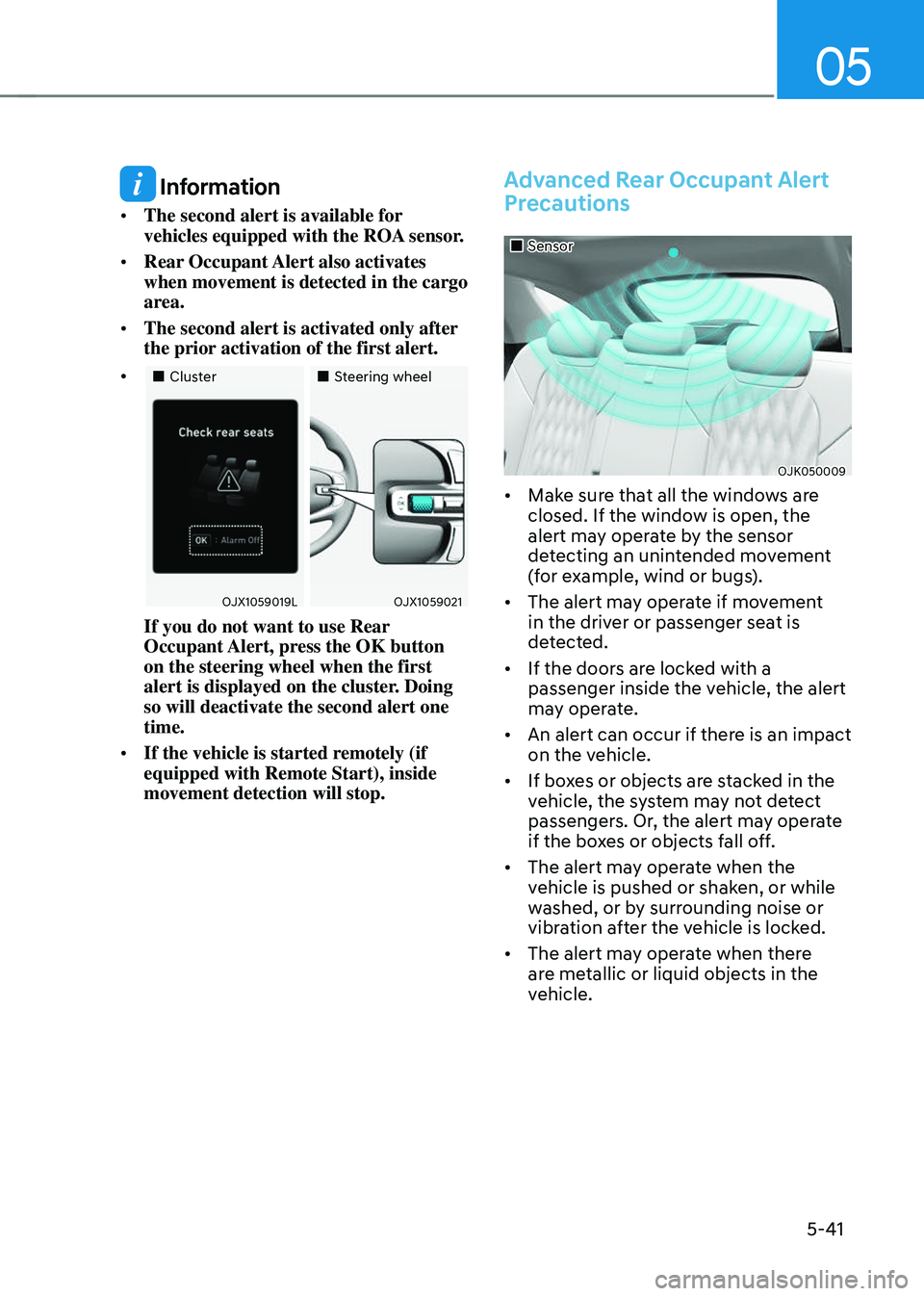
the ‘Check rear seats’ warning
message appears on the cluster.
• Second alert
After the first alert, the second alert
operates when any movement is
detected in the vehicle after the
driver’s door is closed and all the
doors are locked. The horn will sound
for approximately 25 seconds.
Also, a text message is sent to
members of Genesis Connected
Services (if available). If the system
continues to detect a movement, the
alert operates up to 8 times.
Unlock the doors with the smart key
to stop the alert.
• The system detects movement in the
vehicle for 10 minutes after the door
is locked.
ADVANCED REAR OCCUPANT ALERT (ROA) (IF EQUIPPED)
Page 177 of 637
05
5-41
Information
• The second alert is available for
vehicles equipped with the ROA sensor.
• Rear Occupant Alert also activates
when movement is detected in the cargo
area.
• The second alert is activated only after
the prior activation of the first alert.
•
Page 178 of 637
Convenience Features
5-42
WARNING
Even if your vehicle is equipped with
Advanced Rear Occupant Alert (ROA),
always make sure to check the rear
seats or cargo area before you leave the
vehicle.
Advanced Rear Occupant Alert (ROA)
may not operate when:
• Movement does not continue for
a certain period of time or the
movement is small.
• A child is not seated in a child
restraint system.
• The detection signal is weak because
the signal is obscured by seat or CRS
(for example, child is restrained in
the forward-facing CRS).
• Movement is detected in areas other
than the rear seats.
• The rear passenger is covered with a
fabric containing metallic substance
such as a blanket.
• An object in the vehicle blocks the
sensor.
• The sensor is contaminated by
foreign material.
• An animal at the rear seat or luggage
compartment is not large enough to
be detected by the sensor or there is
hardly any movement.
• Attaching objects or modifying the
interior ceiling, or the interior ceiling
is deformed or damaged.
• There are electronic interference
around the vehicle.
• Other environmental reasons that
may affect the system.
Declaration of Conformity
The radio frequency components (ROA
Radar Sensor) complies:
-For USA
OANATEL323OANATEL323
-For Canada
OANATEL324OANATEL324
Page 179 of 637
05
5-43
OJK050006OJK050006
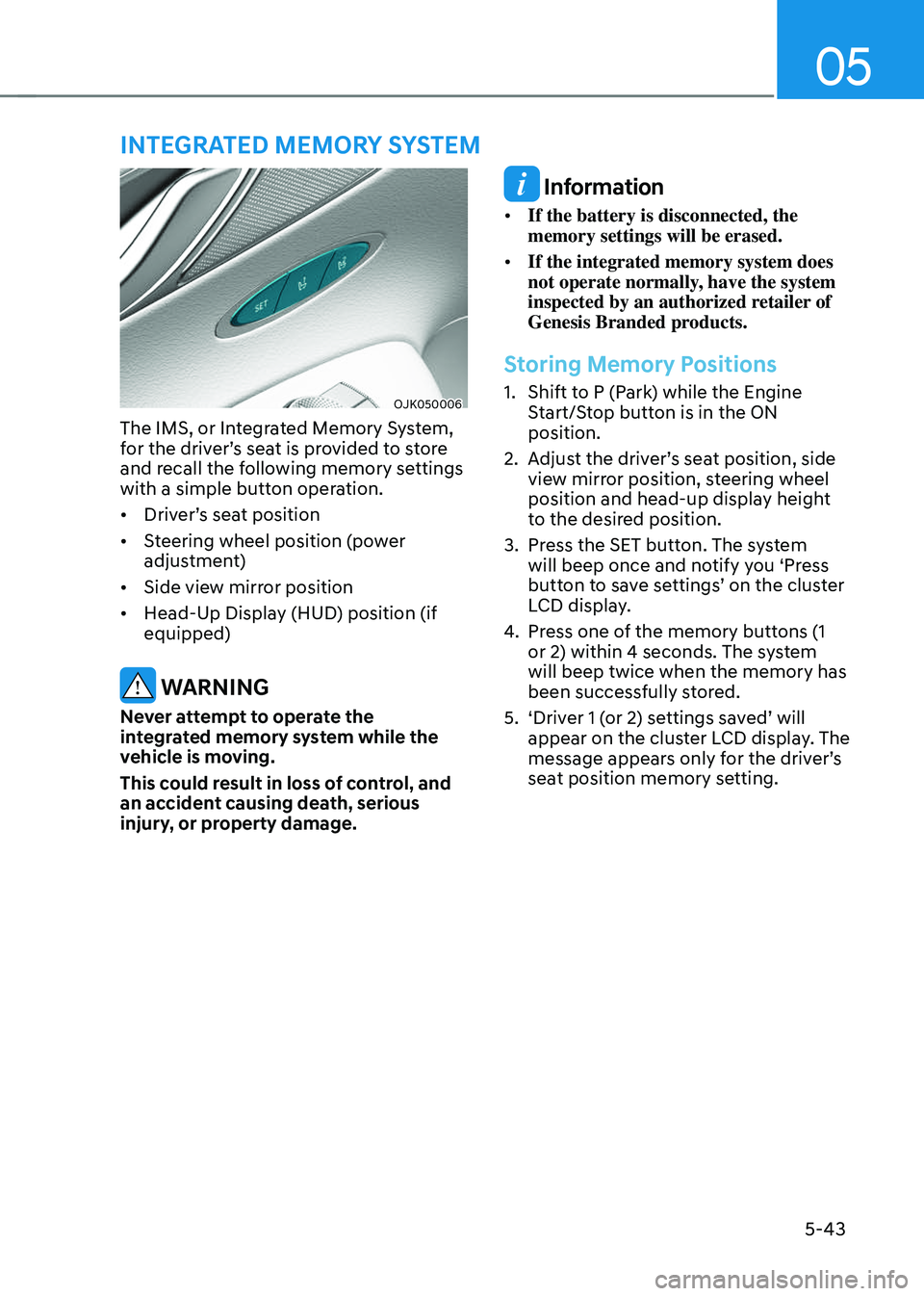
The IMS, or Integrated Memory System,
for the driver’s seat is provided to store
and recall the following memory settings
with a simple button operation.
• Driver’s seat position
• Steering wheel position (power
adjustment)
• Side view mirror position
• Head-Up Display (HUD) position (if
equipped)
WARNING
Never attempt to operate the
integrated memory system while the
vehicle is moving.
This could result in loss of control, and
an accident causing death, serious
injury, or property damage.
Information
• If the battery is disconnected, the
memory settings will be erased.
• If the integrated memory system does
not operate normally, have the system
inspected by an authorized retailer of
Genesis Branded products.
Storing Memory Positions
1. Shift to P (Park) while the Engine
Start/Stop button is in the ON
position.
2. Adjust the driver’s seat position, side
view mirror position, steering wheel
position and head-up display height
to the desired position.
3. Press the SET button. The system
will beep once and notify you ‘Press
button to save settings’ on the cluster
LCD display.
4. Press one of the memory buttons (1
or 2) within 4 seconds. The system
will beep twice when the memory has
been successfully stored.
5. ‘Driver 1 (or 2) settings saved’ will
appear on the cluster LCD display. The
message appears only for the driver’s
seat position memory setting.
INTEGRATED MEMORY SYSTEM
Page 180 of 637
Convenience Features
5-44
Recalling Memory Positions
1. Shift to P (Park) while the Engine
Start/Stop button is in the ON
position.
2. Press the desired memory button (1
or 2). The system will beep once, and
then the driver’s seat position, side
view mirror position, steering wheel
position and head-up display height
will automatically adjust to the stored
positions.
3. ‘Driver 1 (or 2) settings applied’ will
appear on the cluster LCD display.
Information
• Note that while the memory settings
are being recalled, if you press the
SET button or the corresponding IMS
memory button (1 or 2) for which the
settings are being recalled, the IMS will
temporarily deactivate. If you select the
alternate IMS memory button (1 or 2),
the IMS will activate according to the
settings of the alternate button.
For example, if you press the SET
button or the number 1 button with the
number 1 setting in operation, the IMS
will temporarily deactivate.
If you press the number 2 button, then
the IMS memory settings according to
number 2 will activate.
• If you adjust the driver’s seat, side
vew mirror, steering wheel or head-up
display while the IMS is recalling the
stored positions, the memory settings
will not be applied.
Resetting the System
Follow the below procedures to reset the
Integrated Memory System (IMS) if it is
not operating properly:
Resetting integrated memory
system
1. Stop the vehicle and open the driver’s
door with the vehicle shifted to P
(Park).
2. Adjust the driver’s seat and seatback
to the foremost position.
3. Press the SET button and push
forward the driver’s seat movement
switch over 2 seconds simultaneously.
While resetting integrated memory
system
1. Resetting starts with a notification
sound.
2. The driver’s seat and seatback is
adjusted to the rearward position with
the notification sound.
3. The driver’s seat and seatback is
re-adjusted to the default position
(central position) with the notification
sound.
However, in the following cases, the
resetting procedure and the notification
sound may stop.
• The memory button is pressed.
• The seat control switch is operated.
• The gear is shifted out of P (Park)
• The driving speed exceeds 2 mph
(3 km/h ).
• The driver’s door is closed.