GENESIS GV70 2023 Owners Manual
Manufacturer: GENESIS, Model Year: 2023, Model line: GV70, Model: GENESIS GV70 2023Pages: 637
Page 311 of 637
Driving Your Vehicle
6-36
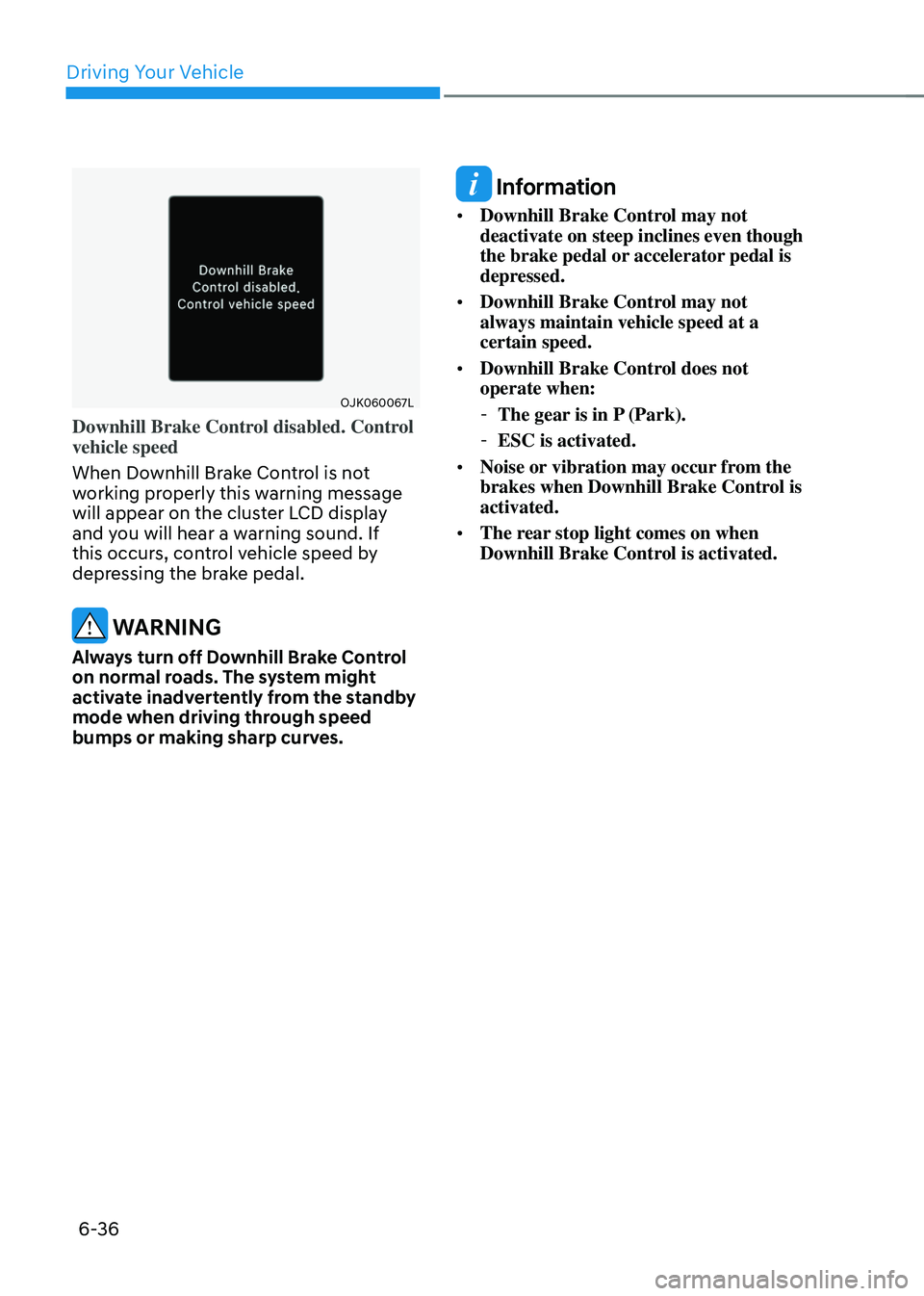
OJK060067LOJK060067L
Downhill Brake Control disabled. Control
vehicle speed
When Downhill Brake Control is not
working properly this warning message
will appear on the cluster LCD display
and you will hear a warning sound. If
this occurs, control vehicle speed by
depressing the brake pedal.
WARNING
Always turn off Downhill Brake Control
on normal roads. The system might
activate inadvertently from the standby
mode when driving through speed
bumps or making sharp curves.
Information
• Downhill Brake Control may not
deactivate on steep inclines even though
the brake pedal or accelerator pedal is
depressed.
• Downhill Brake Control may not
always maintain vehicle speed at a
certain speed.
• Downhill Brake Control does not
operate when:
-The gear is in P (Park).
-ESC is activated.
• Noise or vibration may occur from the
brakes when Downhill Brake Control is
activated.
• The rear stop light comes on when
Downhill Brake Control is activated.
Page 312 of 637
06
6-37
Good Braking Practices
WARNING
Whenever leaving the vehicle or
parking, always come to a complete
stop and continue to depress the brake
pedal. Shift the gear to the P (Park)
position, then apply the parking brake,
and press the Engine Start/Stop button
to the OFF position.
Vehicles parked with the parking brake
not applied or not fully engaged may
roll inadvertently and may cause injury
to the driver and others. ALWAYS apply
the parking brake before exiting the
vehicle.Wet brakes can be dangerous! The
brakes may get wet if the vehicle is
driven through standing water or if it
is washed. Your vehicle will not stop as
quickly if the brakes are wet. Wet brakes
may cause the vehicle to pull to one side.
To dry the brakes, apply the brakes
lightly until the braking action returns to
normal. If the braking action does not
return to normal, stop as soon as it is safe
to do so and call an authorized retailer of
Genesis Branded products for assistance.
DO NOT drive with your foot resting on
the brake pedal. Even light, but constant
pedal pressure can result in the brakes
overheating, brake wear, and possibly
even brake failure.
If a tire goes flat while you are driving,
apply the brakes gently and keep the
vehicle pointed straight ahead while you
slow down. When you are moving slowly
enough for it to be safe to do so, pull off
the road and stop in a safe location.
Keep your foot firmly on the brake pedal
when the vehicle is stopped to prevent
the vehicle from rolling forward.
Page 313 of 637
Driving Your Vehicle
6-38
All Wheel Drive (AWD) delivers engine
power to front and rear wheels for
maximum traction. AWD is useful when
extra traction is required, such as when
driving on, muddy, wet, or snow-covered
roads.
WARNING
To reduce the risk of SERIOUS INJURY
or DEATH:
• Avoid high speeds when cornering or
turning.
• Do not make quick steering wheel
movements, such as sharp lane
changes or fast, sharp turns.
• The risk of a rollover is greatly
increased if you lose control of your
vehicle at highway speeds.
• Loss of control often occurs if two or
more wheels drop off the roadway
and the driver over steers to reenter
the roadway.
• In the event your vehicle leaves
the roadway, do not steer sharply.
Instead, slow down before pulling
back into the travel lanes.
NOTICE
• Do not drive in water if the water
level is higher than the bottom of the
vehicle.
• Check your brake condition once
you are out of mud or water. Depress
the brake pedal several times as you
move slowly until you feel normal
braking condition is returned.
• Shorten your scheduled
maintenance interval if you drive in
off-road conditions such as sand,
mud or water (see "Maintenance
Under Severe Usage Conditions"
section in chapter 9).
• Always wash your vehicle thoroughly
after off road use, especially the
bottom of the vehicle.
• Be sure to equip all four tires with the
correct size and type.
• Make sure that a full time AWD
vehicle is towed by a flat bed tow
truck.
All Wheel Drive (AWD) Operation
Auto AWD mode (Normal diving)
If the AWD system determines there is a
need for four wheel drive, the engine's
driving power is distributed to all four
wheels automatically.
ALL WHEEL DRIVE (AWD) (IF EQUIPPED)
Page 314 of 637
06
6-39
For safe AWD operation
Before driving
• Make sure all passengers are wearing
seat belts.
• Sit upright and closer to the steering
wheel than usual. Adjust the steering
wheel to a position comfortable for
you to drive.
Driving on snow-covered or icy roads
• Start off slowly by applying the
accelerator pedal gently.
• Use snow tires or tire chains.
• Keep sufficient distance between your
vehicle and the vehicle in front of you.
• Apply engine braking during
deceleration by using the paddle
shifter (manual shift mode) and
manually selecting a lower gear.
• Avoid speeding, rapid acceleration,
sudden brake applications, and sharp
turns to prevent skids.
Information
When using Snow Tires, mount them on
all four wheels.
When using tire chains, install them on the
rear tires. However, driving speed must
be below 20 mph (30 km/h) and minimize
the driving distance. High-speed or long-
term driving with tire chains installed may
malfunction or damage the AWD system.
For more details on Snow Tires and Tire
Chains, refer to "Winter Driving" section
later in this chapter.
Driving in sand or mud
• Maintain slow and constant speed.
• Use tire chains driving in mud if
necessary.
• Keep sufficient distance between your
vehicle and the vehicle in front of you.
• Reduce vehicle speed and always
check the road condition.
• Avoid speeding, rapid acceleration,
sudden brake applications, and sharp
turns to prevent getting stuck.
NOTICE
When the vehicle is stuck in snow, sand
or mud, place a nonslip material under
the drive wheels to provide traction
OR slowly spin the wheels in forward
and reverse directions which causes
a rocking motion that may free the
vehicle.
However, avoid running the engine
continuously at high RPM, doing so may
damage the AWD system.
Driving up or down hills
• Driving uphill
- Before starting off, check if it is
possible to drive uphill.
-Drive as straight as possible.
• Driving downhill
-Do not change gear while driving
downhill. Select gear before driving
downhill.
-Drive slowly using engine braking
while driving downhill.
-Drive straight as possible.
WARNING
Exercise extreme caution driving up or
down steep hills. The vehicle may flip
over depending on the grade, terrain,
water and mud conditions.
Page 315 of 637
Driving Your Vehicle
6-40
WARNING
Do not drive across the contour of steep
hills. A slight change in the wheel angle
can destabilize the vehicle, or a stable
vehicle may lose stability if the vehicle
stops its forward motion. Your vehicle
may roll over and lead to a serious injury
or death.
Driving through water
• Try to avoid driving in deep standing
water. It may stall your engine and
clog your exhaust pipes.
• Do not change gear while driving in
water.
CAUTION
Always drive slowly in water. If you
drive too fast, water may get into the
engine compartment and wet the
ignition system causing your vehicle to
suddenly stop.
Additional driving conditions
• Become familiar with the off-road
conditions before driving.
• Always pay attention when driving off-
road and avoid dangerous areas.
• Drive slowly when driving in heavy
wind.
• Reduce vehicle speed when
cornering. The center of gravity
of AWD vehicles is higher than
conventional 2WD vehicles, making
them more likely to roll over when you
rapidly turn corners.
• Always hold the steering wheel firmly
when you are driving off-road.
WARNING
Do not grab the inside of the steering
wheel when you are driving off-road.
You may hurt your arm by a sudden
steering maneuver or from steering
wheel rebound due to an impact with
objects on the ground. You could lose
control of the steering wheel which may
lead to serious injury or death.
Emergency Precautions
Tires
When replacing tires, be sure to equip
all four tires with the same size, type,
tread patterns, brand and load-carrying
capacity.
WARNING
Do not use tire and wheel with different
size and type from the one originally
installed on your vehicle. It can affect
the safety and performance of your
vehicle, which could lead to steering
failure or rollover causing serious injury.
In an emergency situation, a compact
spare tire (if equipped) or Tire Mobility
Kit (if equipped) may be used. But,
do not use the compact spare tire
continuously. Repair or replace the
original tire as soon as possible to avoid
failure of the differential or AWD system.
Page 316 of 637
06
6-41
WARNING
OJK061015NOJK061015N
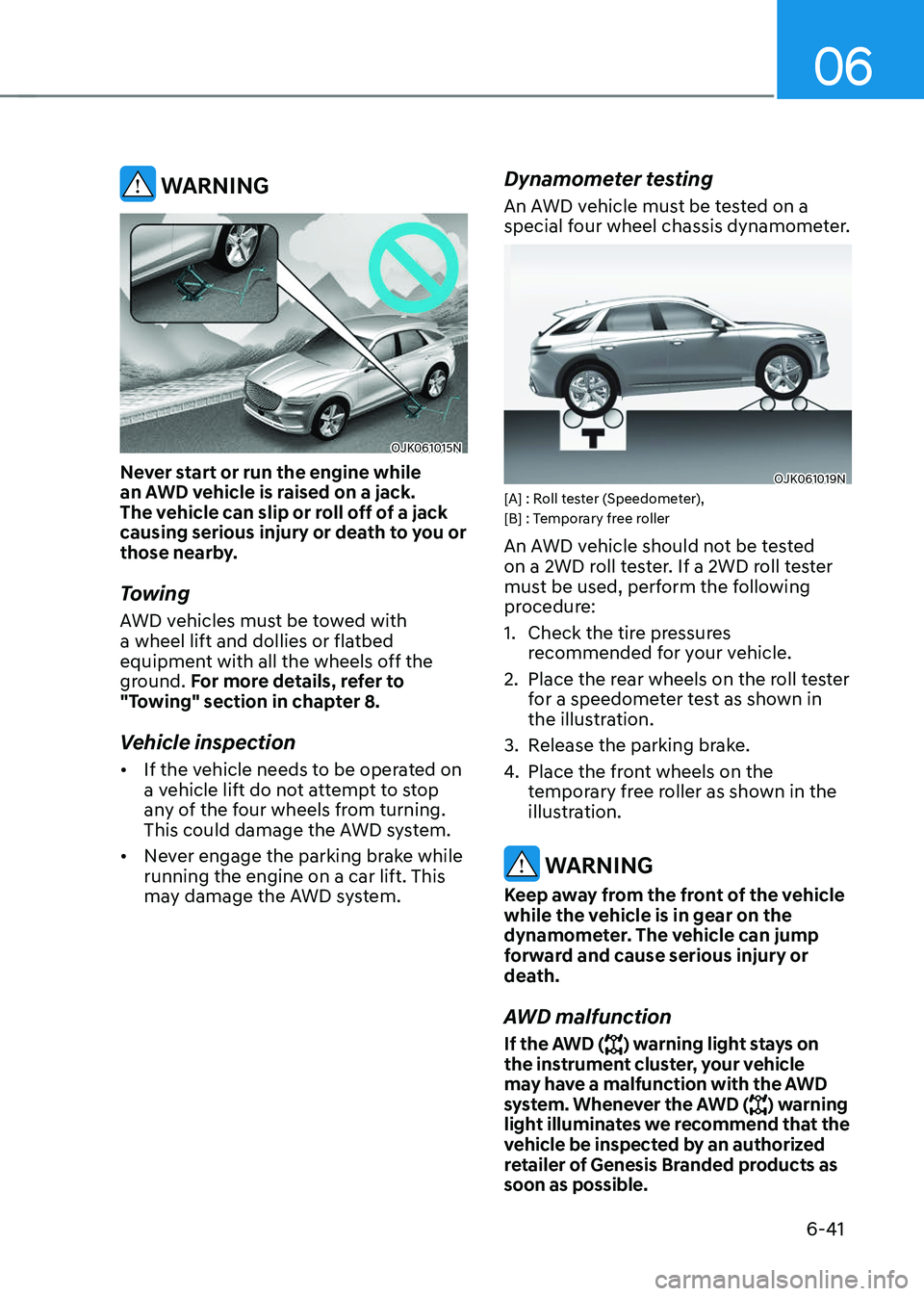
Never start or run the engine while
an AWD vehicle is raised on a jack.
The vehicle can slip or roll off of a jack
causing serious injury or death to you or
those nearby.
Towing
AWD vehicles must be towed with
a wheel lift and dollies or flatbed
equipment with all the wheels off the
ground. For more details, refer to
"Towing" section in chapter 8.
Vehicle inspection
• If the vehicle needs to be operated on
a vehicle lift do not attempt to stop
any of the four wheels from turning.
This could damage the AWD system.
• Never engage the parking brake while
running the engine on a car lift. This
may damage the AWD system.
Dynamometer testing
An AWD vehicle must be tested on a
special four wheel chassis dynamometer.
OJK061019NOJK061019N[A] : Roll tester (Speedometer),
[B] : Temporary free roller
An AWD vehicle should not be tested
on a 2WD roll tester. If a 2WD roll tester
must be used, perform the following
procedure:
1. Check the tire pressures
recommended for your vehicle.
2. Place the rear wheels on the roll tester
for a speedometer test as shown in
the illustration.
3. Release the parking brake.
4. Place the front wheels on the
temporary free roller as shown in the
illustration.
WARNING
Keep away from the front of the vehicle
while the vehicle is in gear on the
dynamometer. The vehicle can jump
forward and cause serious injury or
death.
AWD malfunction
If the AWD () warning light stays on
the instrument cluster, your vehicle
may have a malfunction with the AWD
system. Whenever the AWD (
) warning
light illuminates we recommend that the
vehicle be inspected by an authorized
retailer of Genesis Branded products as
soon as possible.
Page 317 of 637
Driving Your Vehicle
6-42
ELECTRONIC LIMITED SLIP DIFFERENTIAL (IF EQUIPPED)
Electronic Limited Slip Differential
controls the differential functions of the
wheels to help:
-Improve steering performance when
circling at high speed.
-Improve launching performance.
-Prevent slipping on rainy or snowy
roads due to dissimilar friction of the
left and right wheels.
WARNING
Never run the wheels with one of
wheels lifted on a jack. It is extremely
dangerous for a vehicle equipped with
Electronic Limited Slip Differential.
Drive Mode Selection
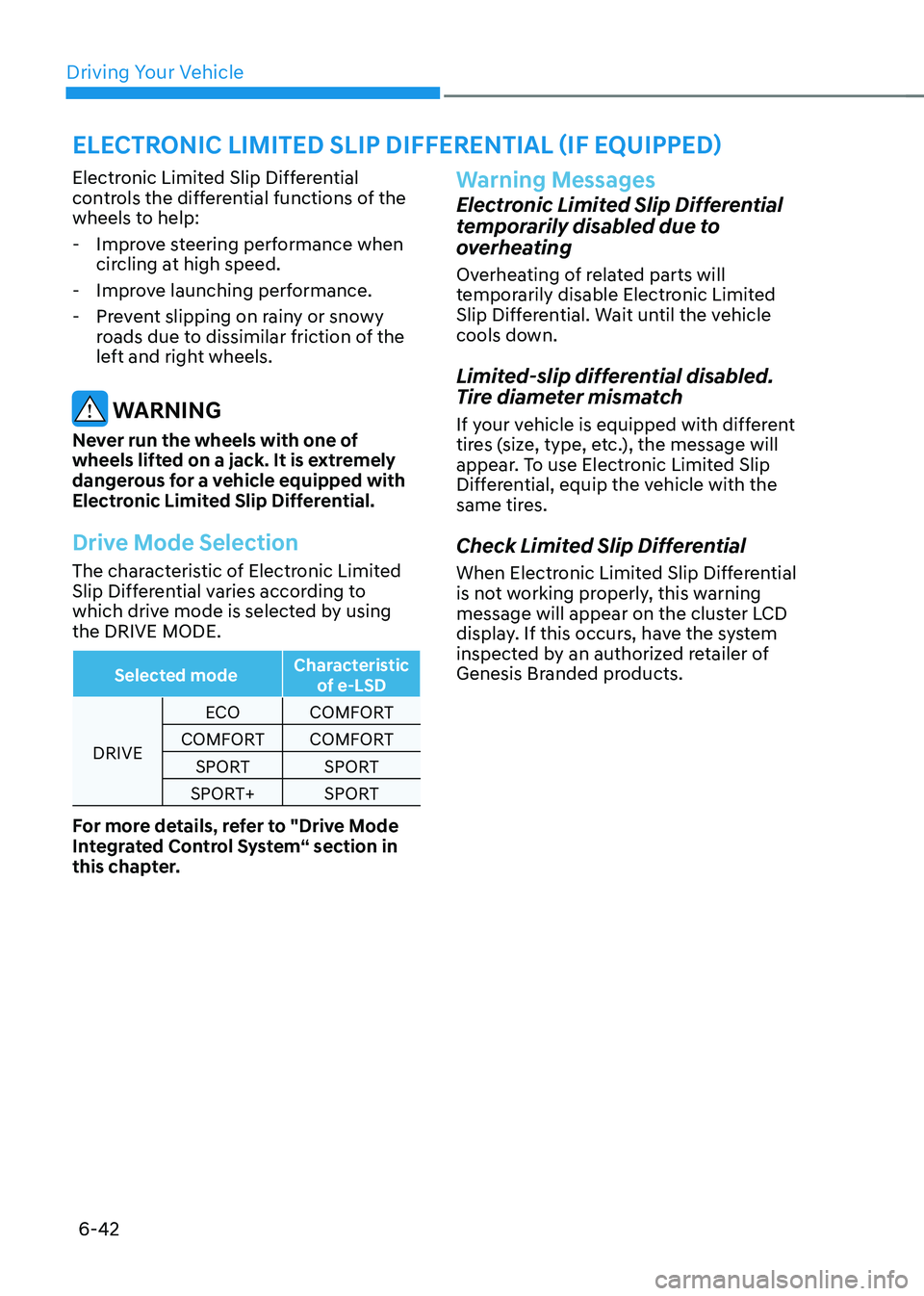
The characteristic of Electronic Limited
Slip Differential varies according to
which drive mode is selected by using
the DRIVE MODE.
Selected mode Characteristic
of e-LSD
DRIVE ECO
COMFORT
COMFORT COMFORT
SPORT SPORT
SPORT+ SPORT
For more details, refer to "Drive Mode
Integrated Control System“ section in
this chapter.
Warning Messages
Electronic Limited Slip Differential
temporarily disabled due to
overheating
Overheating of related parts will
temporarily disable Electronic Limited
Slip Differential. Wait until the vehicle
cools down.
Limited-slip differential disabled.
Tire diameter mismatch
If your vehicle is equipped with different
tires (size, type, etc.), the message will
appear. To use Electronic Limited Slip
Differential, equip the vehicle with the
same tires.
Check Limited Slip Differential
When Electronic Limited Slip Differential
is not working properly, this warning
message will appear on the cluster LCD
display. If this occurs, have the system
inspected by an authorized retailer of
Genesis Branded products.
Page 318 of 637
06
6-43
Electronic Control Suspension controls
the vehicle suspension automatically
using vehicle sensors to maximize
driving comfort by taking into account
the driving conditions such as speed,
surface of the road, cornering, stopping
requirements and acceleration.
System Malfunction
OIK060073LOIK060073L
Check Electronic Suspension
When Electronic Control Suspension
is not working properly, this warning
message will appear on the cluster LCD
display. If this occurs, have the system
inspected by an authorized retailer of
Genesis Branded products.
ELECTRONIC CONTROL
SUSPENSION (IF EQUIPPED)ELECTRONICALLY
CONTROLLED SUSPENSION
WITH ROAD PREVIEW
(IF EQUIPPED)
Electronically Controlled Suspension
with Road Preview will help control
the vehicle suspension automatically
using the front view camera and vehicle
sensors to maximize driving comfort
by taking into account the driving
conditions such as speed, surface of the
road, cornering, stopping requirements
and acceleration.
Front View Camera
OJK071239NOJK071239N
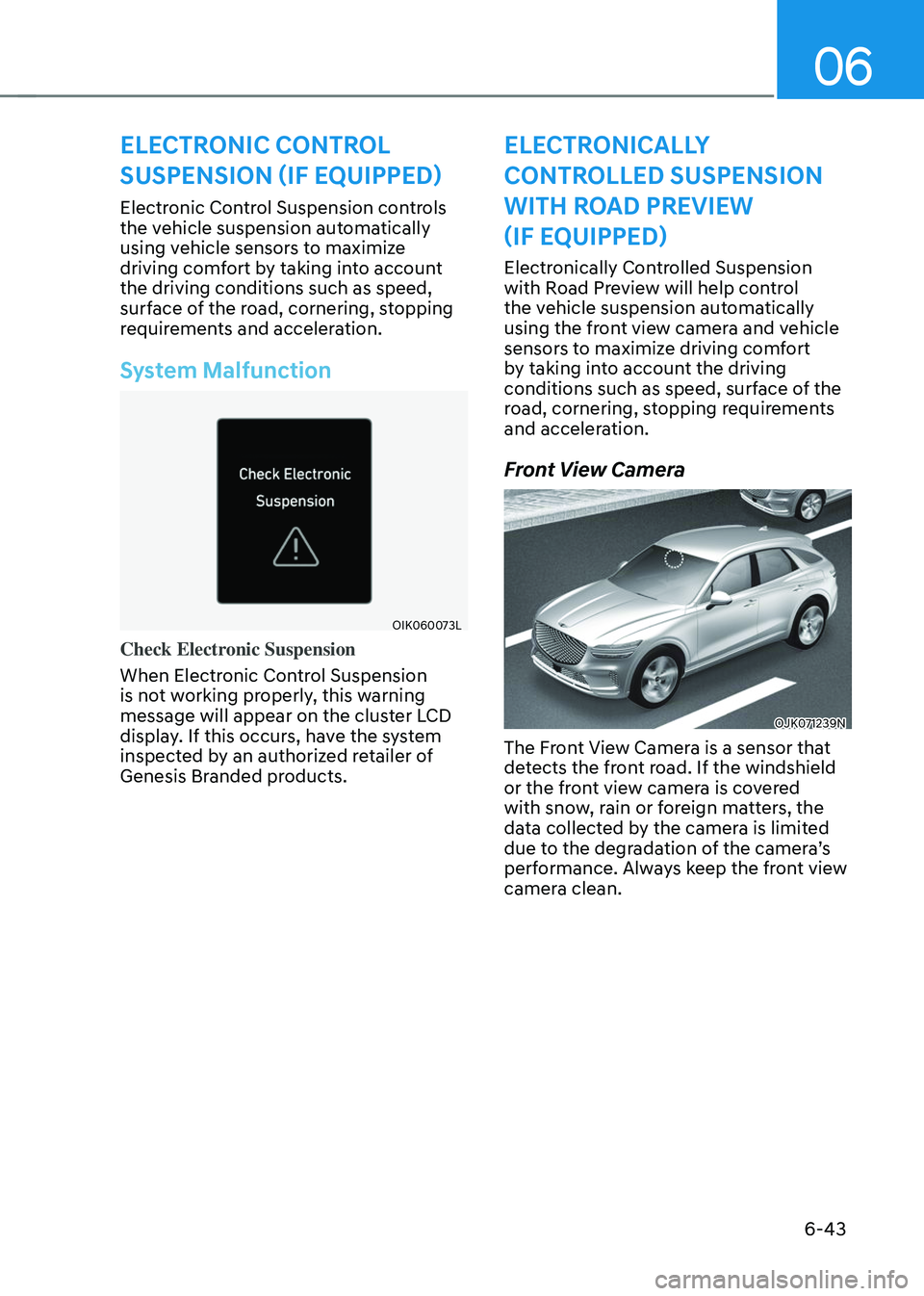
The Front View Camera is a sensor that
detects the front road. If the windshield
or the front view camera is covered
with snow, rain or foreign matters, the
data collected by the camera is limited
due to the degradation of the camera’s
performance. Always keep the front view
camera clean.
Page 319 of 637
Driving Your Vehicle
6-44
NOTICE
• NEVER install any accessories or
stickers on the front windshield, or
tint the front windshield.
• NEVER place any reflective objects
(for example, white paper, mirror)
over the dashboard. Any light
reflection may prevent the system
from functioning properly.
• Pay extreme caution to keep the
camera dry.
• Never disassemble the camera
assembly, or apply any impact on the
camera assembly.
Information
We recommend that the system be
inspected by an authorized retailer of
Genesis Branded products when:
• The windshield glass is replaced.
• The front view camera or cover gets
damaged or replaced.
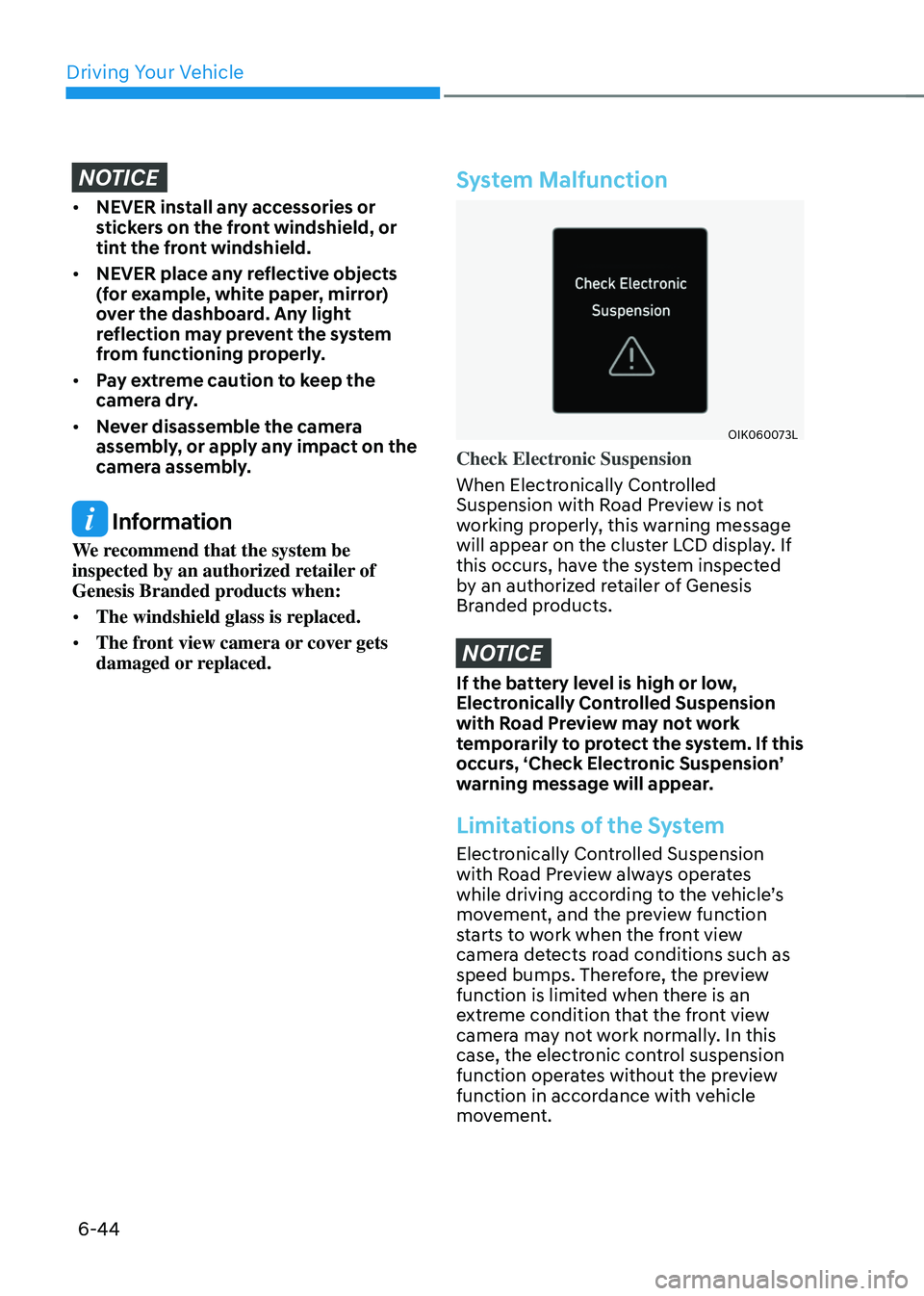
System Malfunction
OIK060073LOIK060073L
Check Electronic Suspension
When Electronically Controlled
Suspension with Road Preview is not
working properly, this warning message
will appear on the cluster LCD display. If
this occurs, have the system inspected
by an authorized retailer of Genesis
Branded products.
NOTICE
If the battery level is high or low,
Electronically Controlled Suspension
with Road Preview may not work
temporarily to protect the system. If this
occurs, ‘Check Electronic Suspension’
warning message will appear.
Limitations of the System
Electronically Controlled Suspension
with Road Preview always operates
while driving according to the vehicle’s
movement, and the preview function
starts to work when the front view
camera detects road conditions such as
speed bumps. Therefore, the preview
function is limited when there is an
extreme condition that the front view
camera may not work normally. In this
case, the electronic control suspension
function operates without the preview
function in accordance with vehicle
movement.
Page 320 of 637
06
6-45
LAUNCH CONTROL
The Launch Control system controls the
vehicle to help reduce wheel spin or slip
on a hard acceleration from a standing
start.
Prerequisite for Activation
The Launch Control gets ready to be
activated, when the following prereq-
uisites are satisfied.
• The engine is warmed up.
• Malfunction warning lights related
to the engine and ESC (Electronic
Stability Control) are off.
CAUTION
For safety purposes, check the
following conditions before using
Launch control.
• The driver's seat belt is fastened.
• All doors, hood and liftgate are
closed.
• The vehicle is at a complete stop.
• Align the steering wheel straight.
Launch Control Activation
To activate Launch Control:
1. Select SPORT or SPORT+ mode using
the drive mode selection switch.
SPORT or SPORT+ indicator will
illuminate on the instrument cluster
LCD display.
2. Turn off ESC by pressing the ESC OFF
button for more than 3 seconds. The
ESC OFF indicator will illuminate on
the instrument cluster.
3. Shift to the D (Drive) position.
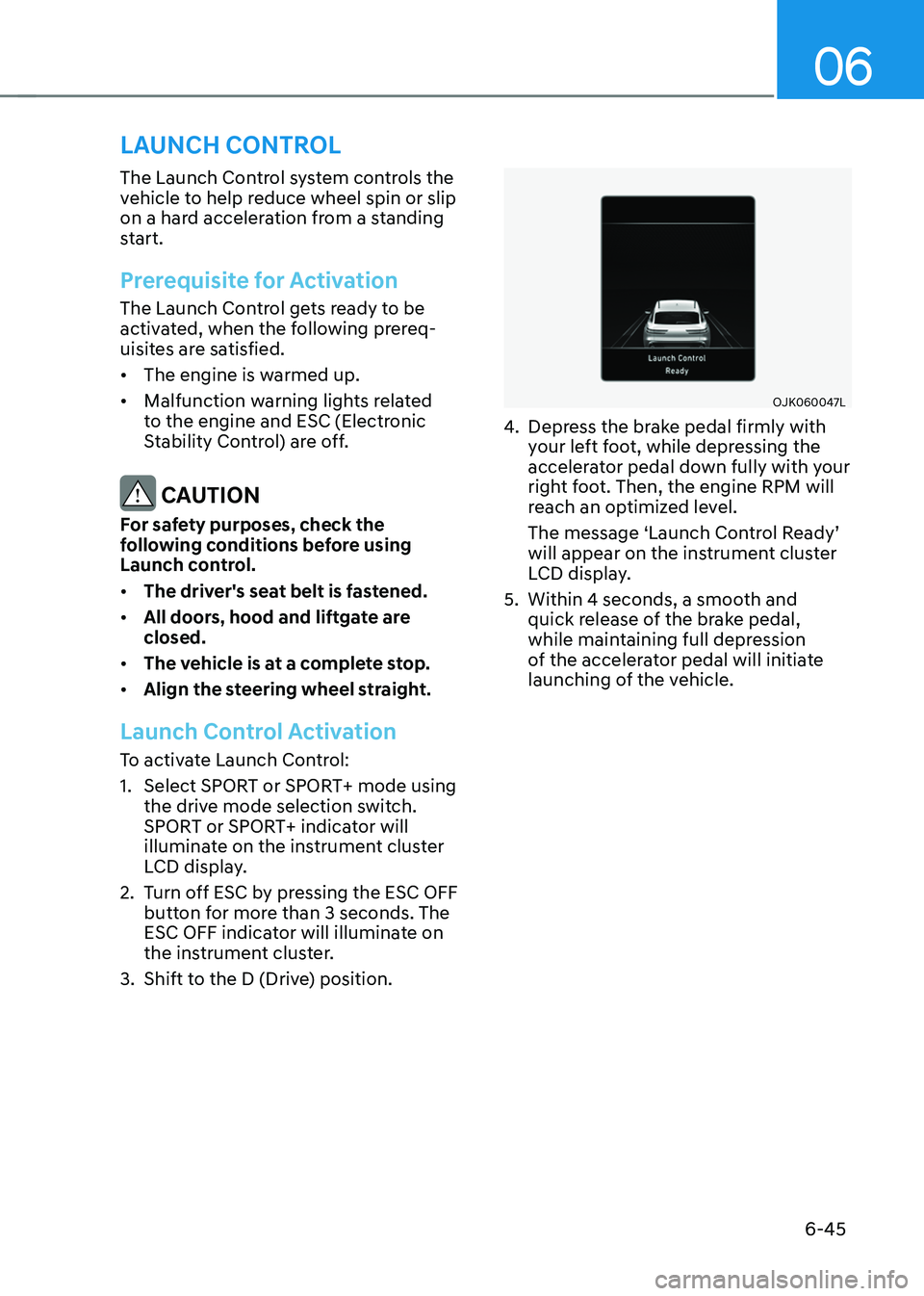
OJK060047LOJK060047L
4. Depress the brake pedal firmly with
your left foot, while depressing the
accelerator pedal down fully with your
right foot. Then, the engine RPM will
reach an optimized level.
The message ‘Launch Control Ready’
will appear on the instrument cluster
LCD display.
5. Within 4 seconds, a smooth and
quick release of the brake pedal,
while maintaining full depression
of the accelerator pedal will initiate
launching of the vehicle.