GENESIS GV70 2023 Owners Manual
Manufacturer: GENESIS, Model Year: 2023, Model line: GV70, Model: GENESIS GV70 2023Pages: 637
Page 351 of 637
Driving Your Vehicle
6 -76
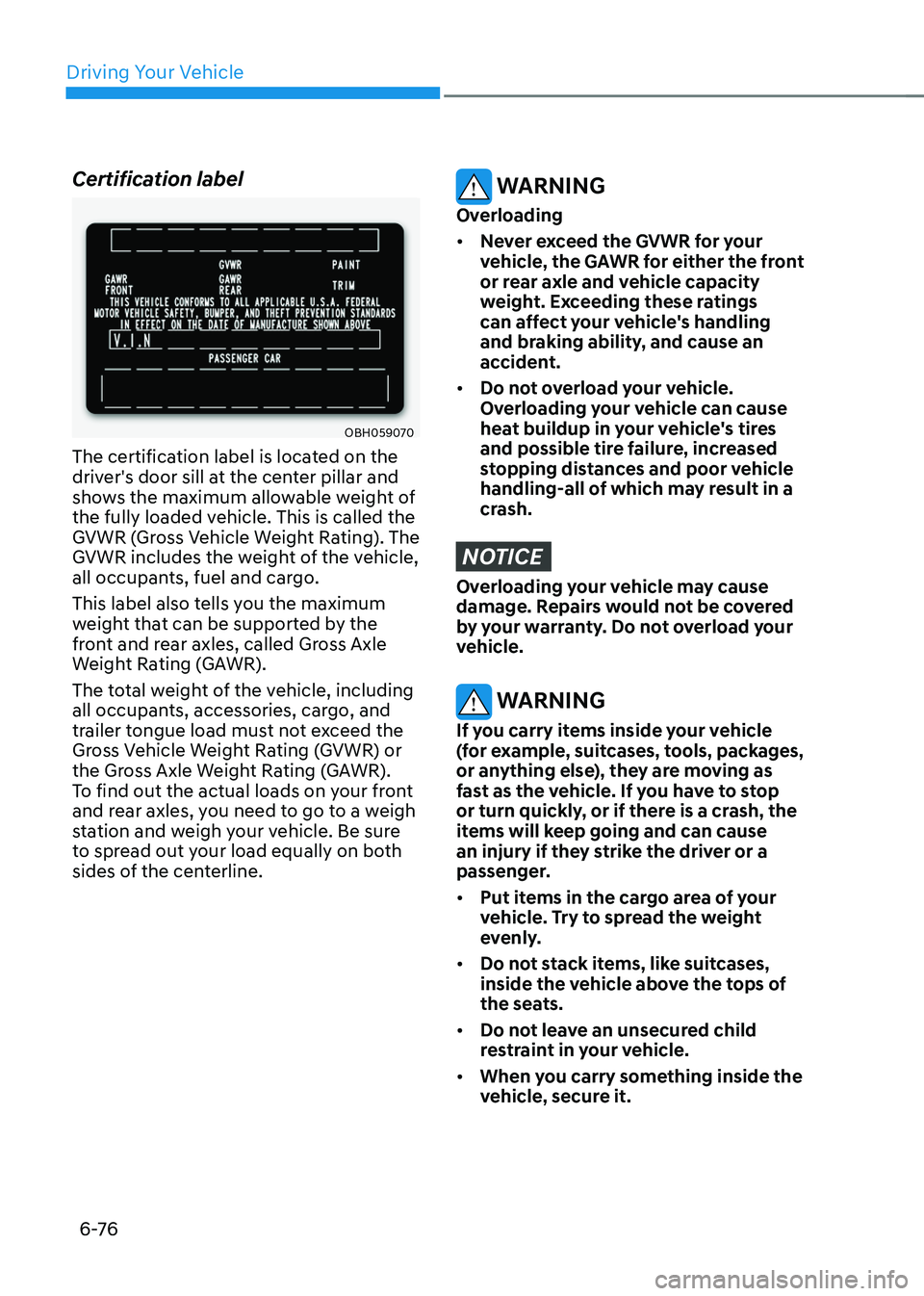
Certification label
OBH059070OBH059070
The certification label is located on the
driver's door sill at the center pillar and
shows the maximum allowable weight of
the fully loaded vehicle. This is called the
GVWR (Gross Vehicle Weight Rating). The
GVWR includes the weight of the vehicle,
all occupants, fuel and cargo.
This label also tells you the maximum
weight that can be supported by the
front and rear axles, called Gross Axle
Weight Rating (GAWR).
The total weight of the vehicle, including
all occupants, accessories, cargo, and
trailer tongue load must not exceed the
Gross Vehicle Weight Rating (GVWR) or
the Gross Axle Weight Rating (GAWR).
To find out the actual loads on your front
and rear axles, you need to go to a weigh
station and weigh your vehicle. Be sure
to spread out your load equally on both
sides of the centerline.
WARNING
Overloading
• Never exceed the GVWR for your
vehicle, the GAWR for either the front
or rear axle and vehicle capacity
weight. Exceeding these ratings
can affect your vehicle's handling
and braking ability, and cause an
accident.
• Do not overload your vehicle.
Overloading your vehicle can cause
heat buildup in your vehicle's tires
and possible tire failure, increased
stopping distances and poor vehicle
handling-all of which may result in a
crash.
NOTICE
Overloading your vehicle may cause
damage. Repairs would not be covered
by your warranty. Do not overload your
vehicle.
WARNING
If you carry items inside your vehicle
(for example, suitcases, tools, packages,
or anything else), they are moving as
fast as the vehicle. If you have to stop
or turn quickly, or if there is a crash, the
items will keep going and can cause
an injury if they strike the driver or a
passenger.
• Put items in the cargo area of your
vehicle. Try to spread the weight
evenly.
• Do not stack items, like suitcases,
inside the vehicle above the tops of
the seats.
• Do not leave an unsecured child
restraint in your vehicle.
• When you carry something inside the
vehicle, secure it.
Page 352 of 637
Driving SafetyForward Collision–Avoidance Assist (FCA) ..............................................................7-2
Lane Keeping Assist (LKA) ........................................................................\
...............7-26
Blind-Spot Collision-Avoidance Assist (BCA) .........................................................7-32
Safe Exit Warning (SEW) ........................................................................\
..................7-46
Safe Exit Assist (SEA) ........................................................................\
.......................7-52
Manual Speed Limit Assist (MSLA) ........................................................................\
.7-59
Intelligent Speed Limit Assist (ISLA) .......................................................................7-63
Driver Attention Warning (DAW) ........................................................................\
.....7-68
Forward Attention Warning (FAW) ........................................................................\
...7-74
Blind-Spot View Monitor (BVM) ........................................................................\
......7-7 8
Driving ConvenienceSmart Cruise Control (SCC) ........................................................................\
............7-80
Navigation-Based Smart Cruise Control (NSCC) ................................................7-100
Lane Following Assist (LFA) ........................................................................\
............7-107
Highway Driving Assist (HDA) ........................................................................\
.........7-111
Parking SafetyRear View Monitor (RVM) ........................................................................\
...............7-123
Surround View Monitor (SVM) ........................................................................\
......7-126
Rear Cross-Traffic Collision-Avoidance Assist (RCCA) .........................................7-132
Reverse Parking Distance Warning (PDW) ............................................................7-143
Forward/Reverse Parking Distance Warning (PDW) ............................................7-147
Reverse Parking Collision-Avoidance Assist (PCA) ...............................................7-152
Remote Smart Parking Assist (RSPA) ...................................................................7-160
Declaration of Conformity ........................................................................\
....................7-185
7. Driver Assistance System
Driver Assistance System
7
Page 353 of 637
Driver Assistance System
7-2
OJK070172OJK070172
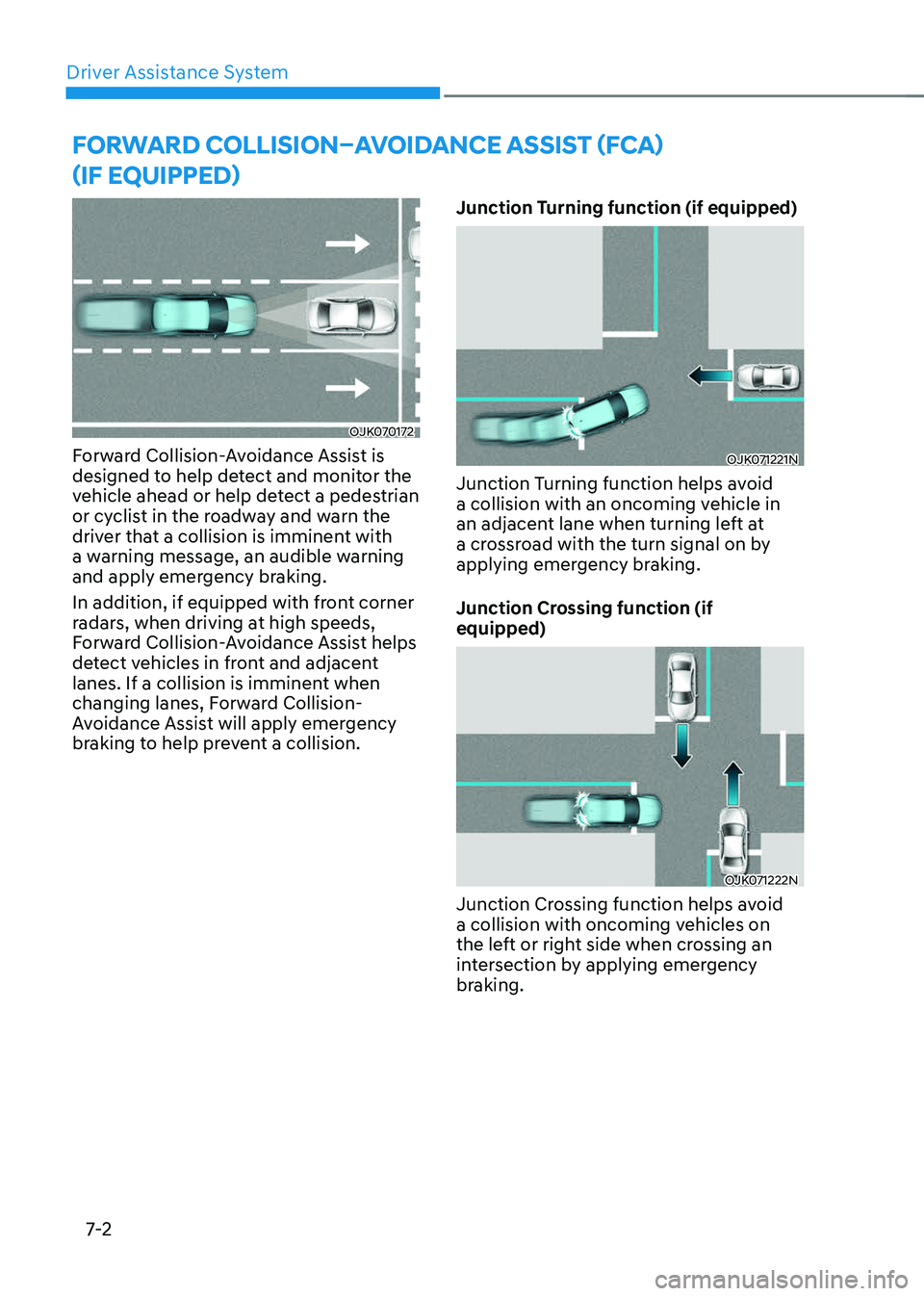
Forward Collision-Avoidance Assist is
designed to help detect and monitor the
vehicle ahead or help detect a pedestrian
or cyclist in the roadway and warn the
driver that a collision is imminent with
a warning message, an audible warning
and apply emergency braking.
In addition, if equipped with front corner
radars, when driving at high speeds,
Forward Collision-Avoidance Assist helps
detect vehicles in front and adjacent
lanes. If a collision is imminent when
changing lanes, Forward Collision-
Avoidance Assist will apply emergency
braking to help prevent a collision.Junction Turning function (if equipped)OJK071221NOJK071221N
Junction Turning function helps avoid
a collision with an oncoming vehicle in
an adjacent lane when turning left at
a crossroad with the turn signal on by
applying emergency braking.
Junction Crossing function (if
equipped)
OJK071222NOJK071222N
Junction Crossing function helps avoid
a collision with oncoming vehicles on
the left or right side when crossing an
intersection by applying emergency
braking.
FORWARD COLLISION–AVOIDANCE ASSIST (FCA)
(IF EQUIPPED)
DRIVING SAFETY
Page 354 of 637
![GENESIS GV70 2023 Owners Manual 07
7-3
Lane-Change Oncoming function (if
equipped)
OJX1070258LOJX1070258L[A] : Oncoming vehicle
Lane-Change Oncoming function helps
avoid a collision with an oncoming
vehicle when changing lanes by](/img/46/58827/w960_58827-353.png "GENESIS GV70 2023 Owners Manual 07
7-3
Lane-Change Oncoming function (if
equipped)
OJX1070258LOJX1070258L[A] : Oncoming vehicle
Lane-Change Oncoming function helps
avoid a collision with an oncoming
vehicle when changing lanes by")
07
7-3
Lane-Change Oncoming function (if
equipped)
OJX1070258LOJX1070258L[A] : Oncoming vehicle
Lane-Change Oncoming function helps
avoid a collision with an oncoming
vehicle when changing lanes by assisting
the driver’s steering.
Lane-Change Side function (if
equipped)
OJX1070259LOJX1070259L
[A] : Front-side vehicle
Lane-Change Side function helps avoid
a collision with the vehicle ahead in
the next lane when changing lanes by
assisting the driver’s steering.Evasive Steering Assist function (if
equipped)
OJK071155ROJK071155R
• Driver steering assist
Evasive Steering Assist function
helps avoid a collision with a vehicle,
pedestrian or cyclist ahead in the
same lane. When a risk of collision
is detected, Evasive Steering Assist
function will warn the driver and if the
driver steers to avoid collision it will
assist the driver’s steering.
• Evasive steering assist
Evasive Steering Assist function helps
avoid a collision with a pedestrian or
cyclist ahead in the same lane. When
a risk of collision is detected, Evasive
Steering Assist function will warn the
driver and if there is space to avoid
collision in the lane, it will assist the
driver’s steering.
Page 355 of 637
![GENESIS GV70 2023 Owners Manual Driver Assistance System
7-4
Detecting sensor
OJK071223NOJK071223N
OJK071022NOJK071022N
OJK1071247LOJK1071247L[1]: Front view camera, [2]: Front radar,
[3]: Front corner radar (if equipped),
[4]: Re](/img/46/58827/w960_58827-354.png "GENESIS GV70 2023 Owners Manual Driver Assistance System
7-4
Detecting sensor
OJK071223NOJK071223N
OJK071022NOJK071022N
OJK1071247LOJK1071247L[1]: Front view camera, [2]: Front radar,
[3]: Front corner radar (if equipped),
[4]: Re")
Driver Assistance System
7-4
Detecting sensor
OJK071223NOJK071223N
OJK071022NOJK071022N
OJK1071247LOJK1071247L[1]: Front view camera, [2]: Front radar,
[3]: Front corner radar (if equipped),
[4]: Rear corner radar (if equipped)
Refer to the picture above for the
detailed location of the detecting
sensors.
CAUTION
Take the following precautions to
maintain optimal performance of the
detecting sensor:
• Never disassemble the detecting
sensor or sensor assembly, or cause
any damage to it.
• If the detecting sensors have been
replaced or repaired, have the
vehicle inspected by an authorized
retailer of Genesis Branded products.
• Never install any accessories or
stickers on the front windshield, or
tint the front windshield.
• Pay extreme caution to keep the
front view camera dry.
• Never place any reflective objects
(for example, white paper, mirror)
over the dashboard.
• Do not apply license plate frame or
objects, such as a bumper sticker,
film or a bumper guard, near the
front radar cover.
• Always keep the front radar and
cover clean and free of dirt and
debris.
Use only a soft cloth to wash the
vehicle. Do not spray pressurized
water directly on the sensor or
sensor cover.
Page 356 of 637
07
7-5
• If the radar or around the radar has
been damaged or impacted in any
way, Forward Collision-Avoidance
Assist may not properly operate even
though a warning message does
not appear on the cluster. Have the
vehicle inspected by an authorized
retailer of Genesis Branded products.
• Use only genuine Genesis parts to
repair or replace a damaged front
radar cover. Do not apply paint to the
front radar cover.
• Vehicles equipped with front corner
radar and/or rear corner radar
-Do not apply license plate frame or
objects, such as a bumper sticker,
film or a bumper guard, near the
front corner radar or rear corner
radar.
-The function may not work
properly when the bumper has
been replaced, or the surroundings
of the front corner radar or rear
corner radar has been damaged or
paint has been applied.
-If a trailer, carrier, etc., is installed,
it may adversely affect the
performance of the rear corner
radar or Forward Collision-
Avoidance Assist may not operate
properly.
Forward Collision-Avoidance
Assist Settings
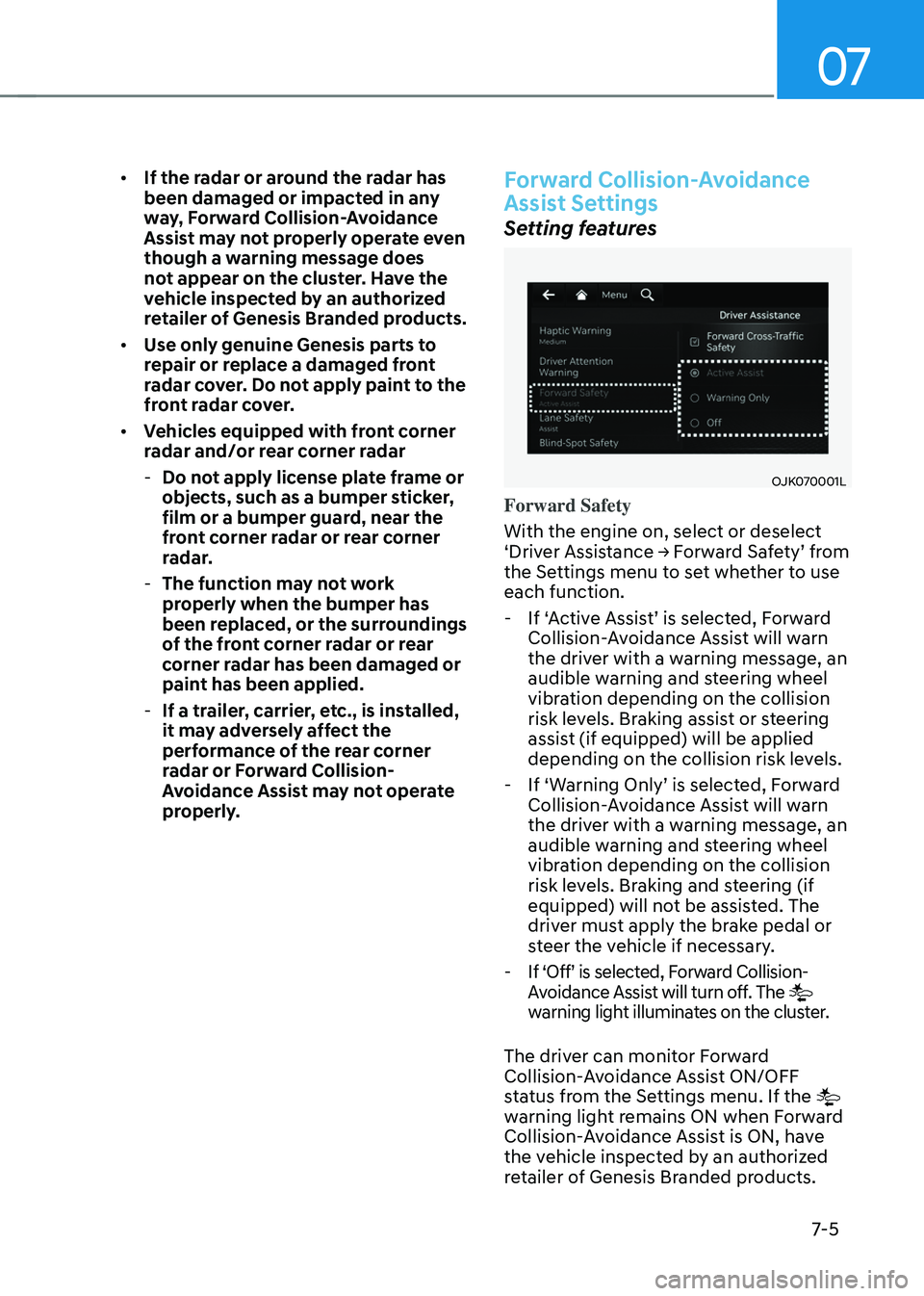
Setting features
OJK070001LOJK070001L
Forward Safety
With the engine on, select or deselect
‘Driver Assistance → Forward Safety’ from
the Settings menu to set whether to use
each function.
- If ‘Active Assist’ is selected, Forward
Collision-Avoidance Assist will warn
the driver with a warning message, an
audible warning and steering wheel
vibration depending on the collision
risk levels. Braking assist or steering
assist (if equipped) will be applied
depending on the collision risk levels.
-If ‘Warning Only’ is selected, Forward
Collision-Avoidance Assist will warn
the driver with a warning message, an
audible warning and steering wheel
vibration depending on the collision
risk levels. Braking and steering (if
equipped) will not be assisted. The
driver must apply the brake pedal or
steer the vehicle if necessary.
- If ‘Off’ is selected, Forward Collision-
Avoidance Assist will turn off. The
warning light illuminates on the cluster.
The driver can monitor Forward
Collision-Avoidance Assist ON/OFF
status from the Settings menu. If the
warning light remains ON when Forward
Collision-Avoidance Assist is ON, have
the vehicle inspected by an authorized
retailer of Genesis Branded products.
Page 357 of 637
Driver Assistance System
7-6
OJK070200LOJK070200L
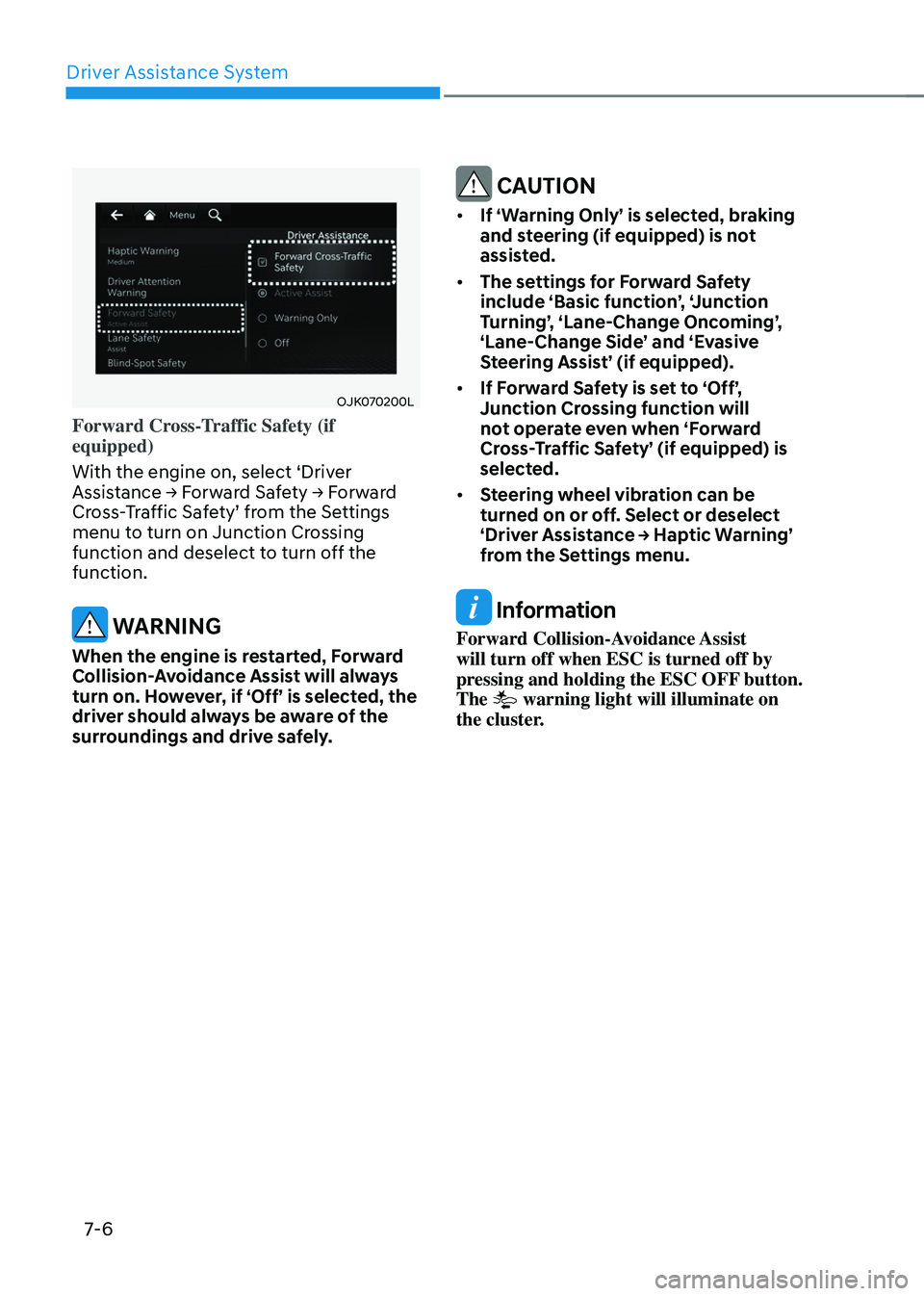
Forward Cross-Traffic Safety (if
equipped)
With the engine on, select ‘Driver
Assistance → Forward Safety → Forward
Cross-Traffic Safety’ from the Settings
menu to turn on Junction Crossing
function and deselect to turn off the
function.
WARNING
When the engine is restarted, Forward
Collision-Avoidance Assist will always
turn on. However, if ‘Off’ is selected, the
driver should always be aware of the
surroundings and drive safely.
CAUTION
• If ‘Warning Only’ is selected, braking
and steering (if equipped) is not
assisted.
• The settings for Forward Safety
include ‘Basic function’, ‘Junction
Turning’, ‘Lane-Change Oncoming’,
‘Lane-Change Side’ and ‘Evasive
Steering Assist’ (if equipped).
• If Forward Safety is set to ‘Off’,
Junction Crossing function will
not operate even when ‘Forward
Cross-Traffic Safety’ (if equipped) is
selected.
• Steering wheel vibration can be
turned on or off. Select or deselect
‘Driver Assistance → Haptic Warning’
from the Settings menu.
Information
Forward Collision-Avoidance Assist
will turn off when ESC is turned off by
pressing and holding the ESC OFF button.
The
warning light will illuminate on
the cluster.
Page 358 of 637
07
7-7
OJK070002LOJK070002L
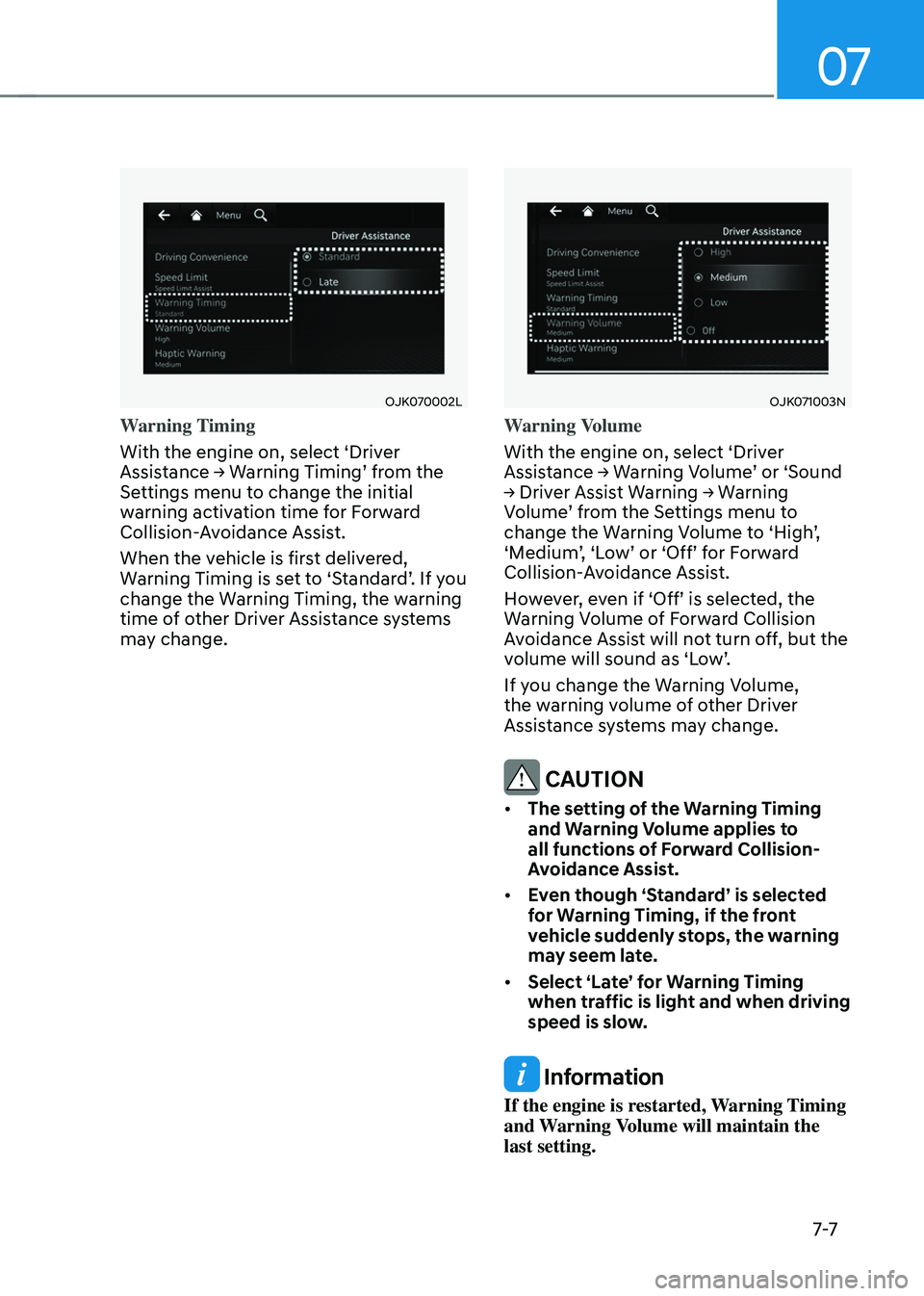
Warning Timing
With the engine on, select ‘Driver
Assistance → Warning Timing’ from the
Settings menu to change the initial
warning activation time for Forward
Collision-Avoidance Assist.
When the vehicle is first delivered,
Warning Timing is set to ‘Standard’. If you
change the Warning Timing, the warning
time of other Driver Assistance systems
may change.
OJK071003NOJK071003N
Warning Volume
With the engine on, select ‘Driver
Assistance → Warning Volume’ or ‘Sound
→ Driver Assist Warning → Warning
Volume’ from the Settings menu to
change the Warning Volume to ‘High’,
‘Medium’, ‘Low’ or ‘Off’ for Forward
Collision-Avoidance Assist.
However, even if ‘Off’ is selected, the
Warning Volume of Forward Collision
Avoidance Assist will not turn off, but the
volume will sound as ‘Low’.
If you change the Warning Volume,
the warning volume of other Driver
Assistance systems may change.
CAUTION
• The setting of the Warning Timing
and Warning Volume applies to
all functions of Forward Collision-
Avoidance Assist.
• Even though ‘Standard’ is selected
for Warning Timing, if the front
vehicle suddenly stops, the warning
may seem late.
• Select ‘Late’ for Warning Timing
when traffic is light and when driving
speed is slow.
Information
If the engine is restarted, Warning Timing
and Warning Volume will maintain the
last setting.
Page 359 of 637
Driver Assistance System
7-8
Forward Collision-Avoidance
Assist Operation
Basic function
Warning and control
The basic function for Forward Collision-
Avoidance Assist is to warn and help
control the vehicle depending on the
collision risk level: ‘Collision Warning’,
‘Emergency Braking’ and ‘Stopping
vehicle and ending brake control’.
OJK070024LOJK070024L
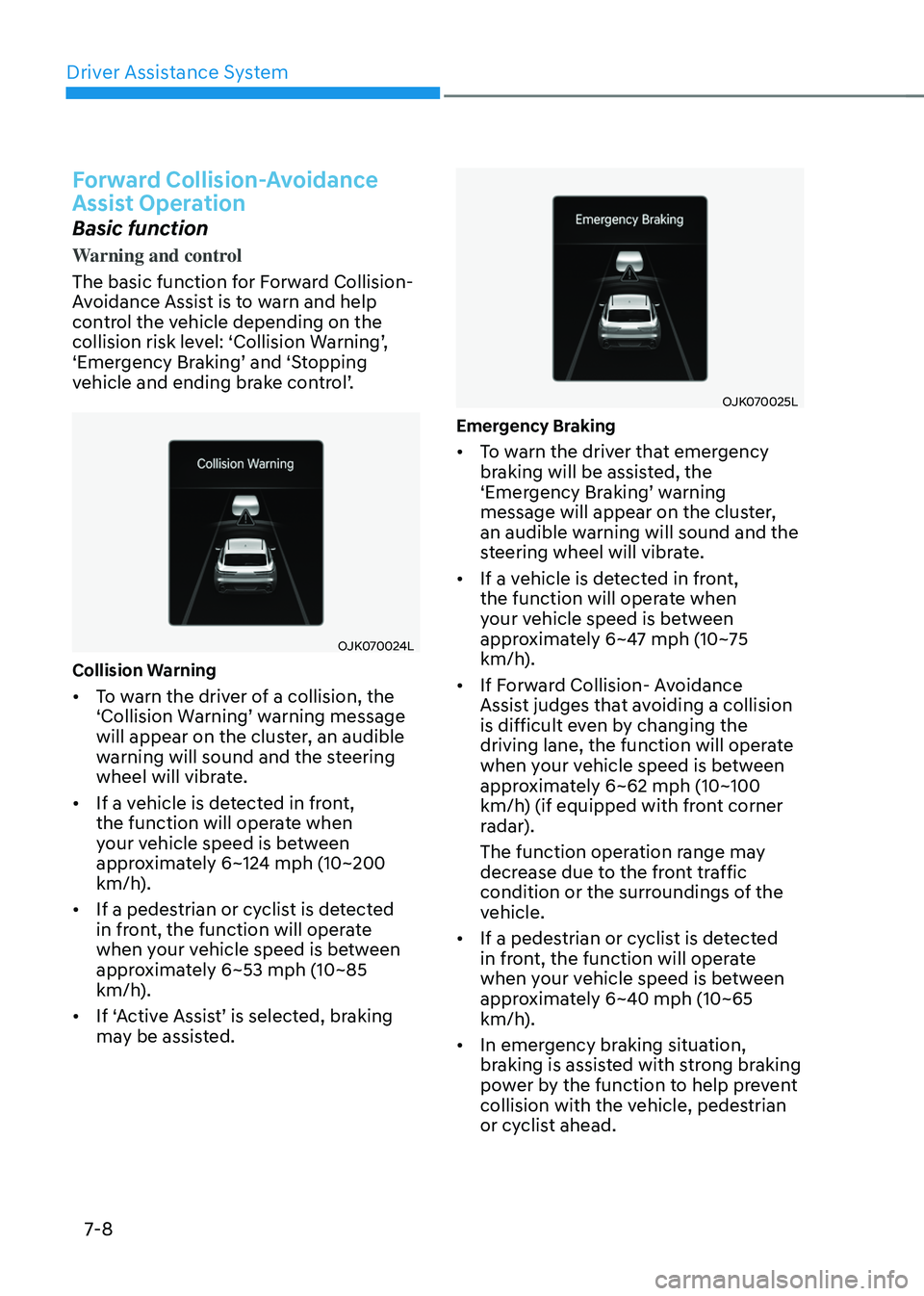
Collision Warning
• To warn the driver of a collision, the
‘Collision Warning’ warning message
will appear on the cluster, an audible
warning will sound and the steering
wheel will vibrate.
• If a vehicle is detected in front,
the function will operate when
your vehicle speed is between
approximately 6~124 mph (10~200
km/h).
• If a pedestrian or cyclist is detected
in front, the function will operate
when your vehicle speed is between
approximately 6~53 mph (10~85
km/h).
• If ‘Active Assist’ is selected, braking
may be assisted.
OJK070025LOJK070025L
Emergency Braking
• To warn the driver that emergency
braking will be assisted, the
‘Emergency Braking’ warning
message will appear on the cluster,
an audible warning will sound and the
steering wheel will vibrate.
• If a vehicle is detected in front,
the function will operate when
your vehicle speed is between
approximately 6~47 mph (10~75
km/h).
• If Forward Collision- Avoidance
Assist judges that avoiding a collision
is difficult even by changing the
driving lane, the function will operate
when your vehicle speed is between
approximately 6~62 mph (10~100
km/h) (if equipped with front corner
radar).
The function operation range may
decrease due to the front traffic
condition or the surroundings of the
vehicle.
• If a pedestrian or cyclist is detected
in front, the function will operate
when your vehicle speed is between
approximately 6~40 mph (10~65
km/h).
• In emergency braking situation,
braking is assisted with strong braking
power by the function to help prevent
collision with the vehicle, pedestrian
or cyclist ahead.
Page 360 of 637
07
7-9
OJK070026LOJK070026L
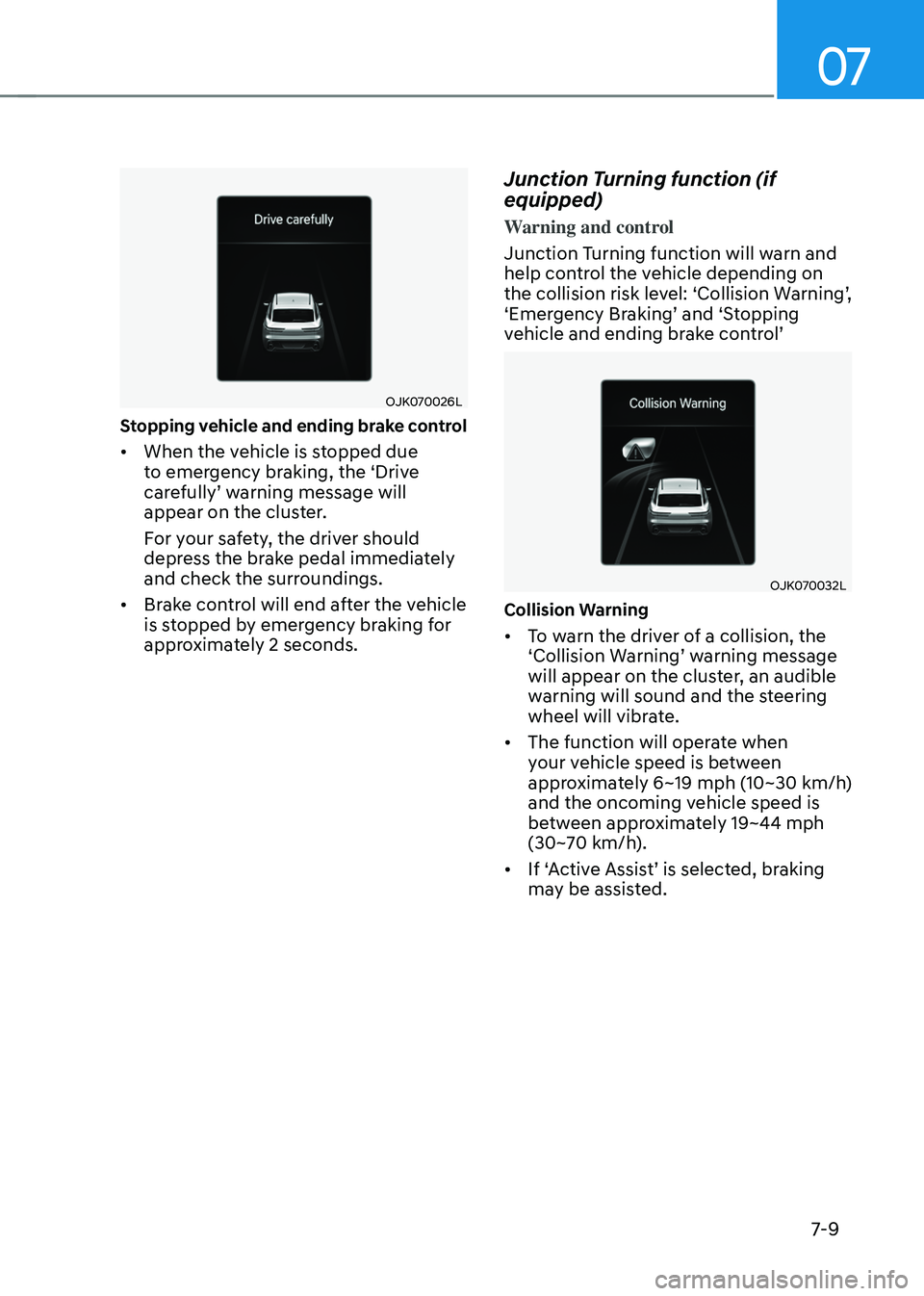
Stopping vehicle and ending brake control
• When the vehicle is stopped due
to emergency braking, the ‘Drive
carefully’ warning message will
appear on the cluster.
For your safety, the driver should
depress the brake pedal immediately
and check the surroundings.
• Brake control will end after the vehicle
is stopped by emergency braking for
approximately 2 seconds.
Junction Turning function (if
equipped)
Warning and control
Junction Turning function will warn and
help control the vehicle depending on
the collision risk level: ‘Collision Warning’,
‘Emergency Braking’ and ‘Stopping
vehicle and ending brake control’
OJK070032LOJK070032L
Collision Warning
• To warn the driver of a collision, the
‘Collision Warning’ warning message
will appear on the cluster, an audible
warning will sound and the steering
wheel will vibrate.
• The function will operate when
your vehicle speed is between
approximately 6~19 mph (10~30 km/h)
and the oncoming vehicle speed is
between approximately 19~44 mph
(30~70 km/h).
• If ‘Active Assist’ is selected, braking
may be assisted.