GENESIS GV70 2023 Owners Manual
Manufacturer: GENESIS, Model Year: 2023, Model line: GV70, Model: GENESIS GV70 2023Pages: 637
Page 371 of 637
Driver Assistance System
7-20
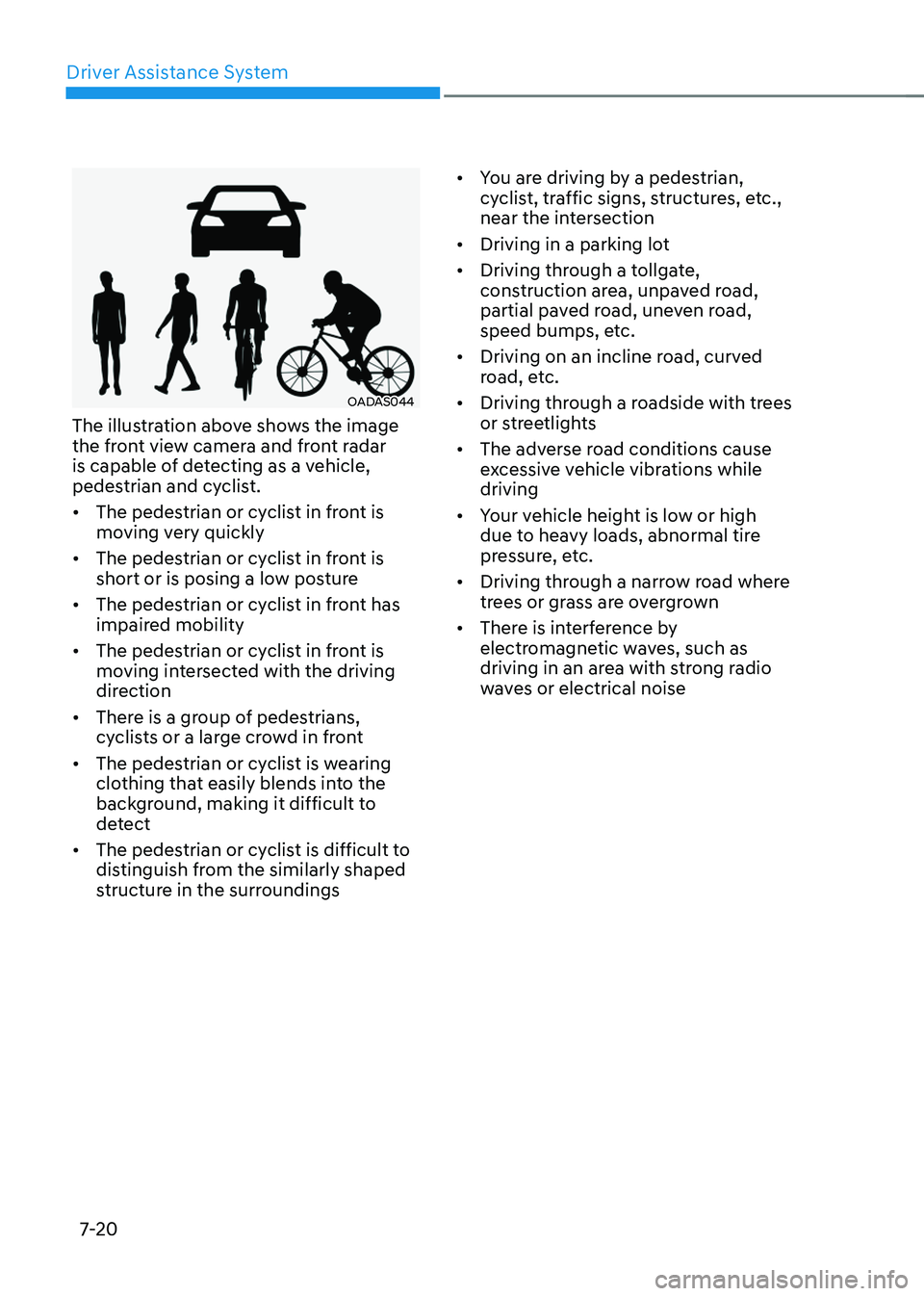
OADAS044OADAS044
The illustration above shows the image
the front view camera and front radar
is capable of detecting as a vehicle,
pedestrian and cyclist.
• The pedestrian or cyclist in front is
moving very quickly
• The pedestrian or cyclist in front is
short or is posing a low posture
• The pedestrian or cyclist in front has
impaired mobility
• The pedestrian or cyclist in front is
moving intersected with the driving
direction
• There is a group of pedestrians,
cyclists or a large crowd in front
• The pedestrian or cyclist is wearing
clothing that easily blends into the
background, making it difficult to
detect
• The pedestrian or cyclist is difficult to
distinguish from the similarly shaped
structure in the surroundings
• You are driving by a pedestrian,
cyclist, traffic signs, structures, etc.,
near the intersection
• Driving in a parking lot
• Driving through a tollgate,
construction area, unpaved road,
partial paved road, uneven road,
speed bumps, etc.
• Driving on an incline road, curved
road, etc.
• Driving through a roadside with trees
or streetlights
• The adverse road conditions cause
excessive vehicle vibrations while
driving
• Your vehicle height is low or high
due to heavy loads, abnormal tire
pressure, etc.
• Driving through a narrow road where
trees or grass are overgrown
• There is interference by
electromagnetic waves, such as
driving in an area with strong radio
waves or electrical noise
Page 372 of 637
07
7-21
Junction Crossing, Lane-Change
Oncoming, Lane-Change Side, Evasive
Steering Assist function (if equipped)
• The temperature around the front
corner radar or rear corner radar is
high or low
• A trailer or carrier is installed around
the rear corner radar
• The front corner radar or rear corner
radar is covered with snow, rain, dirt,
etc.
• The bumper around the front corner
radar or rear corner radar is covered
with objects, such as a bumper
sticker, bumper guard, bike rack, etc.
• The bumper around the front corner
radar or rear corner radar is impacted,
damaged or the radar is out of
position
• The front corner radar or rear corner
radar is blocked by other vehicles,
walls or pillars
• Driving on a highway (or motorway)
ramp
• Driving on a road where the guardrail
or wall is in double structure
• The other vehicle drives very close
behind your vehicle, or the other
vehicle passes by your vehicle in close
proximity
• The speed of the other vehicle is very
fast that it passes by your vehicle in a
short time
• Your vehicle passes by the other
vehicle
• Your vehicle has started at the same
time as the vehicle next to you and
has accelerated
• The vehicle in the next lane moves
two lanes away from you, or when the
vehicle two lanes away moves to the
next lane from you
• A motorcycle or bicycle is detected
• A vehicle such as a flat trailer is
detected
• A big vehicle such as a bus or truck is
detected
• A small moving obstacle such as a
pedestrian, animal, shopping cart or a
baby stroller is detected
• A vehicle with low height such as a
sports car is detected
• The lane is difficult to see due to
foreign material, such as rain, snow,
dust, sand, oil and water puddles
• The color of the lane marking is not
distinguishable from the road
• There are markings on the road near
the lane or the markings on the road
looks similar to the lane markings
• The shadow is on the lane marking by
a median strip, trees, guardrail, noise
barriers, etc.
• The lane number increases or
decreases, or the lane markings are
crossing
• There are more than two lane
markings on the road
• The lane markings are complicated or
a structure substitutes for the lines,
such as a construction area
• There are road markings, such as
zigzag lanes, crosswalk markings and
road signs
• The lane suddenly disappears, such as
at the intersection
• The lane is very wide or narrow
• There is a curb or road edges without
a lane
• The vehicle in front is driving with one
side on the lane marking
• The distance to the front vehicle is
extremely short
Page 373 of 637
Driver Assistance System
7-22
WARNING
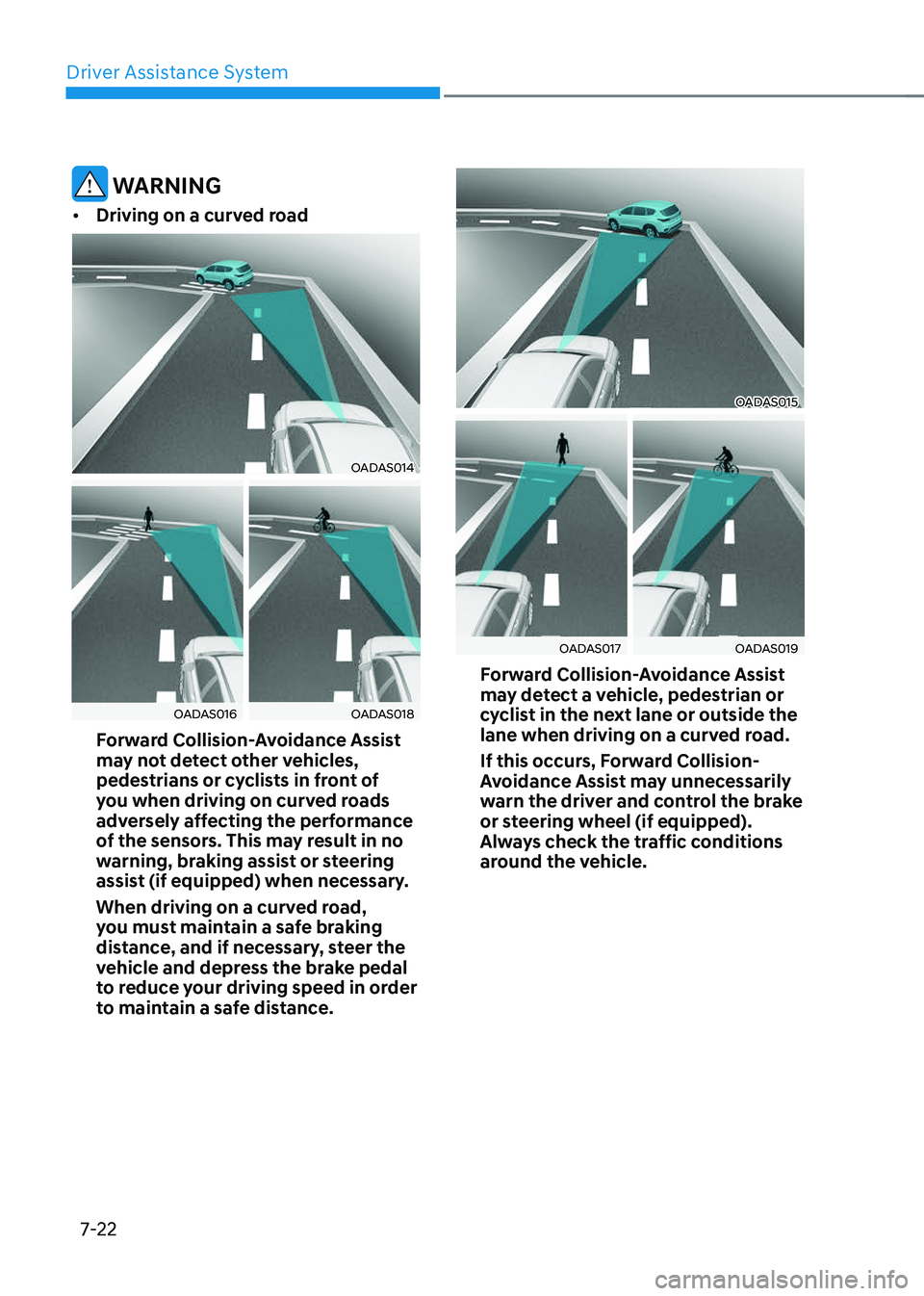
• Driving on a curved road
OADAS014OADAS014
OADAS016OADAS016OADAS018OADAS018
Forward Collision-Avoidance Assist
may not detect other vehicles,
pedestrians or cyclists in front of
you when driving on curved roads
adversely affecting the performance
of the sensors. This may result in no
warning, braking assist or steering
assist (if equipped) when necessary.
When driving on a curved road,
you must maintain a safe braking
distance, and if necessary, steer the
vehicle and depress the brake pedal
to reduce your driving speed in order
to maintain a safe distance.
OADAS015OADAS015
OADAS017OADAS017OADAS019OADAS019
Forward Collision-Avoidance Assist
may detect a vehicle, pedestrian or
cyclist in the next lane or outside the
lane when driving on a curved road.
If this occurs, Forward Collision-
Avoidance Assist may unnecessarily
warn the driver and control the brake
or steering wheel (if equipped).
Always check the traffic conditions
around the vehicle.
Page 374 of 637
07
7-23
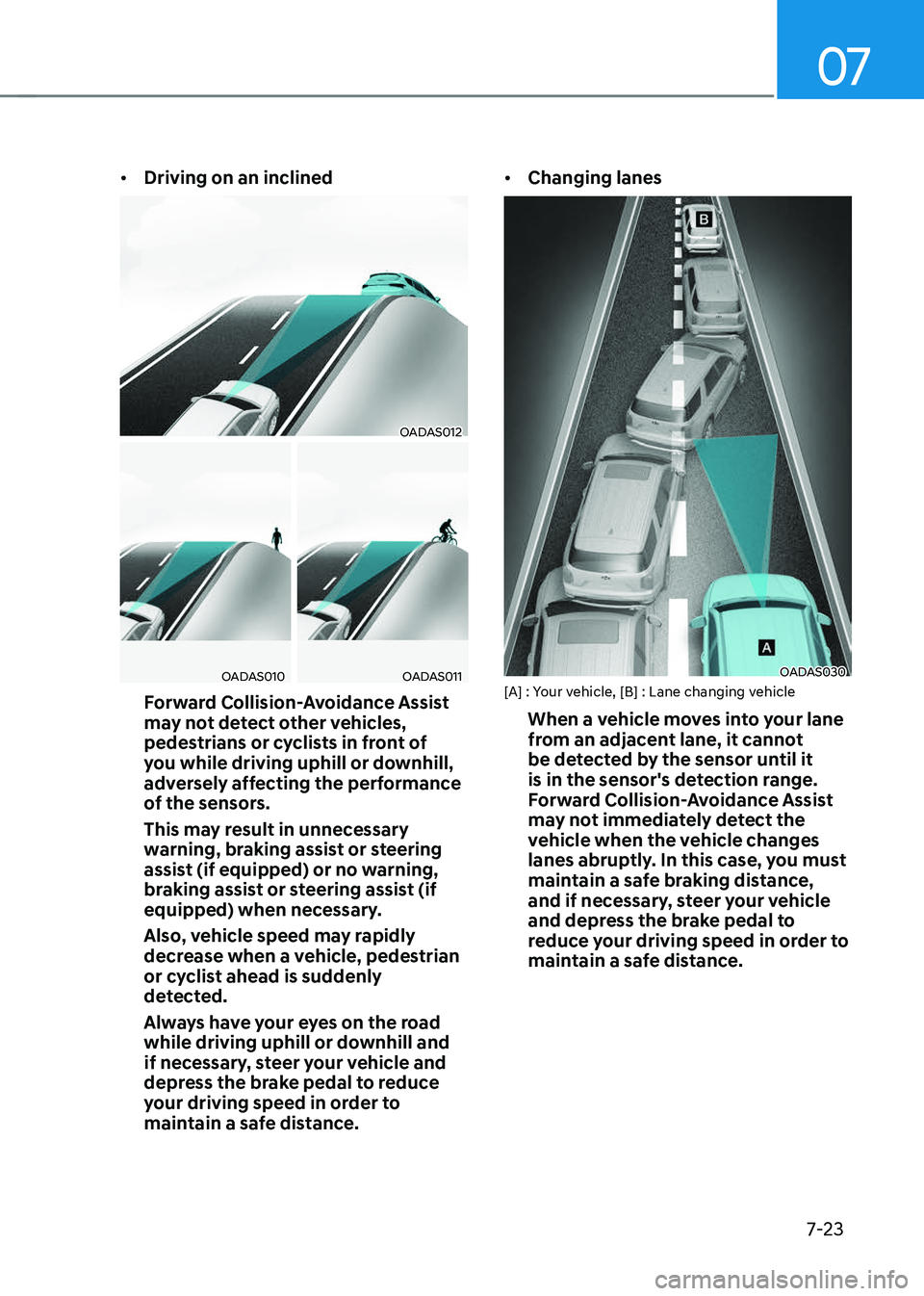
• Driving on an inclined
OADAS012OADAS012
OADAS010OADAS010OADAS011OADAS011
Forward Collision-Avoidance Assist
may not detect other vehicles,
pedestrians or cyclists in front of
you while driving uphill or downhill,
adversely affecting the performance
of the sensors.
This may result in unnecessary
warning, braking assist or steering
assist (if equipped) or no warning,
braking assist or steering assist (if
equipped) when necessary.
Also, vehicle speed may rapidly
decrease when a vehicle, pedestrian
or cyclist ahead is suddenly
detected.
Always have your eyes on the road
while driving uphill or downhill and
if necessary, steer your vehicle and
depress the brake pedal to reduce
your driving speed in order to
maintain a safe distance.
• Changing lanes
OADAS030OADAS030[A] : Your vehicle, [B] : Lane changing vehicle
When a vehicle moves into your lane
from an adjacent lane, it cannot
be detected by the sensor until it
is in the sensor's detection range.
Forward Collision-Avoidance Assist
may not immediately detect the
vehicle when the vehicle changes
lanes abruptly. In this case, you must
maintain a safe braking distance,
and if necessary, steer your vehicle
and depress the brake pedal to
reduce your driving speed in order to
maintain a safe distance.
Page 375 of 637
![GENESIS GV70 2023 Owners Manual Driver Assistance System
7-24
OADAS031OADAS031[A] : Your vehicle, [B] : Lane changing vehicle,
[C] : Same lane vehicle
When a vehicle in front of you
merges out of the lane, Forward
Collision-Avoid](/img/46/58827/w960_58827-374.png "GENESIS GV70 2023 Owners Manual Driver Assistance System
7-24
OADAS031OADAS031[A] : Your vehicle, [B] : Lane changing vehicle,
[C] : Same lane vehicle
When a vehicle in front of you
merges out of the lane, Forward
Collision-Avoid")
Driver Assistance System
7-24
OADAS031OADAS031[A] : Your vehicle, [B] : Lane changing vehicle,
[C] : Same lane vehicle
When a vehicle in front of you
merges out of the lane, Forward
Collision-Avoidance Assist may not
immediately detect the vehicle that
is now in front of you. In this case,
you must maintain a safe braking
distance, and if necessary, steer your
vehicle and depress the brake pedal
to reduce your driving speed in order
to maintain a safe distance.
• Detecting vehicle
OJK071036NOJK071036N
If the vehicle in front of you has
cargo that extends rearward from
the cab, or when the vehicle in front
of you has higher ground clearance,
additional special attention is
required. Forward Collision-
Avoidance Assist may not be able
to detect the cargo extending from
the vehicle. In these instances,
you must maintain a safe braking
distance from the rearmost object,
and if necessary, steer your vehicle
and depress the brake pedal to
reduce your driving speed in order to
maintain distance.
Page 376 of 637
07
7-25
WARNING
• When you are towing a trailer or
another vehicle, turn off Forward
Collision-Avoidance Assist for safety
reasons.
• Forward Collision-Avoidance Assist
may operate if objects that are
similar in shape or characteristics to
vehicles, pedestrians and cyclists are
detected.
• Forward Collision-Avoidance Assist
does not operate on bicycles,
motorcycles, or smaller wheeled
objects, such as luggage bags,
shopping carts, or strollers.
• Forward Collision-Avoidance
Assist may not operate properly if
interfered by strong electromagnetic
waves.
• Forward Collision-Avoidance Assist
may not operate for 15 seconds after
the vehicle is started, or the front
view camera is initialized.
Information
This device complies with Part 15 of the
FCC rules.
Operation is subject to the following three
conditions:
1. This device may not cause harmful
interference, and
2. This device must accept any
interference received, including
interference that may cause undesired
operation.
3. Changes or modifications not expressly
approved by the party responsible
for compliance could void the user's
authority to operate the device.
Information
Radio frequency radiation exposure
information:
This equipment complies with FCC
radiation exposure limits set forth for an
uncontrolled environment.
This equipment should be installed and
operated with minimum distance of 8 in.
(20 cm) between the radiator (antenna)
and your body.
This transmitter must not be co-located or
operating in conjunction with any other
antenna or transmitter.
Page 377 of 637
Driver Assistance System
7-26
Lane Keeping Assist is designed to help
detect lane markings (or road edges)
while driving over a certain speed. Lane
Keeping Assist will warn the driver if the
vehicle leaves the lane without using the
turn signal, or will automatically assist
the driver’s steering to help prevent the
vehicle from departing the lane.
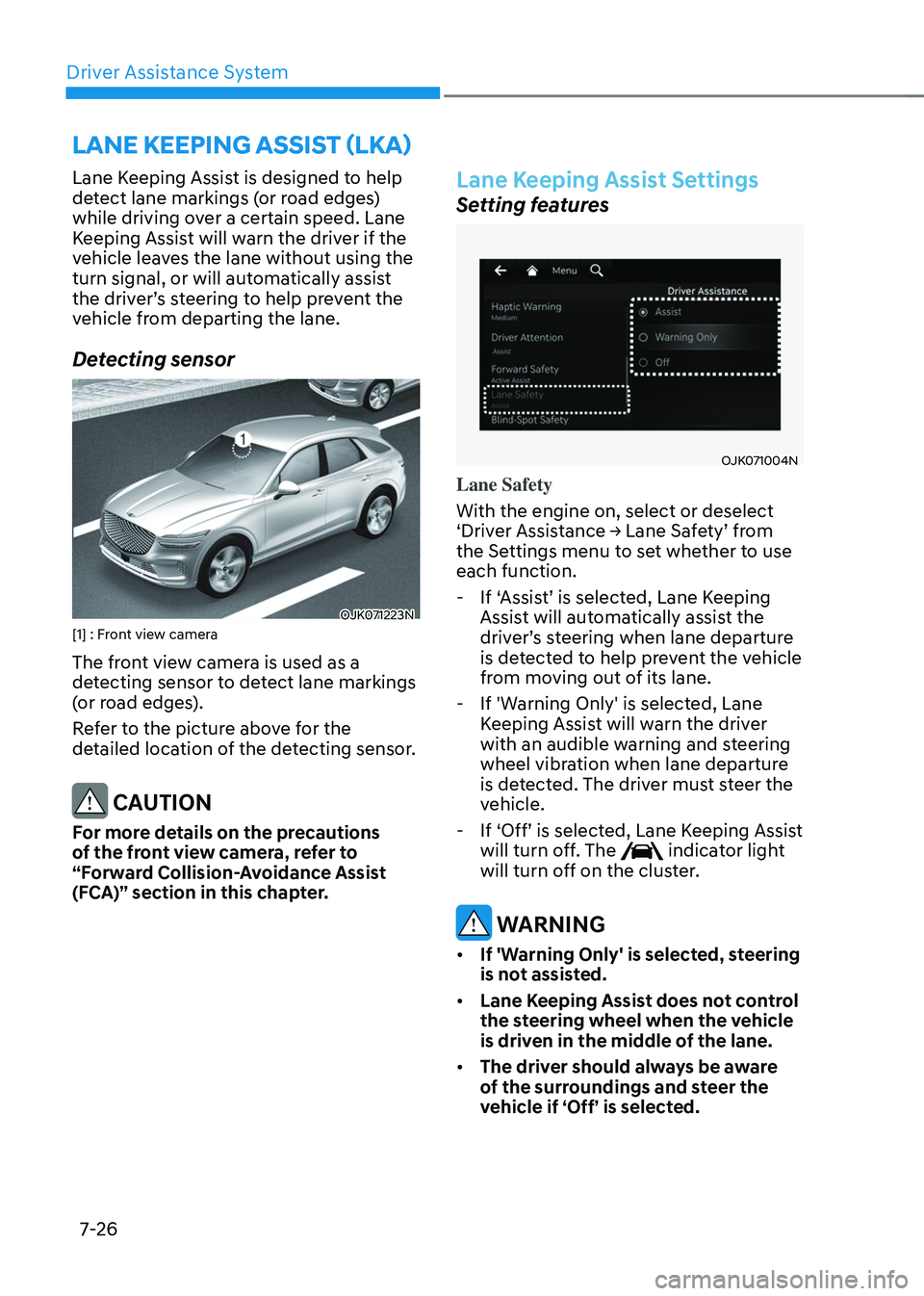
Detecting sensor
OJK071223NOJK071223N[1] : Front view camera
The front view camera is used as a
detecting sensor to detect lane markings
(or road edges).
Refer to the picture above for the
detailed location of the detecting sensor.
CAUTION
For more details on the precautions
of the front view camera, refer to
“Forward Collision-Avoidance Assist
(FCA)” section in this chapter.
Lane Keeping Assist Settings
Setting features
OJK071004NOJK071004N
Lane Safety
With the engine on, select or deselect
‘Driver Assistance → Lane Safety’ from
the Settings menu to set whether to use
each function.
-If ‘Assist’ is selected, Lane Keeping
Assist will automatically assist the
driver’s steering when lane departure
is detected to help prevent the vehicle
from moving out of its lane.
-If 'Warning Only' is selected, Lane
Keeping Assist will warn the driver
with an audible warning and steering
wheel vibration when lane departure
is detected. The driver must steer the
vehicle.
-If ‘Off’ is selected, Lane Keeping Assist
will turn off. The indicator light will turn off on the cluster.
WARNING
• If 'Warning Only' is selected, steering
is not assisted.
• Lane Keeping Assist does not control
the steering wheel when the vehicle
is driven in the middle of the lane.
• The driver should always be aware
of the surroundings and steer the
vehicle if ‘Off’ is selected.
LANE KEEPING ASSIST (LKA)
Page 378 of 637
07
7-27
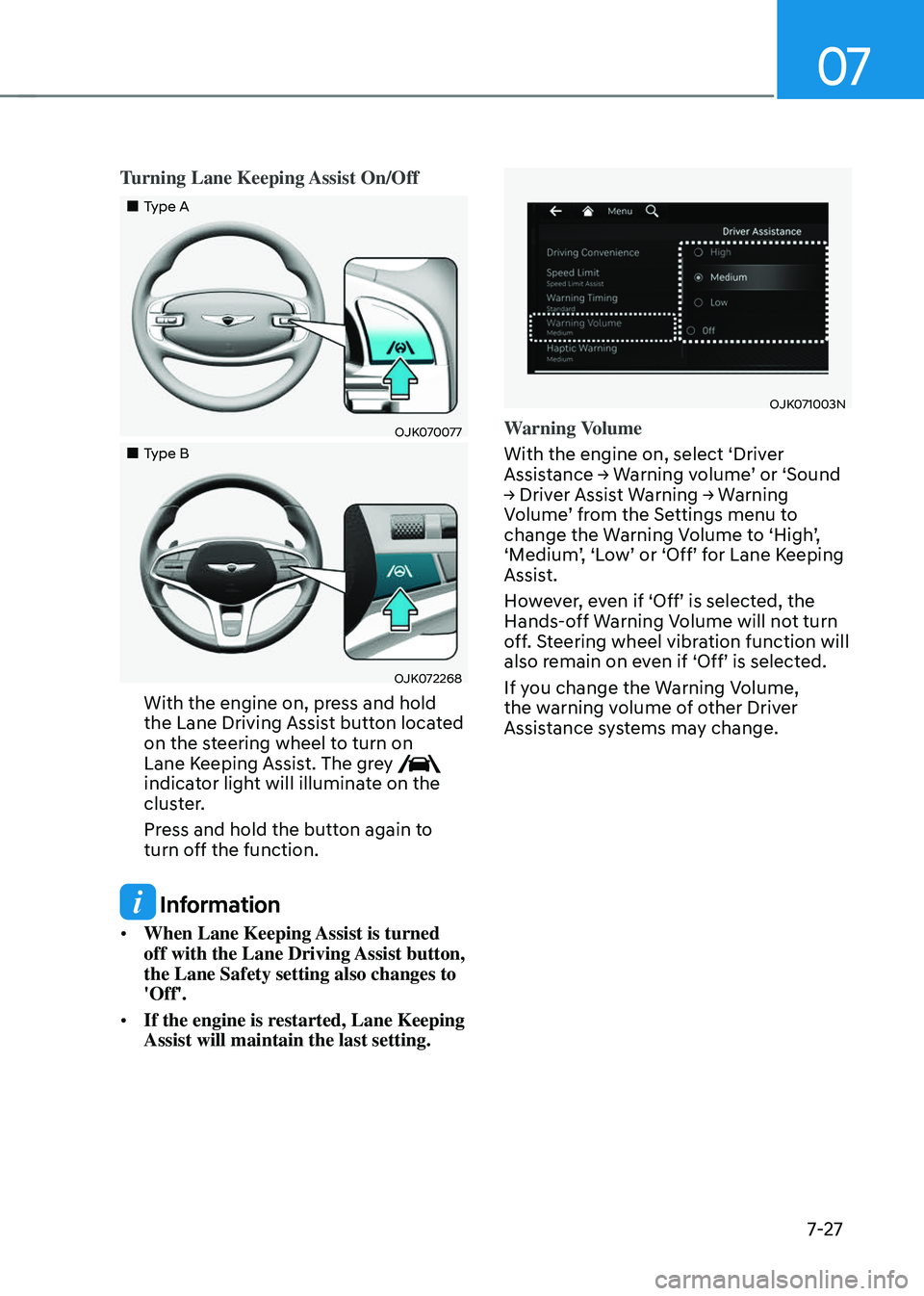
Turning Lane Keeping Assist On/Off
Page 379 of 637
Driver Assistance System
7-28
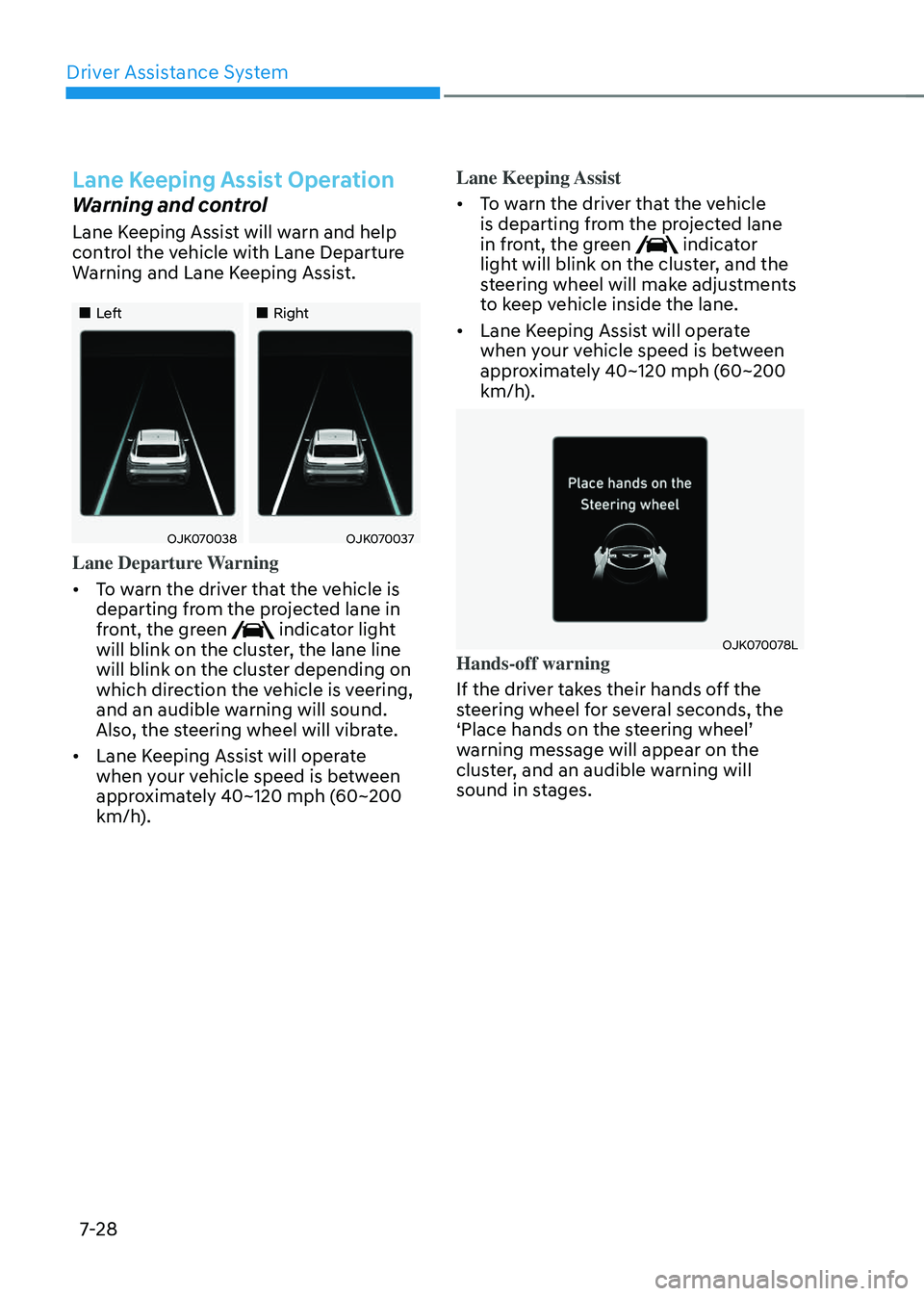
Lane Keeping Assist Operation
Warning and control
Lane Keeping Assist will warn and help
control the vehicle with Lane Departure
Warning and Lane Keeping Assist.
Page 380 of 637
07
7-29
WARNING
• The steering wheel may not be
assisted if the steering wheel is held
very tight or the steering wheel is
steered over a certain degree.
• Lane Keeping Assist does not operate
at all times. It is the responsibility of
the driver to safely steer the vehicle
and to maintain the vehicle in its
lane.
• The hands–off warning message
may appear late depending on road
conditions. Always have your hands
on the steering wheel while driving.
• If the steering wheel is held very
lightly, the hands–off warning
message may appear because Lane
Keeping Assist may not recognize
that the driver has their hands on the
steering wheel.
• If you attach objects to the steering
wheel, the hands-off warning may
not work properly.
Information
• For more details on setting the
functions in the infotainment system,
refer to “Vehicle Settings” section in
chapter 4.
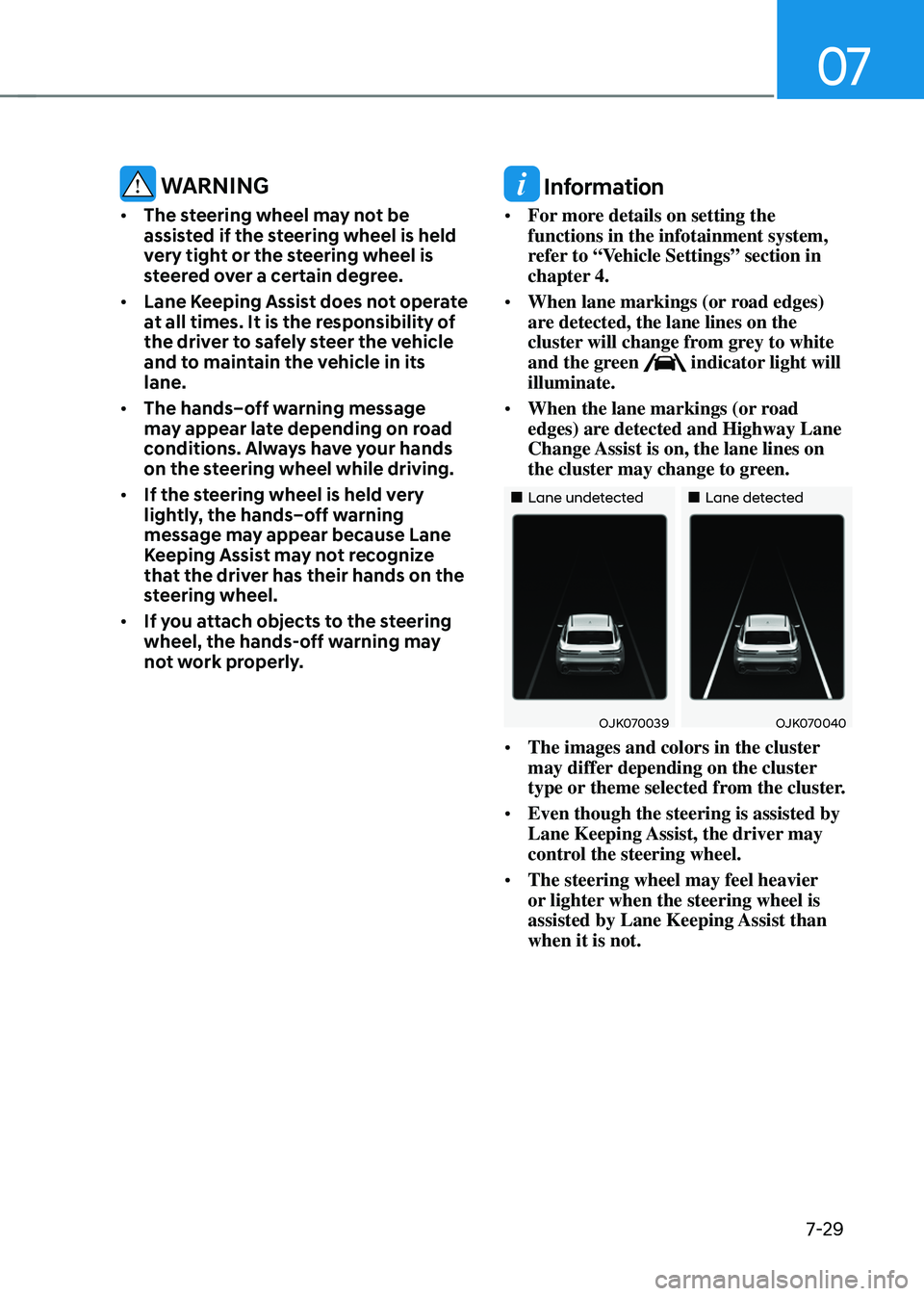
• When lane markings (or road edges)
are detected, the lane lines on the
cluster will change from grey to white
and the green
indicator light will illuminate.
• When the lane markings (or road
edges) are detected and Highway Lane
Change Assist is on, the lane lines on
the cluster may change to green.