GENESIS GV70 2023 Owners Manual
Manufacturer: GENESIS, Model Year: 2023, Model line: GV70, Model: GENESIS GV70 2023Pages: 637
Page 381 of 637
Driver Assistance System
7-30
Lane Keeping Assist Malfunction
and Limitations
Lane Keeping Assist malfunction
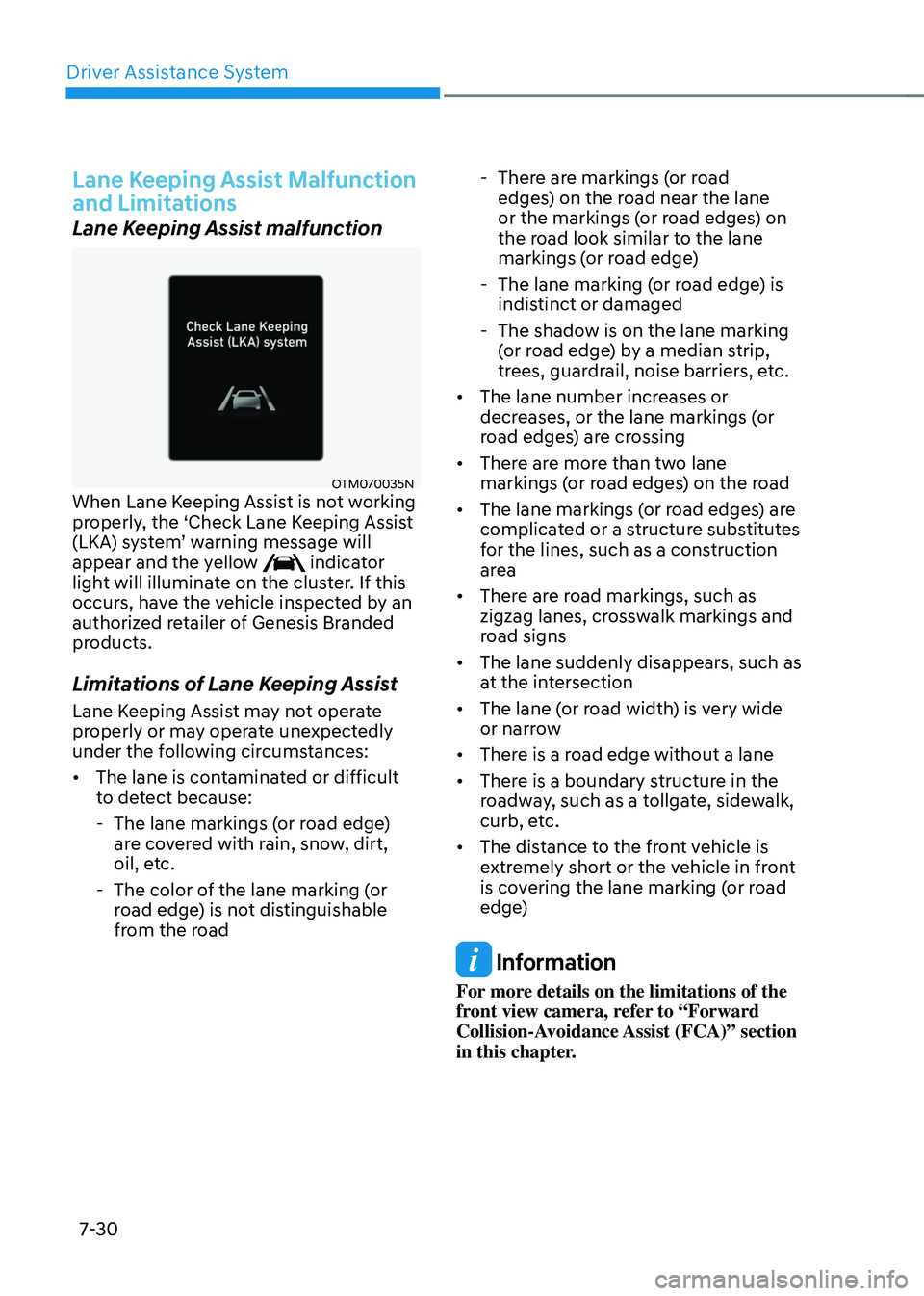
OTM070035NOTM070035NWhen Lane Keeping Assist is not working
properly, the ‘Check Lane Keeping Assist
(LKA) system’ warning message will
appear and the yellow
indicator light will illuminate on the cluster. If this
occurs, have the vehicle inspected by an
authorized retailer of Genesis Branded
products.
Limitations of Lane Keeping Assist
Lane Keeping Assist may not operate
properly or may operate unexpectedly
under the following circumstances:
• The lane is contaminated or difficult
to detect because:
-The lane markings (or road edge)
are covered with rain, snow, dirt,
oil, etc.
-The color of the lane marking (or
road edge) is not distinguishable
from the road
-There are markings (or road
edges) on the road near the lane
or the markings (or road edges) on
the road look similar to the lane
markings (or road edge)
-The lane marking (or road edge) is
indistinct or damaged
-The shadow is on the lane marking
(or road edge) by a median strip,
trees, guardrail, noise barriers, etc.
• The lane number increases or
decreases, or the lane markings (or
road edges) are crossing
• There are more than two lane
markings (or road edges) on the road
• The lane markings (or road edges) are
complicated or a structure substitutes
for the lines, such as a construction
area
• There are road markings, such as
zigzag lanes, crosswalk markings and
road signs
• The lane suddenly disappears, such as
at the intersection
• The lane (or road width) is very wide
or narrow
• There is a road edge without a lane
• There is a boundary structure in the
roadway, such as a tollgate, sidewalk,
curb, etc.
• The distance to the front vehicle is
extremely short or the vehicle in front
is covering the lane marking (or road
edge)
Information
For more details on the limitations of the
front view camera, refer to “Forward
Collision-Avoidance Assist (FCA)” section
in this chapter.
Page 382 of 637
07
7-31
WARNING
Take the following precautions when
using Lane Keeping Assist:
• The driver should hold the
responsibility to safely drive and
control the vehicle. Do not solely rely
on Lane Keeping Assist and drive
dangerously.
• The operation of Lane Keeping Assist
can be canceled or not work properly
depending on road conditions and
surroundings. Always be cautious
while driving.
• Refer to “Limitations of Lane Keeping
Assist” if the lane is not detected
properly.
• When you are towing a trailer or
another vehicle, turn off Lane
Keeping Assist for safety reasons.
• If the vehicle is driven at high speed,
the steering wheel will not be
controlled. The driver must always
follow the speed limit when using
Lane Keeping Assist.
• If any other system’s warning
message is displayed or audible
warning is generated, Lane Keeping
Assist warning message may not be
displayed and audible warning may
not be generated.
• You may not hear the warning
sound of Lane Keeping Assist if the
surrounding is noisy.
• If you attach objects to the steering
wheel, steering may not be assisted
properly.
• Lane Keeping Assist may not operate
for 15 seconds after the vehicle is
started, or the front view camera is
initialized.
• Lane Keeping Assist will not operate
when:
-The turn signal or hazard warning
flasher is turned on.
-The vehicle is not driven in the
center of the lane when Lane
Keeping Assist is turned on or right
after changing a lane.
-ESC (Electronic Stability Control)
or VSM (Vehicle Stability
Management) is activated.
-The vehicle is driven on a sharp
curve.
-Vehicle speed is below 35 mph (55 km/h) or above 130 mph (210 km/h).
-The vehicle makes sharp lane
changes.
-The vehicle brakes suddenly.
Page 383 of 637
Driver Assistance System
7-32
Blind-Spot Collision-Avoidance Assist
is designed to help detect and monitor
approaching vehicles in the driver’s
blind spot area and warn the driver
of a possible collision with a warning
message and audible warning.
In addition, if there is a risk of collision
when changing lanes or driving forward
out of a parking space, Blind-Spot
Collision-Avoidance Assist can help avoid
a collision by applying the brake.
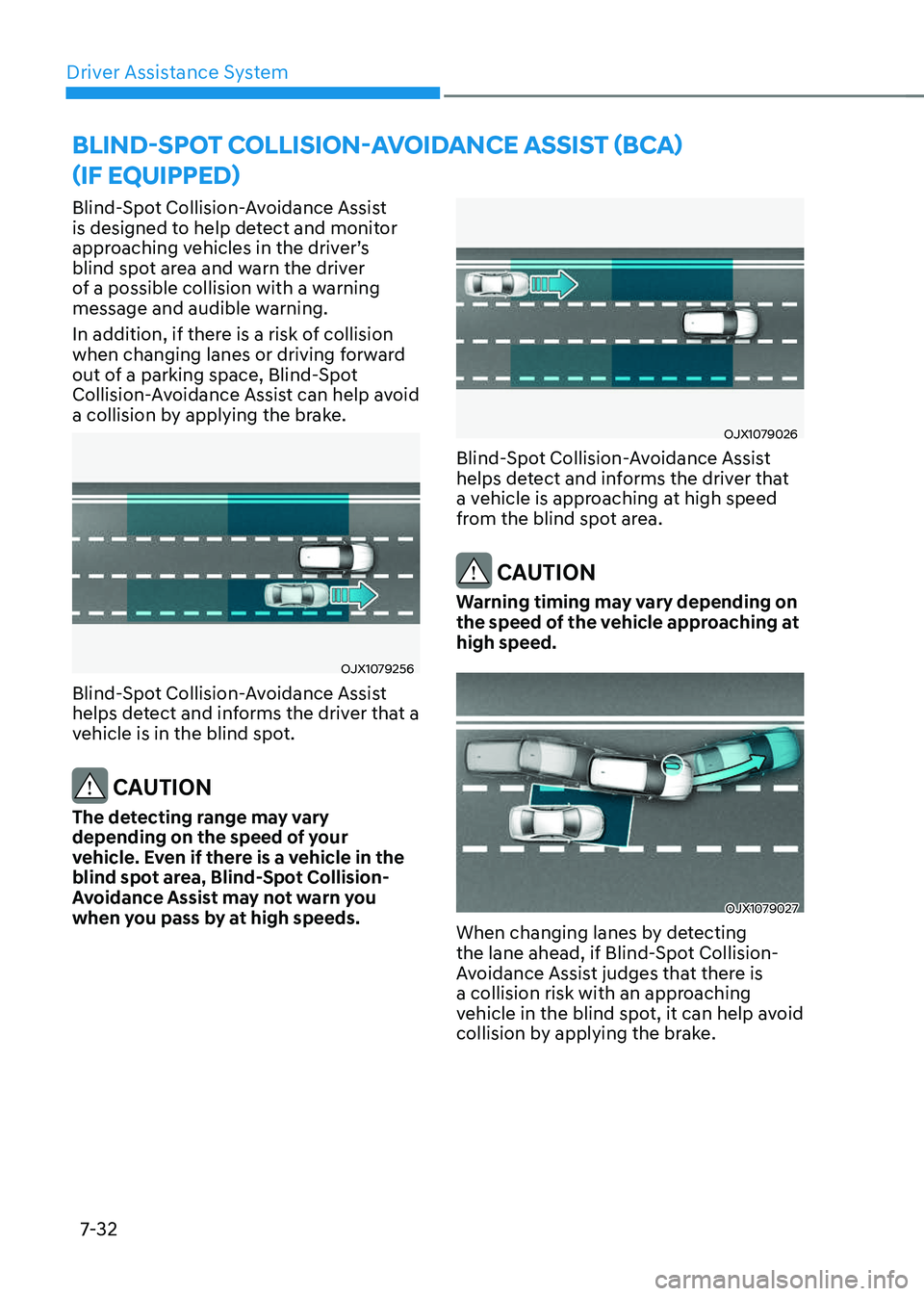
OJX1079256OJX1079256
Blind-Spot Collision-Avoidance Assist
helps detect and informs the driver that a
vehicle is in the blind spot.
CAUTION
The detecting range may vary
depending on the speed of your
vehicle. Even if there is a vehicle in the
blind spot area, Blind-Spot Collision-
Avoidance Assist may not warn you
when you pass by at high speeds.
OJX1079026OJX1079026
Blind-Spot Collision-Avoidance Assist
helps detect and informs the driver that
a vehicle is approaching at high speed
from the blind spot area.
CAUTION
Warning timing may vary depending on
the speed of the vehicle approaching at
high speed.
OJX1079027OJX1079027
When changing lanes by detecting
the lane ahead, if Blind-Spot Collision-
Avoidance Assist judges that there is
a collision risk with an approaching
vehicle in the blind spot, it can help avoid
collision by applying the brake.
BLIND-SPOT COLLISION-AVOIDANCE ASSIST (BCA)
(IF EQUIPPED)
Page 384 of 637
07
7-33
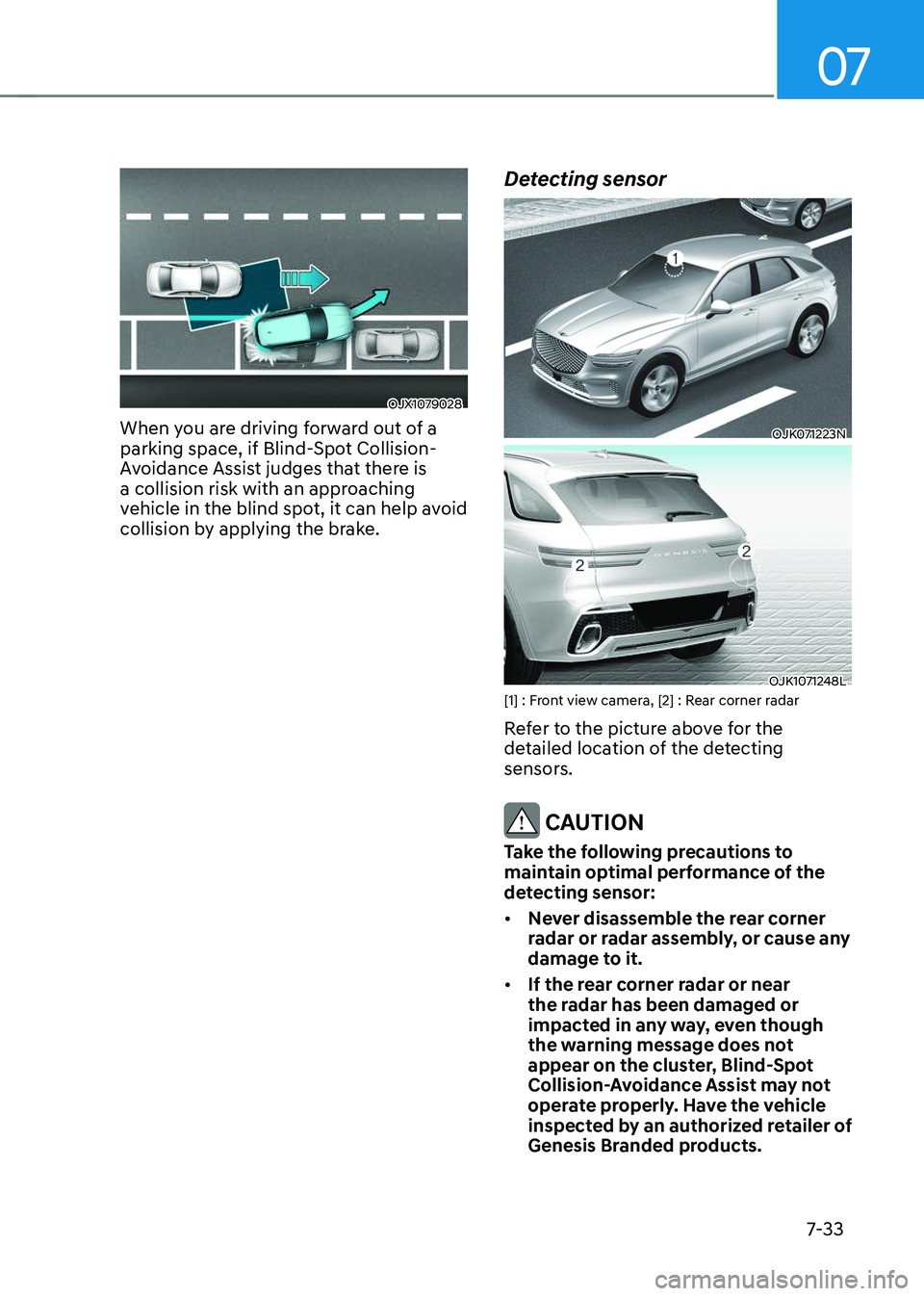
OJX1079028OJX1079028
When you are driving forward out of a
parking space, if Blind-Spot Collision-
Avoidance Assist judges that there is
a collision risk with an approaching
vehicle in the blind spot, it can help avoid
collision by applying the brake.
Detecting sensor
OJK071223NOJK071223N
OJK1071248LOJK1071248L[1] : Front view camera, [2] : Rear corner radar
Refer to the picture above for the
detailed location of the detecting
sensors.
CAUTION
Take the following precautions to
maintain optimal performance of the
detecting sensor:
• Never disassemble the rear corner
radar or radar assembly, or cause any
damage to it.
• If the rear corner radar or near
the radar has been damaged or
impacted in any way, even though
the warning message does not
appear on the cluster, Blind-Spot
Collision-Avoidance Assist may not
operate properly. Have the vehicle
inspected by an authorized retailer of
Genesis Branded products.
Page 385 of 637
Driver Assistance System
7-34
• If the rear corner radars have been
replaced or repaired, have the
vehicle inspected by an authorized
retailer of Genesis Branded products.
• Use only genuine Genesis parts to
repair the rear bumper where the
rear corner radar is located.
• Do not apply license plate frame or
objects, such as a bumper sticker,
film or a bumper guard near the rear
corner radar.
• Blind-Spot Collision-Avoidance
Assist may not work properly if the
bumper has been replaced, or the
surroundings of the rear corner radar
have been damaged or paint has
been applied.
• If a trailer, carrier, etc., is installed,
it may adversely affect the
performance of the rear corner radar
or Blind-Spot Collision-Avoidance
Assist may not operate.
• For more details on the precautions
of the front view camera, refer to
“Forward Collision-Avoidance Assist
(FCA)” section in this chapter.
Blind-Spot Collision-Avoidance
Assist Settings
Setting features
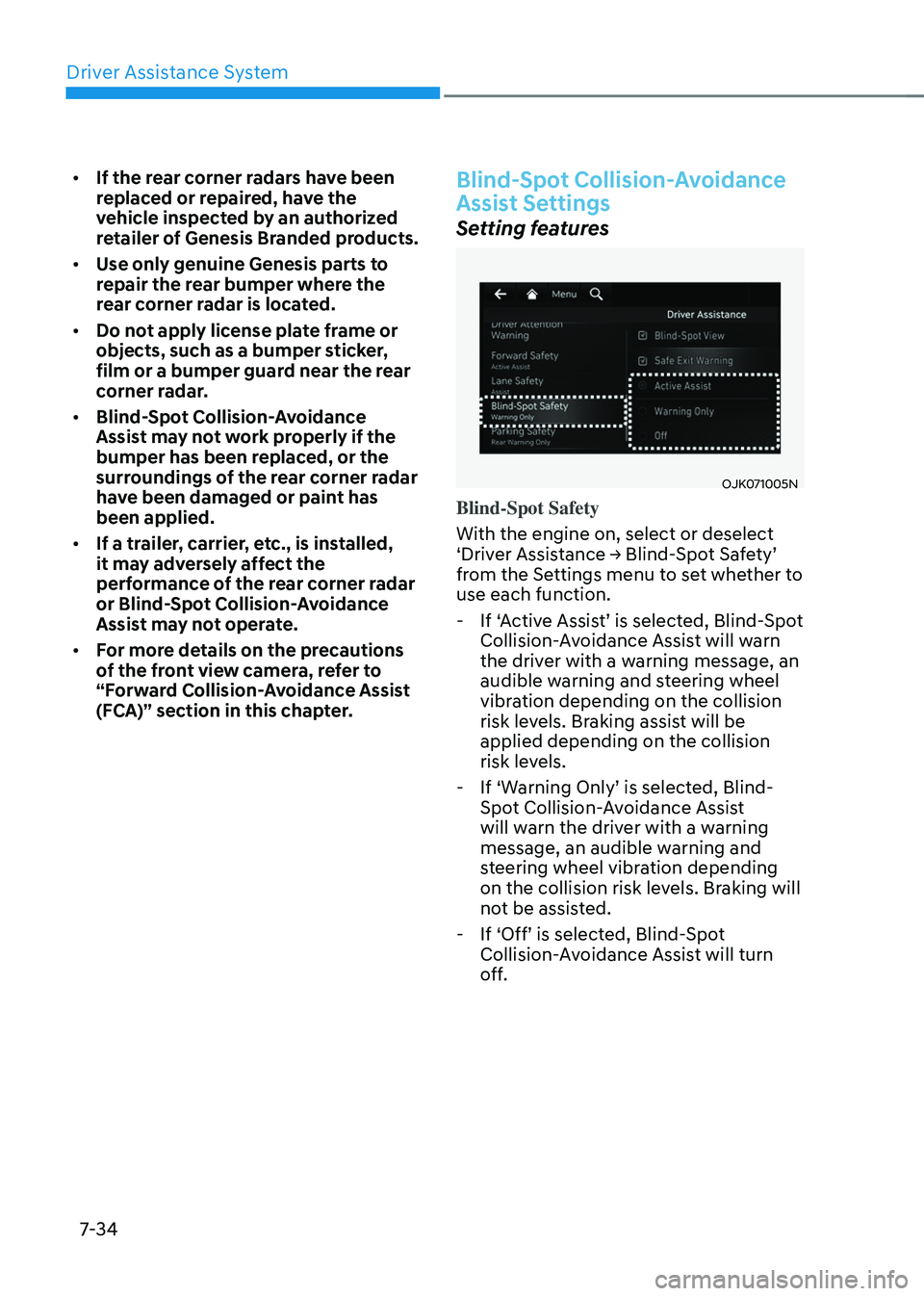
OJK071005NOJK071005N
Blind-Spot Safety
With the engine on, select or deselect
‘Driver Assistance → Blind-Spot Safety’
from the Settings menu to set whether to
use each function.
-If ‘Active Assist’ is selected, Blind-Spot
Collision-Avoidance Assist will warn
the driver with a warning message, an
audible warning and steering wheel
vibration depending on the collision
risk levels. Braking assist will be
applied depending on the collision
risk levels.
-If ‘Warning Only’ is selected, Blind-
Spot Collision-Avoidance Assist
will warn the driver with a warning
message, an audible warning and
steering wheel vibration depending
on the collision risk levels. Braking will
not be assisted.
-If ‘Off’ is selected, Blind-Spot
Collision-Avoidance Assist will turn
off.
Page 386 of 637
07
7-35
OTM070097NOTM070097N
When the engine is restarted with Blind-
Spot Collision-Avoidance Assist off,
the ‘Blind-Spot Safety System is Off’
message will appear on the cluster.
If you change the setting from ‘Off’ to
‘Active Assist’ or ‘Warning Only’, the
warning light on the side view mirror will
blink for three seconds.
In addition, if the engine is turned on,
when Blind-Spot Collision-Avoidance
Assist is set to ‘Active Assist’ or ‘Warning
Only’, the warning light on the side view
mirror will blink for three seconds.
WARNING
• If ‘Warning Only’ is selected, braking
is not assisted.
• If ‘Off’ is selected, the driver should
always be aware of the surroundings
and drive safely.
Information
If the engine is restarted, Blind-Spot
Collision-Avoidance Assist will maintain
the last setting.
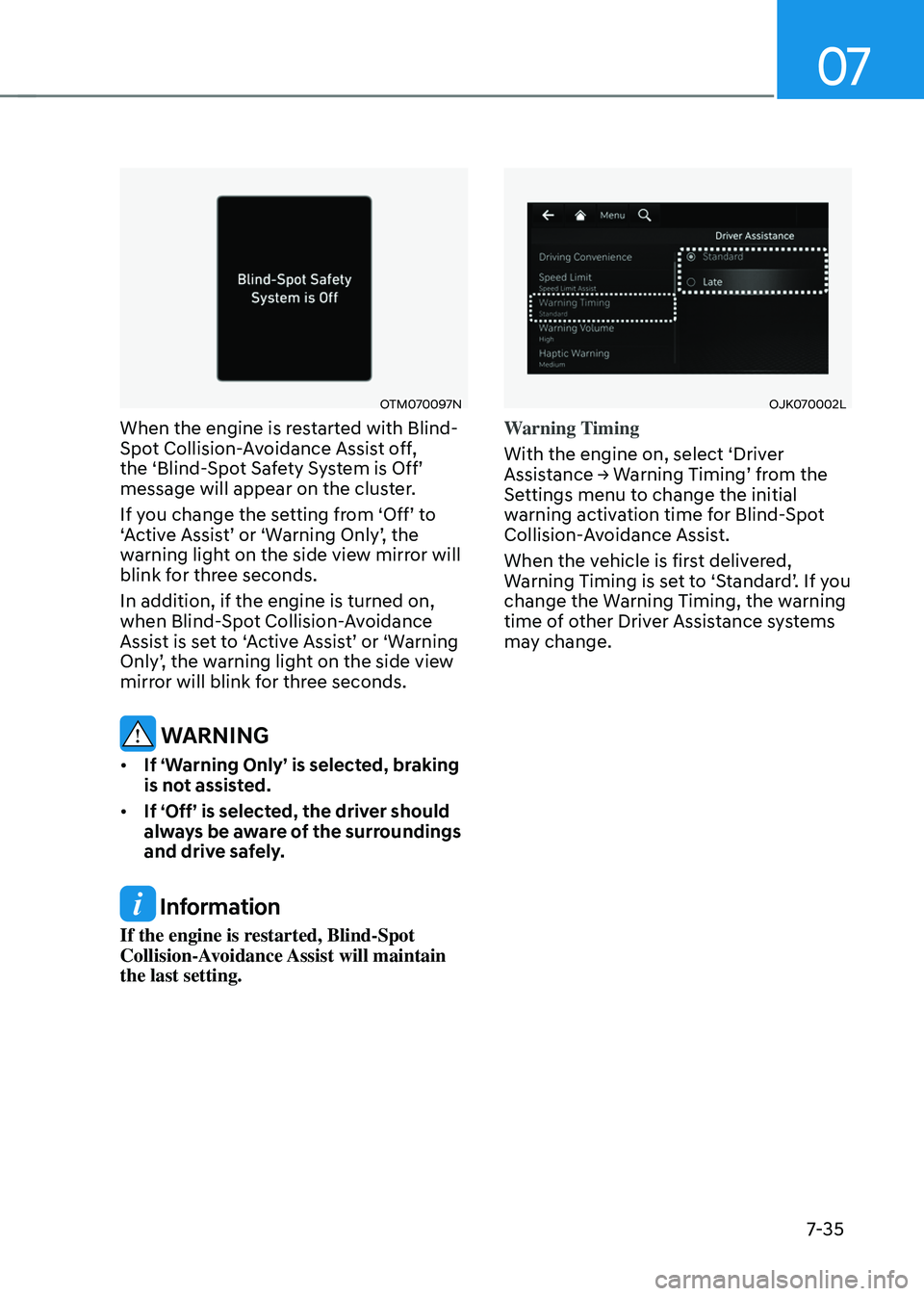
OJK070002LOJK070002L
Warning Timing
With the engine on, select ‘Driver
Assistance → Warning Timing’ from the
Settings menu to change the initial
warning activation time for Blind-Spot
Collision-Avoidance Assist.
When the vehicle is first delivered,
Warning Timing is set to ‘Standard’. If you
change the Warning Timing, the warning
time of other Driver Assistance systems
may change.
Page 387 of 637
Driver Assistance System
7-36
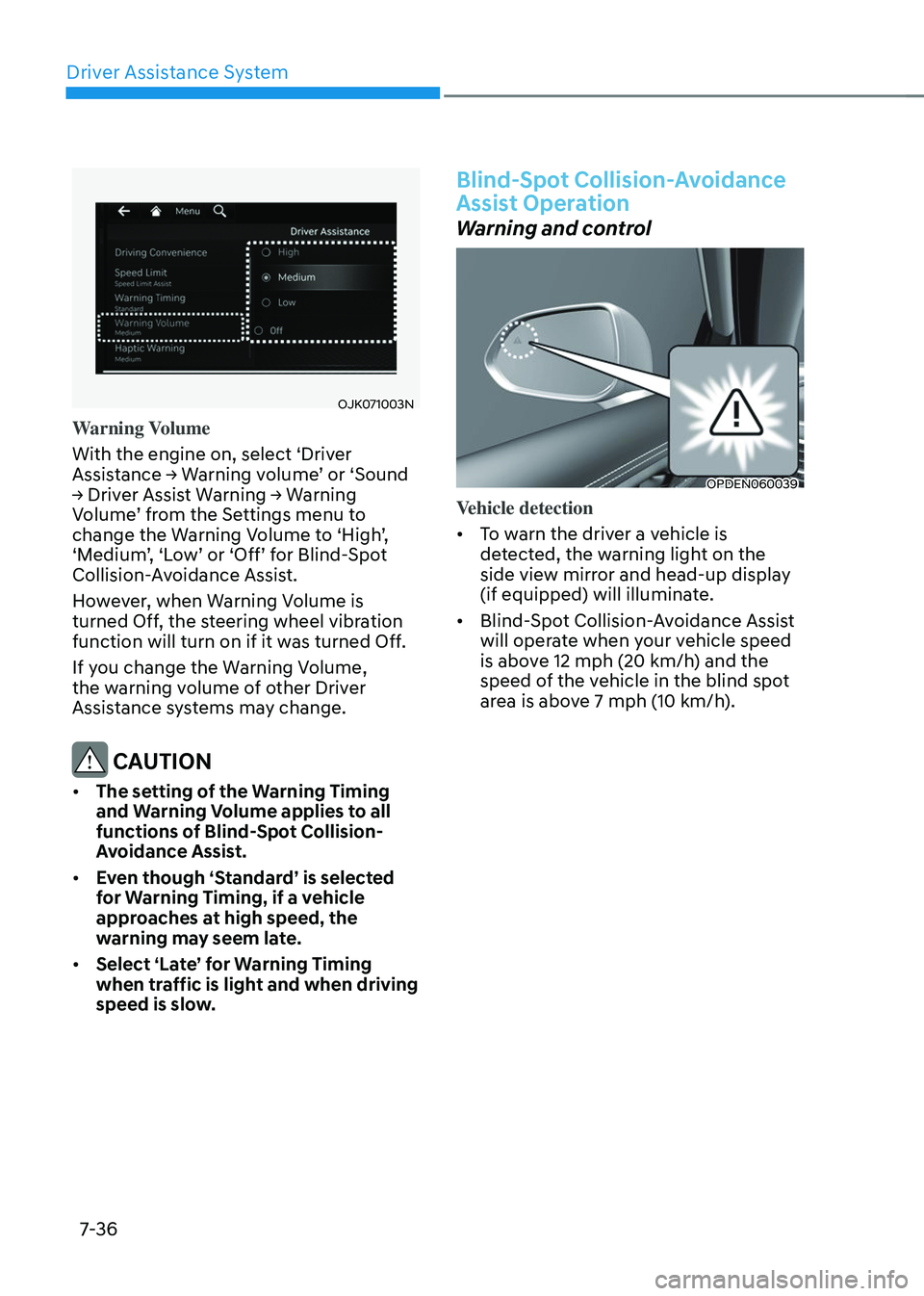
OJK071003NOJK071003N
Warning Volume
With the engine on, select ‘Driver
Assistance → Warning volume’ or ‘Sound
→ Driver Assist Warning → Warning
Volume’ from the Settings menu to
change the Warning Volume to ‘High’,
‘Medium’, ‘Low’ or ‘Off’ for Blind-Spot
Collision-Avoidance Assist.
However, when Warning Volume is
turned Off, the steering wheel vibration
function will turn on if it was turned Off.
If you change the Warning Volume,
the warning volume of other Driver
Assistance systems may change.
CAUTION
• The setting of the Warning Timing
and Warning Volume applies to all
functions of Blind-Spot Collision-
Avoidance Assist.
• Even though ‘Standard’ is selected
for Warning Timing, if a vehicle
approaches at high speed, the
warning may seem late.
• Select ‘Late’ for Warning Timing
when traffic is light and when driving
speed is slow.
Blind-Spot Collision-Avoidance
Assist Operation
Warning and control
OPDEN060039OPDEN060039
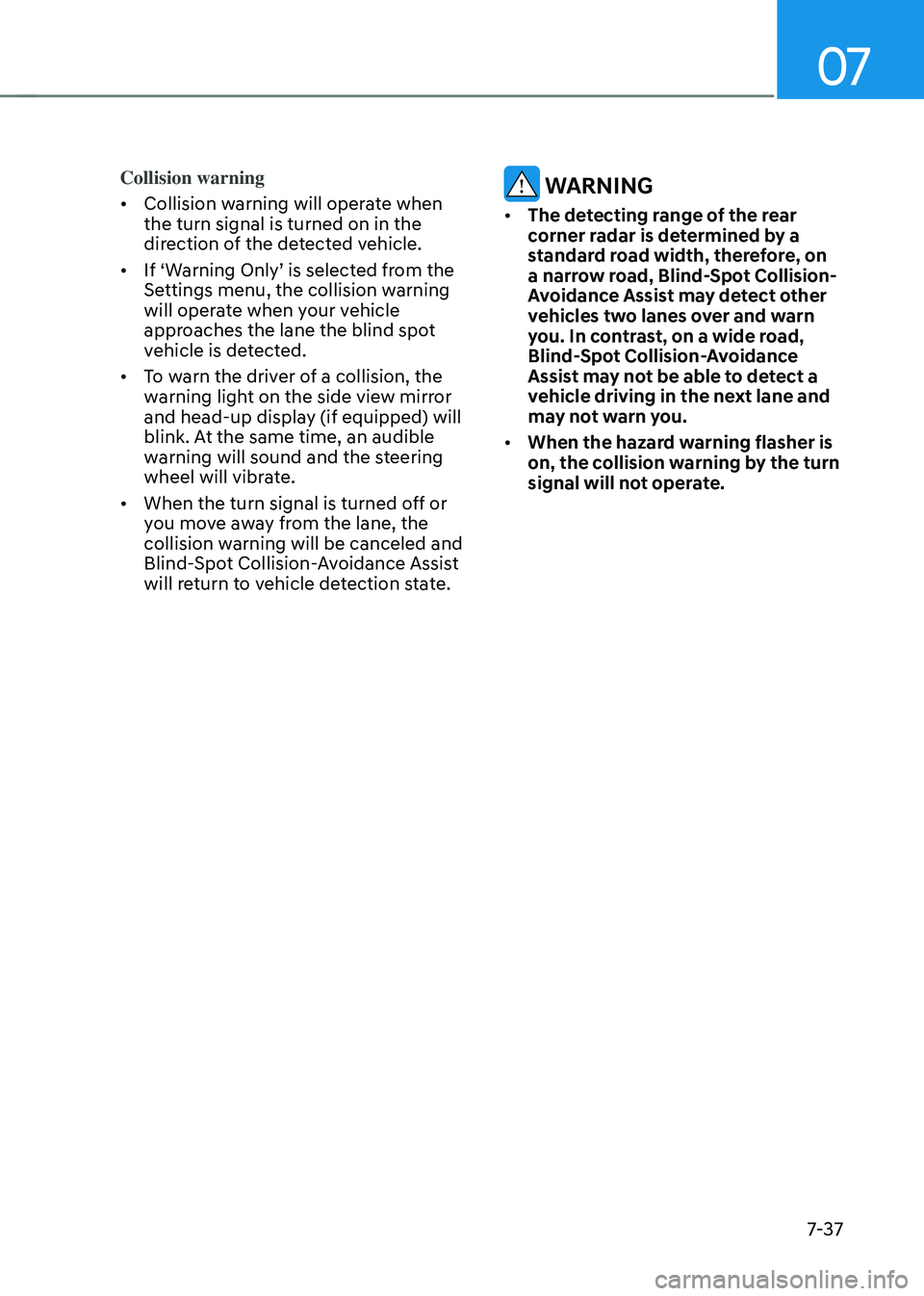
Vehicle detection
• To warn the driver a vehicle is
detected, the warning light on the
side view mirror and head-up display
(if equipped) will illuminate.
• Blind-Spot Collision-Avoidance Assist
will operate when your vehicle speed
is above 12 mph (20 km/h) and the
speed of the vehicle in the blind spot
area is above 7 mph (10 km/h).
Page 388 of 637
07
7-37
Collision warning
• Collision warning will operate when
the turn signal is turned on in the
direction of the detected vehicle.
• If ‘Warning Only’ is selected from the
Settings menu, the collision warning
will operate when your vehicle
approaches the lane the blind spot
vehicle is detected.
• To warn the driver of a collision, the
warning light on the side view mirror
and head-up display (if equipped) will
blink. At the same time, an audible
warning will sound and the steering
wheel will vibrate.
• When the turn signal is turned off or
you move away from the lane, the
collision warning will be canceled and
Blind-Spot Collision-Avoidance Assist
will return to vehicle detection state.
WARNING
• The detecting range of the rear
corner radar is determined by a
standard road width, therefore, on
a narrow road, Blind-Spot Collision-
Avoidance Assist may detect other
vehicles two lanes over and warn
you. In contrast, on a wide road,
Blind-Spot Collision-Avoidance
Assist may not be able to detect a
vehicle driving in the next lane and
may not warn you.
• When the hazard warning flasher is
on, the collision warning by the turn
signal will not operate.
Page 389 of 637
Driver Assistance System
7-38
OJK070042LOJK070042L
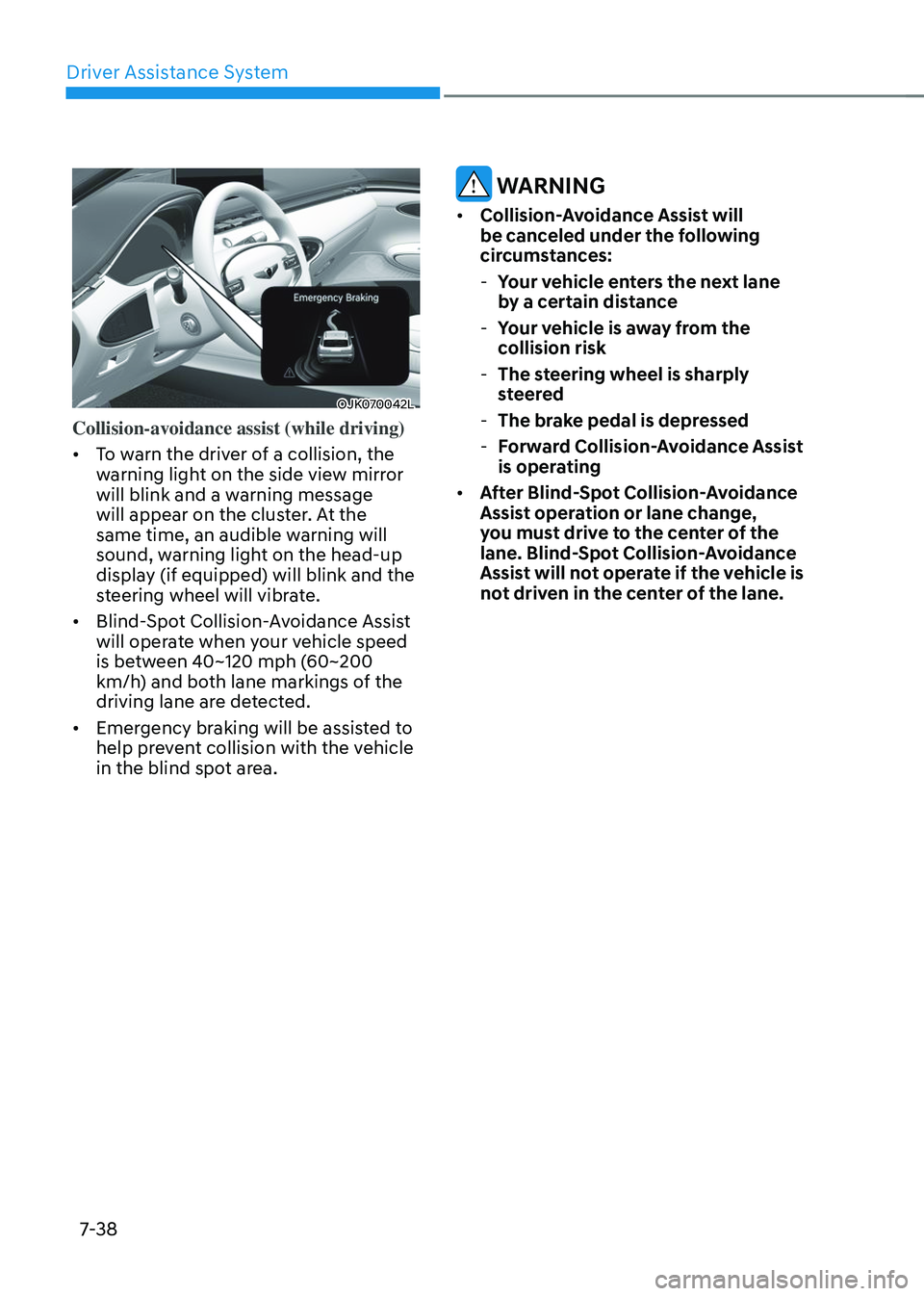
Collision-avoidance assist (while driving)
• To warn the driver of a collision, the
warning light on the side view mirror
will blink and a warning message
will appear on the cluster. At the
same time, an audible warning will
sound, warning light on the head-up
display (if equipped) will blink and the
steering wheel will vibrate.
• Blind-Spot Collision-Avoidance Assist
will operate when your vehicle speed
is between 40~120 mph (60~200
km/h) and both lane markings of the
driving lane are detected.
• Emergency braking will be assisted to
help prevent collision with the vehicle
in the blind spot area.
WARNING
• Collision-Avoidance Assist will
be canceled under the following
circumstances:
-Your vehicle enters the next lane
by a certain distance
-Your vehicle is away from the
collision risk
-The steering wheel is sharply
steered
-The brake pedal is depressed
-Forward Collision-Avoidance Assist
is operating
• After Blind-Spot Collision-Avoidance
Assist operation or lane change,
you must drive to the center of the
lane. Blind-Spot Collision-Avoidance
Assist will not operate if the vehicle is
not driven in the center of the lane.
Page 390 of 637
07
7-39
OJK070079LOJK070079L
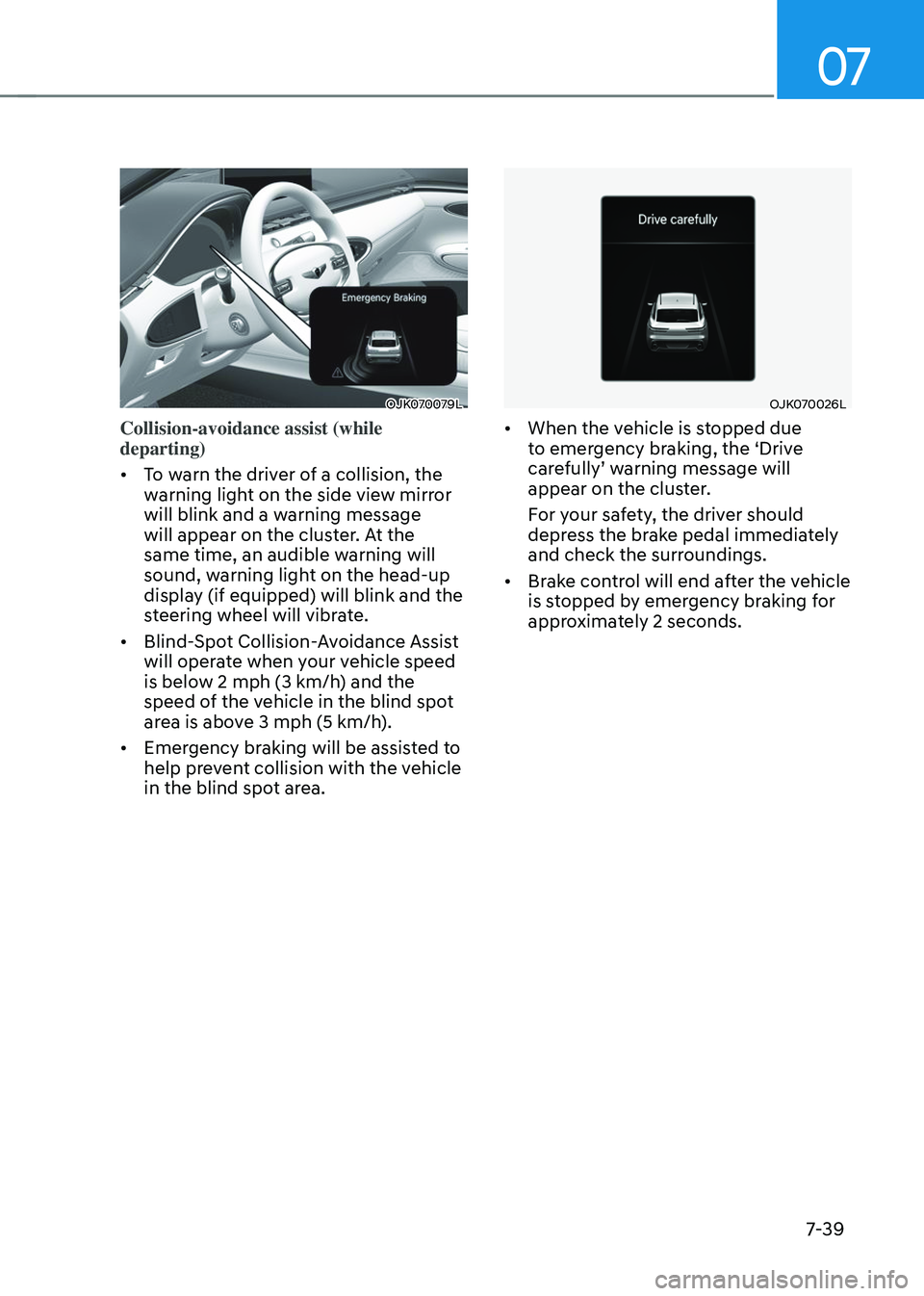
Collision-avoidance assist (while
departing)
• To warn the driver of a collision, the
warning light on the side view mirror
will blink and a warning message
will appear on the cluster. At the
same time, an audible warning will
sound, warning light on the head-up
display (if equipped) will blink and the
steering wheel will vibrate.
• Blind-Spot Collision-Avoidance Assist
will operate when your vehicle speed
is below 2 mph (3 km/h) and the speed of the vehicle in the blind spot area is above 3 mph (5 km/h).
• Emergency braking will be assisted to
help prevent collision with the vehicle
in the blind spot area.
OJK070026LOJK070026L
• When the vehicle is stopped due
to emergency braking, the ‘Drive
carefully’ warning message will
appear on the cluster.
For your safety, the driver should
depress the brake pedal immediately
and check the surroundings.
• Brake control will end after the vehicle
is stopped by emergency braking for
approximately 2 seconds.