GENESIS GV70 2023 Owners Manual
Manufacturer: GENESIS, Model Year: 2023, Model line: GV70, Model: GENESIS GV70 2023Pages: 637
Page 531 of 637
Driver Assistance System
7-180
Remote Smart Parking Assist
Malfunction and Limitations
Remote Smart Parking Assist
malfunction
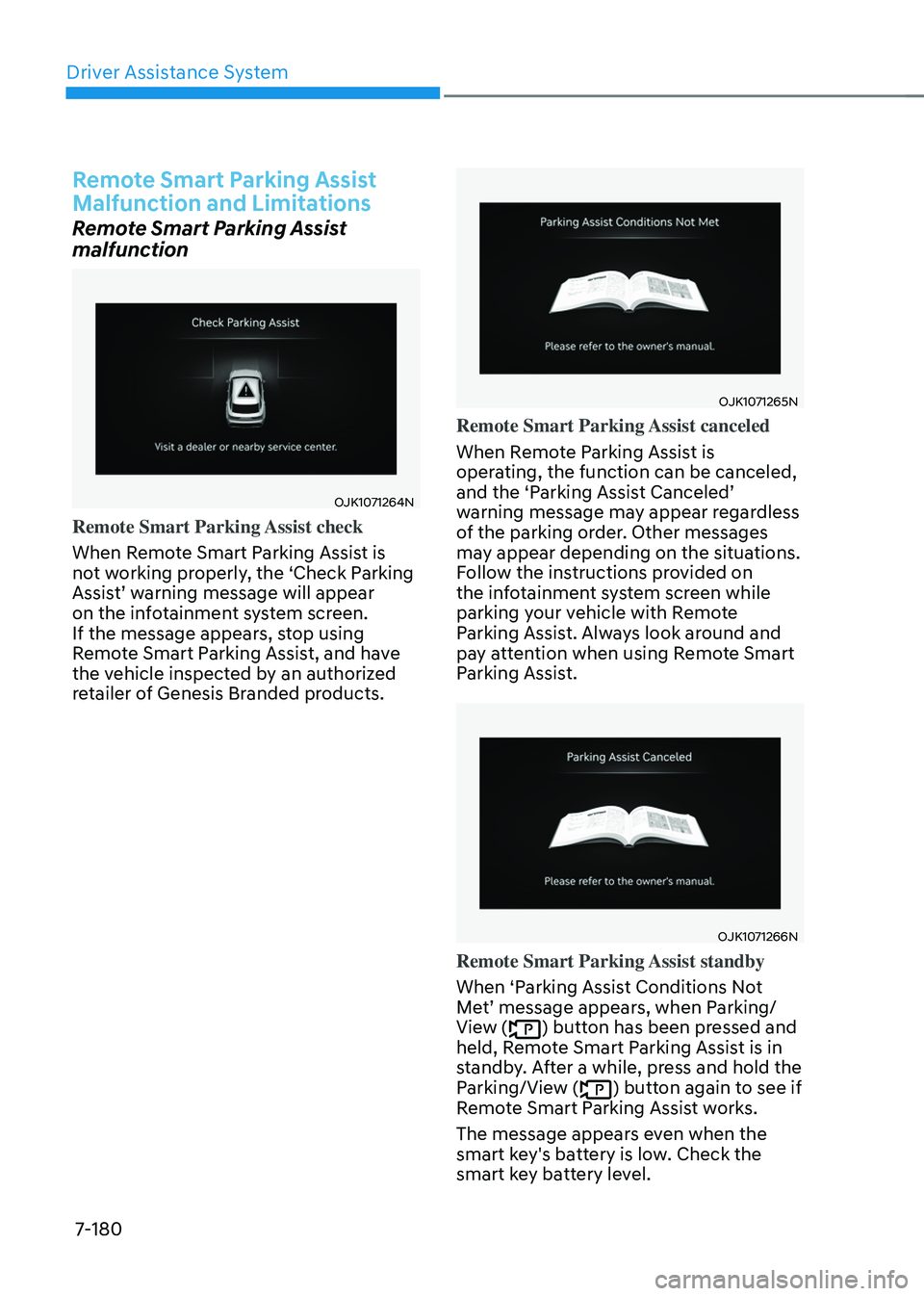
OJK1071264NOJK1071264N
Remote Smart Parking Assist check
When Remote Smart Parking Assist is
not working properly, the ‘Check Parking
Assist’ warning message will appear
on the infotainment system screen.
If the message appears, stop using
Remote Smart Parking Assist, and have
the vehicle inspected by an authorized
retailer of Genesis Branded products.
OJK1071265NOJK1071265N
Remote Smart Parking Assist canceled
When Remote Parking Assist is
operating, the function can be canceled,
and the ‘Parking Assist Canceled’
warning message may appear regardless
of the parking order. Other messages
may appear depending on the situations.
Follow the instructions provided on
the infotainment system screen while
parking your vehicle with Remote
Parking Assist. Always look around and
pay attention when using Remote Smart
Parking Assist.
OJK1071266NOJK1071266N
Remote Smart Parking Assist standby
When ‘Parking Assist Conditions Not
Met’ message appears, when Parking/
View (
) button has been pressed and
held, Remote Smart Parking Assist is in
standby. After a while, press and hold the
Parking/View (
) button again to see if
Remote Smart Parking Assist works.
The message appears even when the
smart key's battery is low. Check the
smart key battery level.
Page 532 of 637
07
7-181
Limitations of Remote Smart Parking
Assist
In the following circumstances, Remote
Smart Parking Assist performance to
park or exit the vehicle may be limited,
there may be a risk of collision, or
Remote Smart Parking Assist may turn
off. Park or exit the vehicle manually if
necessary.
• An object is attached to the steering
wheel
• The vehicle is installed with a snow
chain, spare tire or different size
wheel
• Tire pressure is lower or higher than
the standard tire pressure
• Your vehicle is loaded with cargo
longer or wider than your vehicle or a
trailer is connected to your vehicle
• There is a problem with the wheel
alignment
• Your vehicle is leaned severely to one
side
• Your vehicle is equipped with a trailer
hitch
• The license plate is installed
differently from the original location
• There is a person, animal or object
above or below the ultrasonic sensor
when Remote Smart Parking Assist is
activated
• The parking space is curved or
diagonal
• There is an obstacle such as a person,
animal or object (trash can, bicycle,
motorcycle, shopping cart, narrow
pillar, etc.) near the parking space
• There is a circular pillar or narrow
pillar, or a pillar surrounded by objects
such as fire extinguisher, etc., near the
parking space
• The road surface is bumpy (curbstone,
speed bump, etc.)
• The road is slippery
• The parking space is near a vehicle
with higher ground clearance or big,
such as a truck, etc.
• The parking space is Inclined
• There is heavy wind
• Operating Remote Smart Parking
Assist on uneven roads, gravel roads,
bushes, etc.
• The performance of the ultrasonic
sensor is affected by extremely hot or
cold weather
• The ultrasonic sensor is covered with
snow or water
• An object that generates ultrasonic
waves is nearby
• A wireless device with a transmission
function operates near the ultrasonic
sensors
• Your vehicle is affected by another
vehicle’s Parking Distance Warning
• The sensor is mounted or positioned
incorrectly by an impact to the
bumper
• When the ultrasonic sensor cannot
detect the following objects:
-Sharp or slim objects, such as ropes,
chains or small poles
-Objects smaller than 40 in. (100 cm)
in length and narrower than 6 in. (14
cm) in diameter
-Objects which tend to absorb
sensor frequency, such as clothes,
spongy material or snow
-A narrow object such as a corner of
a square pillar
-Person, animal or object near the
ultrasonic sensor
Page 533 of 637
Driver Assistance System
7-182
Remote Smart Parking Assist may not
operate properly under the following
circumstances:
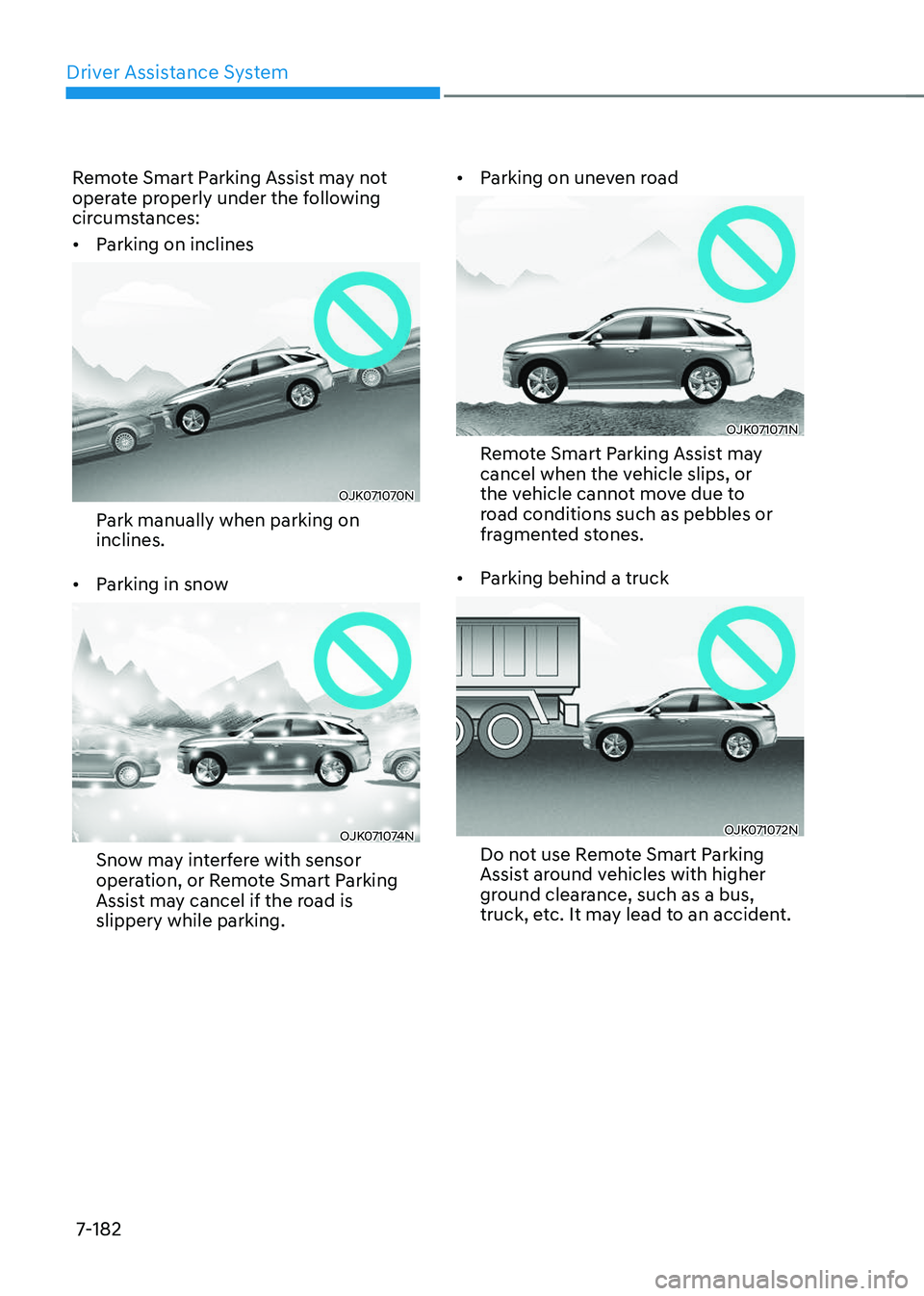
• Parking on inclines
OJK071070NOJK071070N
Park manually when parking on
inclines.
• Parking in snow
OJK071074NOJK071074N
Snow may interfere with sensor
operation, or Remote Smart Parking
Assist may cancel if the road is
slippery while parking.
• Parking on uneven road
OJK071071NOJK071071N
Remote Smart Parking Assist may
cancel when the vehicle slips, or
the vehicle cannot move due to
road conditions such as pebbles or
fragmented stones.
• Parking behind a truck
OJK071072NOJK071072N
Do not use Remote Smart Parking
Assist around vehicles with higher
ground clearance, such as a bus,
truck, etc. It may lead to an accident.
Page 534 of 637
07
7-183
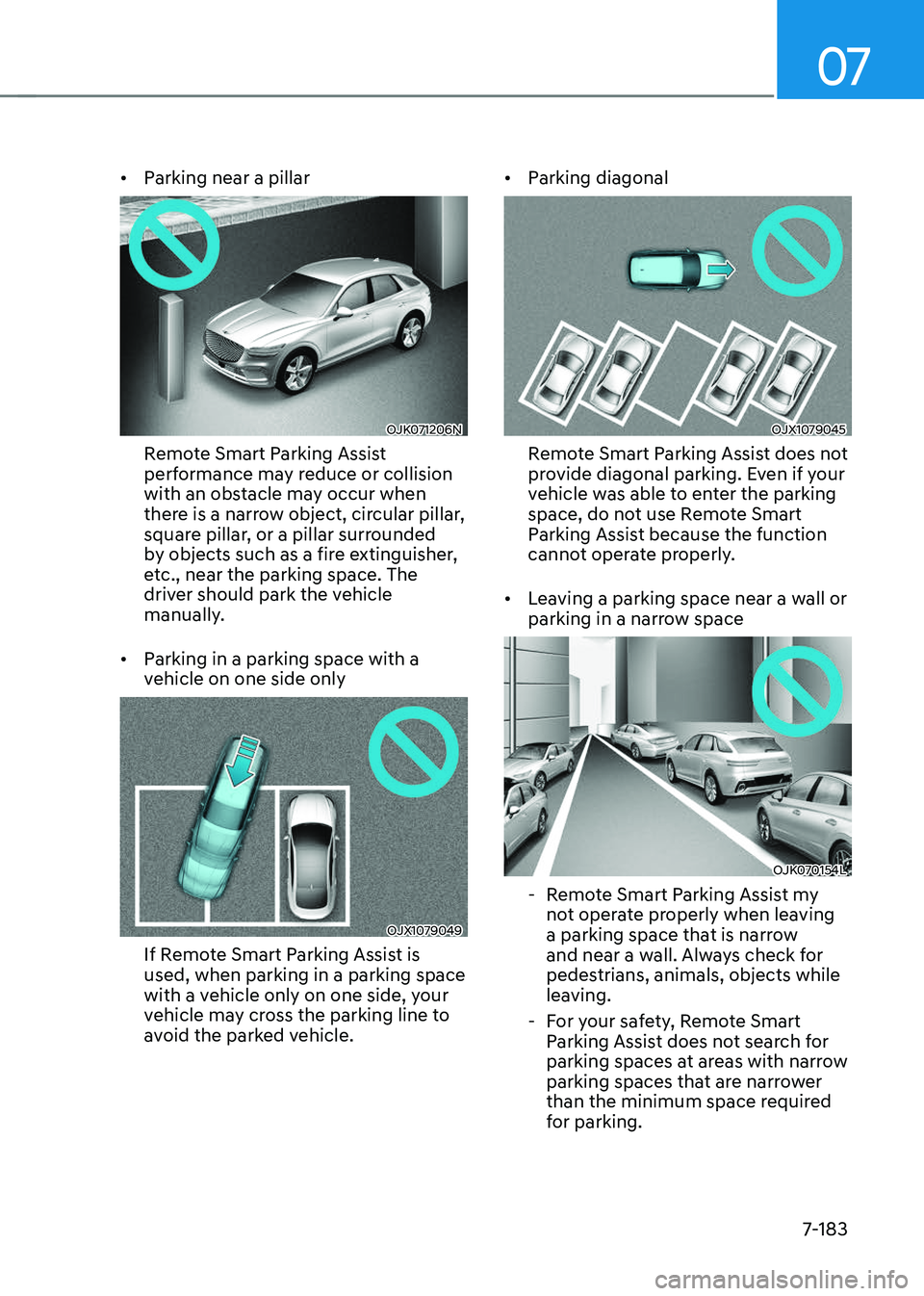
• Parking near a pillar
OJK071206NOJK071206N
Remote Smart Parking Assist
performance may reduce or collision
with an obstacle may occur when
there is a narrow object, circular pillar,
square pillar, or a pillar surrounded
by objects such as a fire extinguisher,
etc., near the parking space. The
driver should park the vehicle
manually.
• Parking in a parking space with a
vehicle on one side only
OJX1079049OJX1079049
If Remote Smart Parking Assist is
used, when parking in a parking space
with a vehicle only on one side, your
vehicle may cross the parking line to
avoid the parked vehicle.
• Parking diagonal
OJX1079045OJX1079045
Remote Smart Parking Assist does not
provide diagonal parking. Even if your
vehicle was able to enter the parking
space, do not use Remote Smart
Parking Assist because the function
cannot operate properly.
• Leaving a parking space near a wall or
parking in a narrow space
OJK070154LOJK070154L
-Remote Smart Parking Assist my
not operate properly when leaving
a parking space that is narrow
and near a wall. Always check for
pedestrians, animals, objects while
leaving.
-For your safety, Remote Smart
Parking Assist does not search for
parking spaces at areas with narrow
parking spaces that are narrower
than the minimum space required
for parking.
Page 535 of 637
Driver Assistance System
7-184
WARNING
Take the following precautions when
using Remote Smart Parking Assist:
• The driver is responsible for safe
parking and exit when using Remote
Smart Parking Assist.
• When using Remote Smart Parking
Assist, stay out of the way in the
direction the vehicle moves for your
safety.
• Always check surroundings when
using Remote Smart Parking Assist.
You may collide with pedestrians,
animals, or objects if they are near
the sensor or are in the sensor’s blind
spot area.
• A collision may occur if a pedestrian,
animal, or object suddenly appears
while Remote Smart Parking Assist is
operating.
• Do not use Remote Smart Parking
Assist when under the influence of
alcohol.
• Do not let children or other people to
use the smart key.
• If Remote Smart Parking Assist is
used continuously for a long period,
it may adversely affect Remote
Smart Parking Assist performance.
• Remote Smart Parking Assist may
not operate properly if the vehicle
needs wheel alignment adjustment
such as when the vehicle tilts to one
side. Have the vehicle inspected by
an authorized retailer of Genesis
Branded Products.
• Noise may be heard when braking
occurs by Remote Smart Parking
Assist or when the brake pedal is
depressed by the driver.
• Remote Smart Parking Assist may
suddenly apply the brake to avoid
collision.
• Use Remote Smart Parking Assist
only in a parking space that is large
enough for the vehicle to move
safely.
NOTICE
• If the 3rd stage warning (continuous
beep) of the Forward/Reverse
Parking Distance Warning sounds
while Remote Smart Parking
Assist is operating, it means the
obstacle detected is close to your
vehicle. At this time, Remote Smart
Parking Assist will temporarily stop
operating. Make sure there are no
pedestrians, animals, or objects
around your vehicle.
• Depending on brake operation, the
stop lights may come on while the
vehicle is moving.
• If the vehicle is remotely started that
has been parked in cold weather for
a long time, the operation of Remote
Smart Parking function may be
delayed or canceled depending on
vehicle condition.
Page 536 of 637
07
7-185
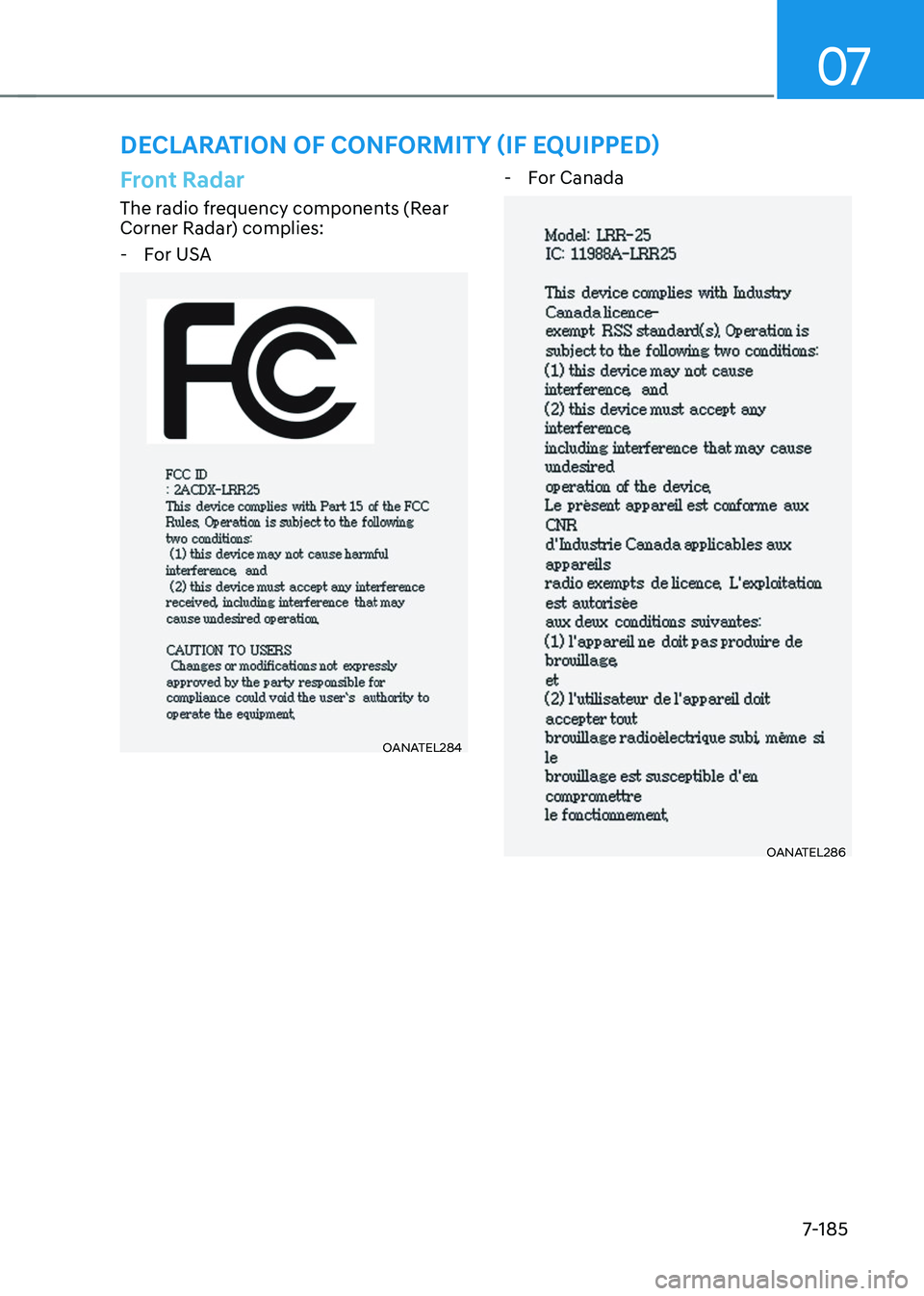
DECLARATION OF CONFORMITY (IF EQUIPPED)
Front Radar
The radio frequency components (Rear
Corner Radar) complies:
-For USA
OANATEL284OANATEL284
-For Canada
OANATEL286OANATEL286
Page 537 of 637
Driver Assistance System
7-186
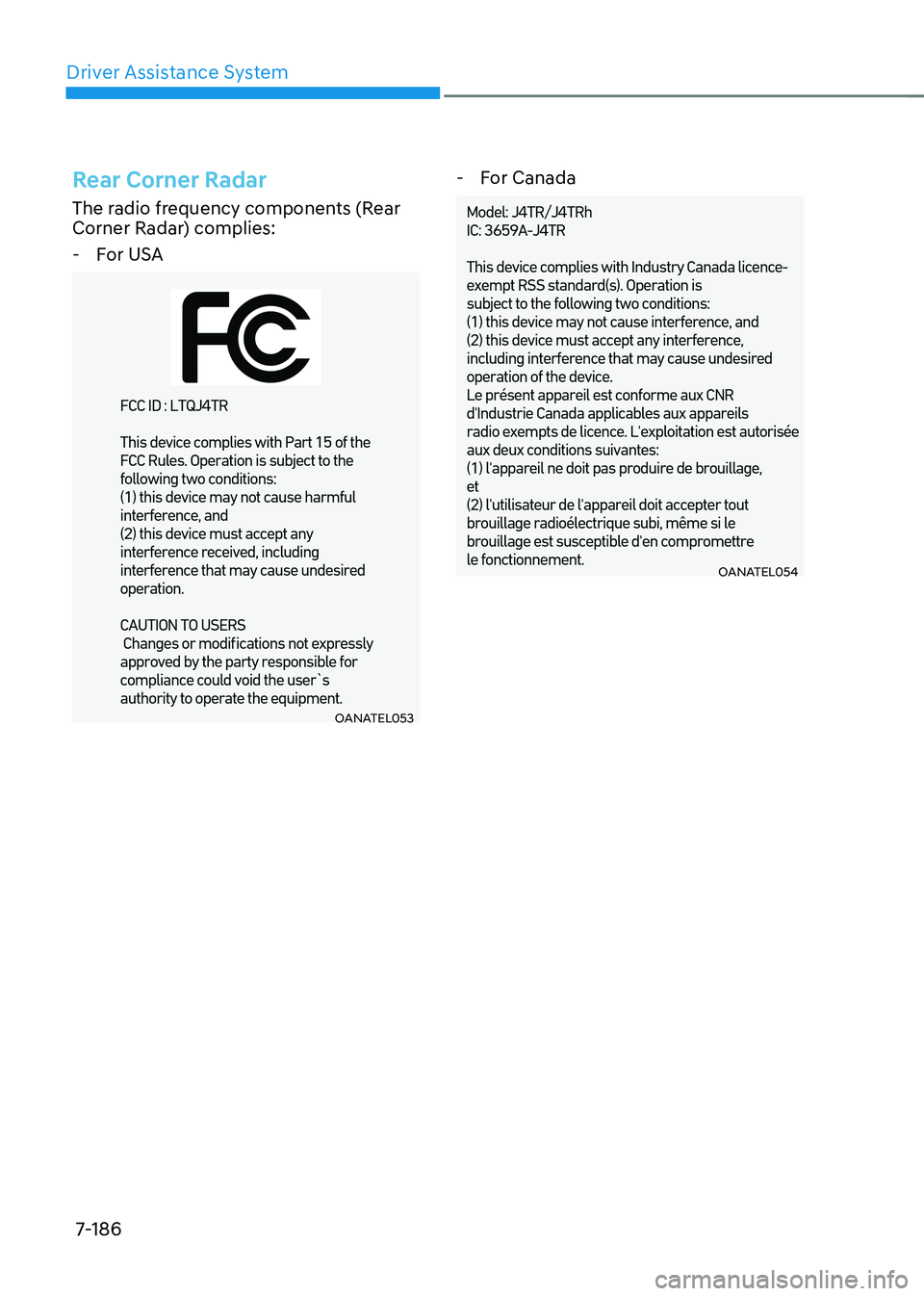
Rear Corner Radar
The radio frequency components (Rear
Corner Radar) complies:
-For USA
OANATEL053OANATEL053
-For Canada
OANATEL054OANATEL054
Page 538 of 637

Emergency Situations
Hazard Warning Flasher ........................................................................\
...........8-2
In Case of an Emergency While Driving
..........................................................8-2If the Engine Stalls While Driving ........................................................................\
.......8-2
If the Engine Stalls at a Crossroad or Crossing ..........................................................8-2
If You Have a Flat Tire While Driving ........................................................................\
...8-3
If the Engine Will Not Start ........................................................................\
.......8-3
Jump Starting
........................................................................\
...........................8-4
If the Engine Overheats
........................................................................\
.............8 -7
Tire Pressure Monitoring System (TPMS)
........................................................8-8Check Tire Pressure ........................................................................\
.............................8-9
Tire Pressure Monitoring System ........................................................................\
......8-9
Low Tire Pressure Warning Light ........................................................................\
.......8-10
Low Tire Pressure Position and Tire Pressure Telltale ..............................................8-10
TPMS (Tire Pressure Monitoring System) Malfunction Indicator .............................8-11
Changing a Tire with TPMS ........................................................................\
...............8-12
If You Have a Flat Tire (With Spare Tire) .........................................................8-13Jack and Tools ........................................................................\
....................................8-13
Changing Tires ........................................................................\
....................................8-14
Jack Label ........................................................................\
...........................................8-19
Towing ........................................................................\
.....................................8-20Towing Service ........................................................................\
..................................8-20
Removable Towing Hook ........................................................................\
...................8-21
Emergency Towing ........................................................................\
.............................8-22
8. Emergency Situations
8
Page 539 of 637
Emergency Situations
8-2
OJK080013OJK080013
The hazard warning flasher serves as
a warning to other drivers to exercise
extreme caution when approaching,
overtaking, or passing your vehicle.
It should be used whenever emergency
repairs are being made or when the
vehicle is stopped near the edge of a
roadway.
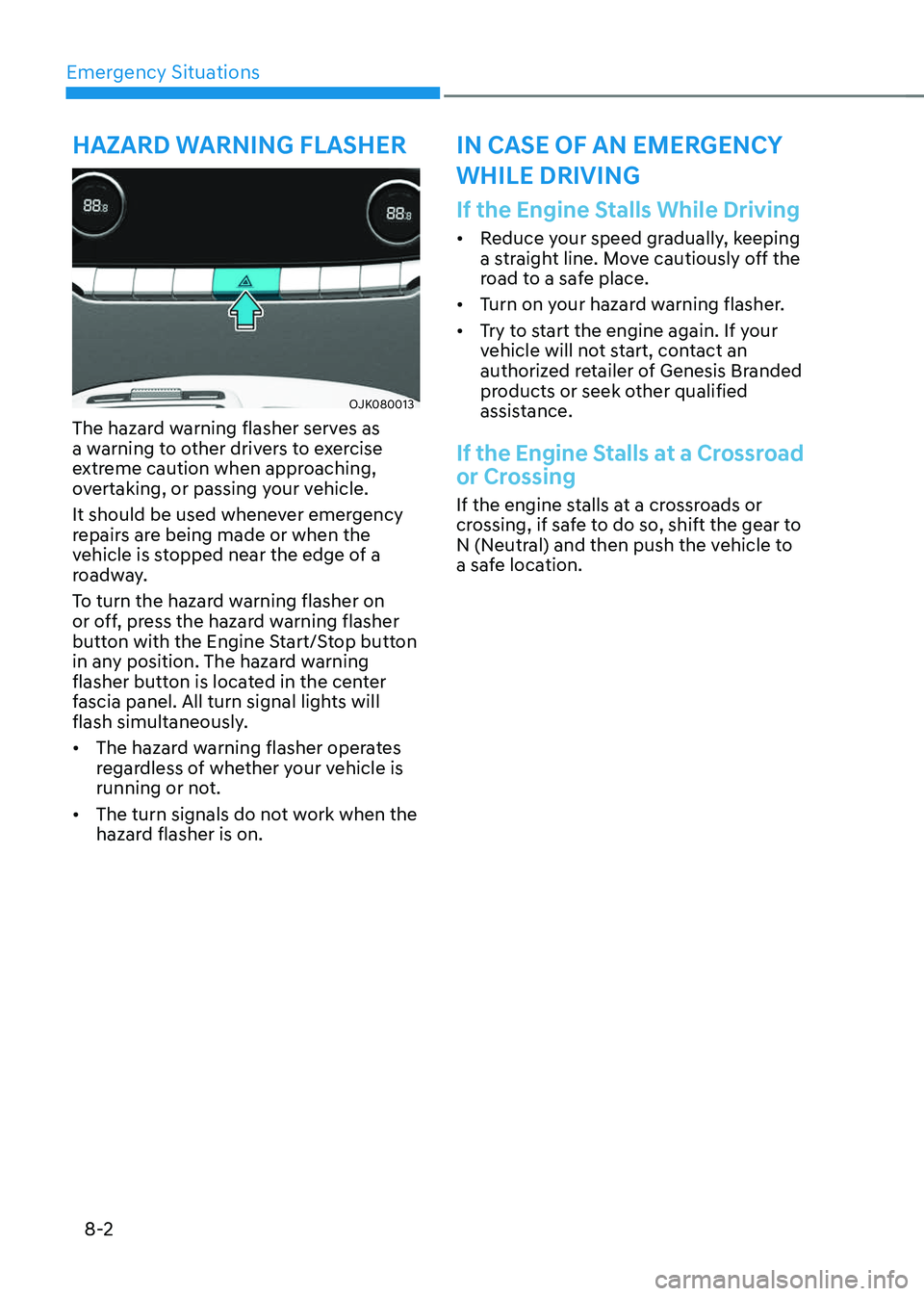
To turn the hazard warning flasher on
or off, press the hazard warning flasher
button with the Engine Start/Stop button
in any position. The hazard warning
flasher button is located in the center
fascia panel. All turn signal lights will
flash simultaneously.
• The hazard warning flasher operates
regardless of whether your vehicle is
running or not.
• The turn signals do not work when the
hazard flasher is on.
If the Engine Stalls While Driving
• Reduce your speed gradually, keeping
a straight line. Move cautiously off the
road to a safe place.
• Turn on your hazard warning flasher.
• Try to start the engine again. If your
vehicle will not start, contact an
authorized retailer of Genesis Branded
products or seek other qualified
assistance.
If the Engine Stalls at a Crossroad
or Crossing
If the engine stalls at a crossroads or
crossing, if safe to do so, shift the gear to
N (Neutral) and then push the vehicle to
a safe location.
HAZARD WARNING FLASHERIN CASE OF AN EMERGENCY
WHILE DRIVING
Page 540 of 637
08
8-3
If You Have a Flat Tire While
Driving
If a tire goes flat while you are driving:
• Take your foot off the accelerator
pedal and let the vehicle slow down
while driving straight ahead. Do not
apply the brakes immediately or
attempt to pull off the road as this
may cause loss of vehicle control
resulting in an accident. When the
vehicle has slowed to such a speed
that it is safe to do so, brake carefully
and pull off the road. Drive off the
road as far as possible and park on
firm, level ground. If you are on a
divided highway, do not park in the
median area between the two traffic
lanes.
• When the vehicle is stopped, press the
hazard warning flasher button, shift
the gear to P (Park), apply the parking
brake, and press the Engine Start/Stop
button to the OFF position.
• Have all passengers get out of the
vehicle. Be sure they all get out on the
side of the vehicle that is away from
traffic.
• When changing a flat tire, follow the
instructions provided later in this
chapter.
IF THE ENGINE WILL NOT
START
• Be sure to shift the gear to N (Neutral)
or P (Park). The engine starts only
when the gear is in N (Neutral) or P
(Park).
• Turn on the interior light. If the light
dims or goes out when you operate
the starter, the battery is drained.
See instructions for “Jump Starting”
provided in this chapter.
• Check the fuel level and add fuel if
necessary.
If the vehicle still does not start, call an
authorized retailer of Genesis Branded
products for assistance.
NOTICE
Push or pull starting the vehicle may
cause the catalytic converter to
overload which can lead to damage to
the emission control system.