key battery GMC ACADIA 2008 User Guide
[x] Cancel search | Manufacturer: GMC, Model Year: 2008, Model line: ACADIA, Model: GMC ACADIA 2008Pages: 472, PDF Size: 5.72 MB
Page 264 of 472
[(Fast Forward):Press to fast forward the DVD or
CD. To stop fast forwarding a DVD video, press the
play/pause button. To stop fast forwarding a DVD audio
or CD, release the fast forward button. This button
might not work when the DVD is playing the copyright
information or the previews.
e(Audio):Press to change audio tracks on DVDs that
have this feature when the DVD is playing. The format
and content of this function vary for each disc.
{(Subtitles):Press to turn ON/OFF subtitles and to
move through subtitle options when a DVD is playing.
The format and content of this function vary for
each disc.
AUX (Auxiliary):Press to switch the system between
the DVD player and an auxiliary source.
d(Camera):Press to change camera angles on DVDs
that have this feature when a DVD is playing. The format
and content of this function vary for each disc.
1 through 0 (Numeric Keypad):The numeric keypad
provides the capability of direct chapter or track
number selection.
\(Clear):Press within three seconds after entering
a numeric selection, to clear all numerical inputs.
}10 (Double Digit Entries):Press to select chapter
or track numbers greater than nine. Press this button
before entering the number.
If the remote control becomes lost or damaged, a new
universal remote control can be purchased. If this
happens, make sure the universal remote control uses
a code set of Toshiba
®.
Battery Replacement
To change the remote control batteries, do the following:
1. Slide the rear cover back, on the remote control.
2. Replace the two batteries in the compartment.
Make sure that they are installed correctly,
using the diagram on the inside of the battery
compartment.
3. Replace the battery cover.
If the remote control is to be stored for a long period
of time, remove the batteries and keep them in a cool,
dry place.
3-122
Page 300 of 472
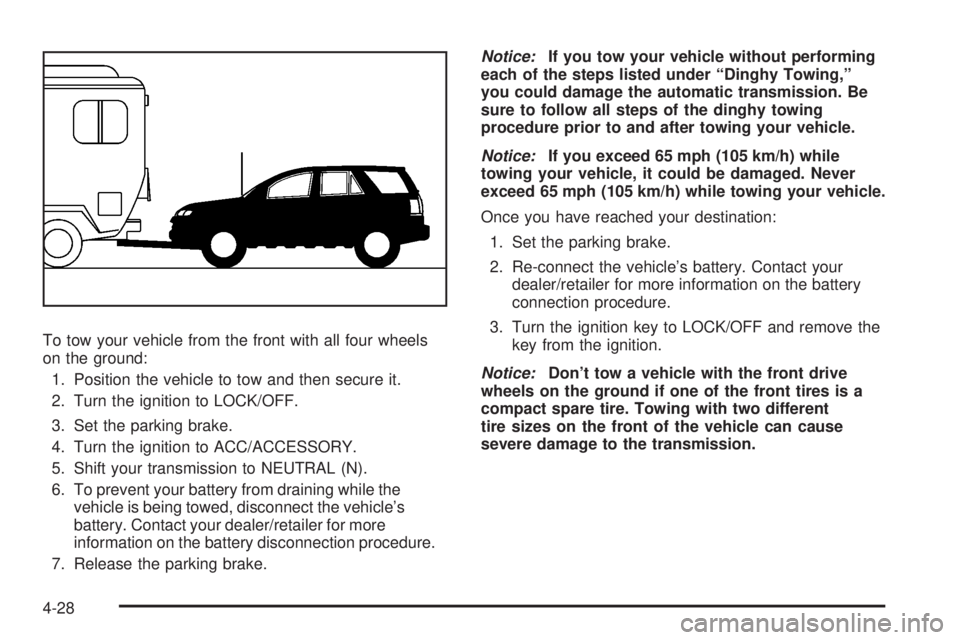
To tow your vehicle from the front with all four wheels
on the ground:
1. Position the vehicle to tow and then secure it.
2. Turn the ignition to LOCK/OFF.
3. Set the parking brake.
4. Turn the ignition to ACC/ACCESSORY.
5. Shift your transmission to NEUTRAL (N).
6. To prevent your battery from draining while the
vehicle is being towed, disconnect the vehicle’s
battery. Contact your dealer/retailer for more
information on the battery disconnection procedure.
7. Release the parking brake.Notice:If you tow your vehicle without performing
each of the steps listed under “Dinghy Towing,”
you could damage the automatic transmission. Be
sure to follow all steps of the dinghy towing
procedure prior to and after towing your vehicle.
Notice:If you exceed 65 mph (105 km/h) while
towing your vehicle, it could be damaged. Never
exceed 65 mph (105 km/h) while towing your vehicle.
Once you have reached your destination:
1. Set the parking brake.
2. Re-connect the vehicle’s battery. Contact your
dealer/retailer for more information on the battery
connection procedure.
3. Turn the ignition key to LOCK/OFF and remove the
key from the ignition.
Notice:Don’t tow a vehicle with the front drive
wheels on the ground if one of the front tires is a
compact spare tire. Towing with two different
tire sizes on the front of the vehicle can cause
severe damage to the transmission.
4-28