ECU GMC CANYON 2008 Service Manual
[x] Cancel search | Manufacturer: GMC, Model Year: 2008, Model line: CANYON, Model: GMC CANYON 2008Pages: 428, PDF Size: 5.82 MB
Page 161 of 428
{CAUTION:
Even though the passenger sensing system is
designed to turn off the right front passenger’s
frontal airbag if the system detects a rear-facing
child restraint, no system is fail-safe, and no
one can guarantee that an airbag will not deploy
under some unusual circumstance, even
though it is turned off. We recommend that
rear-facing child restraints be secured in the
rear seat, even if the airbag is off.
If the word OFF or the off symbol is lit on the airbag
status indicator, it means that the passenger sensing
system has turned off the right front passenger’s frontal
airbag. SeePassenger Sensing System on page 1-69
for more on this, including important safety information.If, after several seconds, both status indicator lights
remain on, or if there are no lights at all, there may
be a problem with the lights or the passenger sensing
system. See your dealer/retailer for service.
{CAUTION:
If the airbag readiness light in the instrument
panel cluster ever comes on and stays on, it
means that something may be wrong with the
airbag system. If this ever happens, have the
vehicle serviced promptly, because an
adult-size person sitting in the right front
passenger’s seat may not have the protection
of the airbag(s). SeeAirbag Readiness Light on
page 3-27for more on this, including important
safety information.
3-29
Page 169 of 428
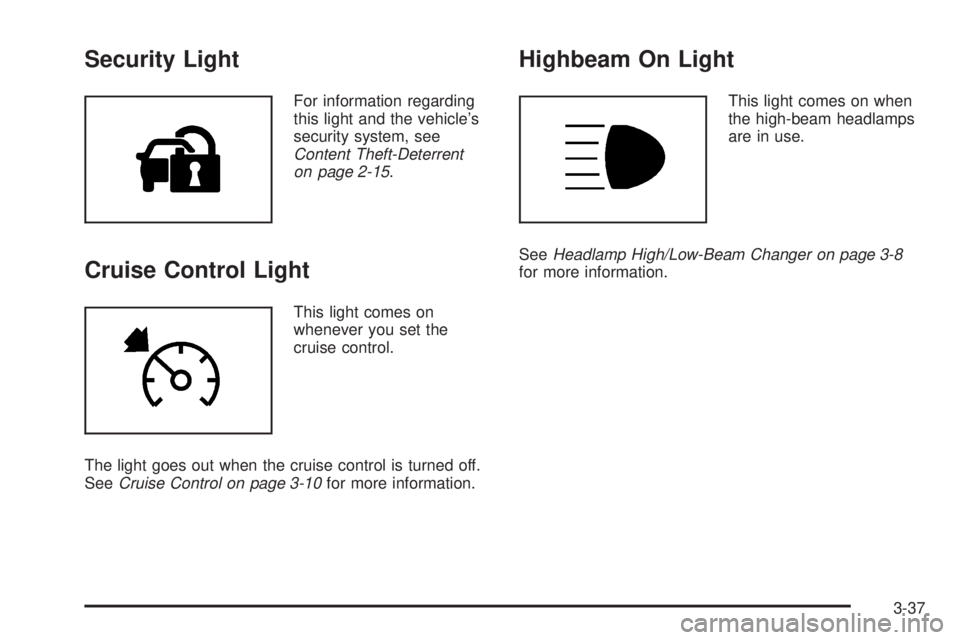
Security Light
For information regarding
this light and the vehicle’s
security system, see
Content Theft-Deterrent
on page 2-15.
Cruise Control Light
This light comes on
whenever you set the
cruise control.
The light goes out when the cruise control is turned off.
SeeCruise Control on page 3-10for more information.
Highbeam On Light
This light comes on when
the high-beam headlamps
are in use.
SeeHeadlamp High/Low-Beam Changer on page 3-8
for more information.
3-37
Page 175 of 428
DOORS
This message displays when one or more of the doors
is ajar. Check all the doors on your vehicle to make
sure they are closed. The message clears from
the display after all of the doors are closed.
ENG (Engine) HOT
This message displays when the engine coolant
temperature is hot. Check the engine coolant
temperature gage. SeeEngine Coolant Temperature
Gage on page 3-33. Have your vehicle serviced by your
dealer/retailer as soon as possible if you suspect the
engine is overheating. SeeEngine Overheating on
page 5-29for more information.
FLUID
This message displays if the brake uid is low. Check
the brake uid as soon as possible and have your
vehicle serviced by your dealer/retailer. SeeBrakes on
page 5-38for more information. Press and release the
reset stem to acknowledge the message and clear it
from the display.
FUEL CAP
This message displays if the vehicle’s fuel cap is either off
or loose. Pull over as soon as possible and check to see
if the fuel cap is secure. You may also see the check
engine light on the instrument panel cluster. If the check
engine light does come on when the fuel cap was loose,
it may take a few driving trips before the light turns off.
SeeMalfunction Indicator Lamp on page 3-34for more
information if the light still remains on. Press and release
the reset stem to acknowledge the message and clear it
from the display.
LOW FUEL
This message displays if the level of fuel in the vehicle
is low. Also check the fuel gage. SeeFuel Gage on
page 3-38for more information. Rell the fuel tank
as soon as possible.
LOW TIRE
This message displays if a low tire pressure is detected in
any of the vehicle’s tires. Press and release the reset
stem to acknowledge the message and clear it from the
display. The message appears at each ignition cycle until
the tires are inated to the correct ination pressure.
SeeTires on page 5-56andInflation - Tire Pressure on
page 5-62for more information on tires and the correct
ination pressures.
3-43
Page 200 of 428
CD AUX (Auxiliary):Press this button to play a CD
when listening to the radio. The CD symbol illuminates
on the display when a CD is loaded.
Z(Eject):Press this button to eject a CD. Eject
can activate while either the ignition or radio is off.
CDs can be loaded with the ignition and radio off if
this button is pressed rst.
XM Radio Messages
XL (Explicit Language Channels):These channels,
or any others, can be blocked at a customer’s request,
by calling 1-800-852-XMXM (9696).
Updating:The encryption code in the receiver is
being updated, and no action is required. This process
should take no longer than 30 seconds.
No Signl:The system is functioning correctly, but
the vehicle is in a location that is blocking the XM™
signal. When the vehicle is moved into an open area,
the signal should return.
Loading:The radio system is acquiring and processing
audio and text data. No action is needed. This message
should disappear shortly.
Off Air:This channel is not currently in service.
Tune to another channel.CH Unavl:This previously assigned channel is no
longer assigned. Tune to another station. If this station
was one of the presets, choose another station for
that preset button.
No Info:No artist, song title, category, or text
information is available at this time on this channel.
The system is working properly.
No Info:No text or informational messages are
available at this time on this channel. The system
is working properly.
NotFound:There are no channels available for the
selected category. The system is working properly.
XM Lock:The XM™ receiver in your vehicle could
have previously been in another vehicle. For security
purposes, XM™ receivers cannot be swapped between
vehicles. If this message is received after having
your vehicle serviced, check with your dealer/retailer.
Radio ID:If this message is received when tuned
to channel 0, there could be a receiver fault. Consult
with your dealer/retailer.
Check XM:If this message does not clear within
a short period of time, the receiver could have a fault.
Consult with your dealer/retailer.
3-68
Page 214 of 428
Loading Your Vehicle for Off-Road
Driving
{CAUTION:
Cargo on the load oor piled higher than
the seatbacks can be thrown forward
during a sudden stop. You or your
passengers could be injured. Keep cargo
below the top of the seatbacks.
Unsecured cargo on the load oor can be
tossed about when driving over rough
terrain. You or your passengers can be
struck by ying objects. Secure the cargo
properly.
CAUTION: (Continued)
CAUTION: (Continued)
Heavy loads on the roof raise the vehicle’s
center of gravity, making it more likely to
roll over. You can be seriously or fatally
injured if the vehicle rolls over. Put heavy
loads inside the cargo area, not on the
roof. Keep cargo in the cargo area as far
forward and low as possible.
There are some important things to remember about
how to load your vehicle.
The heaviest things should be on the load oor and
forward of the rear axle. Put heavier items as far
forward as you can.
Be sure the load is secured properly, so driving on
the off-road terrain does not toss things around.
You will nd other important information in this manual.
SeeLoading Your Vehicle on page 4-32andTires
on page 5-56.
4-12
Page 229 of 428
Winter Driving
Here are some tips for winter driving:
Have your vehicle in good shape for winter.
You might want to put winter emergency supplies in
your vehicle.
Include an ice scraper, a small brush or broom, a
supply of windshield washer uid, a rag, some winter
outer clothing, a small shovel, a ashlight, a red cloth,
and a couple of reective warning triangles. And, if you
will be driving under severe conditions, include a small
bag of sand, a piece of old carpet, or a couple of burlap
bags to help provide traction. Be sure you properly
secure these items in your vehicle.
Also seeTires on page 5-56.
Driving on Snow or Ice
Most of the time, those places where the tires meet the
road probably have good traction.
However, if there is snow or ice between the tires
and the road, you can have a very slippery situation.
You have a lot less traction, or grip, and need to be
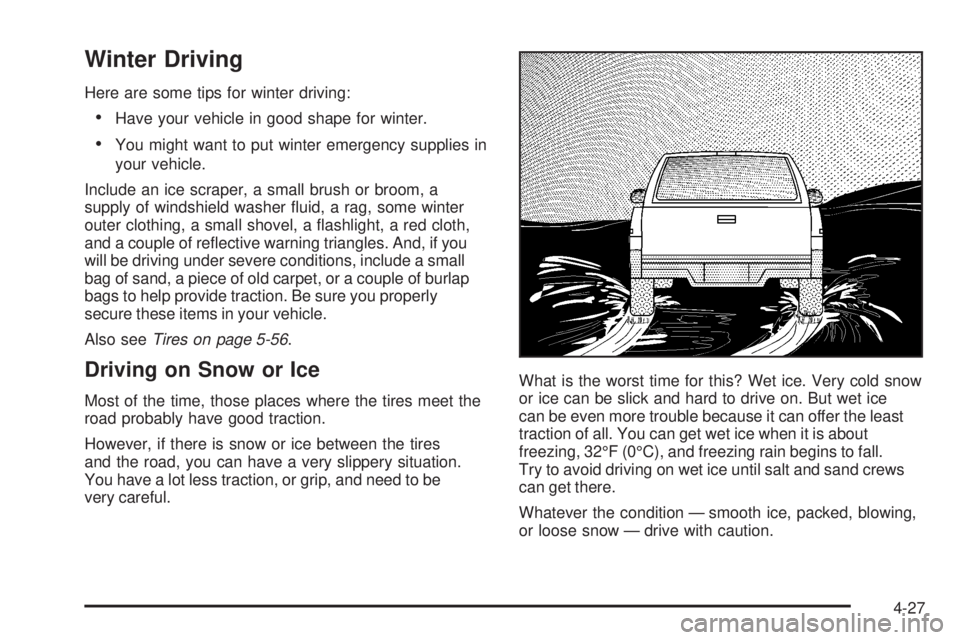
very careful.What is the worst time for this? Wet ice. Very cold snow
or ice can be slick and hard to drive on. But wet ice
can be even more trouble because it can offer the least
traction of all. You can get wet ice when it is about
freezing, 32°F (0°C), and freezing rain begins to fall.
Try to avoid driving on wet ice until salt and sand crews
can get there.
Whatever the condition — smooth ice, packed, blowing,
or loose snow — drive with caution.
4-27
Page 239 of 428
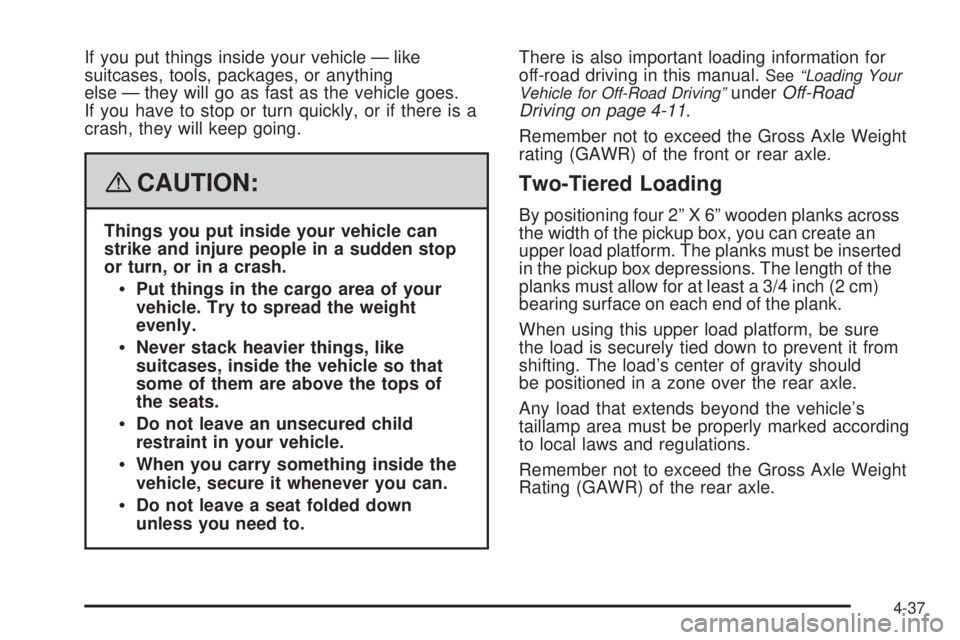
If you put things inside your vehicle — like
suitcases, tools, packages, or anything
else — they will go as fast as the vehicle goes.
If you have to stop or turn quickly, or if there is a
crash, they will keep going.
{CAUTION:
Things you put inside your vehicle can
strike and injure people in a sudden stop
or turn, or in a crash.
Put things in the cargo area of your
vehicle. Try to spread the weight
evenly.
Never stack heavier things, like
suitcases, inside the vehicle so that
some of them are above the tops of
the seats.
Do not leave an unsecured child
restraint in your vehicle.
When you carry something inside the
vehicle, secure it whenever you can.
Do not leave a seat folded down
unless you need to.There is also important loading information for
off-road driving in this manual.
See“Loading Your
Vehicle for Off-Road Driving”underOff-Road
Driving on page 4-11.
Remember not to exceed the Gross Axle Weight
rating (GAWR) of the front or rear axle.
Two-Tiered Loading
By positioning four 2” X 6” wooden planks across
the width of the pickup box, you can create an
upper load platform. The planks must be inserted
in the pickup box depressions. The length of the
planks must allow for at least a 3/4 inch (2 cm)
bearing surface on each end of the plank.
When using this upper load platform, be sure
the load is securely tied down to prevent it from
shifting. The load’s center of gravity should
be positioned in a zone over the rear axle.
Any load that extends beyond the vehicle’s
taillamp area must be properly marked according
to local laws and regulations.
Remember not to exceed the Gross Axle Weight
Rating (GAWR) of the rear axle.
4-37
Page 242 of 428
4. Securely attach the vehicle being towed to the
tow vehicle.
{CAUTION:
Shifting a four-wheel-drive vehicle’s transfer
case into NEUTRAL can cause your vehicle to
roll even if the transmission is in PARK (P) for
an automatic transmission, or if your vehicle is
in gear, for a manual transmission. You or
others could be injured. Make sure the parking
brake is rmly set before you shift the transfer
case to NEUTRAL.
5. Shift the transfer case to NEUTRAL. See
Four-Wheel Drive on page 2-28for more
information.
6. Release the parking brake only after the vehicle
being towed is rmly attached to the tow vehicle.
7. Turn the ignition to LOCK.
If the tow vehicle will not be started or driven for
six weeks or more, remove the battery cable
from the negative terminal (post) of the battery to
prevent your battery from draining while towing.
After towing see “Shifting Out of NEUTRAL” under
Four-Wheel Drive on page 2-28.
Dolly Towing
Front Towing (Front Wheels Off the
Ground)
Two-Wheel-Drive Vehicles
Notice:If you tow a two-wheel-drive vehicle with
the rear wheels on the ground, the transmission
could be damaged. The repairs would not be
covered by your warranty. Never tow your vehicle
with the rear wheels on the ground.
Two-wheel-drive vehicles should not be towed with
the rear wheels on the ground. Two-wheel-drive
transmissions have no provisions for internal lubrication
while being towed. To dolly tow a two-wheel-drive
vehicle, you must tow the vehicle with the rear wheels
on the dolly. See “Rear Towing (Rear Wheels Off the
Ground)” later in this section for more information.
4-40
Page 243 of 428
Four-Wheel-Drive Vehicles
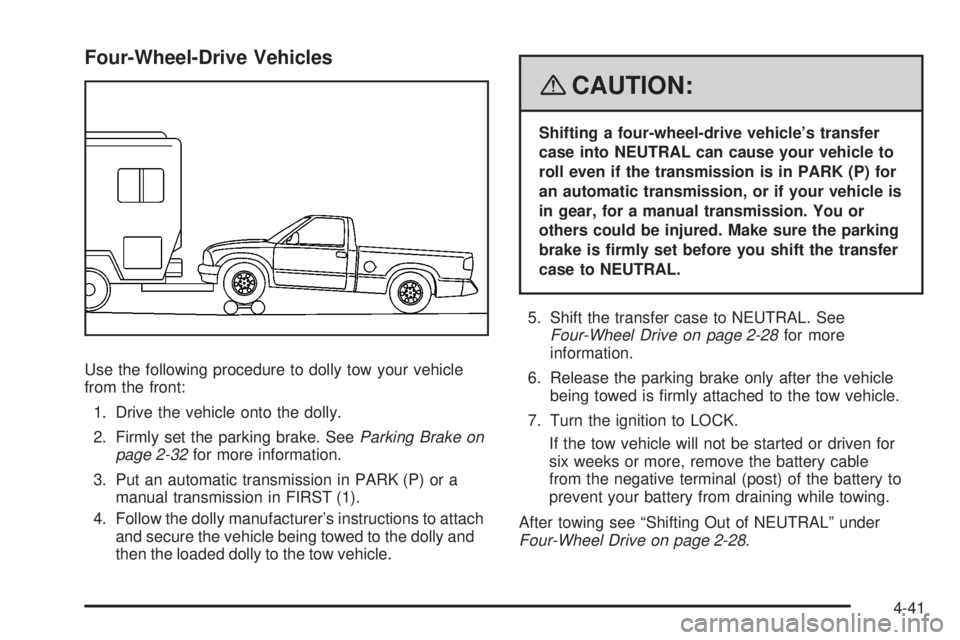
Use the following procedure to dolly tow your vehicle
from the front:
1. Drive the vehicle onto the dolly.
2. Firmly set the parking brake. SeeParking Brake on
page 2-32for more information.
3. Put an automatic transmission in PARK (P) or a
manual transmission in FIRST (1).
4. Follow the dolly manufacturer’s instructions to attach
and secure the vehicle being towed to the dolly and
then the loaded dolly to the tow vehicle.
{CAUTION:
Shifting a four-wheel-drive vehicle’s transfer
case into NEUTRAL can cause your vehicle to
roll even if the transmission is in PARK (P) for
an automatic transmission, or if your vehicle is
in gear, for a manual transmission. You or
others could be injured. Make sure the parking
brake is rmly set before you shift the transfer
case to NEUTRAL.
5. Shift the transfer case to NEUTRAL. See
Four-Wheel Drive on page 2-28for more
information.
6. Release the parking brake only after the vehicle
being towed is rmly attached to the tow vehicle.
7. Turn the ignition to LOCK.
If the tow vehicle will not be started or driven for
six weeks or more, remove the battery cable
from the negative terminal (post) of the battery to
prevent your battery from draining while towing.
After towing see “Shifting Out of NEUTRAL” under
Four-Wheel Drive on page 2-28.
4-41
Page 244 of 428
Rear Towing (Rear Wheels Off the Ground)
Two-Wheel-Drive Vehicles
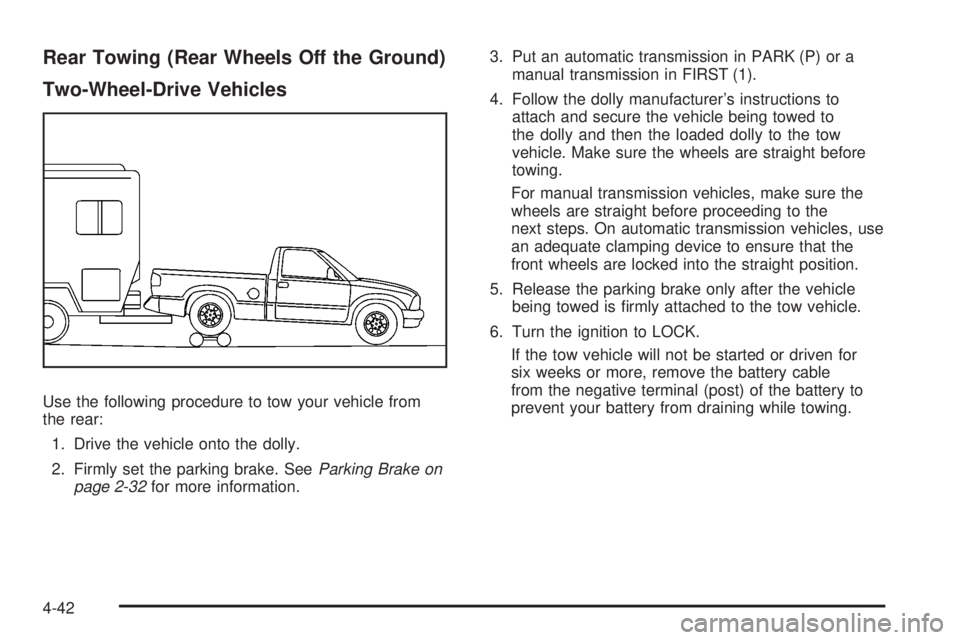
Use the following procedure to tow your vehicle from
the rear:
1. Drive the vehicle onto the dolly.
2. Firmly set the parking brake. SeeParking Brake on
page 2-32for more information.3. Put an automatic transmission in PARK (P) or a
manual transmission in FIRST (1).
4. Follow the dolly manufacturer’s instructions to
attach and secure the vehicle being towed to
the dolly and then the loaded dolly to the tow
vehicle. Make sure the wheels are straight before
towing.
For manual transmission vehicles, make sure the
wheels are straight before proceeding to the
next steps. On automatic transmission vehicles, use
an adequate clamping device to ensure that the
front wheels are locked into the straight position.
5. Release the parking brake only after the vehicle
being towed is rmly attached to the tow vehicle.
6. Turn the ignition to LOCK.
If the tow vehicle will not be started or driven for
six weeks or more, remove the battery cable
from the negative terminal (post) of the battery to
prevent your battery from draining while towing.
4-42