lane assist GMC CANYON 2023 Owners Manual
[x] Cancel search | Manufacturer: GMC, Model Year: 2023, Model line: CANYON, Model: GMC CANYON 2023Pages: 371, PDF Size: 7.41 MB
Page 4 of 371
GMC Canyon/Canyon Denali Owner Manual (GMNA-Localizing-U.S./Canada/
Mexico-16510661) - 2023 - CRC - 11/29/22
Introduction 3
A circle with a slash through it is a safety
symbol which means“Do not,” “Do not do
this,” or“Do not let this happen.”
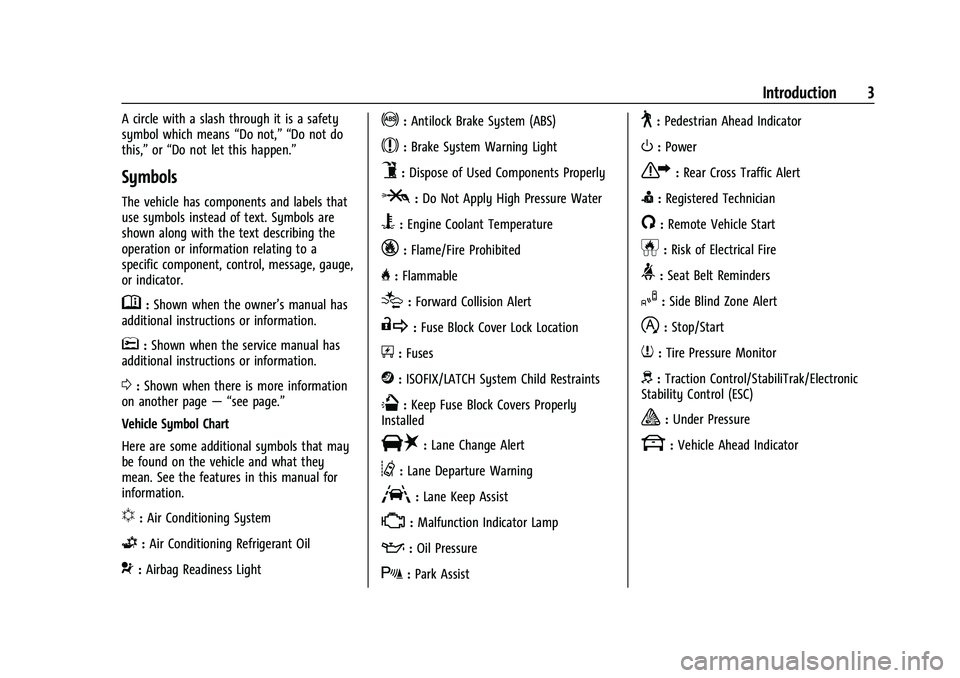
Symbols
The vehicle has components and labels that
use symbols instead of text. Symbols are
shown along with the text describing the
operation or information relating to a
specific component, control, message, gauge,
or indicator.
M:Shown when the owner’s manual has
additional instructions or information.
*: Shown when the service manual has
additional instructions or information.
0: Shown when there is more information
on another page — “see page.”
Vehicle Symbol Chart
Here are some additional symbols that may
be found on the vehicle and what they
mean. See the features in this manual for
information.
u: Air Conditioning System
G:Air Conditioning Refrigerant Oil
9:Airbag Readiness Light
!:Antilock Brake System (ABS)
$:Brake System Warning Light
9:Dispose of Used Components Properly
P:Do Not Apply High Pressure Water
B:Engine Coolant Temperature
_:Flame/Fire Prohibited
H: Flammable
[:Forward Collision Alert
R:Fuse Block Cover Lock Location
+:Fuses
j:ISOFIX/LATCH System Child Restraints
Q:Keep Fuse Block Covers Properly
Installed
|: Lane Change Alert
@:Lane Departure Warning
A:Lane Keep Assist
*: Malfunction Indicator Lamp
::Oil Pressure
X:Park Assist
~:Pedestrian Ahead Indicator
O:Power
7:Rear Cross Traffic Alert
I:Registered Technician
/:Remote Vehicle Start
h:Risk of Electrical Fire
>:Seat Belt Reminders
I:Side Blind Zone Alert
h:Stop/Start
7:Tire Pressure Monitor
d:Traction Control/StabiliTrak/Electronic
Stability Control (ESC)
a: Under Pressure
k: Vehicle Ahead Indicator
Page 6 of 371
GMC Canyon/Canyon Denali Owner Manual (GMNA-Localizing-U.S./Canada/
Mexico-16510661) - 2023 - CRC - 11/29/22
Introduction 5
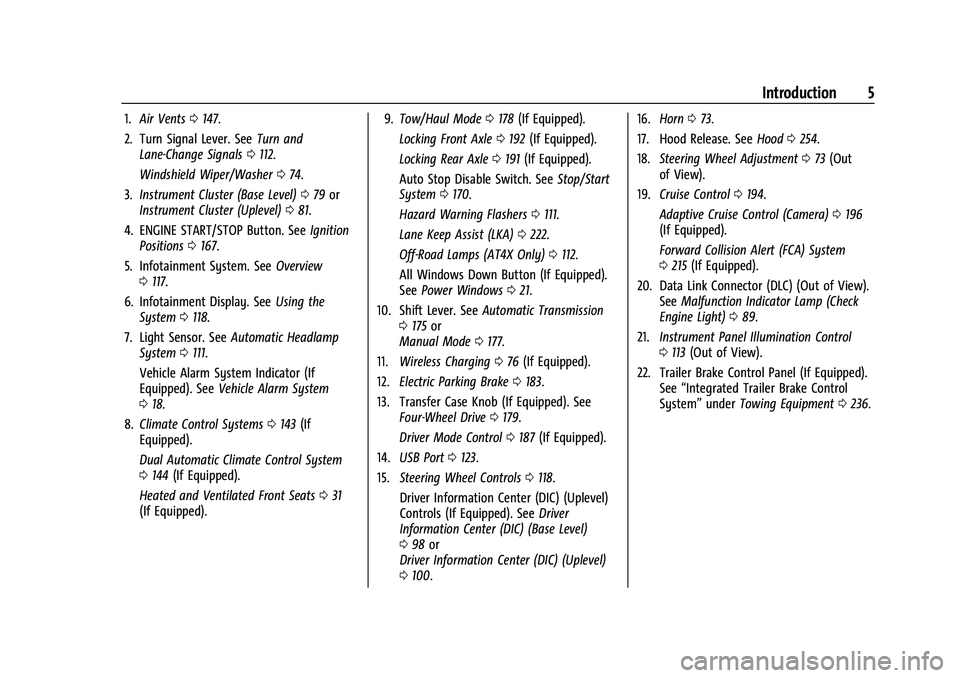
1.Air Vents 0147.
2. Turn Signal Lever. See Turn and
Lane-Change Signals 0112.
Windshield Wiper/Washer 074.
3. Instrument Cluster (Base Level) 079 or
Instrument Cluster (Uplevel) 081.
4. ENGINE START/STOP Button. See Ignition
Positions 0167.
5. Infotainment System. See Overview
0 117.
6. Infotainment Display. See Using the
System 0118.
7. Light Sensor. See Automatic Headlamp
System 0111.
Vehicle Alarm System Indicator (If
Equipped). See Vehicle Alarm System
0 18.
8. Climate Control Systems 0143 (If
Equipped).
Dual Automatic Climate Control System
0 144 (If Equipped).
Heated and Ventilated Front Seats 031
(If Equipped). 9.
Tow/Haul Mode 0178 (If Equipped).
Locking Front Axle 0192 (If Equipped).
Locking Rear Axle 0191 (If Equipped).
Auto Stop Disable Switch. See Stop/Start
System 0170.
Hazard Warning Flashers 0111.
Lane Keep Assist (LKA) 0222.
Off-Road Lamps (AT4X Only) 0112.
All Windows Down Button (If Equipped).
See Power Windows 021.
10. Shift Lever. See Automatic Transmission
0 175 or
Manual Mode 0177.
11. Wireless Charging 076 (If Equipped).
12. Electric Parking Brake 0183.
13. Transfer Case Knob (If Equipped). See Four-Wheel Drive 0179.
Driver Mode Control 0187 (If Equipped).
14. USB Port 0123.
15. Steering Wheel Controls 0118.
Driver Information Center (DIC) (Uplevel)
Controls (If Equipped). See Driver
Information Center (DIC) (Base Level)
0 98 or
Driver Information Center (DIC) (Uplevel)
0 100. 16.
Horn 073.
17. Hood Release. See Hood0254.
18. Steering Wheel Adjustment 073 (Out
of View).
19. Cruise Control 0194.
Adaptive Cruise Control (Camera) 0196
(If Equipped).
Forward Collision Alert (FCA) System
0 215 (If Equipped).
20. Data Link Connector (DLC) (Out of View). SeeMalfunction Indicator Lamp (Check
Engine Light) 089.
21. Instrument Panel Illumination Control
0113 (Out of View).
22. Trailer Brake Control Panel (If Equipped). See“Integrated Trailer Brake Control
System” underTowing Equipment 0236.
Page 73 of 371
GMC Canyon/Canyon Denali Owner Manual (GMNA-Localizing-U.S./Canada/
Mexico-16510661) - 2023 - CRC - 11/30/22
72 Instruments and Controls
Instruments and Controls
Controls
Steering Wheel Adjustment . . . . . . . . . . . . . 73
Heated Steering Wheel . . . . . . . . . . . . . . . . . 73
Horn . . . . . . . . . . . . . . . . . . . . . . . . . . . . . . . . . . . . 73
Windshield Wiper/Washer . . . . . . . . . . . . . . 74
Compass . . . . . . . . . . . . . . . . . . . . . . . . . . . . . . . . 75
Clock . . . . . . . . . . . . . . . . . . . . . . . . . . . . . . . . . . . 75
Power Outlets . . . . . . . . . . . . . . . . . . . . . . . . . . 75
Wireless Charging . . . . . . . . . . . . . . . . . . . . . . 76
Warning Lights, Gauges, and Indicators
Warning Lights, Gauges, andIndicators . . . . . . . . . . . . . . . . . . . . . . . . . . . . . 79
Instrument Cluster (Base Level) . . . . . . . . . 79
Instrument Cluster (Uplevel) . . . . . . . . . . . . 81
Speedometer . . . . . . . . . . . . . . . . . . . . . . . . . . . 82
Odometer . . . . . . . . . . . . . . . . . . . . . . . . . . . . . . 82
Trip Odometer . . . . . . . . . . . . . . . . . . . . . . . . . . 82
Tachometer . . . . . . . . . . . . . . . . . . . . . . . . . . . . 82
Fuel Gauge . . . . . . . . . . . . . . . . . . . . . . . . . . . . . 83
Engine Oil Pressure Gauge . . . . . . . . . . . . . 84
Engine Oil Temperature Gauge . . . . . . . . . 85
Engine Coolant Temperature Gauge . . . . 86
Transmission Temperature Gauge . . . . . . 86
Seat Belt Reminders . . . . . . . . . . . . . . . . . . . . 87
Airbag Readiness Light . . . . . . . . . . . . . . . . . 88
Passenger Airbag Status Indicator . . . . . . 88
Charging System Light . . . . . . . . . . . . . . . . . 89 Malfunction Indicator Lamp (Check
Engine Light) . . . . . . . . . . . . . . . . . . . . . . . . . 89
Brake System Warning Light . . . . . . . . . . . . 91
Electric Parking Brake Light . . . . . . . . . . . . . 91
Service Electric Parking Brake Light . . . . . 92
Antilock Brake System (ABS) Warning Light . . . . . . . . . . . . . . . . . . . . . . . . . . . . . . . . . . 92
Four-Wheel-Drive Light . . . . . . . . . . . . . . . . . 92
Hill Descent Control Light . . . . . . . . . . . . . . 93
Lane Keep Assist (LKA) Light . . . . . . . . . . . . 93
Automatic Emergency Braking (AEB) Disabled Light . . . . . . . . . . . . . . . . . . . . . . . . 93
Vehicle Ahead Indicator . . . . . . . . . . . . . . . . 93
Pedestrian Ahead Indicator . . . . . . . . . . . . . 94
Traction Off Light . . . . . . . . . . . . . . . . . . . . . . 94
Traction Control System (TCS)/Electronic Stability Control Light . . . . . . . . . . . . . . . . 94
Electronic Stability Control (ESC) Off Light . . . . . . . . . . . . . . . . . . . . . . . . . . . . . . . . . . 95
Engine Coolant Temperature Warning Light . . . . . . . . . . . . . . . . . . . . . . . . . . . . . . . . . . 95
Driver Mode Control Light . . . . . . . . . . . . . . 95
Tire Pressure Light . . . . . . . . . . . . . . . . . . . . . 96
Engine Oil Pressure Light . . . . . . . . . . . . . . . 96
Low Fuel Warning Light . . . . . . . . . . . . . . . . 97
Auto Stop Indicator . . . . . . . . . . . . . . . . . . . . . 97
Security Light . . . . . . . . . . . . . . . . . . . . . . . . . . 97
High-Beam On Light . . . . . . . . . . . . . . . . . . . . 97
Front Fog Lamp Light . . . . . . . . . . . . . . . . . . . 97
Lamps On Reminder . . . . . . . . . . . . . . . . . . . . 98 Cruise Control Light . . . . . . . . . . . . . . . . . . . . 98
Door Ajar Light (Uplevel Cluster) . . . . . . . 98
Information Displays
Driver Information Center (DIC) (Base
Level) . . . . . . . . . . . . . . . . . . . . . . . . . . . . . . . . . 98
Driver Information Center (DIC) (Uplevel) . . . . . . . . . . . . . . . . . . . . . . . . . . . . 100
Vehicle Status . . . . . . . . . . . . . . . . . . . . . . . . . 103
Head-Up Display (HUD) . . . . . . . . . . . . . . . . 105
Vehicle Messages
Vehicle Messages . . . . . . . . . . . . . . . . . . . . . . 107
Engine Power Messages . . . . . . . . . . . . . . . 108
Vehicle Speed Messages . . . . . . . . . . . . . . . 108
Page 94 of 371
GMC Canyon/Canyon Denali Owner Manual (GMNA-Localizing-U.S./Canada/
Mexico-16510661) - 2023 - CRC - 11/30/22
Instruments and Controls 93
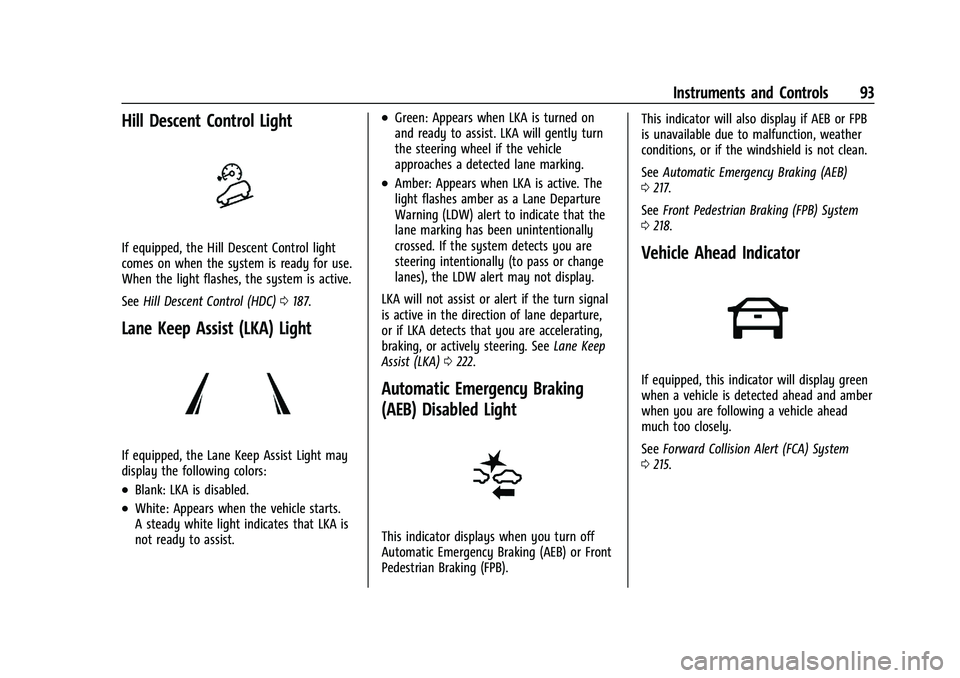
Hill Descent Control Light
If equipped, the Hill Descent Control light
comes on when the system is ready for use.
When the light flashes, the system is active.
SeeHill Descent Control (HDC) 0187.
Lane Keep Assist (LKA) Light
If equipped, the Lane Keep Assist Light may
display the following colors:
.Blank: LKA is disabled.
.White: Appears when the vehicle starts.
A steady white light indicates that LKA is
not ready to assist.
.Green: Appears when LKA is turned on
and ready to assist. LKA will gently turn
the steering wheel if the vehicle
approaches a detected lane marking.
.Amber: Appears when LKA is active. The
light flashes amber as a Lane Departure
Warning (LDW) alert to indicate that the
lane marking has been unintentionally
crossed. If the system detects you are
steering intentionally (to pass or change
lanes), the LDW alert may not display.
LKA will not assist or alert if the turn signal
is active in the direction of lane departure,
or if LKA detects that you are accelerating,
braking, or actively steering. See Lane Keep
Assist (LKA) 0222.
Automatic Emergency Braking
(AEB) Disabled Light
This indicator displays when you turn off
Automatic Emergency Braking (AEB) or Front
Pedestrian Braking (FPB). This indicator will also display if AEB or FPB
is unavailable due to malfunction, weather
conditions, or if the windshield is not clean.
See
Automatic Emergency Braking (AEB)
0 217.
See Front Pedestrian Braking (FPB) System
0 218.
Vehicle Ahead Indicator
If equipped, this indicator will display green
when a vehicle is detected ahead and amber
when you are following a vehicle ahead
much too closely.
See Forward Collision Alert (FCA) System
0 215.
Page 101 of 371
GMC Canyon/Canyon Denali Owner Manual (GMNA-Localizing-U.S./Canada/
Mexico-16510661) - 2023 - CRC - 11/30/22
100 Instruments and Controls
When the remaining oil life is low, the
CHANGE ENGINE OIL SOON message will
appear on the display. The oil should be
changed as soon as possible. SeeEngine Oil
0 257. In addition to the engine oil life
system monitoring the oil life, additional
maintenance is recommended. See
Maintenance Schedule 0328.
The Oil Life display must be reset after each
oil change. It will not reset itself. Do not
reset the Oil Life display accidentally at any
time other than when the oil has just been
changed. It cannot be reset accurately until
the next oil change. To reset, see Engine Oil
Life System 0259.
Fuel Economy : Displays information about
current and average fuel economy.
Oil Pressure : Shows the engine oil pressure
in kPa (kilopascals) or psi (pounds per
square inch).
Engine Hours : Shows the total number of
hours the engine has run.
Coolant Temperature : Shows the
temperature of the coolant in either degrees
Celsius (°C) or degrees Fahrenheit (°F). Transmission Fluid Temperature :
Shows the
temperature of the automatic transmission
fluid in either degrees Celsius (°C) or degrees
Fahrenheit (°F).
Tire Pressure : Shows the approximate
pressures of all four tires. Tire pressure is
displayed in either kilopascal (kPa) or in
pounds per square inch (psi). If the pressure
is low, the value for that tire is shown in
amber. See Tire Pressure Monitor System
0 291 and
Tire Pressure Monitor Operation 0292.
Brake Pad Life : Shows an estimate of the
remaining life of the front and rear brake
pads. Messages are displayed based on
brake pad wear and the state of the system.
Reset the Brake Pad Life display after
replacing the brake pads. See Brake Pad Life
System 0267.
Air Filter Life : Shows an estimate of the
engine air filter’s remaining useful life and
the state of the system. Engine Air Filter Life
95% means 95% of the current air filter life
remains. Messages will display based on the
engine air filter life and the state of the
system. When the REPLACE AT NEXT OIL
CHANGE message displays, the engine air
filter should be replaced at the time of the
next oil change. When the REPLACE SOON message displays, the engine air filter
should be replaced at the earliest
convenience.
The Air Filter Life display must be reset after
the engine air filter replacement. To reset,
see
Engine Air Filter Life System 0260.
Oil Temperature : Shows the current oil
temperature in either degrees Celsius (°C) or
degrees Fahrenheit (°F).
Driver Assistance : If equipped, shows
information for Adaptive Cruise Control
(ACC), Lane Keep Assist (LKA), and Forward
Collision Alert (FCA).
Off : Allows for no information to be
displayed in the cluster info display areas.
Driver Information Center (DIC)
(Uplevel)
The DIC is displayed in the instrument
cluster. It shows the status of many vehicle
systems.
DIC information is broken down into two
main zones:
Left Zone : Displays on the instrument
cluster to the left of the speedometer.
Right Zone : Displays on the instrument
cluster to the right of the speedometer.
Page 104 of 371
GMC Canyon/Canyon Denali Owner Manual (GMNA-Localizing-U.S./Canada/
Mexico-16510661) - 2023 - CRC - 11/30/22
Instruments and Controls 103
Oil Temperature :Shows the current oil
temperature in either degrees Celsius (°C) or
degrees Fahrenheit (°F).
Driver Assistance : If equipped, shows
information for Adaptive Cruise Control
(ACC), Lane Keep Assist (LKA), and Forward
Collision Alert (FCA).
Off : Allows for no information to be
displayed in the cluster info display areas.
Right Zone
Audio Now Playing : Displays the actively
playing audio.
Navigation : Displays a variety of navigation
information.
Audio and Navigation : Displays both audio
and navigation information together.
Off : Allows for no information to be
displayed in the cluster info display areas.
Vehicle Status
The following are all possible vehicle status
features.
To access the vehicle status menu touch
A
from the list of home page icons displayed
on the left side of the infotainment display.
Vehicle status content is shown on cards that are grouped together in option tabs
that are displayed on the infotainment
display.
Touching a card on the infotainment display
opens up a dialog box for that card. To
select a desired option within a dialog box,
touch the option and follow any message or
alerts that may display. Some options may
be unavailable while driving.
Touch Show in Cluster to send the desired
card to the Driver Information Center (DIC)
on the instrument cluster. Touch Remove
from Cluster to remove the selected card
from the instrument cluster. See
Driver
Information Center (DIC) (Base Level) 098 or
Driver Information Center (DIC) (Uplevel)
0 100.
Options
The following is the list of all possible cards
and their locations. Some of the cards may
not be available for your particular vehicle.
Overview
Displays an interactive 3-D rendered image
of your vehicle that shows performance and
health information. Tires & Brakes
Tire Pressure :
Displays the approximate
pressures of all four tires. Tire pressure is
displayed in either kilopascal (kPa) or in
pounds per square inch (psi). If the pressure
is low, the value for that tire is shown in
amber. See Tire Pressure Monitor System
0 291 and
Tire Pressure Monitor Operation 0292.
When selected, the following options may
be chosen in the dialog: Relearn Tire
Pressure, Turn Off/On Leak Detection, Reset
Leak Detection, and Show in Cluster. When
enabled, you will receive alerts when a fast
and/or slow tire leak is detected. The Leak
Detection speeds shown are either Tire Leak
or Fast Leak. When disabled, you will still
receive low tire pressure alerts. However,
you will stop receiving additional alerts
when a tire is leaking air.
Brake Pad Life : Displays an estimate of the
remaining life of the front and rear brake
pads. Messages are displayed based on
brake pad wear and the state of the system.
When selected, the following options may
be chosen in the dialog: Turn Off/On, Reset
Front Brake Pads, Reset Rear Brake Pads, and
Page 108 of 371

GMC Canyon/Canyon Denali Owner Manual (GMNA-Localizing-U.S./Canada/
Mexico-16510661) - 2023 - CRC - 11/30/22
Instruments and Controls 107
lane status information. In addition to driver
assistance graphics, pedestrian advisory and
trailer sway indicators are displayed.
English Shown, Metric Similar
Navigation View : This displays the speed
view along with indicators for vehicle ahead,
Lane Departure Warning/Lane Keep Assist,
trailer sway, and pedestrian advisory.
Turn-by-Turn Navigation information is
shown during active route. The compass
heading is displayed when navigation
routing is not active.
Navigation turn-by-turn Alerts shown in the
instrument cluster may also be displayed in
any HUD view.
Care of the HUD
Clean the inside of the windshield to remove
any dirt or film that could reduce the
sharpness or clarity of the HUD image. Clean the HUD lens with a soft cloth
sprayed with glass cleaner. Wipe the lens
gently, then dry it.
HUD Troubleshooting
Check that:
.Nothing is covering the HUD lens.
.The HUD brightness setting is not too
dim or too bright.
.The HUD is adjusted to the proper height.
.Polarized sunglasses are not worn.
.The windshield and HUD lens are clean.
If the HUD image is not correct, contact
your dealer.
The windshield is part of the HUD system.
See Windshield Replacement 0272.
Vehicle Messages
Messages displayed on the DIC indicate the
status of the vehicle or some action that
may be needed to correct a condition.
Multiple messages may appear one after
another.
The messages that do not require
immediate action can be acknowledged and
cleared by pressing the thumbwheel. The messages that require immediate action
cannot be cleared until that action is
performed.
All messages should be taken seriously;
clearing the message does not correct the
problem.
If a SERVICE message appears, see your
dealer.
Follow the instructions given in the
messages. The system displays messages
regarding the following topics:
.Service Messages
.Fluid Levels
.Vehicle Security
.Brakes
.Ride Control Systems
.Driver Assistance Systems
.Cruise Control
.Lighting and Bulb Replacement
.Wiper/Washer Systems
.Doors and Windows
.Seat Belts
.Airbag Systems
.Engine and Transmission
.Tire Pressure
.Battery
Page 150 of 371
GMC Canyon/Canyon Denali Owner Manual (GMNA-Localizing-U.S./Canada/
Mexico-16510661) - 2023 - CRC - 11/29/22
Driving and Operating 149
Driving and Operating
Driving Information
Driving for Better Fuel Economy . . . . . . . 150
Distracted Driving . . . . . . . . . . . . . . . . . . . . . 150
Defensive Driving . . . . . . . . . . . . . . . . . . . . . . 151
Impaired Driving . . . . . . . . . . . . . . . . . . . . . . . 151
Control of a Vehicle . . . . . . . . . . . . . . . . . . . . 151
Braking . . . . . . . . . . . . . . . . . . . . . . . . . . . . . . . . 151
Steering . . . . . . . . . . . . . . . . . . . . . . . . . . . . . . . 152
Off-Road Recovery . . . . . . . . . . . . . . . . . . . . . 152
Loss of Control . . . . . . . . . . . . . . . . . . . . . . . . . 153
Off-Road Driving . . . . . . . . . . . . . . . . . . . . . . . 153
Off-Road App . . . . . . . . . . . . . . . . . . . . . . . . . . 158
Driving on Wet Roads . . . . . . . . . . . . . . . . . 159
Hill and Mountain Roads . . . . . . . . . . . . . . 159
Winter Driving . . . . . . . . . . . . . . . . . . . . . . . . 160
If the Vehicle Is Stuck . . . . . . . . . . . . . . . . . . 161
Vehicle Load Limits . . . . . . . . . . . . . . . . . . . . 162
Truck-Camper Loading Information . . . . . 167
Starting and Operating
New Vehicle Break-In . . . . . . . . . . . . . . . . . . 167
Ignition Positions . . . . . . . . . . . . . . . . . . . . . . 167
Starting the Engine . . . . . . . . . . . . . . . . . . . . 169
Stop/Start System . . . . . . . . . . . . . . . . . . . . . 170
Engine Heater . . . . . . . . . . . . . . . . . . . . . . . . . 170
Retained Accessory Power (RAP) . . . . . . . 172
Shifting Into Park . . . . . . . . . . . . . . . . . . . . . . 172
Shifting out of Park . . . . . . . . . . . . . . . . . . . . 173Parking over Things That Burn . . . . . . . . . 173
Active Fuel Management . . . . . . . . . . . . . . 173
Extended Parking . . . . . . . . . . . . . . . . . . . . . . 174
Engine Exhaust
Engine Exhaust . . . . . . . . . . . . . . . . . . . . . . . . 174
Running the Vehicle While Parked . . . . . 174
Automatic Transmission
Automatic Transmission . . . . . . . . . . . . . . . 175
Manual Mode . . . . . . . . . . . . . . . . . . . . . . . . . . 177
Tow/Haul Mode . . . . . . . . . . . . . . . . . . . . . . . 178
Drive Systems
Four-Wheel Drive . . . . . . . . . . . . . . . . . . . . . . 179
Brakes
Antilock Brake System (ABS) . . . . . . . . . . . 183
Electric Parking Brake . . . . . . . . . . . . . . . . . . 183
Brake Assist . . . . . . . . . . . . . . . . . . . . . . . . . . . 184
Hill Start Assist (HSA) . . . . . . . . . . . . . . . . . . 185
Ride Control Systems
Traction Control/Electronic Stability
Control . . . . . . . . . . . . . . . . . . . . . . . . . . . . . . 185
Hill Descent Control (HDC) . . . . . . . . . . . . . 187
Driver Mode Control . . . . . . . . . . . . . . . . . . . 187
Limited-Slip Differential . . . . . . . . . . . . . . . . 191
Locking Rear Axle . . . . . . . . . . . . . . . . . . . . . . 191
Locking Front Axle . . . . . . . . . . . . . . . . . . . . . 192
Cruise Control
Cruise Control . . . . . . . . . . . . . . . . . . . . . . . . . 194
Adaptive Cruise Control (Camera) . . . . . . 196
Driver Assistance Systems
Driver Assistance Systems . . . . . . . . . . . . . 206
Assistance Systems for Parking or Backing . . . . . . . . . . . . . . . . . . . . . . . . . . . . . . 208
Rear Vision Camera (RVC) . . . . . . . . . . . . . 208
Surround Vision System . . . . . . . . . . . . . . . 209
Park Assist . . . . . . . . . . . . . . . . . . . . . . . . . . . . . 213
Rear Pedestrian Alert . . . . . . . . . . . . . . . . . . 213
Rear Cross Traffic Alert (RCTA) System . . . . . . . . . . . . . . . . . . . . . . . . . . . . . . 214
Assistance Systems for Driving . . . . . . . . 215
Forward Collision Alert (FCA) System . . . . . . . . . . . . . . . . . . . . . . . . . . . . . . . 215
Automatic Emergency Braking (AEB) . . . 217
Front Pedestrian Braking (FPB)
System . . . . . . . . . . . . . . . . . . . . . . . . . . . . . . 218
Side Blind Zone Alert (SBZA) . . . . . . . . . . 220
Lane Change Alert (LCA) . . . . . . . . . . . . . . . 220
Blind Zone Steering Assist (BZSA) . . . . . . 222
Lane Keep Assist (LKA) . . . . . . . . . . . . . . . . . 222
Fuel
Top Tier Fuel . . . . . . . . . . . . . . . . . . . . . . . . . . 224
Recommended Fuel . . . . . . . . . . . . . . . . . . . . 224
Prohibited Fuels . . . . . . . . . . . . . . . . . . . . . . . 225
Fuels in Foreign Countries . . . . . . . . . . . . . 225
Fuel Additives . . . . . . . . . . . . . . . . . . . . . . . . . 225
Page 153 of 371
GMC Canyon/Canyon Denali Owner Manual (GMNA-Localizing-U.S./Canada/
Mexico-16510661) - 2023 - CRC - 11/29/22
152 Driving and Operating
applied. Once the power assist is used up, it
can take longer to stop and the brake pedal
will be harder to push.
Steering
Caution
To avoid damage to the steering system,
do not drive over curbs, parking barriers,
or similar objects at speeds greater than
3 km/h (1 mph). Use care when driving
over other objects such as lane dividers
and speed bumps. Damage caused by
misuse of the vehicle is not covered by
the vehicle warranty.
Electric Power Steering
The vehicle is equipped with an electric
power steering system, which reduces the
amount of effort needed to steer the
vehicle. It does not have power steering
fluid. Regular maintenance is not required.
If the vehicle experiences a system
malfunction and loses power steering,
greater steering effort may be required.
Power steering assist also may be reduced if
you turn the steering wheel as far as it can
turn and hold it there with force for an
extended period of time.
See your dealer if there is a problem.
Curve Tips
.Take curves at a reasonable speed.
.Reduce speed before entering a curve.
.Maintain a reasonable steady speed
through the curve.
.Wait until the vehicle is out of the curve
before accelerating gently into the
straightaway.
Steering in Emergencies
.There are some situations when steering
around a problem may be more effective
than braking.
.Holding both sides of the steering wheel
allows you to turn 180 degrees without
removing a hand.
.The Antilock Brake System (ABS) allows
steering while braking.
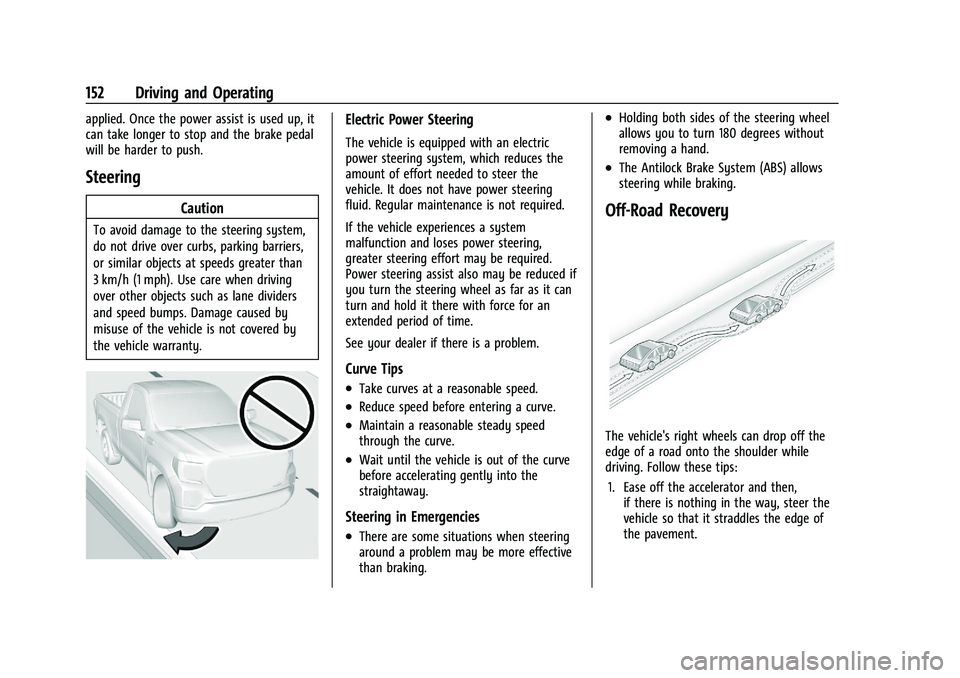
Off-Road Recovery
The vehicle's right wheels can drop off the
edge of a road onto the shoulder while
driving. Follow these tips:1. Ease off the accelerator and then, if there is nothing in the way, steer the
vehicle so that it straddles the edge of
the pavement.
Page 161 of 371
GMC Canyon/Canyon Denali Owner Manual (GMNA-Localizing-U.S./Canada/
Mexico-16510661) - 2023 - CRC - 11/29/22
160 Driving and Operating
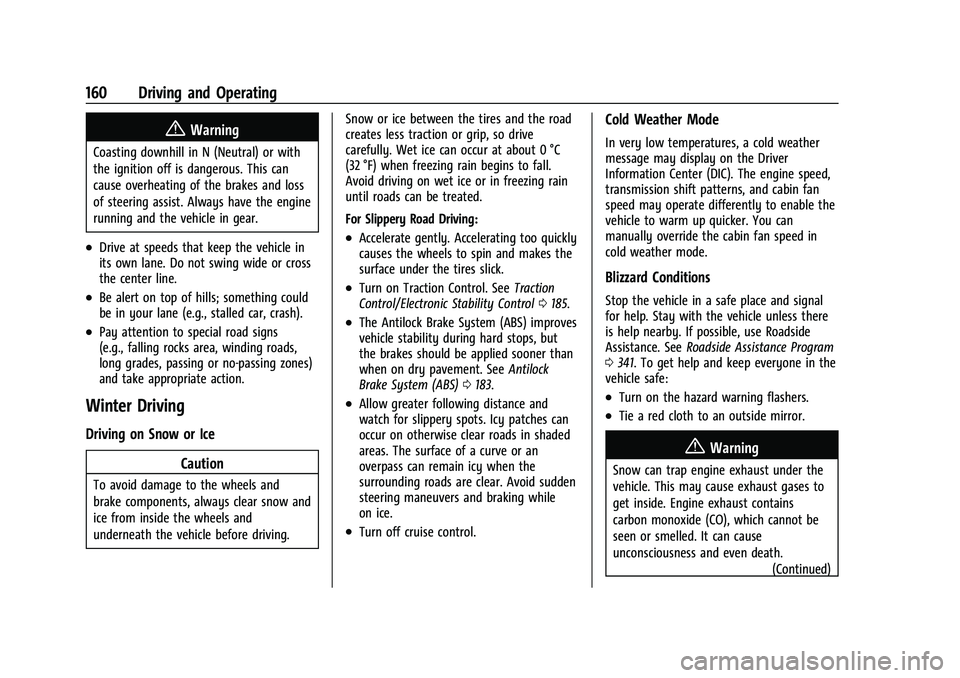
{Warning
Coasting downhill in N (Neutral) or with
the ignition off is dangerous. This can
cause overheating of the brakes and loss
of steering assist. Always have the engine
running and the vehicle in gear.
.Drive at speeds that keep the vehicle in
its own lane. Do not swing wide or cross
the center line.
.Be alert on top of hills; something could
be in your lane (e.g., stalled car, crash).
.Pay attention to special road signs
(e.g., falling rocks area, winding roads,
long grades, passing or no-passing zones)
and take appropriate action.
Winter Driving
Driving on Snow or IceCaution
To avoid damage to the wheels and
brake components, always clear snow and
ice from inside the wheels and
underneath the vehicle before driving. Snow or ice between the tires and the road
creates less traction or grip, so drive
carefully. Wet ice can occur at about 0 °C
(32 °F) when freezing rain begins to fall.
Avoid driving on wet ice or in freezing rain
until roads can be treated.
For Slippery Road Driving:
.Accelerate gently. Accelerating too quickly
causes the wheels to spin and makes the
surface under the tires slick.
.Turn on Traction Control. See
Traction
Control/Electronic Stability Control 0185.
.The Antilock Brake System (ABS) improves
vehicle stability during hard stops, but
the brakes should be applied sooner than
when on dry pavement. See Antilock
Brake System (ABS) 0183.
.Allow greater following distance and
watch for slippery spots. Icy patches can
occur on otherwise clear roads in shaded
areas. The surface of a curve or an
overpass can remain icy when the
surrounding roads are clear. Avoid sudden
steering maneuvers and braking while
on ice.
.Turn off cruise control.
Cold Weather Mode
In very low temperatures, a cold weather
message may display on the Driver
Information Center (DIC). The engine speed,
transmission shift patterns, and cabin fan
speed may operate differently to enable the
vehicle to warm up quicker. You can
manually override the cabin fan speed in
cold weather mode.
Blizzard Conditions
Stop the vehicle in a safe place and signal
for help. Stay with the vehicle unless there
is help nearby. If possible, use Roadside
Assistance. See Roadside Assistance Program
0 341. To get help and keep everyone in the
vehicle safe:
.Turn on the hazard warning flashers.
.Tie a red cloth to an outside mirror.
{Warning
Snow can trap engine exhaust under the
vehicle. This may cause exhaust gases to
get inside. Engine exhaust contains
carbon monoxide (CO), which cannot be
seen or smelled. It can cause
unconsciousness and even death.
(Continued)