buttons GMC ENVOY 1998 User Guide
[x] Cancel search | Manufacturer: GMC, Model Year: 1998, Model line: ENVOY, Model: GMC ENVOY 1998Pages: 386, PDF Size: 20.33 MB
Page 147 of 386

4. Press and hold one of the six pushbuttons. The sound
will mute. When it returns, release the button.
Whenever
you press that numbered button, the
station you set will return.
5. Repeat the steps for each pushbutton.
P.SCAN: The preset scan button lets you scan through
your favorite stations stored
on your pushbuttons. Select
either the
AM, FMl or FM2 mode and then press
P.SCAN.
It will scan through each station stored on your
pushbuttons and stop for a few seconds before
continuing to scan through all of the pushbuttons. Press
P.SCAN again or one of the pushbuttons to stop
scanning to listen
to a specific stored station. P.SCAN
will light up on the display while in this mode. If one of
the stations stored on a pushbutton is too weak for the
location
you are in, the radio display will show the
channel number
(P 1 -P6) for several seconds before
advancing
to the next preset station.
Setting the Tone
BASS: Press lightly on this knob to release it from its
stored position. Turn
the knob to the right to increase
bass and
to the left to decrease bass.
TREB: Press lightly on this knob to release it from its
stored position. Turn
the knob to the right to increase
treble and
to the left to decrease treble. If a station is
weak or noisy, you may want to decrease the treble.
Push these knobs back into their stored positions when
you’re not using them.
Adjusting the Speakers
BAL: Press lightly on this knob to release it from its
stored position. Turn the control to the right to adjust
sound to the right speakers and to the left to adjust
sound to the left speakers. The middle position balances
the sound between the speakers.
FADE: Press lightly on this knob to release it from its
stored position. Turn the control to
the right to adjust the
sound to the front speakers and to the left for
the rear
speakers. The middle position balances the sound
between the speakers.
Push these knobs back into their stored positions when
you’re not using them.
3-14
ProCarManuals.com
Page 150 of 386
each set of headphones. Be aware that the front seat
audio controls always override the Rear Seat Audio
(RSA) controls. The rear speakers will be muted when
the RSA power is turned on. You may operate the RSA
functions even when the primary radio power is off.
luote that this feature is intended for rear seat passengers.
The following function is controlled by the primary
radio knob:
PWR-VOL: Push this knob twice to turn RSA off.
The following functions are controlled by the RSA
system buttons:
PWR: Press this button to turn RSA on or off.
VOL: Press this knob lightly so it extends. Turn the
knob to the right to increase volume and to the left to
decrease volume. Push the knob back into its stored
position when you’re not using it. The left
VOL knob
controls
the left headphone and the right VOL knob
controls the right headphone.
AM-FM: Press this button to switch between AM, FMl
and FM2.
If the front passengers are already listening to
AM-FM, the RSA controller will not switch between the
bands and cannot change the frequency.
SEEK: While listening to AM-FM, press the right
arrow
to tune to the next higher station and stay there.
Press the
left arrow to tune to the next lower station and
stay there. The sound will mute while seeking. The
SEEK button is inactive if the AM-FM mode on the
front radio is
in use.
While listening to a cassette tape, press the right arrow
to hear the next selection
on the tape. Press the left
arrow to go back to the previous selection. The
SEEK
button is inactive if the tape mode on the front radio is
in use.
While listening to a CD, press the right arrow to hear the
next selection
on the CD. Press the left arrow to go back
to the start of the current selection (if more than eight
seconds have played). The
SEEK button is inactive if
the CD mode on the front radio
(if equipped) or the CD
changer is
in use.
SCAN: Press and hold SEEK until the radio goes into
SCAN mode. SCAN allows you to listen to stations for
a few seconds. The receiver will continue to scan and
momentarily stop at each station
until you press SEEK
again. The SCAN function is inactive if the AM-FM
mode on the front radio
is in use.
3-17
I
ProCarManuals.com
Page 151 of 386
P.SET PROG: The front passengers must be
listening to something different for each of these
functions
to work:
Press this button to seek through the preset radio
stations set on your primary radio pushbuttons.
0 When a cassette tape is playing, press this button to
go to the other side of the tape.
When a CD is playing in the CD changer, press this
TAPE CD: Press this button to switch between the tape
or CD and console-mounted CD changer
if both are
loaded. Press
AM-Fh4 to return to the radio when a
cassette tape or CD is playing. The inactive tape or CD
will remain safely inside the radio for future listening.
button
to select a disc.
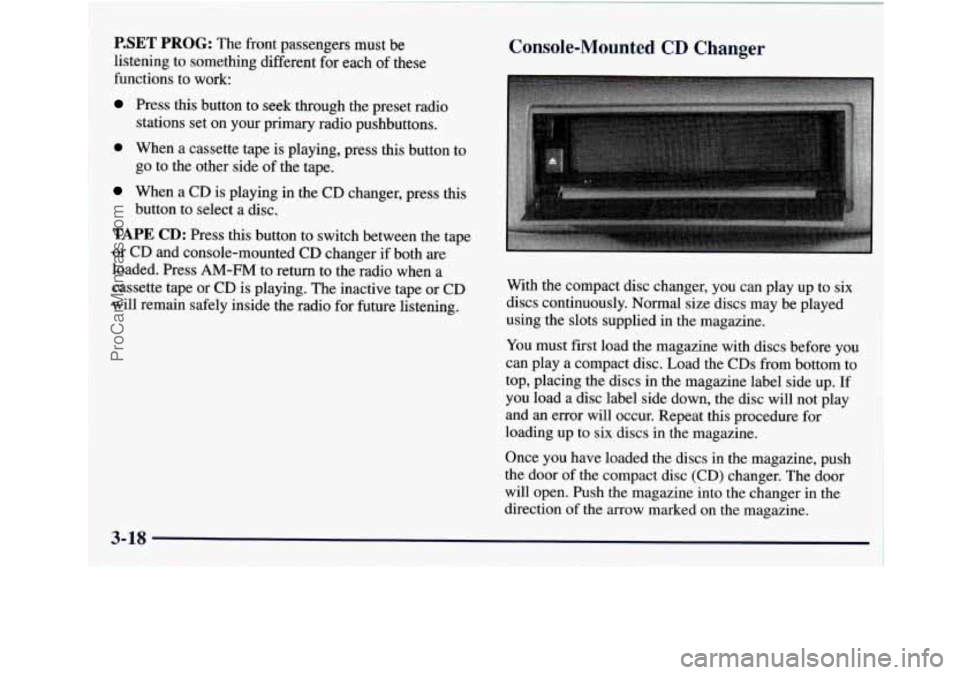
Console-Mounted CD Changer
With the compact disc changer, you can play up to six
discs continuously. Normal size discs may be played
using the slots supplied in the magazine.
You must first load the magazine with discs before
you
can play a compact disc. Load the CDs from bottom to
top, placing the discs in the magazine label side up. If
you load a disc label side down, the disc will not play
and an error will occur. Repeat this procedure for
loading up to six
discs in the magazine.
Once you have loaded the discs in the magazine, push
the door of the compact disc (CD) changer. The door
will open. Push the magazine into the changer in the
direction of the
arrow marked on the magazine.
ProCarManuals.com
Page 152 of 386
Push the door closed. When the CD magazine is loaded,
the changer will begin checking for discs
in the
magazine. This will continue for up to one minute,
depending on the number
of discs loaded.
To eject the magazine from the player, push the CD
changer door, The door will open. Then press the eject
button. Remember to keep the door closed whenever
possible to keep dirt and dust from getting inside
the changer.
Whenever a CD magazine with discs is loaded in the
changer, the CD changer symbol will appear
on the
radio display.
If the CD changer is checking the
magazine for CDs,
the CD symbol will flash on the
display until the changer is ready to play. When a CD
begins playing, a disc and track number will be
displayed. The disc numbers are listed on the front of
the magazine.
If your vehicle is equipped with the AM-FM Stereo with
Cassette Tape Player, the following buttons are used for
the console-mounted CD changer except the eject button
for ejecting the CD magazine.
PREV (1): Press this button or the SEEK left arrow to
go to the previous track if the current selection has been
playing for less than eight seconds.
If the PREV button
is pressed and the current selection
has been playing for
more than eight seconds,
it will go to the beginning of the
current selection. If
you hold or press this button
more than once, the player will continue moving back
through the disc. The sound will mute while seeking.
PROG (2): Press this button to select a disc. The disc
number and track number will be displayed.
NEXT (3): Press this button or the SEEK right arrow to
go to the next track. If you hold the button or press it
more than once, the player will continue moving
forward through the disc. The sound will mute
while seeking.
REV (4): Press and hold this button to reverse quickly
through a track selection. Release it to resume playing.
FWD (6): Press and hold this button to advance quickly
through a track selection. Release it
to resume playing.
SEEK: Press the right arrow to seek to the next
selection on the CD. Press the left arrow to search for
the previous selection
on the CD. The sound will mute
while seeking.
P.SCAN: Press this button to hear the tracks in random,
rather than sequential, order. RANDOM will appear
on
the display. Press P.SCAN again to turn off random play.
3-19
I
ProCarManuals.com
Page 153 of 386

TAPE AUX: Press this button if you have a disc loaded
in the changer and the radio is turned on, to
play a
compact disc. Press AM-FM to return to the radio
when
a compact disc is playing. Press TAPE AUX to switch
between the tape and console-mounted CD changer
if
both are loaded.
To eject the disc holder in the console-mounted CD
changer, push the CD changer door. The door will open.
Then press the eject button.
If your vehicle is equipped with the AM-FM Stereo with
Compact Disc Player, the following buttons are used for
the console-mounted CD changer except
the eject button
for ejecting the
CD magazine.
PREV (1): Press this button or the SEEK left arrow to
go to the previous track if the current selection has been
playing
for less than eight seconds. If the PREV button
is pressed and the current selection has been playing for
more than eight seconds, it will go to the beginning of
the current selection.
If you hold or press this button
more than once, the player will continue moving back
through the disc. The sound will mute while seeking.
RDM (2): Press this button to hear the tracks in random,
rather than sequential, order.
RANDOM will appear on
the display. Press
RDM again to turn off random play.
NEXT (3): Press this button or the SEEK right arrow to
go to the next track. If you hold the button or press it
more than once, the player will continue
moving
forward through the disc. The sound will mute
while seeking.
REV (4): Press and hold this button to reverse quickly
through a track selection. Release it to resume playing.
(5): Press this button to select a disc. The disc number
and track number will be displayed.
FWD (6): Press and hold this button to advance quickly
through
a track selection. Release it to resume playing.
SEEK: Press the right arrow to seek to the next
selection on the CD. Press the left arrow to search for
the previous selection on the
CD. The sound will mute
while seeking.
CD AUX: Press this button if you have a disc loaded in
the changer and the radio is turned on, to play a compact
disc. Press AM-FM to return to the radio when
a
compact disc is playing. Press CD AUX to switch
between the compact disc and console-mounted
CD
changer if both are loaded.
To eject the disc holder in the console-mounted CD
changer, push the CD changer door. The door will open.
Then press the eject button.
3-20
ProCarManuals.com
Page 155 of 386

1. Write down any three or four-digit number from
000 to 1999 and keep it in a safe place separate from
the vehicle.
2. Turn the ignition to ACCESSORY or RUN.
3. Turn the radio off.
4. Press the 1 and 4 buttons together. Hold them down
until
--- shows on the display. Next you will use the
secret code number which you have written down.
5. Press MN and 000 will appear on the display.
6. Press MN again to make the last two digits agree
7. Press HR to make the first one or two digits agree
with your code.
with your
code.
8. Press AM-FM after you have confirmed that the
code matches the secret code
you have written down.
The display will show REP to let you know that you
need to repeat Steps
5 through 7 to confirm your
secret code.
9. Press AM-FM and this time the display will show
SEC to let you know that your radio is secure. The
indicator by the volume control will begin flashing
when the ignition is turned
off.
Unlocking the Theft-Deterrent Feature After a
Power Loss
Enter your secret code as follows; pause no more than
15 seconds between steps:
1. LOC appears when the ignition is on.
2. Press MN and 000 will appear on the display.
3. Press MN again to make the last two digits agree
with your code.
4. Press HR to make the first one or two digits agree
5. Press AM-FM after you have confirmed that the
with your code.
code matches the secret code
you have written down.
The display will show SEC, indicating the radio is
now operable and secure.
If you enter the wrong code eight times, INOP will
appear on the display.
You will have to wait an hour
with the ignition
on before you can try again. When you
try again,
you will only have three chances to enter the
correct code before INOP appears.
If you lose or forget your code, contact your dealer.
3-22
ProCarManuals.com
Page 156 of 386

Disabling the Theft-Deterrent Feature
Enter your secret code as follows; pause no more than
15 seconds between steps:
1. Turn the ignition to ACCESSORY or RUN.
2. Turn the radio off.
3. Press the 1 and 4 buttons together. Hold them down
until SEC shows on the display.
4. Press MN and 000 will appear on the display.
5. Press MN again to make the last two digits agree
with your code.
6. Press HR to make the first one or two digits agree
with your code.
7. Press AM-FM after you have confirmed that the
code matches the secret code
you have written down.
The display will show
---, indicating that the radio is
no longer secured.
If the code entered is incorrect, SEC will appear
on the
display. The radio will remain secured
until the correct
code
is entered.
When battery power is removed and later applied to
a
secured radio, the radio won’t turn on and LOC will
appear on the display.
To unlock a secured radio, see “Unlocking the
Theft-Deterrent Feature After a Power
Loss” earlier in
this section.
Understanding Radio Reception
AM
The range for most AM stations is greater than for FM,
especially at night. The longer range, however, can
cause stations to interfere with each other. AM can pick
up noise from things like storms and power lines. Try
reducing the treble to reduce this noise
if you ever get it.
FM Stereo
FM stereo will give you the best sound, but FM signals
will reach
only about 10 to 40 miles (1 6 to 65 km). Tall
buildings or hills can interfere with
FM signals, causing
the sound to come and go.
Tips About Your Audio System
Hearing damage from loud noise is almost undetectable
until it is too late. Your hearing can adapt to higher
volumes
of sound. Sound that seems normal can be loud
and harmful to your hearing. Take precautions by
adjusting the volume control on your radio to a safe
sound level before your hearing adapts to
it.
3-23
I
ProCarManuals.com