fuel GMC JIMMY 1997 Owner's Manual
[x] Cancel search | Manufacturer: GMC, Model Year: 1997, Model line: JIMMY, Model: GMC JIMMY 1997Pages: 410, PDF Size: 20.03 MB
Page 10 of 410
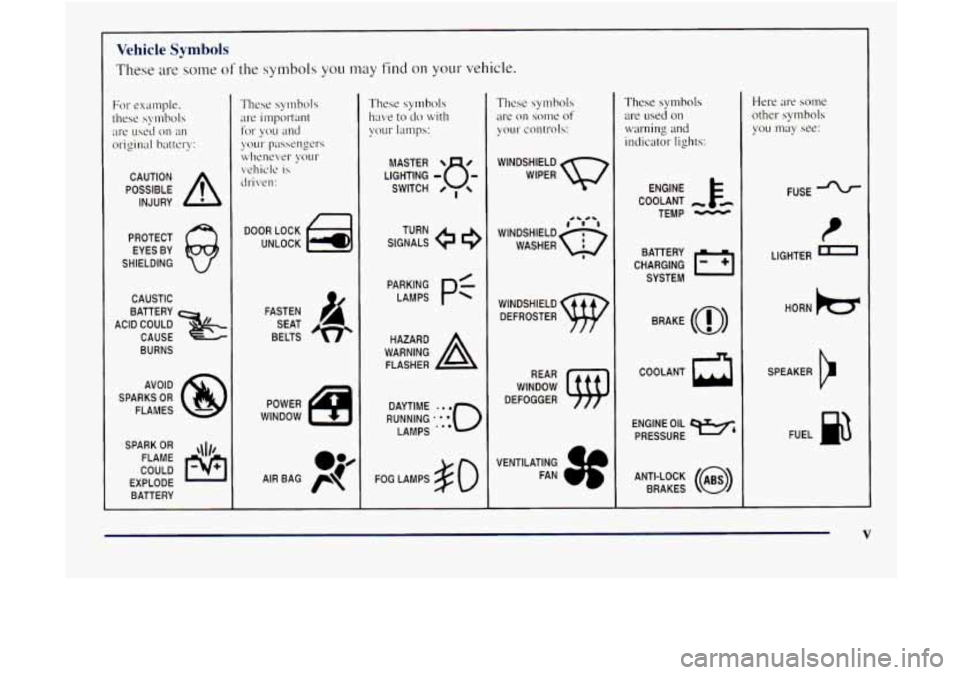
~~~~ Vehicle Symbols
These are some of the symbols you may find on your vehicle.
POSSIBLE A
CAUTION
INJURY
PROTECT EYES BY
SHIELDING
CAUSTIC
ACID COULD
&
BATTERY
CAUSE
BURNS
AVOID
SPARKS
OR
FLAMES
SPARK
OR ,\I/,
COULD FLAME
EXPLODE BATTERY
DOOR LOCK
UNLOCK
FASTEN SEAT
BELTS
POWER
WINDOW SIGNALS
e
TURN
RUNNING
.':o'o
DAYTIME LAMPS
..e
FOG LAMPS $0
These symbols
are on some of
your controls:
WINDSHIELD
WIPER
WINDSHIELD DEFROSTER
VENTILATING FAN
These symbols
are
used 011
warning and
indicator lights:
COOLANT
TEMP
CHARGING I-1
BAllERY
SYSTEM
BRAKE
(@)
COOLANT a
ENGINE OIL e,
PRESSURE
ANTI-LOCK
(@)
BRAKES
Here are some
other symbols
YOLI may see:
FUSE
t
LIGHTER m
HORN k3
SPEAKER
b
FUEL I&
V
Page 81 of 410
AUTOMATIC OVERDRIVE (a): This position is for
normal driving.
If you need more power for passing,
and you’re:
Going less than about 35 mph (56 km/h), push your
accelerator pedal about halfway down.
0 Going about 35 mph (56 kdh) or more, push the
accelerator all the way down.
You’ll shift down to the next gear and have more power.
AUTOMATIC OVERDRIVE
(@) should not be used
when towing
a trailer, carrying a heavy load. driving on
steep hills, or for off-road driving. Select DRIVE
(D)
when operating the vehicle under any of these conditions.
DRIVE (D): This position is also used for normal
driving, however
it offers Inore power and lower fuel
economy than AUTOMATIC OVERDRIVE
(@). You
should use DRIVE (D) when towing a trailer, carrying a
heavy load, driving on steep hills or winding roads or
for off-road driving.
SECOND (2): This position gives you more power but
lower
fuel economy. You can use SECOND (2) on hills.
It can help control your speed as you go down steep
mountain roads, but then you would also want to use
your brakes off and on. You
can
also LIS~ SECOND (2) for starting your vehicle
from
a stop on slippery road surfaces.
FIRST (1): This position gives you even more power
(but lower fuel economy) than
SECOND (2). You can
use
it on very steep hills, or in deep snow or mud. If the
selector lever
is put in FIRST (1) while the vehicle is
moving forward. the transmission won’t shift into
FIRST
( I) until thc vehicle is going slowly enough.
NOTICE:
If your rear wheels can’t rotate, don’t try to
drive. This might happen if you were stuck in
very deep sand or mud or were up against a solid
object. You could damage your transmission.
Also, if you stop when going uphill, don’t hold
your vehicle there with only the accelerator
pedal. This could overheat and damage the
transmission. Use your brakes or shift into
PARK (P) to hold your vehicle in position
on a
hill.
2-20
Page 83 of 410
NEUTRAL (N): Use this position when you start or
idle your engine.
REVERSE (R): To back up, press the clutch pedal, wait
about six seconds, then shift into
REVERSE (R). Then
let
up on the clutch pedal slowly while pressing the
accelerator pedal.
I NOTICE:
Shift to REVERSE (R) only after your vehicle
is stopped. Shifting to REVERSE
(R) while
your vehicle
is moving could damage
your transmission.
Use REVERSE (R), along with the parking brake. for
parking your vehicle.
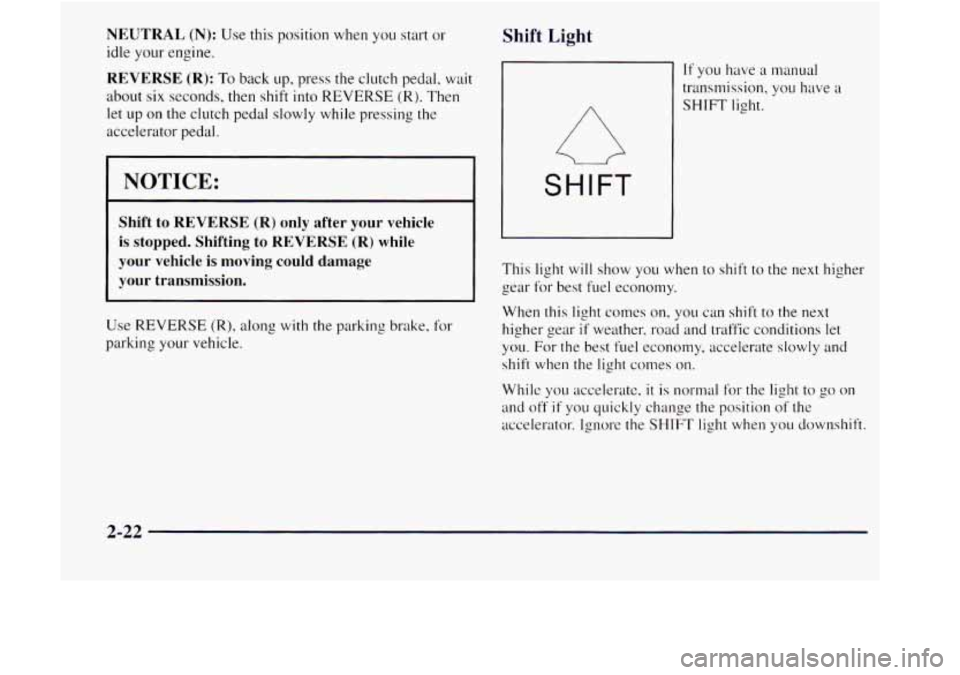
Shift Light
SHIFT
If you have a manual
transmission. you have a
SHIFT light.
This light
will show you when to shift to the next higher
gear for best fuel economy.
When this
light comes on, you can shift to the next
higher gear
if weather, road and traffic conditions let
you. For the best fuel economy, accelerate slowly
and
shift when the light comes on.
While you accelerate, it is normal for the light to go on
and off if you quickly change the position of the
accelerator. Ignore the
SHIFT light when you downshift.
2-22
Page 87 of 410
To shift into or out of 4LO:
1. The vehicle must be moving less than 3 mph
(4.8 km/h) with the transmission in NEUTRAL (N)
for an automatic transmission. For a manual
transmission, the clutch pedal must be engaged.
The preferred method
for shifting into or out of 4LO
is to have your vehicle moving I to 2 tnph (I .6 to
3.2 km/h).
2. Press the transfer case shift button and shift in one
continuous motion.
Don’t pause
in N SET PARK BRAKE as you shift into
or out of
4L0, or your gears could clash.
Remember that driving
in 4HI or 4LO may reduce fuel
economy. Also, driving in four-wheel drive on dry
pavement could cause your tires to wear faster and
make your transfer case harder to
shift and reduce
powertrain longevity.
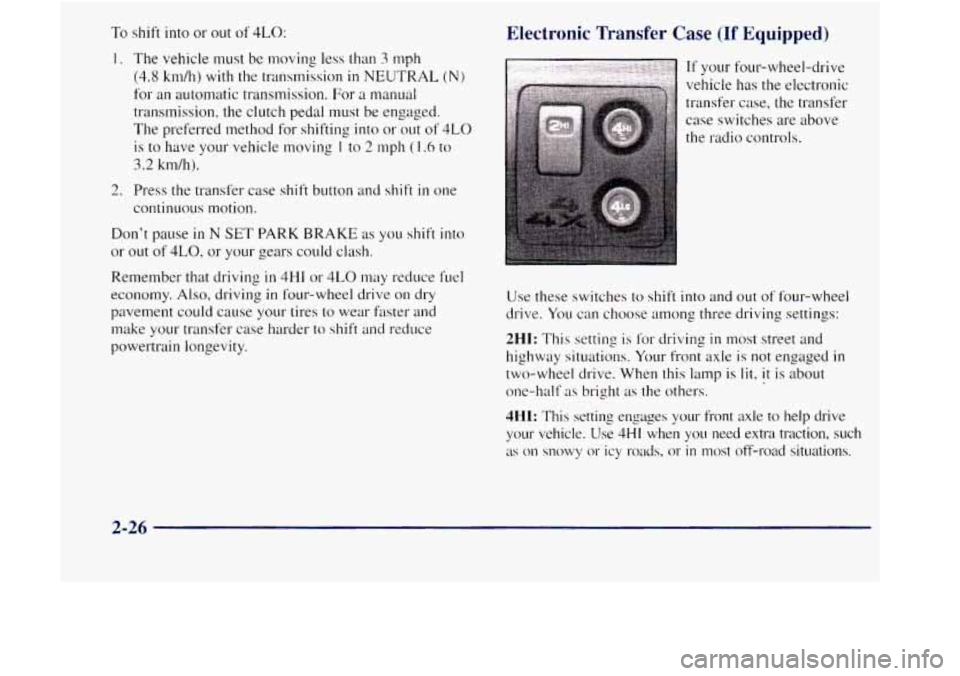
Electronic Transfer Case (If Equipped)
If your four-wheel-drive
vehicle has the electronic
transfer case, the transfer
case switches are above
the radio controls.
Use these switches to shift into and out
of four-wheel
drive.
You can choose among three driving settings:
2HI: This setting is for driving in most street and
highway situations. Your front axle is not engaged
in
two-wheel drive. When this lamp is lit, it is about
one-half
as bright as the others.
4HI: This setting engages your front axle to help drive
your vehicle. Use
4HI when you need extra traction, such
as on snowy or icy roads. 01- in most off-road situations.
2-26
Page 116 of 410
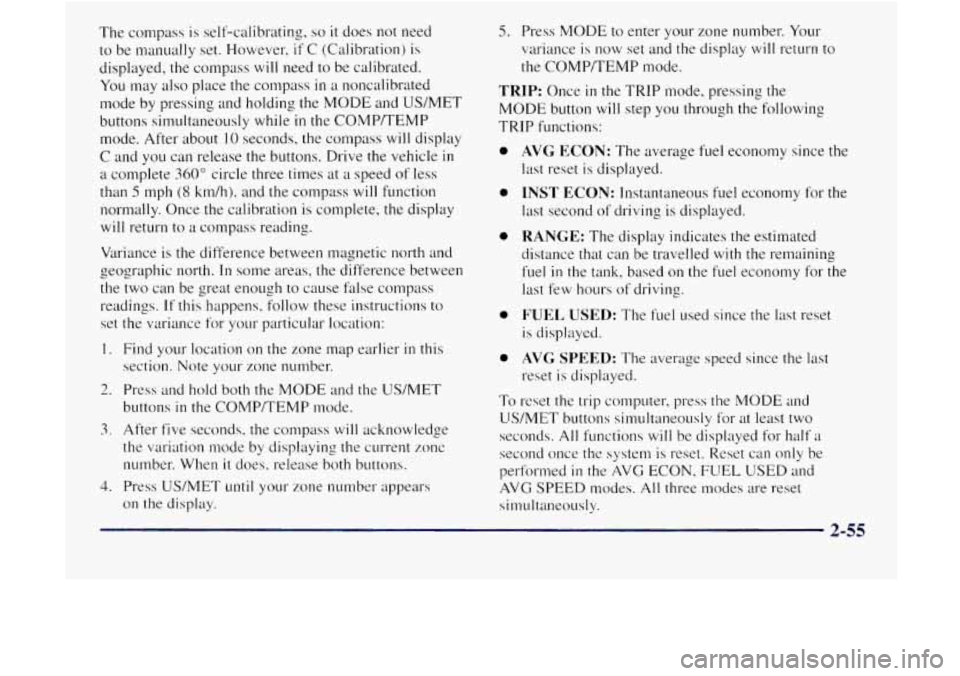
The compass is self-calibrating, so it does not need
to be manually set. However. if C (Calibration) is
displayed, the compass will need to be calibrated.
You may also place the compass
in a noncalibrated
Inode by pressing and holding
the MODE and US/MET
buttons simultaneously while
in the COMP/TEMP
mode. After about
10 seconds, the compass will display
C and
you can release the buttons. Drive the vehicle in
a complete 360" circle three times at a speed of less
than
5 mph (8 km/h), and the compass will function
nor~nally. Once the calibration is complete, the display
will return to a compass reading.
Variance is the difference between magnetic north and
the two can be great enough to cause false compass
readings.
If this happens. follow these instructions to
set the variance for your particular location:
I. Find your location on the zone map earlier in this
2. Press and hold both the MODE and the USNET
z oeographic north. In some areas, the difference between
section. Note your zone number.
buttons
in the COMP/TEMP mode.
3. After five seconds, the compass will acknowledge
the variation mode
by displaying the cuwent zone
number. When it does, release both buttons.
4. Press US/MET until your zone number appears
on the display.
5. Press MODE to enter your zone number. Your
variance is now set and the display
will return to
the COMP/TEMP mode.
TRIP: Once in the TRIP mode. pressing the
MODE button will step you through the following
TRIP functions:
0
0
0
0
0
To
AVG ECON: The average fuel economy since the
last reset is displayed.
INST ECON: Instantaneous fuel economy for the
last second
of driving is displayed.
RANGE: The display indicates the estimated
distance that can be travelled with the remaining
fuel
in the tank, based on the fuel economy for the
last few hours of driving.
FUEL USED: The fuel used since the last reset
is displayed.
AVCJ SPEED: The average speed since the last
reset is displayed.
reset the
trip computer. press the MODE and
US/MET butt& silnultaneously for at least two
seconds.
All functions will be displayed for half a
second once the system is reset.. Reset can only be
performed
in the AVG ECON. FUEL USED and
AVG
SPEED modes. All three modes are reset
silnultaneously.
2-55
Page 130 of 410
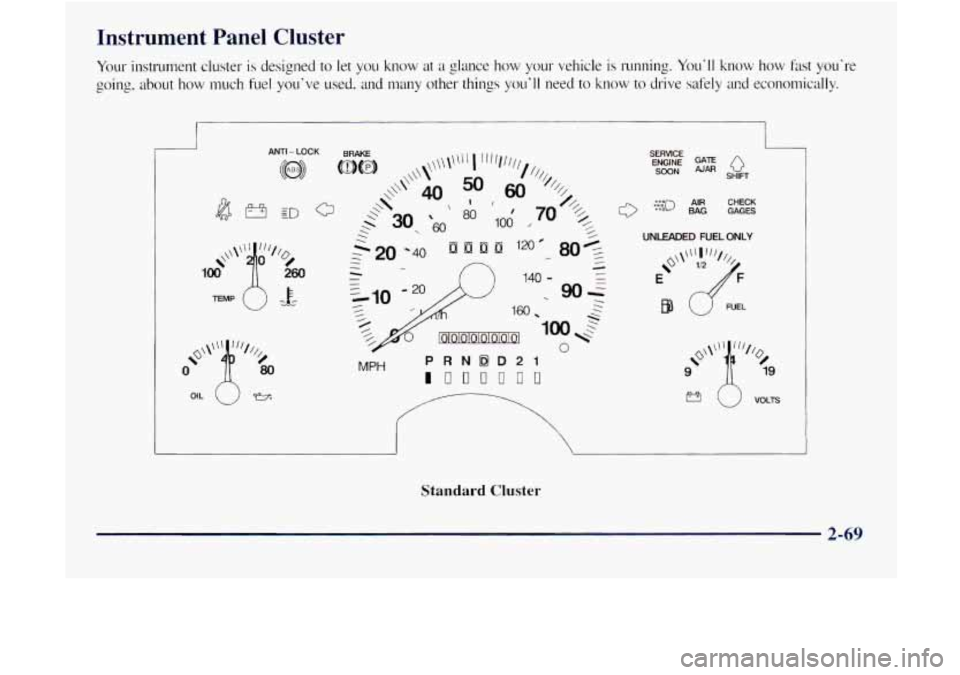
Instrument Panel Cluster
Your instrument cluster is designed to let you know at a glance how your vehicle is running. You'll know how fast you're
going. about how much fuel you've used. and many other things you'll need to know to drive safely at?d economically.
ANTI - LOCK
OIL (J y3
MPH
SERVlCE GATE ENGINE pJAR SOON Q SHIFT
0
{;;--J AIR CHECK BAG GAGES
UNLEADED FUEL ONLY
!3 i) VOLTS
Standard Cluster
2-69
Page 131 of 410
BAG AIR PI
GATE AJAR
ANTI -LOCK
SERVICE ENGINE SOON CHECK
GAGES
.e0 .oo .J 30 SHIFT
n
MPH
PRNDD21
111[101100
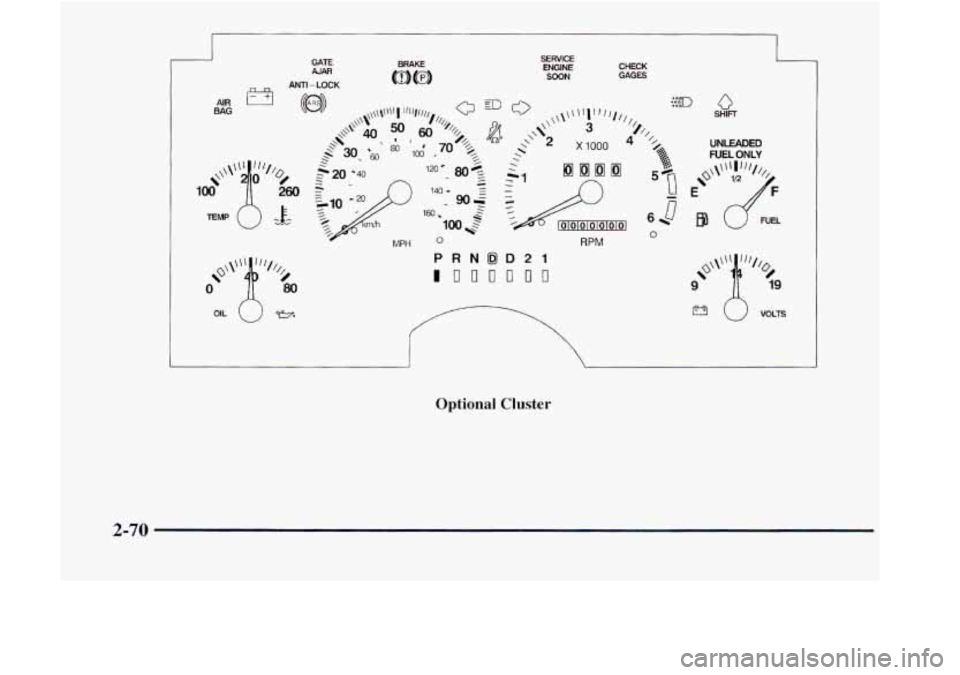
Optional Cluster
n
UNLEADED FUEL ONLY
RPM W
2-70
Page 138 of 410

Malfunction Indicator Lamp
(Service Engine Soon Light)
SERVICE
ENGINE
SOON
NOTICE:
If you keep driving your vehicle with this light
on, after
a while, your emission controls may not
work as well, your fuel econonly may not be as
good and your engine may not run
as smoothly.
This could lead to costly repairs that
may not be
covered
by your warranty.
This light should
come on. as ;I check to show you it is
working, tvhen the ignition is on and the engine is not
running. It' the light doesn't conw on, have it repaired.
This light will also come on during a malfunction in one
of two t1;ays:
2-77
Page 139 of 410

If the Light Is Flashing
The following may prevent more serious damage to
your vehicle:
Reducing vehicle speed.
Avoiding hard accelerations.
Avoiding steep uphill grades.
If you are towing a trailer. reduce the anlount of
cargo being hauled as soon as it is possible.
If the light stops flashing and remains
on steady. see “If
the Light Is On Steady” following.
If the light continues t.o flash, when it is safe to do so.
stop the \?el?ic&~. Find a safe place to park your vehiclc.
Turn the key off,
wait at least 10 seconds and restart the
engine.
If the light remains on steady, see “If the Light
Is On Steady” following. If the light is still flashing,
follow the previous steps, and drive the vehicle to your
dealer or qualified service center for service.
If the Light Is On Steady
You may be able to correct the emission system
malfunction by considering the following:
Did
you recently put fuel into your vehicle?
If so, reinstall the fuel cap, making s111-e to fully install
the cap. The diagnostic system can cleter~nine
if the fuel cap
has been left off
or improperly installed. A loose or
missing fuel cap
will allow fuel to evaporate into the
atmosphere.
A few driving trips with the cap properly
installed should turn
the light off,
Did you *just drive through a deep puddle of water’!
If so, your electrical system may be wet. The condition
will usually be corrected when the electrical system
dries out.
A few driving trips should turn the light off.
Have you recently changed brands of fuel?
I1 so, be sure to fuel your vehicle with cpality fuel (see
“Fuel”
in the Index). Poor fuel quality will cause your
engine not to
r11n as e,fficiently as designed. You may
notice this
as stalling after start-up, stalling when you put
the vehicle
into gear, mistlring, hesitation on acceleration
or
stumbling on acceleration. (These conditions may go
away once the engine is warmed up.) This will be detected
by the system and cause the light
to turn on.
If you experience one or more of these conditions,
change the fuel brand you use.
It will require at least one
full tank of the proper fuel to turn the light off.
If none of the above steps have made the light. turn off.
have your dealer or qualified service center check the
vehicle. Your dealer has the proper test equipment and
diagnostic
tools to fix any mechanical or electrical
problcnls that may have developed.
Page 141 of 410

Shift Light
SHIFT
You have the shift light
if you
have a manual
transmission. This light
comes on very briefly as a
bulb check when you start
the engine. Shilting when
the indicator light is
on wi 11
help you get the best fuel
economy. See "Shift Light"
in the Index.
Check Gages Light
1 The CHECK GAGES light
1 will come on briefly when
you are starting the enlrine.
CHECK
GAGES
Daytime Running Lamps Indicator Light
This light is on the
instrument panel.
It goes on
whenever the DRL are on,
the ignition is on. the
headlamp switch is
off
and the parking brake is :*.:(-J
-e released.
2-80