tow GMC SAVANA 2007 Workshop Manual
[x] Cancel search | Manufacturer: GMC, Model Year: 2007, Model line: SAVANA, Model: GMC SAVANA 2007Pages: 452, PDF Size: 2.68 MB
Page 282 of 452
Maintenance When Trailer Towing
Your vehicle will need service more often when
you’re pulling a trailer. See the Maintenance
Schedule for more on this. Things that are
especially important in trailer operation are
automatic transmission fluid (don’t overfill), engine
oil, axle lubricant, belt, cooling system and brake
system. Each of these is covered in this manual,
and the Index will help you find them quickly.
If you’re trailering, it’s a good idea to review these
sections before you start your trip.
Check periodically to see that all hitch nuts and
bolts are tight.
Trailer Wiring Harness
The optional heavy-duty trailer wiring package
includes a seven-wire harness assembly at
the rear of the vehicle and a four-wire
harness assembly under the left hand side
of the instrument panel. The seven-wire
harness assembly is taped together and
located in a frame pocket at the driver side
rear left corner of the frame.The seven-wire harness includes a 30-amp feed
wire. Both harnesses come without connectors and
should be wired by a qualified electrical technician.
The technician can use the following color code
chart when connecting the wiring harness to
your trailer and trailer brake controller.
Seven-Wire Harness
•Light Green: Back-up lamps
•Brown: Parking lamps
•Yellow: Left stoplamp and turn signal
•Dark Green: Right stoplamp and turn signal
•Dark Blue: Use for electric trailer brakes
•Red/Black Stripe: Trailer accessory
•White (heavy gage): Ground wire
Four-Wire Harness (Trailer Brake Controller)
•Black: Ground
•Red/White Stripe: Fused Battery
•Dark Blue: Trailer Brake Feed
•Light Blue: Fused Stoplamp/CHMSL
282
Page 297 of 452
A. Battery. SeeBattery on page 323.
B. Radiator Pressure Cap. SeeRadiator Pressure
Cap on page 309.
C. Coolant Recovery Tank. SeeCooling System
on page 311.
D. Automatic Transmission Fluid Dipstick. See
“Checking the Fluid Level” underAutomatic
Transmission Fluid on page 303.
E. Engine Oil Fill Cap. See “When to Add Engine
Oil” underEngine Oil (Gasoline Engine) on
page 297.
F. Engine Oil Dipstick. See “Checking Engine Oil”
underEngine Oil (Gasoline Engine) on
page 297.
G. Engine Air Cleaner/Filter. SeeEngine Air
Cleaner/Filter on page 302.
H. Power Steering Fluid Reservoir. SeePower
Steering Fluid on page 317.
I. Brake Master Cylinder Reservoir. See “Brake
Fluid” underBrakes on page 319.
J. Windshield Washer Fluid Reservoir. See
“Adding Washer Fluid” underWindshield
Washer Fluid on page 318.Engine Oil (Gasoline Engine)
If your vehicle has a diesel engine, see “Engine
Oil” in the DURAMAX®Diesel Engine Supplement.
Checking Engine Oil
It is a good idea to check the engine oil every time
you get fuel. In order to get an accurate reading,
the oil must be warm and the vehicle must be
on level ground.
The engine oil dipstick handle is a yellow loop.
SeeEngine Compartment Overview on page 296
for the location of the engine oil dipstick.
1. Turn off the engine and give the oil several
minutes to drain back into the oil pan. If you
do not do this, the oil dipstick might not
show the actual level.
2. Pull out the dipstick and clean it with a paper
towel or cloth, then push it back in all the
way. Remove it again, keeping the tip down,
and check the level.
297
Page 305 of 452
Checking the Fluid Level
Prepare your vehicle as follows:
1. Park your vehicle on a level place. Keep the
engine running.
2. With the parking brake applied, place the shift
lever in PARK (P).
3. With your foot on the brake pedal, move the
shift lever through each gear range, pausing
for about three seconds in each range.
Then, position the shift lever in PARK (P).
4. Let the engine run at idle for three minutes
or more.
Then, without shutting off the engine, follow
these steps:
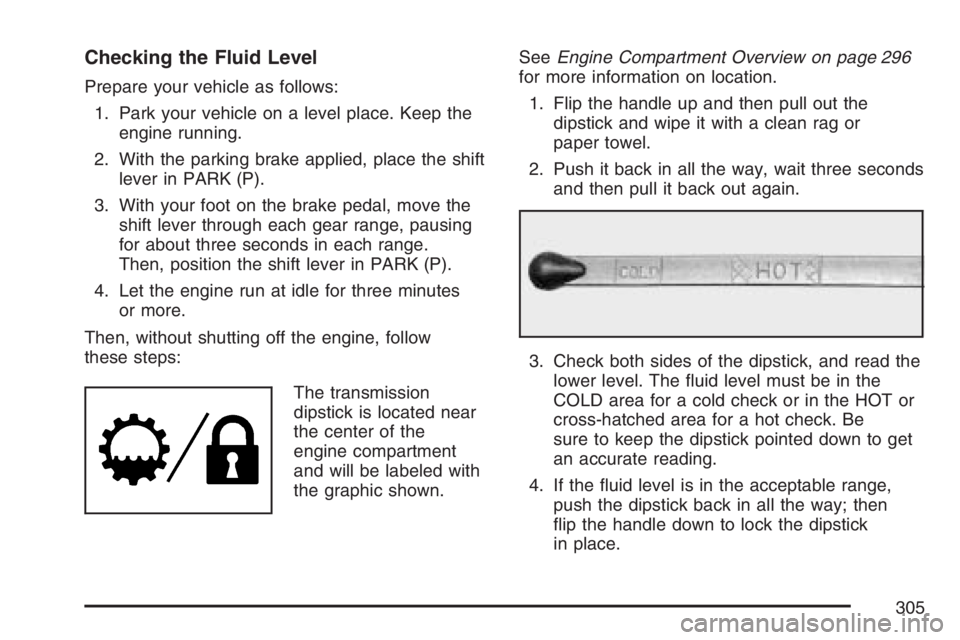
The transmission
dipstick is located near
the center of the
engine compartment
and will be labeled with
the graphic shown.SeeEngine Compartment Overview on page 296
for more information on location.
1. Flip the handle up and then pull out the
dipstick and wipe it with a clean rag or
paper towel.
2. Push it back in all the way, wait three seconds
and then pull it back out again.
3. Check both sides of the dipstick, and read the
lower level. The fluid level must be in the
COLD area for a cold check or in the HOT or
cross-hatched area for a hot check. Be
sure to keep the dipstick pointed down to get
an accurate reading.
4. If the fluid level is in the acceptable range,
push the dipstick back in all the way; then
flip the handle down to lock the dipstick
in place.
305
Page 310 of 452
If Steam Is Coming From Your Engine
{CAUTION:
Steam from an overheated engine can
burn you badly, even if you just open the
hood. Stay away from the engine if you
see or hear steam coming from it. Just
turn it off and get everyone away from the
vehicle until it cools down. Wait until
there is no sign of steam or coolant
before you open the hood.
If you keep driving when your engine is
overheated, the liquids in it can catch re.
You or others could be badly burned.
Stop your engine if it overheats, and get
out of the vehicle until the engine is cool.
Notice:If your engine catches re because
you keep driving with no coolant, your vehicle
can be badly damaged. The costly repairs
would not be covered by your warranty.
If No Steam Is Coming From
Your Engine
If you get an engine overheat warning but see or
hear no steam, the problem may not be too
serious. Sometimes the engine can get a little too
hot when you:
•Climb a long hill on a hot day.
•Stop after high-speed driving.
•Idle for long periods in traffic.
•Tow a trailer. See “Driving on Grades” under
Towing a Trailer on page 266.
If you get the overheat warning with no sign of
steam, try this for a minute or so:
1. In heavy traffic, let the engine idle in
NEUTRAL (N) while stopped. If it is safe to do
so, pull off the road, shift to PARK (P) or
NEUTRAL (N) and let the engine idle.
2. Turn on your heater to full hot at the highest
fan speed and open the windows as
necessary.
310
Page 317 of 452
Engine Fan Noise
Your vehicle has a clutched engine cooling fan.
When the clutch is engaged, the fan spins faster to
provide more air to cool the engine. In most
everyday driving conditions, the fan is spinning
slower and the clutch is not fully engaged.
This improves fuel economy and reduces fan
noise. Under heavy vehicle loading, trailer towing,
and/or high outside temperatures, the fan speed
increases as the clutch more fully engages, so you
may hear an increase in fan noise. This is
normal and should not be mistaken as the
transmission slipping or making extra shifts. It is
merely the cooling system functioning properly.
The fan will slow down when additional cooling is
not required and the clutch partially disengages.
You may also hear this fan noise when you
start the engine. It will go away as the fan clutch
partially disengages.
Power Steering Fluid
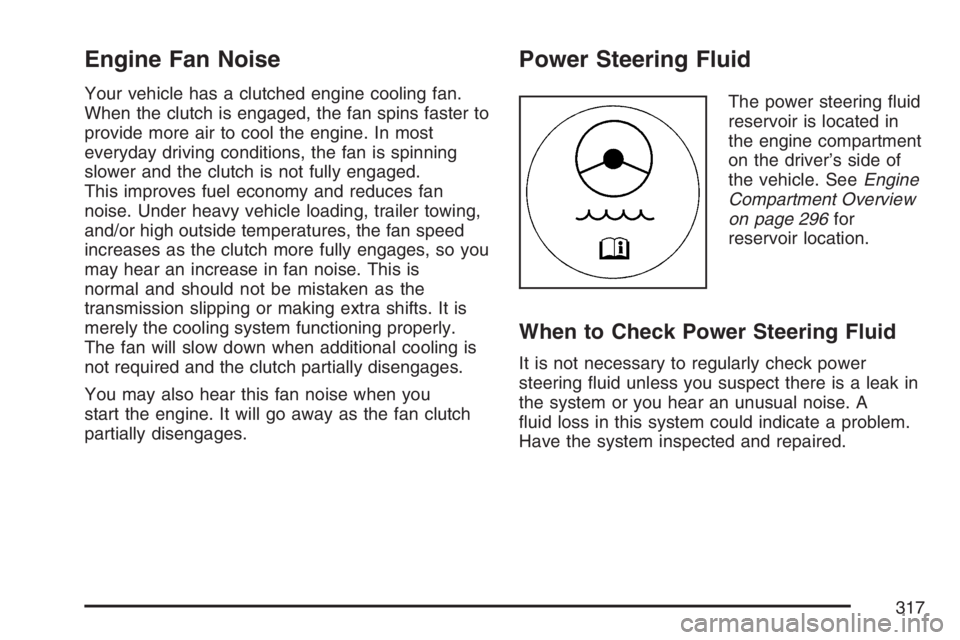
The power steering fluid
reservoir is located in
the engine compartment
on the driver’s side of
the vehicle. SeeEngine
Compartment Overview
on page 296for
reservoir location.
When to Check Power Steering Fluid
It is not necessary to regularly check power
steering fluid unless you suspect there is a leak in
the system or you hear an unusual noise. A
fluid loss in this system could indicate a problem.
Have the system inspected and repaired.
317
Page 352 of 452
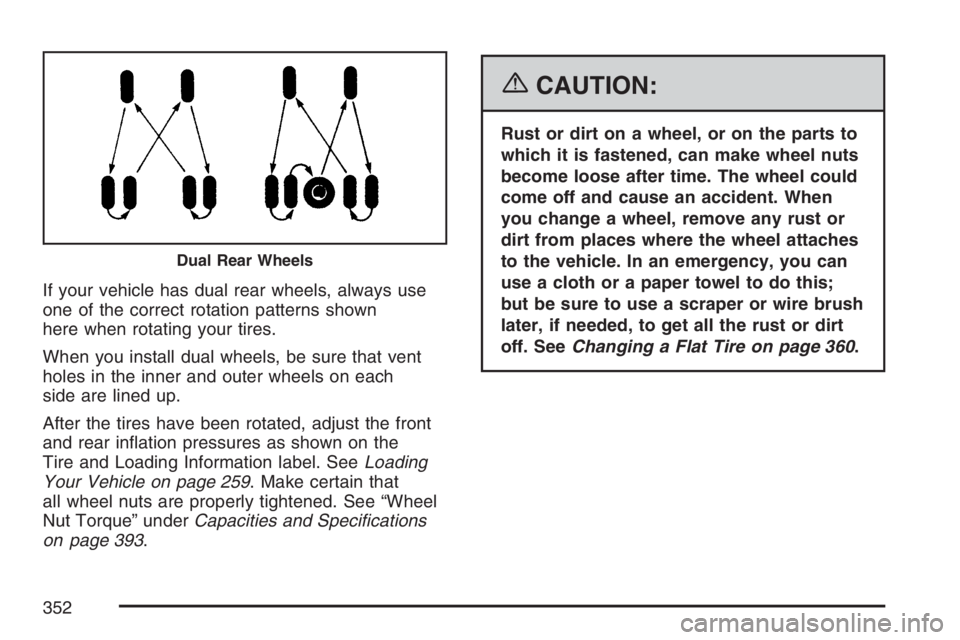
If your vehicle has dual rear wheels, always use
one of the correct rotation patterns shown
here when rotating your tires.
When you install dual wheels, be sure that vent
holes in the inner and outer wheels on each
side are lined up.
After the tires have been rotated, adjust the front
and rear inflation pressures as shown on the
Tire and Loading Information label. SeeLoading
Your Vehicle on page 259. Make certain that
all wheel nuts are properly tightened. See “Wheel
Nut Torque” underCapacities and Specications
on page 393.
{CAUTION:
Rust or dirt on a wheel, or on the parts to
which it is fastened, can make wheel nuts
become loose after time. The wheel could
come off and cause an accident. When
you change a wheel, remove any rust or
dirt from places where the wheel attaches
to the vehicle. In an emergency, you can
use a cloth or a paper towel to do this;
but be sure to use a scraper or wire brush
later, if needed, to get all the rust or dirt
off. SeeChanging a Flat Tire on page 360.
Dual Rear Wheels
352
Page 360 of 452
If a Tire Goes Flat
It is unusual for a tire to blowout while you are
driving, especially if you maintain your vehicle’s
tires properly. If air goes out of a tire, it is
much more likely to leak out slowly. But if you
should ever have a blowout, here are a few tips
about what to expect and what to do:
If a front tire fails, the flat tire will create a drag
that pulls the vehicle toward that side. Take your
foot off the accelerator pedal and grip the
steering wheel firmly. Steer to maintain lane
position, and then gently brake to a stop well out
of the traffic lane.
A rear blowout, particularly on a curve, acts much
like a skid and may require the same correction
you would use in a skid. In any rear blowout
remove your foot from the accelerator pedal. Get
the vehicle under control by steering the way
you want the vehicle to go. It may be very bumpy
and noisy, but you can still steer. Gently brake
to a stop, well off the road if possible.{CAUTION:
Lifting a vehicle and getting under it to do
maintenance or repairs is dangerous
without the appropriate safety equipment
and training. The jack provided with your
vehicle is designed only for changing a
at tire. If it is used for anything else, you
or others could be badly injured or killed
if the vehicle slips off the jack. Use the
jack provided with your vehicle only for
changing a at tire.
If a tire goes flat, the next part shows how to use the
jacking equipment to change a flat tire safely.
Changing a Flat Tire
If a tire goes flat, avoid further tire and wheel
damage by driving slowly to a level place. Turn on
your vehicle’s hazard warning flashers. SeeHazard
Warning Flashers on page 146for more
information.
360
Page 364 of 452
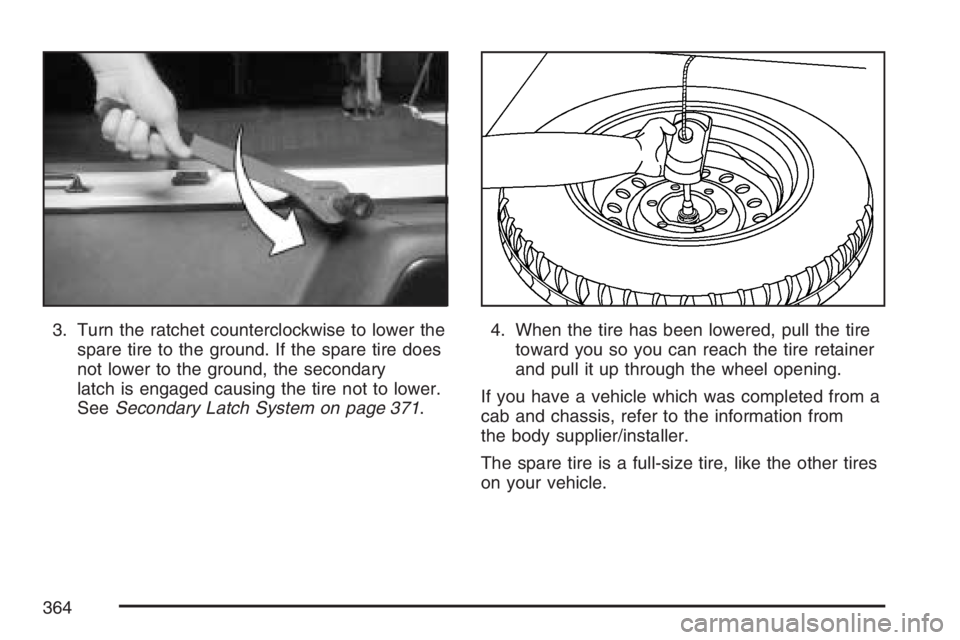
3. Turn the ratchet counterclockwise to lower the
spare tire to the ground. If the spare tire does
not lower to the ground, the secondary
latch is engaged causing the tire not to lower.
SeeSecondary Latch System on page 371.4. When the tire has been lowered, pull the tire
toward you so you can reach the tire retainer
and pull it up through the wheel opening.
If you have a vehicle which was completed from a
cab and chassis, refer to the information from
the body supplier/installer.
The spare tire is a full-size tire, like the other tires
on your vehicle.
364
Page 369 of 452
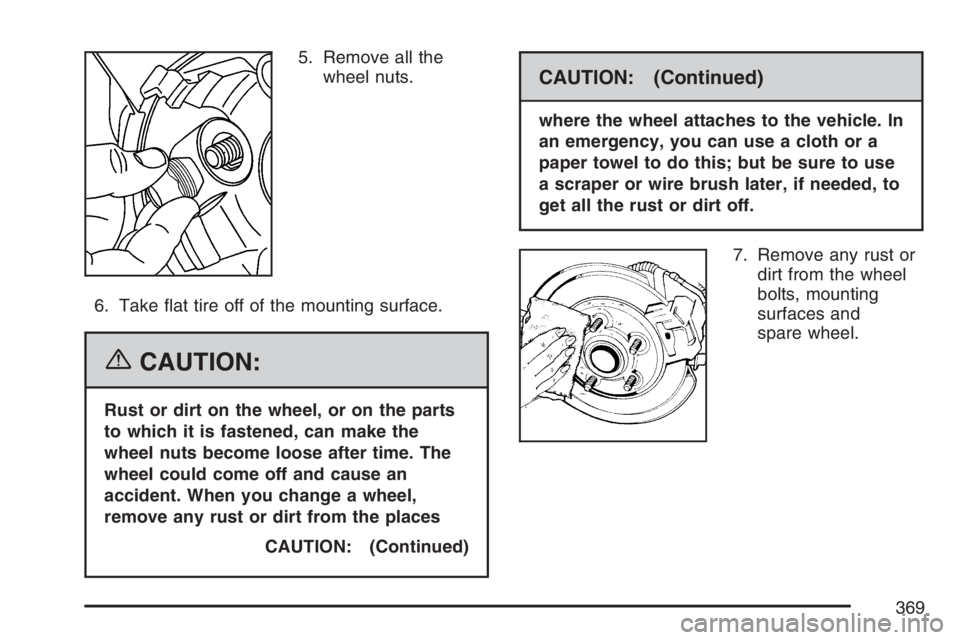
5. Remove all the
wheel nuts.
6. Take flat tire off of the mounting surface.
{CAUTION:
Rust or dirt on the wheel, or on the parts
to which it is fastened, can make the
wheel nuts become loose after time. The
wheel could come off and cause an
accident. When you change a wheel,
remove any rust or dirt from the places
CAUTION: (Continued)
CAUTION: (Continued)
where the wheel attaches to the vehicle. In
an emergency, you can use a cloth or a
paper towel to do this; but be sure to use
a scraper or wire brush later, if needed, to
get all the rust or dirt off.
7. Remove any rust or
dirt from the wheel
bolts, mounting
surfaces and
spare wheel.
369
Page 370 of 452
{CAUTION:
Never use oil or grease on studs or nuts.
If you do, the nuts might come loose.
Your wheel could fall off, causing a
serious accident.
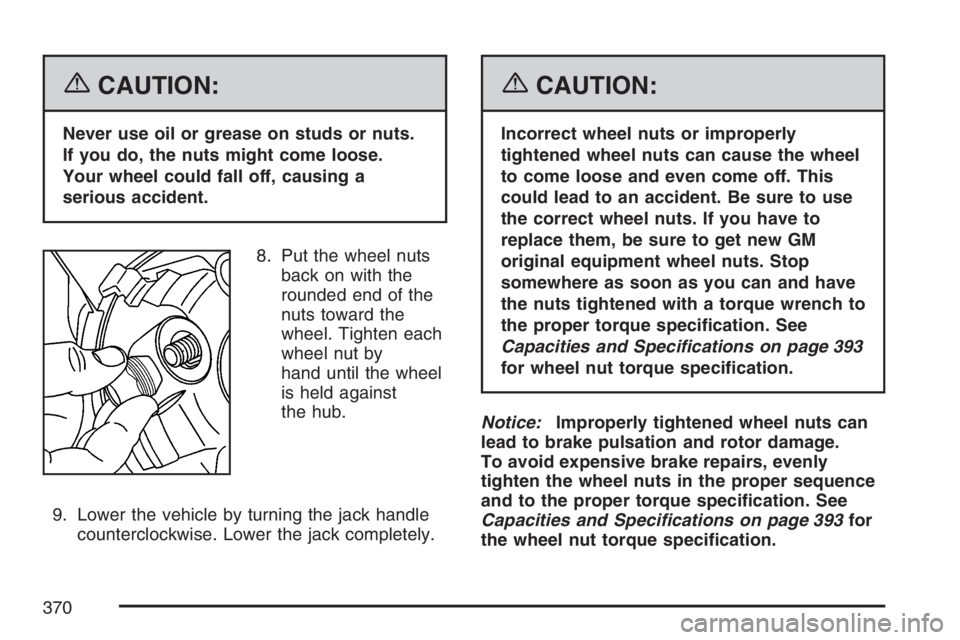
8. Put the wheel nuts
back on with the
rounded end of the
nuts toward the
wheel. Tighten each
wheel nut by
hand until the wheel
is held against
the hub.
9. Lower the vehicle by turning the jack handle
counterclockwise. Lower the jack completely.
{CAUTION:
Incorrect wheel nuts or improperly
tightened wheel nuts can cause the wheel
to come loose and even come off. This
could lead to an accident. Be sure to use
the correct wheel nuts. If you have to
replace them, be sure to get new GM
original equipment wheel nuts. Stop
somewhere as soon as you can and have
the nuts tightened with a torque wrench to
the proper torque specication. See
Capacities and Specifications on page 393
for wheel nut torque specication.
Notice:Improperly tightened wheel nuts can
lead to brake pulsation and rotor damage.
To avoid expensive brake repairs, evenly
tighten the wheel nuts in the proper sequence
and to the proper torque specication. See
Capacities and Specifications on page 393for
the wheel nut torque specication.
370