tow GMC SIERRA 1994 Owner's Manual
[x] Cancel search | Manufacturer: GMC, Model Year: 1994, Model line: SIERRA, Model: GMC SIERRA 1994Pages: 404, PDF Size: 20.91 MB
Page 99 of 404
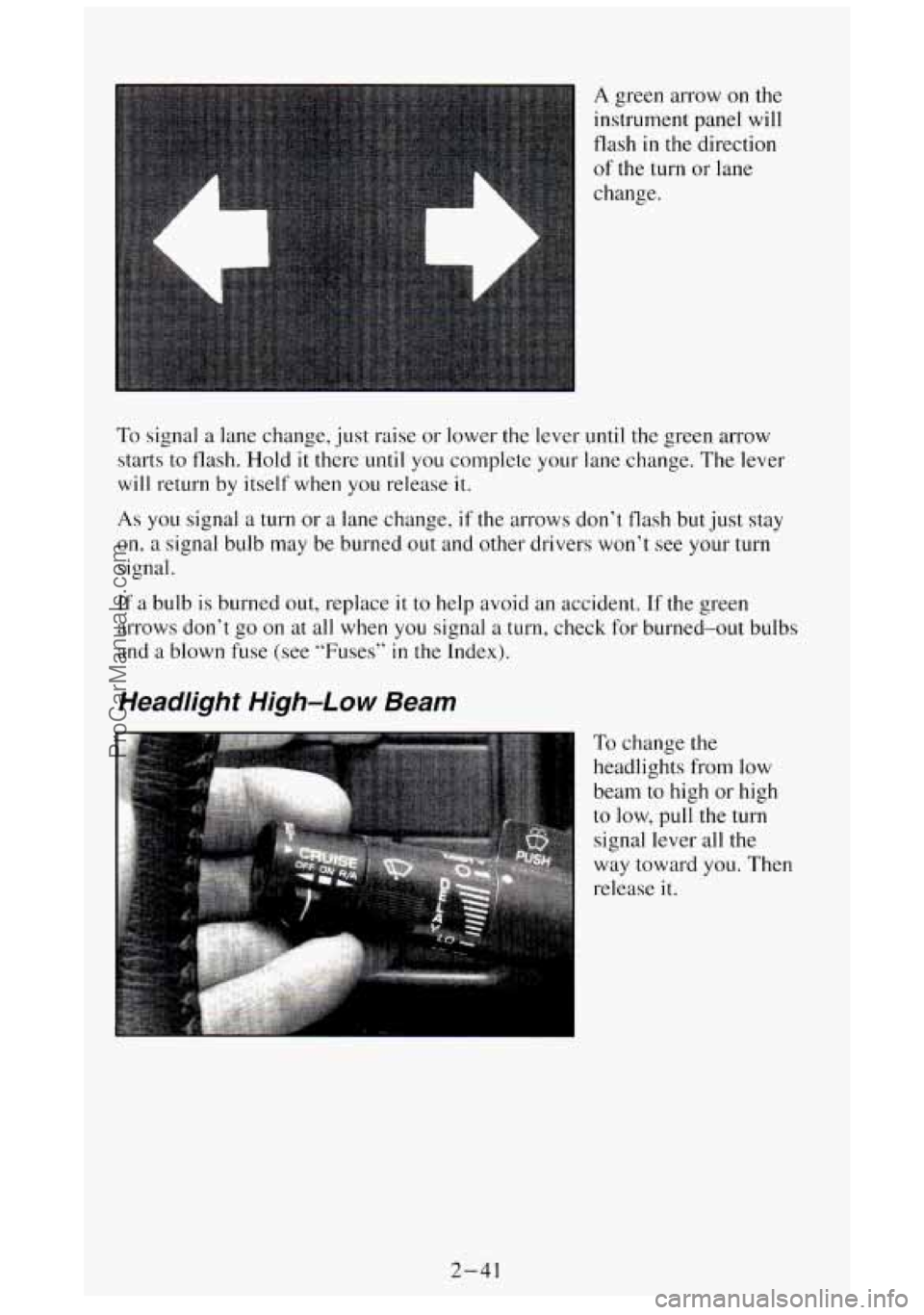
A green arrow on the
instrument panel will
flash
in the direction
of the turn or lane
change.
To signal a lane change, just raise or lower the lever until the green arrow
starts to flash.
Hold it there until you complete your lane change. The lever
will return by itself when you release it.
As you signal a turn or a lane change, if the arrows don’t flash but just stay
on, a signal bulb may be burned out and other drivers won’t see your turn
signal.
If a bulb
is burned out, replace it to help avoid an accident. If the green
arrows don’t go on at all when
you signal a turn, check for burned-out bulbs
and a blown fuse
(see “Fuses” in the Index).
Headlight High-Low Beam
To change the
headlights
from low
beam to high or high
to low, pull the turn
signal lever
all the
way toward
you. Then
release
it.
2-41
ProCarManuals.com
Page 128 of 404
Gages can indicate when there may be or is a problem with one of your
vehicle’s functions. Often gages and warning lights work together to let
you
know when there’s a problem with your vehicle.
When one of the warning lights comes on and stays on when you are
driving,
or when one of the gages shows there may be a problem, check the
section that tells you what to do about
it. Please follow the manual’s advice.
Waiting
to do repairs can be costly - and even dangerous. So please get to
know your warning lights and gages. They’re
a big help.
Brake System Warning Light
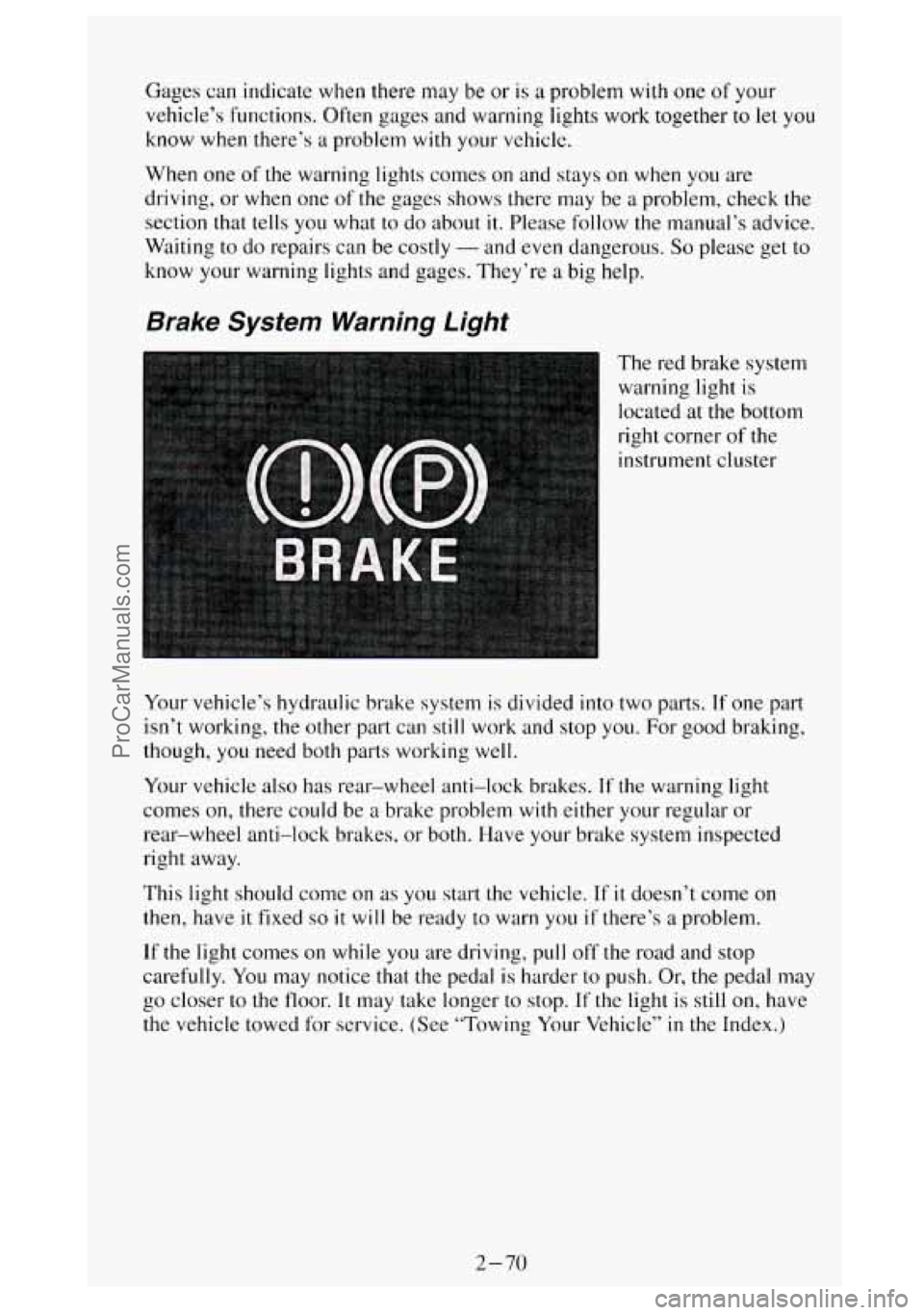
The red brake system
warning light is
located at the bottom
right corner
of the
instrument cluster
Your vehicle’s hydraulic brake system
is divided into two parts. If one part
isn’t working, the other part can still work and stop you. For good braking,
though, you need both parts working well.
Your vehicle also has rear-wheel anti-lock brakes.
If the warning light
comes on, there could be
a brake problem with either your regular or
rear-wheel anti-lock brakes, or both. Have your brake system inspected
right away.
This light should come on
as you start the vehicle. If it doesn’t come on
then, have it fixed so it will be ready to warn you if there’s a problem.
If the light comes on while you are driving, pull off the road and stop
carefully.
You may notice that the pedal is harder to push. Or, the pedal may
go closer
to the floor. It may take longer to stop. If the light is still on, have
the vehicle towed for service. (See “Towing Your Vehicle”
in the Index.)
2-70
ProCarManuals.com
Page 142 of 404
Step-Bumper Pad
If your vehicle has a rear step bumper, it may be equipped with a rear step
pad at the center
of the bumper. Use this pad to improve footing when you
are stepping on the bumper step.
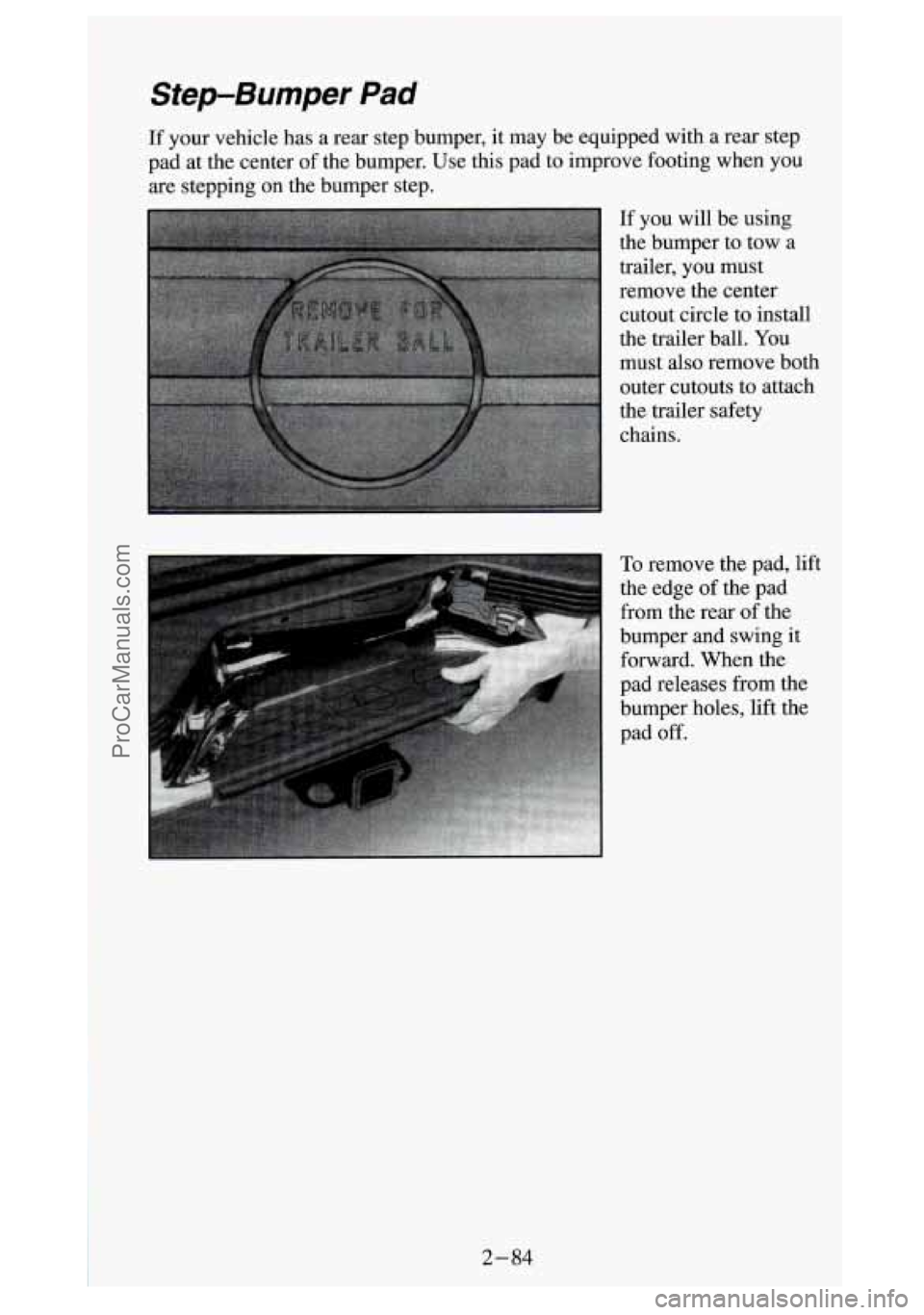
If you will be using
the bumper to tow a
trailer, you must
remove the center cutout circle to install
the trailer
ball. You
must also remove both outer cutouts to attach
the trailer safety
chains.
I
ProCarManuals.com
Page 147 of 404
Weating System (Without Air Conditioning)
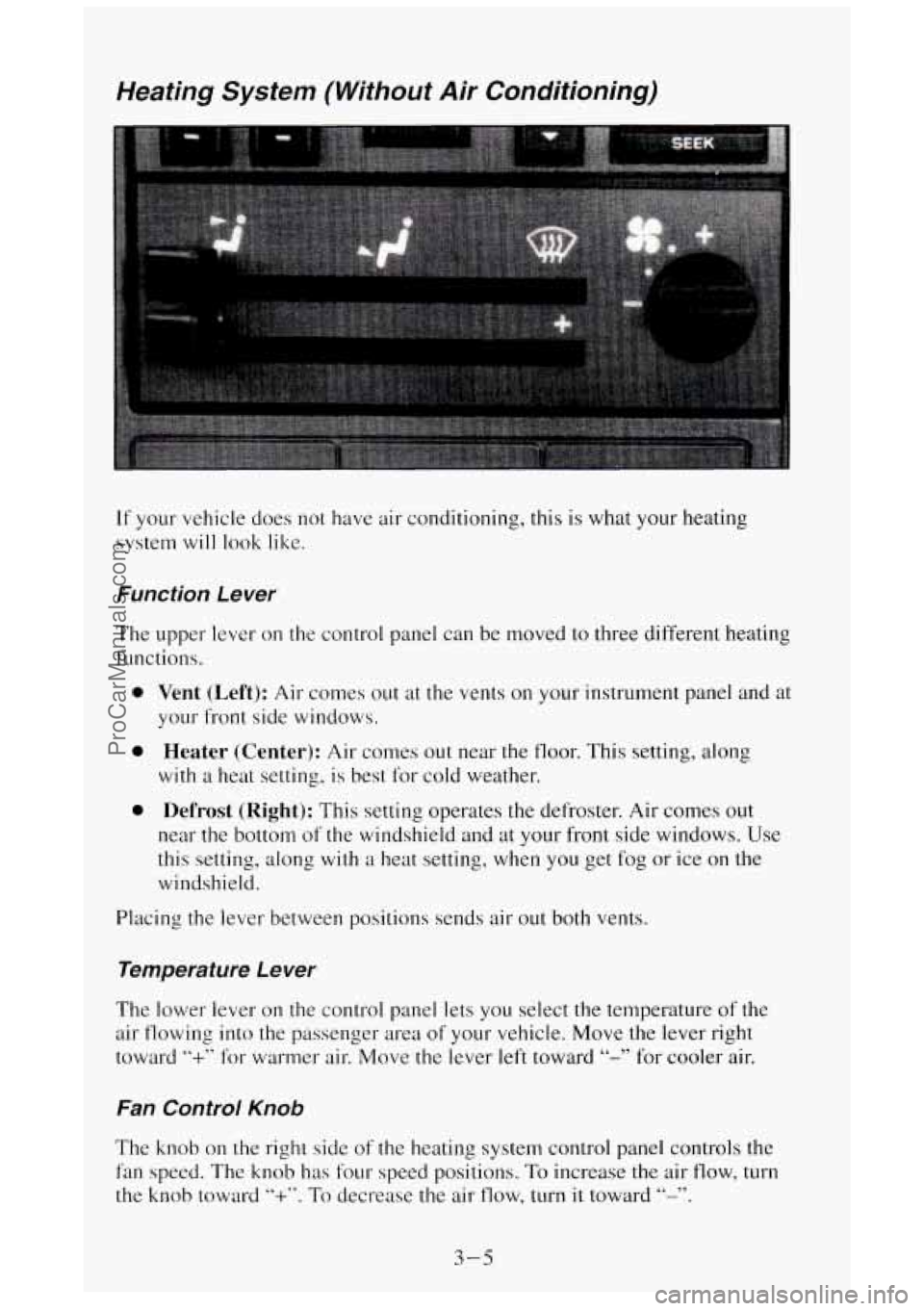
If your vehicle does not have air conditioning, this is what your heating
system
will look like.
Function Le wer
The upper lever on the control panel can be moved to three different heating
functions.
0
0
0
Vent (Left): Air comes out at the vents on your instrument panel and at
your front side windows.
Heater (Center): Air comes out near the floor. This setting, along
with a heat setting, is best for cold weather.
Defrost (Right): This setting operates the defroster. Air comes out
near the bottom of the windshield and at your front side windows. Use
this setting, along
with a heat setting, when you get fog or ice on the
windshield.
Placing the lever between positions sends air out both vents.
Temperature Le wer
The lower lever on the control panel lets you select the temperature of the
air flowing into the passenger area
of your vehicle. Move the lever right
toward
“+” for warmer air. Move the lever left toward “-” for cooler air.
Fan Control Knob
The knob on the right side of the heating system control panel controls the
fan speed. The knob has four speed positions. To increase the air flow, turn
the knob toward
“+”. To decrease the air flow, turn it toward “-”.
3-5
ProCarManuals.com
Page 149 of 404
Temperature Selector Bar
The bar under your system display lets you select the temperature of the air
flowing into the passenger area
of your vehicle. Press COLD for cooler air
and press
HOT for warmer air. Release the bar when the system reaches the
temperature you want. The temperature is shown on
the display by the
arrow moving between
C and H.
Air Controls (BLEND)
The two buttons to the right of the system display control the air flow. You
can blend the air flow to suit your needs. The amount
of blending is shown
on the display by an arrow moving between the figure’s feet (floor air flow)
and head (vent air flow).
Left Button
Vent (Top): Press the top of this button and the air flow will come through
the instrument panel vents.
Heater (Bottom): Press the bottom of this button and the air flow will come
through the floor outlet.
The air flow can be blended between the two positions. To blend between
positions press the side of
the button showing the area where you would like
more air flow. The system will automatically begin to blend toward the
position chosen. To stop the system between positions, just press the
SAME
side of the button again.
Right Button
Defrost (Top): This setting operates the defroster. Air comes out near the
bottom
of the windshield and at your front side windows. Use this setting,
along
with a heat setting, when you get fog or ice on the windshield.
Heater (Bottom): Press the bottom of this button and air comes out near the
floor. This setting, along with
a heat setting, is best for passenger comfort in
cold weather.
The air flow can be blended between
the two positions. To blend between
positions, press the side
of the button showing the area where you would
like more air flow. The system
will automatically begin to blend toward the
position chosen. To stop the system between positions, just press the
SAME
side of the button again.
3-7
ProCarManuals.com
Page 165 of 404
Your Driving and the Road
Section
Here you’ll find information about driving on different kinds of roads and in
varying weather conditions . We’ve also included many other useful tips on
driving .
Defensive Driving .......................................... 4-2
DrunkenDriving
........................................... 4-2
Control of
a Vehicle
Braking
................................................ 4-5
Steering
................................................ 4-8
Steering Tips
............................................ 4-8
Passing
............................................... 4-10
Lossofcontrol
......................................... 4-11
Off-Road Driving With Your Four-wheel Drive Vehicle
.......... 4-13
DrivingatNight
........................................... 4-24
Driving
in the Rain ........................................ 4-26
CityDriving
.............................................. 4-28
Freeway Driving
.......................................... 4-29
Hill and Mountain Roads ....................... ......... 4-31
WinterDriving
............................................ 4-33
Power Winches
........................................... 4-36
PowerTake-Off
........................................... 4-37
TowingaTrailer
........................................... 4-38
4-1
ProCarManuals.com
Page 202 of 404

If you are going to drive the vehicle, shift the transmission into th\
e gear
you want. Then shift the transfer case into the range you want, apply
the regular brakes and release the parking brake.
When you release the clutch, the power take-off will start.
5. Release the clutch (and the regular brakes) as you normally \
would.
Using a Transfer Case Mounted Power Take-Off
(Automatic Transmission)
1. Set the parking brake.
2. Shift the transfer case into “N’ (Neutral).
3. Shift the transmission into “N’ (Neutral).
4. Engage the power take-off.
If you are going to drive the vehicle, shift the transfer case into \
the
range you want. Then apply the regular brakes and release
the parking
brake.
5. Shift the transmission to “D” (Drive) to start the powe\
r take-off.
6. Release the regular brakes to drive the vehicle.
Towing a Trailer
NOTICE:
Pulling a trailer improperly can damage your vehicle and result\
in costly repairs not covered by your warranty.
To pull a trailer
correctly, follow the advice in this section, and see your Veh\
icle
dealer for important information about towing a trailer with
your vehicle.
ProCarManuals.com
Page 203 of 404
Every vehicle is ready for some trailer towing. If it was built with trailering
options,
as many are, it’s ready for heavier trailers. But trailering is different
than just driving your vehicle by itself. Trailering means changes
in
handling, durability, and fuel economy. Successful, safe trailering takes
correct equipment, and
it has to be used properly.
That’s the reason for this section. In it are many time-tested, important
trailering tips and safety rules. Many
of these are important for your safety
and that of your passengers.
So please read this section carefully before you
pull
a trailer.
If You Do Decide To Pull A Trailer
If you do, here are some important points.
There are many different laws having to do with trailering. Make sure
your rig will be legal,
not only where you live but also where you’ll be
driving. A good source for this information can be state or provincial
police.
Consider using a sway control if your trailer will weigh 4,000 pounds
(1 800 kg) or less. You should always use a sway control if your trailer
will weigh more than 4,000 pounds (I 800 kg).
You can
ask a hitch dealer about sway controls.
0 Don’t tow a trailer at all during the first 500 miles (800 km) your new
vehicle is driven. Your engine, axle or other parts could be damaged.
Then, during the first 500 miles (800 km) that you tow a trailer, don’t
drive over
50 mph (80 kdh) and don’t make starts at full throttle. This
helps your engine and other parts
of your vehicle wear in at the heavier
loads.
Three important considerations have
to do with weight:
Weight of the Trailer
How heavy can a trailer safely be?
It depends on how you plan to use your rig. For example, speed, altitude,
road grades, outside temperature and how much
your vehicle is used to pull
a trailer are all important. And, it can also depend on any special equipment
that
you have on your vehicle.
You can ask your dealer for our trailering information or advice,
or you can
write us at
the address listed in your Warranty and Owner Assistance
Information Booklet.
In Canada, write to General Motors
of Canada Limited, Customer
Assistance Center,
1908 Colonel Sam Drive, Oshawa, Ontario LlH 8P7.
4-39
ProCarManuals.com
Page 204 of 404
Weight of the Trailer Tongue
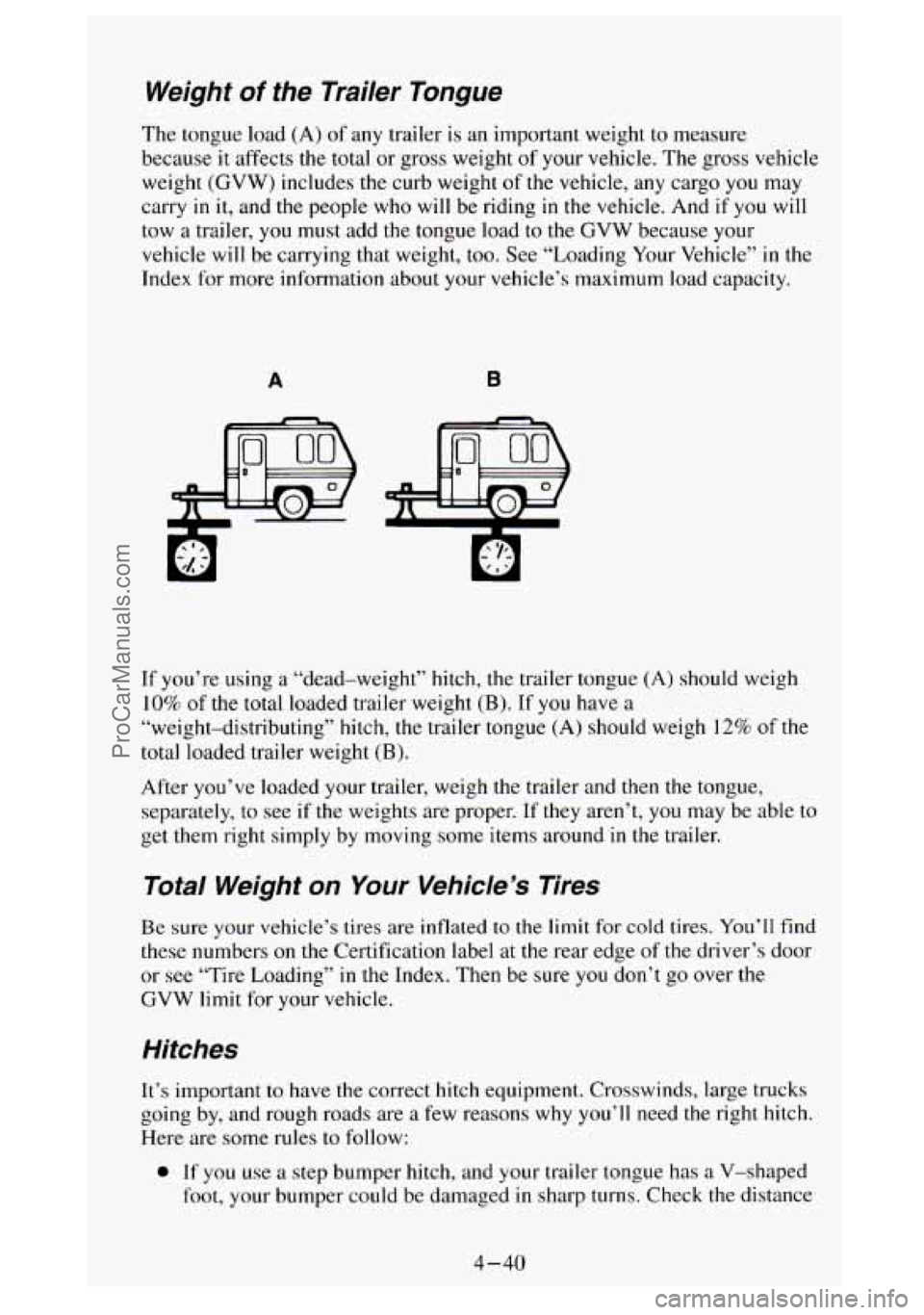
The tongue load (A) of any trailer is an important weight to measure
because
it affects the total or gross weight of your vehicle. The gross vehicle
weight (GVW) includes the curb weight of the vehicle, any cargo
you may
carry
in it, and the people who will be riding in the vehicle. And if you will
tow
a trailer, you must add the tongue load to the GVW because your
vehicle will be carrying that weight, too. See “Loading Your Vehicle”
in the
Index for more information about your vehicle’s maximum load capacity.
A B
If you’re using a “dead-weight” hitch, the trailer tongue (A) should weigh
10% of the total loaded trailer weight (B). If you have a
“weight-distributing” hitch, the trailer tongue (A) should weigh 12% of the
total loaded trailer weight
(B).
After you’ve loaded your trailer, weigh the trailer and then the tongue,
separately,
to see if the weights are proper. If they aren’t, you may be able to
get them right simply by moving some items around
in the trailer.
Total Weight on Your Vehicle’s Tires
Be sure your vehicle’s tires are inflated to the limit for cold tires. You’ll find
these numbers
on the Certification label at the rear edge of the driver’s door
or
see “Tire Loading” in the Index. Then be sure you don’t go over the
GVW limit for your vehicle.
Hitches
It’s important to have the correct hitch equipment. Crosswinds, large trucks
going
by, and rough roads are a few reasons why you’ll need the right hitch.
Here are some rules
to follow:
0 If you use a step bumper hitch, and your trailer tongue has a V-shaped
foot, your bumper could be damaged in sharp turns. Check the distance
4-40
ProCarManuals.com
Page 205 of 404
from the front edge of the foot to the middle of the hitch ball socket. If
the distance is less than 12 inches, take the foot off the trailer tongue.
0 If you’ll be pulling a trailer that, when loaded, will weigh more than
4,000 pounds (1 8 14 kg) be sure to use a properly mounted,
weight-distributing hitch and sway control
of the proper size. This
equipment is very important for proper vehicle loading and good
handling
when you’re driving.
Safety Chains
You should always attach chains between your vehicle and your trailer.
Cross the safety chains under
the tongue of the trailer so that the tongue will
not drop to
the road if it becomes separated from the hitch. Instructions
about safety chains may be provided by the hitch manufacturer or by the
trailer manufacturer. Follow
the manufacturer’s recommendation for
attaching safety chains. Always leave just enough slack
so you can turn with
your rig. And, never allow safety chains to drag on the ground.
Trailer Brakes
If your trailer weighs more than 1,000 pounds (450 kg) loaded, then it needs
its own brakes
- and they must be adequate. Be sure to read and follow the
instructions for
the trailer brakes so you’ll be able to install, adjust and
maintain them properly.
Your trailer brake system can tap
into your vehicle’s hydraulic brake system,
but consider
the following:
0 Will the trailer brake system use more than 0.02 cubic inch (0.3 cc) of
fluid from your vehicle’s master cylinder? If it will, don’t tap into your
vehicle’s brake system. Both braking systems won’t work well, and
you
could even lose your brakes altogether.
0 Will the trailer brake parts take 3,000 psi (20 650 kPa) of pressure? If
not, the trailer brake system must not be used with your vehicle.
If everything checks out this far, make the brake tap at the port on
the
master cylinder that sends the fluid to the rear brakes. But don’t use copper
tubing for this.
if you do, it will bend and finally break off. Use steel brake
tubing.
Driving with a Trailer
Towing a trailer requires a certain amount of experience. Before setting out
for the open road, you’ll want to get to know your rig. Acquaint yourself
with the feel of handling and braking with the added weight
of the trailer.
And always keep
in mind that the vehicle you are driving is now a good
deal longer and
not nearly so responsive as your vehicle is by itself.
4-41
ProCarManuals.com